Data Searching and Downloading Earth Explorer EE http
- Slides: 9
Data Searching and Downloading
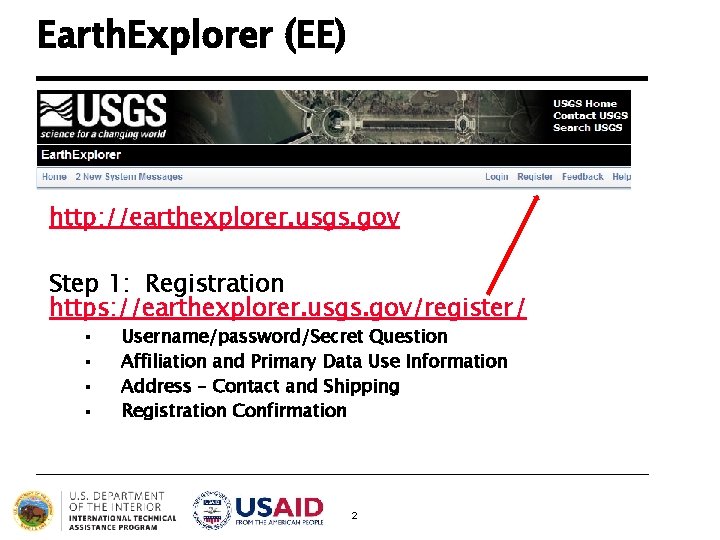
Earth. Explorer (EE) http: //earthexplorer. usgs. gov Step 1: Registration https: //earthexplorer. usgs. gov/register/ § § Username/password/Secret Question Affiliation and Primary Data Use Information Address – Contact and Shipping Registration Confirmation 2
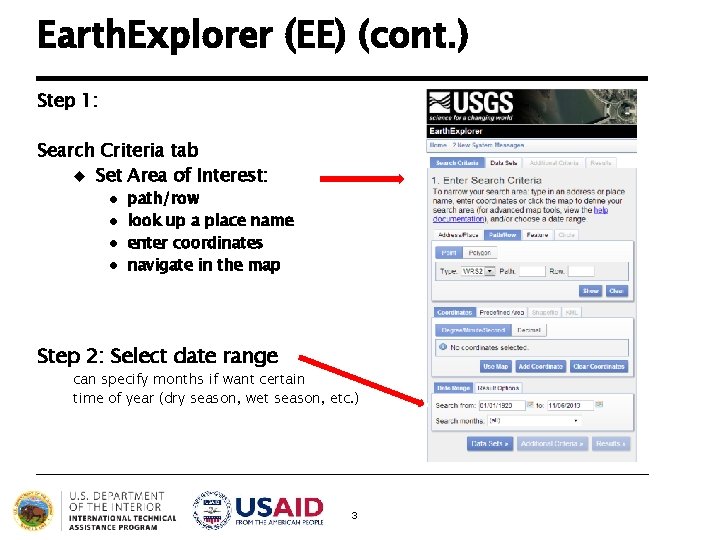
Earth. Explorer (EE) (cont. ) Step 1: Search Criteria tab u Set Area of Interest: l l path/row look up a place name enter coordinates navigate in the map Step 2: Select date range can specify months if want certain time of year (dry season, wet season, etc. ) 3
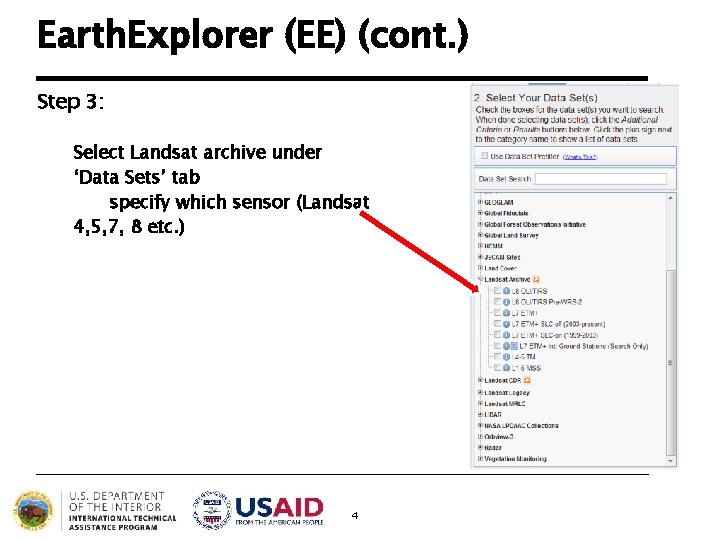
Earth. Explorer (EE) (cont. ) Step 3: Select Landsat archive under ‘Data Sets’ tab specify which sensor (Landsat 4, 5, 7, 8 etc. ) 4
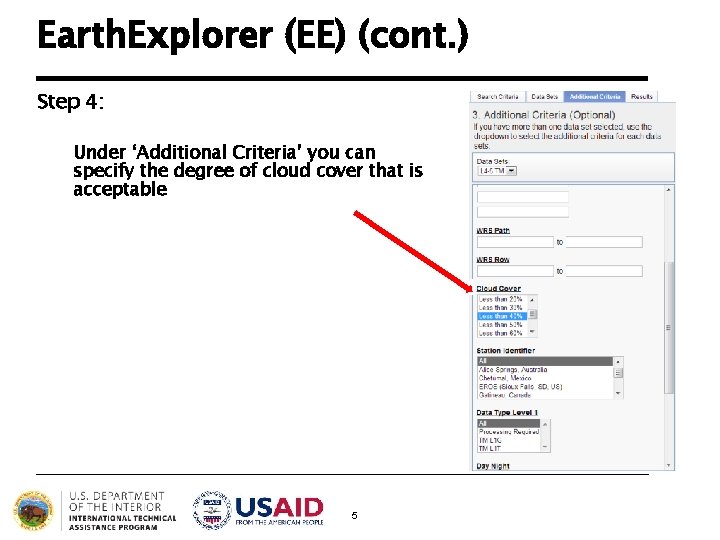
Earth. Explorer (EE) (cont. ) Step 4: Under ‘Additional Criteria’ you can specify the degree of cloud cover that is acceptable 5
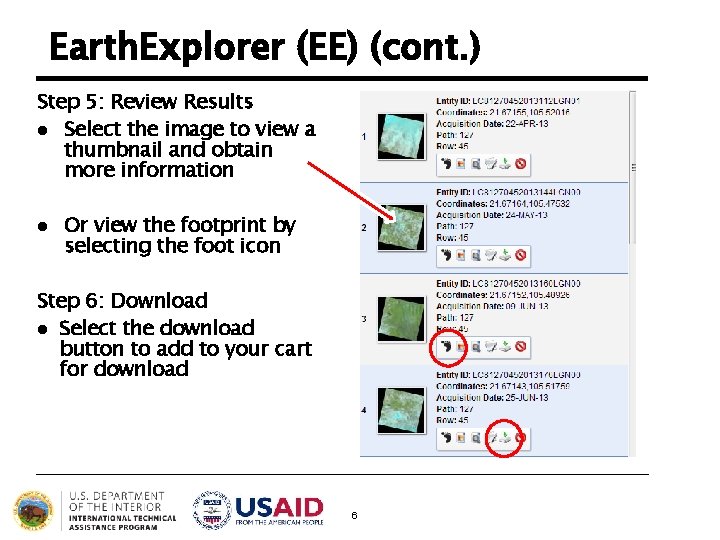
Earth. Explorer (EE) (cont. ) Step 5: Review Results l Select the image to view a thumbnail and obtain more information l Or view the footprint by selecting the foot icon Step 6: Download l Select the download button to add to your cart for download 6
Landsat Data Files: What to Get? l Each Landsat scene has these files available to download*: u u Landsat. Look l u at http: //landsat. usgs. gov/Landsat. Look. Images. php Level 1 T Geo. TIFF Data Product l l l “Natural Color” Image (Full resolution. jpg file) “Thermal” Image (Full resolution. jpg file) “Quality” Image (L 8 only, Full resolution. png file) Images with Geographic Reference (. zip bundle) Individual. TIFF band files, to use in GIS software Geometrically corrected and generally don’t need to be georectified; should check first though Must be stacked for use in ERDAS New versions of ENVI will read mtl file and assign bands appropriately; no need to stack All Landsat data are currently free of charge!! 7
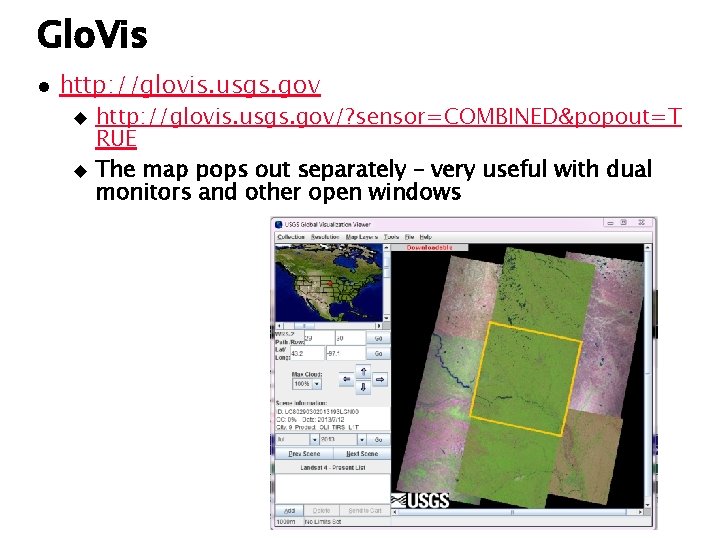
Glo. Vis l http: //glovis. usgs. gov u u http: //glovis. usgs. gov/? sensor=COMBINED&popout=T RUE The map pops out separately – very useful with dual monitors and other open windows
Glo. Vis (cont. ) l l l Browse-based viewer, easy to navigate to see many scenes Uses USGS Registration credentials (same as EE) Select Collection Path/Row or Coordinates Use direction arrows to move on map or click on map Use Prev Scene and Next Scene to ‘page’ through scenes 9