Arrays Computer Science Department What is Array An
![Example of One Dimensional Array void main() { double sales [6], average, total=0; cout<<](https://slidetodoc.com/presentation_image/1a2e385f2fca5d8b2856b66c84fb0850/image-9.jpg "Example of One Dimensional Array void main() { double sales [6], average, total=0; cout<<")
![Example Two Dimensional Array void main() { float array 2[3][3]= {{ 12. 2, 11.](https://slidetodoc.com/presentation_image/1a2e385f2fca5d8b2856b66c84fb0850/image-13.jpg "Example Two Dimensional Array void main() { float array 2[3][3]= {{ 12. 2, 11.")
- Slides: 13
Arrays Computer Science Department
What is Array • An Array is a structured collection of components, all of same type, that is given a single name. Each component (array element) is accessed by an index that indicates the component’s position within the collection. Computer Science Department
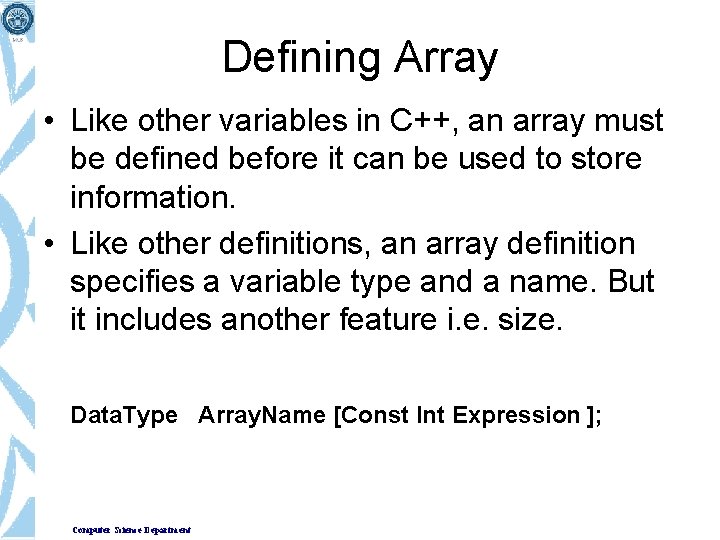
Defining Array • Like other variables in C++, an array must be defined before it can be used to store information. • Like other definitions, an array definition specifies a variable type and a name. But it includes another feature i. e. size. Data. Type Array. Name [Const Int Expression ]; Computer Science Department
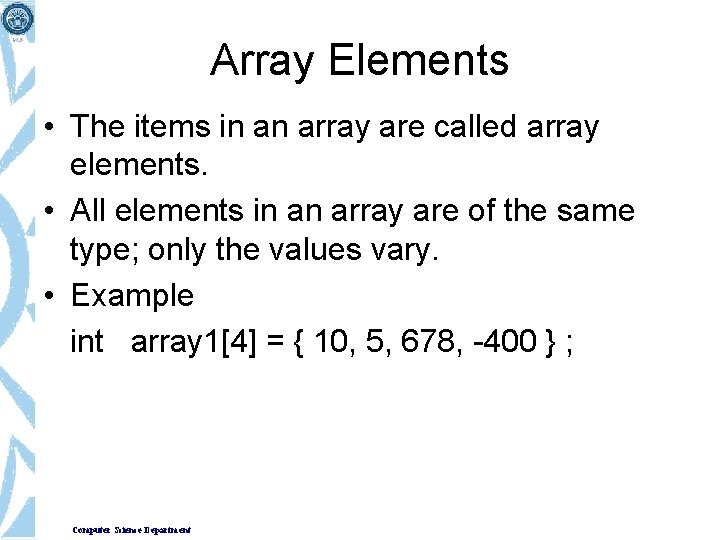
Array Elements • The items in an array are called array elements. • All elements in an array are of the same type; only the values vary. • Example int array 1[4] = { 10, 5, 678, -400 } ; Computer Science Department
Accessing Array Elements • To Access an individual array component, we write the array name, followed by an expression enclosed in square brackets. The expression specifies which component to access. • Syntax Array. Name [ Index. Expression] • Example array 1[2] array 1[i] where i = 3 Computer Science Department
Initializing array in Declarations • To initialize an array, you have to specify a list of initial values for the array elements, separate them with commas and enclose the list within braces. int array 1[5] = {23, 10, 16, 37, 12}; • We don’t need to use the array size when we initialize all the array elements, since the compiler can figure it out by counting the initializing variables. int array 1[ ] = { 23, 10, 16, 37}; • What happens if you do use an explicit array size, but it doesn’t agree with the number of components ? – If there are too few components/ items , the missing element will be set to zero. – If there are two many, an error is signaled. Computer Science Department
Lack of Aggregate Array Operations • C++ does not allow aggregate operations on arrays. int x[50], y[50] ; • There is no aggregate assignment of y to x x = y; //not valid • To copy array y into array x, you must do it yourself, element by element. for ( i=0; i<50; i++) x[i] = y[i]; //valid operation • Similarly, there is no aggregate comparison of arrays. if (x == y ) //Not valid Computer Science Department
Lack of Aggregate Array Operations • Also, you cannot perform aggregate input / output operations on arrays. cin>>x; //not valid, where x is an array cout<<x //not valid • You cannot perform aggregate arithmetic operations on arrays x = x + y // not valid, where x and y are arrays • Finally, it is not possible to return an entire array as the value of a value-returning function return x; //not valid, where x is an array. Computer Science Department
Example of One Dimensional Array void main() { double sales [6], average, total=0; cout<< “Enter sales of 6 days”; for( int j=0; j<6; j++) cin >> sales[ i ]; for (int j=0; j<6; j++) total += sales[ j ] ; average = total / 6; cout<< “Average =”<< average; } Computer Science Department
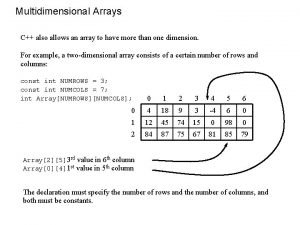
Multidimensional Arrays • A two dimensional array is used to represent items in a table with rows and columns, provided each item in the table is of same data type. • Each component is accessed by a pair of indexes that represent the component’s position in each dimension. Computer Science Department
Defining Multidimensional Array • Two Dimensional Array • The array is defined with two size specifiers, each enclosed in brackets Data. Type Array. Name[Const. Int. Exp] • Example double array 2[3][4]; • Three Dimensional Array float array 3[x][y][z] Computer Science Department
Accessing Multidimensional Array Elements • Array elements in two dimensional arrays required two indexes array 2[1][2] • Notice that each index has its own set of brackets. Don’t write commas. array 2[1, 2] // not valid syntax Computer Science Department
Example Two Dimensional Array void main() { float array 2[3][3]= {{ 12. 2, 11. 0, 9. 6 }, { 23. 9, -50. 6, 2. 3 }, { 2. 2, 3. 3, 4. 4 } }; for (int row=0; row<3; row++) for (int col=0; col<3; col++) cout<< array 2[row][col]; } Computer Science Department