WorkdayYale ISR TestingQuestions January 23 2017 Agenda 1



- Slides: 27
Workday@Yale ISR Testing/Questions January 23, 2017
Agenda 1. Review Testing Approach for Integrations 2. Review Testing Approach for People Hub 3. Review Environment syncing 4. System Owner Readiness for deployment 5. Questions
Agenda 1. Review Testing Approach for Integrations 2. Review Testing Approach for People Hub 3. Review Environment syncing 4. System Owner Readiness for Deployment 5. Questions
Review Testing Approach for Integrations 1. ISR Test Roles & Responsibilities 2. Testing Process 3. ISR Integration Testing Checklist 4. Integration Test Scenarios 5. Integration Test Scenario Steps 6. Defect Tracking 7. ISR Test Plans
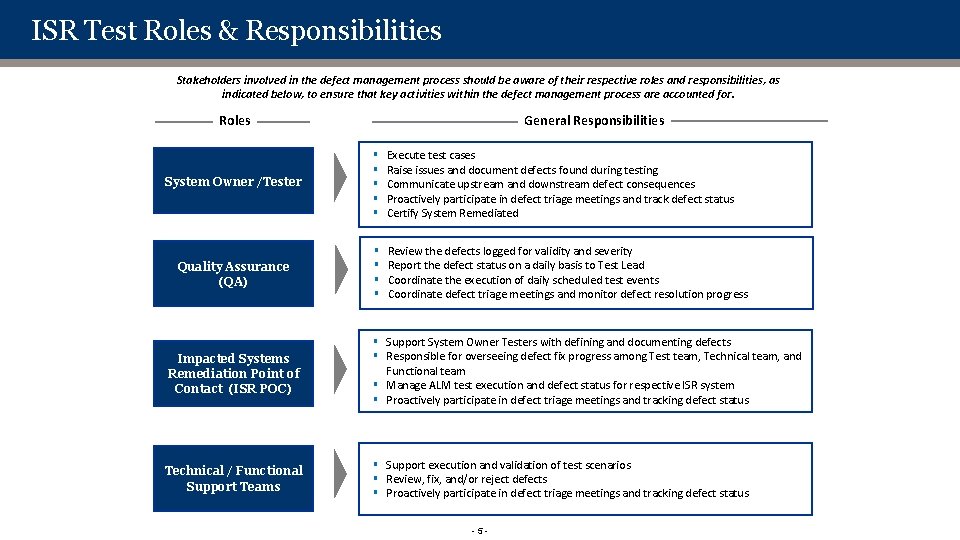
ISR Test Roles & Responsibilities Stakeholders involved in the defect management process should be aware of their respective roles and responsibilities, as indicated below, to ensure that key activities within the defect management process are accounted for. General Responsibilities Roles System Owner /Tester § § § Execute test cases Raise issues and document defects found during testing Communicate upstream and downstream defect consequences Proactively participate in defect triage meetings and track defect status Certify System Remediated Quality Assurance (QA) § § Review the defects logged for validity and severity Report the defect status on a daily basis to Test Lead Coordinate the execution of daily scheduled test events Coordinate defect triage meetings and monitor defect resolution progress Impacted Systems Remediation Point of Contact (ISR POC) § Support System Owner Testers with defining and documenting defects § Responsible for overseeing defect fix progress among Test team, Technical team, and Functional team § Manage ALM test execution and defect status for respective ISR system § Proactively participate in defect triage meetings and tracking defect status Technical / Functional Support Teams § Support execution and validation of test scenarios § Review, fix, and/or reject defects § Proactively participate in defect triage meetings and tracking defect status -5 -
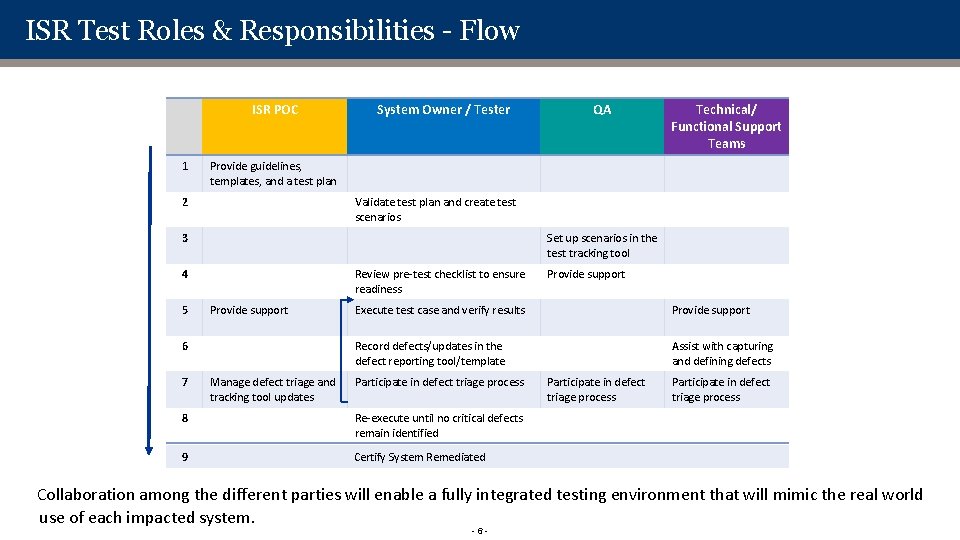
ISR Test Roles & Responsibilities - Flow ISR POC 1 System Owner / Tester Validate test plan and create test scenarios 3 Set up scenarios in the test tracking tool 4 Review pre-test checklist to ensure readiness Provide support 6 7 Technical/ Functional Support Teams Provide guidelines, templates, and a test plan 2 5 QA Manage defect triage and tracking tool updates Provide support Execute test case and verify results Provide support Record defects/updates in the defect reporting tool/template Assist with capturing and defining defects Participate in defect triage process 8 Re-execute until no critical defects remain identified 9 Certify System Remediated Participate in defect triage process Collaboration among the different parties will enable a fully integrated testing environment that will mimic the real world use of each impacted system. -6 -
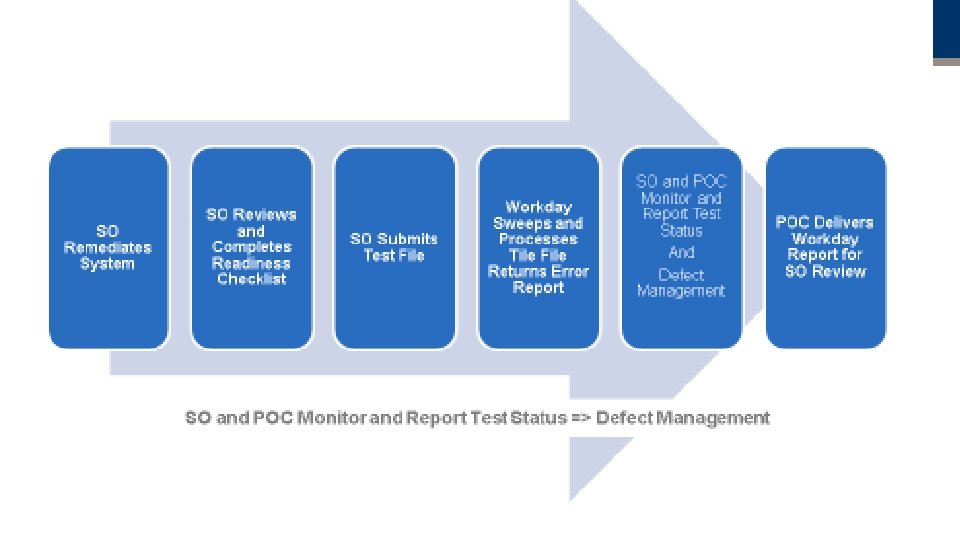
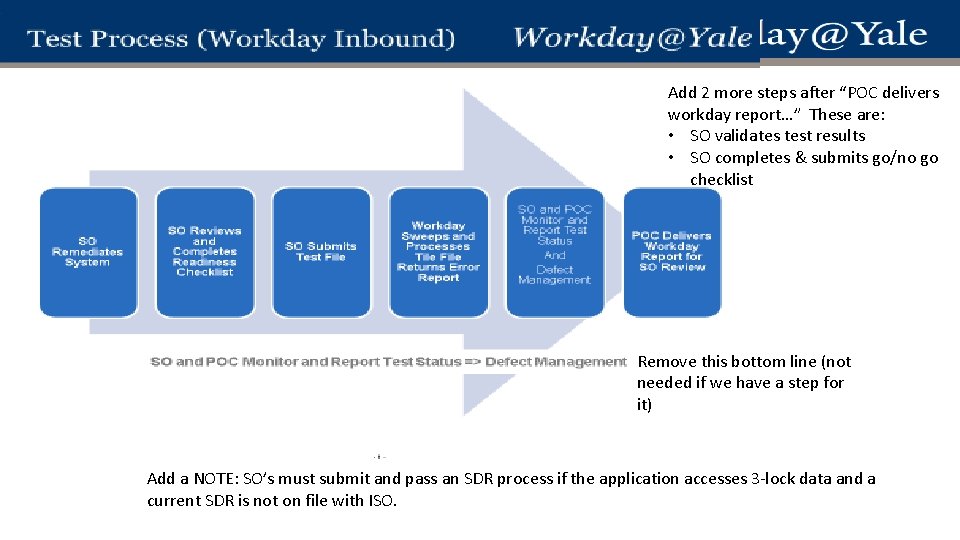
1 - Testing Process
outbound
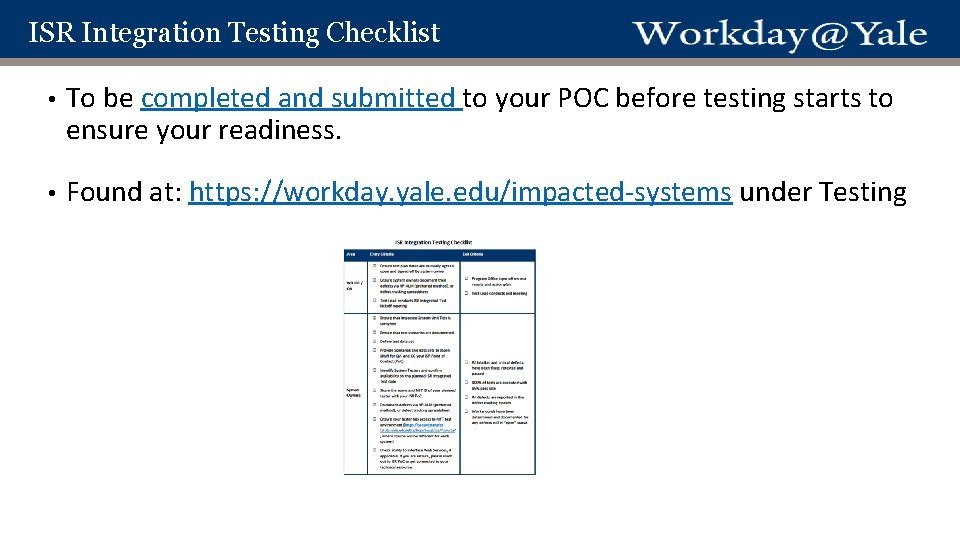
ISR Integration Testing Checklist • To be completed and submitted to your POC before testing starts to ensure your readiness. • Found at: https: //workday. yale. edu/impacted-systems under Testing
Integration Test Scenarios • Templated scenarios created for integration testing • 1 test scenario per integration • 5 steps per test scenario • These have been uploaded into HP-ALM tool for Wave 1 and will be loaded for waves 2 and 3. Please validate these with your ISR Po. C.
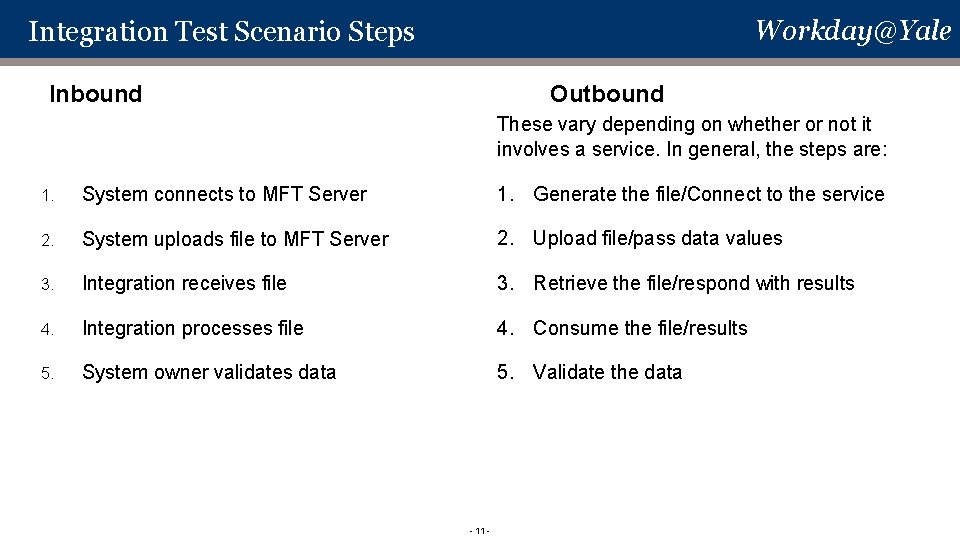
Workday@Yale Integration Test Scenario Steps Inbound Outbound These vary depending on whether or not it involves a service. In general, the steps are: 1. System connects to MFT Server 1. Generate the file/Connect to the service 2. System uploads file to MFT Server 2. Upload file/pass data values 3. Integration receives file 3. Retrieve the file/respond with results 4. Integration processes file 4. Consume the file/results 5. System owner validates data 5. Validate the data - 11 -
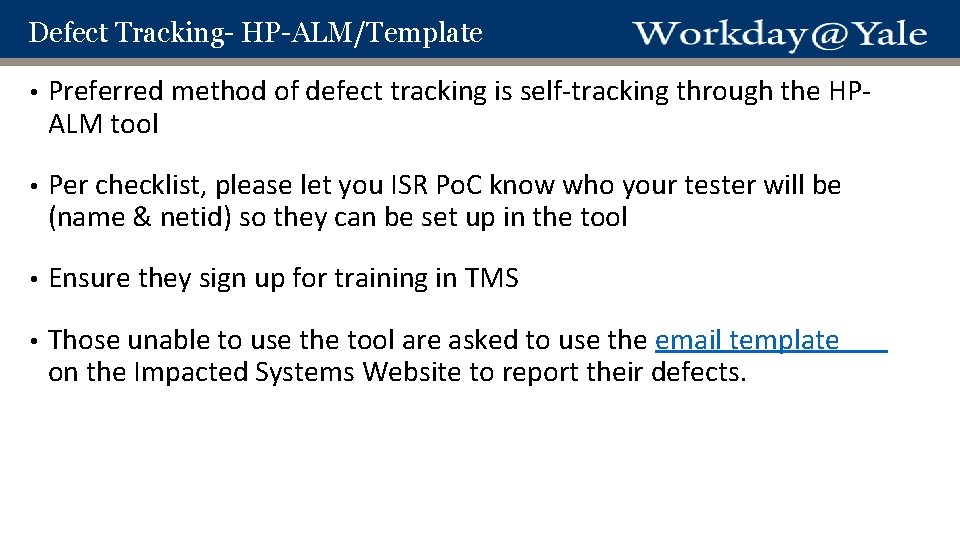
Defect Tracking- HP-ALM/Template • Preferred method of defect tracking is self-tracking through the HPALM tool • Per checklist, please let you ISR Po. C know who your tester will be (name & netid) so they can be set up in the tool • Ensure they sign up for training in TMS • Those unable to use the tool are asked to use the email template on the Impacted Systems Website to report their defects.
ISR Test Plans • Wave 1 test plan • Wave 2 & 3 test plan
Agenda 1. Review Testing Approach for Integrations 2. Review Testing Approach for People Hub 3. Review Environment syncing 4. System Owner Readiness for Deployment 5. Questions
Review Testing Approach for People. Hub • • Philosophy & Approach Testing Scenarios Master Data Environment Syncing
Review Testing Approach for People. Hub • Philosophy – Similar to an outbound web service integration • Approach – Leverage economies of scale whenever possible: • Pilot Teams • Test Scenarios • Master Data
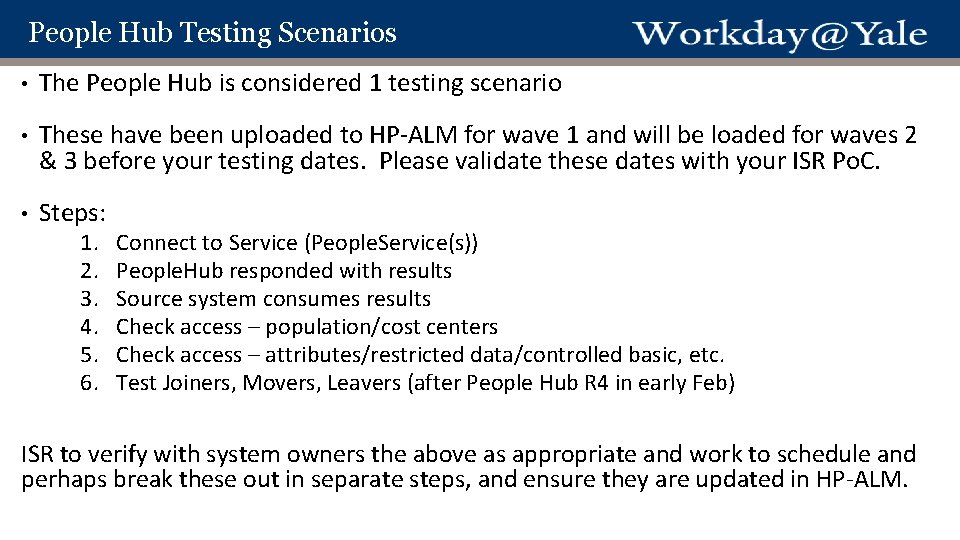
People Hub Testing Scenarios • The People Hub is considered 1 testing scenario • These have been uploaded to HP-ALM for wave 1 and will be loaded for waves 2 & 3 before your testing dates. Please validate these dates with your ISR Po. C. • Steps: 1. 2. 3. 4. 5. 6. Connect to Service (People. Service(s)) People. Hub responded with results Source system consumes results Check access – population/cost centers Check access – attributes/restricted data/controlled basic, etc. Test Joiners, Movers, Leavers (after People Hub R 4 in early Feb) ISR to verify with system owners the above as appropriate and work to schedule and perhaps break these out in separate steps, and ensure they are updated in HP-ALM.
Master Data • 80% of system owners have “Yale University Access” to People data. These systems can utilize the master data that is already in Workday test. • 20% of system owners need department specific master data. Those who need this are asked to fill in the Master Data entry form and submit it to your Po. C. This data will subsequently be entered into WD for you prior to testing.
Agenda 1. Review Testing Approach for Integrations 2. Review Testing Approach for People Hub 3. Review Environment Syncing 4. System Owner Readiness for Deployment 5. Questions
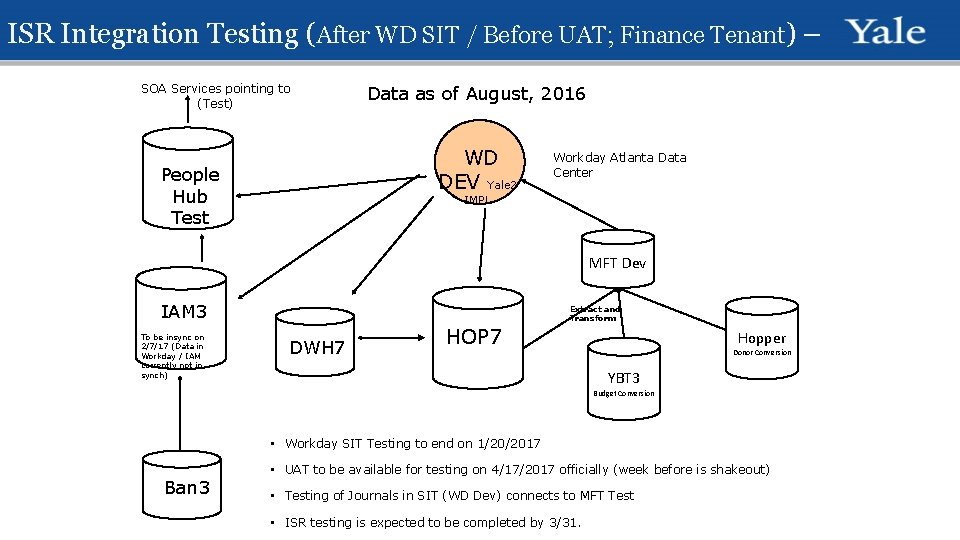
ISR Integration Testing (After WD SIT / Before UAT; Finance Tenant) – SOA Services pointing to (Test) Data as of August, 2016 WD DEV Yale 2 People Hub Test Workday Atlanta Data Center IMPL MFT Dev IAM 3 To be insync on 2/7/17 (Data in Workday / IAM corrently not in synch) Extract and Transform DWH 7 HOP 7 Hopper Donor Conversion YBT 3 Budget Conversion • Workday SIT Testing to end on 1/20/2017 Ban 3 • UAT to be available for testing on 4/17/2017 officially (week before is shakeout) • Testing of Journals in SIT (WD Dev) connects to MFT Test • ISR testing is expected to be completed by 3/31.
Agenda 1. Review Testing Approach for Integrations 2. Review Testing Approach for People Hub 3. Review Environment Syncing 4. System Owner Readiness for Deployment 5. Questions
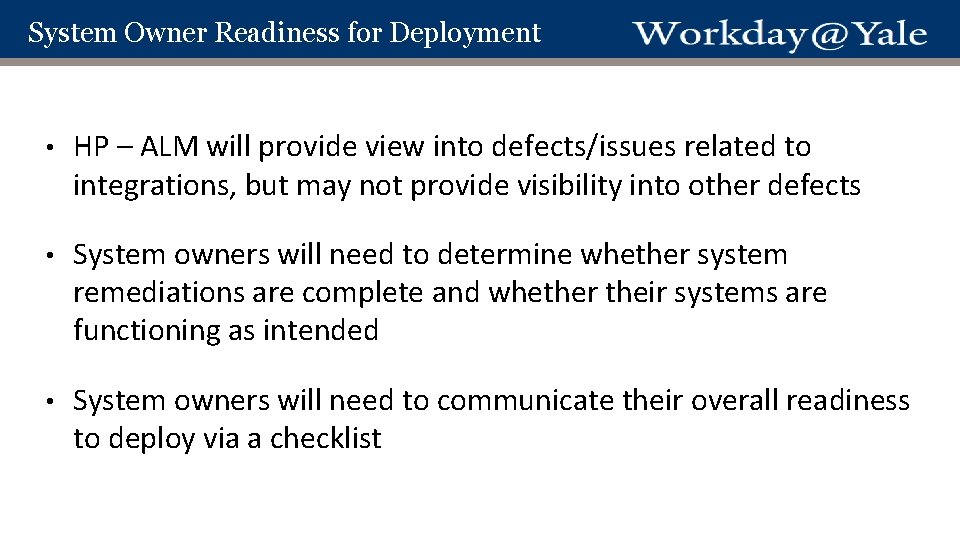
System Owner Readiness for Deployment • HP – ALM will provide view into defects/issues related to integrations, but may not provide visibility into other defects • System owners will need to determine whether system remediations are complete and whether their systems are functioning as intended • System owners will need to communicate their overall readiness to deploy via a checklist
Agenda 1. Review Testing Approach for Integrations 2. Review Testing Approach for People Hub 3. Review Environment Syncing 4. System Owner Readiness for Deployment 5. Questions
Questions
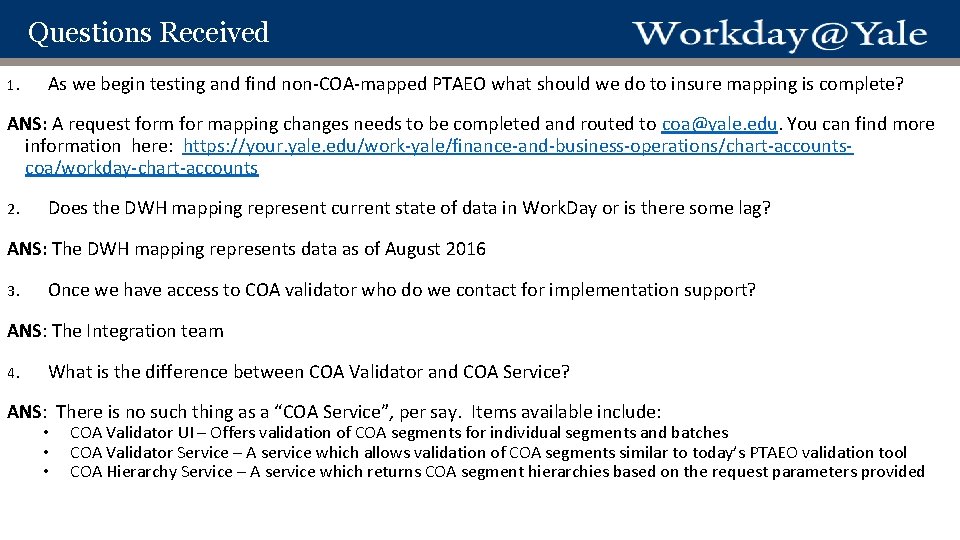
Questions Received 1. As we begin testing and find non-COA-mapped PTAEO what should we do to insure mapping is complete? ANS: A request form for mapping changes needs to be completed and routed to coa@yale. edu. You can find more information here: https: //your. yale. edu/work-yale/finance-and-business-operations/chart-accountscoa/workday-chart-accounts 2. Does the DWH mapping represent current state of data in Work. Day or is there some lag? ANS: The DWH mapping represents data as of August 2016 3. Once we have access to COA validator who do we contact for implementation support? ANS: The Integration team 4. What is the difference between COA Validator and COA Service? ANS: There is no such thing as a “COA Service”, per say. Items available include: • • • COA Validator UI – Offers validation of COA segments for individual segments and batches COA Validator Service – A service which allows validation of COA segments similar to today’s PTAEO validation tool COA Hierarchy Service – A service which returns COA segment hierarchies based on the request parameters provided
BACKUP SLIDES
Add 2 more steps after “POC delivers workday report…” These are: • SO validates test results • SO completes & submits go/no go checklist Remove this bottom line (not needed if we have a step for it) Add a NOTE: SO’s must submit and pass an SDR process if the application accesses 3 -lock data and a current SDR is not on file with ISO.