Understanding Computers Today and Tomorrow 13 th Edition
- Slides: 23
Understanding Computers: Today and Tomorrow, 13 th Edition Chapter 9: Network and Internet Security
Why Be Concerned about Network and Internet Security? • Security concerns related to computer networks and the Internet abound • Computer crime (cybercrime): Any illegal act involving a computer, including: – Theft of financial assets – Manipulating data for personal advantage – Act of sabotage (releasing a computer virus, shutting down a Web server) • All computer users should be aware of security concerns and the precautions that can be taken Understanding Computers: Today and Tomorrow, 13 th Edition 2
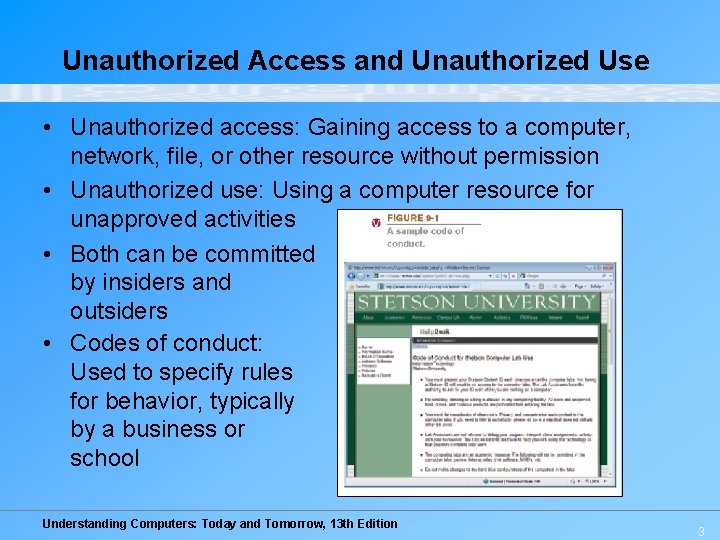
Unauthorized Access and Unauthorized Use • Unauthorized access: Gaining access to a computer, network, file, or other resource without permission • Unauthorized use: Using a computer resource for unapproved activities • Both can be committed by insiders and outsiders • Codes of conduct: Used to specify rules for behavior, typically by a business or school Understanding Computers: Today and Tomorrow, 13 th Edition 3
Unauthorized Access and Unauthorized Use • Hacking: Using a computer to break into another computer system – A serious threat for individuals, businesses, and the country (national security) – Often performed via wireless networks today – Many wireless networks are left unsecured • War driving: Driving around an area to find a Wi-Fi network to access and use without authorization • Wi-Fi piggybacking: Accessing an unsecured Wi-Fi network from your current location without authorization • Interception of communications: Messages, files, logon information etc. can be intercepted in not secured Understanding Computers: Today and Tomorrow, 13 th Edition 4
Protecting Against Unauthorized Access and Use • Access control systems: Used to control access to: – Facilities – Computer networks – Databases – Web site accounts • Can be: – Identification systems: Verify that the person trying to access the facility or system is an authorized user – Authentication systems: Determine if the person is who he or she claims to be Understanding Computers: Today and Tomorrow, 13 th Edition 5
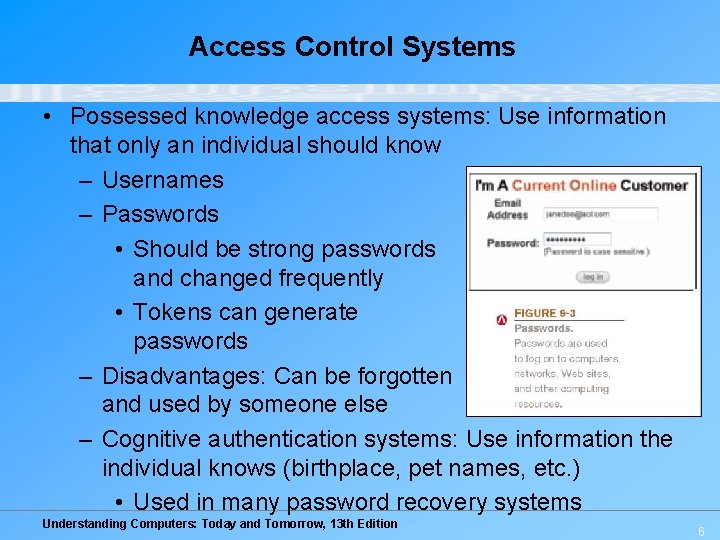
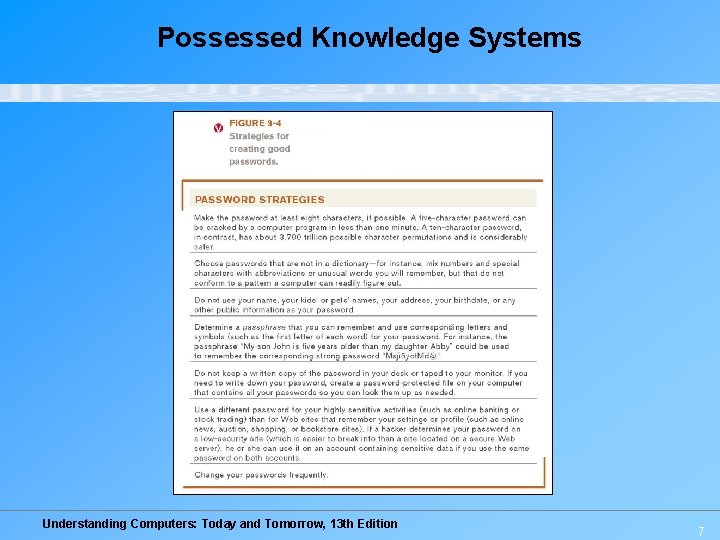
Access Control Systems • Possessed knowledge access systems: Use information that only an individual should know – Usernames – Passwords • Should be strong passwords and changed frequently • Tokens can generate passwords – Disadvantages: Can be forgotten and used by someone else – Cognitive authentication systems: Use information the individual knows (birthplace, pet names, etc. ) • Used in many password recovery systems Understanding Computers: Today and Tomorrow, 13 th Edition 6
Possessed Knowledge Systems Understanding Computers: Today and Tomorrow, 13 th Edition 7
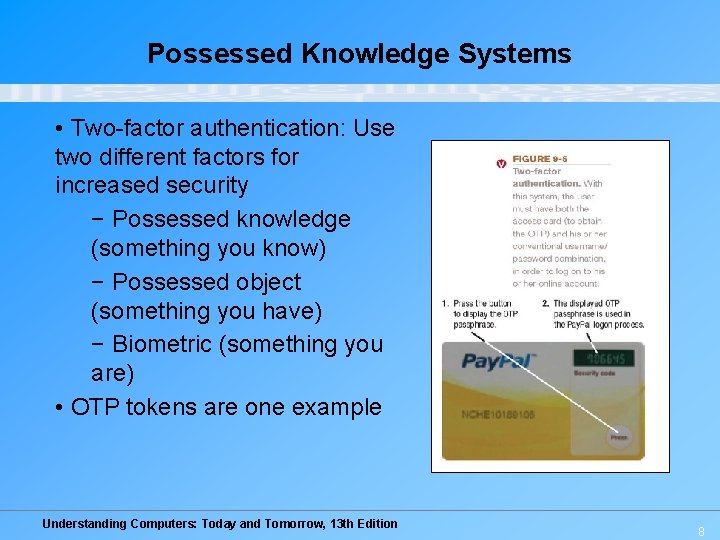
Possessed Knowledge Systems • Two-factor authentication: Use two different factors for increased security − Possessed knowledge (something you know) − Possessed object (something you have) − Biometric (something you are) • OTP tokens are one example Understanding Computers: Today and Tomorrow, 13 th Edition 8
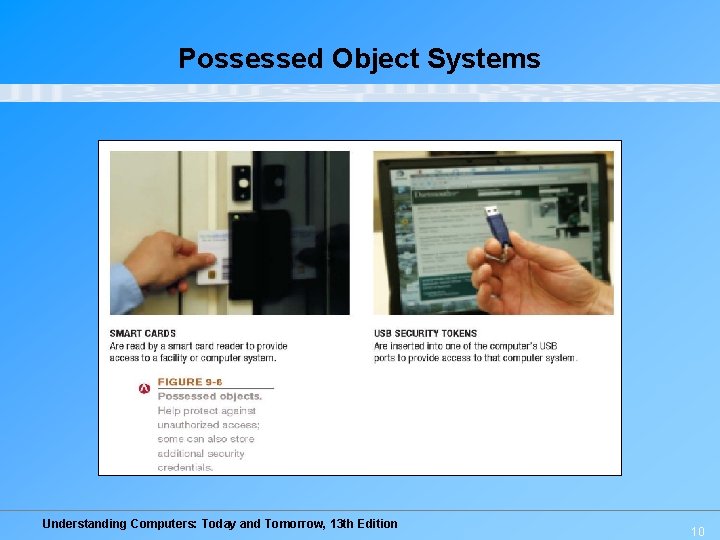
Access Control Systems • Possessed object access systems: Use a physical object an individual has in his/her possession to identify that individual – Smart cards – RFID-encoded badges – Magnetic cards – USB security keys or e-tokens • Disadvantages: Can be lost or used by an unauthorized individual – When used with passwords or biometrics = two-factor authentication Understanding Computers: Today and Tomorrow, 13 th Edition 9
Possessed Object Systems Understanding Computers: Today and Tomorrow, 13 th Edition 10
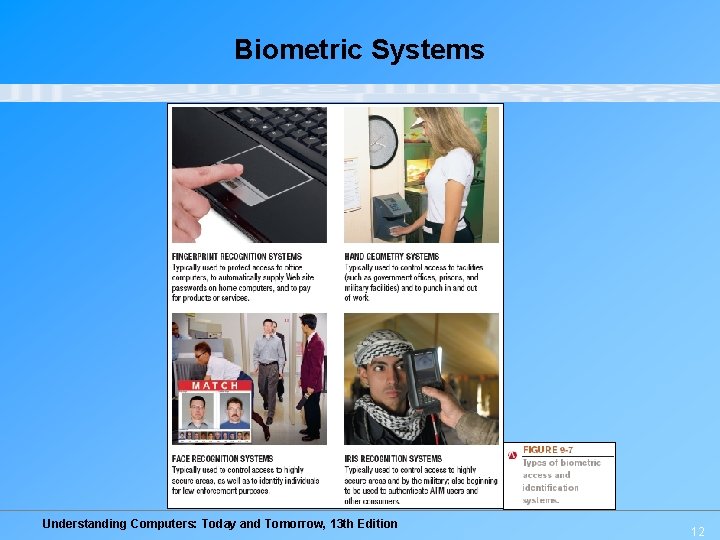
Access Control Systems • Biometric access systems: Identifies users by a particular unique biological characteristic – Fingerprint, hand, face, iris, voice, etc. – Data read by biometric reader must match what is stored in a database • Often used: – To control access to secure facilities – To log on to computers, punch in/out at work, law enforcement, etc. • Advantages: Can only be used by the authorized individual and cannot be lost or forgotten • Disadvantages: Cannot be reset; expensive Understanding Computers: Today and Tomorrow, 13 th Edition 11
Biometric Systems Understanding Computers: Today and Tomorrow, 13 th Edition 12
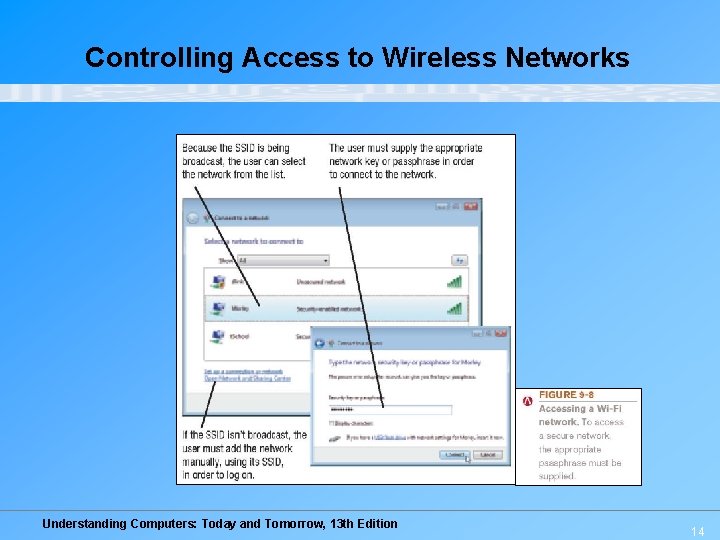
Access Control Systems • Controlling access to wireless networks – In general, Wi-Fi is less secure than wired networks – Security is usually off by default; wireless networks should be secured – Wireless network owners should: • Enable encryption (WPA is more secure than WEP) • Not broadcast the network name (SSID) • Enable other security features as needed Understanding Computers: Today and Tomorrow, 13 th Edition 13
Controlling Access to Wireless Networks Understanding Computers: Today and Tomorrow, 13 th Edition 14
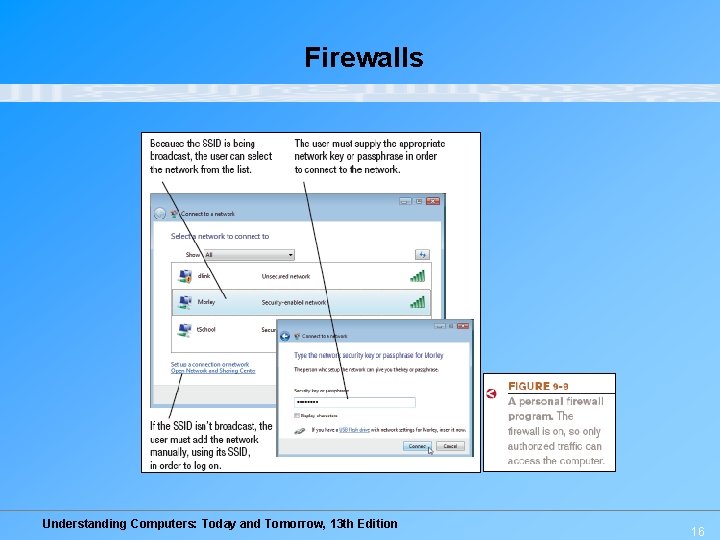
Protecting Against Unauthorized Access and Use • Firewall: A collection of hardware and/or software intended to protect a computer or computer network from unauthorized access – Blocks access to the computer from hackers – Blocks access to the Internet from programs on the user’s computer unless authorized by the user – Important for home computer that have a direct Internet connection, as well as for businesses – Work by closing down external communications ports • Intrusion prevention system (IPS) software: Monitors traffic to try and detect possible attacks Understanding Computers: Today and Tomorrow, 13 th Edition 15
Firewalls Understanding Computers: Today and Tomorrow, 13 th Edition 16
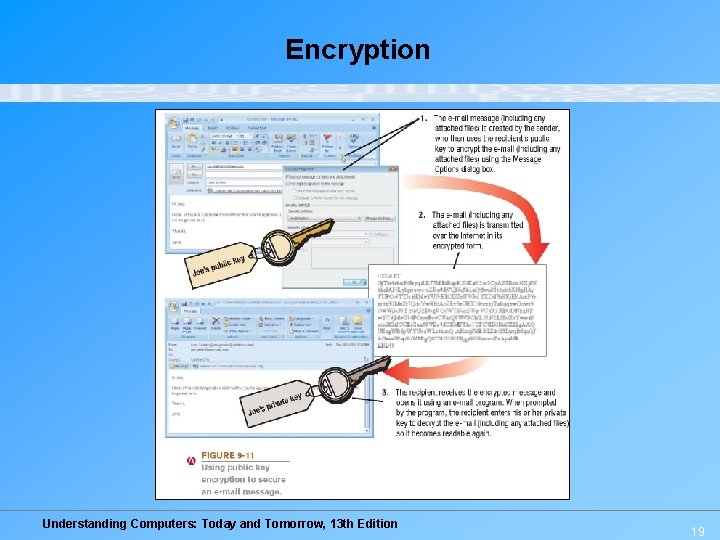
Protecting Against Unauthorized Access and Use • Encryption: Method of scrambling contents of e-mail or files to make them unreadable if intercepted – Private key encryption: Uses a single key • Most often used to encrypt files on a computer • If used to send files to others, the recipient needs to be told the key – Public key encryption: Uses two keys • Public key: Can be given to anyone; used to encrypt messages to be sent to that person • Private key: Only known by the individual; used to decrypt messages that are encrypted with the individual’s public key • Key pairs can be obtained through a Certificate Authority Understanding Computers: Today and Tomorrow, 13 th Edition 17
Protecting Against Unauthorized Access, Use, and Computer Sabotage – Secure Web pages: Use encryption (SSL, EV SSL, etc. ) to protect information transmitted via their Web pages • Look for a locked padlock on the status bar and https: // in the URL • Only transmit credit card numbers and other sensitive data via a secure Web server – Web-based encrypted e-mail (Hush. Mail) is available – Various strengths of encryption available • Stronger is more difficult to crack • Strong = 128 -bit (16 -character keys) • Military = 2, 048 -bit (256 -character keys) Understanding Computers: Today and Tomorrow, 13 th Edition 18
Encryption Understanding Computers: Today and Tomorrow, 13 th Edition 19
Protecting Against Unauthorized Access and Use • Virtual private networks (VPNs): A private secure path over the Internet – Allows authorized users to securely access a private network via the Internet – Much less expensive than a private secure network since uses the Internet – Can provide a secure environment over a large geographical area – Typically used by businesses to remotely access corporate networks via the Internet – Personal VPNs can be used by individuals to surf safely at a wireless hotspot Understanding Computers: Today and Tomorrow, 13 th Edition 20
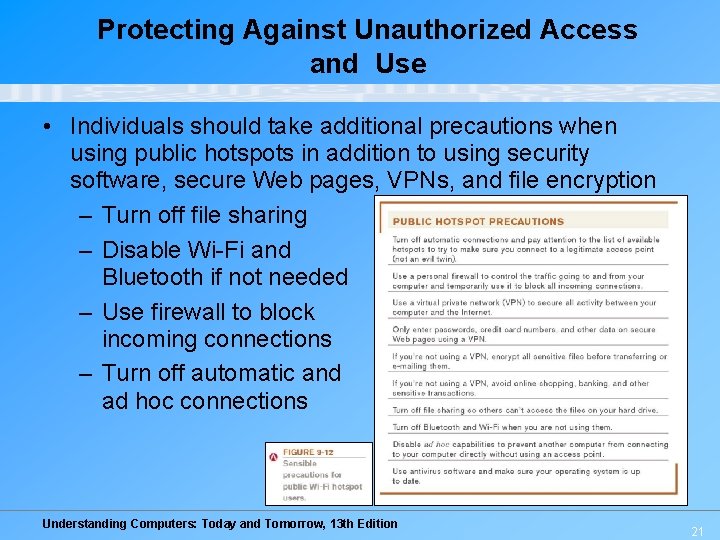
Protecting Against Unauthorized Access and Use • Individuals should take additional precautions when using public hotspots in addition to using security software, secure Web pages, VPNs, and file encryption – Turn off file sharing – Disable Wi-Fi and Bluetooth if not needed – Use firewall to block incoming connections – Turn off automatic and ad hoc connections Understanding Computers: Today and Tomorrow, 13 th Edition 21
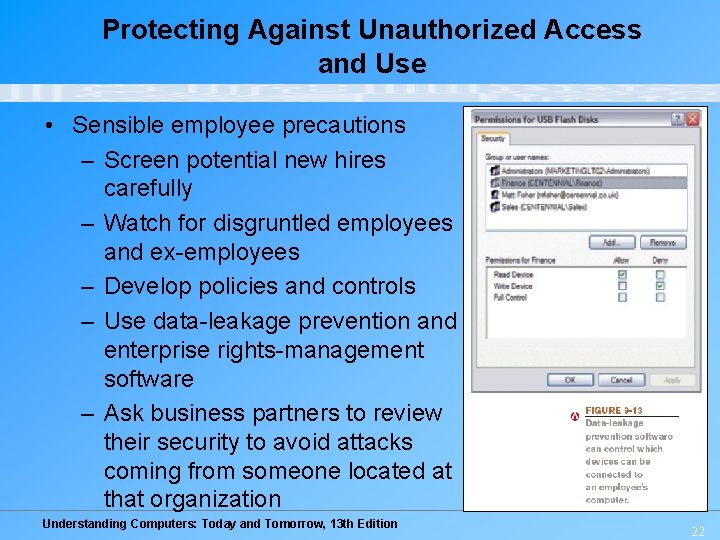
Protecting Against Unauthorized Access and Use • Sensible employee precautions – Screen potential new hires carefully – Watch for disgruntled employees and ex-employees – Develop policies and controls – Use data-leakage prevention and enterprise rights-management software – Ask business partners to review their security to avoid attacks coming from someone located at that organization Understanding Computers: Today and Tomorrow, 13 th Edition 22
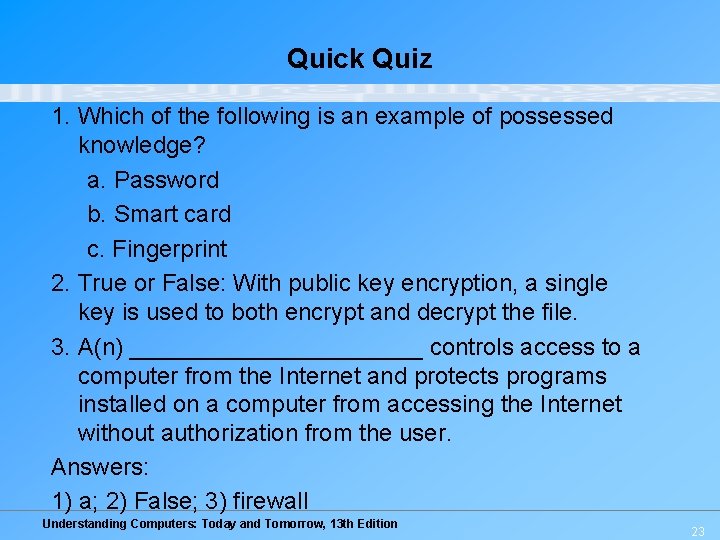
Quick Quiz 1. Which of the following is an example of possessed knowledge? a. Password b. Smart card c. Fingerprint 2. True or False: With public key encryption, a single key is used to both encrypt and decrypt the file. 3. A(n) ___________ controls access to a computer from the Internet and protects programs installed on a computer from accessing the Internet without authorization from the user. Answers: 1) a; 2) False; 3) firewall Understanding Computers: Today and Tomorrow, 13 th Edition 23