Test Administrator TA Interface for Online Testing Training
- Slides: 22
Test Administrator (TA) Interface for Online Testing Training Module Copyright © 2014 American Institutes for Research. All rights reserved.
Objectives After viewing this presentation, you should be able to: • • Use the TA Interface to start and run a test session View and edit student test settings and accessibility resources Monitor the testing process Pause and stop a test session Transfer sessions between computers and mobile devices Print test session information Exit and log out of the TA Interface Please note: The navigation instructions that follow are from the viewpoint of a Windows PC user with a two-button mouse. Your steps may vary depending upon the device and operating system you are using. 2
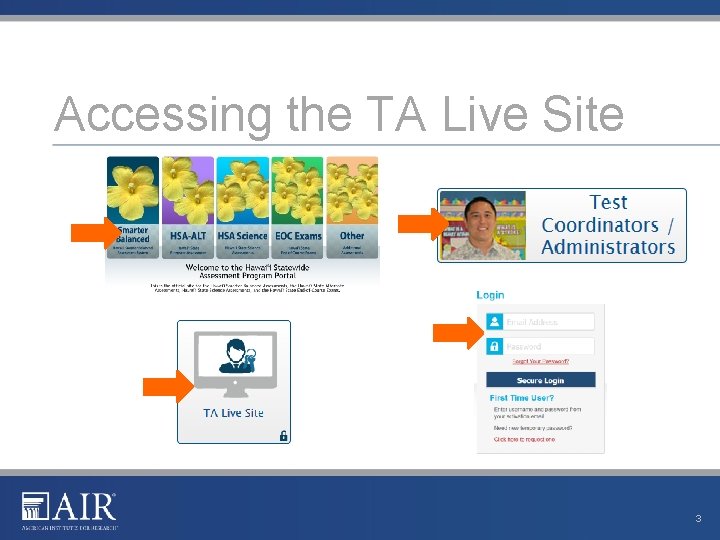
Accessing the TA Live Site 3
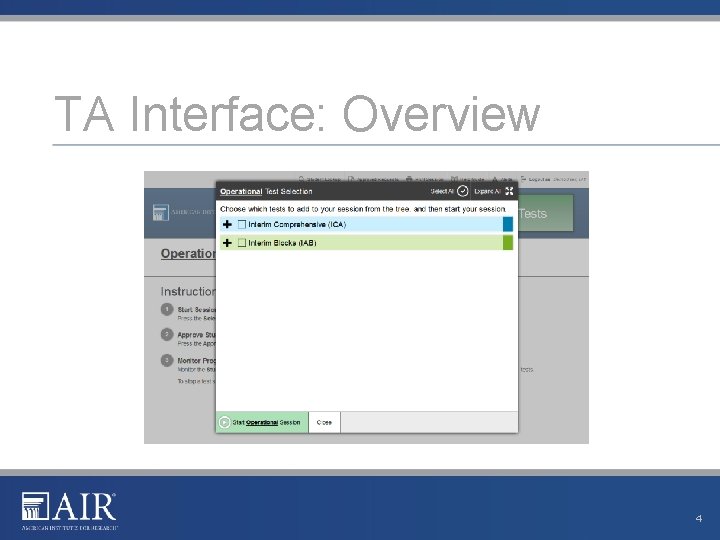
TA Interface: Overview 4
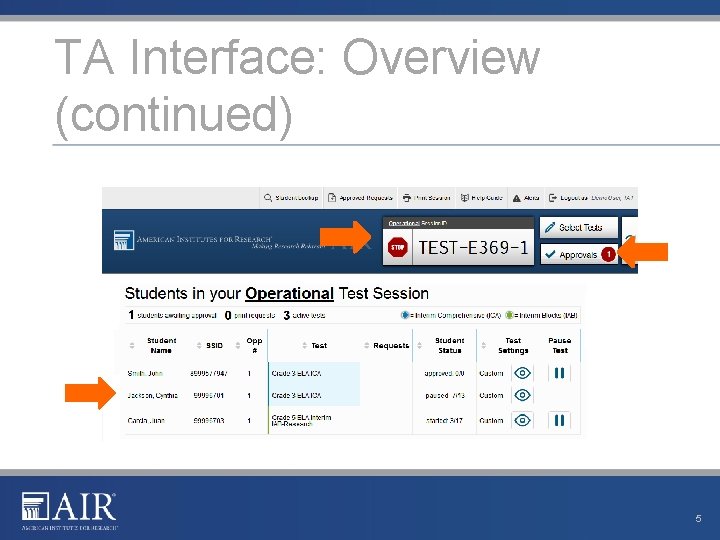
TA Interface: Overview (continued) 5
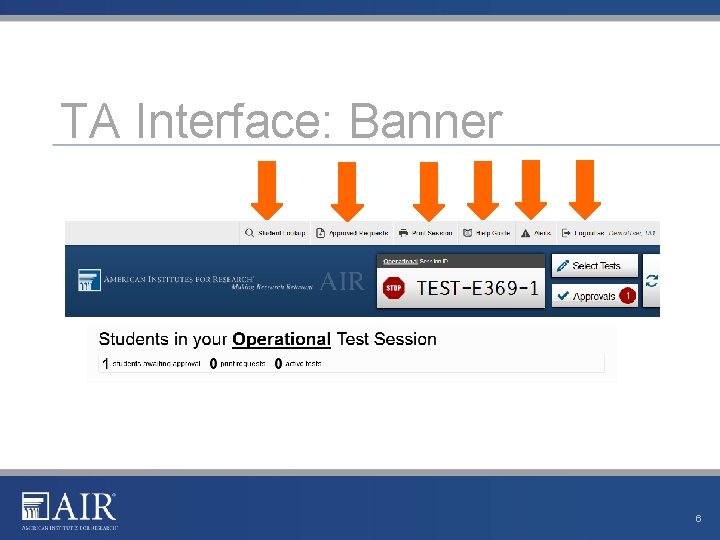
TA Interface: Banner 6
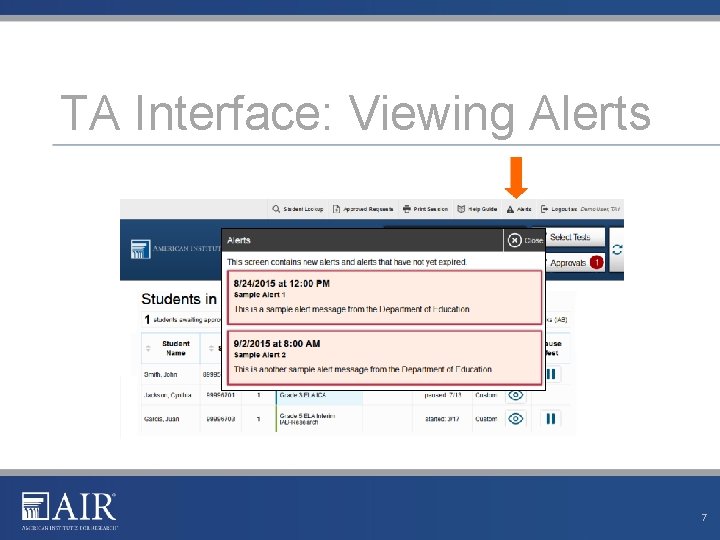
TA Interface: Viewing Alerts 7
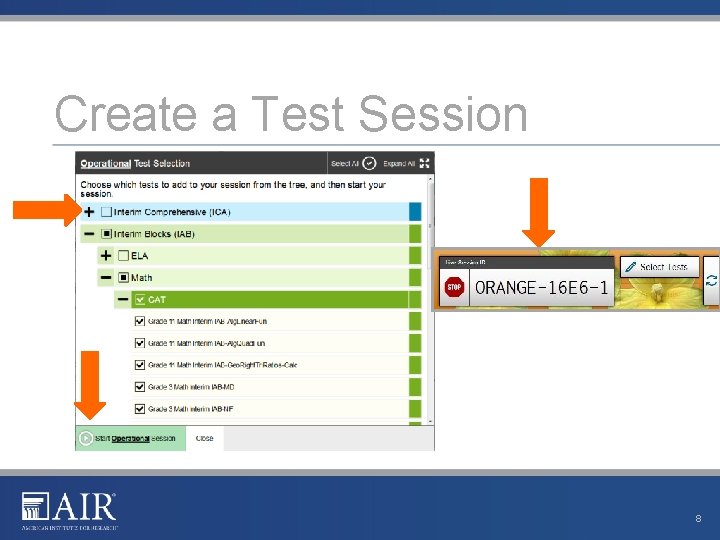
Create a Test Session 8
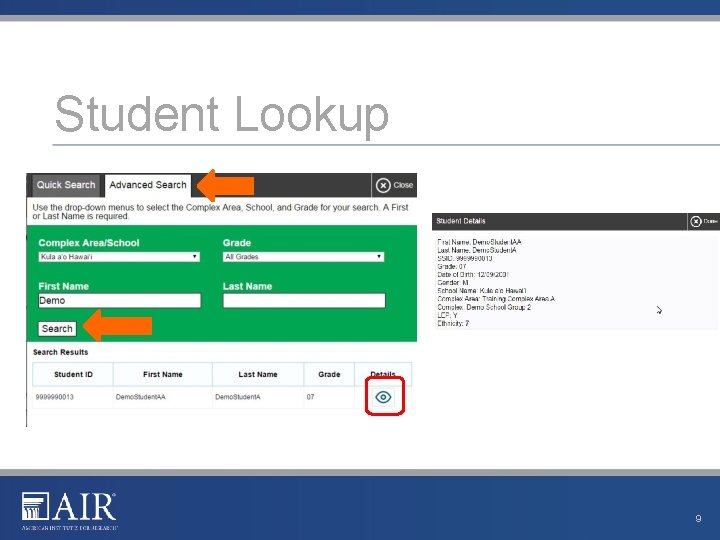
Student Lookup 9
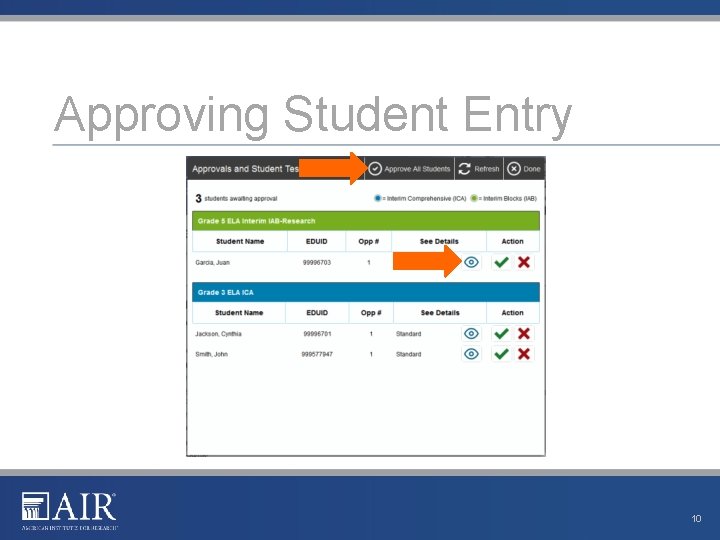
Approving Student Entry 10
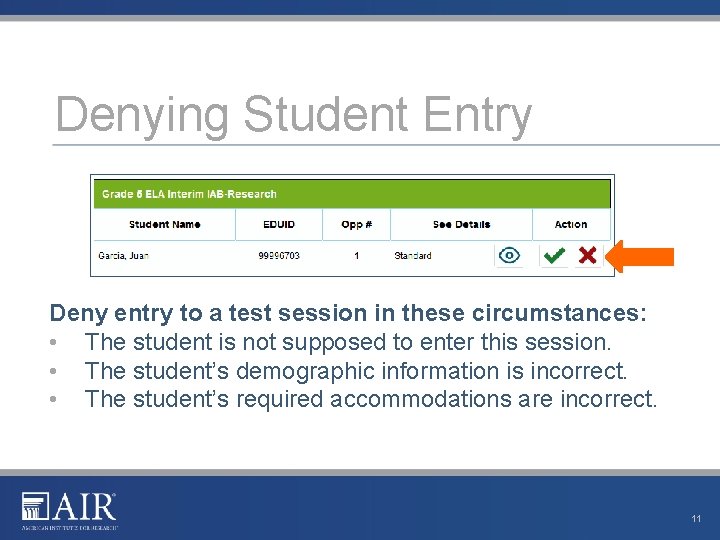
Denying Student Entry Deny entry to a test session in these circumstances: • The student is not supposed to enter this session. • The student’s demographic information is incorrect. • The student’s required accommodations are incorrect. 11
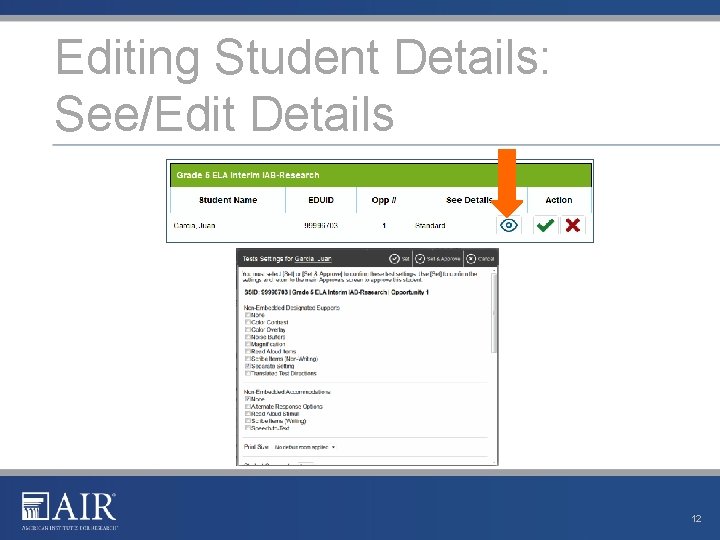
Editing Student Details: See/Edit Details 12
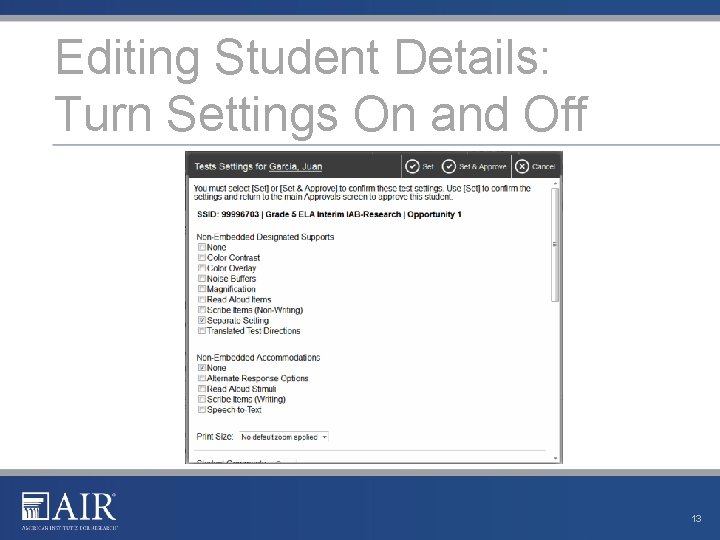
Editing Student Details: Turn Settings On and Off 13
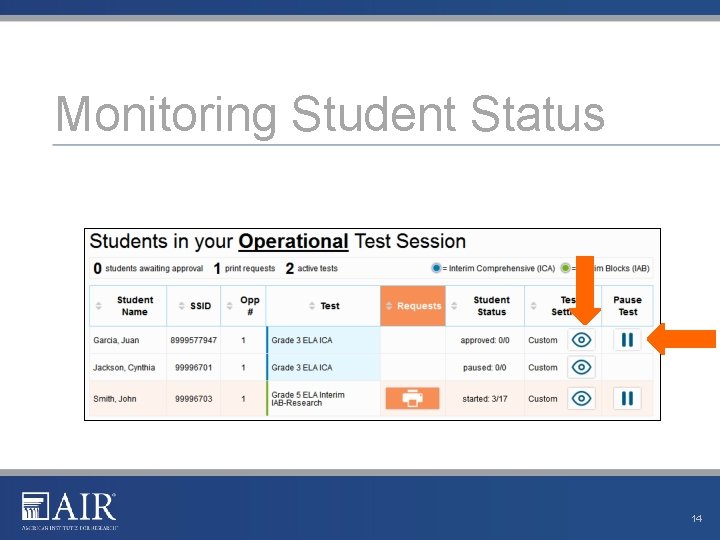
Monitoring Student Status 14
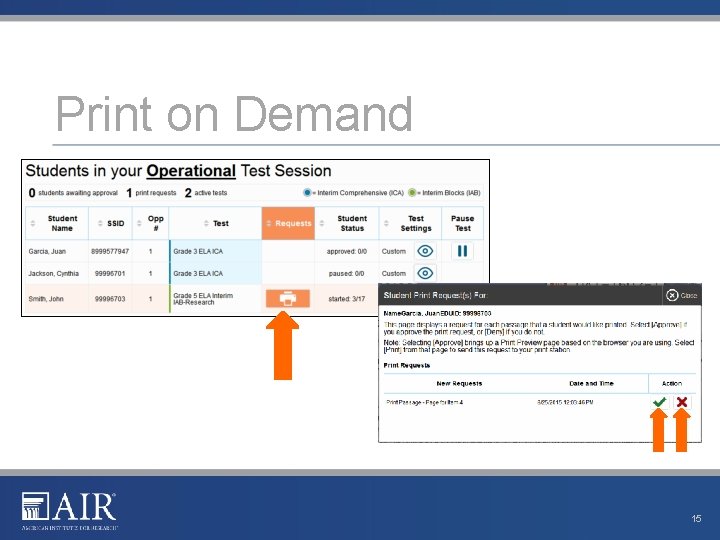
Print on Demand 15
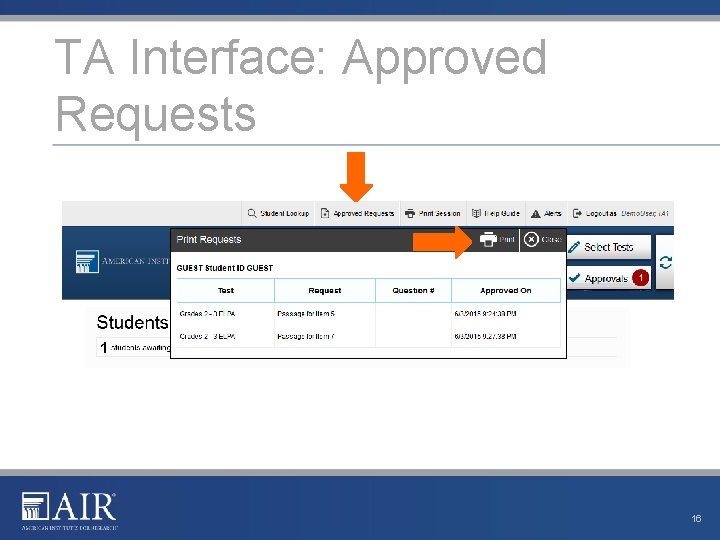
TA Interface: Approved Requests 16
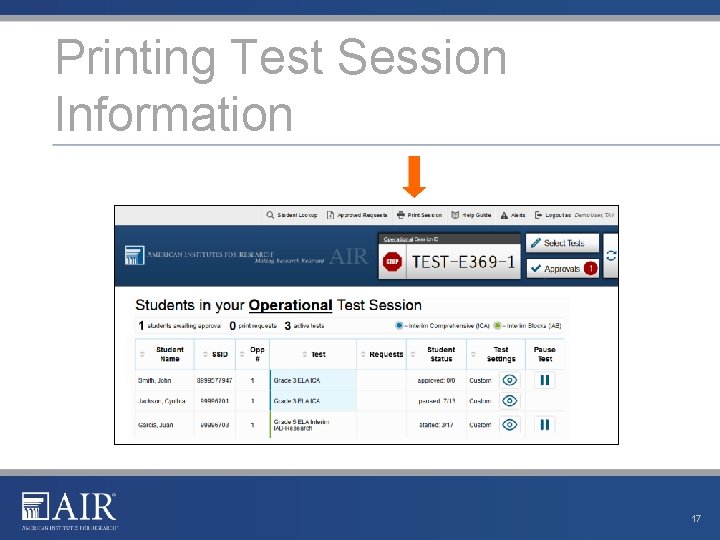
Printing Test Session Information 17
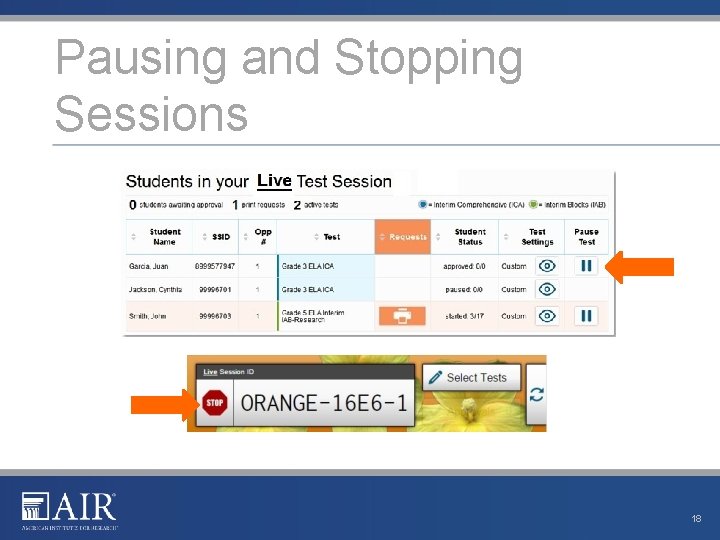
Pausing and Stopping Sessions 18
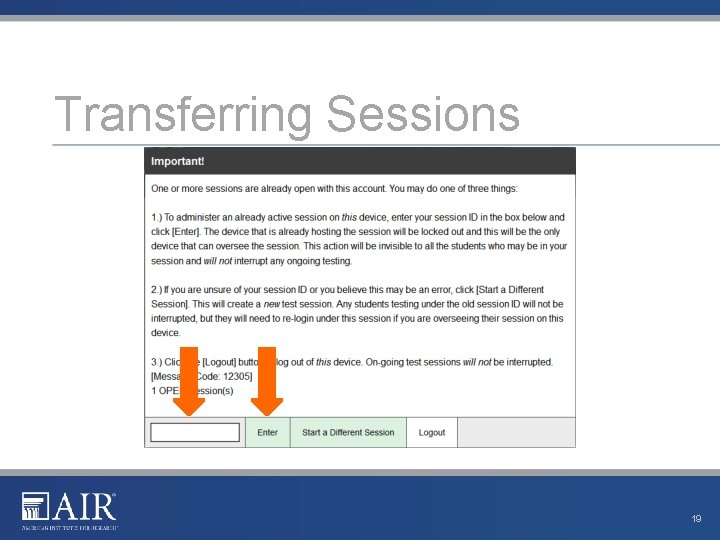
Transferring Sessions 19
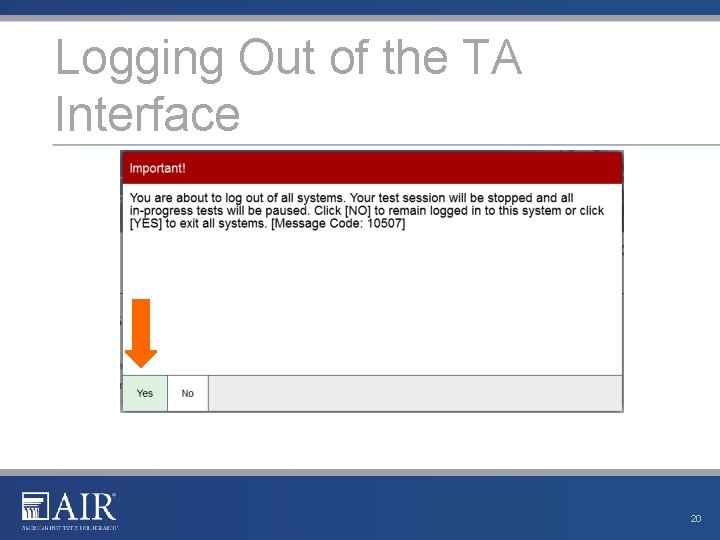
Logging Out of the TA Interface 20
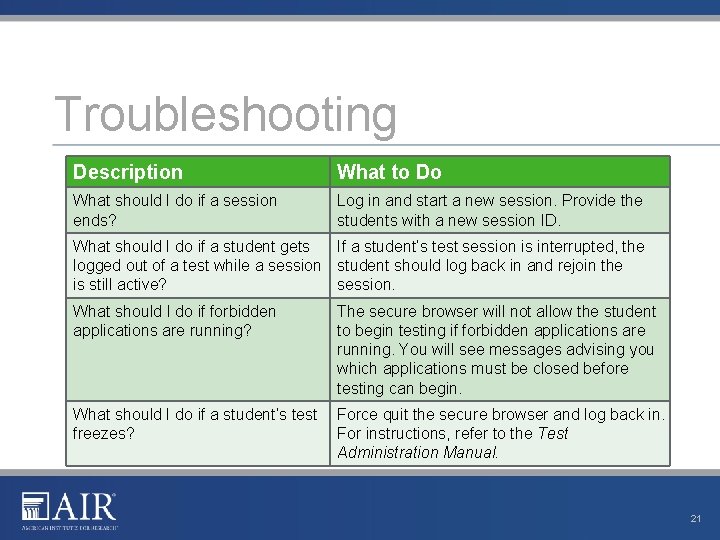
Troubleshooting Description What to Do What should I do if a session ends? Log in and start a new session. Provide the students with a new session ID. What should I do if a student gets If a student’s test session is interrupted, the logged out of a test while a session student should log back in and rejoin the is still active? session. What should I do if forbidden applications are running? The secure browser will not allow the student to begin testing if forbidden applications are running. You will see messages advising you which applications must be closed before testing can begin. What should I do if a student’s test Force quit the secure browser and log back in. freezes? For instructions, refer to the Test Administration Manual. 21
Thank You! Further Information § Visit • alohahsap. org • smarterbalanced. org § Call, fax, or email the American Institutes for Research HSAP Help Desk • • Hours: 7: 30 am to 4: 00 p. m. HST, Monday-Friday (except holidays) Phone: 1 -866 -648 -3712 Fax: 1 -877 -231 -7813 Email: HSAPHelp. Desk@air. org 22