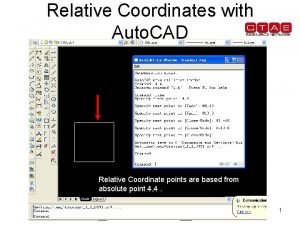
Relative Coordinates with Auto CAD 10 X 10
- Slides: 10
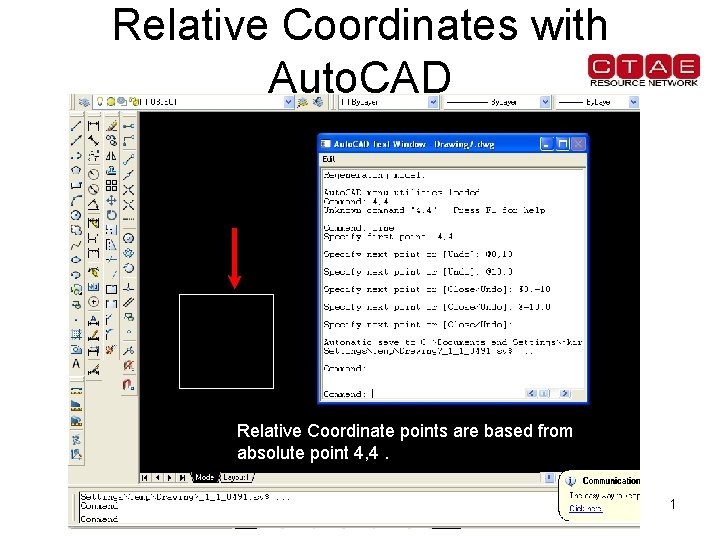
Relative Coordinates with Auto. CAD 10 X 10 Units Relative Coordinate points are based from absolute point 4, 4. 1
Applying What You Have Learned • In the first exercise, you drew your initials using the absolute coordinate points. • Perform the same activity again using relative coordinates. • When finished, state which system is the easiest to use and list any problems that you encountered. 2
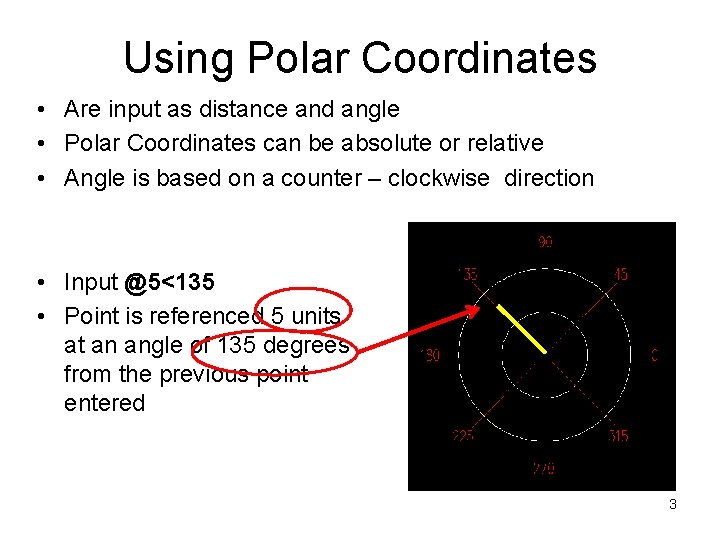
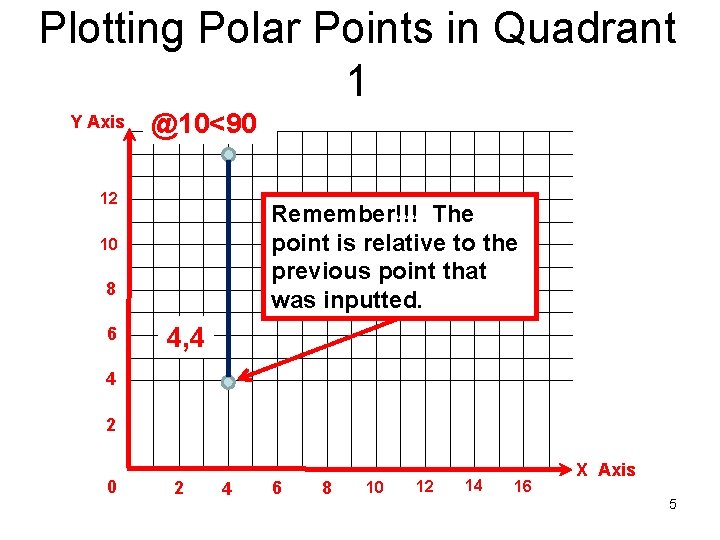
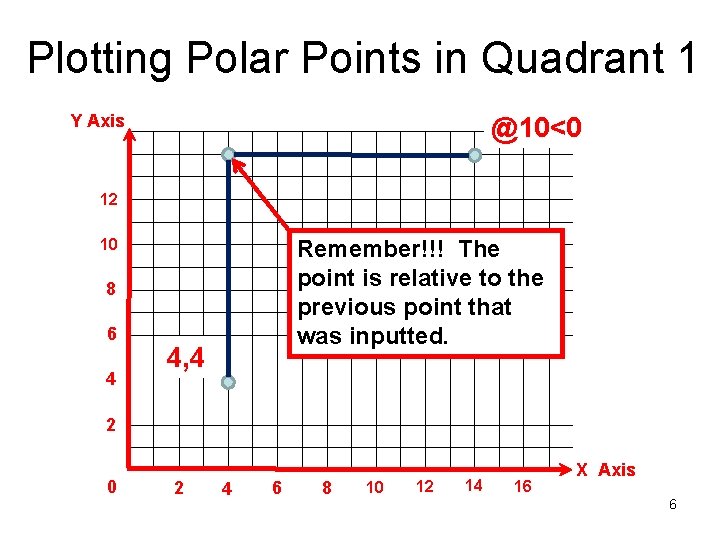
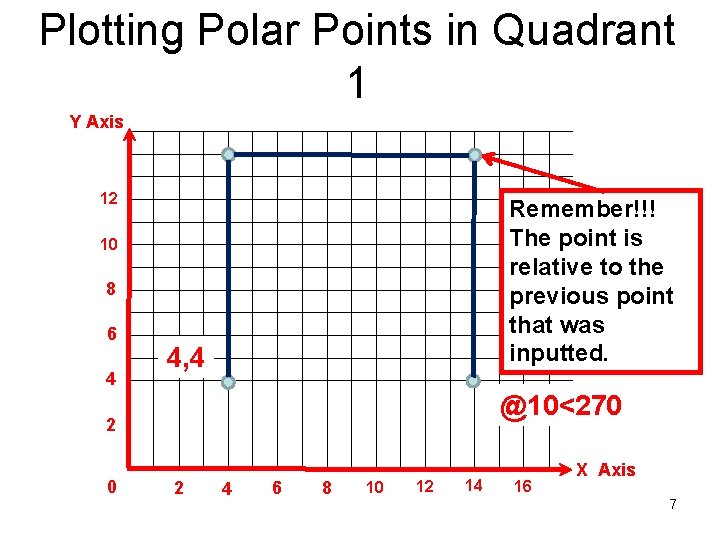
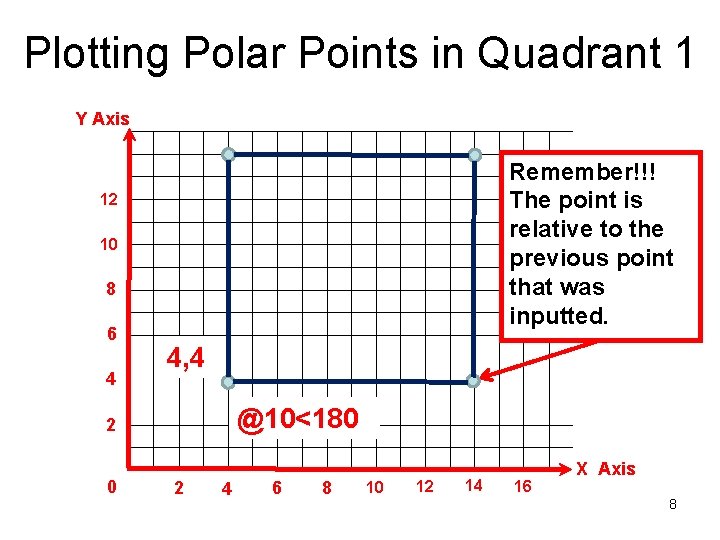
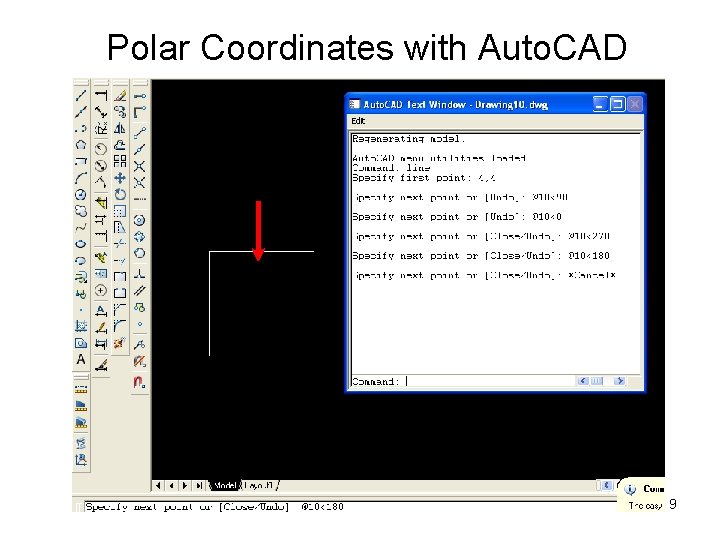
Using Polar Coordinates • Are input as distance and angle • Polar Coordinates can be absolute or relative • Angle is based on a counter – clockwise direction • Input @5<135 • Point is referenced 5 units at an angle of 135 degrees from the previous point entered 3
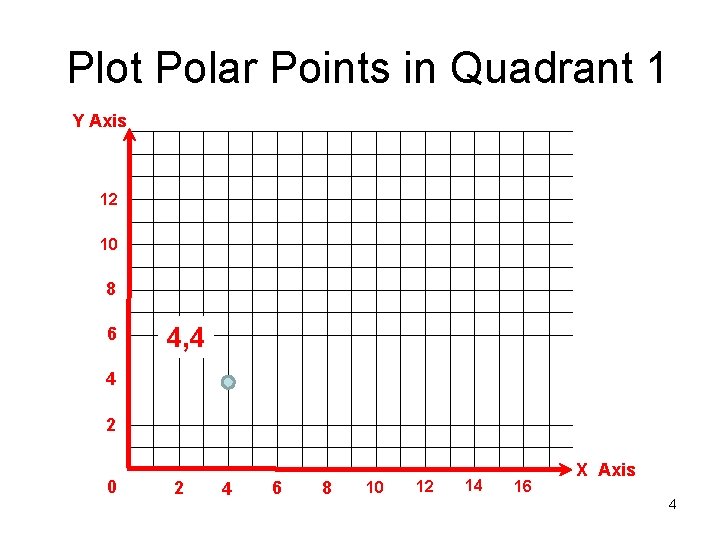
Plot Polar Points in Quadrant 1 Y Axis 12 10 8 6 4, 4 4 2 0 2 4 6 8 10 12 14 16 X Axis 4
Plotting Polar Points in Quadrant 1 Y Axis @10<90 12 Remember!!! The point is relative to the previous point that was inputted. 10 8 6 4, 4 4 2 0 2 4 6 8 10 12 14 16 X Axis 5
Plotting Polar Points in Quadrant 1 Y Axis @10<0 12 Remember!!! The point is relative to the previous point that was inputted. 10 8 6 4 4, 4 2 0 2 4 6 8 10 12 14 16 X Axis 6
Plotting Polar Points in Quadrant 1 Y Axis 12 Remember!!! The point is relative to the previous point that was inputted. 10 8 6 4 4, 4 @10<270 2 4 6 8 10 12 14 16 X Axis 7
Plotting Polar Points in Quadrant 1 Y Axis Remember!!! The point is relative to the previous point that was inputted. 12 10 8 6 4 4, 4 @10<180 2 4 6 8 10 12 14 16 X Axis 8
Polar Coordinates with Auto. CAD 10 X 10 Units Polar Coordinate angles are based from absolute point 4, 4 (Referenced from 0, 0). 9
Applying What You Learned • Use Auto. CAD to draw your initials using polar coordinates • List any problems that you encountered when using the polar coordinate system for lettering • Using a Venn Diagram compare and contrast the three types of systems used for drawing the 10 x 10 square and the your initials • Ask your instructor for the Venn Diagram to the activity 10