Operating systems vimia 219 Scheduling in Windows Zoltan
- Slides: 27
Operating systems (vimia 219) Scheduling in Windows Zoltan Micskei http: //mit. bme. hu/~micskeiz Budapesti Műszaki és Gazdaságtudományi Egyetem Méréstechnika és Információs Rendszerek Tanszék
Copyright Notice § These materials are part of the Windows Operating System Internals Curriculum Development Kit, developed by David A. Solomon and Mark E. Russinovich with Andreas Polze § Microsoft has licensed these materials from David Solomon Expert Seminars, Inc. for distribution to academic organizations solely for use in academic environments (and not for commercial use) § http: //www. academicresourcecenter. net/curriculum/pfv. aspx? ID=6191 § © 2000 -2005 David A. Solomon and Mark Russinovich 2
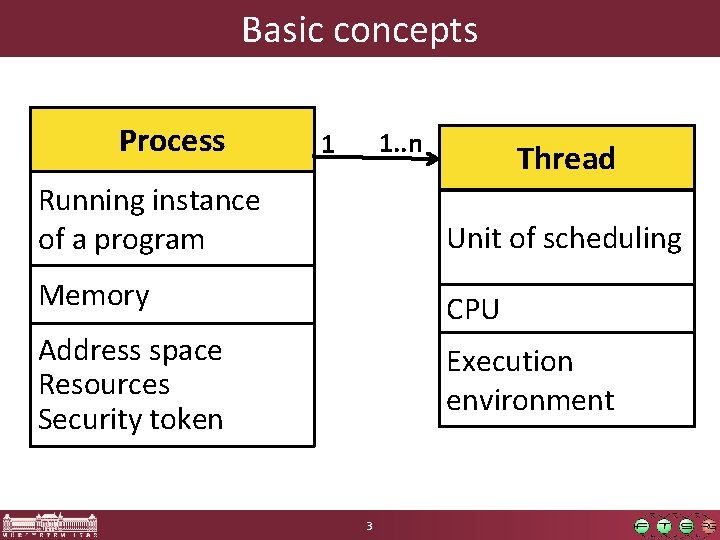
Basic concepts Process 1. . n 1 Thread Running instance of a program Unit of scheduling Memory CPU Address space Resources Security token Execution environment 3
Principles of Windows scheduling § Preemptive scheduler (both kernel and user!) § 32 priority levels o (One of the) Thread with the highest priority runs o Round robin between threads with same priority § Threads run for a fixed time (quantum) § No central scheduler, scheduling is driven by events § Priority of threads can change runtime 4
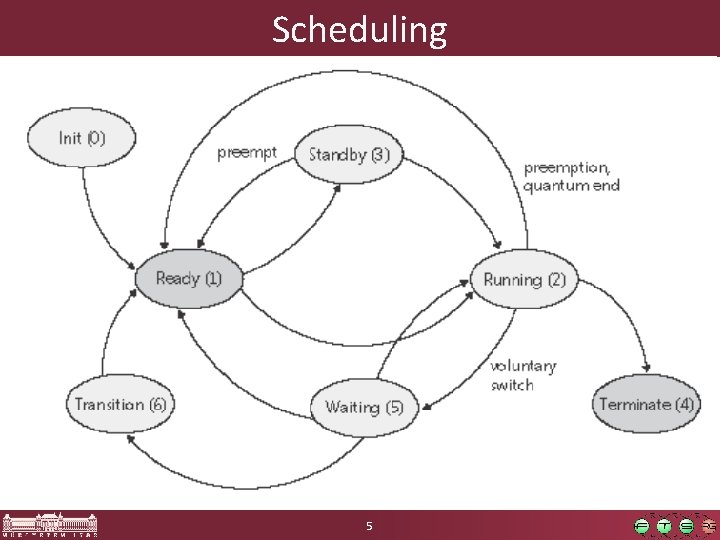
Scheduling 5
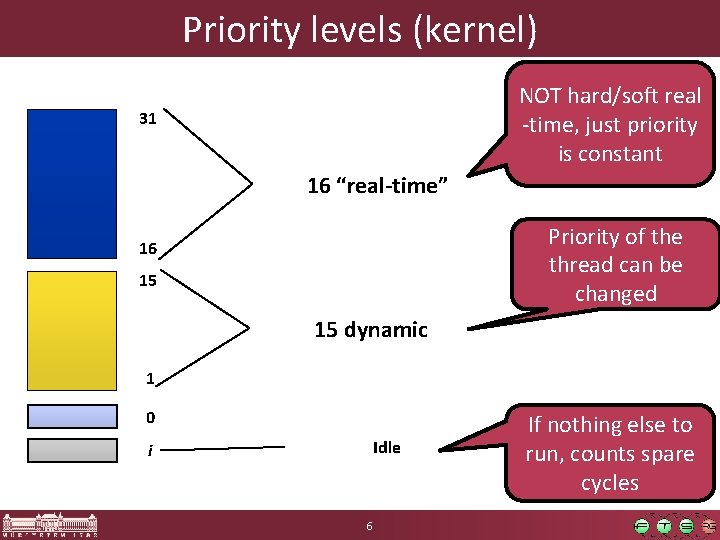
Priority levels (kernel) NOT hard/soft real -time, just priority is constant 31 16 “real-time” Priority of the thread can be changed 16 15 15 dynamic 1 0 Idle i 6 If nothing else to run, counts spare cycles
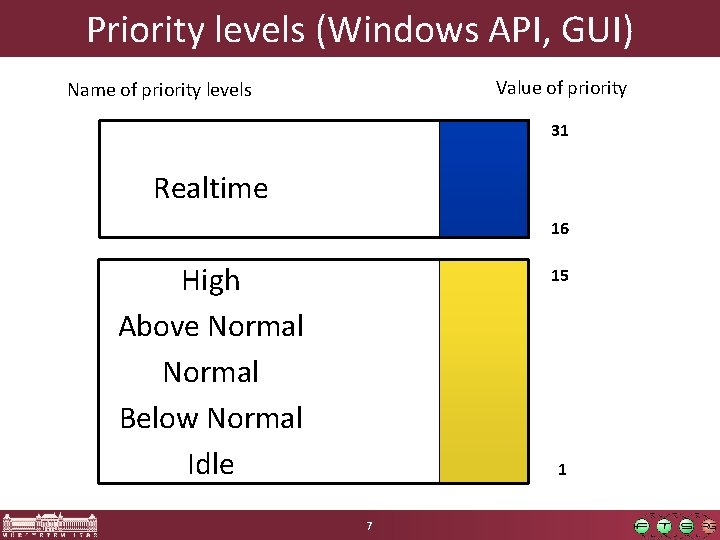
Priority levels (Windows API, GUI) Value of priority Name of priority levels 31 Realtime 16 High Above Normal Below Normal Idle 15 1 7
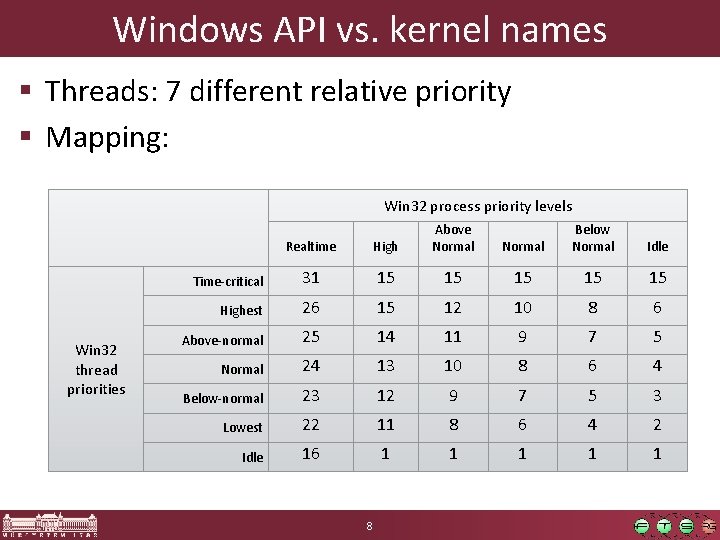
Windows API vs. kernel names § Threads: 7 different relative priority § Mapping: Win 32 process priority levels Win 32 thread priorities Realtime High Above Normal Time-critical 31 15 15 15 Highest 26 15 12 10 8 6 Above-normal 25 14 11 9 7 5 Normal 24 13 10 8 6 4 Below-normal 23 12 9 7 5 3 Lowest 22 11 8 6 4 2 Idle 16 1 1 1 8 Normal Below Normal Idle
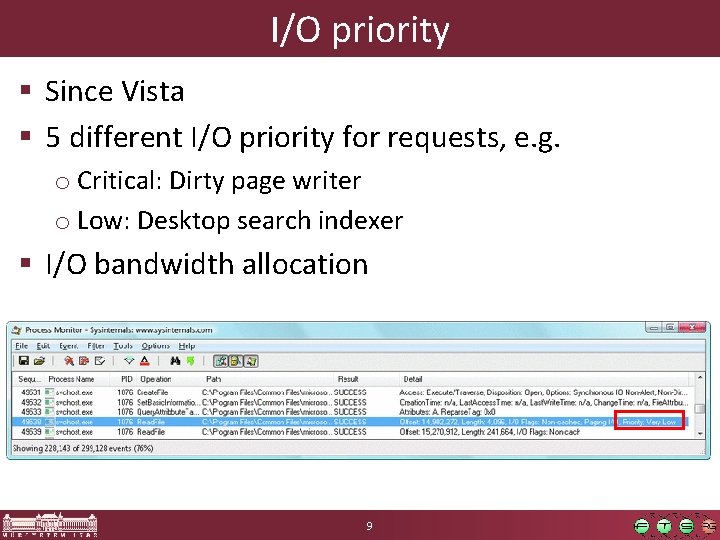
I/O priority § Since Vista § 5 different I/O priority for requests, e. g. o Critical: Dirty page writer o Low: Desktop search indexer § I/O bandwidth allocation 9
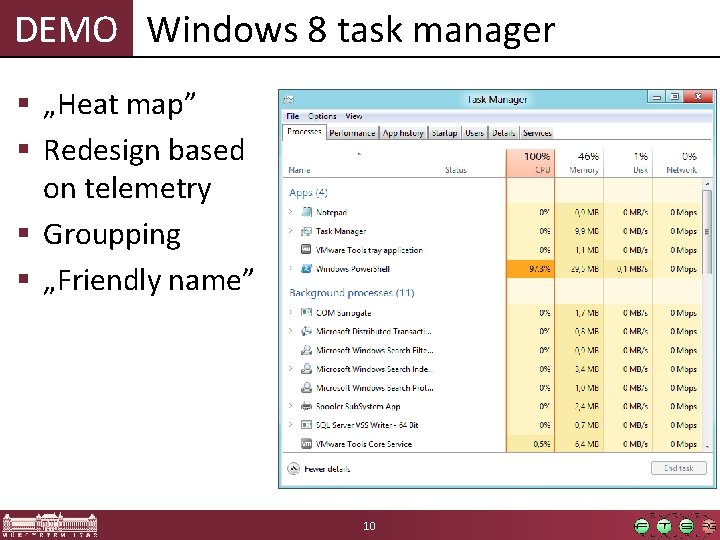
DEMO Windows 8 task manager § „Heat map” § Redesign based on telemetry § Groupping § „Friendly name” 10
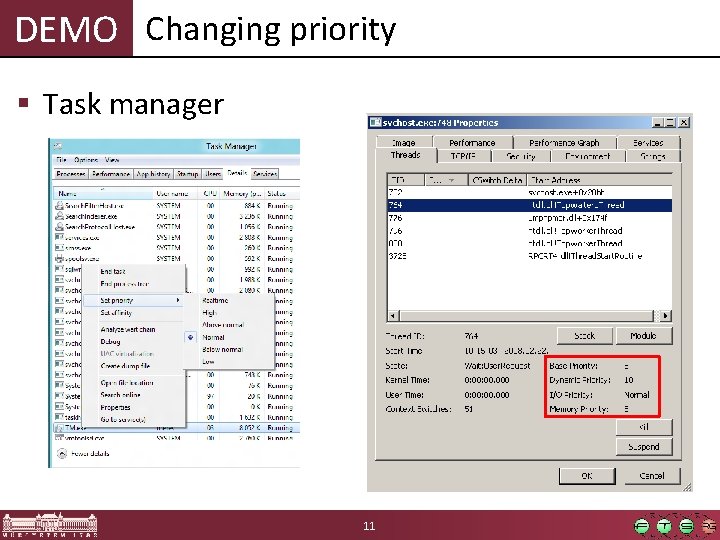
DEMO Changing priority § Task manager 11
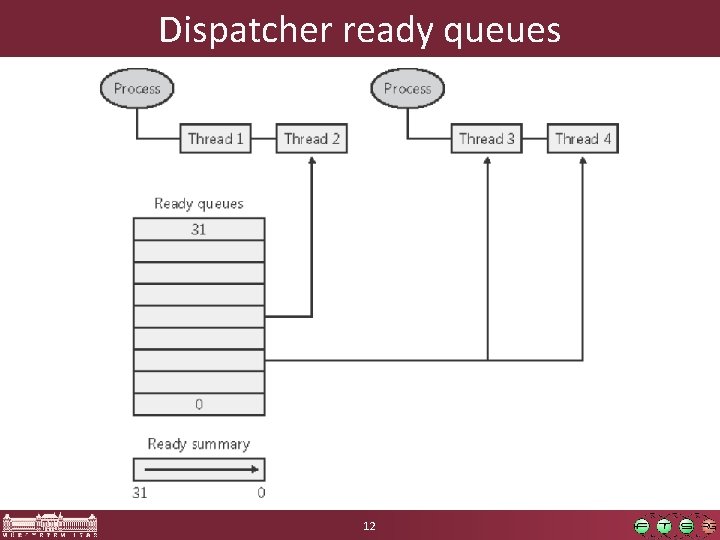
Dispatcher ready queues 12
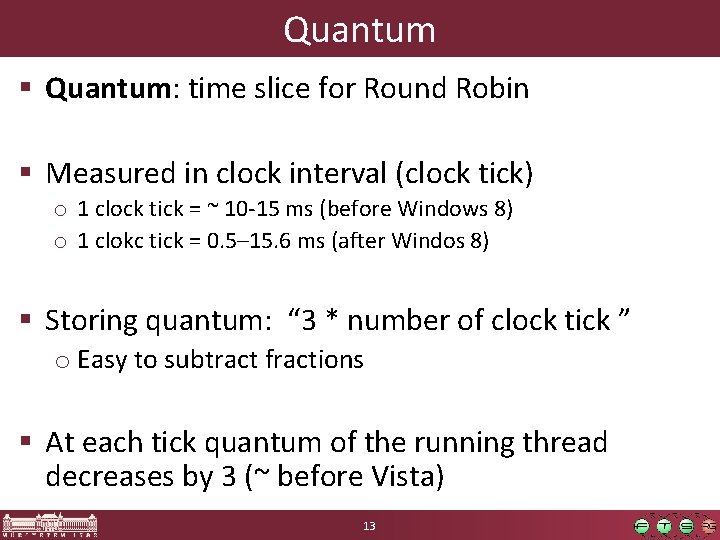
Quantum § Quantum: time slice for Round Robin § Measured in clock interval (clock tick) o 1 clock tick = ~ 10 -15 ms (before Windows 8) o 1 clokc tick = 0. 5– 15. 6 ms (after Windos 8) § Storing quantum: “ 3 * number of clock tick ” o Easy to subtract fractions § At each tick quantum of the running thread decreases by 3 (~ before Vista) 13
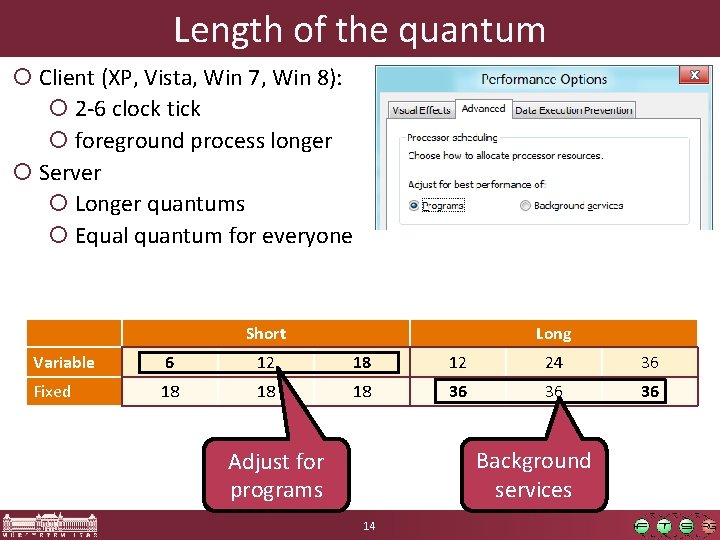
Length of the quantum ¡ Client (XP, Vista, Win 7, Win 8): ¡ 2 -6 clock tick ¡ foreground process longer ¡ Server ¡ Longer quantums ¡ Equal quantum for everyone Short Long Variable 6 12 18 12 24 36 Fixed 18 18 18 36 36 36 Background services Adjust for programs 14
DEMO Length of the quantum § Clockres. exe utility o Length of Clock tick § Adjust quantum length § Perfmon § Windows Performance Analyzer o Timeline by Process, Thread view 15
Contents § Windows scheduling (basics) § Windows 8: Windows Store applications § Windows scheduling (advanced) 16
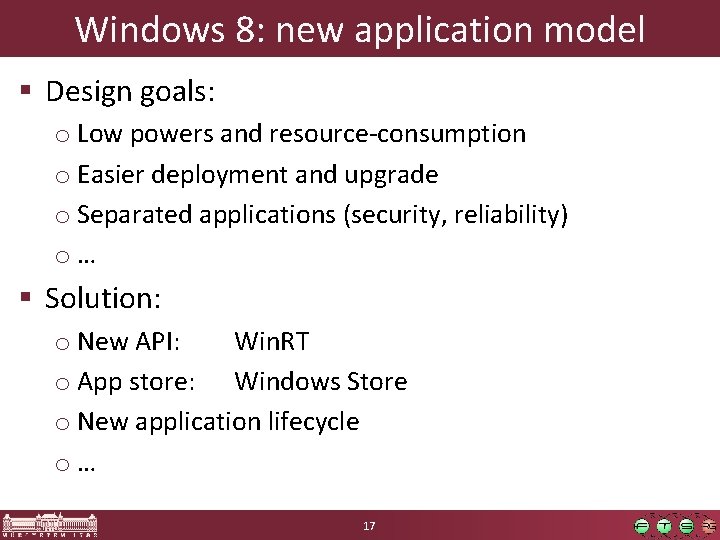
Windows 8: new application model § Design goals: o Low powers and resource-consumption o Easier deployment and upgrade o Separated applications (security, reliability) o… § Solution: o New API: Win. RT o App store: Windows Store o New application lifecycle o… 17
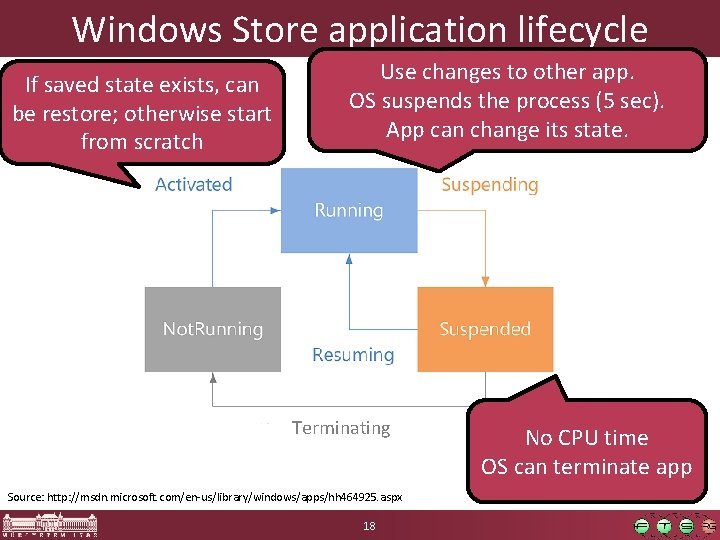
Windows Store application lifecycle If saved state exists, can be restore; otherwise start from scratch Use changes to other app. OS suspends the process (5 sec). App can change its state. Terminating Source: http: //msdn. microsoft. com/en-us/library/windows/apps/hh 464925. aspx 18 No CPU time OS can terminate app
DEMO Windows Store applications § Windows Store § Changing between Windows Store apps § Process Explorer: Suspended state 19
Contents § Windows scheduling (basics) § Windows 8: Windows Store applications § Windows scheduling (advanced) 20
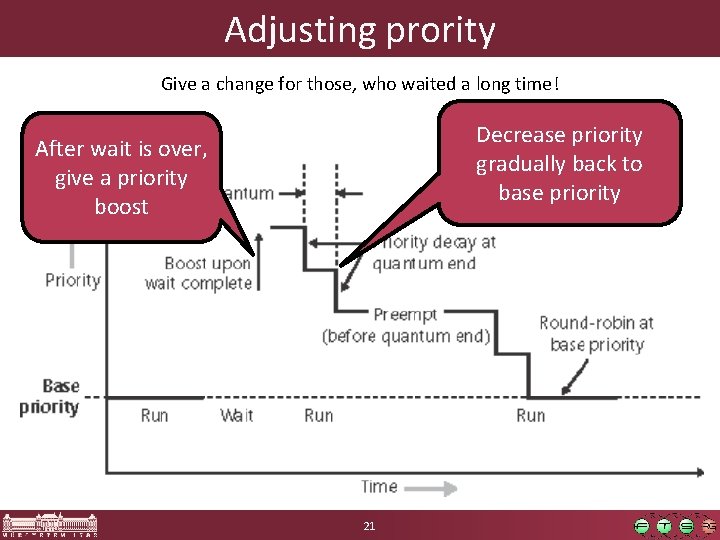
Adjusting prority Give a change for those, who waited a long time! Decrease priority gradually back to base priority After wait is over, give a priority boost 21
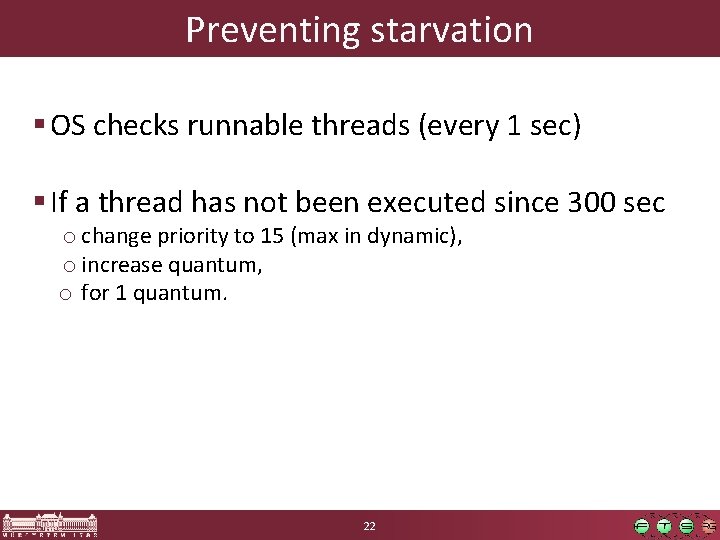
Preventing starvation § OS checks runnable threads (every 1 sec) § If a thread has not been executed since 300 sec o change priority to 15 (max in dynamic), o increase quantum, o for 1 quantum. 22
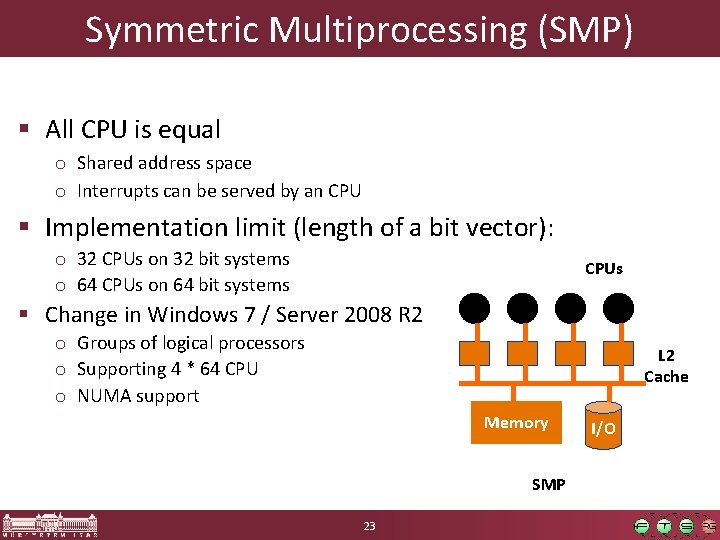
Symmetric Multiprocessing (SMP) § All CPU is equal o Shared address space o Interrupts can be served by an CPU § Implementation limit (length of a bit vector): o 32 CPUs on 32 bit systems o 64 CPUs on 64 bit systems CPUs § Change in Windows 7 / Server 2008 R 2 o Groups of logical processors o Supporting 4 * 64 CPU o NUMA support L 2 Cache Memory SMP 23 I/O
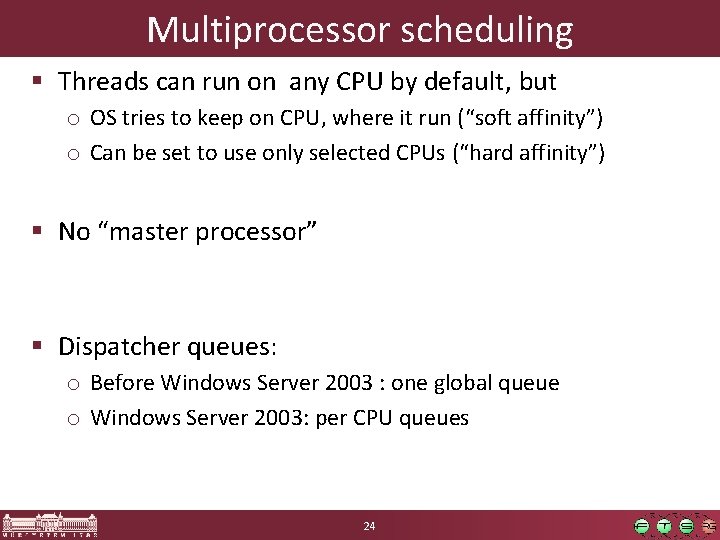
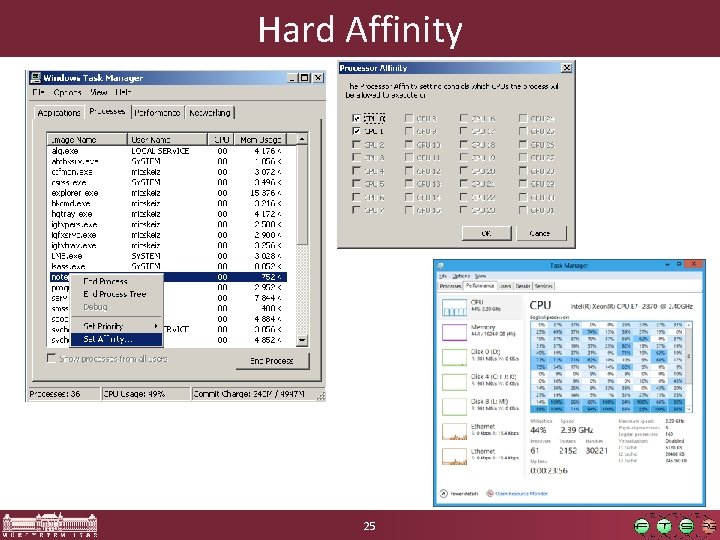
Multiprocessor scheduling § Threads can run on any CPU by default, but o OS tries to keep on CPU, where it run (“soft affinity”) o Can be set to use only selected CPUs (“hard affinity”) § No “master processor” § Dispatcher queues: o Before Windows Server 2003 : one global queue o Windows Server 2003: per CPU queues 24
Hard Affinity 25
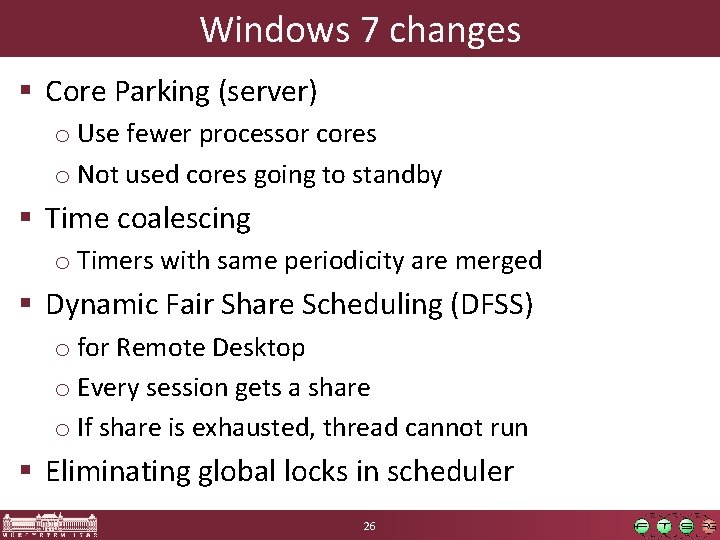
Windows 7 changes § Core Parking (server) o Use fewer processor cores o Not used cores going to standby § Time coalescing o Timers with same periodicity are merged § Dynamic Fair Share Scheduling (DFSS) o for Remote Desktop o Every session gets a share o If share is exhausted, thread cannot run § Eliminating global locks in scheduler 26
Summary § Process ↔ Thread § Scheduling: o. Priority levels o. Round robin / quantum 27