Michael CraigMartin Leading contemporary artist Michael CraigMartin has

- Slides: 17
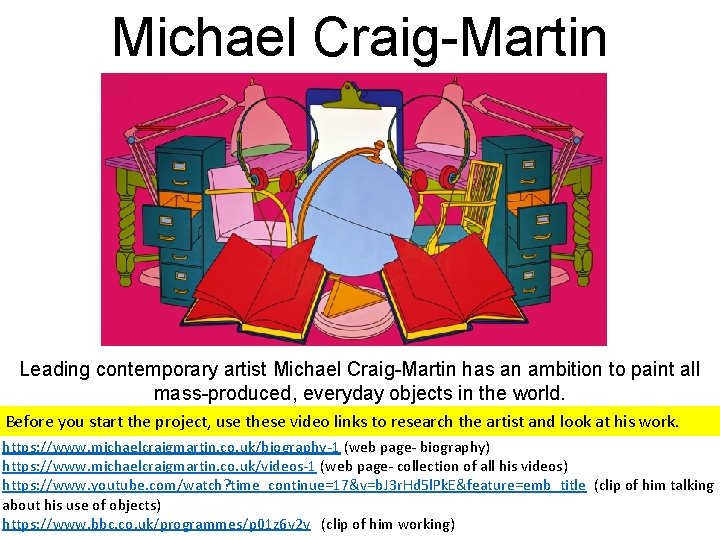
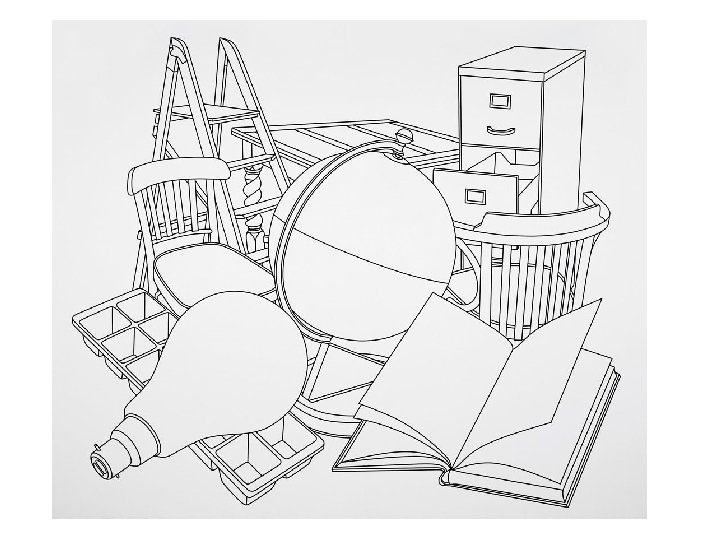
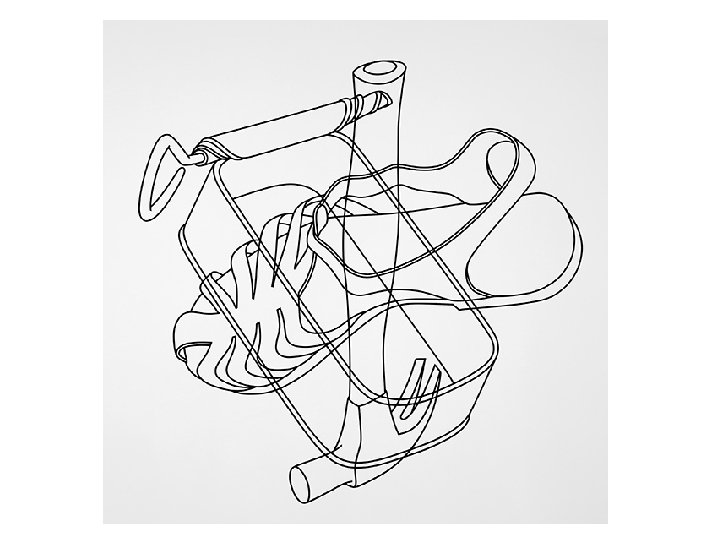
Michael Craig-Martin Leading contemporary artist Michael Craig-Martin has an ambition to paint all mass-produced, everyday objects in the world. Before you start the project, use these video links to research the artist and look at his work. https: //www. michaelcraigmartin. co. uk/biography-1 (web page- biography) https: //www. michaelcraigmartin. co. uk/videos-1 (web page- collection of all his videos) https: //www. youtube. com/watch? time_continue=17&v=b. J 3 r. Hd 5 l. Pk. E&feature=emb_title (clip of him talking about his use of objects) https: //www. bbc. co. uk/programmes/p 01 z 6 v 2 v (clip of him working)
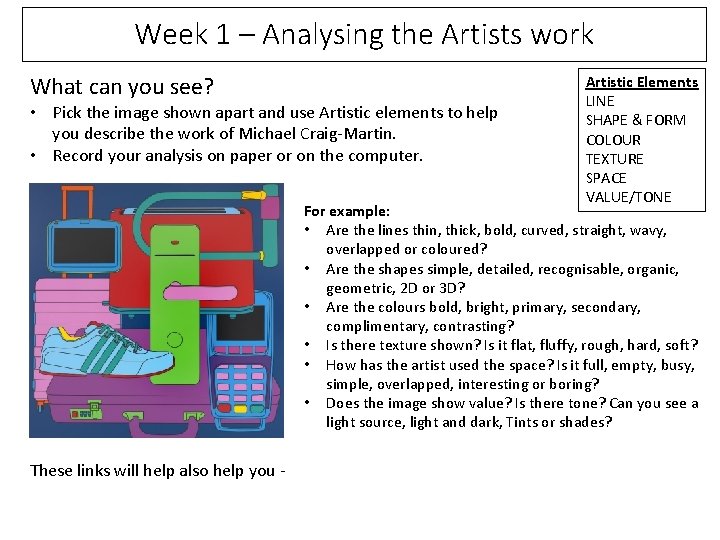
Week 1 – Analysing the Artists work What can you see? • Pick the image shown apart and use Artistic elements to help you describe the work of Michael Craig-Martin. • Record your analysis on paper or on the computer. Artistic Elements LINE SHAPE & FORM COLOUR TEXTURE SPACE VALUE/TONE For example: • Are the lines thin, thick, bold, curved, straight, wavy, overlapped or coloured? • Are the shapes simple, detailed, recognisable, organic, geometric, 2 D or 3 D? • Are the colours bold, bright, primary, secondary, complimentary, contrasting? • Is there texture shown? Is it flat, fluffy, rough, hard, soft? • How has the artist used the space? Is it full, empty, busy, simple, overlapped, interesting or boring? • Does the image show value? Is there tone? Can you see a light source, light and dark, Tints or shades? These links will help also help you -
Resources and links to websites to support you with your Analysing and annotating your Art work. BBC Bitesize – a guide to drawing https: //www. bbc. co. uk/bitesize/guides/zc 7 sfrd/revision/2 Michael Craig Martin talks about his work https: //www. youtube. com/watch? v=b. J 3 r. Hd 5 l. Pk. E Artists explain how to annotate your artwork https: //www. bbc. co. uk/bitesize/guides/zgtngdm/video
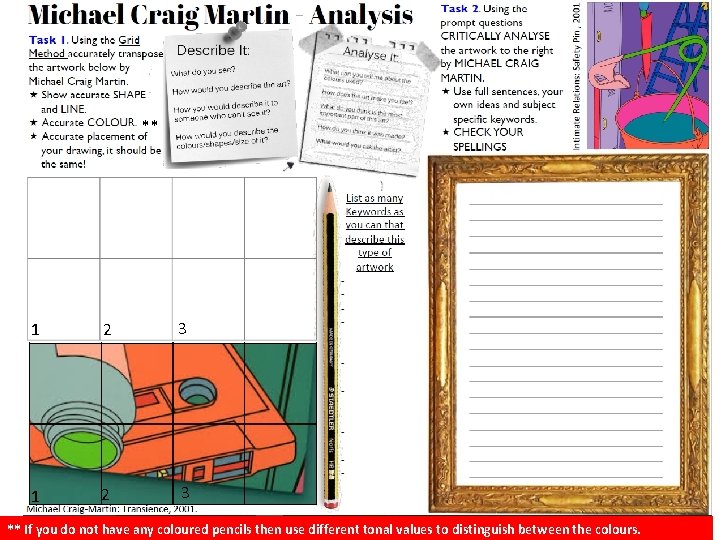
** 1 2 3 ** If you do not have any coloured pencils then use different tonal values to distinguish between the colours.
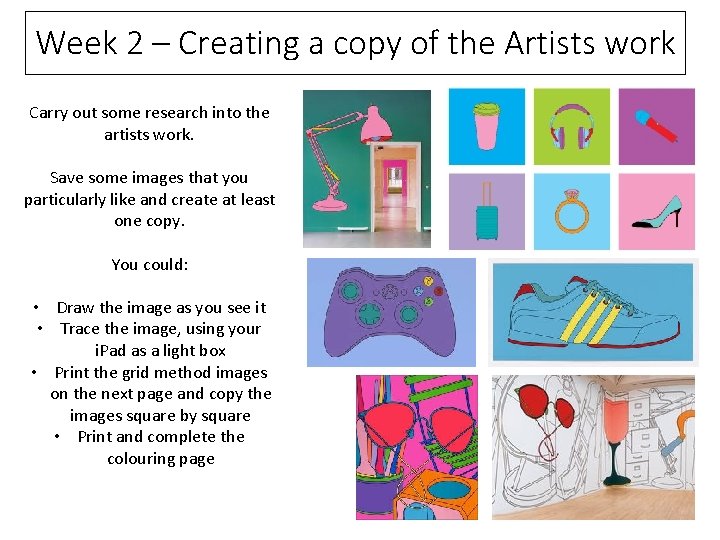
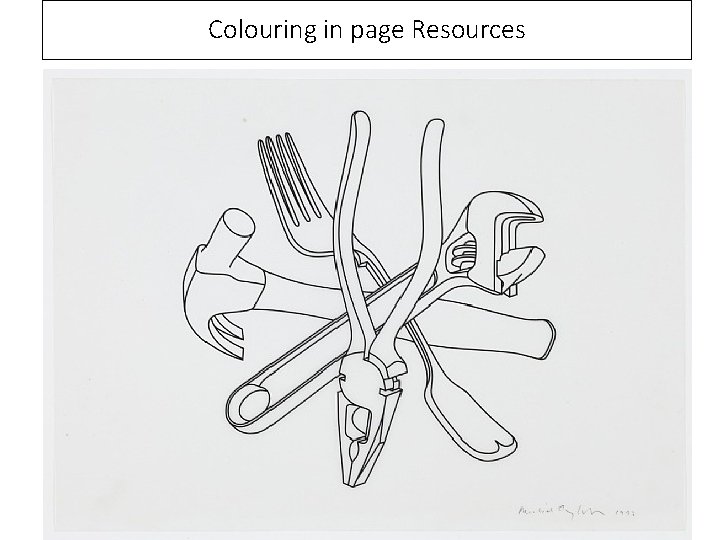
Week 2 – Creating a copy of the Artists work Carry out some research into the artists work. Save some images that you particularly like and create at least one copy. You could: • Draw the image as you see it • Trace the image, using your i. Pad as a light box • Print the grid method images on the next page and copy the images square by square • Print and complete the colouring page
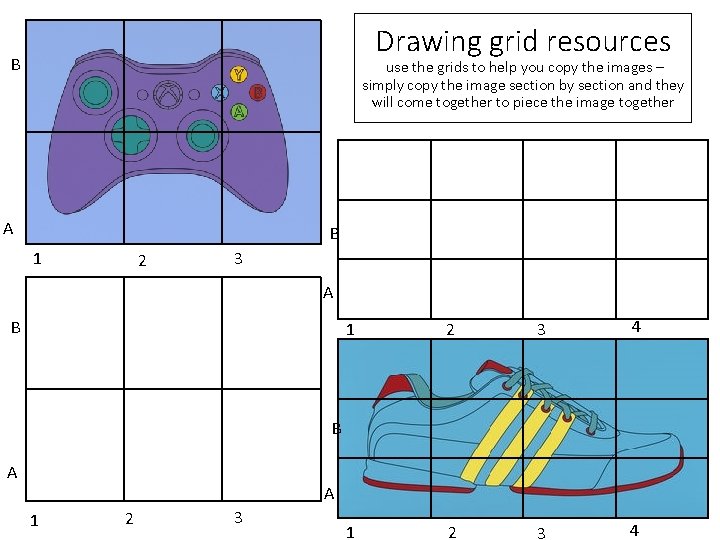
Drawing grid resources B use the grids to help you copy the images – simply copy the image section by section and they will come together to piece the image together A B 1 2 3 4 B A A 1 2 3
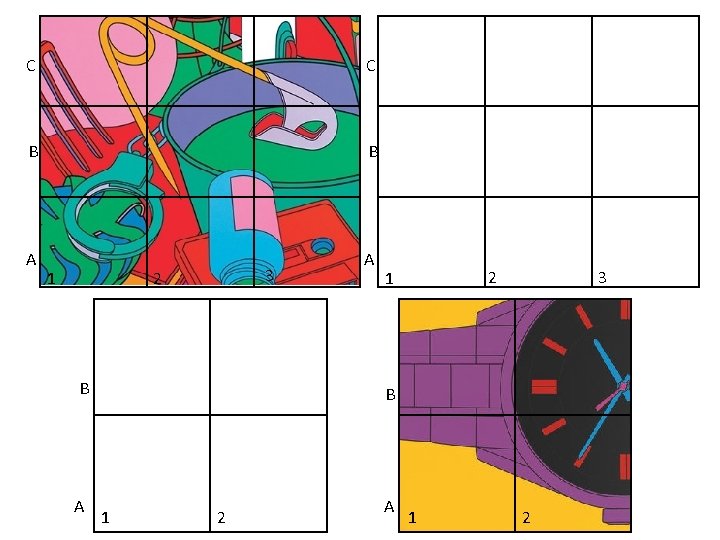
C C B B A A 1 3 2 B A 2 1 3 B 1 2 A 1 2
Colouring in page Resources
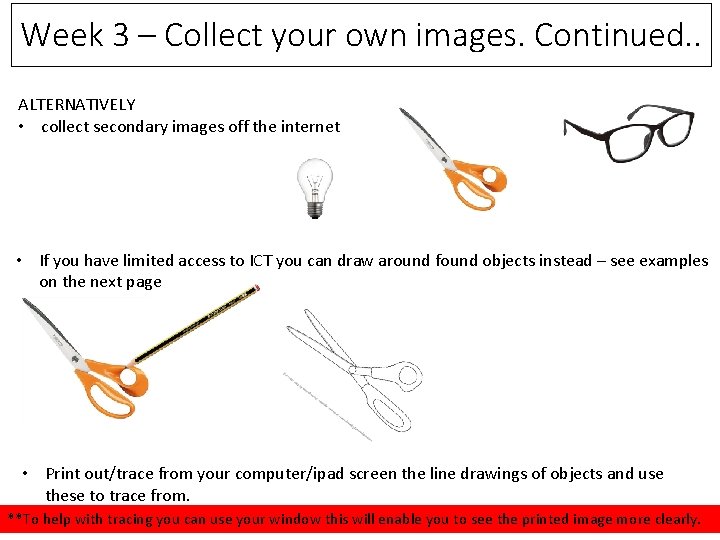
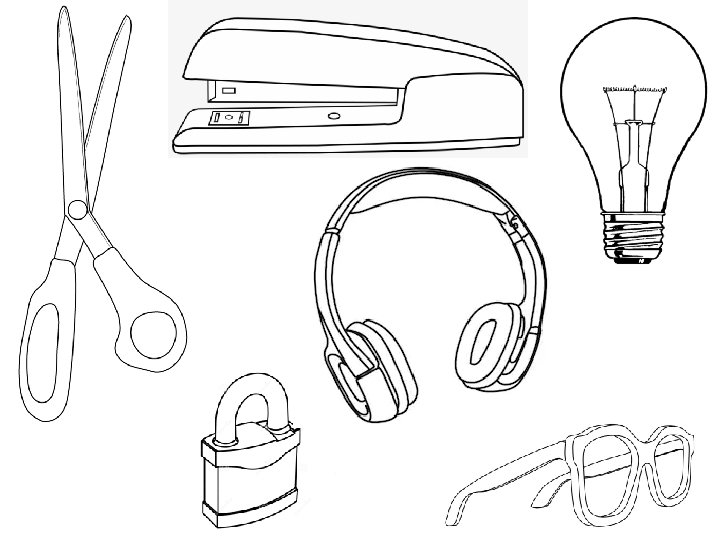
Week 3 – Collect your own images • Take photographs of objects around your home. • Remember that Michael Craig- Martin has an interest in mass produced every day objects. • Collect at least 10 different objects. Looking for a variety of shapes within your objects. • Take in to consideration the quality of your photograph. Make sure your object is the main focus of the image (not the table!) and make sure they are in focus. • Save your photos to your i. Pad/phone or computer Alternatively • • • collect secondary images off the internet Limited access to ICT draw around found objects instead – see examples on the next page Print out/trace from your computer/ipad screen the line drawings of objects and use these to trace from.
Week 3 – Collect your own images. Continued. . ALTERNATIVELY • collect secondary images off the internet • If you have limited access to ICT you can draw around found objects instead – see examples on the next page • Print out/trace from your computer/ipad screen the line drawings of objects and use these to trace from. **To help with tracing you can use your window this will enable you to see the printed image more clearly.
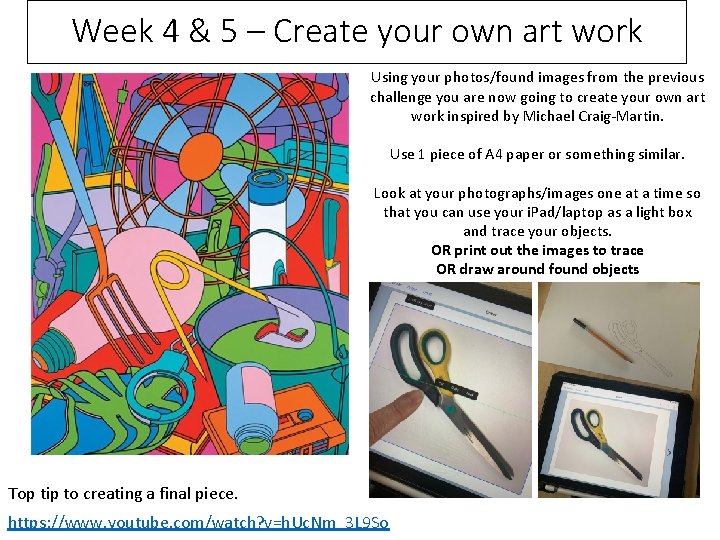
Week 4 & 5 – Create your own art work Using your photos/found images from the previous challenge you are now going to create your own art work inspired by Michael Craig-Martin. Use 1 piece of A 4 paper or something similar. Look at your photographs/images one at a time so that you can use your i. Pad/laptop as a light box and trace your objects. OR print out the images to trace OR draw around found objects Top tip to creating a final piece. https: //www. youtube. com/watch? v=h. Uc. Nm_3 L 9 So
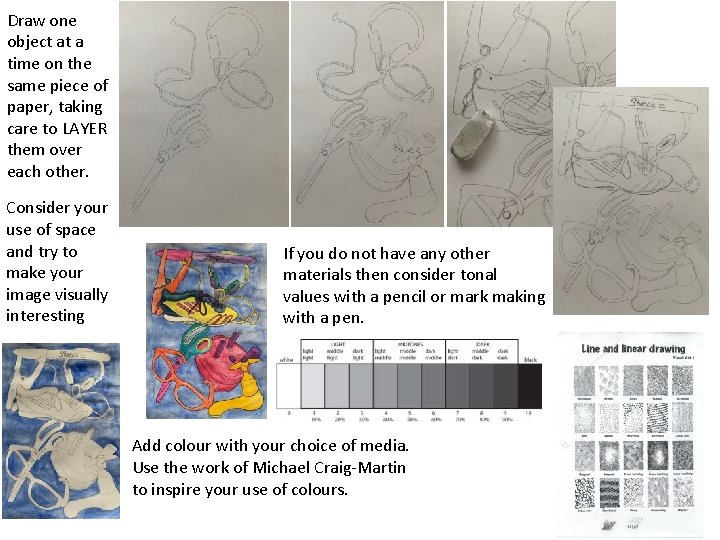
Draw one object at a time on the same piece of paper, taking care to LAYER them over each other. Consider your use of space and try to make your image visually interesting If you do not have any other materials then consider tonal values with a pencil or mark making with a pen. Add colour with your choice of media. Use the work of Michael Craig-Martin to inspire your use of colours.
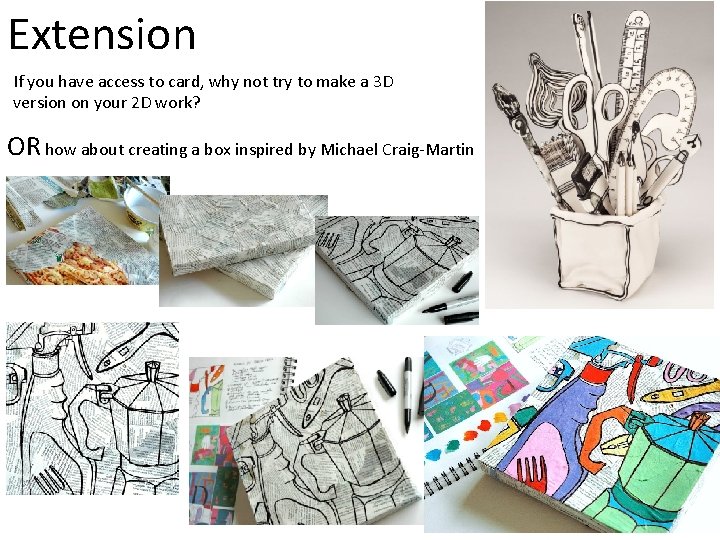
Extension If you have access to card, why not try to make a 3 D version on your 2 D work? OR how about creating a box inspired by Michael Craig-Martin