Less or More Important Note If you can
- Slides: 6
“Less or More” Important Note: If you can see this box, then the slide show is not playing and the reveal won’t work. Here is the solution: If you are using Power. Point, click on Slide Show, then click on From Current Slide. If you are using Google Slides, click on View then Present. Steve Wyborney www. stevewyborney. com
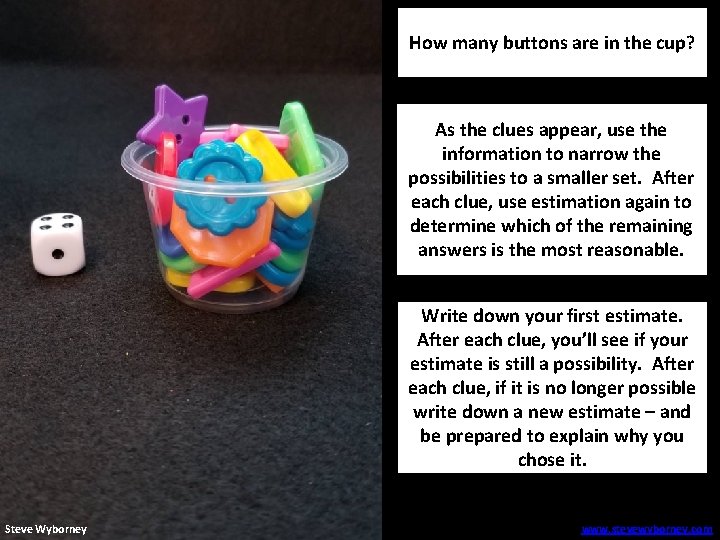
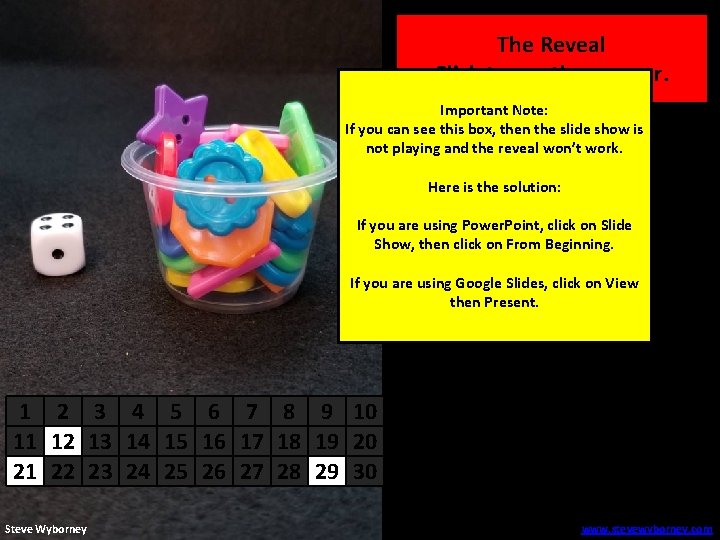
How many buttons are in the cup? As the clues appear, use the information to narrow the possibilities to a smaller set. After each clue, use estimation again to determine which of the remaining answers is the most reasonable. Write down your first estimate. After each clue, you’ll see if your estimate is still a possibility. After each clue, if it is no longer possible write down a new estimate – and be prepared to explain why you chose it. Steve Wyborney www. stevewyborney. com
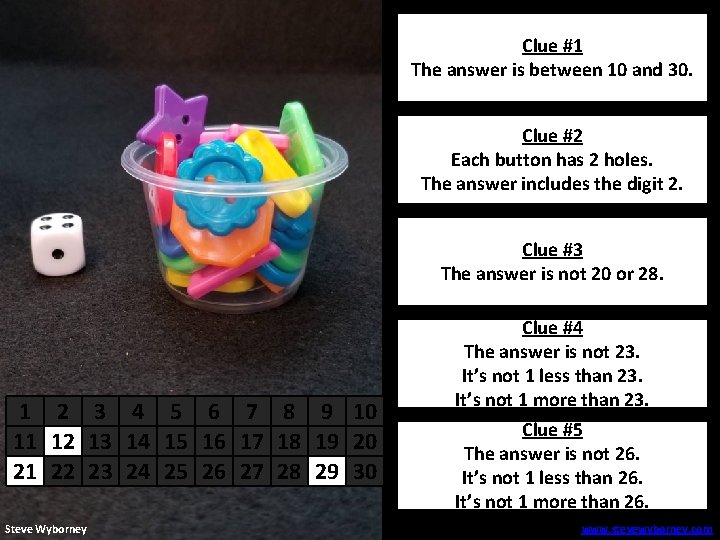
Clue #1 The answer is between 10 and 30. Clue #2 Each button Cluehas #22 holes. The answer includes the digit 2. Clue #3 The answer is not 20 or 28. 1 2 3 4 5 6 7 8 9 10 11 12 13 14 15 16 17 18 19 20 21 22 23 24 25 26 27 28 29 30 Steve Wyborney Clue #4 The answer is not 23. Clue #4 It’s not 1 less than 23. It’s not 1 more than 23. Clue #5 The answer is not 26. Clue #5 It’s not 1 less than 26. It’s not 1 more than 26. www. stevewyborney. com
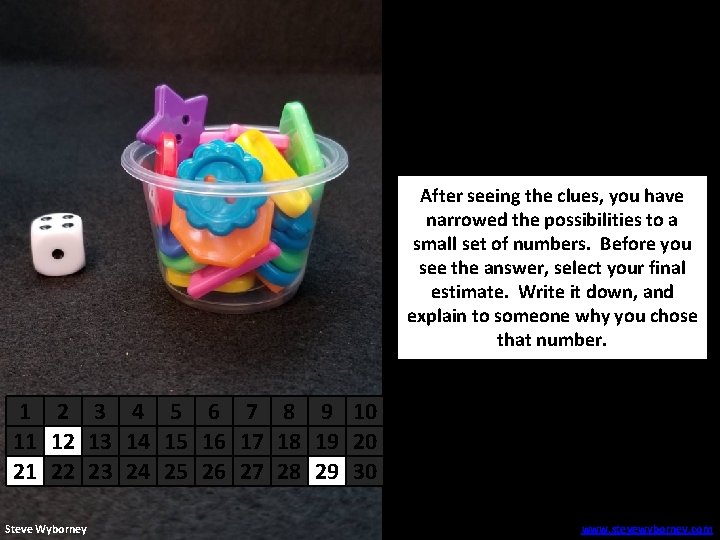
After seeing the clues, you have narrowed the possibilities to a small set of numbers. Before you see the answer, select your final estimate. Write it down, and explain to someone why you chose that number. 1 2 3 4 5 6 7 8 9 10 11 12 13 14 15 16 17 18 19 20 21 22 23 24 25 26 27 28 29 30 Steve Wyborney www. stevewyborney. com
21 buttons The Reveal Click to see the answer. Important Note: If you can see this box, then the slide show is not playing and the reveal won’t work. Here is the solution: If you are using Power. Point, click on Slide Show, then click on From Beginning. If you are using Google Slides, click on View then Present. 1 2 3 4 5 6 7 8 9 10 11 12 13 14 15 16 17 18 19 20 21 22 23 24 25 26 27 28 29 30 Steve Wyborney www. stevewyborney. com
New Esti-Mysteries and Number Sense Resources Every Day for the Rest of the School Year More Free, Downloadable Resources From Blog Posts 51 Esti-Mysteries The Original 50 Splat! Lessons The Original 20 Fraction Splat! Lessons The Original 40 Estimation Clipboard Sets To Access The Multiplication Course… 1. 2. 3. Click here to see the chapter playlists on my You. Tube channel. Click on “sort by” (on the right side) and choose Date created (oldest) You’ll see all 12 chapters in the course. Tips for Using the Multiplication Course • When looking at playlists, click on the words “View Full Playlist” instead of the thumbnail or the chapter title. • Then click on the share button. • Copy the link and send it to your class. • Begin with 1 lesson (1 video) per day and then adjust the pacing to meet the needs of your class. For more information read the blog post about The Multiplication Course here. 80 Cube Conversations Lessons 20 Days of Number Sense & Rich Math Talk