Lecture Note 3 CPU Scheduling 1 CPU SCHEDULING
- Slides: 31
Lecture Note 3: CPU Scheduling 1
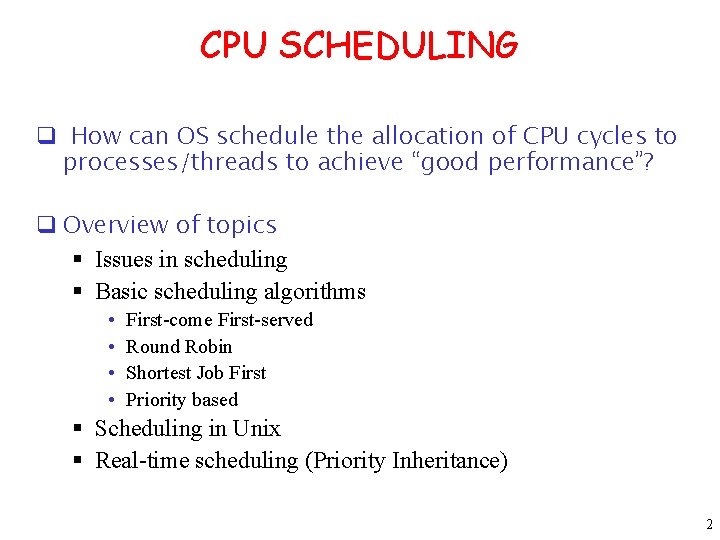
CPU SCHEDULING q How can OS schedule the allocation of CPU cycles to processes/threads to achieve “good performance”? q Overview of topics § Issues in scheduling § Basic scheduling algorithms • • First-come First-served Round Robin Shortest Job First Priority based § Scheduling in Unix § Real-time scheduling (Priority Inheritance) 2
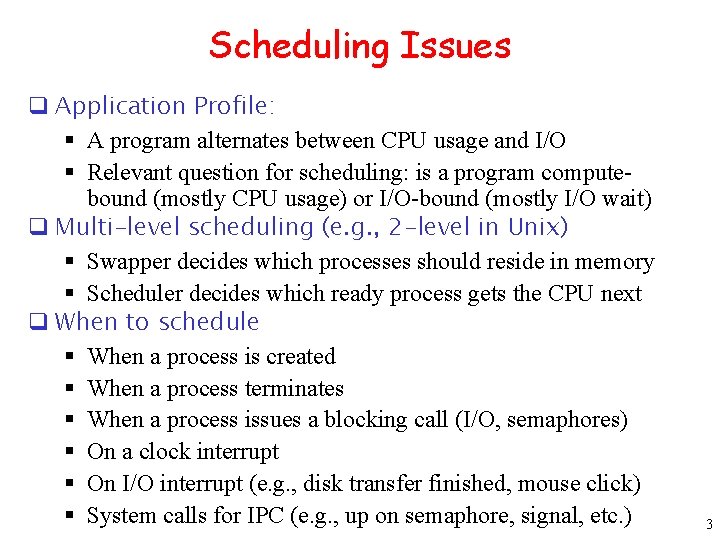
Scheduling Issues q Application Profile: § A program alternates between CPU usage and I/O § Relevant question for scheduling: is a program computebound (mostly CPU usage) or I/O-bound (mostly I/O wait) q Multi-level scheduling (e. g. , 2 -level in Unix) § Swapper decides which processes should reside in memory § Scheduler decides which ready process gets the CPU next q When to schedule § When a process is created § When a process terminates § When a process issues a blocking call (I/O, semaphores) § On a clock interrupt § On I/O interrupt (e. g. , disk transfer finished, mouse click) § System calls for IPC (e. g. , up on semaphore, signal, etc. ) 3
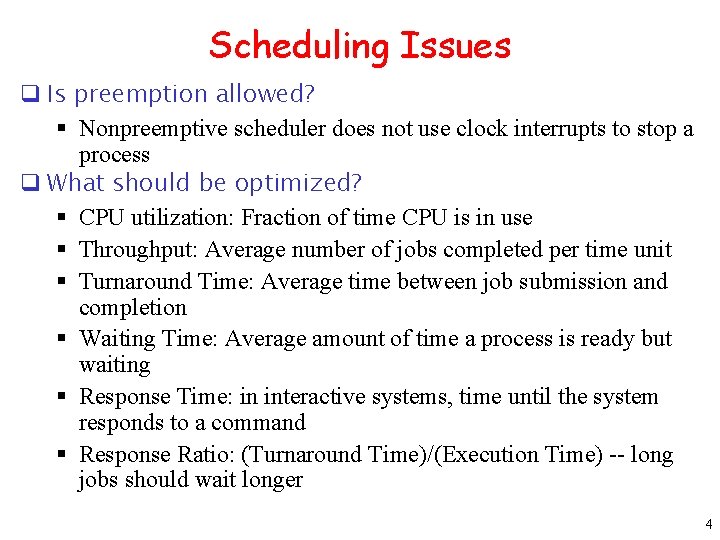
Scheduling Issues q Is preemption allowed? § Nonpreemptive scheduler does not use clock interrupts to stop a process q What should be optimized? § CPU utilization: Fraction of time CPU is in use § Throughput: Average number of jobs completed per time unit § Turnaround Time: Average time between job submission and completion § Waiting Time: Average amount of time a process is ready but waiting § Response Time: in interactive systems, time until the system responds to a command § Response Ratio: (Turnaround Time)/(Execution Time) -- long jobs should wait longer 4
Scheduling Issues q Different applications require different optimization criteria § Batch systems (throughput, turnaround time) § Interactive system (response time, fairness, user expectation) § Real-time systems (meeting deadlines) q Overhead of scheduling § Context switching is expensive (minimize context switches) § Data structures and book-keeping used by scheduler q What’s being scheduled? § Processes in Unix, but Threads in Linux or Solaris 5
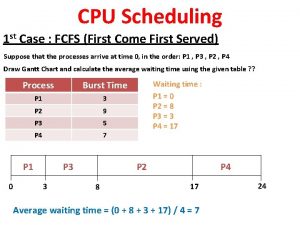
Basic Scheduling Algorithm: FCFS q FCFS - First-Come, First-Served § § Non-preemptive Ready queue is a FIFO queue Jobs arriving are placed at the end of queue Dispatcher selects first job in queue and this job runs to completion of CPU burst q Advantages: simple, low overhead q Disadvantages: inappropriate for interactive systems, large fluctuations in average turnaround time are possible. 6
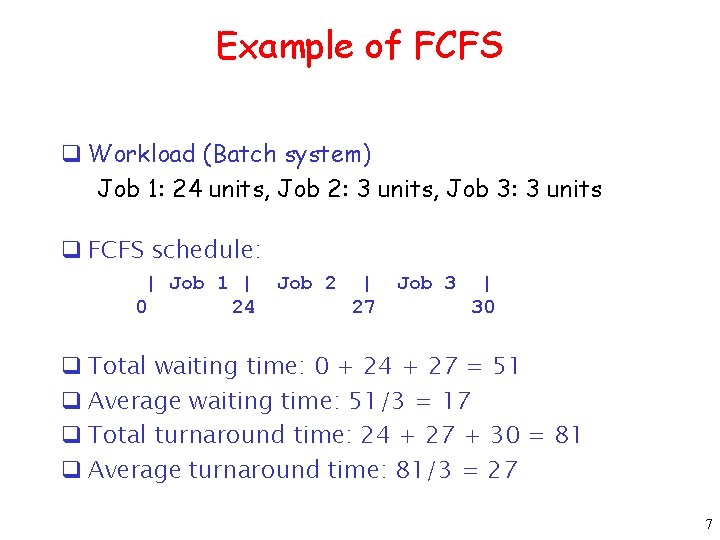
Example of FCFS q Workload (Batch system) Job 1: 24 units, Job 2: 3 units, Job 3: 3 units q FCFS schedule: | Job 1 | 0 24 Job 2 | 27 Job 3 | 30 q Total waiting time: 0 + 24 + 27 = 51 q Average waiting time: 51/3 = 17 q Total turnaround time: 24 + 27 + 30 = 81 q Average turnaround time: 81/3 = 27 7
SJF - Shortest Job First q. Non-preemptive q. Ready queue treated as a priority queue based on smallest CPU-time requirement § arriving jobs inserted at proper position in queue § dispatcher selects shortest job (1 st in queue) and runs to completion q. Advantages: provably optimal w. r. t. average turnaround time q. Disadvantages: in general, cannot be implemented. Also, starvation possible ! q. Can do it approximately: use exponential averaging to predict length of next CPU burst ==> pick shortest predicted burst next! 8
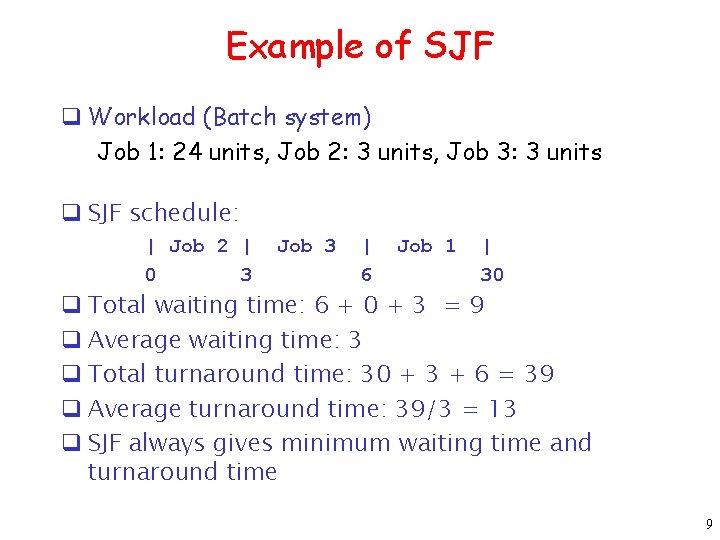
Example of SJF q Workload (Batch system) Job 1: 24 units, Job 2: 3 units, Job 3: 3 units q SJF schedule: | Job 2 | 0 3 Job 3 | 6 Job 1 | 30 q Total waiting time: 6 + 0 + 3 = 9 q Average waiting time: 3 q Total turnaround time: 30 + 3 + 6 = 39 q Average turnaround time: 39/3 = 13 q SJF always gives minimum waiting time and turnaround time 9
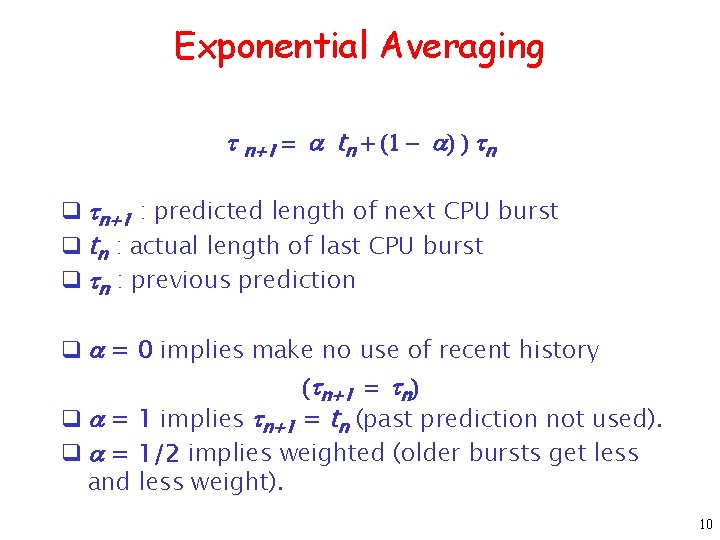
Exponential Averaging t n+1 = a tn + (1 - a) ) tn q tn+1 : predicted length of next CPU burst q tn : actual length of last CPU burst q tn : previous prediction q a = 0 implies make no use of recent history (tn+1 = tn) q a = 1 implies tn+1 = tn (past prediction not used). q a = 1/2 implies weighted (older bursts get less and less weight). 10
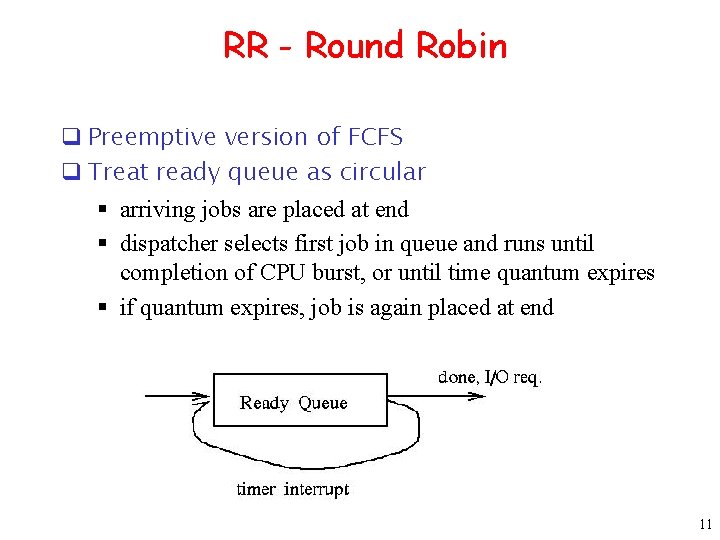
RR - Round Robin q Preemptive version of FCFS q Treat ready queue as circular § arriving jobs are placed at end § dispatcher selects first job in queue and runs until completion of CPU burst, or until time quantum expires § if quantum expires, job is again placed at end 11
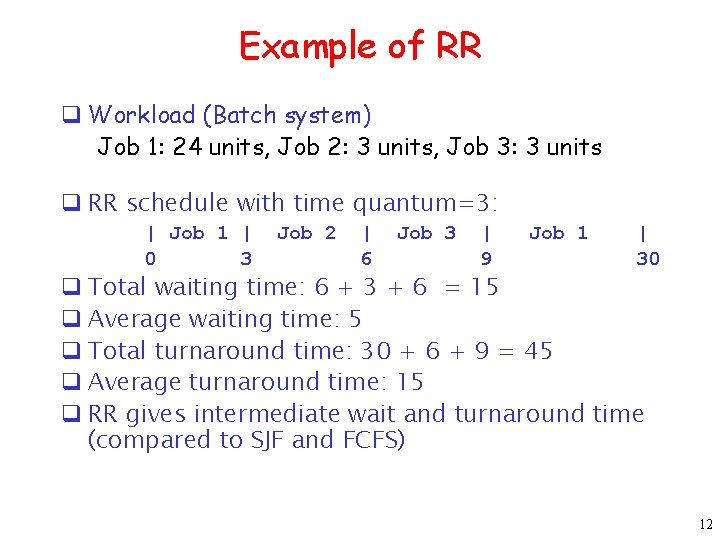
Example of RR q Workload (Batch system) Job 1: 24 units, Job 2: 3 units, Job 3: 3 units q RR schedule with time quantum=3: | Job 1 | 0 3 Job 2 | 6 Job 3 | 9 Job 1 | 30 q Total waiting time: 6 + 3 + 6 = 15 q Average waiting time: 5 q Total turnaround time: 30 + 6 + 9 = 45 q Average turnaround time: 15 q RR gives intermediate wait and turnaround time (compared to SJF and FCFS) 12
Properties of RR q Advantages: simple, low overhead, works for interactive systems q Disadvantages: if quantum is too small, too much time wasted in context switching; if too large (i. e. longer than mean CPU burst), approaches FCFS. q Typical value: 20 – 40 msec q Rule of thumb: Choose quantum so that large majority (80 – 90%) of jobs finish CPU burst in one quantum q RR makes the assumption that all processes are equally important 13
HPF - Highest Priority First q General class of algorithms ==> priority scheduling q Each job assigned a priority which may change dynamically q May be preemptive or non-preemptive q Key Design Issue: how to compute priorities? 14
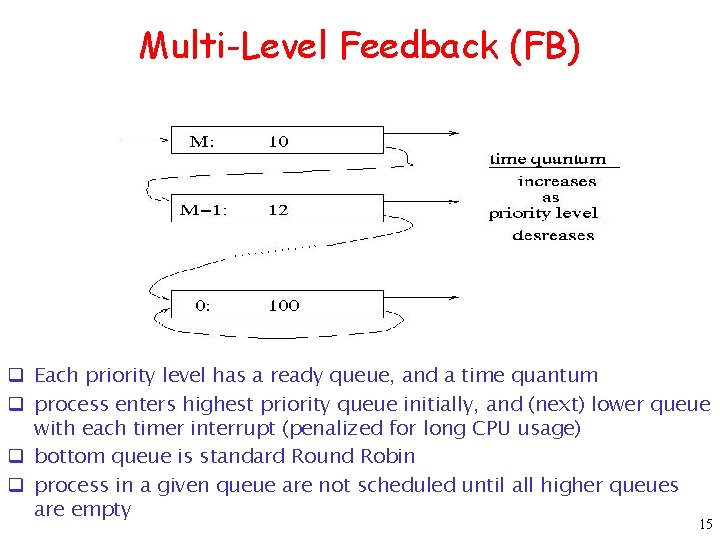
Multi-Level Feedback (FB) q Each priority level has a ready queue, and a time quantum q process enters highest priority queue initially, and (next) lower queue with each timer interrupt (penalized for long CPU usage) q bottom queue is standard Round Robin q process in a given queue are not scheduled until all higher queues are empty 15
FB Discussion q I/O-bound processes tend to congregate in higher-level queues. (Why? ) q This implies greater device utilization q CPU-bound processes will sink deeper(lower) into the queues. q large quantum occasionally versus small quanta often q Quantum in top queue should be large enough to satisfy majority of I/O-bound processes q can assign a process a lower priority by starting it at a lower-level queue q can raise priority by moving process to a higher queue, thus can use in conjunction with aging q to adjust priority of a process changing from CPUbound to I/O-bound, can move process to a higher queue each time it voluntarily relinquishes CPU. 16
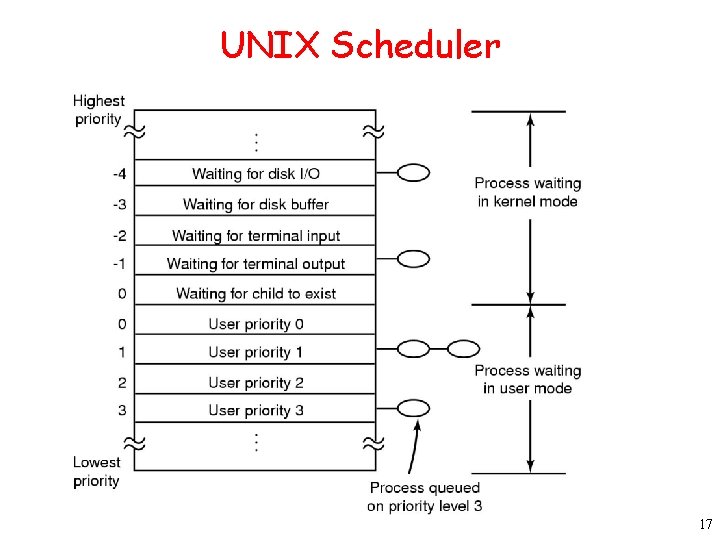
UNIX Scheduler 17
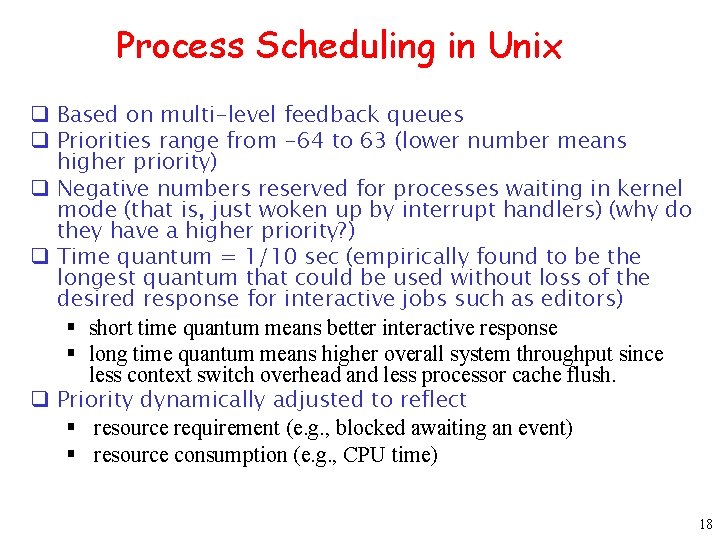
Process Scheduling in Unix q Based on multi-level feedback queues q Priorities range from -64 to 63 (lower number means higher priority) q Negative numbers reserved for processes waiting in kernel mode (that is, just woken up by interrupt handlers) (why do they have a higher priority? ) q Time quantum = 1/10 sec (empirically found to be the longest quantum that could be used without loss of the desired response for interactive jobs such as editors) § short time quantum means better interactive response § long time quantum means higher overall system throughput since less context switch overhead and less processor cache flush. q Priority dynamically adjusted to reflect § resource requirement (e. g. , blocked awaiting an event) § resource consumption (e. g. , CPU time) 18
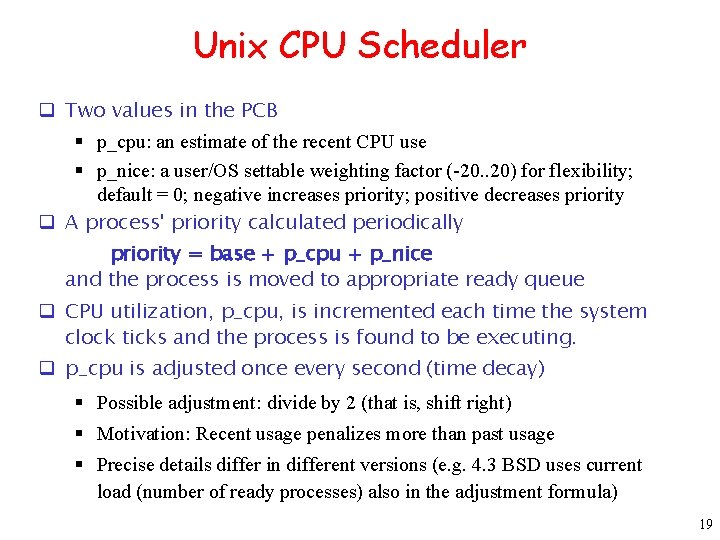
Unix CPU Scheduler q Two values in the PCB § p_cpu: an estimate of the recent CPU use § p_nice: a user/OS settable weighting factor (-20. . 20) for flexibility; default = 0; negative increases priority; positive decreases priority q A process' priority calculated periodically priority = base + p_cpu + p_nice and the process is moved to appropriate ready queue q CPU utilization, p_cpu, is incremented each time the system clock ticks and the process is found to be executing. q p_cpu is adjusted once every second (time decay) § Possible adjustment: divide by 2 (that is, shift right) § Motivation: Recent usage penalizes more than past usage § Precise details differ in different versions (e. g. 4. 3 BSD uses current load (number of ready processes) also in the adjustment formula) 19
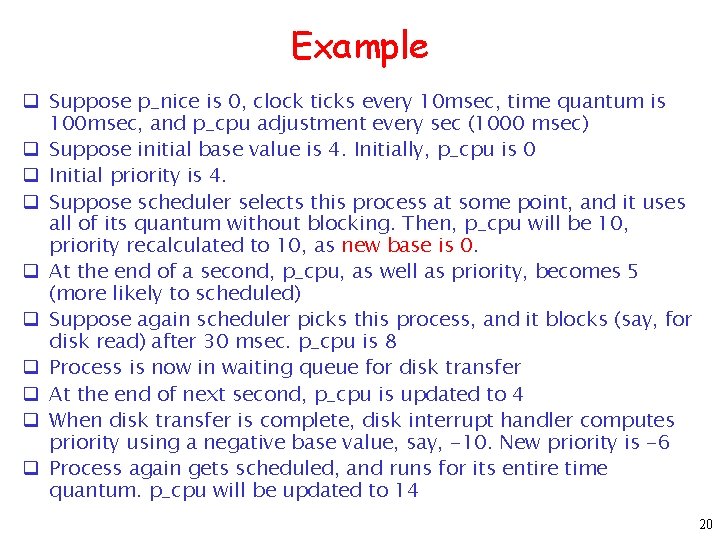
Example q Suppose p_nice is 0, clock ticks every 10 msec, time quantum is 100 msec, and p_cpu adjustment every sec (1000 msec) q Suppose initial base value is 4. Initially, p_cpu is 0 q Initial priority is 4. q Suppose scheduler selects this process at some point, and it uses all of its quantum without blocking. Then, p_cpu will be 10, priority recalculated to 10, as new base is 0. q At the end of a second, p_cpu, as well as priority, becomes 5 (more likely to scheduled) q Suppose again scheduler picks this process, and it blocks (say, for disk read) after 30 msec. p_cpu is 8 q Process is now in waiting queue for disk transfer q At the end of next second, p_cpu is updated to 4 q When disk transfer is complete, disk interrupt handler computes priority using a negative base value, say, -10. New priority is -6 q Process again gets scheduled, and runs for its entire time quantum. p_cpu will be updated to 14 20
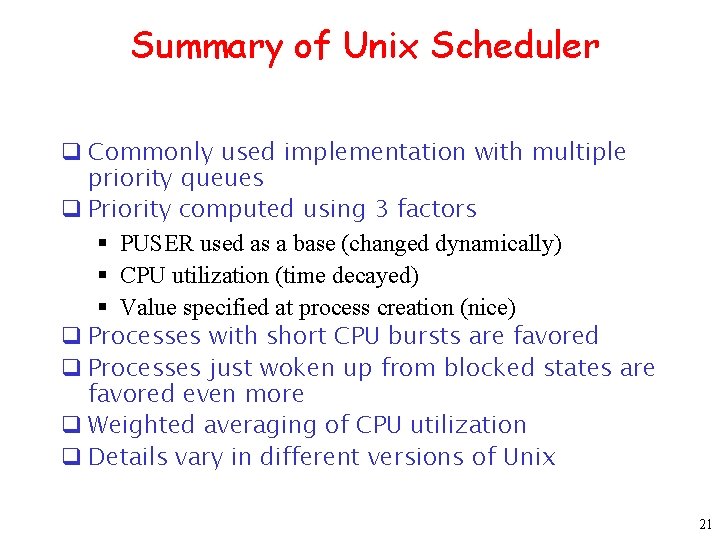
Summary of Unix Scheduler q Commonly used implementation with multiple priority queues q Priority computed using 3 factors § PUSER used as a base (changed dynamically) § CPU utilization (time decayed) § Value specified at process creation (nice) q Processes with short CPU bursts are favored q Processes just woken up from blocked states are favored even more q Weighted averaging of CPU utilization q Details vary in different versions of Unix 21
Real-time Systems q On-line transaction systems q Real-time monitoring systems q Signal processing systems § multimedia q Embedded control systems: § automotives § Robots § Aircrafts § Medical devices … 22
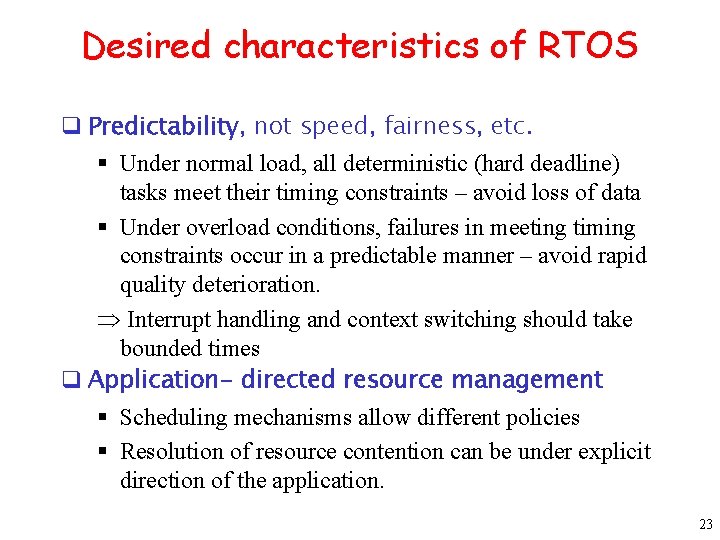
Desired characteristics of RTOS q Predictability, not speed, fairness, etc. § Under normal load, all deterministic (hard deadline) tasks meet their timing constraints – avoid loss of data § Under overload conditions, failures in meeting timing constraints occur in a predictable manner – avoid rapid quality deterioration. Þ Interrupt handling and context switching should take bounded times q Application- directed resource management § Scheduling mechanisms allow different policies § Resolution of resource contention can be under explicit direction of the application. 23
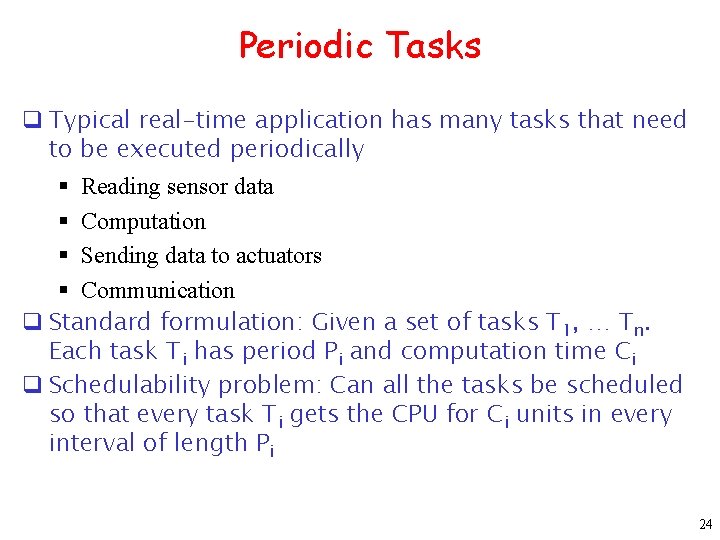
Periodic Tasks q Typical real-time application has many tasks that need to be executed periodically § Reading sensor data § Computation § Sending data to actuators § Communication q Standard formulation: Given a set of tasks T 1, … Tn. Each task Ti has period Pi and computation time Ci q Schedulability problem: Can all the tasks be scheduled so that every task Ti gets the CPU for Ci units in every interval of length Pi 24
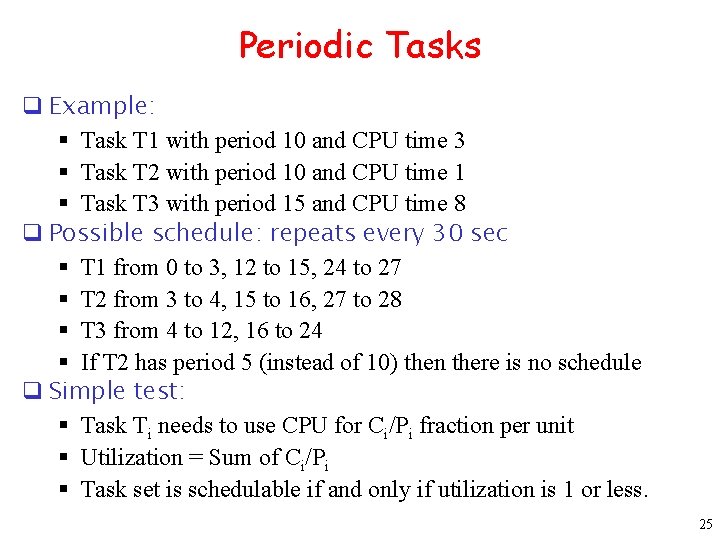
Periodic Tasks q Example: § Task T 1 with period 10 and CPU time 3 § Task T 2 with period 10 and CPU time 1 § Task T 3 with period 15 and CPU time 8 q Possible schedule: repeats every 30 sec § T 1 from 0 to 3, 12 to 15, 24 to 27 § T 2 from 3 to 4, 15 to 16, 27 to 28 § T 3 from 4 to 12, 16 to 24 § If T 2 has period 5 (instead of 10) then there is no schedule q Simple test: § Task Ti needs to use CPU for Ci/Pi fraction per unit § Utilization = Sum of Ci/Pi § Task set is schedulable if and only if utilization is 1 or less. 25
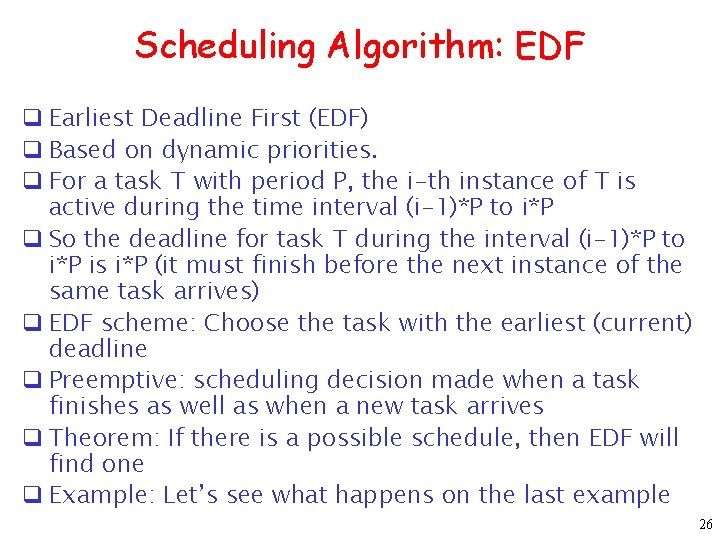
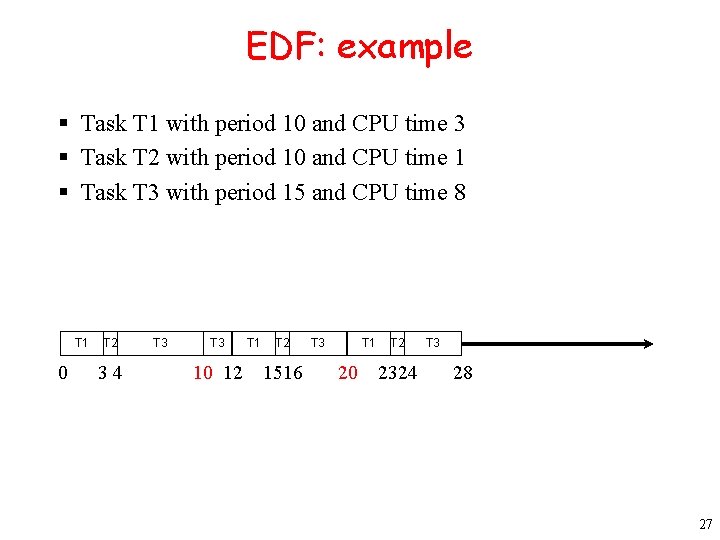
Scheduling Algorithm: EDF q Earliest Deadline First (EDF) q Based on dynamic priorities. q For a task T with period P, the i-th instance of T is active during the time interval (i-1)*P to i*P q So the deadline for task T during the interval (i-1)*P to i*P is i*P (it must finish before the next instance of the same task arrives) q EDF scheme: Choose the task with the earliest (current) deadline q Preemptive: scheduling decision made when a task finishes as well as when a new task arrives q Theorem: If there is a possible schedule, then EDF will find one q Example: Let’s see what happens on the last example 26
EDF: example § Task T 1 with period 10 and CPU time 3 § Task T 2 with period 10 and CPU time 1 § Task T 3 with period 15 and CPU time 8 T 1 0 T 2 34 T 3 10 12 T 1 T 2 1516 T 3 T 1 20 T 2 2324 T 3 28 27
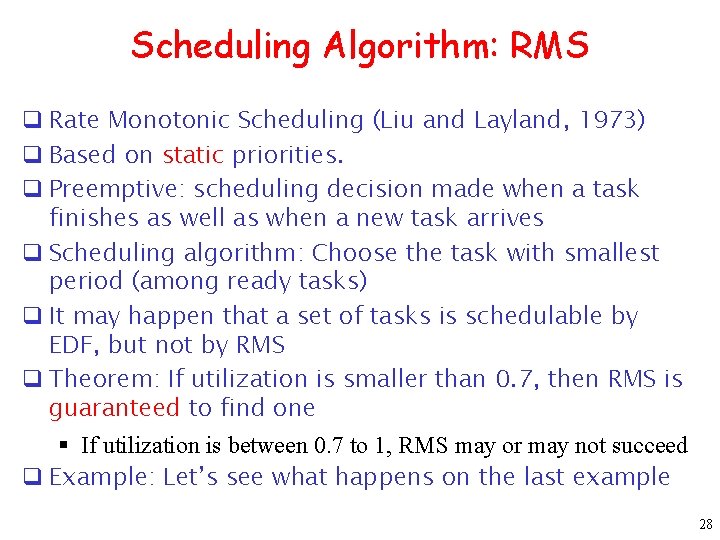
Scheduling Algorithm: RMS q Rate Monotonic Scheduling (Liu and Layland, 1973) q Based on static priorities. q Preemptive: scheduling decision made when a task finishes as well as when a new task arrives q Scheduling algorithm: Choose the task with smallest period (among ready tasks) q It may happen that a set of tasks is schedulable by EDF, but not by RMS q Theorem: If utilization is smaller than 0. 7, then RMS is guaranteed to find one § If utilization is between 0. 7 to 1, RMS may or may not succeed q Example: Let’s see what happens on the last example 28
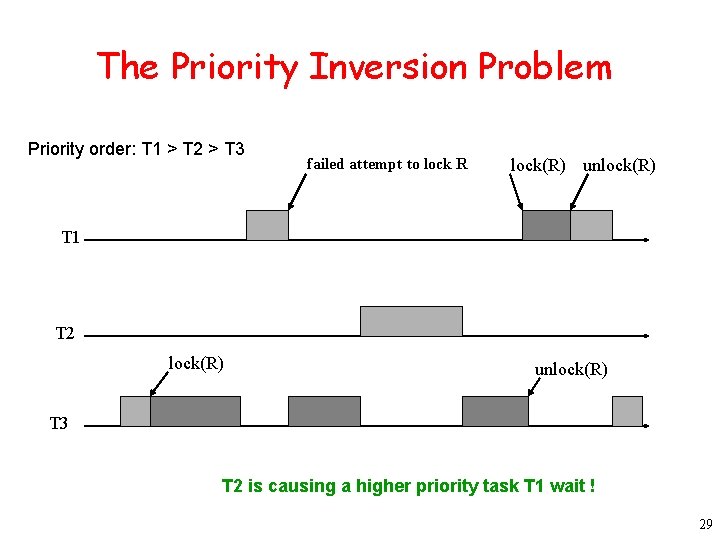
The Priority Inversion Problem Priority order: T 1 > T 2 > T 3 failed attempt to lock R lock(R) unlock(R) T 1 T 2 lock(R) unlock(R) T 3 T 2 is causing a higher priority task T 1 wait ! 29
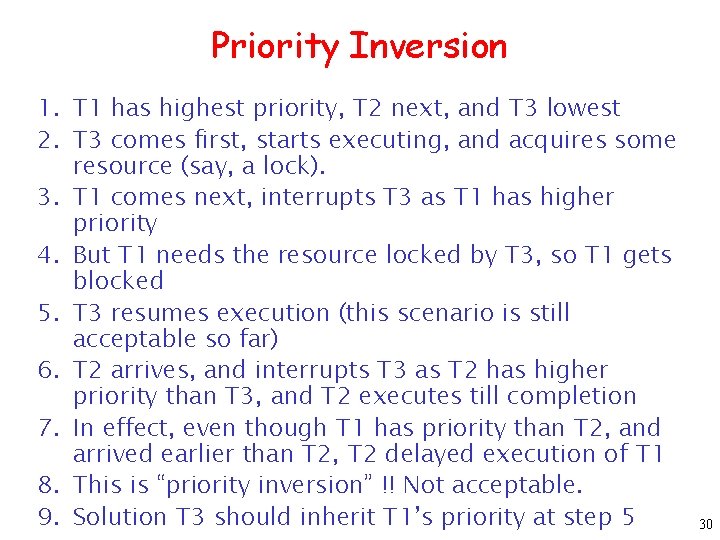
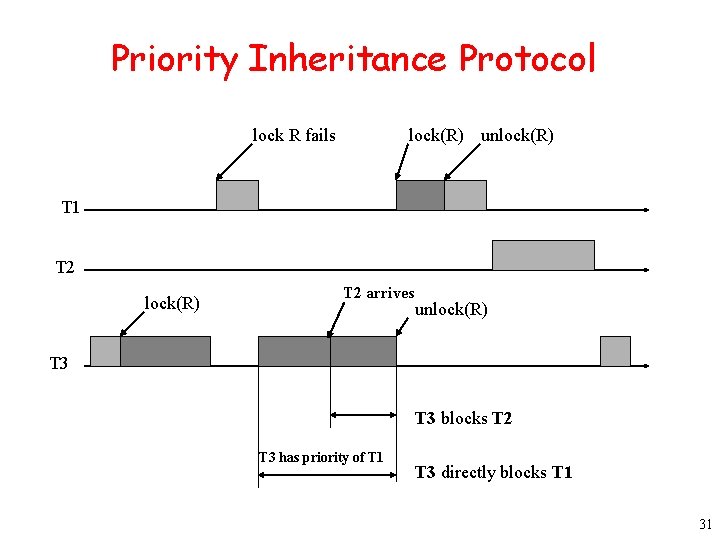
Priority Inversion 1. T 1 has highest priority, T 2 next, and T 3 lowest 2. T 3 comes first, starts executing, and acquires some resource (say, a lock). 3. T 1 comes next, interrupts T 3 as T 1 has higher priority 4. But T 1 needs the resource locked by T 3, so T 1 gets blocked 5. T 3 resumes execution (this scenario is still acceptable so far) 6. T 2 arrives, and interrupts T 3 as T 2 has higher priority than T 3, and T 2 executes till completion 7. In effect, even though T 1 has priority than T 2, and arrived earlier than T 2, T 2 delayed execution of T 1 8. This is “priority inversion” !! Not acceptable. 9. Solution T 3 should inherit T 1’s priority at step 5 30
Priority Inheritance Protocol lock R fails lock(R) unlock(R) T 1 T 2 lock(R) T 2 arrives unlock(R) T 3 blocks T 2 T 3 has priority of T 1 T 3 directly blocks T 1 31