Information and Communication Technology ICT Grade 12 Operating
- Slides: 25
Information and Communication Technology (ICT) Grade 12
Operating System Chapter 5 (Part ix) 2020. 06. 24
The utility programs in an Operating System Several processes are performed by the Operating System for the functioning of the computer. Many utility programs are available in the Operating System for the functioning of the machine as well as to protect from security threats. In the past we had to buy different utility programs and install whereas nowadays most of the required utilities come with the Operating System.
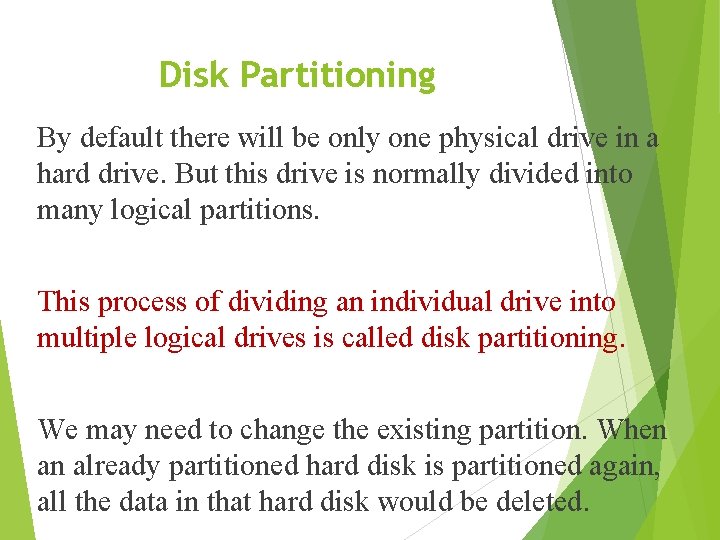
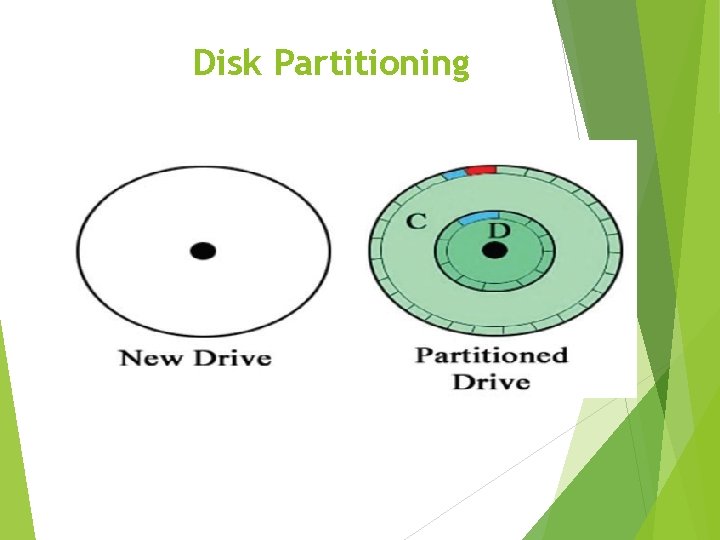
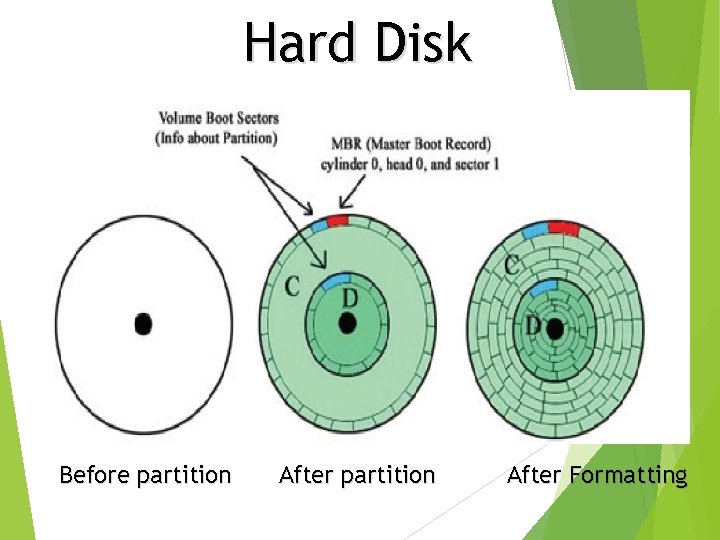
Disk Partitioning By default there will be only one physical drive in a hard drive. But this drive is normally divided into many logical partitions. This process of dividing an individual drive into multiple logical drives is called disk partitioning. We may need to change the existing partition. When an already partitioned hard disk is partitioned again, all the data in that hard disk would be deleted.
Disk Partitioning
Why do we need partitioning? When we need to save different items in different places. (Ex: Software in one drive and all other data in another drive) • When we need to have more than one Operating System in the same machine. (Ex: When we need to install both Windows and Ubuntu Operating System) To meet the requirement of the Operating System (Ex: Sometimes it becomes mandatory that a separate partition is allocated for the Operating System)
Disk Formatting is the process of preparing a data storage device such as a hard disk drive, solid-state drive, floppy disk or USB flash drive for storing data. This is done using a file format in the Operating System. A hard disk cannot be used once partitioning is completed. We need to format each of the drives individually.
Disk Formatting Hard disk drive, solid-state drive, floppy disk or USB flash drive can be formatted whenever need arises. When the drive is being formatted data in the drive would be deleted. Therefore it is necessary to keep back up copies of the data before formatting.
Hard Disk Before partition After Formatting
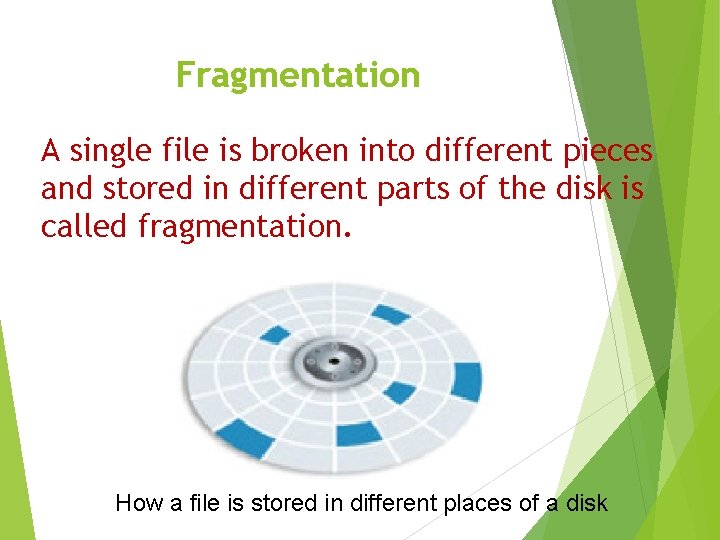
Fragmentation A single file is broken into different pieces and stored in different parts of the disk is called fragmentation. How a file is stored in different places of a disk
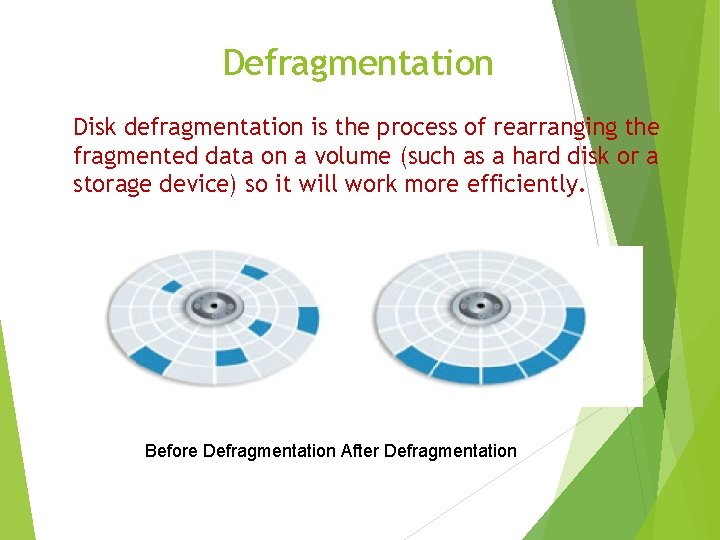
Defragmentation Disk defragmentation is the process of rearranging the fragmented data on a volume (such as a hard disk or a storage device) so it will work more efficiently. Before Defragmentation After Defragmentation
Do not write down content of this slide extra information for your knowledge Defragmentation • If you observe a slowness of the machine (there could be many reasons for the slowness of the computer, whereas fragmentation could be a one reason) the best action to take would be to start defragmentation. However Linux based Operating Systems use a different method to store files. Linux Operating System makes sure that ample space is left between the saved files so that they can be saved at the same location as a single intact file even when the file expands due to editing.
Explores how an operating system manages processes in computers
Process A process is basically a program in execution. The execution of a process must progress in a sequential fashion. A process is defined as an entity which represents the basic unit of work to be implemented in the system
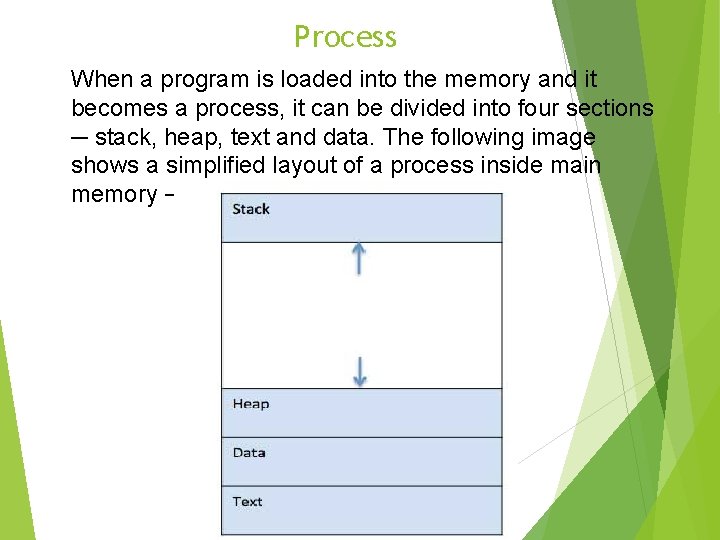
Process When a program is loaded into the memory and it becomes a process, it can be divided into four sections ─ stack, heap, text and data. The following image shows a simplified layout of a process inside main memory −
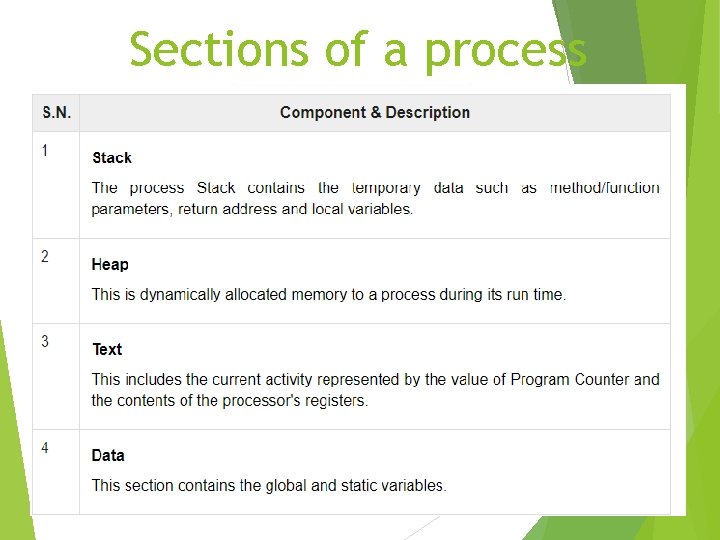
Sections of a process
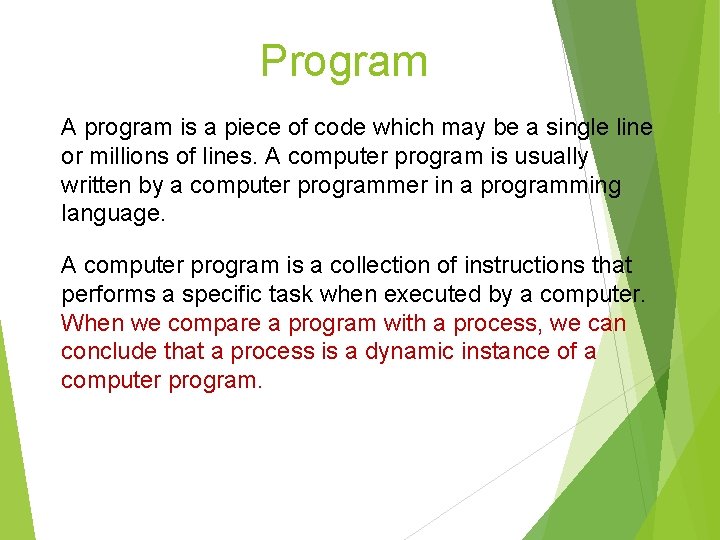
Program A program is a piece of code which may be a single line or millions of lines. A computer program is usually written by a computer programmer in a programming language. A computer program is a collection of instructions that performs a specific task when executed by a computer. When we compare a program with a process, we can conclude that a process is a dynamic instance of a computer program.
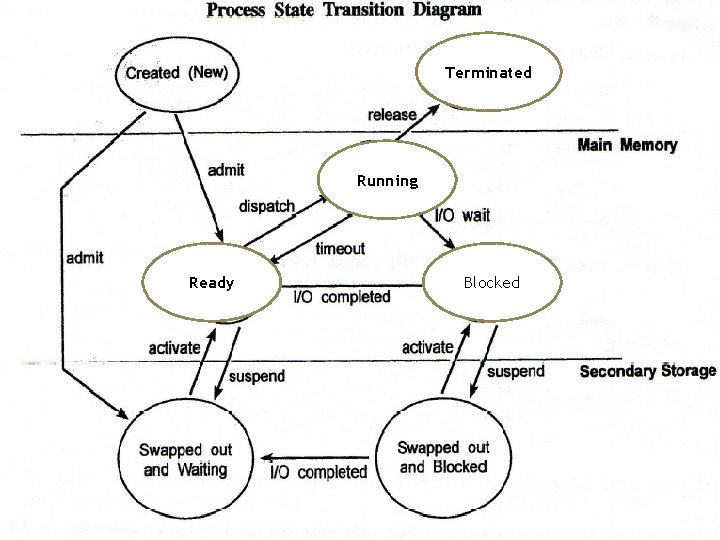
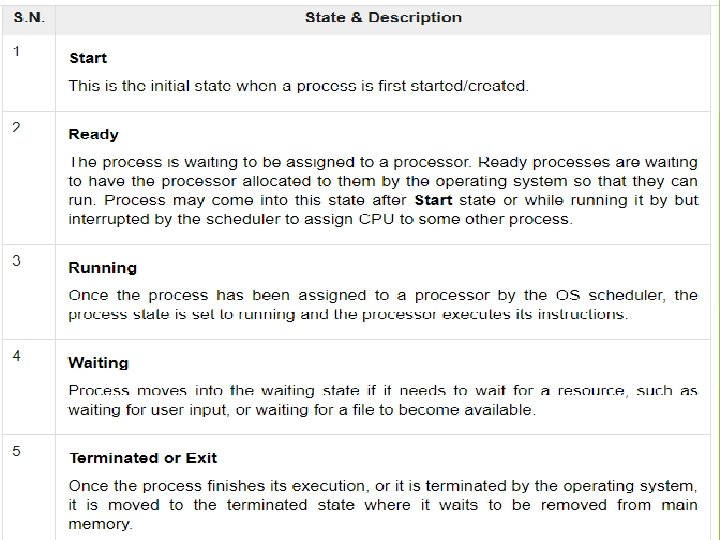
Process Life Cycle When a process executes, it passes through different states. These stages may differ in different operating systems, and the names of these states are also not standardized.
Terminated Running Ready Blocked
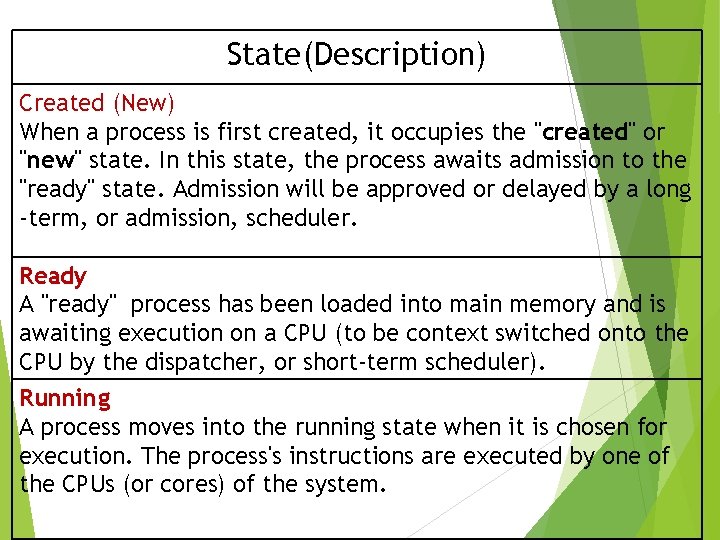
State(Description) Created (New) When a process is first created, it occupies the "created" or "new" state. In this state, the process awaits admission to the "ready" state. Admission will be approved or delayed by a long -term, or admission, scheduler. Ready A "ready" process has been loaded into main memory and is awaiting execution on a CPU (to be context switched onto the CPU by the dispatcher, or short-term scheduler). Running A process moves into the running state when it is chosen for execution. The process's instructions are executed by one of the CPUs (or cores) of the system.
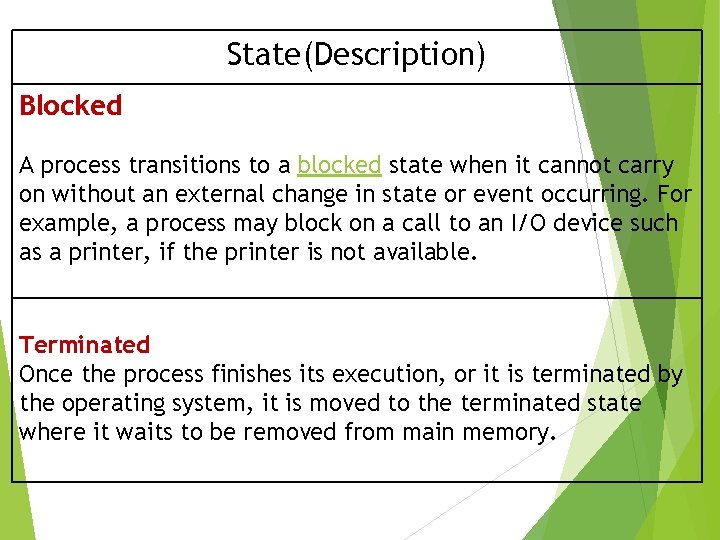
State(Description) Blocked A process transitions to a blocked state when it cannot carry on without an external change in state or event occurring. For example, a process may block on a call to an I/O device such as a printer, if the printer is not available. Terminated Once the process finishes its execution, or it is terminated by the operating system, it is moved to the terminated state where it waits to be removed from main memory.
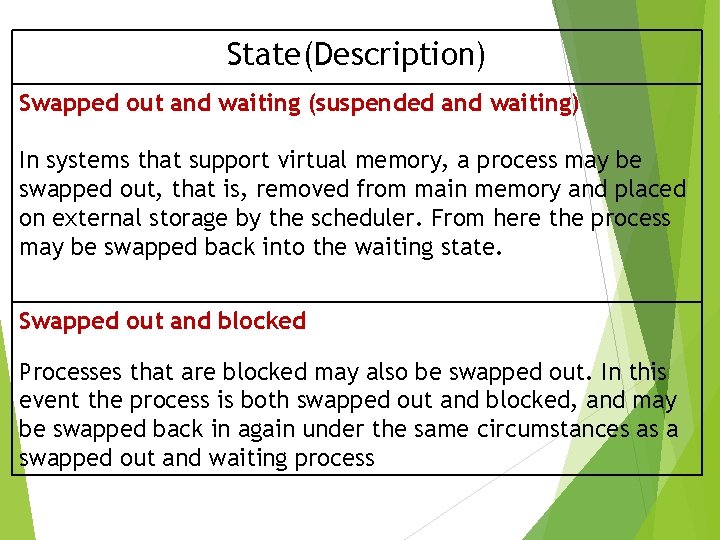
State(Description) Swapped out and waiting (suspended and waiting) In systems that support virtual memory, a process may be swapped out, that is, removed from main memory and placed on external storage by the scheduler. From here the process may be swapped back into the waiting state. Swapped out and blocked Processes that are blocked may also be swapped out. In this event the process is both swapped out and blocked, and may be swapped back in again under the same circumstances as a swapped out and waiting process
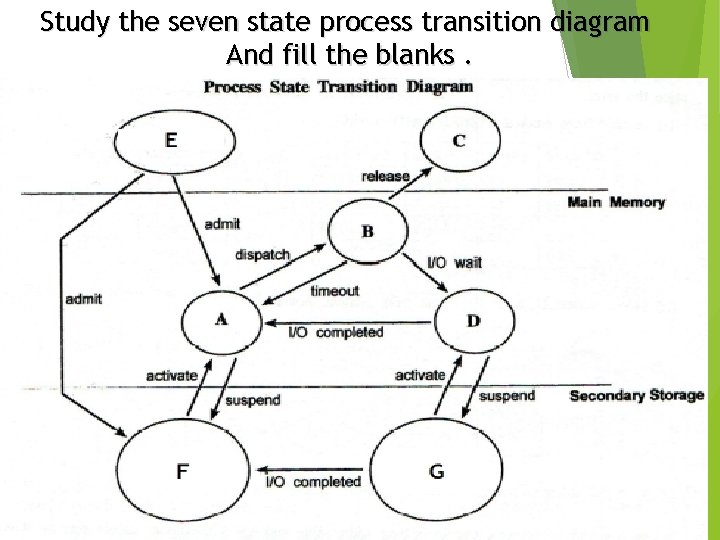
Study the seven state process transition diagram And fill the blanks.
Please write down this note and complete the writing book (ICT book)