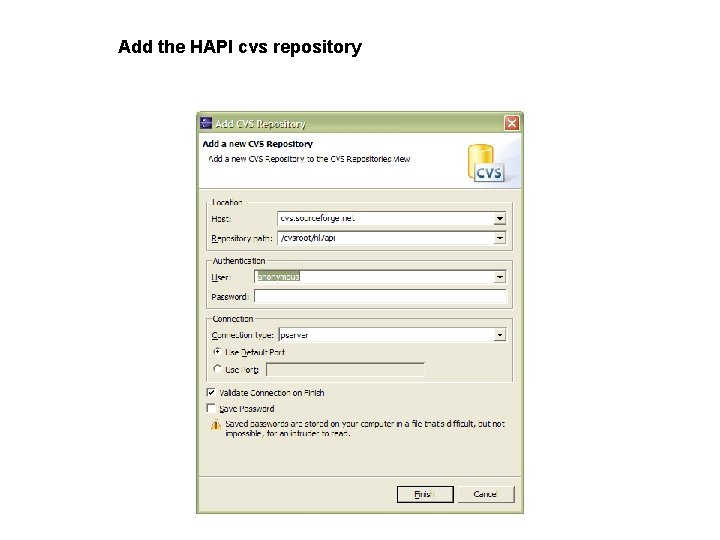
HAPI on eclipse Add the HAPI cvs repository

- Slides: 13
HAPI on eclipse
Add the HAPI cvs repository
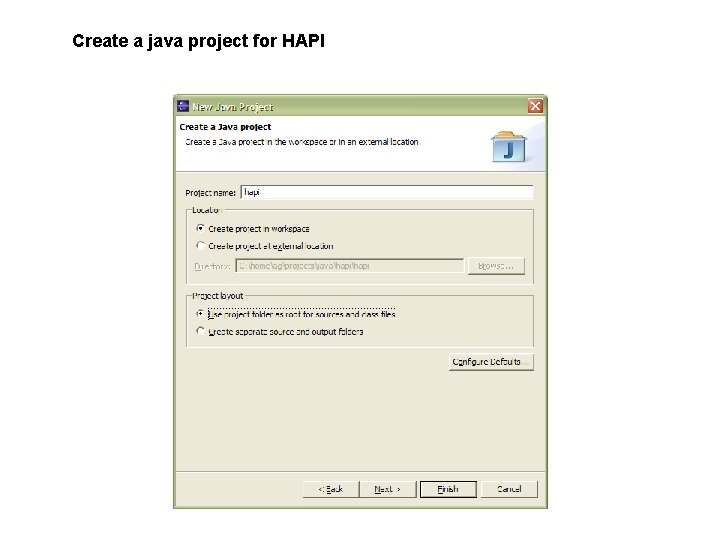
Create a java project for HAPI
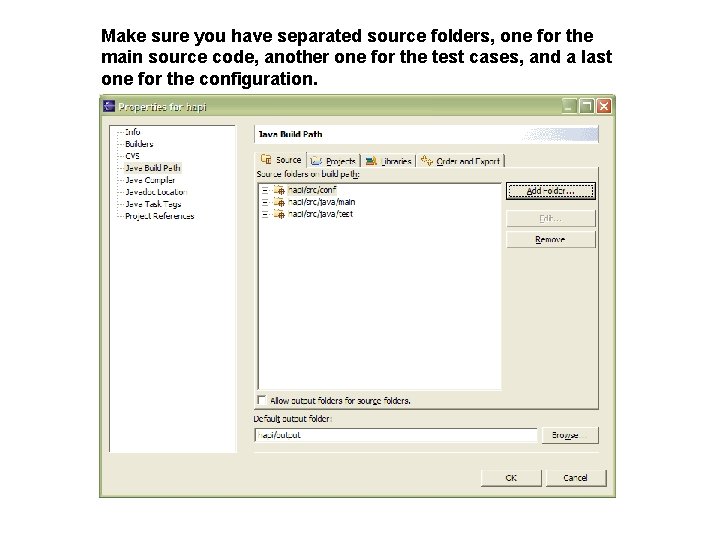
Make sure you have separated source folders, one for the main source code, another one for the test cases, and a last one for the configuration.
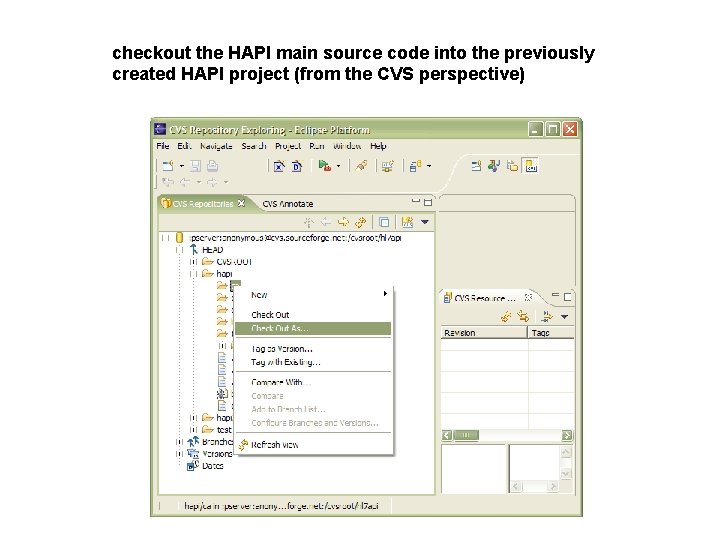
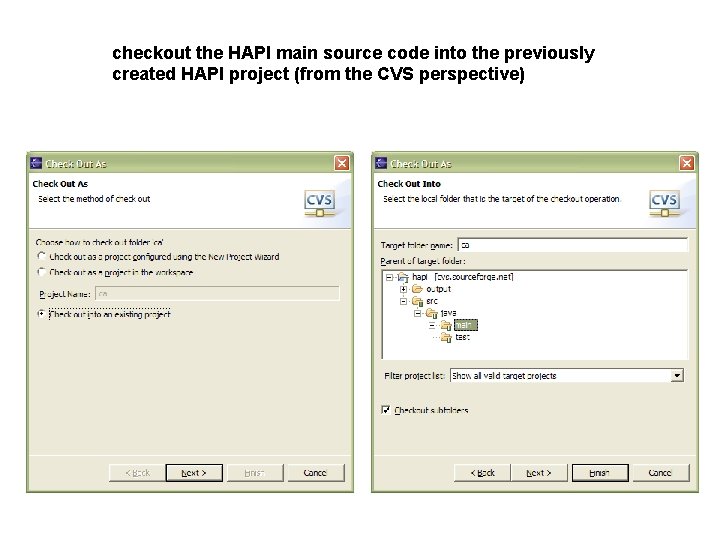
checkout the HAPI main source code into the previously created HAPI project (from the CVS perspective)
checkout the HAPI main source code into the previously created HAPI project (from the CVS perspective)
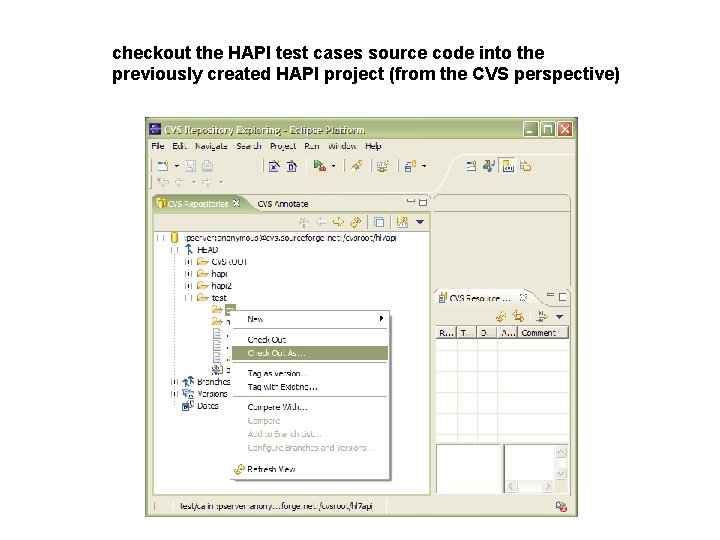
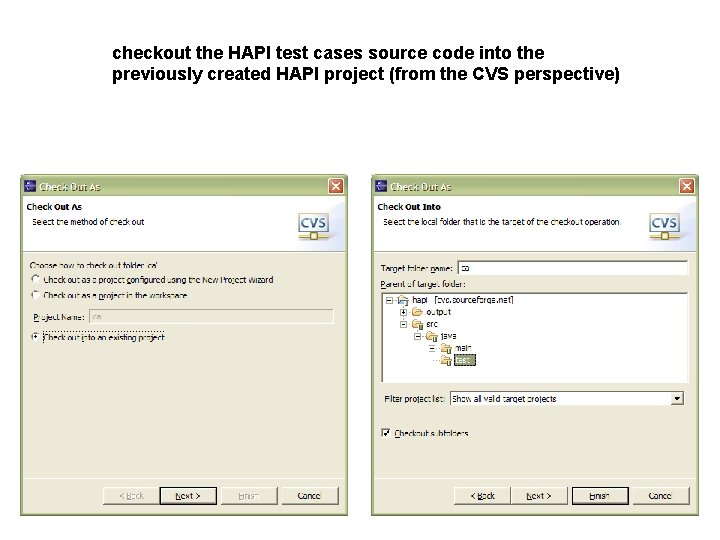
checkout the HAPI test cases source code into the previously created HAPI project (from the CVS perspective)
checkout the HAPI test cases source code into the previously created HAPI project (from the CVS perspective)
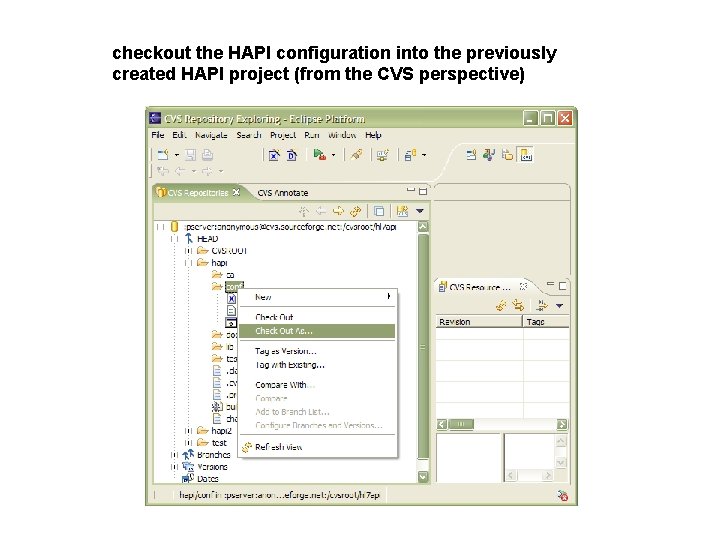
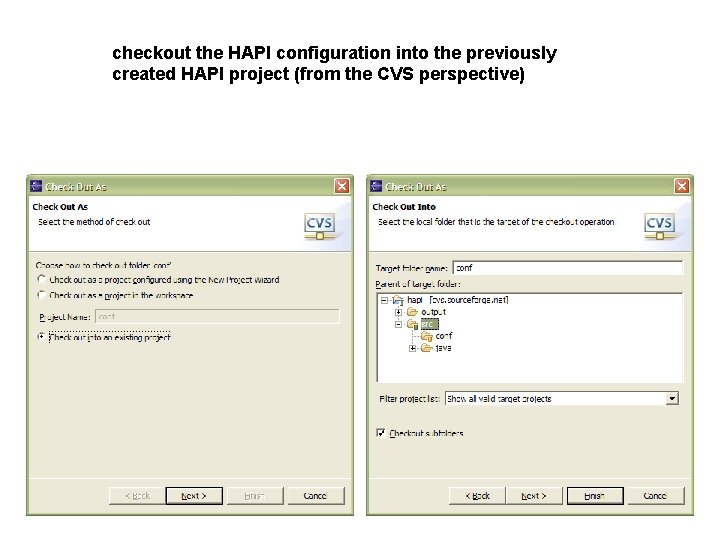
checkout the HAPI configuration into the previously created HAPI project (from the CVS perspective)
checkout the HAPI configuration into the previously created HAPI project (from the CVS perspective)
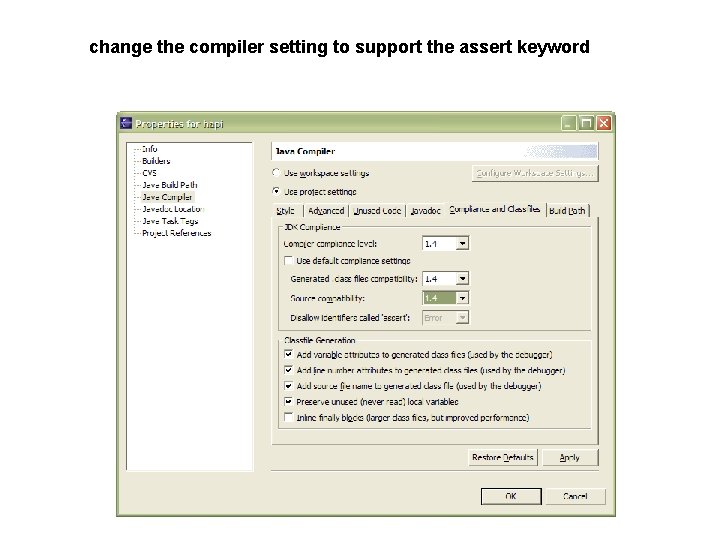
change the compiler setting to support the assert keyword
make sure you have the following libraries in your classpath • log 4 j • commons-logging • xerces • junit • jdom Now to get everything compiling you’ll be missing: - the j 2 ee APIs libraries (you can use the ones provided by jboss) - the jars for the version specific messages (available at sourceforge)
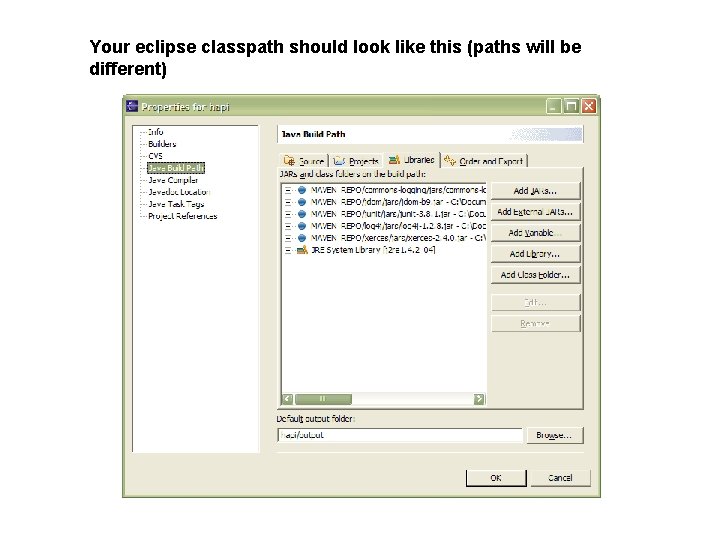
Your eclipse classpath should look like this (paths will be different)