Final Year Project 2006 2007 Feng Shui Design


- Slides: 26
Final Year Project 2006 - 2007 Feng Shui Design and Analysis System Jack Chung by Jacky Chan Advised by Prof. David Rossiter Ryan Cheung
Agenda �Introduction �System Analysis �Floor Plan Handling �Feng Shui Analysis �Feng Shui Report � 3 D Rendering �Demonstration �Q&A
Introduction What is Feng Shui? �The ancient Chinese traditional art of placement based upon a philosophy of the movement of “Chi” or nature energy through our environments �Shows us how to support the flow of energy in our lives to augment health and prosperity.
Introduction (Cont’) Our Propose �Reveal the Feng Shui theory in a more concrete and easier way Our System �Let the user construct their ideal floor plan �Give constructive recommendations on how to enhance the Feng Shui of user’s flat �Provide detailed Feng Shui explanations �Render the 3 D environment of user’s flat
Agenda �Introduction �System Analysis �Floor Plan Handling �Feng Shui Analysis �Feng Shui Report � 3 D Rendering �Demonstration �Q&A
System Analysis �Floor Plan Handling �Feng Shui Analysis �Feng Shui Report � 3 D Rendering
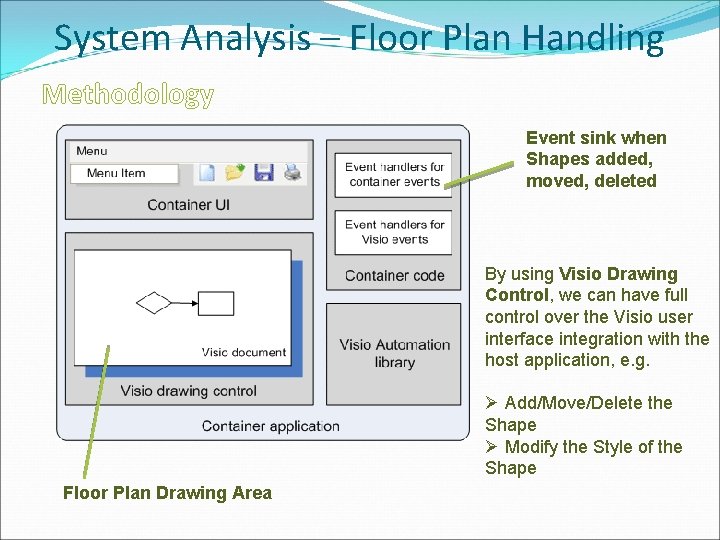
System Analysis – Floor Plan Handling Methodology Event sink when Shapes added, moved, deleted By using Visio Drawing Control, we can have full control over the Visio user interface integration with the host application, e. g. Ø Add/Move/Delete the Shape Ø Modify the Style of the Shape Floor Plan Drawing Area
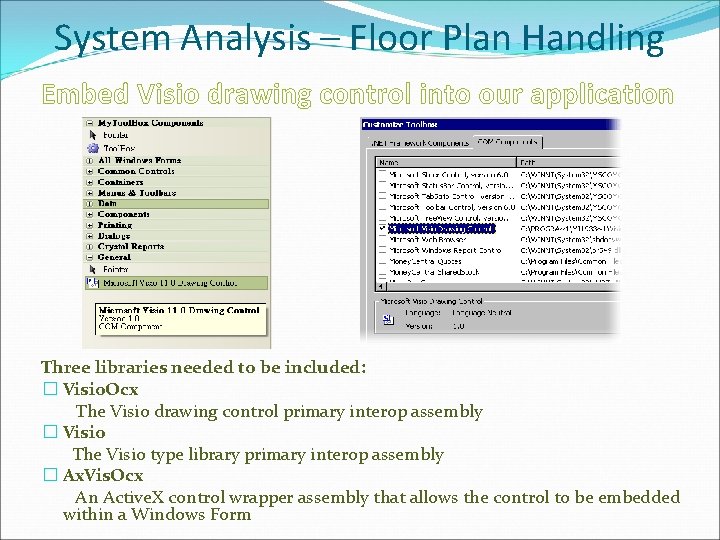
System Analysis – Floor Plan Handling Embed Visio drawing control into our application Three libraries needed to be included: � Visio. Ocx The Visio drawing control primary interop assembly � Visio The Visio type library primary interop assembly � Ax. Vis. Ocx An Active. X control wrapper assembly that allows the control to be embedded within a Windows Form
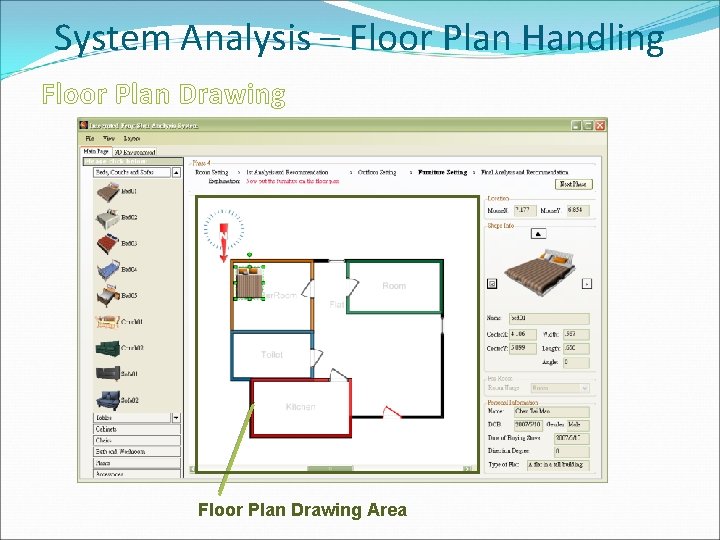
System Analysis – Floor Plan Handling Floor Plan Drawing Area
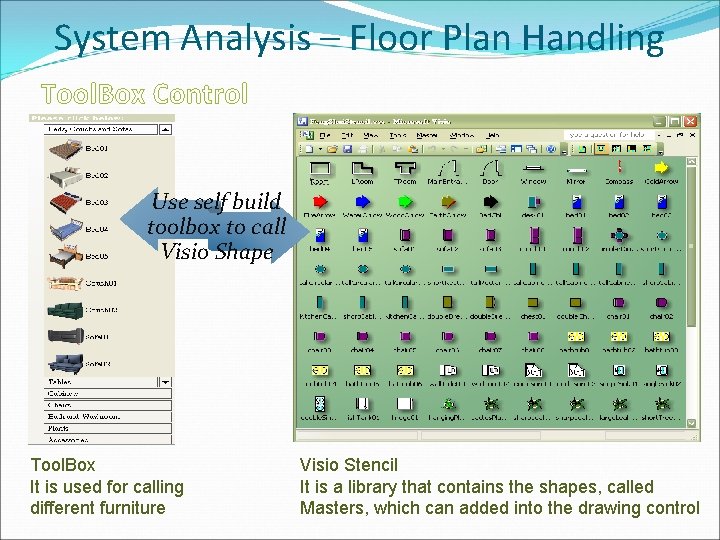
System Analysis – Floor Plan Handling Tool. Box Control Use self build toolbox to call Visio Shape Tool. Box It is used for calling different furniture Visio Stencil It is a library that contains the shapes, called Masters, which can added into the drawing control
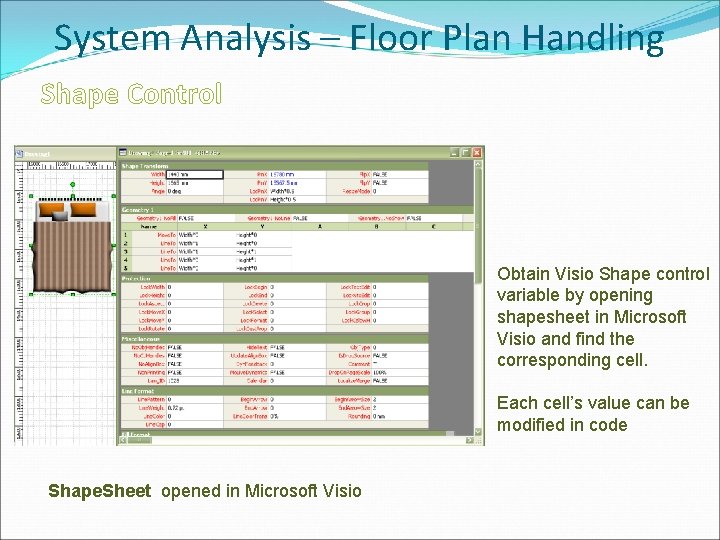
System Analysis – Floor Plan Handling Shape Control Obtain Visio Shape control variable by opening shapesheet in Microsoft Visio and find the corresponding cell. Each cell’s value can be modified in code Shape. Sheet opened in Microsoft Visio
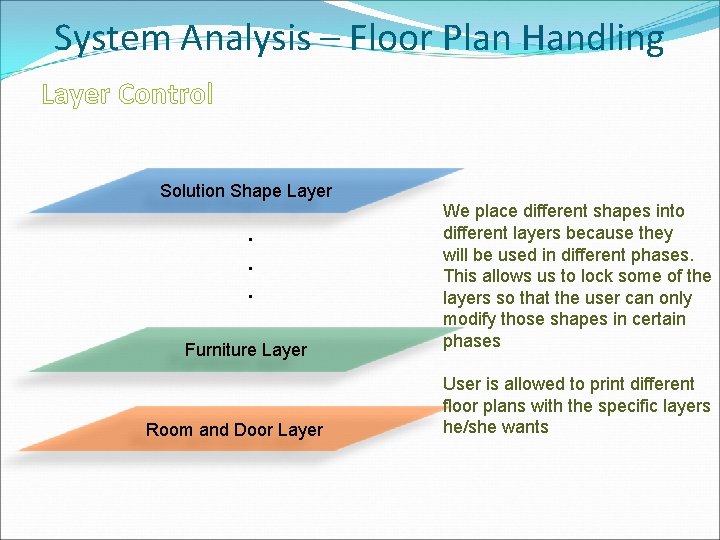
System Analysis – Floor Plan Handling Layer Control Solution Shape Layer ● ● ● Furniture Layer Room and Door Layer We place different shapes into different layers because they will be used in different phases. This allows us to lock some of the layers so that the user can only modify those shapes in certain phases User is allowed to print different floor plans with the specific layers he/she wants
System Analysis �Floor Plan Handling �Feng Shui Analysis �Final Report � 3 D Rendering
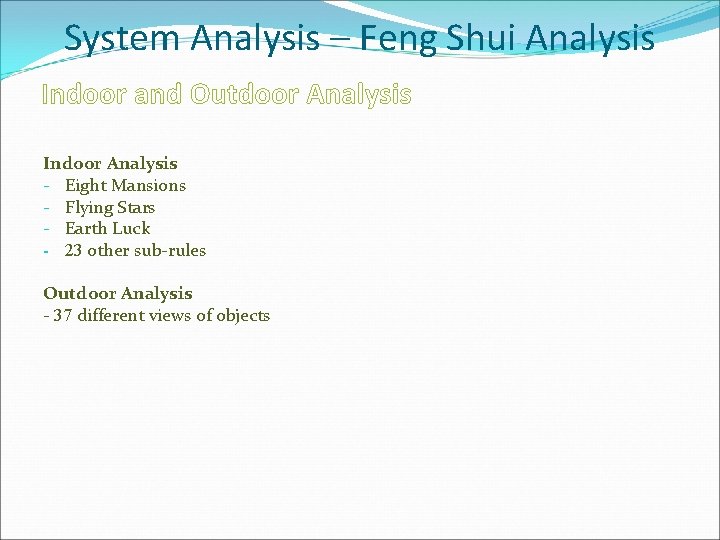
System Analysis – Feng Shui Analysis Indoor and Outdoor Analysis Indoor Analysis - Eight Mansions - Flying Stars - Earth Luck - 23 other sub-rules Outdoor Analysis - 37 different views of objects
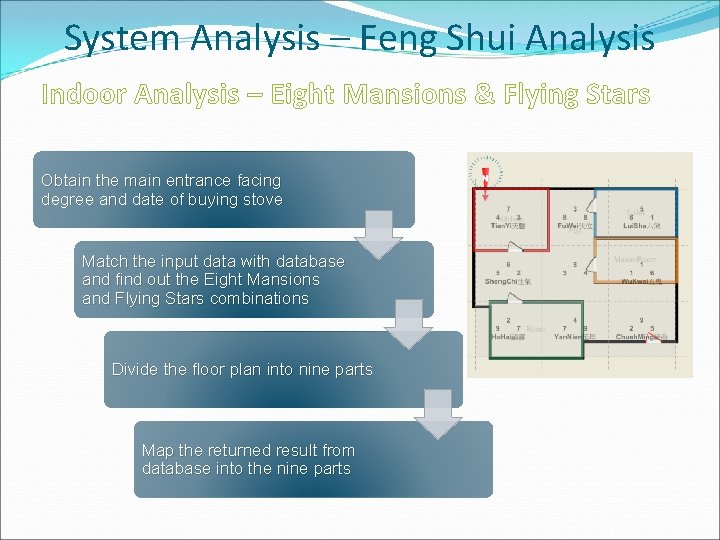
System Analysis – Feng Shui Analysis Indoor Analysis – Eight Mansions & Flying Stars Obtain the main entrance facing degree and date of buying stove Match the input data with database and find out the Eight Mansions and Flying Stars combinations Divide the floor plan into nine parts Map the returned result from database into the nine parts
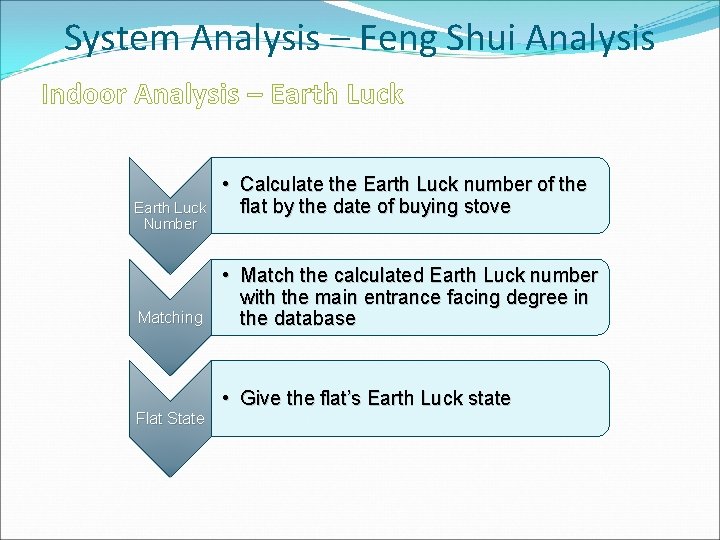
System Analysis – Feng Shui Analysis Indoor Analysis – Earth Luck Number Matching Flat State • Calculate the Earth Luck number of the flat by the date of buying stove • Match the calculated Earth Luck number with the main entrance facing degree in the database • Give the flat’s Earth Luck state
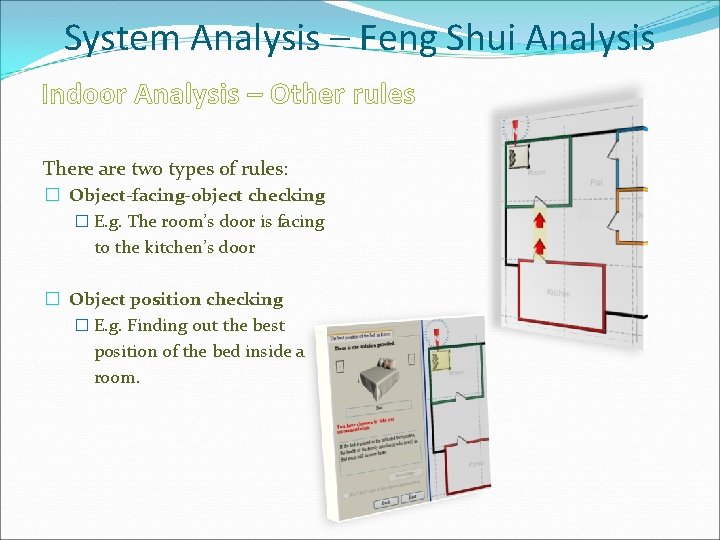
System Analysis – Feng Shui Analysis Indoor Analysis – Other rules There are two types of rules: � Object-facing-object checking � E. g. The room’s door is facing to the kitchen’s door � Object position checking � E. g. Finding out the best position of the bed inside a room.
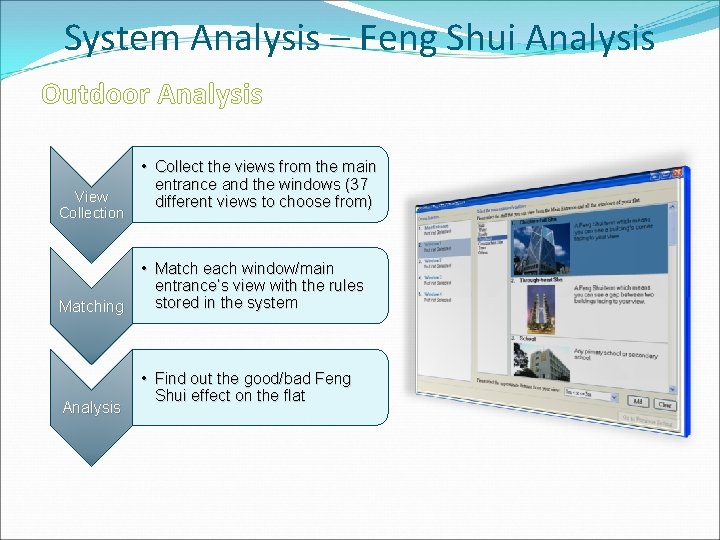
System Analysis – Feng Shui Analysis Outdoor Analysis View Collection Matching Analysis • Collect the views from the main entrance and the windows (37 different views to choose from) • Match each window/main entrance’s view with the rules stored in the system • Find out the good/bad Feng Shui effect on the flat
System Analysis – Feng Shui Analysis Recommendation Giving There are three types of recommendations within the two recommendation giving sections: � Swapping the usage of rooms � Placing Feng Shui objects � Moving the positions of furniture
System Analysis �Floor Plan Handling �Feng Shui Analysis �Feng Shui Report � 3 D Rendering
System Analysis - Feng Shui Report Aims : �To show all of the results of Feng Shui analysis �To explain all of the Feng Shui rules and recommendations in details
System Analysis - Feng Shui Report The Feng Shui Report includes: �General Information �Eight Mansions Analysis �Flying Stars Analysis �Other Rules Analysis �Finalized Floor Plan �Final Marks & Grade of the Flat
System Analysis �Floor Plan Handling �Feng Shui Analysis �Feng Shui Report � 3 D Rendering
System Analysis – 3 D Rendering Development Tools � 3 D Studio Max �True. Vision 3 D �Panda Direct. X Exporter
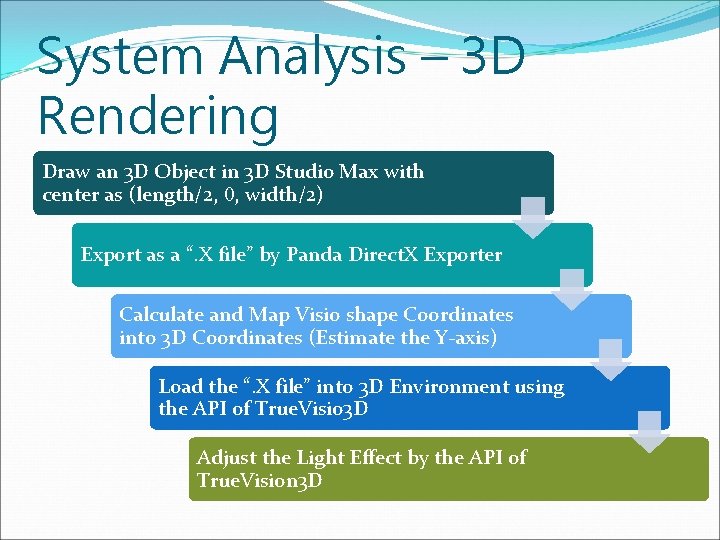
System Analysis – 3 D Rendering Draw an 3 D Object in 3 D Studio Max with center as (length/2, 0, width/2) Export as a “. X file” by Panda Direct. X Exporter Calculate and Map Visio shape Coordinates into 3 D Coordinates (Estimate the Y-axis) Load the “. X file” into 3 D Environment using the API of True. Visio 3 D Adjust the Light Effect by the API of True. Vision 3 D
Demonstration