School of Languages Social Sciences Use of Equella

- Slides: 12
School of Languages &Social Sciences Use of Equella at Aston University an ‘institutional solution’ Sarah Hayes 24 March 2010
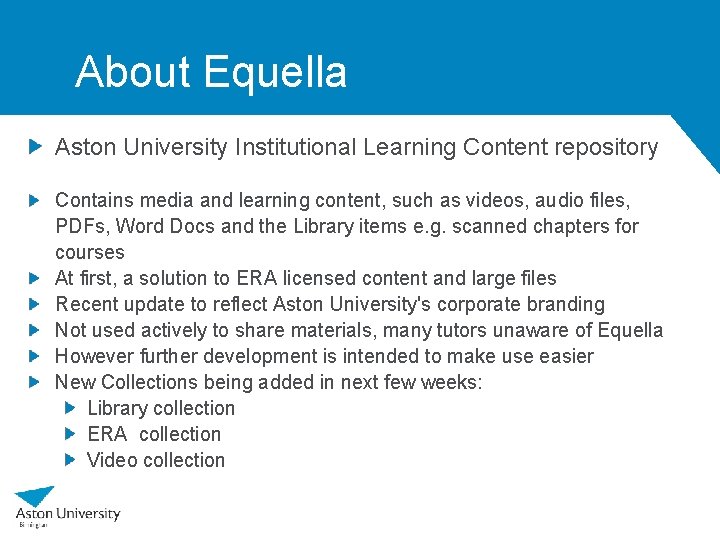
About Equella Aston University Institutional Learning Content repository Contains media and learning content, such as videos, audio files, PDFs, Word Docs and the Library items e. g. scanned chapters for courses At first, a solution to ERA licensed content and large files Recent update to reflect Aston University's corporate branding Not used actively to share materials, many tutors unaware of Equella However further development is intended to make use easier New Collections being added in next few weeks: Library collection ERA collection Video collection
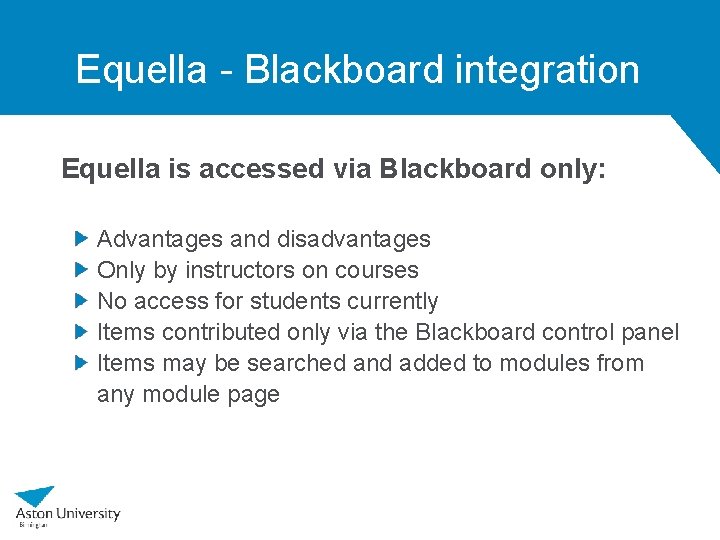
Equella - Blackboard integration Equella is accessed via Blackboard only: Advantages and disadvantages Only by instructors on courses No access for students currently Items contributed only via the Blackboard control panel Items may be searched and added to modules from any module page
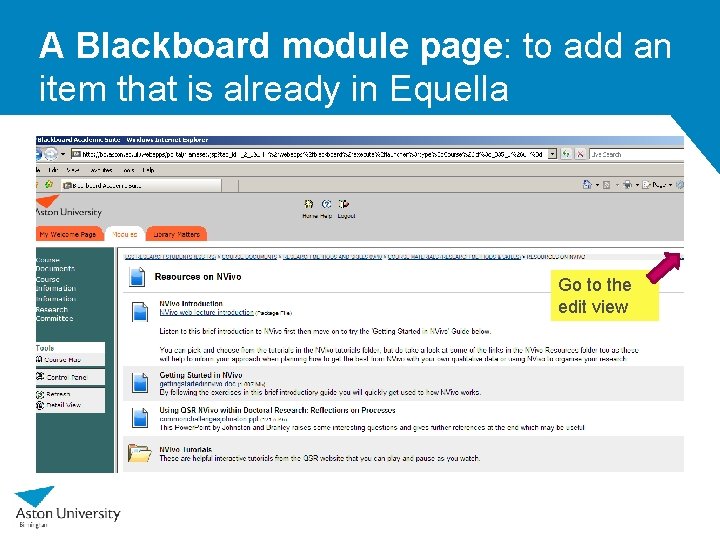
A Blackboard module page: to add an item that is already in Equella Go to the edit view
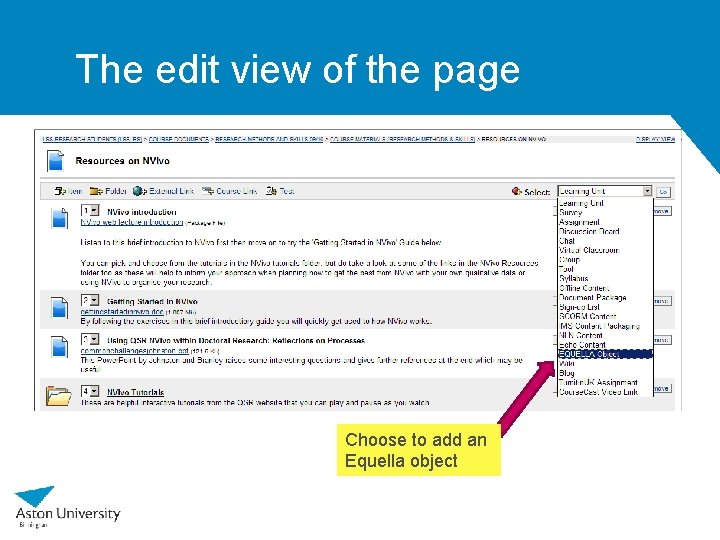
The edit view of the page Choose to add an Equella object
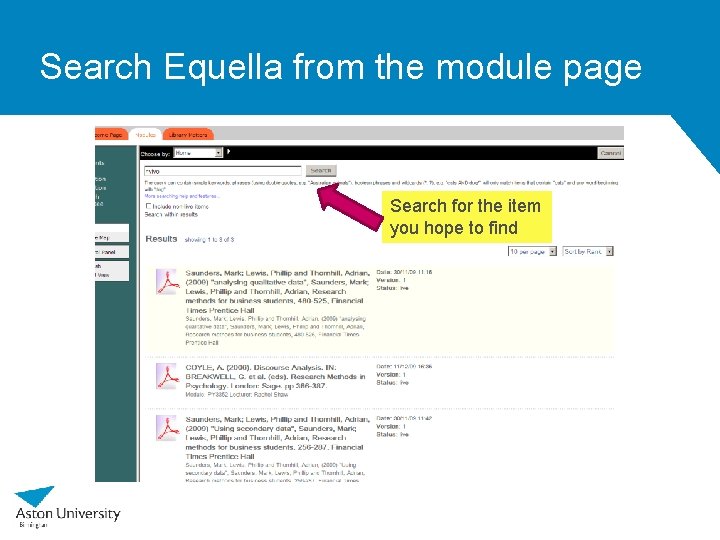
Search Equella from the module page Search for the item you hope to find
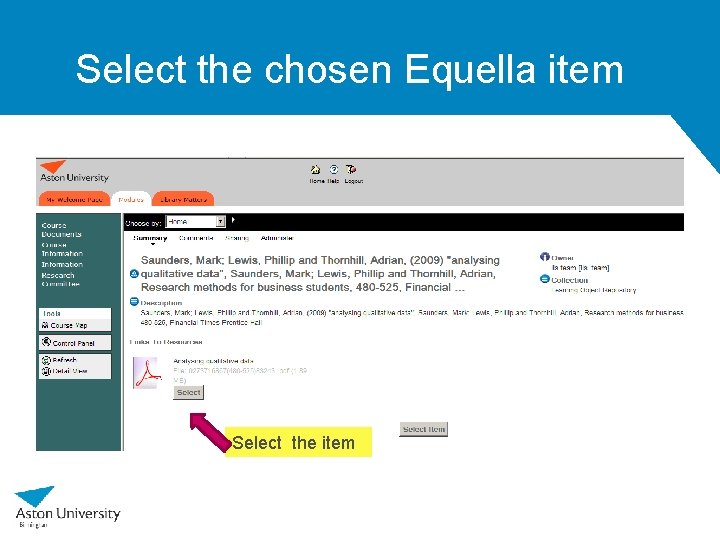
Select the chosen Equella item Select the item
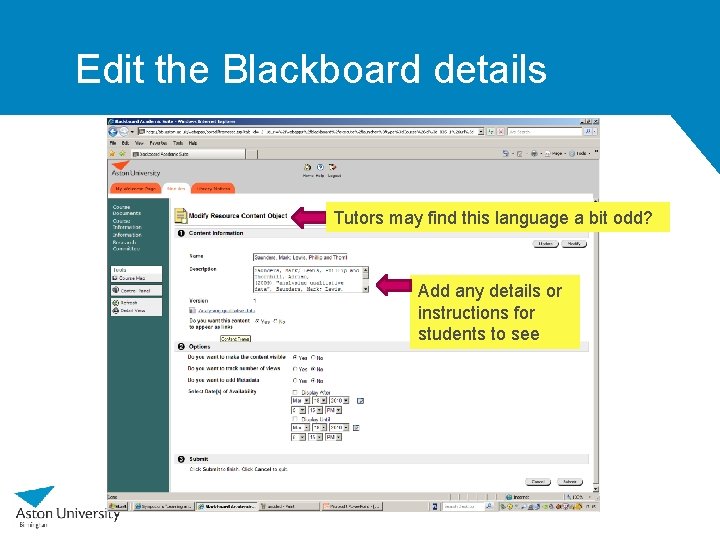
Edit the Blackboard details Tutors may find this language a bit odd? Add any details or instructions for students to see
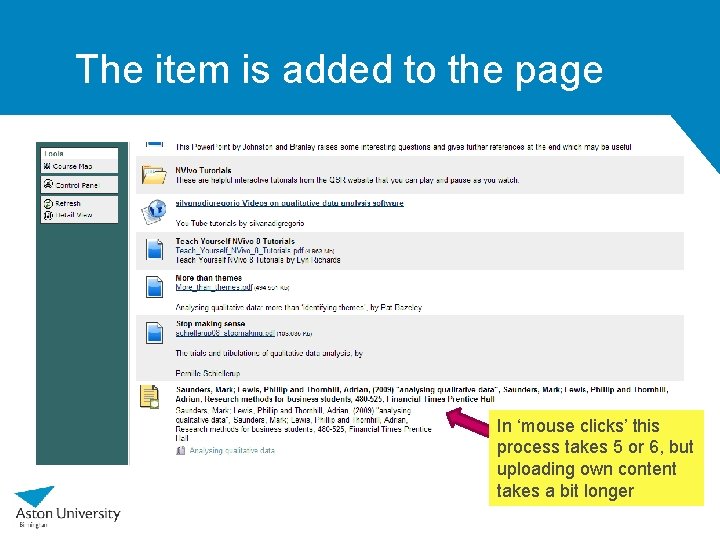
The item is added to the page In ‘mouse clicks’ this process takes 5 or 6, but uploading own content takes a bit longer
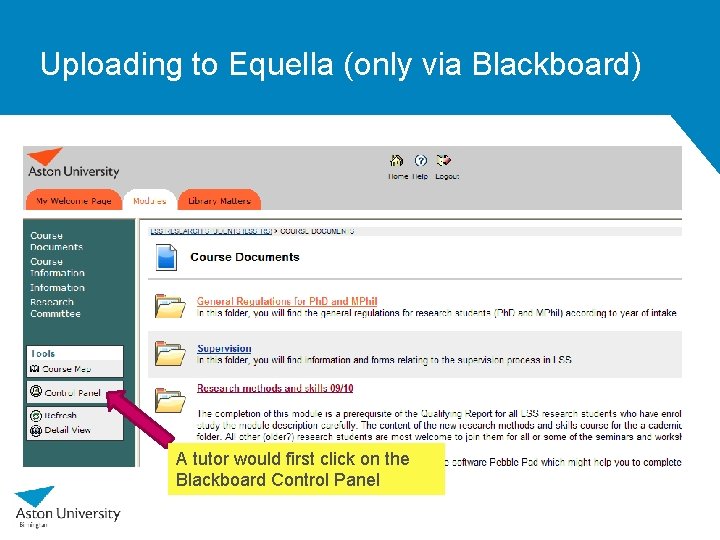
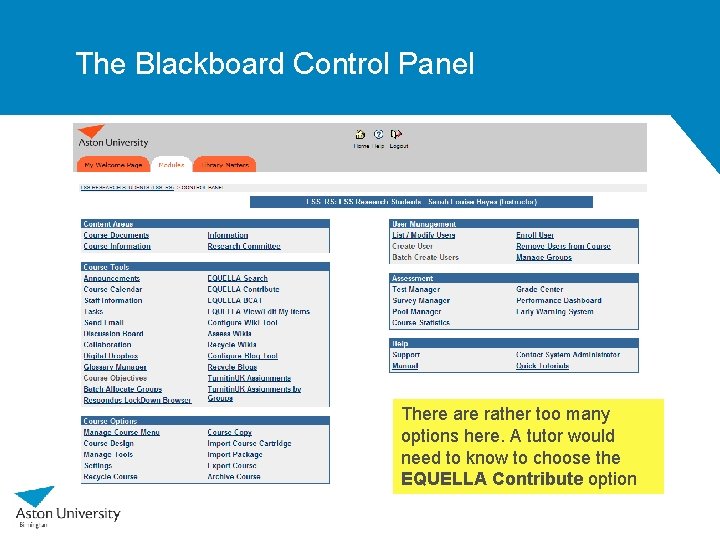
Uploading to Equella (only via Blackboard) A tutor would first click on the Blackboard Control Panel
The Blackboard Control Panel There are rather too many options here. A tutor would need to know to choose the EQUELLA Contribute option
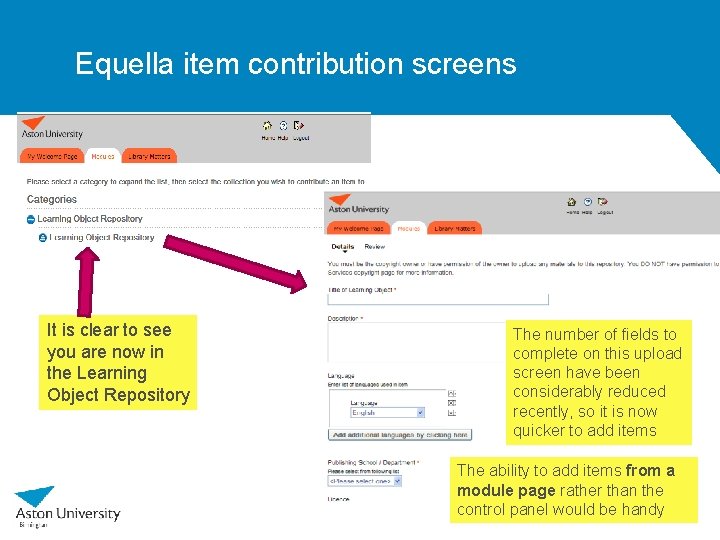
Equella item contribution screens It is clear to see you are now in the Learning Object Repository The number of fields to complete on this upload screen have been considerably reduced recently, so it is now quicker to add items The ability to add items from a module page rather than the control panel would be handy