Qlikview Connector for use with SAP NetweaverR Adrian
- Slides: 14
Qlikview Connector for use with SAP Netweaver(R) Adrian Bereanu, Enterprise Architecture SAP Technologies
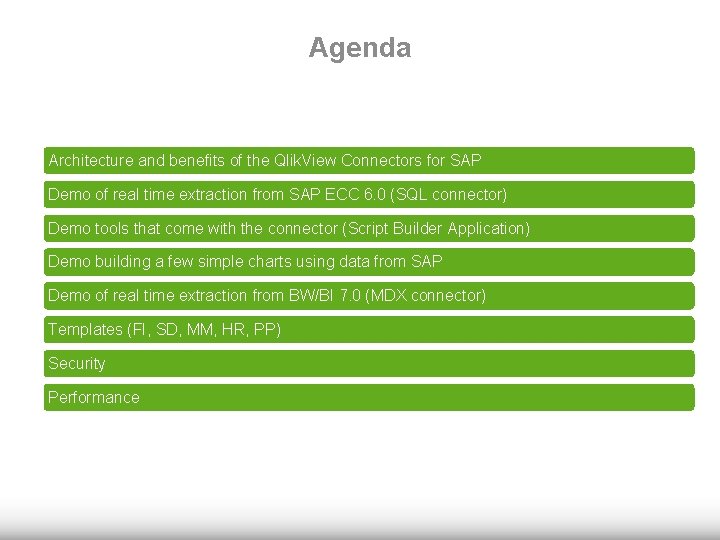
Agenda Architecture and benefits of the Qlik. View Connectors for SAP Demo of real time extraction from SAP ECC 6. 0 (SQL connector) Demo tools that come with the connector (Script Builder Application) Demo building a few simple charts using data from SAP Demo of real time extraction from BW/BI 7. 0 (MDX connector) Templates (FI, SD, MM, HR, PP) Security Performance
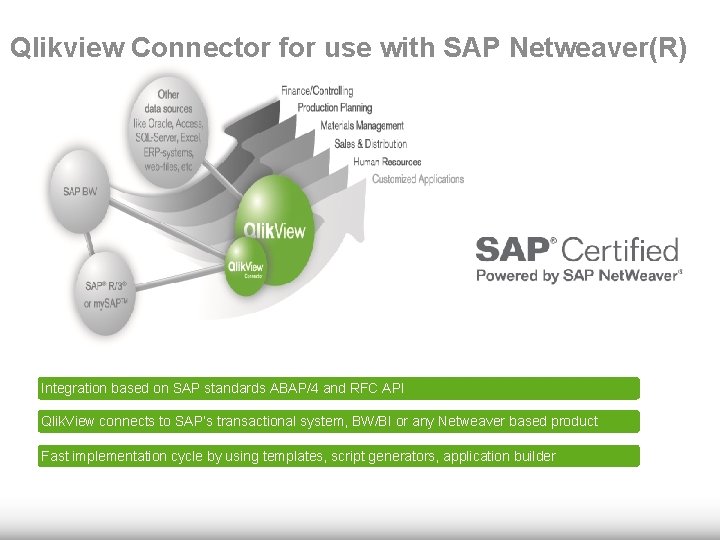
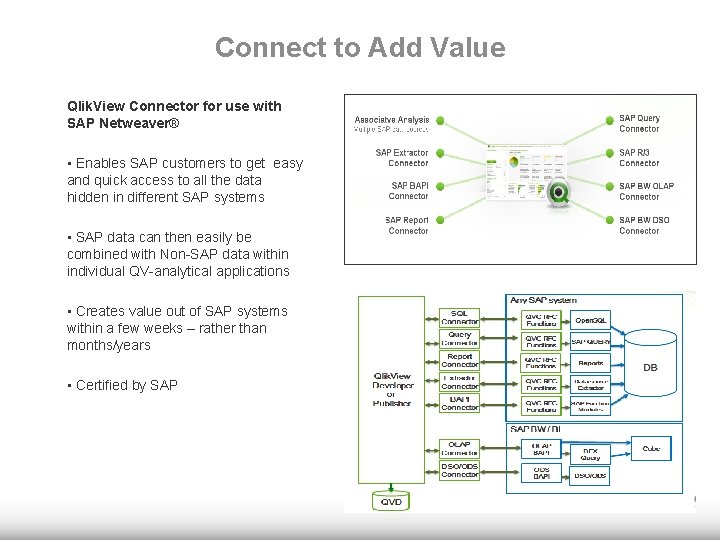
Qlikview Connector for use with SAP Netweaver(R) Integration based on SAP standards ABAP/4 and RFC API Qlik. View connects to SAP’s transactional system, BW/BI or any Netweaver based product Fast implementation cycle by using templates, script generators, application builder
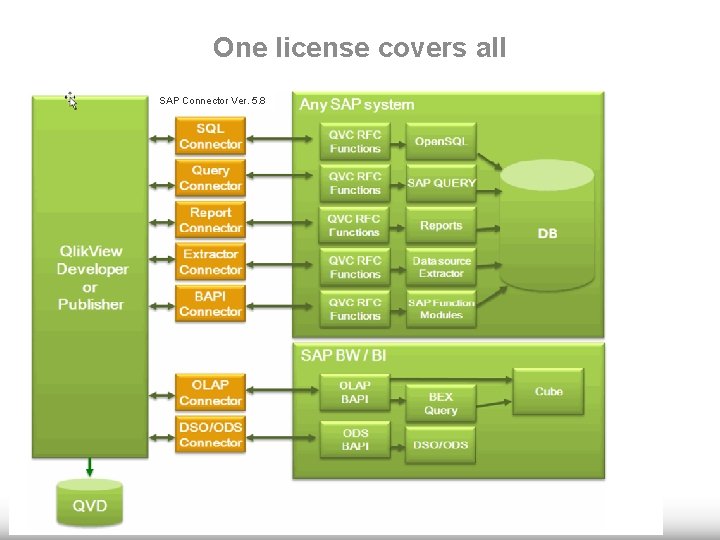
One license covers all SAP Connector Ver. 5. 8
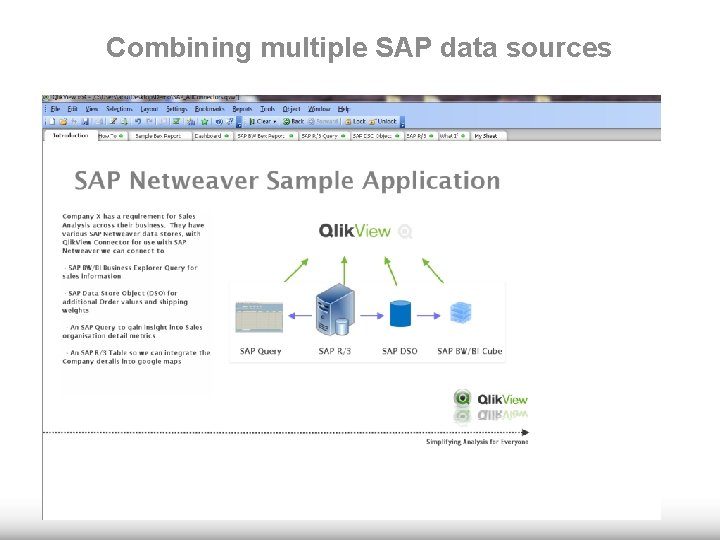
Combining multiple SAP data sources
Connect to Add Value Qlik. View Connector for use with SAP Netweaver® • Enables SAP customers to get easy and quick access to all the data hidden in different SAP systems • SAP data can then easily be combined with Non-SAP data within individual QV-analytical applications • Creates value out of SAP systems within a few weeks – rather than months/years • Certified by SAP
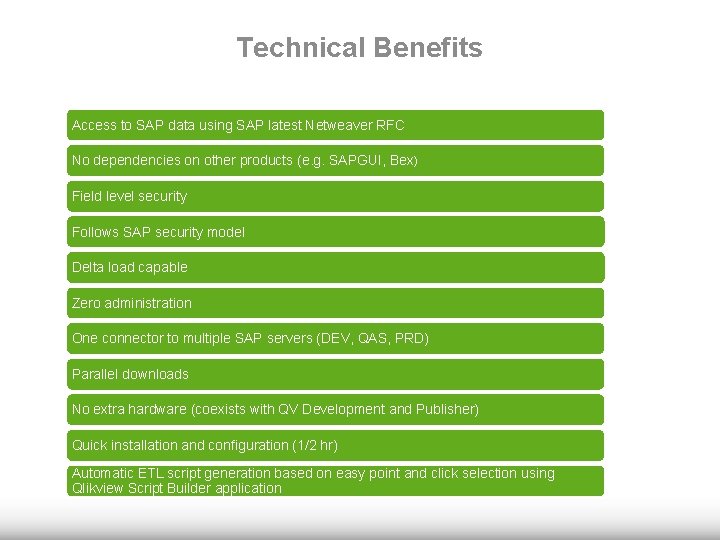
Technical Benefits Access to SAP data using SAP latest Netweaver RFC No dependencies on other products (e. g. SAPGUI, Bex) Field level security Follows SAP security model Delta load capable Zero administration One connector to multiple SAP servers (DEV, QAS, PRD) Parallel downloads No extra hardware (coexists with QV Development and Publisher) Quick installation and configuration (1/2 hr) Automatic ETL script generation based on easy point and click selection using Qlikview Script Builder application
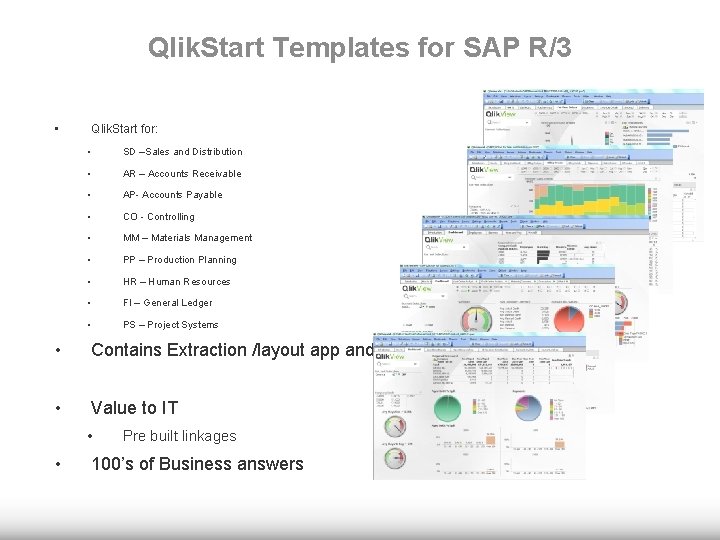
Qlik. Start Templates for SAP R/3 • Qlik. Start for: • SD –Sales and Distribution • AR – Accounts Receivable • AP- Accounts Payable • CO - Controlling • MM – Materials Management • PP – Production Planning • HR – Human Resources • FI – General Ledger • PS – Project Systems • Contains Extraction /layout app and guide • Value to IT • • Pre built linkages 100’s of Business answers
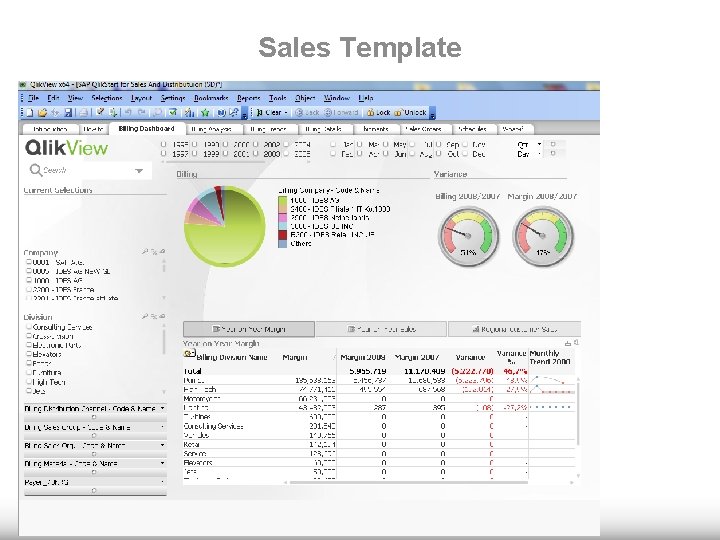
Sales Template
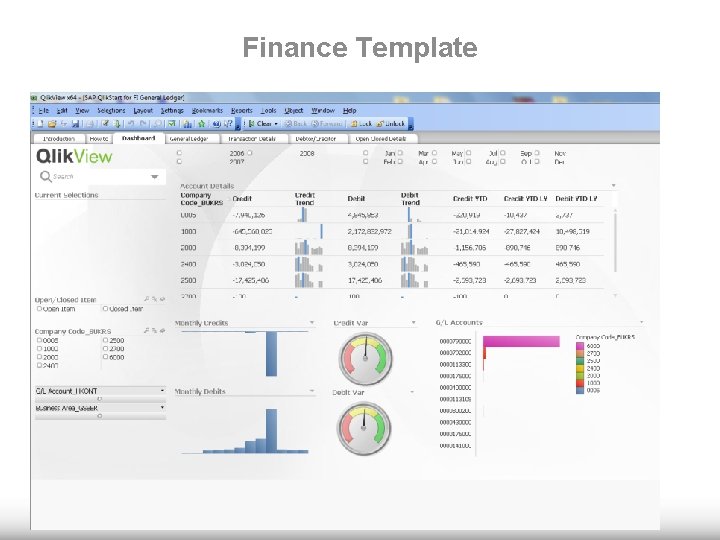
Finance Template
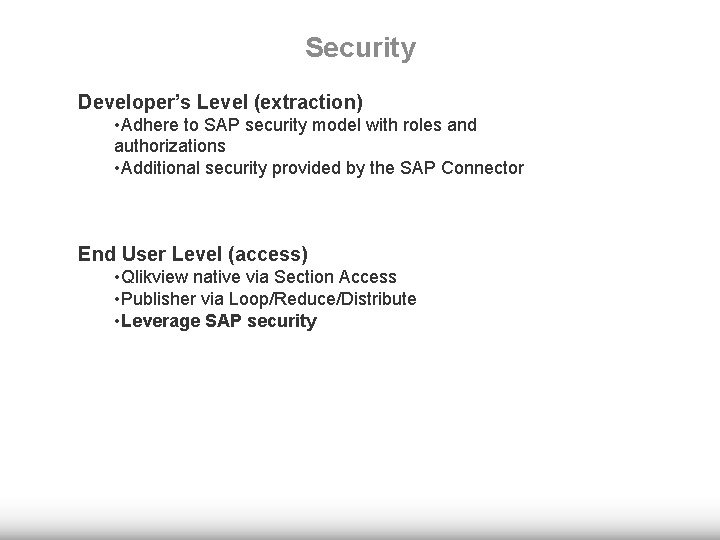
Security Developer’s Level (extraction) • Adhere to SAP security model with roles and authorizations • Additional security provided by the SAP Connector End User Level (access) • Qlikview native via Section Access • Publisher via Loop/Reduce/Distribute • Leverage SAP security
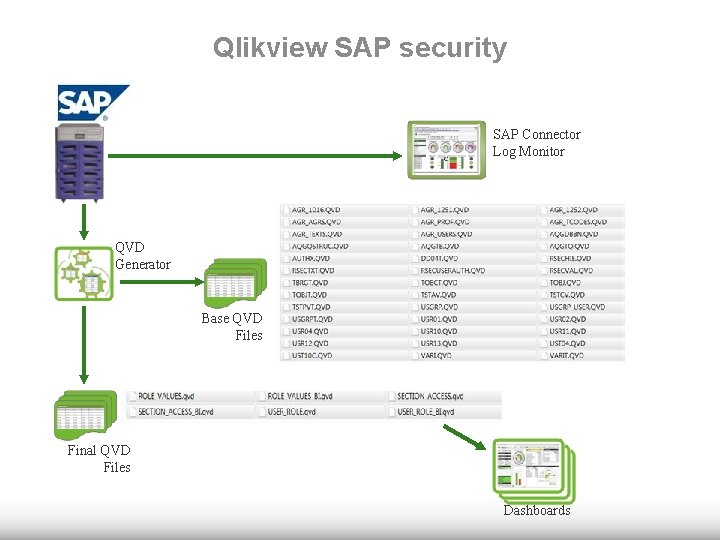
Qlikview SAP security SAP Connector Log Monitor QVD Generator Base QVD Files Final QVD Files Dashboards
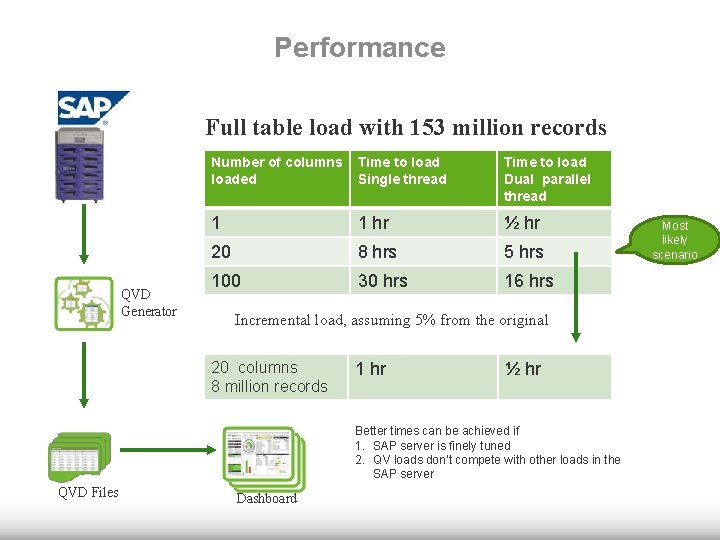
Performance Full table load with 153 million records QVD Generator Number of columns loaded Time to load Single thread Time to load Dual parallel thread 1 1 hr ½ hr 20 8 hrs 5 hrs 100 30 hrs 16 hrs Incremental load, assuming 5% from the original 20 columns 8 million records 1 hr ½ hr Better times can be achieved if 1. SAP server is finely tuned 2. QV loads don’t compete with other loads in the SAP server QVD Files Dashboard Most likely scenario
Thank You