Calculators Out Please turn on the calculator and

- Slides: 15
Calculators Out! • Please turn on the calculator and open a new document, adding a list/spreadsheet page:
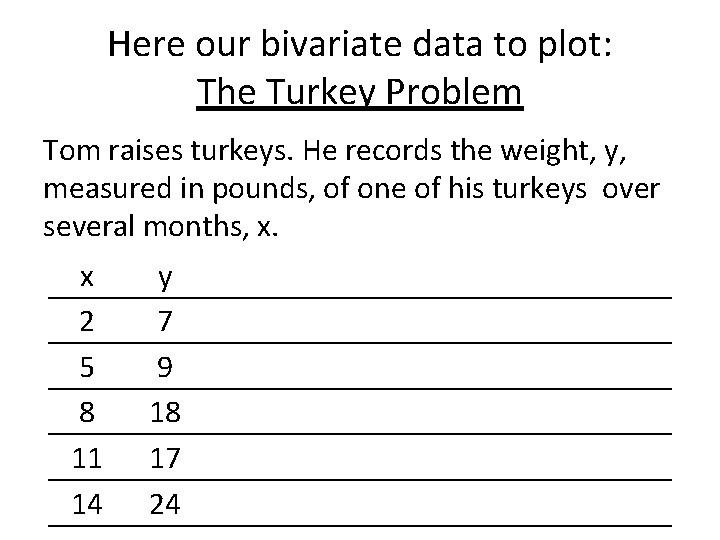
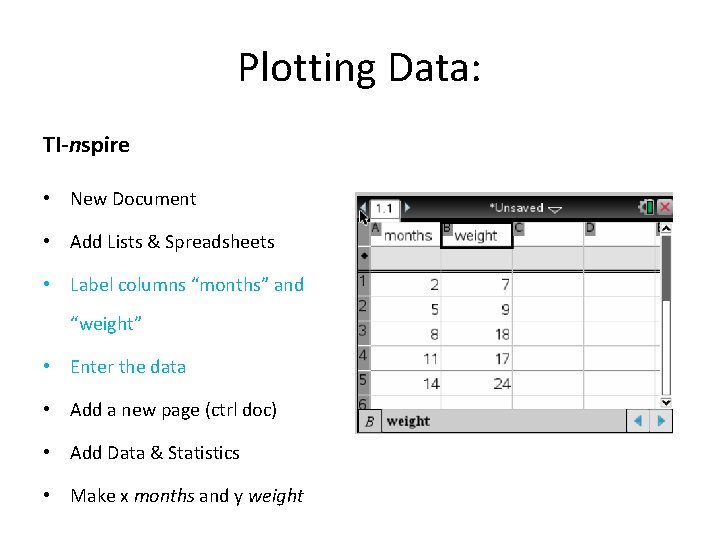
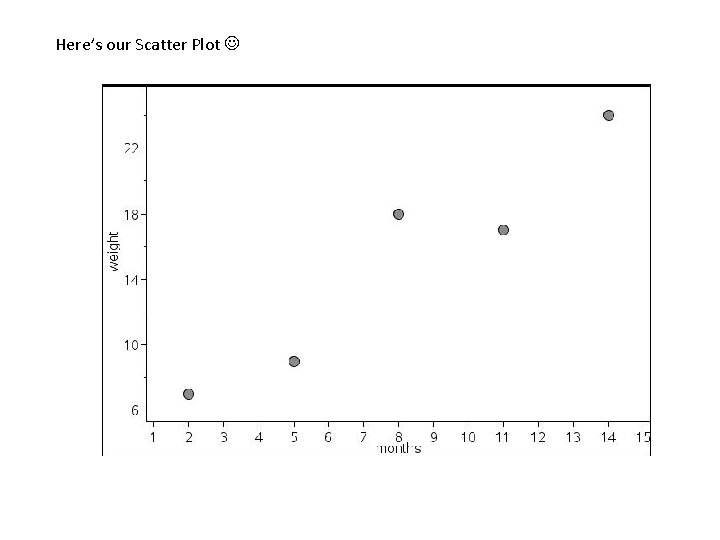
Here our bivariate data to plot: The Turkey Problem Tom raises turkeys. He records the weight, y, measured in pounds, of one of his turkeys over several months, x. x 2 5 8 11 14 y 7 9 18 17 24
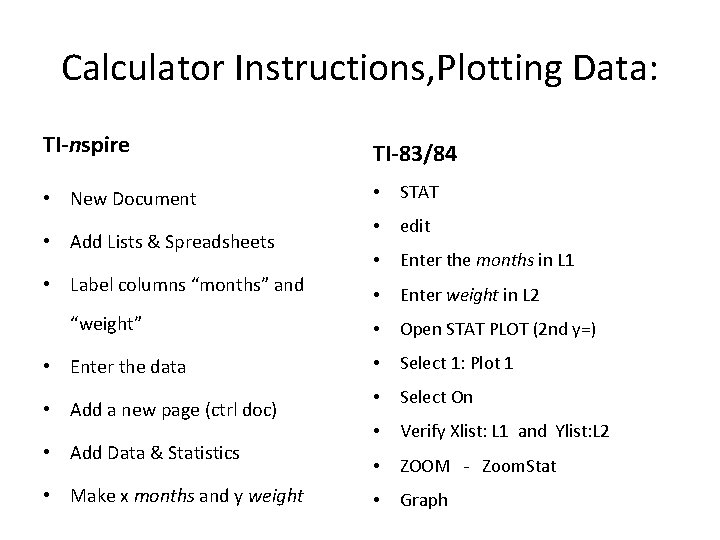
Calculator Instructions, Plotting Data: TI-nspire TI-83/84 • New Document • STAT • edit • Enter the months in L 1 • Enter weight in L 2 • Open STAT PLOT (2 nd y=) • Select 1: Plot 1 • Select On • Verify Xlist: L 1 and Ylist: L 2 • ZOOM - Zoom. Stat • Graph • Add Lists & Spreadsheets • Label columns “months” and “weight” • Enter the data • Add a new page (ctrl doc) • Add Data & Statistics • Make x months and y weight
Plotting Data: TI-nspire • New Document • Add Lists & Spreadsheets • Label columns “months” and “weight” • Enter the data • Add a new page (ctrl doc) • Add Data & Statistics • Make x months and y weight
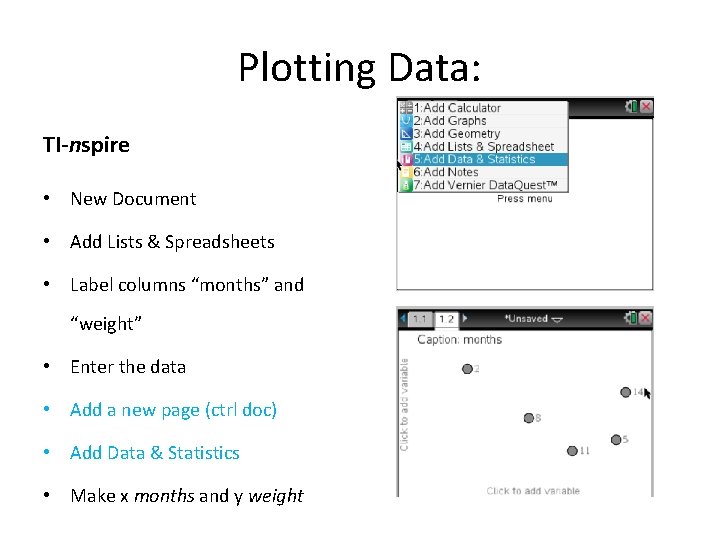
Plotting Data: TI-nspire • New Document • Add Lists & Spreadsheets • Label columns “months” and “weight” • Enter the data • Add a new page (ctrl doc) • Add Data & Statistics • Make x months and y weight
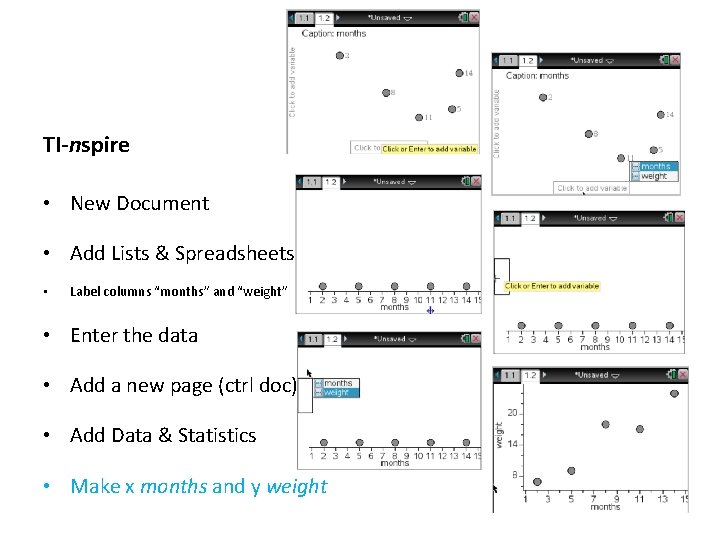
TI-nspire • New Document • Add Lists & Spreadsheets • Label columns “months” and “weight” • Enter the data • Add a new page (ctrl doc) • Add Data & Statistics • Make x months and y weight
Here’s our Scatter Plot
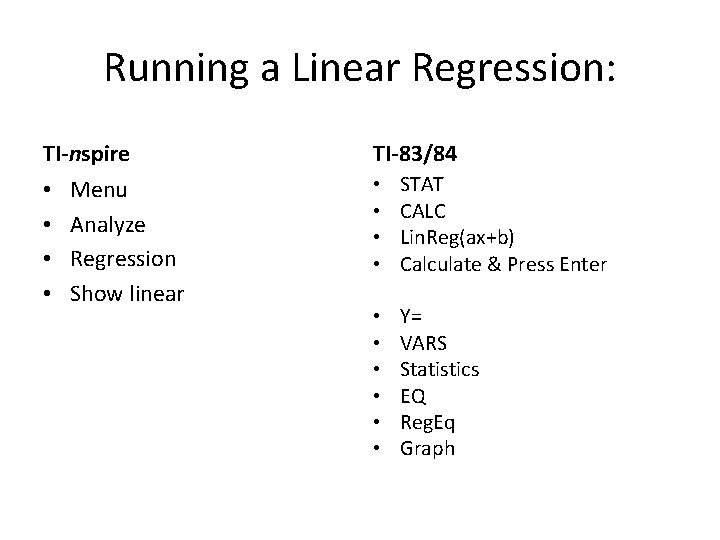
Running a Linear Regression: TI-nspire • • Menu Analyze Regression Show linear TI-83/84 • • STAT CALC Lin. Reg(ax+b) Calculate & Press Enter • • • Y= VARS Statistics EQ Reg. Eq Graph
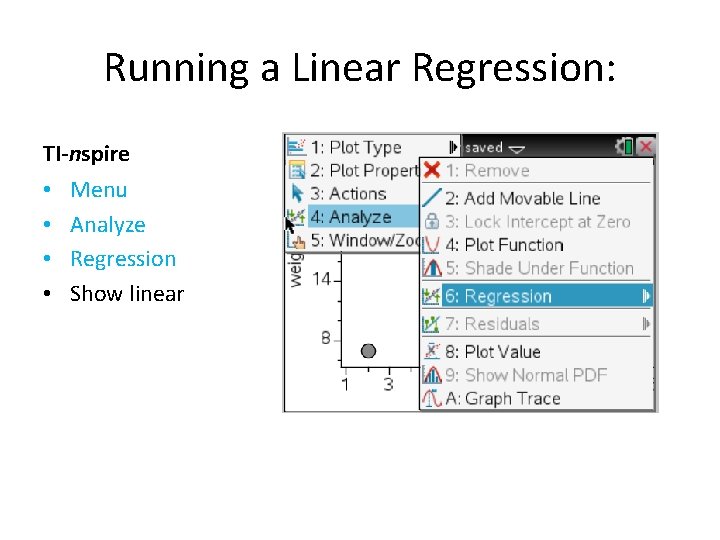
Running a Linear Regression: TI-nspire • • Menu Analyze Regression Show linear
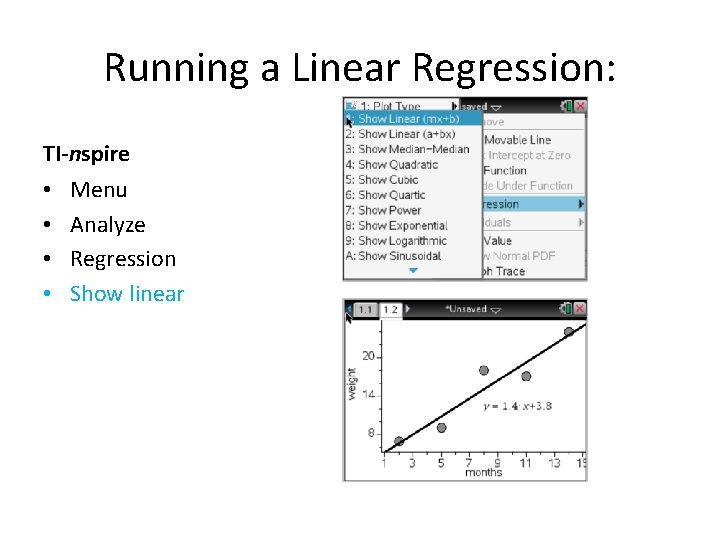
Running a Linear Regression: TI-nspire • • Menu Analyze Regression Show linear
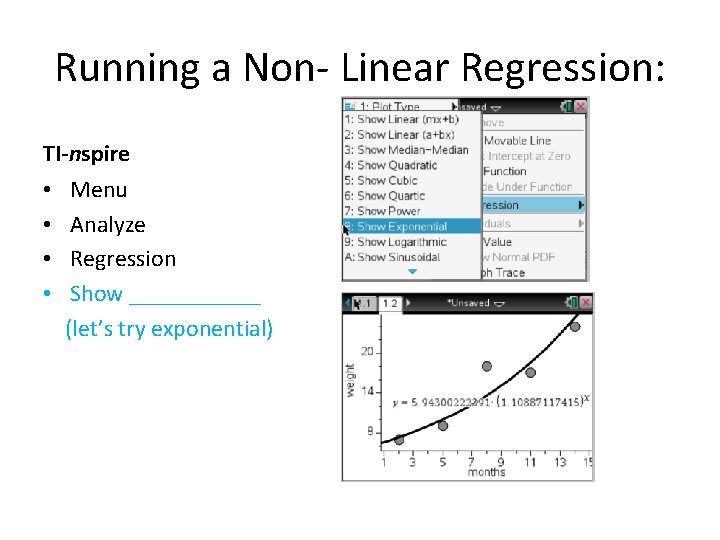
Running a Non- Linear Regression: TI-nspire • • Menu Analyze Regression Show ______ (let’s try exponential)
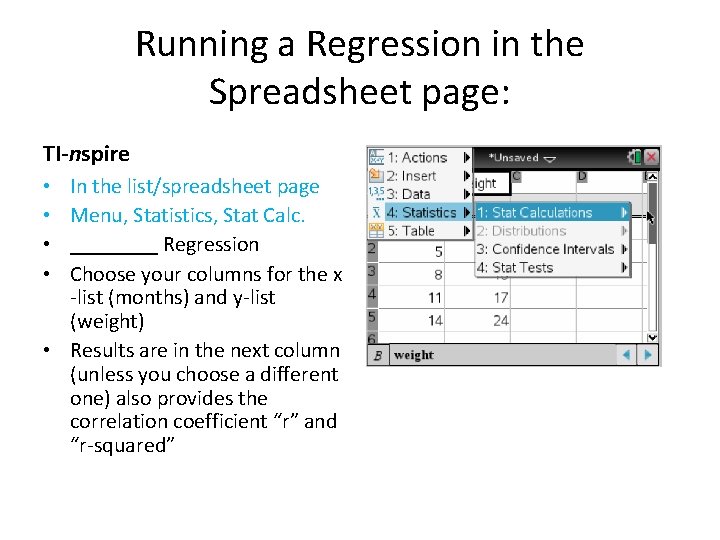
Running a Regression in the Spreadsheet page: TI-nspire In the list/spreadsheet page Menu, Statistics, Stat Calc. ____ Regression Choose your columns for the x -list (months) and y-list (weight) • Results are in the next column (unless you choose a different one) also provides the correlation coefficient “r” and “r-squared” • •
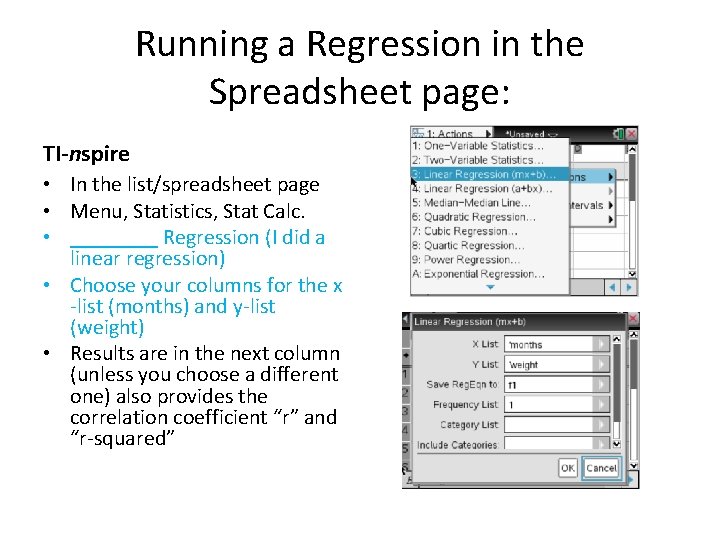
Running a Regression in the Spreadsheet page: TI-nspire • In the list/spreadsheet page • Menu, Statistics, Stat Calc. • ____ Regression (I did a linear regression) • Choose your columns for the x -list (months) and y-list (weight) • Results are in the next column (unless you choose a different one) also provides the correlation coefficient “r” and “r-squared”
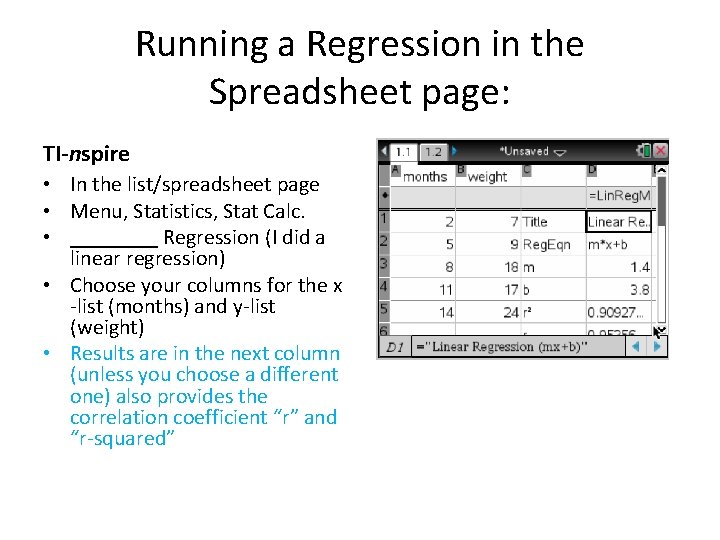
Running a Regression in the Spreadsheet page: TI-nspire • In the list/spreadsheet page • Menu, Statistics, Stat Calc. • ____ Regression (I did a linear regression) • Choose your columns for the x -list (months) and y-list (weight) • Results are in the next column (unless you choose a different one) also provides the correlation coefficient “r” and “r-squared”
Turkey Problem What is the correlation coefficient? Which type of regression is the best fit for this data? How do you compare different regressions?