Activity 1 Using the Windows Calculator for quick
- Slides: 7
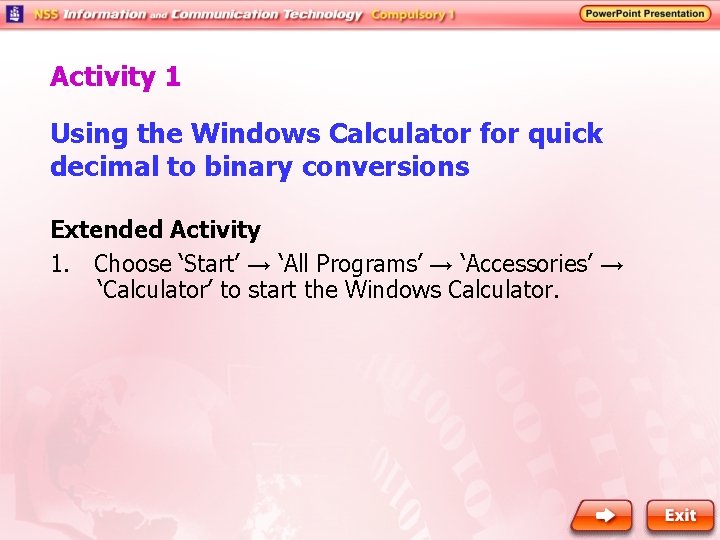
Activity 1 Using the Windows Calculator for quick decimal to binary conversions Extended Activity 1. Choose ‘Start’ → ‘All Programs’ → ‘Accessories’ → ‘Calculator’ to start the Windows Calculator.
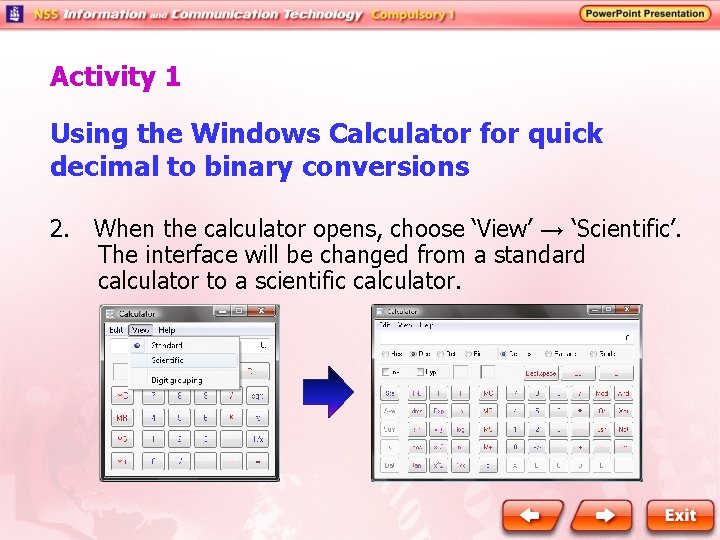
Activity 1 Using the Windows Calculator for quick decimal to binary conversions 2. When the calculator opens, choose ‘View’ → ‘Scientific’. The interface will be changed from a standard calculator to a scientific calculator.
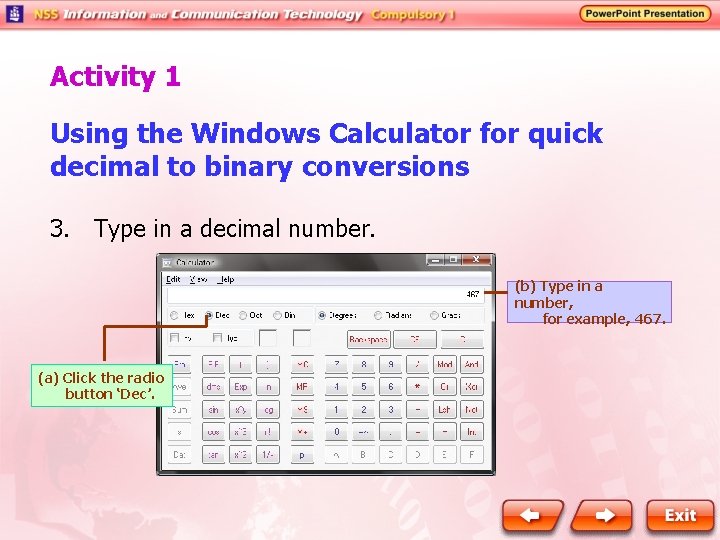
Activity 1 Using the Windows Calculator for quick decimal to binary conversions 3. Type in a decimal number. (b) Type in a number, for example, 467. (a) Click the radio button ‘Dec’.
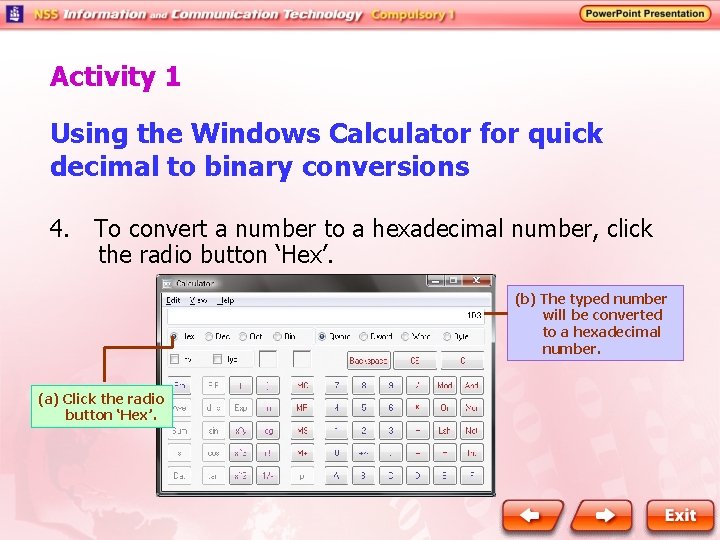
Activity 1 Using the Windows Calculator for quick decimal to binary conversions 4. To convert a number to a hexadecimal number, click the radio button ‘Hex’. (b) The typed number will be converted to a hexadecimal number. (a) Click the radio button ‘Hex’.
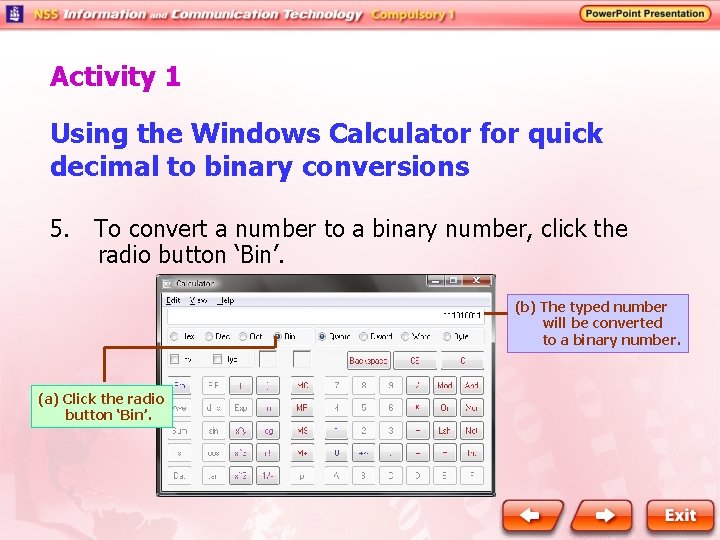
Activity 1 Using the Windows Calculator for quick decimal to binary conversions 5. To convert a number to a binary number, click the radio button ‘Bin’. (b) The typed number will be converted to a binary number. (a) Click the radio button ‘Bin’.
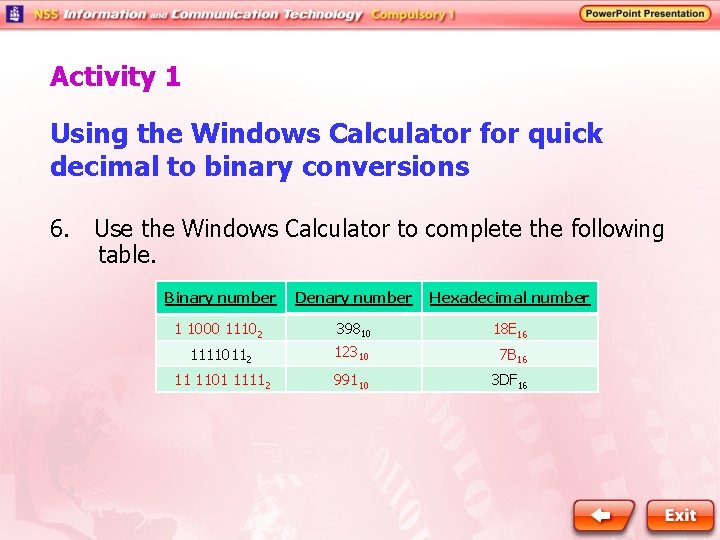
Activity 1 Using the Windows Calculator for quick decimal to binary conversions 6. Use the Windows Calculator to complete the following table. Binary number Denary number Hexadecimal number 1 1000 11102 39810 18 E 16 11110112 12310 7 B 16 11 1101 11112 99110 3 DF 16
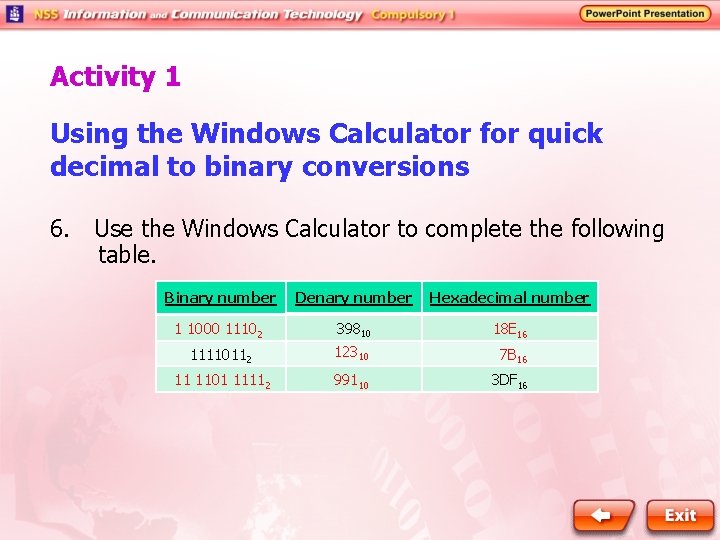
Activity 1 Using the Windows Calculator for quick decimal to binary conversions 6. Use the Windows Calculator to complete the following table. Binary number Denary number Hexadecimal number 1 1000 11102 39810 18 E 16 11110112 12310 7 B 16 11 1101 11112 99110 3 DF 16