
Zone Tick World Time Zone Clock Standard Windows



- Slides: 15
Zone. Tick World Time Zone Clock
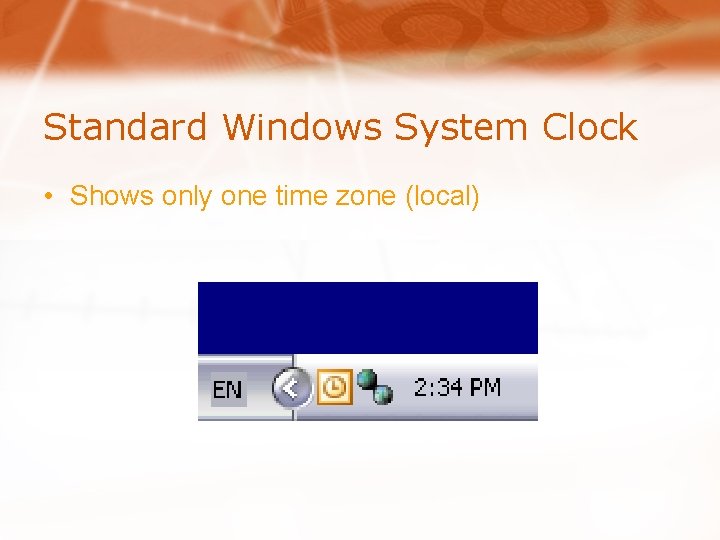
Standard Windows System Clock • Shows only one time zone (local)
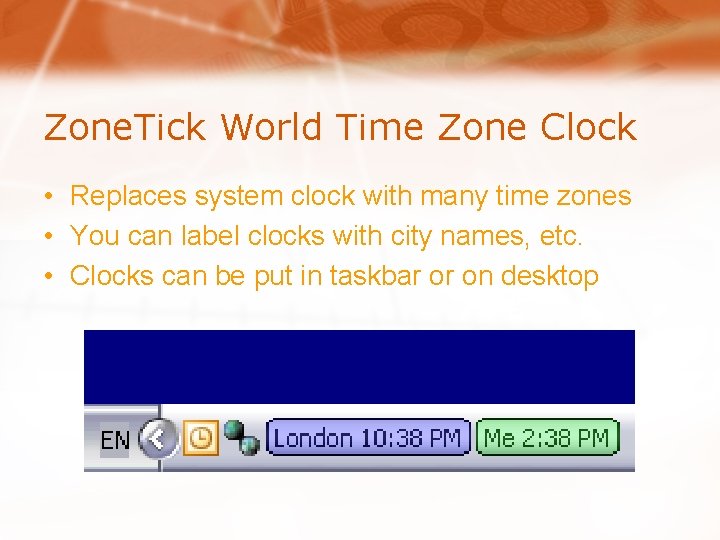
Zone. Tick World Time Zone Clock • Replaces system clock with many time zones • You can label clocks with city names, etc. • Clocks can be put in taskbar or on desktop
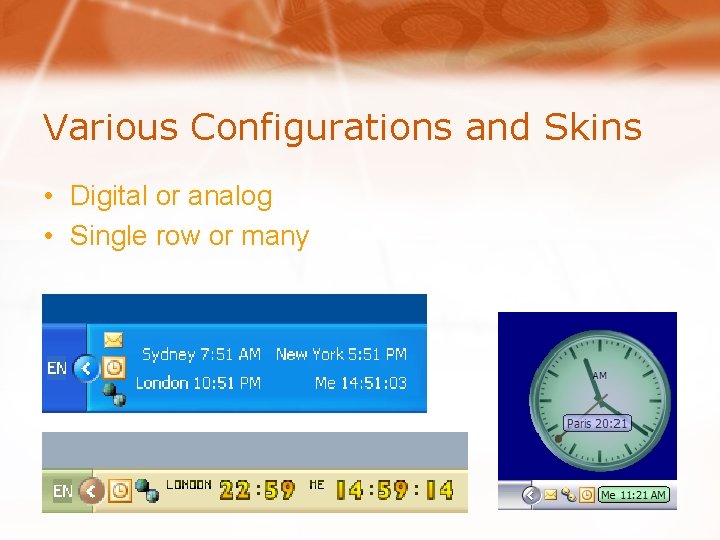
Various Configurations and Skins • Digital or analog • Single row or many
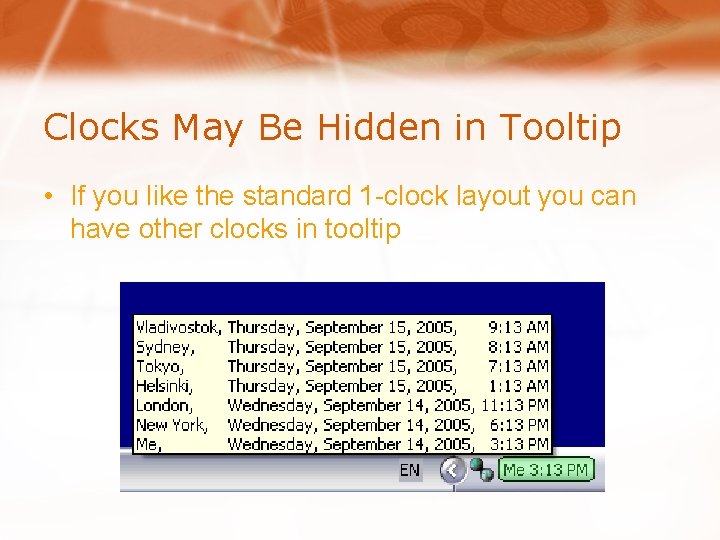
Clocks May Be Hidden in Tooltip • If you like the standard 1 -clock layout you can have other clocks in tooltip
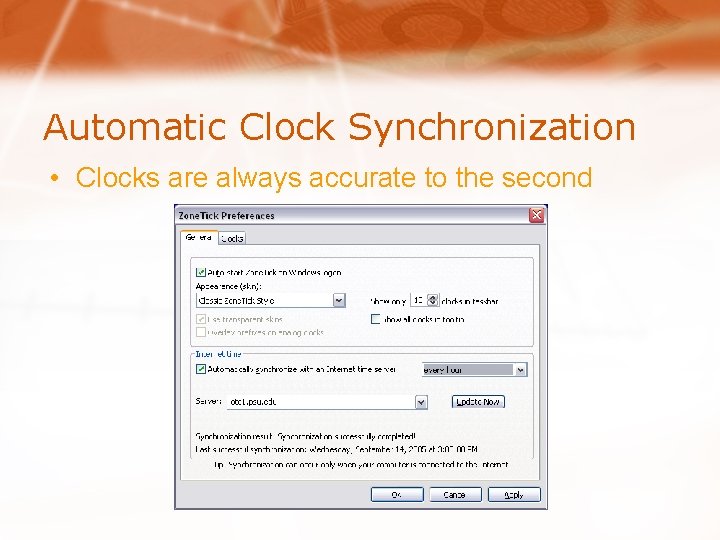
Automatic Clock Synchronization • Clocks are always accurate to the second
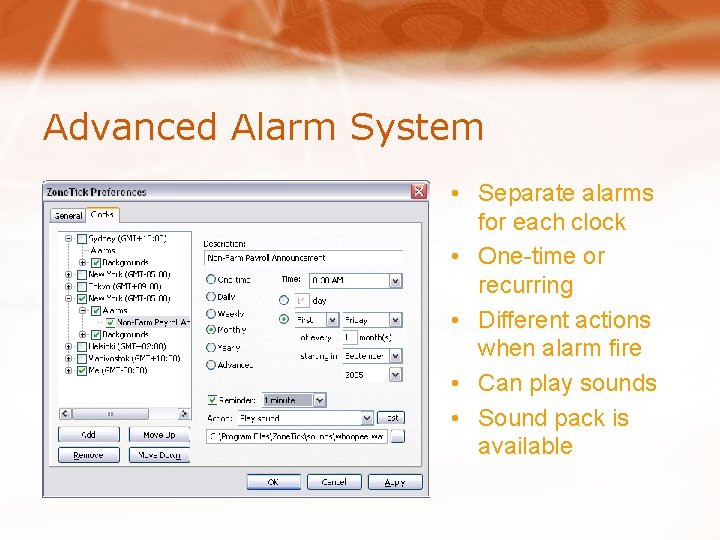
Advanced Alarm System • Separate alarms for each clock • One-time or recurring • Different actions when alarm fire • Can play sounds • Sound pack is available
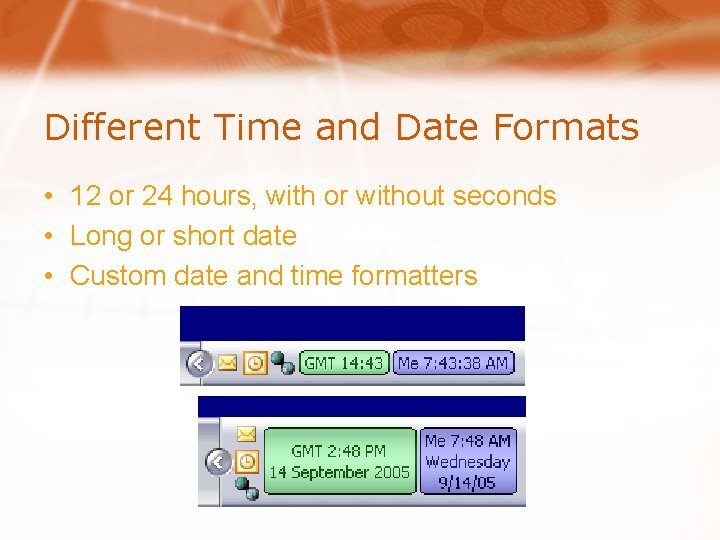
Different Time and Date Formats • 12 or 24 hours, with or without seconds • Long or short date • Custom date and time formatters
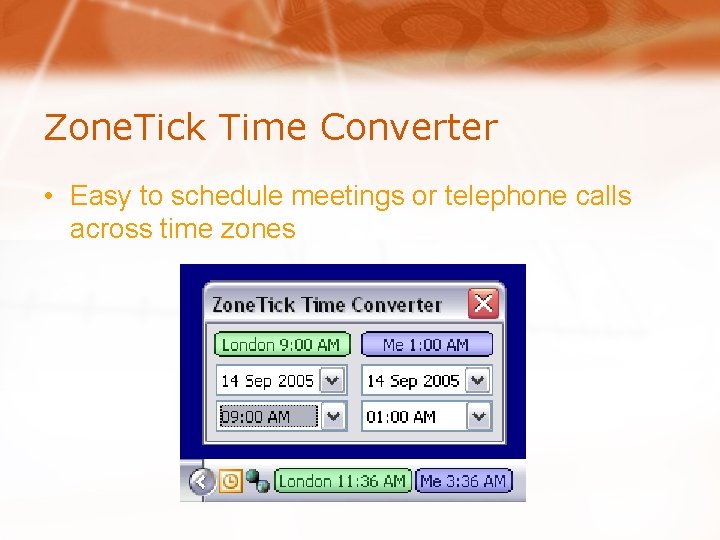
Zone. Tick Time Converter • Easy to schedule meetings or telephone calls across time zones
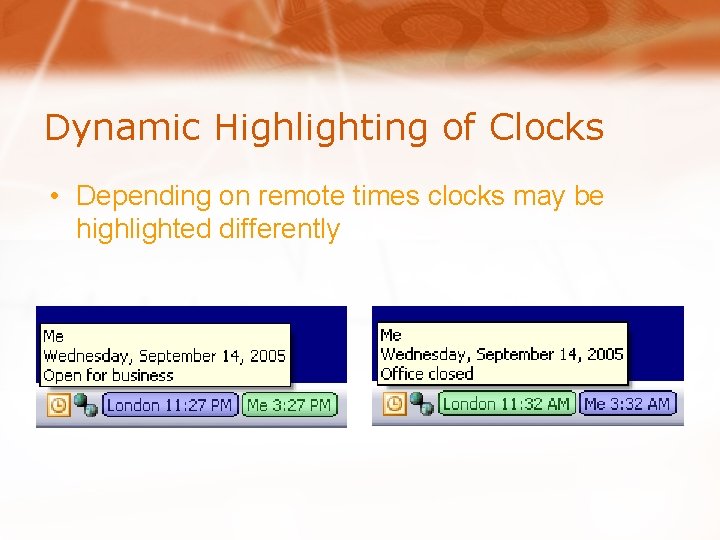
Dynamic Highlighting of Clocks • Depending on remote times clocks may be highlighted differently
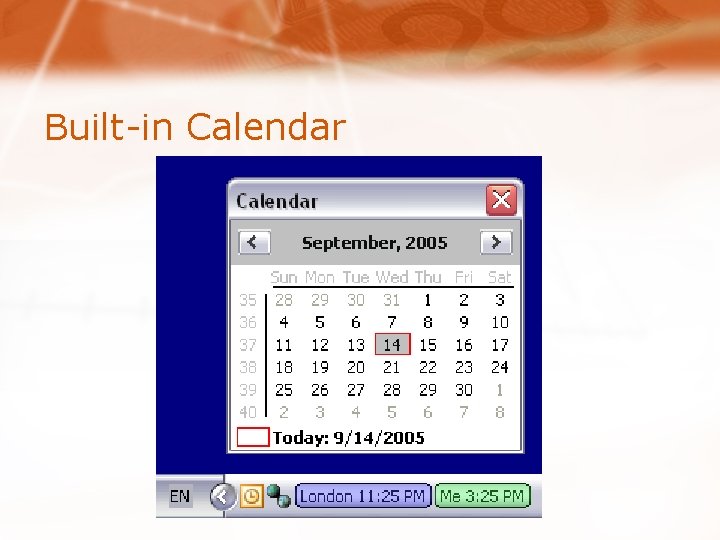
Built-in Calendar
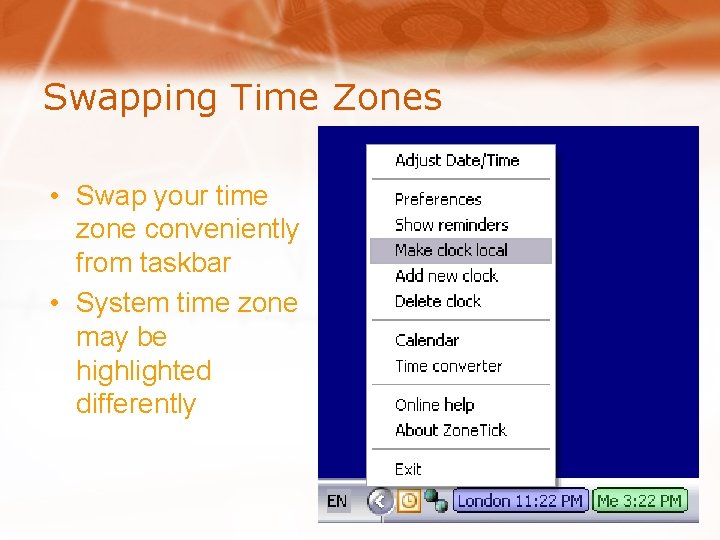
Swapping Time Zones • Swap your time zone conveniently from taskbar • System time zone may be highlighted differently
Additional Resources • Product site: http: //zonetick. com • Download free 30 day trial at http: //wrconsulting. com/downloads/zonetick_trial. exe • Zone. Tick FAQ: http: //zonetick. com/cms/faq. htm • Zone. Tick discussion forum: http: //wrconsulting. com/forum/viewforum. php? f=2
Suggestions Are Welcome • We are listening for product improvement ideas • Send feedback to feedback@wrconsulting. com or use the form at http: //zonetick. com/cms/forms/feedback. htm
Zone. Tick World Time Zone Clock