
ZIGBEE Network Introduction Integrated with Zigbee or Bluetooth
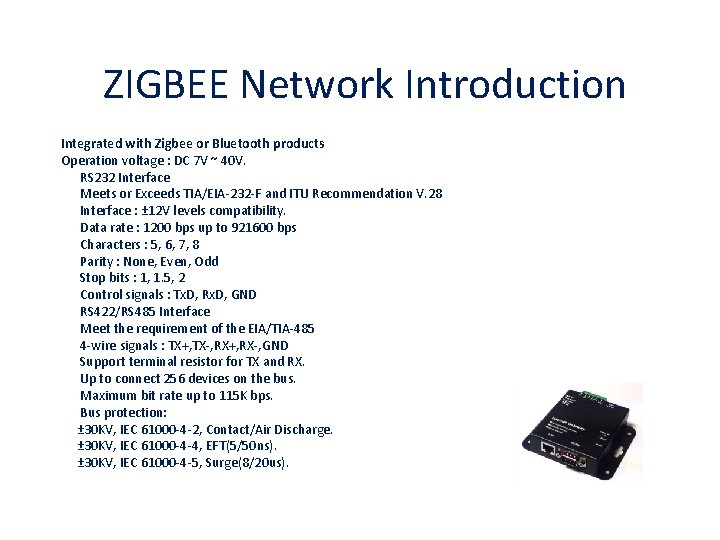
ZIGBEE Network Introduction Integrated with Zigbee or Bluetooth products Operation voltage : DC 7 V ~ 40 V. RS 232 Interface Meets or Exceeds TIA/EIA-232 -F and ITU Recommendation V. 28 Interface : ± 12 V levels compatibility. Data rate : 1200 bps up to 921600 bps Characters : 5, 6, 7, 8 Parity : None, Even, Odd Stop bits : 1, 1. 5, 2 Control signals : Tx. D, Rx. D, GND RS 422/RS 485 Interface Meet the requirement of the EIA/TIA-485 4 -wire signals : TX+, TX-, RX+, RX-, GND Support terminal resistor for TX and RX. Up to connect 256 devices on the bus. Maximum bit rate up to 115 K bps. Bus protection: ± 30 KV, IEC 61000 -4 -2, Contact/Air Discharge. ± 30 KV, IEC 61000 -4 -4, EFT(5/50 ns). ± 30 KV, IEC 61000 -4 -5, Surge(8/20 us).

ZIGBEE Network Introduction Integrated with Zigbee or Bluetooth products Ethernet Interface Built-in 1. 5 KV magnetic isolation. Ethernet Interface : 10 Base-T, 100 Base-TX Ethernet Speed/Duplex : Auto-negotiation 10/100 Mbps, Full/Half duplex Protocols Supported : ARP, ICMP, UDP, TCP, DHCP, TFTP, HTTP. Network Services : TCP Server, TCP Client, Web Control. Auto-MDIX : Yes Build-in web server setting page for parameter by user. Support all operation system, don’t need any driver. Cross domain parameter setting utility for windows XP/VISTA/windows 7. Support V irtual Serial Port (VSP) utility for simulate RS 232 COM port.
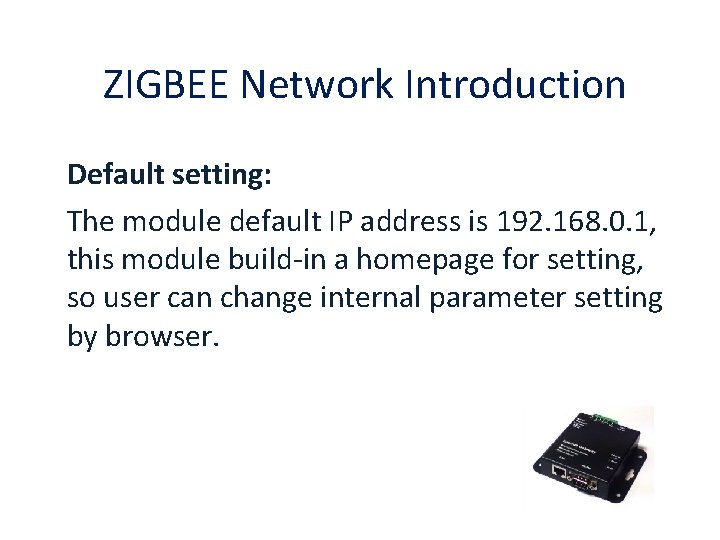
ZIGBEE Network Introduction Default setting: The module default IP address is 192. 168. 0. 1, this module build-in a homepage for setting, so user can change internal parameter setting by browser.
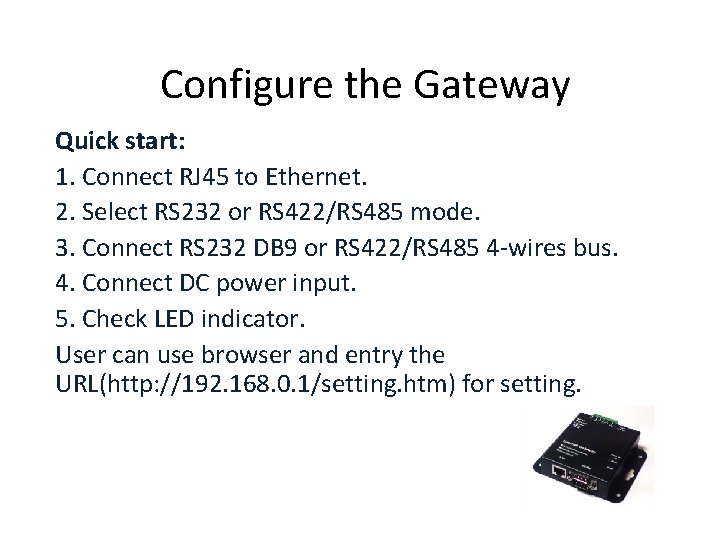
Configure the Gateway Quick start: 1. Connect RJ 45 to Ethernet. 2. Select RS 232 or RS 422/RS 485 mode. 3. Connect RS 232 DB 9 or RS 422/RS 485 4 -wires bus. 4. Connect DC power input. 5. Check LED indicator. User can use browser and entry the URL(http: //192. 168. 0. 1/setting. htm) for setting.
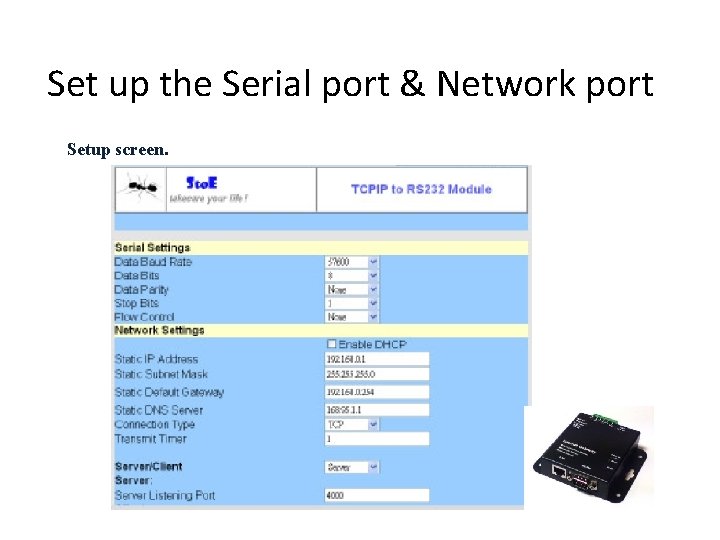
Set up the Serial port & Network port Setup screen.
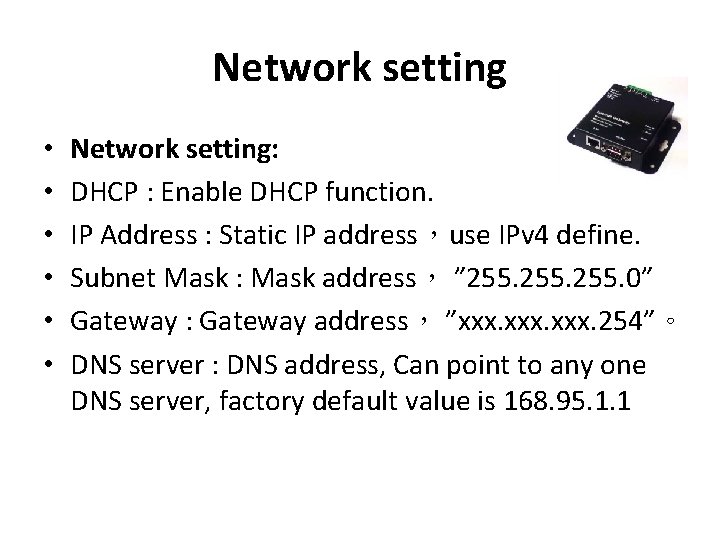
Network setting • • • Network setting: DHCP : Enable DHCP function. IP Address : Static IP address,use IPv 4 define. Subnet Mask : Mask address, ” 255. 0” Gateway : Gateway address, ”xxx. 254”。 DNS server : DNS address, Can point to any one DNS server, factory default value is 168. 95. 1. 1
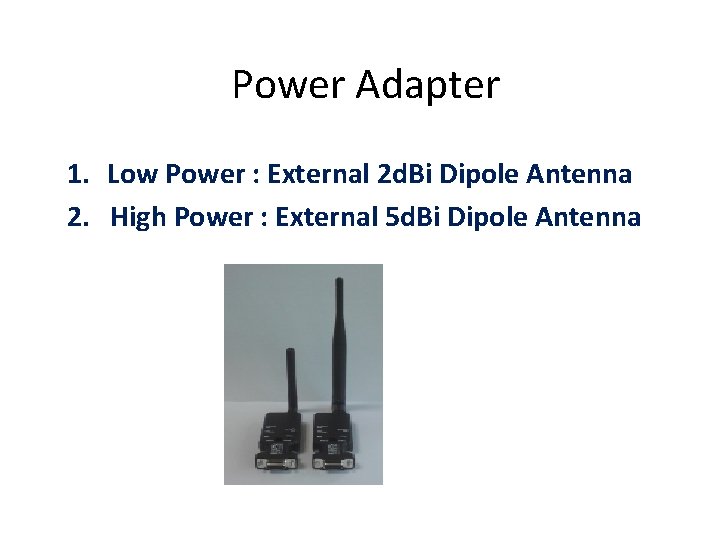
Power Adapter 1. Low Power : External 2 d. Bi Dipole Antenna 2. High Power : External 5 d. Bi Dipole Antenna
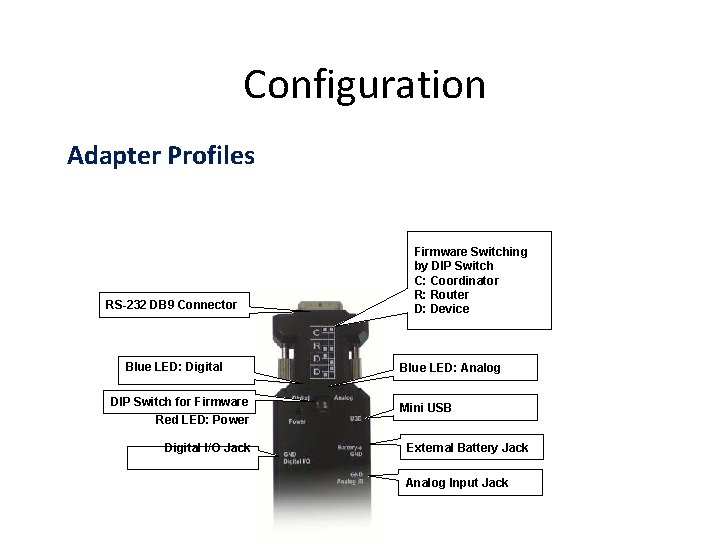
Configuration Adapter Profiles RS-232 DB 9 Connector Blue LED: Digital DIP Switch for Firmware Red LED: Power Digital I/O Jack Firmware Switching by DIP Switch C: Coordinator R: Router D: Device Blue LED: Analog Mini USB External Battery Jack Analog Input Jack
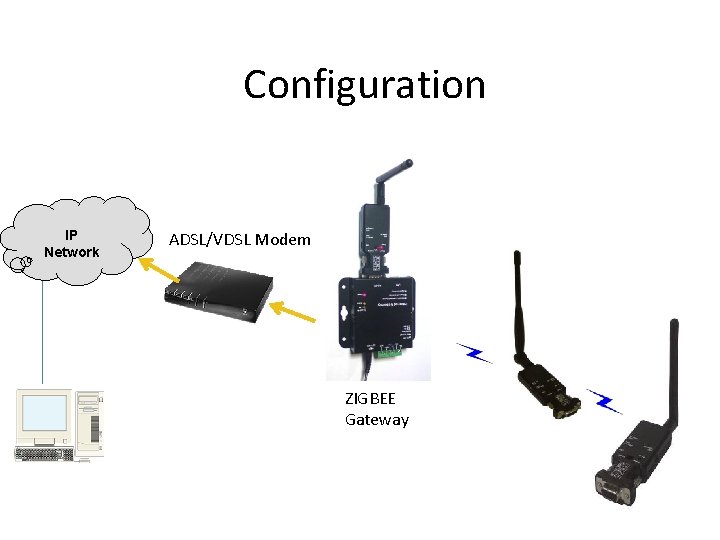
Configuration IP Network ADSL/VDSL Modem ZIGBEE Gateway
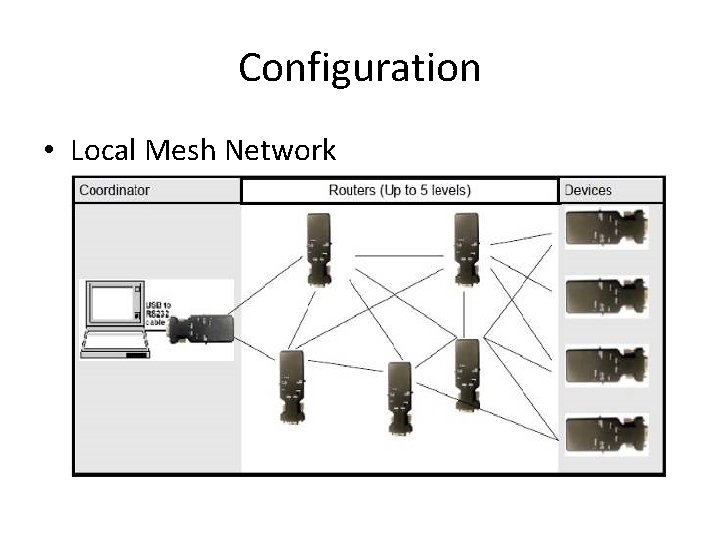
Configuration • Local Mesh Network
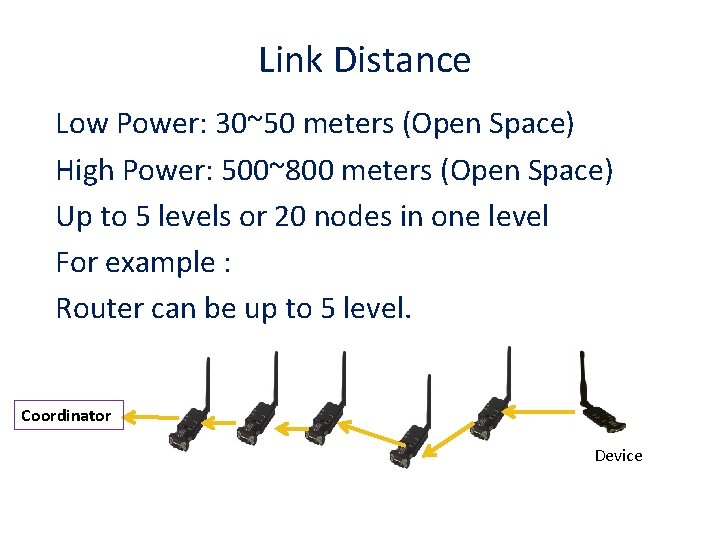
Link Distance Low Power: 30~50 meters (Open Space) High Power: 500~800 meters (Open Space) Up to 5 levels or 20 nodes in one level For example : Router can be up to 5 level. Coordinator Device
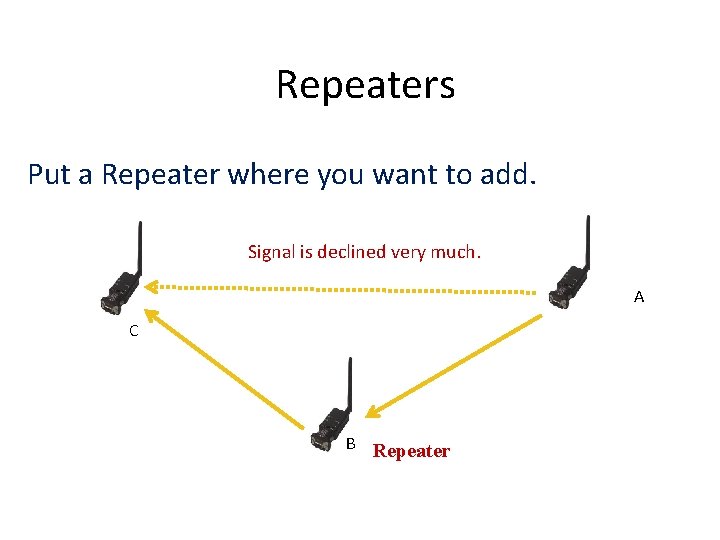
Repeaters Put a Repeater where you want to add. Signal is declined very much. A C B Repeater
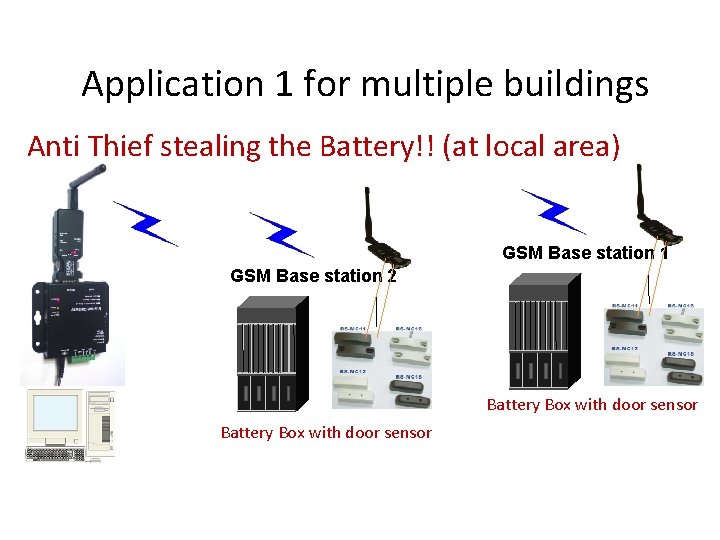
Application 1 for multiple buildings Anti Thief stealing the Battery!! (at local area) GSM Base station 1 GSM Base station 2 Battery Box with door sensor
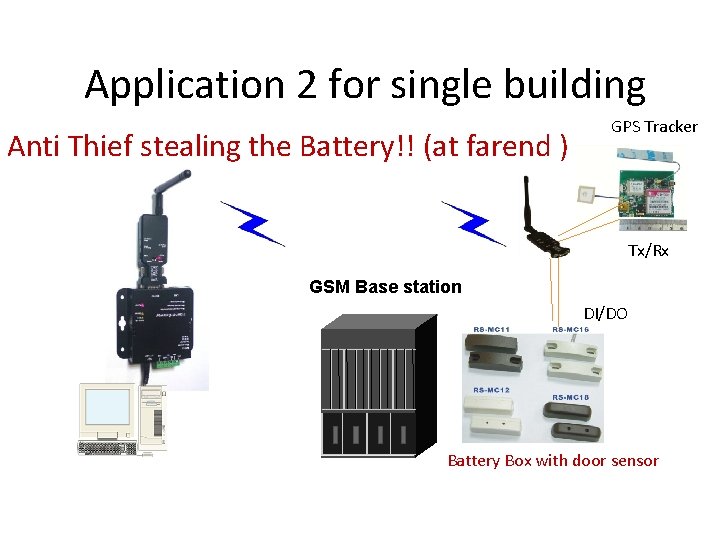
Application 2 for single building Anti Thief stealing the Battery!! (at farend ) GPS Tracker Tx/Rx GSM Base station DI/DO Battery Box with door sensor
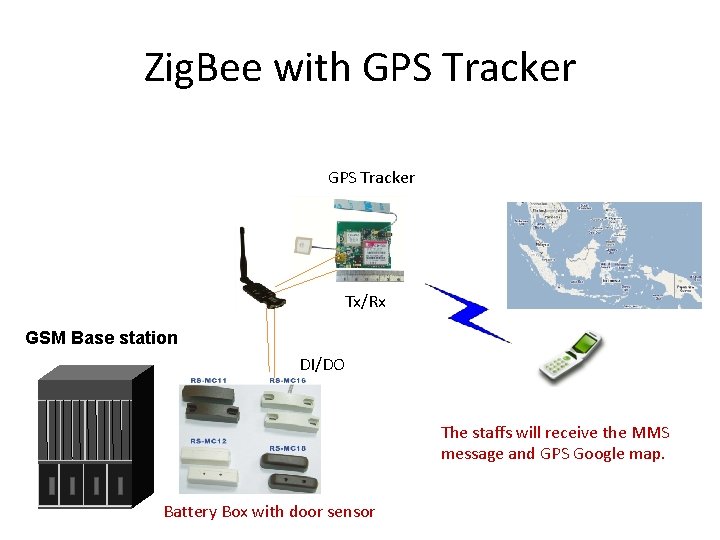
Zig. Bee with GPS Tracker Tx/Rx GSM Base station DI/DO The staffs will receive the MMS message and GPS Google map. Battery Box with door sensor
- Slides: 15