
Yield Analysis and Increasing Engineering Efficiency Spotfire Users
- Slides: 19
Yield Analysis and Increasing Engineering Efficiency Spotfire Users Conference 10/15/2003 William Pressnall, Scott Lacey w-pressnall@ti. com 1
Outline • Introduction • Semiconductor Background • Yield Improvement System • Example: Equipment Commonality • Spotfire Usage • Spofire Challenges w-pressnall@ti. com 2
Introduction • In the March of 2000 it was clear that the Data Analysis system available to the engineers in TI’s research and production facilities was not competitive. The most basic analysis, such as equipment commonality, was limited to specific individuals with high level of programming skills. • Development of an Engineering Data Analysis (EDA) system became a top goal and a small team was formed to: Design and deploy a comprehensive integrated user friendly analysis systems and methods for performing state of the art engineering data analysis system. w-pressnall@ti. com 3
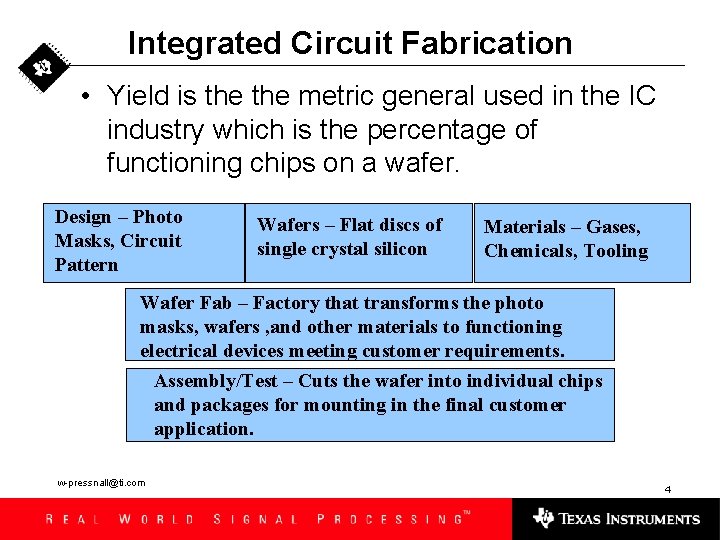
Integrated Circuit Fabrication • Yield is the metric general used in the IC industry which is the percentage of functioning chips on a wafer. Design – Photo Masks, Circuit Pattern Wafers – Flat discs of single crystal silicon Materials – Gases, Chemicals, Tooling Wafer Fab – Factory that transforms the photo masks, wafers , and other materials to functioning electrical devices meeting customer requirements. Assembly/Test – Cuts the wafer into individual chips and packages for mounting in the final customer application. w-pressnall@ti. com 4
Yield Improvement • Wafer Fabs employ a large engineering community to improve the device yield by changing the processing methods, equipment configurations, design, and materials. • Yield improvement rate is driven by how efficiently these engineers can, determine the root cause, propose and evaluate changes. w-pressnall@ti. com 5
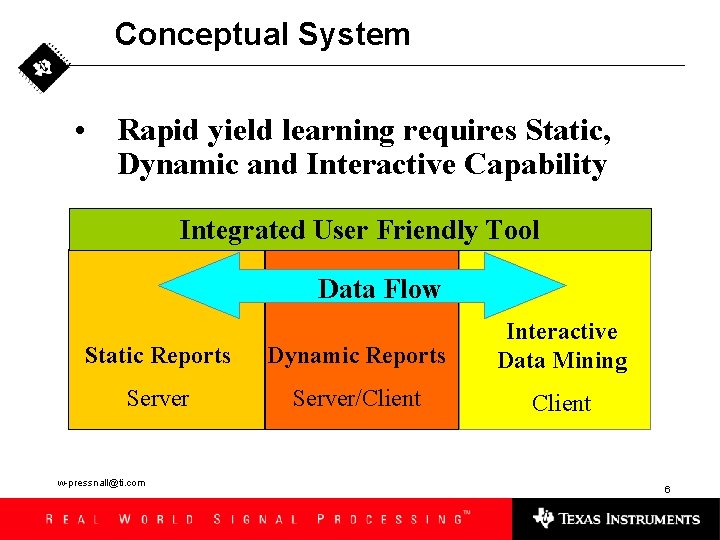
Conceptual System • Rapid yield learning requires Static, Dynamic and Interactive Capability Integrated User Friendly Tool Data Flow Static Reports Dynamic Reports Interactive Data Mining Server/Client w-pressnall@ti. com 6
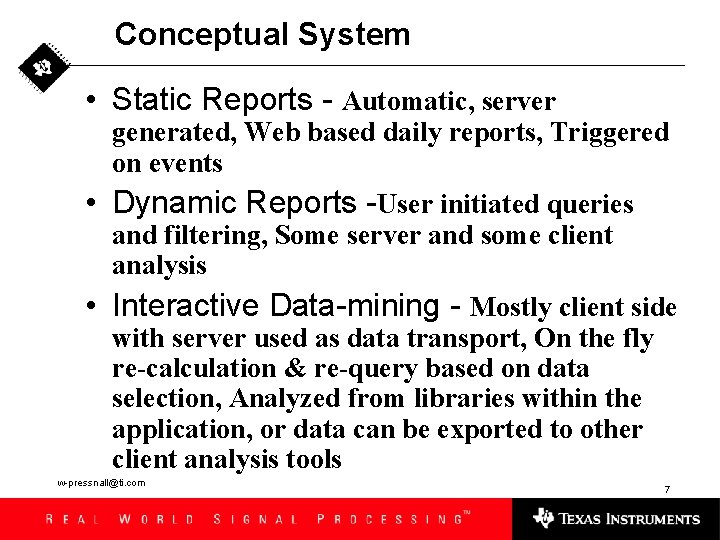
Conceptual System • Static Reports - Automatic, server generated, Web based daily reports, Triggered on events • Dynamic Reports -User initiated queries and filtering, Some server and some client analysis • Interactive Data-mining - Mostly client side with server used as data transport, On the fly re-calculation & re-query based on data selection, Analyzed from libraries within the application, or data can be exported to other client analysis tools w-pressnall@ti. com 7
Tool Selection • Existing system were selected for the Static and Dynamic system. • Interactive Data-mining – Spotfire: This was the missing component that there was no reasonable alternative. Spotfire was selected because: – Client interactive graphics and filtering capability – Web based system and open architecture and tools that enables “gluing” the other systems together resulting in data flow between systems. w-pressnall@ti. com 8
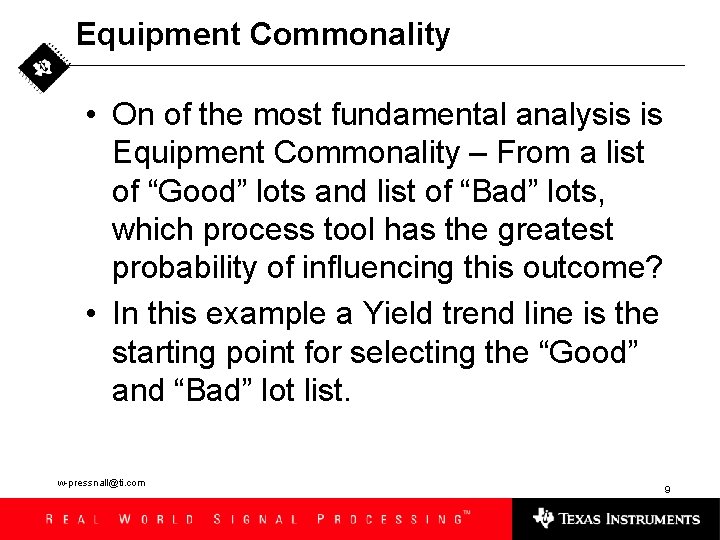
Equipment Commonality • On of the most fundamental analysis is Equipment Commonality – From a list of “Good” lots and list of “Bad” lots, which process tool has the greatest probability of influencing this outcome? • In this example a Yield trend line is the starting point for selecting the “Good” and “Bad” lot list. w-pressnall@ti. com 9
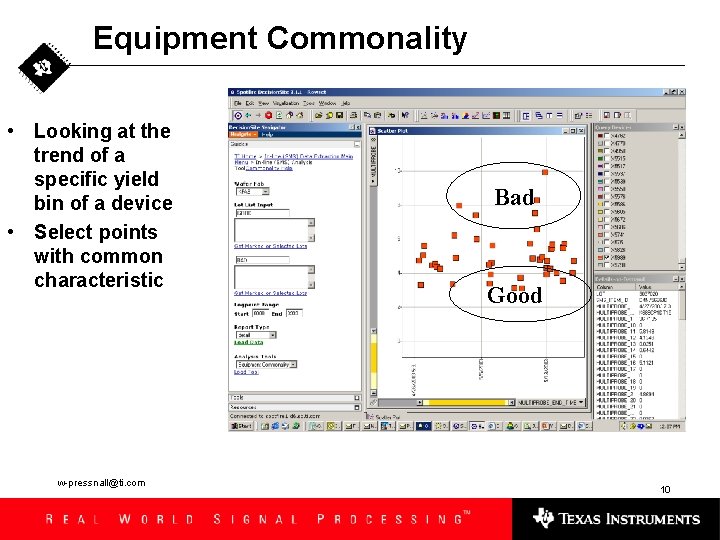
Equipment Commonality • Looking at the trend of a specific yield bin of a device • Select points with common characteristic w-pressnall@ti. com Bad Good 10
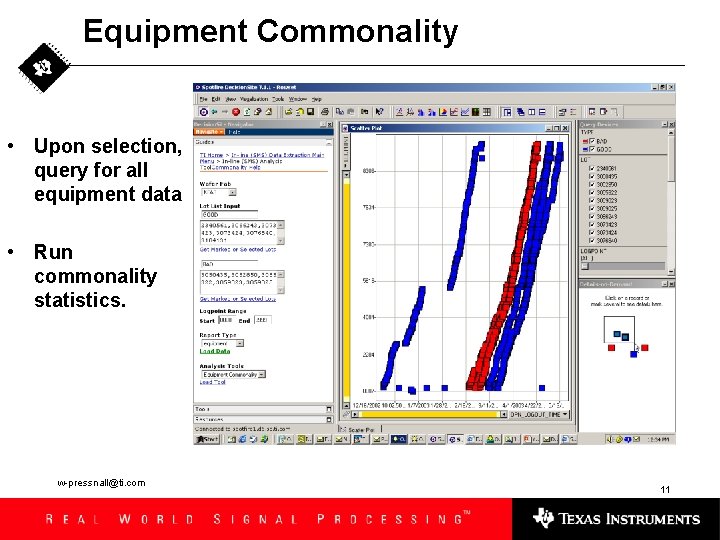
Equipment Commonality • Upon selection, query for all equipment data • Run commonality statistics. w-pressnall@ti. com 11
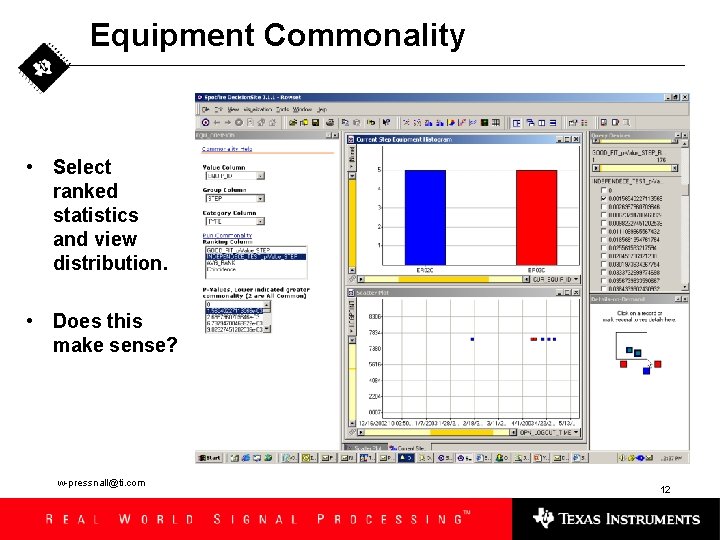
Equipment Commonality • Select ranked statistics and view distribution. • Does this make sense? w-pressnall@ti. com 12
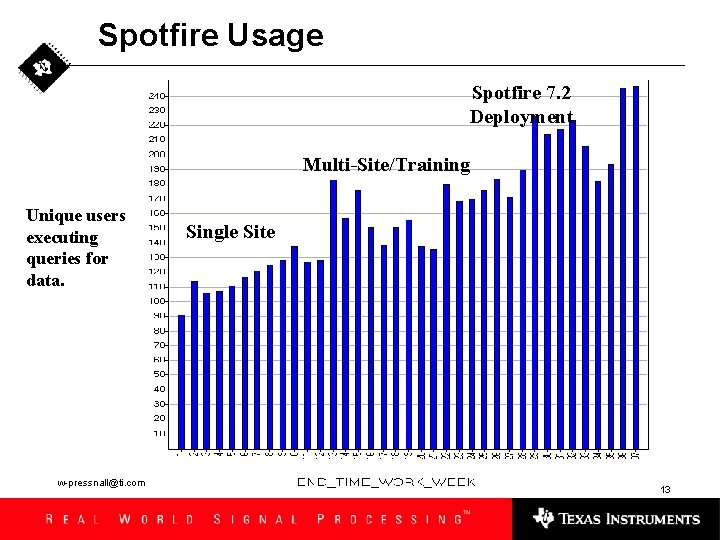
Spotfire Usage Spotfire 7. 2 Deployment Multi-Site/Training Unique users executing queries for data. w-pressnall@ti. com Single Site 13
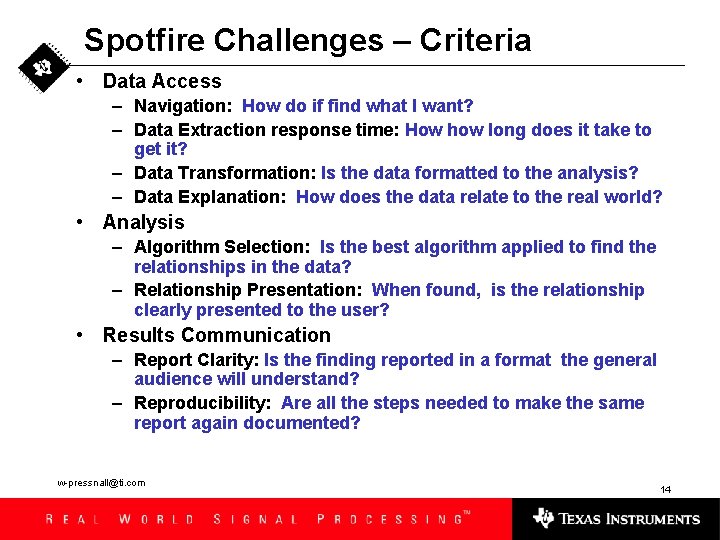
Spotfire Challenges – Criteria • Data Access – Navigation: How do if find what I want? – Data Extraction response time: How how long does it take to get it? – Data Transformation: Is the data formatted to the analysis? – Data Explanation: How does the data relate to the real world? • Analysis – Algorithm Selection: Is the best algorithm applied to find the relationships in the data? – Relationship Presentation: When found, is the relationship clearly presented to the user? • Results Communication – Report Clarity: Is the finding reported in a format the general audience will understand? – Reproducibility: Are all the steps needed to make the same report again documented? w-pressnall@ti. com 14
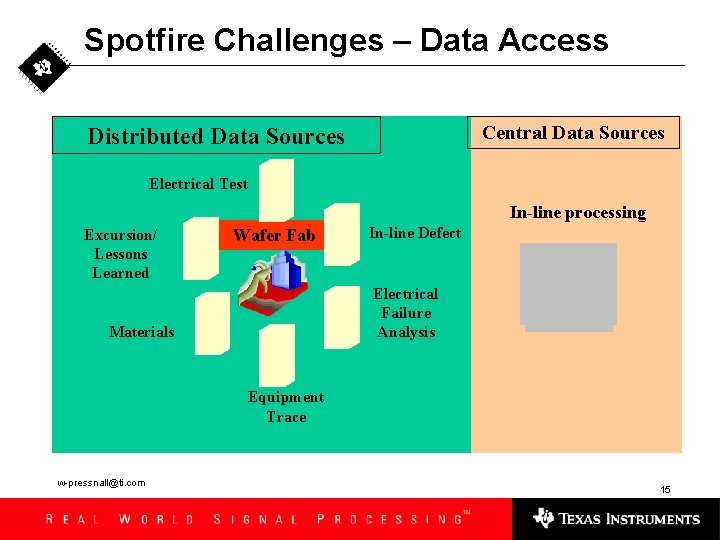
Spotfire Challenges – Data Access Central Data Sources Distributed Data Sources Electrical Test In-line processing Excursion/ Lessons Learned Wafer Fab In-line Defect Electrical Failure Analysis Materials Equipment Trace w-pressnall@ti. com 15
Spotfire Challenges – Data Sources • TI’s data sources are locate at many different geographic areas. – Wafer Start in Freising, Germany – Factory Processing data - Dallas, Texas – Wafer level electrical testing – Freising Germany – Assembly and Final Testing – Taipei, Taiwan • Experienced slow query response time because Spotfire server is not located in the same network zone as the databases. w-pressnall@ti. com 16
Spotfire Challenges – Data Sources • Data Documentation is big source of confusion for the users. The current system on embedding reference information in the workflow is efficient for the user but a challenging task for workflow developers. – Workflow developer’s many times are not good technical writers. – Technical writers usually don’t use HTML and there is the potential to break the code it the editing is done incorrectly. w-pressnall@ti. com 17
Spotfire Challenges – Analysis • Statistical Analysis - For many datasets, the most efficient method to determining relationships is using statistical algorithms. The base Spotfire statistics are not adequate. – Statistical packages such R and SAS can produce the statistical results that are confusing to the user. Need statistical interpretation documentation in Workflows. w-pressnall@ti. com 18
Spotfire Challenges – Communication • Visualizations lacking: – – • Interactive Wafer Map Box plot is Spotfire Application Graphical Annotation feature Grouped Bar Chart Once a problem is found, the same sequence needs to be repeatedly run as the fix to the problem is implemented. – w-pressnall@ti. com Have just begun to implement the Analysis Builder and hope this can be effective. 19