
Year 7 How logic branching works Lesson 6
Year 7 How logic (branching) works Lesson 6

I acknowledge the Original Custodians of this land pay respect to Elders past, present and emerging.
Lesson Outcomes • Revise how Ultrasonic sensors work • Revise the use of the Serial Monitor • Revise variables • Revise the use of libraries • Learn how logic (branching) works • Learn how subroutines help our code easier to read and maintain • Build an ultrasonic tape measure
What do you know about ultrasonic sensors, serial monitors, variables and libraries?
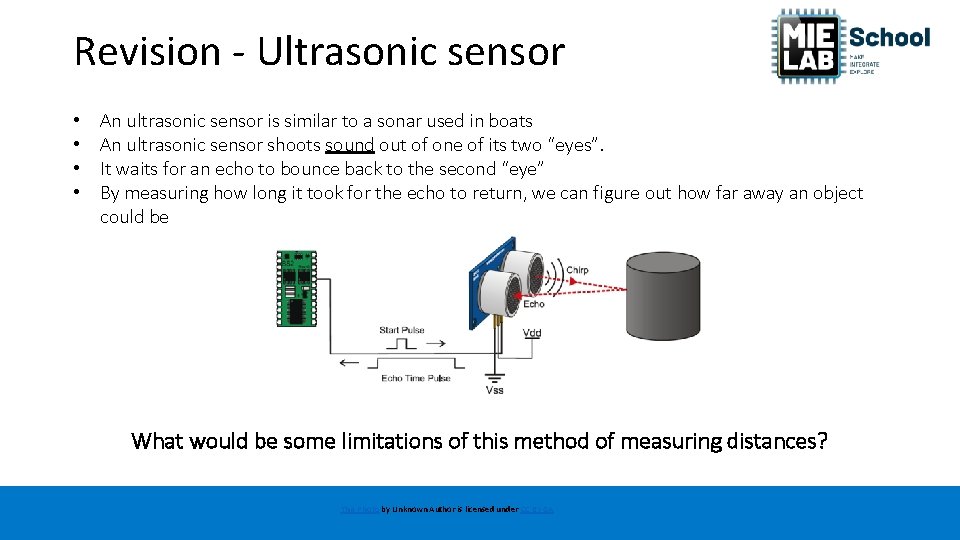
Revision - Ultrasonic sensor • • An ultrasonic sensor is similar to a sonar used in boats An ultrasonic sensor shoots sound out of one of its two “eyes”. It waits for an echo to bounce back to the second “eye” By measuring how long it took for the echo to return, we can figure out how far away an object could be What would be some limitations of this method of measuring distances? This Photo by Unknown Author is licensed under CC BY-SA

Revision - Serial Monitor Start the serial output Serial. begin(9600); Print something Serial. print(“Hi there”);
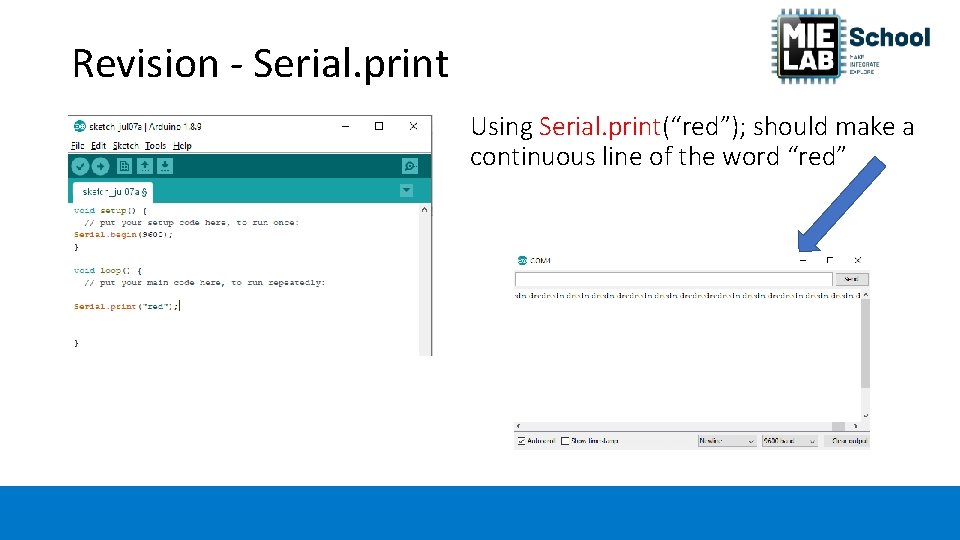
Revision - Serial. print Using Serial. print(“red”); should make a continuous line of the word “red”
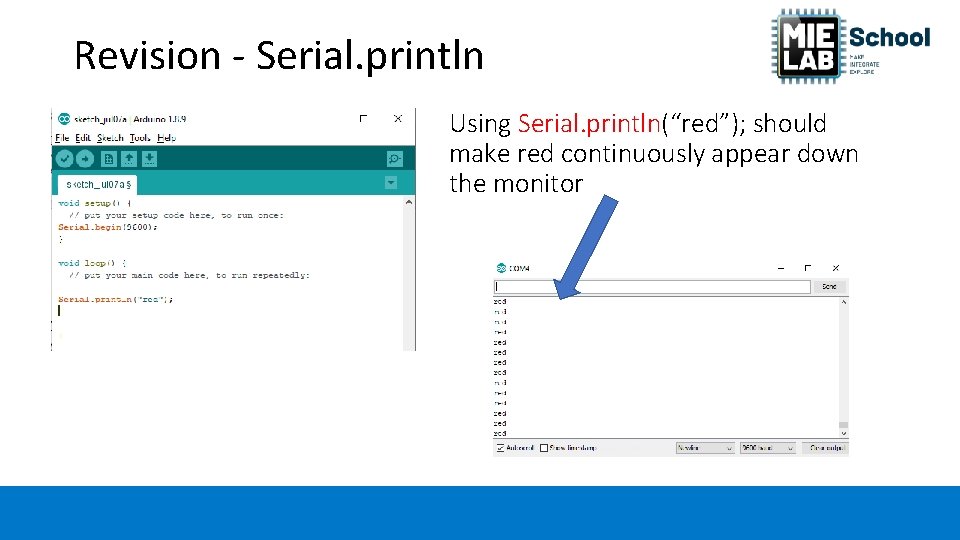
Revision - Serial. println Using Serial. println(“red”); should make red continuously appear down the monitor
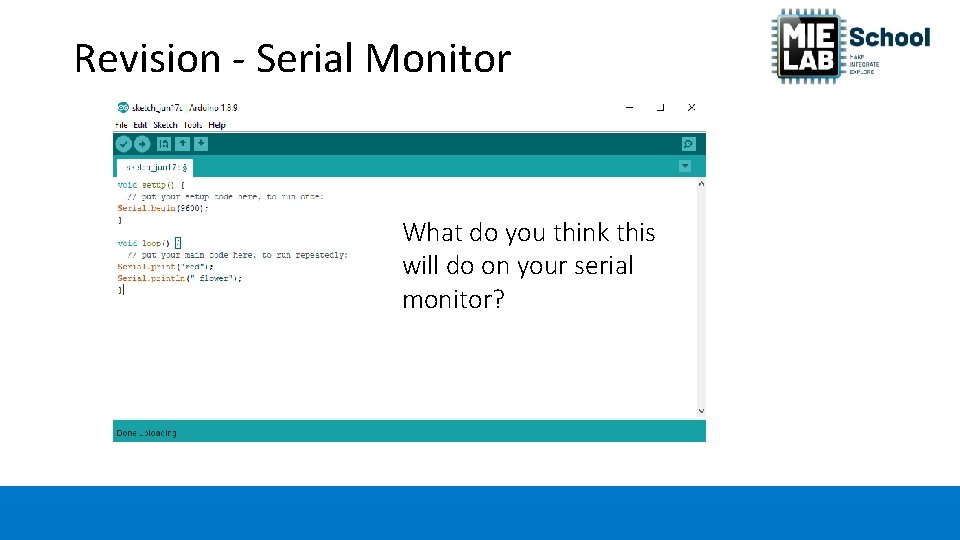
Revision - Serial Monitor What do you think this will do on your serial monitor?
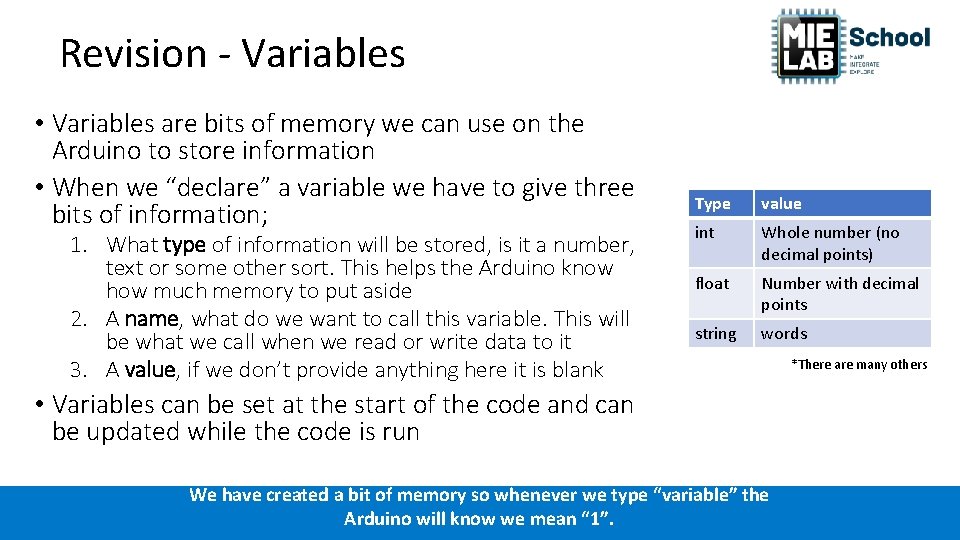
Revision - Variables • Variables are bits of memory we can use on the Arduino to store information • When we “declare” a variable we have to give three bits of information; 1. What type of information will be stored, is it a number, text or some other sort. This helps the Arduino know how much memory to put aside 2. A name, what do we want to call this variable. This will be what we call when we read or write data to it 3. A value, if we don’t provide anything here it is blank Type value int Whole number (no decimal points) float Number with decimal points string words • Variables can be set at the start of the code and can be updated while the code is run We have created a bit of memory so whenever we type “variable” the Arduino will know we mean “ 1”. *There are many others
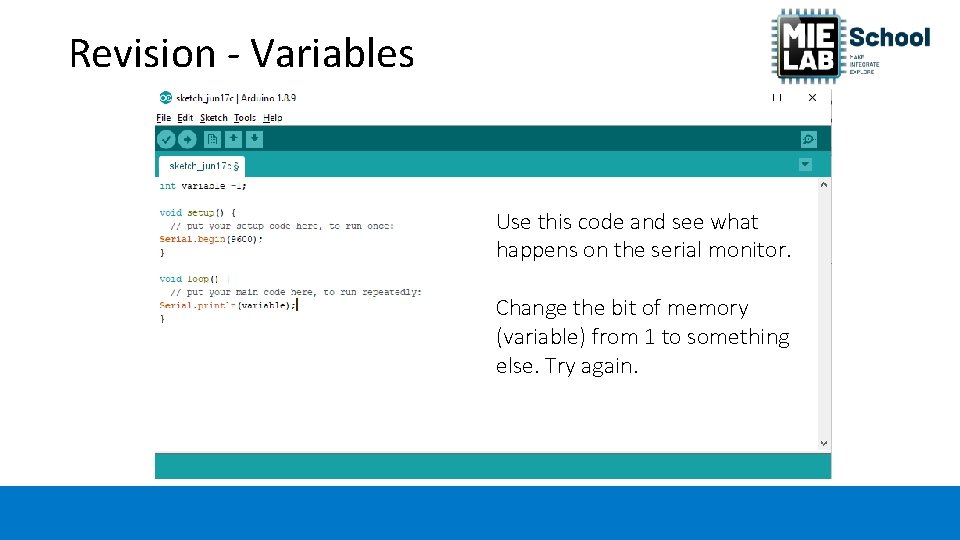
Revision - Variables Use this code and see what happens on the serial monitor. Change the bit of memory (variable) from 1 to something else. Try again.
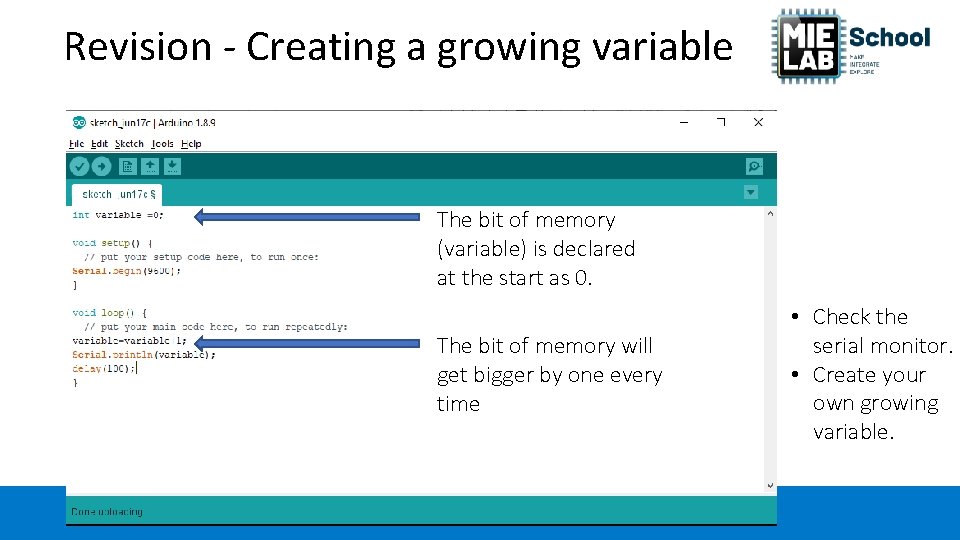
Revision - Creating a growing variable The bit of memory (variable) is declared at the start as 0. The bit of memory will get bigger by one every time • Check the serial monitor. • Create your own growing variable.
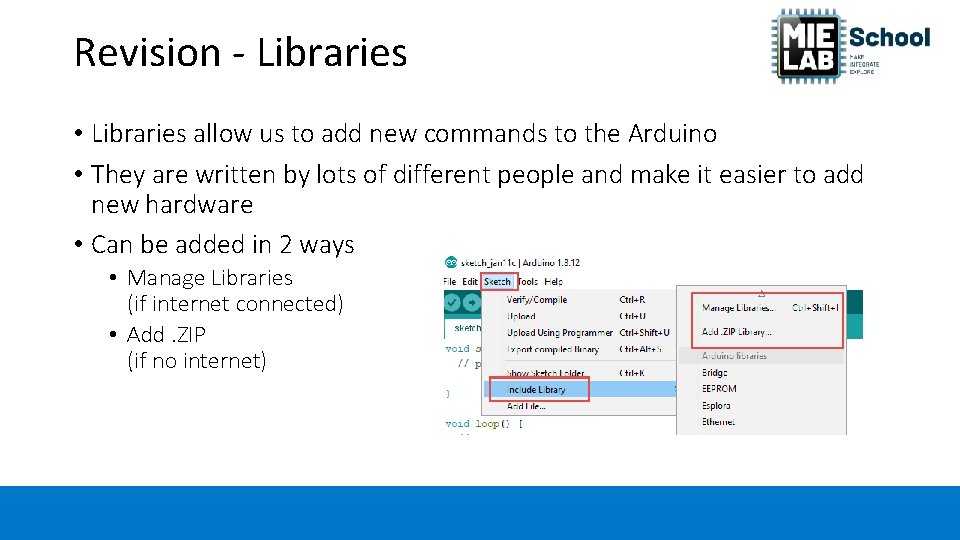
Revision - Libraries • Libraries allow us to add new commands to the Arduino • They are written by lots of different people and make it easier to add new hardware • Can be added in 2 ways • Manage Libraries (if internet connected) • Add. ZIP (if no internet)
How does logic (branching) work?
Logic and branching • So far our code has only done thing, regardless of what else is happening, it will always flash an LED, turn a motor or output a distance • The use of logic allows us to change what the Arduino does dependant upon something else. • Two primary ways to do this in an Arduino • if … then • while … then
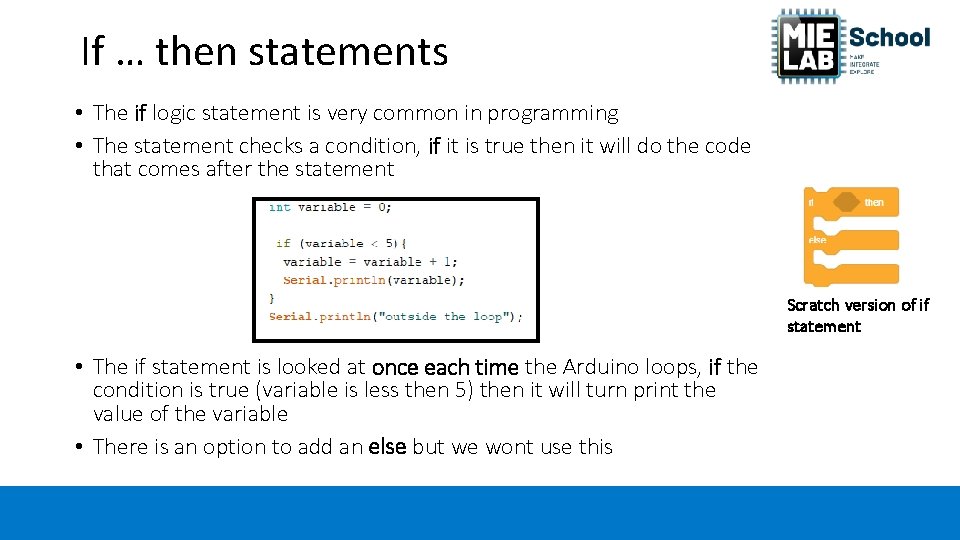
If … then statements • The if logic statement is very common in programming • The statement checks a condition, if it is true then it will do the code that comes after the statement Scratch version of if statement • The if statement is looked at once each time the Arduino loops, if the condition is true (variable is less then 5) then it will turn print the value of the variable • There is an option to add an else but we wont use this
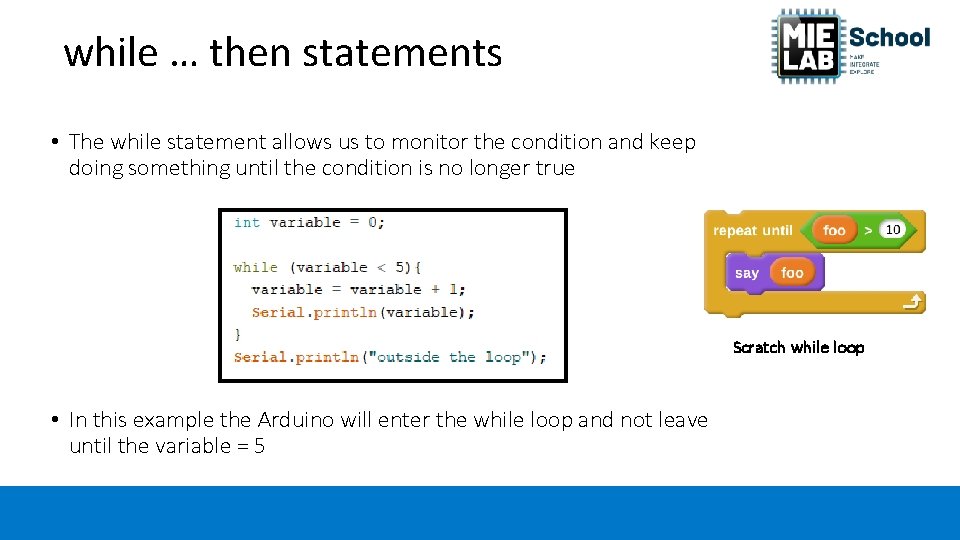
while … then statements • The while statement allows us to monitor the condition and keep doing something until the condition is no longer true Scratch while loop • In this example the Arduino will enter the while loop and not leave until the variable = 5
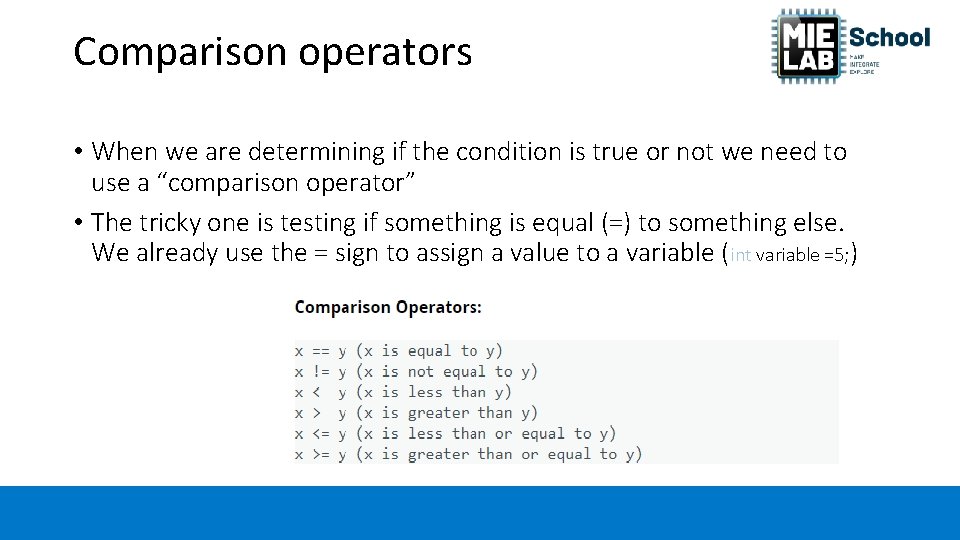
Comparison operators • When we are determining if the condition is true or not we need to use a “comparison operator” • The tricky one is testing if something is equal (=) to something else. We already use the = sign to assign a value to a variable (int variable =5; )
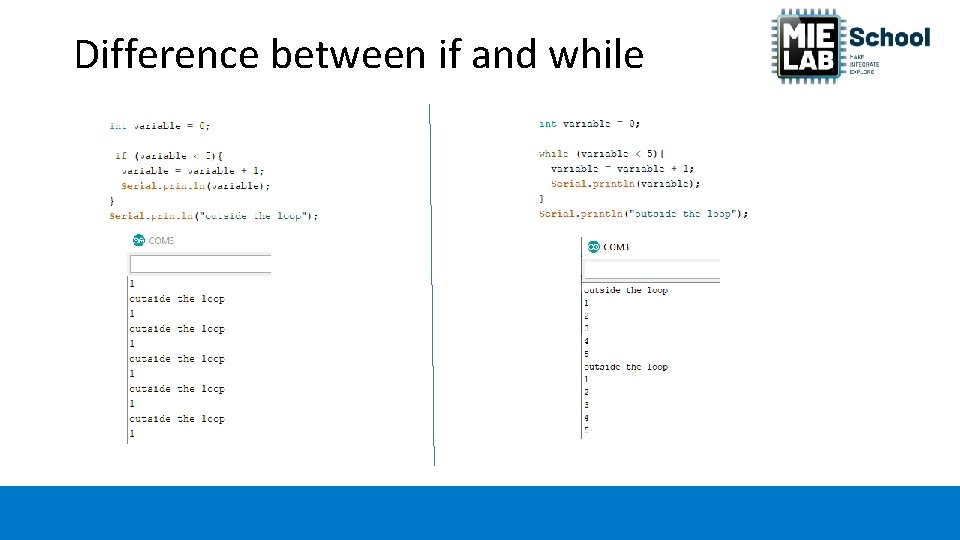
Difference between if and while
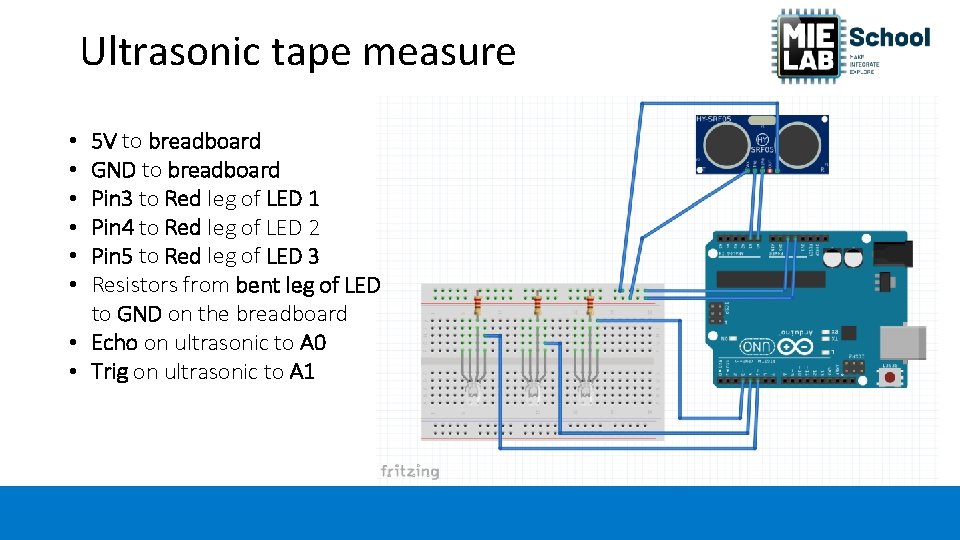
Ultrasonic tape measure 5 V to breadboard GND to breadboard Pin 3 to Red leg of LED 1 Pin 4 to Red leg of LED 2 Pin 5 to Red leg of LED 3 Resistors from bent leg of LED to GND on the breadboard • Echo on ultrasonic to A 0 • Trig on ultrasonic to A 1 • • •
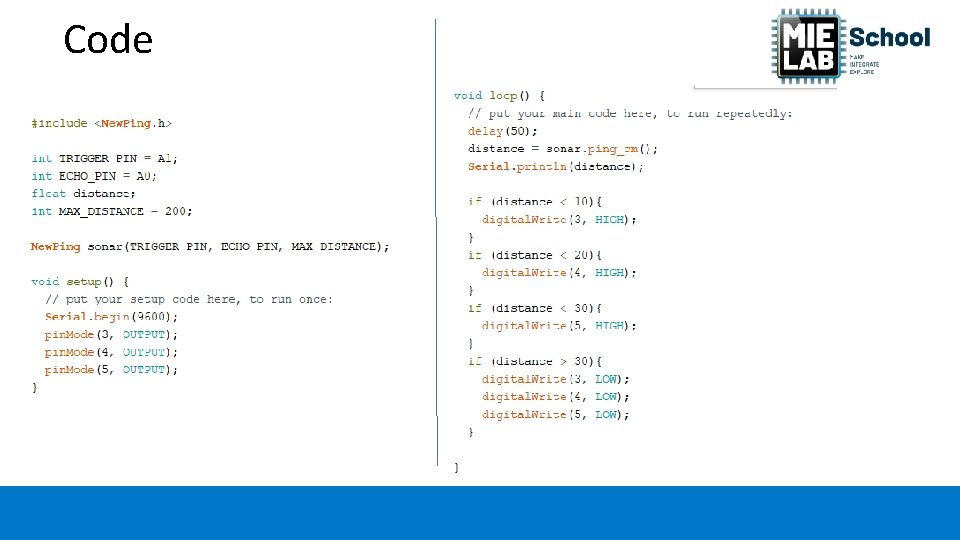
Code
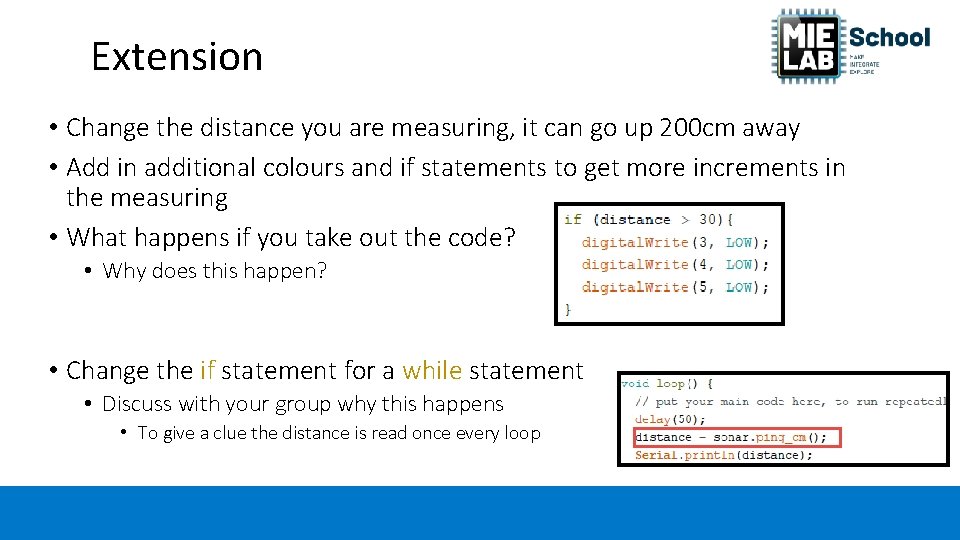
Extension • Change the distance you are measuring, it can go up 200 cm away • Add in additional colours and if statements to get more increments in the measuring • What happens if you take out the code? • Why does this happen? • Change the if statement for a while statement • Discuss with your group why this happens • To give a clue the distance is read once every loop
Sub-routines • A sub-routine is a way a breaking up our code into easier to read sections • Typically used if you have to use the same bit of code multiple times • Rather then type the code out multiple times, you create a sub-routine with the code in it and then call the sub-routine when you want that bit of code • They are put outside of the setup() and loop() areas of the code • The code in the sub-routine is run and then the code returns back to where it was called
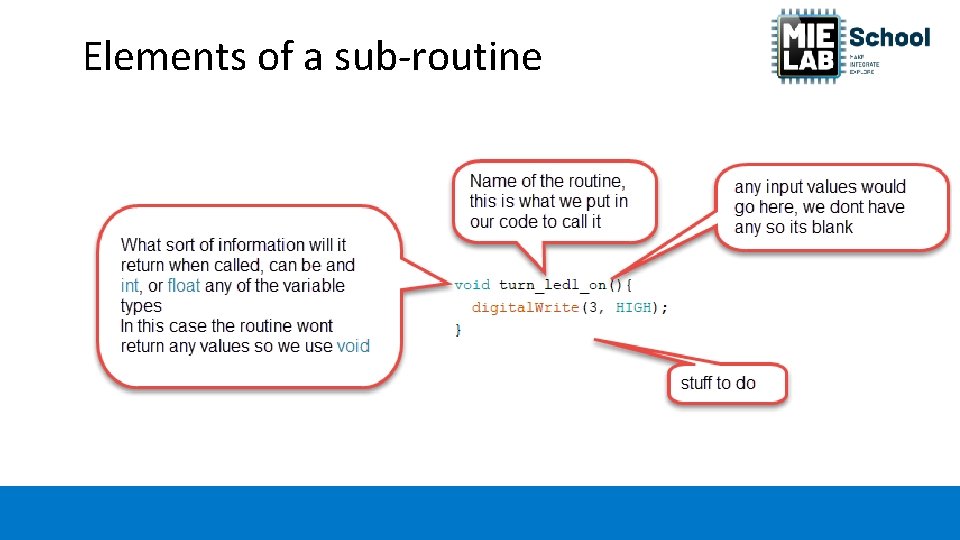
Elements of a sub-routine
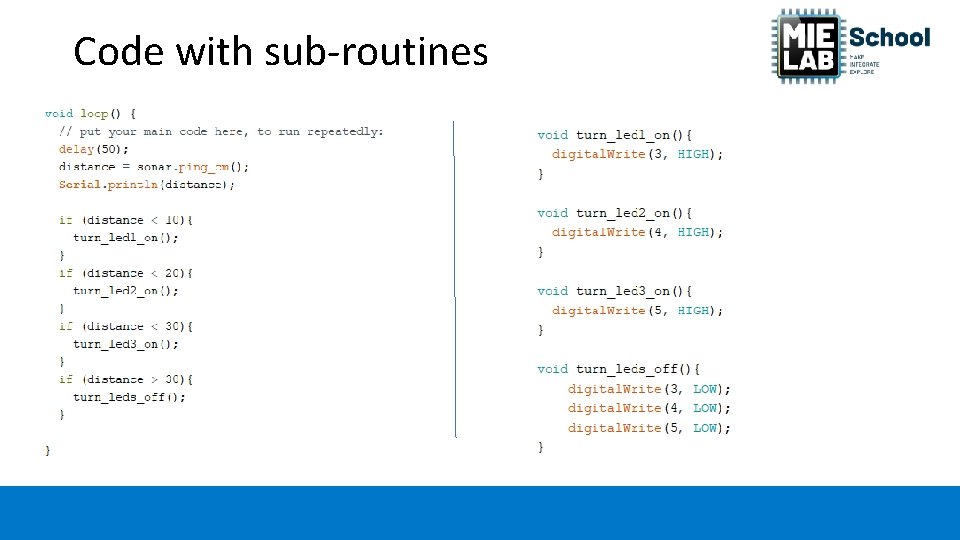
Code with sub-routines
QUICK!!! • Get in your pairs/groups and write down the five most important pieces of information you have learnt today. • Make sure the code that you have learnt today is recorded somewhere to use again.
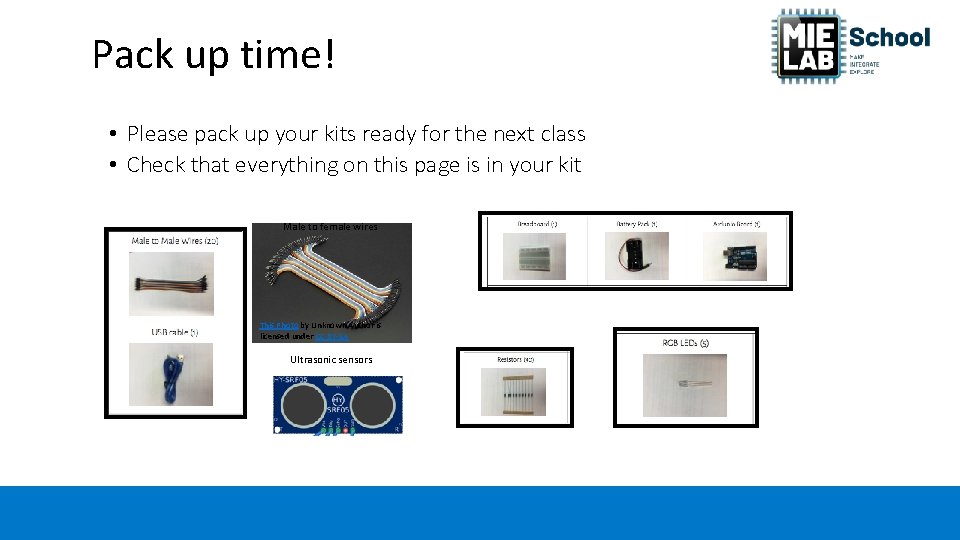
Pack up time! • Please pack up your kits ready for the next class • Check that everything on this page is in your kit Male to female wires This Photo by Unknown Author is licensed under CC BY-SA Ultrasonic sensors

Acknowledgements MIE School is a widening participation program developed by USC to increase participation in tertiary education. It is partly funded by the Australian Government Department of Education and Training under the Higher Education Participation and Partnerships Program.
- Slides: 28