
Xrootd FS a Posix Filesystem for Xrootd Wei
- Slides: 10
Xrootd. FS: a Posix Filesystem for Xrootd Wei Yang
Introduction § Xrootdfs is a posix file system for the xrootd storage » Mount the xrootd storage and use standard Unix commands » Implement most of the posix functions supported by the xrootd posix IO API » Use the FUSE framework • Imagine how much work we need to do if there is no FUSE § Applications access xrootd storage without knowledge of the xroot protocol » Initially motivation was to use Berkeley SRM with xrootd storage » Many other applications also work on xrootdfs: • Gridftp, bbcp, scp/sftp, root/proof. Lite the Xrootd workshop at UCSD 2
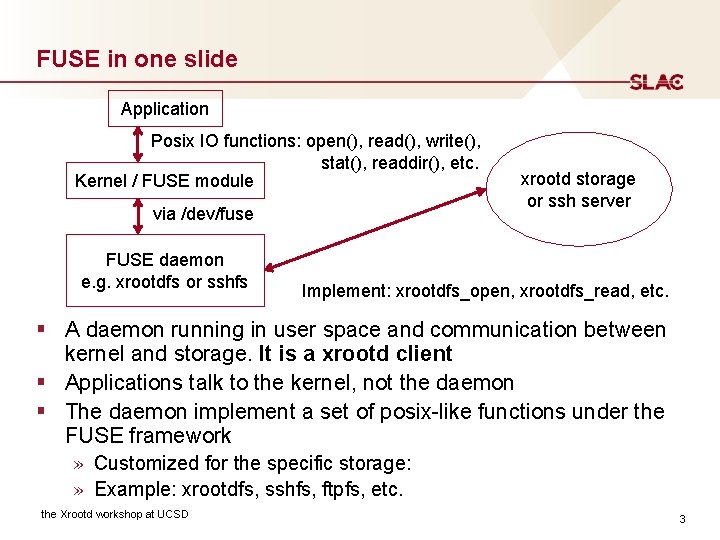
FUSE in one slide Application Posix IO functions: open(), read(), write(), stat(), readdir(), etc. Kernel / FUSE module via /dev/fuse FUSE daemon e. g. xrootdfs or sshfs xrootd storage or ssh server Implement: xrootdfs_open, xrootdfs_read, etc. § A daemon running in user space and communication between kernel and storage. It is a xrootd client § Applications talk to the kernel, not the daemon § The daemon implement a set of posix-like functions under the FUSE framework » Customized for the specific storage: » Example: xrootdfs, sshfs, ftpfs, etc. the Xrootd workshop at UCSD 3
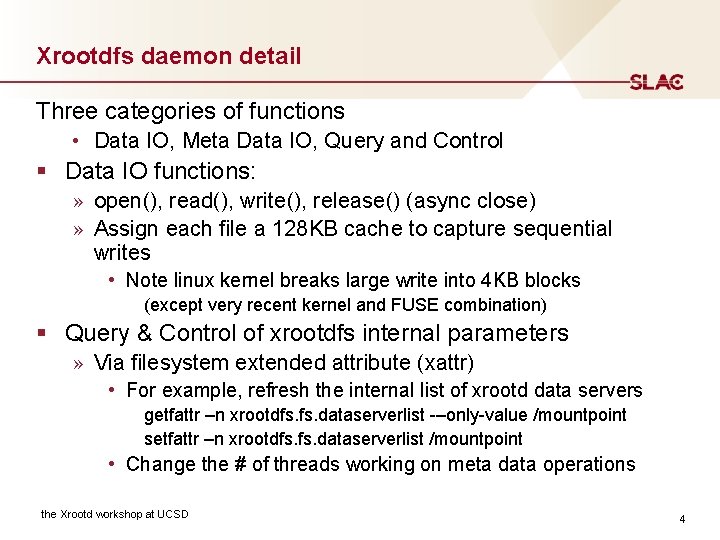
Xrootdfs daemon detail Three categories of functions • Data IO, Meta Data IO, Query and Control § Data IO functions: » open(), read(), write(), release() (async close) » Assign each file a 128 KB cache to capture sequential writes • Note linux kernel breaks large write into 4 KB blocks (except very recent kernel and FUSE combination) § Query & Control of xrootdfs internal parameters » Via filesystem extended attribute (xattr) • For example, refresh the internal list of xrootd data servers getfattr –n xrootdfs. dataserverlist -–only-value /mountpoint setfattr –n xrootdfs. dataserverlist /mountpoint • Change the # of threads working on meta data operations the Xrootd workshop at UCSD 4
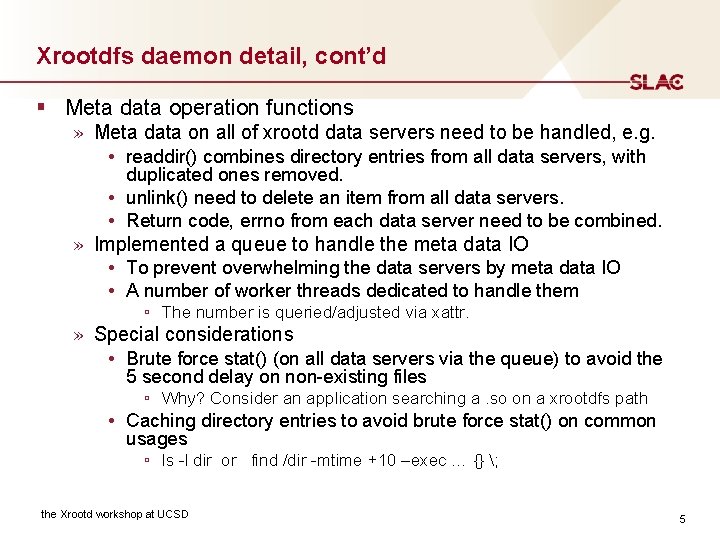
Xrootdfs daemon detail, cont’d § Meta data operation functions » Meta data on all of xrootd data servers need to be handled, e. g. • readdir() combines directory entries from all data servers, with duplicated ones removed. • unlink() need to delete an item from all data servers. • Return code, errno from each data server need to be combined. » Implemented a queue to handle the meta data IO • To prevent overwhelming the data servers by meta data IO • A number of worker threads dedicated to handle them ▫ The number is queried/adjusted via xattr. » Special considerations • Brute force stat() (on all data servers via the queue) to avoid the 5 second delay on non-existing files ▫ Why? Consider an application searching a. so on a xrootdfs path • Caching directory entries to avoid brute force stat() on common usages ▫ ls -l dir or find /dir -mtime +10 –exec … {} ; the Xrootd workshop at UCSD 5
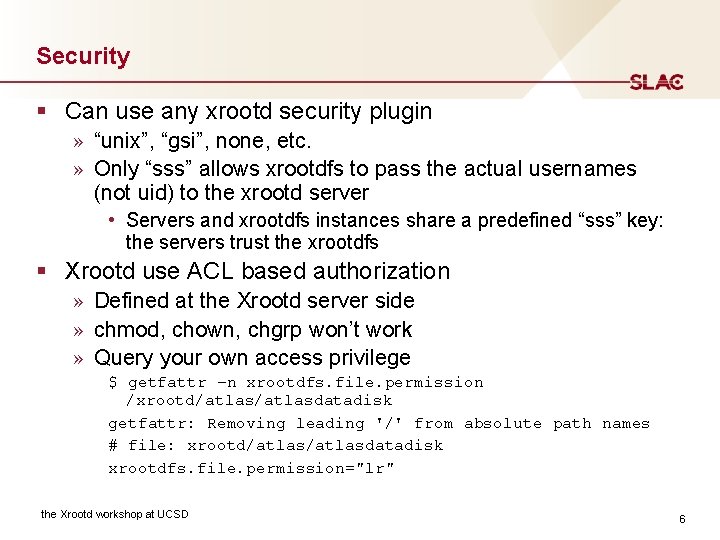
Security § Can use any xrootd security plugin » “unix”, “gsi”, none, etc. » Only “sss” allows xrootdfs to pass the actual usernames (not uid) to the xrootd server • Servers and xrootdfs instances share a predefined “sss” key: the servers trust the xrootdfs § Xrootd use ACL based authorization » Defined at the Xrootd server side » chmod, chown, chgrp won’t work » Query your own access privilege $ getfattr –n xrootdfs. file. permission /xrootd/atlasdatadisk getfattr: Removing leading '/' from absolute path names # file: xrootd/atlasdatadisk xrootdfs. file. permission="lr" the Xrootd workshop at UCSD 6
Other things supported/unsupported § Support Composite Name Space (CNS) » CNS hosts the complete file system metadata info • on one auxiliary xrootd server that is not part of the cluster. » Some files may not be available for access immediately (even thought their meta data is available), e. g. files on tape. » In a disk only environment, CNS is seldom used nowadays § Don’t support changing mtime, atime, etc. § Don’t support file locking § close() are asynchronous » Though xrootd sync() and close() will be called eventually the Xrootd workshop at UCSD 7
IO Performance Meta data IO performance depends on the number of data servers and the number of worker threads the Xrootd workshop at UCSD 8
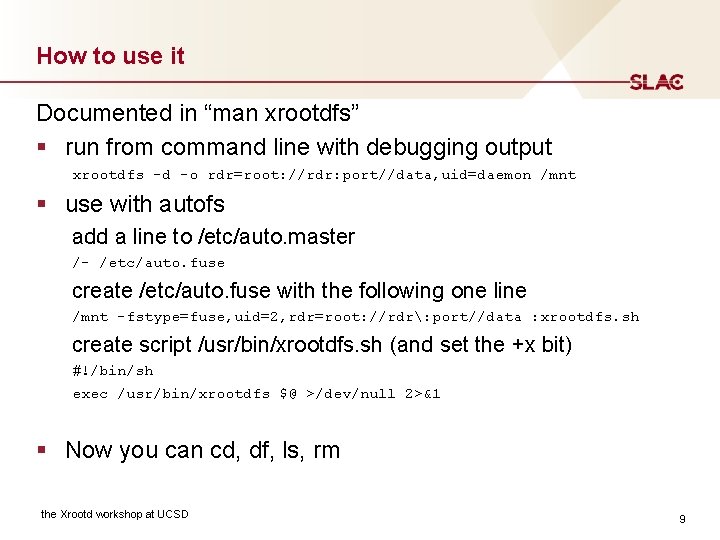
How to use it Documented in “man xrootdfs” § run from command line with debugging output xrootdfs -d -o rdr=root: //rdr: port//data, uid=daemon /mnt § use with autofs add a line to /etc/auto. master /- /etc/auto. fuse create /etc/auto. fuse with the following one line /mnt -fstype=fuse, uid=2, rdr=root: //rdr: port//data : xrootdfs. sh create script /usr/bin/xrootdfs. sh (and set the +x bit) #!/bin/sh exec /usr/bin/xrootdfs $@ >/dev/null 2>&1 § Now you can cd, df, ls, rm the Xrootd workshop at UCSD 9
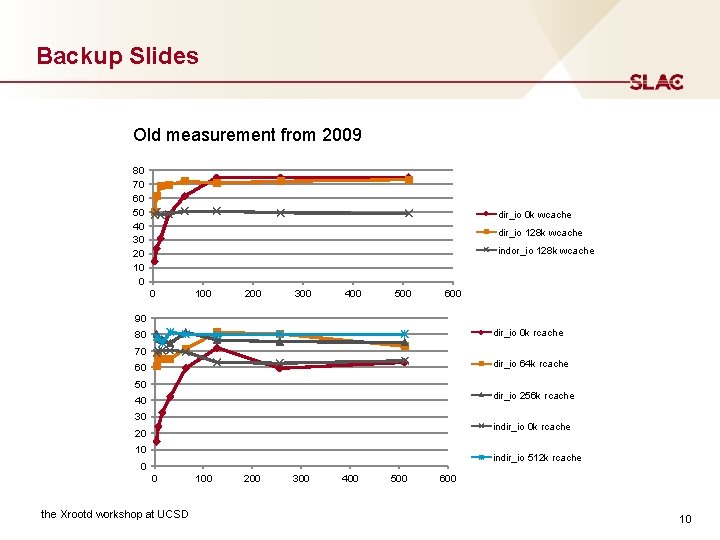
Backup Slides Old measurement from 2009 80 70 60 50 40 30 20 10 0 dir_io 0 k wcache dir_io 128 k wcache indor_io 128 k wcache 0 100 200 300 400 500 600 90 dir_io 0 k rcache 80 70 dir_io 64 k rcache 60 50 dir_io 256 k rcache 40 30 indir_io 0 k rcache 20 10 indir_io 512 k rcache 0 0 the Xrootd workshop at UCSD 100 200 300 400 500 600 10