
XPath Xml processing as a tree Introduction Although


![examples from the reading list • head/title[last()] returns the title of the last element](https://slidetodoc.com/presentation_image_h2/6062d51c01fe94baf2a5af20266d3e12/image-23.jpg "examples from the reading list • head/title[last()] returns the title of the last element")
- Slides: 29
XPath Xml processing as a tree
Introduction • Although XML provides a flexible and expressive way of describing data, it does not have a mechanism for locating specific structured data within a document. • To find information in an XML document, parsing would be needed and then the elements returned would need to be examined. This is an inefficient approach for large documents. • XPath provides a way of locating specific parts of an XML document. • XPath is not structured, like XML, but is string-based and uses expressions common to other XML technologies, like XSLT (which can be used to convert XML to HTML, for example) and Xpointer (XML Pointer language) which can point to information inside an XML document. • XSLT and Xpointer are covered later in the text.
XPath views the xml document as a tree • The elements are nodes. • Of course, a node may have child nodes. Xpath regards an XML document as a tree structure made up of nodes. (Of course, the structure is recursive. ) • Seven node types: root, element, attribute, text, comment, processing instruction, namespace. • Only element, comment, text and PI may be child nodes. • Attributes and namespaces are not considered child nodes of their parent: They are not “contained in” the parent, they describe the parent. • The root has no parent. • The XPath tree is similar to the DOM tree (see chapter 8).
XPath nodes have string representation • Each node has a string-value used by XPath to compare nodes. • The string-value of a text node is the character data contained in it. The meta-language specification <![CDATA[ and ]]> are not included in the text. • The string value for a non-text node is the document-order concatenation of its child text nodes. • An attribute node has string-value consisting of the normalized attribute. • The string-value of a comment consists just of the comment text, excluding xml specification characters <!– and --> • Text that does not fall in a CDATA section is normalized (whitespace is truncated). • “document order” is dfs. In XPath there is also reverse-document order, which traces back up the hierarchy tree.
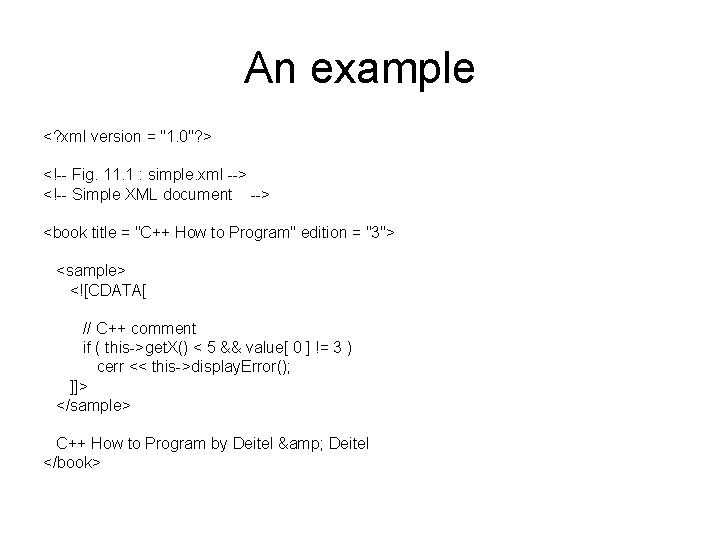
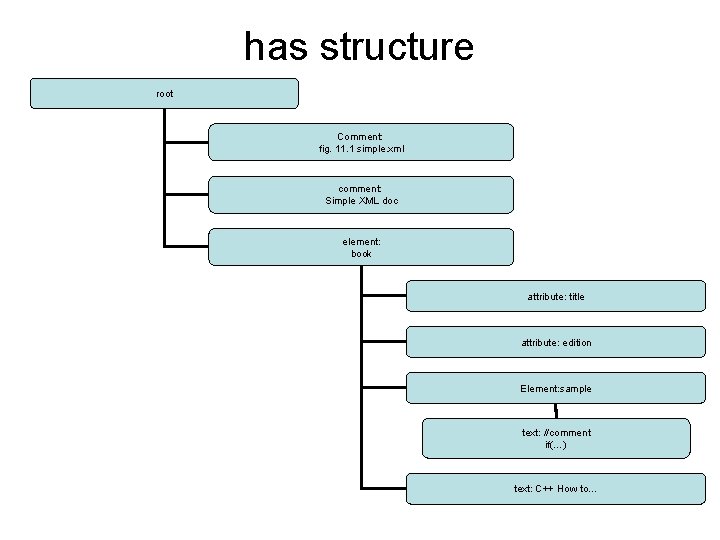
An example <? xml version = "1. 0"? > <!-- Fig. 11. 1 : simple. xml --> <!-- Simple XML document --> <book title = "C++ How to Program" edition = "3"> <sample> <![CDATA[ // C++ comment if ( this->get. X() < 5 && value[ 0 ] != 3 ) cerr << this->display. Error(); ]]> </sample> C++ How to Program by Deitel & Deitel </book>
has structure root Comment: fig. 11. 1 simple. xml comment: Simple XML doc element: book attribute: title attribute: edition Element: sample text: //comment if(…) text: C++ How to…
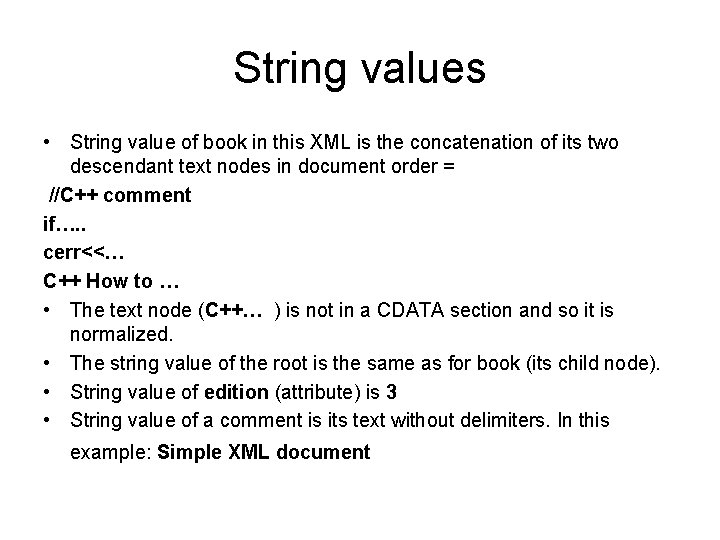
String values • String value of book in this XML is the concatenation of its two descendant text nodes in document order = //C++ comment if…. . cerr<<… C++ How to … • The text node (C++… ) is not in a CDATA section and so it is normalized. • The string value of the root is the same as for book (its child node). • String value of edition (attribute) is 3 • String value of a comment is its text without delimiters. In this example: Simple XML document
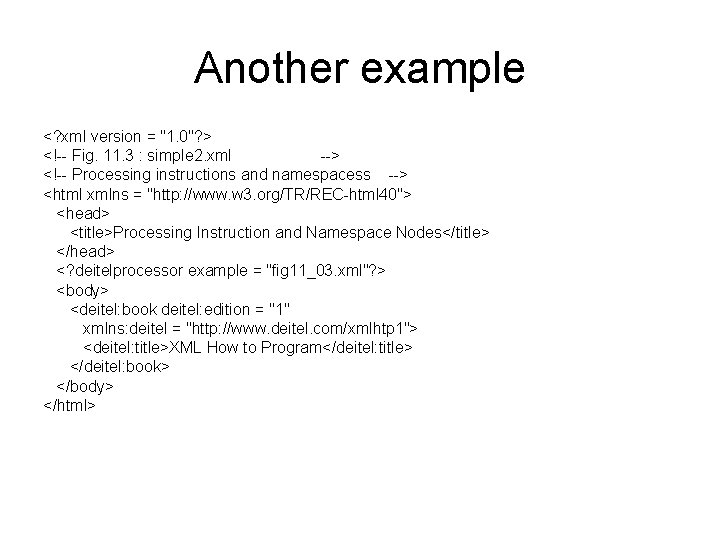
Another example <? xml version = "1. 0"? > <!-- Fig. 11. 3 : simple 2. xml --> <!-- Processing instructions and namespacess --> <html xmlns = "http: //www. w 3. org/TR/REC-html 40"> <head> <title>Processing Instruction and Namespace Nodes</title> </head> <? deitelprocessor example = "fig 11_03. xml"? > <body> <deitel: book deitel: edition = "1" xmlns: deitel = "http: //www. deitel. com/xmlhtp 1"> <deitel: title>XML How to Program</deitel: title> </deitel: book> </body> </html>
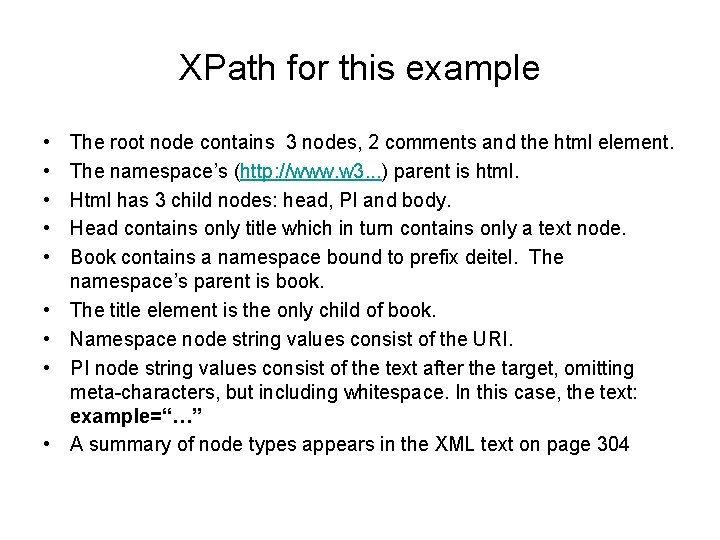
XPath for this example • • • The root node contains 3 nodes, 2 comments and the html element. The namespace’s (http: //www. w 3. . . ) parent is html. Html has 3 child nodes: head, PI and body. Head contains only title which in turn contains only a text node. Book contains a namespace bound to prefix deitel. The namespace’s parent is book. The title element is the only child of book. Namespace node string values consist of the URI. PI node string values consist of the text after the target, omitting meta-characters, but including whitespace. In this case, the text: example=“…” A summary of node types appears in the XML text on page 304
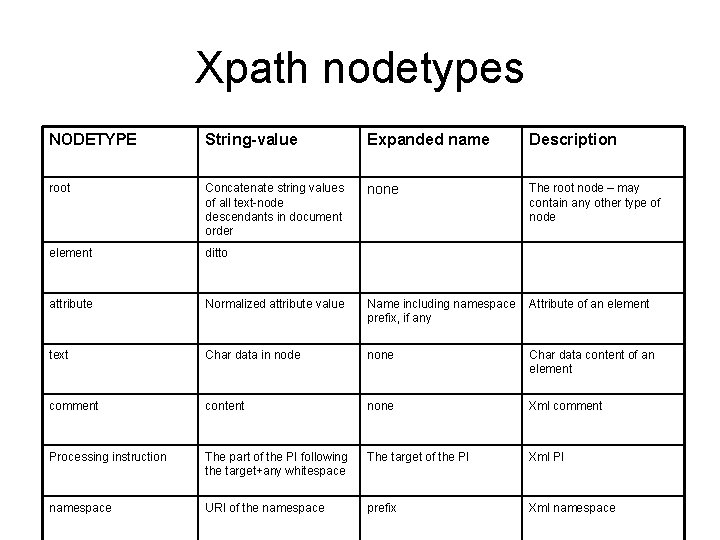
Xpath nodetypes NODETYPE String-value Expanded name Description root Concatenate string values of all text-node descendants in document order none The root node – may contain any other type of node element ditto attribute Normalized attribute value Name including namespace prefix, if any Attribute of an element text Char data in node none Char data content of an element comment content none Xml comment Processing instruction The part of the PI following the target+any whitespace The target of the PI Xml PI namespace URI of the namespace prefix Xml namespace
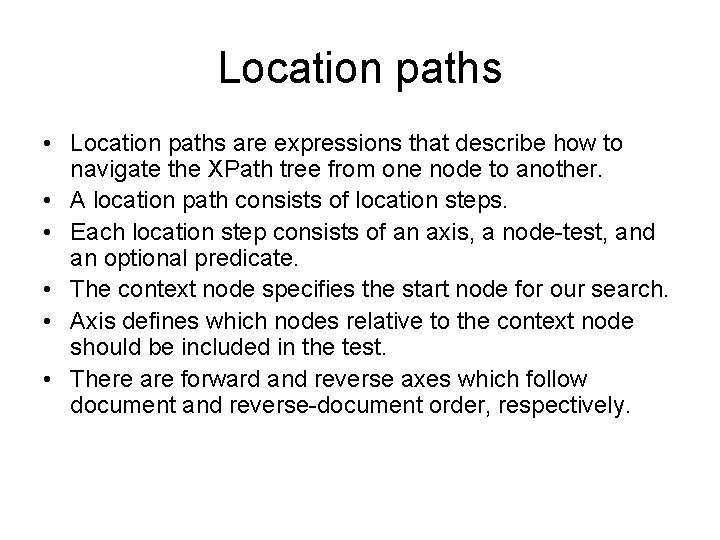
Location paths • Location paths are expressions that describe how to navigate the XPath tree from one node to another. • A location path consists of location steps. • Each location step consists of an axis, a node-test, and an optional predicate. • The context node specifies the start node for our search. • Axis defines which nodes relative to the context node should be included in the test. • There are forward and reverse axes which follow document and reverse-document order, respectively.
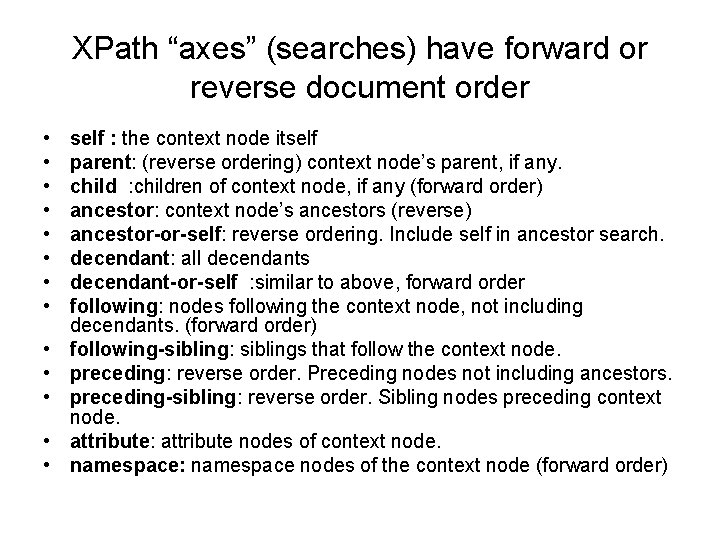
XPath “axes” (searches) have forward or reverse document order • • • • self : the context node itself parent: (reverse ordering) context node’s parent, if any. child : children of context node, if any (forward order) ancestor: context node’s ancestors (reverse) ancestor-or-self: reverse ordering. Include self in ancestor search. decendant: all decendants decendant-or-self : similar to above, forward order following: nodes following the context node, not including decendants. (forward order) following-sibling: siblings that follow the context node. preceding: reverse order. Preceding nodes not including ancestors. preceding-sibling: reverse order. Sibling nodes preceding context node. attribute: attribute nodes of context node. namespace: namespace nodes of the context node (forward order)
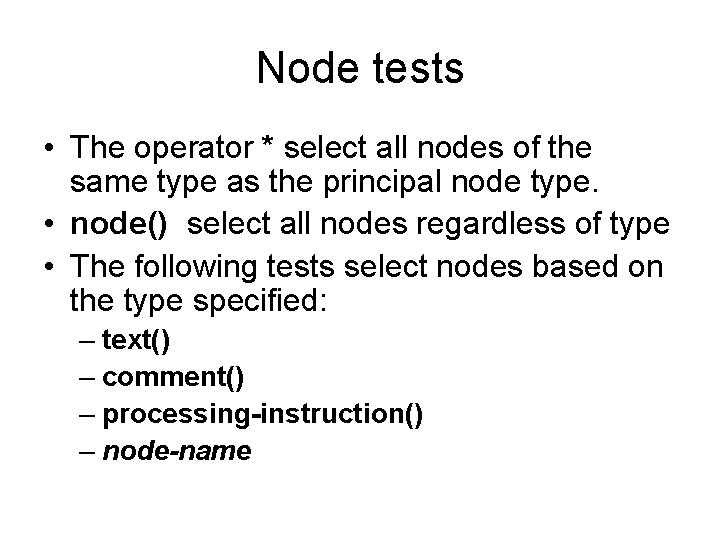
Node tests • The operator * select all nodes of the same type as the principal node type. • node() select all nodes regardless of type • The following tests select nodes based on the type specified: – text() – comment() – processing-instruction() – node-name
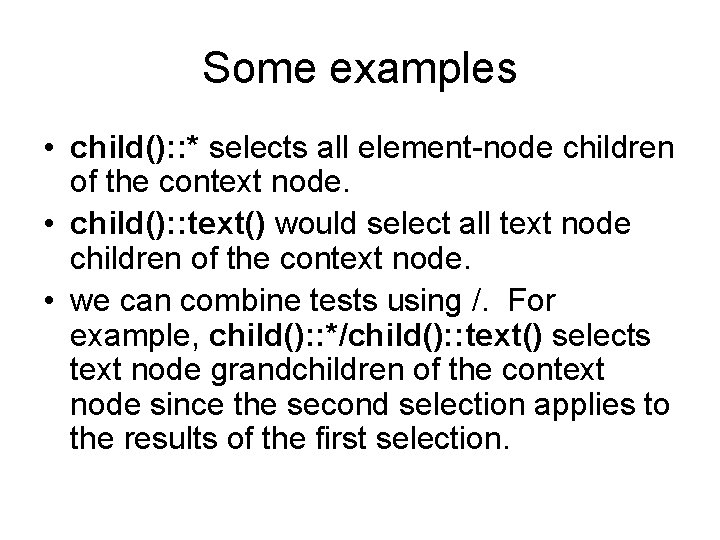
Some examples • child(): : * selects all element-node children of the context node. • child(): : text() would select all text node children of the context node. • we can combine tests using /. For example, child(): : */child(): : text() selects text node grandchildren of the context node since the second selection applies to the results of the first selection.
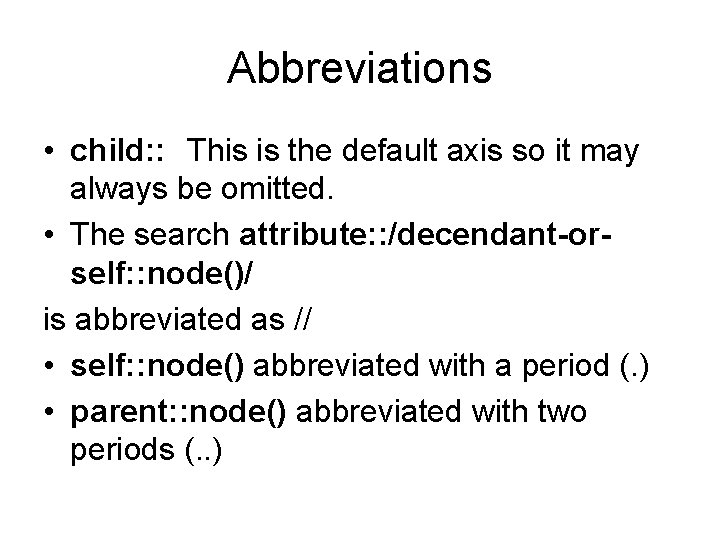
Abbreviations • child: : This is the default axis so it may always be omitted. • The search attribute: : /decendant-orself: : node()/ is abbreviated as // • self: : node() abbreviated with a period (. ) • parent: : node() abbreviated with two periods (. . )
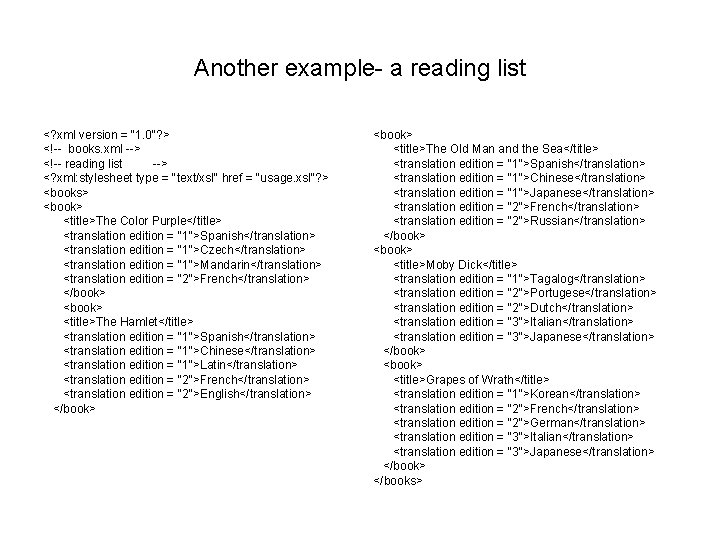
Another example- a reading list <? xml version = "1. 0"? > <!-- books. xml --> <!-- reading list --> <? xml: stylesheet type = "text/xsl" href = "usage. xsl"? > <books> <book> <title>The Color Purple</title> <translation edition = "1">Spanish</translation> <translation edition = "1">Czech</translation> <translation edition = "1">Mandarin</translation> <translation edition = "2">French</translation> </book> <title>The Hamlet</title> <translation edition = "1">Spanish</translation> <translation edition = "1">Chinese</translation> <translation edition = "1">Latin</translation> <translation edition = "2">French</translation> <translation edition = "2">English</translation> </book> <title>The Old Man and the Sea</title> <translation edition = "1">Spanish</translation> <translation edition = "1">Chinese</translation> <translation edition = "1">Japanese</translation> <translation edition = "2">French</translation> <translation edition = "2">Russian</translation> </book> <title>Moby Dick</title> <translation edition = "1">Tagalog</translation> <translation edition = "2">Portugese</translation> <translation edition = "2">Dutch</translation> <translation edition = "3">Italian</translation> <translation edition = "3">Japanese</translation> </book> <title>Grapes of Wrath</title> <translation edition = "1">Korean</translation> <translation edition = "2">French</translation> <translation edition = "2">German</translation> <translation edition = "3">Italian</translation> <translation edition = "3">Japanese</translation> </books>
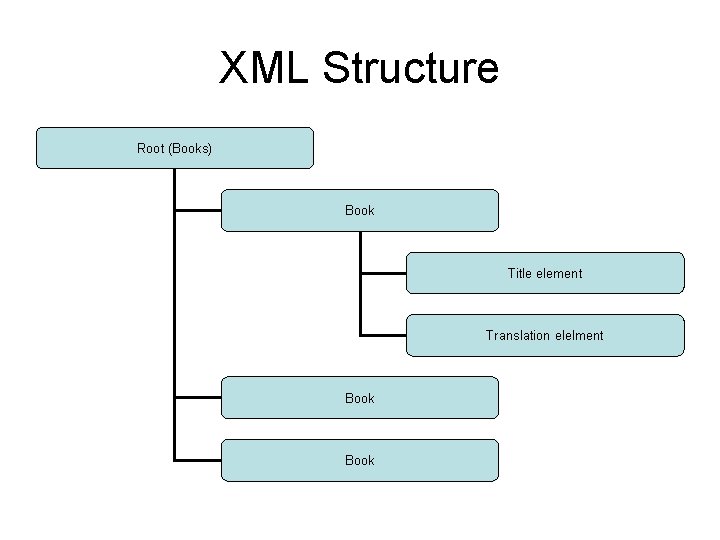
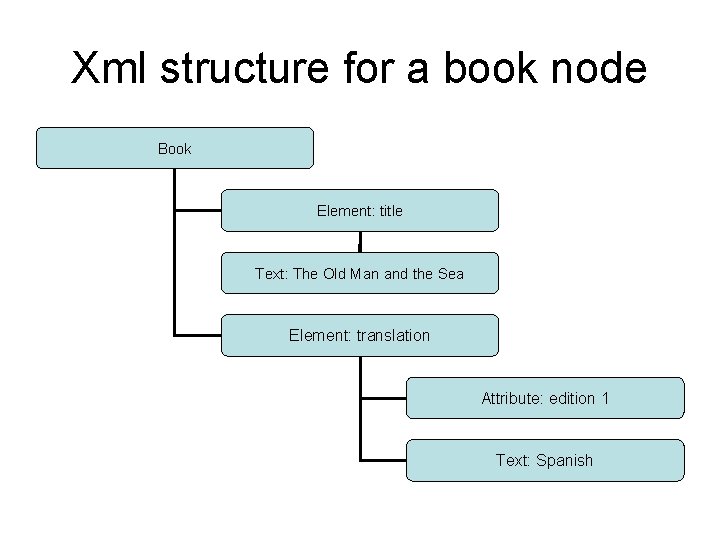
XML Structure Root (Books) Book Title element Translation elelment Book
Xml structure for a book node Book Element: title Text: The Old Man and the Sea Element: translation Attribute: edition 1 Text: Spanish
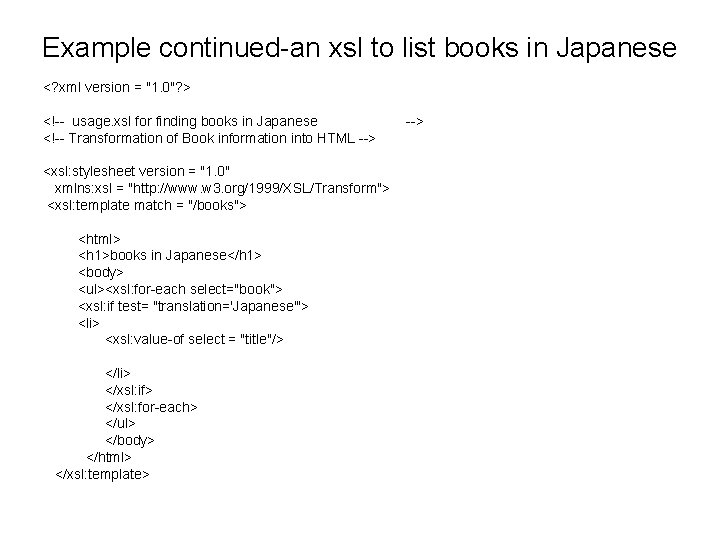
Example continued-an xsl to list books in Japanese <? xml version = "1. 0"? > <!-- usage. xsl for finding books in Japanese <!-- Transformation of Book information into HTML --> <xsl: stylesheet version = "1. 0" xmlns: xsl = "http: //www. w 3. org/1999/XSL/Transform"> <xsl: template match = "/books"> <html> <h 1>books in Japanese</h 1> <body> <ul><xsl: for-each select="book"> <xsl: if test= "translation='Japanese'"> <li> <xsl: value-of select = "title"/> </li> </xsl: if> </xsl: for-each> </ul> </body> </html> </xsl: template> -->
in IE
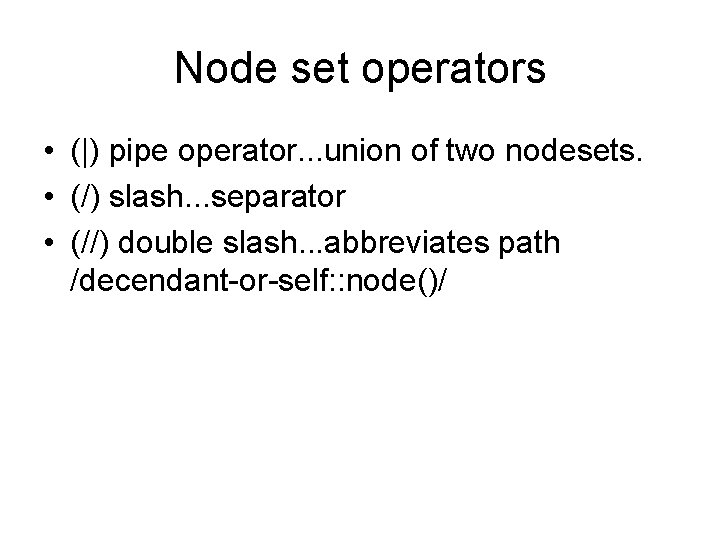
Node set operators • (|) pipe operator. . . union of two nodesets. • (/) slash. . . separator • (//) double slash. . . abbreviates path /decendant-or-self: : node()/
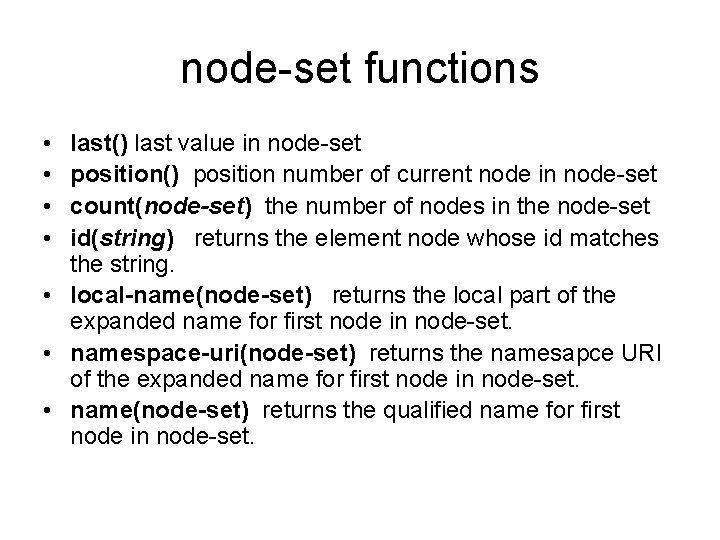
node-set functions • • last() last value in node-set position() position number of current node in node-set count(node-set) the number of nodes in the node-set id(string) returns the element node whose id matches the string. • local-name(node-set) returns the local part of the expanded name for first node in node-set. • namespace-uri(node-set) returns the namesapce URI of the expanded name for first node in node-set. • name(node-set) returns the qualified name for first node in node-set.
examples from the reading list • head/title[last()] returns the title of the last element node in the head node. • book[position()=3] would select the 3 rd book element of the context node. • //book selects all books in the document • count(*) returns the number of element node children of the context node.
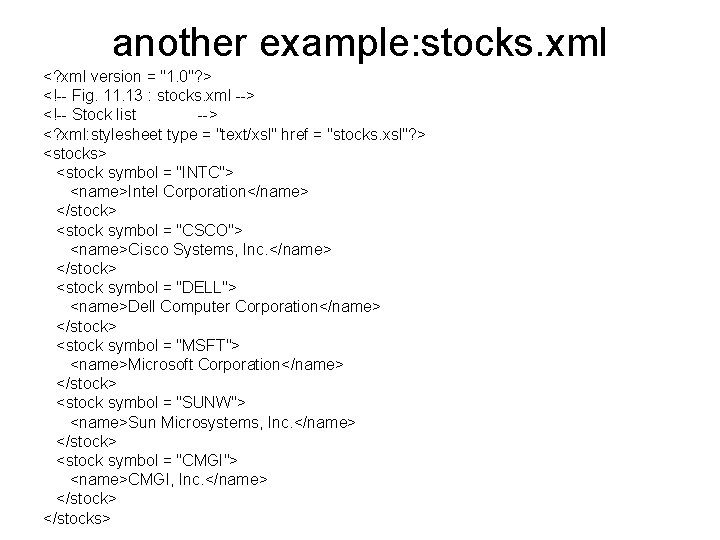
another example: stocks. xml <? xml version = "1. 0"? > <!-- Fig. 11. 13 : stocks. xml --> <!-- Stock list --> <? xml: stylesheet type = "text/xsl" href = "stocks. xsl"? > <stocks> <stock symbol = "INTC"> <name>Intel Corporation</name> </stock> <stock symbol = "CSCO"> <name>Cisco Systems, Inc. </name> </stock> <stock symbol = "DELL"> <name>Dell Computer Corporation</name> </stock> <stock symbol = "MSFT"> <name>Microsoft Corporation</name> </stock> <stock symbol = "SUNW"> <name>Sun Microsystems, Inc. </name> </stock> <stock symbol = "CMGI"> <name>CMGI, Inc. </name> </stocks>
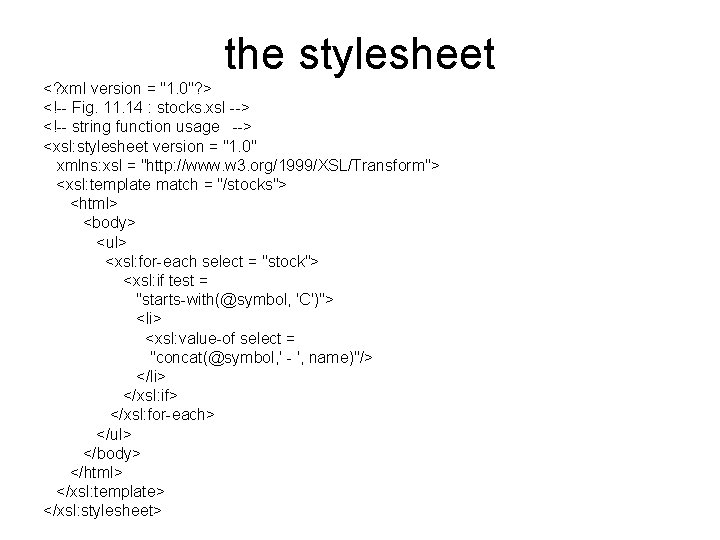
the stylesheet <? xml version = "1. 0"? > <!-- Fig. 11. 14 : stocks. xsl --> <!-- string function usage --> <xsl: stylesheet version = "1. 0" xmlns: xsl = "http: //www. w 3. org/1999/XSL/Transform"> <xsl: template match = "/stocks"> <html> <body> <ul> <xsl: for-each select = "stock"> <xsl: if test = "starts-with(@symbol, 'C')"> <li> <xsl: value-of select = "concat(@symbol, ' - ', name)"/> </li> </xsl: if> </xsl: for-each> </ul> </body> </html> </xsl: template> </xsl: stylesheet>
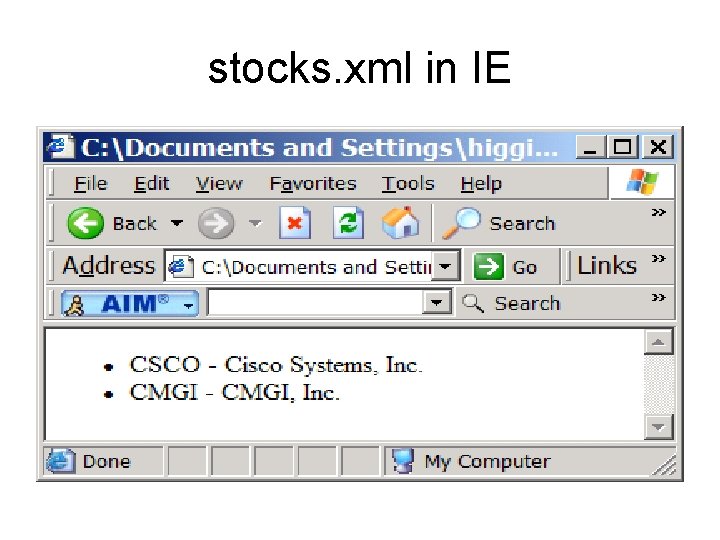
stocks. xml in IE
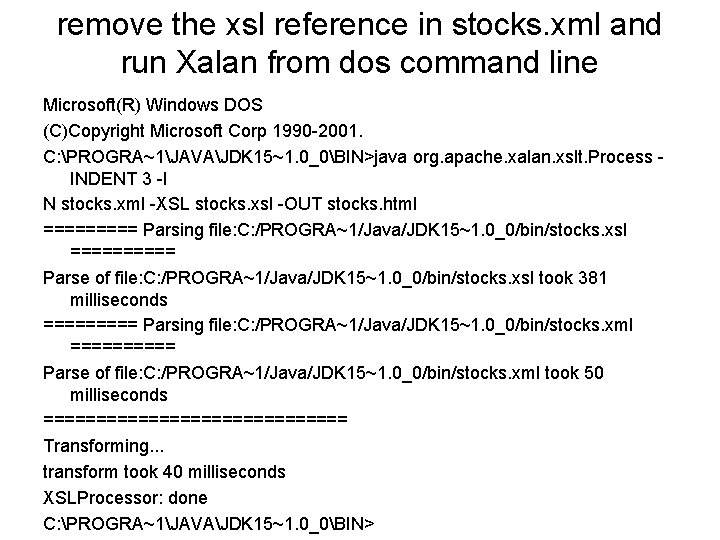
The Xalan parser • Xalan can be used to render transformations on XML, like generating HTML for a given XML.
remove the xsl reference in stocks. xml and run Xalan from dos command line Microsoft(R) Windows DOS (C)Copyright Microsoft Corp 1990 -2001. C: PROGRA~1JAVAJDK 15~1. 0_0BIN>java org. apache. xalan. xslt. Process INDENT 3 -I N stocks. xml -XSL stocks. xsl -OUT stocks. html ===== Parsing file: C: /PROGRA~1/Java/JDK 15~1. 0_0/bin/stocks. xsl ===== Parse of file: C: /PROGRA~1/Java/JDK 15~1. 0_0/bin/stocks. xsl took 381 milliseconds ===== Parsing file: C: /PROGRA~1/Java/JDK 15~1. 0_0/bin/stocks. xml ===== Parse of file: C: /PROGRA~1/Java/JDK 15~1. 0_0/bin/stocks. xml took 50 milliseconds =============== Transforming. . . transform took 40 milliseconds XSLProcessor: done C: PROGRA~1JAVAJDK 15~1. 0_0BIN>
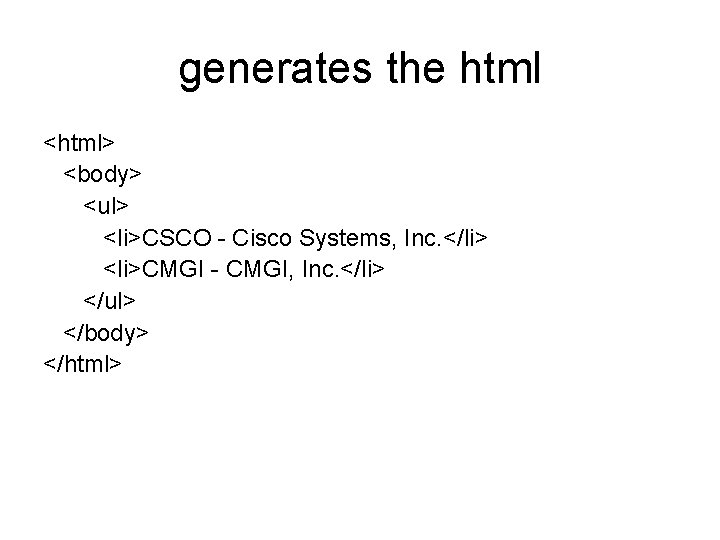
generates the html <html> <body> <ul> <li>CSCO - Cisco Systems, Inc. </li> <li>CMGI - CMGI, Inc. </li> </ul> </body> </html>