
XP Managing Your Files 1 Managing Your Files
- Slides: 19
XP Managing Your Files 1 Managing Your Files
Objectives • • • XP Develop file management strategies Explore files and folders Create, name, copy, move, and delete folders Name, copy, move, and delete files Work with compressed files 2 Managing Your Files
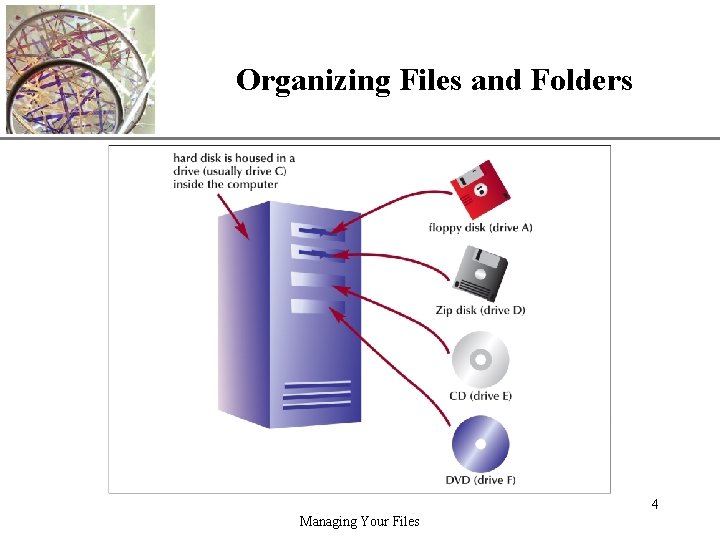
XP Organizing Files and Folders • A file, or document, is a collection of data that has a name and is stored in a computer • You organize files by storing them in folders • Disks contain folders that hold documents, or files – – Floppy disks Zip disks Compact Discs (CDs) Hard Disks • Removable disks are inserted into a drive 3 Managing Your Files
Organizing Files and Folders XP 4 Managing Your Files
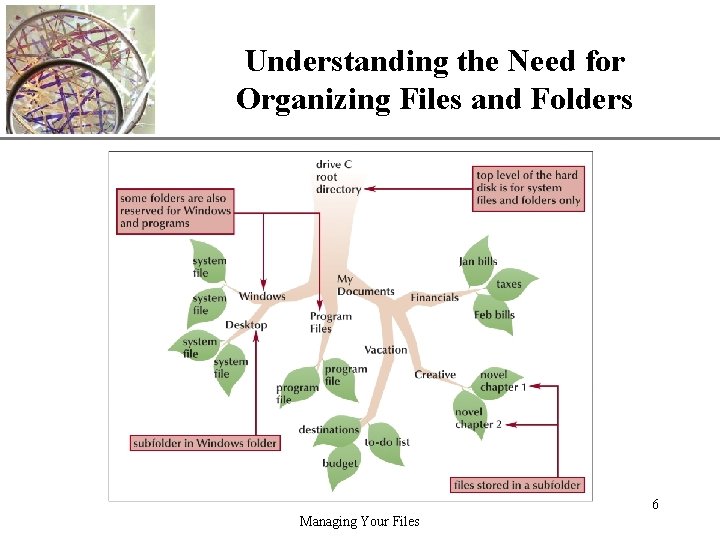
Understanding the Need for Organizing Files and Folders XP • Windows organizes the folders and files in a hierarchy, or file system • Windows stores folders and important files that it needs when you turn on the computer in the root directory • Folders stored within other folders are called subfolders 5 Managing Your Files
Understanding the Need for Organizing Files and Folders XP 6 Managing Your Files
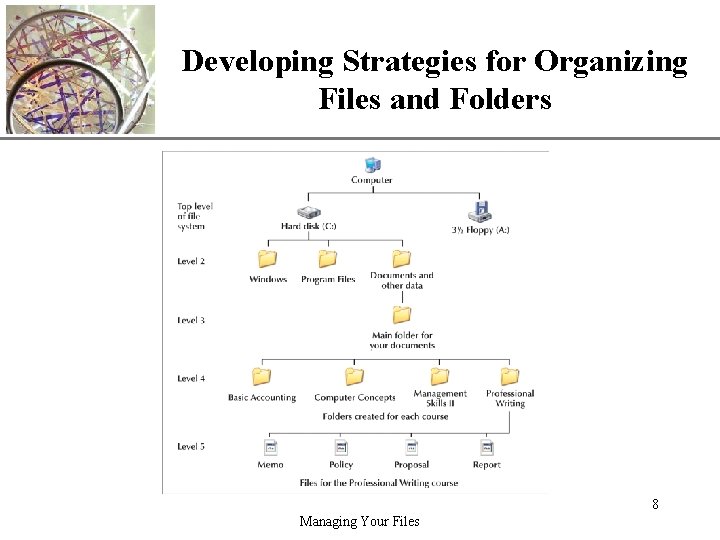
XP Developing Strategies for Organizing Files and Folders • The type of disk you use to store files determines how you organize those files • Storing files on removable media allows you to use simpler organization • The larger the medium, the more levels of folders you should use • My Documents folder • You should have a backup, or duplicate copy, of important files 7 Managing Your Files
XP Developing Strategies for Organizing Files and Folders 8 Managing Your Files
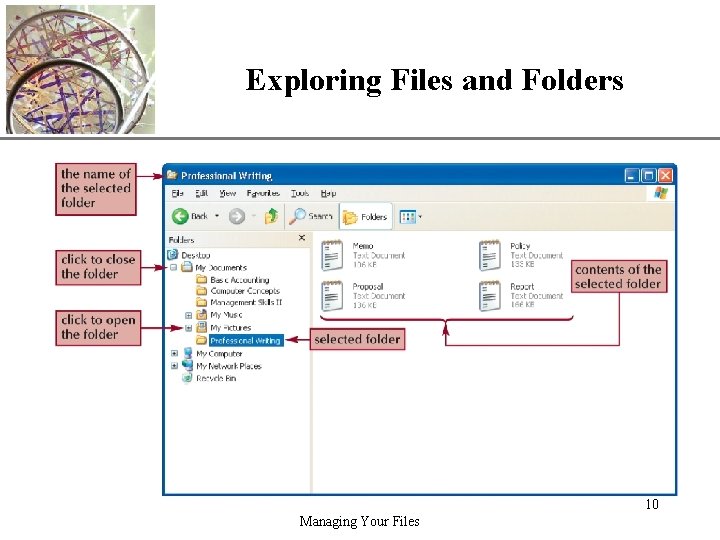
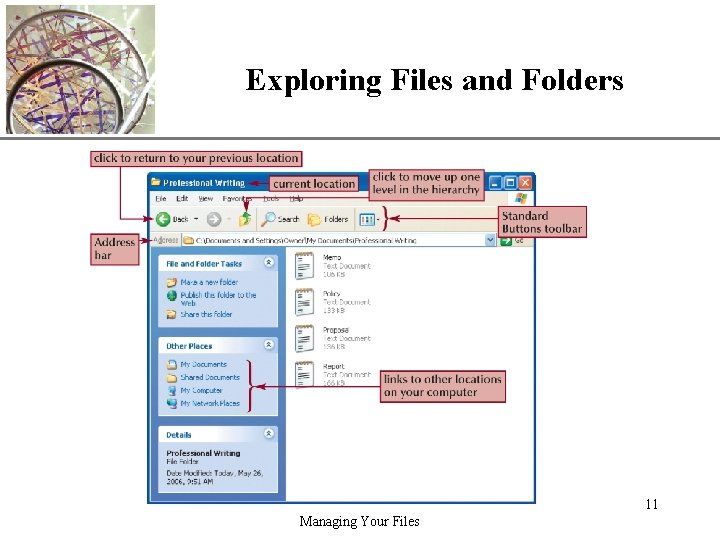
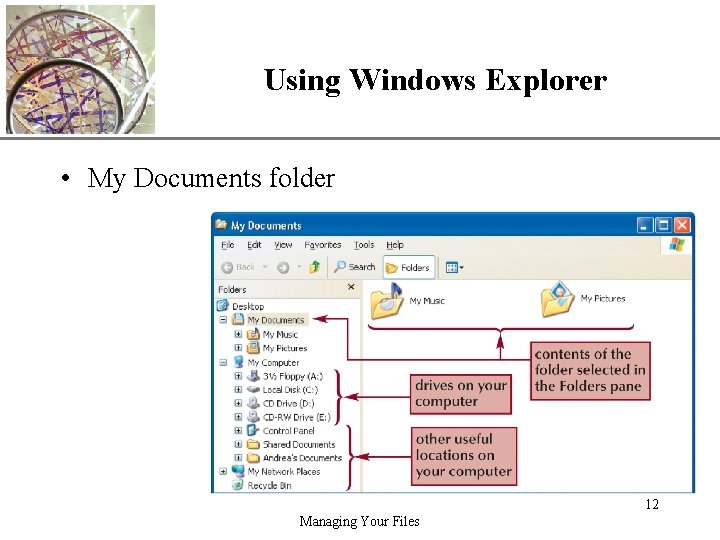
Exploring Files and Folders XP • Windows Explorer shows the files, folders, and drives on your computer – Panes • Explorer bar • Folders pane – Expand icon – Collapse icon • My Computer shows the drives on your computer 9 Managing Your Files
Exploring Files and Folders XP 10 Managing Your Files
Exploring Files and Folders XP 11 Managing Your Files
Using Windows Explorer XP • My Documents folder 12 Managing Your Files
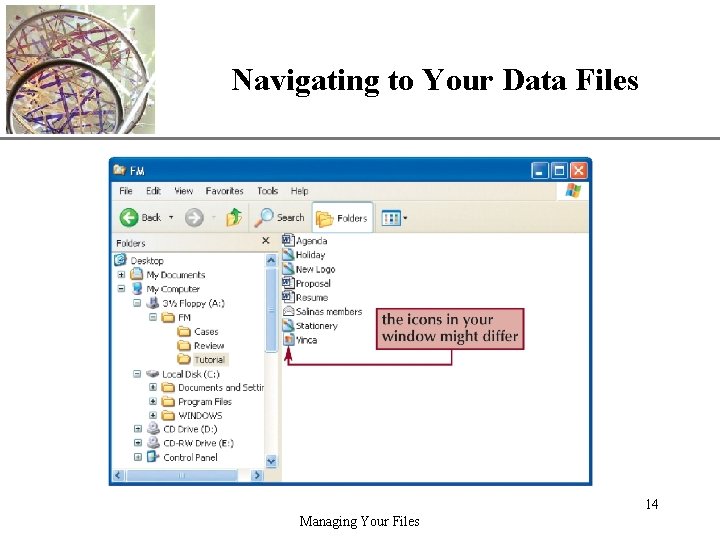
XP Navigating to Your Data Files • The file path is a notation that indicates a file’s location on your computer A: FMTutorialHoliday. bmp – – A: is the drive name FM is the top-level folder on drive A Tutorial is a subfolder in the FM folder Holiday. bmp is the full filename with the file extention 13 Managing Your Files
Navigating to Your Data Files XP 14 Managing Your Files
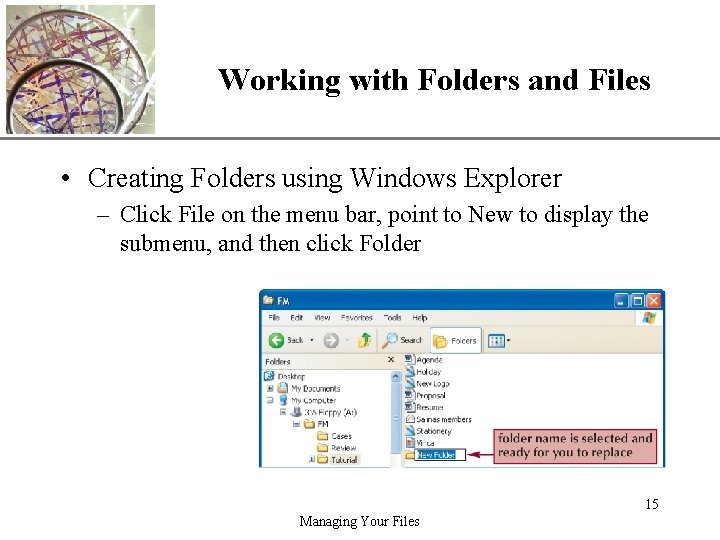
Working with Folders and Files XP • Creating Folders using Windows Explorer – Click File on the menu bar, point to New to display the submenu, and then click Folder 15 Managing Your Files
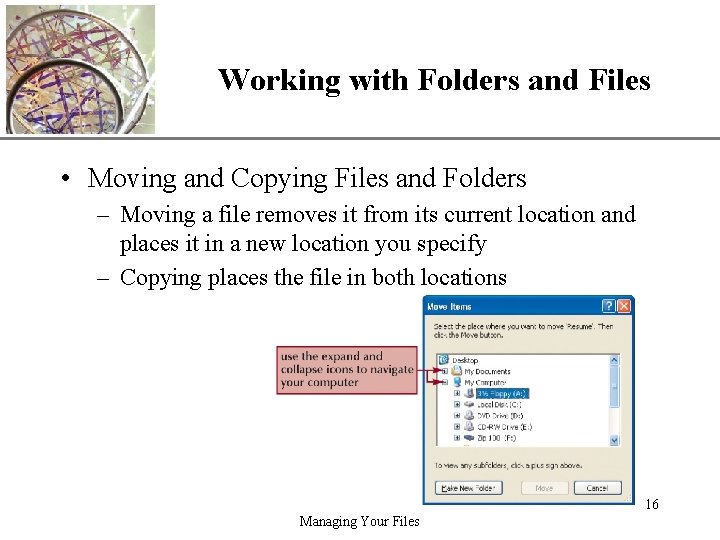
Working with Folders and Files XP • Moving and Copying Files and Folders – Moving a file removes it from its current location and places it in a new location you specify – Copying places the file in both locations 16 Managing Your Files
Working with Folders and Files XP • Naming and Renaming Files – Filenames provide important information about the file, including its contents and purpose • Main part of the filename • Dot • File extension – A filename extension identifies the file’s type and indicates the program in which the file was created 17 Managing Your Files
Working with Folders and Files XP • Deleting Files and Folders – The Recycle Bin is an area on your hard disk that holds deleted files until you remove them permanently 18 Managing Your Files
Working with Compressed Files XP • Files stored in a compressed (zipped) folder take up less disk space – Allows you to transfer files more quickly • Extracting a file creates an uncompressed copy of the file in a folder you specify, while the original file remains in the compressed folder • Compression programs – Win. Zip – PKZip 19 Managing Your Files