
XML Schema Complex Type Week 7 Web site
XML Schema – Complex Type Week 7 Web site: http: //fog. ccsf. edu/~hyip
Defining Complex Types • A complex type element is one that can contain child elements, attributes, or some combination of the two. • There has been some discussion in the XML community about the intricacies of complex types, specifically, how difficult they are to understand. Even still, since you will want your XML document to contain more than just a root element, you will at least need one complex type element to allow the root element to have a child element of its own. Another important reason to use complex types in your XML Schema is to allow elements to have attributes.
Complex Type Basics • Complex type elements are further subdivided into those with simple content, and those with complex content. Both can have attributes, but simple content only allows string content, whereas complex content allows child elements.
The Four Complex Types • The first is called “text only” and is complex type element with simple content (allows text and attributes). • The second is called “element only” and is a complex type element with complex content (allows children and attributes). • The third is the “empty element” and is also a complex type element with complex content. It is a complex type element because it may contain attributes. It is considered complex content because simple content allows text, and it is an empty element, it cannot allow text content. • Finally, the fourth complex type XML element is called “mixed content”. It is a complex type element with both complex content and simple content (allows text, child elements, and attributes).
Deriving a Complex Type and the Default Condition • Deriving a Complex Type • Custom simple types are derived from the built-in simple types. With complex types, there are not any built-in types to use. To use a complex type, it must be derived. • The Default Condition • Probably the most important thing to know about working with complex types is that the default derivation for complex types is: • Complex content that restricts any. Type • With this default condition, you can and should always omit the <xs: complex. Content> and <xs: restriction base="any. Type"> elements from your XML Shema definitions of complex types. (see example below)
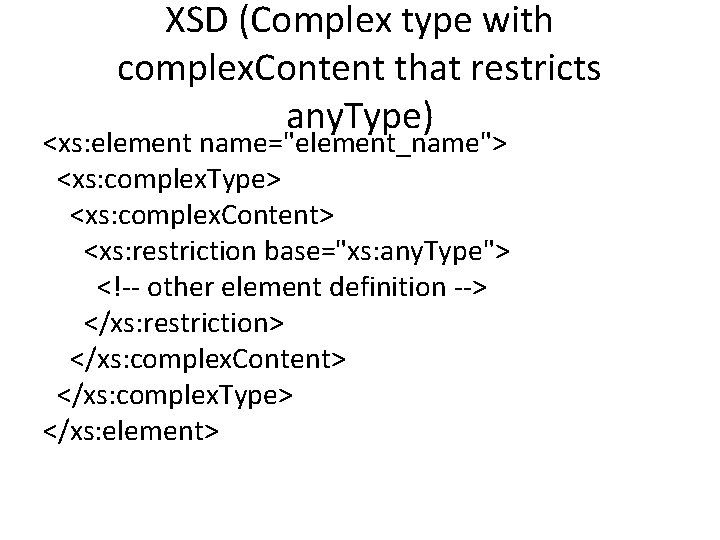
XSD (Complex type with complex. Content that restricts any. Type) <xs: element name="element_name"> <xs: complex. Type> <xs: complex. Content> <xs: restriction base="xs: any. Type"> <!-- other element definition --> </xs: restriction> </xs: complex. Content> </xs: complex. Type> </xs: element>
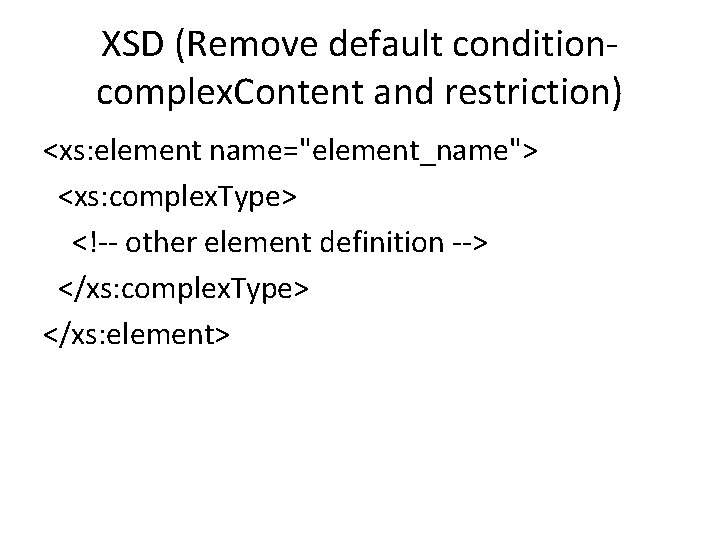
XSD (Remove default conditioncomplex. Content and restriction) <xs: element name="element_name"> <xs: complex. Type> <!-- other element definition --> </xs: complex. Type> </xs: element>
Deriving Anonymous Complex Types • You can derive a complex type anonymously, or you can name it. If you don’t need to reuse a complex type, it is faster to create it anonymously within the element definition itself.
To Derive an anonymous Complex Type 1) 2) 3) 4) 5) • Begin the definition of the element by typing <xs: element name="label">, where label is the name of the XML element that you are defining. Then, type <xs: complex. Type> to begin the anonymous complex type. Within the xs: complex. Type element: Declare the content type to be either simple content or complex content. Create the guts of the element. Define the attributes that should appear, if any. Next, type </xs: complex. Type> to complete the anonymous complex type definition. Finally, type </xs: element> to complete the definition of the complex type element. NOTE: The only difference between an anonymous type and a named type is that a named type can be used more than once, and can be used as the base for new complex types. An anonymous type can only be used for the element in which it is contained.
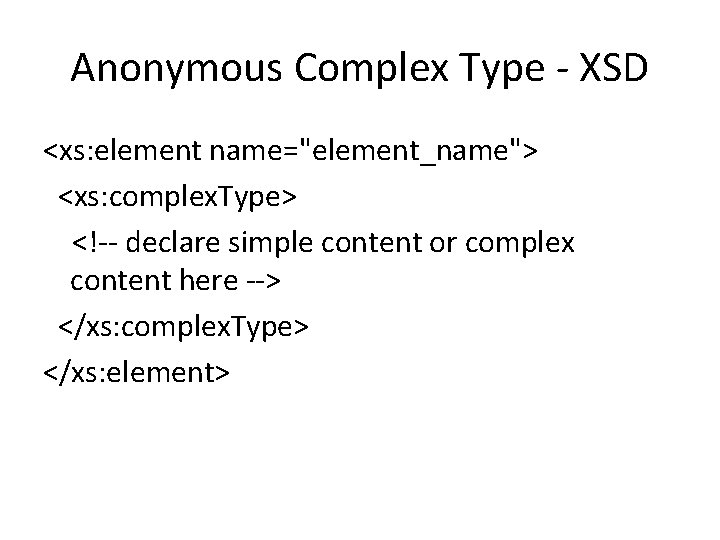
Anonymous Complex Type - XSD <xs: element name="element_name"> <xs: complex. Type> <!-- declare simple content or complex content here --> </xs: complex. Type> </xs: element>
Deriving Named Complex Types • If you are going to use a complex type to define more than one element in your XML Schema, you can create a named complex type. Then, each time you want to use it, you can include a reference between the XML element and your new custom type.
To derive a Named Complex Type 1) 2) Type <xs: complex. Type to define the named complex type. Then, type name= "complex_type_name ">, where complex_type_name identifies your new complex type. 3) Within the xs: complex. Type element: Declare the content type to be either simple content or complex content. Create the guts of the element. Define the attributes that should appear, if any. 4) Next, type </xs: complex. Type> to complete the named complex type definition. 5) Then, to use the named complex type for the definition of the XML element, you will type <xs: element name= "label " type= "complex_type_name ">, where complex_type_name is the name you gave the new complex type in step 2 above. • NOTE: Notice that you refer to your new complex type as complex_type_name, instead of xs: complex_type_name. This is because the "xs: " prefix refers to the XML Schema namespace, not custom types.
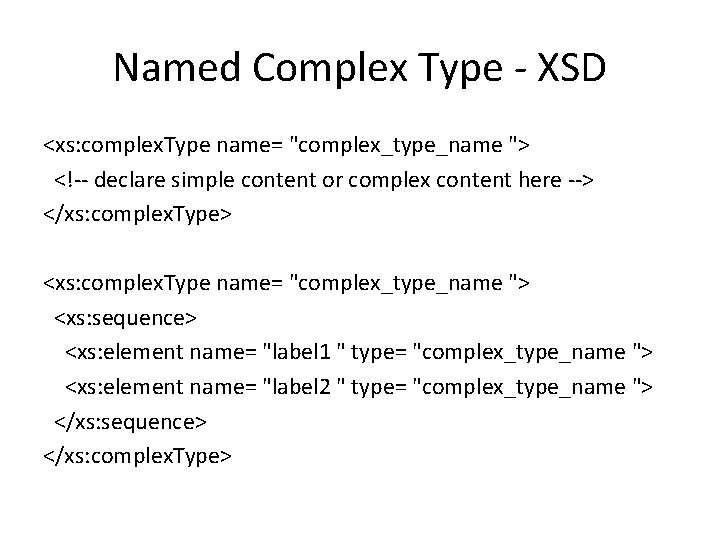
Named Complex Type - XSD <xs: complex. Type name= "complex_type_name "> <!-- declare simple content or complex content here --> </xs: complex. Type> <xs: complex. Type name= "complex_type_name "> <xs: sequence> <xs: element name= "label 1 " type= "complex_type_name "> <xs: element name= "label 2 " type= "complex_type_name "> </xs: sequence> </xs: complex. Type>
1. Defining Elements to contain Only Text • (Complex Type, Simple Content, with Attributes) • It contains a text value and no child elements. This complex type is a little misleading, however, it can (and often will), have one or more attributes.
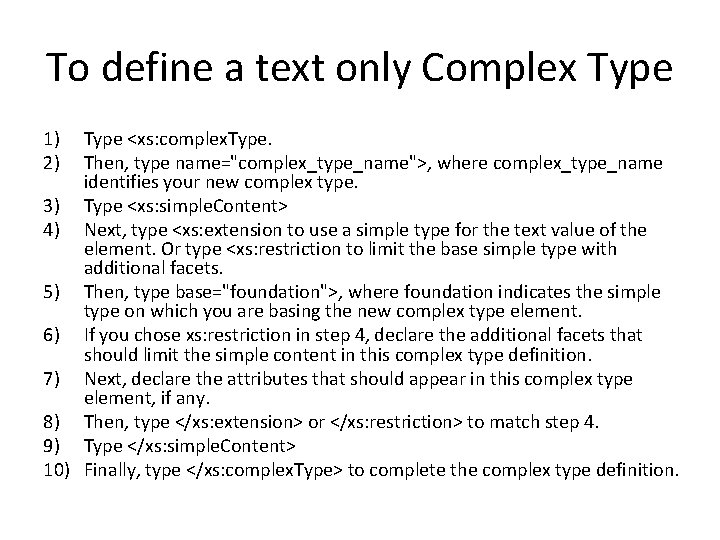
To define a text only Complex Type 1) 2) Type <xs: complex. Type. Then, type name="complex_type_name">, where complex_type_name identifies your new complex type. 3) Type <xs: simple. Content> 4) Next, type <xs: extension to use a simple type for the text value of the element. Or type <xs: restriction to limit the base simple type with additional facets. 5) Then, type base="foundation">, where foundation indicates the simple type on which you are basing the new complex type element. 6) If you chose xs: restriction in step 4, declare the additional facets that should limit the simple content in this complex type definition. 7) Next, declare the attributes that should appear in this complex type element, if any. 8) Then, type </xs: extension> or </xs: restriction> to match step 4. 9) Type </xs: simple. Content> 10) Finally, type </xs: complex. Type> to complete the complex type definition.
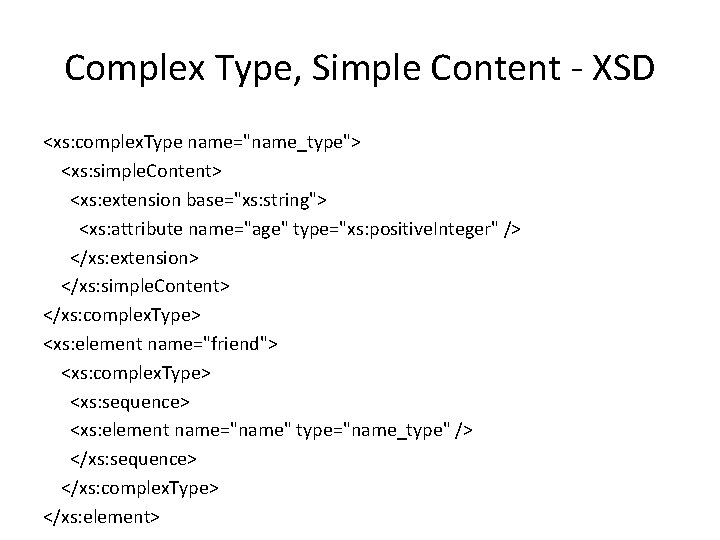
Complex Type, Simple Content - XSD <xs: complex. Type name="name_type"> <xs: simple. Content> <xs: extension base="xs: string"> <xs: attribute name="age" type="xs: positive. Integer" /> </xs: extension> </xs: simple. Content> </xs: complex. Type> <xs: element name="friend"> <xs: complex. Type> <xs: sequence> <xs: element name="name" type="name_type" /> </xs: sequence> </xs: complex. Type> </xs: element>
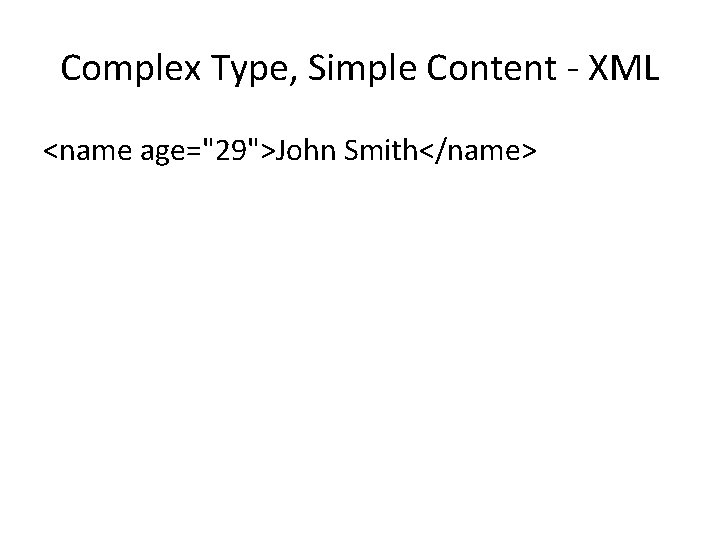
Complex Type, Simple Content - XML <name age="29">John Smith</name>
2. Defining Complex Types That Contain Child Elements • (Complex type, complex content, element only (child element), with attributes) • One of the most common complex types is one that contains child elements. This complex type can also contain attributes. It is described (even with attributes) as “element only”.
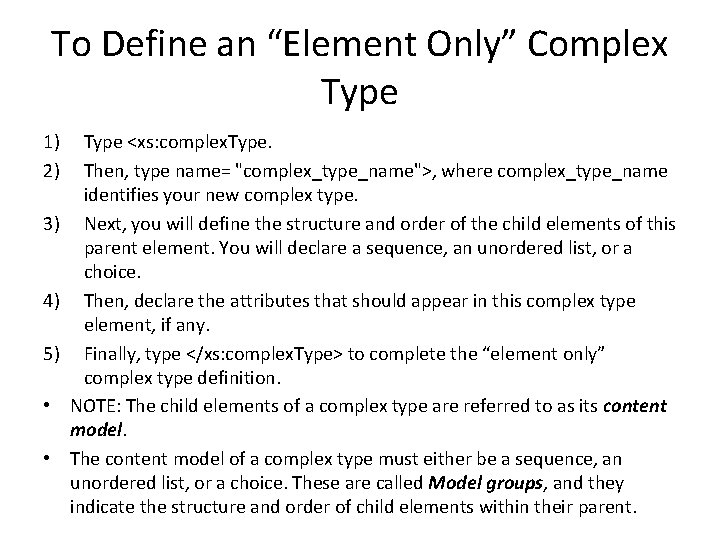
To Define an “Element Only” Complex Type 1) 2) 3) 4) 5) • • Type <xs: complex. Type. Then, type name= "complex_type_name">, where complex_type_name identifies your new complex type. Next, you will define the structure and order of the child elements of this parent element. You will declare a sequence, an unordered list, or a choice. Then, declare the attributes that should appear in this complex type element, if any. Finally, type </xs: complex. Type> to complete the “element only” complex type definition. NOTE: The child elements of a complex type are referred to as its content model. The content model of a complex type must either be a sequence, an unordered list, or a choice. These are called Model groups, and they indicate the structure and order of child elements within their parent.
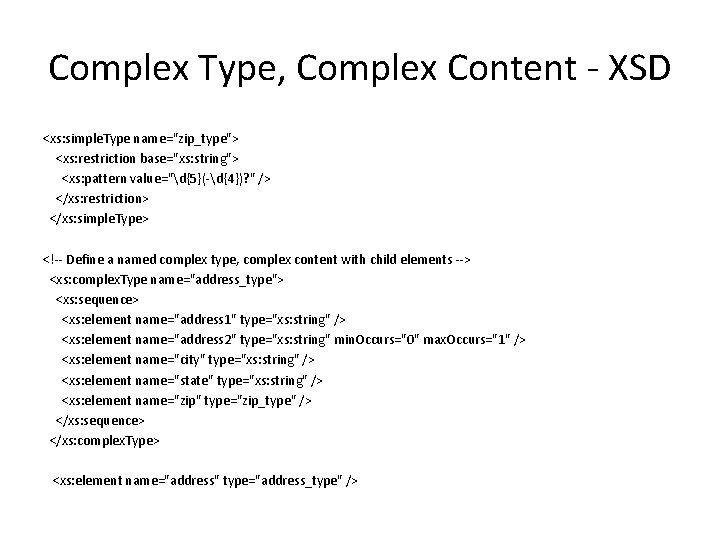
Complex Type, Complex Content - XSD <xs: simple. Type name="zip_type"> <xs: restriction base="xs: string"> <xs: pattern value="d{5}(-d{4})? " /> </xs: restriction> </xs: simple. Type> <!-- Define a named complex type, complex content with child elements --> <xs: complex. Type name="address_type"> <xs: sequence> <xs: element name="address 1" type="xs: string" /> <xs: element name="address 2" type="xs: string" min. Occurs="0" max. Occurs="1" /> <xs: element name="city" type="xs: string" /> <xs: element name="state" type="xs: string" /> <xs: element name="zip" type="zip_type" /> </xs: sequence> </xs: complex. Type> <xs: element name="address" type="address_type" />
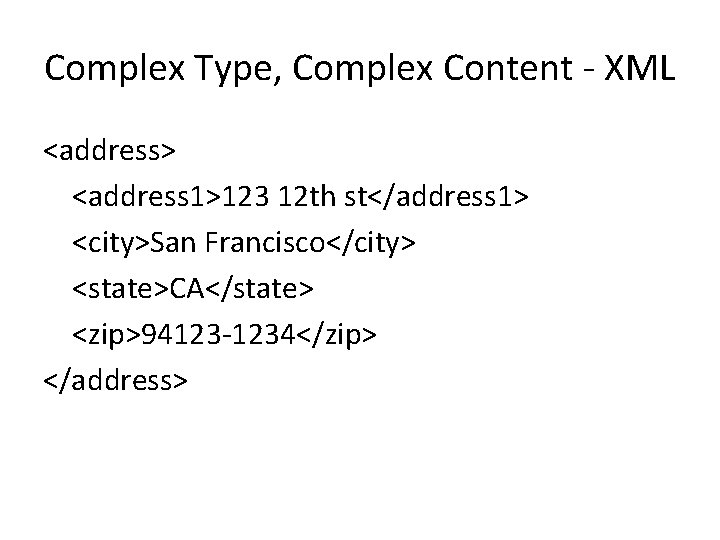
Complex Type, Complex Content - XML <address> <address 1>123 12 th st</address 1> <city>San Francisco</city> <state>CA</state> <zip>94123 -1234</zip> </address>
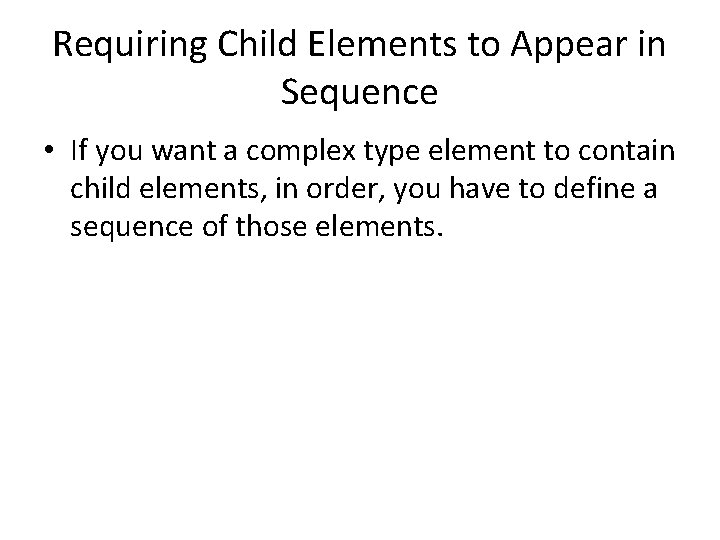
Requiring Child Elements to Appear in Sequence • If you want a complex type element to contain child elements, in order, you have to define a sequence of those elements.
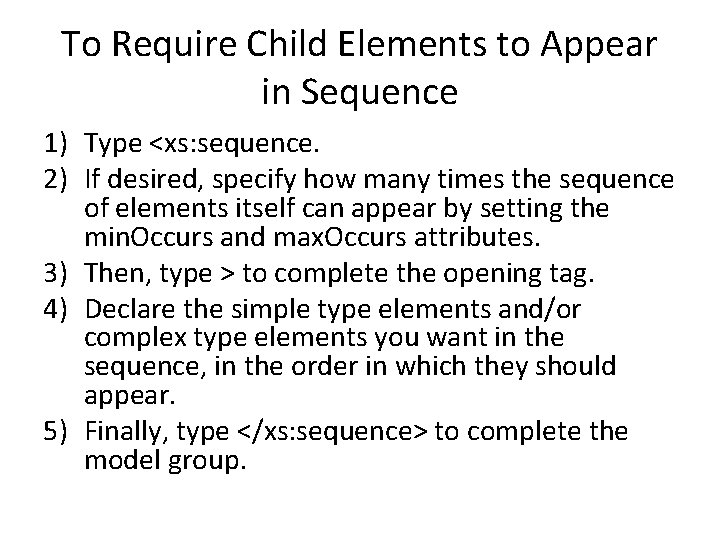
To Require Child Elements to Appear in Sequence 1) Type <xs: sequence. 2) If desired, specify how many times the sequence of elements itself can appear by setting the min. Occurs and max. Occurs attributes. 3) Then, type > to complete the opening tag. 4) Declare the simple type elements and/or complex type elements you want in the sequence, in the order in which they should appear. 5) Finally, type </xs: sequence> to complete the model group.
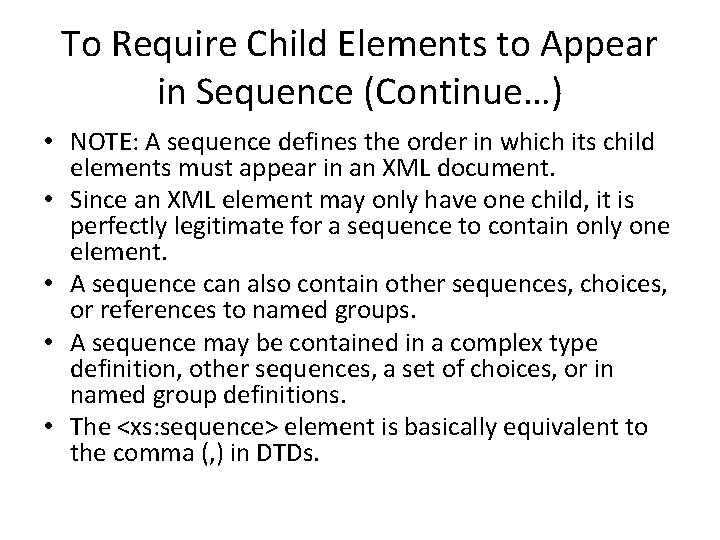
To Require Child Elements to Appear in Sequence (Continue…) • NOTE: A sequence defines the order in which its child elements must appear in an XML document. • Since an XML element may only have one child, it is perfectly legitimate for a sequence to contain only one element. • A sequence can also contain other sequences, choices, or references to named groups. • A sequence may be contained in a complex type definition, other sequences, a set of choices, or in named group definitions. • The <xs: sequence> element is basically equivalent to the comma (, ) in DTDs.
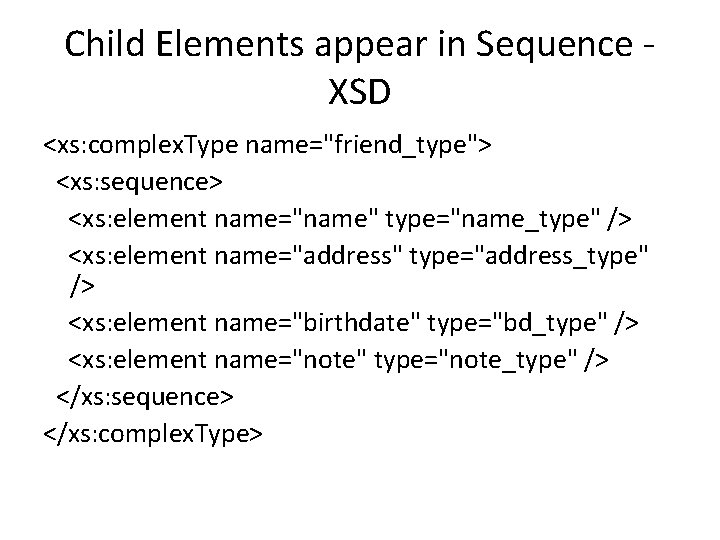
Child Elements appear in Sequence - XSD <xs: complex. Type name="friend_type"> <xs: sequence> <xs: element name="name" type="name_type" /> <xs: element name="address" type="address_type" /> <xs: element name="birthdate" type="bd_type" /> <xs: element name="note" type="note_type" /> </xs: sequence> </xs: complex. Type>
Allowing Child Elements to Appear in Any Order • If you want a complex type element to contain child elements in any order, you can list those children with an all element.
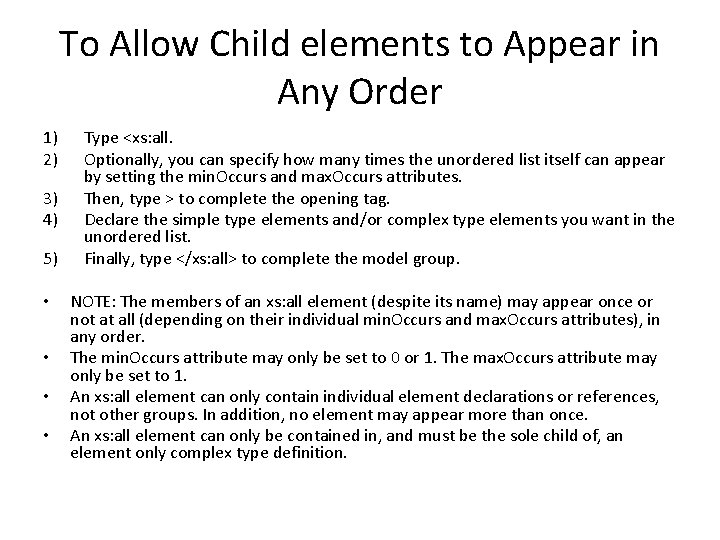
To Allow Child elements to Appear in Any Order 1) 2) 3) 4) Type <xs: all. Optionally, you can specify how many times the unordered list itself can appear by setting the min. Occurs and max. Occurs attributes. Then, type > to complete the opening tag. Declare the simple type elements and/or complex type elements you want in the unordered list. Finally, type </xs: all> to complete the model group. 5) • NOTE: The members of an xs: all element (despite its name) may appear once or not at all (depending on their individual min. Occurs and max. Occurs attributes), in any order. • The min. Occurs attribute may only be set to 0 or 1. The max. Occurs attribute may only be set to 1. • An xs: all element can only contain individual element declarations or references, not other groups. In addition, no element may appear more than once. • An xs: all element can only be contained in, and must be the sole child of, an element only complex type definition.
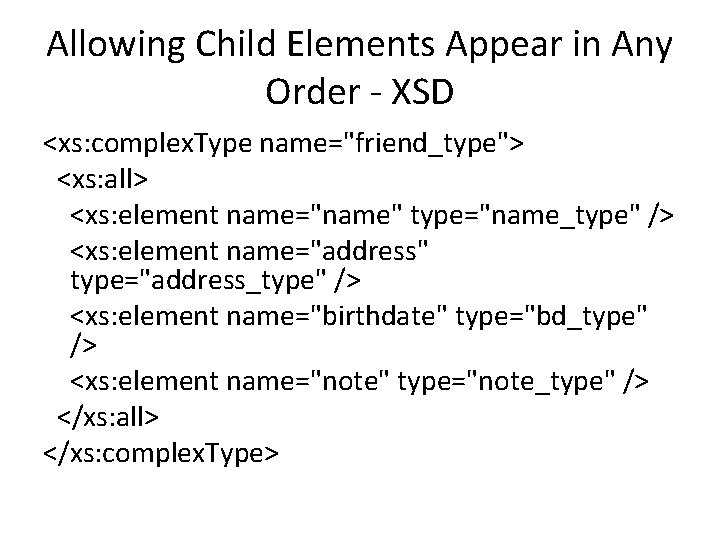
Allowing Child Elements Appear in Any Order - XSD <xs: complex. Type name="friend_type"> <xs: all> <xs: element name="name" type="name_type" /> <xs: element name="address" type="address_type" /> <xs: element name="birthdate" type="bd_type" /> <xs: element name="note" type="note_type" /> </xs: all> </xs: complex. Type>
Creating a Set of Choices • It is sometimes useful to declare a complex type element so that it can contain one child element (or a group of child elements) or another. You do that by creating a choice model group.
To Offer a Choice of Child Elements 1) Type <xs: choice. 2) Optionally, you can specify how many times the set of choices itself can appear by setting the min. Occurs and max. Occurs attributes. 3) Then, type > to complete the opening tag. 4) Declare the simple type element and/or complex type elements that you want to make up the set of choices. 5) Finally, type </xs: choice> to complete the model group. • • NOTE: The default min. Occurs and max. Occurs attribute values are both 1. With these defaults, only one of the elements in a set of choices can appear in a valid XML document. If the value of the max. Occurs attribute is greater than 1, that value determines how many of the choices may appear. Using max. Occurs="unbounded" is equivalent to adding an asterisk (*) to a set of choices in a DTD. A set of choices can also contain sequences, additional choice sets, or references to named groups. A set of choices may be contained in a complex type definition, in sequences, in other sets of choices, or in named group definitions. The <xs: choice> element is basically equivalent to the vertical bars in DTDs.
Choice of Child Elements - XSD <xs: complex. Type name="address_type"> <xs: choice> <xs: sequence> <xs: element name="address 1" type="xs: string" /> <xs: element name="address 2" type="xs: string" min. Occurs="0" max. Occurs="1" /> <xs: element name="city" type="xs: string" /> <xs: element name="state" type="xs: string" /> <xs: element name="zip" type="zip_type" /> </xs: sequence> <xs: element name="country" type="xs: string" /> </xs: choice> </xs: complex. Type> <xs: element name="friend"> <xs: complex. Type> <xs: sequence> <xs: element name="name" type="xs: string" /> <xs: element name="address" type="address_type" /> </xs: sequence> </xs: complex. Type> </xs: element>
Choice of Child Elements - XML 1: <friend> <name>John Smith</name> <address> <address 1>123 12 th st</address 1> <address 2>apt #212</address 2> <city>San Francisco</city> <state>CA</state> <zip>94123 -1234</zip> </address> </friend> XML 2: <friend> <name>John Smith</name> <address> <country>Canada</country> </address> </friend> • NOTE: Both XML 1 and XML 2 are valid. (either use choice 1 or choice 2, element name inside each choices cannot be duplicated).
3. Defining Empty Elements • (Complex type, complex content, attributes only) • Elements that can contain attributes, but have no content between the opening and closing tags are called “empty elements”. Since these are complex type elements, they can (and often do), have one or more attributes.
To Define an “Empty Element” Complex Type 1) Type <xs: complex. Type 2) Then, type name="complex_type_name">, where complex_type_name identifies your new complex type. 3) Next, declare the attributes that should appear in this complex type element, if any. 4) Finally, type </xs: complex. Type> to complete the complex type definition.
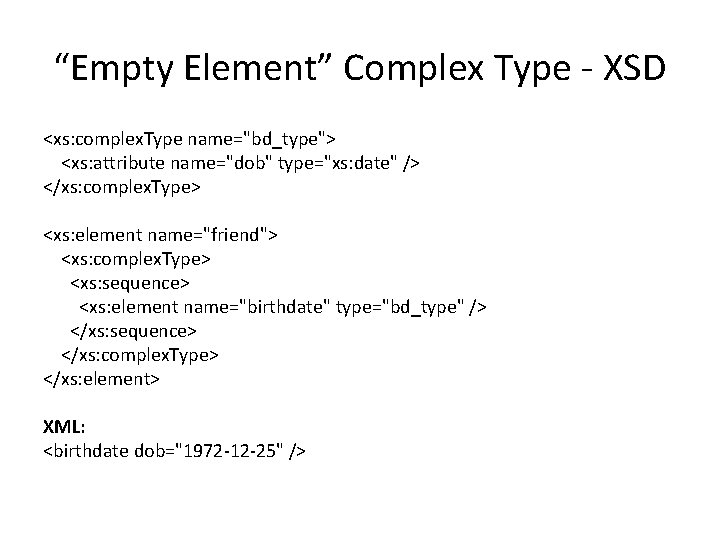
“Empty Element” Complex Type - XSD <xs: complex. Type name="bd_type"> <xs: attribute name="dob" type="xs: date" /> </xs: complex. Type> <xs: element name="friend"> <xs: complex. Type> <xs: sequence> <xs: element name="birthdate" type="bd_type" /> </xs: sequence> </xs: complex. Type> </xs: element> XML: <birthdate dob="1972 -12 -25" />
4. Defining Elements with Mixed Content • (Complex type, complex content, mixed (text and child), with attributes) • Mix content type is a complex type element with both complex content and simple content.
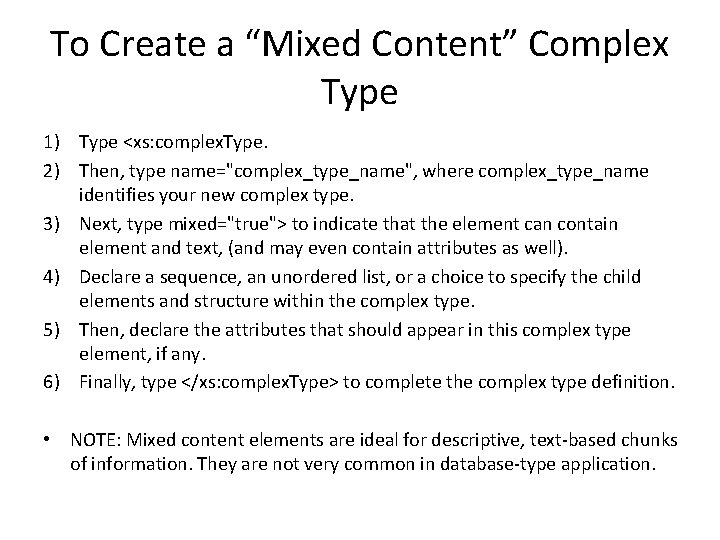
To Create a “Mixed Content” Complex Type 1) Type <xs: complex. Type. 2) Then, type name="complex_type_name", where complex_type_name identifies your new complex type. 3) Next, type mixed="true"> to indicate that the element can contain element and text, (and may even contain attributes as well). 4) Declare a sequence, an unordered list, or a choice to specify the child elements and structure within the complex type. 5) Then, declare the attributes that should appear in this complex type element, if any. 6) Finally, type </xs: complex. Type> to complete the complex type definition. • NOTE: Mixed content elements are ideal for descriptive, text-based chunks of information. They are not very common in database-type application.
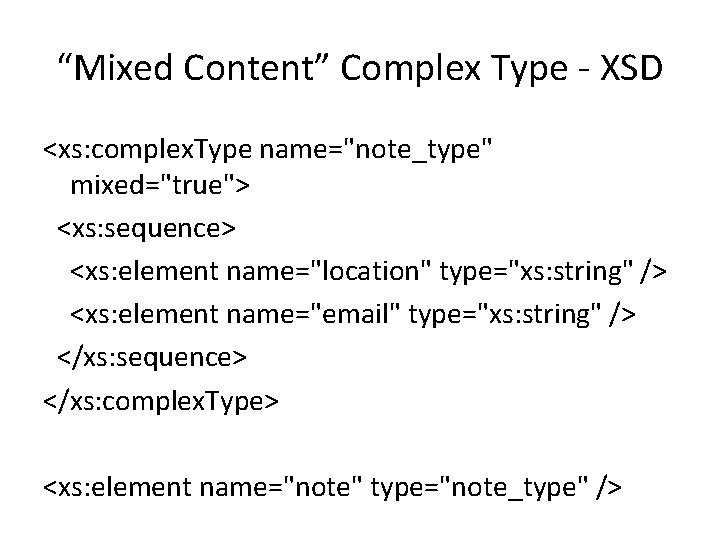
“Mixed Content” Complex Type - XSD <xs: complex. Type name="note_type" mixed="true"> <xs: sequence> <xs: element name="location" type="xs: string" /> <xs: element name="email" type="xs: string" /> </xs: sequence> </xs: complex. Type> <xs: element name="note" type="note_type" />
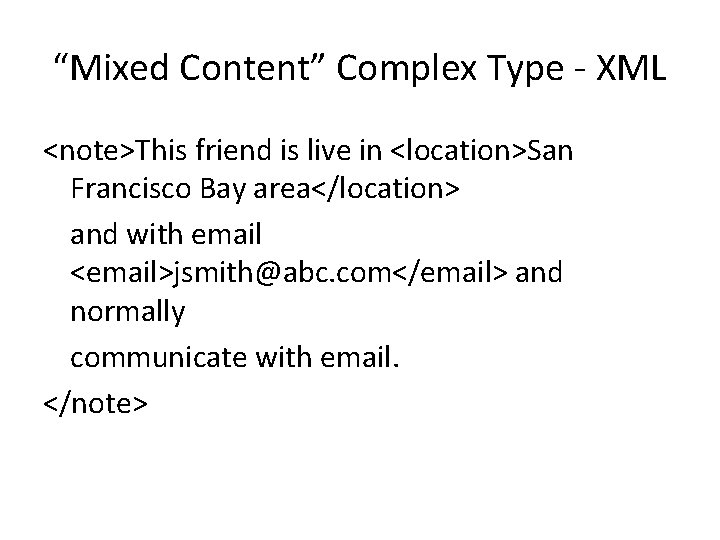
“Mixed Content” Complex Type - XML <note>This friend is live in <location>San Francisco Bay area</location> and with email <email>jsmith@abc. com</email> and normally communicate with email. </note>
Deriving Complex Type from Existing Complex Type • You can also create new complex types based on existing complex types. The new complex type begin with all the information from the existing type, and then adds or removes features.
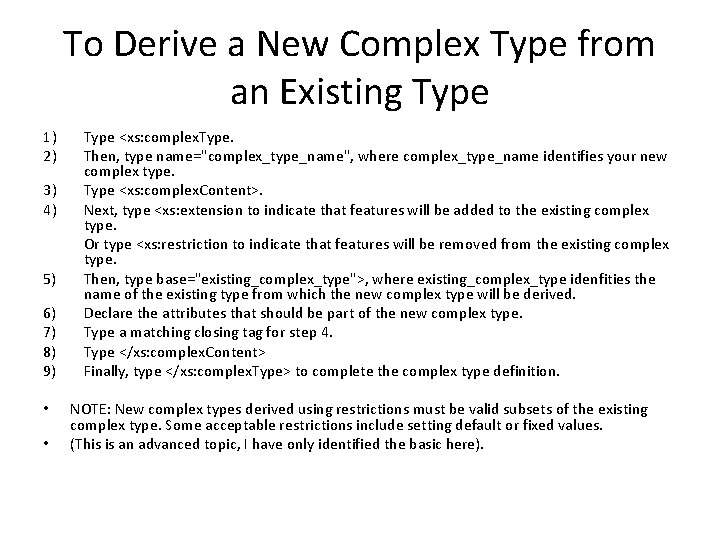
To Derive a New Complex Type from an Existing Type 1) 2) 3) 4) 5) 6) 7) 8) 9) • • Type <xs: complex. Type. Then, type name="complex_type_name", where complex_type_name identifies your new complex type. Type <xs: complex. Content>. Next, type <xs: extension to indicate that features will be added to the existing complex type. Or type <xs: restriction to indicate that features will be removed from the existing complex type. Then, type base="existing_complex_type">, where existing_complex_type idenfities the name of the existing type from which the new complex type will be derived. Declare the attributes that should be part of the new complex type. Type a matching closing tag for step 4. Type </xs: complex. Content> Finally, type </xs: complex. Type> to complete the complex type definition. NOTE: New complex types derived using restrictions must be valid subsets of the existing complex type. Some acceptable restrictions include setting default or fixed values. (This is an advanced topic, I have only identified the basic here).
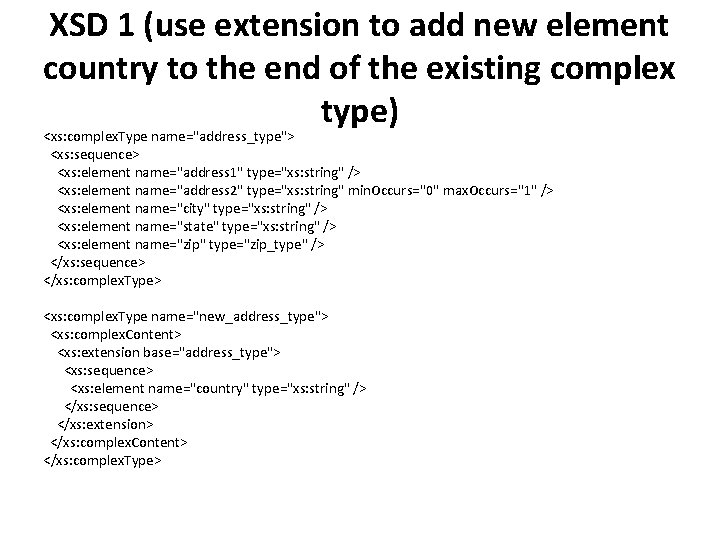
XSD 1 (use extension to add new element country to the end of the existing complex type) <xs: complex. Type name="address_type"> <xs: sequence> <xs: element name="address 1" type="xs: string" /> <xs: element name="address 2" type="xs: string" min. Occurs="0" max. Occurs="1" /> <xs: element name="city" type="xs: string" /> <xs: element name="state" type="xs: string" /> <xs: element name="zip" type="zip_type" /> </xs: sequence> </xs: complex. Type> <xs: complex. Type name="new_address_type"> <xs: complex. Content> <xs: extension base="address_type"> <xs: sequence> <xs: element name="country" type="xs: string" /> </xs: sequence> </xs: extension> </xs: complex. Content> </xs: complex. Type>
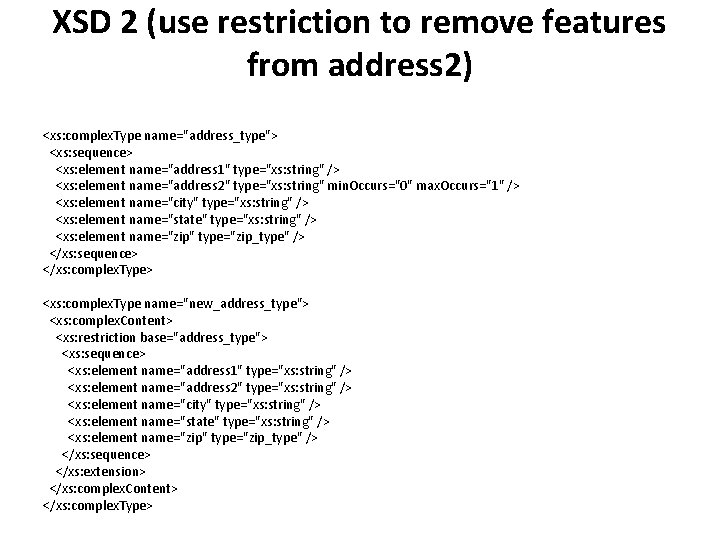
XSD 2 (use restriction to remove features from address 2) <xs: complex. Type name="address_type"> <xs: sequence> <xs: element name="address 1" type="xs: string" /> <xs: element name="address 2" type="xs: string" min. Occurs="0" max. Occurs="1" /> <xs: element name="city" type="xs: string" /> <xs: element name="state" type="xs: string" /> <xs: element name="zip" type="zip_type" /> </xs: sequence> </xs: complex. Type> <xs: complex. Type name="new_address_type"> <xs: complex. Content> <xs: restriction base="address_type"> <xs: sequence> <xs: element name="address 1" type="xs: string" /> <xs: element name="address 2" type="xs: string" /> <xs: element name="city" type="xs: string" /> <xs: element name="state" type="xs: string" /> <xs: element name="zip" type="zip_type" /> </xs: sequence> </xs: extension> </xs: complex. Content> </xs: complex. Type>
Referencing Globally Defined Elements • In an XML Schema document, elements defined as children of the xs: schema root element are said to be defined globally. Named complex types are an example of an element that is globally defined. • You can also globally define an individual element. Once defined, in order for this element to be used in the XML Schema document, it must be called or referenced.
To Reference a Globally Defined Element 1) In the sequence, unordered list, or set of choice in which the element should appear, type <xs: element. 2) Then, type ref="label", where label is the name of the globally defined element. 3) If desired, specify how many times the element can appear at this point using min. Occurs or max. Occurs. 4) Finally, type /> to complete the global element reference. • NOTE: You can reference a globally declared element in your XML Schema as many times as you like. As well, each reference may contain its own distinct values for min. Occurs and max. Occurs. • Locally declared elements are automatically referenced by the parent definition in which they appear. They cannot be referenced anywhere else.
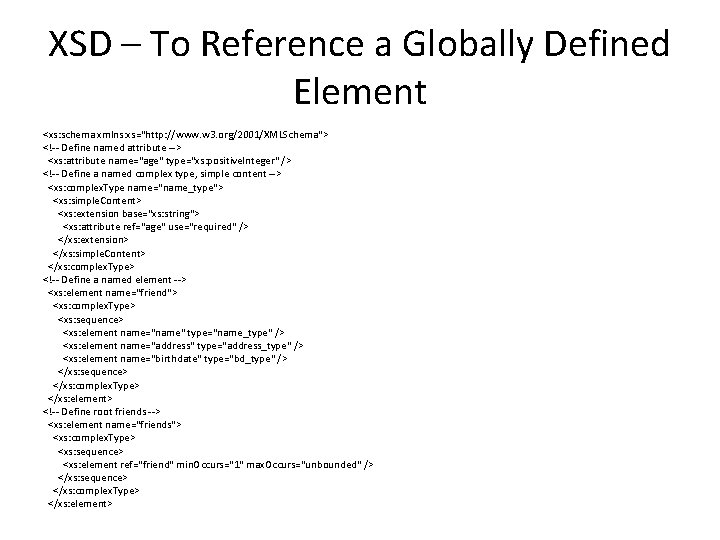
XSD – To Reference a Globally Defined Element <xs: schema xmlns: xs="http: //www. w 3. org/2001/XMLSchema"> <!-- Define named attribute --> <xs: attribute name="age" type="xs: positive. Integer" /> <!-- Define a named complex type, simple content --> <xs: complex. Type name="name_type"> <xs: simple. Content> <xs: extension base="xs: string"> <xs: attribute ref="age" use="required" /> </xs: extension> </xs: simple. Content> </xs: complex. Type> <!-- Define a named element --> <xs: element name="friend"> <xs: complex. Type> <xs: sequence> <xs: element name="name" type="name_type" /> <xs: element name="address" type="address_type" /> <xs: element name="birthdate" type="bd_type" /> </xs: sequence> </xs: complex. Type> </xs: element> <!-- Define root friends --> <xs: element name="friends"> <xs: complex. Type> <xs: sequence> <xs: element ref="friend" min. Occurs="1" max. Occurs="unbounded" /> </xs: sequence> </xs: complex. Type> </xs: element>
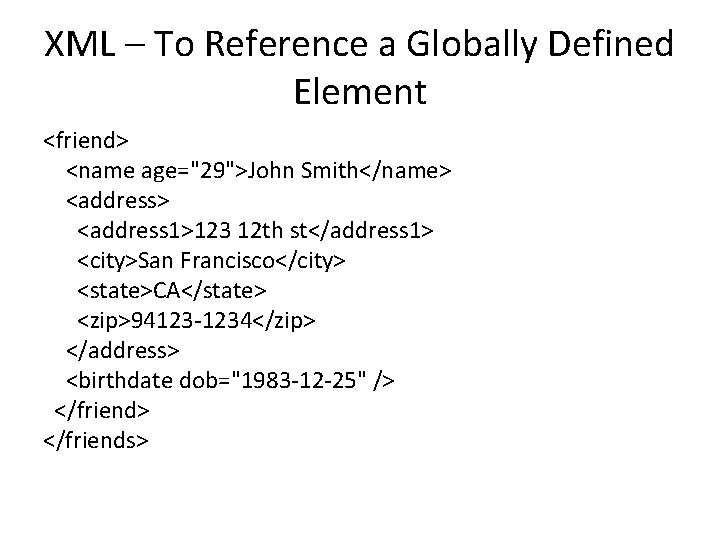
XML – To Reference a Globally Defined Element <friend> <name age="29">John Smith</name> <address> <address 1>123 12 th st</address 1> <city>San Francisco</city> <state>CA</state> <zip>94123 -1234</zip> </address> <birthdate dob="1983 -12 -25" /> </friend> </friends>
Controlling How Many • Using XML Schema, you can control how many times a given element, sequence, unordered list, or set of choices can appear in a valid XML document. • To specify the minimum number of occurrences: § In the opening tag, type min. Occurs="n", where n indicates the fewer number of times the elements, sequence, unordered list, or set of choices may occur for the XML document to be considered valid. • To specify the maximum number of occurrences: § In the opening tag, type max. Occurs="n", where n indicates maximum number of times the element, sequence, unordered list, or set of choices may occur for the XML document to be considered valid.
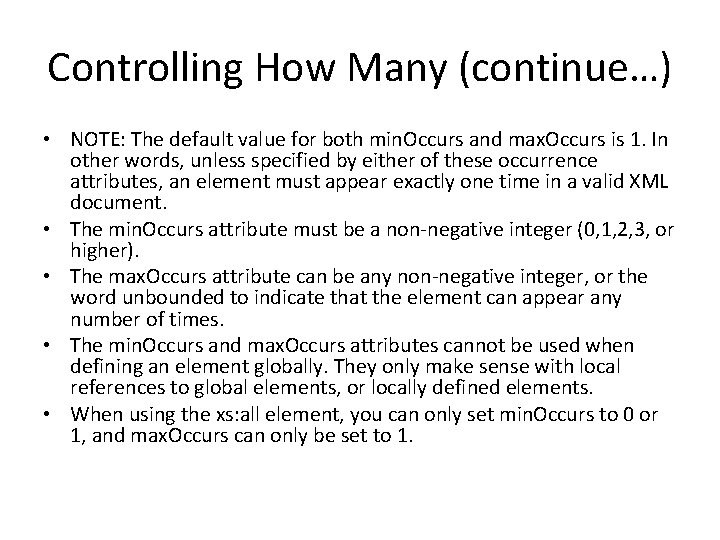
Controlling How Many (continue…) • NOTE: The default value for both min. Occurs and max. Occurs is 1. In other words, unless specified by either of these occurrence attributes, an element must appear exactly one time in a valid XML document. • The min. Occurs attribute must be a non-negative integer (0, 1, 2, 3, or higher). • The max. Occurs attribute can be any non-negative integer, or the word unbounded to indicate that the element can appear any number of times. • The min. Occurs and max. Occurs attributes cannot be used when defining an element globally. They only make sense with local references to global elements, or locally defined elements. • When using the xs: all element, you can only set min. Occurs to 0 or 1, and max. Occurs can only be set to 1.
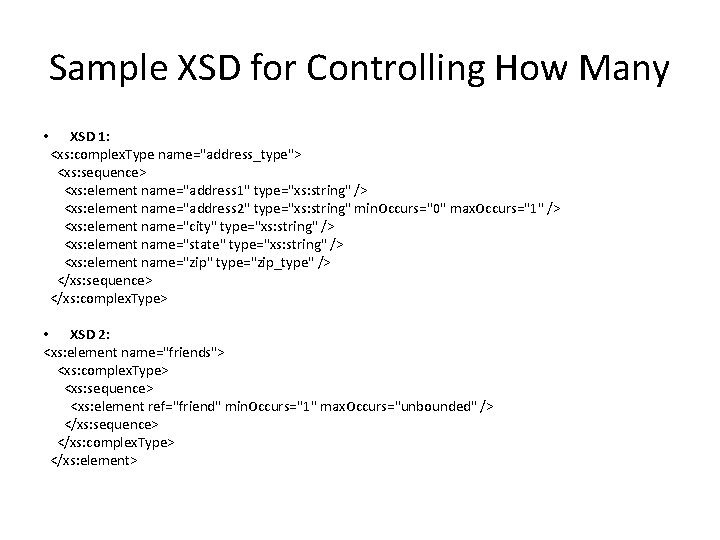
Sample XSD for Controlling How Many • XSD 1: <xs: complex. Type name="address_type"> <xs: sequence> <xs: element name="address 1" type="xs: string" /> <xs: element name="address 2" type="xs: string" min. Occurs="0" max. Occurs="1" /> <xs: element name="city" type="xs: string" /> <xs: element name="state" type="xs: string" /> <xs: element name="zip" type="zip_type" /> </xs: sequence> </xs: complex. Type> • XSD 2: <xs: element name="friends"> <xs: complex. Type> <xs: sequence> <xs: element ref="friend" min. Occurs="1" max. Occurs="unbounded" /> </xs: sequence> </xs: complex. Type> </xs: element>
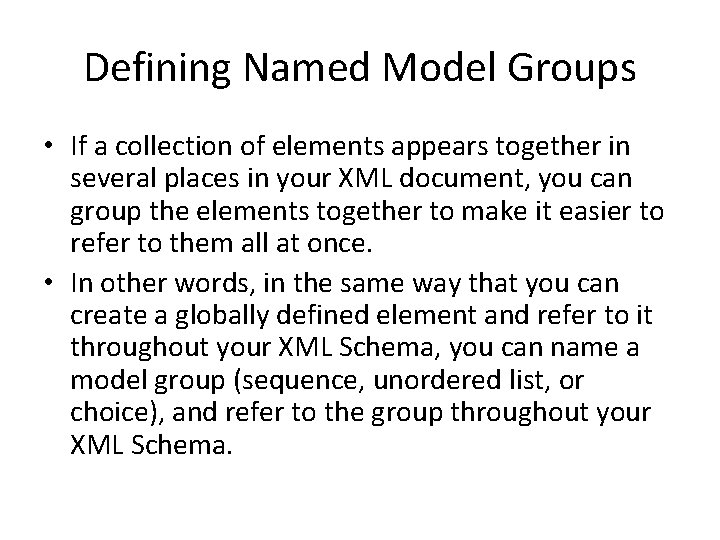
Defining Named Model Groups • If a collection of elements appears together in several places in your XML document, you can group the elements together to make it easier to refer to them all at once. • In other words, in the same way that you can create a globally defined element and refer to it throughout your XML Schema, you can name a model group (sequence, unordered list, or choice), and refer to the group throughout your XML Schema.
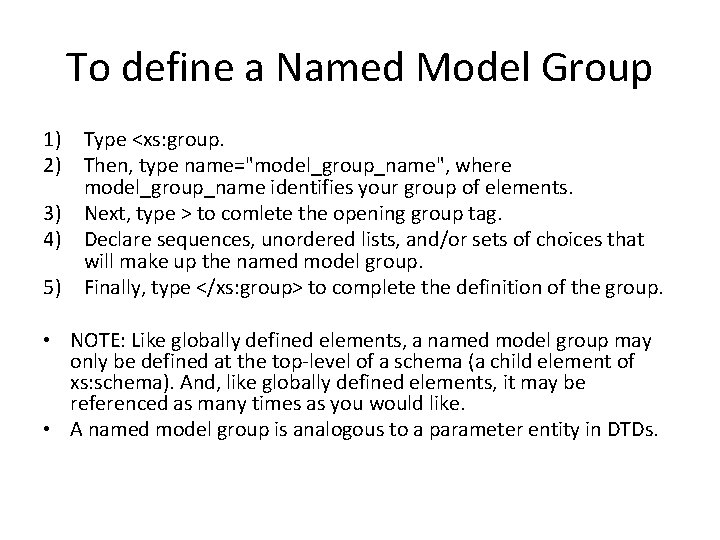
To define a Named Model Group 1) Type <xs: group. 2) Then, type name="model_group_name", where model_group_name identifies your group of elements. 3) Next, type > to comlete the opening group tag. 4) Declare sequences, unordered lists, and/or sets of choices that will make up the named model group. 5) Finally, type </xs: group> to complete the definition of the group. • NOTE: Like globally defined elements, a named model group may only be defined at the top-level of a schema (a child element of xs: schema). And, like globally defined elements, it may be referenced as many times as you would like. • A named model group is analogous to a parameter entity in DTDs.
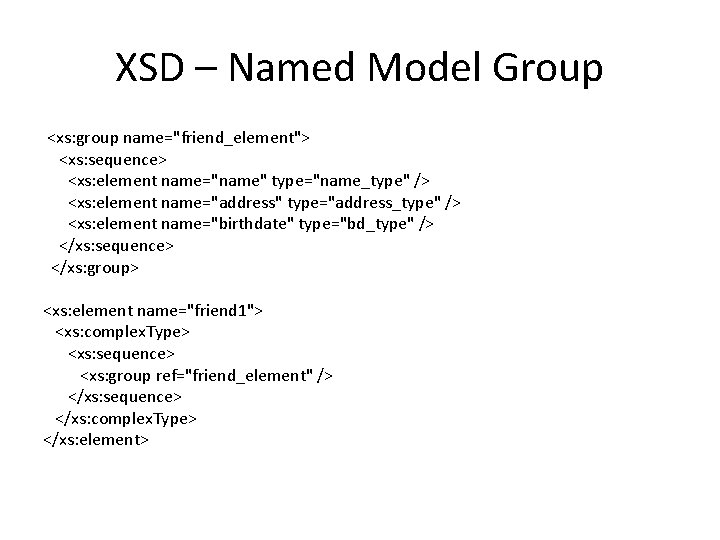
XSD – Named Model Group <xs: group name="friend_element"> <xs: sequence> <xs: element name="name" type="name_type" /> <xs: element name="address" type="address_type" /> <xs: element name="birthdate" type="bd_type" /> </xs: sequence> </xs: group> <xs: element name="friend 1"> <xs: complex. Type> <xs: sequence> <xs: group ref="friend_element" /> </xs: sequence> </xs: complex. Type> </xs: element>
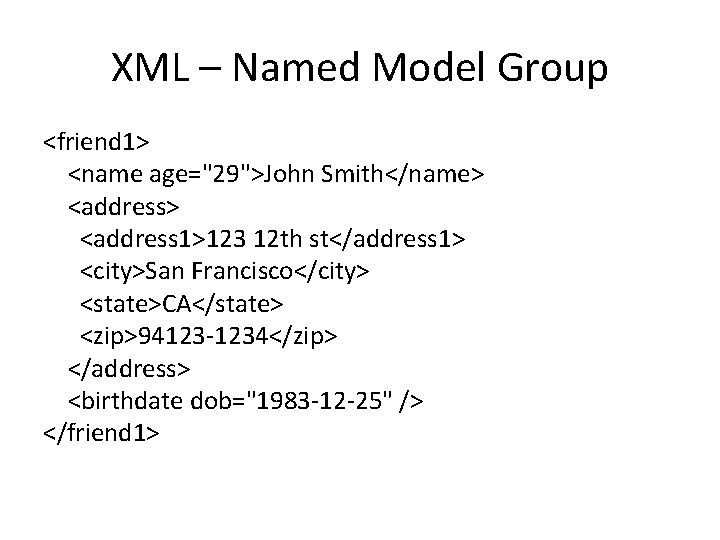
XML – Named Model Group <friend 1> <name age="29">John Smith</name> <address> <address 1>123 12 th st</address 1> <city>San Francisco</city> <state>CA</state> <zip>94123 -1234</zip> </address> <birthdate dob="1983 -12 -25" /> </friend 1>
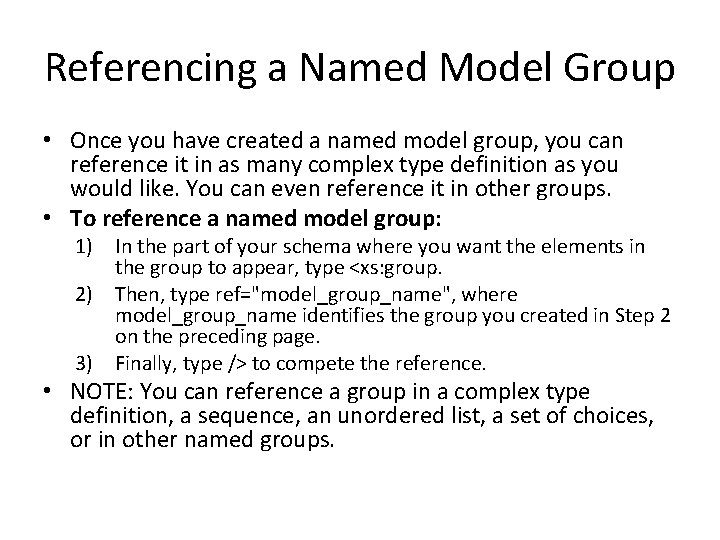
Referencing a Named Model Group • Once you have created a named model group, you can reference it in as many complex type definition as you would like. You can even reference it in other groups. • To reference a named model group: 1) In the part of your schema where you want the elements in the group to appear, type <xs: group. 2) Then, type ref="model_group_name", where model_group_name identifies the group you created in Step 2 on the preceding page. 3) Finally, type /> to compete the reference. • NOTE: You can reference a group in a complex type definition, a sequence, an unordered list, a set of choices, or in other named groups.
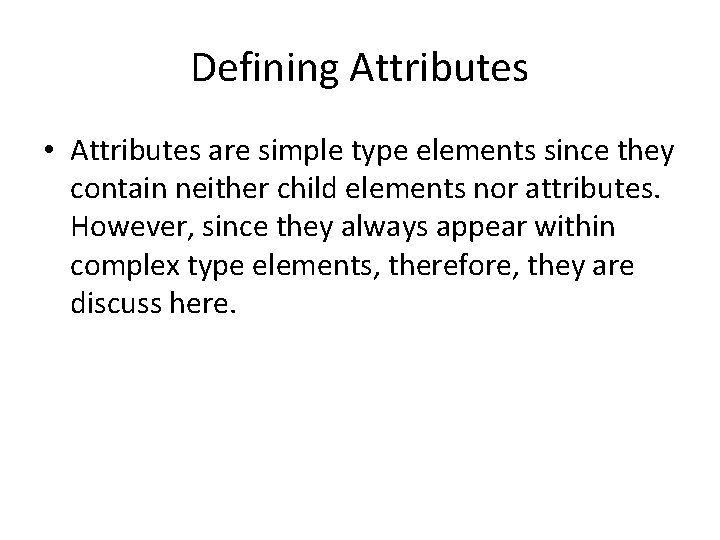
Defining Attributes • Attributes are simple type elements since they contain neither child elements nor attributes. However, since they always appear within complex type elements, therefore, they are discuss here.
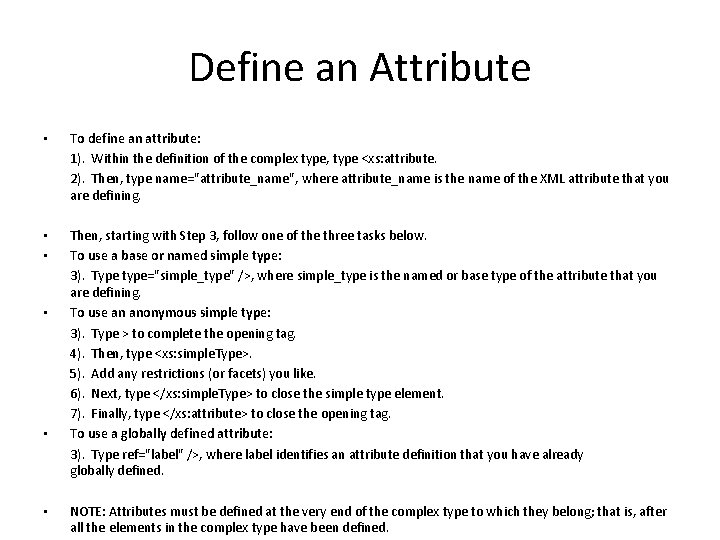
Define an Attribute • • • • • • To define an attribute: 1). Within the definition of the complex type, type <xs: attribute. 2). Then, type name="attribute_name", where attribute_name is the name of the XML attribute that you are defining. Then, starting with Step 3, follow one of the three tasks below. To use a base or named simple type: 3). Type type="simple_type" />, where simple_type is the named or base type of the attribute that you are defining. To use an anonymous simple type: 3). Type > to complete the opening tag. 4). Then, type <xs: simple. Type>. 5). Add any restrictions (or facets) you like. 6). Next, type </xs: simple. Type> to close the simple type element. 7). Finally, type </xs: attribute> to close the opening tag. To use a globally defined attribute: 3). Type ref="label" />, where label identifies an attribute definition that you have already globally defined. NOTE: Attributes must be defined at the very end of the complex type to which they belong; that is, after all the elements in the complex type have been defined.
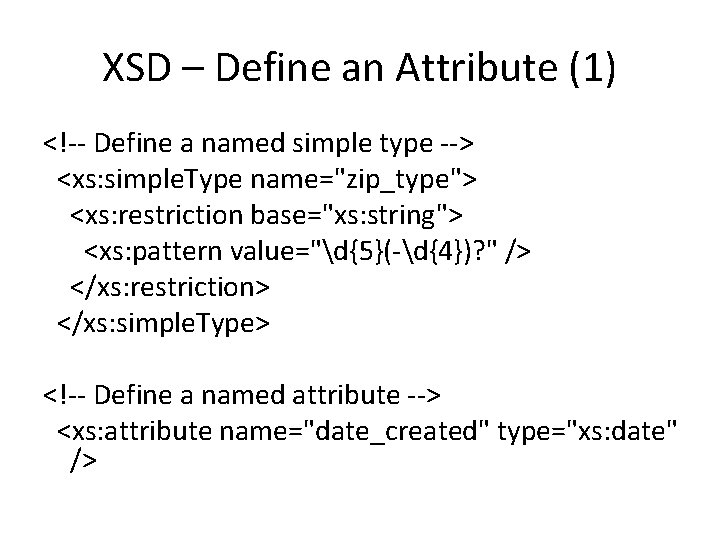
XSD – Define an Attribute (1) <!-- Define a named simple type --> <xs: simple. Type name="zip_type"> <xs: restriction base="xs: string"> <xs: pattern value="d{5}(-d{4})? " /> </xs: restriction> </xs: simple. Type> <!-- Define a named attribute --> <xs: attribute name="date_created" type="xs: date" />

XSD – Define an Attribute (2) <!-- Define an attribute (all) type --> <xs: complex. Type name="picture_type"> <xs: attribute name="name" type="xs: string" /> <xs: attribute name="zip" type="zip_type" /> <xs: attribute name="pic_id"> <xs: simple. Type> <xs: restriction base="xs: positive. Integer"> <xs: pattern value="d{4}" /> </xs: restriction> </xs: simple. Type> </xs: attribute> <xs: attribute ref="date_created" /> </xs: complex. Type>
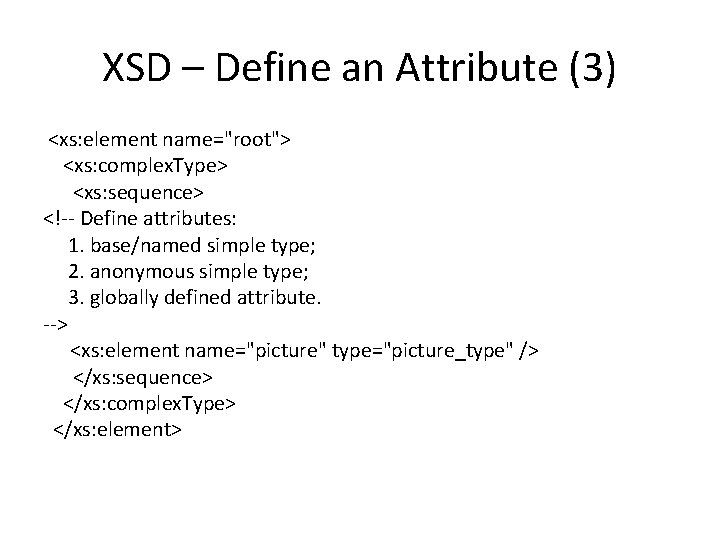
XSD – Define an Attribute (3) <xs: element name="root"> <xs: complex. Type> <xs: sequence> <!-- Define attributes: 1. base/named simple type; 2. anonymous simple type; 3. globally defined attribute. --> <xs: element name="picture" type="picture_type" /> </xs: sequence> </xs: complex. Type> </xs: element>
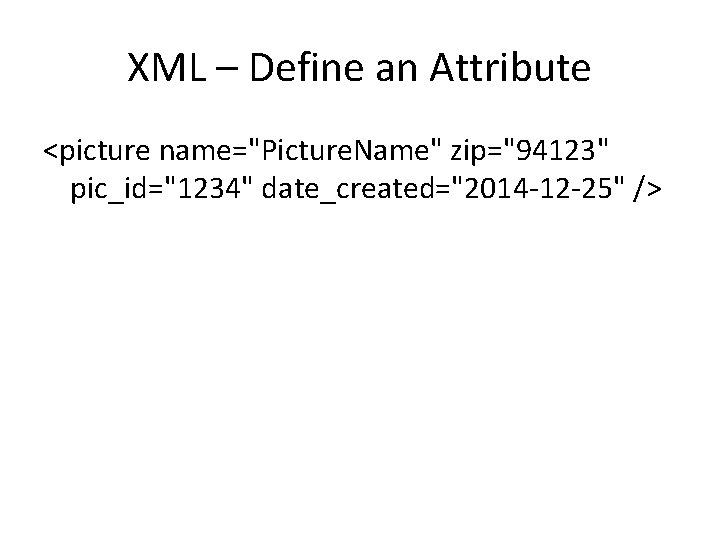
XML – Define an Attribute <picture name="Picture. Name" zip="94123" pic_id="1234" date_created="2014 -12 -25" />
Requiring an Attribute • Unless you specify otherwise, an attribute is always optional. In other words, it may appear or be absent from a valid XML document. However, if you would prefer, you can insist that an attribute be present (or not), when determining if the XML document is valid. • To require that an attribute be present: 1) 2) • Within an attribute definition, type use="required" to indicate that the attribute must appear for an XML document to be considered valid. You may also add value="must_be", where must_be is the only acceptable value for the attribute. To require that an attribute not be present: § Within an attribute definition, type use="prohibited" so that the XML document will only be considered valid if the attribute is not present. • NOTE: You could also type use="optional" within an attribute definition, but since that is the default condition, it is unnecessary.
Predefining Attribute’s Content • • There are two ways to use XML Schema to predefine what an attribute’s content should be. You can either dictate the attribute’s content, or set an initial value for the attribute regardless of whether it appears or not. The former is called a fixed value; the latter is called a default value. To dictate an attribute’s content: § Within an attribute definition, type fixed="content", where content determines what the value of the attribute should be for the document to be considered valid. (This only applies if the attribute appears in the XML document. ) • To set an attribute’s initial value: § Within an attribute definition, type default="content", where content determines the value that attribute should be set to if it is omitted from the XML document. • • NOTE: The fixed attribute only sets a value if the attribute actually appears in the XML. If the attribute is omitted, then no content is set. If the default attribute is set and the attribute is omitted from the XML document, then the attribute’s value is set to the default value. If you set the default attribute, the only use attribute value you can have is optional. You may not have values for both default and fixed in the same attribute definition.
Defining Attribute Groups • • • If you need to use the same set of attributes in several places in your XML document, it is more efficient to define an attribute group and then refer to the attributes all at once. This is the same concept you have seen used with globally defined elements and named model groups. To define an attribute group: 1) 2) 3) 4) • • • Type <xs: attribute. Group. Then, type name="attribute_group_name">, where attribute_group_name identifies your attribute group. Define or reference each attribute that belongs to the group. Finally, type </xs: attribute. Group> to complete the attribute group definition. NOTE: Like all other globally defined elements, an attribute group may only be defined at the top-level of a schema (a child element of xs: schema). And, like all other globally defined elements, it may be referenced as many times as you like. In Step 3 above, you can only reference attributes that are globally defined; that is, those that were declared at the top level of the schema. An attribute group can contain references to other attribute groups.
Referencing Attribute Groups • Once you have defined an attribute group, you can reference it whenever those attributes are needed; whether in complex type definitions or even in other attribute groups. • To reference an attribute group: 1) 2) Within a complex type definition, after declaring any element that should be contained, type <xs: attribute. Group. Then, type ref="attribute_group_name" />, to identify the attribute group that you created previously. • NOTE: Attributes and attribute groups must be defined at the very end of the complex type to which they belong, after all other elements have been defined. • Attribute groups are analogous to parameter entities in DTDs. However, they are limited to representing only collections of attributes.
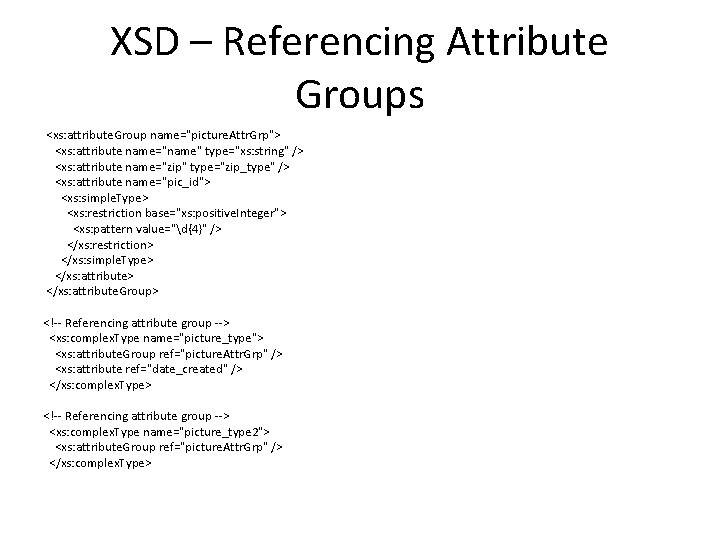
XSD – Referencing Attribute Groups <xs: attribute. Group name="picture. Attr. Grp"> <xs: attribute name="name" type="xs: string" /> <xs: attribute name="zip" type="zip_type" /> <xs: attribute name="pic_id"> <xs: simple. Type> <xs: restriction base="xs: positive. Integer"> <xs: pattern value="d{4}" /> </xs: restriction> </xs: simple. Type> </xs: attribute. Group> <!-- Referencing attribute group --> <xs: complex. Type name="picture_type"> <xs: attribute. Group ref="picture. Attr. Grp" /> <xs: attribute ref="date_created" /> </xs: complex. Type> <!-- Referencing attribute group --> <xs: complex. Type name="picture_type 2"> <xs: attribute. Group ref="picture. Attr. Grp" /> </xs: complex. Type>
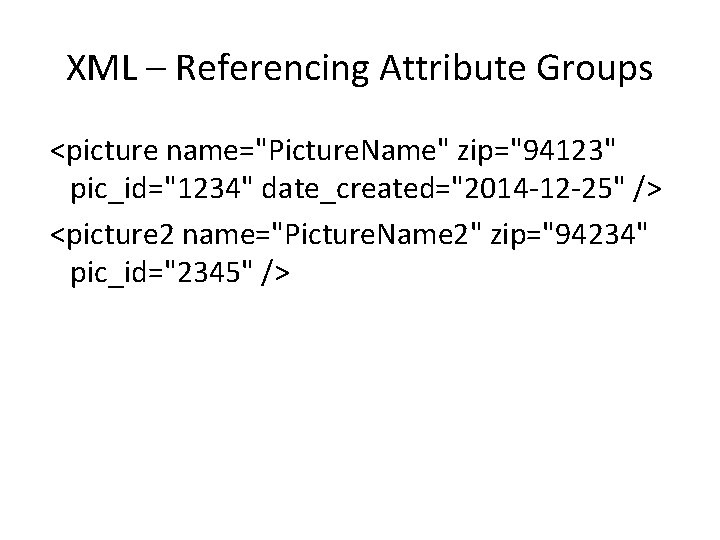
XML – Referencing Attribute Groups <picture name="Picture. Name" zip="94123" pic_id="1234" date_created="2014 -12 -25" /> <picture 2 name="Picture. Name 2" zip="94234" pic_id="2345" />
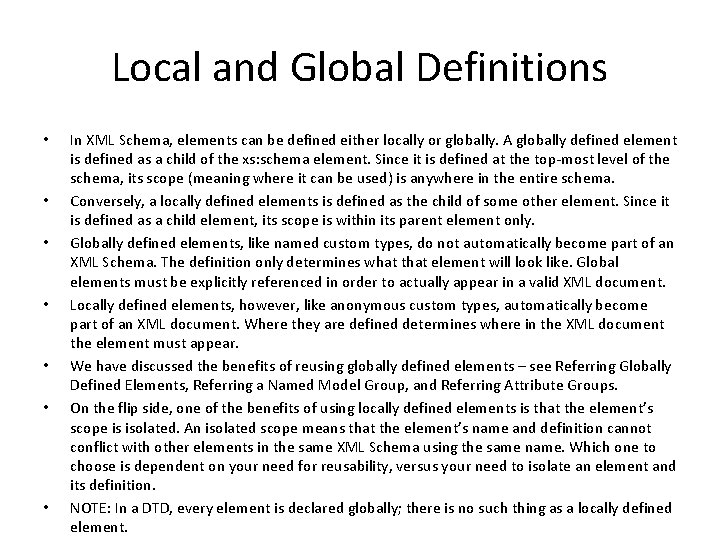
Local and Global Definitions • • In XML Schema, elements can be defined either locally or globally. A globally defined element is defined as a child of the xs: schema element. Since it is defined at the top-most level of the schema, its scope (meaning where it can be used) is anywhere in the entire schema. Conversely, a locally defined elements is defined as the child of some other element. Since it is defined as a child element, its scope is within its parent element only. Globally defined elements, like named custom types, do not automatically become part of an XML Schema. The definition only determines what that element will look like. Global elements must be explicitly referenced in order to actually appear in a valid XML document. Locally defined elements, however, like anonymous custom types, automatically become part of an XML document. Where they are defined determines where in the XML document the element must appear. We have discussed the benefits of reusing globally defined elements – see Referring Globally Defined Elements, Referring a Named Model Group, and Referring Attribute Groups. On the flip side, one of the benefits of using locally defined elements is that the element’s scope is isolated. An isolated scope means that the element’s name and definition cannot conflict with other elements in the same XML Schema using the same name. Which one to choose is dependent on your need for reusability, versus your need to isolate an element and its definition. NOTE: In a DTD, every element is declared globally; there is no such thing as a locally defined element.
- Slides: 68