
XML for Beginners Ralf Schenkel 1 XML the
XML for Beginners Ralf Schenkel 1. XML – the Snake Oil of the Internet age? 2. Basic XML Concepts 3. Defining XML Data Formats 4. Querying XML Data April 29 th, 2003 Organizing and Searching Information with XML 1
Snake Oil? • Snake Oil is the all-curing drug these strange guys in wild-west movies sell, travelling from town to town, but visiting each town only once. • Google: „snake oil“ xml some 2000 hits • „XML revolutionizes software development“ • „XML is the all-healing, world-peace inducing tool for computer processing“ • „XML enables application portability“ • „Forget the Web, XML is the new way to business“ • „XML is the cure for your data exchange, information integration, data exchange, [x-2 -y], [you name it] problems“ • „XML, the Mother of all Web Application Enablers“ • „XML has been the best invention since sliced bread“ April 29 th, 2003 Organizing and Searching Information with XML 2
XML is not… • A replacement for HTML (but HTML can be generated from XML) • A presentation format (but XML can be converted into one) • A programming language (but it can be used with almost any language) • A network transfer protocol (but XML may be transferred over a network) • A database (but XML may be stored into a database) April 29 th, 2003 Organizing and Searching Information with XML 3
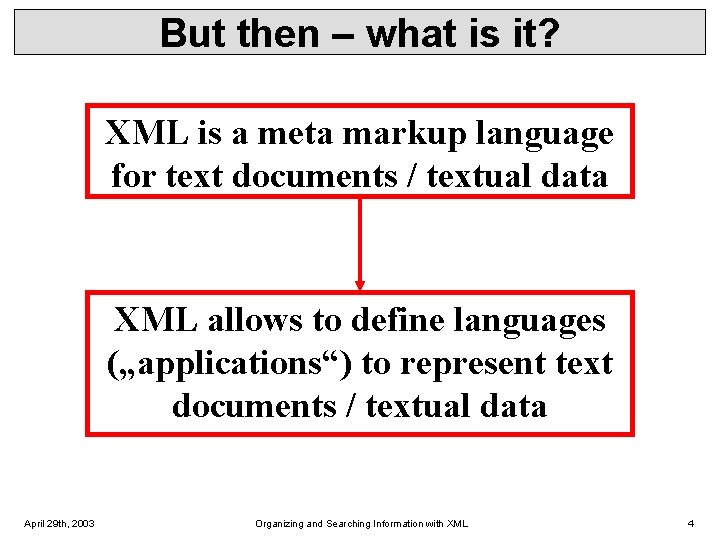
But then – what is it? XML is a meta markup language for text documents / textual data XML allows to define languages („applications“) to represent text documents / textual data April 29 th, 2003 Organizing and Searching Information with XML 4
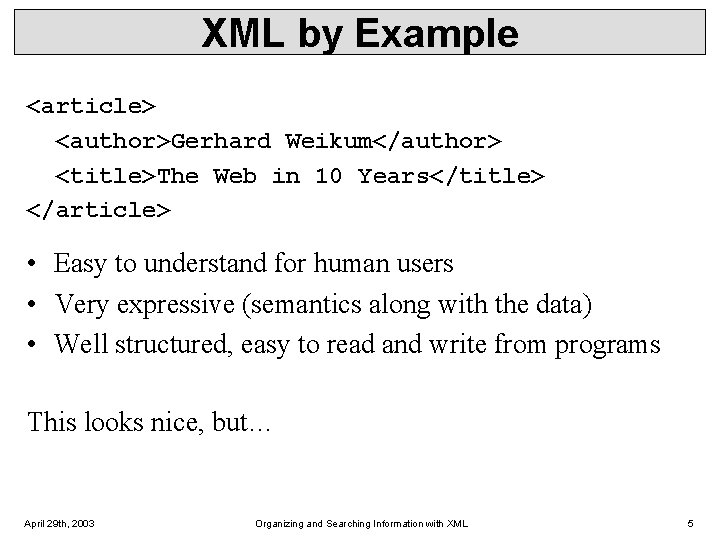
XML by Example <article> <author>Gerhard Weikum</author> <title>The Web in 10 Years</title> </article> • Easy to understand for human users • Very expressive (semantics along with the data) • Well structured, easy to read and write from programs This looks nice, but… April 29 th, 2003 Organizing and Searching Information with XML 5
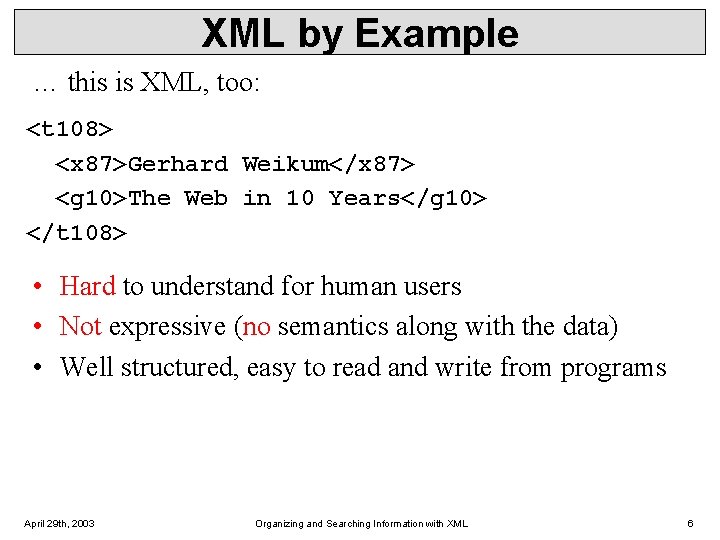
XML by Example … this is XML, too: <t 108> <x 87>Gerhard Weikum</x 87> <g 10>The Web in 10 Years</g 10> </t 108> • Hard to understand for human users • Not expressive (no semantics along with the data) • Well structured, easy to read and write from programs April 29 th, 2003 Organizing and Searching Information with XML 6
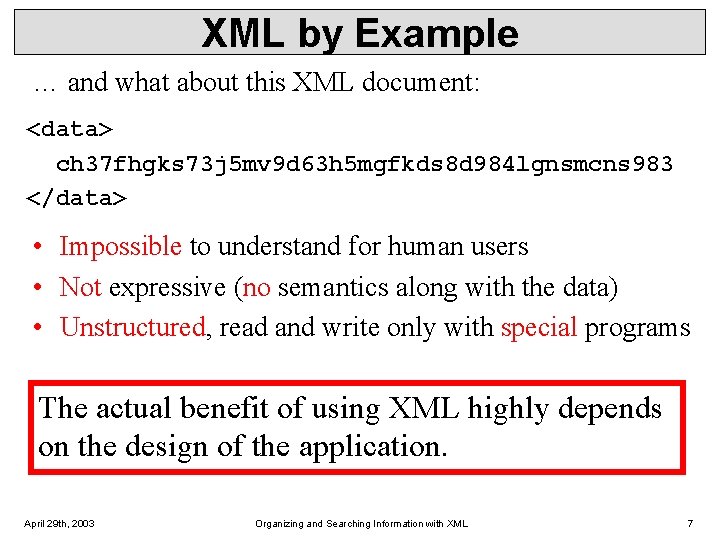
XML by Example … and what about this XML document: <data> ch 37 fhgks 73 j 5 mv 9 d 63 h 5 mgfkds 8 d 984 lgnsmcns 983 </data> • Impossible to understand for human users • Not expressive (no semantics along with the data) • Unstructured, read and write only with special programs The actual benefit of using XML highly depends on the design of the application. April 29 th, 2003 Organizing and Searching Information with XML 7
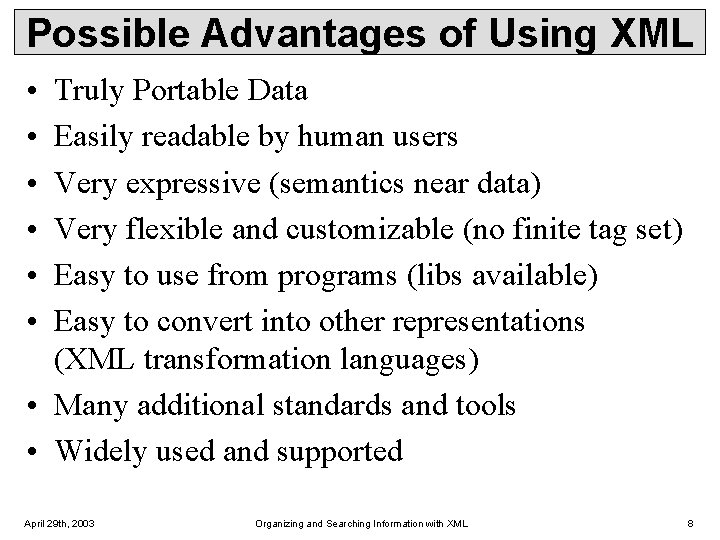
Possible Advantages of Using XML • • • Truly Portable Data Easily readable by human users Very expressive (semantics near data) Very flexible and customizable (no finite tag set) Easy to use from programs (libs available) Easy to convert into other representations (XML transformation languages) • Many additional standards and tools • Widely used and supported April 29 th, 2003 Organizing and Searching Information with XML 8
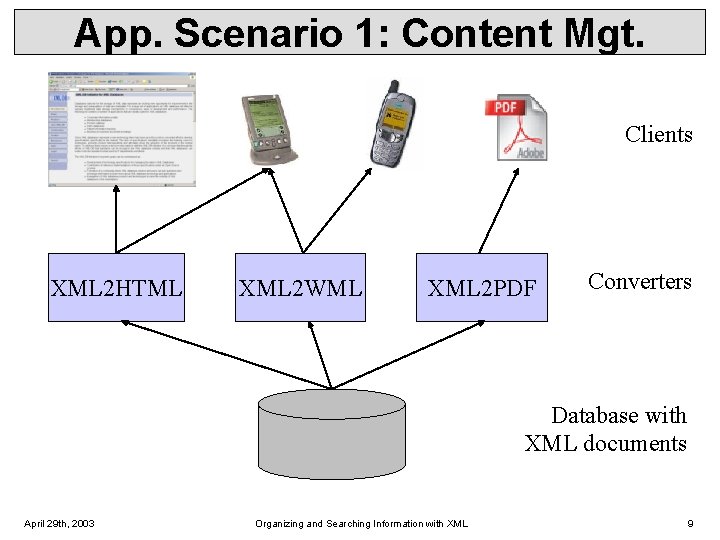
App. Scenario 1: Content Mgt. Clients XML 2 HTML XML 2 WML XML 2 PDF Converters Database with XML documents April 29 th, 2003 Organizing and Searching Information with XML 9
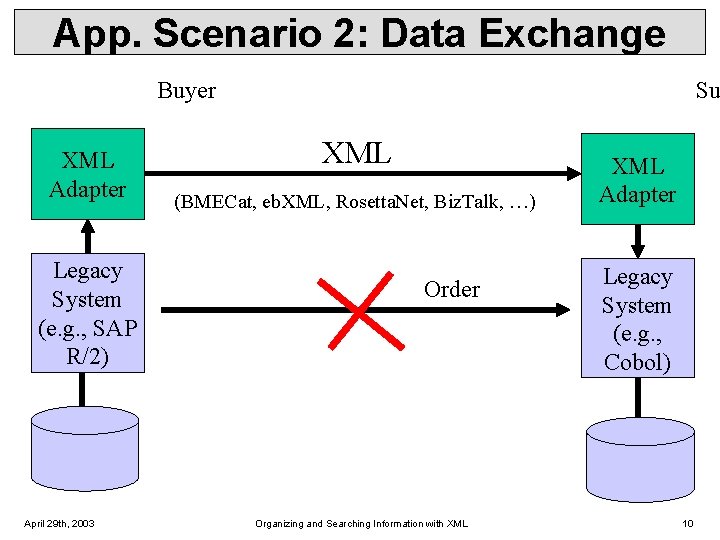
App. Scenario 2: Data Exchange Buyer XML Adapter Legacy System (e. g. , SAP R/2) April 29 th, 2003 Su XML (BMECat, eb. XML, Rosetta. Net, Biz. Talk, …) Order Organizing and Searching Information with XML Adapter Legacy System (e. g. , Cobol) 10
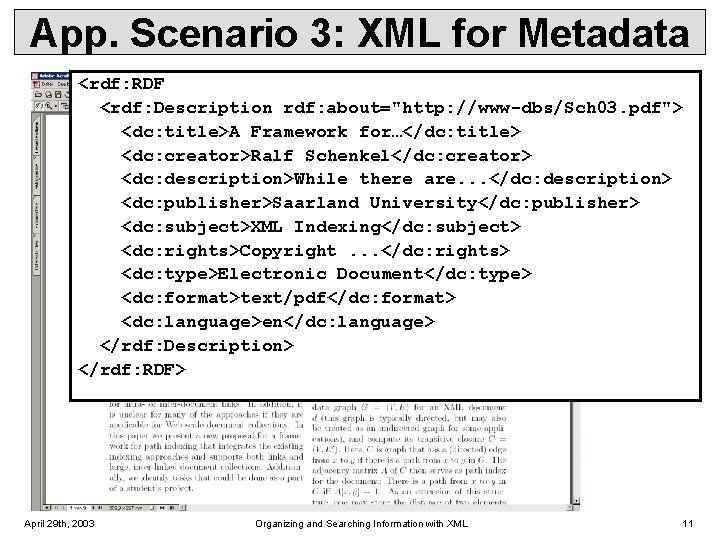
App. Scenario 3: XML for Metadata <rdf: RDF <rdf: Description rdf: about="http: //www-dbs/Sch 03. pdf"> <dc: title>A Framework for…</dc: title> <dc: creator>Ralf Schenkel</dc: creator> <dc: description>While there are. . . </dc: description> <dc: publisher>Saarland University</dc: publisher> <dc: subject>XML Indexing</dc: subject> <dc: rights>Copyright. . . </dc: rights> <dc: type>Electronic Document</dc: type> <dc: format>text/pdf</dc: format> <dc: language>en</dc: language> </rdf: Description> </rdf: RDF> April 29 th, 2003 Organizing and Searching Information with XML 11
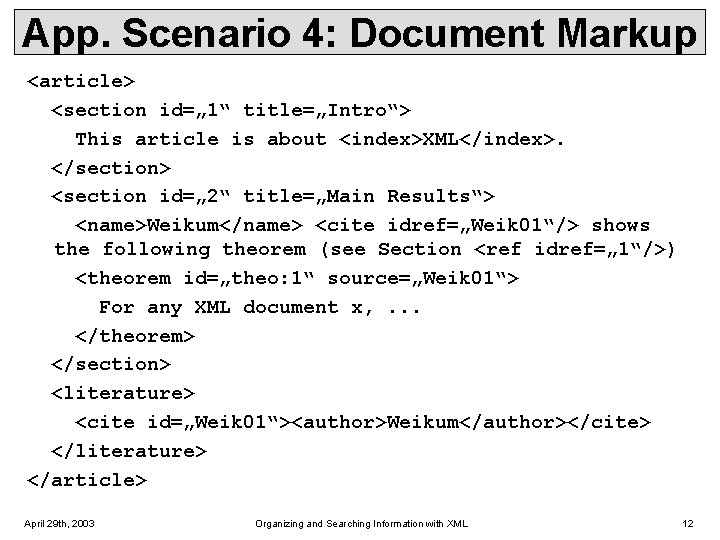
App. Scenario 4: Document Markup <article> <section id=„ 1“ title=„Intro“> This article is about <index>XML</index>. </section> <section id=„ 2“ title=„Main Results“> <name>Weikum</name> <cite idref=„Weik 01“/> shows the following theorem (see Section <ref idref=„ 1“/>) <theorem id=„theo: 1“ source=„Weik 01“> For any XML document x, . . . </theorem> </section> <literature> <cite id=„Weik 01“><author>Weikum</author></cite> </literature> </article> April 29 th, 2003 Organizing and Searching Information with XML 12
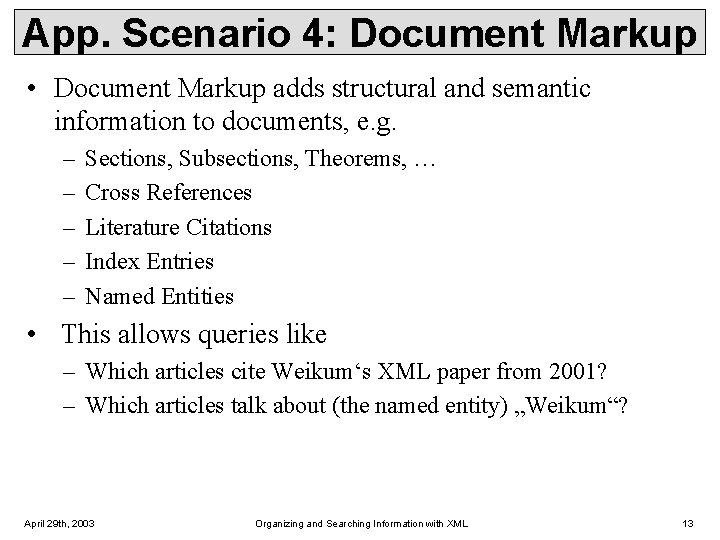
App. Scenario 4: Document Markup • Document Markup adds structural and semantic information to documents, e. g. – – – Sections, Subsections, Theorems, … Cross References Literature Citations Index Entries Named Entities • This allows queries like – Which articles cite Weikum‘s XML paper from 2001? – Which articles talk about (the named entity) „Weikum“? April 29 th, 2003 Organizing and Searching Information with XML 13
XML for Beginners Part 2 – Basic XML Concepts 2. 1 XML Standards by the W 3 C 2. 2 XML Documents 2. 3 Namespaces April 29 th, 2003 Organizing and Searching Information with XML 14
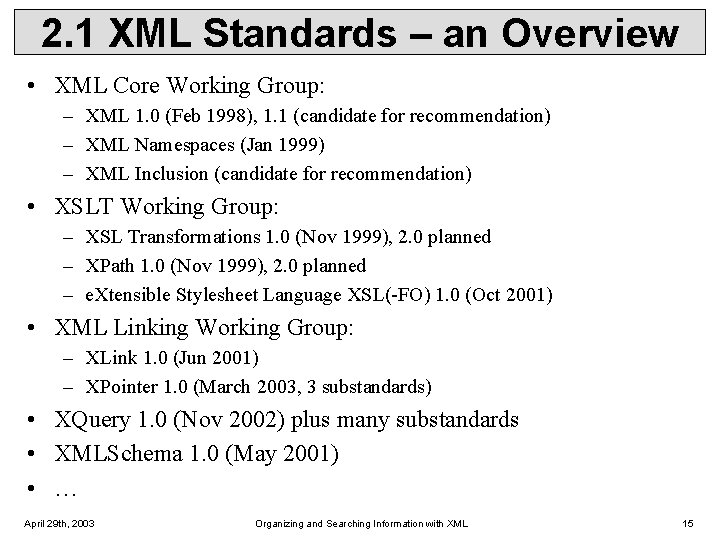
2. 1 XML Standards – an Overview • XML Core Working Group: – XML 1. 0 (Feb 1998), 1. 1 (candidate for recommendation) – XML Namespaces (Jan 1999) – XML Inclusion (candidate for recommendation) • XSLT Working Group: – XSL Transformations 1. 0 (Nov 1999), 2. 0 planned – XPath 1. 0 (Nov 1999), 2. 0 planned – e. Xtensible Stylesheet Language XSL(-FO) 1. 0 (Oct 2001) • XML Linking Working Group: – XLink 1. 0 (Jun 2001) – XPointer 1. 0 (March 2003, 3 substandards) • XQuery 1. 0 (Nov 2002) plus many substandards • XMLSchema 1. 0 (May 2001) • … April 29 th, 2003 Organizing and Searching Information with XML 15
2. 2 XML Documents What‘s in an XML document? • Elements • Attributes • plus some other details (see the Lecture if you want to know this) April 29 th, 2003 Organizing and Searching Information with XML 16
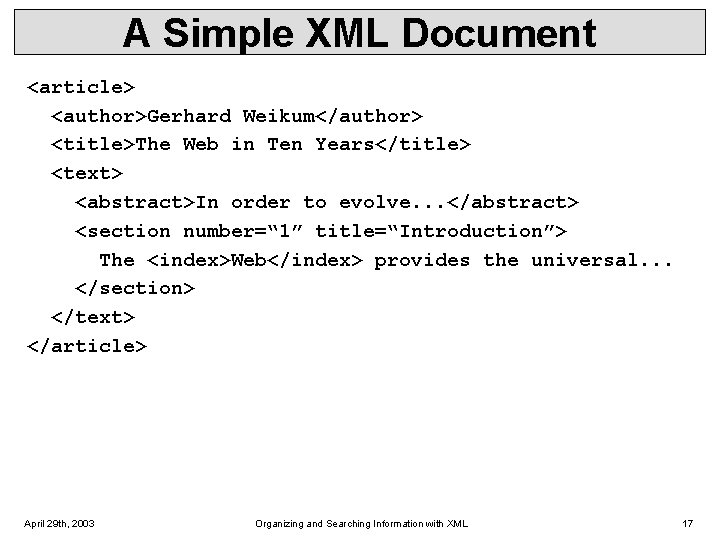
A Simple XML Document <article> <author>Gerhard Weikum</author> <title>The Web in Ten Years</title> <text> <abstract>In order to evolve. . . </abstract> <section number=“ 1” title=“Introduction”> The <index>Web</index> provides the universal. . . </section> </text> </article> April 29 th, 2003 Organizing and Searching Information with XML 17
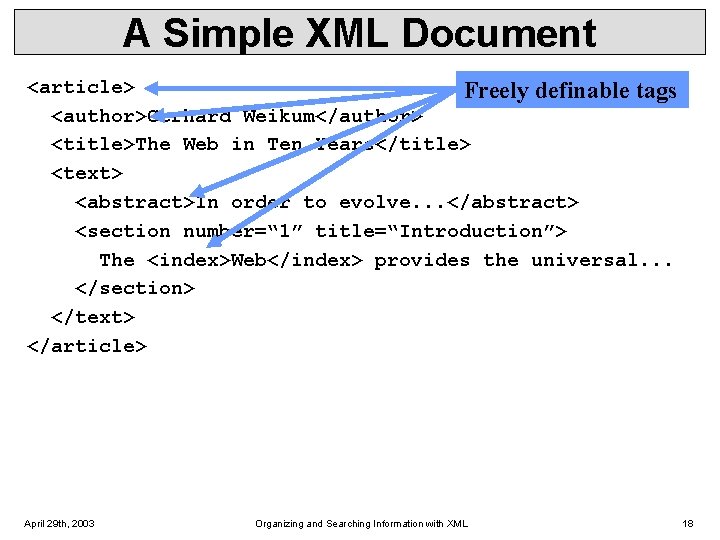
A Simple XML Document <article> Freely definable tags <author>Gerhard Weikum</author> <title>The Web in Ten Years</title> <text> <abstract>In order to evolve. . . </abstract> <section number=“ 1” title=“Introduction”> The <index>Web</index> provides the universal. . . </section> </text> </article> April 29 th, 2003 Organizing and Searching Information with XML 18
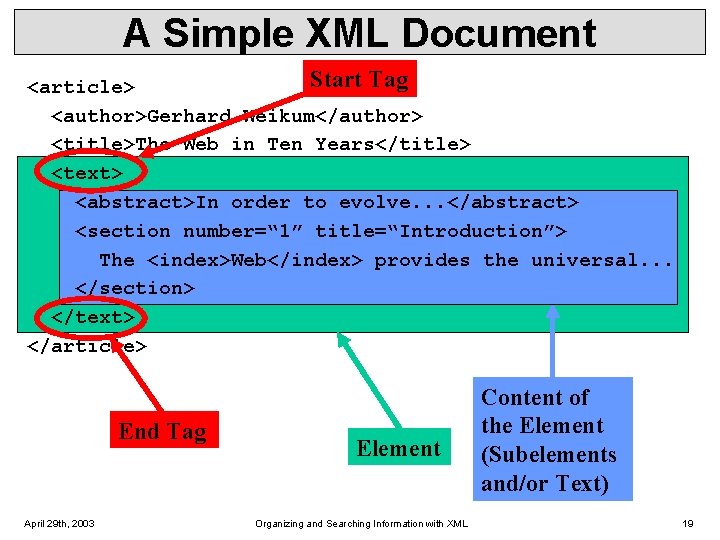
A Simple XML Document Start Tag <article> <author>Gerhard Weikum</author> <title>The Web in Ten Years</title> <text> <abstract>In order to evolve. . . </abstract> <section number=“ 1” title=“Introduction”> The <index>Web</index> provides the universal. . . </section> </text> </article> End Tag April 29 th, 2003 Element Organizing and Searching Information with XML Content of the Element (Subelements and/or Text) 19
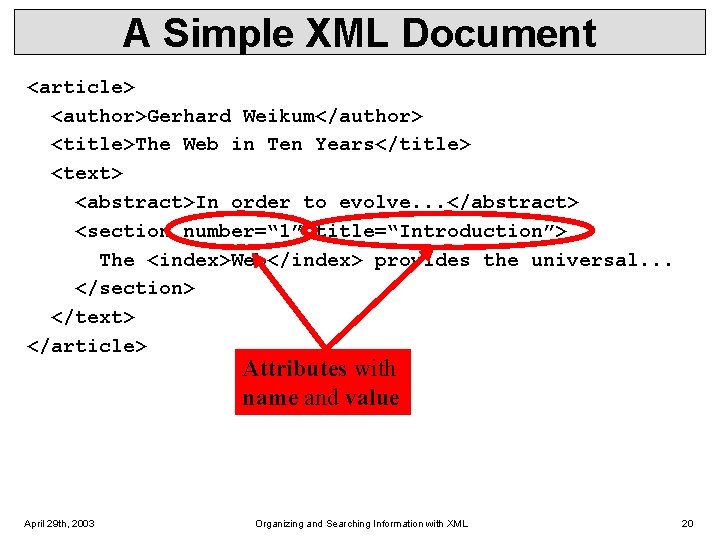
A Simple XML Document <article> <author>Gerhard Weikum</author> <title>The Web in Ten Years</title> <text> <abstract>In order to evolve. . . </abstract> <section number=“ 1” title=“Introduction”> The <index>Web</index> provides the universal. . . </section> </text> </article> Attributes with name and value April 29 th, 2003 Organizing and Searching Information with XML 20
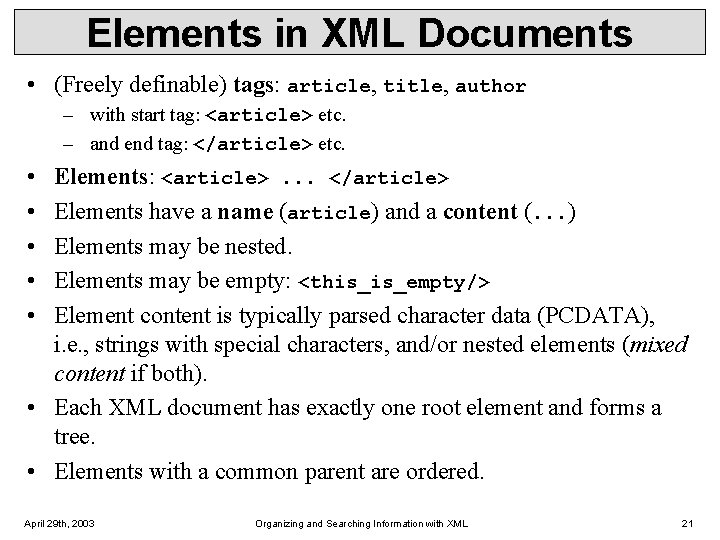
Elements in XML Documents • (Freely definable) tags: article, title, author – with start tag: <article> etc. – and end tag: </article> etc. • • • Elements: <article>. . . </article> Elements have a name (article) and a content (. . . ) Elements may be nested. Elements may be empty: <this_is_empty/> Element content is typically parsed character data (PCDATA), i. e. , strings with special characters, and/or nested elements (mixed content if both). • Each XML document has exactly one root element and forms a tree. • Elements with a common parent are ordered. April 29 th, 2003 Organizing and Searching Information with XML 21
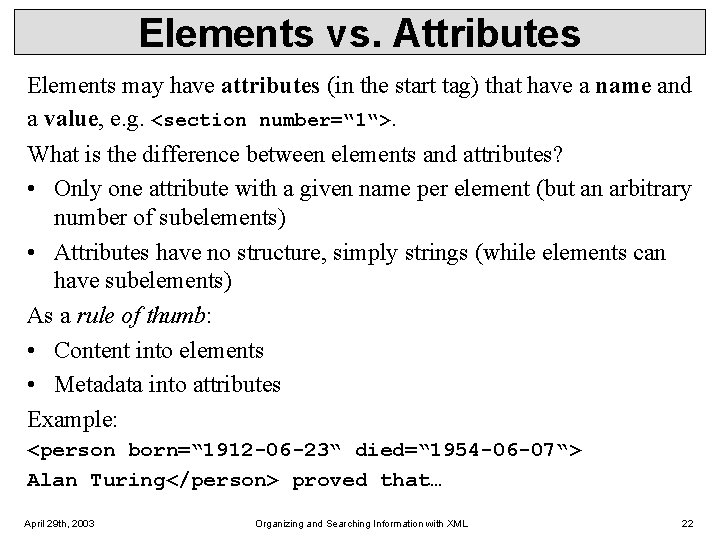
Elements vs. Attributes Elements may have attributes (in the start tag) that have a name and a value, e. g. <section number=“ 1“>. What is the difference between elements and attributes? • Only one attribute with a given name per element (but an arbitrary number of subelements) • Attributes have no structure, simply strings (while elements can have subelements) As a rule of thumb: • Content into elements • Metadata into attributes Example: <person born=“ 1912 -06 -23“ died=“ 1954 -06 -07“> Alan Turing</person> proved that… April 29 th, 2003 Organizing and Searching Information with XML 22
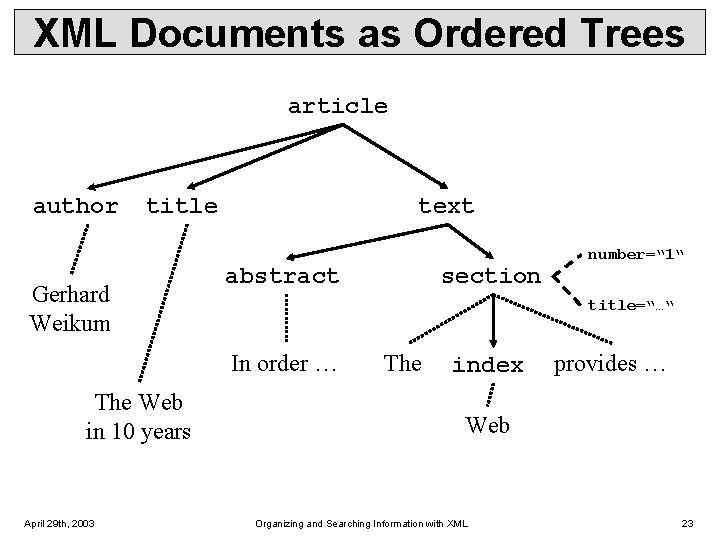
XML Documents as Ordered Trees article author title Gerhard Weikum text abstract title=“…“ In order … The Web in 10 years April 29 th, 2003 section number=“ 1“ The index provides … Web Organizing and Searching Information with XML 23
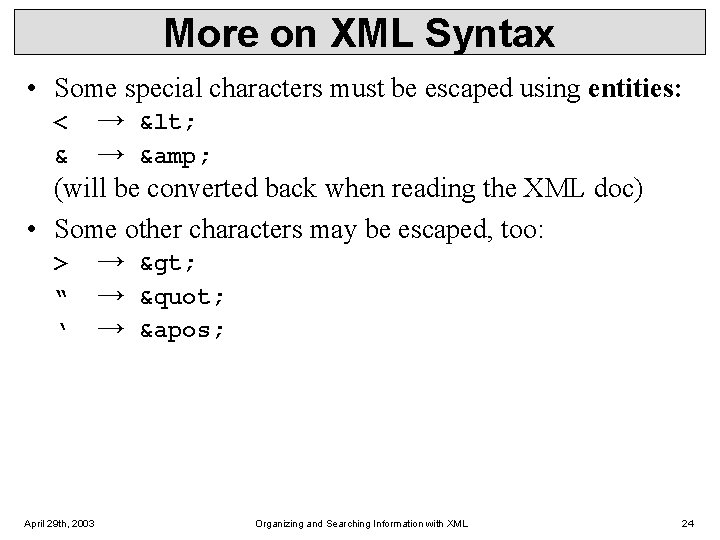
More on XML Syntax • Some special characters must be escaped using entities: < → < & → & (will be converted back when reading the XML doc) • Some other characters may be escaped, too: > → > “ → " ‘ → ' April 29 th, 2003 Organizing and Searching Information with XML 24
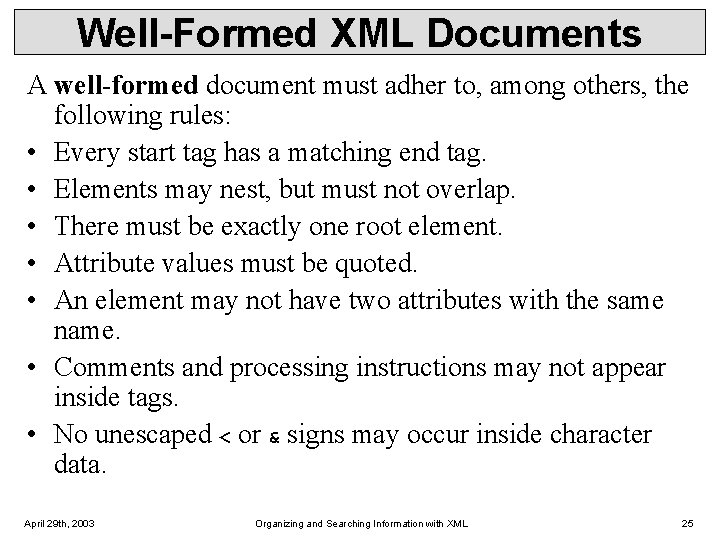
Well-Formed XML Documents A well-formed document must adher to, among others, the following rules: • Every start tag has a matching end tag. • Elements may nest, but must not overlap. • There must be exactly one root element. • Attribute values must be quoted. • An element may not have two attributes with the same name. • Comments and processing instructions may not appear inside tags. • No unescaped < or & signs may occur inside character data. April 29 th, 2003 Organizing and Searching Information with XML 25
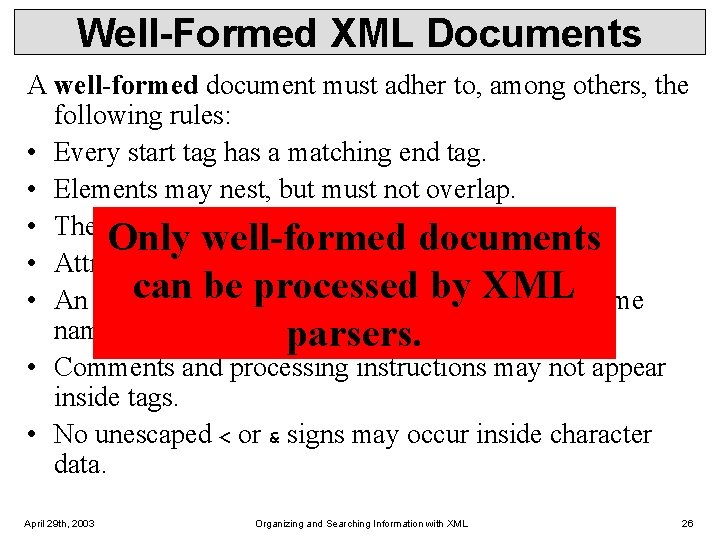
Well-Formed XML Documents A well-formed document must adher to, among others, the following rules: • Every start tag has a matching end tag. • Elements may nest, but must not overlap. • There must be exactly one root element. Only well-formed documents • Attribute values must be quoted. canmay be not processed by XML • An element have to attributes with the same name. parsers. • Comments and processing instructions may not appear inside tags. • No unescaped < or & signs may occur inside character data. April 29 th, 2003 Organizing and Searching Information with XML 26
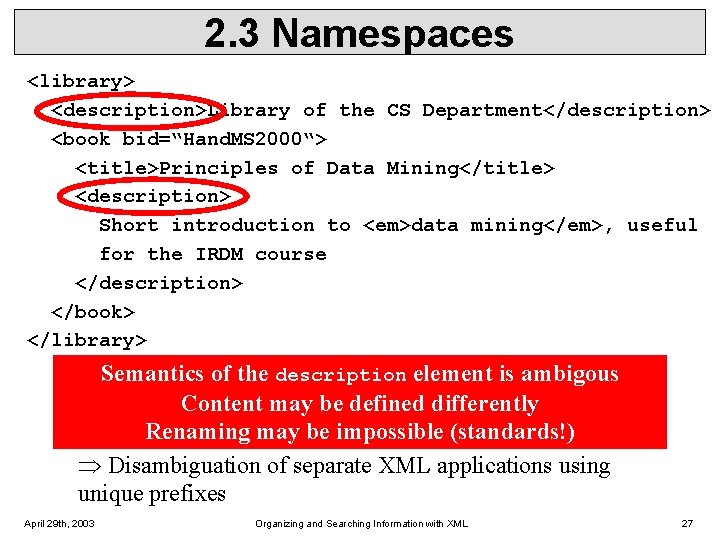
2. 3 Namespaces <library> <description>Library of the CS Department</description> <book bid=“Hand. MS 2000“> <title>Principles of Data Mining</title> <description> Short introduction to <em>data mining</em>, useful for the IRDM course </description> </book> </library> Semantics of the description element is ambigous Content may be defined differently Renaming may be impossible (standards!) Disambiguation of separate XML applications using unique prefixes April 29 th, 2003 Organizing and Searching Information with XML 27
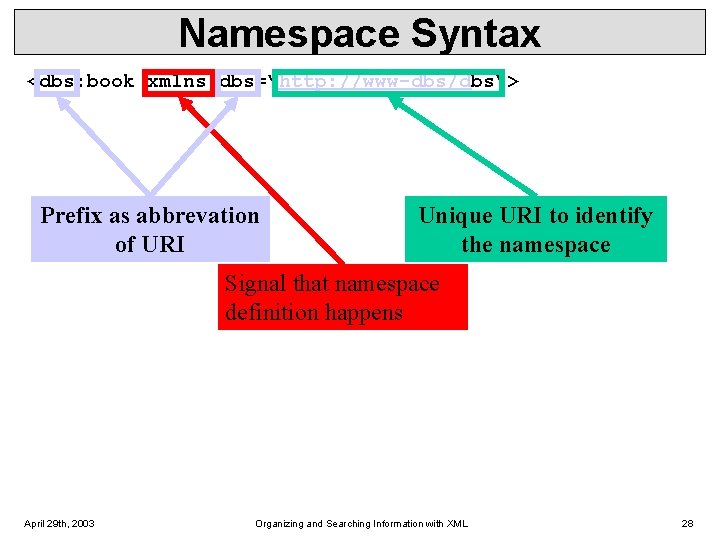
Namespace Syntax <dbs: book xmlns: dbs=“http: //www-dbs/dbs“> Prefix as abbrevation of URI Unique URI to identify the namespace Signal that namespace definition happens April 29 th, 2003 Organizing and Searching Information with XML 28
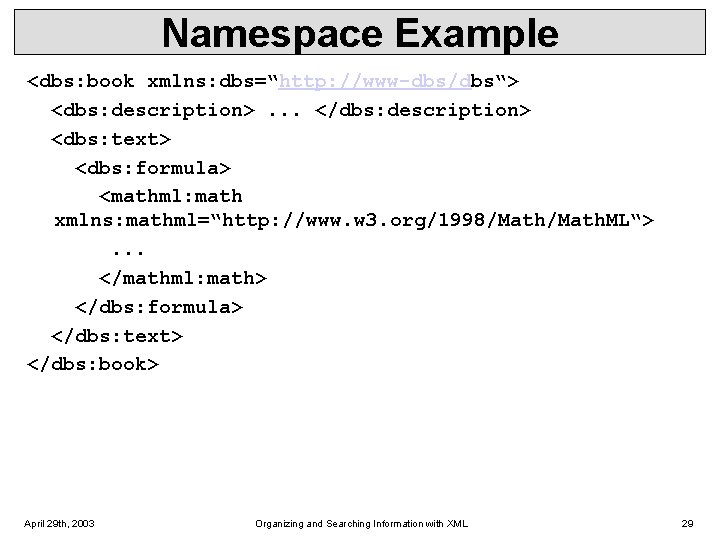
Namespace Example <dbs: book xmlns: dbs=“http: //www-dbs/dbs“> <dbs: description>. . . </dbs: description> <dbs: text> <dbs: formula> <mathml: math xmlns: mathml=“http: //www. w 3. org/1998/Math. ML“>. . . </mathml: math> </dbs: formula> </dbs: text> </dbs: book> April 29 th, 2003 Organizing and Searching Information with XML 29
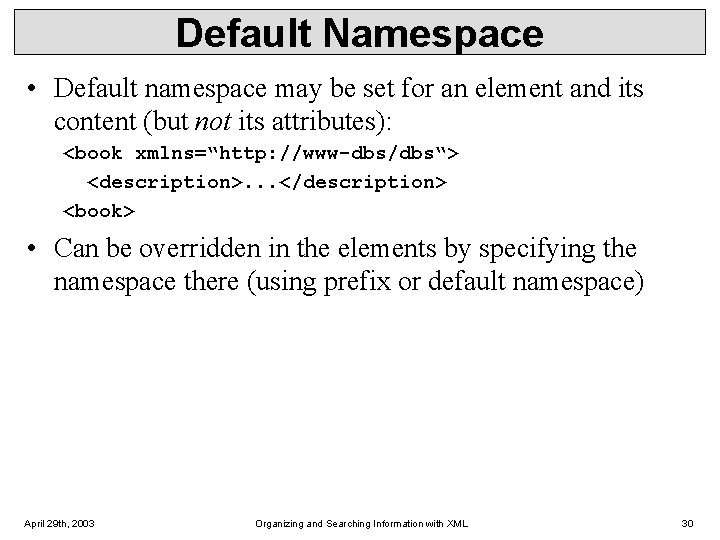
Default Namespace • Default namespace may be set for an element and its content (but not its attributes): <book xmlns=“http: //www-dbs/dbs“> <description>. . . </description> <book> • Can be overridden in the elements by specifying the namespace there (using prefix or default namespace) April 29 th, 2003 Organizing and Searching Information with XML 30
XML for Beginners Part 3 – Defining XML Data Formats 3. 1 Document Type Definitions 3. 2 XML Schema (very short) April 29 th, 2003 Organizing and Searching Information with XML 31
3. 1 Document Type Definitions Sometimes XML is too flexible: • Most Programs can only process a subset of all possible XML applications • For exchanging data, the format (i. e. , elements, attributes and their semantics) must be fixed Document Type Definitions (DTD) for establishing the vocabulary for one XML application (in some sense comparable to schemas in databases) A document is valid with respect to a DTD if it conforms to the rules specified in that DTD. Most XML parsers can be configured to validate. April 29 th, 2003 Organizing and Searching Information with XML 32
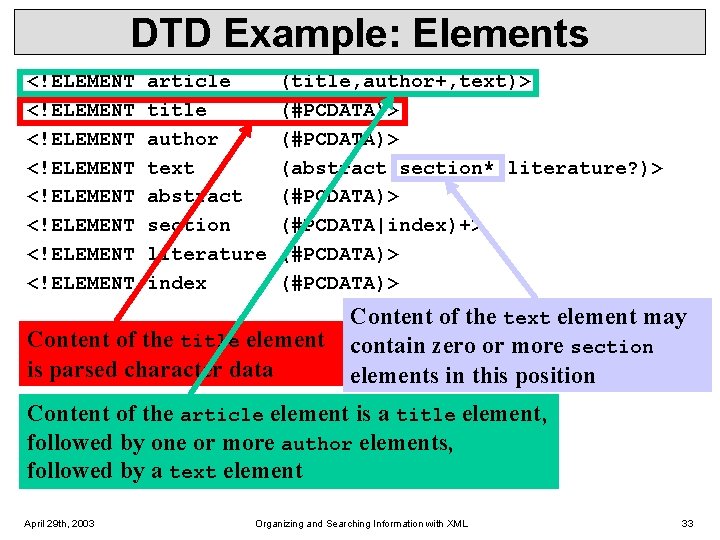
DTD Example: Elements <!ELEMENT <!ELEMENT article title author text abstract section literature index (title, author+, text)> (#PCDATA)> (abstract, section*, literature? )> (#PCDATA|index)+> (#PCDATA)> Content of the title element is parsed character data Content of the text element may contain zero or more section elements in this position Content of the article element is a title element, followed by one or more author elements, followed by a text element April 29 th, 2003 Organizing and Searching Information with XML 33
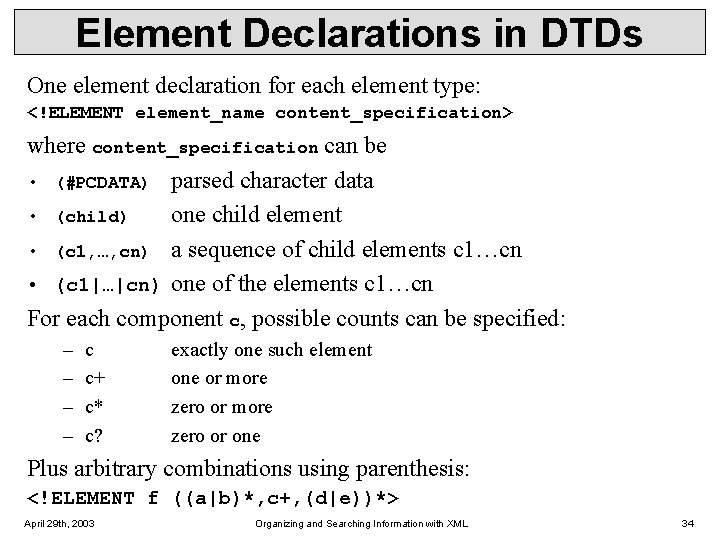
Element Declarations in DTDs One element declaration for each element type: <!ELEMENT element_name content_specification> where content_specification can be • (#PCDATA) parsed character data • (child) one child element • (c 1, …, cn) a sequence of child elements c 1…cn • (c 1|…|cn) one of the elements c 1…cn For each component c, possible counts can be specified: – – c c+ c* c? exactly one such element one or more zero or one Plus arbitrary combinations using parenthesis: <!ELEMENT f ((a|b)*, c+, (d|e))*> April 29 th, 2003 Organizing and Searching Information with XML 34
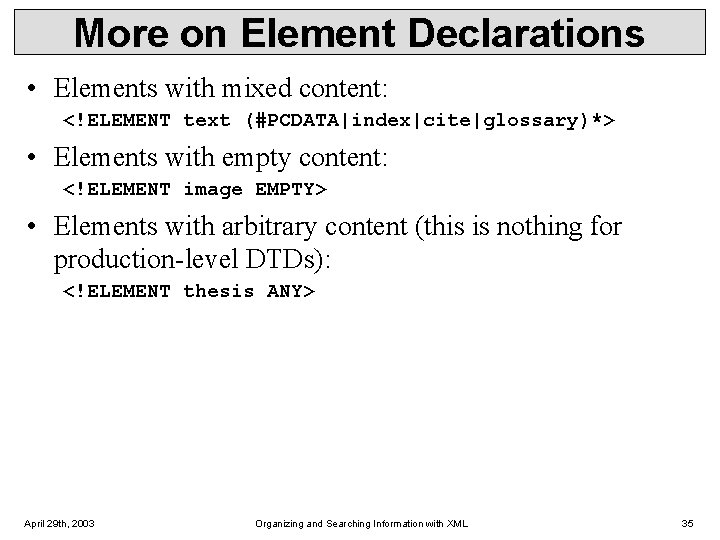
More on Element Declarations • Elements with mixed content: <!ELEMENT text (#PCDATA|index|cite|glossary)*> • Elements with empty content: <!ELEMENT image EMPTY> • Elements with arbitrary content (this is nothing for production-level DTDs): <!ELEMENT thesis ANY> April 29 th, 2003 Organizing and Searching Information with XML 35
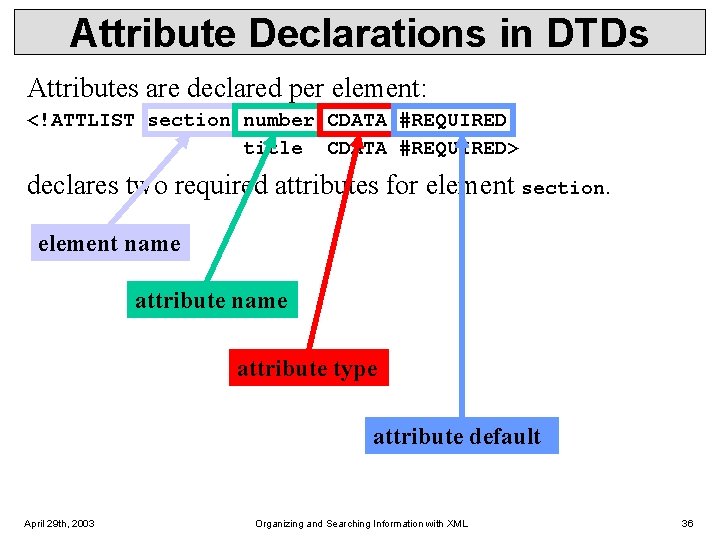
Attribute Declarations in DTDs Attributes are declared per element: <!ATTLIST section number CDATA #REQUIRED title CDATA #REQUIRED> declares two required attributes for element section. element name attribute type attribute default April 29 th, 2003 Organizing and Searching Information with XML 36
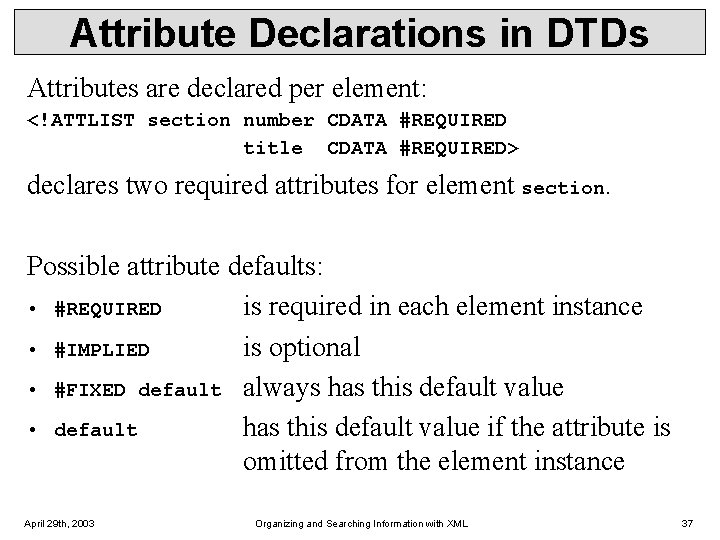
Attribute Declarations in DTDs Attributes are declared per element: <!ATTLIST section number CDATA #REQUIRED title CDATA #REQUIRED> declares two required attributes for element section. Possible attribute defaults: • #REQUIRED is required in each element instance • #IMPLIED is optional • #FIXED default always has this default value • default has this default value if the attribute is omitted from the element instance April 29 th, 2003 Organizing and Searching Information with XML 37
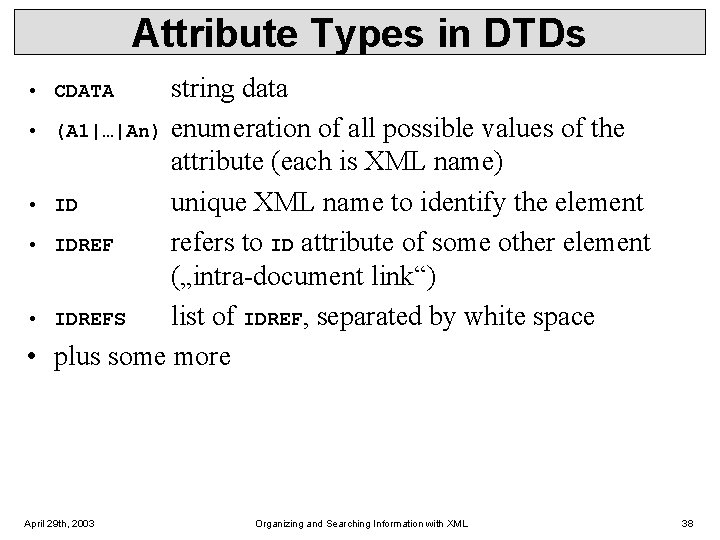
Attribute Types in DTDs string data • (A 1|…|An) enumeration of all possible values of the attribute (each is XML name) • ID unique XML name to identify the element • IDREF refers to ID attribute of some other element („intra-document link“) • IDREFS list of IDREF, separated by white space • plus some more • CDATA April 29 th, 2003 Organizing and Searching Information with XML 38
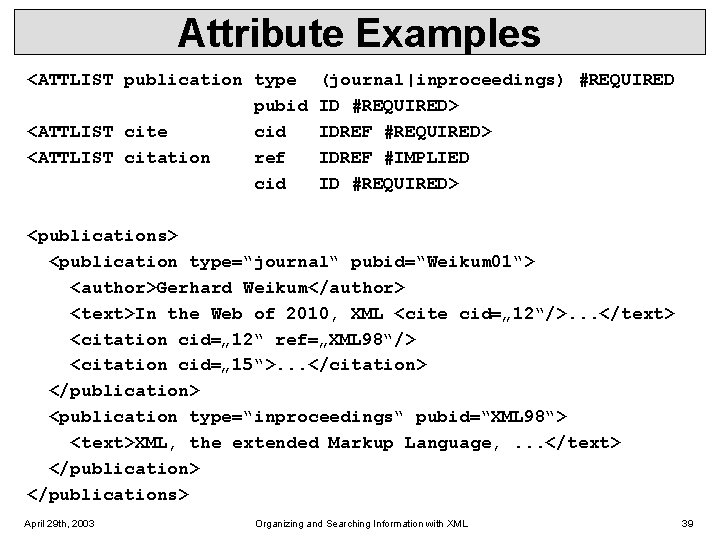
Attribute Examples <ATTLIST publication type pubid <ATTLIST cite cid <ATTLIST citation ref cid (journal|inproceedings) #REQUIRED ID #REQUIRED> IDREF #IMPLIED ID #REQUIRED> <publications> <publication type=“journal“ pubid=“Weikum 01“> <author>Gerhard Weikum</author> <text>In the Web of 2010, XML <cite cid=„ 12“/>. . . </text> <citation cid=„ 12“ ref=„XML 98“/> <citation cid=„ 15“>. . . </citation> </publication> <publication type=“inproceedings“ pubid=“XML 98“> <text>XML, the extended Markup Language, . . . </text> </publications> April 29 th, 2003 Organizing and Searching Information with XML 39

Attribute Examples <ATTLIST publication type pubid <ATTLIST cite cid <ATTLIST citation ref cid (journal|inproceedings) #REQUIRED ID #REQUIRED> IDREF #IMPLIED ID #REQUIRED> <publications> <publication type=“journal“ pubid=“Weikum 01“> <author>Gerhard Weikum</author> <text>In the Web of 2010, XML <cite cid=„ 12“/>. . . </text> <citation cid=„ 12“ ref=„XML 98“/> <citation cid=„ 15“>. . . </citation> </publication> <publication type=“inproceedings“ pubid=“XML 98“> <text>XML, the extended Markup Language, . . . </text> </publications> April 29 th, 2003 Organizing and Searching Information with XML 40
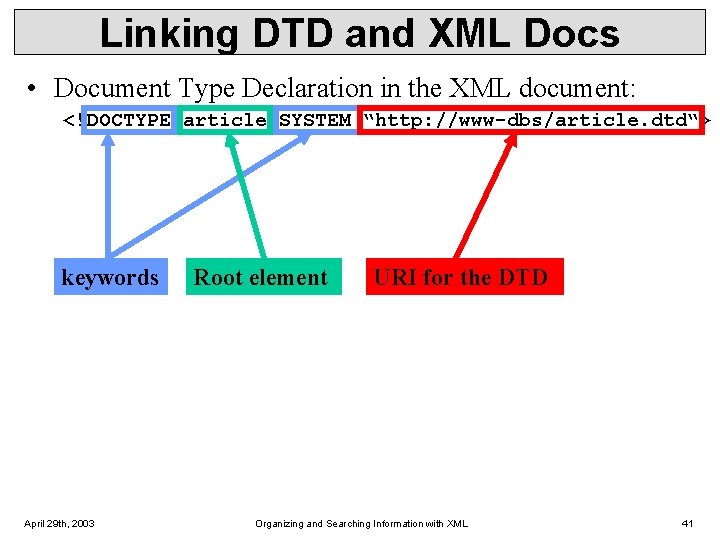
Linking DTD and XML Docs • Document Type Declaration in the XML document: <!DOCTYPE article SYSTEM “http: //www-dbs/article. dtd“> keywords April 29 th, 2003 Root element URI for the DTD Organizing and Searching Information with XML 41
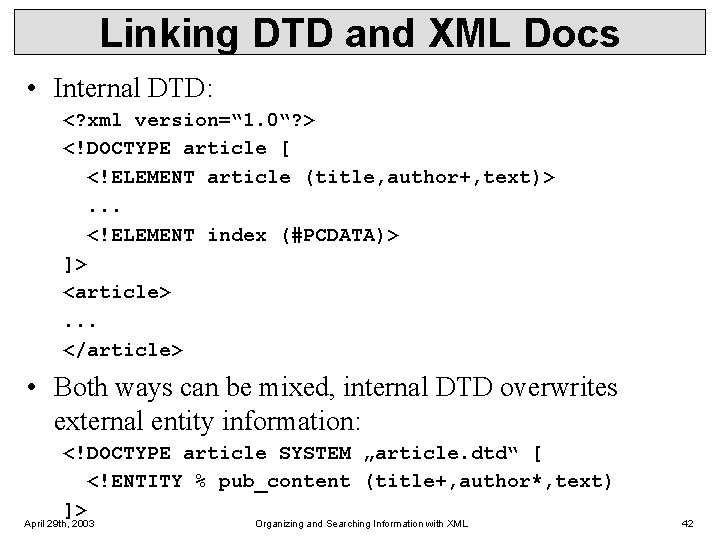
Linking DTD and XML Docs • Internal DTD: <? xml version=“ 1. 0“? > <!DOCTYPE article [ <!ELEMENT article (title, author+, text)>. . . <!ELEMENT index (#PCDATA)> ]> <article>. . . </article> • Both ways can be mixed, internal DTD overwrites external entity information: <!DOCTYPE article SYSTEM „article. dtd“ [ <!ENTITY % pub_content (title+, author*, text) ]> April 29 th, 2003 Organizing and Searching Information with XML 42
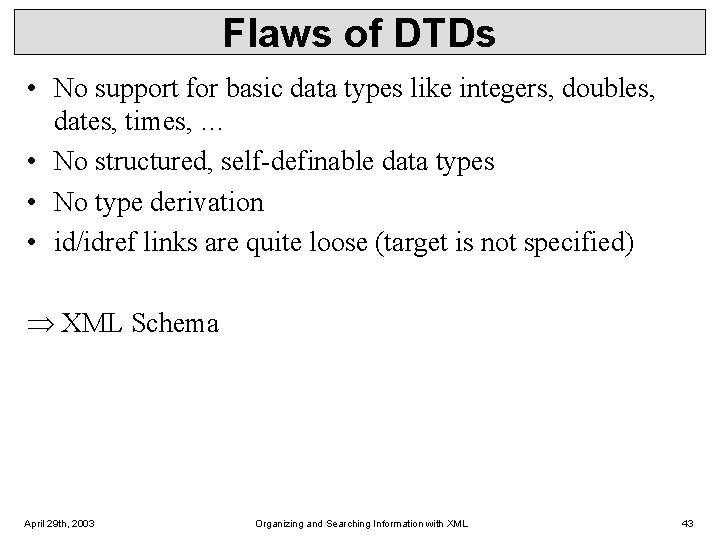
Flaws of DTDs • No support for basic data types like integers, doubles, dates, times, … • No structured, self-definable data types • No type derivation • id/idref links are quite loose (target is not specified) XML Schema April 29 th, 2003 Organizing and Searching Information with XML 43
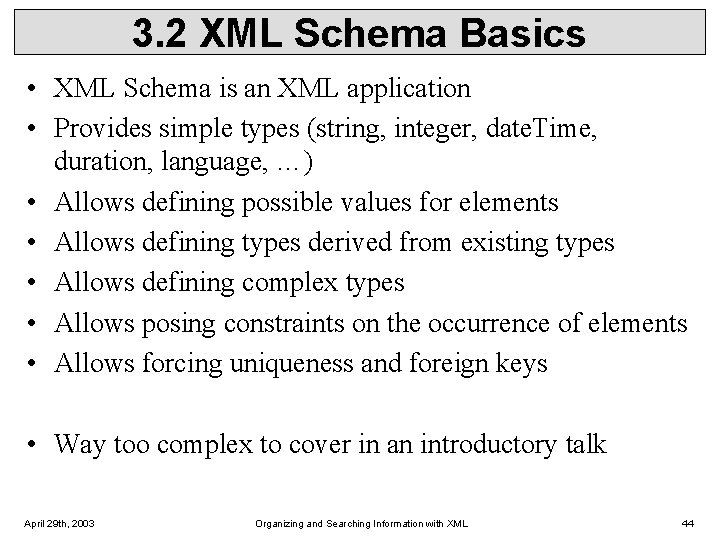
3. 2 XML Schema Basics • XML Schema is an XML application • Provides simple types (string, integer, date. Time, duration, language, …) • Allows defining possible values for elements • Allows defining types derived from existing types • Allows defining complex types • Allows posing constraints on the occurrence of elements • Allows forcing uniqueness and foreign keys • Way too complex to cover in an introductory talk April 29 th, 2003 Organizing and Searching Information with XML 44
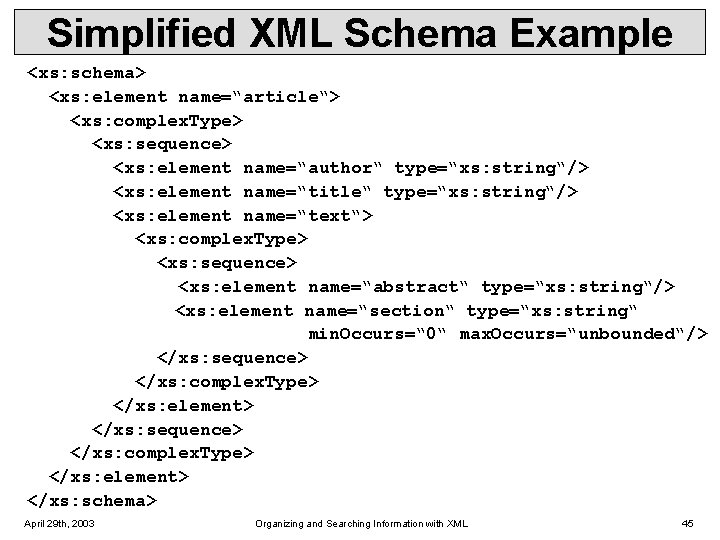
Simplified XML Schema Example <xs: schema> <xs: element name=“article“> <xs: complex. Type> <xs: sequence> <xs: element name=“author“ type=“xs: string“/> <xs: element name=“title“ type=“xs: string“/> <xs: element name=“text“> <xs: complex. Type> <xs: sequence> <xs: element name=“abstract“ type=“xs: string“/> <xs: element name=“section“ type=“xs: string“ min. Occurs=“ 0“ max. Occurs=“unbounded“/> </xs: sequence> </xs: complex. Type> </xs: element> </xs: schema> April 29 th, 2003 Organizing and Searching Information with XML 45
XML for Beginners Part 4 – Querying XML Data 4. 1 XPath 4. 2 XQuery April 29 th, 2003 Organizing and Searching Information with XML 46
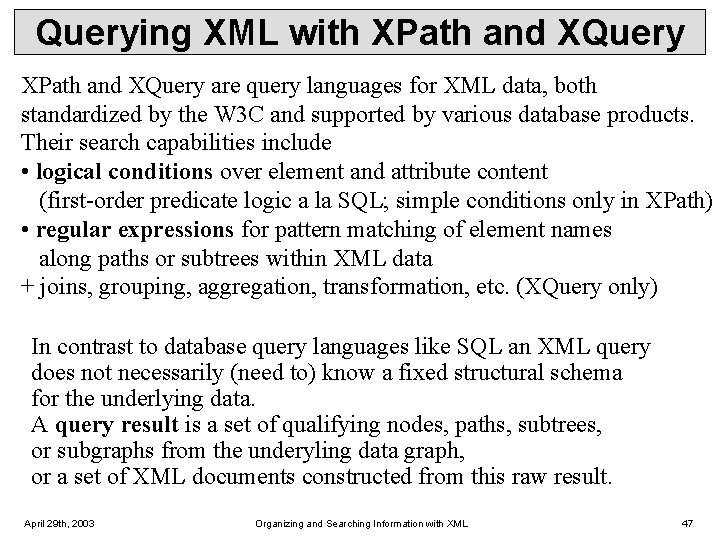
Querying XML with XPath and XQuery are query languages for XML data, both standardized by the W 3 C and supported by various database products. Their search capabilities include • logical conditions over element and attribute content (first-order predicate logic a la SQL; simple conditions only in XPath) • regular expressions for pattern matching of element names along paths or subtrees within XML data + joins, grouping, aggregation, transformation, etc. (XQuery only) In contrast to database query languages like SQL an XML query does not necessarily (need to) know a fixed structural schema for the underlying data. A query result is a set of qualifying nodes, paths, subtrees, or subgraphs from the underyling data graph, or a set of XML documents constructed from this raw result. April 29 th, 2003 Organizing and Searching Information with XML 47
4. 1 XPath • XPath is a simple language to identify parts of the XML document (for further processing) • XPath operates on the tree representation of the document • Result of an XPath expression is a set of elements or attributes • Discuss abbreviated version of XPath April 29 th, 2003 Organizing and Searching Information with XML 48
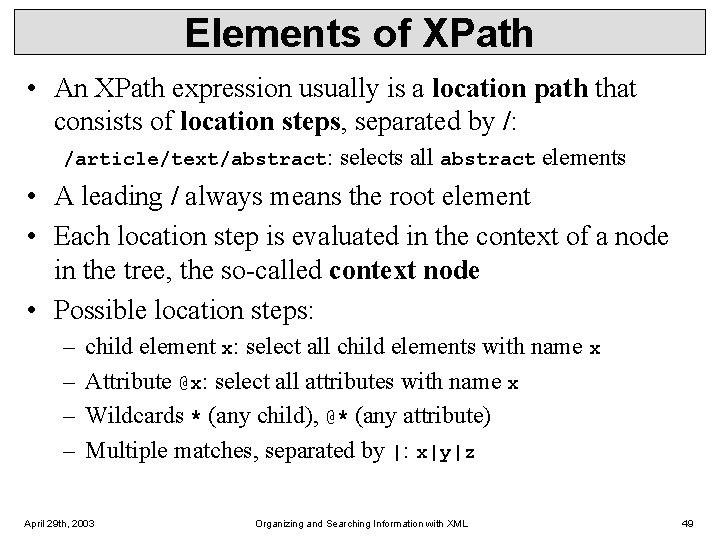
Elements of XPath • An XPath expression usually is a location path that consists of location steps, separated by /: /article/text/abstract: selects all abstract elements • A leading / always means the root element • Each location step is evaluated in the context of a node in the tree, the so-called context node • Possible location steps: – – child element x: select all child elements with name x Attribute @x: select all attributes with name x Wildcards * (any child), @* (any attribute) Multiple matches, separated by |: x|y|z April 29 th, 2003 Organizing and Searching Information with XML 49
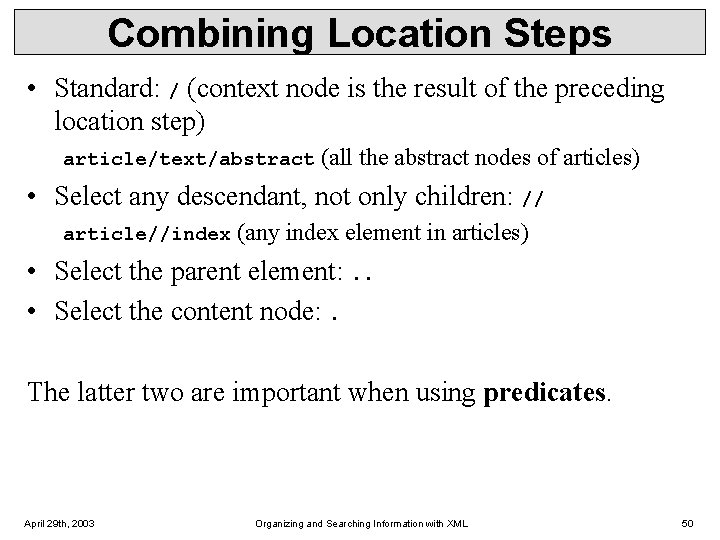
Combining Location Steps • Standard: / (context node is the result of the preceding location step) article/text/abstract (all the abstract nodes of articles) • Select any descendant, not only children: // article//index (any index element in articles) • Select the parent element: . . • Select the content node: . The latter two are important when using predicates. April 29 th, 2003 Organizing and Searching Information with XML 50
![Predicates in Location Steps • Added with [] to the location step • Used](http://slidetodoc.com/presentation_image_h/f860748bc7c89c596d6815d8e1466ba8/image-51.jpg "Predicates in Location Steps • Added with [] to the location step • Used")
Predicates in Location Steps • Added with [] to the location step • Used to restricts elements that qualify as result of a location step to those that fulfil the predicate: – a[b] elements a that have a subelement b – a[@d] elements a that have an attribute d – Plus conditions on content/value: • a[b=„c“] • A[@d>7] • <, <=, >=, !=, … April 29 th, 2003 Organizing and Searching Information with XML 51
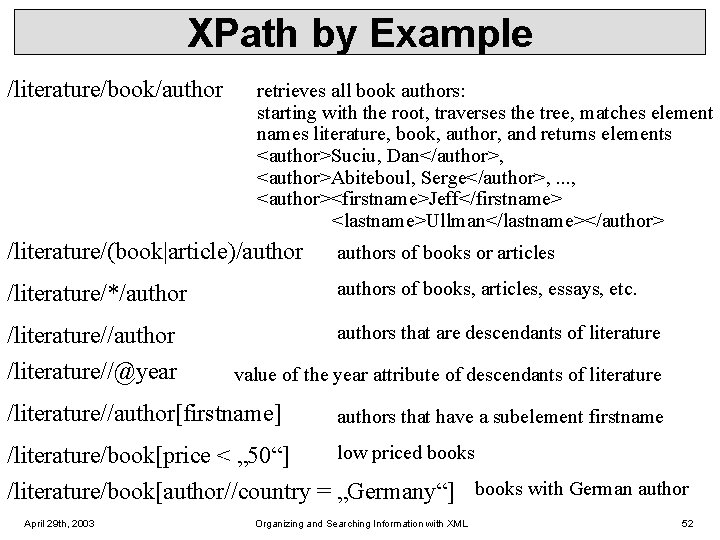
XPath by Example /literature/book/author retrieves all book authors: starting with the root, traverses the tree, matches element names literature, book, author, and returns elements <author>Suciu, Dan</author>, <author>Abiteboul, Serge</author>, . . . , <author><firstname>Jeff</firstname> <lastname>Ullman</lastname></author> /literature/(book|article)/authors of books or articles /literature/*/authors of books, articles, essays, etc. /literature//author /literature//@year authors that are descendants of literature value of the year attribute of descendants of literature /literature//author[firstname] authors that have a subelement firstname low priced books /literature/book[price < „ 50“] /literature/book[author//country = „Germany“] books with German author April 29 th, 2003 Organizing and Searching Information with XML 52
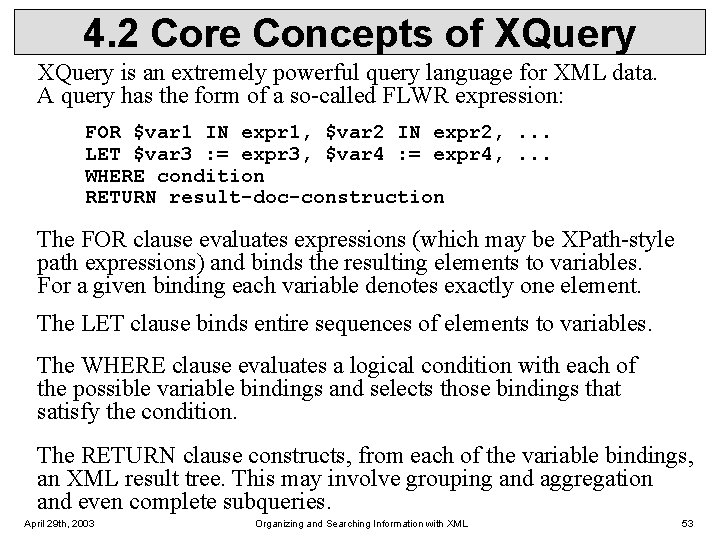
4. 2 Core Concepts of XQuery is an extremely powerful query language for XML data. A query has the form of a so-called FLWR expression: FOR $var 1 IN expr 1, $var 2 IN expr 2, . . . LET $var 3 : = expr 3, $var 4 : = expr 4, . . . WHERE condition RETURN result-doc-construction The FOR clause evaluates expressions (which may be XPath-style path expressions) and binds the resulting elements to variables. For a given binding each variable denotes exactly one element. The LET clause binds entire sequences of elements to variables. The WHERE clause evaluates a logical condition with each of the possible variable bindings and selects those bindings that satisfy the condition. The RETURN clause constructs, from each of the variable bindings, an XML result tree. This may involve grouping and aggregation and even complete subqueries. April 29 th, 2003 Organizing and Searching Information with XML 53
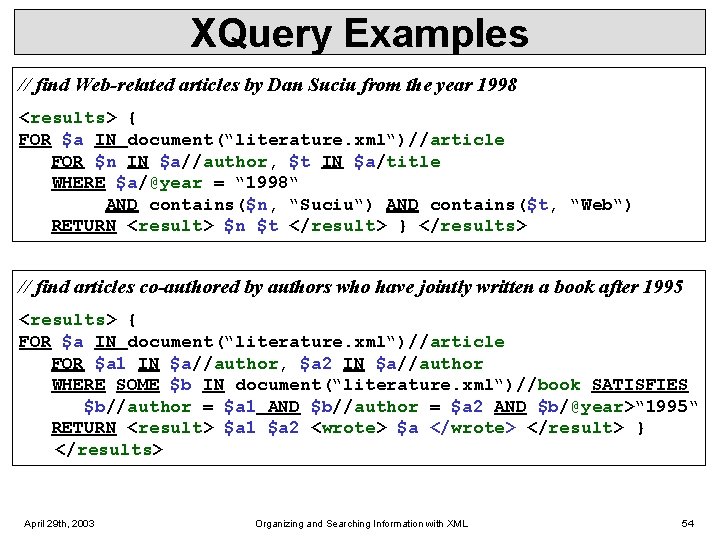
XQuery Examples // find Web-related articles by Dan Suciu from the year 1998 <results> { FOR $a IN document(“literature. xml“)//article FOR $n IN $a//author, $t IN $a/title WHERE $a/@year = “ 1998“ AND contains($n, “Suciu“) AND contains($t, “Web“) RETURN <result> $n $t </result> } </results> // find articles co-authored by authors who have jointly written a book after 1995 <results> { FOR $a IN document(“literature. xml“)//article FOR $a 1 IN $a//author, $a 2 IN $a//author WHERE SOME $b IN document(“literature. xml“)//book SATISFIES $b//author = $a 1 AND $b//author = $a 2 AND $b/@year>“ 1995“ RETURN <result> $a 1 $a 2 <wrote> $a </wrote> </result> } </results> April 29 th, 2003 Organizing and Searching Information with XML 54
Summary and Outlook You should give one, I won‘t. April 29 th, 2003 Organizing and Searching Information with XML 55
- Slides: 55