
XML and Web Data Facts about the Web
XML and Web Data
Facts about the Web • Growing fast • Popular • Semi-structured data – Data is presented for ‘human’-processing – Data is often ‘self-describing’ (including name of attributes within the data fields)
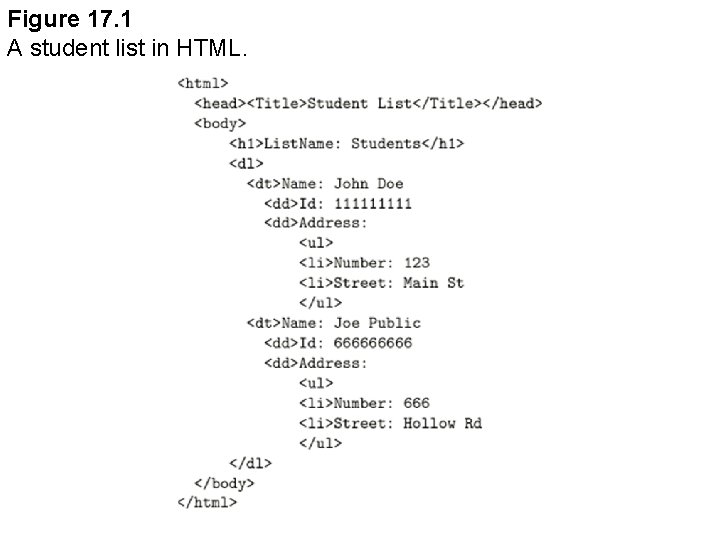
Figure 17. 1 A student list in HTML.
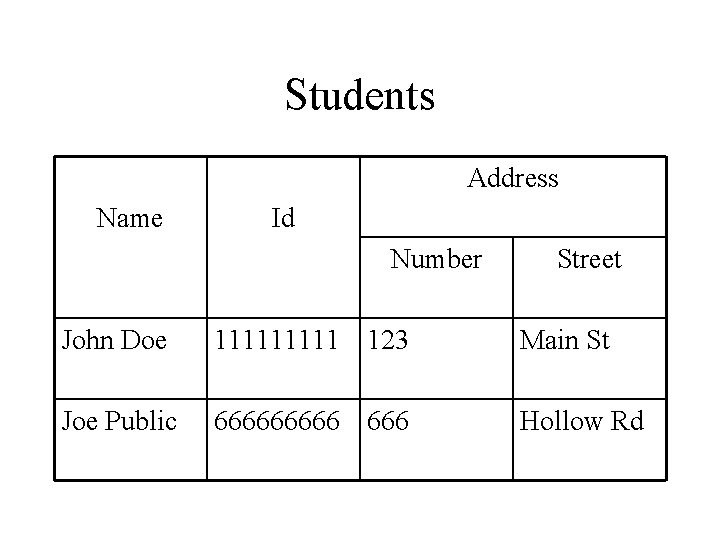
Students Address Name Id Number Street John Doe 11111 123 Main St Joe Public 66666 666 Hollow Rd
Vision for Web data • Object-like – it can be represented as a collection of objects of the form described by the conceptual data model • Schemaless – not conformed to any type structure • Self-describing – necessary for machine readable data
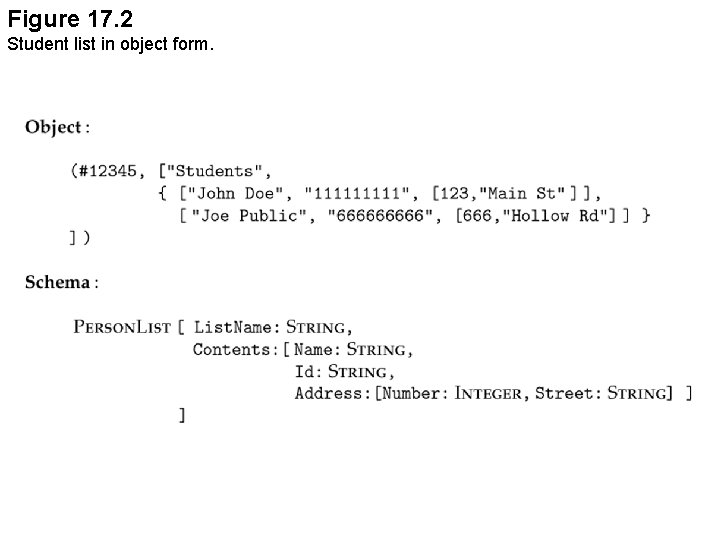
Figure 17. 2 Student list in object form.
XML – Overview • Simplifying the data exchange between software agents • Popular thanks to the involvement of W 3 C (World Wide Web Consortium – independent organization www. w 3 c. org)
XML – Characteristics • Simple, open, widely accepted • HTML-like (tags) but extensible by users (no fixed set of tags) • No predefined semantics for the tags (because XML is developed not for the displaying purpose) • Semantics is defined by stylesheet (later)

Figure 15. 3 XML representation of the student list. Required (For XML processor) XML element
XML Documents • User-defined tags: <tag> info </tag> • Properly nested: <tag 1>. . <tag 2>…</tag 1></tag 2> is not valid • Root element: an element contains all other elements • Processing instructions <? command …. ? > • Comments <!--- comment --- > • CDATA type • DTD
XML element • Begin with a opening tag of the form <XML_element_name> • End with a closing tag </XML_element_name> • The text between the beginning tag and the closing tag is called the content of the element
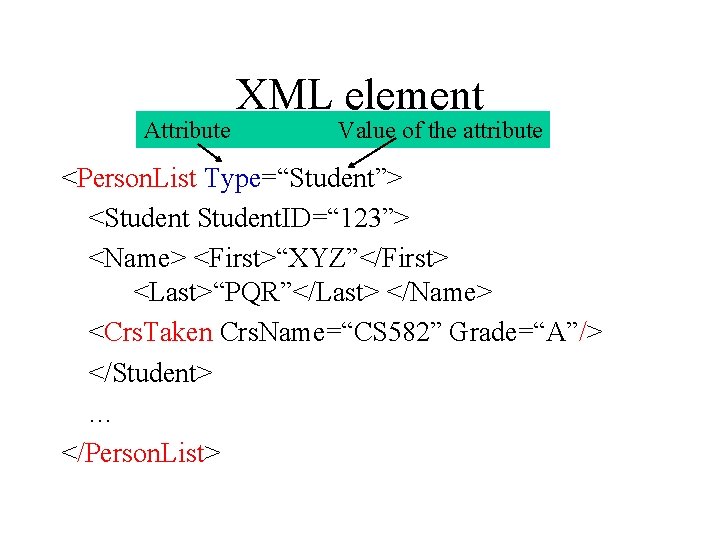
Attribute XML element Value of the attribute <Person. List Type=“Student”> <Student. ID=“ 123”> <Name> <First>“XYZ”</First> <Last>“PQR”</Last> </Name> <Crs. Taken Crs. Name=“CS 582” Grade=“A”/> </Student> … </Person. List>
Relationship between XML elements • Child-parent relationship – Elements nested directly in an element are the children of this element (Student is a child of Person. List, Name is a child of Student, etc. ) • Ancestor/descendant relationship: important for querying XML documents (extending the child/parent relationship)
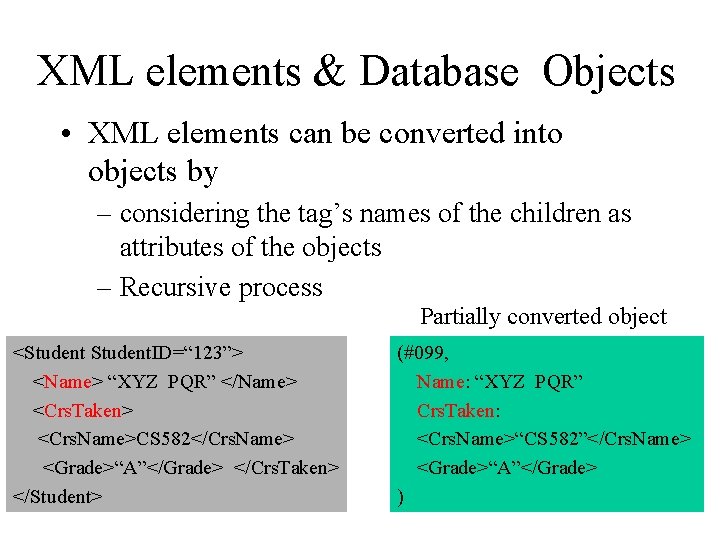
XML elements & Database Objects • XML elements can be converted into objects by – considering the tag’s names of the children as attributes of the objects – Recursive process Partially converted object <Student. ID=“ 123”> <Name> “XYZ PQR” </Name> <Crs. Taken> <Crs. Name>CS 582</Crs. Name> <Grade>“A”</Grade> </Crs. Taken> </Student> (#099, Name: “XYZ PQR” Crs. Taken: <Crs. Name>“CS 582”</Crs. Name> <Grade>“A”</Grade> )
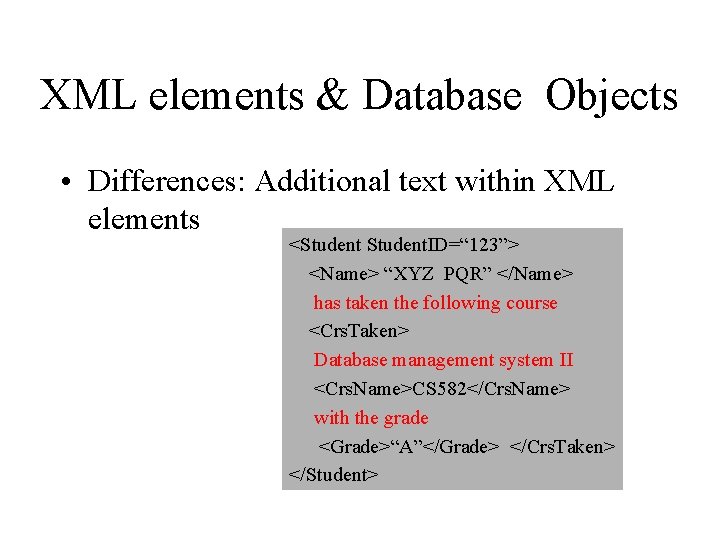
XML elements & Database Objects • Differences: Additional text within XML elements <Student. ID=“ 123”> <Name> “XYZ PQR” </Name> has taken the following course <Crs. Taken> Database management system II <Crs. Name>CS 582</Crs. Name> with the grade <Grade>“A”</Grade> </Crs. Taken> </Student>
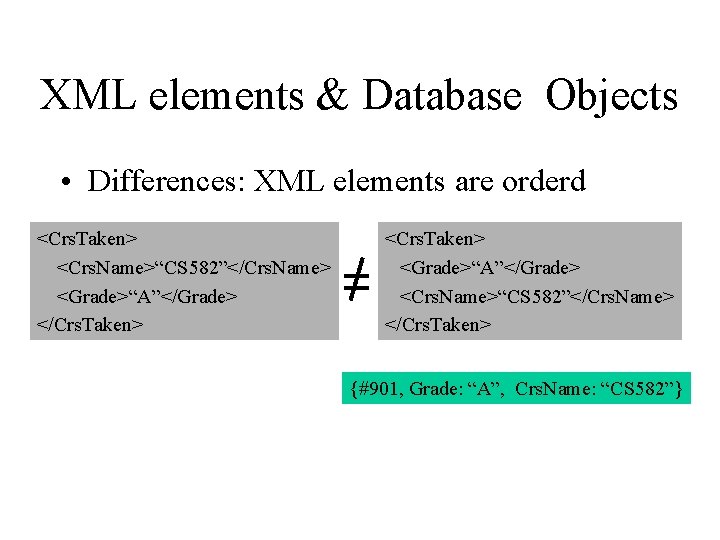
XML elements & Database Objects • Differences: XML elements are orderd <Crs. Taken> <Crs. Name>“CS 582”</Crs. Name> <Grade>“A”</Grade> </Crs. Taken> <Grade>“A”</Grade> <Crs. Name>“CS 582”</Crs. Name> </Crs. Taken> {#901, Grade: “A”, Crs. Name: “CS 582”}
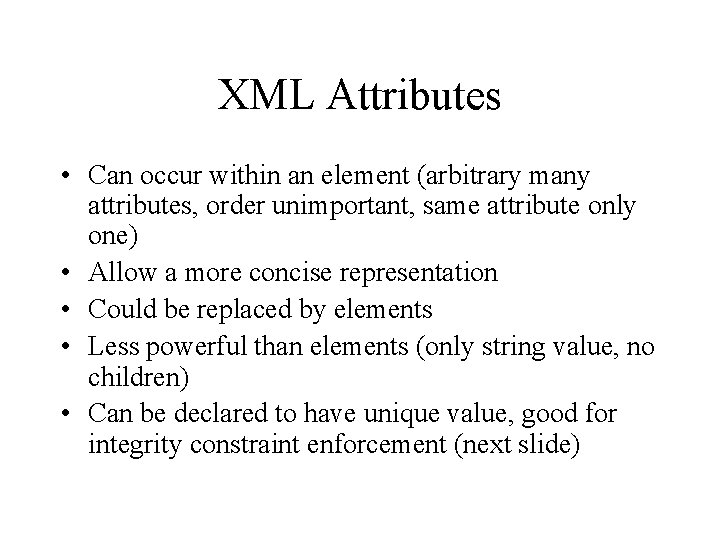
XML Attributes • Can occur within an element (arbitrary many attributes, order unimportant, same attribute only one) • Allow a more concise representation • Could be replaced by elements • Less powerful than elements (only string value, no children) • Can be declared to have unique value, good for integrity constraint enforcement (next slide)
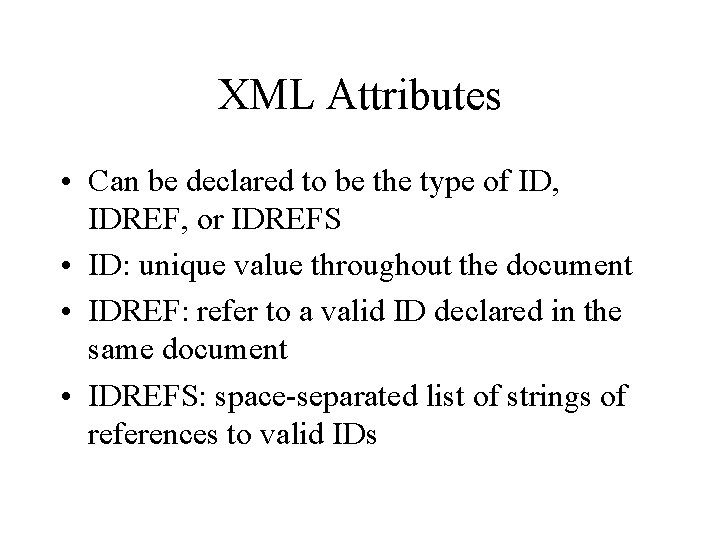
XML Attributes • Can be declared to be the type of ID, IDREF, or IDREFS • ID: unique value throughout the document • IDREF: refer to a valid ID declared in the same document • IDREFS: space-separated list of strings of references to valid IDs
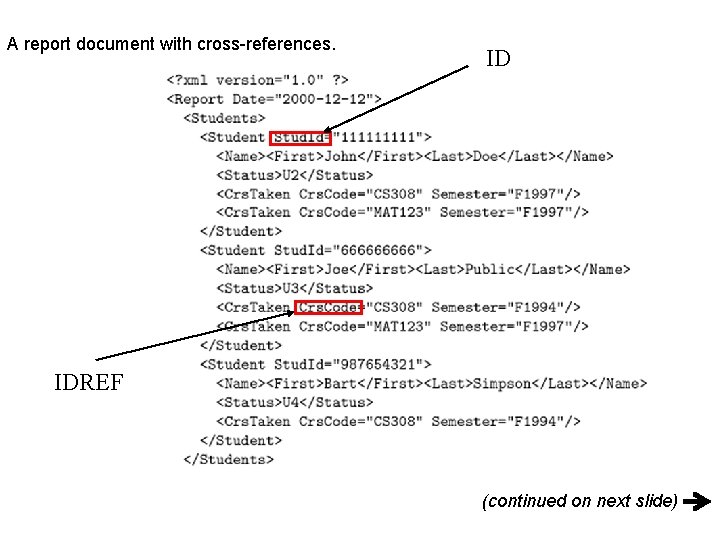
A report document with cross-references. ID IDREF (continued on next slide)
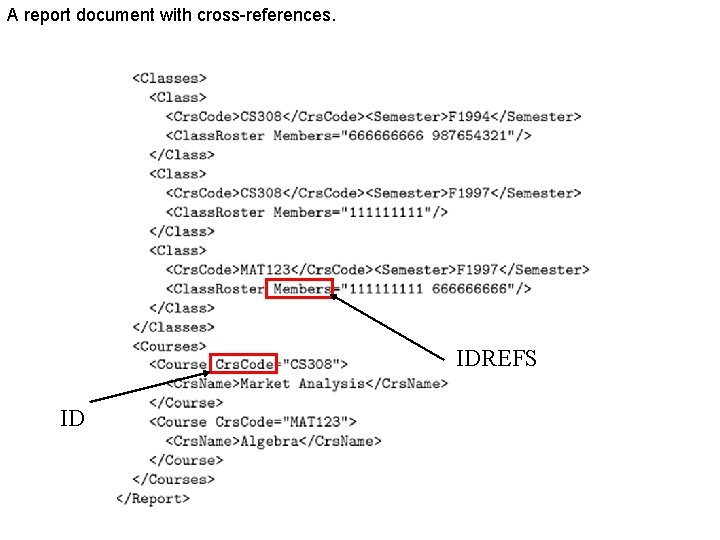
A report document with cross-references. IDREFS ID
Well-formed XML Document • It has a root element • Every opening tag is followed by a matching closing tag, elements are properly nested • Any attribute can occur at most once in a given opening tag, its value must be provided, quoted
So far • • Why XML? XML elements XML attributes Well-formed XML document
Namespaces and DTD
Namespaces • For avoiding naming conflicts • Name of every XML tag must have two parts: – namespace: a string in the form of a uniform resource identifier (URI) or a uniform resource locator (URL) – local name: as regular XML tag but cannot contain ‘: ’ • Structure of an XML tag: namespace: local_name
Namespaces • An XML namespace is a collection of names, identified by a URI reference, which are used in XML documents as element types and attribute names. XML namespaces differ from the "namespaces" conventionally used in computing disciplines in that the XML version has internal structure and is not, mathematically speaking, a set. Source: www. w 3 c. org
Uniform Resource Identifier • URI references which identify namespaces are considered identical when they are exactly the same character-for-character. Note that URI references which are not identical in this sense may in fact be functionally equivalent. Examples include URI references which differ only in case, or which are in external entities which have different effective base URIs. Source: www. w 3 c. org
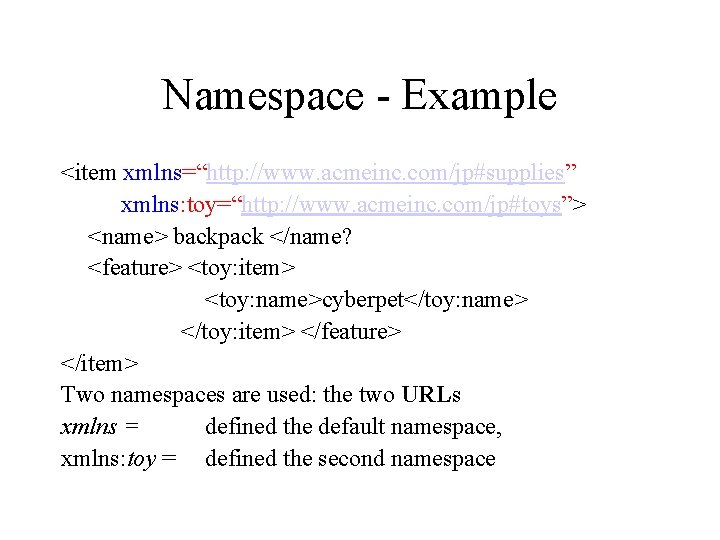
Namespace - Example <item xmlns=“http: //www. acmeinc. com/jp#supplies” xmlns: toy=“http: //www. acmeinc. com/jp#toys”> <name> backpack </name? <feature> <toy: item> <toy: name>cyberpet</toy: name> </toy: item> </feature> </item> Two namespaces are used: the two URLs xmlns = defined the default namespace, xmlns: toy = defined the second namespace
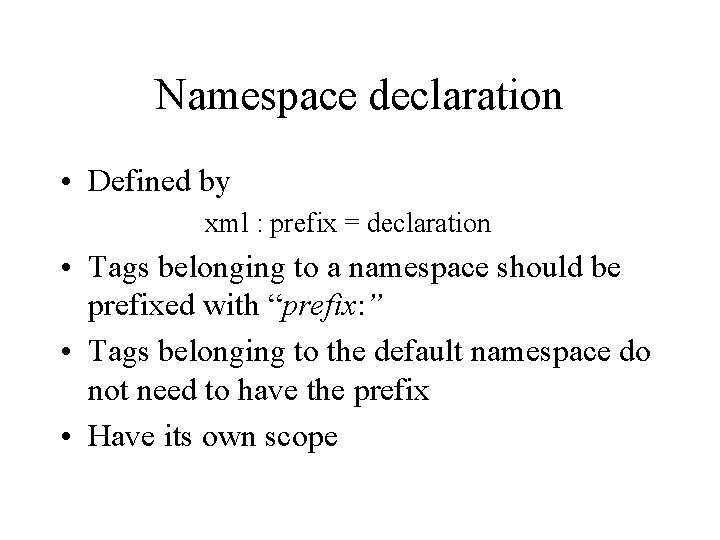
Namespace declaration • Defined by xml : prefix = declaration • Tags belonging to a namespace should be prefixed with “prefix: ” • Tags belonging to the default namespace do not need to have the prefix • Have its own scope
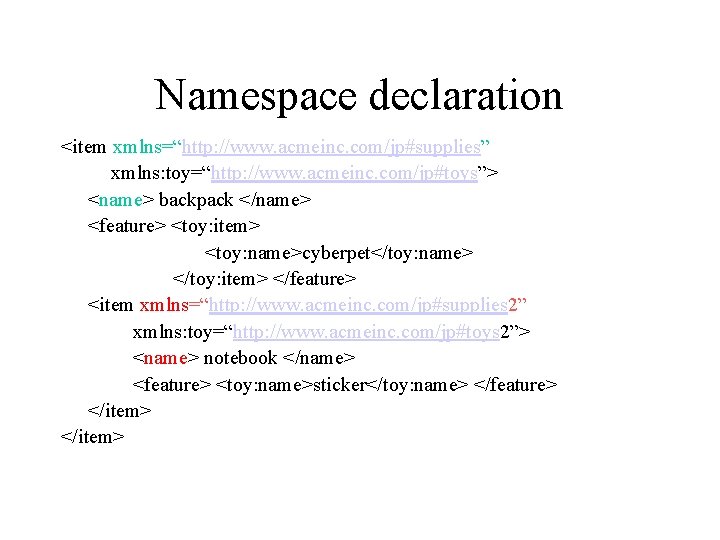
Namespace declaration <item xmlns=“http: //www. acmeinc. com/jp#supplies” xmlns: toy=“http: //www. acmeinc. com/jp#toys”> <name> backpack </name> <feature> <toy: item> <toy: name>cyberpet</toy: name> </toy: item> </feature> <item xmlns=“http: //www. acmeinc. com/jp#supplies 2” xmlns: toy=“http: //www. acmeinc. com/jp#toys 2”> <name> notebook </name> <feature> <toy: name>sticker</toy: name> </feature> </item>
Document Type Definition • Set of rules (by the user) for structuring an XML document • Can be part of the document itself, or can be specified via a URL where the DTD can be found • A document that conforms to a DTD is said to be valid • Viewed as a grammar that specifies a legal XML document, based on the tags used in the document
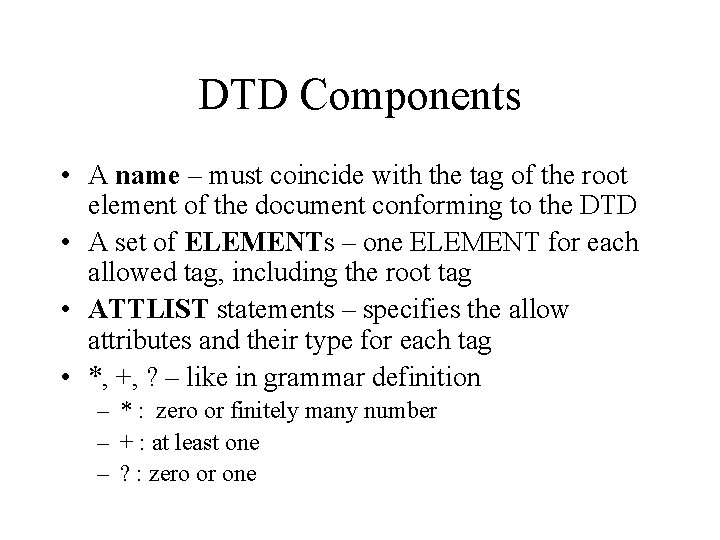
DTD Components • A name – must coincide with the tag of the root element of the document conforming to the DTD • A set of ELEMENTs – one ELEMENT for each allowed tag, including the root tag • ATTLIST statements – specifies the allow attributes and their type for each tag • *, +, ? – like in grammar definition – * : zero or finitely many number – + : at least one – ? : zero or one
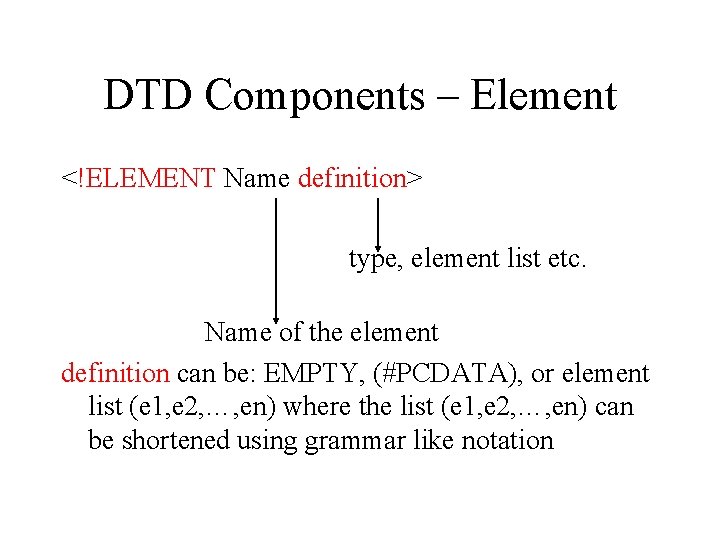
DTD Components – Element <!ELEMENT Name definition> type, element list etc. Name of the element definition can be: EMPTY, (#PCDATA), or element list (e 1, e 2, …, en) where the list (e 1, e 2, …, en) can be shortened using grammar like notation
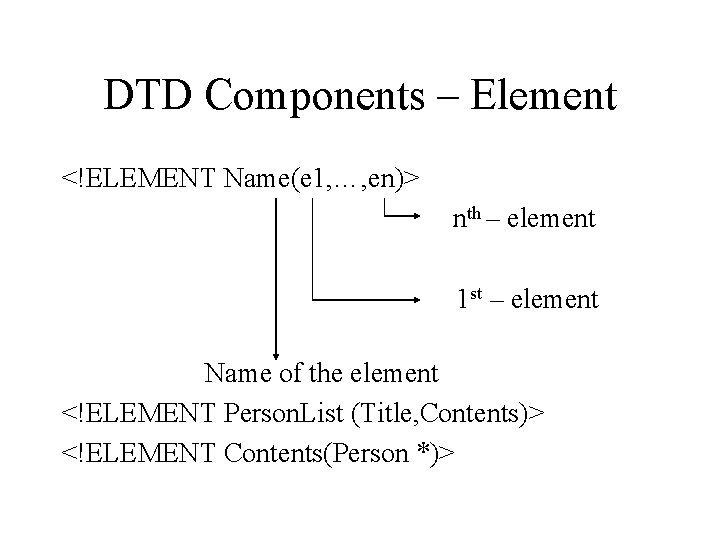
DTD Components – Element <!ELEMENT Name(e 1, …, en)> nth – element 1 st – element Name of the element <!ELEMENT Person. List (Title, Contents)> <!ELEMENT Contents(Person *)>
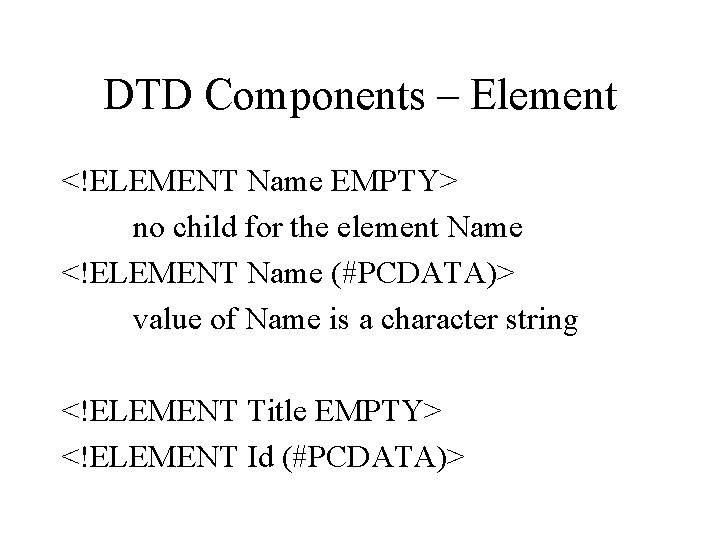
DTD Components – Element <!ELEMENT Name EMPTY> no child for the element Name <!ELEMENT Name (#PCDATA)> value of Name is a character string <!ELEMENT Title EMPTY> <!ELEMENT Id (#PCDATA)>
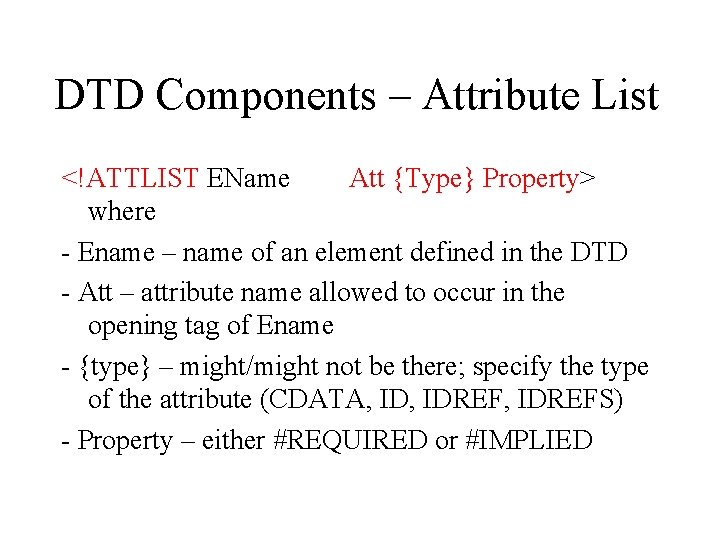
DTD Components – Attribute List <!ATTLIST EName Att {Type} Property> where - Ename – name of an element defined in the DTD - Att – attribute name allowed to occur in the opening tag of Ename - {type} – might/might not be there; specify the type of the attribute (CDATA, IDREF, IDREFS) - Property – either #REQUIRED or #IMPLIED
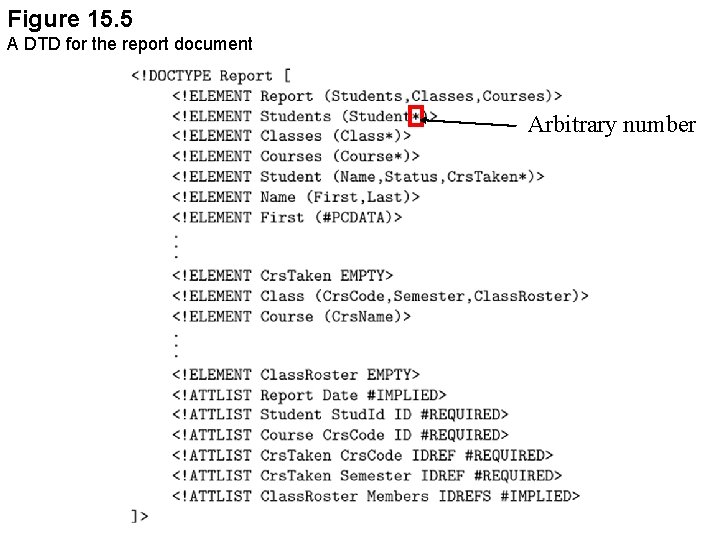
Figure 15. 5 A DTD for the report document Arbitrary number
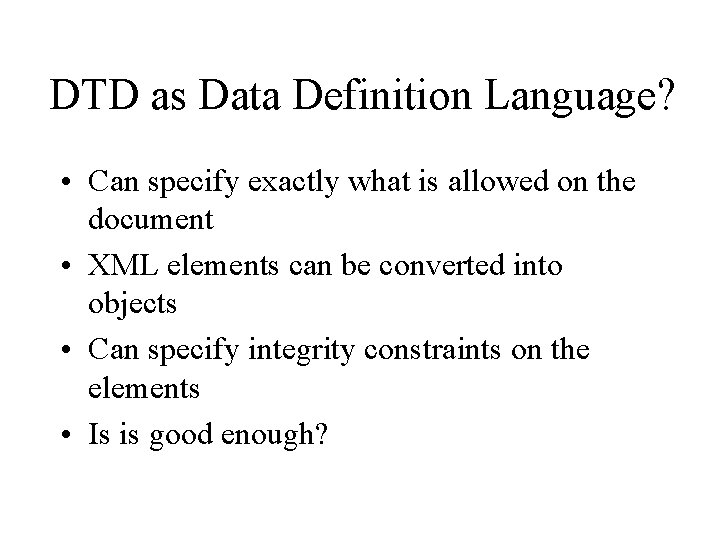
DTD as Data Definition Language? • Can specify exactly what is allowed on the document • XML elements can be converted into objects • Can specify integrity constraints on the elements • Is is good enough?
Inadequacy of DTP as a Data Definition Language • Goal of XML: for specifying documents that can be exchanged and automatically processed by software agents • DTD provides the possibility of querying Web documents but has many limitations (next slide)
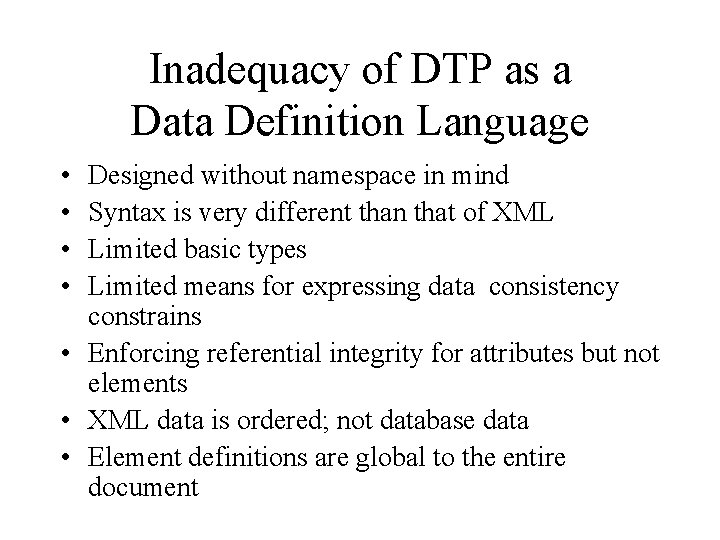
Inadequacy of DTP as a Data Definition Language • • Designed without namespace in mind Syntax is very different than that of XML Limited basic types Limited means for expressing data consistency constrains • Enforcing referential integrity for attributes but not elements • XML data is ordered; not database data • Element definitions are global to the entire document
XML Schema
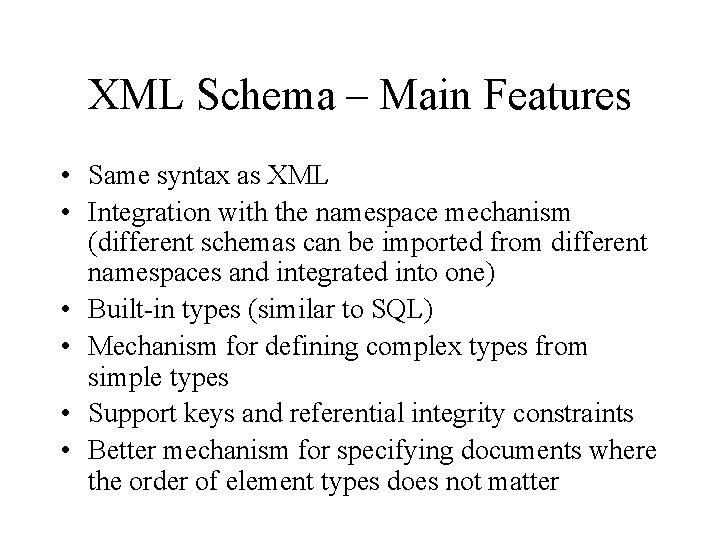
XML Schema – Main Features • Same syntax as XML • Integration with the namespace mechanism (different schemas can be imported from different namespaces and integrated into one) • Built-in types (similar to SQL) • Mechanism for defining complex types from simple types • Support keys and referential integrity constraints • Better mechanism for specifying documents where the order of element types does not matter
XML Document and Schema A document conforms to a schema is called an instance of this schema and is said to be schema valid. XML processor does not check for schema validity
XML Schema and Namespaces • Describes the structure of other XML documents • Begins with a declaration of the namespaces to be used in the schema, including – http: //www. w 3. org/2001/XMLSchema-instance – targetnamespace (user-defined namespace)
http: //www. w 3. org/2001/XMLSchema • Identifies the names of tags and attributes used in a schema (names defined by the XML Schema Specification, e. g. , schema, attribute, element) • Understood by all schema aware XML processor • These tags and attributes describe structural properties of documents in general
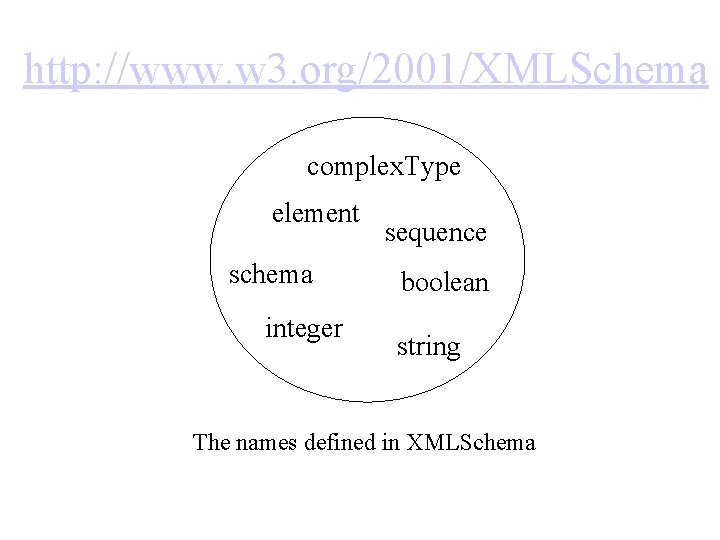
http: //www. w 3. org/2001/XMLSchema complex. Type element schema integer sequence boolean string The names defined in XMLSchema
http: //www. w 3. org/2001/XMLSchema-instance • Used in conjunction with the XMLSchema namespace • Identifies some other special names which are defined in the XML Schema Specification but are used in the instance documents
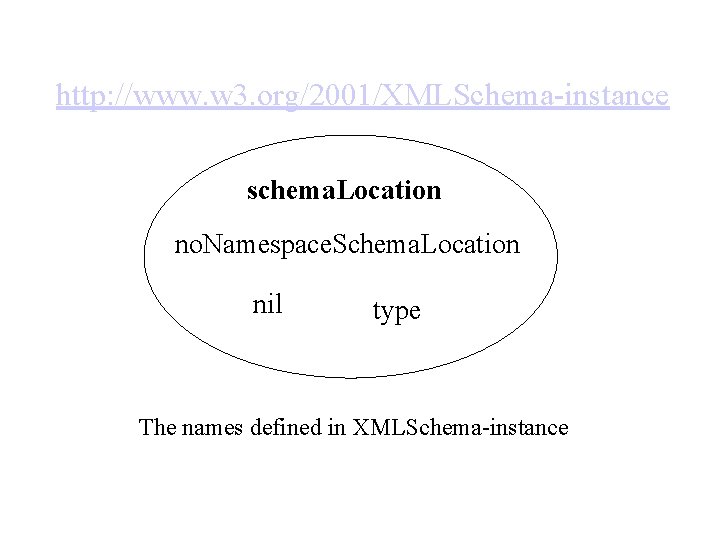
http: //www. w 3. org/2001/XMLSchema-instance schema. Location no. Namespace. Schema. Location nil type The names defined in XMLSchema-instance
Target namespace • identifies the set of names defined by a particular schema document • is an attribute of the schema element (target. Namespace) whose value is the name space containing all the names defines by the schema
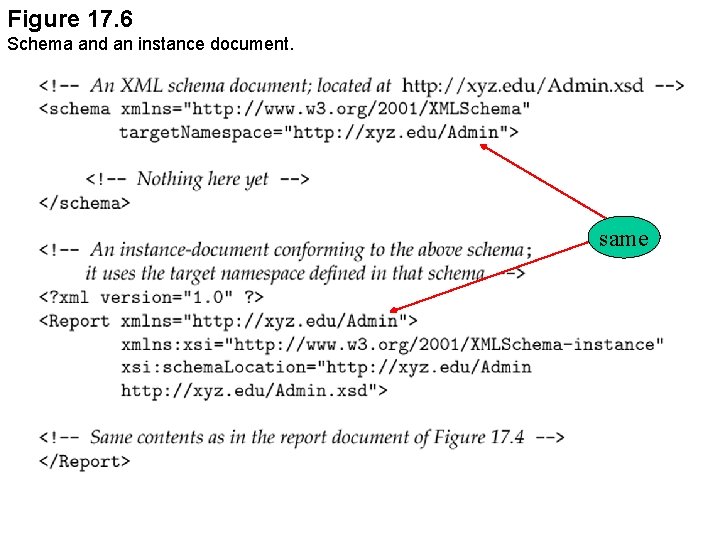
Figure 17. 6 Schema and an instance document. same
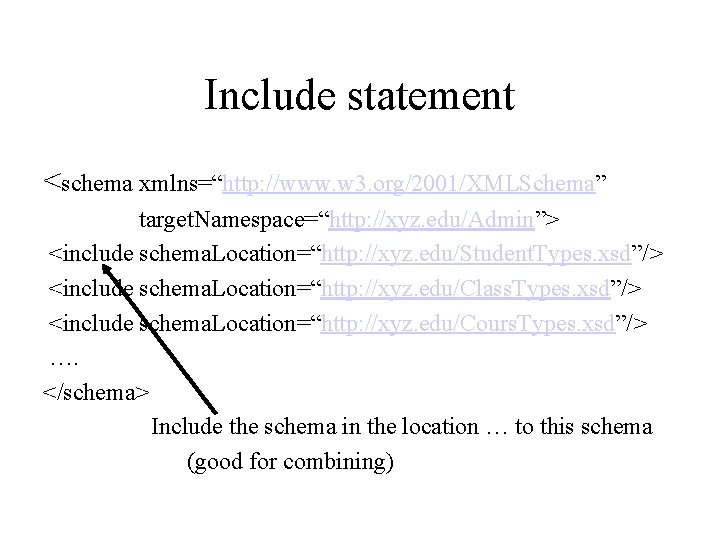
Include statement <schema xmlns=“http: //www. w 3. org/2001/XMLSchema” target. Namespace=“http: //xyz. edu/Admin”> <include schema. Location=“http: //xyz. edu/Student. Types. xsd”/> <include schema. Location=“http: //xyz. edu/Class. Types. xsd”/> <include schema. Location=“http: //xyz. edu/Cours. Types. xsd”/> …. </schema> Include the schema in the location … to this schema (good for combining)
![Types • Simple types (See Slides 56 -68 of [RC]) – Primitive – Deriving](http://slidetodoc.com/presentation_image/5d4bffb53a73ccede3b6a6de61bdb3b0/image-51.jpg "Types • Simple types (See Slides 56 -68 of [RC]) – Primitive – Deriving")
Types • Simple types (See Slides 56 -68 of [RC]) – Primitive – Deriving simple types • Complex types [RC] – Roger Costello’s Slide on XMLSchema
![Built-in Datatypes (From [RC]) • Primitive Datatypes – string – boolean – decimal –](http://slidetodoc.com/presentation_image/5d4bffb53a73ccede3b6a6de61bdb3b0/image-52.jpg "Built-in Datatypes (From [RC]) • Primitive Datatypes – string – boolean – decimal –")
Built-in Datatypes (From [RC]) • Primitive Datatypes – string – boolean – decimal – float – double – duration – date. Time – time – date – g. Year. Month – g. Year – g. Month. Day • Atomic, built-in – "Hello World" – {true, false} – 7. 08 – 12. 56 E 3, 12, 12560, 0, -0, INF, -INF, NAN – P 1 Y 2 M 3 DT 10 H 30 M 12. 3 S – format: CCYY-MM-DDThh-mm-ss – format: hh: mm: ss. sss – format: CCYY-MM-DD – format: CCYY-MM – format: CCYY – format: --MM-DD Note: 'T' is the date/time separator INF = infinity NAN = not-a-number
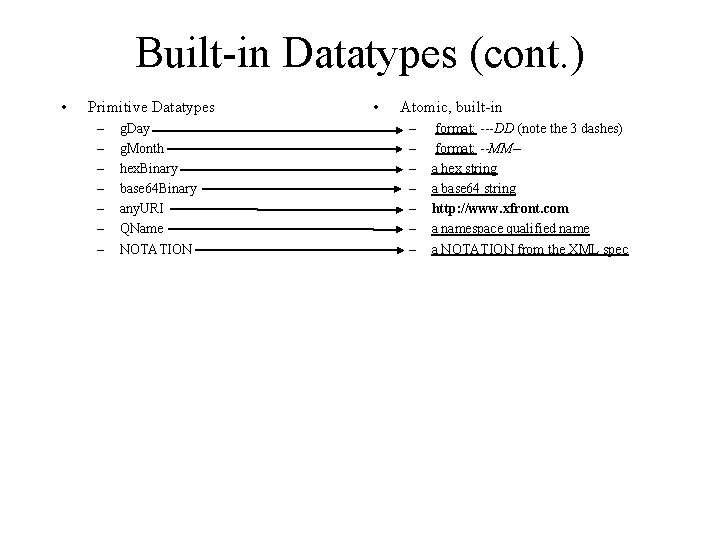
Built-in Datatypes (cont. ) • Primitive Datatypes – – – – g. Day g. Month hex. Binary base 64 Binary any. URI QName NOTATION • Atomic, built-in – – – – format: ---DD (note the 3 dashes) format: --MM-a hex string a base 64 string http: //www. xfront. com a namespace qualified name a NOTATION from the XML spec
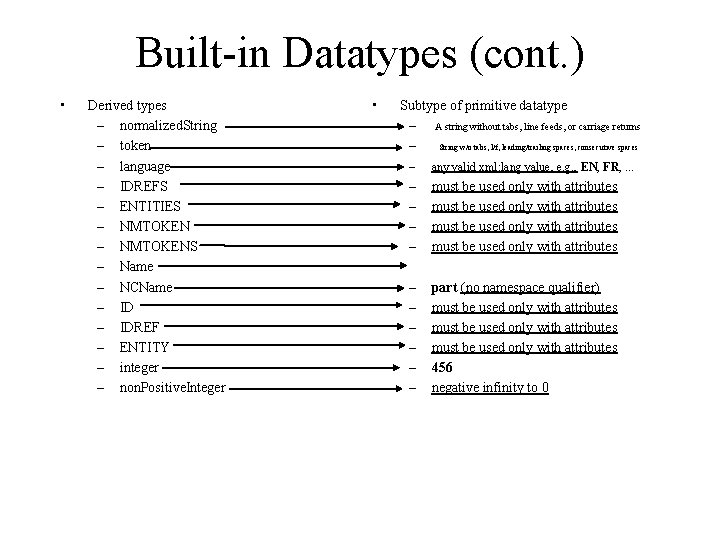
Built-in Datatypes (cont. ) • Derived types – normalized. String – token – language – IDREFS – ENTITIES – NMTOKENS – Name – NCName – IDREF – ENTITY – integer – non. Positive. Integer • Subtype of primitive datatype – A string without tabs, line feeds, or carriage returns – String w/o tabs, l/f, leading/trailing spaces, consecutive spaces – any valid xml: lang value, e. g. , EN, FR, . . . – – must be used only with attributes – – – part (no namespace qualifier) must be used only with attributes 456 negative infinity to 0
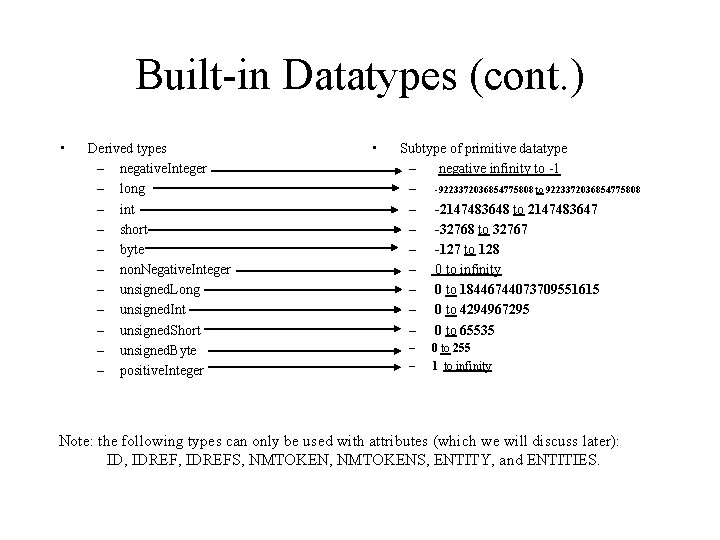
Built-in Datatypes (cont. ) • Derived types – negative. Integer – long – int – short – byte – non. Negative. Integer – unsigned. Long – unsigned. Int – unsigned. Short – unsigned. Byte – positive. Integer • Subtype of primitive datatype – negative infinity to -1 – -9223372036854775808 to 9223372036854775808 – -2147483648 to 2147483647 – -32768 to 32767 – -127 to 128 – 0 to infinity – 0 to 18446744073709551615 – 0 to 4294967295 – 0 to 65535 – – 0 to 255 1 to infinity Note: the following types can only be used with attributes (which we will discuss later): ID, IDREFS, NMTOKENS, ENTITY, and ENTITIES.
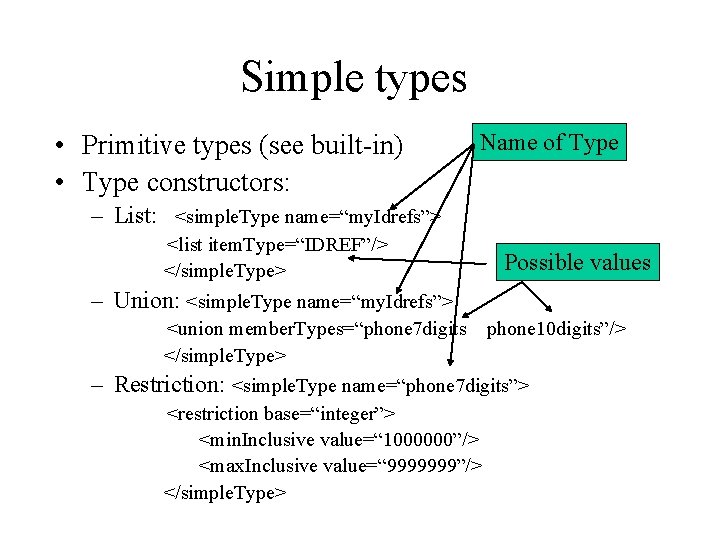
Simple types • Primitive types (see built-in) • Type constructors: Name of Type – List: <simple. Type name=“my. Idrefs”> <list item. Type=“IDREF”/> </simple. Type> Possible values – Union: <simple. Type name=“my. Idrefs”> <union member. Types=“phone 7 digits </simple. Type> phone 10 digits”/> – Restriction: <simple. Type name=“phone 7 digits”> <restriction base=“integer”> <min. Inclusive value=“ 1000000”/> <max. Inclusive value=“ 9999999”/> </simple. Type>
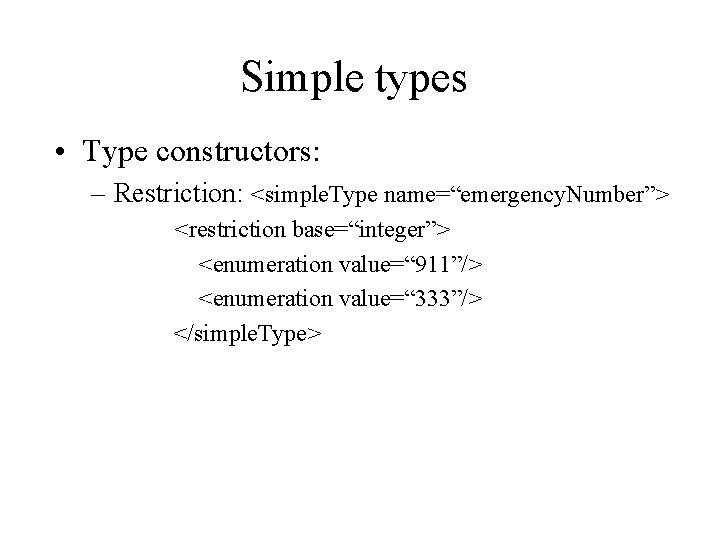
Simple types • Type constructors: – Restriction: <simple. Type name=“emergency. Number”> <restriction base=“integer”> <enumeration value=“ 911”/> <enumeration value=“ 333”/> </simple. Type>
![Simple Types for Report Document <simple. Type name=“student. Id”> <restriction base=“ID”> <pattern value=“[0 -9]{9}”/>](http://slidetodoc.com/presentation_image/5d4bffb53a73ccede3b6a6de61bdb3b0/image-58.jpg "Simple Types for Report Document <simple. Type name=“student. Id”> <restriction base=“ID”> <pattern value=“[0 -9]{9}”/>")
Simple Types for Report Document <simple. Type name=“student. Id”> <restriction base=“ID”> <pattern value=“[0 -9]{9}”/> </restriction> </simple. Type> <simple. Type name=“student. Ref”> <restriction base=“IDREF”> <pattern value=“[0 -9]{9}”/> </restriction> </simple. Type>
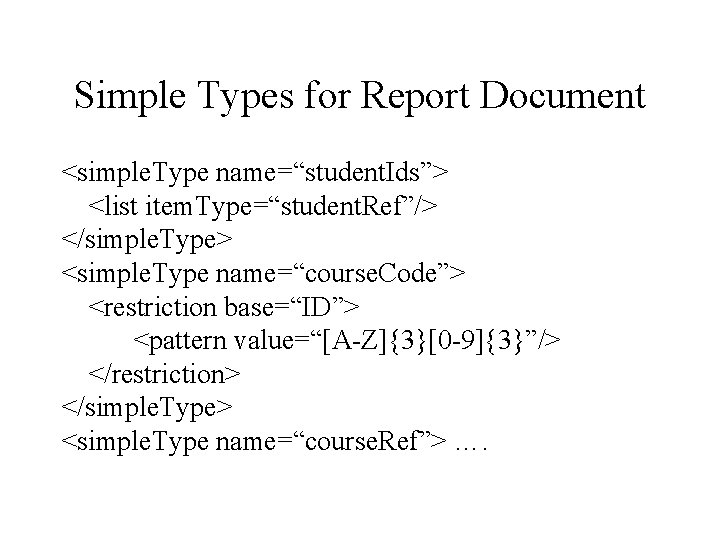
Simple Types for Report Document <simple. Type name=“student. Ids”> <list item. Type=“student. Ref”/> </simple. Type> <simple. Type name=“course. Code”> <restriction base=“ID”> <pattern value=“[A-Z]{3}[0 -9]{3}”/> </restriction> </simple. Type> <simple. Type name=“course. Ref”> ….
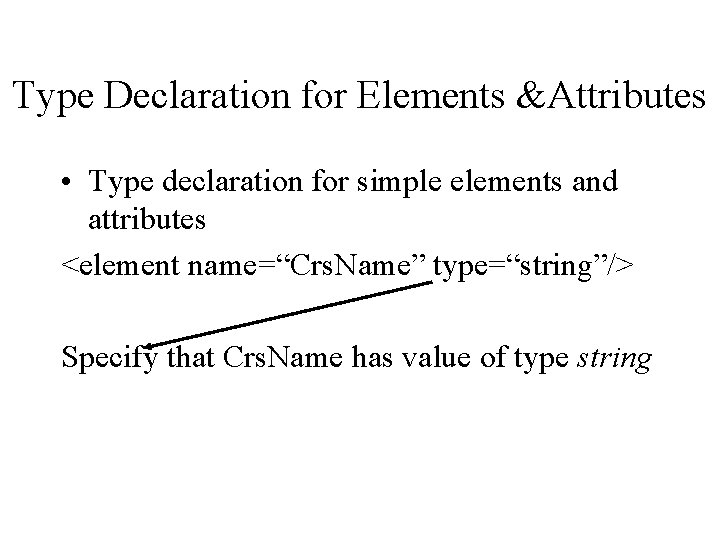
Type Declaration for Elements &Attributes • Type declaration for simple elements and attributes <element name=“Crs. Name” type=“string”/> Specify that Crs. Name has value of type string
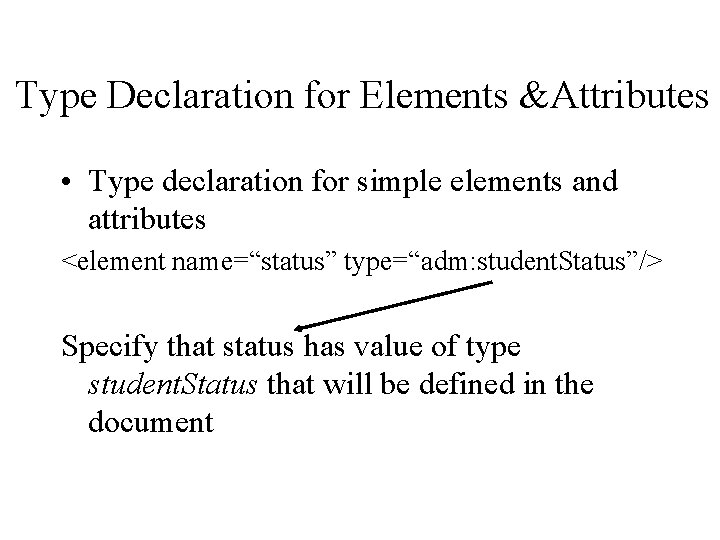
Type Declaration for Elements &Attributes • Type declaration for simple elements and attributes <element name=“status” type=“adm: student. Status”/> Specify that status has value of type student. Status that will be defined in the document
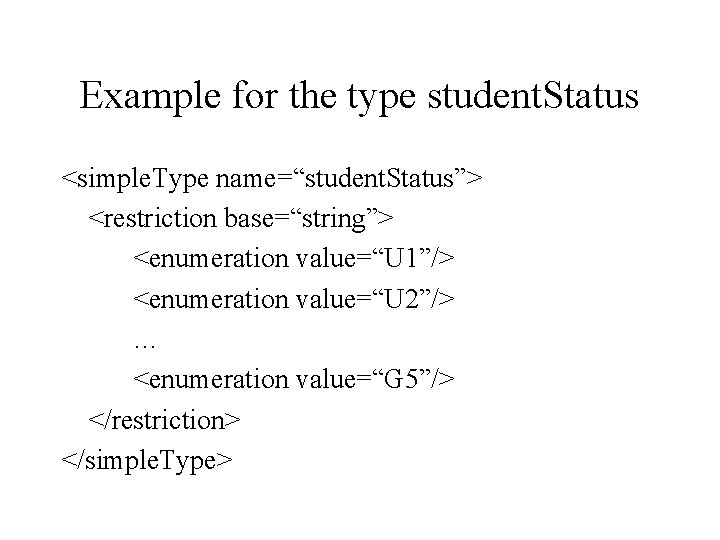
Example for the type student. Status <simple. Type name=“student. Status”> <restriction base=“string”> <enumeration value=“U 1”/> <enumeration value=“U 2”/> … <enumeration value=“G 5”/> </restriction> </simple. Type>
Complex Types • Use to specify the type of elements with children or attributes • Opening tag: complex. Type • Can be associated to a name in the same way a simple type is associated to a name
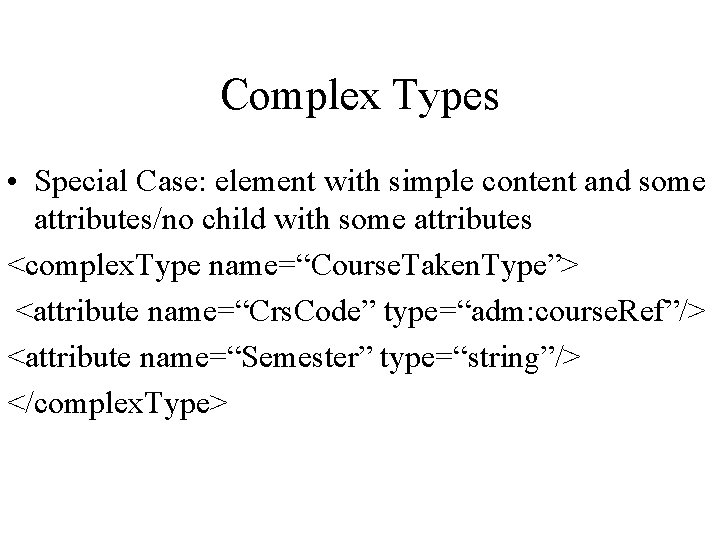
Complex Types • Special Case: element with simple content and some attributes/no child with some attributes <complex. Type name=“Course. Taken. Type”> <attribute name=“Crs. Code” type=“adm: course. Ref”/> <attribute name=“Semester” type=“string”/> </complex. Type>
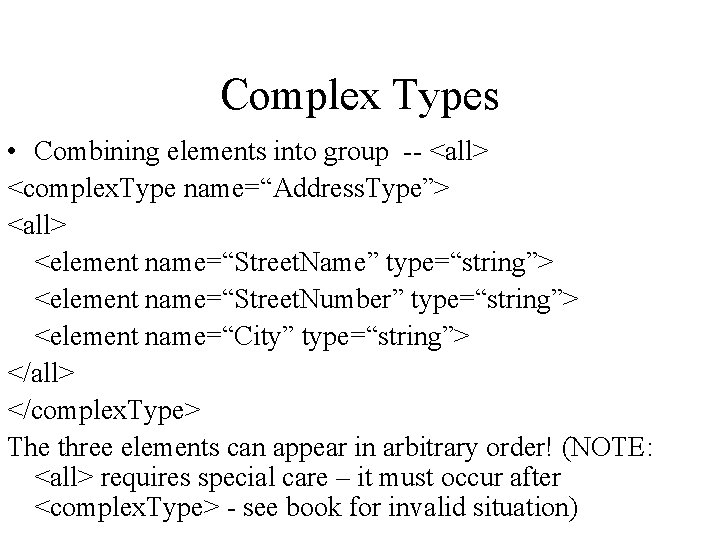
Complex Types • Combining elements into group -- <all> <complex. Type name=“Address. Type”> <all> <element name=“Street. Name” type=“string”> <element name=“Street. Number” type=“string”> <element name=“City” type=“string”> </all> </complex. Type> The three elements can appear in arbitrary order! (NOTE: <all> requires special care – it must occur after <complex. Type> - see book for invalid situation)
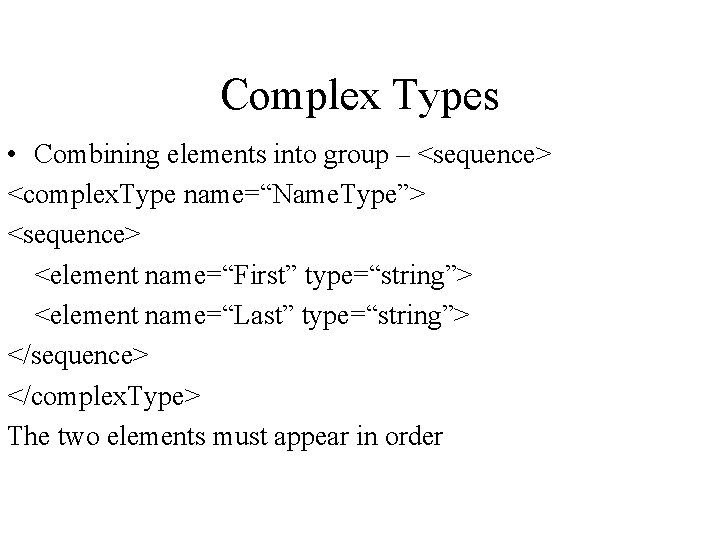
Complex Types • Combining elements into group – <sequence> <complex. Type name=“Name. Type”> <sequence> <element name=“First” type=“string”> <element name=“Last” type=“string”> </sequence> </complex. Type> The two elements must appear in order
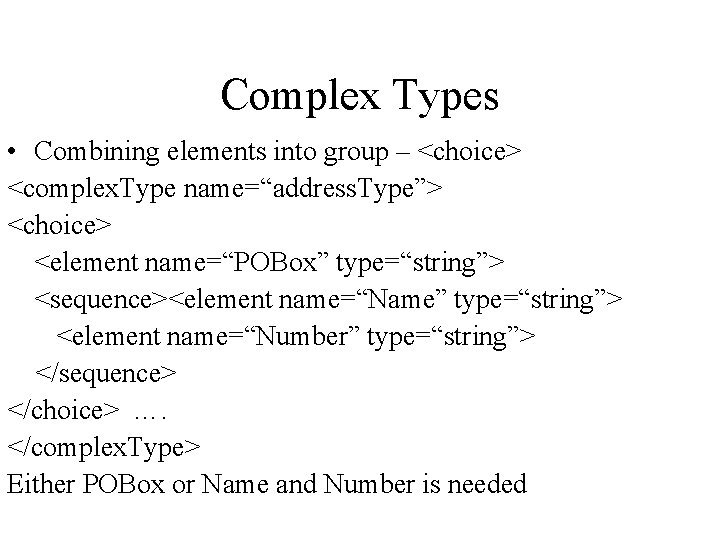
Complex Types • Combining elements into group – <choice> <complex. Type name=“address. Type”> <choice> <element name=“POBox” type=“string”> <sequence><element name=“Name” type=“string”> <element name=“Number” type=“string”> </sequence> </choice> …. </complex. Type> Either POBox or Name and Number is needed
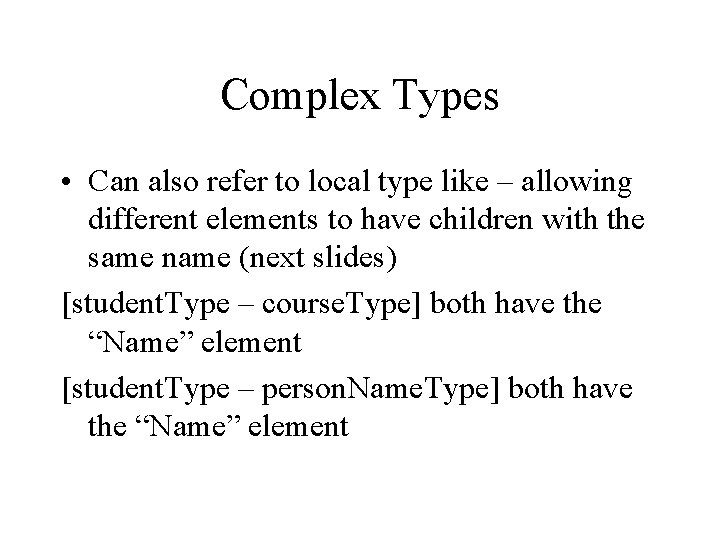
Complex Types • Can also refer to local type like – allowing different elements to have children with the same name (next slides) [student. Type – course. Type] both have the “Name” element [student. Type – person. Name. Type] both have the “Name” element
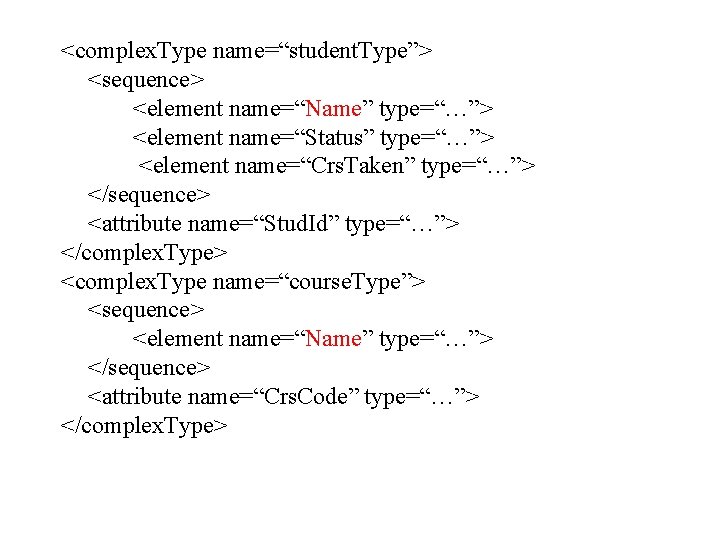
<complex. Type name=“student. Type”> <sequence> <element name=“Name” type=“…”> <element name=“Status” type=“…”> <element name=“Crs. Taken” type=“…”> </sequence> <attribute name=“Stud. Id” type=“…”> </complex. Type> <complex. Type name=“course. Type”> <sequence> <element name=“Name” type=“…”> </sequence> <attribute name=“Crs. Code” type=“…”> </complex. Type>
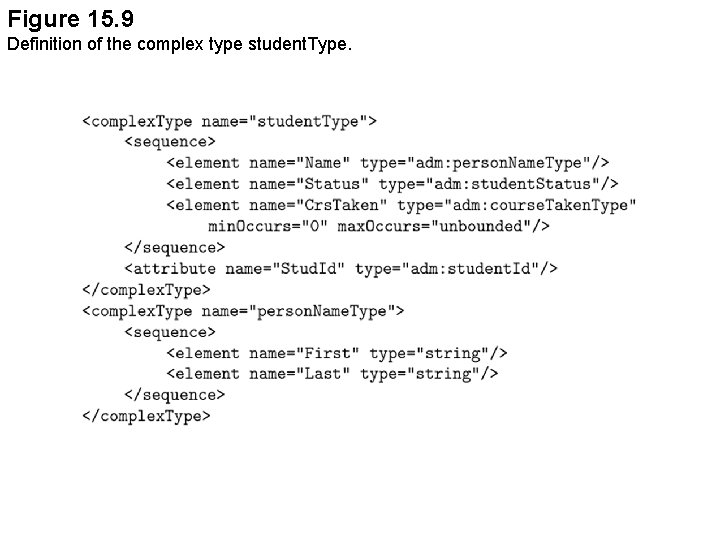
Figure 15. 9 Definition of the complex type student. Type.
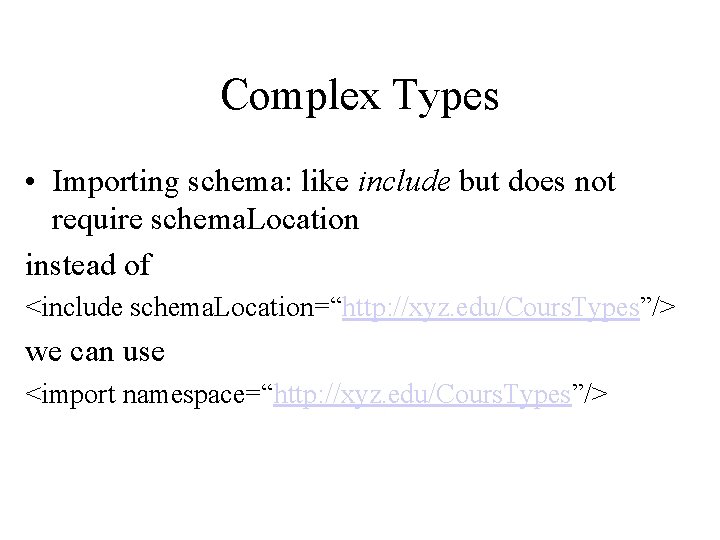
Complex Types • Importing schema: like include but does not require schema. Location instead of <include schema. Location=“http: //xyz. edu/Cours. Types”/> we can use <import namespace=“http: //xyz. edu/Cours. Types”/>
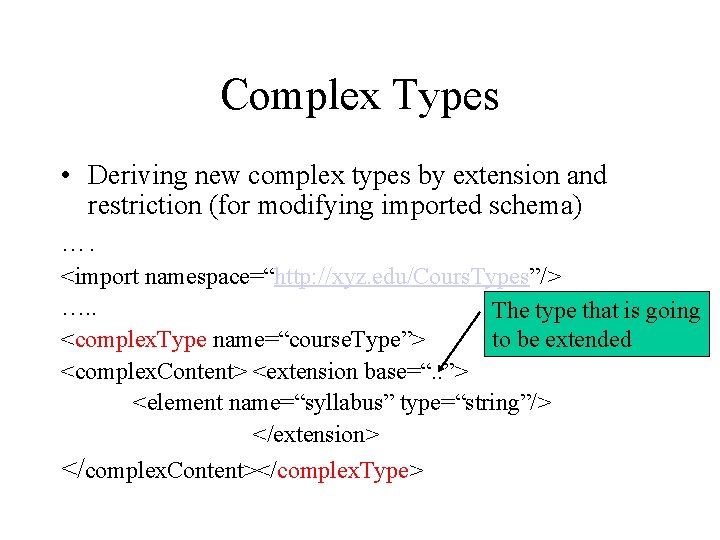
Complex Types • Deriving new complex types by extension and restriction (for modifying imported schema) …. <import namespace=“http: //xyz. edu/Cours. Types”/> …. . The type that is going to be extended <complex. Type name=“course. Type”> <complex. Content> <extension base=“. . ”> <element name=“syllabus” type=“string”/> </extension> </complex. Content></complex. Type>
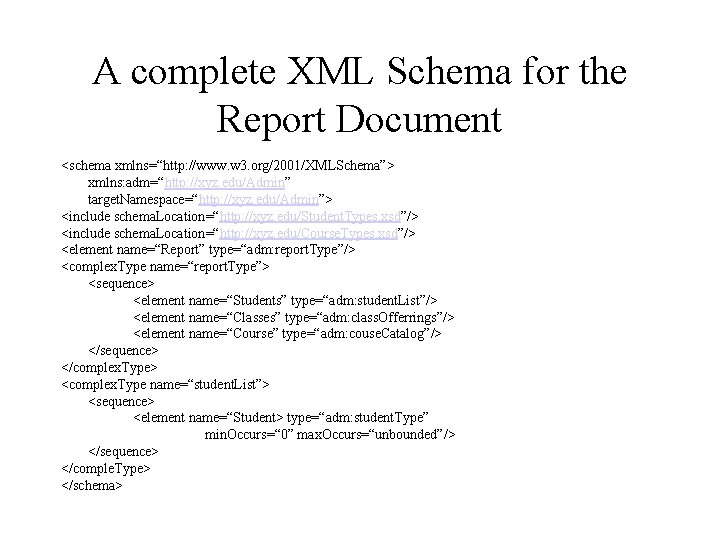
A complete XML Schema for the Report Document <schema xmlns=“http: //www. w 3. org/2001/XMLSchema”> xmlns: adm=“http: //xyz. edu/Admin” target. Namespace=“http: //xyz. edu/Admin”> <include schema. Location=“http: //xyz. edu/Student. Types. xsd”/> <include schema. Location=“http: //xyz. edu/Course. Types. xsd”/> <element name=“Report” type=“adm: report. Type”/> <complex. Type name=“report. Type”> <sequence> <element name=“Students” type=“adm: student. List”/> <element name=“Classes” type=“adm: class. Offerrings”/> <element name=“Course” type=“adm: couse. Catalog”/> </sequence> </complex. Type> <complex. Type name=“student. List”> <sequence> <element name=“Student> type=“adm: student. Type” min. Occurs=“ 0” max. Occurs=“unbounded”/> </sequence> </comple. Type> </schema>
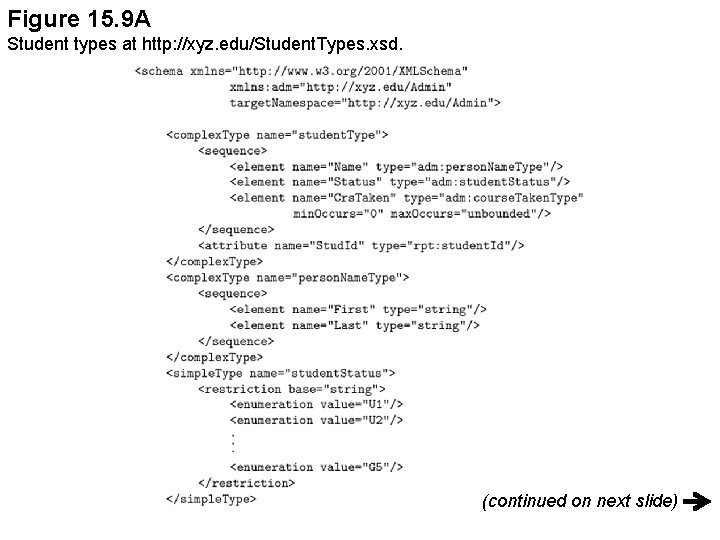
Figure 15. 9 A Student types at http: //xyz. edu/Student. Types. xsd. (continued on next slide)
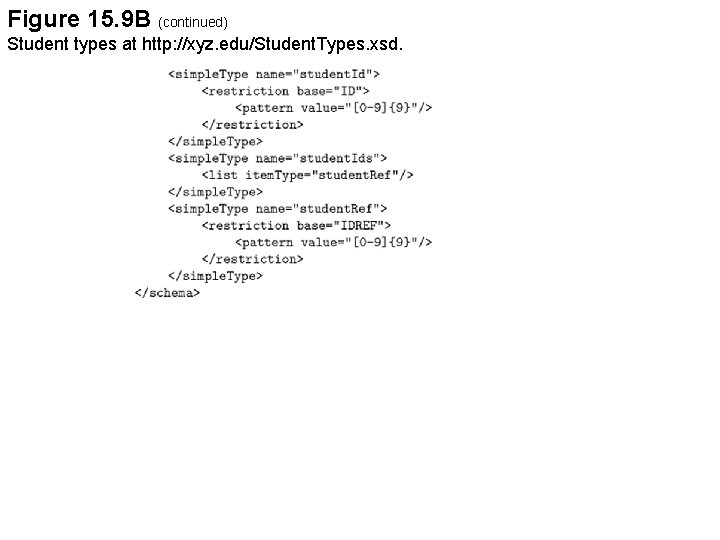
Figure 15. 9 B (continued) Student types at http: //xyz. edu/Student. Types. xsd.
Integrity Constraints • • ID, IDREFS can still be used Specified using the attribute xpath (next) XML keys, foreign keys Keys are associated with collection of objects not with types
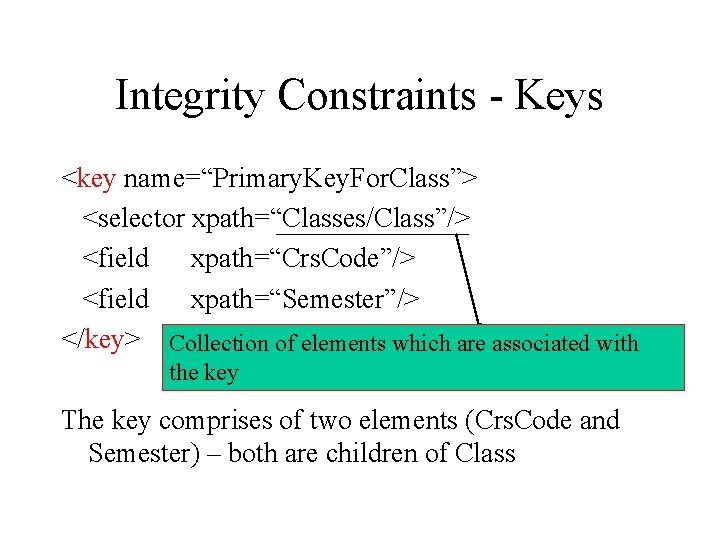
Integrity Constraints - Keys <key name=“Primary. Key. For. Class”> <selector xpath=“Classes/Class”/> <field xpath=“Crs. Code”/> <field xpath=“Semester”/> </key> Collection of elements which are associated with the key The key comprises of two elements (Crs. Code and Semester) – both are children of Class
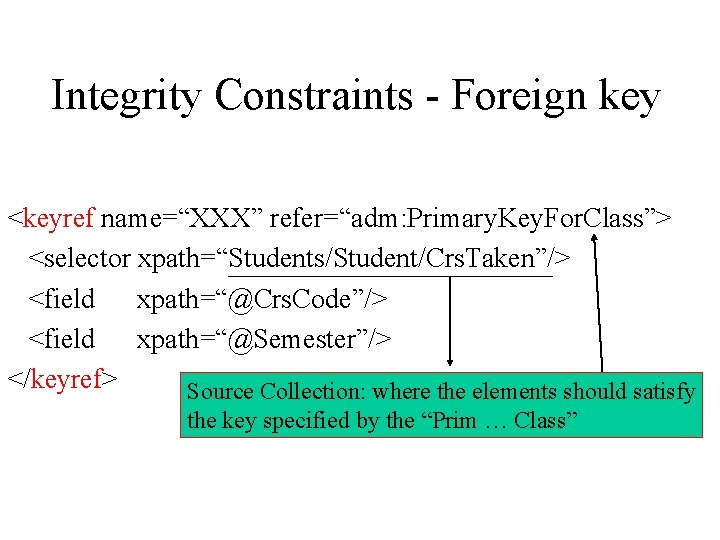
Integrity Constraints - Foreign key <keyref name=“XXX” refer=“adm: Primary. Key. For. Class”> <selector xpath=“Students/Student/Crs. Taken”/> <field xpath=“@Crs. Code”/> <field xpath=“@Semester”/> </keyref> Source Collection: where the elements should satisfy the key specified by the “Prim … Class”
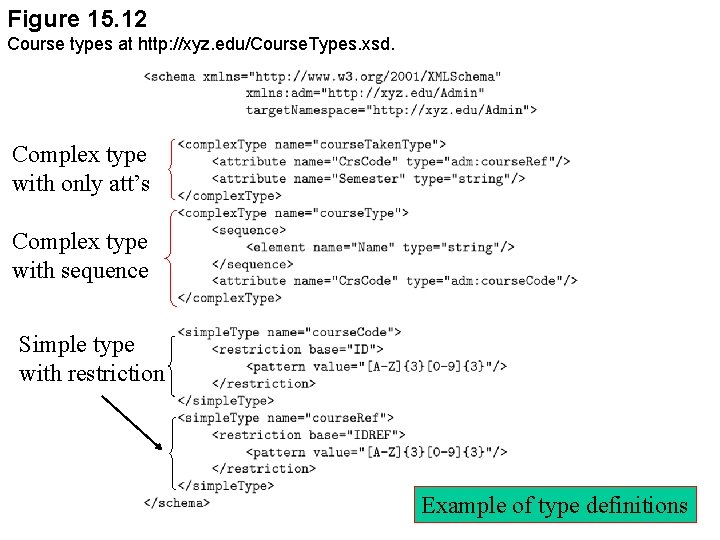
Figure 15. 12 Course types at http: //xyz. edu/Course. Types. xsd. Complex type with only att’s Complex type with sequence Simple type with restriction Example of type definitions
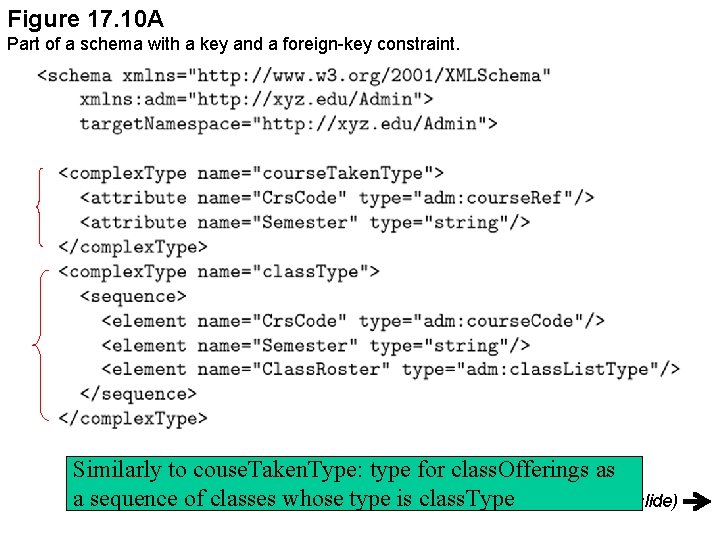
Figure 17. 10 A Part of a schema with a key and a foreign-key constraint. Similarly to couse. Taken. Type: type for class. Offerings as a sequence of classes whose type is class. Type (continued on next slide)
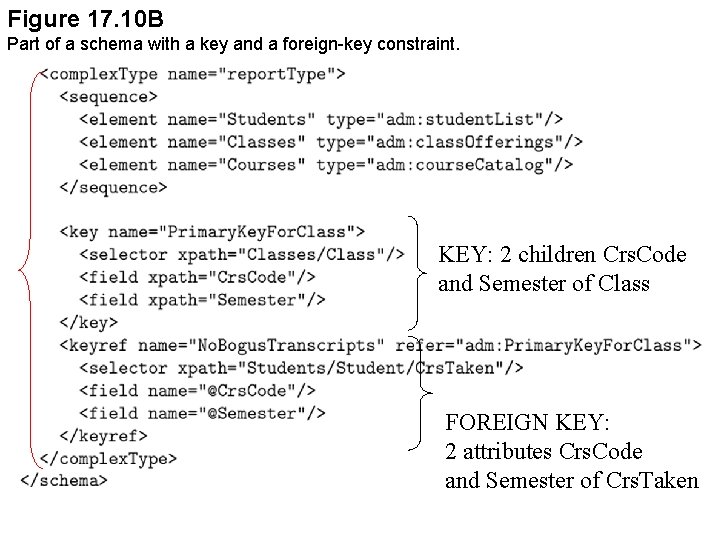
Figure 17. 10 B Part of a schema with a key and a foreign-key constraint. KEY: 2 children Crs. Code and Semester of Class FOREIGN KEY: 2 attributes Crs. Code and Semester of Crs. Taken
XML Query Languages • Market, convenience, … • XPath, XSLT, XQuery: three query languages for XML • XPath – simple & efficient • XSLT – full feature programming language, powerful query capabilities • XQuery – SQL style query language – most powerful query capabilities
XPath • Idea comes from path expression of OQL in object databases • Extends the path expressions with query facilities by allowing search condition to occur in path expressions • XPath data model: view documents as trees (see picture), providing operators for tree traversing, use absolute and relative path expression • A XPath expression takes a document tree, returns a set of nodes in the tree
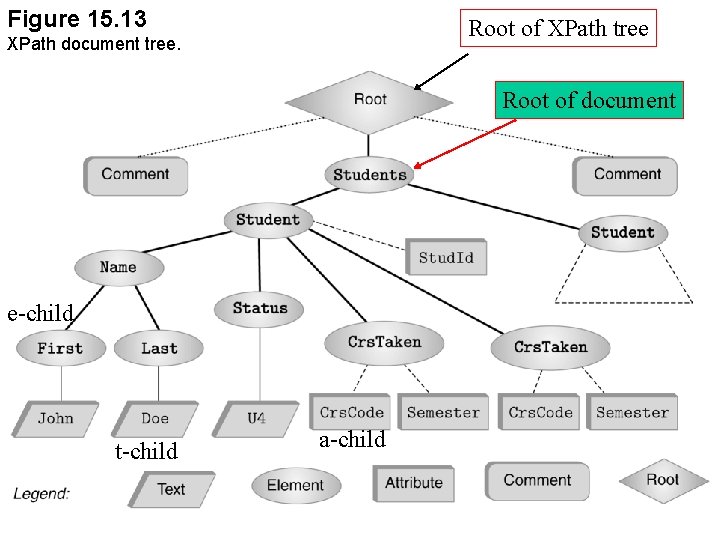
Figure 15. 13 Root of XPath tree XPath document tree. Root of document e-child t-child a-child
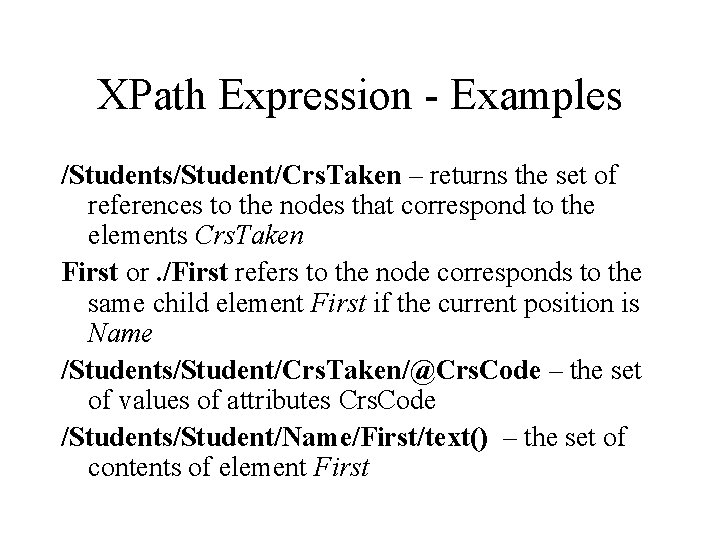
XPath Expression - Examples /Students/Student/Crs. Taken – returns the set of references to the nodes that correspond to the elements Crs. Taken First or. /First refers to the node corresponds to the same child element First if the current position is Name /Students/Student/Crs. Taken/@Crs. Code – the set of values of attributes Crs. Code /Students/Student/Name/First/text() – the set of contents of element First
![Advanced Navigation /Students/Student[1]/Crs. Taken[2] – first Student node, second Crs. Taken node //Crs. Taken](http://slidetodoc.com/presentation_image/5d4bffb53a73ccede3b6a6de61bdb3b0/image-86.jpg "Advanced Navigation /Students/Student[1]/Crs. Taken[2] – first Student node, second Crs. Taken node //Crs. Taken")
Advanced Navigation /Students/Student[1]/Crs. Taken[2] – first Student node, second Crs. Taken node //Crs. Taken – all Crs. Taken elements in the tree (descendant-or-self) Student/* - all e-children of the Student children of the current node /Students/Student[search_expression] – all Student node satisfying the expressions; see what search_expression can be in the book!
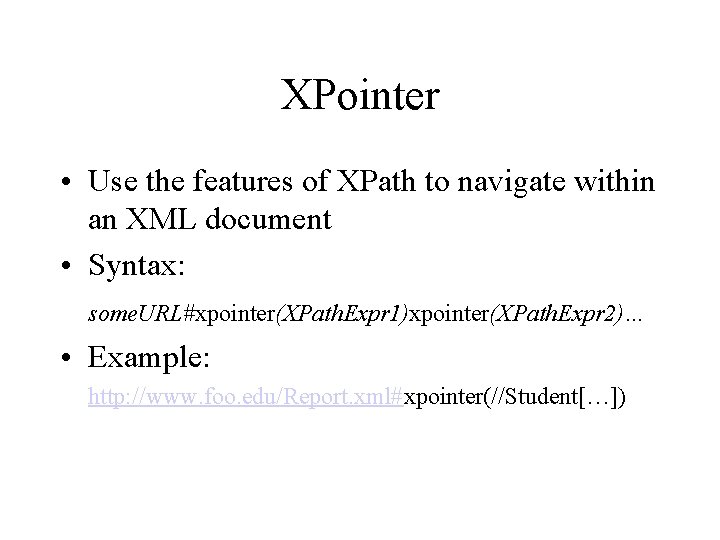
XPointer • Use the features of XPath to navigate within an XML document • Syntax: some. URL#xpointer(XPath. Expr 1)xpointer(XPath. Expr 2)… • Example: http: //www. foo. edu/Report. xml#xpointer(//Student[…])
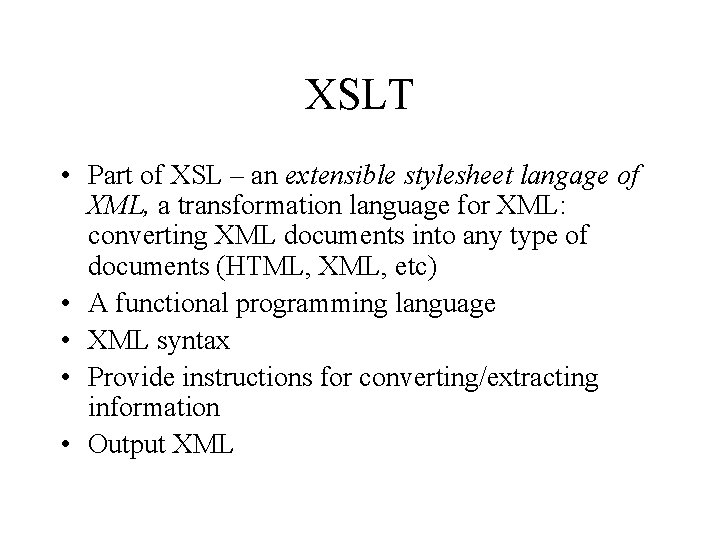
XSLT • Part of XSL – an extensible stylesheet langage of XML, a transformation language for XML: converting XML documents into any type of documents (HTML, XML, etc) • A functional programming language • XML syntax • Provide instructions for converting/extracting information • Output XML
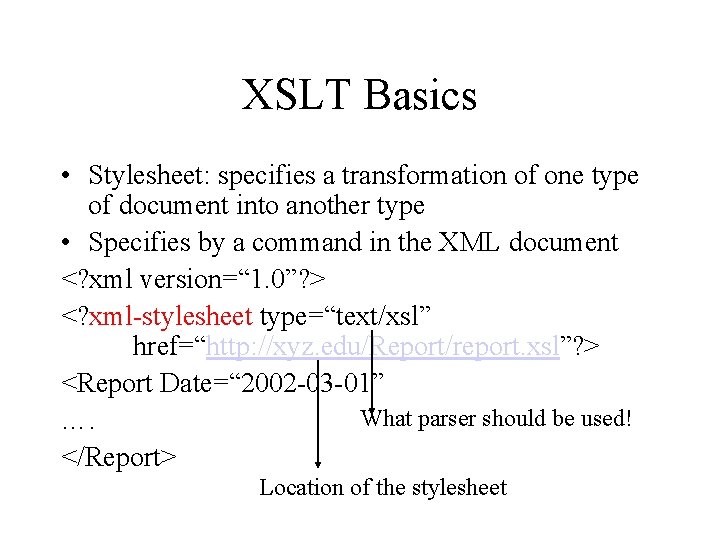
XSLT Basics • Stylesheet: specifies a transformation of one type of document into another type • Specifies by a command in the XML document <? xml version=“ 1. 0”? > <? xml-stylesheet type=“text/xsl” href=“http: //xyz. edu/Report/report. xsl”? > <Report Date=“ 2002 -03 -01” What parser should be used! …. </Report> Location of the stylesheet
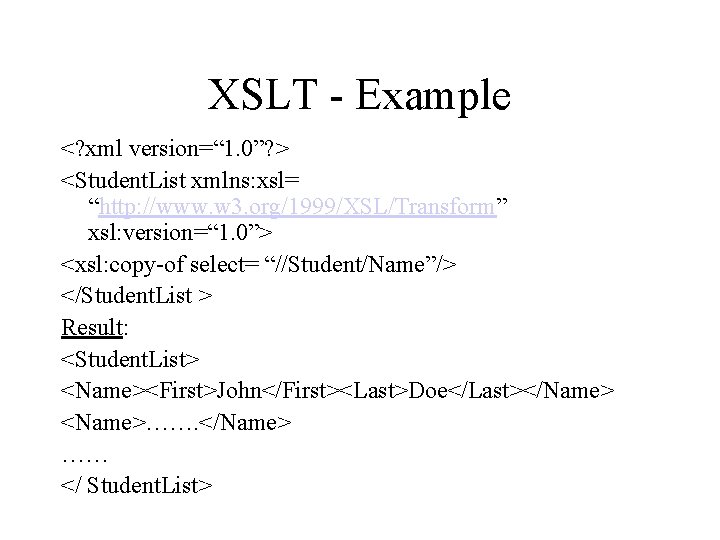
XSLT - Example <? xml version=“ 1. 0”? > <Student. List xmlns: xsl= “http: //www. w 3. org/1999/XSL/Transform” xsl: version=“ 1. 0”> <xsl: copy-of select= “//Student/Name”/> </Student. List > Result: <Student. List> <Name><First>John</First><Last>Doe</Last></Name> <Name>……. </Name> …… </ Student. List>
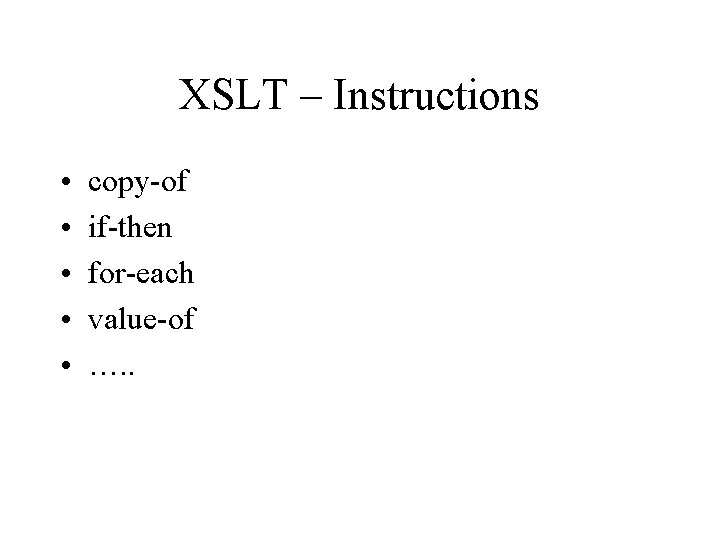
XSLT – Instructions • • • copy-of if-then for-each value-of …. .
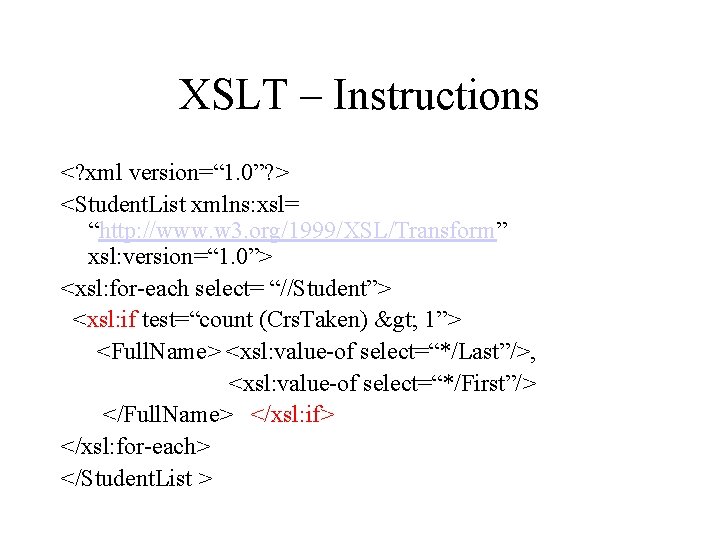
XSLT – Instructions <? xml version=“ 1. 0”? > <Student. List xmlns: xsl= “http: //www. w 3. org/1999/XSL/Transform” xsl: version=“ 1. 0”> <xsl: for-each select= “//Student”> <xsl: if test=“count (Crs. Taken) > 1”> <Full. Name> <xsl: value-of select=“*/Last”/>, <xsl: value-of select=“*/First”/> </Full. Name> </xsl: if> </xsl: for-each> </Student. List >
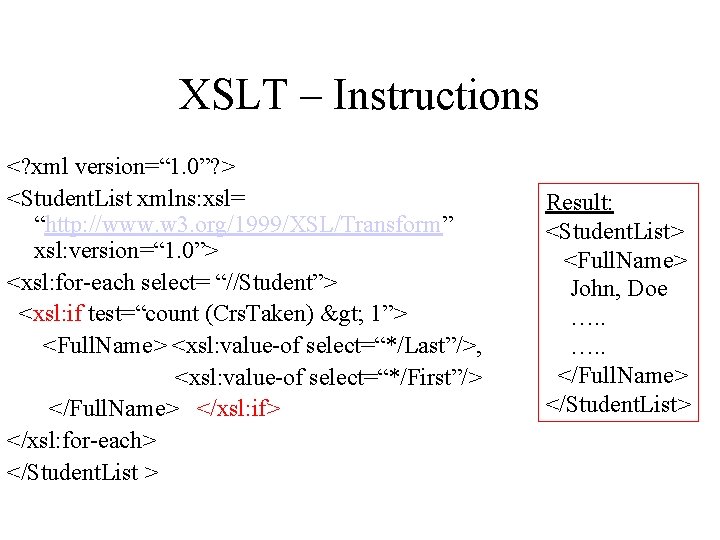
XSLT – Instructions <? xml version=“ 1. 0”? > <Student. List xmlns: xsl= “http: //www. w 3. org/1999/XSL/Transform” xsl: version=“ 1. 0”> <xsl: for-each select= “//Student”> <xsl: if test=“count (Crs. Taken) > 1”> <Full. Name> <xsl: value-of select=“*/Last”/>, <xsl: value-of select=“*/First”/> </Full. Name> </xsl: if> </xsl: for-each> </Student. List > Result: <Student. List> <Full. Name> John, Doe …. . </Full. Name> </Student. List>
XSLT – Template • Recursive traversal of the structures of the document • Often defined recursively • Algorithm for processing a XSLT template (book)
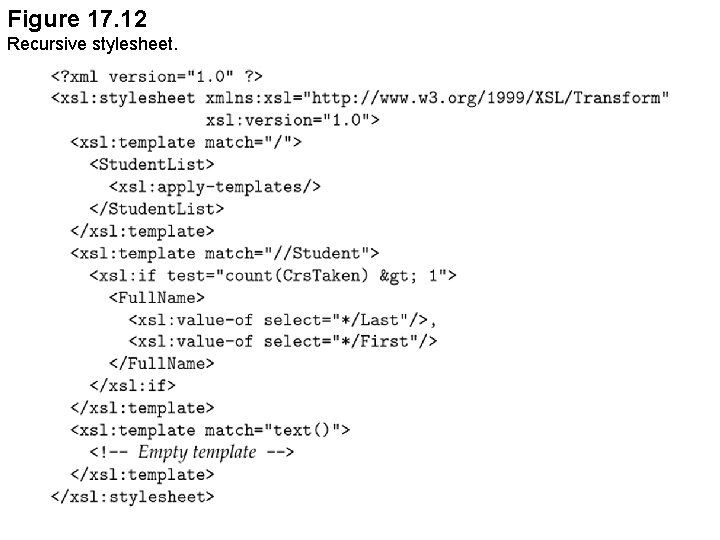
Figure 17. 12 Recursive stylesheet.
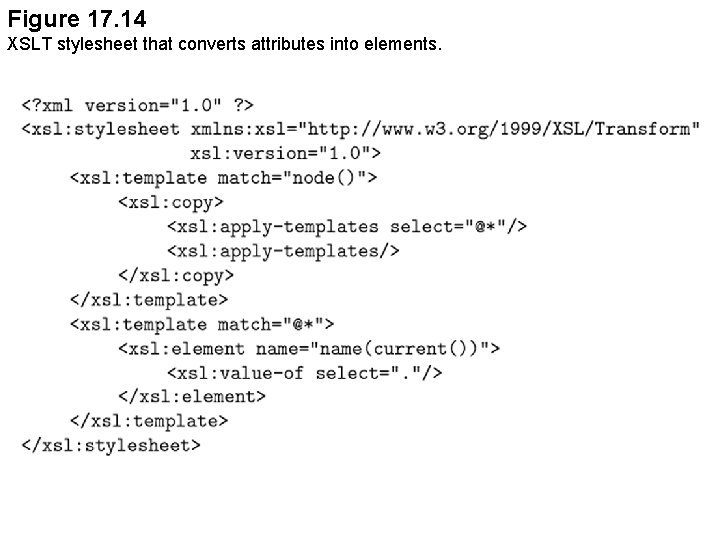
Figure 17. 14 XSLT stylesheet that converts attributes into elements.
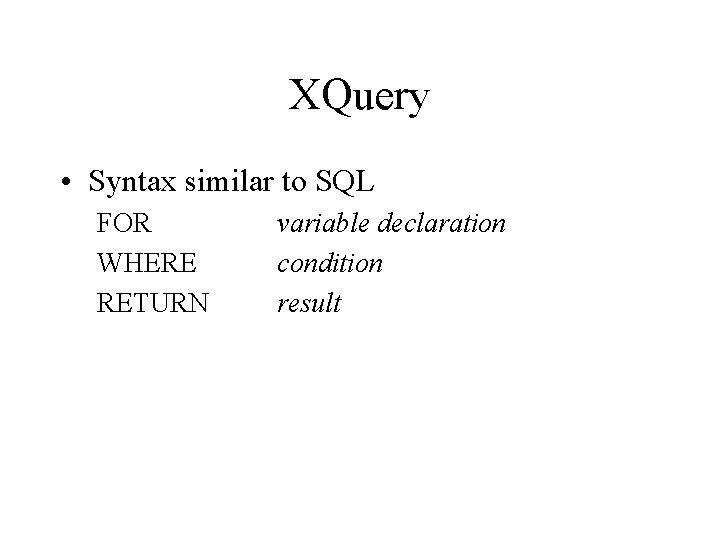
XQuery • Syntax similar to SQL FOR WHERE RETURN variable declaration condition result
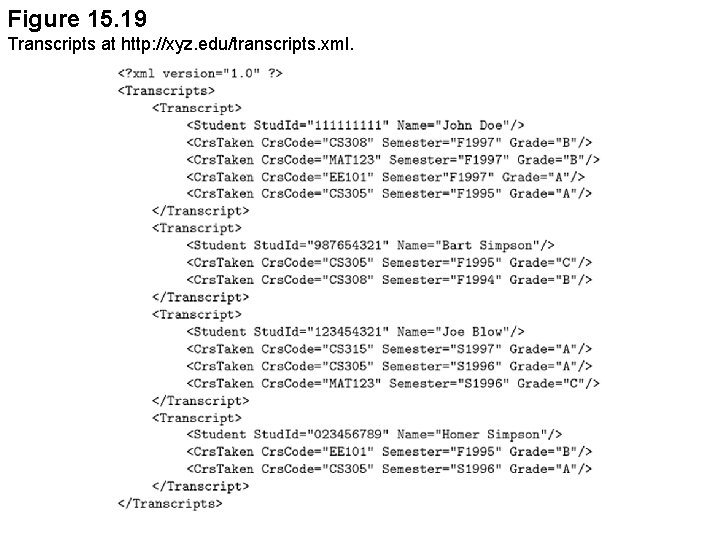
Figure 15. 19 Transcripts at http: //xyz. edu/transcripts. xml.
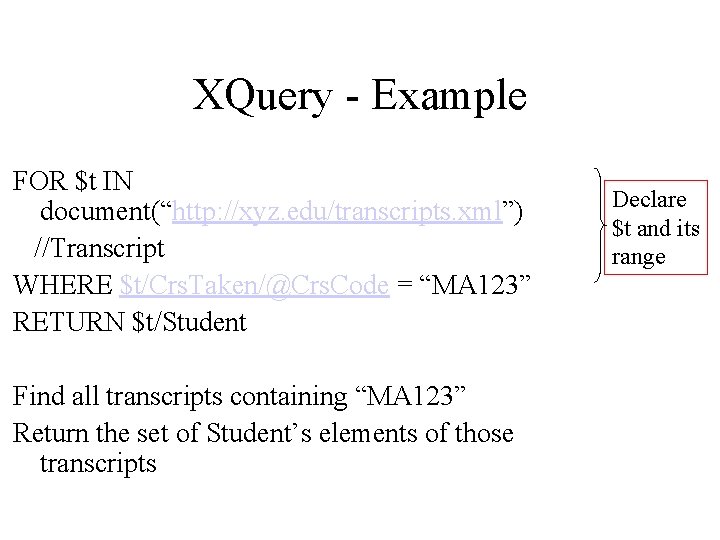
XQuery - Example FOR $t IN document(“http: //xyz. edu/transcripts. xml”) //Transcript WHERE $t/Crs. Taken/@Crs. Code = “MA 123” RETURN $t/Student Find all transcripts containing “MA 123” Return the set of Student’s elements of those transcripts Declare $t and its range
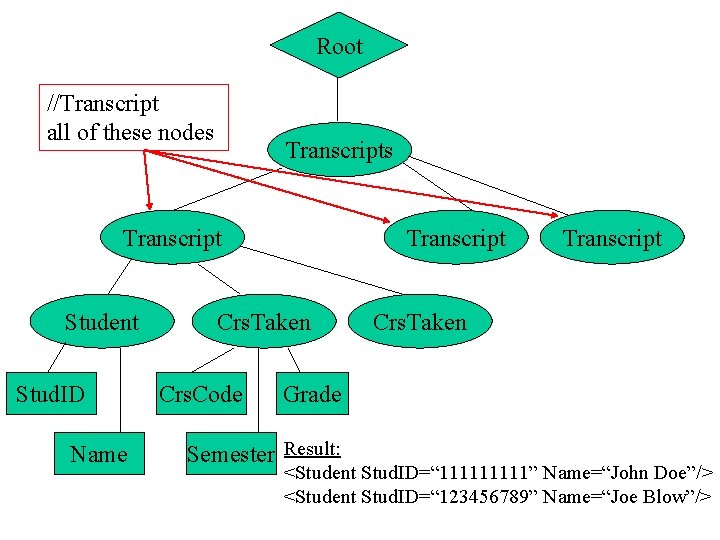
Root //Transcript all of these nodes Transcript Student Stud. ID Name Transcript Crs. Taken Crs. Code Transcript Crs. Taken Grade Semester Result: <Student Stud. ID=“ 11111” Name=“John Doe”/> <Student Stud. ID=“ 123456789” Name=“Joe Blow”/>
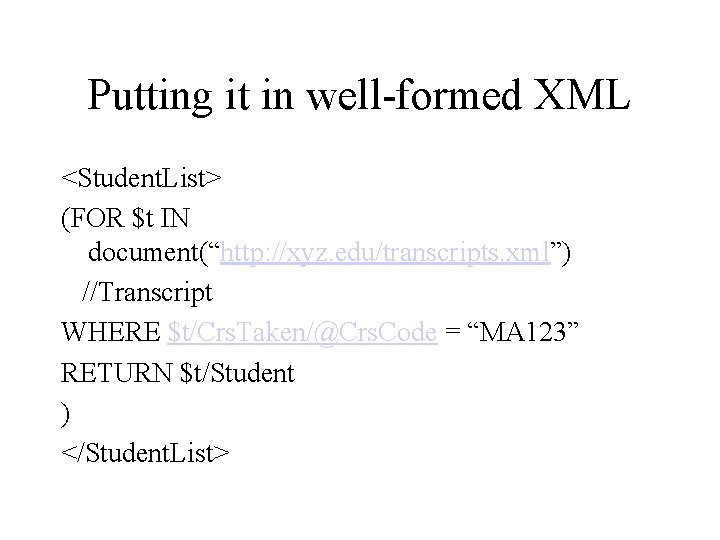
Putting it in well-formed XML <Student. List> (FOR $t IN document(“http: //xyz. edu/transcripts. xml”) //Transcript WHERE $t/Crs. Taken/@Crs. Code = “MA 123” RETURN $t/Student ) </Student. List>
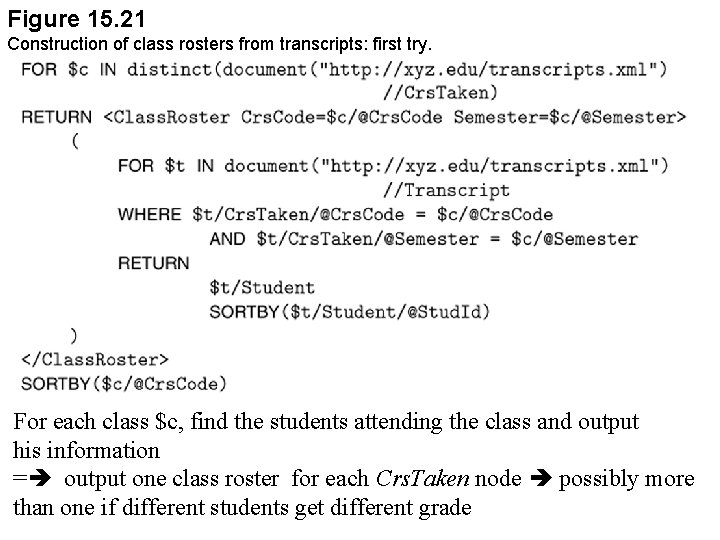
Figure 15. 21 Construction of class rosters from transcripts: first try. For each class $c, find the students attending the class and output his information = output one class roster for each Crs. Taken node possibly more than one if different students get different grade
Fix ? • Assume that the list of classes is available – write a different query • Use the filter operation
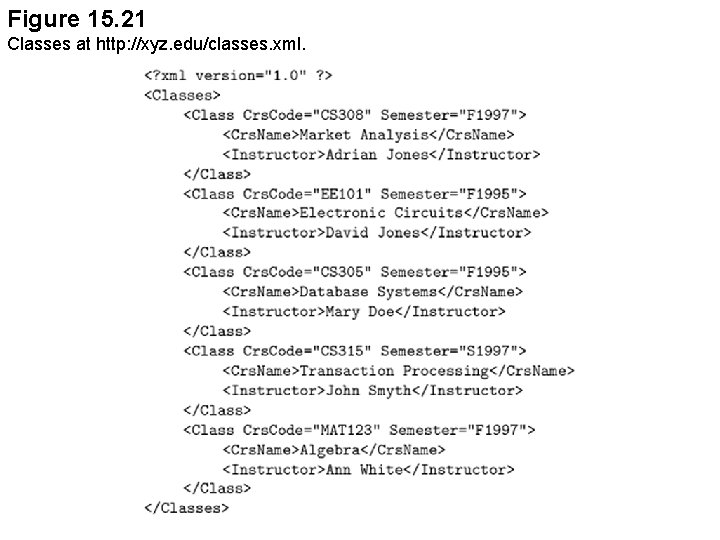
Figure 15. 21 Classes at http: //xyz. edu/classes. xml.
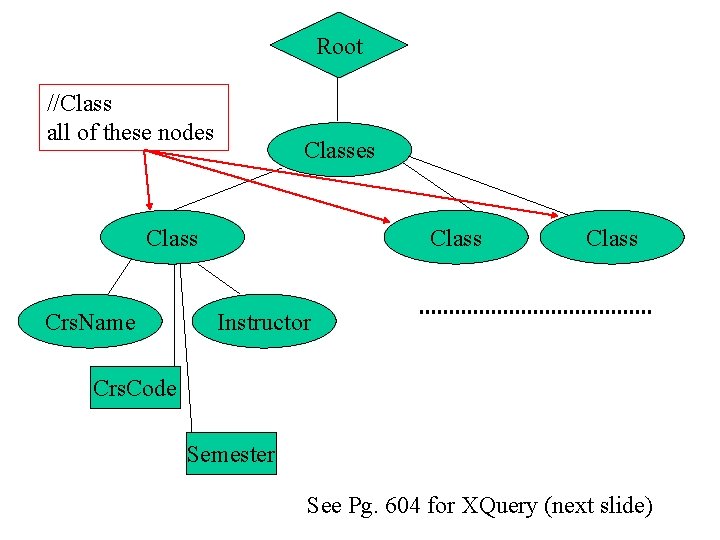
Root //Class all of these nodes Class Crs. Name Class Instructor Crs. Code Semester See Pg. 604 for XQuery (next slide)
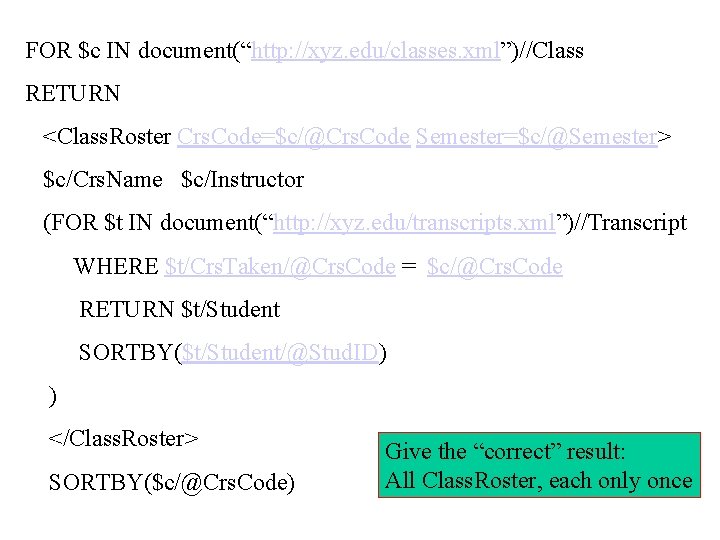
FOR $c IN document(“http: //xyz. edu/classes. xml”)//Class RETURN <Class. Roster Crs. Code=$c/@Crs. Code Semester=$c/@Semester> $c/Crs. Name $c/Instructor (FOR $t IN document(“http: //xyz. edu/transcripts. xml”)//Transcript WHERE $t/Crs. Taken/@Crs. Code = $c/@Crs. Code RETURN $t/Student SORTBY($t/Student/@Stud. ID) ) </Class. Roster> SORTBY($c/@Crs. Code) Give the “correct” result: All Class. Roster, each only once
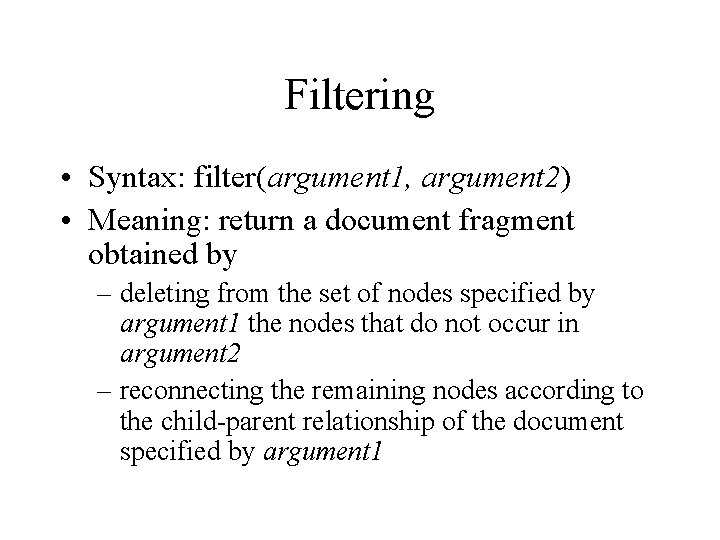
Filtering • Syntax: filter(argument 1, argument 2) • Meaning: return a document fragment obtained by – deleting from the set of nodes specified by argument 1 the nodes that do not occur in argument 2 – reconnecting the remaining nodes according to the child-parent relationship of the document specified by argument 1
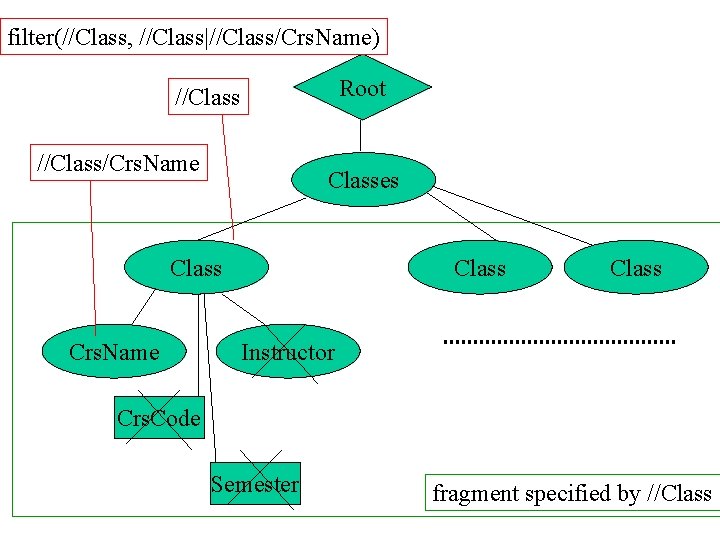
filter(//Class, //Class|//Class/Crs. Name) Root //Class/Crs. Name Classes Class Crs. Name Class Instructor Crs. Code Semester fragment specified by //Class
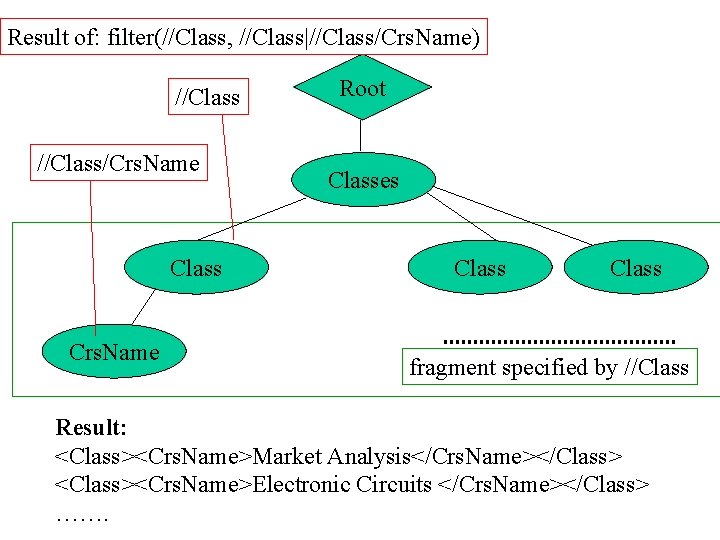
Result of: filter(//Class, //Class|//Class/Crs. Name) //Class/Crs. Name Class Crs. Name Root Classes Class fragment specified by //Class Result: <Class><Crs. Name>Market Analysis</Crs. Name></Class> <Class><Crs. Name>Electronic Circuits </Crs. Name></Class> …….
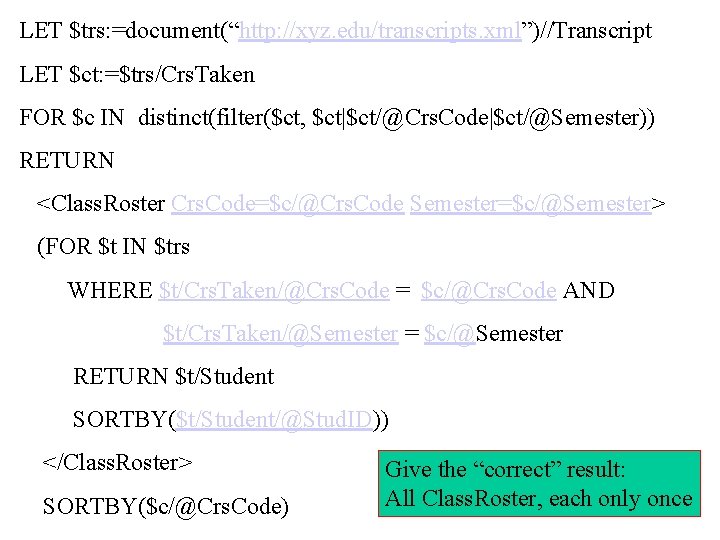
LET $trs: =document(“http: //xyz. edu/transcripts. xml”)//Transcript LET $ct: =$trs/Crs. Taken FOR $c IN distinct(filter($ct, $ct|$ct/@Crs. Code|$ct/@Semester)) RETURN <Class. Roster Crs. Code=$c/@Crs. Code Semester=$c/@Semester> (FOR $t IN $trs WHERE $t/Crs. Taken/@Crs. Code = $c/@Crs. Code AND $t/Crs. Taken/@Semester = $c/@Semester RETURN $t/Student SORTBY($t/Student/@Stud. ID)) </Class. Roster> SORTBY($c/@Crs. Code) Give the “correct” result: All Class. Roster, each only once
Advances Features • User-defined functions • XQuery and Data types • Grouping and aggregation
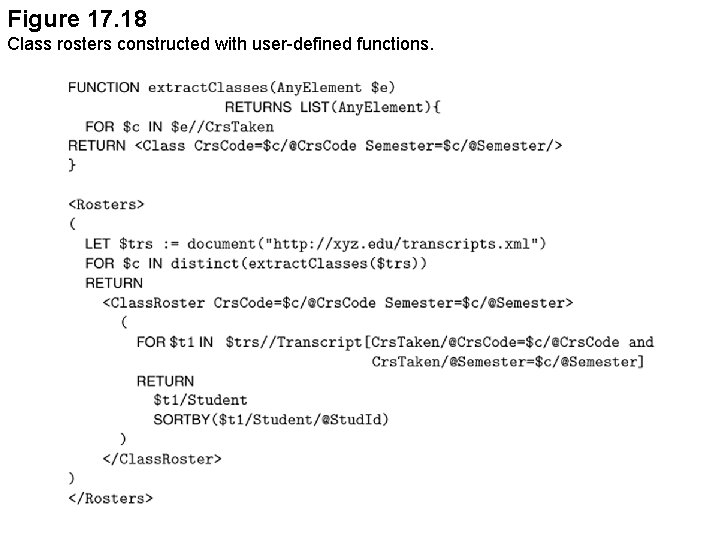
Figure 17. 18 Class rosters constructed with user-defined functions.
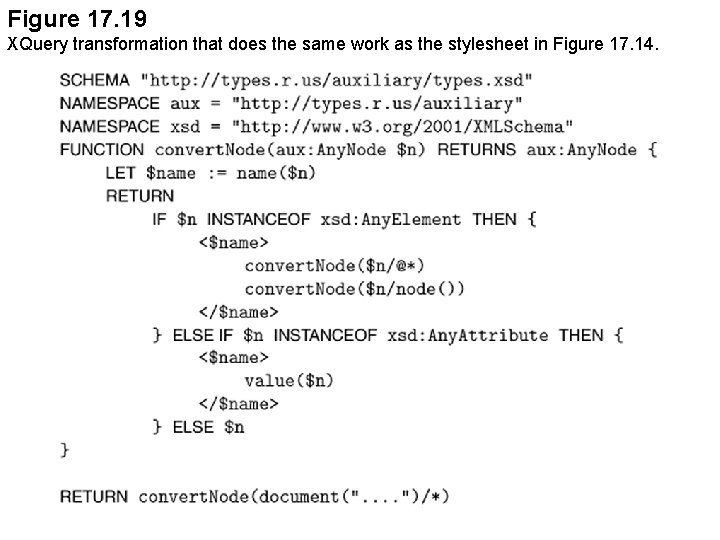
Figure 17. 19 XQuery transformation that does the same work as the stylesheet in Figure 17. 14.
- Slides: 113