
XEN AND THE ART OF VIRTUALIZATION P Barham
XEN AND THE ART OF VIRTUALIZATION P. Barham, B. Dragovic, K. Fraser, S. Hand, T. Harris, A. Ho, R. Neugebauery, I. Pratt, A. Wareld UCCL SOSP 2003
Paper highlights • • • A very efficient virtual machine hypervisor Main objectives were – Low overhead – Scalability Key ideas – Paravirtualization: faster but requires changes to to the guest OS
Virtual machines • Let different operating systems run at the same time on a single computer – Windows, Linux and Mac OS – A real-time OS and a conventional OS – A production OS and a new OS being tested
How it is done • A hypervisor /VM monitor defines two or more virtual machines • Each virtual machine has – Its own virtual CPU – Its own virtual physical memory – Its own virtual disk(s)
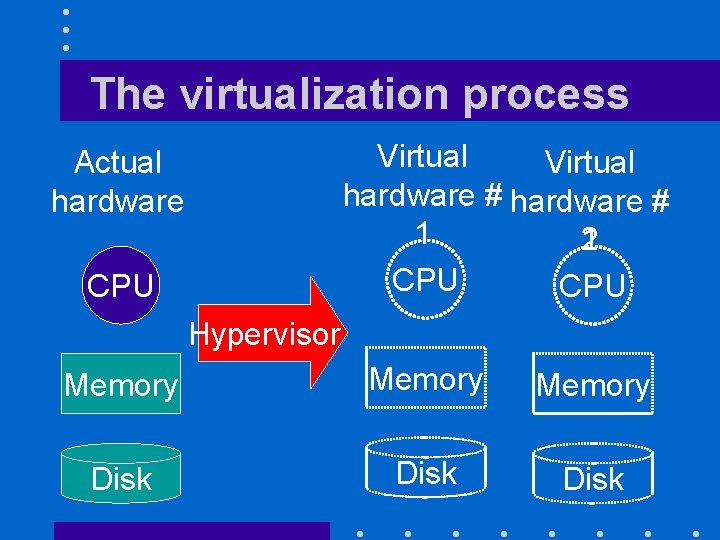
The virtualization process Virtual hardware # 1 1 2 CPU Actual hardware CPU Hypervisor Memory Disk
Reminder • In a conventional OS, – Kernel executes in privileged/supervisor mode • Can do virtually everything – User processes execute in user mode • Cannot modify their page tables • Cannot execute privileged instructions
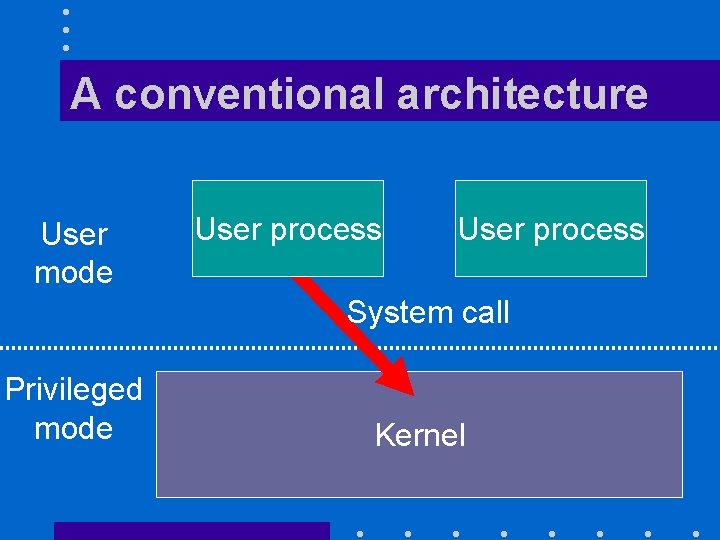
A conventional architecture User mode User process System call Privileged mode Kernel
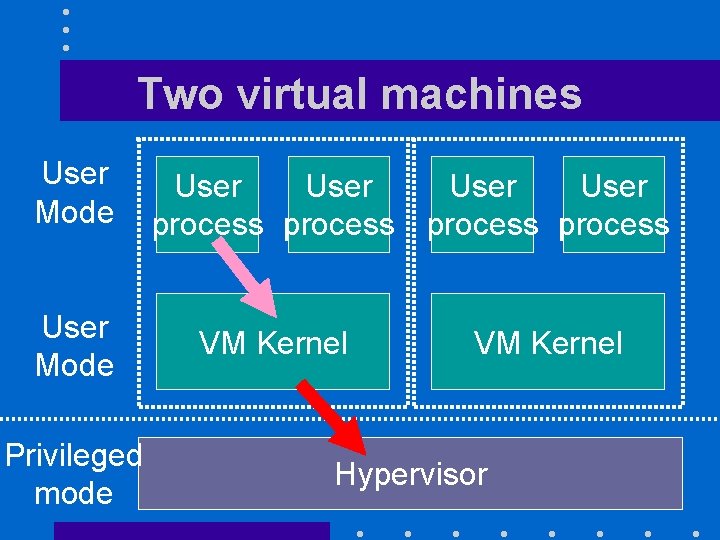
Two virtual machines User Mode Privileged mode User process VM Kernel Hypervisor
Explanations (II) • Whenever the kernel of a VM issues a privileged instruction, an interrupt occurs – The hypervisor takes control and do the physical equivalent of what the VM attempted to do: • Must convert virtual RAM addresses into physical RAM addresses

Translating a block address Access block x, y of my virtual disk VM kernel That's block v, w of the actual disk Hypervisor Virtual disk Access block v, w of actual disk Actual disk
Handling I/Os • Difficult task because – Wide variety of devices – Some devices may be shared among several VMs • Printers • Shared disk partition –Want to let Linux and Windows access the same files
Virtual Memory Issues • Each VM kernel manages its own memory – Its page tables map program virtual addresses into what it believes to be physical addresses
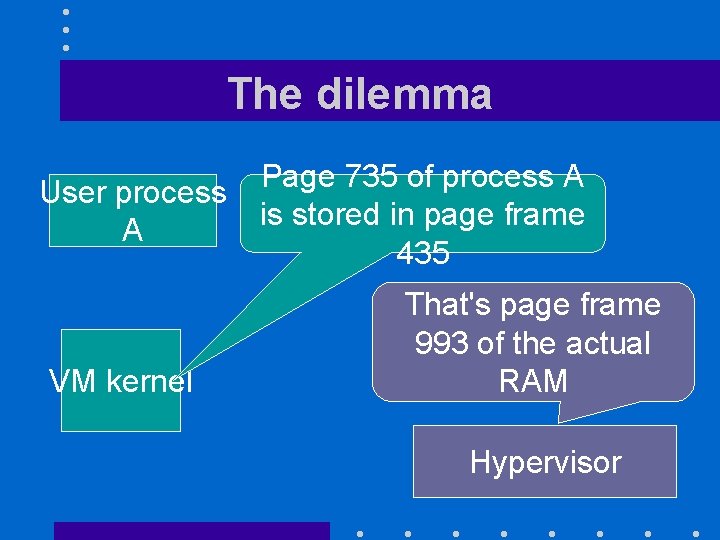
The dilemma User process A VM kernel Page 735 of process A is stored in page frame 435 That's page frame 993 of the actual RAM Hypervisor
The solution (I) • Address translation must remain fast! – Hypervisor lets each VM kernel manage their own page tables but do not use them • They contain bogus mappings! – It maintains instead its own shadow page tables with the correct mappings • Used to handle TLB misses
Why it works • Most memory accesses go through the TLB • The system can tolerate slower page table updates

The solution (II) • To keep its shadow page tables up to date, hypervisor must track any changes made by the VM kernels • Mark page tables read-only –Each attempt to update then by a VM kernel results in an interrupt
Nastiest Issue • The whole VM approach assumes that a kernel executing in user mode will behave exactly like a kernel executing in privileged mode except that privileged instructions will be trapped • Not true for all architectures! – Intel x 86 Pop flags (POPF) instruction –…
The VMWare Solution • Mask the issue through clever software • Dynamic "binary translation" when direct execution of code would not work
The Xen Solution • Presenting a virtual machine abstraction that is “similar but not identical to the underlying hardware” – Paravirtualization • Big advantage is faster performance • Big limitation is need to modify guest operating system
Impact on Guest OS • Had to modify – 2, 995 lines of Linux code • 1. 36 % of total x 86 code base – 4, 620 lines of Windows XP code • 0. 04 % of total x 86 code base
Memory management • Virtual machine exported by the hypervisor is not identical to a physical machine – Share of physical memory of each virtual machine may consist of noncontiguous pages
Xen Tenets • Support for unmodified application binaries is essential • Supporting full multi-application guest OSes is important – Raises guest OS protection issues • Paravirtualization is necessary to achieve high performance • Bad idea to hide the effect of virtualization from guest OSes
Xen Memory Management • Complicated because x 86 TLB – Is hardware-managed – Has no tags identifying process address spaces • Need to flush the TLB at each context switch
Clever Trick • The top 64 MB region of each address space is reserved to Xen – Can execute Xen code without changing the page map and flushing the TLB
Guest OS protection issues • Must prevent user applications from altering the guest OS – No good solution if guest OS kernel runs in user mode • Xen takes advantage of the x. OS ring architecture
x 86 Protection Rings • Concept pioneered by MULTICS • Multiple levels of protection – Level 0 can do everything – Level 1 can interfere with levels 2 and 3 but cannot interfere with level 0 – Level 2 can interfere with level 3 but cannot interfere with level 0 and 1 – Level 3 has no special privileges
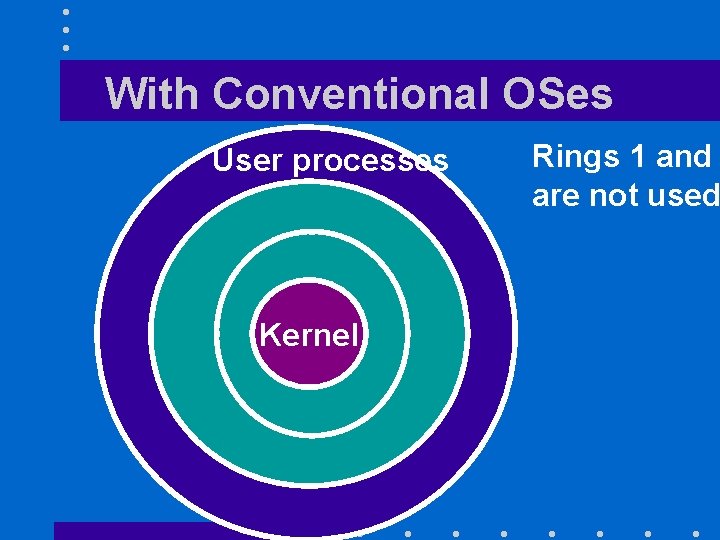
With Conventional OSes User processes Kernel Rings 1 and are not used
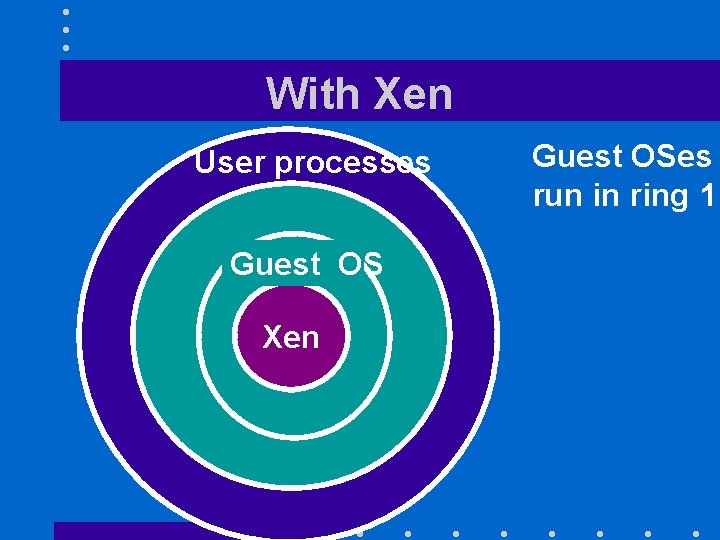
With Xen User processes Guest OS Xen Guest OSes run in ring 1

Control transfer (I) • Hypercalls: – Synchronous calls from a domain to the Xen hypervisor – Implemented through a software trap mechanism • Same as conventional system calls
Control transfer (II) • From Xen to domains: – Asynchronous event mechanism • Akin to Unix signals • Small number of events
Data transfer between rings • There is now an additional protection domain between guest OSes and I/O devices – Need a fast mechanism for handling data transfers

Subsystem virtualization • CPU: – Uses the borrowed virtual time scheduling algorithm (BVT) • Time and timers: – Guest domains have access to both virtual time and real time • Virtual address translation: – Xen is only involved in page table updates
Subsystem virtualization • Privileged instructions: – Validated and executed by Xen
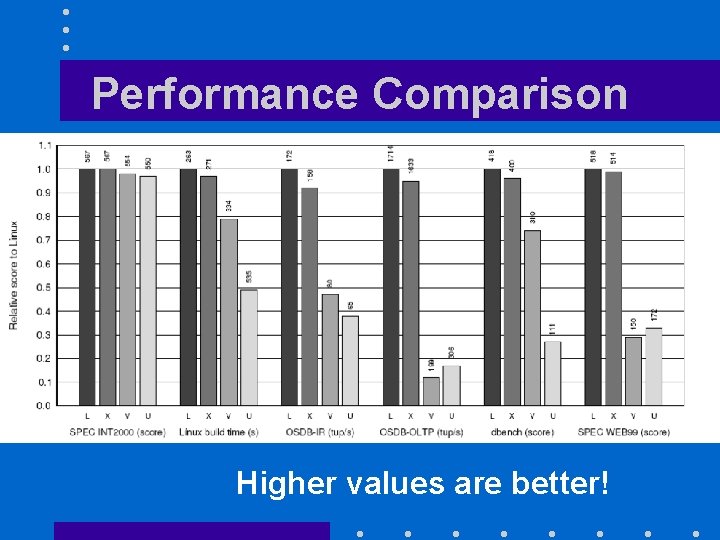
Performance Comparison Higher values are better!
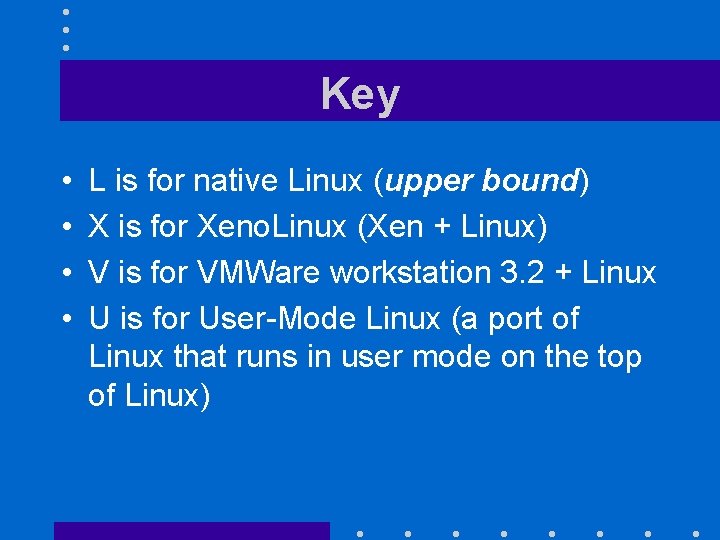
Key • • L is for native Linux (upper bound) X is for Xeno. Linux (Xen + Linux) V is for VMWare workstation 3. 2 + Linux U is for User-Mode Linux (a port of Linux that runs in user mode on the top of Linux)
Conclusions • Xen is fast! • Similar performances of all four solutions for the SPEC 2000 benchmark (the on the left) should not surprise: – This benchmark is CPU-bound, makes infrequent I/Os and interacts very little with the OS – OS performance is essentially irrelevant
- Slides: 36