
XbarR 001 0 145 UCL0 1444 0 140


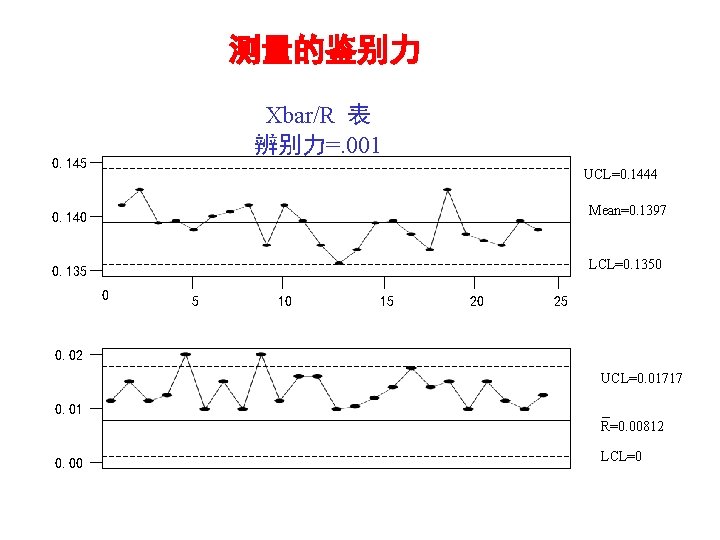
测量的鉴别力 Xbar/R 表 辨别力=. 001 0. 145 UCL=0. 1444 0. 140 Mean=0. 1397 0. 135 LCL=0. 1350 0 5 10 15 20 25 0. 02 UCL=0. 01717 0. 01 0. 00 R=0. 00812 LCL=0
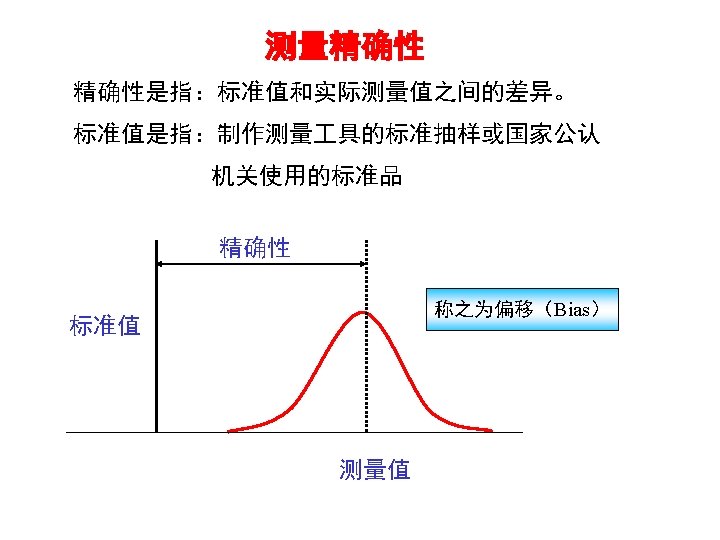
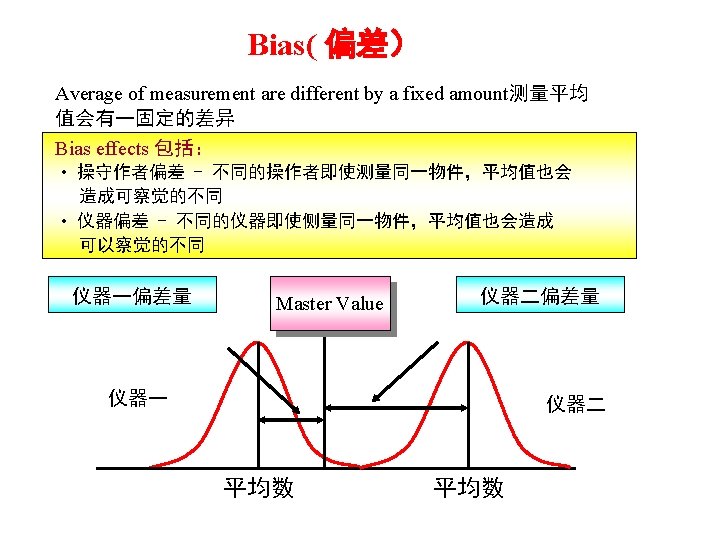
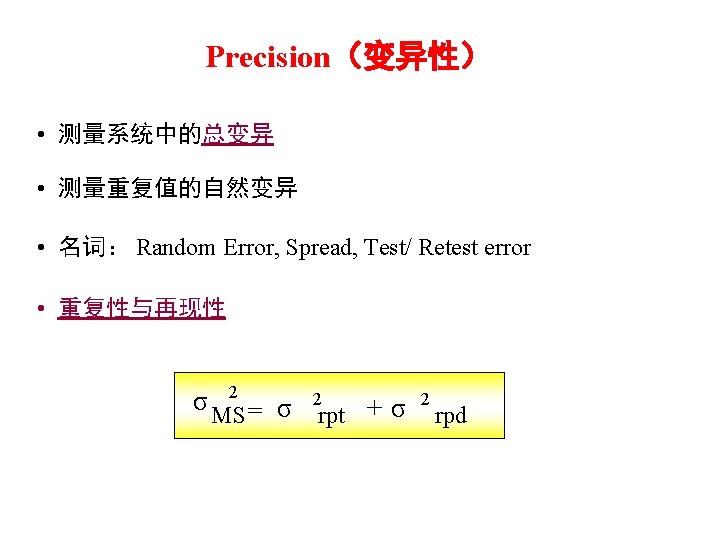
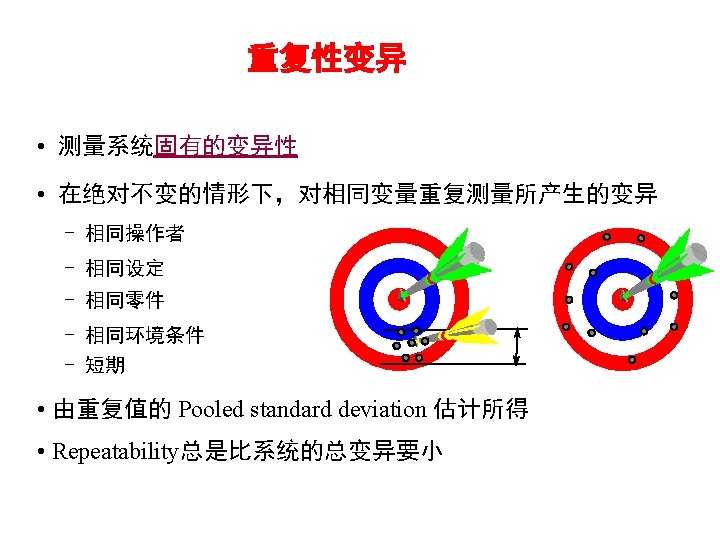
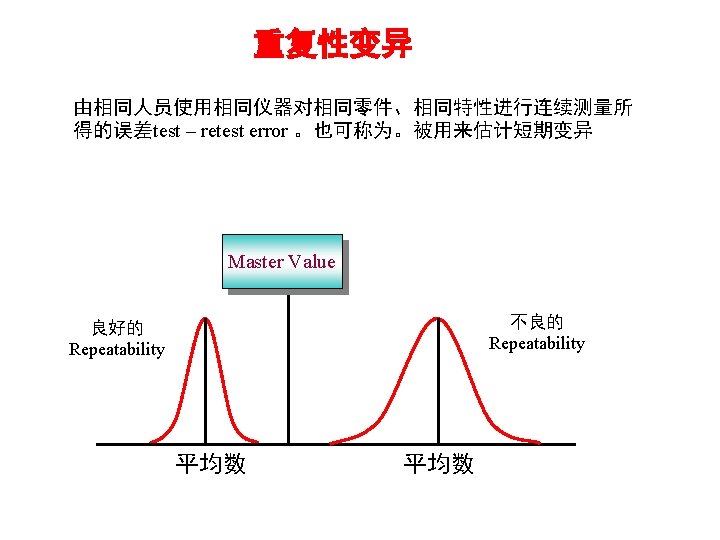
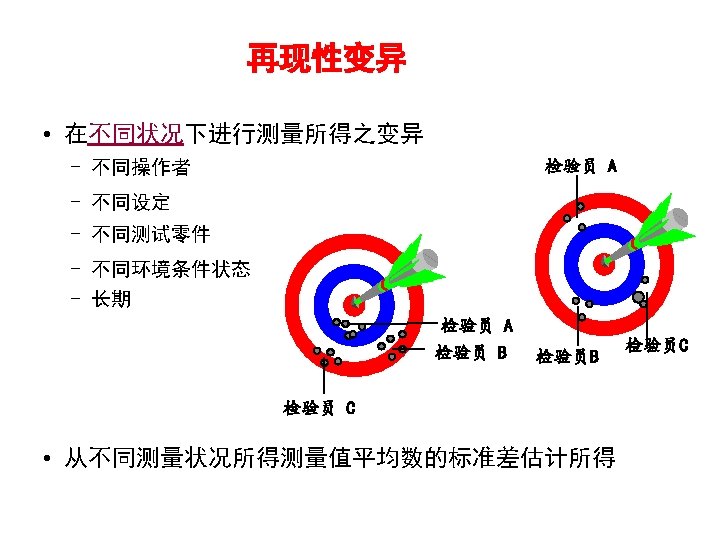
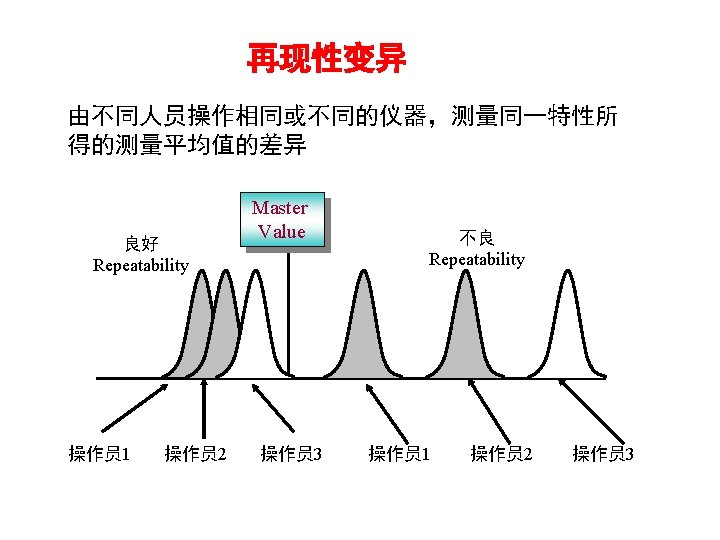
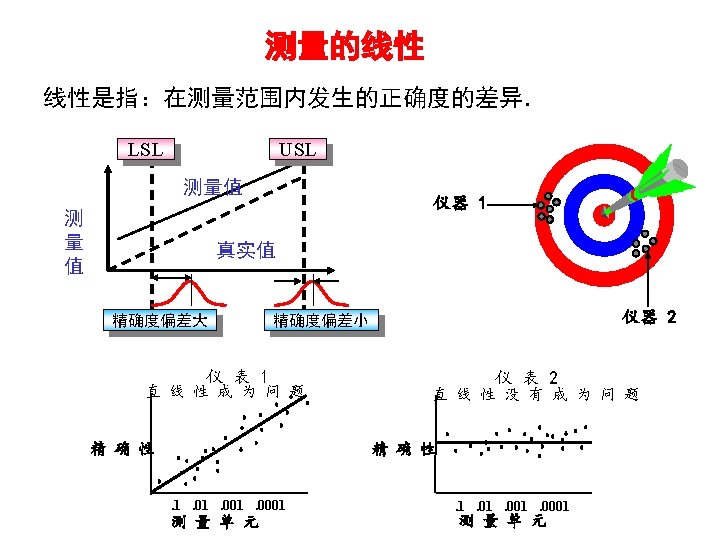
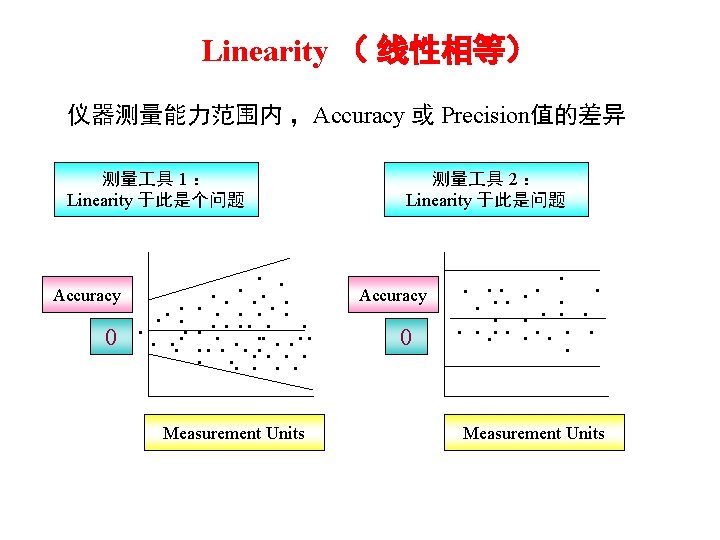
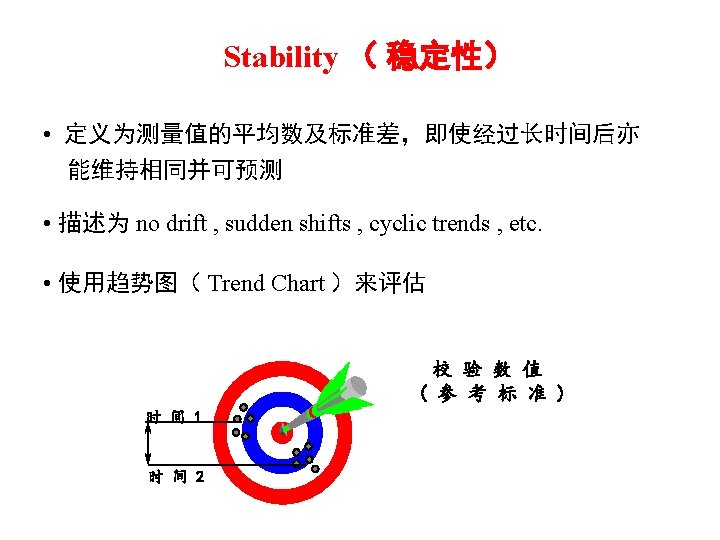
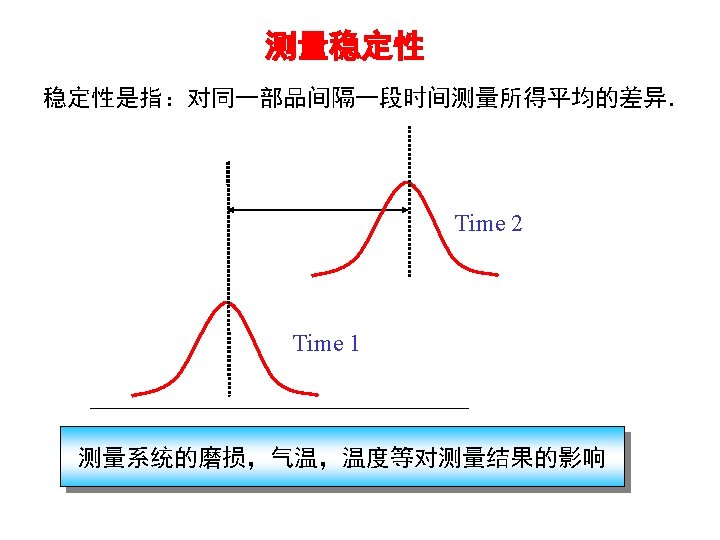
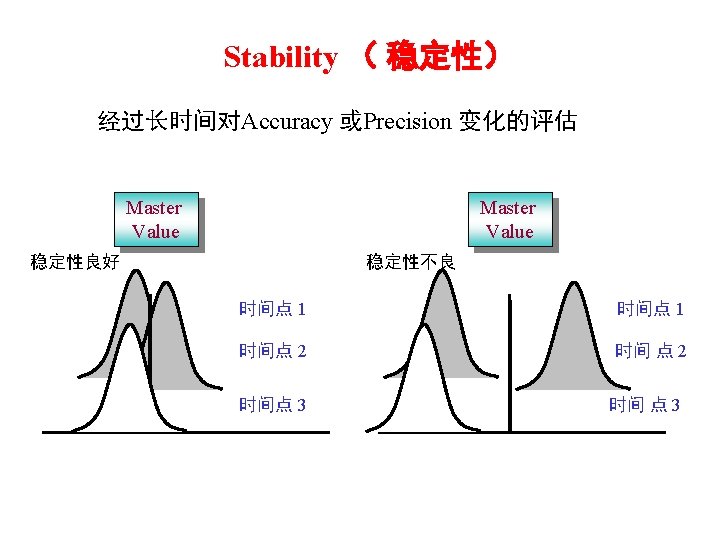
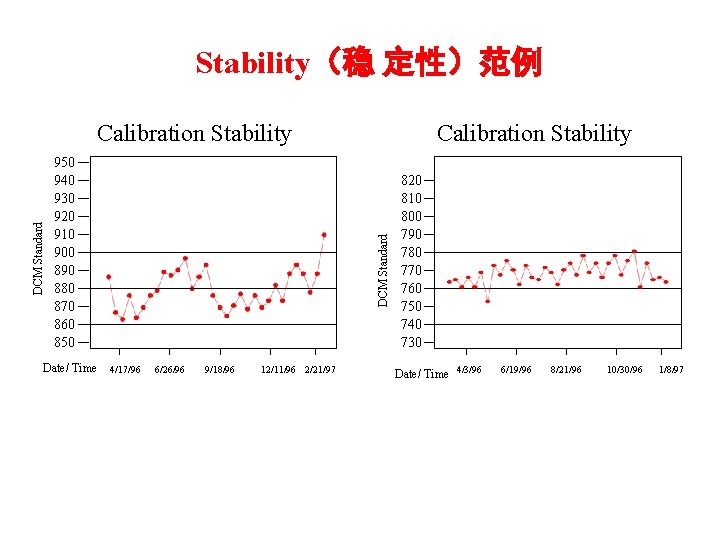
Stability(稳 定性)范例 950 940 930 920 910 900 890 880 870 860 850 Date/ Time Calibration Stability DCM Standard Calibration Stability 4/17/96 6/26/96 9/18/96 12/11/96 2/21/97 820 810 800 790 780 770 760 750 740 730 Date/ Time 4/3/96 6/19/96 8/21/96 10/30/96 1/8/97
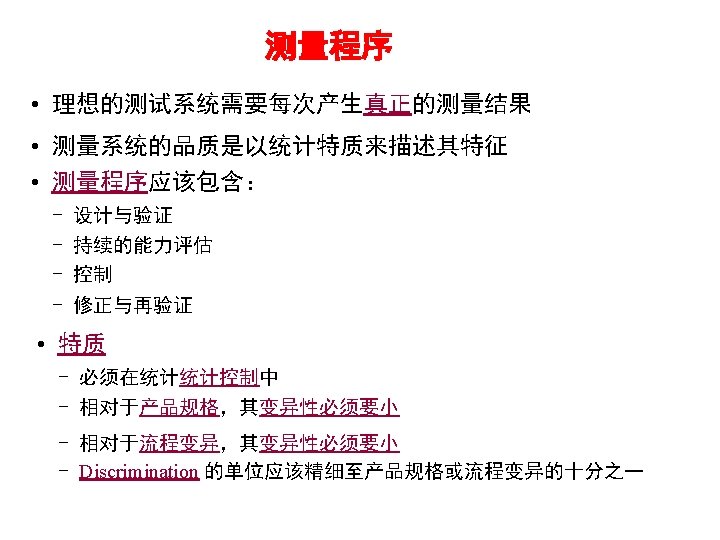
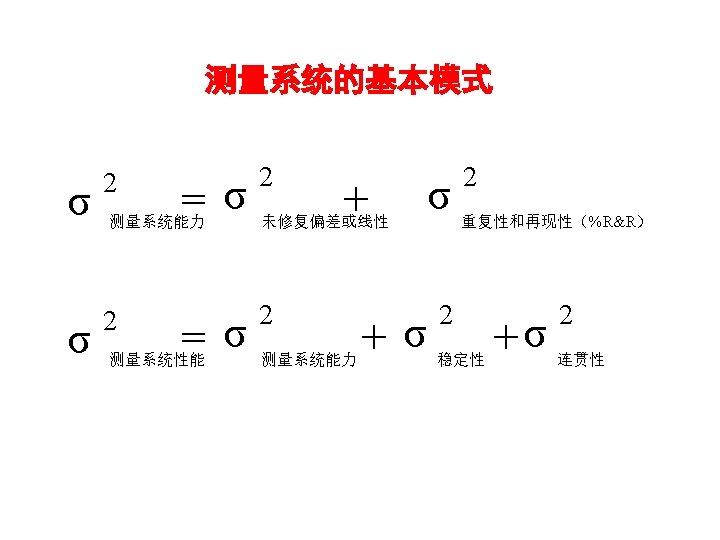
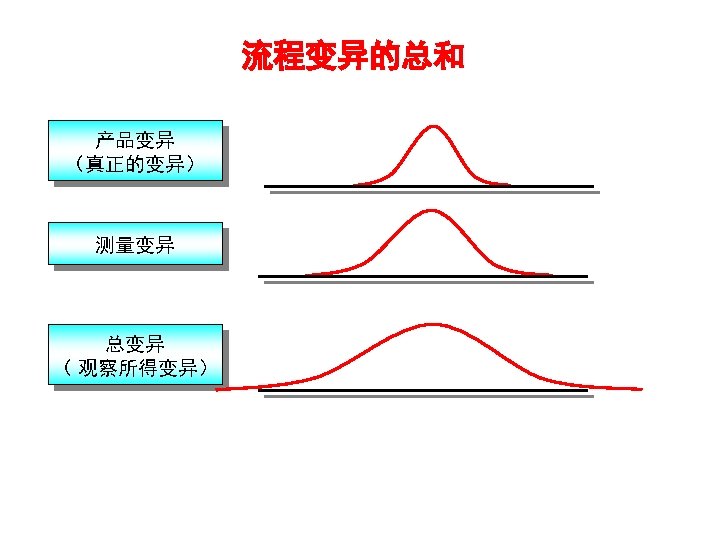
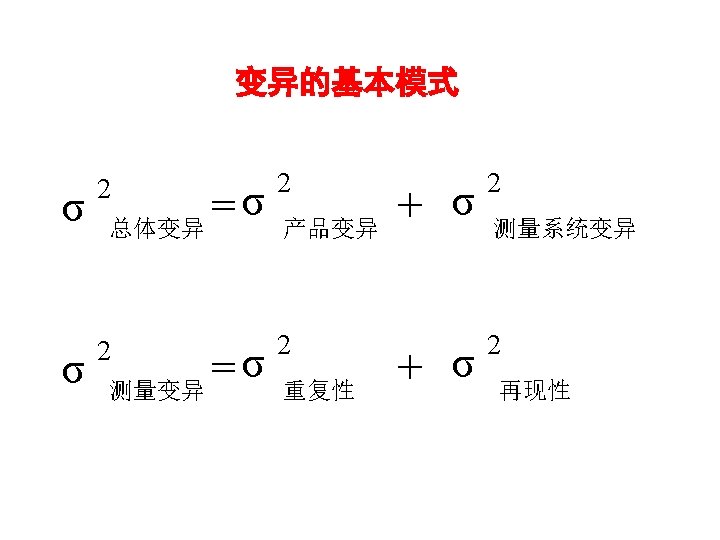
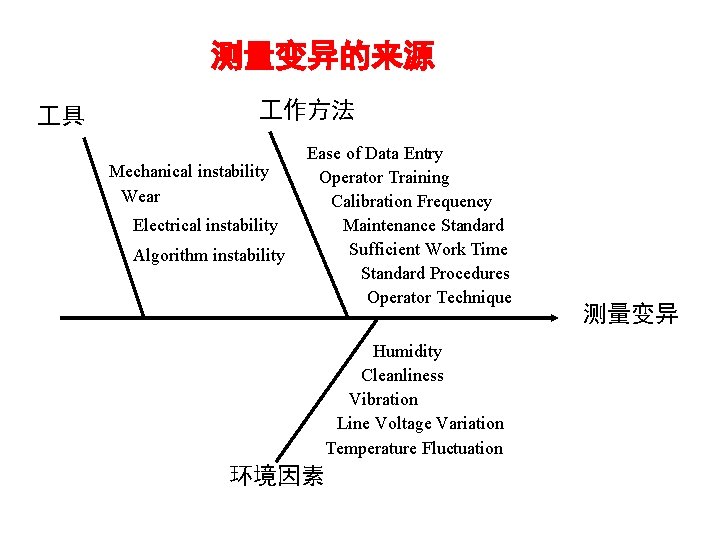
测量变异的来源 具 作方法 Mechanical instability Wear Electrical instability Algorithm instability Ease of Data Entry Operator Training Calibration Frequency Maintenance Standard Sufficient Work Time Standard Procedures Operator Technique Humidity Cleanliness Vibration Line Voltage Variation Temperature Fluctuation 环境因素 测量变异
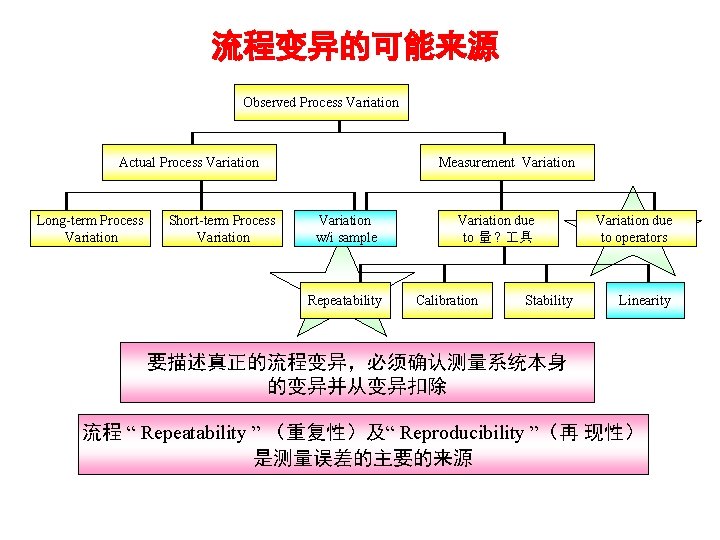
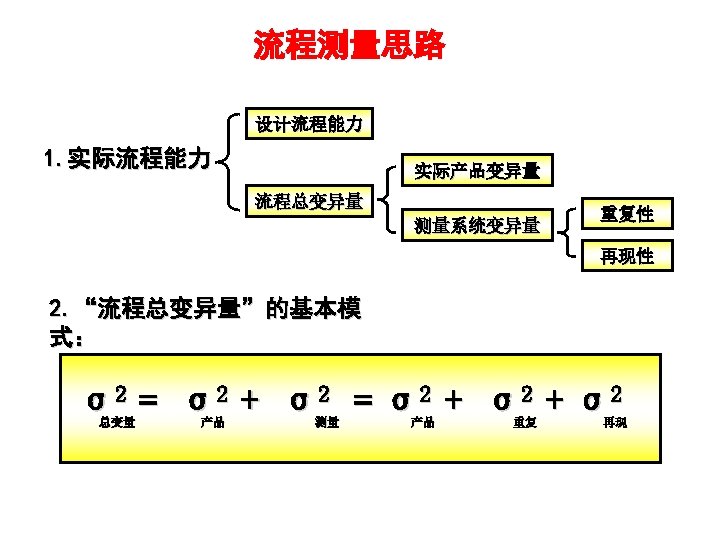
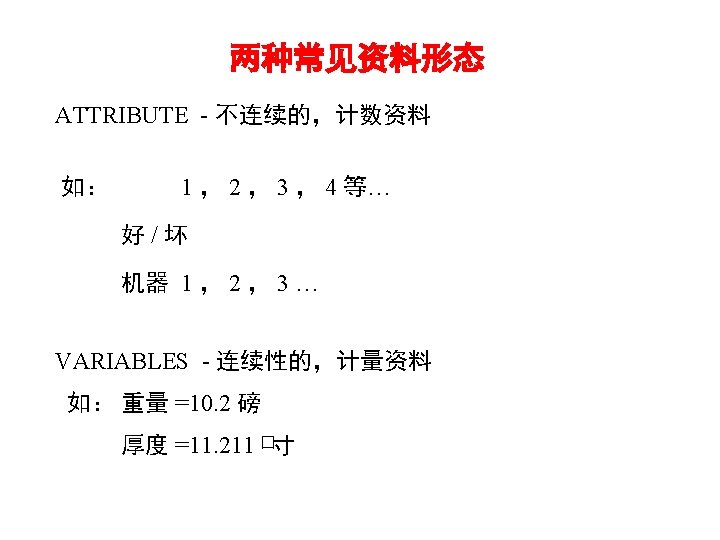
流程变异的可能来源 Observed Process Variation Actual Process Variation Long-term Process Variation Short-term Process Variation Measurement Variation w/i sample Repeatability Variation due to 量 ? 具 Calibration Stability Variation due to operators Linearity 要描述真正的流程变异,必须确认测量系统本身 的变异并从变异扣除 流程 “ Repeatability ” (重复性)及“ Reproducibility ”(再 现性) 是测量误差的主要的来源

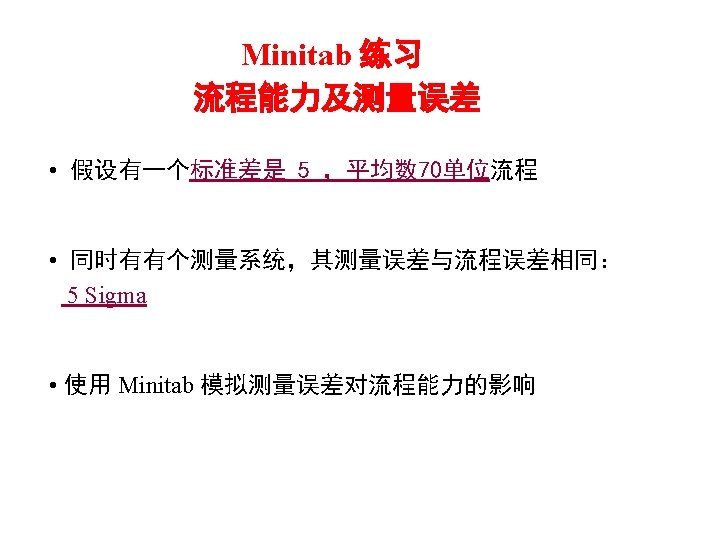
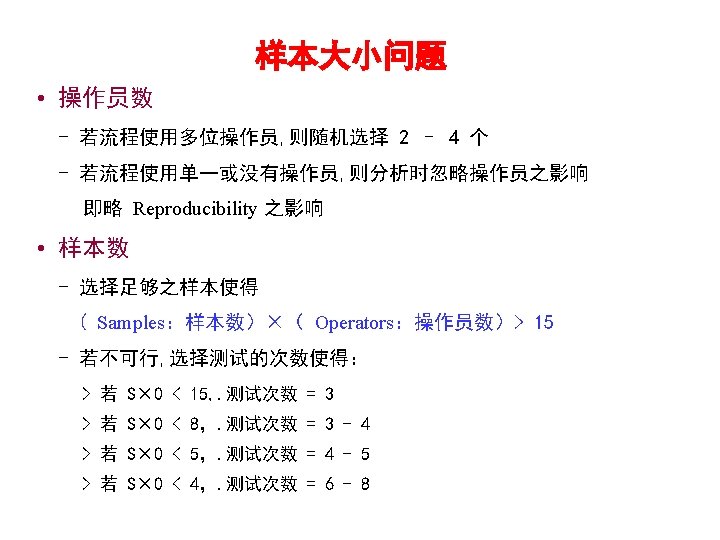
![练习题(续) • 使用下列程序来建立符合上述条件的资料: Minitab Calc Random Data Normal 建立一组随机的常态分配 Item Generate Store in column[s]](http://slidetodoc.com/presentation_image_h/0ac424c9ff8650deeafa4e109f4f9bfb/image-44.jpg "练习题(续) • 使用下列程序来建立符合上述条件的资料: Minitab Calc Random Data Normal 建立一组随机的常态分配 Item Generate Store in column[s]")
练习题(续) • 使用下列程序来建立符合上述条件的资料: Minitab Calc Random Data Normal 建立一组随机的常态分配 Item Generate Store in column[s] Mean Standard deviation 100 Process 5. 0 70. 0
![练习题(续) Minitab Calc Random Data Normal Generate Store in column[s] Mean Standard deviation Item](http://slidetodoc.com/presentation_image_h/0ac424c9ff8650deeafa4e109f4f9bfb/image-45.jpg "练习题(续) Minitab Calc Random Data Normal Generate Store in column[s] Mean Standard deviation Item")
练习题(续) Minitab Calc Random Data Normal Generate Store in column[s] Mean Standard deviation Item Store result in variable Expression Functions 100 Measurement 0. 0 5. 0 C 1 Process C 2 Measurement Observed Process+ Measurement All functions Absolute value Antilog Arcsine Arccosine Current time Date (from Text)
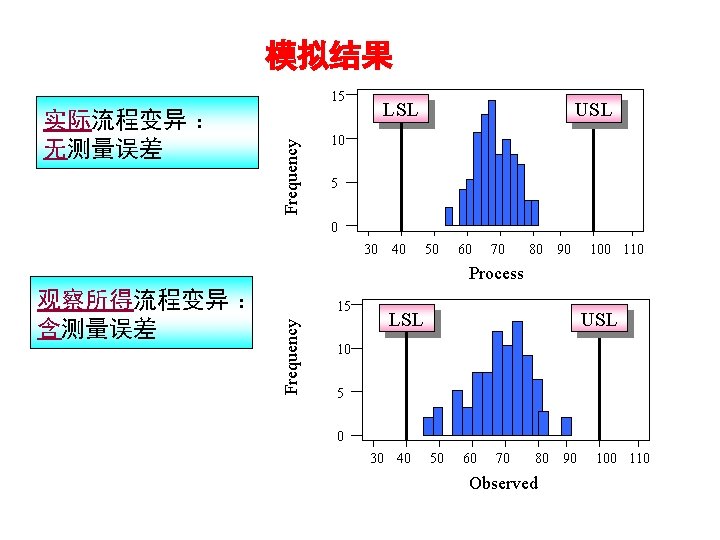
模拟结果 实际流程变异 : 无测量误差 Frequency 15 LSL USL 10 5 0 30 40 50 60 70 80 90 100 110 Process 15 Frequency 观察所得流程变异 : 含测量误差 LSL USL 10 5 0 30 40 50 60 70 80 90 Observed 100 110

Attribute(离散型 ) MSA 分析
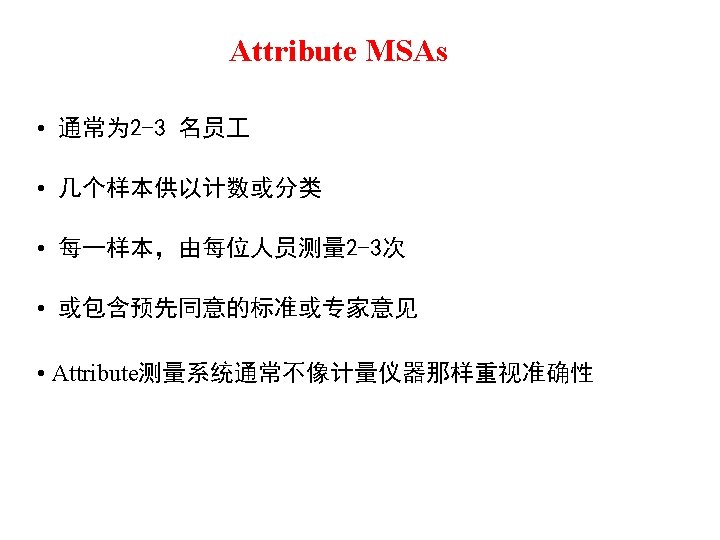
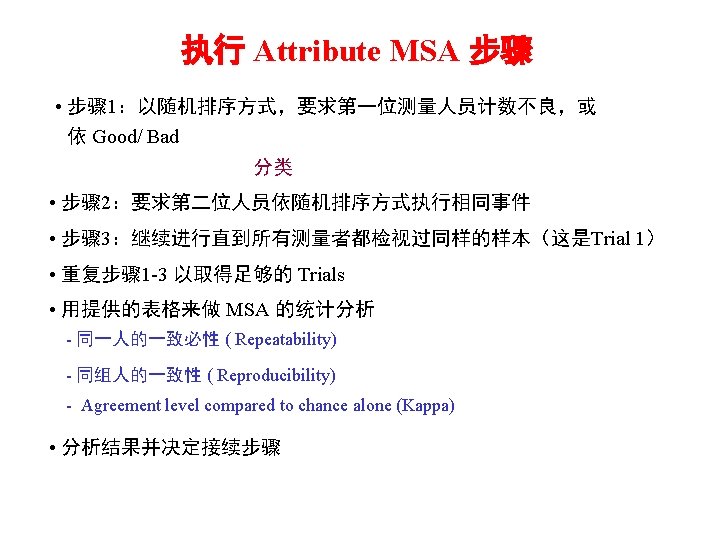
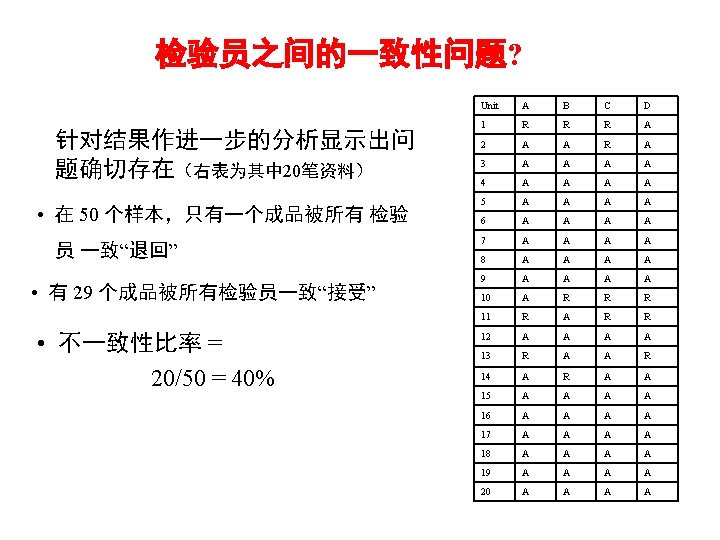
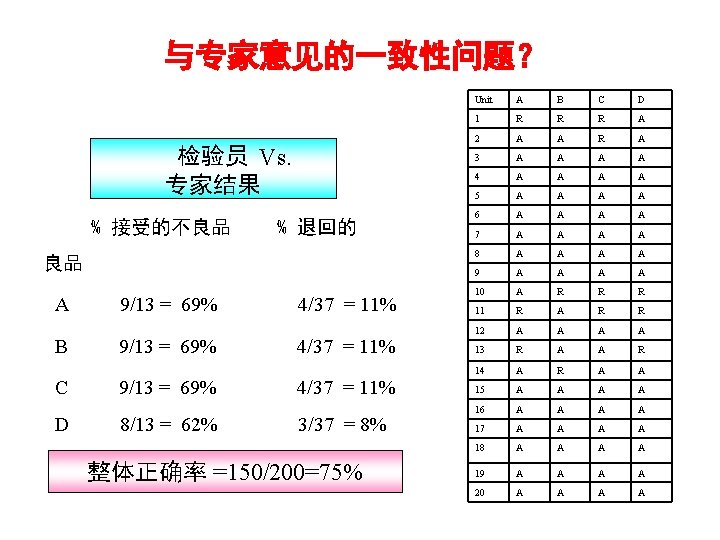
与专家意见的一致性问题? 检验员 Vs. 专家结果 % 接受的不良品 % 退回的 良品 A B C D 9/13 = 69% 8/13 = 62% 4/37 = 11% 3/37 = 8% 整体正确率 =150/200=75% Unit A B C D 1 R R R A 2 A A R A 3 A A 4 A A 5 A A 6 A A 7 A A 8 A A 9 A A 10 A R R R 11 R A R R 12 A A 13 R A A R 14 A R A A 15 A A 16 A A 17 A A 18 A A 19 A A 20 A A
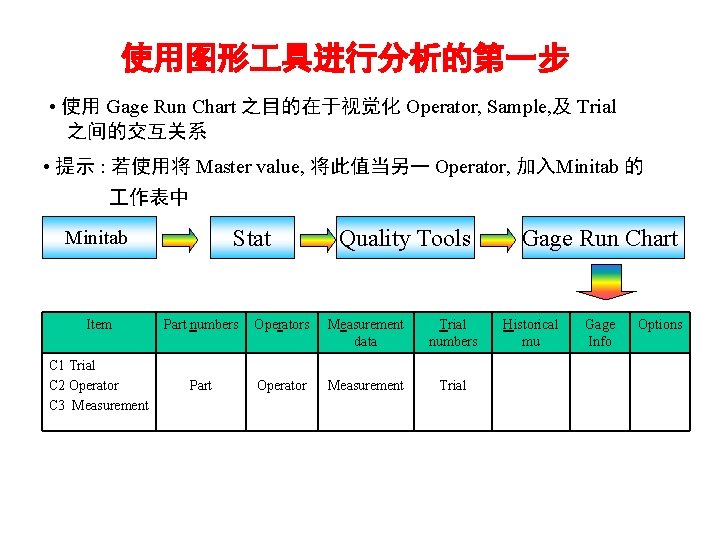
使用图形 具进行分析的第一步 • 使用 Gage Run Chart 之目的在于视觉化 Operator, Sample, 及 Trial 之间的交互关系 • 提示 : 若使用将 Master value, 将此值当另一 Operator, 加入Minitab 的 作表中 Stat Minitab Quality Tools Item Part numbers Operators Measurement data Trial numbers C 1 Trial C 2 Operator C 3 Measurement Part Operator Measurement Trial Gage Run Chart Historical mu Gage Info Options
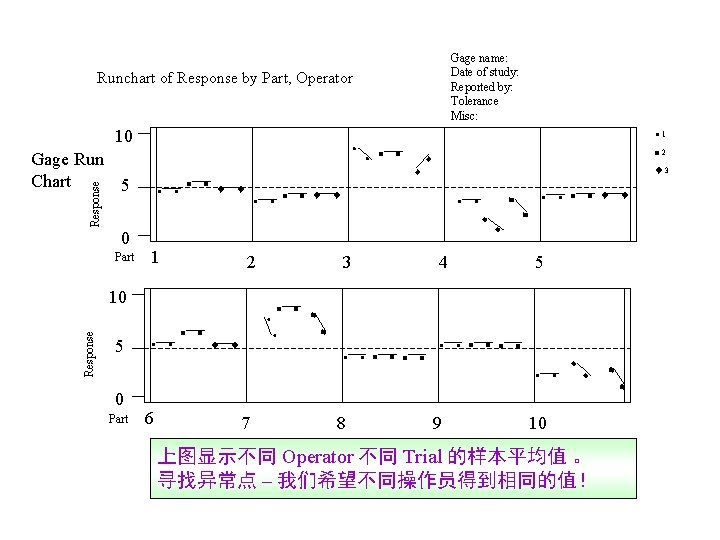
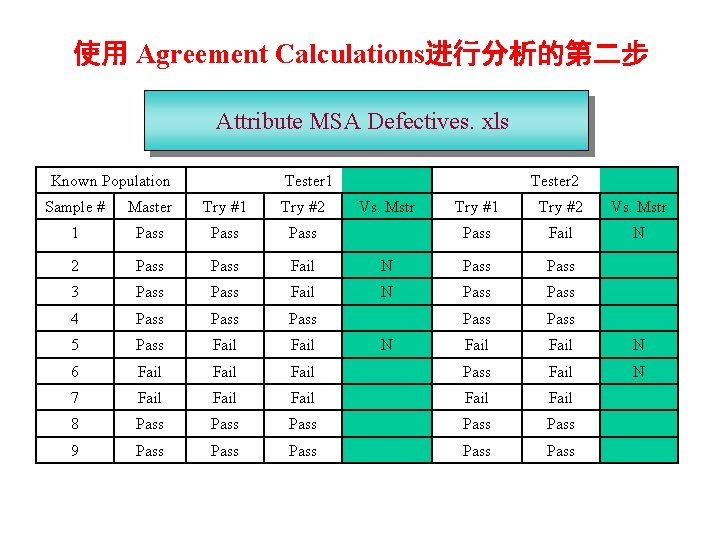
使用 Agreement Calculations进行分析的第二步 Attribute MSA Defectives. xls Known Population Tester 1 Sample # Master Try #1 Try #2 1 Pass 2 Pass Fail 3 Pass Fail 4 Pass 5 Pass Fail 6 Fail 7 Fail 8 9 Tester 2 Vs. Mstr Try #1 Try #2 Vs. Mstr Pass Fail N N Pass Pass Fail N Fail Fail Pass Pass Pass N
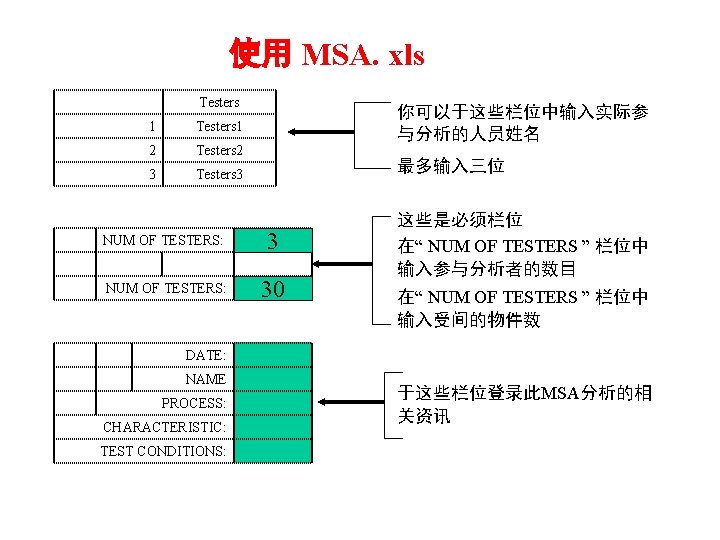
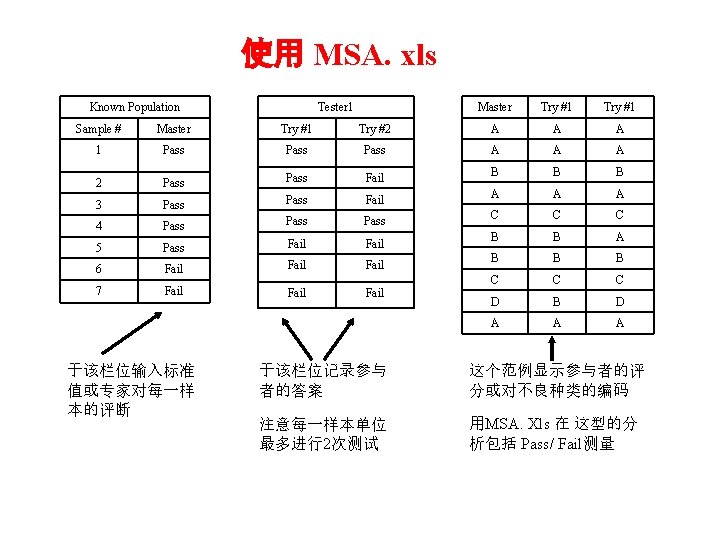
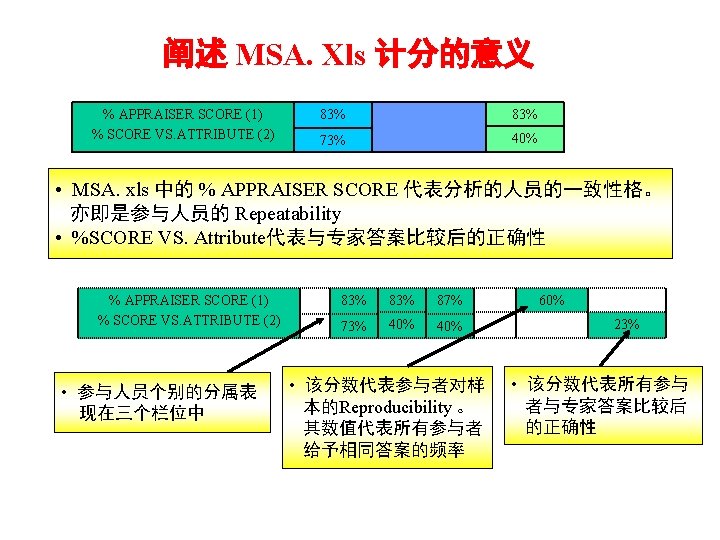
使用 MSA. xls Known Population Tester 1 Master Try #1 Sample # Master Try #1 Try #2 A A A 1 Pass A A A 2 Pass Fail B B B 3 Pass Fail A A A 4 Pass C C C 5 Pass Fail B B A 6 Fail B B B 7 Fail C C C D B D A A A 于该栏位输入标准 值或专家对每一样 本的评断 Fail 于该栏位记录参与 者的答案 这个范例显示参与者的评 分或对不良种类的编码 注意每一样本单位 最多进行2次测试 用MSA. Xls 在 这型的分 析包括 Pass/ Fail测量
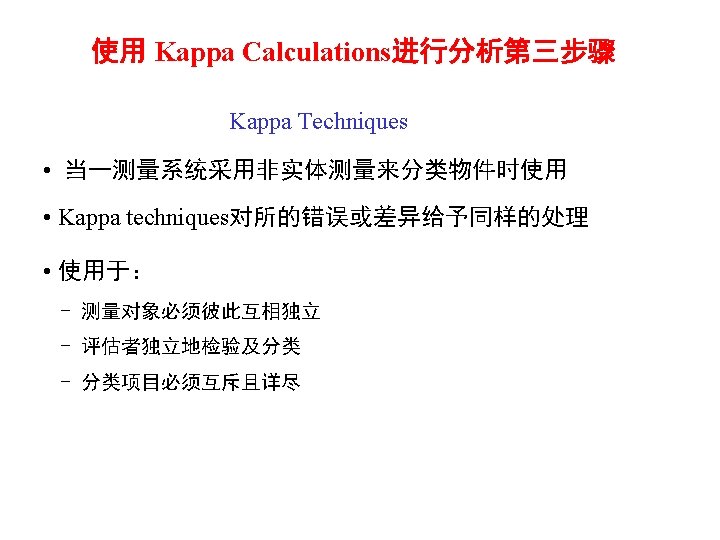
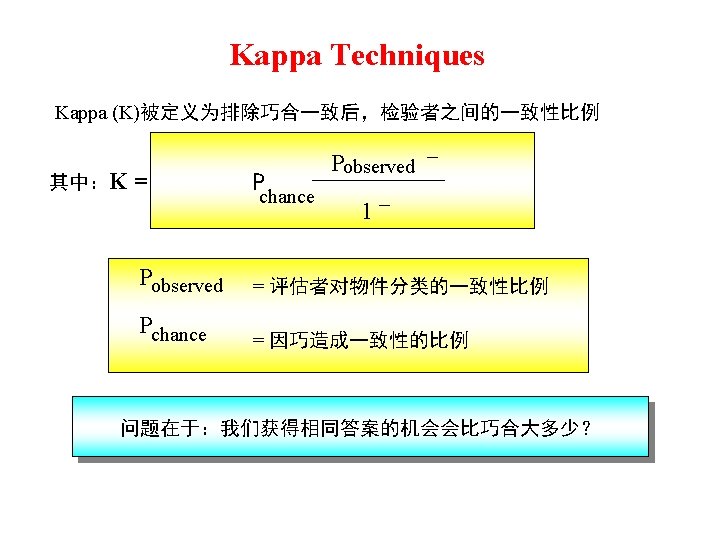
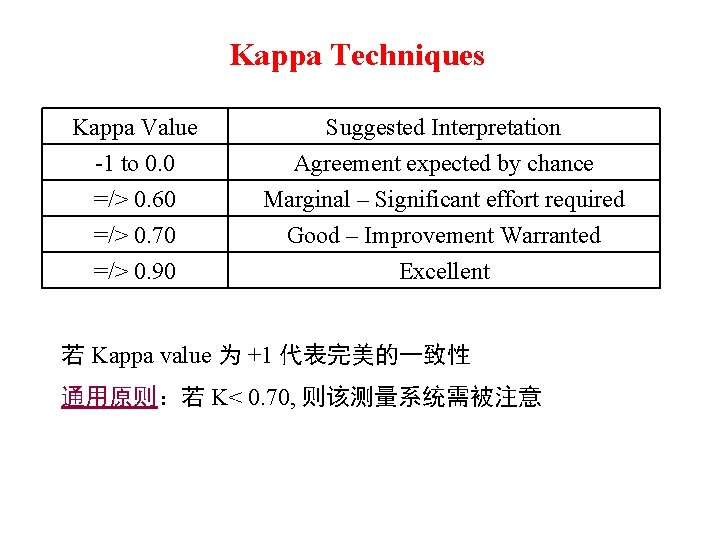
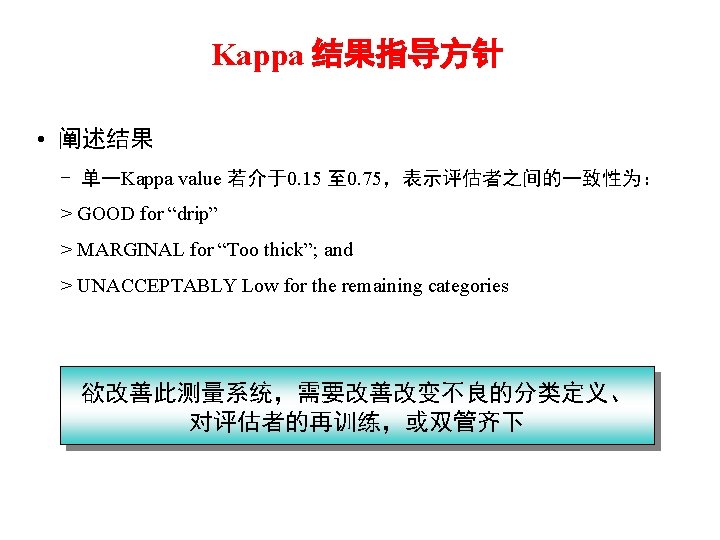
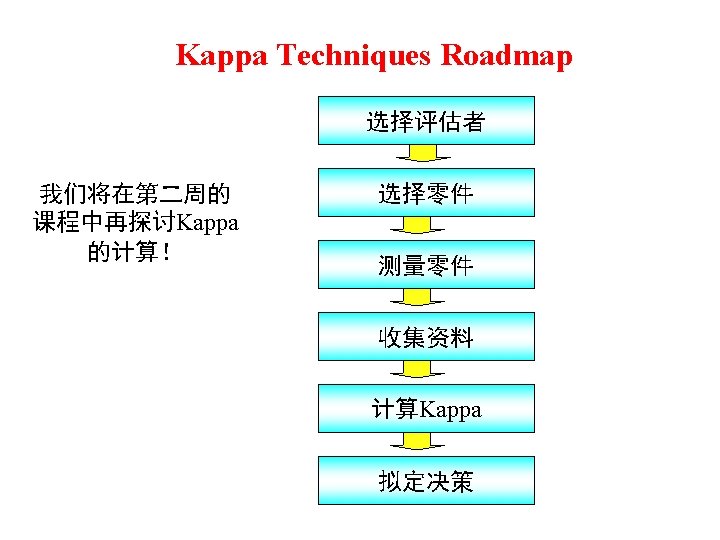
Kappa Techniques Kappa Value -1 to 0. 0 =/> 0. 60 =/> 0. 70 Suggested Interpretation Agreement expected by chance Marginal – Significant effort required Good – Improvement Warranted =/> 0. 90 Excellent 若 Kappa value 为 +1 代表完美的一致性 通用原则:若 K< 0. 70, 则该测量系统需被注意
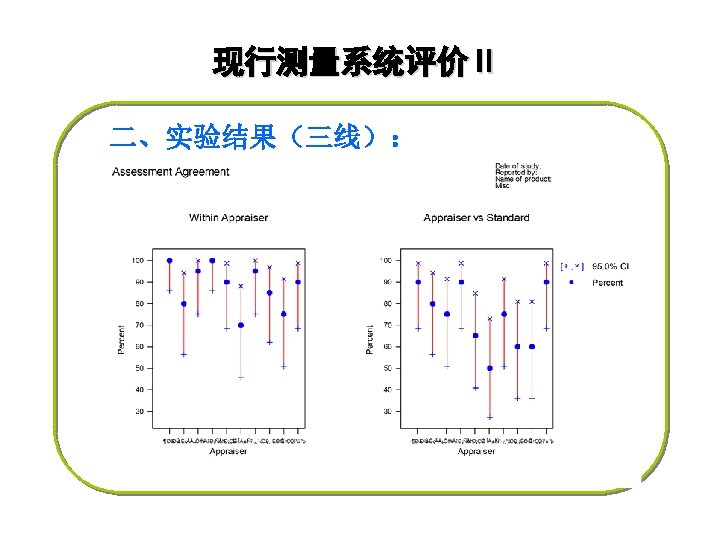
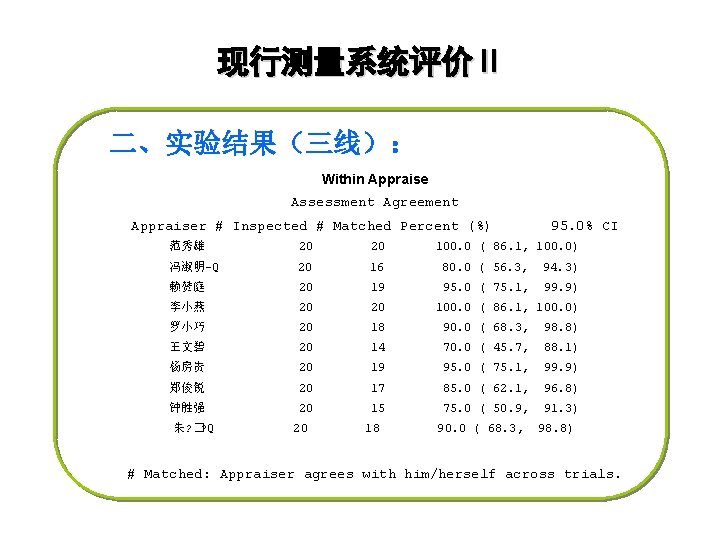
现行测量系统评价Ⅱ 二、实验结果(三线): Within Appraise Assessment Agreement Appraiser # Inspected # Matched Percent (%) 95. 0% CI 范秀雄 20 20 冯淑明-Q 20 16 80. 0 ( 56. 3, 94. 3) 赖赞庭 20 19 95. 0 ( 75. 1, 99. 9) 李小燕 20 20 罗小巧 20 18 90. 0 ( 68. 3, 98. 8) 王文碧 20 14 70. 0 ( 45. 7, 88. 1) 杨房贵 20 19 95. 0 ( 75. 1, 99. 9) 郑俊锐 20 17 85. 0 ( 62. 1, 96. 8) 钟胜强 20 15 75. 0 ( 50. 9, 91. 3) 朱? �? Q 20 18 100. 0 ( 86. 1, 100. 0) 90. 0 ( 68. 3, 98. 8) # Matched: Appraiser agrees with him/herself across trials.
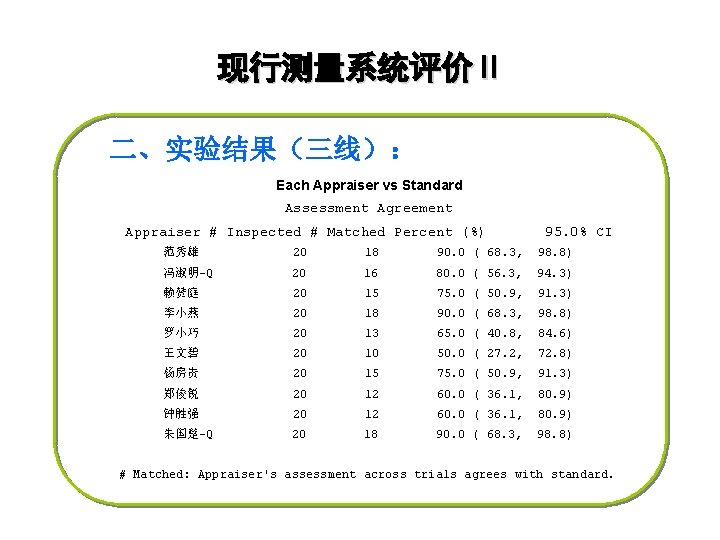
现行测量系统评价Ⅱ 二、实验结果(三线): Each Appraiser vs Standard Assessment Agreement Appraiser # Inspected # Matched Percent (%) 95. 0% CI 范秀雄 20 18 90. 0 ( 68. 3, 98. 8) 冯淑明-Q 20 16 80. 0 ( 56. 3, 94. 3) 赖赞庭 20 15 75. 0 ( 50. 9, 91. 3) 李小燕 20 18 90. 0 ( 68. 3, 98. 8) 罗小巧 20 13 65. 0 ( 40. 8, 84. 6) 王文碧 20 10 50. 0 ( 27. 2, 72. 8) 杨房贵 20 15 75. 0 ( 50. 9, 91. 3) 郑俊锐 20 12 60. 0 ( 36. 1, 80. 9) 钟胜强 20 12 60. 0 ( 36. 1, 80. 9) 朱国楚-Q 20 18 90. 0 ( 68. 3, 98. 8) # Matched: Appraiser's assessment across trials agrees with standard.
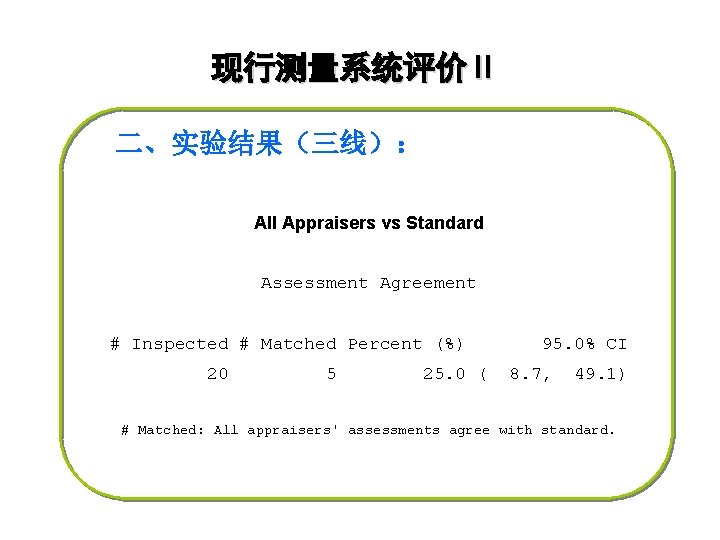
现行测量系统评价Ⅱ 二、实验结果(三线): All Appraisers vs Standard Assessment Agreement # Inspected # Matched Percent (%) 20 5 25. 0 ( 95. 0% CI 8. 7, 49. 1) # Matched: All appraisers' assessments agree with standard.
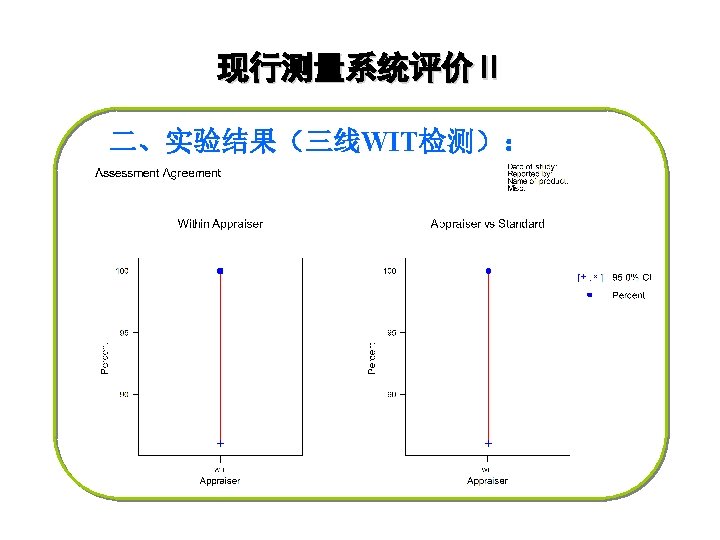
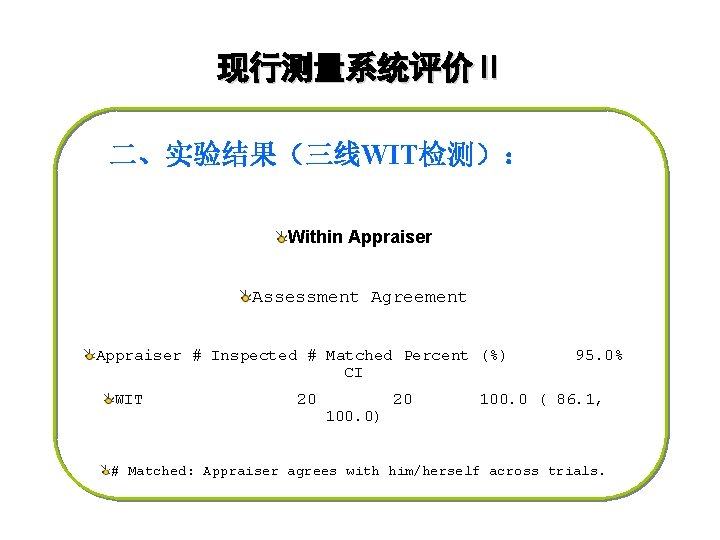
现行测量系统评价Ⅱ 二、实验结果(三线WIT检测): Within Appraiser Assessment Agreement Appraiser # Inspected # Matched Percent (%) CI WIT 20 100. 0) 20 95. 0% 100. 0 ( 86. 1, # Matched: Appraiser agrees with him/herself across trials.
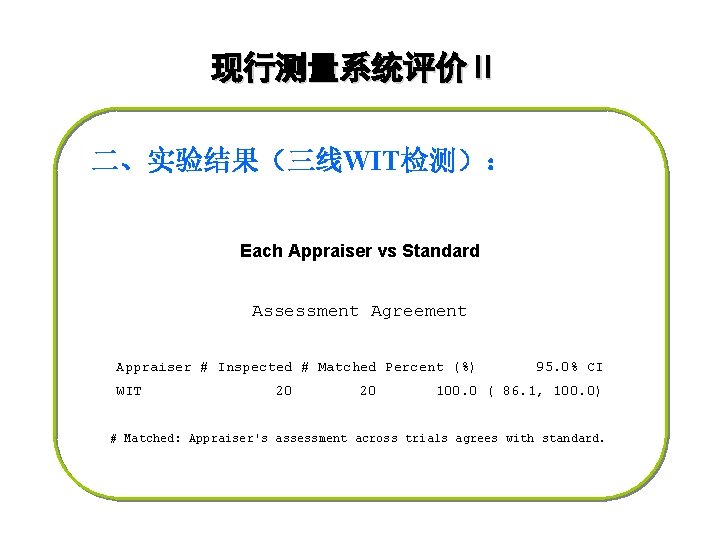
现行测量系统评价Ⅱ 二、实验结果(三线WIT检测): Each Appraiser vs Standard Assessment Agreement Appraiser # Inspected # Matched Percent (%) WIT 20 20 95. 0% CI 100. 0 ( 86. 1, 100. 0) # Matched: Appraiser's assessment across trials agrees with standard.
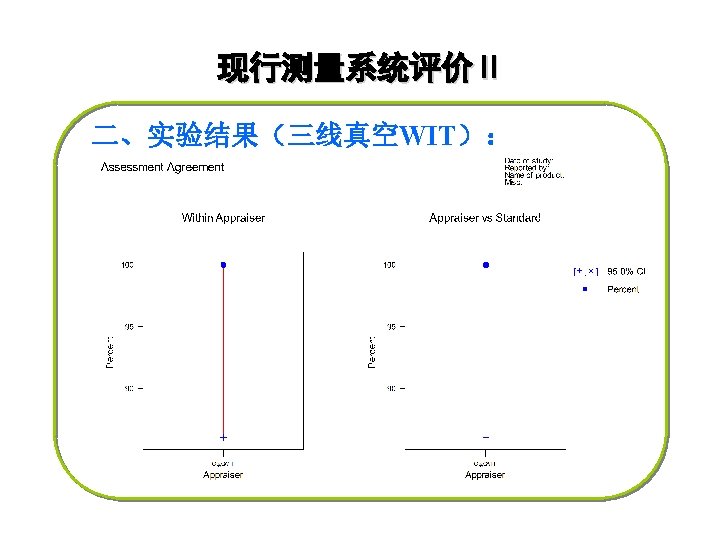
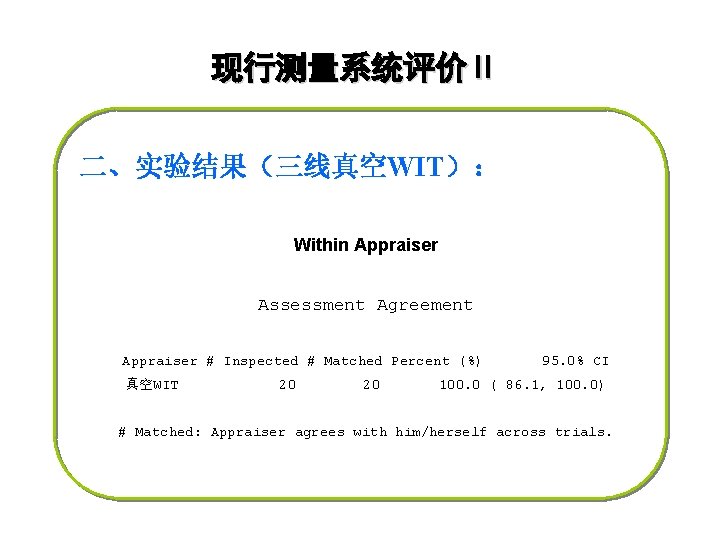
现行测量系统评价Ⅱ 二、实验结果(三线真空WIT): Within Appraiser Assessment Agreement Appraiser # Inspected # Matched Percent (%) 真空WIT 20 20 95. 0% CI 100. 0 ( 86. 1, 100. 0) # Matched: Appraiser agrees with him/herself across trials.
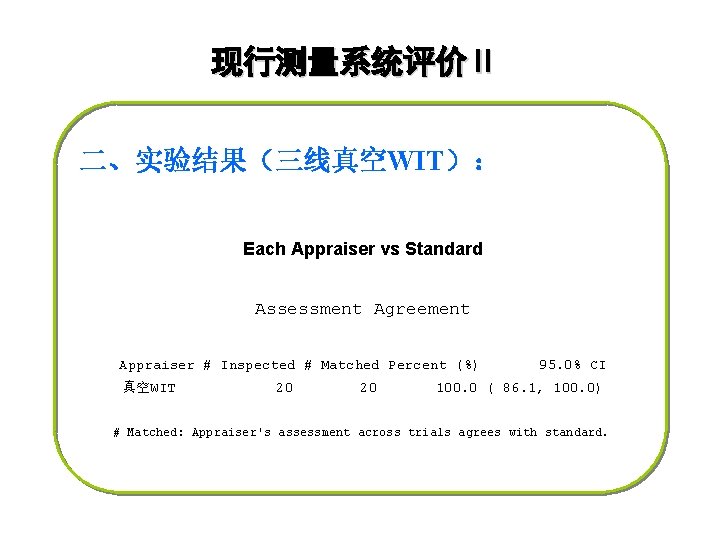
现行测量系统评价Ⅱ 二、实验结果(三线真空WIT): Each Appraiser vs Standard Assessment Agreement Appraiser # Inspected # Matched Percent (%) 真空WIT 20 20 95. 0% CI 100. 0 ( 86. 1, 100. 0) # Matched: Appraiser's assessment across trials agrees with standard.

Variables (连续型 ) MSA 分析
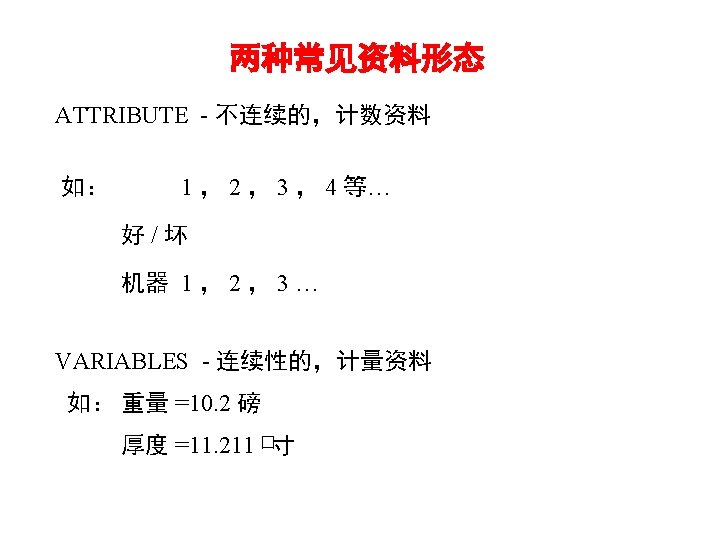
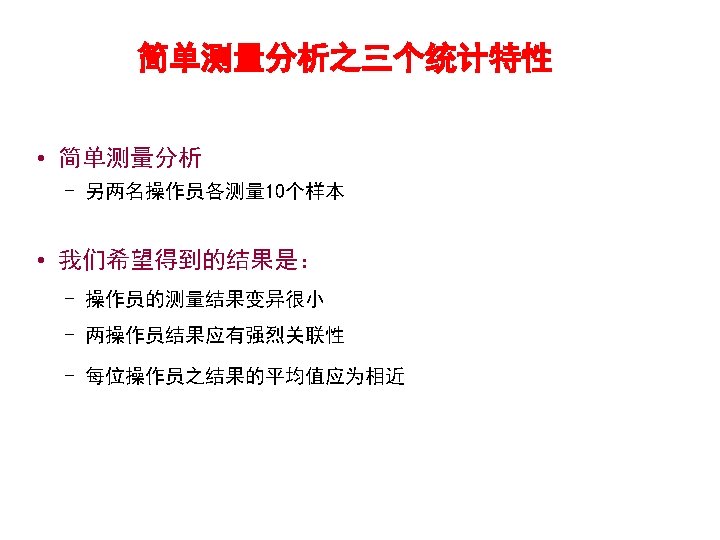
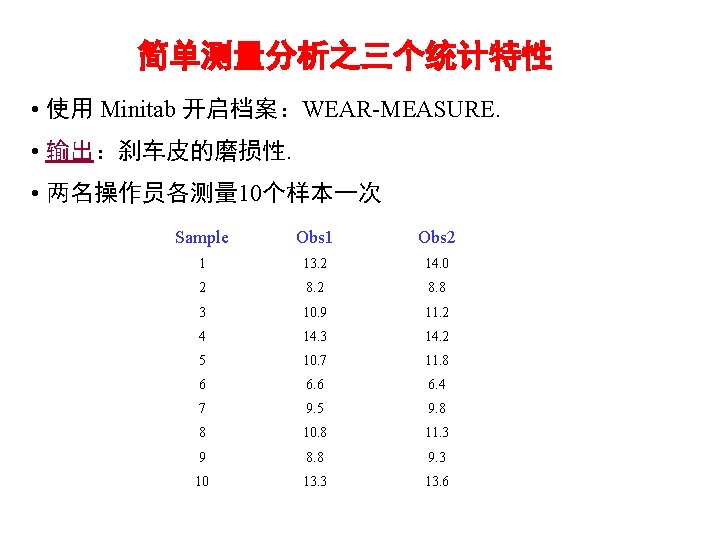
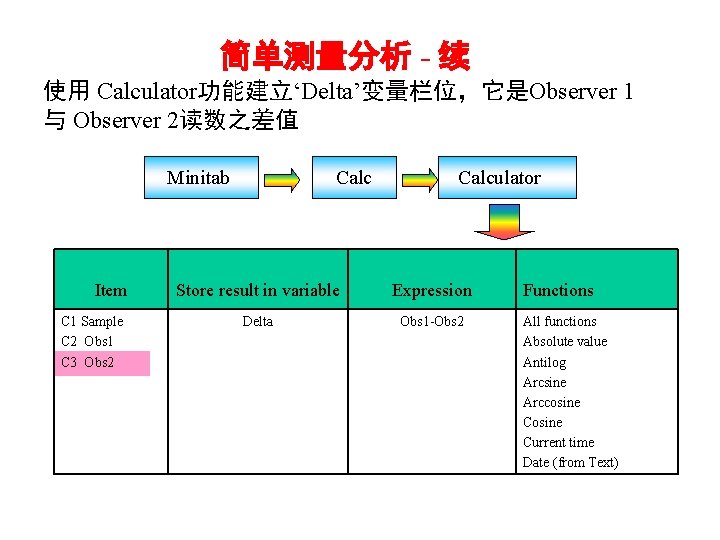
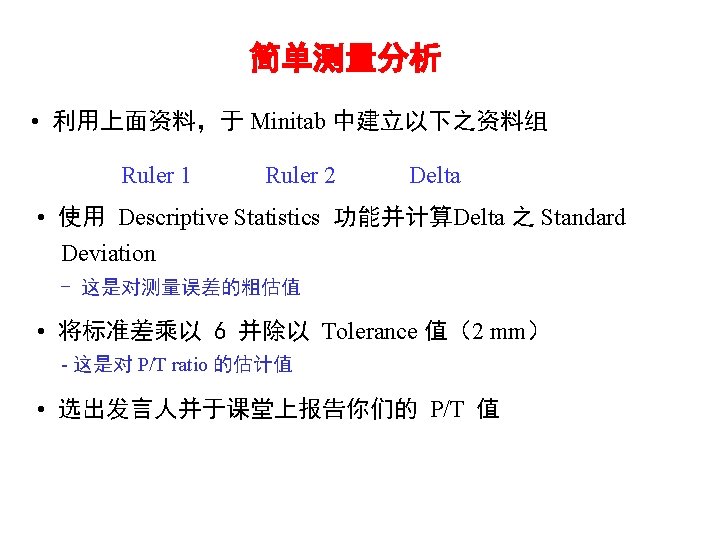
简单测量分析 - 续 使用 Calculator功能建立‘Delta’变量栏位,它是Observer 1 与 Observer 2读数之差值 Minitab Item C 1 Sample C 2 Obs 1 C 3 Obs 2 Calculator Store result in variable Expression Delta Obs 1 -Obs 2 Functions All functions Absolute value Antilog Arcsine Arccosine Current time Date (from Text)
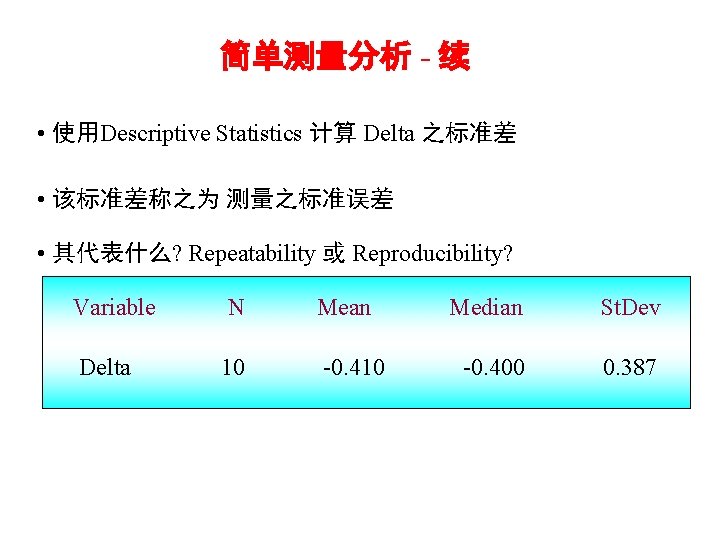
简单测量分析 - 续 • 使用Descriptive Statistics 计算 Delta 之标准差 • 该标准差称之为 测量之标准误差 • 其代表什么? Repeatability 或 Reproducibility? Variable N Mean Delta 10 -0. 410 Median St. Dev -0. 400 0. 387
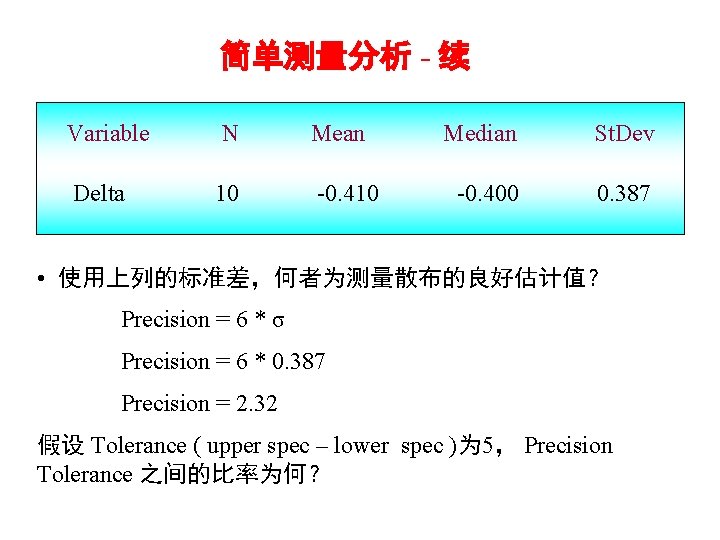
简单测量分析 - 续 Variable N Mean Delta 10 -0. 410 Median St. Dev -0. 400 0. 387 • 使用上列的标准差,何者为测量散布的良好估计值? Precision = 6 * σ Precision = 6 * 0. 387 Precision = 2. 32 假设 Tolerance ( upper spec – lower spec )为 5, Precision Tolerance 之间的比率为何?
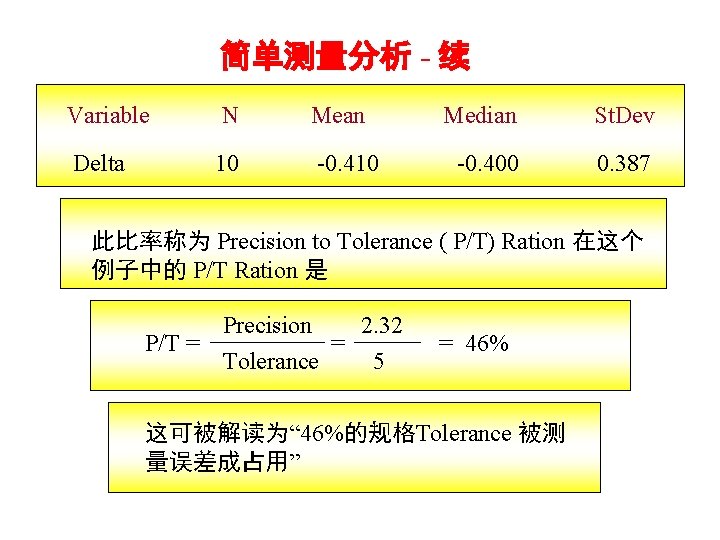
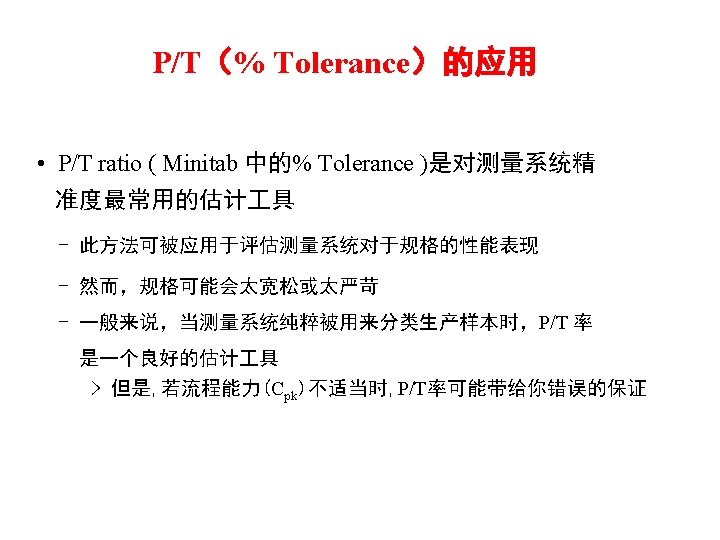
简单测量分析 - 续 Variable N Mean Delta 10 -0. 410 Median St. Dev -0. 400 0. 387 此比率称为 Precision to Tolerance ( P/T) Ration 在这个 例子中的 P/T Ration 是 Precision 2. 32 P/T = = Tolerance 5 = 46% 这可被解读为“ 46%的规格Tolerance 被测 量误差成占用”
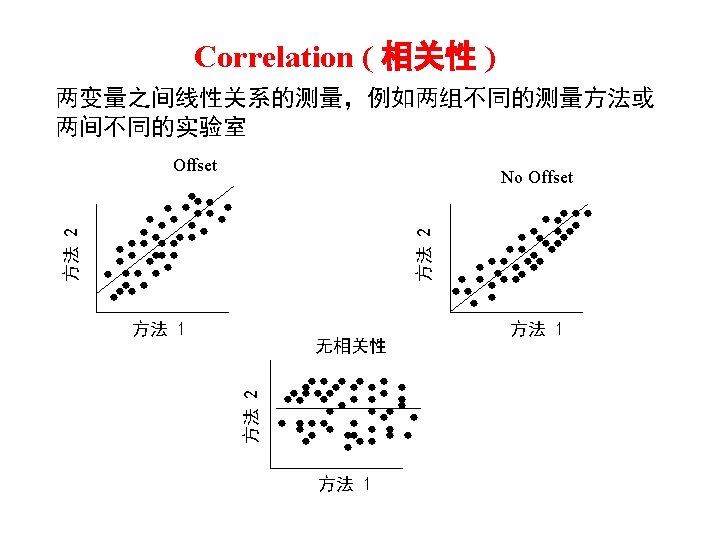
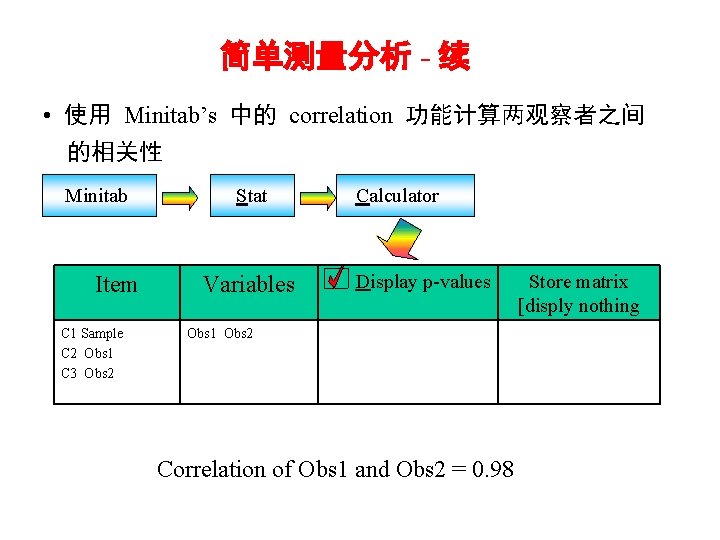
简单测量分析 - 续 • 使用 Minitab’s 中的 correlation 功能计算两观察者之间 的相关性 Minitab Item C 1 Sample C 2 Obs 1 C 3 Obs 2 Stat Variables Calculator Display p-values Obs 1 Obs 2 Correlation of Obs 1 and Obs 2 = 0. 98 Store matrix [disply nothing
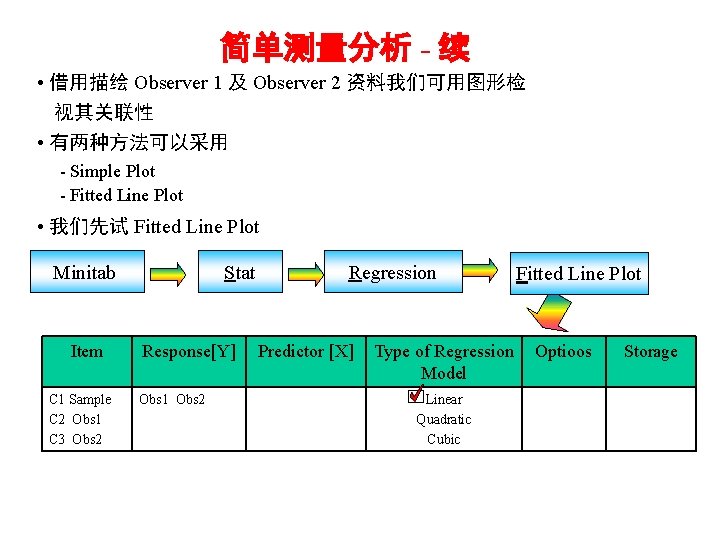
简单测量分析 - 续 • 借用描绘 Observer 1 及 Observer 2 资料我们可用图形检 视其关联性 • 有两种方法可以采用 - Simple Plot - Fitted Line Plot • 我们先试 Fitted Line Plot Minitab Item C 1 Sample C 2 Obs 1 C 3 Obs 2 Stat Response[Y] Obs 1 Obs 2 Regression Predictor [X] Type of Regression Model Linear Quadratic Cubic Fitted Line Plot Optioos Storage
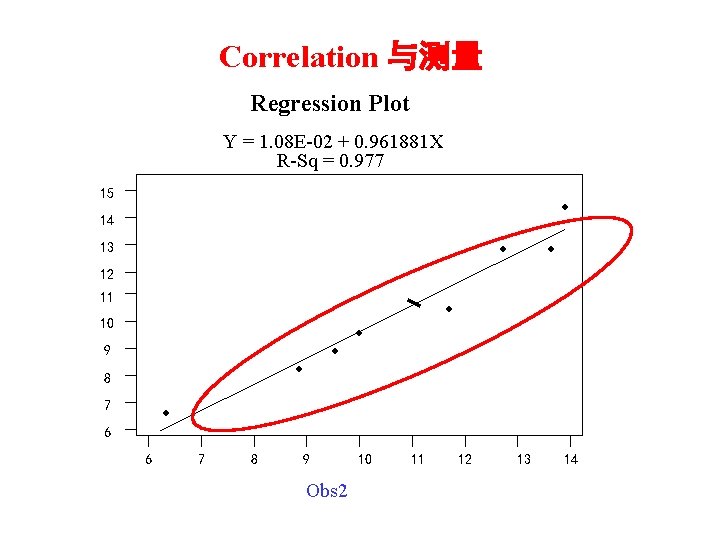
Correlation 与测量 Regression Plot Y = 1. 08 E-02 + 0. 961881 X R-Sq = 0. 977 15 ◆ 14 13 ◆ ◆ 12 11 ◆ 10 ◆ 9 ◆ ◆ 8 7 ◆ 6 6 7 8 9 Obs 2 10 11 12 13 14
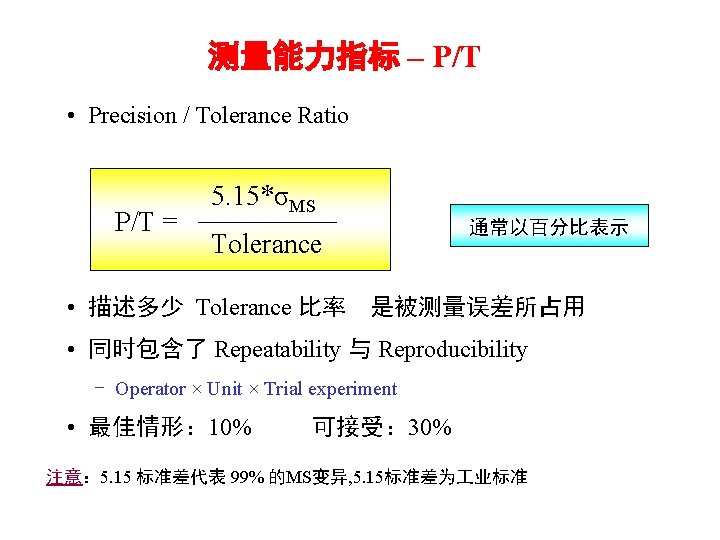
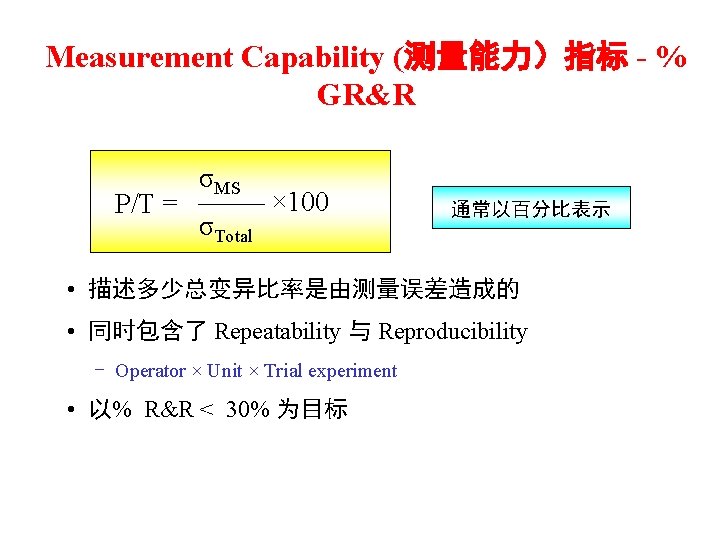
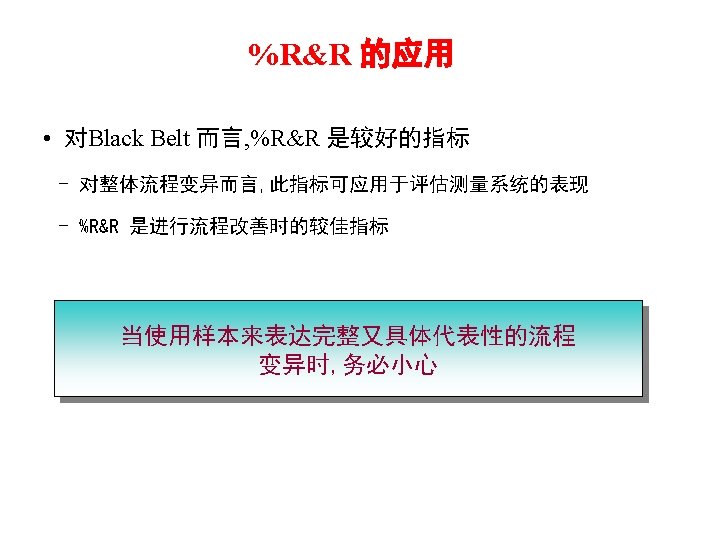
Measurement Capability (测量能力)指标 - % GR&R P/T = σMS σTotal × 100 通常以百分比表示 • 描述多少总变异比率是由测量误差造成的 • 同时包含了 Repeatability 与 Reproducibility - Operator × Unit × Trial experiment • 以% R&R < 30% 为目标

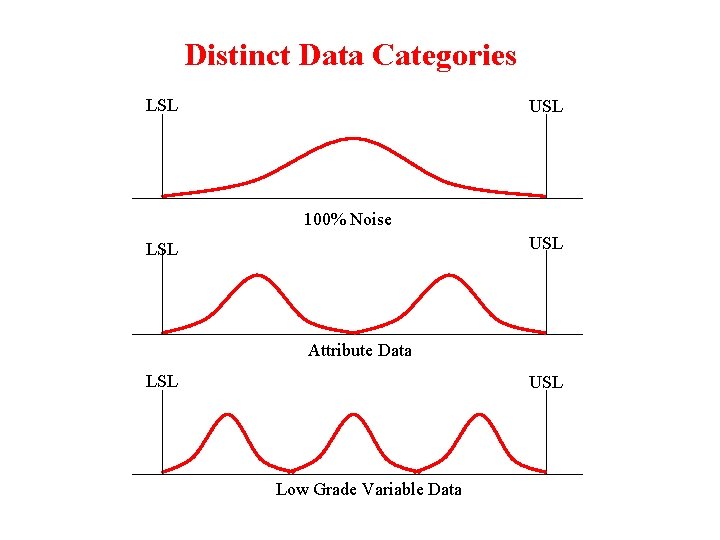
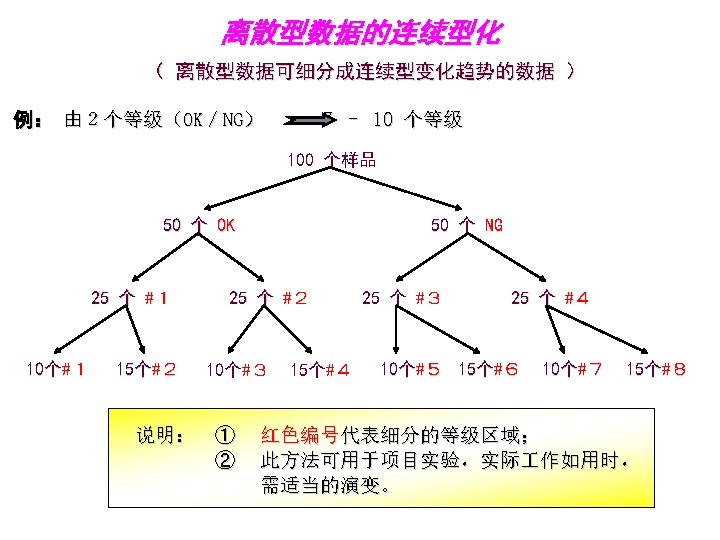
Distinct Data Categories LSL USL 100% Noise USL LSL Attribute Data LSL USL Low Grade Variable Data
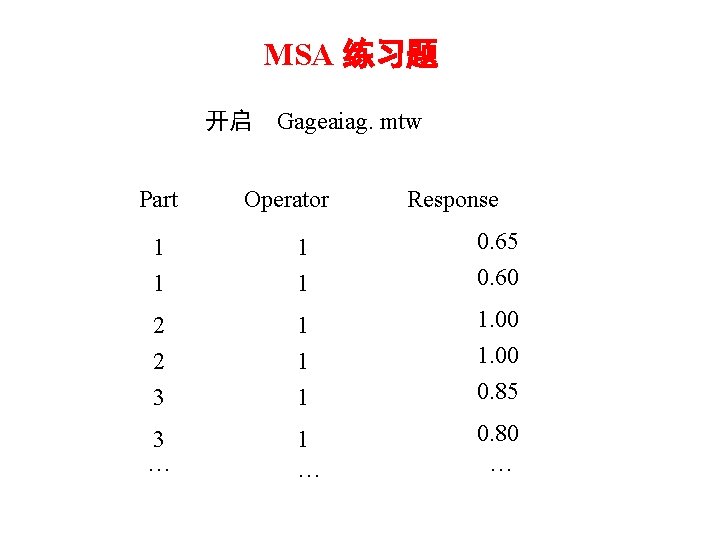
MSA 练习题 开启 Gageaiag. mtw Part Operator Response 1 1 0. 65 0. 60 2 2 3 1 1. 00 0. 85 3 … 1 … 0. 80 …
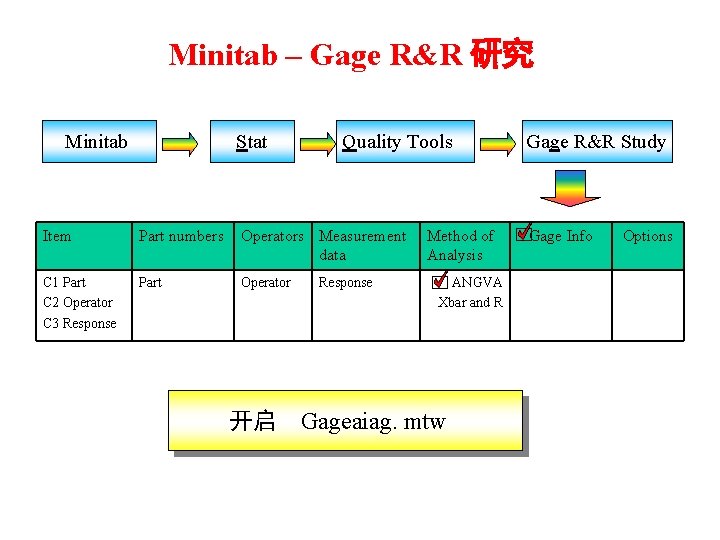
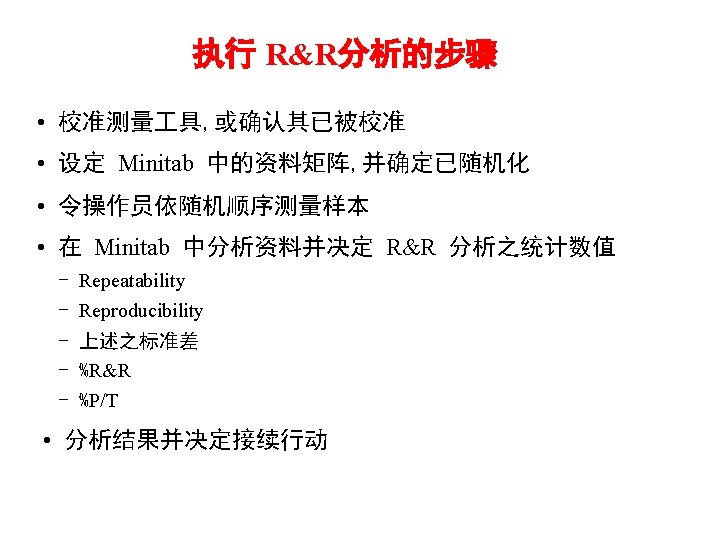
Minitab – Gage R&R 研究 Minitab Stat Quality Tools Item Part numbers Operators Measurement data C 1 Part C 2 Operator C 3 Response Part Operator Response Method of Analysis ANGVA Xbar and R 开启 Gageaiag. mtw Gage R&R Study Gage Info Options
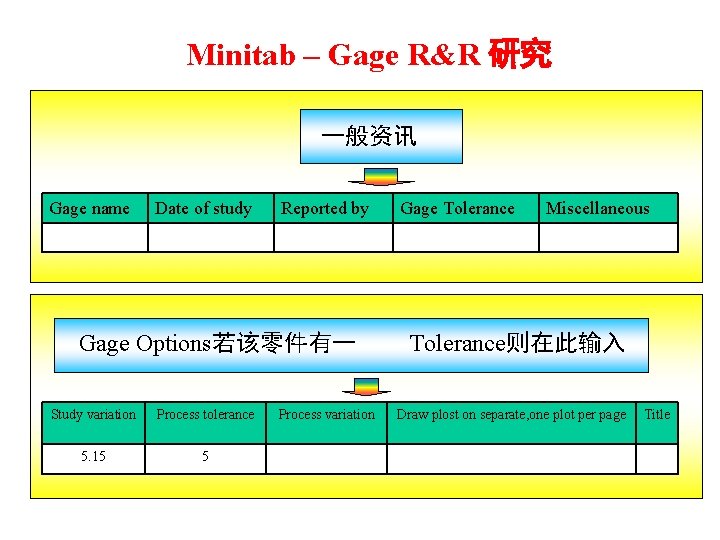
Minitab – Gage R&R 研究 一般资讯 Gage name Date of study Reported by Gage Options若该零件有一 Study variation Process tolerance 5. 15 5 Process variation Gage Tolerance Miscellaneous Tolerance则在此输入 Draw plost on separate, one plot per page Title
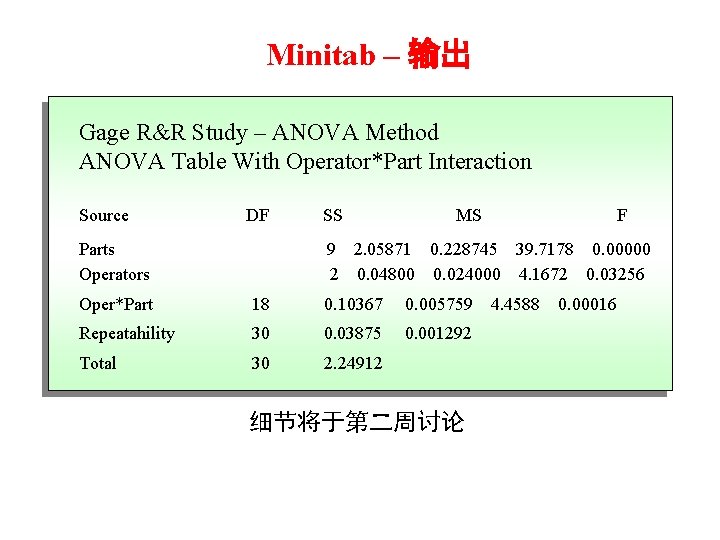
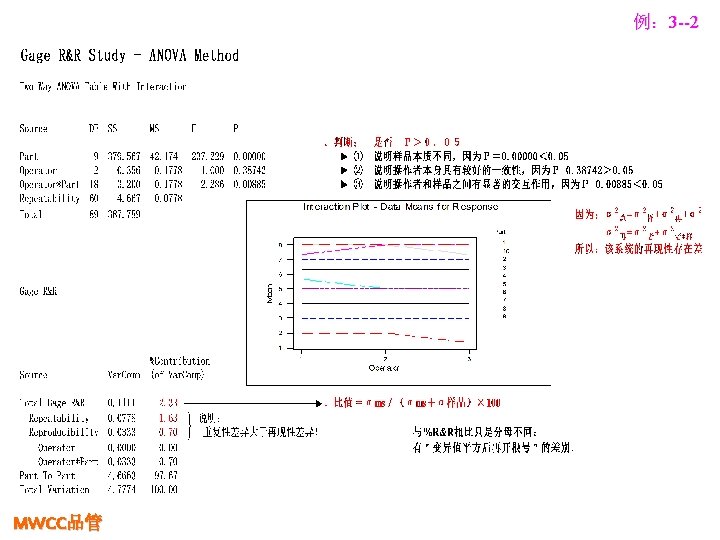
Minitab – 输出 Gage R&R Study – ANOVA Method ANOVA Table With Operator*Part Interaction Source DF Parts Operators SS MS F 9 2. 05871 0. 228745 39. 7178 0. 00000 2 0. 04800 0. 024000 4. 1672 0. 03256 Oper*Part 18 0. 10367 0. 005759 Repeatahility 30 0. 03875 0. 001292 Total 30 2. 24912 细节将于第二周讨论 4. 4588 0. 00016
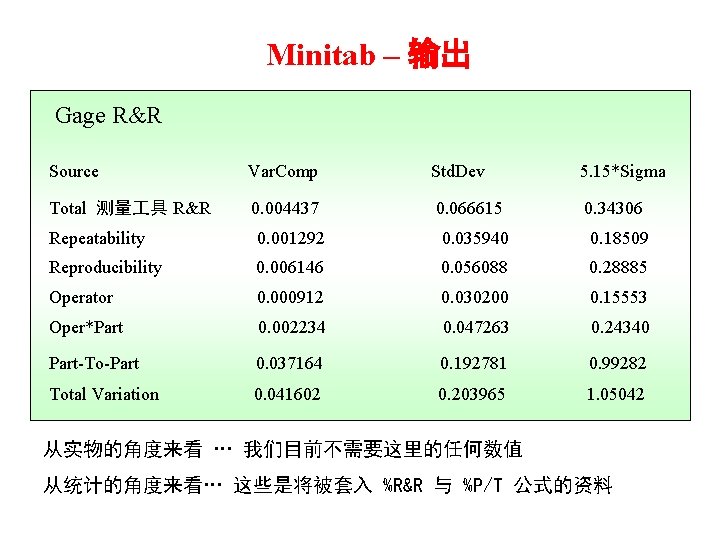
Minitab – 输出 Gage R&R Source Var. Comp Std. Dev 5. 15*Sigma Total 测量 具 R&R 0. 004437 0. 066615 0. 34306 Repeatability 0. 001292 0. 035940 0. 18509 Reproducibility 0. 006146 0. 056088 0. 28885 Operator 0. 000912 0. 030200 0. 15553 Oper*Part 0. 002234 0. 047263 0. 24340 Part-To-Part 0. 037164 0. 192781 0. 99282 Total Variation 0. 041602 0. 203965 1. 05042 从实物的角度来看 … 我们目前不需要这里的任何数值 从统计的角度来看… 这些是将被套入 %R&R 与 %P/T 公式的资料
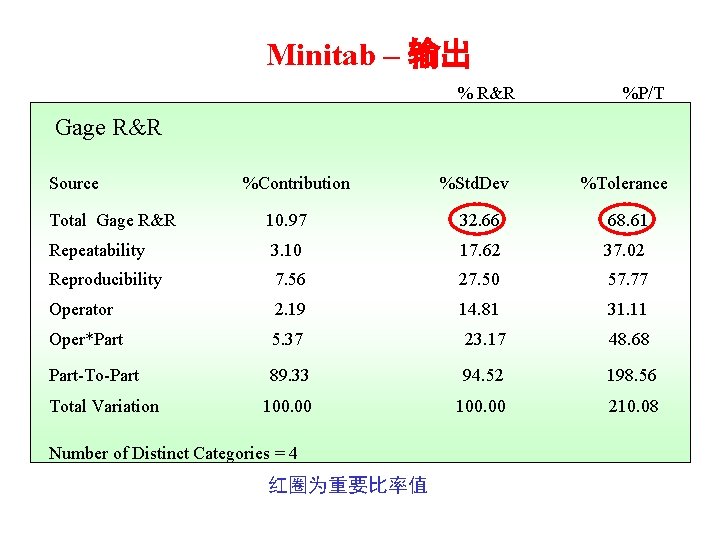
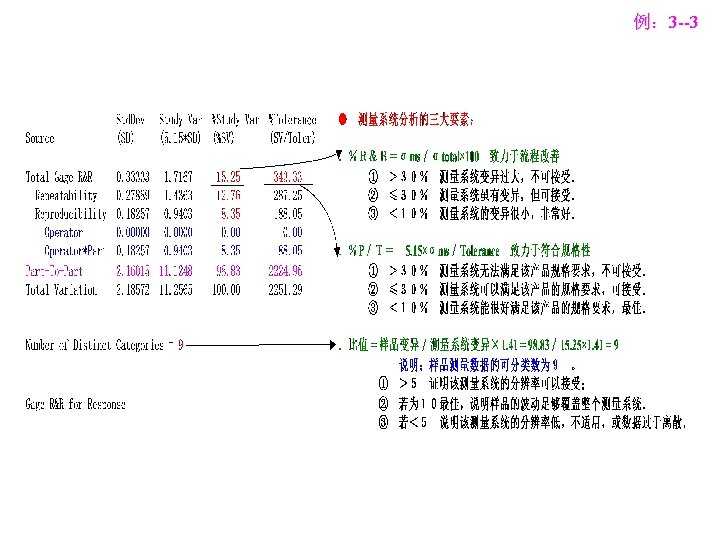
Minitab – 输出 % R&R %P/T Gage R&R Source %Contribution %Std. Dev %Tolerance Total Gage R&R 10. 97 32. 66 68. 61 Repeatability 3. 10 17. 62 37. 02 Reproducibility 7. 56 27. 50 57. 77 Operator 2. 19 14. 81 31. 11 Oper*Part 5. 37 23. 17 48. 68 Part-To-Part 89. 33 94. 52 198. 56 100. 00 210. 08 Total Variation Number of Distinct Categories = 4 红圈为重要比率值
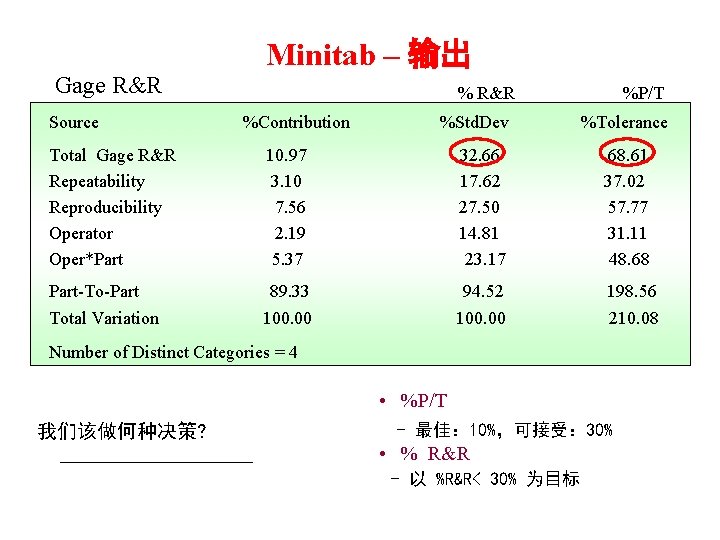
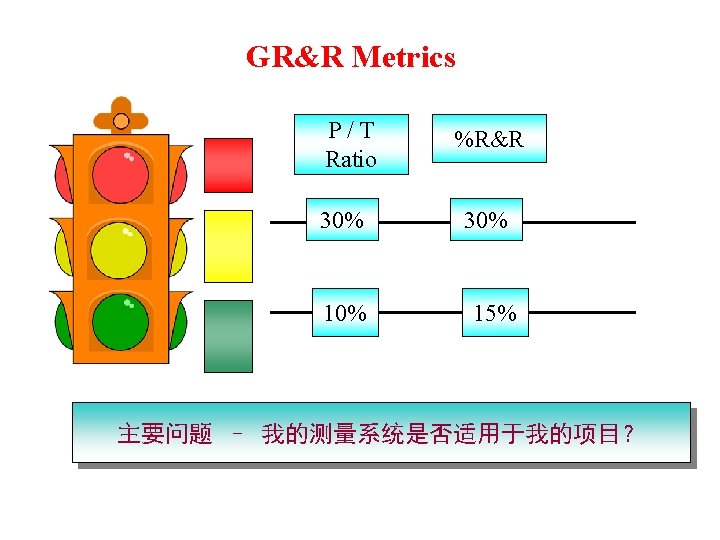
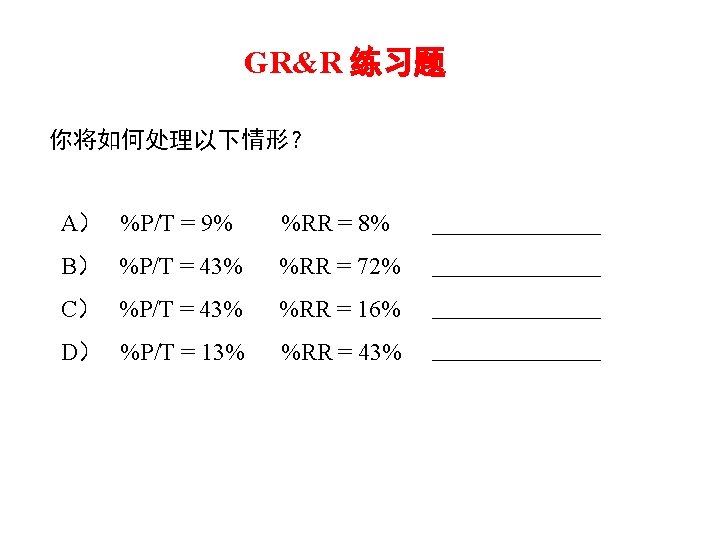
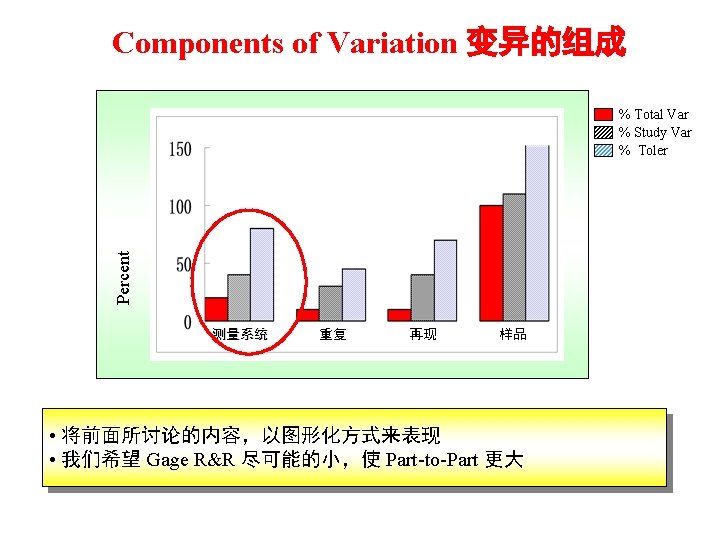
Minitab – 输出 Gage R&R Source % R&R %Contribution %Std. Dev %P/T %Tolerance Total Gage R&R Repeatability Reproducibility Operator Oper*Part 10. 97 3. 10 7. 56 2. 19 5. 37 32. 66 17. 62 27. 50 14. 81 23. 17 68. 61 37. 02 57. 77 31. 11 48. 68 Part-To-Part 89. 33 94. 52 198. 56 100. 00 210. 08 Total Variation Number of Distinct Categories = 4 • %P/T 我们该做何种决策? - 最佳: 10%,可接受: 30% • % R&R - 以 %R&R< 30% 为目标
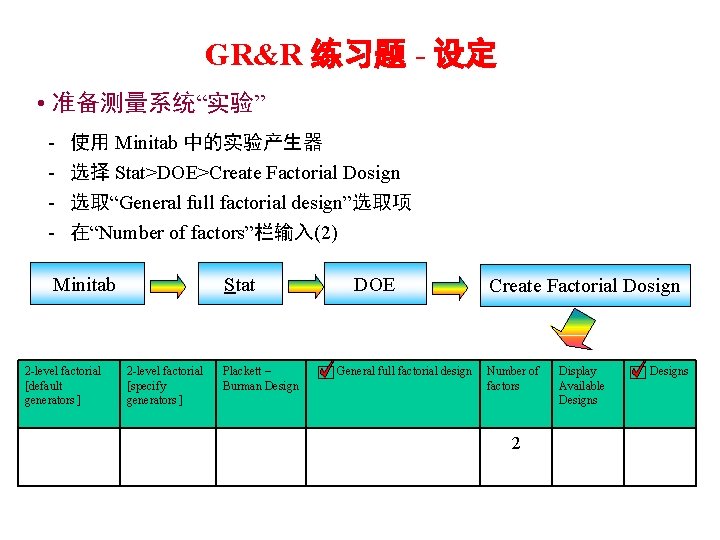
GR&R 练习题 - 设定 • 准备测量系统“实验” - 使用 Minitab 中的实验产生器 选择 Stat>DOE>Create Factorial Dosign 选取“General full factorial design”选取项 在“Number of factors”栏输入(2) Minitab 2 -level factorial [default generators ] Stat 2 -level factorial [specify generators ] Plackett – Burman Design DOE General full factorial design Create Factorial Dosign Number of factors 2 Display Available Designs
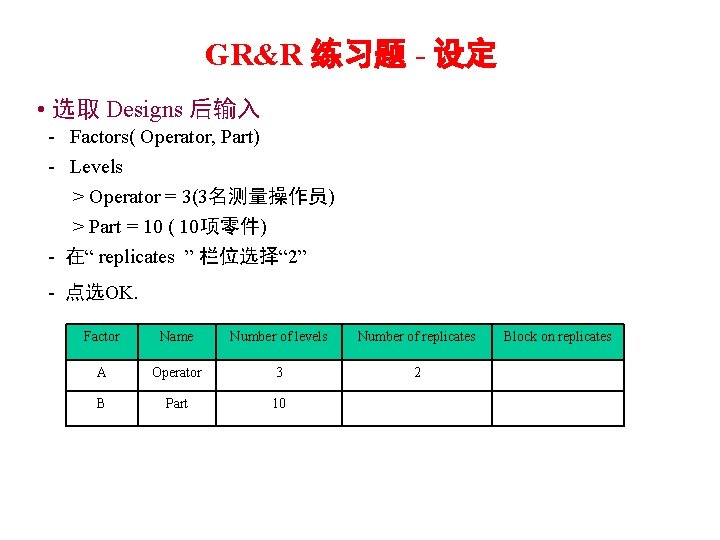
GR&R 练习题 - 设定 • 选取 Designs 后输入 - Factors( Operator, Part) - Levels > Operator = 3(3名测量操作员) > Part = 10 ( 10项零件) - 在“ replicates ” 栏位选择“ 2” - 点选OK. Factor Name Number of levels Number of replicates A Operator 3 2 B Part 10 Block on replicates
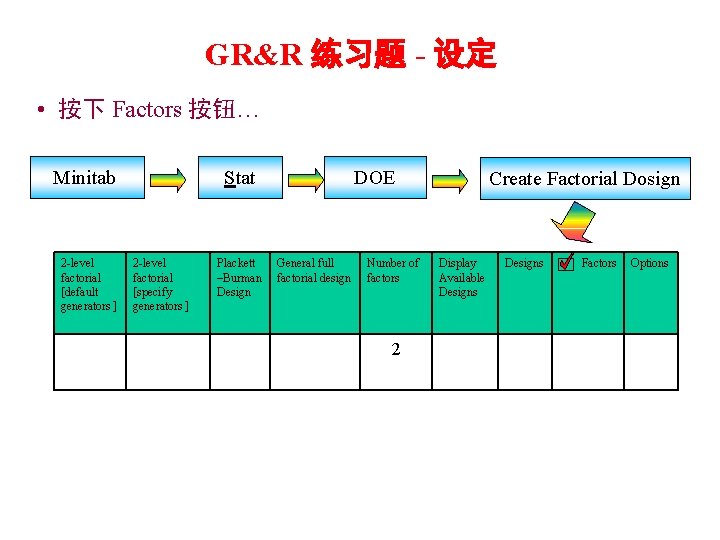
GR&R 练习题 - 设定 • 按下 Factors 按钮… Minitab 2 -level factorial [default generators ] Stat 2 -level factorial [specify generators ] Plackett –Burman Design DOE General full factorial design Number of factors 2 Create Factorial Dosign Display Available Designs Factors Options
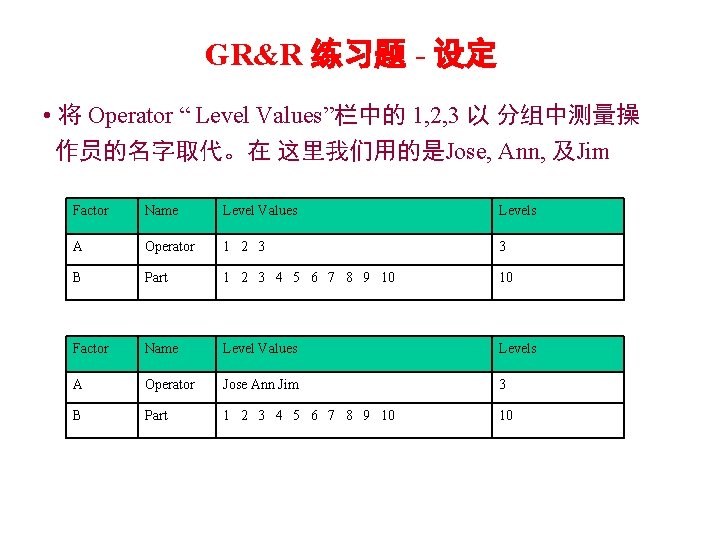
GR&R 练习题 - 设定 • 将 Operator “ Level Values”栏中的 1, 2, 3 以 分组中测量操 作员的名字取代。在 这里我们用的是Jose, Ann, 及Jim Factor Name Level Values Levels A Operator 1 2 3 3 B Part 1 2 3 4 5 6 7 8 9 10 10 Factor Name Level Values Levels A Operator Jose Ann Jim 3 B Part 1 2 3 4 5 6 7 8 9 10 10
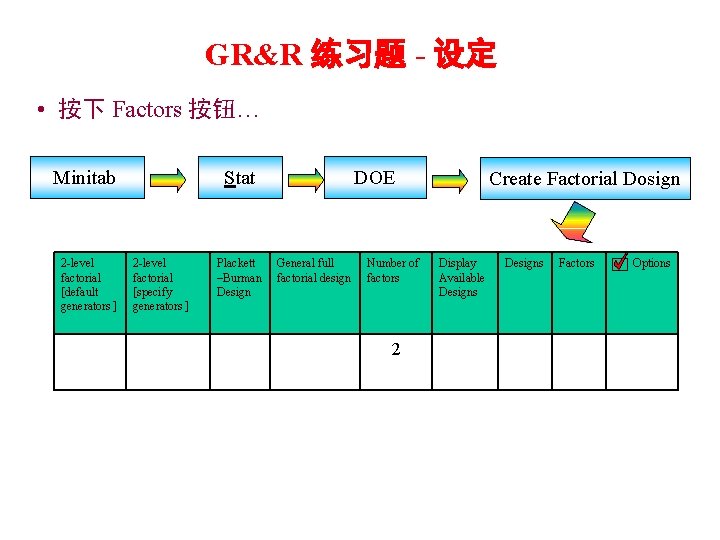
GR&R 练习题 - 设定 • 按下 Factors 按钮… Minitab 2 -level factorial [default generators ] Stat 2 -level factorial [specify generators ] Plackett –Burman Design DOE General full factorial design Number of factors 2 Create Factorial Dosign Display Available Designs Factors Options
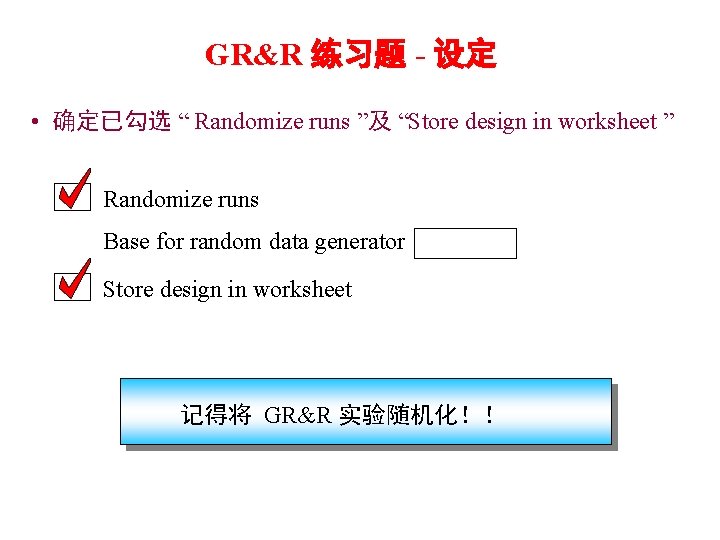
GR&R 练习题 - 设定 • 确定已勾选 “ Randomize runs ”及 “Store design in worksheet ” Randomize runs Base for random data generator Store design in worksheet 记得将 GR&R 实验随机化!!
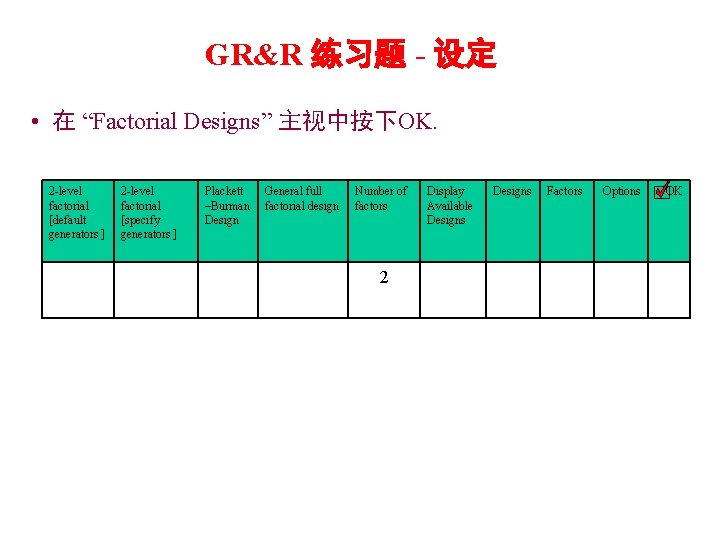
GR&R 练习题 - 设定 • 在 “Factorial Designs” 主视中按下OK. 2 -level factorial [default generators ] 2 -level factorial [specify generators ] Plackett –Burman Design General full factorial design Number of factors 2 Display Available Designs Factors Options OK
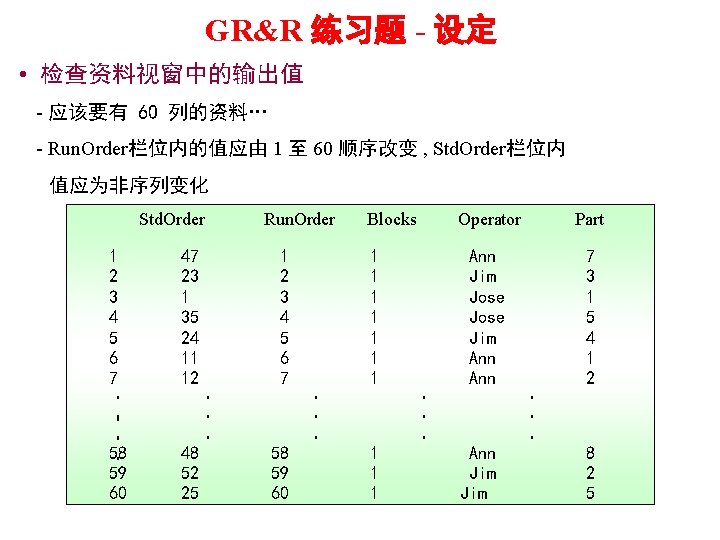
MWCC 6 sigma GR&R 练习题 - 设定 • 检查资料视窗中的输出值 - 应该要有 60 列的资料… - Run. Order栏位内的值应由 1 至 60 顺序改变 , Std. Order栏位内 值应为非序列变化 Std. Order 1 2 3 4 5 6 7 · · · 58 · 59 60 47 23 1 35 24 11 12 Run. Order 1 2 3 4 5 6 7 48 52 25 · · · 58 59 60 · · · Blocks 1 1 1 1 1 1 1 · · · Operator Part Ann Jim Jose Jim Ann 7 3 1 5 4 1 2 Ann Jim · · · 8 2 5
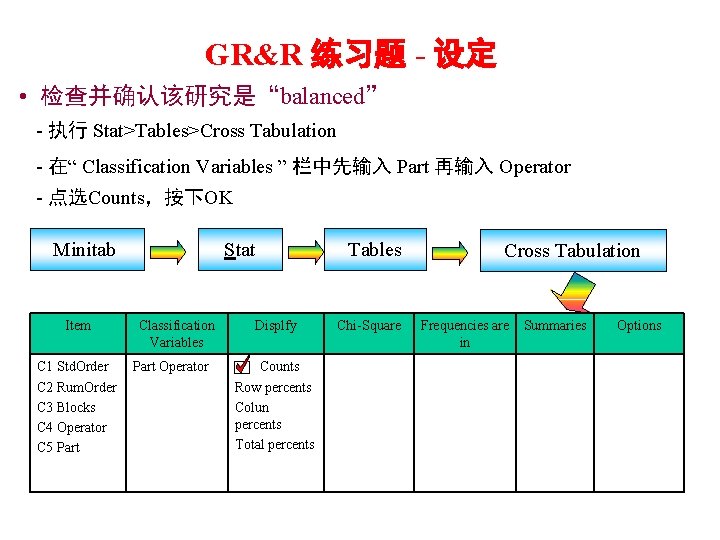
GR&R 练习题 - 设定 • 检查并确认该研究是“balanced” - 执行 Stat>Tables>Cross Tabulation - 在“ Classification Variables ” 栏中先输入 Part 再输入 Operator - 点选Counts,按下OK Minitab Item C 1 Std. Order C 2 Rum. Order C 3 Blocks C 4 Operator C 5 Part Stat Classification Variables Part Operator Displfy Counts Row percents Colun percents Total percents Tables Chi-Square Cross Tabulation Frequencies are in Summaries Options
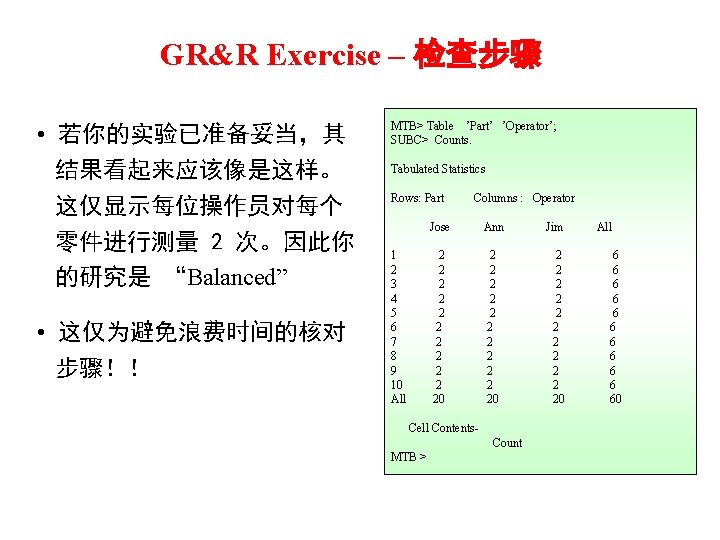
GR&R Exercise – 检查步骤 • 若你的实验已准备妥当,其 结果看起来应该像是这样。 这仅显示每位操作员对每个 零件进行测量 2 次。因此你 的研究是 “Balanced” • 这仅为避免浪费时间的核对 步骤!! MTB> Table ’Part’ ’Operator’; SUBC> Counts. Tabulated Statistics Rows: Part 1 2 3 4 5 6 7 8 9 10 All Columns : Operator Jose Ann 2 2 2 2 2 20 Cell Contents. Count MTB > Jim 2 2 20 All 6 6 60

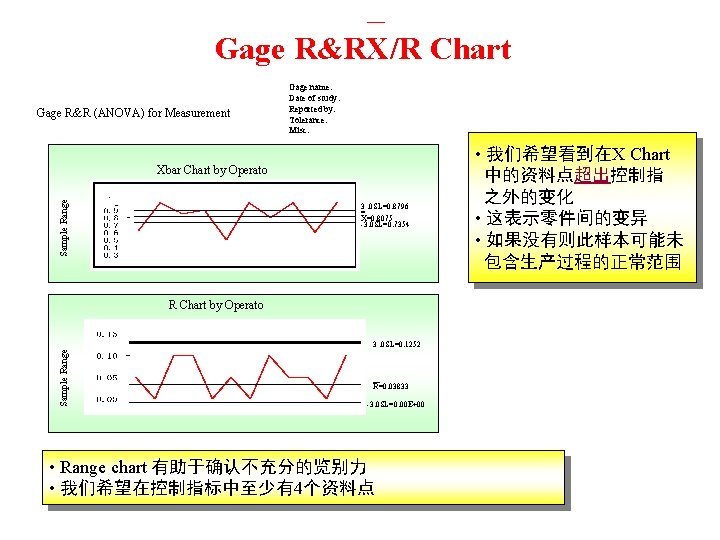
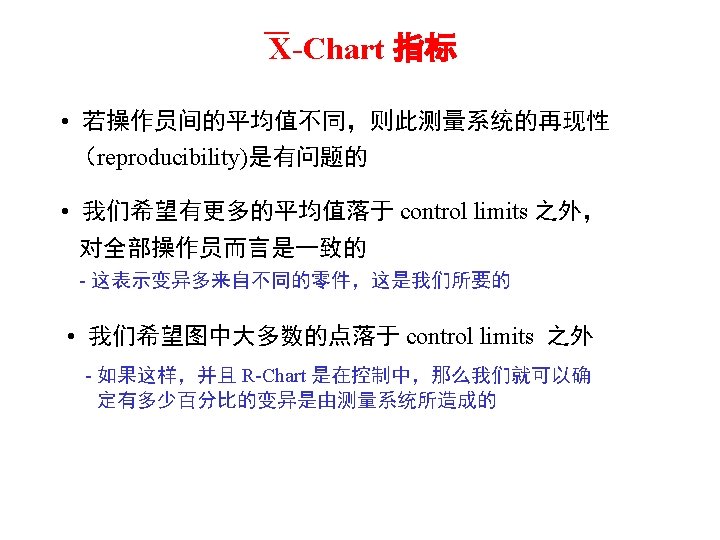
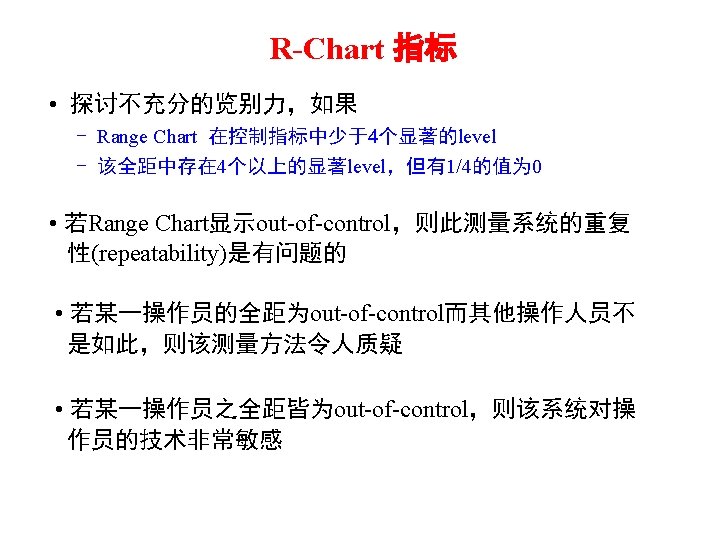
— Gage R&RX/R Chart Gage R&R (ANOVA) for Measurement Gage name: Date of study: Reported by: Tolerance: Misc: Sample Range Xbar Chart by Operato 3. 0 SL=0. 8796 = X=0. 8075 -3. 0 SL=0. 7354 Sample Range R Chart by Operato 3. 0 SL=0. 1252 — R=0. 03833 -3. 0 SL=0. 00 E+00 • Range chart 有助于确认不充分的览别力 • 我们希望在控制指标中至少有4个资料点 • 我们希望看到在X Chart 中的资料点超出控制指 之外的变化 • 这表示零件间的变异 • 如果没有则此样本可能未 包含生产过程的正常范围
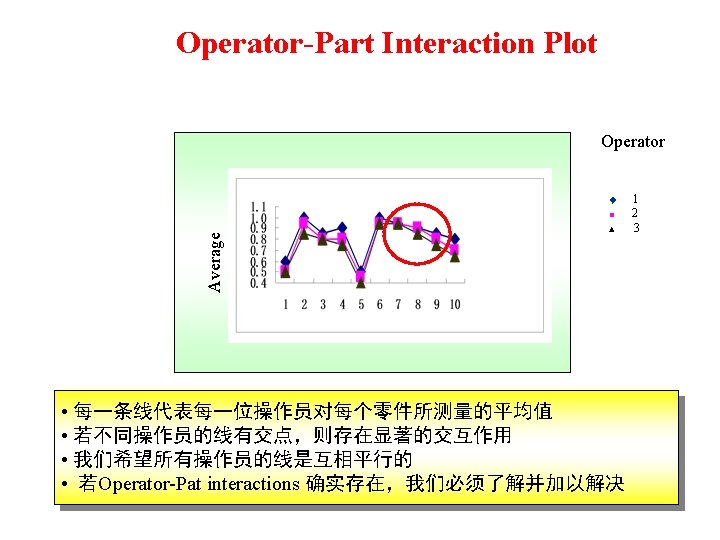
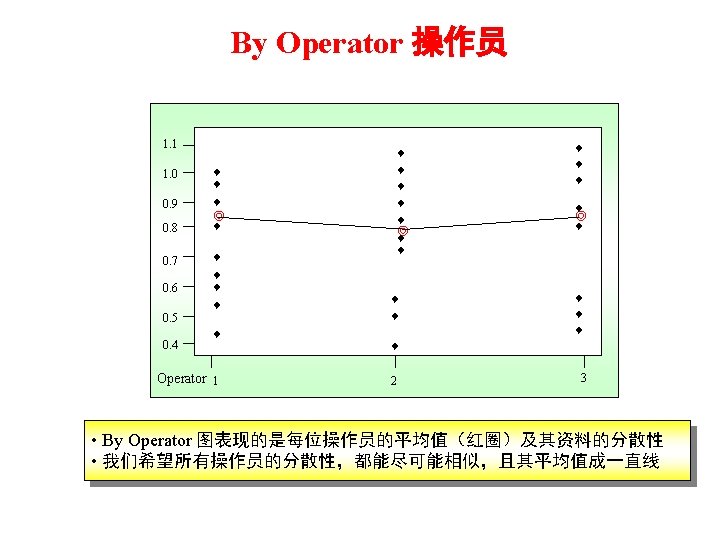
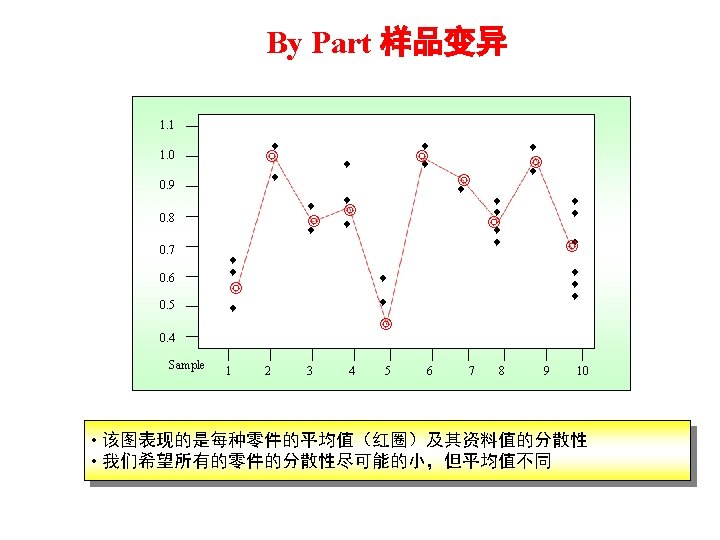
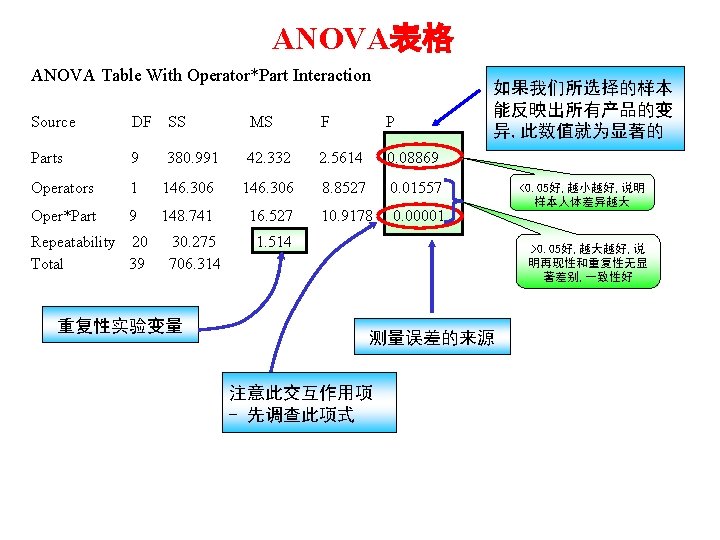
ANOVA表格 ANOVA Table With Operator*Part Interaction Source DF SS MS F P Parts 9 380. 991 42. 332 2. 5614 0. 08869 Operators 1 146. 306 8. 8527 0. 01557 Oper*Part 9 148. 741 16. 527 10. 9178 0. 00001 Repeatability 20 Total 39 30. 275 706. 314 重复性实验变量 如果我们所选择的样本 能反映出所有产品的变 异, 此数值就为显著的 1. 514 <0. 05好, 越小越好, 说明 样本人体差异越大 >0. 05好, 越大越好, 说 明再现性和重复性无显 著差别, 一致性好 测量误差的来源 注意此交互作用项 - 先调查此项式
- Slides: 147