
X 264 code tracing Group 1 9562138 Code
![init_pass 2() Blur complexity for(i=0; i<rcc->num_entries; i++) { qscale[i] = get_qscale(h, &rcc->entry[i], rate_factor, i);](https://slidetodoc.com/presentation_image/26bb32830db31ee0df60340c90b7fecf/image-16.jpg "init_pass 2() Blur complexity for(i=0; i<rcc->num_entries; i++) { qscale[i] = get_qscale(h, &rcc->entry[i], rate_factor, i);")
- Slides: 24
X 264 code tracing Group 1 9562138 邱漢坤
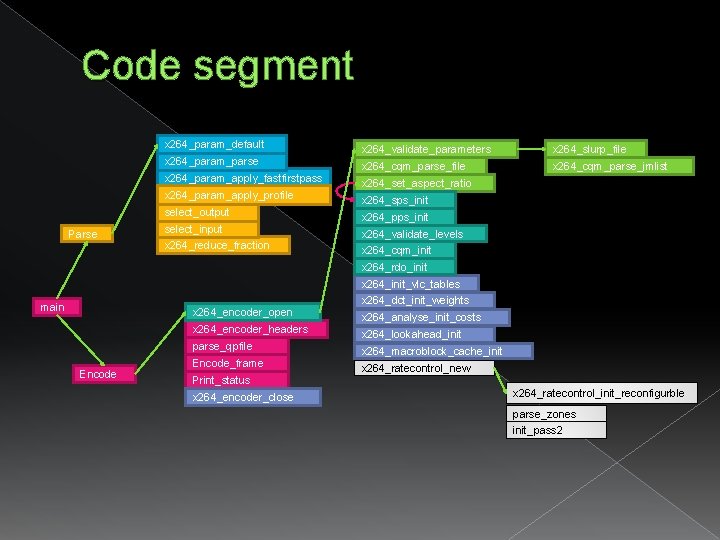
Code segment x 264_param_default x 264_param_parse x 264_param_apply_fastfirstpass x 264_param_apply_profile select_output Parse select_input x 264_reduce_fraction x 264_validate_parameters x 264_slurp_file x 264_cqm_parse_jmlist x 264_set_aspect_ratio x 264_sps_init x 264_pps_init x 264_validate_levels x 264_cqm_init x 264_rdo_init x 264_init_vlc_tables main x 264_encoder_open x 264_encoder_headers parse_qpfile Encode_frame Print_status x 264_encoder_close x 264_dct_init_weights x 264_analyse_init_costs x 264_lookahead_init x 264_macroblock_cache_init x 264_ratecontrol_new x 264_ratecontrol_init_reconfigurble parse_zones init_pass 2
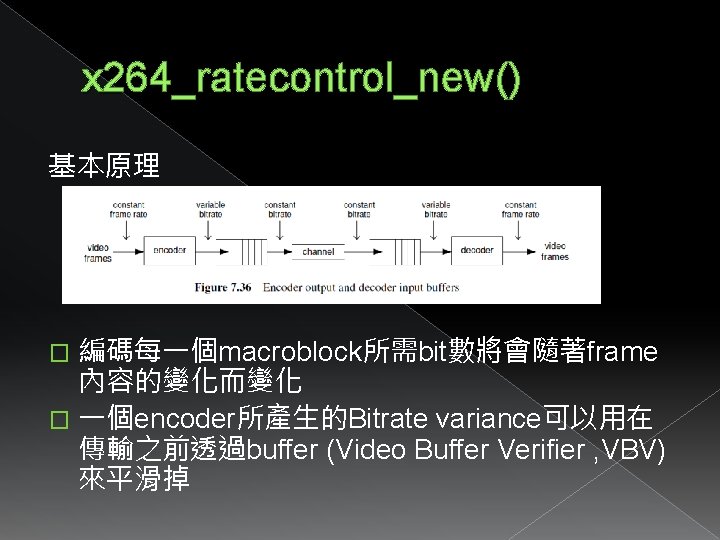
x 264_ratecontrol_new() 基本原理 編碼每一個macroblock所需bit數將會隨著frame 內容的變化而變化 � 一個encoder所產生的Bitrate variance可以用在 傳輸之前透過buffer (Video Buffer Verifier , VBV) 來平滑掉 �
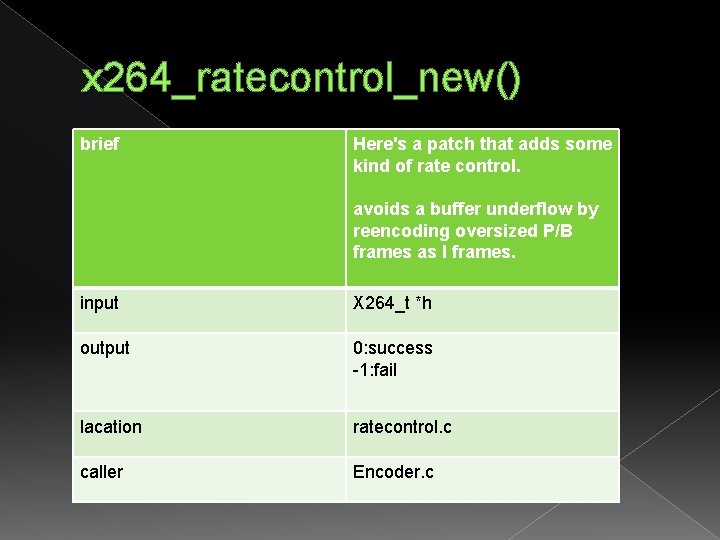
x 264_ratecontrol_new() brief Here's a patch that adds some kind of rate control. avoids a buffer underflow by reencoding oversized P/B frames as I frames. input X 264_t *h output 0: success -1: fail lacation ratecontrol. c caller Encoder. c
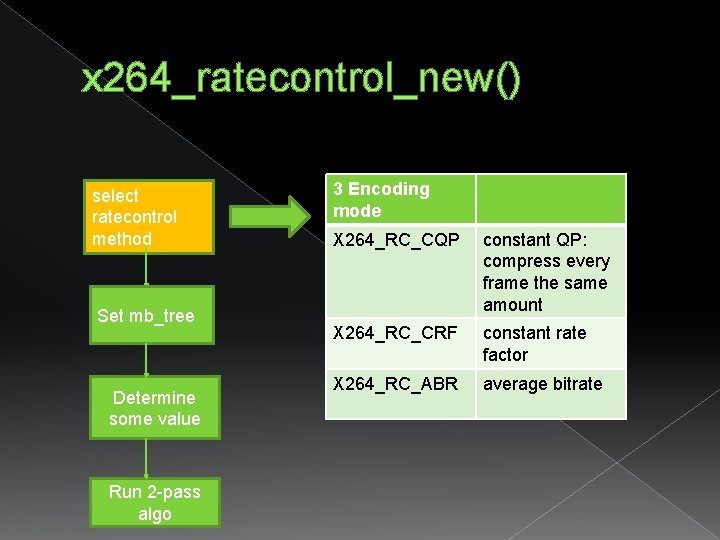
x 264_ratecontrol_new() select ratecontrol method Set mb_tree Determine some value Run 2 -pass algo 3 Encoding mode X 264_RC_CQP constant QP: compress every frame the same amount X 264_RC_CRF constant rate factor X 264_RC_ABR average bitrate
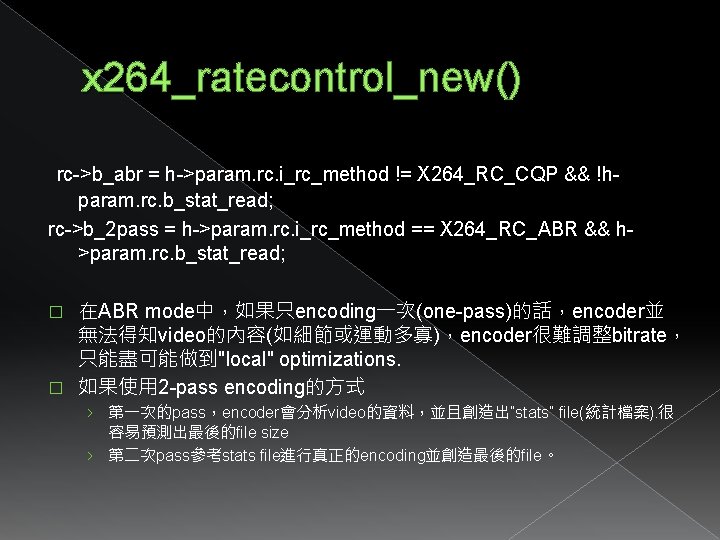
x 264_ratecontrol_new() rc->b_abr = h->param. rc. i_rc_method != X 264_RC_CQP && !hparam. rc. b_stat_read; rc->b_2 pass = h->param. rc. i_rc_method == X 264_RC_ABR && h>param. rc. b_stat_read; 在ABR mode中,如果只encoding一次(one-pass)的話,encoder並 無法得知video的內容(如細節或運動多寡),encoder很難調整bitrate, 只能盡可能做到"local" optimizations. � 如果使用 2 -pass encoding的方式 � › 第一次的pass,encoder會分析video的資料,並且創造出”stats” file(統計檔案). 很 容易預測出最後的file size › 第二次pass參考stats file進行真正的encoding並創造最後的file。
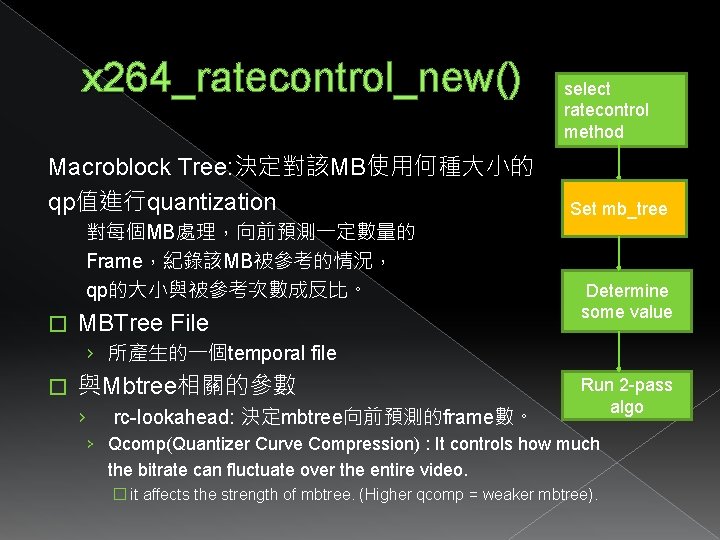
x 264_ratecontrol_new() Macroblock Tree: 決定對該MB使用何種大小的 qp值進行quantization 對每個MB處理,向前預測一定數量的 Frame,紀錄該MB被參考的情況, qp的大小與被參考次數成反比。 � MBTree File select ratecontrol method Set mb_tree Determine some value › 所產生的一個temporal file � 與Mbtree相關的參數 › rc-lookahead: 決定mbtree向前預測的frame數。 Run 2 -pass algo › Qcomp(Quantizer Curve Compression) : It controls how much the bitrate can fluctuate over the entire video. � it affects the strength of mbtree. (Higher qcomp = weaker mbtree).
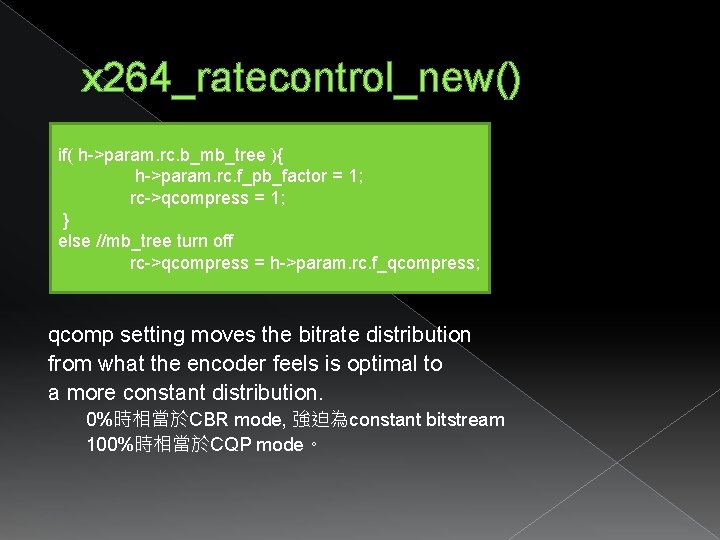
x 264_ratecontrol_new() if( h->param. rc. b_mb_tree ){ h->param. rc. f_pb_factor = 1; rc->qcompress = 1; } else //mb_tree turn off rc->qcompress = h->param. rc. f_qcompress; qcomp setting moves the bitrate distribution from what the encoder feels is optimal to a more constant distribution. 0%時相當於CBR mode, 強迫為constant bitstream 100%時相當於CQP mode。
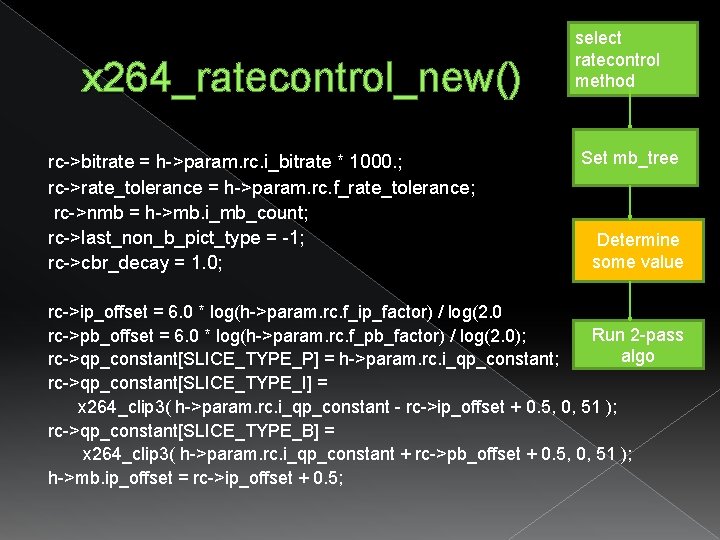
x 264_ratecontrol_new() rc->bitrate = h->param. rc. i_bitrate * 1000. ; rc->rate_tolerance = h->param. rc. f_rate_tolerance; rc->nmb = h->mb. i_mb_count; rc->last_non_b_pict_type = -1; rc->cbr_decay = 1. 0; select ratecontrol method Set mb_tree Determine some value rc->ip_offset = 6. 0 * log(h->param. rc. f_ip_factor) / log(2. 0 Run 2 -pass rc->pb_offset = 6. 0 * log(h->param. rc. f_pb_factor) / log(2. 0); algo rc->qp_constant[SLICE_TYPE_P] = h->param. rc. i_qp_constant; rc->qp_constant[SLICE_TYPE_I] = x 264_clip 3( h->param. rc. i_qp_constant - rc->ip_offset + 0. 5, 0, 51 ); rc->qp_constant[SLICE_TYPE_B] = x 264_clip 3( h->param. rc. i_qp_constant + rc->pb_offset + 0. 5, 0, 51 ); h->mb. ip_offset = rc->ip_offset + 0. 5;
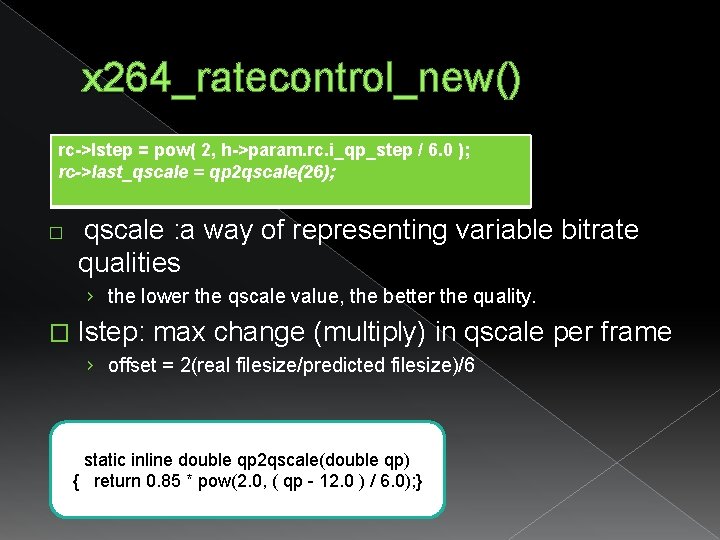
x 264_ratecontrol_new() rc->lstep = pow( 2, h->param. rc. i_qp_step / 6. 0 ); rc->last_qscale = qp 2 qscale(26); � qscale : a way of representing variable bitrate qualities › the lower the qscale value, the better the quality. � lstep: max change (multiply) in qscale per frame › offset = 2(real filesize/predicted filesize)/6 static inline double qp 2 qscale(double qp) { return 0. 85 * pow(2. 0, ( qp - 12. 0 ) / 6. 0); }
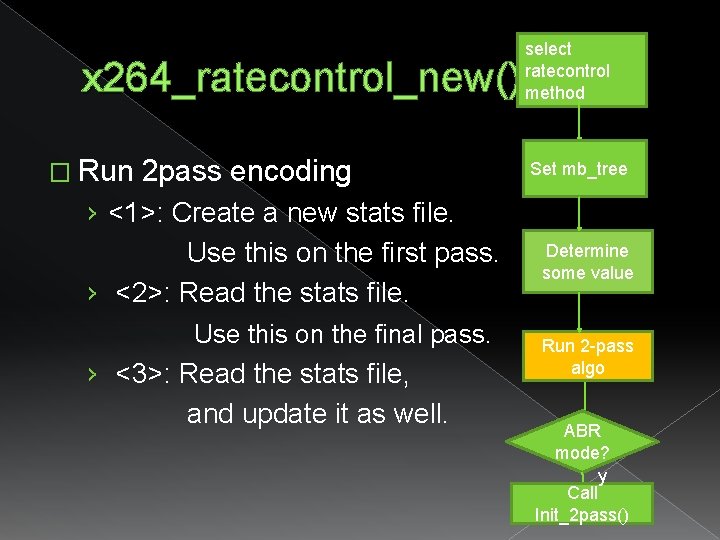
x 264_ratecontrol_new() � Run 2 pass encoding › <1>: Create a new stats file. Use this on the first pass. › <2>: Read the stats file. Use this on the final pass. › <3>: Read the stats file, and update it as well. select ratecontrol method Set mb_tree Determine some value Run 2 -pass algo ABR mode? y Call Init_2 pass()
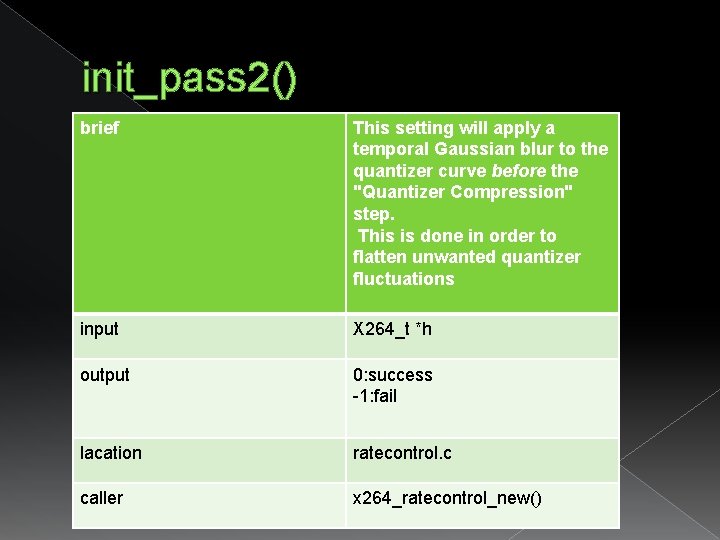
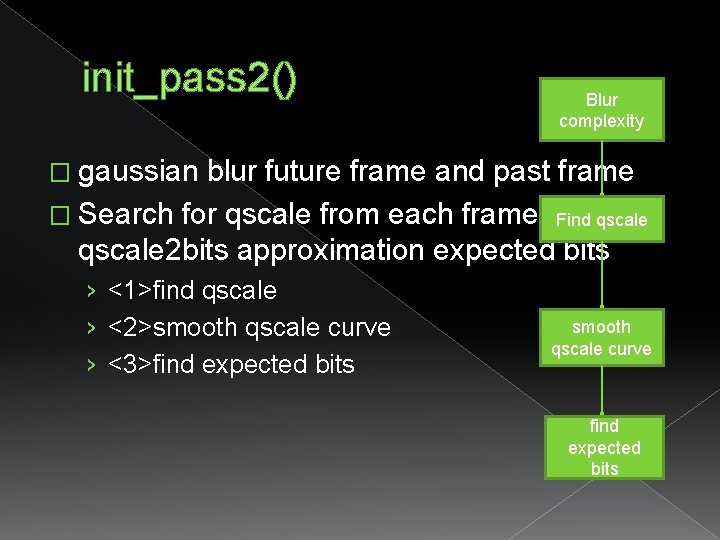
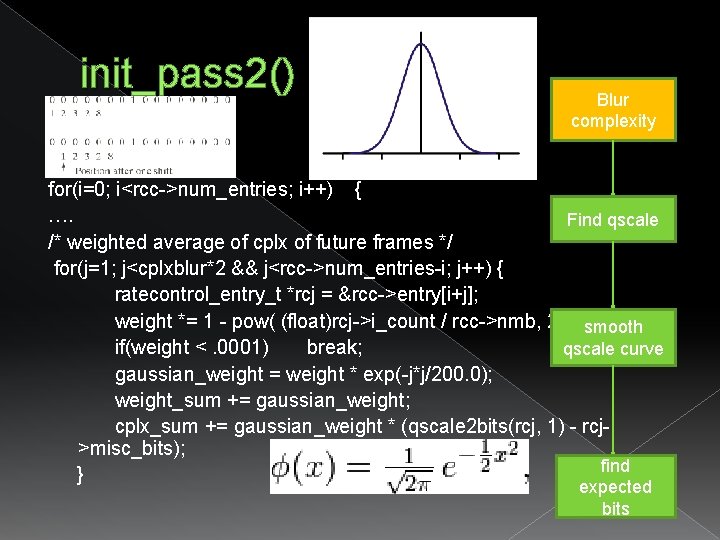
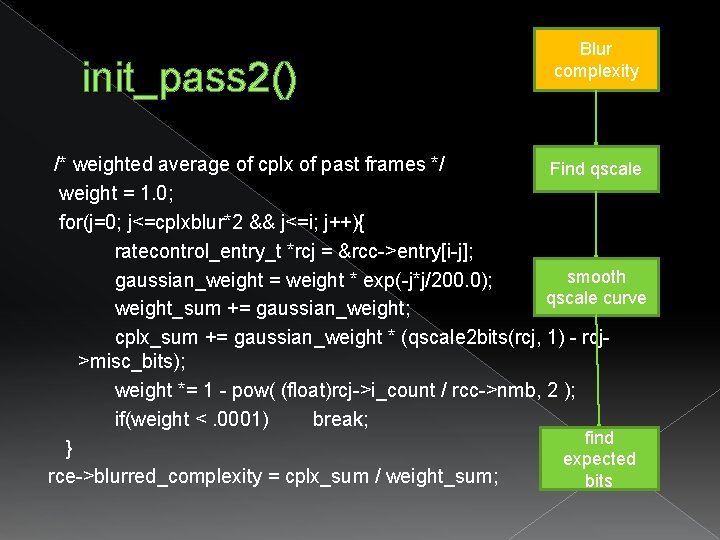
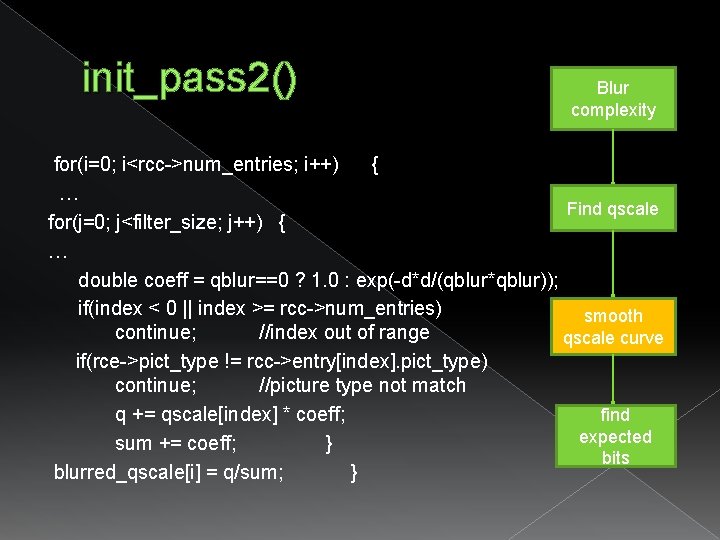
init_pass 2() brief This setting will apply a temporal Gaussian blur to the quantizer curve before the "Quantizer Compression" step. This is done in order to flatten unwanted quantizer fluctuations input X 264_t *h output 0: success -1: fail lacation ratecontrol. c caller x 264_ratecontrol_new()
init_pass 2() Blur complexity � gaussian blur future frame and past frame � Search for qscale from each frame. Use Find qscale 2 bits approximation expected bits › <1>find qscale › <2>smooth qscale curve › <3>find expected bits smooth qscale curve find expected bits
init_pass 2() Blur complexity for(i=0; i<rcc->num_entries; i++) { …. Find qscale /* weighted average of cplx of future frames */ for(j=1; j<cplxblur*2 && j<rcc->num_entries-i; j++) { ratecontrol_entry_t *rcj = &rcc->entry[i+j]; weight *= 1 - pow( (float)rcj->i_count / rcc->nmb, 2 ); smooth if(weight <. 0001) break; qscale curve gaussian_weight = weight * exp(-j*j/200. 0); weight_sum += gaussian_weight; cplx_sum += gaussian_weight * (qscale 2 bits(rcj, 1) - rcj>misc_bits); find } expected bits
init_pass 2() Blur complexity /* weighted average of cplx of past frames */ Find qscale weight = 1. 0; for(j=0; j<=cplxblur*2 && j<=i; j++){ ratecontrol_entry_t *rcj = &rcc->entry[i-j]; smooth gaussian_weight = weight * exp(-j*j/200. 0); qscale curve weight_sum += gaussian_weight; cplx_sum += gaussian_weight * (qscale 2 bits(rcj, 1) - rcj>misc_bits); weight *= 1 - pow( (float)rcj->i_count / rcc->nmb, 2 ); if(weight <. 0001) break; find } expected rce->blurred_complexity = cplx_sum / weight_sum; bits
init_pass 2() Blur complexity for(i=0; i<rcc->num_entries; i++) { qscale[i] = get_qscale(h, &rcc->entry[i], rate_factor, i); rcc->last_qscale_for[rcc->entry[i]. pict_type] = qscale[i]; } Find qscale static double get_qscale(x 264_t *h, ratecontrol_entry_t *rce, double rate_factor, int frame_num){. . if( zone ) { if( zone->b_force_qp ) /* whether to use qp vs bitrate factor */ q = qp 2 qscale(zone->i_qp); else q /= zone->f_bitrate_factor; } return q; } smooth qscale curve find expected bits
init_pass 2() Blur complexity for(i=0; i<rcc->num_entries; i++) { … Find qscale for(j=0; j<filter_size; j++) { … double coeff = qblur==0 ? 1. 0 : exp(-d*d/(qblur*qblur)); if(index < 0 || index >= rcc->num_entries) smooth continue; //index out of range qscale curve if(rce->pict_type != rcc->entry[index]. pict_type) continue; //picture type not match q += qscale[index] * coeff; find expected sum += coeff; } bits blurred_qscale[i] = q/sum; }
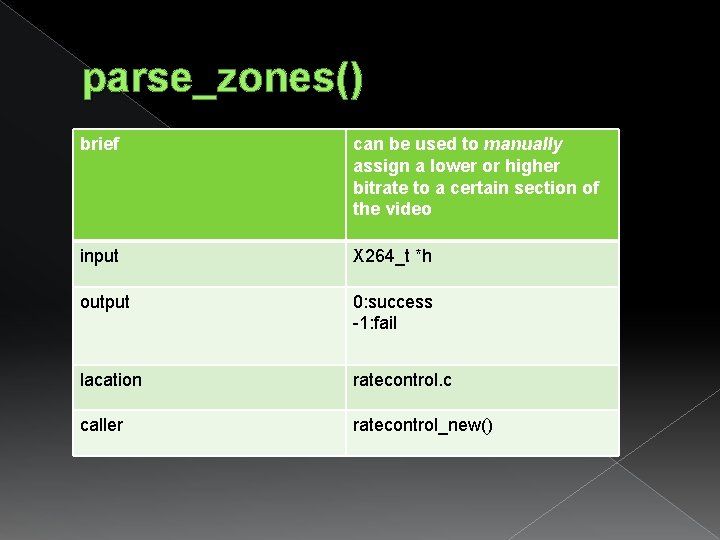
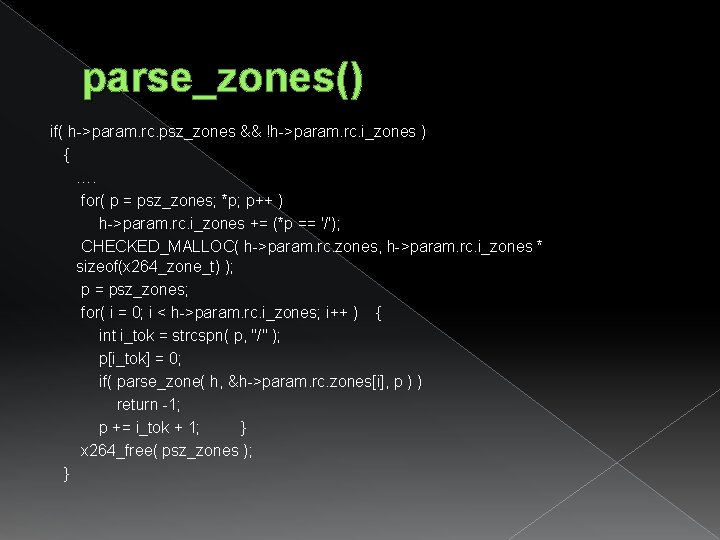
parse_zones() brief can be used to manually assign a lower or higher bitrate to a certain section of the video input X 264_t *h output 0: success -1: fail lacation ratecontrol. c caller ratecontrol_new()
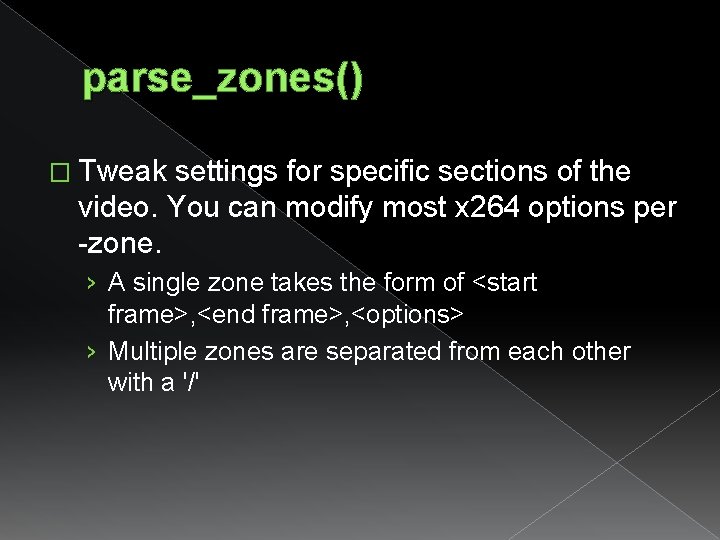
parse_zones() � Tweak settings for specific sections of the video. You can modify most x 264 options per -zone. › A single zone takes the form of <start frame>, <end frame>, <options> › Multiple zones are separated from each other with a '/'
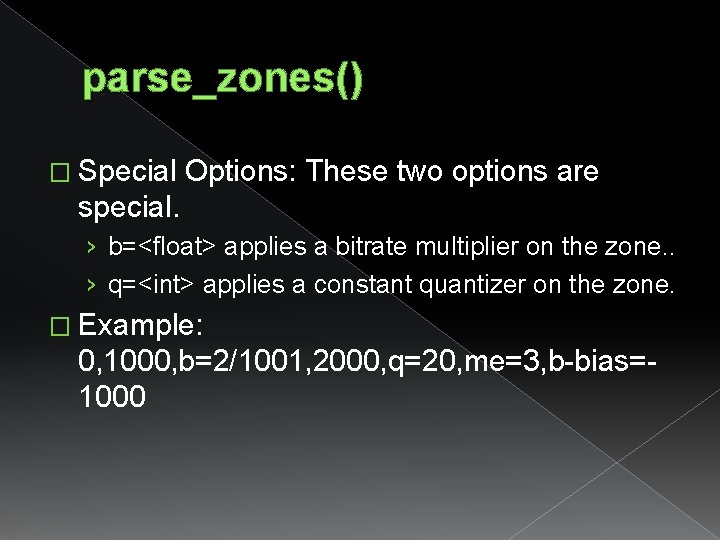
parse_zones() � Special Options: These two options are special. › b=<float> applies a bitrate multiplier on the zone. . › q=<int> applies a constant quantizer on the zone. � Example: 0, 1000, b=2/1001, 2000, q=20, me=3, b-bias=1000
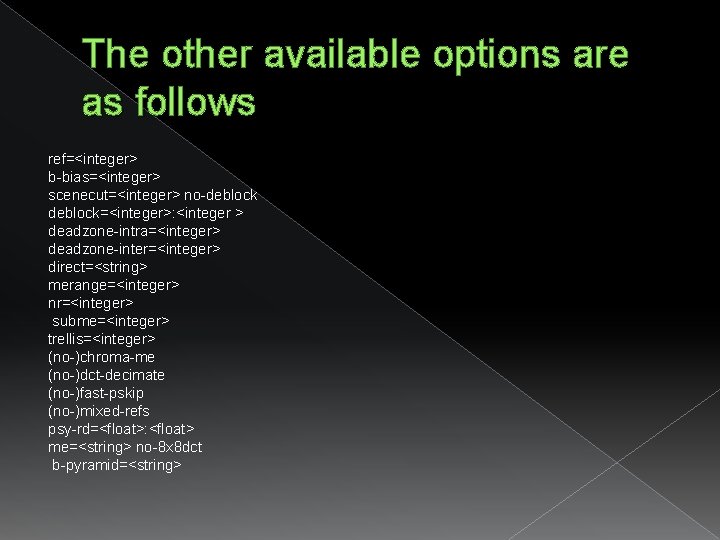
The other available options are as follows ref=<integer> b-bias=<integer> scenecut=<integer> no-deblock=<integer>: <integer > deadzone-intra=<integer> deadzone-inter=<integer> direct=<string> merange=<integer> nr=<integer> subme=<integer> trellis=<integer> (no-)chroma-me (no-)dct-decimate (no-)fast-pskip (no-)mixed-refs psy-rd=<float>: <float> me=<string> no-8 x 8 dct b-pyramid=<string>
parse_zones() if( h->param. rc. psz_zones && !h->param. rc. i_zones ) { …. for( p = psz_zones; *p; p++ ) h->param. rc. i_zones += (*p == '/'); CHECKED_MALLOC( h->param. rc. zones, h->param. rc. i_zones * sizeof(x 264_zone_t) ); p = psz_zones; for( i = 0; i < h->param. rc. i_zones; i++ ) { int i_tok = strcspn( p, "/" ); p[i_tok] = 0; if( parse_zone( h, &h->param. rc. zones[i], p ) ) return -1; p += i_tok + 1; } x 264_free( psz_zones ); }
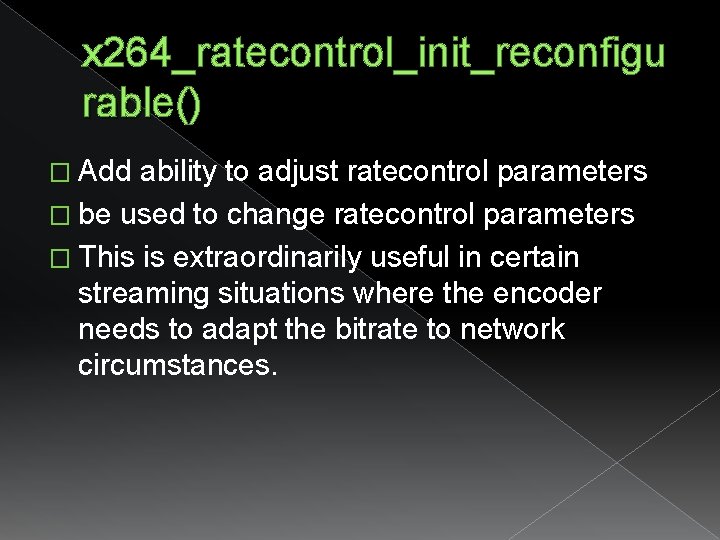
x 264_ratecontrol_init_reconfigu rable() � Add ability to adjust ratecontrol parameters � be used to change ratecontrol parameters � This is extraordinarily useful in certain streaming situations where the encoder needs to adapt the bitrate to network circumstances.
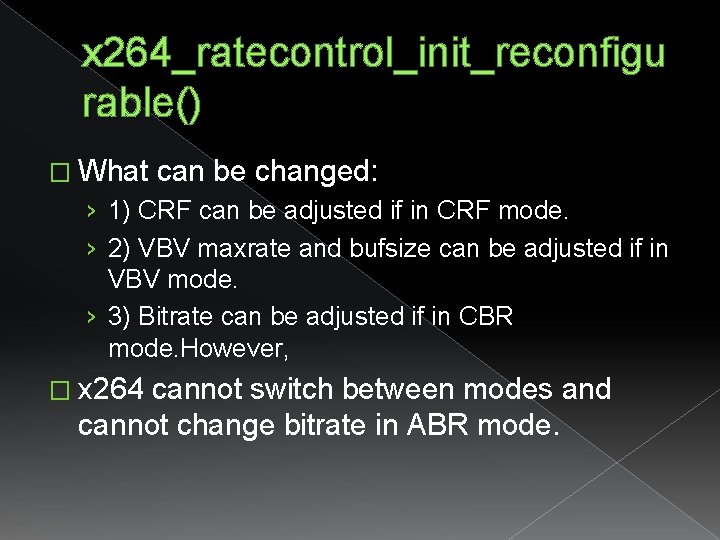
x 264_ratecontrol_init_reconfigu rable() � What can be changed: › 1) CRF can be adjusted if in CRF mode. › 2) VBV maxrate and bufsize can be adjusted if in VBV mode. › 3) Bitrate can be adjusted if in CBR mode. However, � x 264 cannot switch between modes and cannot change bitrate in ABR mode.