
www OASUS ca Generic Programming Techniques For Input
- Slides: 26
www. OASUS. ca Generic Programming Techniques For Input Validation and Imputation Cheryl Xiyun Wang Statistics Canada May 19 2016, Ottawa, Canada
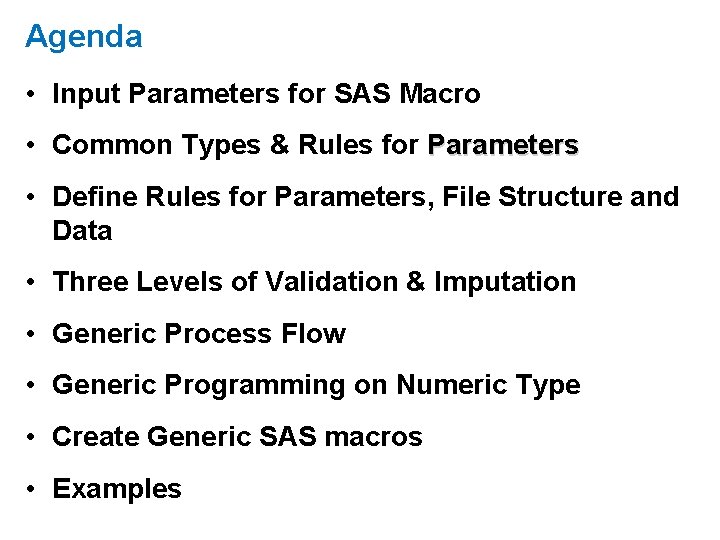
Agenda • Input Parameters for SAS Macro • Common Types & Rules for Parameters • Define Rules for Parameters, File Structure and Data • Three Levels of Validation & Imputation • Generic Process Flow • Generic Programming on Numeric Type • Create Generic SAS macros • Examples
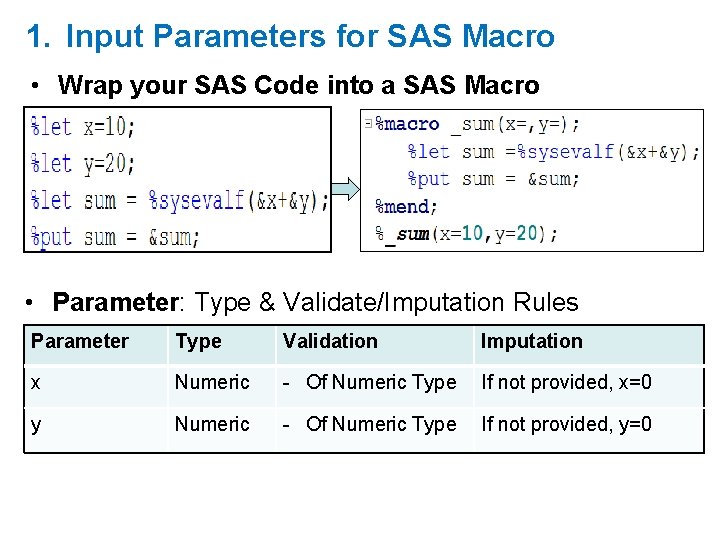
1. Input Parameters for SAS Macro • Wrap your SAS Code into a SAS Macro • Parameter: Type & Validate/Imputation Rules Parameter Type Validation Imputation x Numeric - Of Numeric Type If not provided, x=0 y Numeric - Of Numeric Type If not provided, y=0
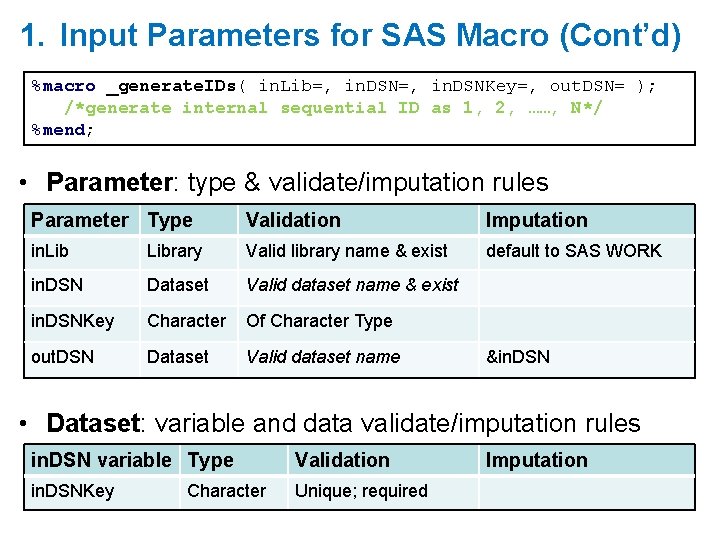
1. Input Parameters for SAS Macro (Cont’d) %macro _generate. IDs( in. Lib=, in. DSNKey=, out. DSN= ); /*generate internal sequential ID as 1, 2, ……, N*/ %mend; • Parameter: type & validate/imputation rules Parameter Type Validation Imputation in. Library Valid library name & exist default to SAS WORK in. DSN Dataset Valid dataset name & exist in. DSNKey Character Of Character Type out. DSN Dataset Valid dataset name &in. DSN • Dataset: variable and data validate/imputation rules in. DSN variable Type Validation in. DSNKey Unique; required Character Imputation
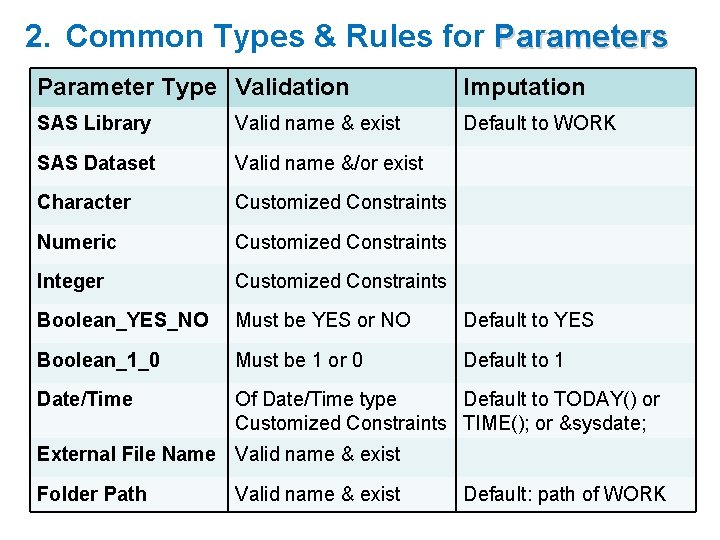
2. Common Types & Rules for Parameters Parameter Type Validation Imputation SAS Library Valid name & exist Default to WORK SAS Dataset Valid name &/or exist Character Customized Constraints Numeric Customized Constraints Integer Customized Constraints Boolean_YES_NO Must be YES or NO Default to YES Boolean_1_0 Must be 1 or 0 Default to 1 Date/Time Of Date/Time type Default to TODAY() or Customized Constraints TIME(); or &sysdate; External File Name Valid name & exist Folder Path Valid name & exist Default: path of WORK
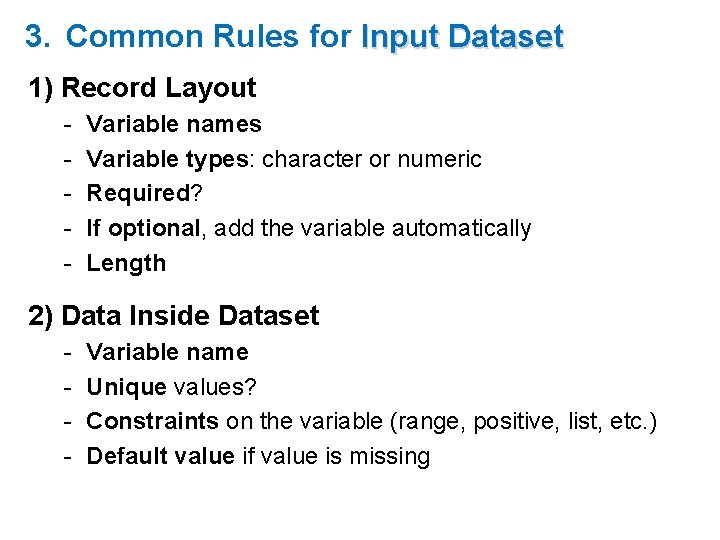
3. Common Rules for Input Dataset 1) Record Layout - Variable names Variable types: character or numeric Required? If optional, add the variable automatically Length 2) Data Inside Dataset - Variable name Unique values? Constraints on the variable (range, positive, list, etc. ) Default value if value is missing
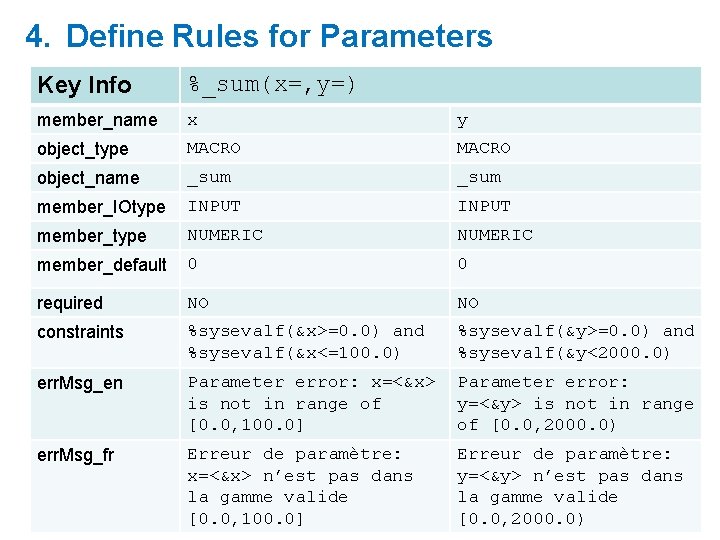
4. Define Rules for Parameters Key Info %_sum(x=, y=) member_name x y object_type MACRO object_name _sum member_IOtype INPUT member_type NUMERIC member_default 0 0 required NO NO constraints %sysevalf(&x>=0. 0) and %sysevalf(&x<=100. 0) %sysevalf(&y>=0. 0) and %sysevalf(&y<2000. 0) err. Msg_en Parameter error: x=<&x> is not in range of [0. 0, 100. 0] Parameter error: y=<&y> is not in range of [0. 0, 2000. 0) err. Msg_fr Erreur de paramètre: x=<&x> n’est pas dans la gamme valide [0. 0, 100. 0] Erreur de paramètre: y=<&y> n’est pas dans la gamme valide [0. 0, 2000. 0)
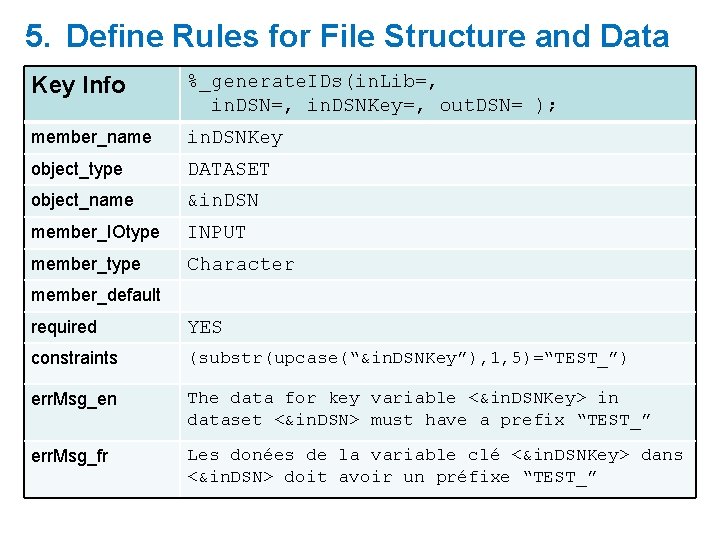
5. Define Rules for File Structure and Data Key Info %_generate. IDs(in. Lib=, in. DSNKey=, out. DSN= ); member_name in. DSNKey object_type DATASET object_name &in. DSN member_IOtype INPUT member_type Character member_default required YES constraints (substr(upcase(“&in. DSNKey”), 1, 5)=“TEST_”) err. Msg_en The data for key variable <&in. DSNKey> in dataset <&in. DSN> must have a prefix “TEST_” err. Msg_fr Les donées de la variable clé <&in. DSNKey> dans <&in. DSN> doit avoir un préfixe “TEST_”
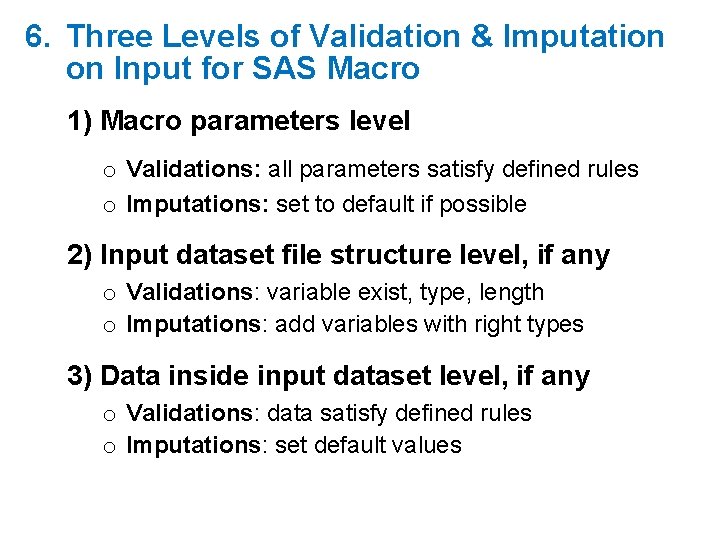
6. Three Levels of Validation & Imputation on Input for SAS Macro 1) Macro parameters level o Validations: all parameters satisfy defined rules o Imputations: set to default if possible 2) Input dataset file structure level, if any o Validations: variable exist, type, length o Imputations: add variables with right types 3) Data inside input dataset level, if any o Validations: data satisfy defined rules o Imputations: set default values
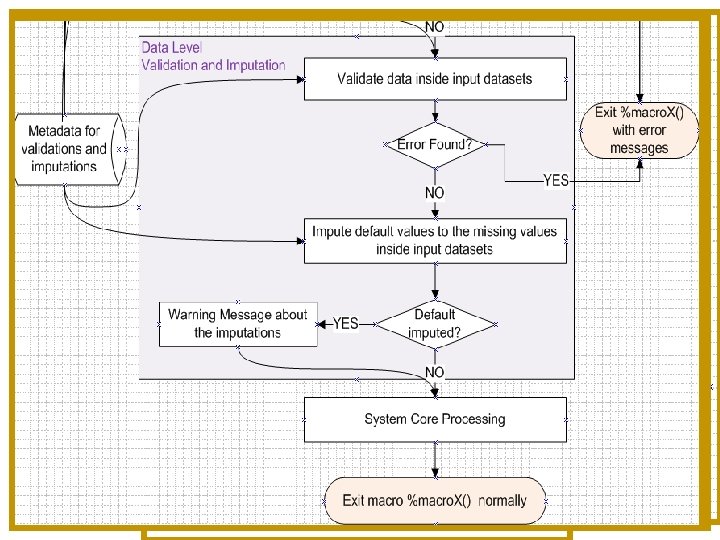
7. Generic Processing Flow
8. Generic Programming on Numeric Type
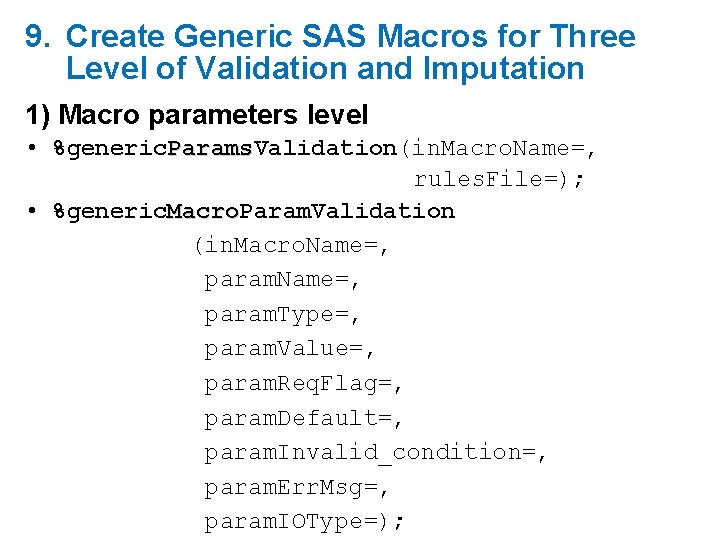
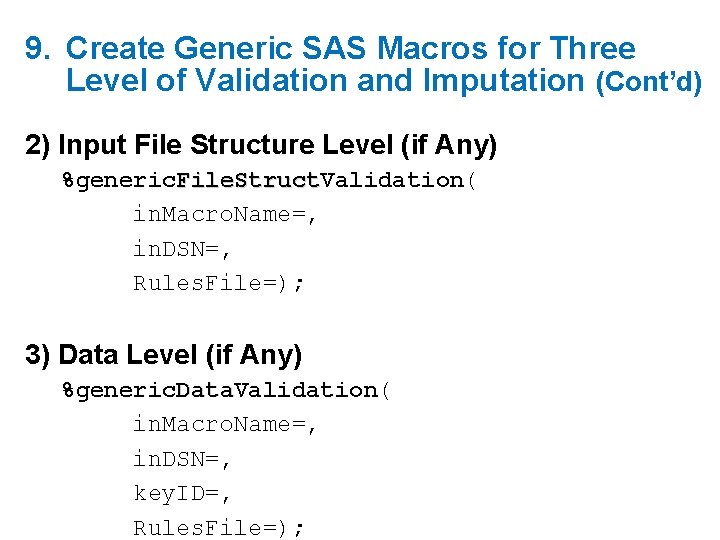
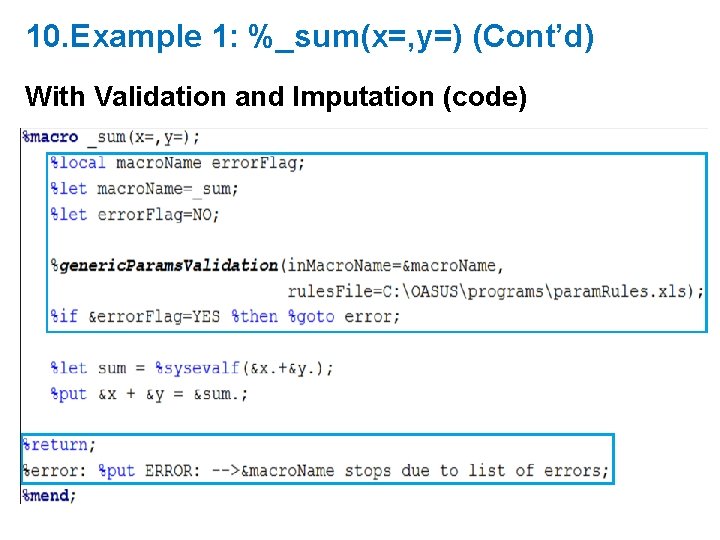
9. Create Generic SAS Macros for Three Level of Validation and Imputation 1) Macro parameters level • %generic. Params. Validation(in. Macro. Name=, Params rules. File=); • %generic. Macro. Param. Validation Macro (in. Macro. Name=, param. Type=, param. Value=, param. Req. Flag=, param. Default=, param. Invalid_condition=, param. Err. Msg=, param. IOType=);
9. Create Generic SAS Macros for Three Level of Validation and Imputation (Cont’d) 2) Input File Structure Level (if Any) %generic. File. Struct. Validation( File. Struct in. Macro. Name=, in. DSN=, Rules. File=); 3) Data Level (if Any) %generic. Data. Validation( Data in. Macro. Name=, in. DSN=, key. ID=, Rules. File=);
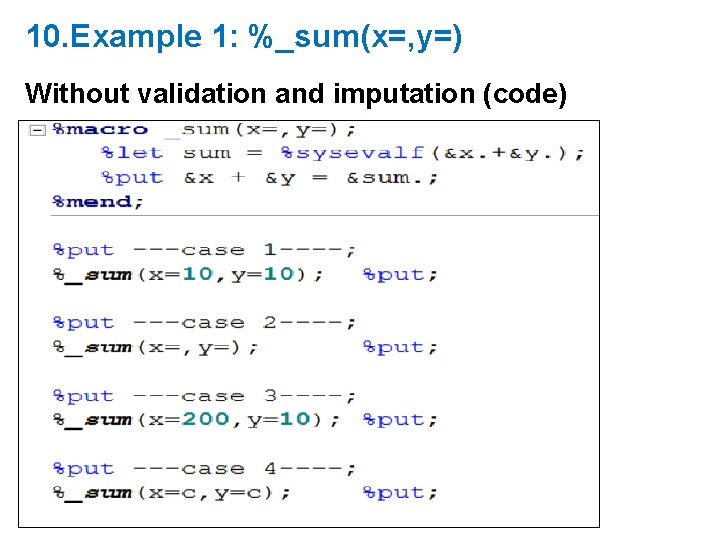
10. Example 1: %_sum(x=, y=) Without validation and imputation (code)
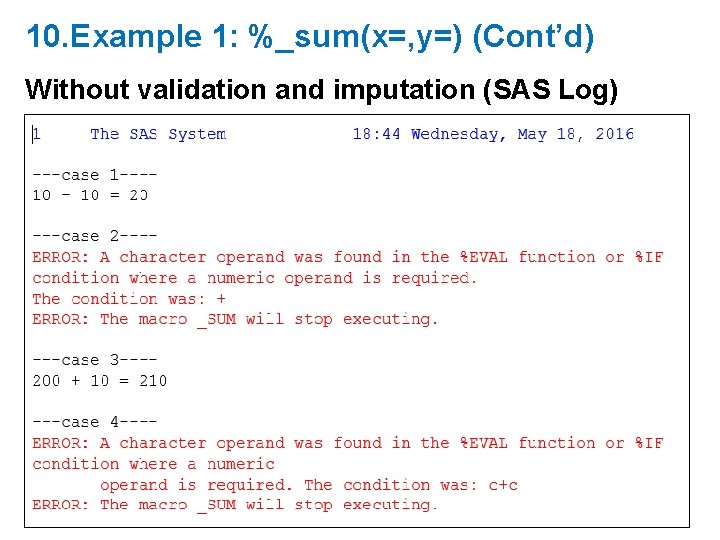
10. Example 1: %_sum(x=, y=) (Cont’d) Without validation and imputation (SAS Log)
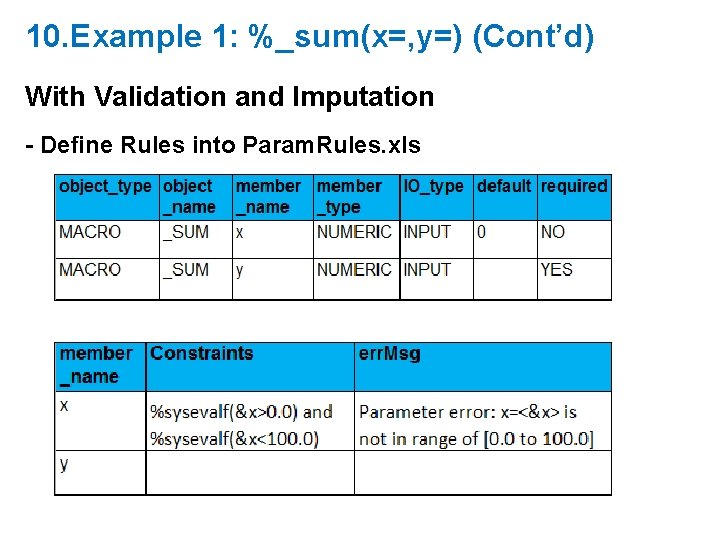
10. Example 1: %_sum(x=, y=) (Cont’d) With Validation and Imputation - Define Rules into Param. Rules. xls
10. Example 1: %_sum(x=, y=) (Cont’d) With Validation and Imputation (code)
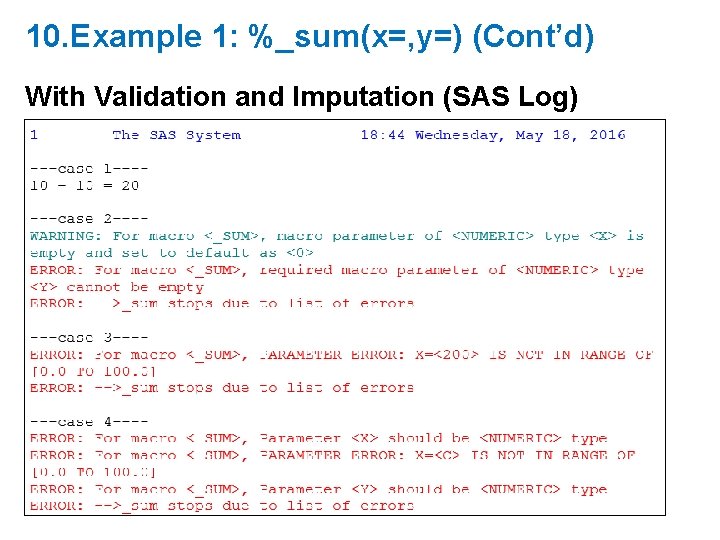
10. Example 1: %_sum(x=, y=) (Cont’d) With Validation and Imputation (SAS Log)
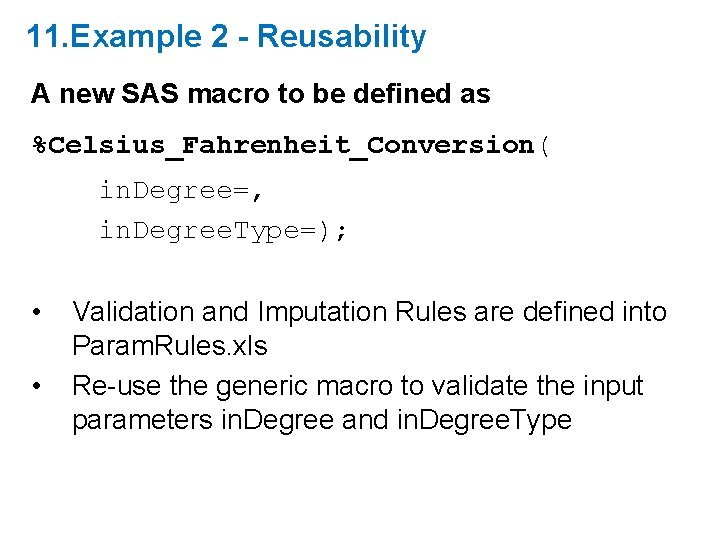
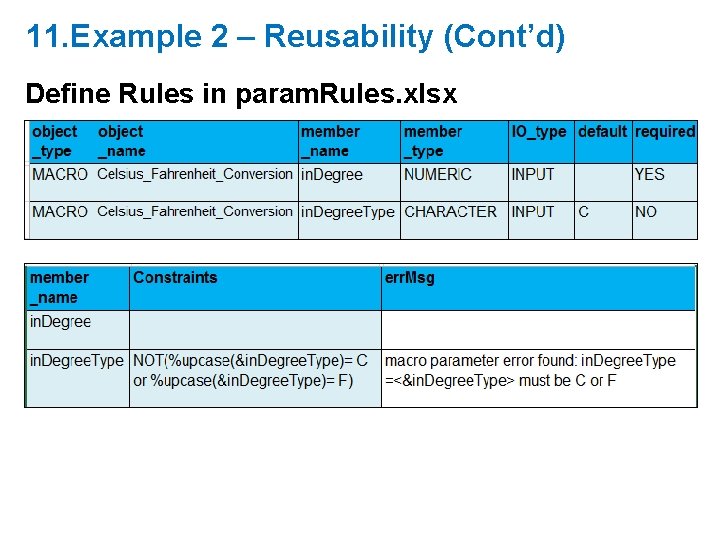
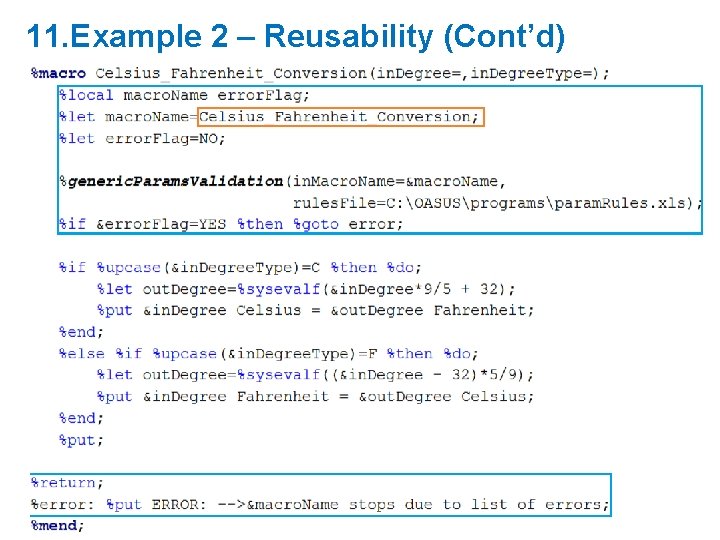
11. Example 2 - Reusability A new SAS macro to be defined as %Celsius_Fahrenheit_Conversion( in. Degree=, in. Degree. Type=); • • Validation and Imputation Rules are defined into Param. Rules. xls Re-use the generic macro to validate the input parameters in. Degree and in. Degree. Type
11. Example 2 – Reusability (Cont’d) Define Rules in param. Rules. xlsx
11. Example 2 – Reusability (Cont’d)
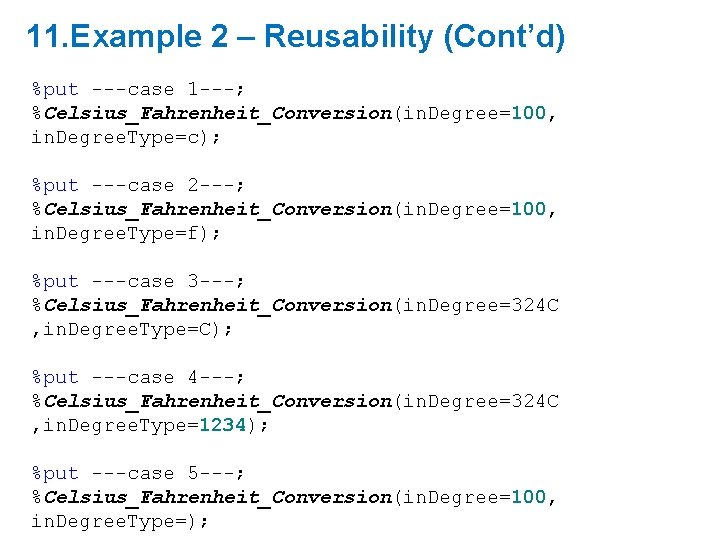
11. Example 2 – Reusability (Cont’d) %put ---case 1 ---; %Celsius_Fahrenheit_Conversion(in. Degree=100, in. Degree. Type=c); %put ---case 2 ---; %Celsius_Fahrenheit_Conversion(in. Degree=100, in. Degree. Type=f); %put ---case 3 ---; %Celsius_Fahrenheit_Conversion(in. Degree=324 C , in. Degree. Type=C); %put ---case 4 ---; %Celsius_Fahrenheit_Conversion(in. Degree=324 C , in. Degree. Type=1234); %put ---case 5 ---; %Celsius_Fahrenheit_Conversion(in. Degree=100, in. Degree. Type=);
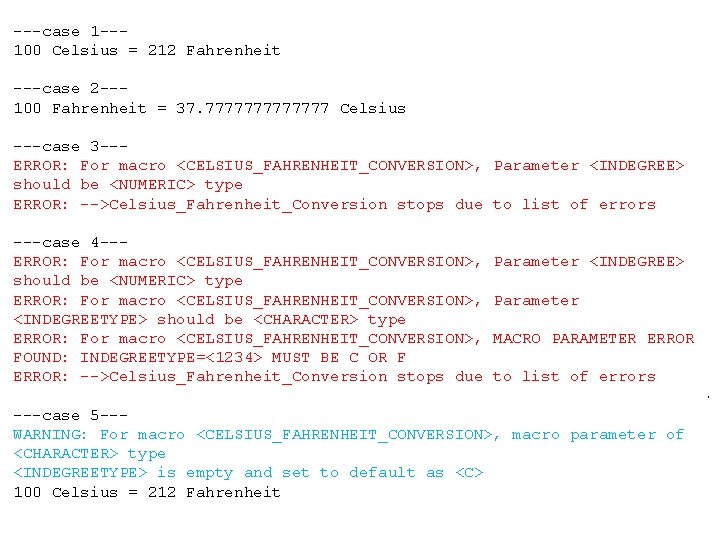
5. Example 1 - Macro Parameter Level of Validation and Imputation (Cont’d) ---case 2 -----case 1 --100 Celsius = 212 Fahrenheit Testing: 100 Fahrenheit = 37. 7777777 Celsius %put ---case 1 ---; ---case 3 --ERROR: For macro <CELSIUS_FAHRENHEIT_CONVERSION>, Parameter <INDEGREE> %Celsius_Fahrenheit_Conversion(in. Degree=100, in. Degree. Type=c); should be <NUMERIC> type ERROR: -->Celsius_Fahrenheit_Conversion stops due to list of errors %put ---case 2 ---; ---case 4 --%Celsius_Fahrenheit_Conversion(in. Degree=100, in. Degree. Type=f); ERROR: For macro <CELSIUS_FAHRENHEIT_CONVERSION>, Parameter <INDEGREE> should be <NUMERIC> type %put For ---case ERROR: macro 3 ---; <CELSIUS_FAHRENHEIT_CONVERSION>, Parameter <INDEGREETYPE> should be <CHARACTER> type %Celsius_Fahrenheit_Conversion(in. Degree=324 C, in. Degree. Type=C); ERROR: For macro <CELSIUS_FAHRENHEIT_CONVERSION>, MACRO PARAMETER ERROR FOUND: INDEGREETYPE=<1234> MUST BE C OR F %put -->Celsius_Fahrenheit_Conversion ---case 4 ---; ERROR: stops due to list of errors %Celsius_Fahrenheit_Conversion(in. Degree=324 C, in. Degree. Type=1234; ---case 5 --WARNING: For macro <CELSIUS_FAHRENHEIT_CONVERSION>, macro parameter of %put ---case <CHARACTER> type 5 ---; <INDEGREETYPE> is empty and set to default as <C> %Celsius_Fahrenheit_Conversion(in. Degree=100, in. Degree. Type=); 100 Celsius = 212 Fahrenheit
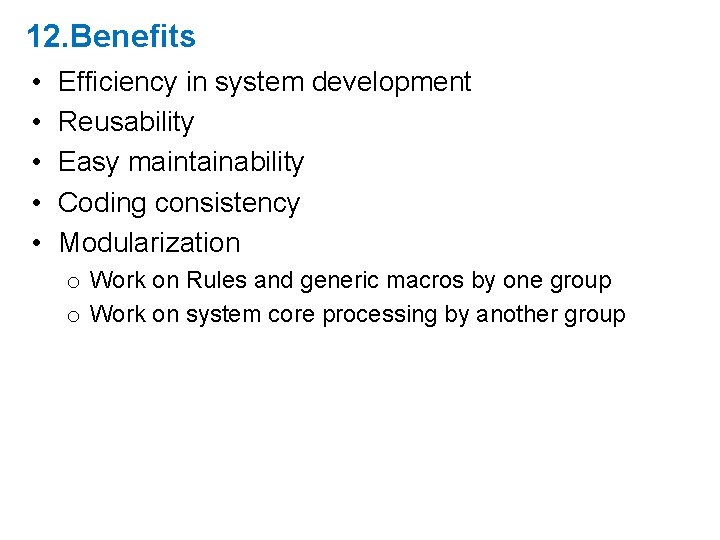
12. Benefits • • • Efficiency in system development Reusability Easy maintainability Coding consistency Modularization o Work on Rules and generic macros by one group o Work on system core processing by another group
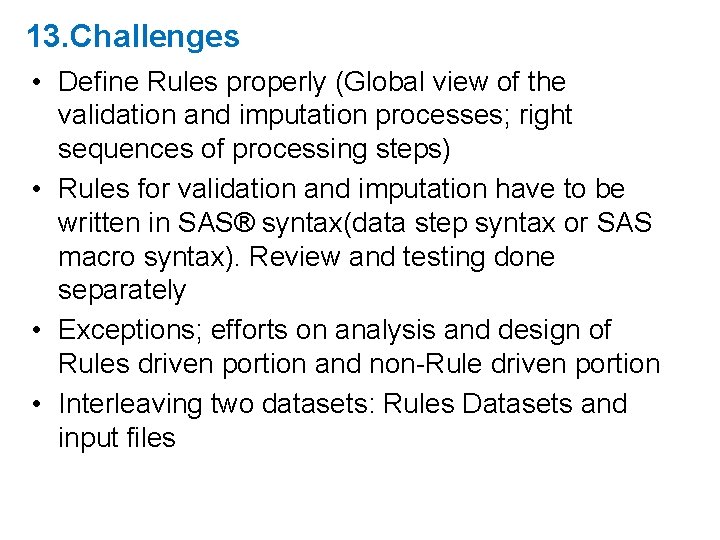
13. Challenges • Define Rules properly (Global view of the validation and imputation processes; right sequences of processing steps) • Rules for validation and imputation have to be written in SAS® syntax(data step syntax or SAS macro syntax). Review and testing done separately • Exceptions; efforts on analysis and design of Rules driven portion and non-Rule driven portion • Interleaving two datasets: Rules Datasets and input files
14. Questions Xiyun Cheryl Wang Systems Team Leader / Chef d’équipe de Systèmes Statistics Canada / Statistiques Canada 150 Tunney's Pasture Driveway Ottawa, Ontario, Canada, K 1 A 0 T 6 Cherylxiyun. Wang@canada. ca (613) 797 -9853 SAS Paper: 012 -2013: A Metadata-Driven Programming Technique Using SAS