
www Mr Sheas Page weebly com EIGHTH GRADE
www. Mr. Sheas. Page. weebly. com EIGHTH GRADE ROBOTICS KITTATINNY REGIONAL HIGH SCHOOL Robot Construction & Programming Basics MR. SHEA
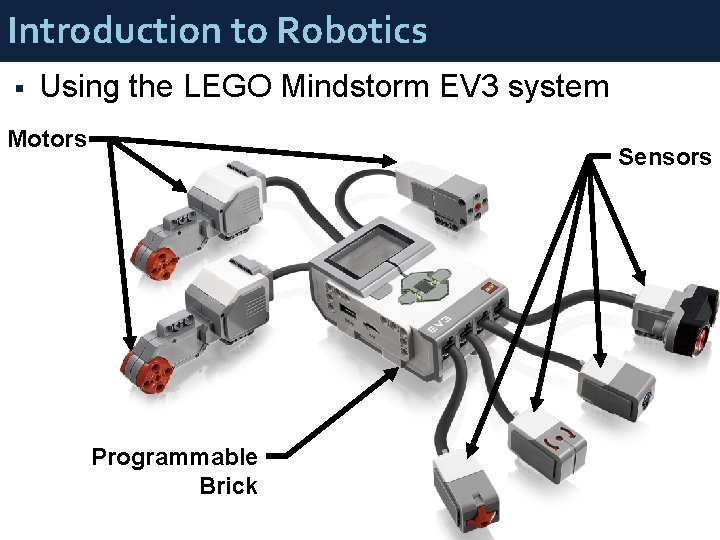
Introduction to Robotics § Using the LEGO Mindstorm EV 3 system Motors Sensors Programmable Brick
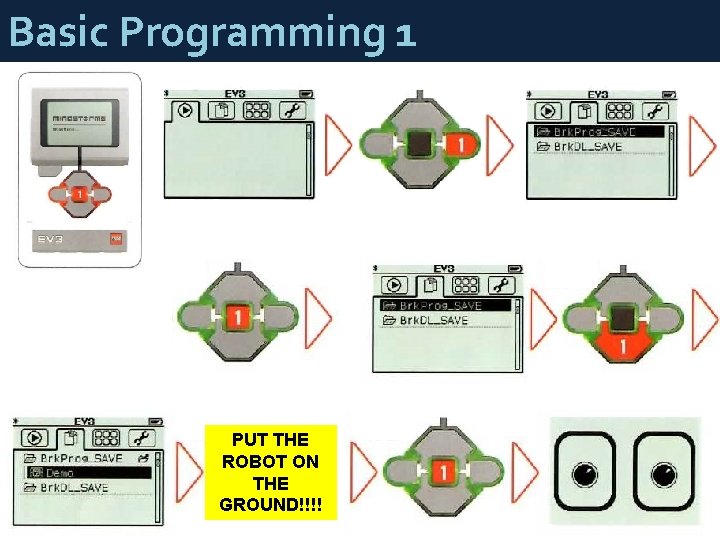
Basic Programming 1 PUT THE ROBOT ON THE GROUND!!!!
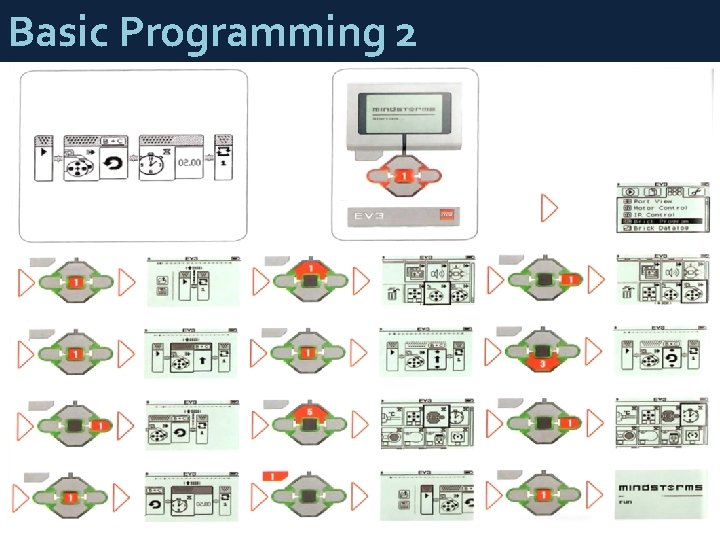
Basic Programming 2
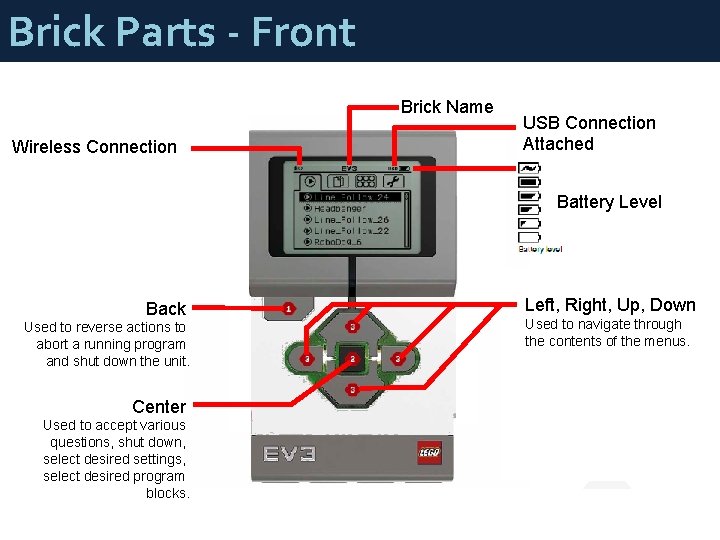
Brick Parts - Front Brick Name Wireless Connection USB Connection Attached Battery Level Back Used to reverse actions to abort a running program and shut down the unit. Center Used to accept various questions, shut down, select desired settings, select desired program blocks. Left, Right, Up, Down Used to navigate through the contents of the menus.
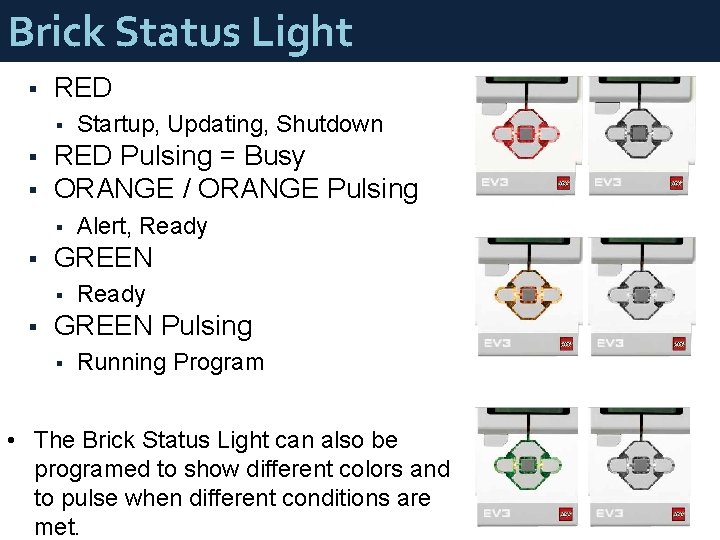
Brick Status Light § RED § § § RED Pulsing = Busy ORANGE / ORANGE Pulsing § § Alert, Ready GREEN § § Startup, Updating, Shutdown Ready GREEN Pulsing § Running Program • The Brick Status Light can also be programed to show different colors and to pulse when different conditions are met.
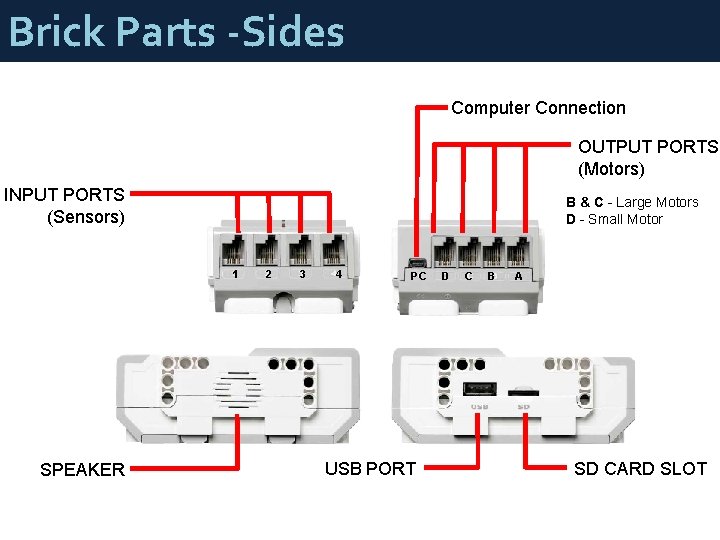
Brick Parts -Sides Computer Connection OUTPUT PORTS (Motors) INPUT PORTS (Sensors) B & C - Large Motors D - Small Motor 1 2 3 4 SPEAKER PC D C B A USB PORT SD CARD SLOT
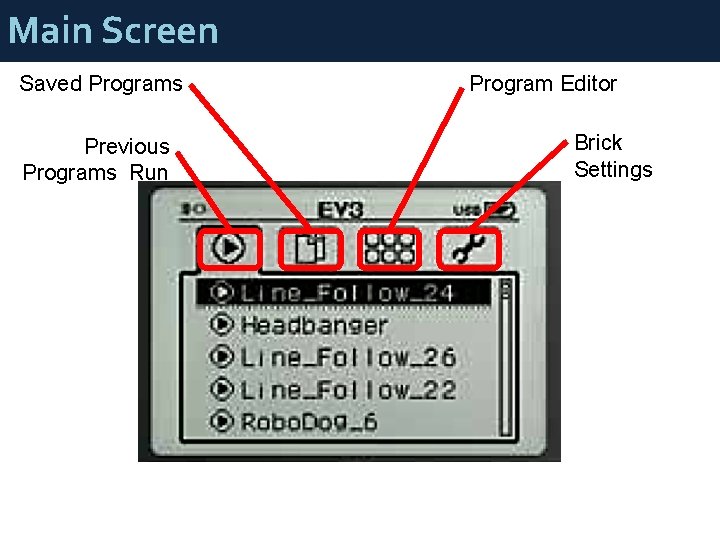
Main Screen Saved Programs Previous Programs Run Program Editor Brick Settings
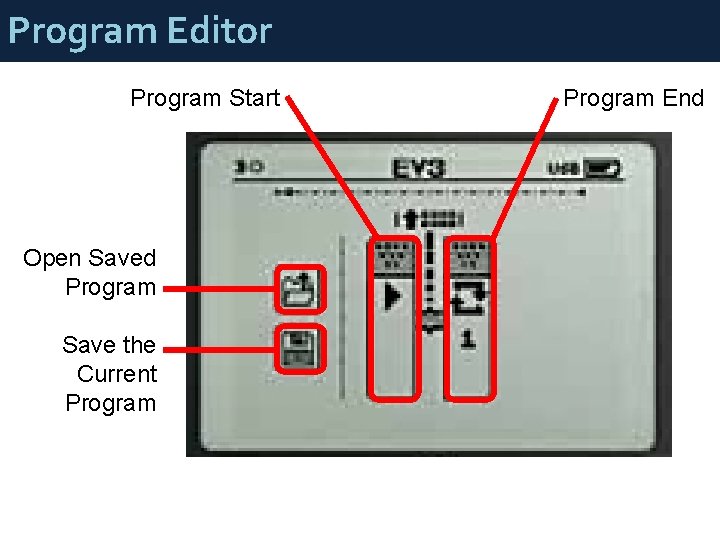
Program Editor Program Start Open Saved Program Save the Current Program End
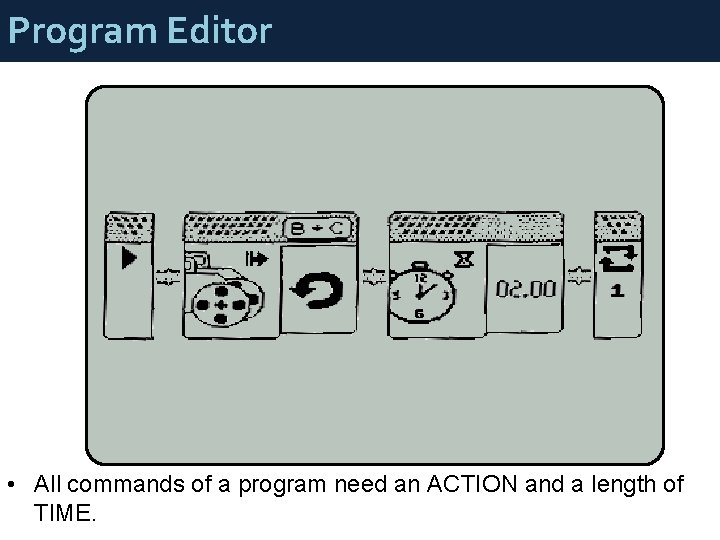
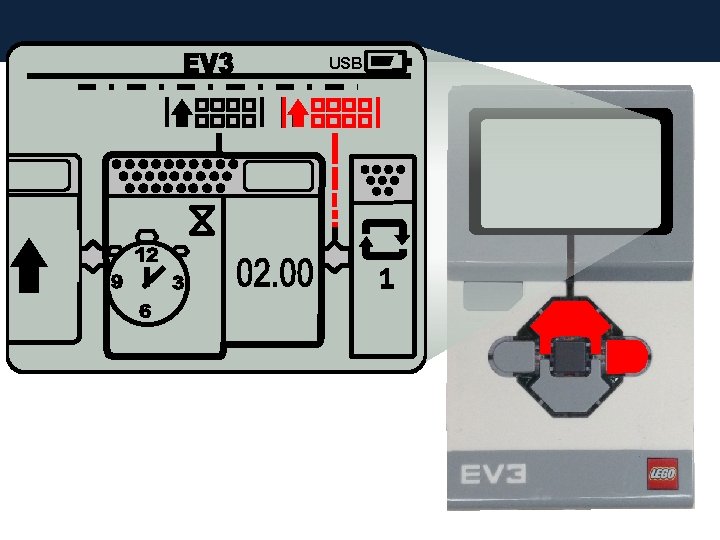
Program Editor • All commands of a program need an ACTION and a length of TIME.
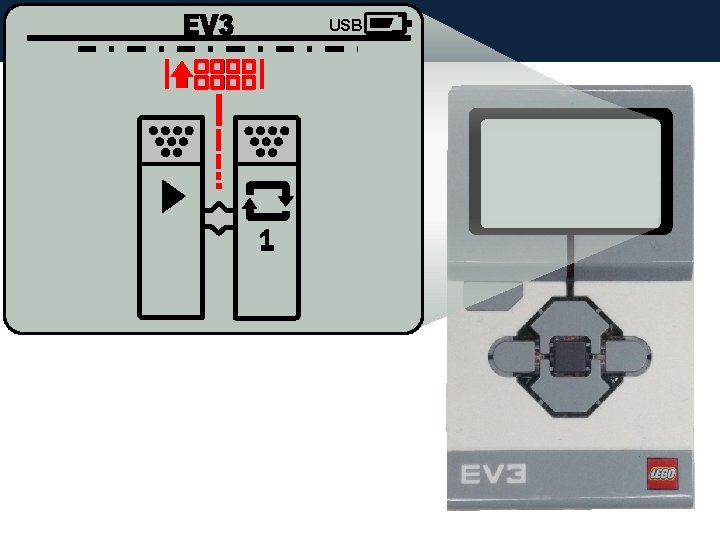
USB
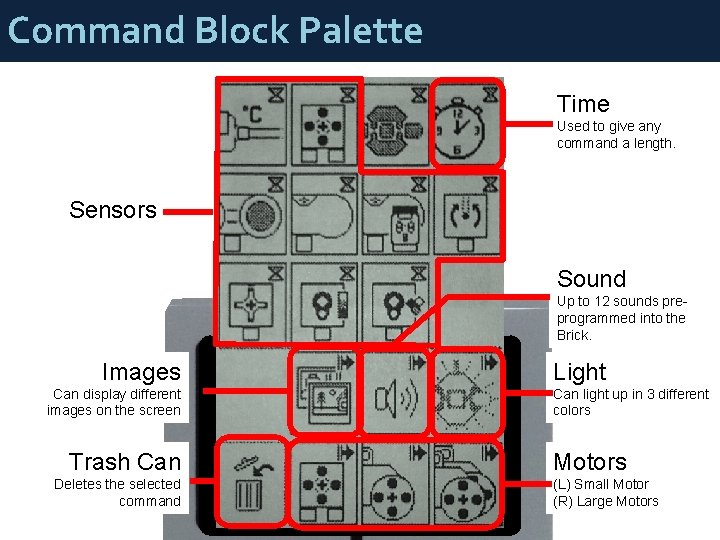
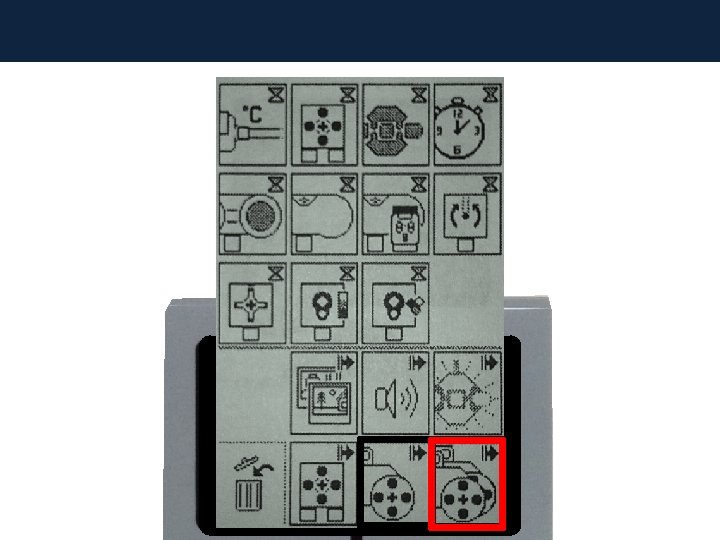
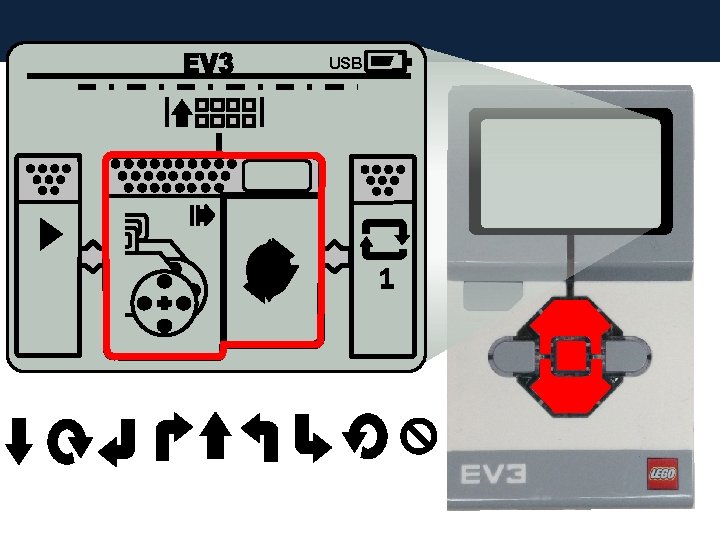
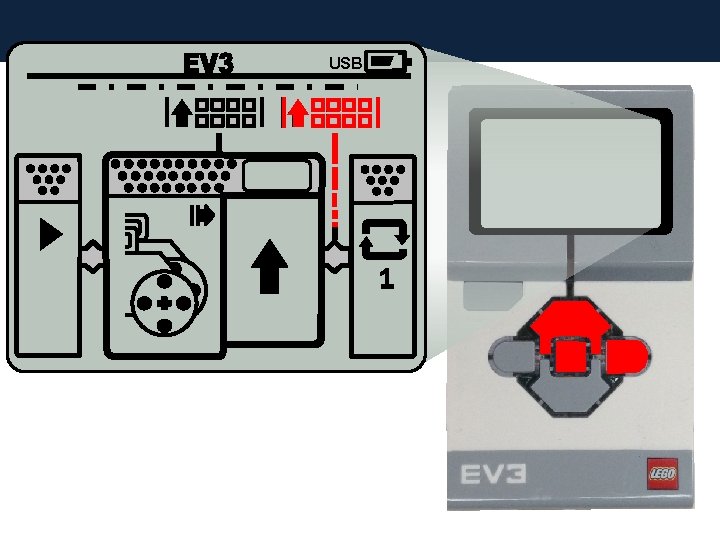
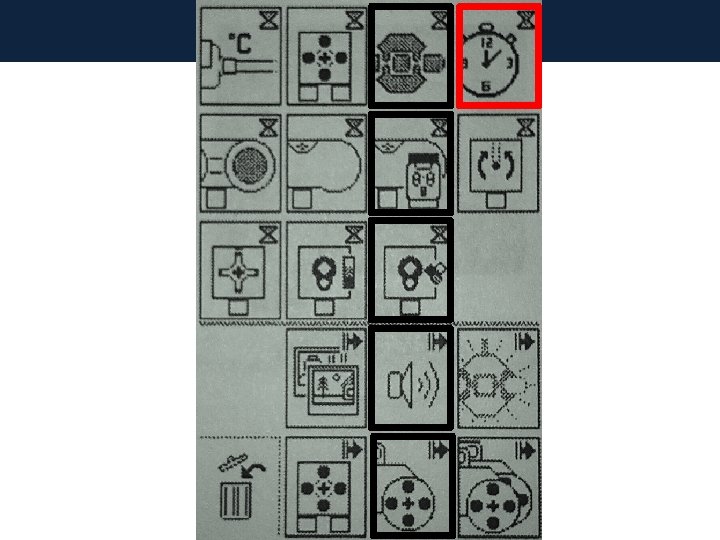
Command Block Palette Time Used to give any command a length. Sensors Sound Up to 12 sounds preprogrammed into the Brick. Images Can display different images on the screen Trash Can Deletes the selected command Light Can light up in 3 different colors Motors (L) Small Motor (R) Large Motors
USB
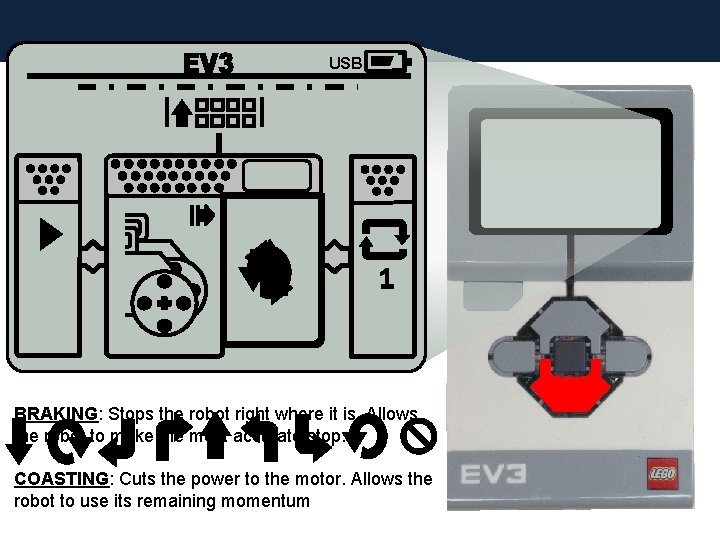
USB BRAKING: Stops the robot right where it is. Allows the robot to make the most accurate stop. COASTING: Cuts the power to the motor. Allows the robot to use its remaining momentum
USB
USB
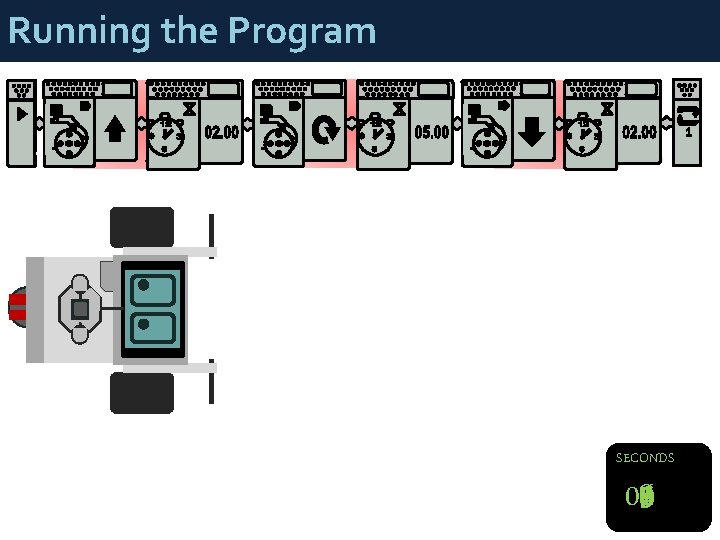
Running the Program SECONDS 05 01 00 08 07 04 03 09 06 02
Robot Motion Activity § § After taking Inventory: Complete the Robot Motion Activity packet § 12 activities § § § 3 or 4 per group member Activities get harder as packet progresses Individual activities should be spread through out packet § § #1, #5, #9 #2, #6, #10 #3, #7, #11 #4, #8, #12 § § § #1, #4, #7, #10 #2, #5, #8, #11 #3, #6, #9, #12 BY THE END OF THIS ACTIVITY, ALL GROUP MEMBERS SHOULD BE ABLE TO PROGRAM THE ROBOT.
- Slides: 20