
WWW ECommerce A Gentle Introduction Sadiq M Sait
- Slides: 97
WWW & E-Commerce A Gentle Introduction Sadiq M. Sait, Ph. D sadiq@ccse. kfupm. edu. sa Department of Computer Engineering King Fahd University of Petroleum and Minerals Dhahran, Saudi Arabia 1
Appendices A and B Appendix A (Front. Page’ 98) l Appendix B (E-Commerce) l Copyright. All rights reserved. not to be reproduced by any means without prior permission 2
Appendix-A Web Authoring Tools Copyright. All rights reserved. not to be reproduced by any means without prior permission 3
Overview What are Web Authoring Tools? l Available Web Authoring Tools l Front. Page 98 - An Overview l Web Authoring using Front. Page 98 l Image Tools l Being a Webmaster l Advanced Web Contents l Copyright. All rights reserved. not to be reproduced by any means without prior permission 4
What are Web Authoring Tools? l Web authoring tools enable the developers to develop appealing web sites faster by allowing them to work visually, for example, to create links, tables, frames, etc. , while taking care of generating required HTML code for these operations Copyright. All rights reserved. not to be reproduced by any means without prior permission 5
Available Tools l Microsoft Front. Page’ 98 » Front. Page 98 is a professional Web publishing and development tool for the creation and maintenance of large and complex Web Sites Net. Objects Fusion l Corel Webmaster Suite l Several Others l Copyright. All rights reserved. not to be reproduced by any means without prior permission 6
Front. Page’ 98 Features It lets developers create appealing web pages without having the arcane knowledge of HTML l It provides Web Site content management l It also supports easy insertion of images, sound files, applets, Active. X controls, etc. l Copyright. All rights reserved. not to be reproduced by any means without prior permission 7
Features l l l What-You-See-Is-What-You-Get (WYSIWYG) HTML editor Support for creation of frames using a frame wizard (Expert Assistant Tool) A number of Web site templates are available Ready-made Web sites can be customized using a wizard HTML source editor for inserting unsupported tags Support for creating forms and tables Copyright. All rights reserved. not to be reproduced by any means without prior permission 8
Features Web Clip Art (backgrounds, buttons, lines, images, animated images) l Support for database connectivity l Scripting using Java. Script and Visual Basic script l Cross Web Spell-Checker and Find-and. Replace l Web. Bot Components (Search, Timestamp, etc) l Copyright. All rights reserved. not to be reproduced by any means without prior permission 9
Features Web Site management with folder, hyperlinks status, all files and navigation views l Automatic hyperlink recalculation and repair l Full text index generation for search facility l Copyright. All rights reserved. not to be reproduced by any means without prior permission 10
Components Explorer l Editor l Personal Web Server l Server Extensions l Administrator l Copyright. All rights reserved. not to be reproduced by any means without prior permission 11
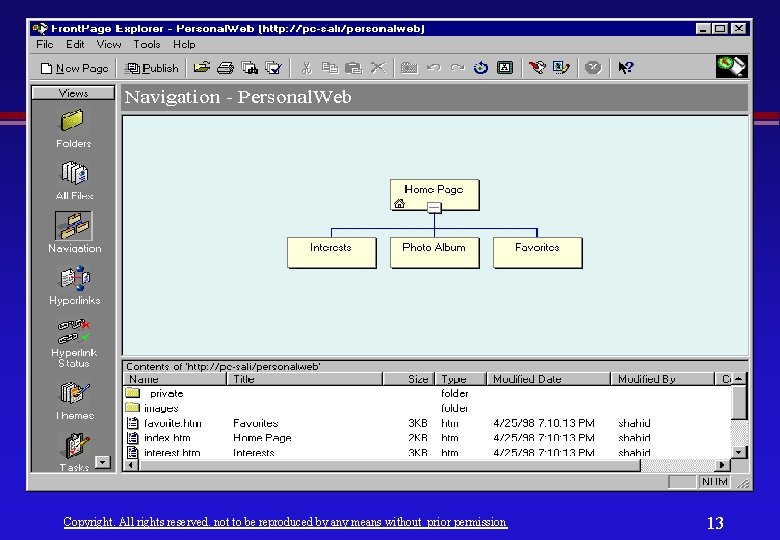
Front. Page Explorer l l It is a tool for creating, viewing, and maintaining Front. Page webs It is a graphical web site organizer providing different views of the web site: » » » » l l Folders view All Files view Navigation view Hyperlinks view Hyperlink Status view Themes view Tasks view Test and repair hyperlinks automatically Import and export Front. Page webs Copyright. All rights reserved. not to be reproduced by any means without prior permission 12
Copyright. All rights reserved. not to be reproduced by any means without prior permission 13
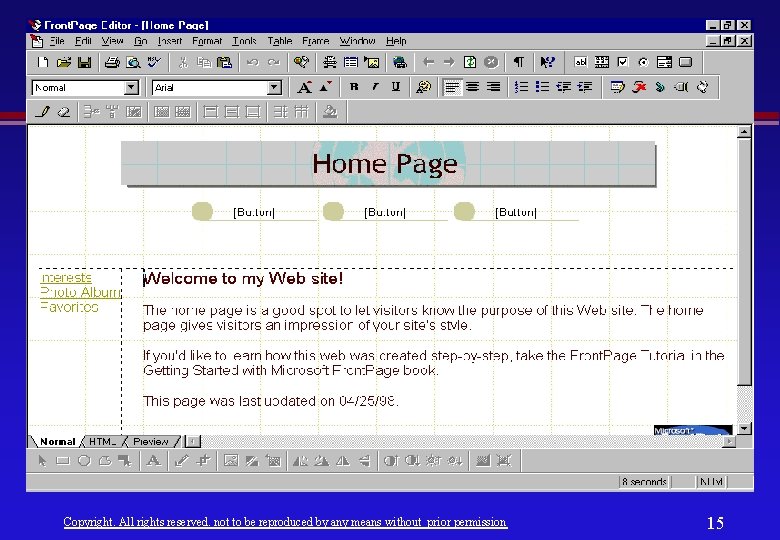
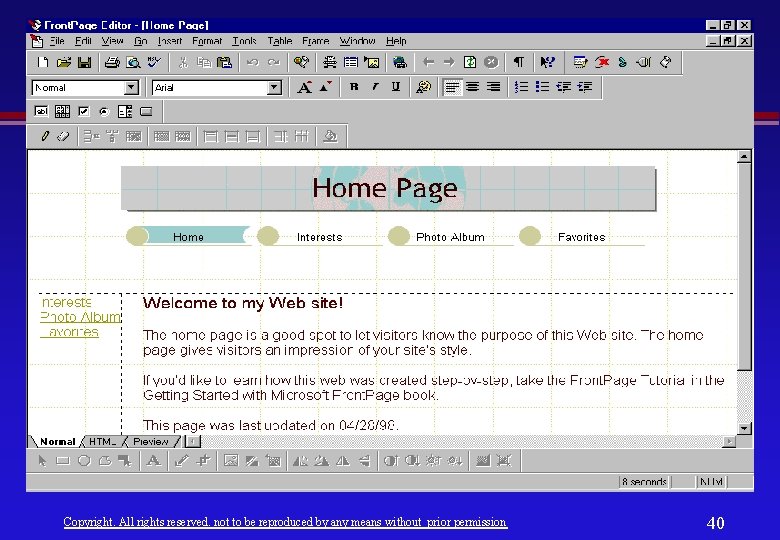
Front. Page Editor l l l Allows to create individual pages in a WYSIWYG editing environment Helps in creating Web Pages from scratch or editing those that are created by wizards and templates Front. Page editor supports: » » » Normal, HTML, and Previews Text Formatting Lists, Tables and Frames Hyperlinks with Text, Images, Imagemaps Insertion of Java applets, Active. X Controls and Web. Bot components » Creation of forms with drag and drop ease for inserting text fields, buttons, etc. Copyright. All rights reserved. not to be reproduced by any means without prior permission 14
Copyright. All rights reserved. not to be reproduced by any means without prior permission 15
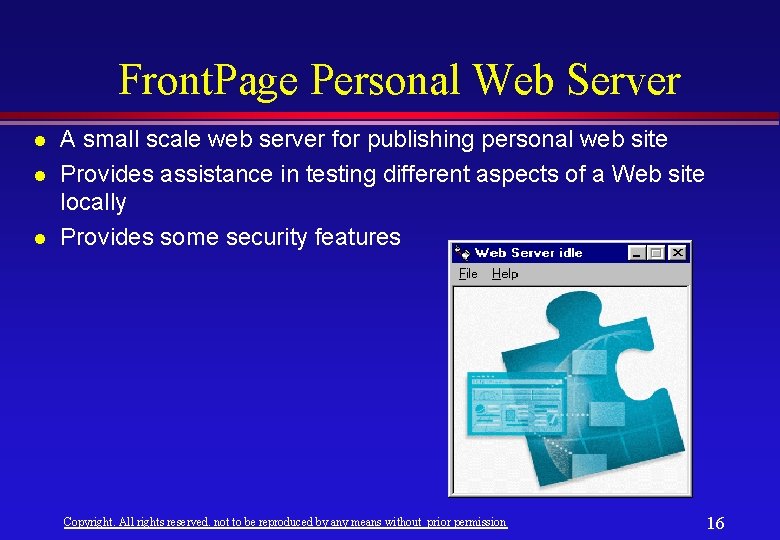
Front. Page Personal Web Server l l l A small scale web server for publishing personal web site Provides assistance in testing different aspects of a Web site locally Provides some security features Copyright. All rights reserved. not to be reproduced by any means without prior permission 16
Server Extensions l Server extensions are available for coupling Front. Page’ 98 with the following web servers: » » l Microsoft Internet Information Server (Win NT) Netscape Web Servers (Win 95/NT, Unix) Apache Web Server (Unix) Several Others Server extensions provide file and folder access, background services, browse-time services, security services. Copyright. All rights reserved. not to be reproduced by any means without prior permission 17
Administrator » Allows the management and security aspects of Front. Page Webs » Useful for installing, upgrading, uninstalling, and checking & fixing server extensions on a particular port for different types of web servers. » Administrator is available on all platforms for which server extensions are available. Copyright. All rights reserved. not to be reproduced by any means without prior permission 18
Web Site Creation Using Template l Using Wizards l From the Basics l Copyright. All rights reserved. not to be reproduced by any means without prior permission 19
Front. Page Templates l Web Site Templates » Customer Support Web » Project Web » Personal Web » One Page Web » Empty Web Copyright. All rights reserved. not to be reproduced by any means without prior permission 20
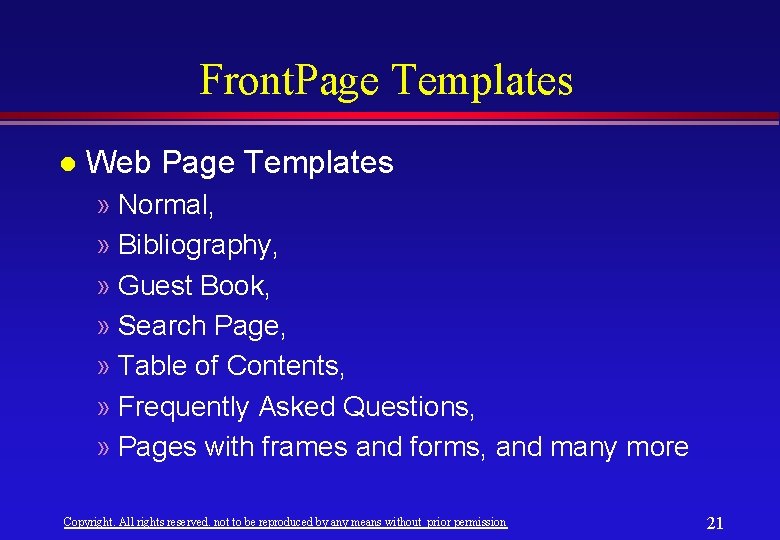
Front. Page Templates l Web Page Templates » Normal, » Bibliography, » Guest Book, » Search Page, » Table of Contents, » Frequently Asked Questions, » Pages with frames and forms, and many more Copyright. All rights reserved. not to be reproduced by any means without prior permission 21
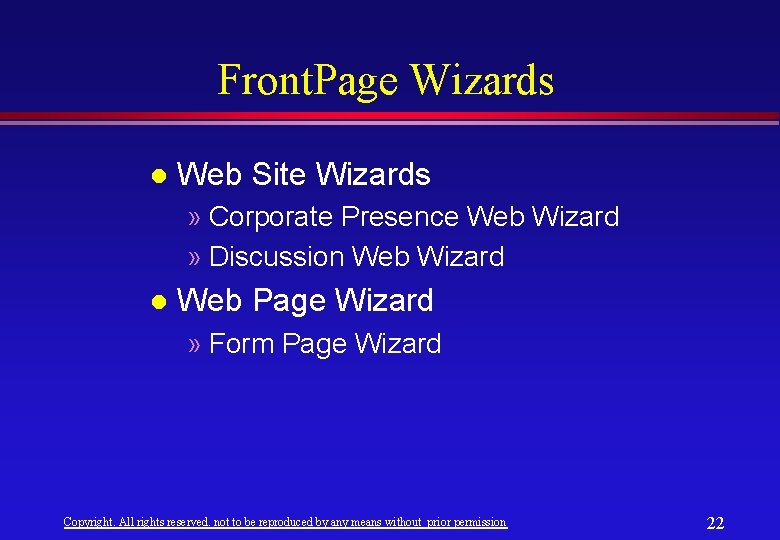
Front. Page Wizards l Web Site Wizards » Corporate Presence Web Wizard » Discussion Web Wizard l Web Page Wizard » Form Page Wizard Copyright. All rights reserved. not to be reproduced by any means without prior permission 22
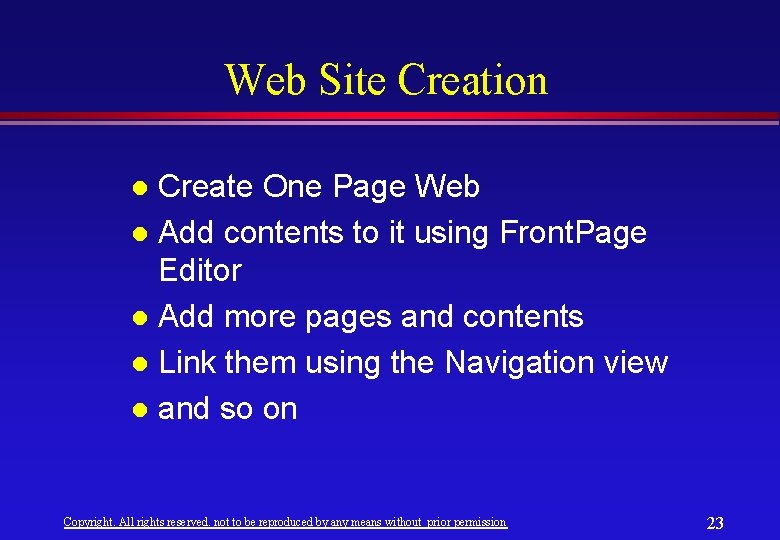
Web Site Creation Create One Page Web l Add contents to it using Front. Page Editor l Add more pages and contents l Link them using the Navigation view l and so on l Copyright. All rights reserved. not to be reproduced by any means without prior permission 23
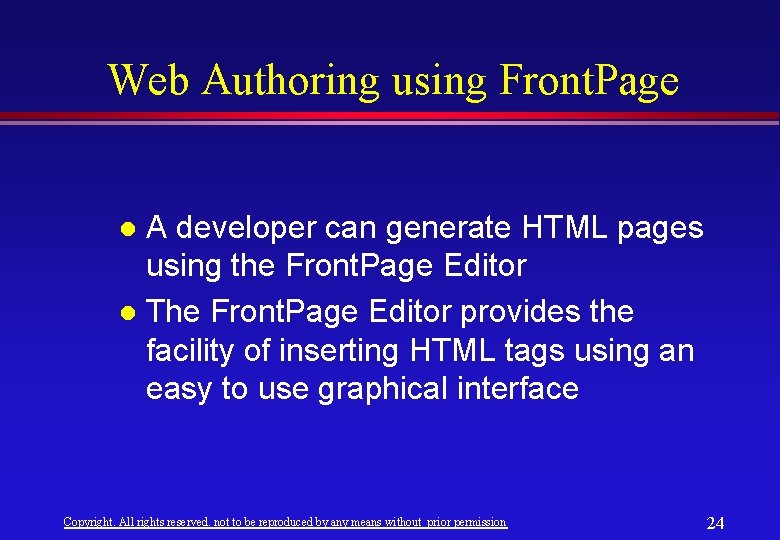
Web Authoring using Front. Page A developer can generate HTML pages using the Front. Page Editor l The Front. Page Editor provides the facility of inserting HTML tags using an easy to use graphical interface l Copyright. All rights reserved. not to be reproduced by any means without prior permission 24
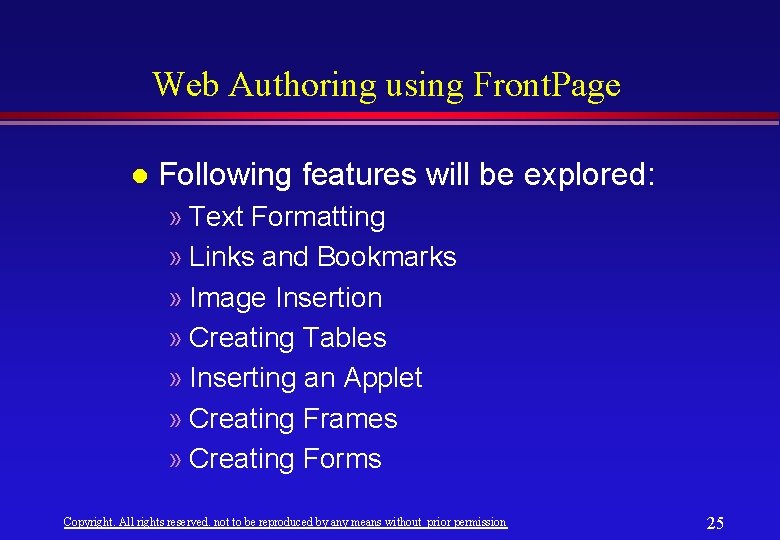
Web Authoring using Front. Page l Following features will be explored: » Text Formatting » Links and Bookmarks » Image Insertion » Creating Tables » Inserting an Applet » Creating Frames » Creating Forms Copyright. All rights reserved. not to be reproduced by any means without prior permission 25
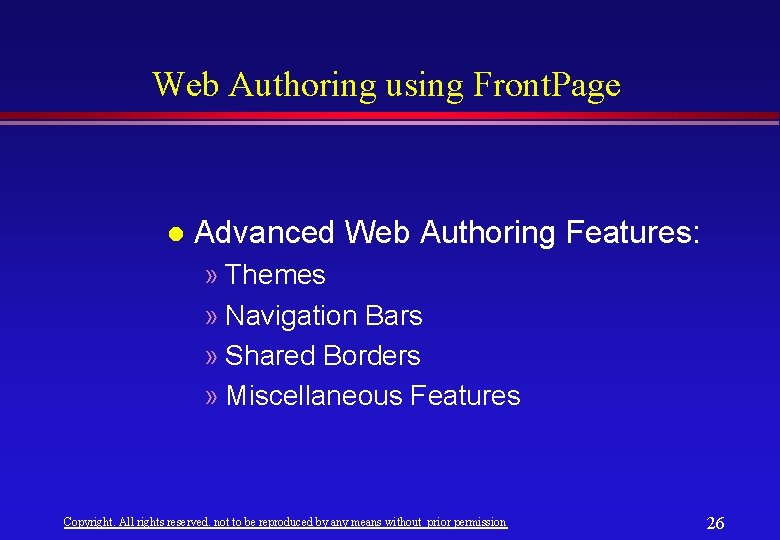
Web Authoring using Front. Page l Advanced Web Authoring Features: » Themes » Navigation Bars » Shared Borders » Miscellaneous Features Copyright. All rights reserved. not to be reproduced by any means without prior permission 26
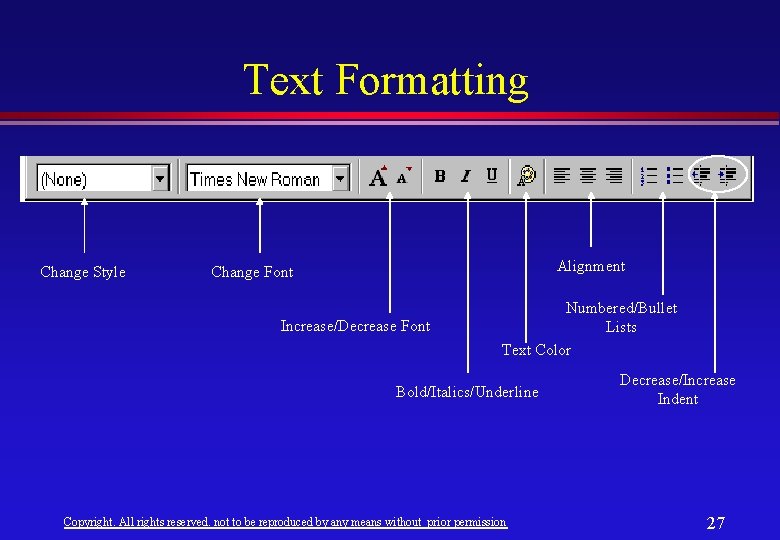
Text Formatting Change Style Alignment Change Font Increase/Decrease Font Numbered/Bullet Lists Text Color Bold/Italics/Underline Copyright. All rights reserved. not to be reproduced by any means without prior permission Decrease/Increase Indent 27
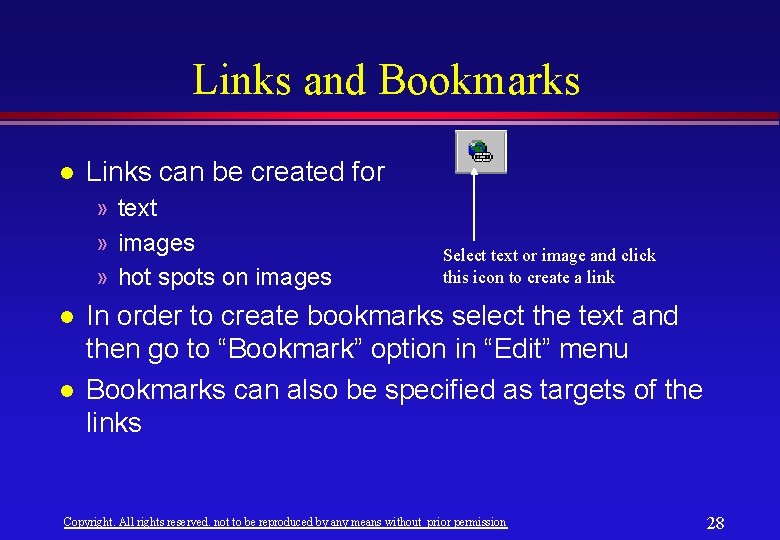
Links and Bookmarks l Links can be created for » text » images » hot spots on images l l Select text or image and click this icon to create a link In order to create bookmarks select the text and then go to “Bookmark” option in “Edit” menu Bookmarks can also be specified as targets of the links Copyright. All rights reserved. not to be reproduced by any means without prior permission 28
Image Insertion Place the cursor where the image is to be inserted and click this icon Once an image is inserted click the right mouse button on it and then select the “Properties” to adjust its properties Tip: In most contexts an easy way to get the property sheet is to press the right mouse button and then select the “Properties” Copyright. All rights reserved. not to be reproduced by any means without prior permission 29
Creating Tables l This is one of the most powerful feature of Front. Page which relieves the developer from inserting complicated table tags in HTML file Tip: Always use tables to make good looking/formatted pages; this is mostly to circumvent the limitations of HTML’s formatting capabilities Click this icon to insert a table with specified number of rows and columns Once a table is inserted click the right mouse button and then select the “Properties” on it to set its properties Copyright. All rights reserved. not to be reproduced by any means without prior permission 30
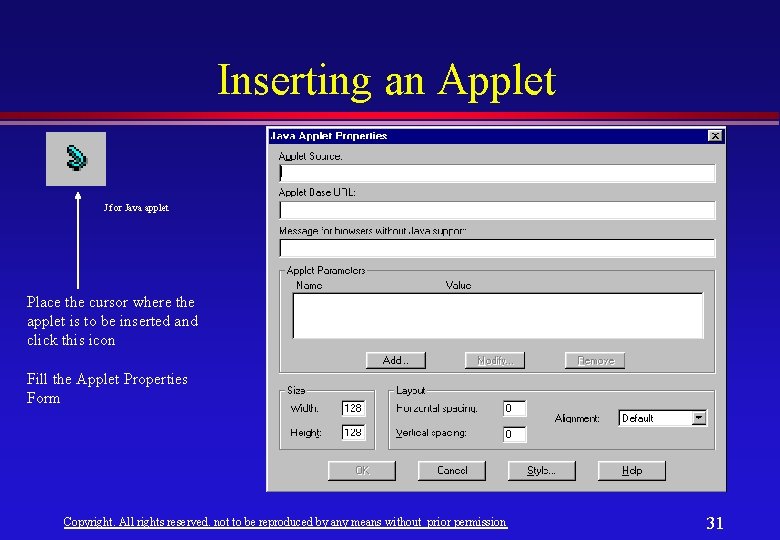
Inserting an Applet J for Java applet Place the cursor where the applet is to be inserted and click this icon Fill the Applet Properties Form Copyright. All rights reserved. not to be reproduced by any means without prior permission 31
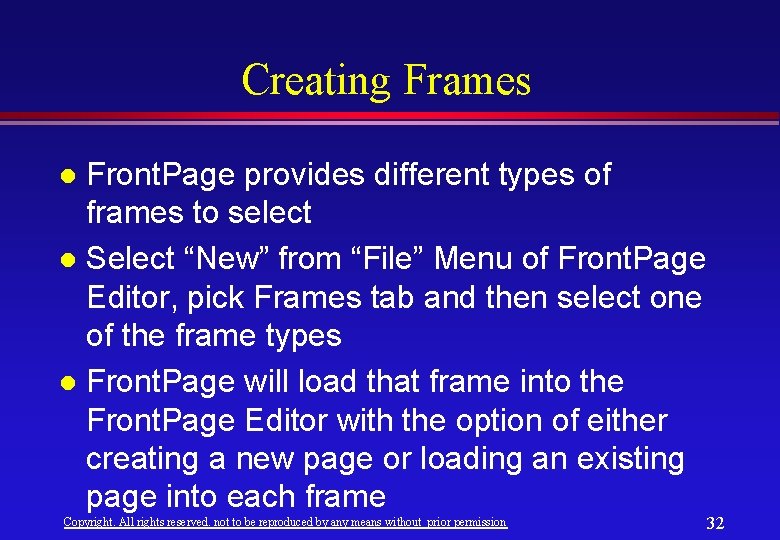
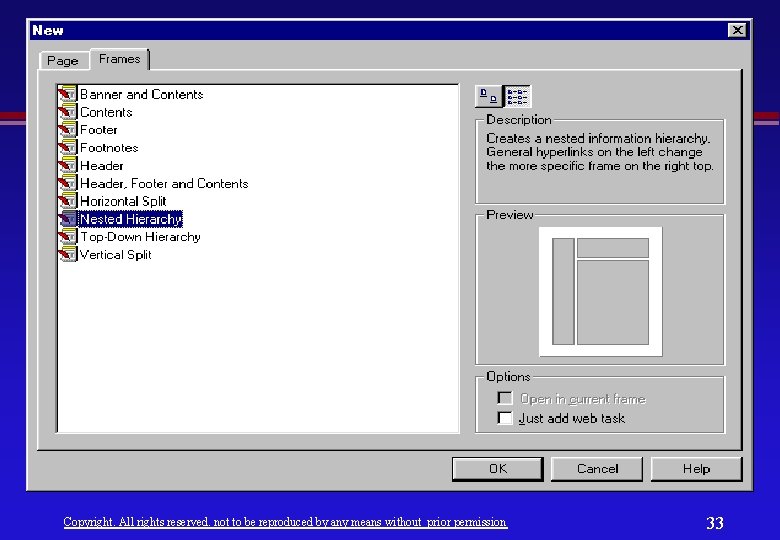
Creating Frames Front. Page provides different types of frames to select l Select “New” from “File” Menu of Front. Page Editor, pick Frames tab and then select one of the frame types l Front. Page will load that frame into the Front. Page Editor with the option of either creating a new page or loading an existing page into each frame l Copyright. All rights reserved. not to be reproduced by any means without prior permission 32
Copyright. All rights reserved. not to be reproduced by any means without prior permission 33
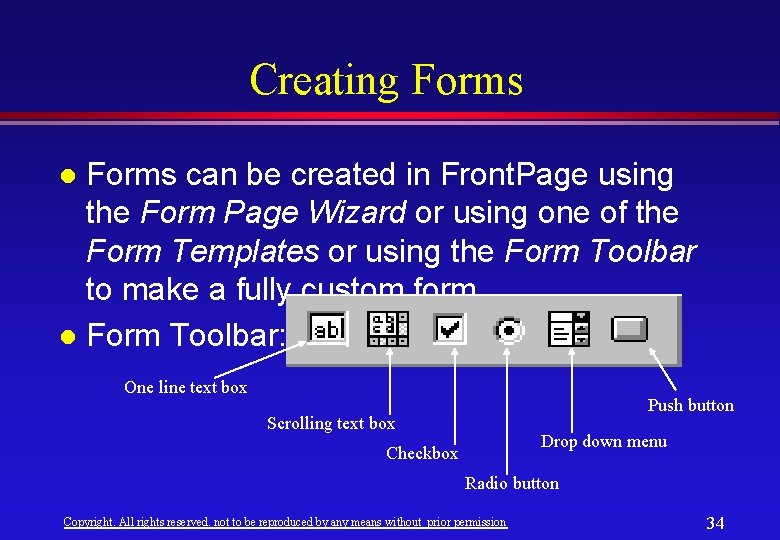
Creating Forms can be created in Front. Page using the Form Page Wizard or using one of the Form Templates or using the Form Toolbar to make a fully custom form. l Form Toolbar: l One line text box Push button Scrolling text box Drop down menu Checkbox Radio button Copyright. All rights reserved. not to be reproduced by any means without prior permission 34
Advanced Web Authoring Features Themes l Navigation Bars l Shared Borders l Miscellaneous Features l Copyright. All rights reserved. not to be reproduced by any means without prior permission 35
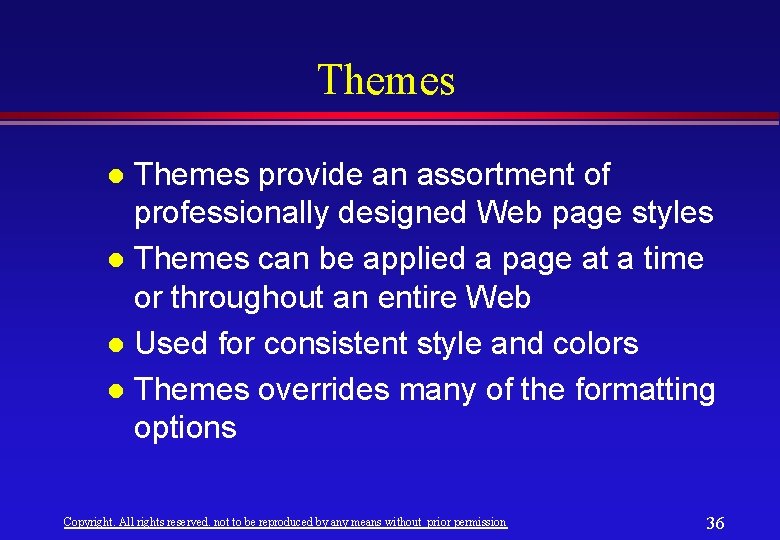
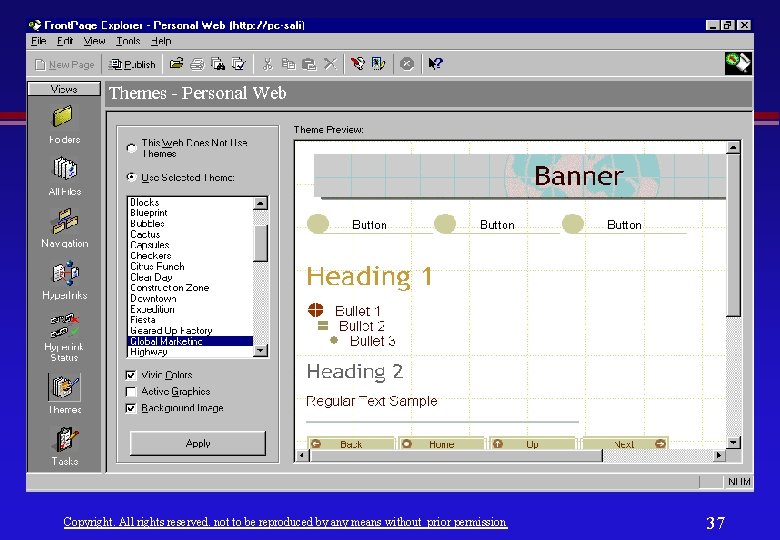
Themes provide an assortment of professionally designed Web page styles l Themes can be applied a page at a time or throughout an entire Web l Used for consistent style and colors l Themes overrides many of the formatting options l Copyright. All rights reserved. not to be reproduced by any means without prior permission 36
Copyright. All rights reserved. not to be reproduced by any means without prior permission 37
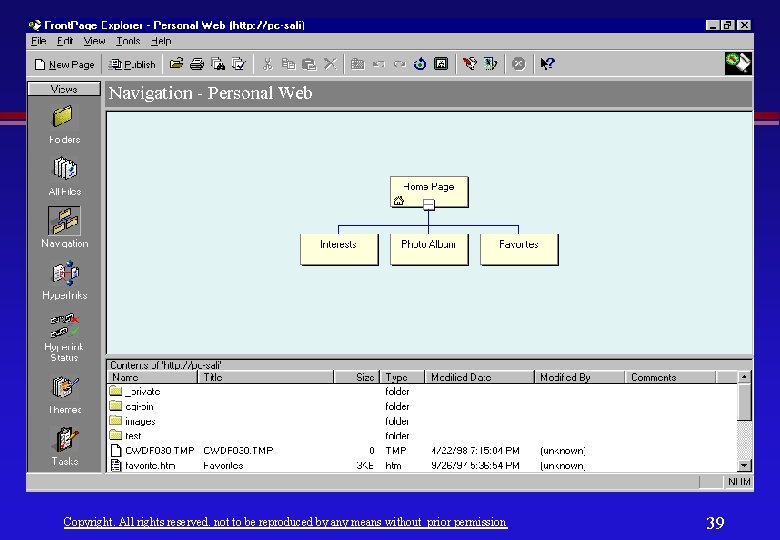
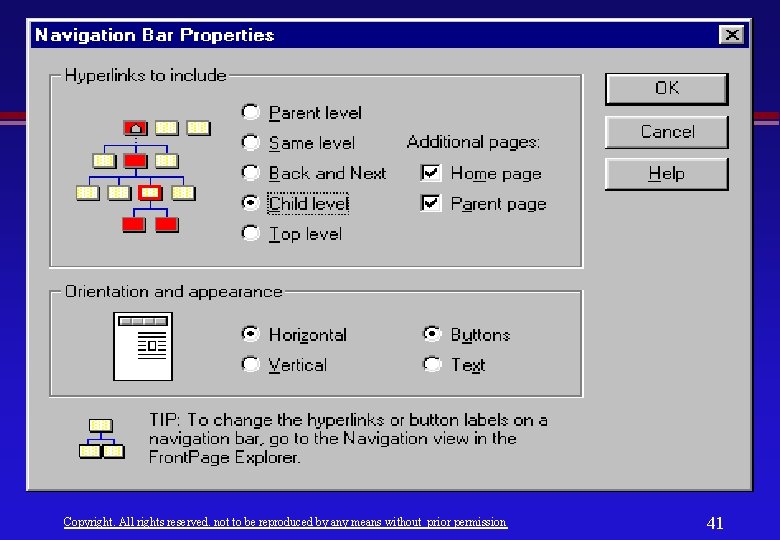
Navigation Bar Navigation bars uses the information in Navigation view to construct menu bars on individual pages, ensuring that the user’s view and the Navigation view are always in sync. l The content and appearance of navigation bars can be controlled through the property sheet. l Copyright. All rights reserved. not to be reproduced by any means without prior permission 38
Copyright. All rights reserved. not to be reproduced by any means without prior permission 39
Copyright. All rights reserved. not to be reproduced by any means without prior permission 40
Copyright. All rights reserved. not to be reproduced by any means without prior permission 41
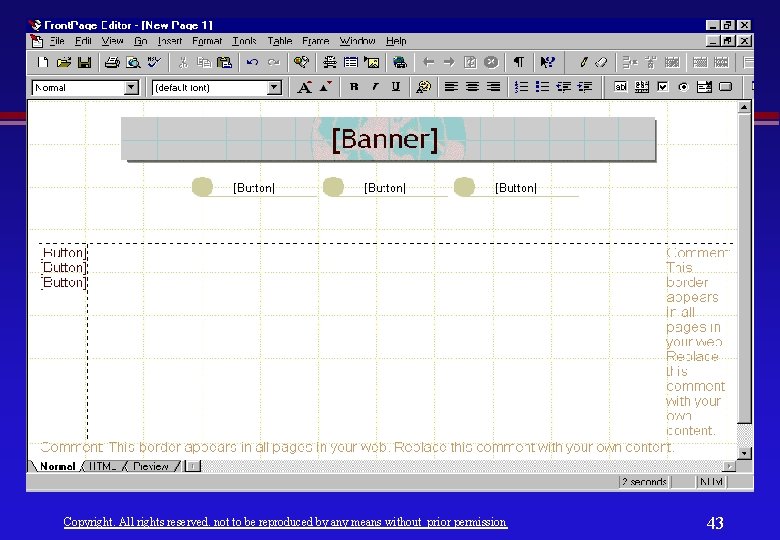
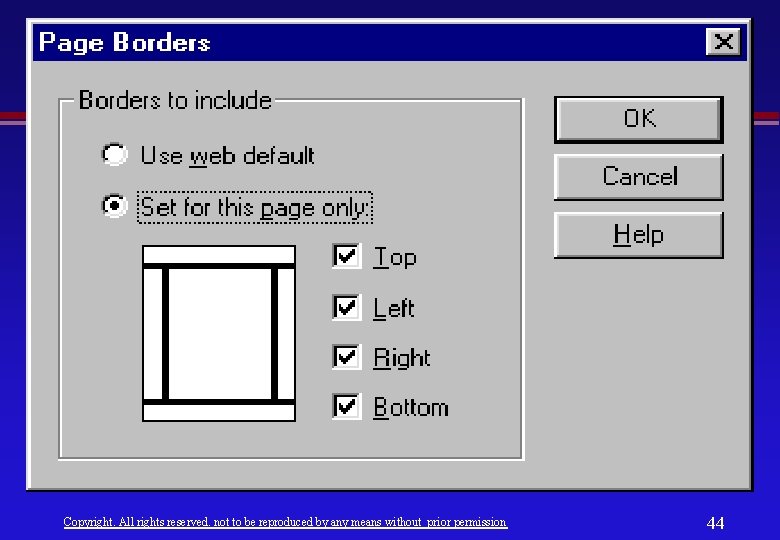
Shared Border l Shared borders » provide a facility for standardizing content and appearance across an entire Web. » provide a way to insert standard content at the top, bottom, left, or right edges of pages in the same Web. » can be applied at the Web level or at the individual page level. Copyright. All rights reserved. not to be reproduced by any means without prior permission 42
Copyright. All rights reserved. not to be reproduced by any means without prior permission 43
Copyright. All rights reserved. not to be reproduced by any means without prior permission 44
Miscellaneous Features Hit Counter l Hover Buttons l Timestamp l Banner ad Manager l Marquee l Others l Copyright. All rights reserved. not to be reproduced by any means without prior permission 45
Image Tools Microsoft Image Composer l Paint Shop Pro l Corel: l – Web Draw – Web Photo Paint l Animated GIF Tools » Corel Web Move » GIF Construction Set » Microsoft GIF Animator Copyright. All rights reserved. not to be reproduced by any means without prior permission 46
Being a Webmaster l Who is a webmaster? l Responsibilities » Collaboration » Advertising » Maintaining Web Contents up to date » Miscellaneous Copyright. All rights reserved. not to be reproduced by any means without prior permission 47
Who is a webmaster? l A Webmaster is the person who designs the overall structure of the web, implements it and administers its ongoing developments Copyright. All rights reserved. not to be reproduced by any means without prior permission 48
Responsibilities of a Webmaster Collaboration l Advertising l Maintaining Web Contents up to date l Miscellaneous l Copyright. All rights reserved. not to be reproduced by any means without prior permission 49
Collaboration l l l A good web site is constructed with the cooperation of all the concerned information providers, like individuals and departments, with the webmaster The information that a department wants to publish on the Intranet/Internet should be made available to the webmaster The webmaster is responsible for upholding any policies of an organization while publishing documents Copyright. All rights reserved. not to be reproduced by any means without prior permission 50
Advertising The webmaster is responsible for advertising the contents of the web site l Visitors should be able to find the required documents easily by using a search facility or catalog l New contents should also be linked to a page called “What’s New? ” dedicated for browsing new contents (this is particularly helpful for regular visitors) l Copyright. All rights reserved. not to be reproduced by any means without prior permission 51
Maintaining Web Contents Upto Date l l A web site looses its usefulness if its contents are not maintained up to date Among the continuously changing information are: » Calendar of events » Announcements » Newsletters » Product updates » Job opportunities » Bug fixes Copyright. All rights reserved. not to be reproduced by any means without prior permission 52
Miscellaneous Responsibilities Automating routine tasks l Making templates available for pages commonly required by large number of people or for standarization l Periodic hunting/fixing for dangling links l On-going effort in educating information providers l Security aspects l Copyright. All rights reserved. not to be reproduced by any means without prior permission 53
Advanced Web Contents Java Applets l Servlets l VRML Worlds l Java. Scripts/VBScript l Others l Copyright. All rights reserved. not to be reproduced by any means without prior permission 54
Advanced Web Contents (Cont’d) l Applets » Applets are compiled Java programs that are downloaded and executed on the client l Servlets » Servlets are server side equivalent of applets » Servlets are compiled Java programs that are executed on the server on request and return the results » As a replacement for CGI but with high performance » Platform independent » Provides security and safety Copyright. All rights reserved. not to be reproduced by any means without prior permission 55
Advanced Web Contents l Virtual Reality Modeling Language (VRML) » VRML is the tool for creating 3 D experiences on the WWW » Allows one to visualize his visions and make them available on the Web l Java. Script/VBScript » Java. Script is a programming language that allows scripting of event, objects and actions to create Internet applications Copyright. All rights reserved. not to be reproduced by any means without prior permission 56
Introduction to Java is an object-oriented programming language developed by Sun Microsystems in 1991. l James Gosling is the principal designer of Java. l Java is developed for the Internet with a heavy network centric view l Copyright. All rights reserved. not to be reproduced by any means without prior permission 57
Introduction to Java (Cont’d) l l Sun Microsystems originally developed Java as a language to control television boxes. Project began in 1991 and was referred to as the “Green” team headed by James Gosling. By the end of 1991, Gosling had a beta version called Oak. With the explosion of Internet and Web, the Green team realized that Oak can be used for programming Web applications. Copyright. All rights reserved. not to be reproduced by any means without prior permission 58
Introduction to Java (Cont’d) Java did not get much attention until it was paired with the WWW browser Hot. Java. l When Netscape incorporated Hot. Java’s ability in its own browser, Java really took off and started to generate much excitement. l In early 1995, the language was renamed as Java. l Copyright. All rights reserved. not to be reproduced by any means without prior permission 59
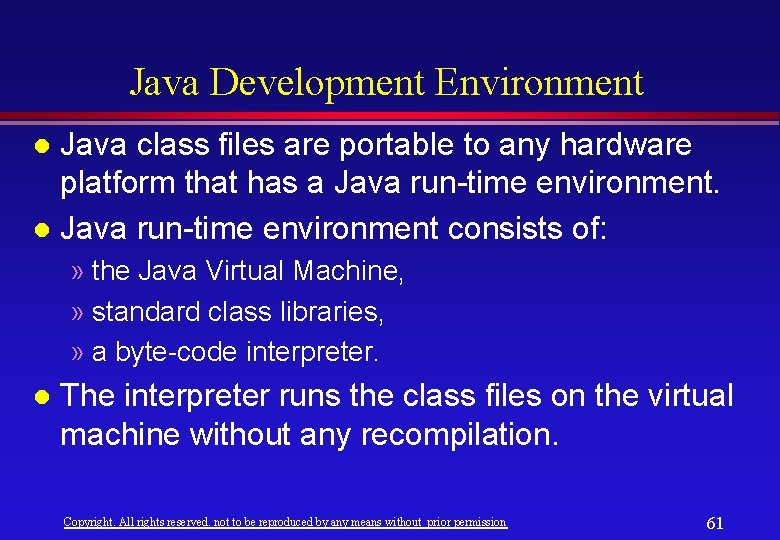
Java Development Environment Java compilers convert Java source code into class files of byte code. Java byte code is not specific to a particular microprocessor architecture. Its native architecture is the Java Virtual Machine. l Java transcends from being a language to that of a software platform because of the Java Virtual Machine. l Copyright. All rights reserved. not to be reproduced by any means without prior permission 60
Java Development Environment Java class files are portable to any hardware platform that has a Java run-time environment. l Java run-time environment consists of: l » the Java Virtual Machine, » standard class libraries, » a byte-code interpreter. l The interpreter runs the class files on the virtual machine without any recompilation. Copyright. All rights reserved. not to be reproduced by any means without prior permission 61
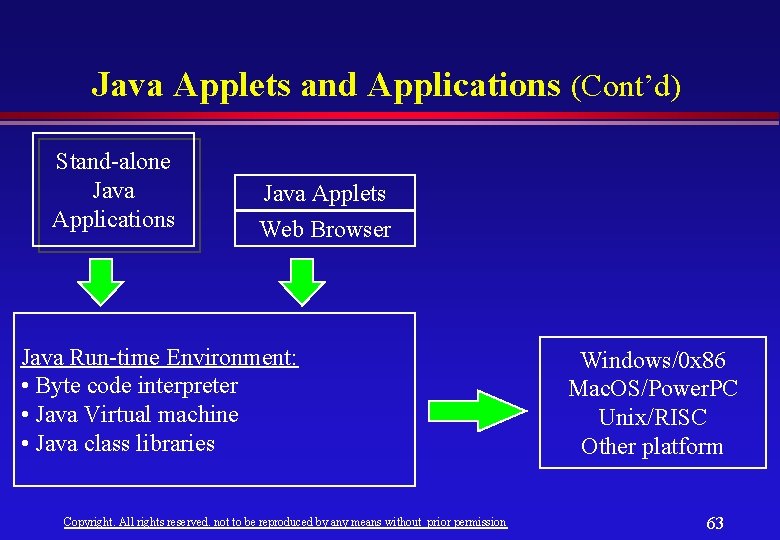
Java Applets and Applications Java applets are Java programs that run within a Java-enabled browser. A Javaenabled browser provides the Java runtime environment. l Java applications are standalone Java programs that can be run on any platform on which Java run-time environment is available. l Copyright. All rights reserved. not to be reproduced by any means without prior permission 62
Java Applets and Applications (Cont’d) Stand-alone Java Applications Java Applets Web Browser Java Run-time Environment: • Byte code interpreter • Java Virtual machine • Java class libraries Copyright. All rights reserved. not to be reproduced by any means without prior permission Windows/0 x 86 Mac. OS/Power. PC Unix/RISC Other platform 63
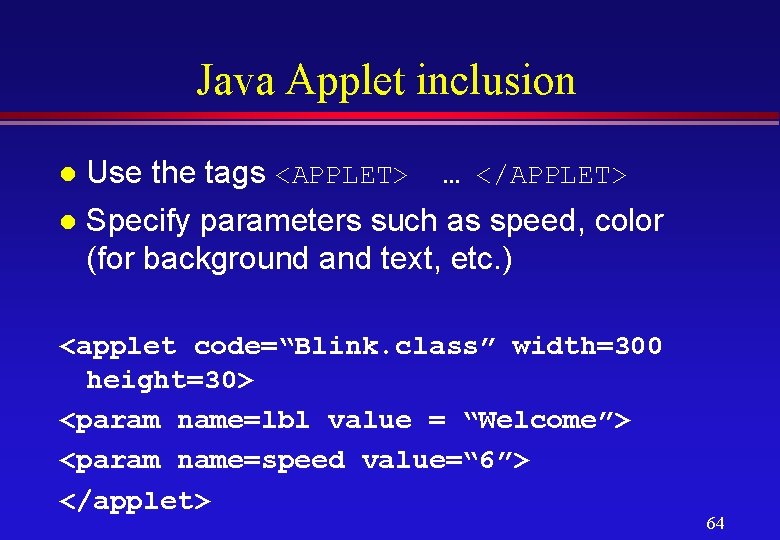
Java Applet inclusion Use the tags <APPLET> … </APPLET> l Specify parameters such as speed, color (for background and text, etc. ) l <applet code=“Blink. class” width=300 height=30> <param name=lbl value = “Welcome”> <param name=speed value=“ 6”> </applet> 64
Introduction to Scripting l In the context of the Web, the scripting languages extend the capabilities of the Web browser (client-side scripting) or the Web server (server-side scripting). Copyright. All rights reserved. not to be reproduced by any means without prior permission 65
Introduction to Scripting l Client-side scripting are normally used: » To provide improved user interface in the browser » To perform data validation » Make browsing interactive l Server-side scripting are normally used: » To implement business rules » To provide access to data (for example, databases) Copyright. All rights reserved. not to be reproduced by any means without prior permission 66
Introduction to Scripting (Cont’d) Examples: l Client-side scripting languages: » Java. Script » VBScript l Server-side scripting languages: » Netscape Live. Wire Script (Java. Script for Netscape servers) » VBScript Copyright. All rights reserved. not to be reproduced by any means without prior permission 67
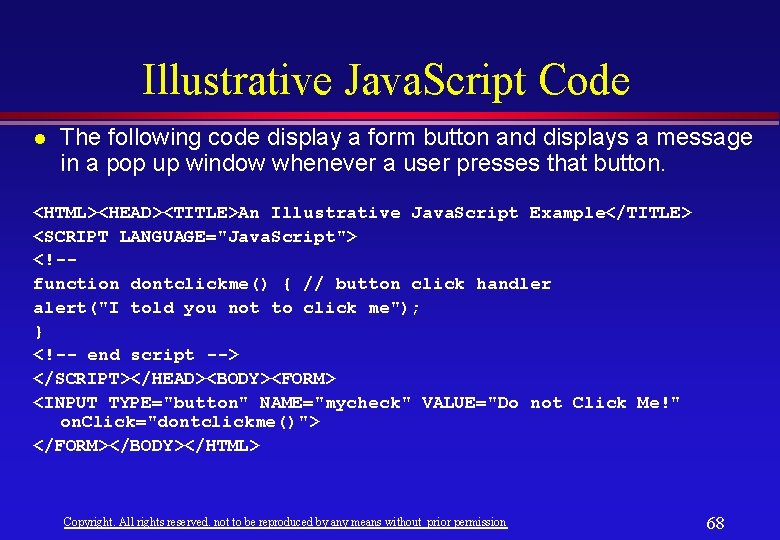
Illustrative Java. Script Code l The following code display a form button and displays a message in a pop up window whenever a user presses that button. <HTML><HEAD><TITLE>An Illustrative Java. Script Example</TITLE> <SCRIPT LANGUAGE="Java. Script"> <!-function dontclickme() { // button click handler alert("I told you not to click me"); } <!-- end script --> </SCRIPT></HEAD><BODY><FORM> <INPUT TYPE="button" NAME="mycheck" VALUE="Do not Click Me!" on. Click="dontclickme()"> </FORM></BODY></HTML> Copyright. All rights reserved. not to be reproduced by any means without prior permission 68
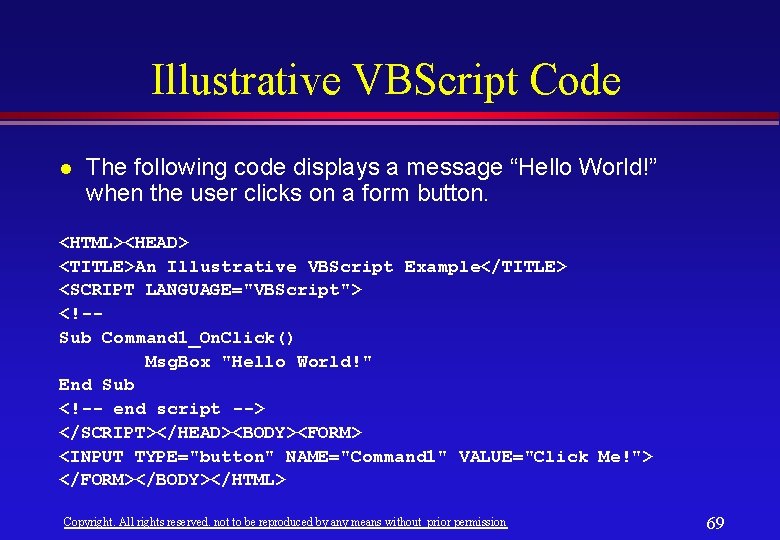
Illustrative VBScript Code l The following code displays a message “Hello World!” when the user clicks on a form button. <HTML><HEAD> <TITLE>An Illustrative VBScript Example</TITLE> <SCRIPT LANGUAGE="VBScript"> <!-Sub Command 1_On. Click() Msg. Box "Hello World!" End Sub <!-- end script --> </SCRIPT></HEAD><BODY><FORM> <INPUT TYPE="button" NAME="Command 1" VALUE="Click Me!"> </FORM></BODY></HTML> Copyright. All rights reserved. not to be reproduced by any means without prior permission 69
Summary of Appendix-A Web Authoring Tools - Front. Page 98 l Image Tools l Being a Webmaster l Advanced Web Contents l Copyright. All rights reserved. not to be reproduced by any means without prior permission 70
Appendix-B Electronic Commerce Copyright. All rights reserved. not to be reproduced by any means without prior permission 71
Objectives l In the following slides we will: Learn about E-Commerce and New Technologies such as: » Digital cash » Malls » Virtual Companies Learn how to build your Intranet for business Copyright. All rights reserved. not to be reproduced by any means without prior permission 72
Rationale l A recently published report by Ernst & Young entitled Internet Shopping reported that 41 percent of US households have computers, 20 percent are online, with 11 percent more planning to go online within the next twelve months, bringing the total up to 1 in 4 US households online. 32 percent of those online have purchased online with another 30 percent interested in web shopping. Computer products, books, travel, clothing and music are the most commonly purchased online products. Copyright. All rights reserved. not to be reproduced by any means without prior permission 73
Some Recent Statistics l l l USD 1. 2 Trillion in E-commerce by 2001 Over 320 million pages on WWW Sales Growth are attributed to the Internet Traditional Media is dying 24% of US Web users are online shoppers Copyright. All rights reserved. not to be reproduced by any means without prior permission 74
What is Electronic Commerce? Electronic commerce is using the networks to facilitate the selling and buying of goods and services and related activities involved in the transaction of business. l Big business has been conducting electronic commerce for several years using Electronic Data Interchange (EDI) l Copyright. All rights reserved. not to be reproduced by any means without prior permission 75
What is Electronic Commerce? Now wide scale electronic commerce over the Internet and the World Wide Web (WWW) is becoming possible. l Global electronic commerce and payments business on the Internet will reach $800 billion within five years. l An annual growth rate of 16 percent l Copyright. All rights reserved. not to be reproduced by any means without prior permission 76
Advantages Cut the cost of finding customers and suppliers l Expand trading areas from local to global l Speed the time it takes to purchase and receive goods and services l Pay for and receive goods as they are needed without having to rely on large inventories l Copyright. All rights reserved. not to be reproduced by any means without prior permission 77
Disadvantages The perception that transacting business is risky for both buyers and sellers l The lack of standards for digital money and other electronic payment systems l Copyright. All rights reserved. not to be reproduced by any means without prior permission 78
Conventional Electronic Commerce Online catalogs in hypertext format l Fax, telephony, imaging l Electronic orders l Copyright. All rights reserved. not to be reproduced by any means without prior permission 79
New Technologies Digital cash l Malls l Virtual companies l Copyright. All rights reserved. not to be reproduced by any means without prior permission 80
Cash l Characteristics: » Anonymity » Liquidity l Weaknesses » High risk of robbery » Expensive to store and move – $60 billion a year in USA for transportation Copyright. All rights reserved. not to be reproduced by any means without prior permission 81
Electronic Payments Agents: buyer, seller, intermediary l Steps l » buyer initiate transaction with the seller » seller demands payment » buyer obtains a certification from intermediary » buyer gives the certification to the seller » the seller gives the certification to intermediary Copyright. All rights reserved. not to be reproduced by any means without prior permission 82
Advantages of Electronic Fund Transfer Saved time l Reduced costs for paper handling l Flexibility l » ATM Copyright. All rights reserved. not to be reproduced by any means without prior permission 83
Disadvantages of Electronic Fund Transfer Non-anonymity l Low Liquidity l Copyright. All rights reserved. not to be reproduced by any means without prior permission 84
Prepaid Cards l Advantages » Anonymity » Security l Disadvantages » Liquidity Copyright. All rights reserved. not to be reproduced by any means without prior permission 85
Digital Cash l Steps » Withdrawal of the digital cash from client’s digicash account » Transfer of the digi-cash to client and storing it in an electronic format » Transfer of digi-cash from client to seller using Internet services (ftp, e-mail, . . ) » All transferred digit-cash should be encrypted Copyright. All rights reserved. not to be reproduced by any means without prior permission 86
Digital Cash l Advantages » Anonymity (cash) » Security (ETF) » Low risk of robbery (ETF) » Non Expensive to store and move (ETF) Copyright. All rights reserved. not to be reproduced by any means without prior permission 87
Digital Cash l Problems » Liquidity – more people should have access to the Internet » US. Export restrictions on advanced encrypted systems. Copyright. All rights reserved. not to be reproduced by any means without prior permission 88
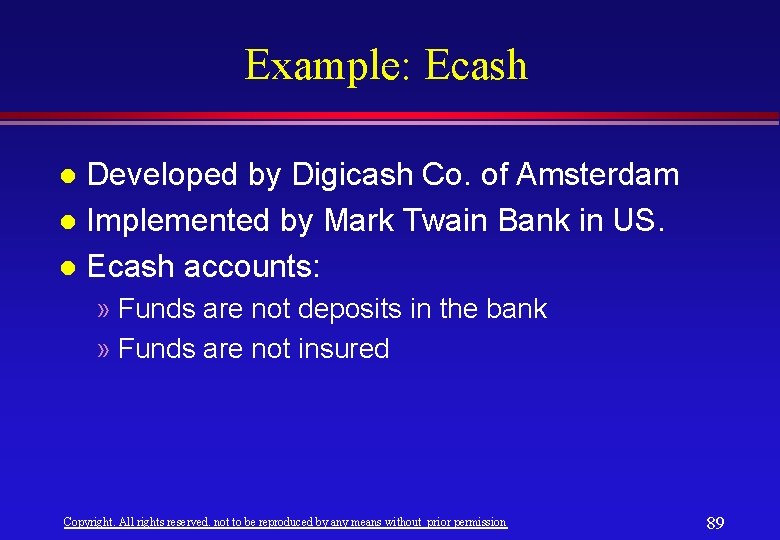
Example: Ecash Developed by Digicash Co. of Amsterdam l Implemented by Mark Twain Bank in US. l Ecash accounts: l » Funds are not deposits in the bank » Funds are not insured Copyright. All rights reserved. not to be reproduced by any means without prior permission 89
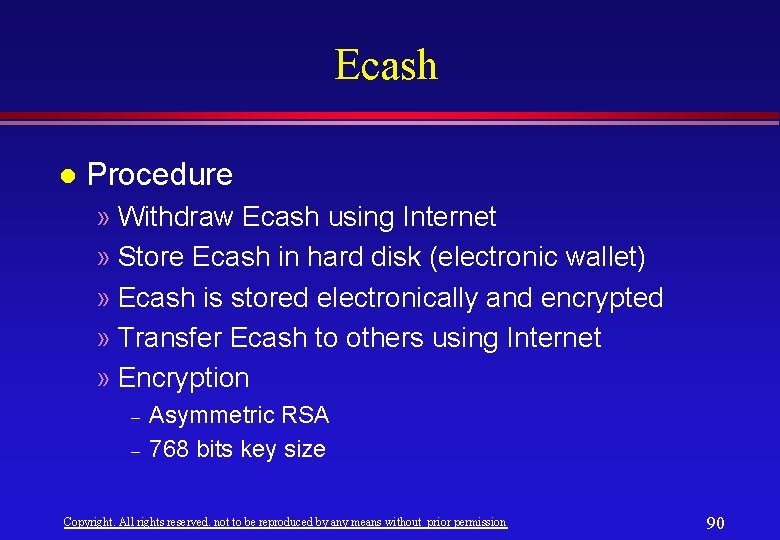
Ecash l Procedure » Withdraw Ecash using Internet » Store Ecash in hard disk (electronic wallet) » Ecash is stored electronically and encrypted » Transfer Ecash to others using Internet » Encryption – – Asymmetric RSA 768 bits key size Copyright. All rights reserved. not to be reproduced by any means without prior permission 90
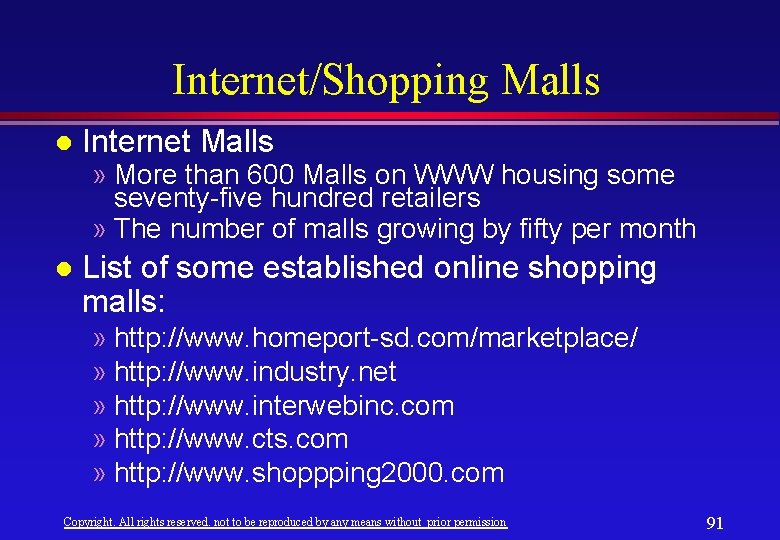
Internet/Shopping Malls l Internet Malls » More than 600 Malls on WWW housing some seventy-five hundred retailers » The number of malls growing by fifty per month l List of some established online shopping malls: » http: //www. homeport-sd. com/marketplace/ » http: //www. industry. net » http: //www. interwebinc. com » http: //www. cts. com » http: //www. shoppping 2000. com Copyright. All rights reserved. not to be reproduced by any means without prior permission 91
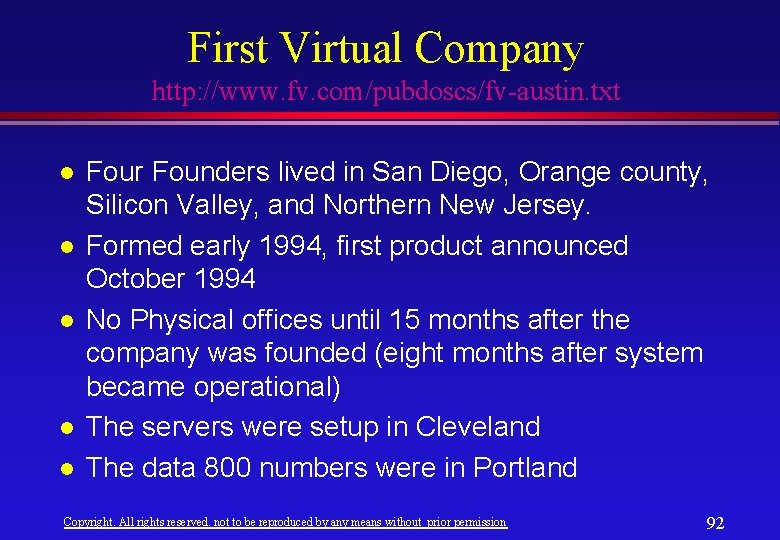
First Virtual Company http: //www. fv. com/pubdoscs/fv-austin. txt l l l Four Founders lived in San Diego, Orange county, Silicon Valley, and Northern New Jersey. Formed early 1994, first product announced October 1994 No Physical offices until 15 months after the company was founded (eight months after system became operational) The servers were setup in Cleveland The data 800 numbers were in Portland Copyright. All rights reserved. not to be reproduced by any means without prior permission 92
First Virtual Company l l The voice 800 numbers were in Oregon Marketing from Washington Public relations in San Diego Most of transactions, marketing, public relations, maintenance of machines are done through the Internet. Copyright. All rights reserved. not to be reproduced by any means without prior permission 93
Payment l Internet payment system » Intermediary payment system » Does not relay on encryption » Sensitive information (postal service) – – Credit card numbers, PIN numbers (buyer) Bank account (seller) » Non sensitive information (Internet) Copyright. All rights reserved. not to be reproduced by any means without prior permission 94
Payment l Steps » The buyer issues a transaction using Internet protocols (web pages, email, ftp , …) » The server check for the PIN number » An email message is sent to the buyer to confirm transaction » Transaction is initiated by the payment system Copyright. All rights reserved. not to be reproduced by any means without prior permission 95
Impacts l Velocity of money flow » credit cards (ETF) » Digi-cash l Evolutionary steps » gold coins to fiat currency » bills in wallet to electrons on hard disk l Interest rate margins » 40% of interest charged on loans is for branch delivery and management costs (Citicorp). Copyright. All rights reserved. not to be reproduced by any means without prior permission 96
Ambiguities Technological constraints l Institutional constraints l Financial institutions acceptance l Consumer acceptance l » about 100 merchants accepting Ecash as of Jan. 1, 1996 Copyright. All rights reserved. not to be reproduced by any means without prior permission 97