
Writing Lean Use Cases User Stories Name Scott

- Slides: 95
Writing Lean Use Cases / User Stories Name: Scott Mac. Kay Date: 4/3/18
My Background • Currently working for Daugherty Business Solutions – a privately owned consulting company • Industries: • Aerospace, Defense, Mining, Petroleum, Pharmaceuticals, Medicaid, Automated House Manufacturing, Employee Learning Management Systems, Retail Time & Attendance Systems, Utilities Work Order Dispatching & Tracking, Subscription Internet Access, Video, Email, and Security Systems • Competencies: • Business Architecture, Business Analysis, Project Management, Change Management, Business Requirements, Use Cases, User Stories, Wireframes, Use Case Models, Business Object Models, Workflows, and Lean Productivity Improvements. • Written 100 s of Use Cases and User Stories – started in the late 1990 s • Find me on Linked. In • Or on the internet (key words: Scott Mackay Consultant) Page 2 Scott. Mackay@daugherty. com
90 Recommended Prerequisites • Requirements Elicitation • Small workshops • Requirements Management • Analysis • Traceability • Visual Modeling • Context Diagrams • Business Object Models • Use Case Models • Workflows • Wireframe mock-ups Page 3
Presentation Goals • Pass on my experience - Share my approach and why I do things the way I do • Go deeper into the subject than anyone else has in a single session • Help you understand what is important and what is not – information that you will need to configure automated requirements & use case management tools This presentation will be made available to IIBA Atlanta Chapter Members on our website Page 4
Style of Presentation • This presentation is a condensed excerpt from a week long training program • Focus is on Use Cases & User Stories • Style in use assumes the audience is mostly “English as a 2 nd Language” • It is meant to also be used later as a reference document • There about 100 slides – it will take a while to cover all of this material (goal < 2 hrs) • Note that in the week long classroom version we would be building the documents as they are being introduced in the presentation Please feel free to ask questions Page 5
Where do we start? • Use Cases / User Stories should trace back to a Business Requirements Document (BRD) • The BRD should trace to the Business Problem(s) Being Resolved • Day 1 – write a clear statement of the business problem being resolved • It can be a single problem, a compound problem or list of problems • Important part is that you capture it • The problem statement is also the first step in defining the scope for a project For compound or lists of business problems to resolve, I prefer to have multiple BRDs, each focused on resolving an independent problem or a related set of problems. Page 6
Writing The BRD • BRDs are best written in a workshop environment with the business stakeholders • Brainstorm solutions for the business problems and then choose the best solutions • Define and prioritize the list as new business capabilities needed to implement the business solution • Write each BRQ using business requirements style. • Example of a BRQ: “Our sales persons need to be able to take a customer’s order, accept a credit card payment, and initiate an emailed receipt, while standing in the aisle by the product. ” A list of 1 to 15 business requirements is typical Page 7
Frame the Scope - Analysis • Work from the BRD to define the solution architecture and new business process • What is the new business process? • Who is affected? Are new roles created or old roles eliminated? • What hardware is affected? Is any added or eliminated? • What software is affected? Any new? Modified? Eliminated? • What are the business objects involved? Any new? Modified? Eliminated? The project will start to become clear Page 8
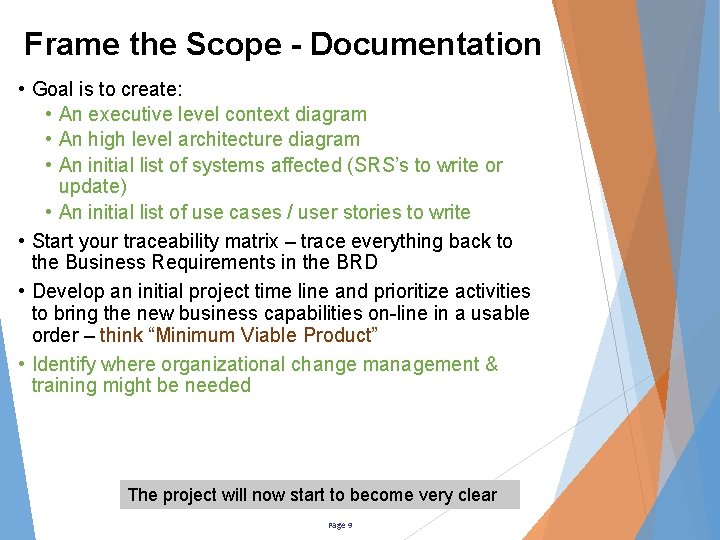
Frame the Scope - Documentation • Goal is to create: • An executive level context diagram • An high level architecture diagram • An initial list of systems affected (SRS’s to write or update) • An initial list of use cases / user stories to write • Start your traceability matrix – trace everything back to the Business Requirements in the BRD • Develop an initial project time line and prioritize activities to bring the new business capabilities on-line in a usable order – think “Minimum Viable Product” • Identify where organizational change management & training might be needed The project will now start to become very clear Page 9
Experience Note • Don’t go it alone! • Involve the team: • • • Product Owner / Subject Matter Expert Business Analyst (yourself) Solution Architect Quality Assurance Product Owner Change Manager Every piece is part of the whole Page 10
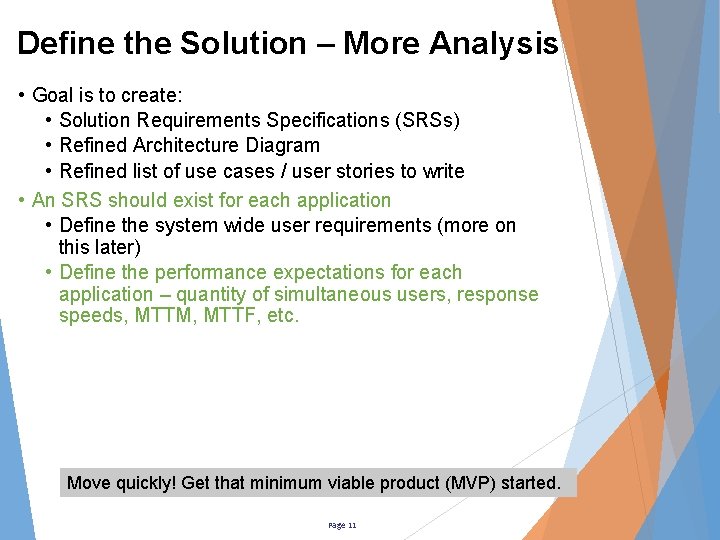
Define the Solution – More Analysis • Goal is to create: • Solution Requirements Specifications (SRSs) • Refined Architecture Diagram • Refined list of use cases / user stories to write • An SRS should exist for each application • Define the system wide user requirements (more on this later) • Define the performance expectations for each application – quantity of simultaneous users, response speeds, MTTM, MTTF, etc. Move quickly! Get that minimum viable product (MVP) started. Page 11
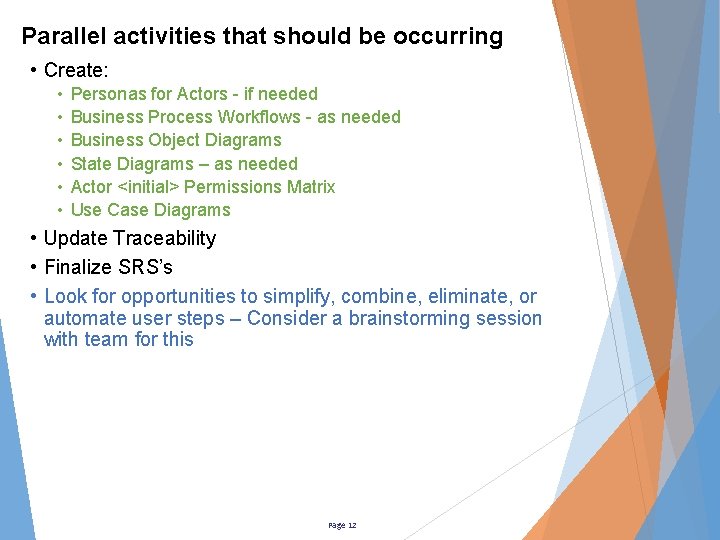
Parallel activities that should be occurring • Create: • • • Personas for Actors - if needed Business Process Workflows - as needed Business Object Diagrams State Diagrams – as needed Actor <initial> Permissions Matrix Use Case Diagrams • Update Traceability • Finalize SRS’s • Look for opportunities to simplify, combine, eliminate, or automate user steps – Consider a brainstorming session with team for this Page 12
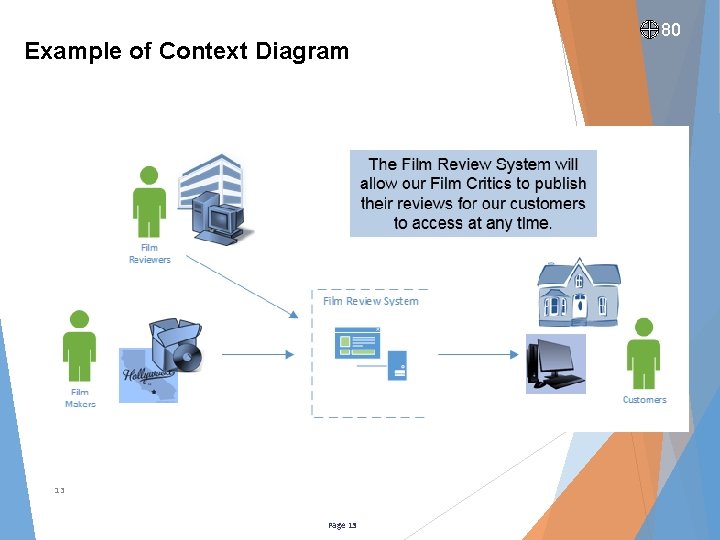
Example of Context Diagram 13 Page 13 80
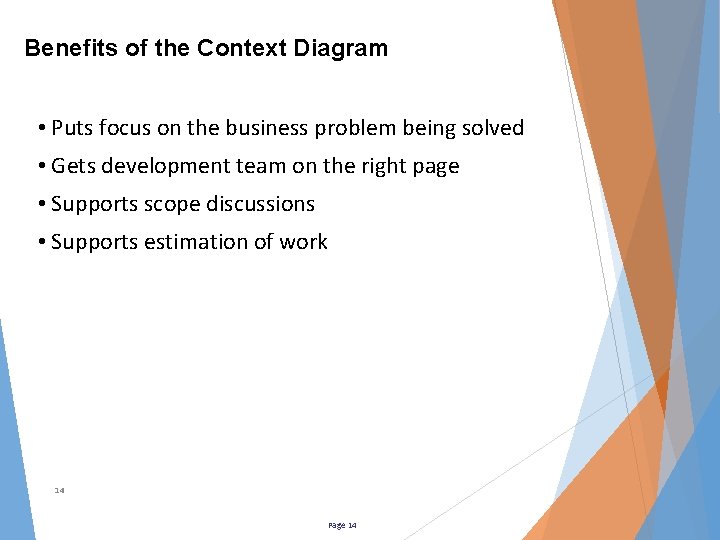
Benefits of the Context Diagram • Puts focus on the business problem being solved • Gets development team on the right page • Supports scope discussions • Supports estimation of work 14 Page 14
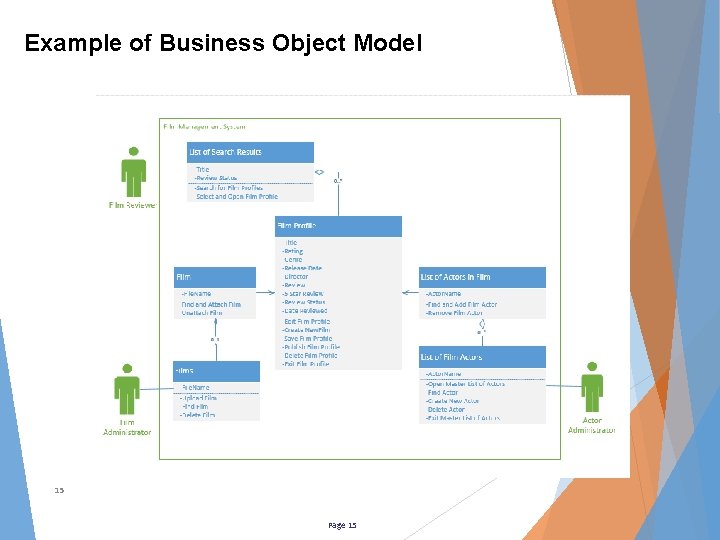
Example of Business Object Model 15 Page 15
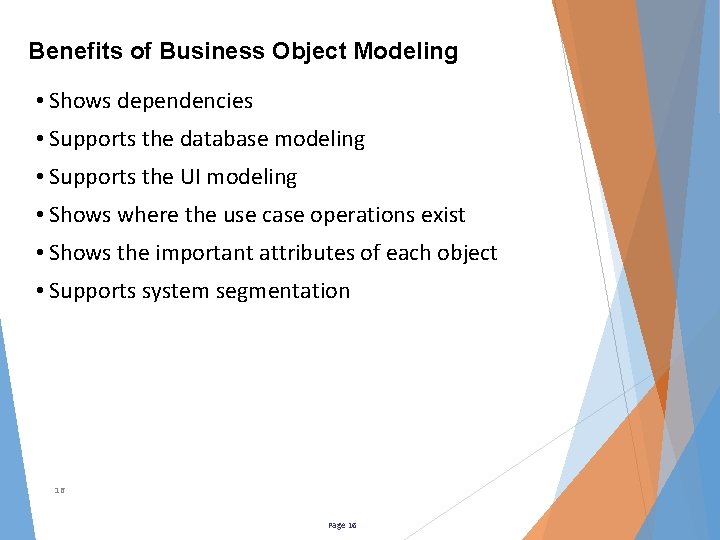
Benefits of Business Object Modeling • Shows dependencies • Supports the database modeling • Supports the UI modeling • Shows where the use case operations exist • Shows the important attributes of each object • Supports system segmentation 16 Page 16
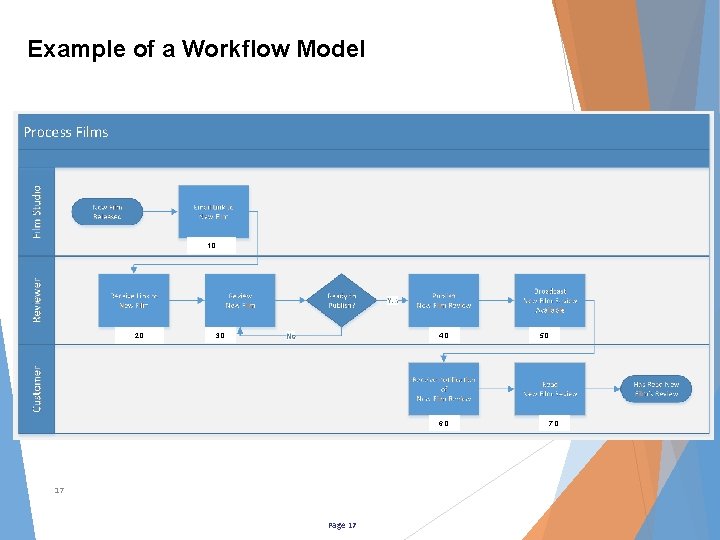
Example of a Workflow Model 1. 0 2. 0 3. 0 4. 0 6. 0 17 Page 17 5. 0 7. 0
Benefits of Workflow Modeling • Activities are exposed to: • Identify what is part of or not part of the system (scope) • Depict the one best way to perform the work • Help determine what can be automated • Contrast current and future processes • Support discussion about the process 18 Page 18
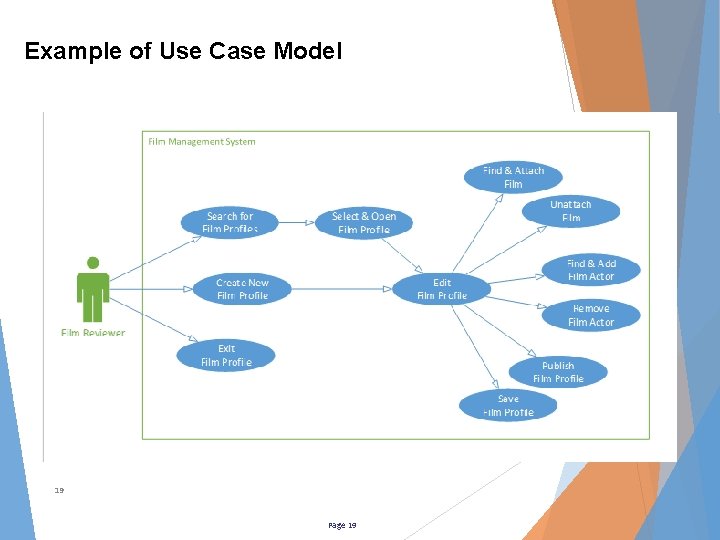
Example of Use Case Model 19 Page 19
Benefits of Use Case Modeling • Helps identify missing scope • Clarifies scope • Shows dependencies • Supports estimation • Supports system segmentation • Supports project planning (and sprint 0) 20 Page 20
Experience Note • It is a rare thing to identify all of the use cases at this point • Thoroughness will reveal most of them • Finding all (perfection) can be time consuming • Knowing you have found all can be impossible • As you dig deeper, you might find: • Some use cases are not needed • Some use cases need to be divided into multiples • Some use cases need to be combined into one • Expect changes to your object and use case models • You will discover things that were not obvious the first time • Your users will discover things that they had not thought of previously Take time at this stage to analyze your requirements data for places to eliminate, combine & simplify – Be thinking about the minimum viable product (MVP) Page 21
The Big Picture Requirements Business Requirements Document (BRD) – executive level list of desired new business capabilities Solution Requirements Specifications (SRS) – What each solution application must do do Use Case (UC) / User Story (US) – What a Use Case (UC) / feature must do User Story (US) – What a Use Case (UC) / User feature must do User Story (US) – What a feature must do Requirements User Story (US) – What a feature must do Use Case (UC) / – What a feature must do User Story (US) – feature must do What a feature must do Designs Architecture & Designs – Decisions on how the application will be built to meet the requirements Product Software Code Complex products can require multiple SRS’s – Plan for one SRS and one Use Case / User Story Set per Application Page 22
70 What is a Use Case? • The accepted definition in the requirements world is “a specific use of a product” • It is generally limited to one operation on one business object (be lean!) • It can cover a series of operations • It can cover several business objects • Use Case Examples: • Sign In • Create Customer Account Page 23
What is a Use Case? • “Uses” are operations that will be occurring repeatedly • It is always an action to accomplish a result • It is usually a sequence of actions (a scenario) • “Each use case should do one thing well” – per Alistair Cockburn • A complex product can have hundreds of use cases • Learn to write them quickly and collaboratively • Write only the ones that are needed to build the product Many use cases are simply not needed Page 24
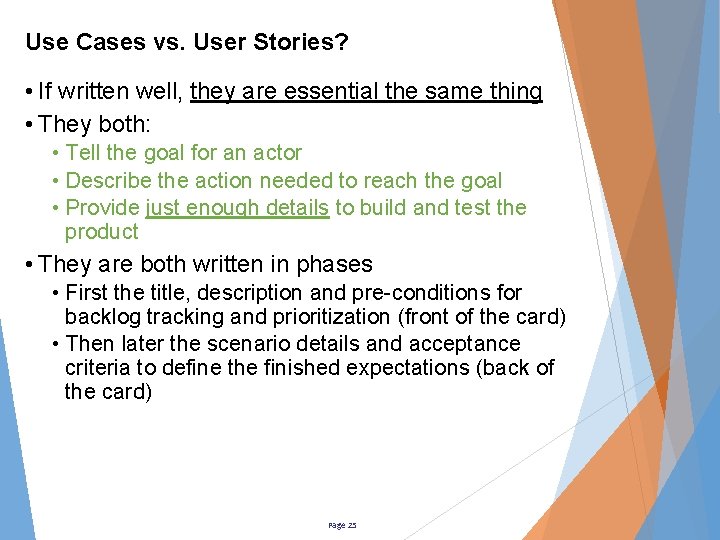
Use Cases vs. User Stories? • If written well, they are essential the same thing • They both: • Tell the goal for an actor • Describe the action needed to reach the goal • Provide just enough details to build and test the product • They are both written in phases • First the title, description and pre-conditions for backlog tracking and prioritization (front of the card) • Then later the scenario details and acceptance criteria to define the finished expectations (back of the card) Page 25
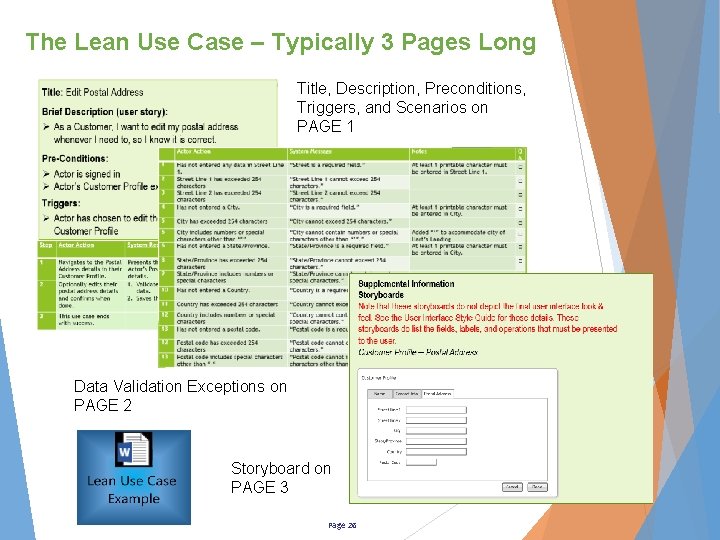
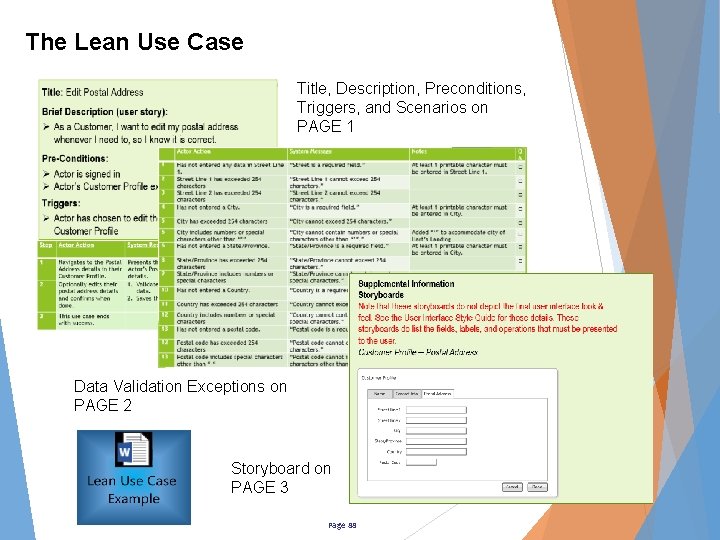
The Lean Use Case – Typically 3 Pages Long Title, Description, Preconditions, Triggers, and Scenarios on PAGE 1 Data Validation Exceptions on PAGE 2 Storyboard on PAGE 3 Page 26
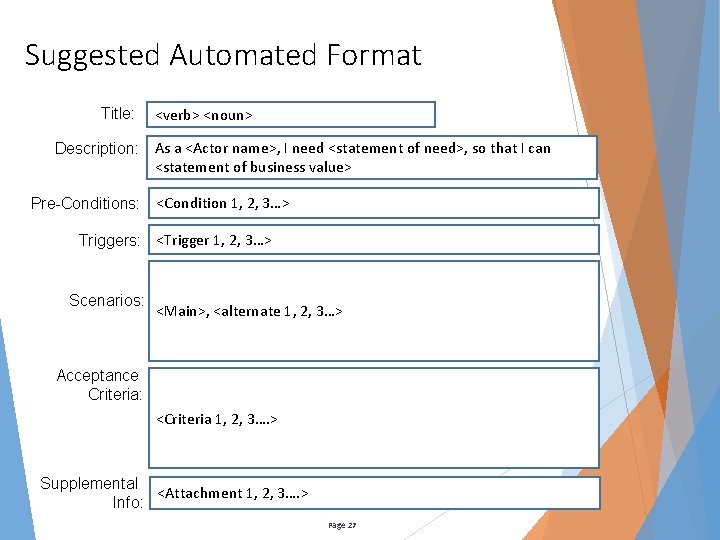
Suggested Automated Format Title: <verb> <noun> Description: As a <Actor name>, I need <statement of need>, so that I can <statement of business value> Pre-Conditions: <Condition 1, 2, 3…> Triggers: <Trigger 1, 2, 3…> Scenarios: <Main>, <alternate 1, 2, 3…> Acceptance Criteria: <Criteria 1, 2, 3…. > Supplemental <Attachment 1, 2, 3…. > Info: Page 27
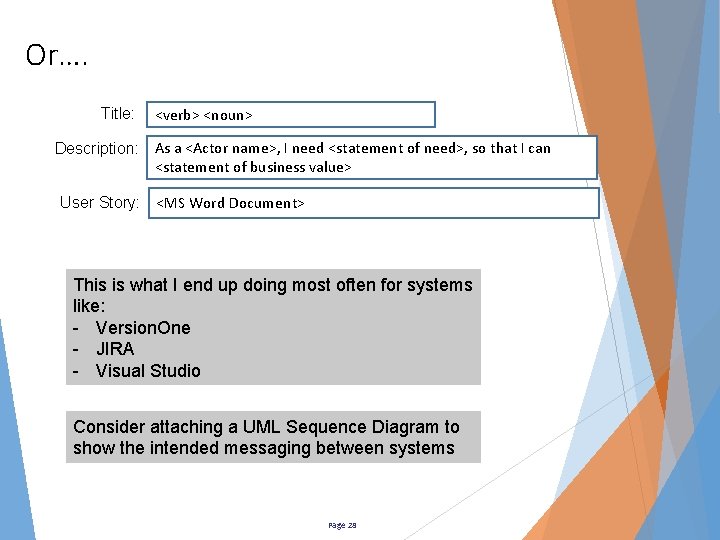
Or…. Title: <verb> <noun> Description: As a <Actor name>, I need <statement of need>, so that I can <statement of business value> User Story: <MS Word Document> This is what I end up doing most often for systems like: - Version. One - JIRA - Visual Studio Consider attaching a UML Sequence Diagram to show the intended messaging between systems Page 28
Why Create the Use Cases? • Use cases provide an easy way to see the business processes from the user’s point of view • They show the one best way vs. just any way that works • Use cases contain all of the “front end” effort that is needed to get a product design started – they are not extra work! • They also contain: • The business’s formulas • Business rules • Data validations The “One Best Way” is a key component for high usability and user productivity. Page 29
Why Create the Use Cases? • Use cases become highly valuable when working in dispersed teams with parallel efforts • They are the basis for: • User manuals • On-line help • Built-in help • Test scripts • User acceptance testing • Call center support • More? • Use cases contain the “acceptance criteria” to support Test Driven Development (TDD) – one of the best lean techniques for software development Test driven development yields faster code that is essentially defect free the first time Page 30
Which Use Cases are needed (CRUD)? • Delete? – only three scenarios really exist • Delete with no undo • Delete but allow undo • Delete but warn me first • Describe these delete scenarios in your SRS • View? – isn’t it just the Edit but read only? • Create? - isn’t it just the Edit but the first time? So… 75% of the use cases some people write can be eliminated right at the start Page 31 CRUD: • Create • Read • Update • Delete
Which Use Cases are needed (Epics)? • Epics are often just a set of lower level use cases being combined to tell a workflow story as a higher level use case • Example: “Shop On-Line” Epic Use Case contains: • • Sign In Find Products Add Product to Shopping Cart Check Out Review Cart Contents & Pricing Choose Shipping Method Pay Invoice Sign Out • Epics are better depicted as process workflows showing how the lower level use cases chain together So… another group of the use cases some people write can be eliminated Page 32
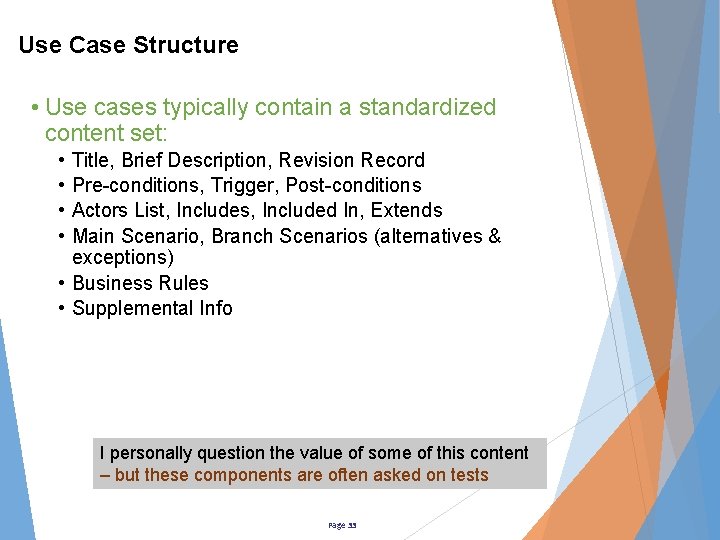
Use Case Structure • Use cases typically contain a standardized content set: • • Title, Brief Description, Revision Record Pre-conditions, Trigger, Post-conditions Actors List, Includes, Included In, Extends Main Scenario, Branch Scenarios (alternatives & exceptions) • Business Rules • Supplemental Info I personally question the value of some of this content – but these components are often asked on tests Page 33
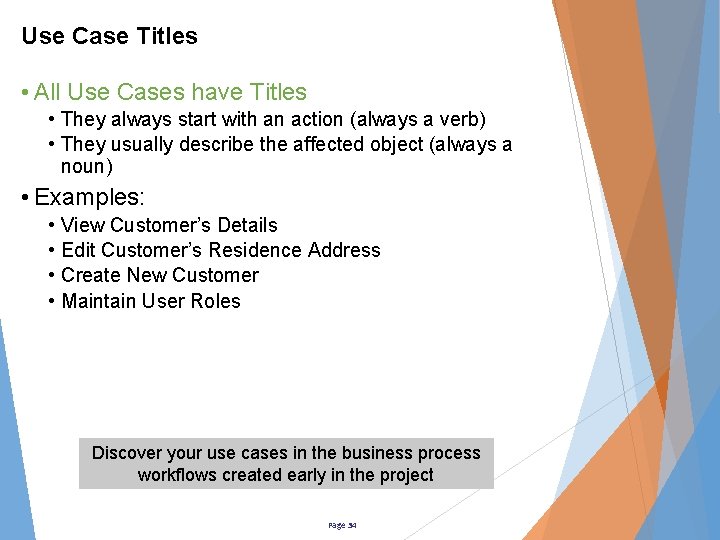
Use Case Titles • All Use Cases have Titles • They always start with an action (always a verb) • They usually describe the affected object (always a noun) • Examples: • • View Customer’s Details Edit Customer’s Residence Address Create New Customer Maintain User Roles Discover your use cases in the business process workflows created early in the project Page 34
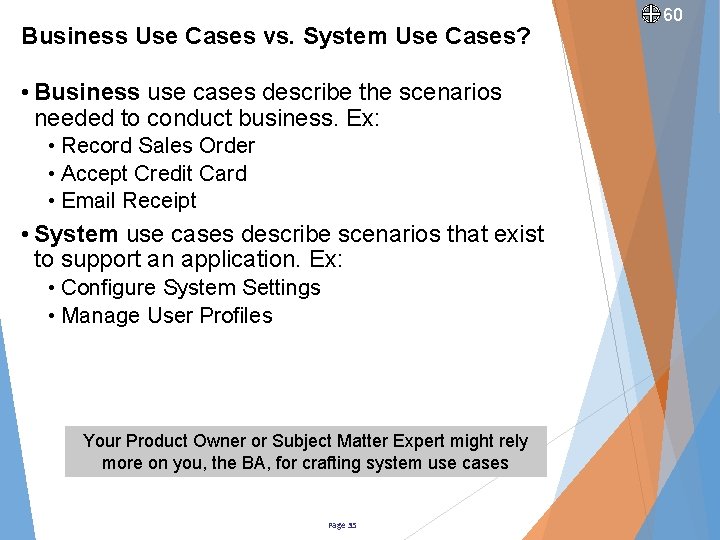
Business Use Cases vs. System Use Cases? • Business use cases describe the scenarios needed to conduct business. Ex: • Record Sales Order • Accept Credit Card • Email Receipt • System use cases describe scenarios that exist to support an application. Ex: • Configure System Settings • Manage User Profiles Your Product Owner or Subject Matter Expert might rely more on you, the BA, for crafting system use cases Page 35 60
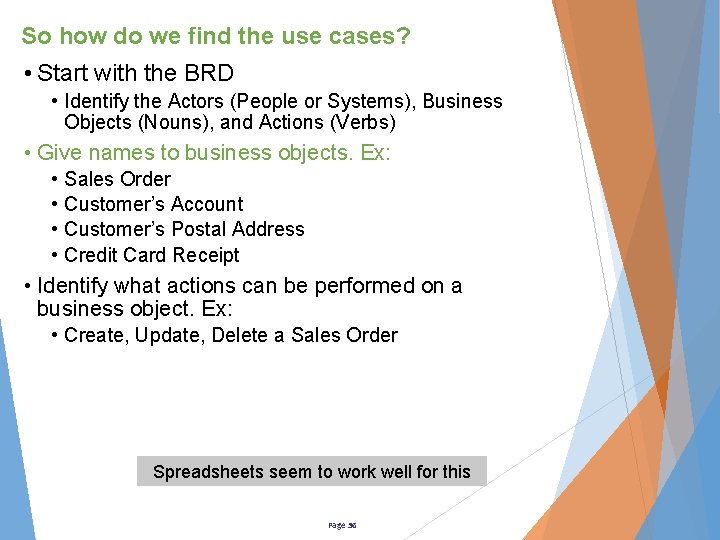
So how do we find the use cases? • Start with the BRD • Identify the Actors (People or Systems), Business Objects (Nouns), and Actions (Verbs) • Give names to business objects. Ex: • • Sales Order Customer’s Account Customer’s Postal Address Credit Card Receipt • Identify what actions can be performed on a business object. Ex: • Create, Update, Delete a Sales Order Spreadsheets seem to work well for this Page 36
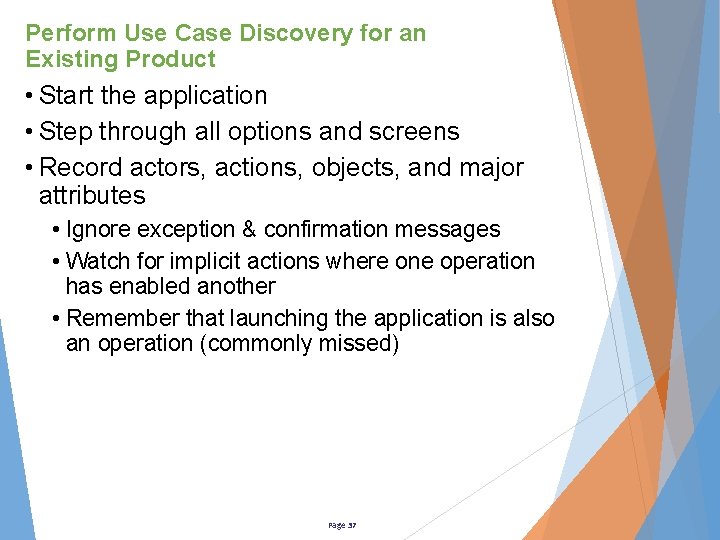
Perform Use Case Discovery for an Existing Product • Start the application • Step through all options and screens • Record actors, actions, objects, and major attributes • Ignore exception & confirmation messages • Watch for implicit actions where one operation has enabled another • Remember that launching the application is also an operation (commonly missed) Page 37
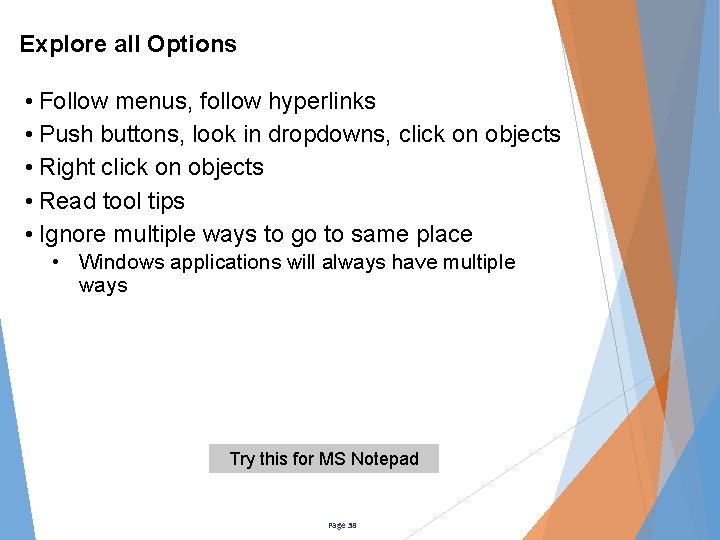
Explore all Options • Follow menus, follow hyperlinks • Push buttons, look in dropdowns, click on objects • Right click on objects • Read tool tips • Ignore multiple ways to go to same place • Windows applications will always have multiple ways Try this for MS Notepad Page 38
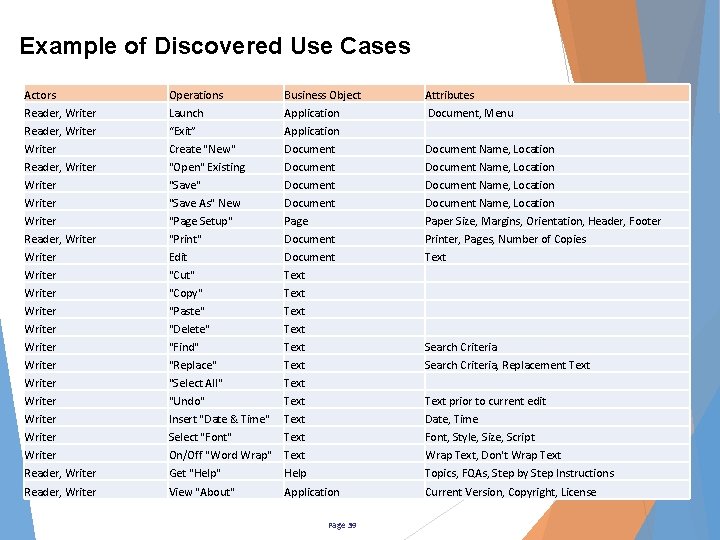
Example of Discovered Use Cases Actors Reader, Writer Writer Operations Launch “Exit” Create "New" "Open" Existing "Save" "Save As" New "Page Setup" Business Object Application Document Page Attributes Document, Menu Document Name, Location Paper Size, Margins, Orientation, Header, Footer Reader, Writer Writer Writer Writer Reader, Writer "Print" Edit "Cut" "Copy" "Paste" "Delete" "Find" "Replace" "Select All" "Undo" Insert "Date & Time" Select "Font" On/Off "Word Wrap" Get "Help" Document Text Text Text Help Printer, Pages, Number of Copies Text Search Criteria, Replacement Text prior to current edit Date, Time Font, Style, Size, Script Wrap Text, Don't Wrap Text Topics, FQAs, Step by Step Instructions Reader, Writer View "About" Application Current Version, Copyright, License Page 39
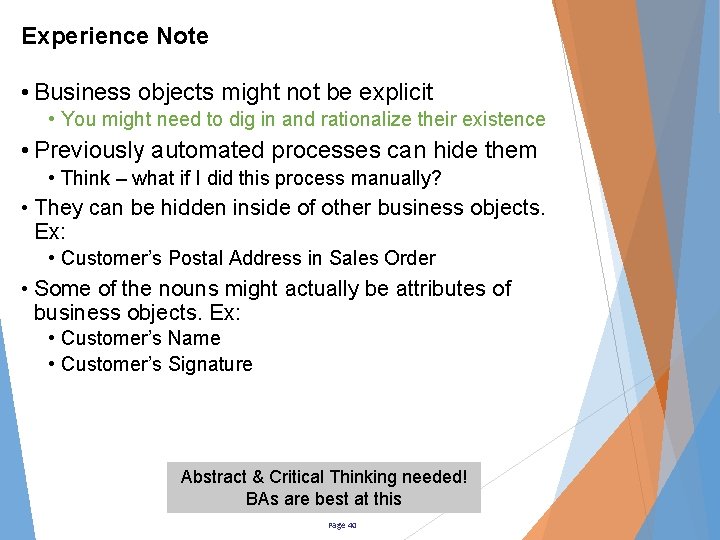
Experience Note • Business objects might not be explicit • You might need to dig in and rationalize their existence • Previously automated processes can hide them • Think – what if I did this process manually? • They can be hidden inside of other business objects. Ex: • Customer’s Postal Address in Sales Order • Some of the nouns might actually be attributes of business objects. Ex: • Customer’s Name • Customer’s Signature Abstract & Critical Thinking needed! BAs are best at this Page 40
Make List of Titles • Titles should be short, start with an action verb, and include affected business object. • Examples: • • Start Sales Order Agree on Sale Take Credit Card Email Receipt Use Case / User Story Backlog becomes clearer Page 41
Create a brief description for each use case • Write a brief description (abstract) of what the use case / user story does • Role of the actor • Goal of the actor • Value provided to the business • Example (View Customer Details): • “As a Customer, I want to be able to manage my profile, so I can assure it is accurate as changes occur in my life. ” • As an <actor role>, I need to <do something>, which provides <value provided to the business/actor> Write your brief description after validating that the use case is actually needed in the future state process Page 42
Table of Contents? • It exists in most popular use case templates • It probably does not add value • It does give a more formal structure to the document • But, it is another thing to synchronize after edits • And, it infers a long document which is contrary to the goal of writing lean use cases that are simple and concise! I don’t recommend using a table of contents – your use cases should be only a few pages long Page 43
Use Case Relationships? • Some books say you should document the relationships to other use cases: • Includes • Included in • Extends • These are essentially pointing to where the use cases fit in the future state process workflow • Is this data really needed in the use case? – or is it redundant • Does it add enough value to justify the extra work to include and maintain? I believe that this information is better depicted in a process workflow – simplify, put data in one place and point to it Page 44
50 “Extends” Use Case? • Some books say “Extends” is a special relationship that adds additional features to an existing use case • Popular example is the scenario for the advanced users verses the novice users • Rather than creating an “Extends” use case: • Create an alternative flow for that actor’s goal, or… • Create a separate use case for that actor • Think, if it's really permissions based, add it to your permissions matrix and write one use case for an actor who has all permissions I have never needed an “extends” use case Page 45
Why Track Revisions? • The Revision Record tells the status of your use case, which changes are included, and when changes were added – multiple deployed configurations might exist • The revision record can also track who directed a change to be made or why a change was made (or trace back to the business requirement) • Added value? The Jury is out deliberating this I will use a revision record if I think the project will need that level of formality or CYA – otherwise I let the file date do the work and show revisions as strikeouts for deletions and red font for additions Page 46
Actors List? • The List of Actors is common - but adds low value • Best practice is to include only the most significant actor and assume they have all permissions • Yes, other actors do the same actions but they rarely will do them differently • It is more likely that other actors might have additional data access / edit privileges – which should be handled through permissions • Permissions are best listed in a spreadsheet by role So. . This is another simplification – put actors list in the roles/permissions spreadsheet, not in the use cases – simplify, put data in one place and point to it as needed Page 47
Pre-Conditions & Trigger • Writing the Pre-Conditions • What triggered the Actor to come here? • What must happen first before this use case will work? • Which other use cases need to be touched to make this one work? • Think of yourself as a help desk troubleshooter: • Are they signed in? • Did they create an account? • Do they have permissions? This data is also needed to prioritize the project – unless you have an easy work-around, implementing the pre-condition use cases first is usually best Page 48
Post-Conditions? • Write the Post-Conditions • What has changed after the use case was successfully completed by the actor? • Example: • “Actor has viewed and optionally edited their account information” • Personally, I don’t see big value in the post conditions so I often ignore them • The actor either reached their goal or did not – that story is already described in the scenarios Be lean – don’t do work that does not add value to the product – eliminate waste Page 49
Front Side of the User Story Card • These parts of the use case are essentially the same as the front side of a user story card: • Title & Brief Description • Pre-Conditions & Trigger • These are also the parts that need to be determined early in a project • They support prioritization and rough estimation of the work Be lean – don’t continue with filling in more of your use case details until just prior to needing it – decide as late as possible Page 50
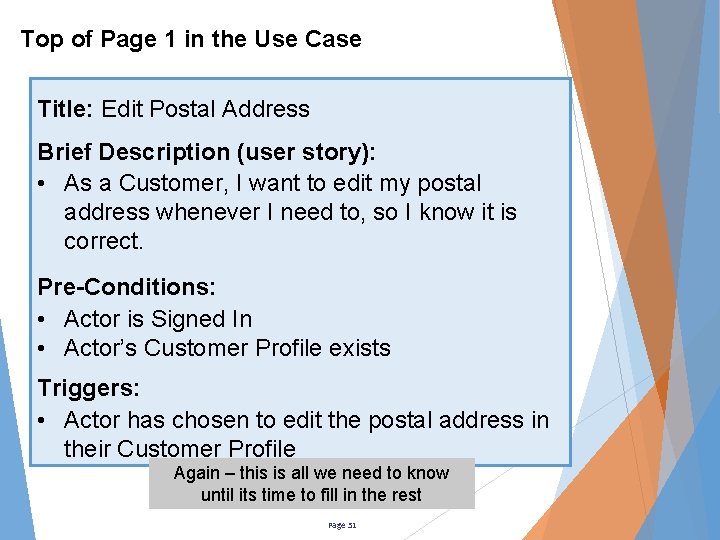
Top of Page 1 in the Use Case Title: Edit Postal Address Brief Description (user story): • As a Customer, I want to edit my postal address whenever I need to, so I know it is correct. Pre-Conditions: • Actor is Signed In • Actor’s Customer Profile exists Triggers: • Actor has chosen to edit the postal address in their Customer Profile Again – this is all we need to know until its time to fill in the rest Page 51
Experience Note • Don’t start writing your scenarios until you have agreement with the planned UX/UI approach documented in your SRS • Will features be grayed out or hidden based on • • • permissions? Will data be saved on tabbing or wait until “save” is initiated by actor? – extra step to save? Will there be an undo? - How many actions back? Will next step be disabled until all required data is entered or will we let the Actor try to proceed and then stop them? - extra steps to proceed? Will validation errors use embedded messages or popups? – extra step to dismiss message? Will potential errors be avoided by silent filtering of input data or will error handling user feedback be developed? – extra work to say “You must enter two digits after the decimal place”. Save yourself a lot of refactoring – get agreement up front – document these as global functional requirements or usability rules in your SRS Page 52
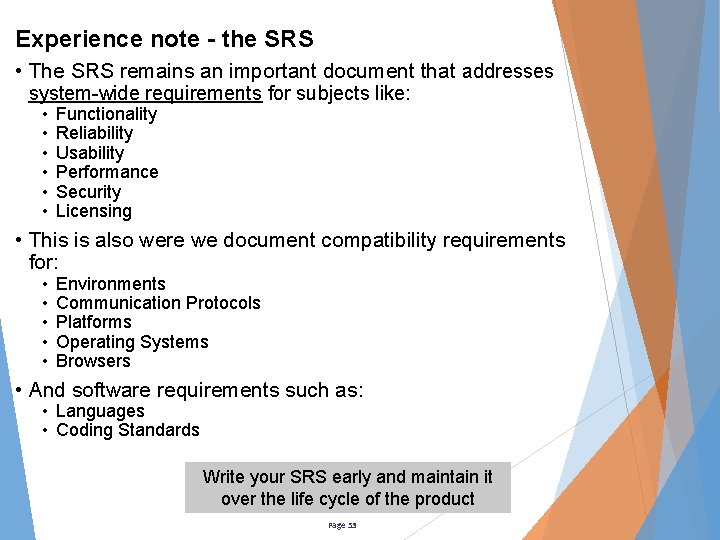
Experience note - the SRS • The SRS remains an important document that addresses system-wide requirements for subjects like: • • • Functionality Reliability Usability Performance Security Licensing • This is also were we document compatibility requirements for: • • • Environments Communication Protocols Platforms Operating Systems Browsers • And software requirements such as: • Languages • Coding Standards Write your SRS early and maintain it over the life cycle of the product Page 53
When do you fill in the rest of the use case? • Wait until just before the use case is needed • You will be much smarter then – we hope! • Chance of not ever building the feature will be much lower • 2 weeks ahead of need is my standard • During Sprint 0 you should be completing the use cases needed to support Sprint 1 • Sprint 0 is typically used for setting up the infrastructure & tools to build the new product • Getting the Sprint 1 user stories written fits here also I typically “flesh out” my use cases in the sprint prior to need Page 54
40 Experience Note • Make a plan with your Subject Matter Experts • You will need time with the real users for a few hours every sprint – get on their calendar • Plan to conduct small JAD sessions • Brainstorm with real users to identify data fields and mock up a user interface • Brainstorm with real users to create the most efficient workflow scenario(s) • Plan to work closely with a quality assurance person to develop the acceptance criteria for each data field • Draft your use cases in advance by filling in what you know so JAD can move faster Don’t be smarter than your subject matter expert! Page 55
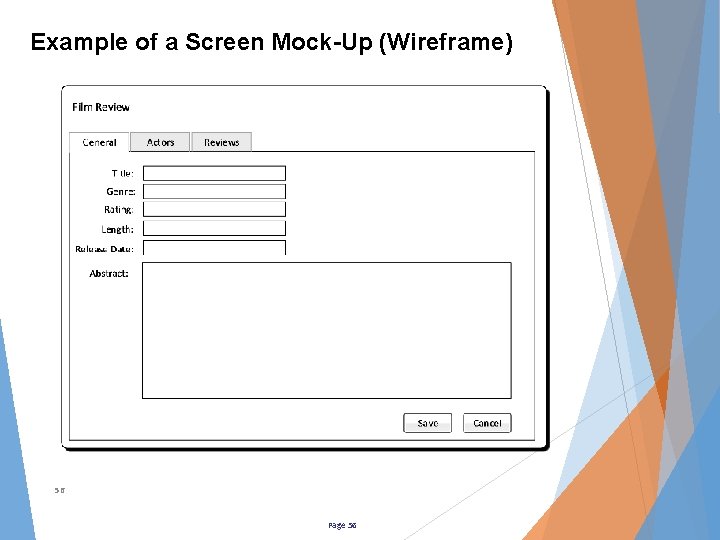
Example of a Screen Mock-Up (Wireframe) 56 Page 56
Benefits of Screen Mock-Up Modeling • A visual story of the workflow emerges • Business attributes and operations become clear • Scope of work for user interface becomes clear • Draw out missing: • Requirements • Business objects • Attributes • Operations • Business rules 57 Don’t be surprised if you discover more use cases Page 57
Experience Note • You can draft the storyboard in advance to save time • Don’t put too much detail in at first • Let the users fill in the details • The users are closest to the actual work • Question why each field is needed – each field adds exponential payload “weight” to your product • Remember your goal is not designing screens, it is defining the attributes and process flow Be a minimalist and only present the data needed to make the product work – nothing extra Page 58
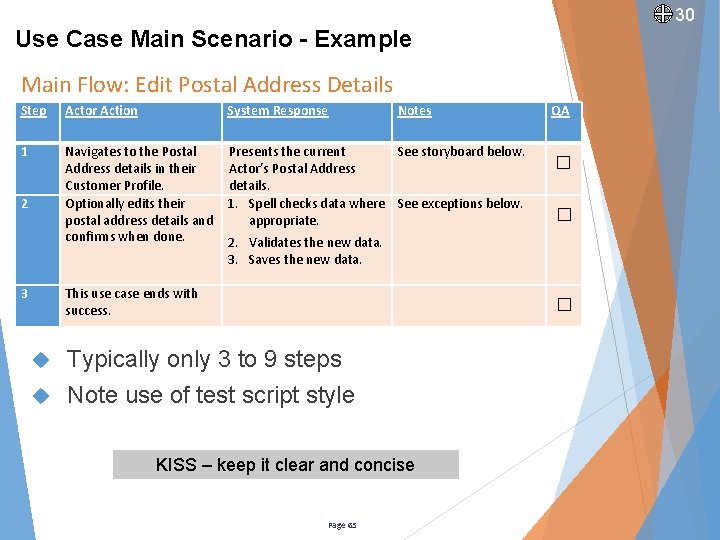
Writing the Use Case Main Scenario • Scenarios always start with the Actor doing something • That “something” can be reacting to an event triggered by the system or an event triggered by external action/need • Steps alternate between actor actions and system responses – always • Last step is always “This use case ends…” • Is stating “This use case ends” extra work? – yes Page 59
Why have the Scenario? • The Scenario depicts the one best way for an “Actor” to achieve a goal • Define the most efficient way for the Actor – fewest steps to results • Many ways might exist • Be consistent across a product • Look for the breaking points in the workflow – what is the minimal data must I have to proceed to the next step? BAs are value added here – think out the scenario workflow carefully to craft that one best way to the actor’s goal. Page 60
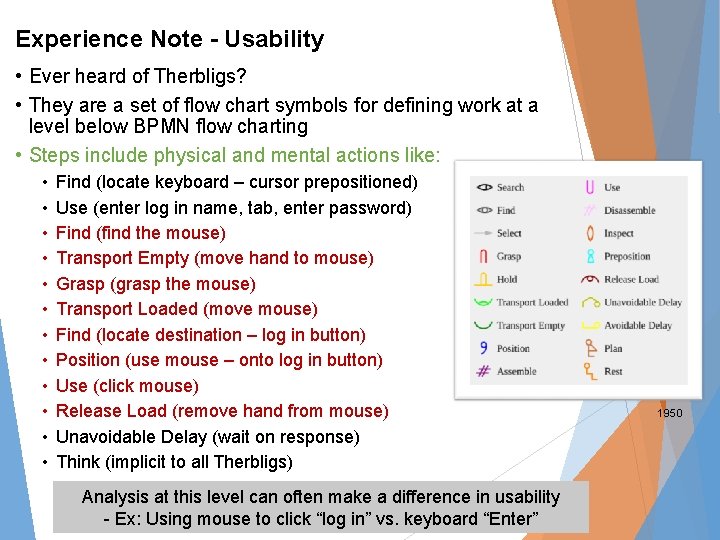
Experience Note - Usability • Ever heard of Therbligs? • They are a set of flow chart symbols for defining work at a level below BPMN flow charting • Steps include physical and mental actions like: • • • Find (locate keyboard – cursor prepositioned) Use (enter log in name, tab, enter password) Find (find the mouse) Transport Empty (move hand to mouse) Grasp (grasp the mouse) Transport Loaded (move mouse) Find (locate destination – log in button) Position (use mouse – onto log in button) Use (click mouse) Release Load (remove hand from mouse) Unavoidable Delay (wait on response) Think (implicit to all Therbligs) Analysis at this level can often make a difference in usability - Ex: Using mouse to click “log in” vs. keyboard “Enter” Page 61 1950
Test Script Style Scenario Format • The best practice is to write scenarios like a test script: • Give the actor action and the system response • Actor should do one thing – which might include entering a lot of things • System will often do many things – validate, calculate, store, display The test script will need to be written eventually – why not write it now and support test driven development (TDD)? Page 62
System Actions • Look for the activities in the process that have been or will be automated: 1. Validate input data is correct 2. Look up prices for items in cart 3. Calculate total price 4. Apply discount based on customer’s rating 5. Apply taxes based on tax rules 6. Calculate total amount due 7. Store invoice as a pending sale 8. Present invoice for review • System actions are often ordered • Number ordered steps • Bullet non-ordered steps Imagine if it just said “Presents invoice for review”! Visualizing the implicit steps and required sequence is not always easy – BA skills needed! Page 63
Writing Use Cases - Language • Use case scenarios should be written in “layman's” terms such that both the users and the developers both have a clear understanding of the actor’s interaction with the system • Write using the actor’s business vocabulary • Be simple, concise, and avoid being too verbose • Write from the “business side” of the computer monitor • The Solution Designer will be defining the “system side” as they create their system designs No technology words allowed! Build your Glossary at same time. Page 64
30 Use Case Main Scenario - Example Main Flow: Edit Postal Address Details Step Actor Action System Response 1 Navigates to the Postal Address details in their Customer Profile. Optionally edits their postal address details and confirms when done. Presents the current See storyboard below. Actor’s Postal Address details. 1. Spell checks data where See exceptions below. appropriate. This use case ends with success. 2 3 Notes QA □ □ 2. Validates the new data. 3. Saves the new data. Typically only 3 to 9 steps Note use of test script style KISS – keep it clear and concise Page 65 □
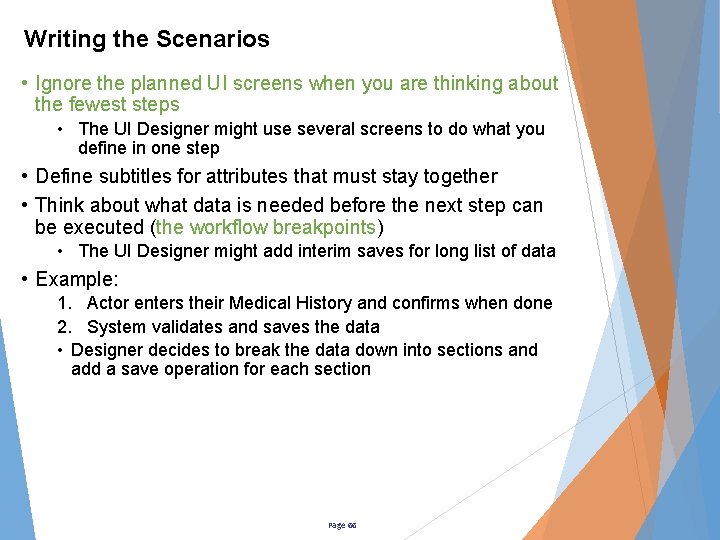
Writing the Scenarios • Ignore the planned UI screens when you are thinking about the fewest steps • The UI Designer might use several screens to do what you define in one step • Define subtitles for attributes that must stay together • Think about what data is needed before the next step can be executed (the workflow breakpoints) • The UI Designer might add interim saves for long list of data • Example: 1. Actor enters their Medical History and confirms when done 2. System validates and saves the data • Designer decides to break the data down into sections and add a save operation for each section Page 66
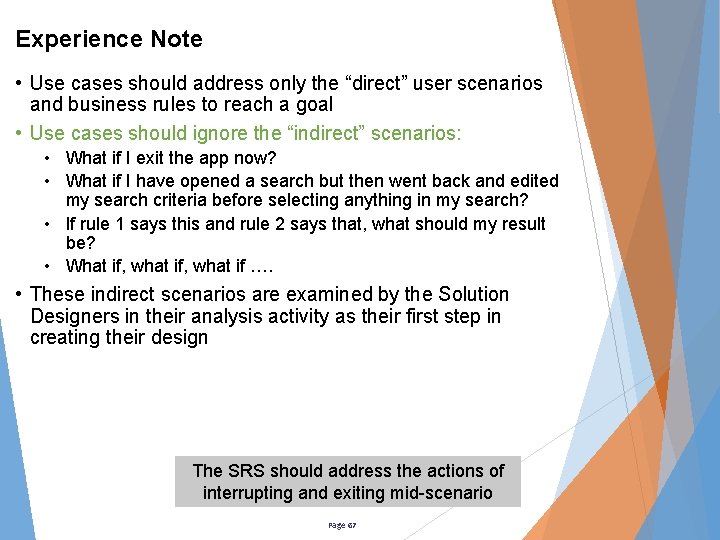
Experience Note • Use cases should address only the “direct” user scenarios and business rules to reach a goal • Use cases should ignore the “indirect” scenarios: • What if I exit the app now? • What if I have opened a search but then went back and edited my search criteria before selecting anything in my search? • If rule 1 says this and rule 2 says that, what should my result be? • What if, what if …. • These indirect scenarios are examined by the Solution Designers in their analysis activity as their first step in creating their design The SRS should address the actions of interrupting and exiting mid-scenario Page 67
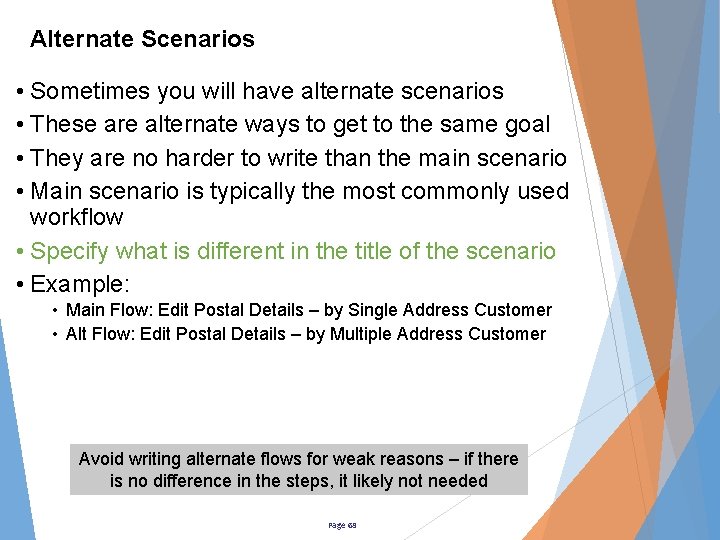
Alternate Scenarios • Sometimes you will have alternate scenarios • These are alternate ways to get to the same goal • They are no harder to write than the main scenario • Main scenario is typically the most commonly used workflow • Specify what is different in the title of the scenario • Example: • Main Flow: Edit Postal Details – by Single Address Customer • Alt Flow: Edit Postal Details – by Multiple Address Customer Avoid writing alternate flows for weak reasons – if there is no difference in the steps, it likely not needed Page 68
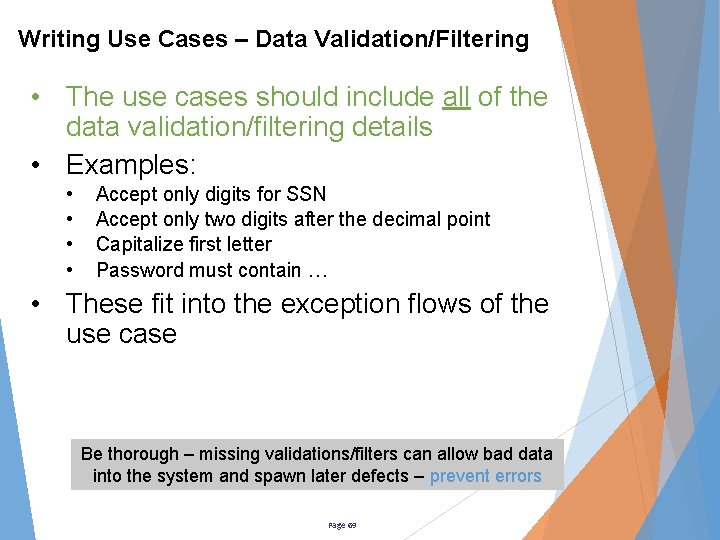
Writing Use Cases – Data Validation/Filtering • The use cases should include all of the data validation/filtering details • Examples: • • Accept only digits for SSN Accept only two digits after the decimal point Capitalize first letter Password must contain … • These fit into the exception flows of the use case Be thorough – missing validations/filters can allow bad data into the system and spawn later defects – prevent errors Page 69
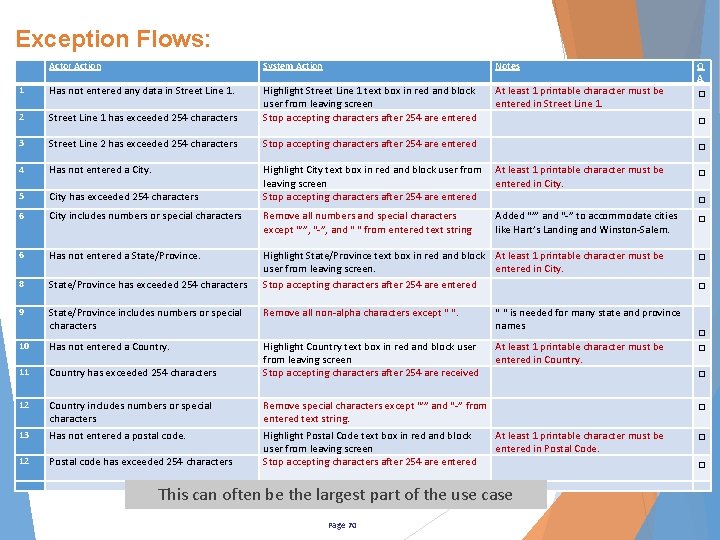
Exception Flows: Actor Action System Action Notes 1 Has not entered any data in Street Line 1. 2 Street Line 1 has exceeded 254 characters Highlight Street Line 1 text box in red and block user from leaving screen Stop accepting characters after 254 are entered At least 1 printable character must be entered in Street Line 1. 3 Street Line 2 has exceeded 254 characters Stop accepting characters after 254 are entered □ 4 Has not entered a City has exceeded 254 characters At least 1 printable character must be entered in City. □ 5 Highlight City text box in red and block user from leaving screen Stop accepting characters after 254 are entered 6 City includes numbers or special characters Remove all numbers and special characters except “’”, “-”, and “ “ from entered text string Added “’” and “-” to accommodate cities like Hart’s Landing and Winston-Salem. 6 Has not entered a State/Province. □ 8 State/Province has exceeded 254 characters Highlight State/Province text box in red and block At least 1 printable character must be user from leaving screen. entered in City. Stop accepting characters after 254 are entered 9 State/Province includes numbers or special characters Remove all non-alpha characters except “ “. 10 Has not entered a Country. 11 Country has exceeded 254 characters Highlight Country text box in red and block user from leaving screen Stop accepting characters after 254 are received 12 Country includes numbers or special characters Remove special characters except “’” and “-” from entered text string. 13 Has not entered a postal code. 12 Postal code has exceeded 254 characters Highlight Postal Code text box in red and block user from leaving screen Stop accepting characters after 254 are entered “ “ is needed for many state and province names At least 1 printable character must be entered in Country. □ □ □ □ □ At least 1 printable character must be entered in Postal Code. This can often be the largest part of the use case Page 70 Q A □ □
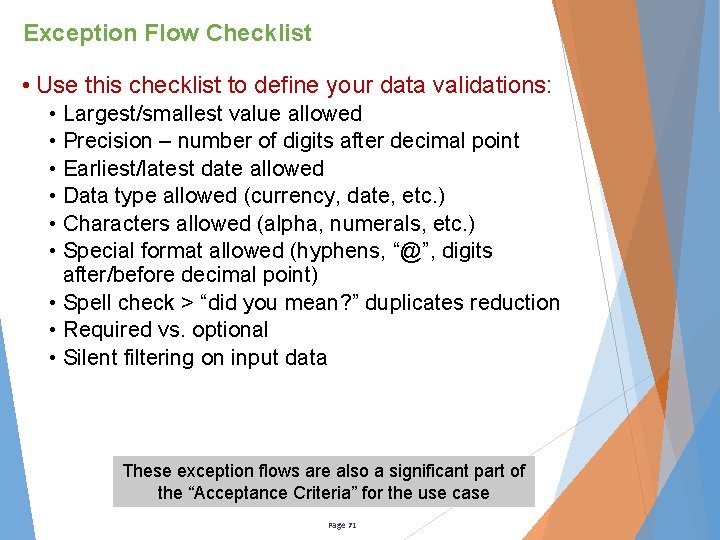
Exception Flow Checklist • Use this checklist to define your data validations: • Largest/smallest value allowed • Precision – number of digits after decimal point • Earliest/latest date allowed • Data type allowed (currency, date, etc. ) • Characters allowed (alpha, numerals, etc. ) • Special format allowed (hyphens, “@”, digits after/before decimal point) • Spell check > “did you mean? ” duplicates reduction • Required vs. optional • Silent filtering on input data These exception flows are also a significant part of the “Acceptance Criteria” for the use case Page 71
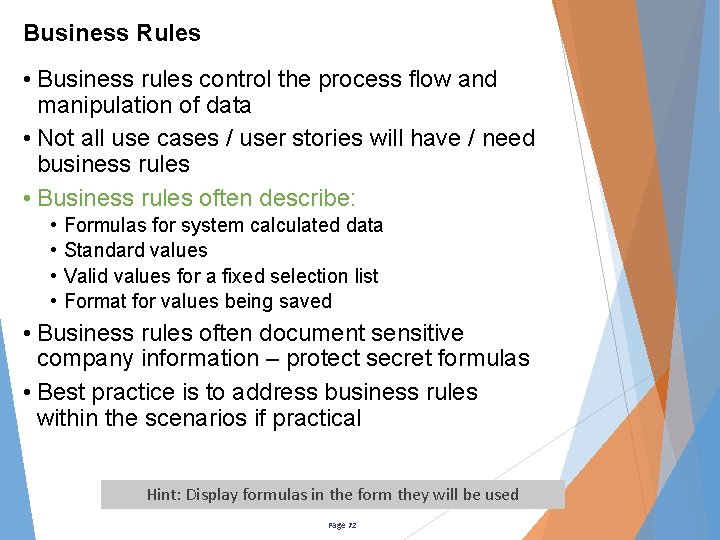
Business Rules • Business rules control the process flow and manipulation of data • Not all use cases / user stories will have / need business rules • Business rules often describe: • • Formulas for system calculated data Standard values Valid values for a fixed selection list Format for values being saved • Business rules often document sensitive company information – protect secret formulas • Best practice is to address business rules within the scenarios if practical Hint: Display formulas in the form they will be used Page 72
Supplemental Information – Page 3 • This is a great place to put your UI storyboard • But, put in a disclaimer that the actual UI created by the designer takes precedence • Use the storyboard to describe field labels and related operations • It is also a good place for long lists of fixed values that will be presented for the user to select from • Ex: List of Counties for a State, or list of States for a Country Hint: If complex calculations are involved, attach a spreadsheet with a calculation model and some test case data Page 73
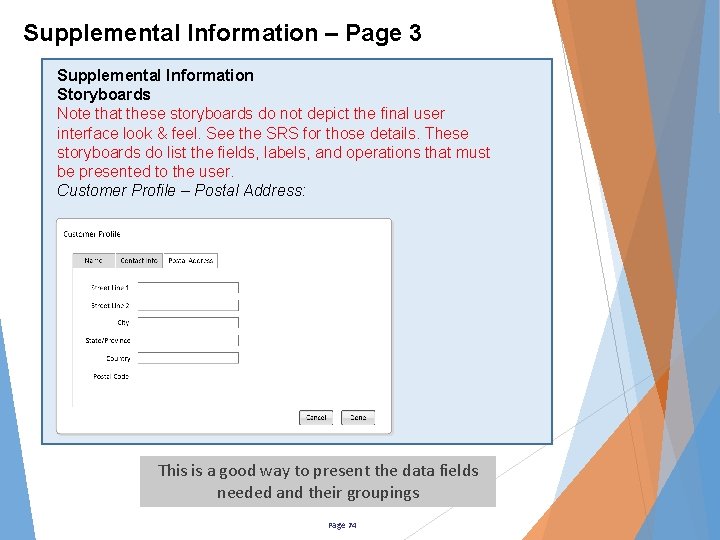
Supplemental Information – Page 3 Supplemental Information Storyboards Note that these storyboards do not depict the final user interface look & feel. See the SRS for those details. These storyboards do list the fields, labels, and operations that must be presented to the user. Customer Profile – Postal Address: This is a good way to present the data fields needed and their groupings Page 74
20 Tabbing Order? • Sometimes Tabbing Order is important • Applications used by the blind • Applications used in data transcription • Tabbing order can be defined in a table within the “Supplemental Information” section of a use case: • Order (esp: where the curser lands when the page opens) • Name of Field or operation Page 75
Tool Tips? • What about tool tips? – those “helpful messages that pop up when you hover your mouse over something on the screen” • Tool tips are most closely related to the user interface • Controlling the words and spelling can be important • Supports text readers used by blind persons • Tool tips can be defined in a table within the “Supplemental Information” section of a use case: • Trigger – the object on screen that the tool tip tied to • Tool Tip – the tool tip message • Notes - any relevant notes Page 76
Right click menus? • What about right click menus? – those “helpful menus that offer alternate actions to be performed” • Right click menus are most closely related to the user interface - they provide “advanced” options to the user • Right click menus can be defined in a table within the “Supplemental Information” section of a use case: • Anchor – the object on screen that the menu is tied to • Options – the list of operations that can be invoked (assume actor has all permissions) • Notes - any relevant notes • Some operations may require their own use cases • Some operations may invoke operating system operations. Ex: Copy, Cut, Paste, Find <File>, Save-As • Since their behavior is “built in” – no use case should be needed Page 77
Data Pickers • What about drop down data pickers? – those “choose one value from many” operations • Determine if the list of values is fixed, configurable, or dynamic • For a fixed list, insert the values directly in the use case scenario • Consider separate use case or scenario for each value if the fixed value chosen causes a change to the workflow • If configurable, write a use case for configuring the list and refer to the list by name only within the use case – do not mention the values. Ex: list of countries • If dynamic, refer to the list by name only within the use case – do not mention the values, use the list name instead. Ex: Choose from the list of available sizes/colors Page 78
Tables • Best to describe them as “Lists”. Ex: The List of Products • Include the major attributes (column headings) ex: Presents the list of products with includes: § Product Name § Description § Price • Tables often can be user configurable to sort up, sort down, hide columns, reveal columns, etc. • These behaviors are often best described in the SRS if they are the same for every place the table element is used • However, the initial settings may be unique to the use cases and should be listed there – in notes for scenario or in supplemental information. Examples: • Sort by most current to oldest “last edit date” • Set “Created by” and “Create date” as hidden Page 79
Hot Keys • What about Hot Keys – those short cut key combinations • Hot Keys are often best defined in the SRS • Avoid overwriting the operating systems’ built in hot keys • Sometimes defining them in the use cases makes sense • Make a note in the SRS to indicate if a list there is not comprehensive. Page 80
Data Mappings • I will sometimes include a data mapping table: • • • Source of record Name at source Format at source Destination of record Name at destination Format at destination • This helps with testing, ETLs, and DB design • Building a master data mapping spreadsheet is also a good solution – point to it in the notes Page 81
Other Special Situations • Operating System Errors – these are out of your control and can be different system to system. • Purchased Applications – these do not need use cases unless you are writing the requirements to have a purchased application created. • System to System Actions – I have found an API Interface Specification Document to be the leaner choice. • Toggle Cases – If truly a binary situation, make one the main flow and one the alternate flow – this is still a lean approach, unless the scenarios get complex Page 82
Writing Use Cases – Do’s & Don’ts • Do not create use cases for one time tasks – use cases are for repeating actions the actors perform. • Do not try to implement screen behaviors in use cases • Do describe things only once - Point back to it if you need it again • Do not describe “cancel” or “exit” within your scenarios Assume those options are available at every step and are defined in the SRS • Do not put in features that will be supporting multiple use cases – those go in the SRS • Ex: Behaviors for displaying special fields like email addresses, dates, SSN, URLs, etc. • Do describe only what is needed for the scenario of interest • Do spell out words and define abbreviations • Be consistent on attribute names! Page 83
Writing Use Cases – Non-Technical Words • Avoid describing the UI or hardware elements • Use words like “chooses” rather than “clicks” or “taps” • Systems “present”, “display”, “calculate”, “determine”, “validate” and “save” data • Users “select” or “choose” items, “enter” data, “save” or “confirm” transactions, and “navigate to” other activities • Tabular Data is often presented as a “the List of …” • Give unique titles to sets of data like “Customer Master Data” rather than referring to a “screen” or a “form” • A use case should withstand the test of time • It should not require changes as technology or software language changes Page 84
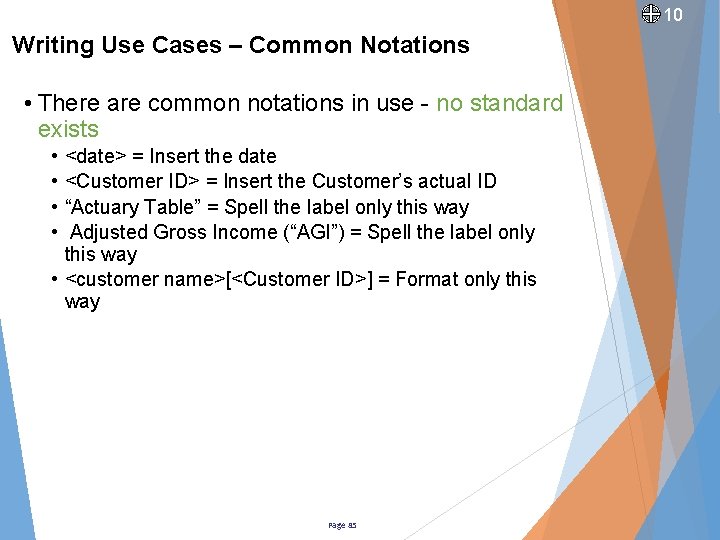
10 Writing Use Cases – Common Notations • There are common notations in use - no standard exists • • <date> = Insert the date <Customer ID> = Insert the Customer’s actual ID “Actuary Table” = Spell the label only this way Adjusted Gross Income (“AGI”) = Spell the label only this way • <customer name>[<Customer ID>] = Format only this way Page 85
Experience Note • Most people are either more visual or more textural • Work the use cases toward completion by using both visual models and textual specifications • Draw out the hidden details • Be patient and ask questions if you think something is missing • It is normal for new revelations to occur during the requirements elicitation process Page 86
Experience Note • The use case represents a contract between the users and the designers • Like any contract, changes can still occur • People will continue to want the product to be its best • Users will think up more as they continue doing their jobs • Designers will think up more when they “put pencil to paper” • The use case peer review is the one of cheapest places in the process to accept changes • The initial draft is the cheapest place • The next validation point will be the design review where the cost is still relatively low • Changes suggested when the coded product is reviewed will be much more costly and should be avoided • Do whatever you can now to avoid later changes Page 87
The Lean Use Case Title, Description, Preconditions, Triggers, and Scenarios on PAGE 1 Data Validation Exceptions on PAGE 2 Storyboard on PAGE 3 Page 88
What makes an Lean Use Case Agile? • One operation on one object – They are small, simple, concise, focused • Scoring for story points is simplified • Less variability since all needed data is included • Some groups just count the scenario steps and exceptions • Always comprehensive for exception scenarios – written with testing in mind • The use case is the test script and can be marked up to show pass/fail Page 89
After you have written user stories / use cases • Review with team – get feedback and refine • Best to have your Subject Matter Experts in this meeting to defend the user’s process • Score the development effort • Start the use cases / user stories for the next sprint Page 90
Flexibility to changes • Once accepted per “Definition of done”, the use case becomes an agreement between the Users & the Developers • Update them as needed during the Sprint & Testing – Like any agreement, changes can still occur • People will continue to want the product to be its best • Users will think up more as they continue doing their jobs • Designers will think up more when they “put pencil to paper” • People will have 20/20 hindsight syndrome Page 91
Flexibility to changes - continued • Your Product Manager or Subject matter Expert should be in concurrence with all changes – It’s their product! • To be agile, use of a formal change control process for use cases in development is not recommended • Start formal change control upon deployment of the feature Page 92
Next Steps • The Solution Designers will now do their magic by taking the use cases / user stories and evolve them toward a finished product • The use cases / user stories are the requirements for the designers • Maintain the use cases / user stories as the product evolves • The designs will contain more detail that the use cases • Designs inherently address additional system rules to assure the results occur without error • Conduct a design review before starting the coding • Make sure your code is well commented – it will be the de facto blueprint going forward Page 93
Recap • Use Cases and User Stories contain the same important information • There is upfront work needed before starting on your use cases / user stories • To be agile, don’t detail the use cases / user stories until the sprint prior to when needed • Do identify the use cases / user stories well ahead of their need – build the backlog • Keep them simple and non-technical – they should withstand the test of time Page 94
00 Questions? Page 95