
Wrapping The Package Devices Data Encapsulation By Allan
Wrapping The Package Devices & Data Encapsulation By: Allan Johnson
Evolution of LAN Devices NICs, Repeaters, & Hubs Bridges Switches Routers
NIC Specifics NICs provide hosts with access to media by using a MAC address. MAC stands for Media Access Control NICs operate at Layer 2 !!
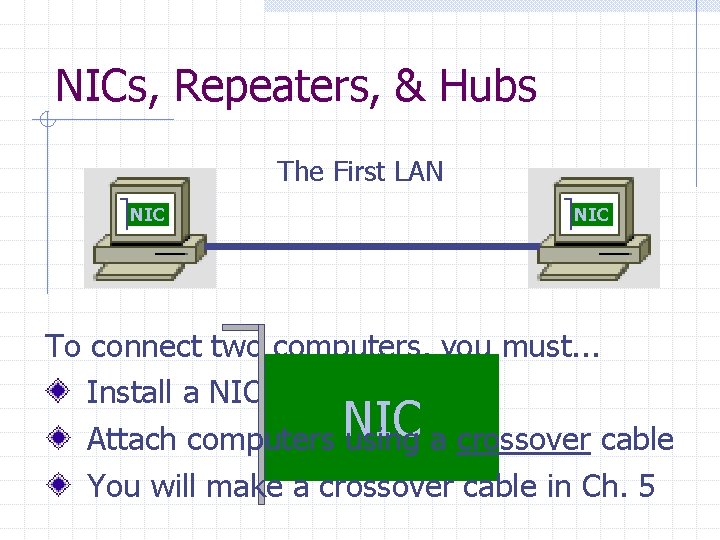
NICs, Repeaters, & Hubs The First LAN NIC To connect two computers, you must. . . Install a NIC card in each. NIC Attach computers using a crossover cable You will make a crossover cable in Ch. 5
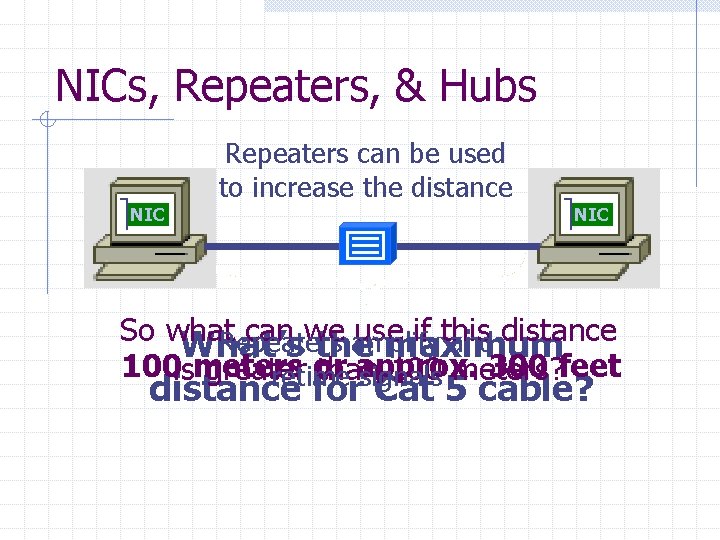
NICs, Repeaters, & Hubs Repeaters can be used to increase the distance NIC So what can we use if this distance Repeaters amplify and What’s the maximum 100 ismeters or approx. 300 feet greater than 100 meters? retime signals distance for Cat 5 cable?

NICs, Repeaters, & Hubs NIC Using repeaters was fine as long as a business only needed two computers networked. NIC What if a business wanted a third computer attached? Or a fourth? What device would they need? NIC
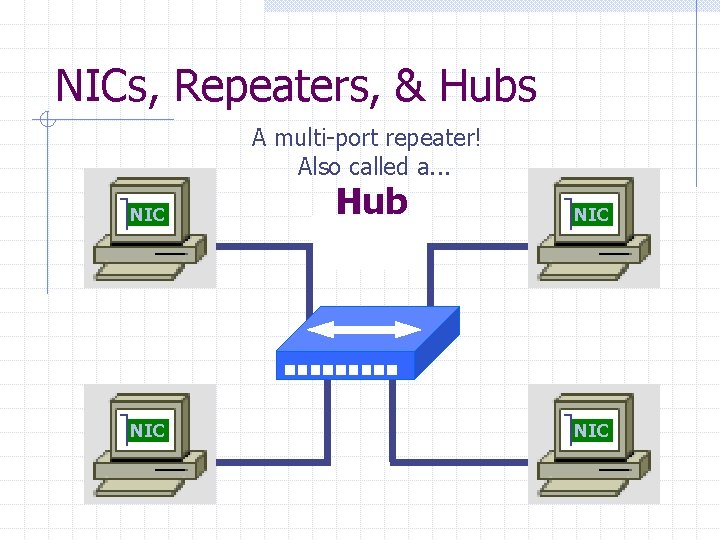
NICs, Repeaters, & Hubs A multi-port repeater! Also called a. . . NIC Hub NIC
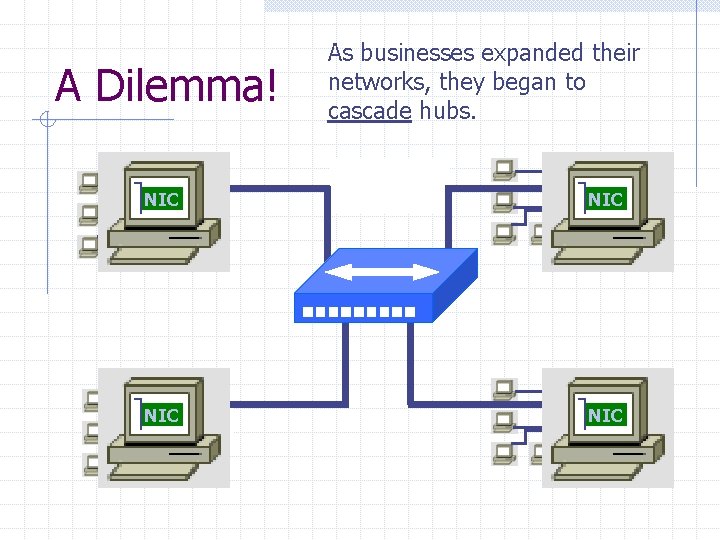
A Dilemma! As businesses expanded their networks, they began to cascade hubs. NIC NIC
What’s The Problem? 1) Hubs share bandwidth between all attached devices. 2) Hubs are stupid, Layer 1 devices. They cannot filter traffic. 3) Most LANs use a “broadcast topology, ” so every device sees every packet sent down the media. Let’s take a look at how broadcasting works
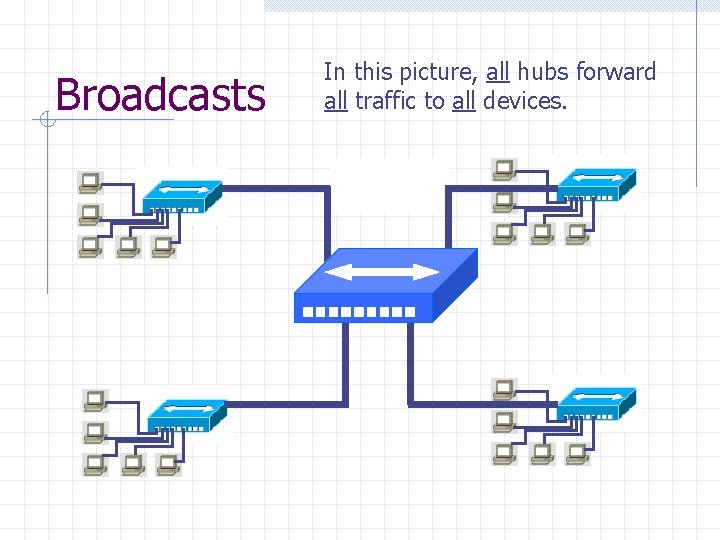
Broadcasts In this picture, all hubs forward all traffic to all devices.
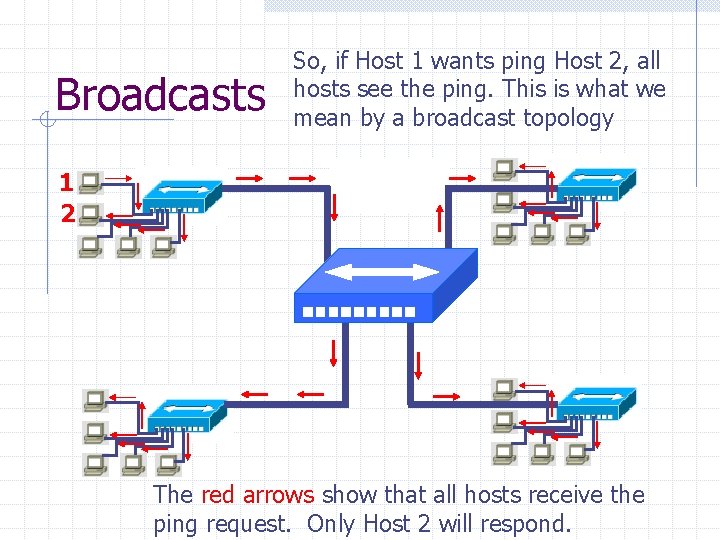
Broadcasts So, if Host 1 wants ping Host 2, all hosts see the ping. This is what we mean by a broadcast topology 1 2 The red arrows show that all hosts receive the ping request. Only Host 2 will respond.
What’s The Solution? We need a smarter hub! What’s a “smarter hub” called? A Bridge! Bridges filter network traffic based on MAC addresses. Let’s take a look at how this works.
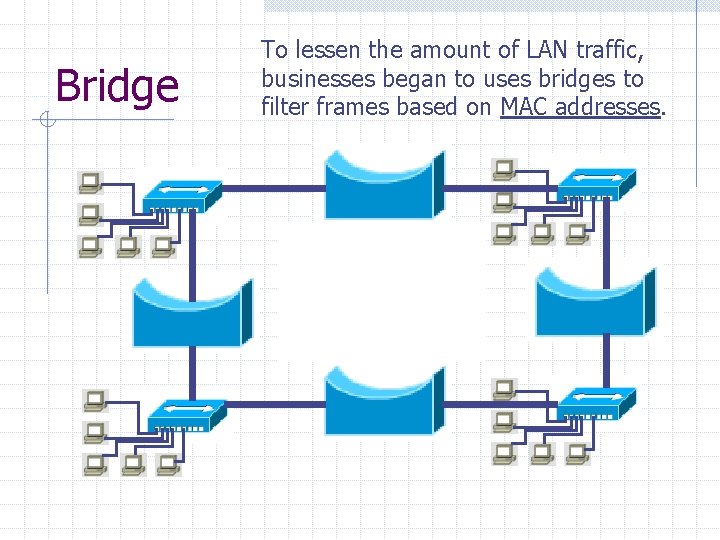
Bridge To lessen the amount of LAN traffic, businesses began to uses bridges to filter frames based on MAC addresses.
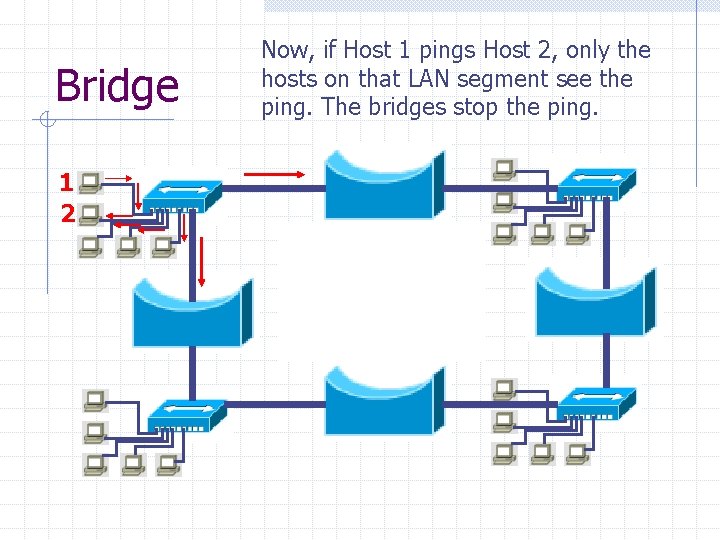
Bridge 1 2 Now, if Host 1 pings Host 2, only the hosts on that LAN segment see the ping. The bridges stop the ping.
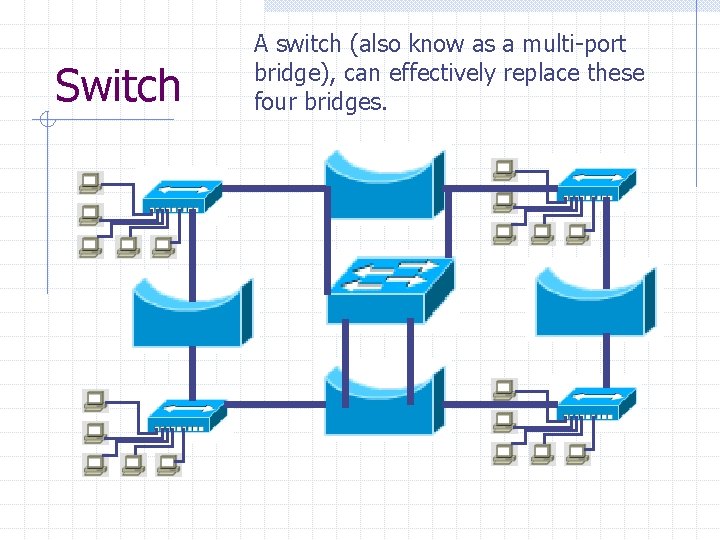
Switch A switch (also know as a multi-port bridge), can effectively replace these four bridges.
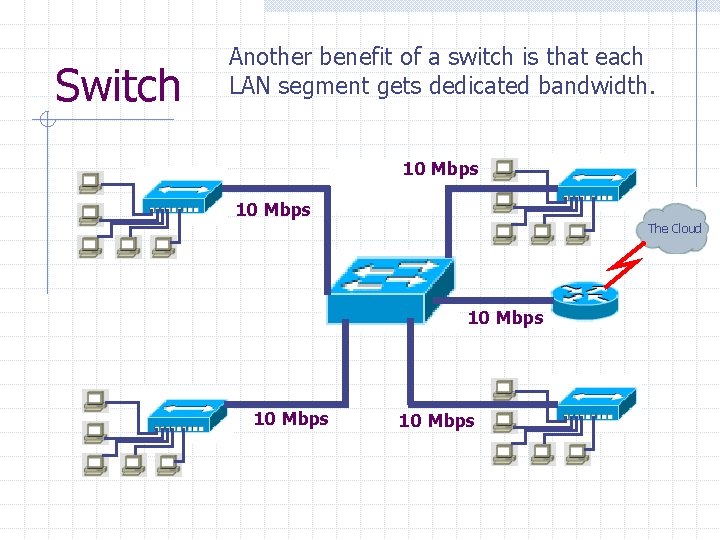
Switch Another benefit of a switch is that each LAN segment gets dedicated bandwidth. 10 Mbps The Cloud 10 Mbps
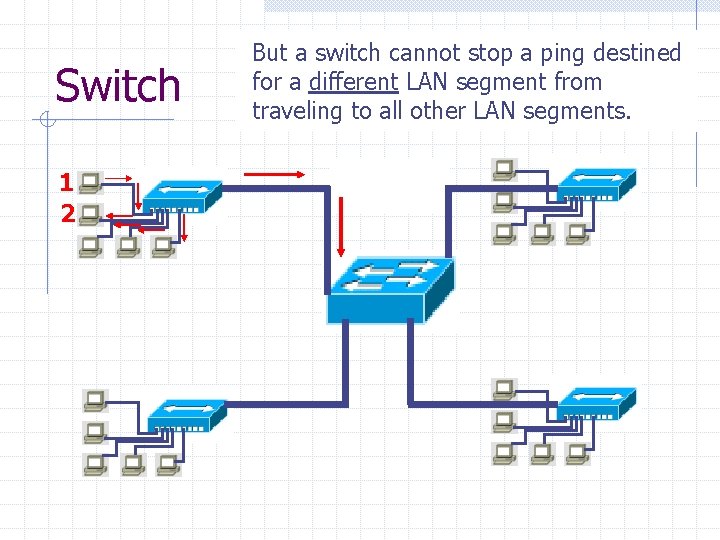
Switch 1 2 Since a switch is a stop multi-port But a switch cannot a pingbridge, destined it will stop local pings forwea know different LAN segment from travelingtotoallother segments. traveling othernetwork LAN segments.
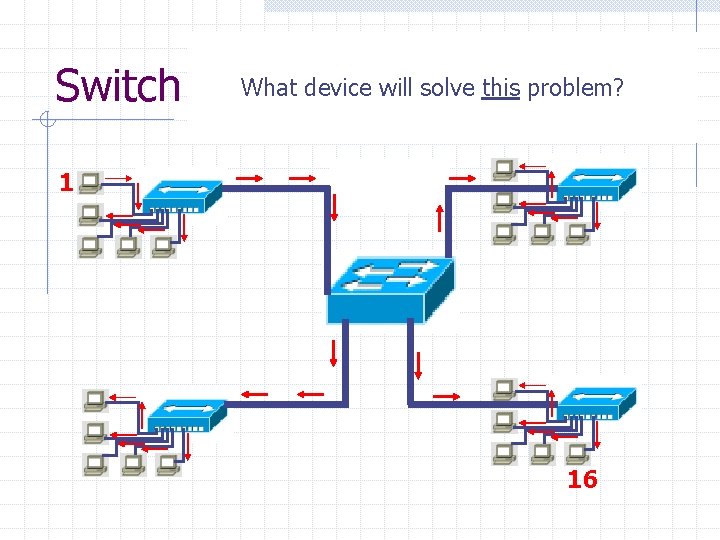
Switch For example, Host 1 pings Host 16. Since Host 16 is. What on another LANsolve segment, the switch will device will this problem? flood the ping request out all ports. 1 16
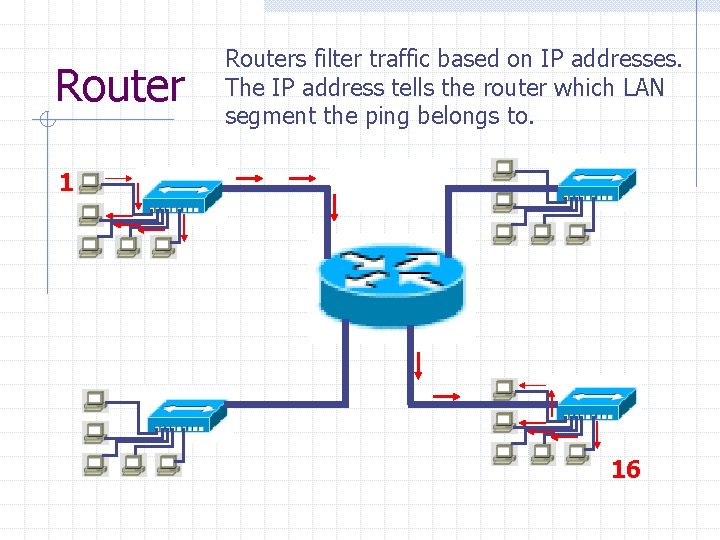
Routers filter traffic based on IP addresses. The IP address tells the router which LAN segment the ping belongs to. 1 16
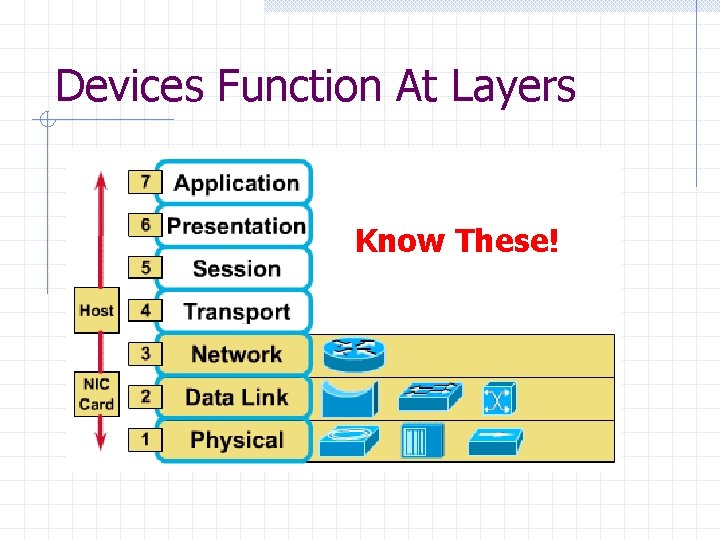
Devices Function At Layers Know These!
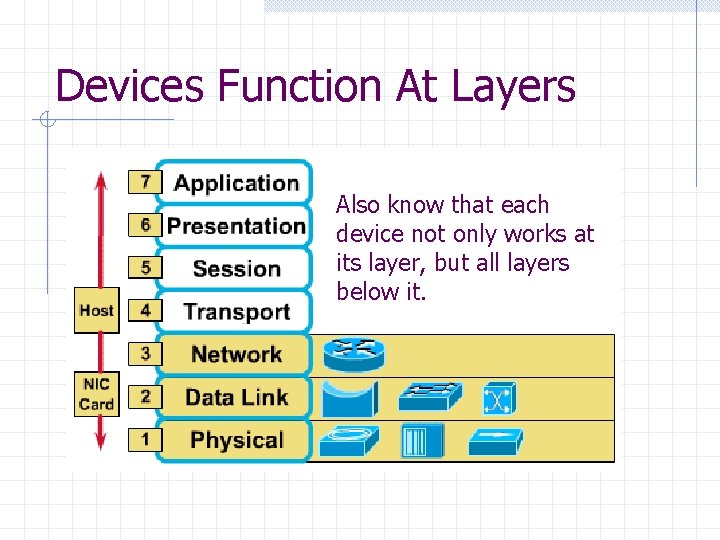
Devices Function At Layers Also know that each device not only works at its layer, but all layers below it.
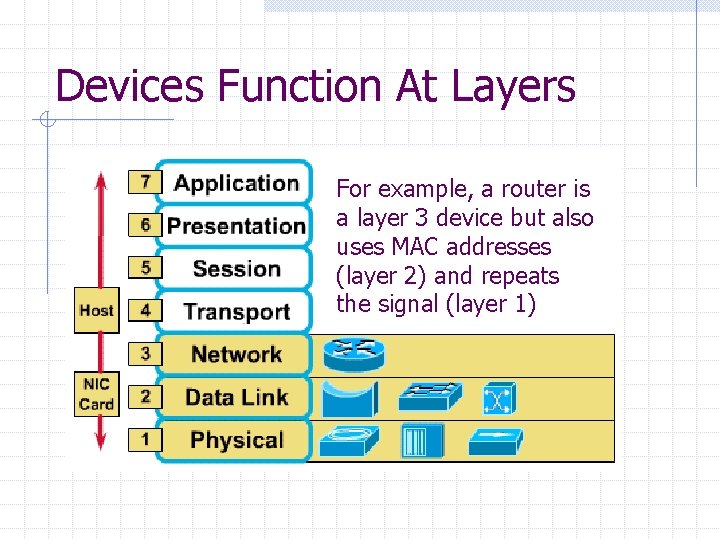
Devices Function At Layers For example, a router is a layer 3 device but also uses MAC addresses (layer 2) and repeats the signal (layer 1)
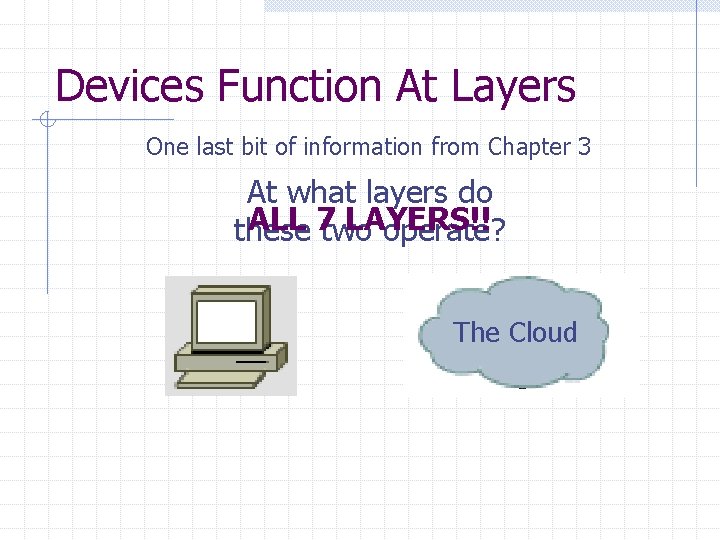
Devices Function At Layers One last bit of information from Chapter 3 At what layers do ALL 7 two LAYERS!! these operate? The Cloud

Good Luck On The Test!!
- Slides: 24