
World Wide Web and Hypertext Makup Language Martin

World Wide Web and Hypertext Makup Language Martin Kruliš by Martin Kruliš (v 1. 0) 5. 12. 2018 1
World Wide Web � What is www? ◦ WWW is NOT the Internet �It is the most used Internet service though ◦ Started as an experiment of CERN physicists ◦ Soon becomes a platform for information exchange �… and business �… and communication �… and porn entertainment �… ◦ Now, www provides fully-grown environment for applications, that are accessible from anywhere by Martin Kruliš (v 1. 0) 5. 12. 2018 2
World Wide Web � Ancient History ◦ Dr. Vannevar Bush �Human brain operates with associations �Designed concept of MEMEX �Device that was never constructed �Published in “As We May Think” paper (1945) ◦ Theodore Nelson �First used the word hyper-text �I. e. , text interlinked with associations �Xanadu �System for sharing information �Implemented as prototype by Martin Kruliš (v 1. 0) 5. 12. 2018 3
World Wide Web � History ◦ Tim Berners-Lee �Created system for sharing data (1989) �Community of physicists in CERN �Simple textual data only ◦ NCSA Mosaic �First browser by Marc Andreesen and Eric Bina �Development started 1992, 1993 released for public �Bought by Microsoft … �… and released in 1995 as Internet Explorer by Martin Kruliš (v 1. 0) 5. 12. 2018 4
World Wide Web � History ◦ 1996 – The war of the browsers started �Internet Explorer vs. Netscape Navigator ◦ 1999 – Last revision of HTML 4. 01 ◦ 2002 – The first ideas of “Web 2. 0” �The content is massively created by users ◦ 2004~2006 – Introduction of AJAX applications �Web is becoming much more interactive ◦ 2010 – HTML 5 is entering the scene �An attempt to eliminate Flash, Silverlight, … by Martin Kruliš (v 1. 0) 5. 12. 2018 5
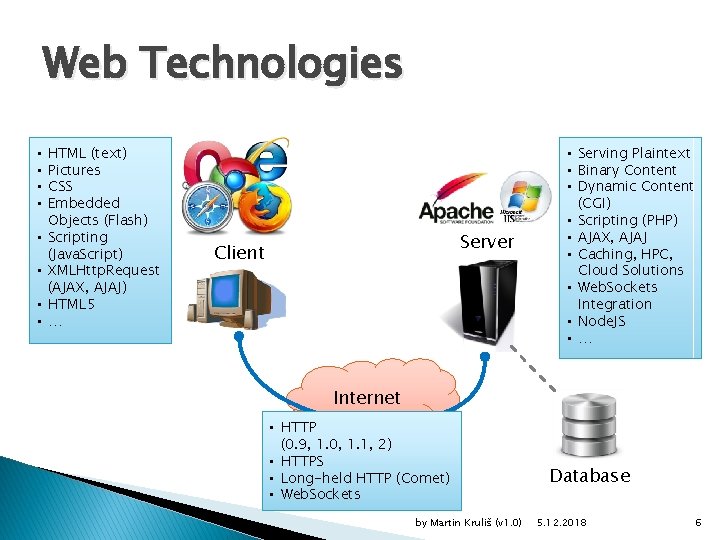
Web Technologies • • HTML (text) Pictures CSS Embedded Objects (Flash) Scripting (Java. Script) XMLHttp. Request (AJAX, AJAJ) HTML 5 … Server Client • Serving Plaintext • Binary Content • Dynamic Content (CGI) • Scripting (PHP) • AJAX, AJAJ • Caching, HPC, Cloud Solutions • Web. Sockets Integration • Node. JS • … Internet • HTTP (0. 9, 1. 0, 1. 1, 2) • HTTPS • Long-held HTTP (Comet) • Web. Sockets by Martin Kruliš (v 1. 0) Database 5. 12. 2018 6
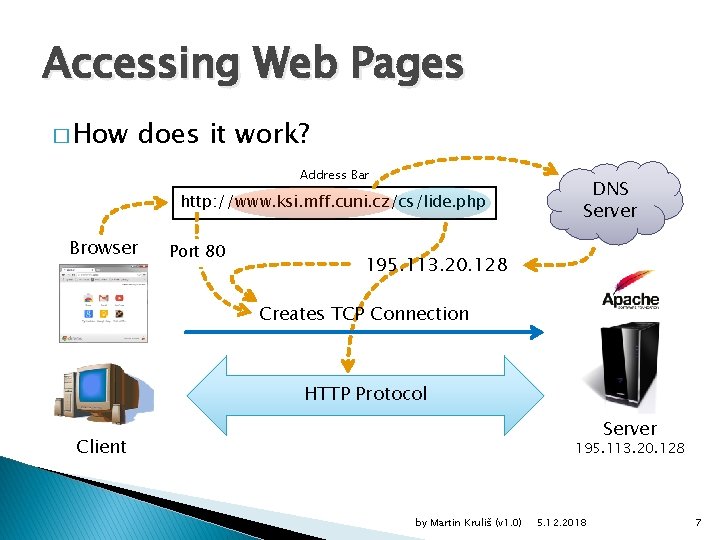
Accessing Web Pages � How does it work? Address Bar v Browser http: //www. ksi. mff. cuni. cz/cs/lide. php Port 80 v DNS Server 195. 113. 20. 128 v Creates TCP Connection HTTP Protocol Server Client 195. 113. 20. 128 by Martin Kruliš (v 1. 0) 5. 12. 2018 7
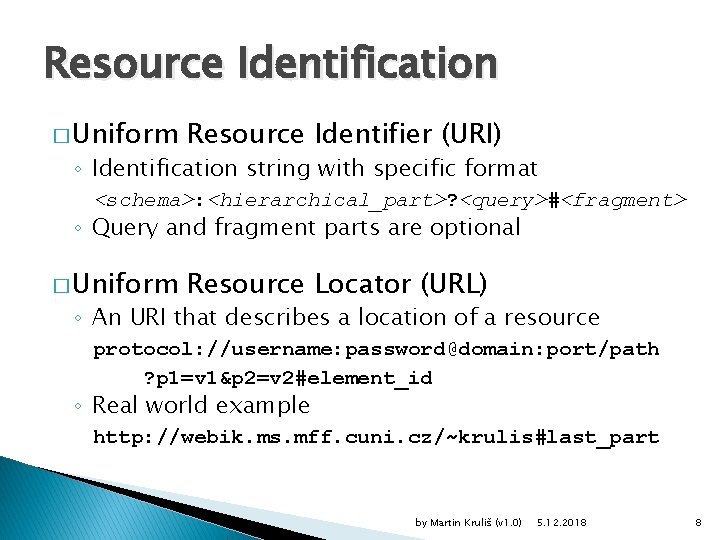
Resource Identification � Uniform Resource Identifier (URI) ◦ Identification string with specific format <schema>: <hierarchical_part>? <query>#<fragment> ◦ Query and fragment parts are optional � Uniform Resource Locator (URL) ◦ An URI that describes a location of a resource protocol: //username: password@domain: port/path ? p 1=v 1&p 2=v 2#element_id ◦ Real world example http: //webik. ms. mff. cuni. cz/~krulis#last_part by Martin Kruliš (v 1. 0) 5. 12. 2018 8
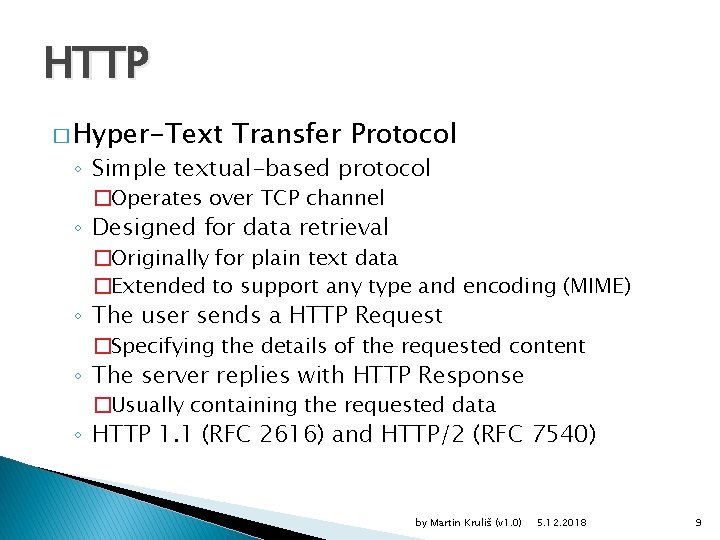
HTTP � Hyper-Text Transfer Protocol ◦ Simple textual-based protocol �Operates over TCP channel ◦ Designed for data retrieval �Originally for plain text data �Extended to support any type and encoding (MIME) ◦ The user sends a HTTP Request �Specifying the details of the requested content ◦ The server replies with HTTP Response �Usually containing the requested data ◦ HTTP 1. 1 (RFC 2616) and HTTP/2 (RFC 7540) by Martin Kruliš (v 1. 0) 5. 12. 2018 9
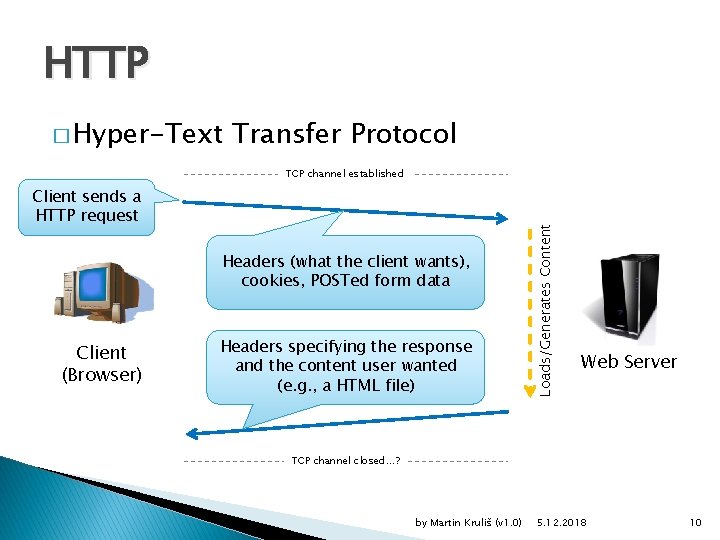
HTTP � Hyper-Text Transfer Protocol Client sends a HTTP request Headers (what the client wants), cookies, POSTed form data Client (Browser) Headers specifying the response and the content user wanted (e. g. , a HTML file) Loads/Generates Content TCP channel established Web Server TCP channel closed…? by Martin Kruliš (v 1. 0) 5. 12. 2018 10
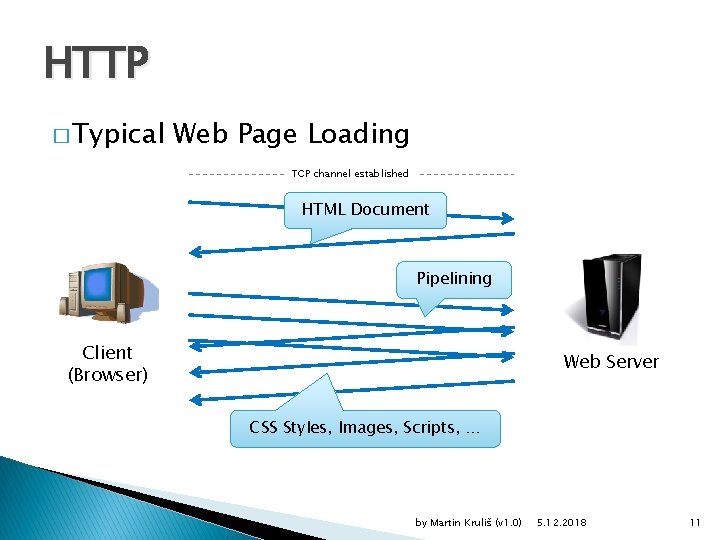
HTTP � Typical Web Page Loading TCP channel established HTML Document Pipelining Client (Browser) Web Server CSS Styles, Images, Scripts, … by Martin Kruliš (v 1. 0) 5. 12. 2018 11
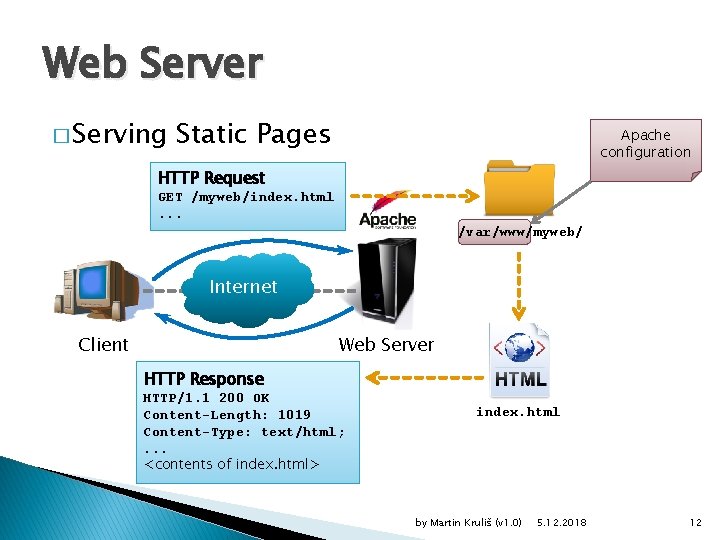
Web Server � Serving Static Pages Apache configuration HTTP Request GET /myweb/index. html. . . /var/www/myweb/ ` Internet Client Web Server HTTP Response HTTP/1. 1 200 OK Content-Length: 1019 Content-Type: text/html; . . . <contents of index. html> index. html by Martin Kruliš (v 1. 0) 5. 12. 2018 12
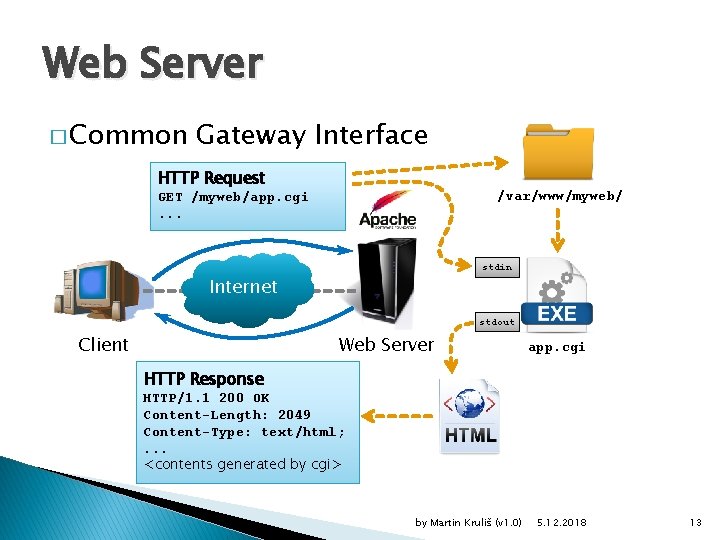
Web Server � Common Gateway Interface HTTP Request /var/www/myweb/ GET /myweb/app. cgi. . . ` stdin Internet stdout Client Web Server app. cgi HTTP Response HTTP/1. 1 200 OK Content-Length: 2049 Content-Type: text/html; . . . <contents generated by cgi> by Martin Kruliš (v 1. 0) 5. 12. 2018 13
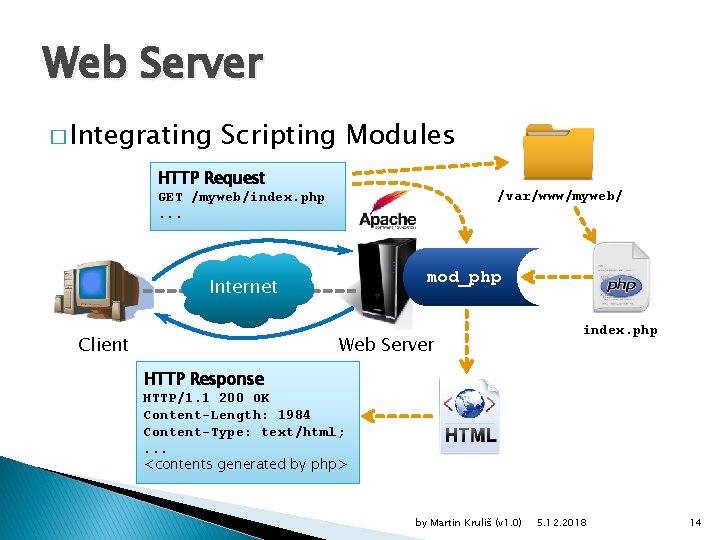
Web Server � Integrating Scripting Modules HTTP Request /var/www/myweb/ GET /myweb/index. php. . . ` mod_php Internet Client Web Server index. php HTTP Response HTTP/1. 1 200 OK Content-Length: 1984 Content-Type: text/html; . . . <contents generated by php> by Martin Kruliš (v 1. 0) 5. 12. 2018 14
HTML � Twofold Nature of HTML ◦ Current World Wide Web is sometimes referred to as Web of Documents �HTML as a format for representing documents published on the Web �URLs as unique global identifiers of documents �Hyperlinks between documents to link related documents on the Web ◦ Presentation format for UI of web applications �Hyperlinks, forms – user controls �URL as a holder of (partial) application state by Martin Kruliš (v 1. 0) 5. 12. 2018 15
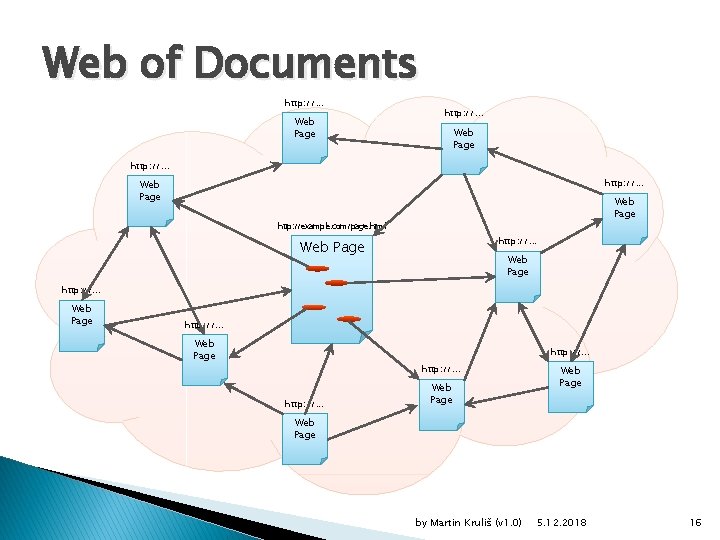
Web of Documents http: //. . . Web Page http: //example. com/page. html http: //. . . Web Page http: //. . . Web Page by Martin Kruliš (v 1. 0) 5. 12. 2018 16
What is HTML? � HTML = Hypertext Markup Language ◦ World Wide Web's markup language ◦ Language for describing the structure of Web pages � Web Page ◦ Semi-structured document �Form of structured data with non-formal structure model �Basically a plain text interleaved by markers (tags) that impose some form of internal structure ◦ Structure denoted in a form of HTML markup by Martin Kruliš (v 1. 0) 5. 12. 2018 17
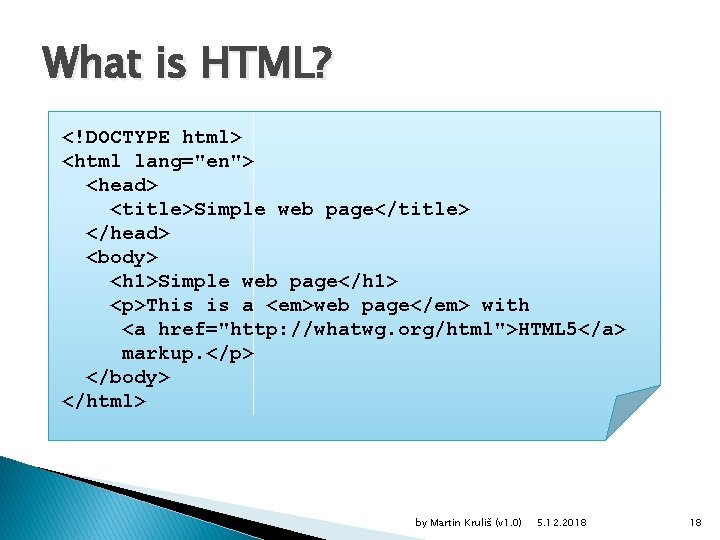
What is HTML? <!DOCTYPE html> <html lang="en"> <head> <title>Simple web page</title> </head> <body> <h 1>Simple web page</h 1> <p>This is a <em>web page</em> with <a href="http: //whatwg. org/html">HTML 5</a> markup. </p> </body> </html> by Martin Kruliš (v 1. 0) 5. 12. 2018 18
HTML Syntax � HTML Document ◦ Is structured as a tree �HTML syntax is in fact an infix serialization of the tree �Browsers represent the tree in Document Object Model (DOM), which can be manipulated with Java. Script ◦ Various types of nodes �Elements, text, attributes, comments, … by Martin Kruliš (v 1. 0) 5. 12. 2018 19
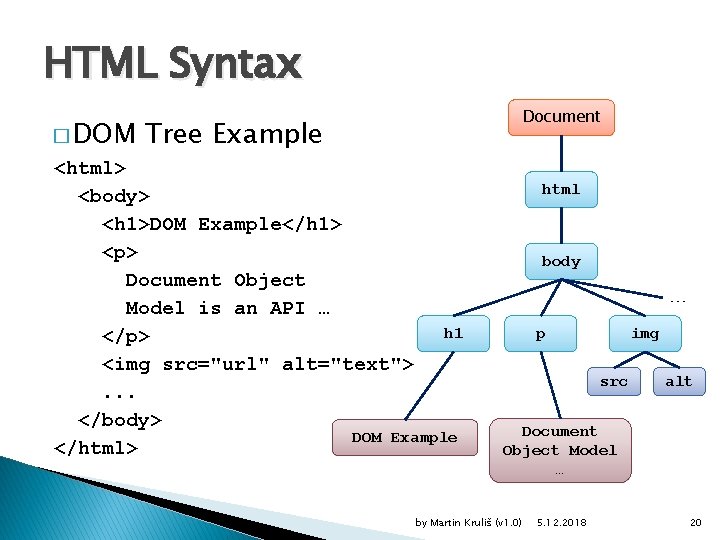
HTML Syntax � DOM Document Tree Example <html> <body> <h 1>DOM Example</h 1> <p> Document Object Model is an API … h 1 </p> <img src="url" alt="text">. . . </body> DOM Example </html> html body … p img src alt Document Object Model … by Martin Kruliš (v 1. 0) 5. 12. 2018 20
HTML Syntax � HTML Element ◦ Represents a fragment of a web page �Gives semantic meaning to its content ◦ Opening and closing tags work as parentheses for the content (i. e. , what falls into the element) �Content-less elements may omit closing tag �Elements may not cross-overlap ◦ Attributes �Name-value pairs specified in opening tag �Values are optional and they are optionally enclosed in single or double quotes (recommended) �Quotes are mandatory if the value contains ", ', <, or > by Martin Kruliš (v 1. 0) 5. 12. 2018 21
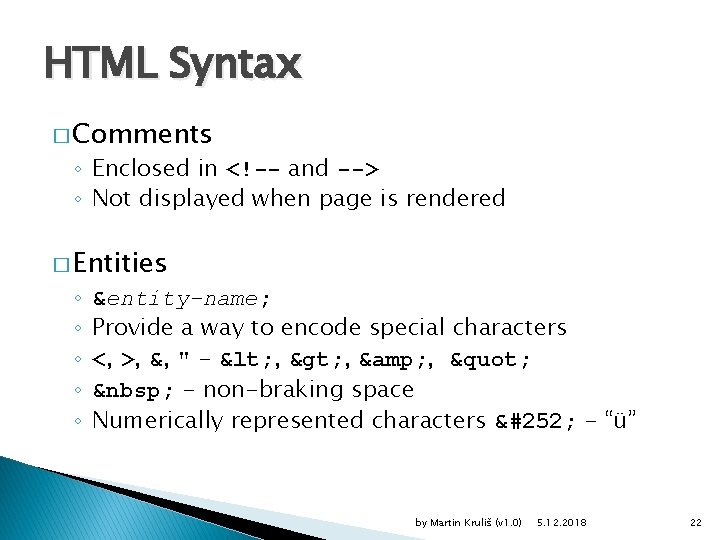
HTML Syntax � Comments ◦ Enclosed in <!-- and --> ◦ Not displayed when page is rendered � Entities ◦ ◦ ◦ &entity-name; Provide a way to encode special characters <, >, &, " - < , > , & , " - non-braking space Numerically represented characters ü - “ü” by Martin Kruliš (v 1. 0) 5. 12. 2018 22
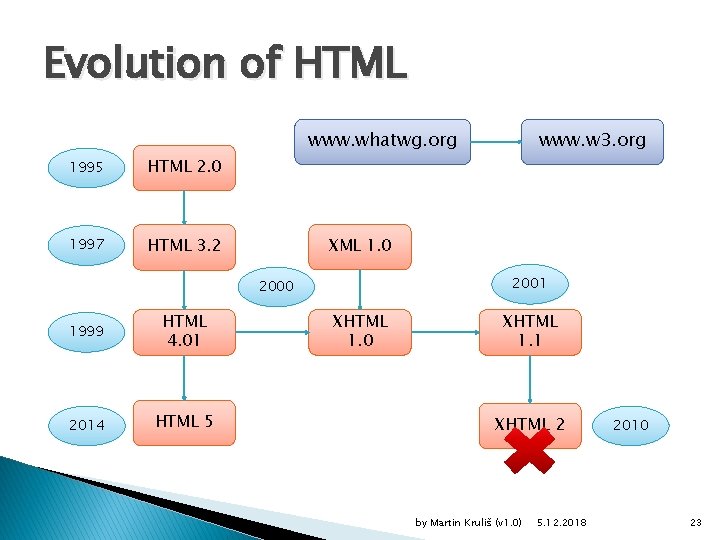
Evolution of HTML www. whatwg. org 1995 HTML 2. 0 1997 HTML 3. 2 XML 1. 0 2001 2000 1999 HTML 4. 01 2014 HTML 5 www. w 3. org XHTML 1. 0 XHTML 1. 1 XHTML 2 by Martin Kruliš (v 1. 0) 5. 12. 2018 2010 23
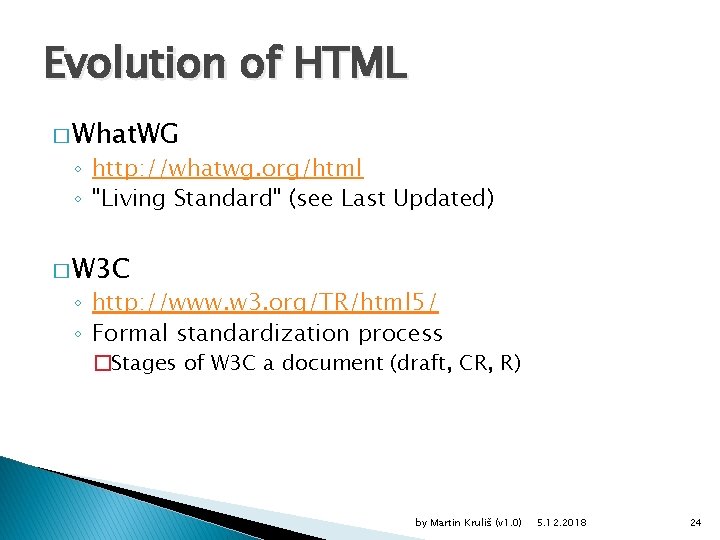
Evolution of HTML � What. WG ◦ http: //whatwg. org/html ◦ "Living Standard" (see Last Updated) � W 3 C ◦ http: //www. w 3. org/TR/html 5/ ◦ Formal standardization process �Stages of W 3 C a document (draft, CR, R) by Martin Kruliš (v 1. 0) 5. 12. 2018 24
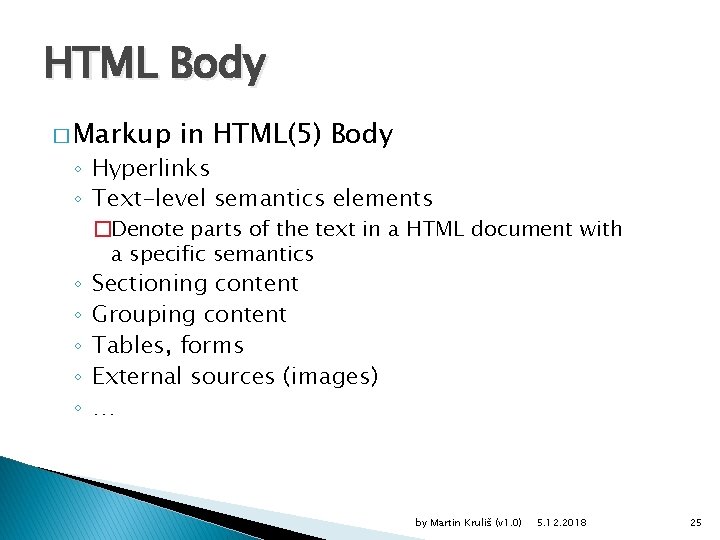
HTML Body � Markup in HTML(5) Body ◦ Hyperlinks ◦ Text-level semantics elements ◦ ◦ ◦ �Denote parts of the text in a HTML document with a specific semantics Sectioning content Grouping content Tables, forms External sources (images) … by Martin Kruliš (v 1. 0) 5. 12. 2018 25
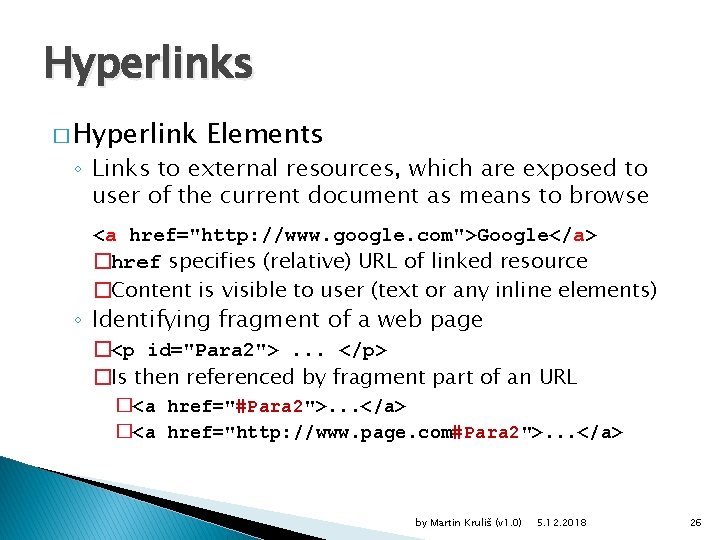
Hyperlinks � Hyperlink Elements ◦ Links to external resources, which are exposed to user of the current document as means to browse <a href="http: //www. google. com">Google</a> �href specifies (relative) URL of linked resource �Content is visible to user (text or any inline elements) ◦ Identifying fragment of a web page �<p id="Para 2">. . . </p> �Is then referenced by fragment part of an URL �<a href="#Para 2">. . . </a> �<a href="http: //www. page. com#Para 2">. . . </a> by Martin Kruliš (v 1. 0) 5. 12. 2018 26
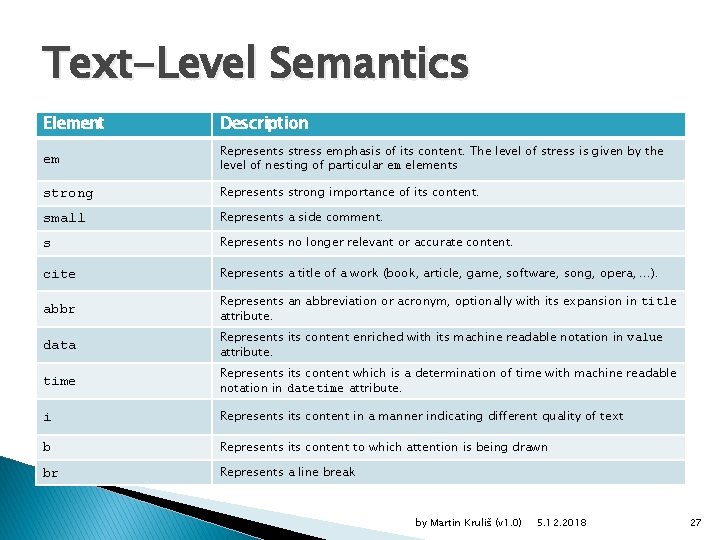
Text-Level Semantics Element Description em Represents stress emphasis of its content. The level of stress is given by the level of nesting of particular em elements strong Represents strong importance of its content. small Represents a side comment. s Represents no longer relevant or accurate content. cite Represents a title of a work (book, article, game, software, song, opera, . . . ). abbr Represents an abbreviation or acronym, optionally with its expansion in title attribute. data Represents its content enriched with its machine readable notation in value attribute. time Represents its content which is a determination of time with machine readable notation in datetime attribute. i Represents its content in a manner indicating different quality of text b Represents its content to which attention is being drawn br Represents a line break by Martin Kruliš (v 1. 0) 5. 12. 2018 27
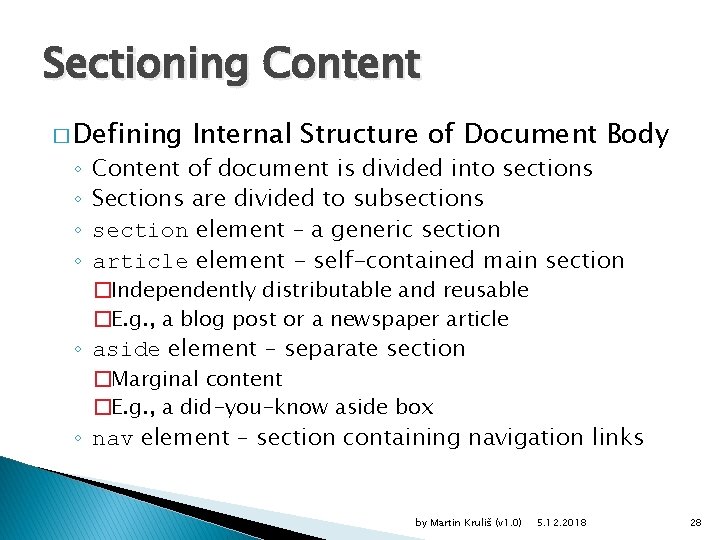
Sectioning Content � Defining ◦ ◦ Internal Structure of Document Body Content of document is divided into sections Sections are divided to subsections section element – a generic section article element - self-contained main section �Independently distributable and reusable �E. g. , a blog post or a newspaper article ◦ aside element – separate section �Marginal content �E. g. , a did-you-know aside box ◦ nav element – section containing navigation links by Martin Kruliš (v 1. 0) 5. 12. 2018 28
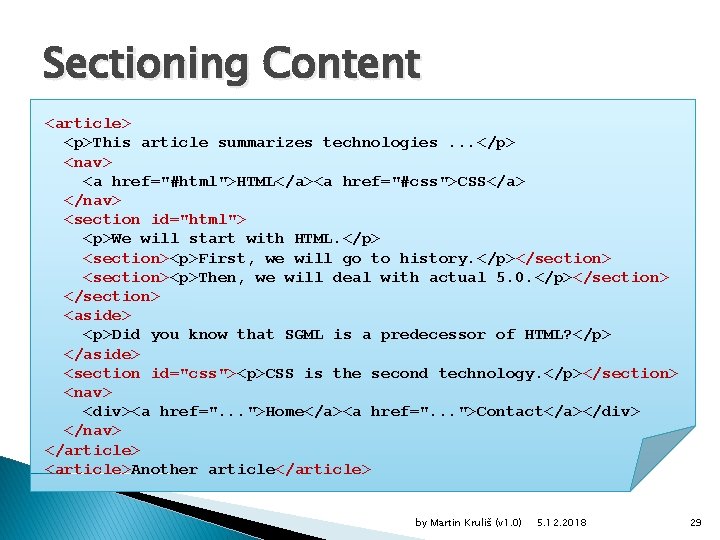
Sectioning Content <article> <p>This article summarizes technologies. . . </p> <nav> <a href="#html">HTML</a><a href="#css">CSS</a> </nav> <section id="html"> <p>We will start with HTML. </p> <section><p>First, we will go to history. </p></section> <section><p>Then, we will deal with actual 5. 0. </p></section> <aside> <p>Did you know that SGML is a predecessor of HTML? </p> </aside> <section id="css"><p>CSS is the second technology. </p></section> <nav> <div><a href=". . . ">Home</a><a href=". . . ">Contact</a></div> </nav> </article> <article>Another article</article> by Martin Kruliš (v 1. 0) 5. 12. 2018 29
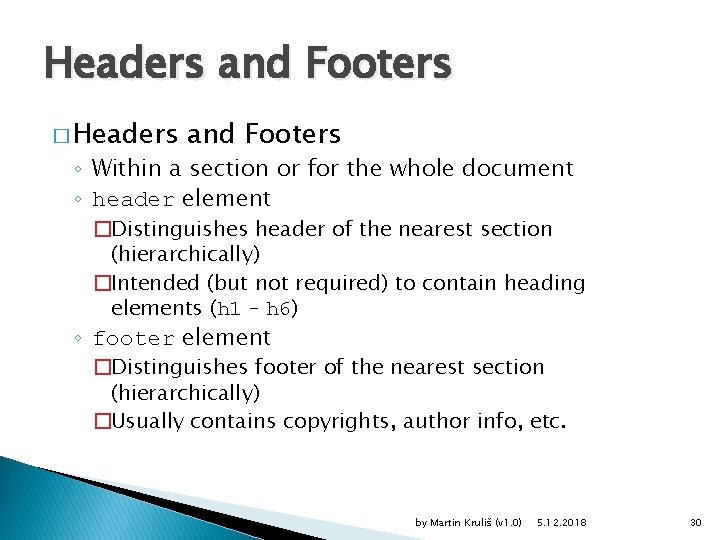
Headers and Footers � Headers and Footers ◦ Within a section or for the whole document ◦ header element �Distinguishes header of the nearest section (hierarchically) �Intended (but not required) to contain heading elements (h 1 – h 6) ◦ footer element �Distinguishes footer of the nearest section (hierarchically) �Usually contains copyrights, author info, etc. by Martin Kruliš (v 1. 0) 5. 12. 2018 30
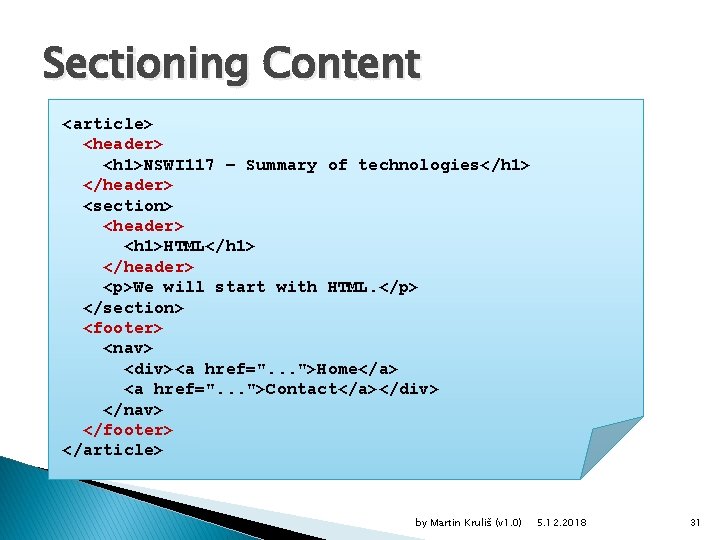
Sectioning Content <article> <header> <h 1>NSWI 117 – Summary of technologies</h 1> </header> <section> <header> <h 1>HTML</h 1> </header> <p>We will start with HTML. </p> </section> <footer> <nav> <div><a href=". . . ">Home</a> <a href=". . . ">Contact</a></div> </nav> </footer> </article> by Martin Kruliš (v 1. 0) 5. 12. 2018 31
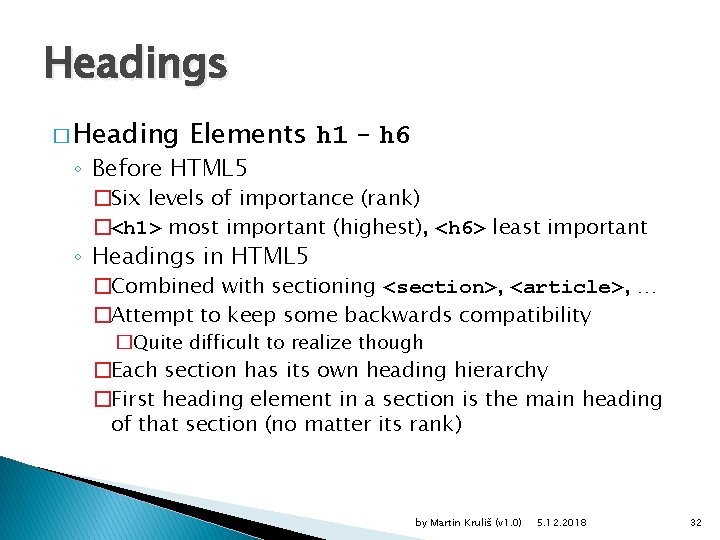
Headings � Heading Elements h 1 – h 6 ◦ Before HTML 5 �Six levels of importance (rank) �<h 1> most important (highest), <h 6> least important ◦ Headings in HTML 5 �Combined with sectioning <section>, <article>, … �Attempt to keep some backwards compatibility �Quite difficult to realize though �Each section has its own heading hierarchy �First heading element in a section is the main heading of that section (no matter its rank) by Martin Kruliš (v 1. 0) 5. 12. 2018 32
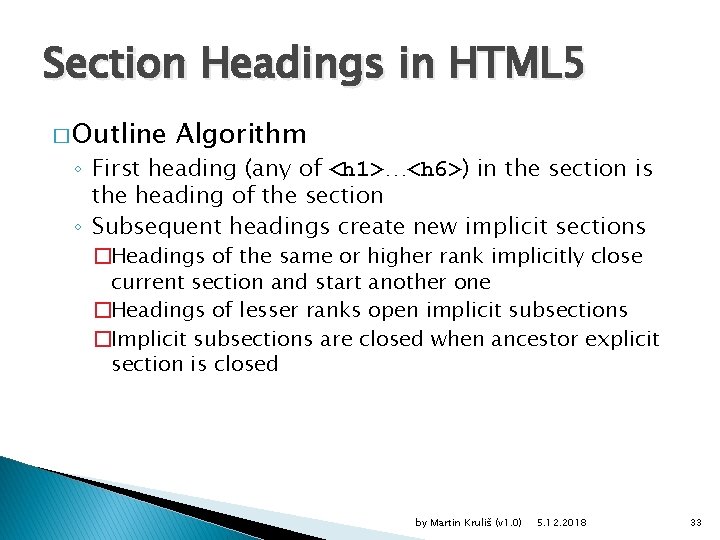
Section Headings in HTML 5 � Outline Algorithm ◦ First heading (any of <h 1>…<h 6>) in the section is the heading of the section ◦ Subsequent headings create new implicit sections �Headings of the same or higher rank implicitly close current section and start another one �Headings of lesser ranks open implicit subsections �Implicit subsections are closed when ancestor explicit section is closed by Martin Kruliš (v 1. 0) 5. 12. 2018 33
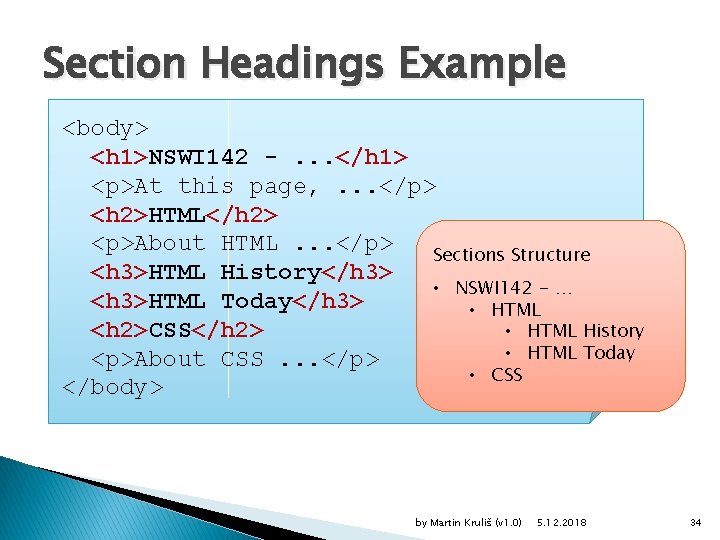
Section Headings Example <body> <h 1>NSWI 142 -. . . </h 1> <p>At this page, . . . </p> <h 2>HTML</h 2> <p>About HTML. . . </p> Sections Structure <h 3>HTML History</h 3> • NSWI 142 - … <h 3>HTML Today</h 3> • HTML <h 2>CSS</h 2> • HTML History • HTML Today <p>About CSS. . . </p> • CSS </body> by Martin Kruliš (v 1. 0) 5. 12. 2018 34
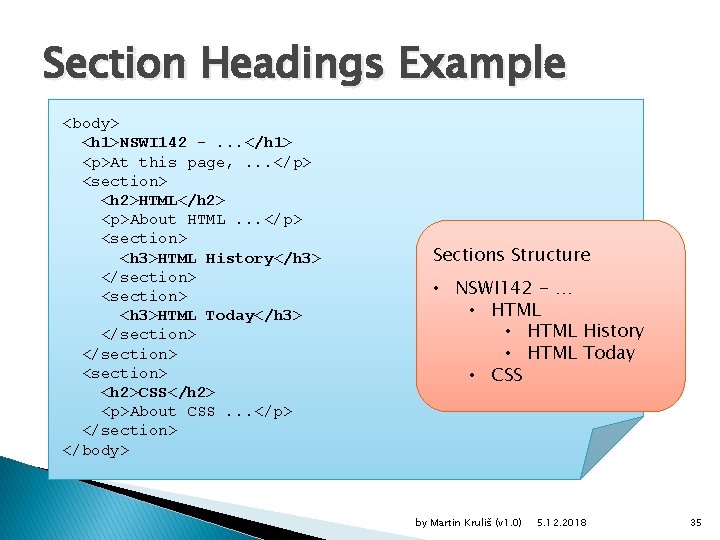
Section Headings Example <body> <h 1>NSWI 142 -. . . </h 1> <p>At this page, . . . </p> <section> <h 2>HTML</h 2> <p>About HTML. . . </p> <section> <h 3>HTML History</h 3> </section> <h 3>HTML Today</h 3> </section> <section> <h 2>CSS</h 2> <p>About CSS. . . </p> </section> </body> Sections Structure • NSWI 142 - … • HTML History • HTML Today • CSS by Martin Kruliš (v 1. 0) 5. 12. 2018 35
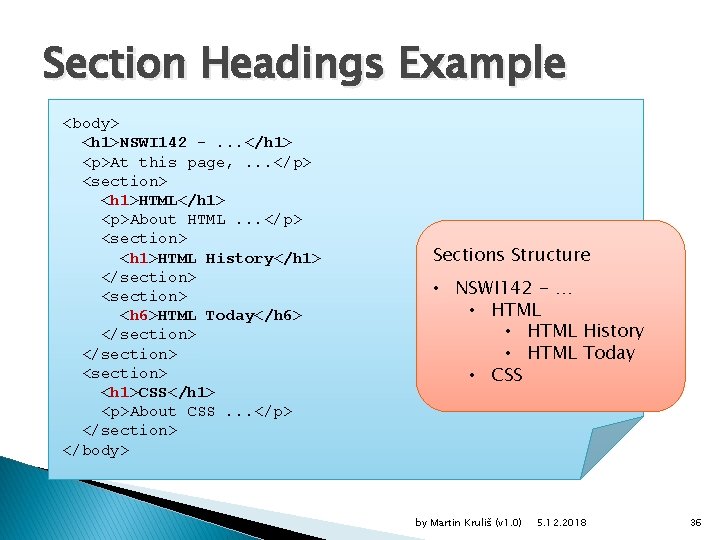
Section Headings Example <body> <h 1>NSWI 142 -. . . </h 1> <p>At this page, . . . </p> <section> <h 1>HTML</h 1> <p>About HTML. . . </p> <section> <h 1>HTML History</h 1> </section> <h 6>HTML Today</h 6> </section> <section> <h 1>CSS</h 1> <p>About CSS. . . </p> </section> </body> Sections Structure • NSWI 142 - … • HTML History • HTML Today • CSS by Martin Kruliš (v 1. 0) 5. 12. 2018 36
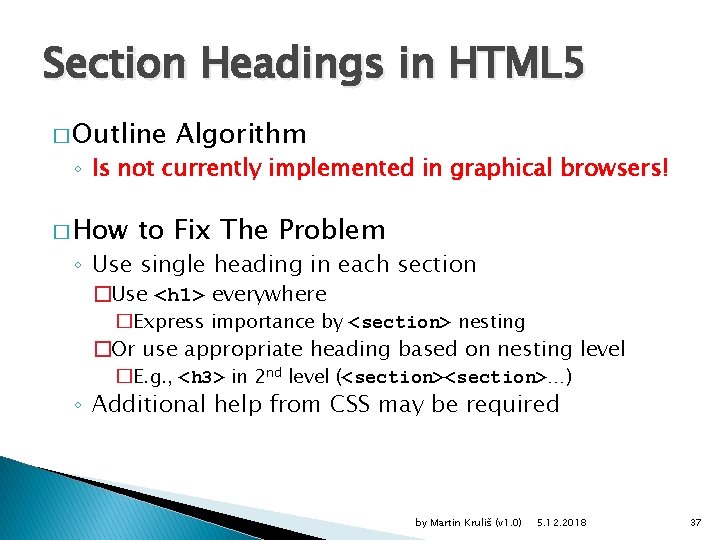
Section Headings in HTML 5 � Outline Algorithm ◦ Is not currently implemented in graphical browsers! � How to Fix The Problem ◦ Use single heading in each section �Use <h 1> everywhere �Express importance by <section> nesting �Or use appropriate heading based on nesting level �E. g. , <h 3> in 2 nd level (<section>…) ◦ Additional help from CSS may be required by Martin Kruliš (v 1. 0) 5. 12. 2018 37
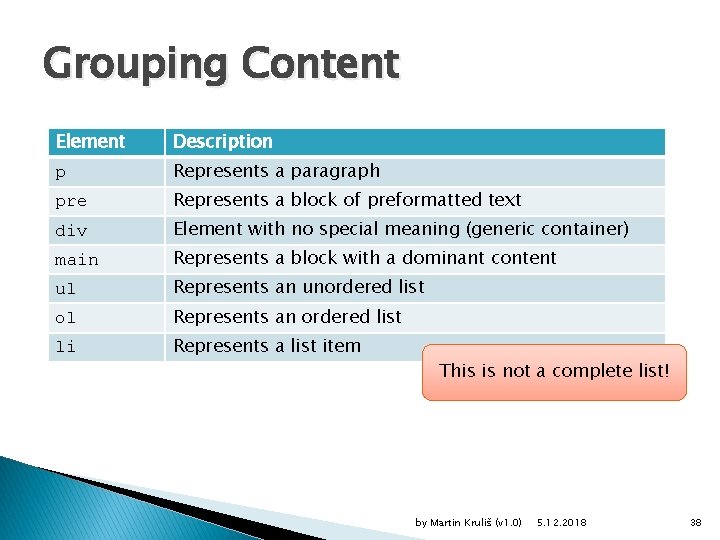
Grouping Content Element Description p Represents a paragraph pre Represents a block of preformatted text div Element with no special meaning (generic container) main Represents a block with a dominant content ul Represents an unordered list ol Represents an ordered list li Represents a list item This is not a complete list! by Martin Kruliš (v 1. 0) 5. 12. 2018 38
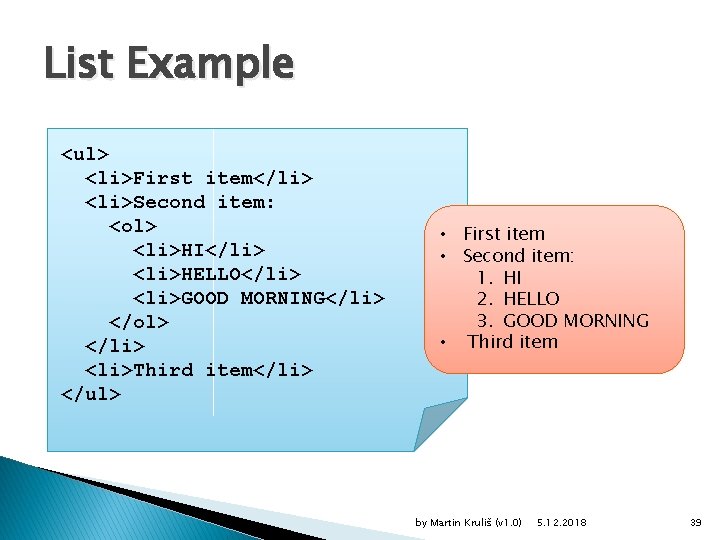
List Example <ul> <li>First item</li> <li>Second item: <ol> <li>HI</li> <li>HELLO</li> <li>GOOD MORNING</li> </ol> </li> <li>Third item</li> </ul> • First item • Second item: 1. HI 2. HELLO 3. GOOD MORNING • Third item by Martin Kruliš (v 1. 0) 5. 12. 2018 39
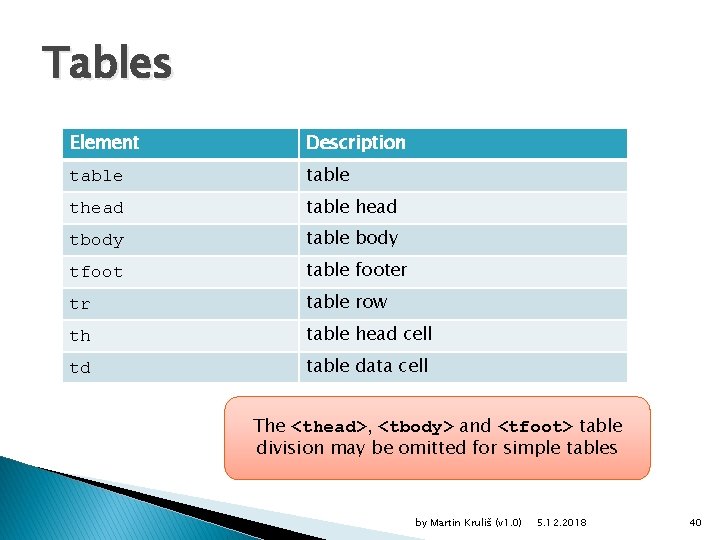
Tables Element Description table thead table head tbody table body tfoot table footer tr table row th table head cell td table data cell The <thead>, <tbody> and <tfoot> table division may be omitted for simple tables by Martin Kruliš (v 1. 0) 5. 12. 2018 40
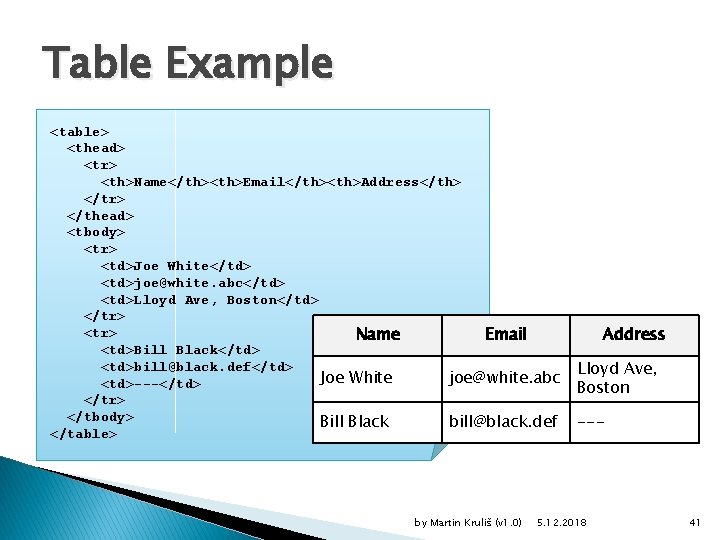
Table Example <table> <thead> <tr> <th>Name</th><th>Email</th><th>Address</th> </tr> </thead> <tbody> <tr> <td>Joe White</td> <td>joe@white. abc</td> <td>Lloyd Ave, Boston</td> </tr> <tr> Name Email <td>Bill Black</td> <td>bill@black. def</td> Joe White joe@white. abc <td>---</td> </tr> </tbody> Bill Black bill@black. def </table> by Martin Kruliš (v 1. 0) Address Lloyd Ave, Boston --- 5. 12. 2018 41
Irregular Tables � Spanning Table Cells ◦ Virtually grouping content of multiple logical cells ◦ Attribute colspan of element td and th �Spans selected cell over several following columns �Specifies the number of columns taken by the cell ◦ Attribute rowspan of element td and th �Spans selected cell over several following rows �Specifies the number of rows taken by the cell by Martin Kruliš (v 1. 0) 5. 12. 2018 42
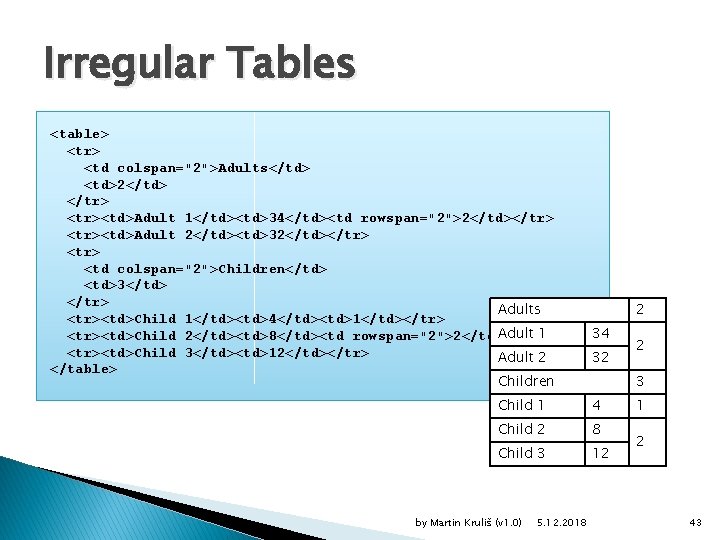
Irregular Tables <table> <tr> <td colspan="2">Adults</td> <td>2</td> </tr> <tr><td>Adult 1</td><td>34</td><td rowspan="2">2</td></tr> <tr><td>Adult 2</td><td>32</td></tr> <td colspan="2">Children</td> <td>3</td> </tr> Adults <tr><td>Child 1</td><td>4</td><td>1</td></tr> Adult 1 <tr><td>Child 2</td><td>8</td><td rowspan="2">2</td></tr> <tr><td>Child 3</td><td>12</td></tr> Adult 2 </table> Children 2 34 32 3 Child 1 4 Child 2 8 Child 3 12 by Martin Kruliš (v 1. 0) 5. 12. 2018 2 1 2 43
Forms � HTML Form ◦ Component of web page composed of UI controls ◦ User can interact with form controls �Adding text, selecting options, clicking on buttons, … �Data provided by user can be processed by a script �By Javascript in the browser or by a server script � Element <form> ◦ Attribute method – HTTP method used for transfer �post – data are transferred in HTTP request body �get – data are encoded in URL (query part) ◦ Attribute action – URL where the data are sent to by Martin Kruliš (v 1. 0) 5. 12. 2018 44
Forms � Form Controls ◦ input �Basic input controls �Various types based on input attributes ◦ textarea �Input for longer (multi row) texts ◦ select �Selection list with options ◦ button �Submit or reset button by Martin Kruliš (v 1. 0) 5. 12. 2018 45
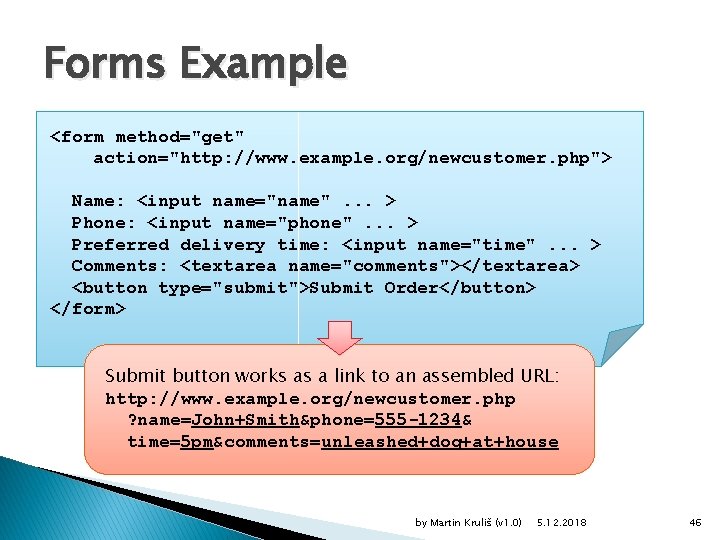
Forms Example <form method="get" action="http: //www. example. org/newcustomer. php"> Name: <input name="name". . . > Phone: <input name="phone". . . > Preferred delivery time: <input name="time". . . > Comments: <textarea name="comments"></textarea> <button type="submit">Submit Order</button> </form> Submit button works as a link to an assembled URL: http: //www. example. org/newcustomer. php ? name=John+Smith&phone=555 -1234& time=5 pm&comments=unleashed+dog+at+house by Martin Kruliš (v 1. 0) 5. 12. 2018 46
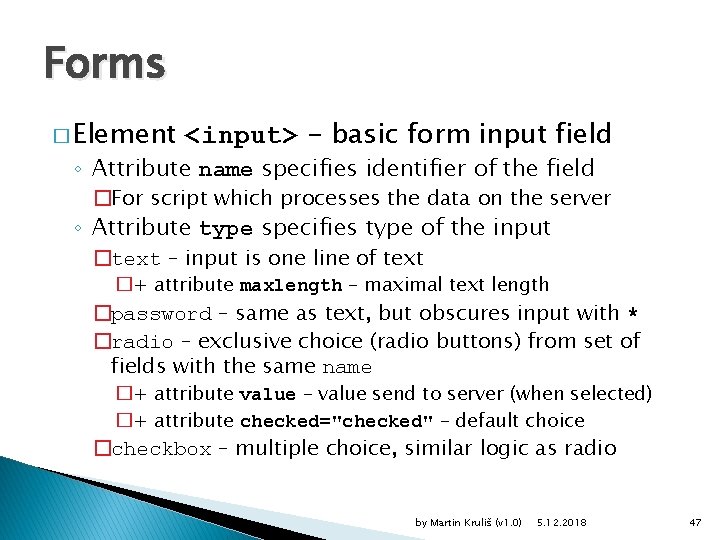
Forms � Element <input> - basic form input field ◦ Attribute name specifies identifier of the field �For script which processes the data on the server ◦ Attribute type specifies type of the input �text – input is one line of text �+ attribute maxlength – maximal text length �password – same as text, but obscures input with * �radio – exclusive choice (radio buttons) from set of fields with the same name �+ attribute value – value send to server (when selected) �+ attribute checked="checked" – default choice �checkbox – multiple choice, similar logic as radio by Martin Kruliš (v 1. 0) 5. 12. 2018 47
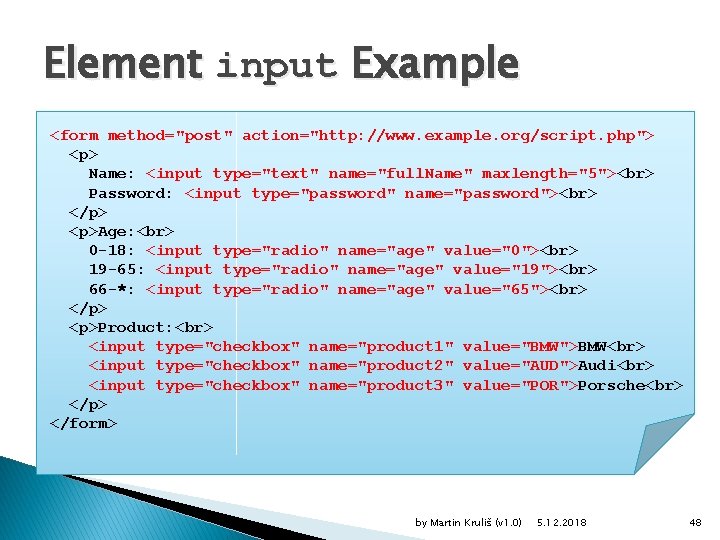
Element input Example <form method="post" action="http: //www. example. org/script. php"> <p> Name: <input type="text" name="full. Name" maxlength="5"> Password: <input type="password" name="password"> </p> <p>Age: 0 -18: <input type="radio" name="age" value="0"> 19 -65: <input type="radio" name="age" value="19"> 66 -*: <input type="radio" name="age" value="65"> </p> <p>Product: <input type="checkbox" name="product 1" value="BMW">BMW <input type="checkbox" name="product 2" value="AUD">Audi <input type="checkbox" name="product 3" value="POR">Porsche </p> </form> by Martin Kruliš (v 1. 0) 5. 12. 2018 48
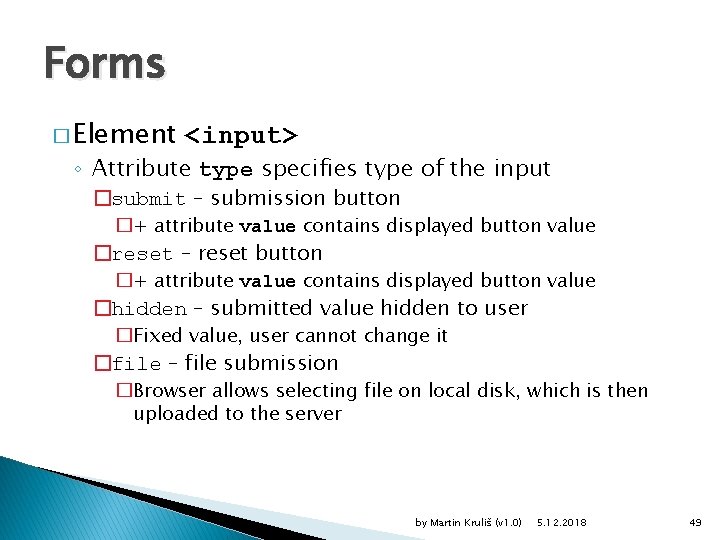
Forms � Element <input> ◦ Attribute type specifies type of the input �submit – submission button �+ attribute value contains displayed button value �reset – reset button �+ attribute value contains displayed button value �hidden – submitted value hidden to user �Fixed value, user cannot change it �file – file submission �Browser allows selecting file on local disk, which is then uploaded to the server by Martin Kruliš (v 1. 0) 5. 12. 2018 49
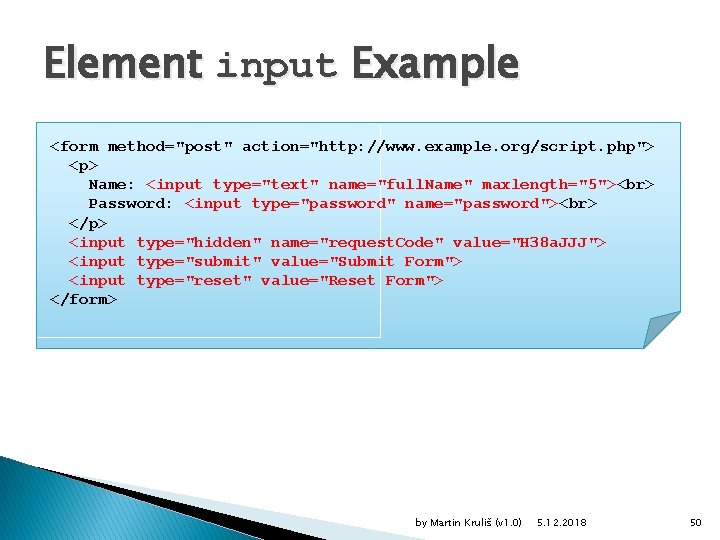
Element input Example <form method="post" action="http: //www. example. org/script. php"> <p> Name: <input type="text" name="full. Name" maxlength="5"> Password: <input type="password" name="password"> </p> <input type="hidden" name="request. Code" value="H 38 a. JJJ"> <input type="submit" value="Submit Form"> <input type="reset" value="Reset Form"> </form> by Martin Kruliš (v 1. 0) 5. 12. 2018 50
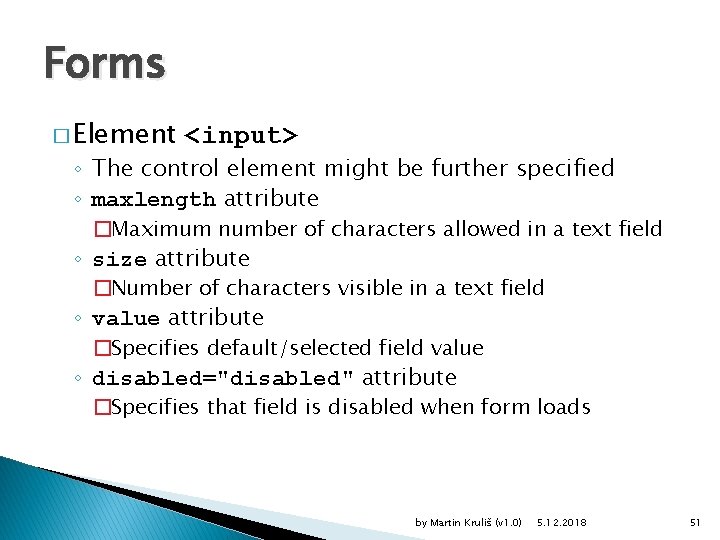
Forms � Element <input> ◦ The control element might be further specified ◦ maxlength attribute �Maximum number of characters allowed in a text field ◦ size attribute �Number of characters visible in a text field ◦ value attribute �Specifies default/selected field value ◦ disabled="disabled" attribute �Specifies that field is disabled when form loads by Martin Kruliš (v 1. 0) 5. 12. 2018 51
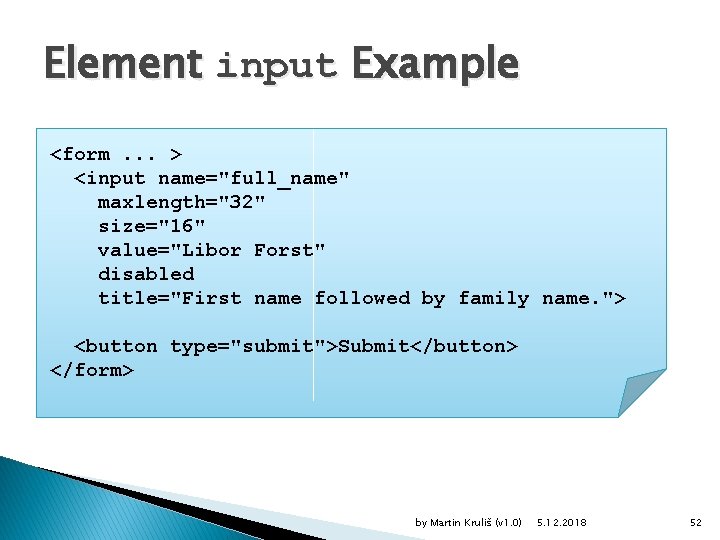
Element input Example <form. . . > <input name="full_name" maxlength="32" size="16" value="Libor Forst" disabled title="First name followed by family name. "> <button type="submit">Submit</button> </form> by Martin Kruliš (v 1. 0) 5. 12. 2018 52
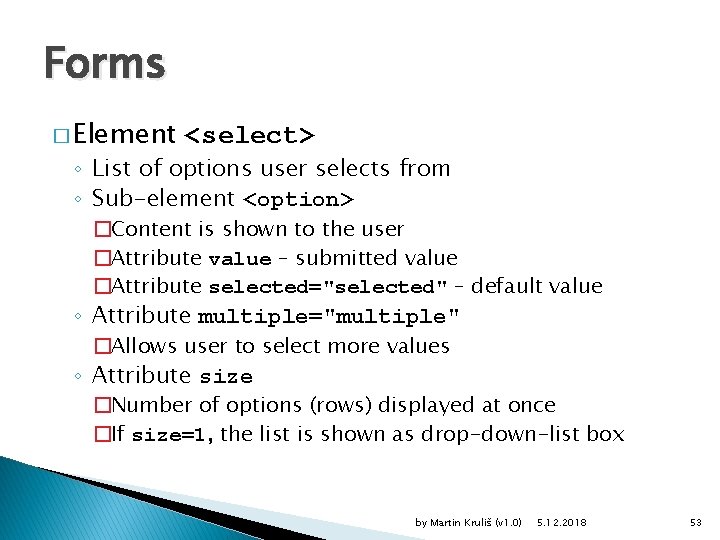
Forms � Element <select> ◦ List of options user selects from ◦ Sub-element <option> �Content is shown to the user �Attribute value – submitted value �Attribute selected="selected" – default value ◦ Attribute multiple="multiple" �Allows user to select more values ◦ Attribute size �Number of options (rows) displayed at once �If size=1, the list is shown as drop-down-list box by Martin Kruliš (v 1. 0) 5. 12. 2018 53
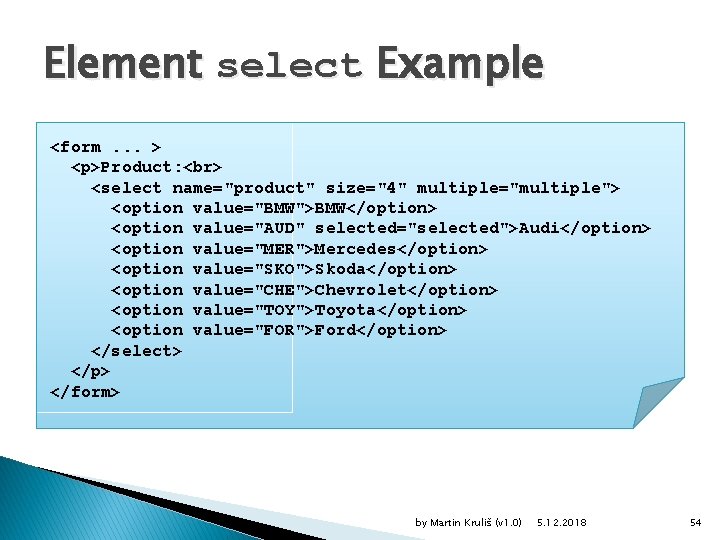
Element select Example <form. . . > <p>Product: <select name="product" size="4" multiple="multiple"> <option value="BMW">BMW</option> <option value="AUD" selected="selected">Audi</option> <option value="MER">Mercedes</option> <option value="SKO">Skoda</option> <option value="CHE">Chevrolet</option> <option value="TOY">Toyota</option> <option value="FOR">Ford</option> </select> </p> </form> by Martin Kruliš (v 1. 0) 5. 12. 2018 54
Forms � Additional Form Elements ◦ Making the form structured and better readable ◦ <fieldset> element �Groups logically related fields ◦ <legend> element �Caption for a <fieldset> element ◦ <label> element �Caption for a control element (e. g. , <input> element) ◦ title attribute �Balloon tip hint for a field �(This is attribute may be used with any HTML element) by Martin Kruliš (v 1. 0) 5. 12. 2018 55
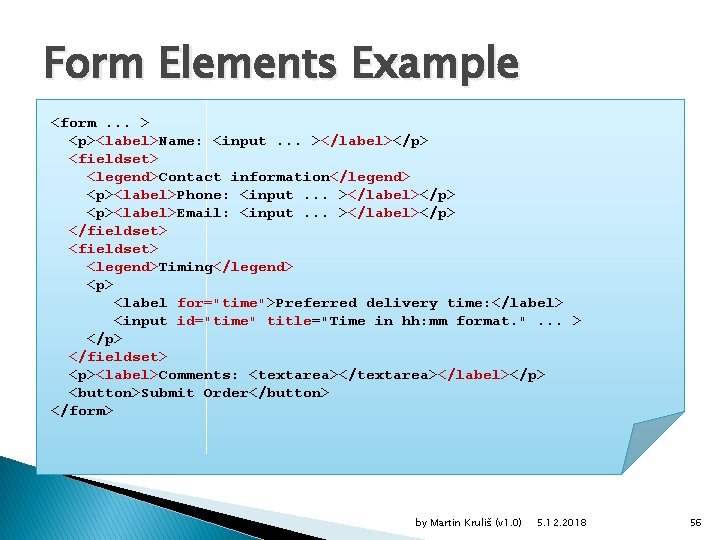
Form Elements Example <form. . . > <p><label>Name: <input. . . ></label></p> <fieldset> <legend>Contact information</legend> <p><label>Phone: <input. . . ></label></p> <p><label>Email: <input. . . ></label></p> </fieldset> <legend>Timing</legend> <p> <label for="time">Preferred delivery time: </label> <input id="time" title="Time in hh: mm format. ". . . > </p> </fieldset> <p><label>Comments: <textarea></label></p> <button>Submit Order</button> </form> by Martin Kruliš (v 1. 0) 5. 12. 2018 56
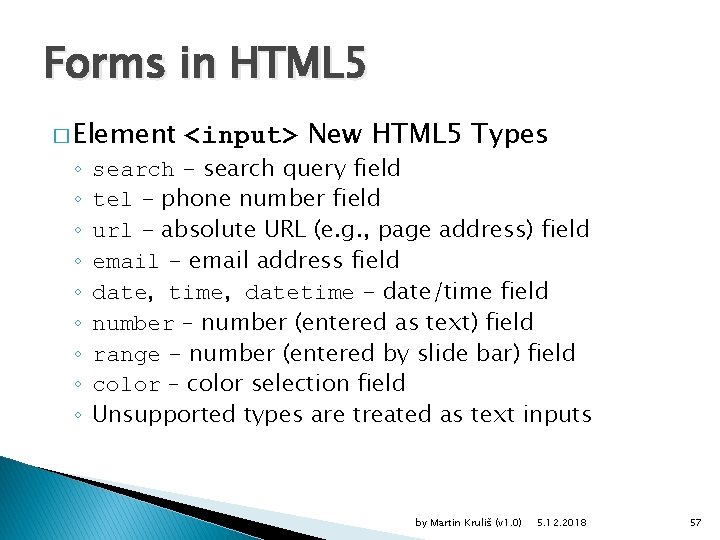
Forms in HTML 5 � Element ◦ ◦ ◦ ◦ ◦ <input> New HTML 5 Types search - search query field tel - phone number field url - absolute URL (e. g. , page address) field email - email address field date, time, datetime - date/time field number – number (entered as text) field range - number (entered by slide bar) field color – color selection field Unsupported types are treated as text inputs by Martin Kruliš (v 1. 0) 5. 12. 2018 57
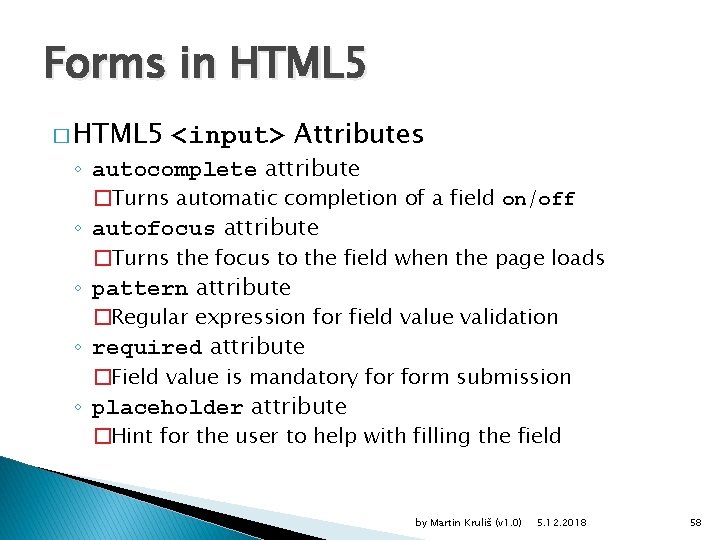
Forms in HTML 5 � HTML 5 <input> Attributes ◦ autocomplete attribute �Turns automatic completion of a field on/off ◦ autofocus attribute �Turns the focus to the field when the page loads ◦ pattern attribute �Regular expression for field value validation ◦ required attribute �Field value is mandatory form submission ◦ placeholder attribute �Hint for the user to help with filling the field by Martin Kruliš (v 1. 0) 5. 12. 2018 58
![Input Attributes Example <form. . . > <input name="phone" autocomplete="off" autofocus="autofocus" pattern="[0 -9]{9}" placeholder="Fill](http://slidetodoc.com/presentation_image_h2/50cec7a2e95624933dc9400f31267e97/image-59.jpg "Input Attributes Example <form. . . > <input name=\"phone\" autocomplete=\"off\" autofocus=\"autofocus\" pattern=\"[0 -9]{9}\" placeholder=\"Fill")
Input Attributes Example <form. . . > <input name="phone" autocomplete="off" autofocus="autofocus" pattern="[0 -9]{9}" placeholder="Fill in your 9 -digit phone number" required="required"> <button>Submit</button> </form> by Martin Kruliš (v 1. 0) 5. 12. 2018 59
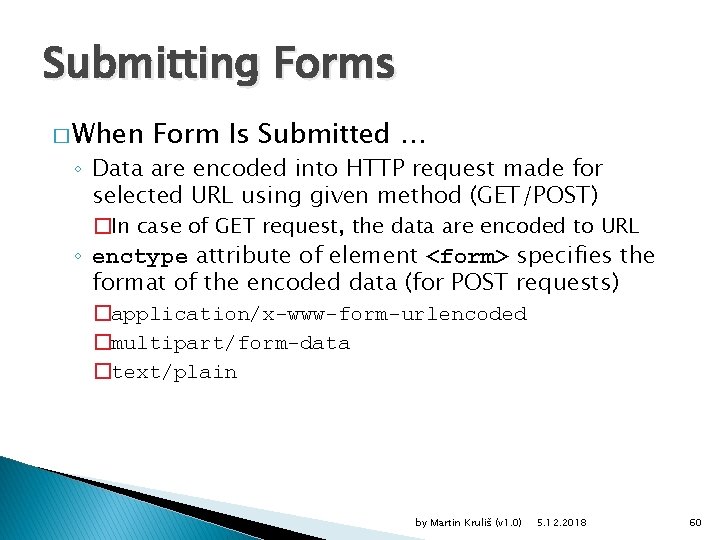
Submitting Forms � When Form Is Submitted … ◦ Data are encoded into HTTP request made for selected URL using given method (GET/POST) �In case of GET request, the data are encoded to URL ◦ enctype attribute of element <form> specifies the format of the encoded data (for POST requests) �application/x-www-form-urlencoded �multipart/form-data �text/plain by Martin Kruliš (v 1. 0) 5. 12. 2018 60
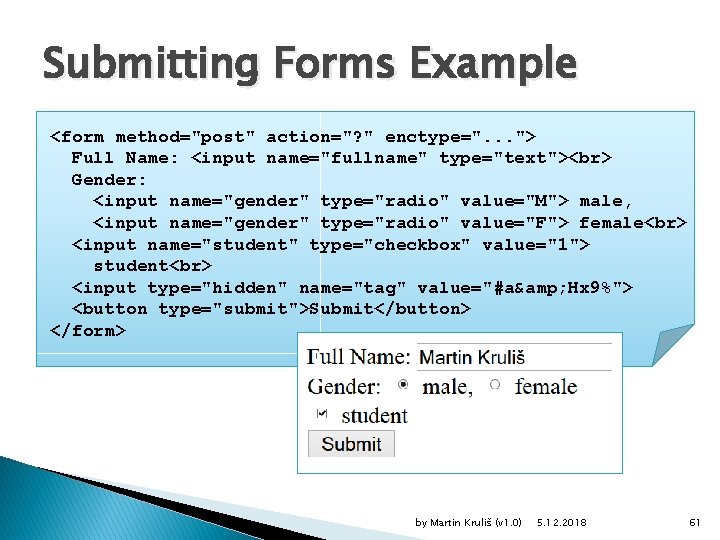
Submitting Forms Example <form method="post" action="? " enctype=". . . "> Full Name: <input name="fullname" type="text"> Gender: <input name="gender" type="radio" value="M"> male, <input name="gender" type="radio" value="F"> female <input name="student" type="checkbox" value="1"> student <input type="hidden" name="tag" value="#a& Hx 9%"> <button type="submit">Submit</button> </form> by Martin Kruliš (v 1. 0) 5. 12. 2018 61
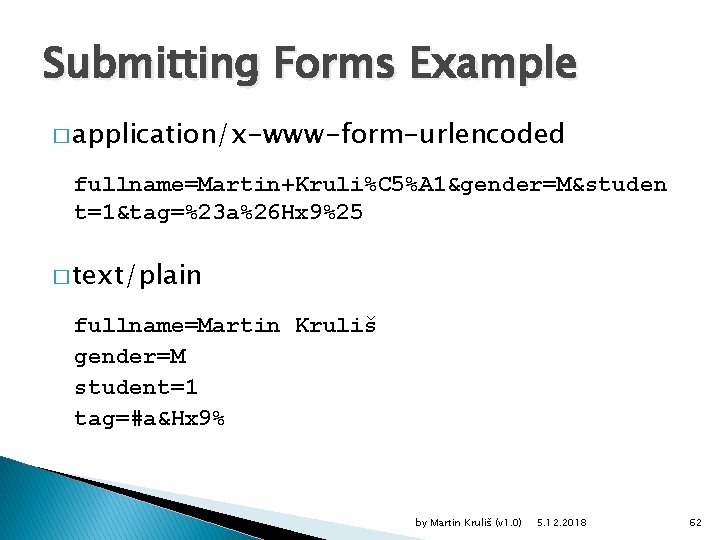
Submitting Forms Example � application/x-www-form-urlencoded fullname=Martin+Kruli%C 5%A 1&gender=M&studen t=1&tag=%23 a%26 Hx 9%25 � text/plain fullname=Martin Kruliš gender=M student=1 tag=#a&Hx 9% by Martin Kruliš (v 1. 0) 5. 12. 2018 62
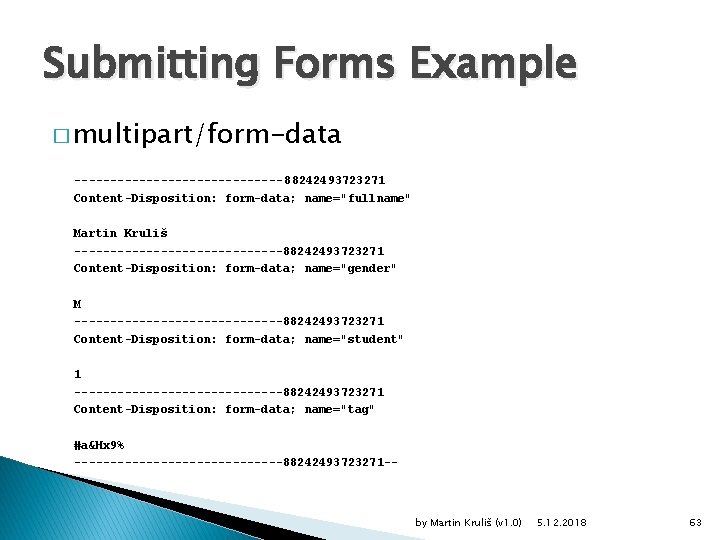
Submitting Forms Example � multipart/form-data --------------- 88242493723271 Content-Disposition: form-data; name="fullname" Martin Kruliš ---------------88242493723271 Content-Disposition: form-data; name="gender" M ---------------88242493723271 Content-Disposition: form-data; name="student" 1 ---------------88242493723271 Content-Disposition: form-data; name="tag" #a&Hx 9% ---------------88242493723271 -- by Martin Kruliš (v 1. 0) 5. 12. 2018 63
Images � Element <img> ◦ Include image in the document contents ◦ Attribute src – the URL of an image to be loaded ◦ Attributes width and height - image size in pixels �It is a good practice to let the browser know the size before the image is loaded (or if it fails) ◦ Attribute alt – alternative textual representation �Briefly describes, what the image shows �Used, when the image loading fails ◦ Attribute title – same as in form controls by Martin Kruliš (v 1. 0) 5. 12. 2018 64
Document Metadata � Additional Information about The Document ◦ Inside element <head> ◦ <title> - document title or name �Identify document for users (browser window caption) ◦ <base> - URL base for resolving relative addresses ◦ <link> - links document to other resources �Cascading stylesheet files, for instance ◦ <style> - embeds style information inside document �Contents is written in CSS stylesheet syntax ◦ <meta> - additional metadata and HTTP supplements �Description, keywords, document author, … by Martin Kruliš (v 1. 0) 5. 12. 2018 65
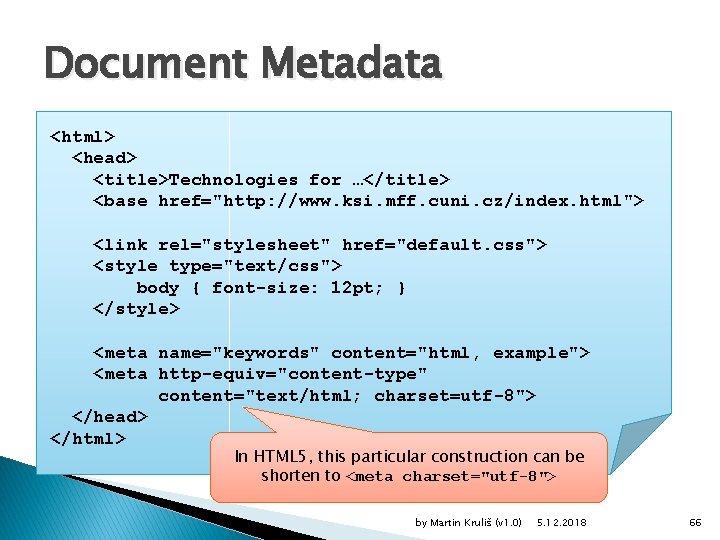
Document Metadata <html> <head> <title>Technologies for …</title> <base href="http: //www. ksi. mff. cuni. cz/index. html"> <link rel="stylesheet" href="default. css"> <style type="text/css"> body { font-size: 12 pt; } </style> <meta name="keywords" content="html, example"> <meta http-equiv="content-type" content="text/html; charset=utf-8"> </head> </html> In HTML 5, this particular construction can be shorten to <meta charset="utf-8"> by Martin Kruliš (v 1. 0) 5. 12. 2018 66
More on Links � HTML 5 Definition of Link ◦ Link represents relationship of particular type between current document and other web resource ◦ Syntactically defined by elements <link> and <a> ◦ Two kinds of links (according to HTML 5 spec. ) �Links to external resources �Augment/further specify current document �Hyperlinks �Exposed to the user to navigate between resources �The kind depends on the element used and on the relationship type (attribute rel) by Martin Kruliš (v 1. 0) 5. 12. 2018 67
More on Links � Link Specification ◦ href attribute �URL of resource linked by relationship ◦ rel attribute �Type of relationship ◦ media attribute �Media linked resource applies to �E. g. , print, screen, all ◦ type attribute �MIME type of linked resource �text/html, application/xhtml+xml, text/css, application/pdf by Martin Kruliš (v 1. 0) 5. 12. 2018 68
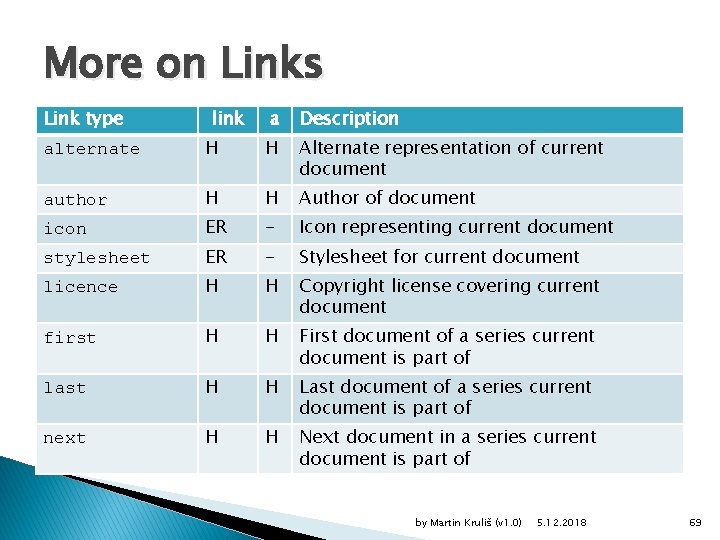
More on Links Link type link a Description alternate H H Alternate representation of current document author H H Author of document icon ER - Icon representing current document stylesheet ER - Stylesheet for current document licence H H Copyright license covering current document first H H First document of a series current document is part of last H H Last document of a series current document is part of next H H Next document in a series current document is part of by Martin Kruliš (v 1. 0) 5. 12. 2018 69
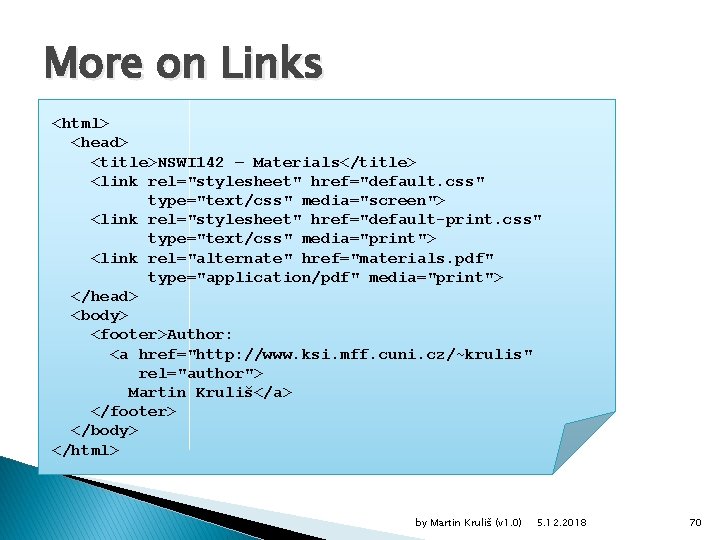
More on Links <html> <head> <title>NSWI 142 – Materials</title> <link rel="stylesheet" href="default. css" type="text/css" media="screen"> <link rel="stylesheet" href="default-print. css" type="text/css" media="print"> <link rel="alternate" href="materials. pdf" type="application/pdf" media="print"> </head> <body> <footer>Author: <a href="http: //www. ksi. mff. cuni. cz/~krulis" rel="author"> Martin Kruliš</a> </footer> </body> </html> by Martin Kruliš (v 1. 0) 5. 12. 2018 70
Discussion by Martin Kruliš (v 1. 0) 5. 12. 2018 71
- Slides: 71