
Workshop 7 Nonlinear Analysis Large Deflection Arched Beam

Workshop 7 Nonlinear Analysis Large Deflection Arched Beam

7. Nonlinear Analysis - Large Deflection Arched Beam Workshop Supplement • A shallow arch is subjected to a 20, 000 N force at its midspan. Determine the midspan displacement using both a linear and nonlinear (large-deflection) analysis, then compare the results. INTRODUCTION TO ANSYS 6. 0 - Part 2 Description October 30, 2001 Inventory #001572 W 7 -2
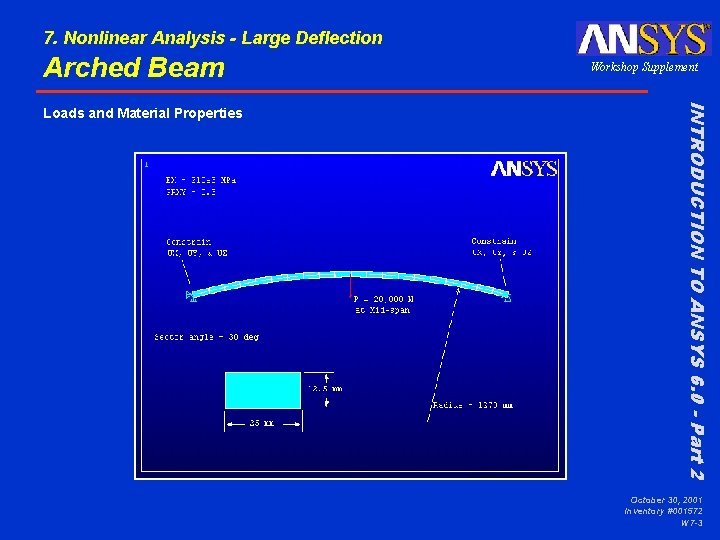
7. Nonlinear Analysis - Large Deflection Arched Beam INTRODUCTION TO ANSYS 6. 0 - Part 2 Loads and Material Properties Workshop Supplement October 30, 2001 Inventory #001572 W 7 -3

7. Nonlinear Analysis - Large Deflection Arched Beam Workshop Supplement Enter ANSYS in the working directory specified by your instructor using “beamarch” as the jobname. 2. We recommend building the model using steps 3 -12, but if you don't want to, you may resume an existing database (beamarch. db 1), then skip to step 13. – – Utility Menu > File > Resume from … Or issue: RESUME, beamarch, db 1 3. Define 4 keypoints in the global cylindrical system: kp 1 at (1270, 75), kp 2 at (1270, 90), kp 3 at (1270, 105), kp 4 at (1270 sin 45, 90). Kp 4 is the orientation keypoint. – – Utility Menu > Work. Plane > Change Active CS to > Global Cylindrical Main Menu > Preprocessor > -Modeling- Create > Keypoints > In Active CS … Utility Menu > Parameters > Angular Units. . . Or issue: /PREP 7 CSYS, 1 K, 1, 1270, 75 K, 2, 1270, 90 K, 3, 1270, 105 *AFUN, DEG K, 4, (1270*SIN(45)), 90 INTRODUCTION TO ANSYS 6. 0 - Part 2 1. October 30, 2001 Inventory #001572 W 7 -4
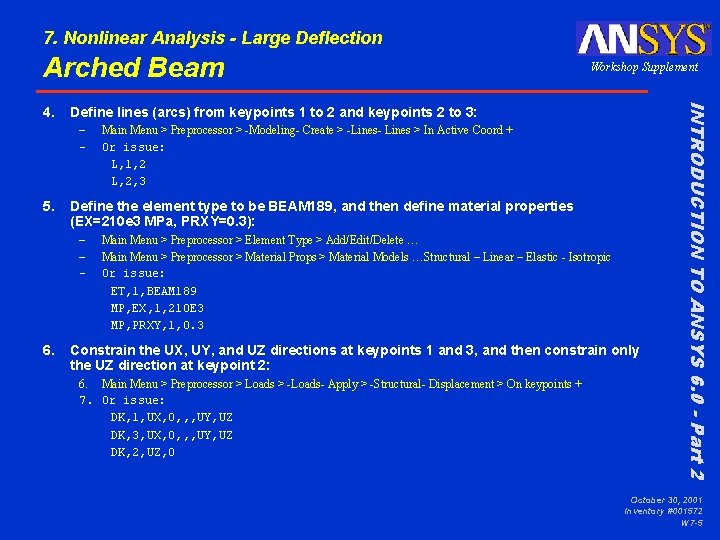
7. Nonlinear Analysis - Large Deflection Arched Beam Define lines (arcs) from keypoints 1 to 2 and keypoints 2 to 3: – – 5. Define the element type to be BEAM 189, and then define material properties (EX=210 e 3 MPa, PRXY=0. 3): – – – 6. Main Menu > Preprocessor > -Modeling- Create > -Lines- Lines > In Active Coord + Or issue: L, 1, 2 L, 2, 3 Main Menu > Preprocessor > Element Type > Add/Edit/Delete … Main Menu > Preprocessor > Material Props > Material Models …Structural – Linear – Elastic - Isotropic Or issue: ET, 1, BEAM 189 MP, EX, 1, 210 E 3 MP, PRXY, 1, 0. 3 Constrain the UX, UY, and UZ directions at keypoints 1 and 3, and then constrain only the UZ direction at keypoint 2: 6. Main Menu > Preprocessor > Loads > -Loads- Apply > -Structural- Displacement > On keypoints + 7. Or issue: DK, 1, UX, 0, , , UY, UZ DK, 3, UX, 0, , , UY, UZ DK, 2, UZ, 0 INTRODUCTION TO ANSYS 6. 0 - Part 2 4. Workshop Supplement October 30, 2001 Inventory #001572 W 7 -5
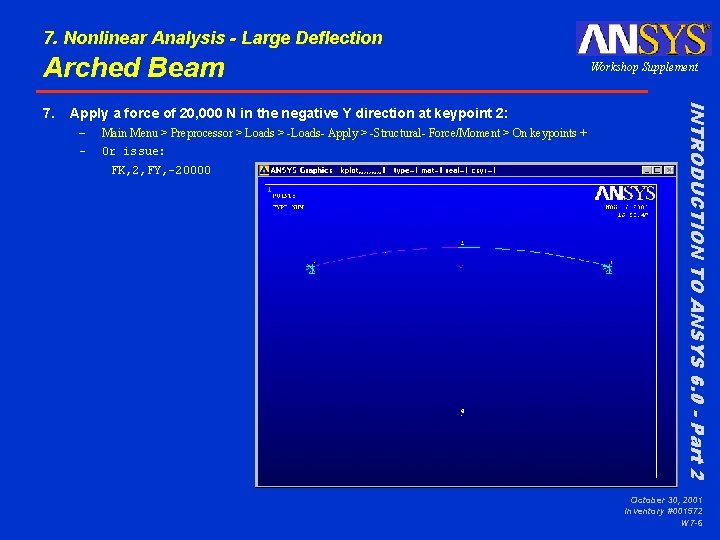
7. Nonlinear Analysis - Large Deflection Arched Beam Apply a force of 20, 000 N in the negative Y direction at keypoint 2: – – Main Menu > Preprocessor > Loads > -Loads- Apply > -Structural- Force/Moment > On keypoints + Or issue: FK, 2, FY, -20000 INTRODUCTION TO ANSYS 6. 0 - Part 2 7. Workshop Supplement October 30, 2001 Inventory #001572 W 7 -6
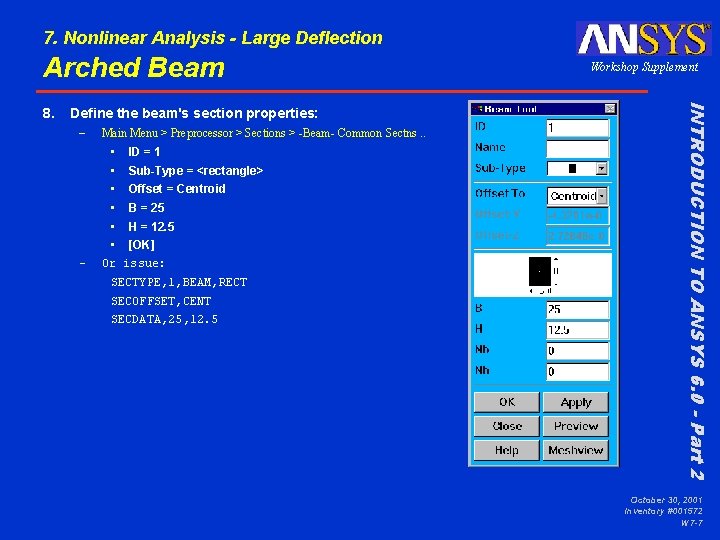
7. Nonlinear Analysis - Large Deflection Arched Beam Define the beam's section properties: – – Main Menu > Preprocessor > Sections > -Beam- Common Sectns. . • ID = 1 • Sub-Type = <rectangle> • Offset = Centroid • B = 25 • H = 12. 5 • [OK] Or issue: SECTYPE, 1, BEAM, RECT SECOFFSET, CENT SECDATA, 25, 12. 5 INTRODUCTION TO ANSYS 6. 0 - Part 2 8. Workshop Supplement October 30, 2001 Inventory #001572 W 7 -7
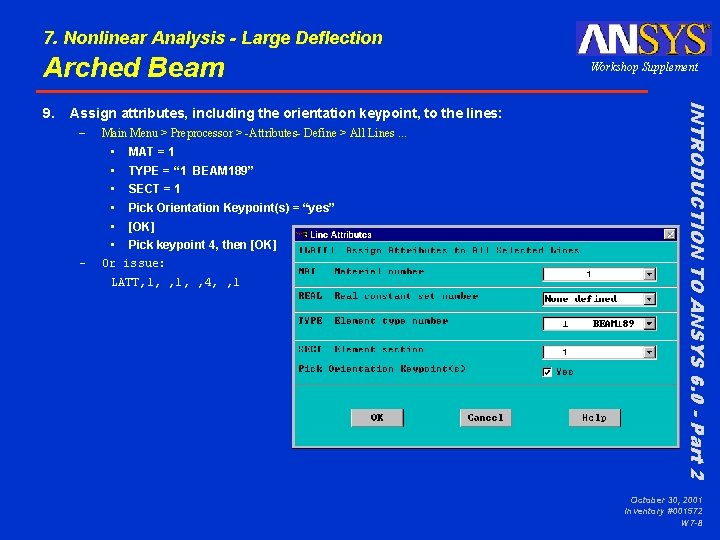
7. Nonlinear Analysis - Large Deflection Arched Beam Assign attributes, including the orientation keypoint, to the lines: – – Main Menu > Preprocessor > -Attributes- Define > All Lines. . . • MAT = 1 • TYPE = “ 1 BEAM 189” • SECT = 1 • Pick Orientation Keypoint(s) = “yes” • [OK] • Pick keypoint 4, then [OK] Or issue: LATT, 1, , 4, , 1 INTRODUCTION TO ANSYS 6. 0 - Part 2 9. Workshop Supplement October 30, 2001 Inventory #001572 W 7 -8
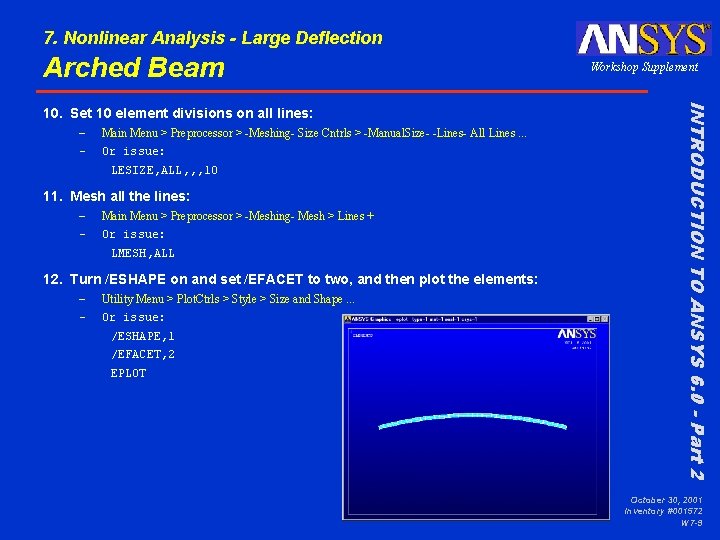
7. Nonlinear Analysis - Large Deflection Arched Beam – – Main Menu > Preprocessor > -Meshing- Size Cntrls > -Manual. Size- -Lines- All Lines. . . Or issue: LESIZE, ALL, , , 10 11. Mesh all the lines: – – Main Menu > Preprocessor > -Meshing- Mesh > Lines + Or issue: LMESH, ALL 12. Turn /ESHAPE on and set /EFACET to two, and then plot the elements: – – Utility Menu > Plot. Ctrls > Style > Size and Shape. . . Or issue: /ESHAPE, 1 /EFACET, 2 EPLOT INTRODUCTION TO ANSYS 6. 0 - Part 2 10. Set 10 element divisions on all lines: Workshop Supplement October 30, 2001 Inventory #001572 W 7 -9
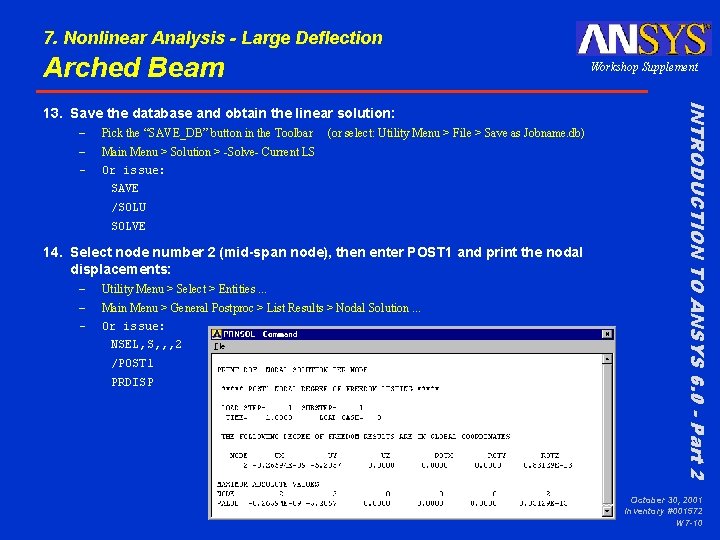
7. Nonlinear Analysis - Large Deflection Arched Beam Workshop Supplement – – – Pick the “SAVE_DB” button in the Toolbar (or select: Utility Menu > File > Save as Jobname. db) Main Menu > Solution > -Solve- Current LS Or issue: SAVE /SOLU SOLVE 14. Select node number 2 (mid-span node), then enter POST 1 and print the nodal displacements: – – – Utility Menu > Select > Entities. . . Main Menu > General Postproc > List Results > Nodal Solution. . . Or issue: NSEL, S, , , 2 /POST 1 PRDISP INTRODUCTION TO ANSYS 6. 0 - Part 2 13. Save the database and obtain the linear solution: October 30, 2001 Inventory #001572 W 7 -10
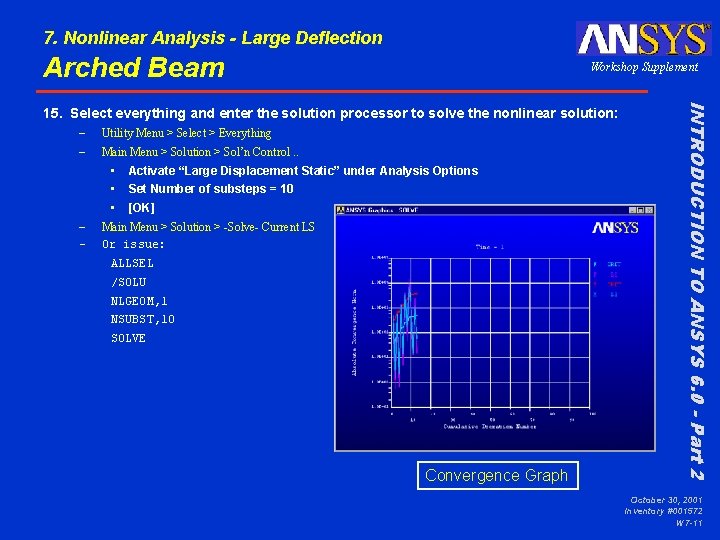
7. Nonlinear Analysis - Large Deflection Arched Beam Workshop Supplement – – Utility Menu > Select > Everything Main Menu > Solution > Sol’n Control. . • Activate “Large Displacement Static” under Analysis Options • Set Number of substeps = 10 • [OK] Main Menu > Solution > -Solve- Current LS Or issue: ALLSEL /SOLU NLGEOM, 1 NSUBST, 10 SOLVE Convergence Graph INTRODUCTION TO ANSYS 6. 0 - Part 2 15. Select everything and enter the solution processor to solve the nonlinear solution: October 30, 2001 Inventory #001572 W 7 -11
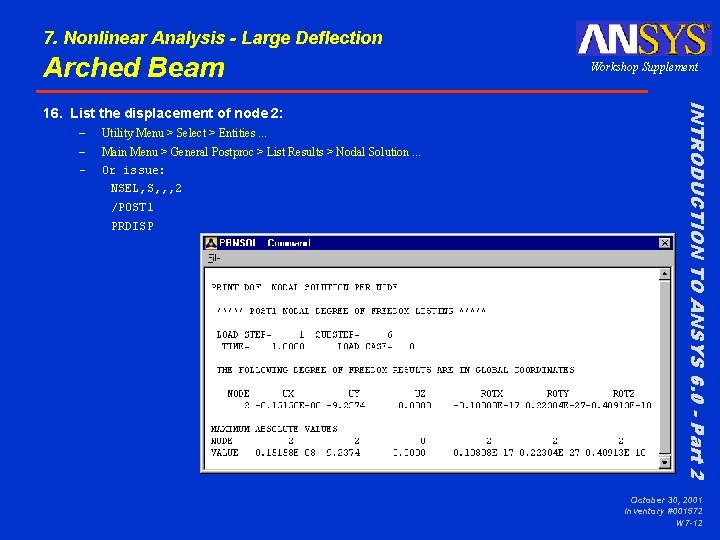
7. Nonlinear Analysis - Large Deflection Arched Beam – – – Utility Menu > Select > Entities. . . Main Menu > General Postproc > List Results > Nodal Solution. . . Or issue: NSEL, S, , , 2 /POST 1 PRDISP INTRODUCTION TO ANSYS 6. 0 - Part 2 16. List the displacement of node 2: Workshop Supplement October 30, 2001 Inventory #001572 W 7 -12
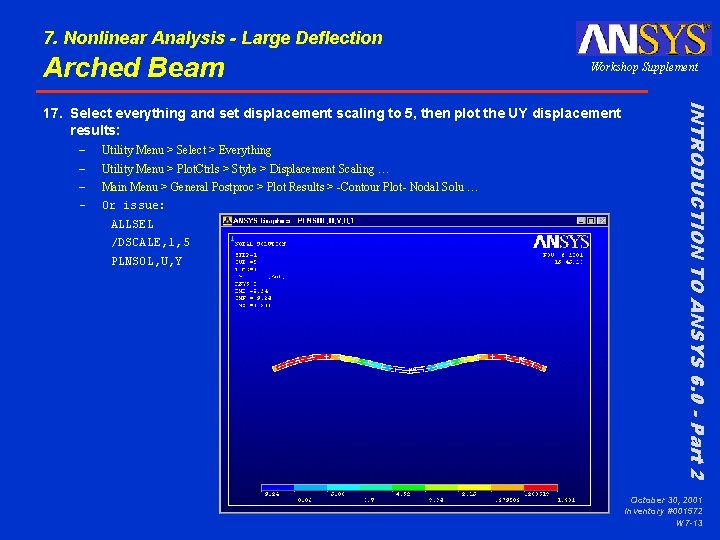
7. Nonlinear Analysis - Large Deflection Arched Beam Workshop Supplement – – Utility Menu > Select > Everything Utility Menu > Plot. Ctrls > Style > Displacement Scaling … Main Menu > General Postproc > Plot Results > -Contour Plot- Nodal Solu … Or issue: ALLSEL /DSCALE, 1, 5 PLNSOL, U, Y INTRODUCTION TO ANSYS 6. 0 - Part 2 17. Select everything and set displacement scaling to 5, then plot the UY displacement results: October 30, 2001 Inventory #001572 W 7 -13
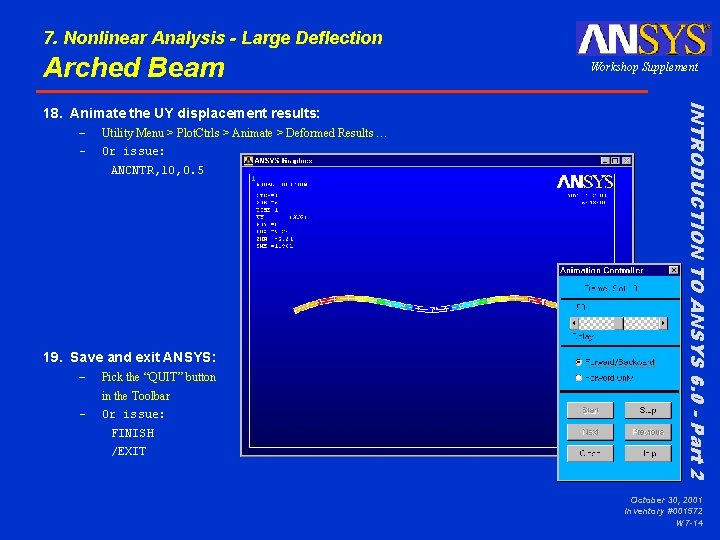
7. Nonlinear Analysis - Large Deflection Arched Beam – – Utility Menu > Plot. Ctrls > Animate > Deformed Results … Or issue: ANCNTR, 10, 0. 5 19. Save and exit ANSYS: – Pick the “QUIT” button – in the Toolbar Or issue: FINISH /EXIT INTRODUCTION TO ANSYS 6. 0 - Part 2 18. Animate the UY displacement results: Workshop Supplement October 30, 2001 Inventory #001572 W 7 -14
- Slides: 14