
Working with Memory in C ARRAYS ARRAY VARIANTS
![Creating C++ Arrays • Declaring: data. Type identifier [array. Size]; • C++ arrays have](https://slidetodoc.com/presentation_image/e4b6bfaba6336d9c78611523c01c70a2/image-6.jpg "Creating C++ Arrays • Declaring: data. Type identifier [array. Size]; • C++ arrays have")
![Accessing Array Elements • The indexing operator [] gives access to any array element](https://slidetodoc.com/presentation_image/e4b6bfaba6336d9c78611523c01c70a2/image-9.jpg "Accessing Array Elements • The indexing operator [] gives access to any array element")


![Using Multidimensional Arrays • Declaring: add a [size] for each additional dimension First dimension](https://slidetodoc.com/presentation_image/e4b6bfaba6336d9c78611523c01c70a2/image-18.jpg "Using Multidimensional Arrays • Declaring: add a [size] for each additional dimension First dimension")


![char Arrays, aka C-Strings • Just use a basic char arr[], arr[] but keep](https://slidetodoc.com/presentation_image/e4b6bfaba6336d9c78611523c01c70a2/image-31.jpg "char Arrays, aka C-Strings • Just use a basic char arr[], arr[] but keep")








- Slides: 72
Working with Memory in C++ ARRAYS, ARRAY VARIANTS AND USAGE, STRINGS AND STREAMS, MEMORY TYPES, REFERENCES, POINTERS
Table of Contents • C++ Arrays Declaring & Initializing • Usage with Functions • Multidimensional Arrays • • Strings Arrays of char • The std: : string • • Streams, Parsing User Input, File I/O 2
Table of Contents (2) • References Declaring & Initializing • Usage • • Memory & Pointers Storage Types • Pointer Creation & Dereferencing, Pointer Arithmetic • Memory Allocation & Deallocation • C++11 Smart Pointer Basics • 3
C++ Arrays REPRESENTING MULTIPLE DATA ITEMS
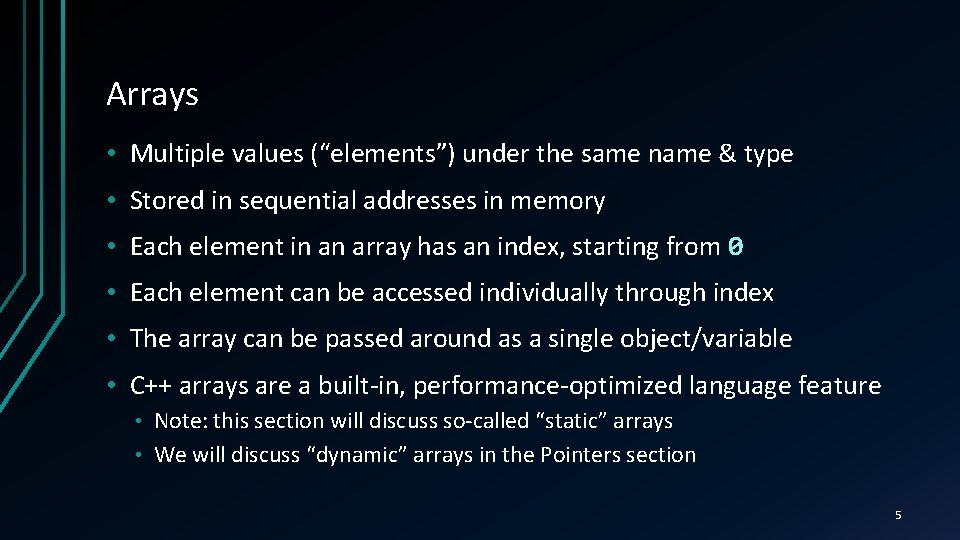
Arrays • Multiple values (“elements”) under the same name & type • Stored in sequential addresses in memory • Each element in an array has an index, starting from 0 • Each element can be accessed individually through index • The array can be passed around as a single object/variable • C++ arrays are a built-in, performance-optimized language feature Note: this section will discuss so-called “static” arrays • We will discuss “dynamic” arrays in the Pointers section • 5
Creating C++ Arrays • Declaring: data. Type identifier [array. Size]; • C++ arrays have some special initialization syntax data. Type identifier[N] = {elem 0, elem 1, . . . , elem. N-1} • elem 0. . . elem. N-1 are expressions of the array’s data. Type • There can be less than N elements, but not more • N can be omitted – number of elements assumed as size • • Example: int fibonacci[5] = {1, 1, 2, 3, 5}; Index Value 0 1 1 1 2 2 3 3 4 5 6
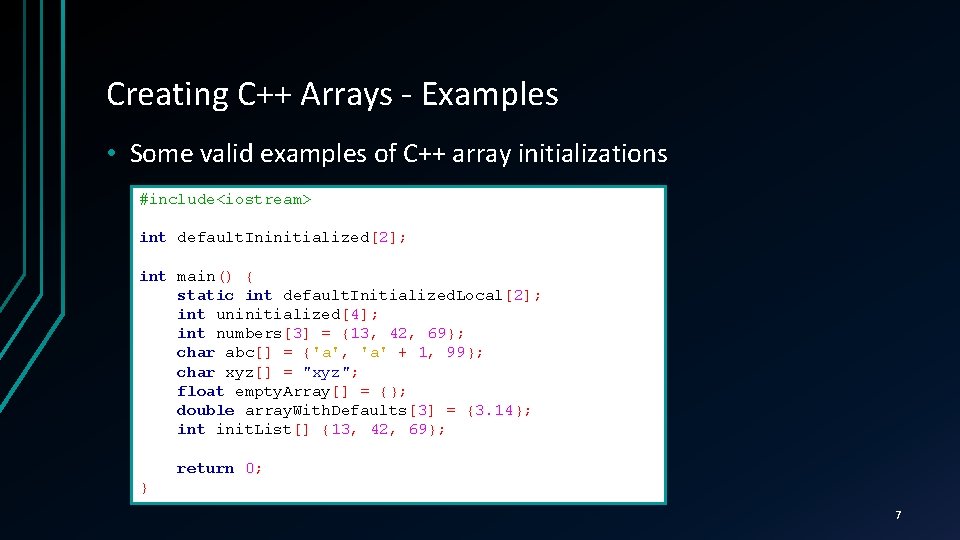
Creating C++ Arrays - Examples • Some valid examples of C++ array initializations #include<iostream> int default. Ininitialized[2]; int main() { static int default. Initialized. Local[2]; int uninitialized[4]; int numbers[3] = {13, 42, 69}; char abc[] = {'a', 'a' + 1, 99}; char xyz[] = "xyz"; float empty. Array[] = {}; double array. With. Defaults[3] = {3. 14}; int init. List[] {13, 42, 69}; return 0; } 7
Creating C++ Arrays LIVE DEMO
Accessing Array Elements • The indexing operator [] gives access to any array element Array name comes before the operator • Element’s index comes in the operator (between the brackets) • E. g. to access the first element of arr, arr do arr[0] • • Once you access the element, treat it as a normal variable double vector 2 d[2] = {}; std: : cin >> vector 2 d[0] >> vector 2 d[1]; double length = sqrt(vector 2 d[0] * vector 2 d[0] + vector 2 d[1] * vector 2 d[1]); vector 2 d[0] /= length; vector 2 d[1] /= length; std: : cout << vector 2 d[0] << " " << vector 2 d[1] << std: : endl; 9
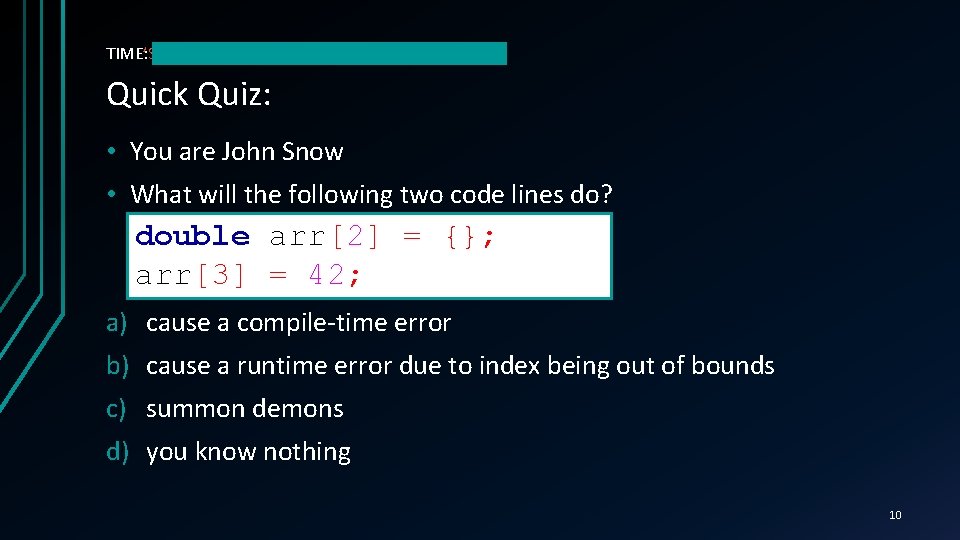
TIME’S TIME: UP! Quick Quiz: • You are John Snow • What will the following two code lines do? double arr[2] = {}; arr[3] = 42; a) cause a compile-time error b) cause a runtime error due to index being out of bounds c) summon demons d) you know nothing 10
C++ PITFALL: ARRAY SIZE UNKNOWN, OUTOF-BOUNDS ACCESS The C++ standard doesn’t define out-of-bounds array access behavior. C++ arrays don’t store information on their length. Program will usually attempt to access memory even if out of the array. If that part of memory is accessible to the program, it will execute whatever it is told. Otherwise an error might happen (0 x. C 00005 on Windows) 11
Accessing Array Elements LIVE DEMO
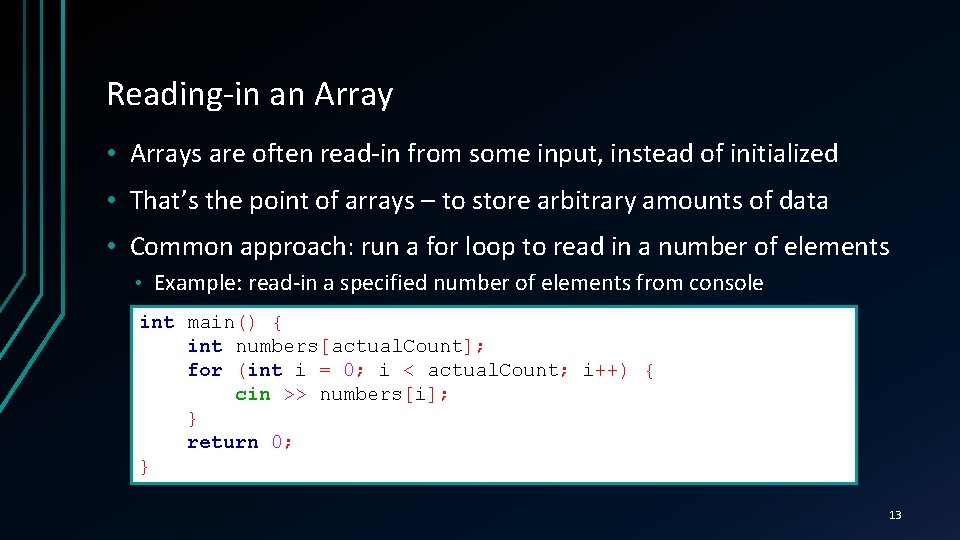
Reading-in an Array • Arrays are often read-in from some input, instead of initialized • That’s the point of arrays – to store arbitrary amounts of data • Common approach: run a for loop to read in a number of elements • Example: read-in a specified number of elements from console int main() { int numbers[actual. Count]; for (int i = 0; i < actual. Count; i++) { cin >> numbers[i]; } return 0; } 13
Reading-in Arrays LIVE DEMO
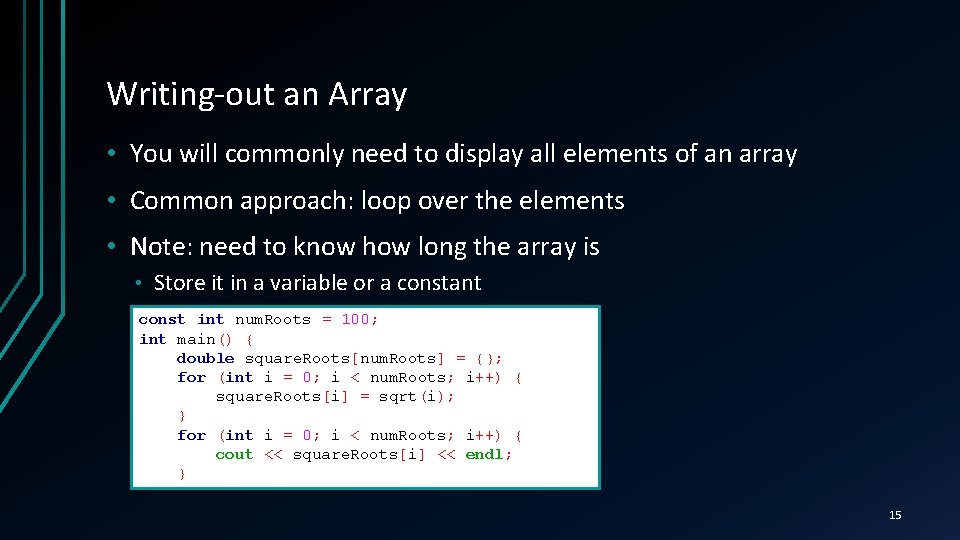
Writing-out an Array • You will commonly need to display all elements of an array • Common approach: loop over the elements • Note: need to know how long the array is • Store it in a variable or a constant const int num. Roots = 100; int main() { double square. Roots[num. Roots] = {}; for (int i = 0; i < num. Roots; i++) { square. Roots[i] = sqrt(i); } for (int i = 0; i < num. Roots; i++) { cout << square. Roots[i] << endl; } 15
Writing-out Arrays LIVE DEMO
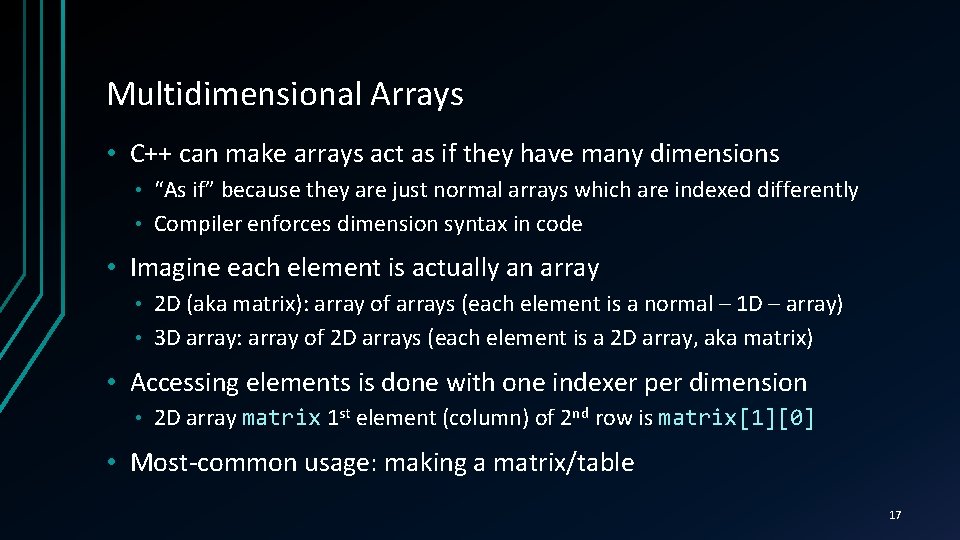
Multidimensional Arrays • C++ can make arrays act as if they have many dimensions “As if” because they are just normal arrays which are indexed differently • Compiler enforces dimension syntax in code • • Imagine each element is actually an array 2 D (aka matrix): array of arrays (each element is a normal – 1 D – array) • 3 D array: array of 2 D arrays (each element is a 2 D array, aka matrix) • • Accessing elements is done with one indexer per dimension • 2 D array matrix 1 st element (column) of 2 nd row is matrix[1][0] • Most-common usage: making a matrix/table 17
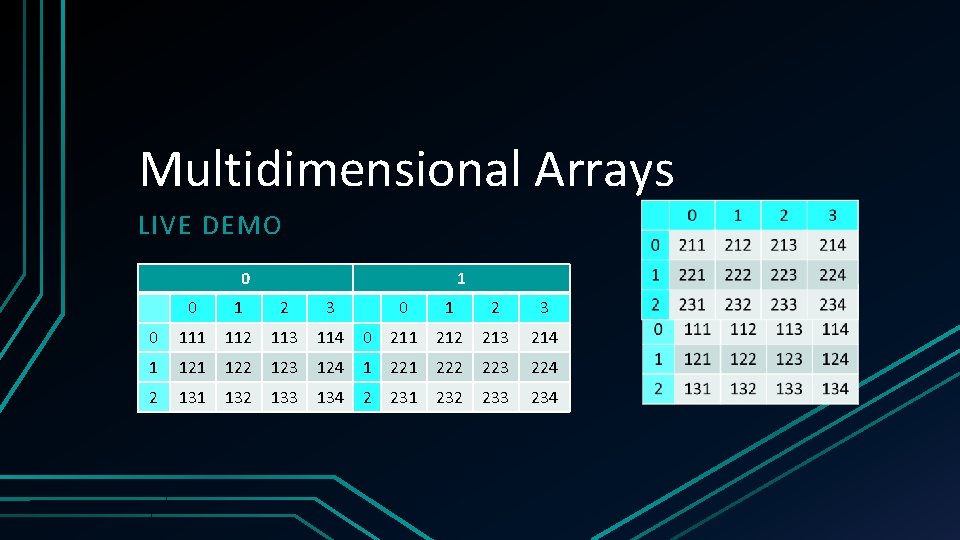
Using Multidimensional Arrays • Declaring: add a [size] for each additional dimension First dimension can omit size • E. g. int matrix 2 Rows 3 Cols[2][3] or just matrix 2 Rows 3 Cols[][3] • • Initializing – same as normal array, but: Each dimension is an array with 1 less dimension (last is the elements) • E. g. int matrix 2 Rows 3 Cols[][3] = { {11, 12, 13}, {21, 22, 23} }; • E. g. int cube[2][3][4] = { • } • { {111, 112, 113, 114}, {121, 122, 123, 124}, {131, 132, 133, 134} }, { {211, 212, 213, 214}, {221, 222, 223, 224}, {231, 232, 233, 234} } Uninitialized values are set to defaults (as with normal arrays) 18
Multidimensional Arrays LIVE DEMO 0 1 2 3 0 111 112 113 114 0 211 212 213 214 1 122 123 124 1 222 223 224 2 131 132 133 134 2 231 232 233 234
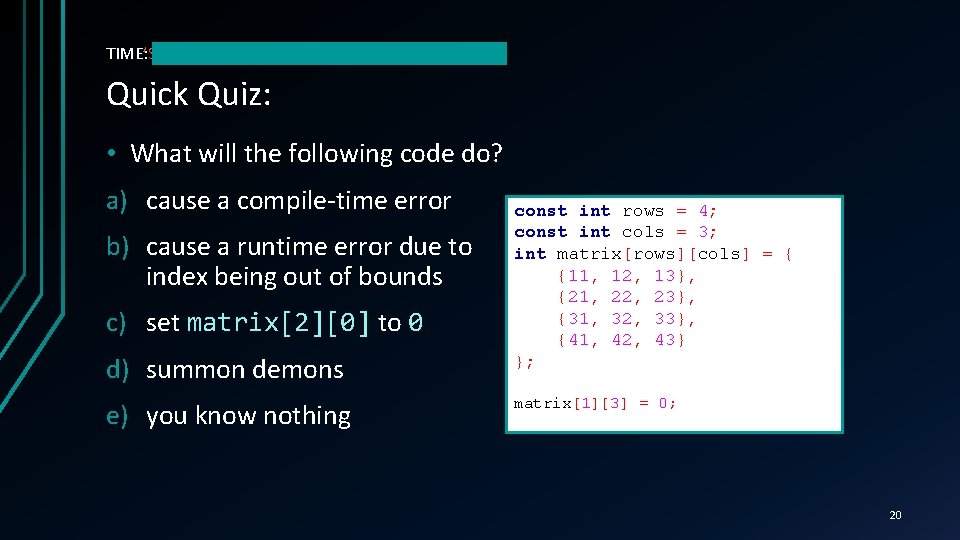
TIME’S TIME: UP! Quick Quiz: • What will the following code do? a) cause a compile-time error b) cause a runtime error due to index being out of bounds c) set matrix[2][0] to 0 d) summon demons e) you know nothing const int rows = 4; const int cols = 3; int matrix[rows][cols] = { {11, 12, 13}, {21, 22, 23}, {31, 32, 33}, {41, 42, 43} }; matrix[1][3] = 0; 20
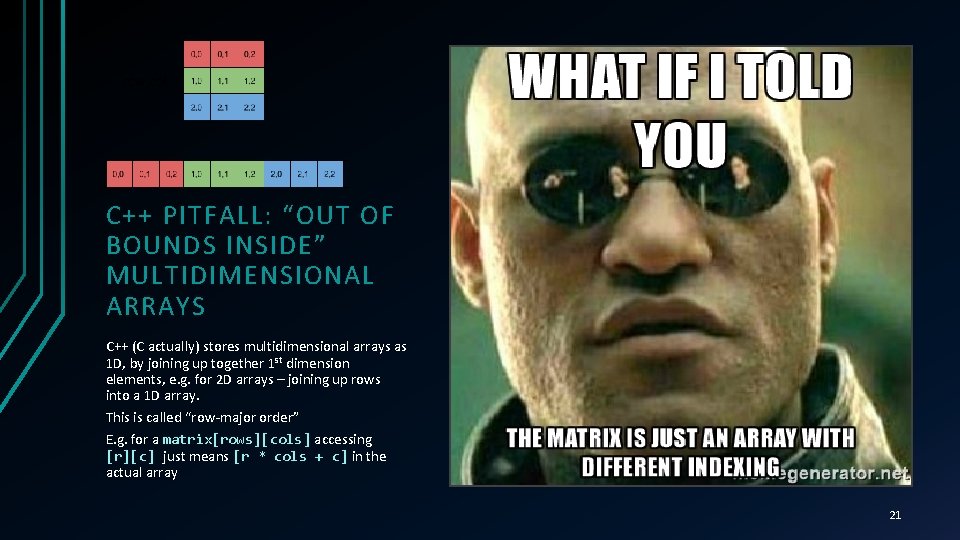
C++ PITFALL: “OUT OF BOUNDS INSIDE” MULTIDIMENSIONAL ARRAYS C++ (C actually) stores multidimensional arrays as 1 D, by joining up together 1 st dimension elements, e. g. for 2 D arrays – joining up rows into a 1 D array. This is called “row-major order” E. g. for a matrix[rows][cols] accessing [r][c] just means [r * cols + c] in the actual array 21
Row-Major Order in Multidimensional Arrays LIVE DEMO
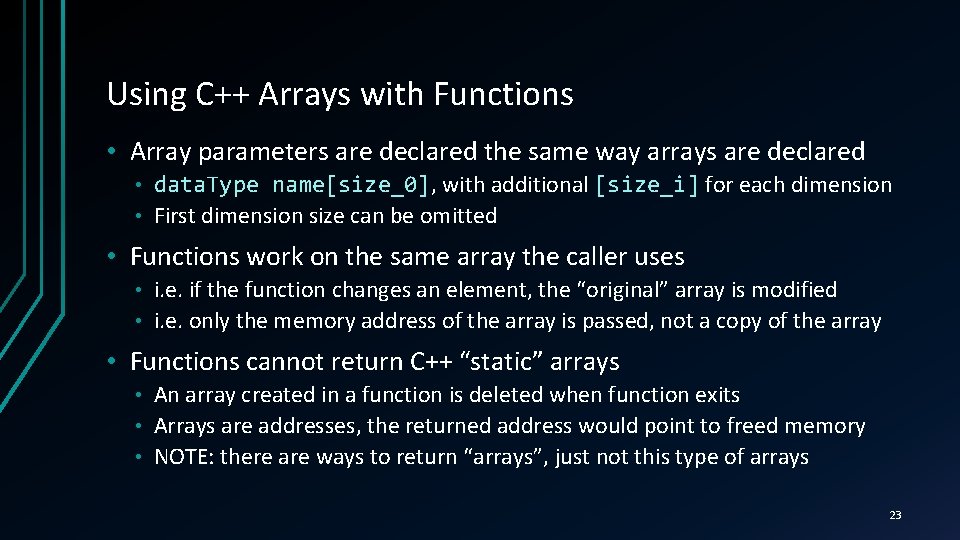
Using C++ Arrays with Functions • Array parameters are declared the same way arrays are declared data. Type name[size_0], name[size_0] with additional [size_i] for each dimension • First dimension size can be omitted • • Functions work on the same array the caller uses i. e. if the function changes an element, the “original” array is modified • i. e. only the memory address of the array is passed, not a copy of the array • • Functions cannot return C++ “static” arrays An array created in a function is deleted when function exits • Arrays are addresses, the returned address would point to freed memory • NOTE: there are ways to return “arrays”, just not this type of arrays • 23
Using Arrays with Functions LIVE DEMO
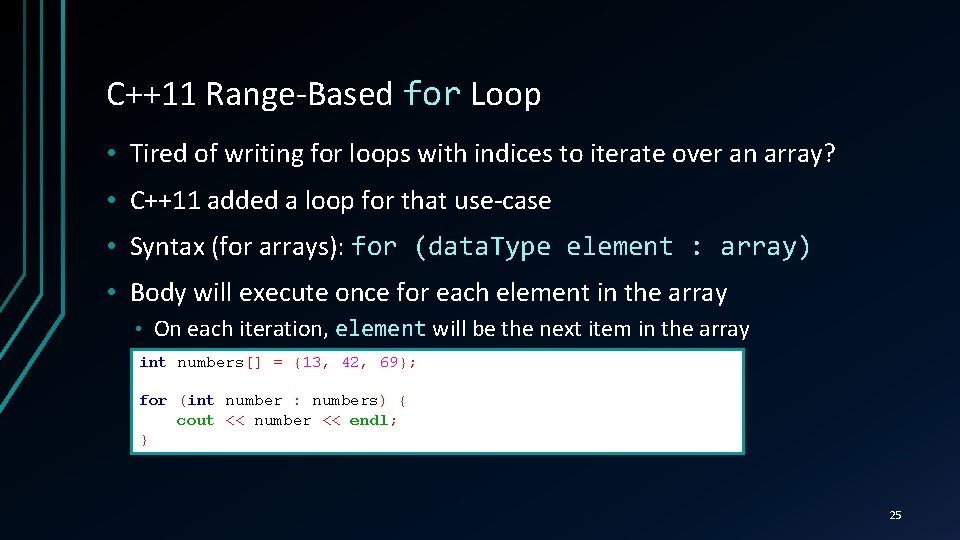
C++11 Range-Based for Loop • Tired of writing for loops with indices to iterate over an array? • C++11 added a loop for that use-case • Syntax (for arrays): for (data. Type element : array) • Body will execute once for each element in the array • On each iteration, element will be the next item in the array int numbers[] = {13, 42, 69}; for (int number : numbers) { cout << number << endl; } 25
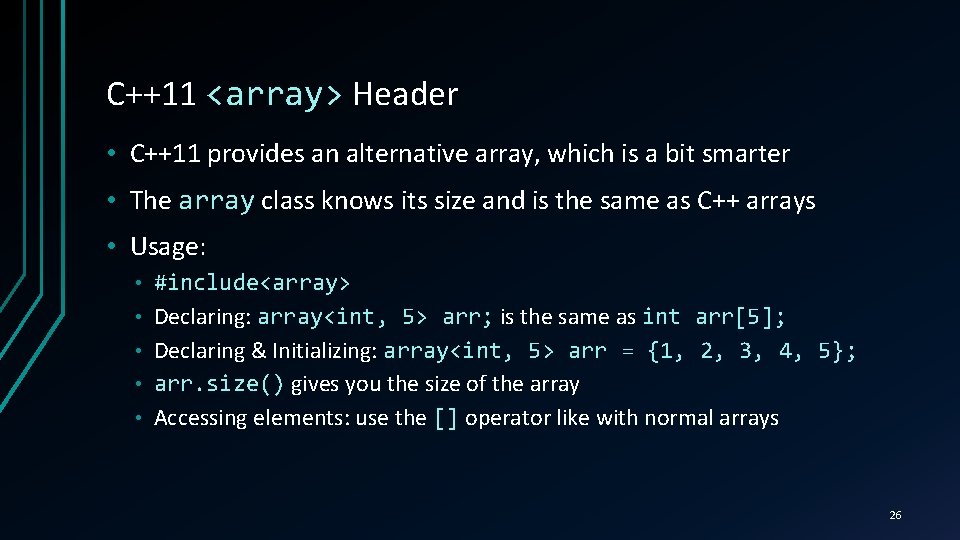
C++11 <array> Header • C++11 provides an alternative array, which is a bit smarter • The array class knows its size and is the same as C++ arrays • Usage: • • • #include<array> Declaring: array<int, 5> arr; is the same as int arr[5]; Declaring & Initializing: array<int, 5> arr = {1, 2, 3, 4, 5}; arr. size() gives you the size of the array Accessing elements: use the [] operator like with normal arrays 26
C++11 Range-Based for Loop and array Class LIVE DEMO
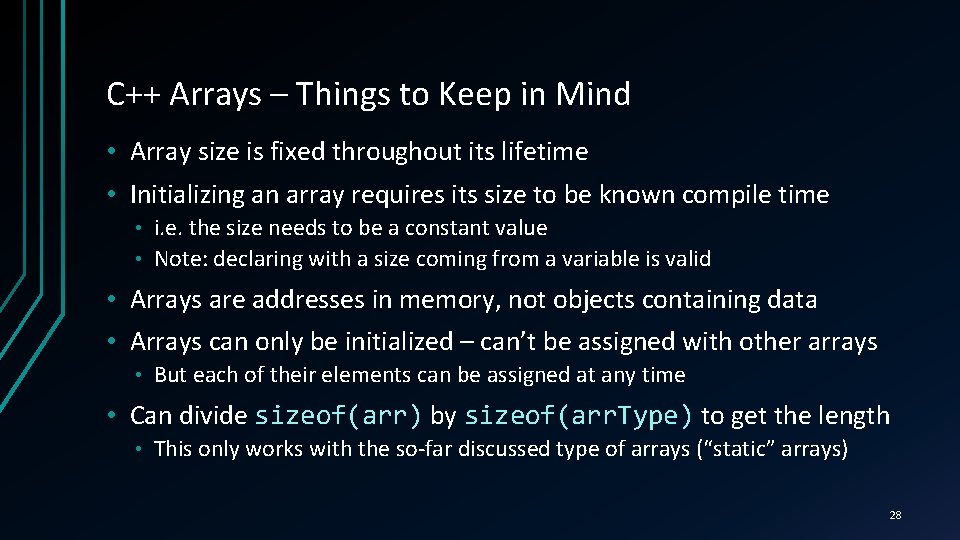
C++ Arrays – Things to Keep in Mind • Array size is fixed throughout its lifetime • Initializing an array requires its size to be known compile time i. e. the size needs to be a constant value • Note: declaring with a size coming from a variable is valid • • Arrays are addresses in memory, not objects containing data • Arrays can only be initialized – can’t be assigned with other arrays • But each of their elements can be assigned at any time • Can divide sizeof(arr) by sizeof(arr. Type) to get the length • This only works with the so-far discussed type of arrays (“static” arrays) 28
C++ Strings REPRESENTING TEXT WITH SYMBOL LITERALS, CHAR ARRAYS AND THE STD: : STRING
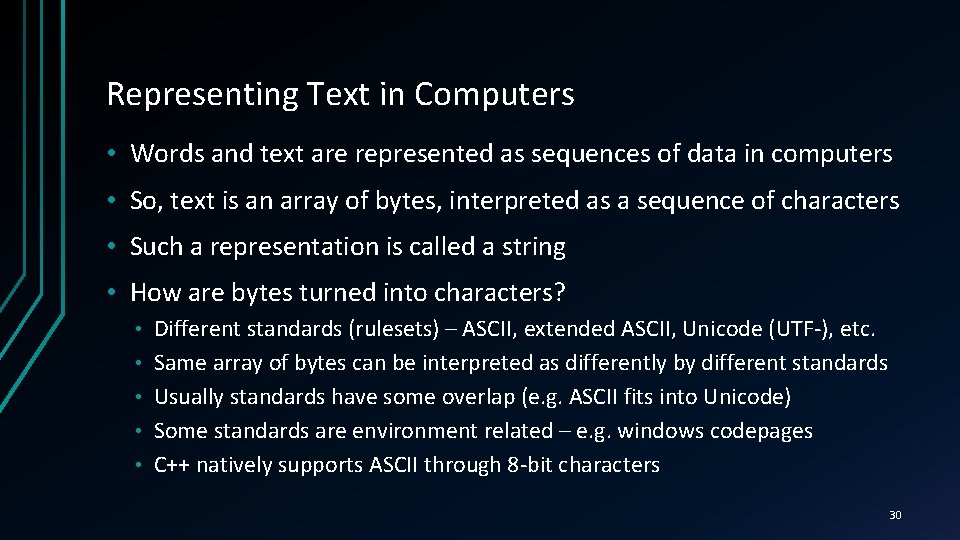
Representing Text in Computers • Words and text are represented as sequences of data in computers • So, text is an array of bytes, interpreted as a sequence of characters • Such a representation is called a string • How are bytes turned into characters? • • • Different standards (rulesets) – ASCII, extended ASCII, Unicode (UTF-), etc. Same array of bytes can be interpreted as differently by different standards Usually standards have some overlap (e. g. ASCII fits into Unicode) Some standards are environment related – e. g. windows codepages C++ natively supports ASCII through 8 -bit characters 30
char Arrays, aka C-Strings • Just use a basic char arr[], arr[] but keep some things in mind Should be null-terminated, i. e. end with ‘’, ‘’ which is char(0) • Can use string literal for init, which automatically places ‘’ at the end • If using normal array initializer, don’t forget the ‘’ at the end • Don’t forget the ‘’ counts as an element – it affects array size • • cin and cout can directly write to and read from C-Strings • char cin only works correctly if array can fit input data. Also consider spaces text[16] = {'C', '+', 'P', 'r', 'o', 'g', 'r', 'a', 'm', 'i', 'n', 'g', ''}; same. Text[] = {'C', '+', 'P', 'r', 'o', 'g', 'r', 'a', 'm', 'i', 'n', 'g', 0}; same. Text. Again[] = "C++ Programming"; same. Text. Yet. Again[16] = "C++ Programming"; 31
Text as char Arrays (C-Strings) LIVE DEMO
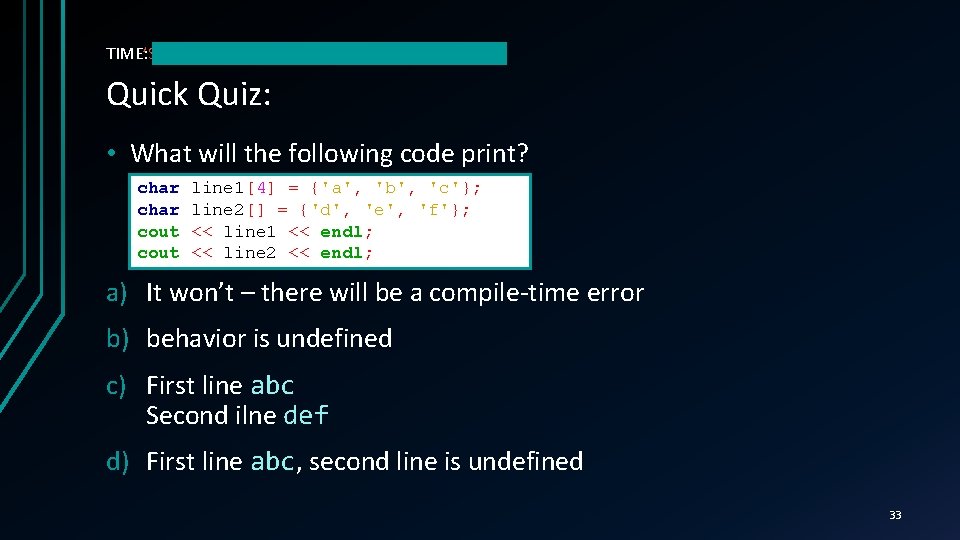
TIME’S TIME: UP! Quick Quiz: • What will the following code print? char cout line 1[4] = {'a', 'b', 'c'}; line 2[] = {'d', 'e', 'f'}; << line 1 << endl; << line 2 << endl; a) It won’t – there will be a compile-time error b) behavior is undefined c) First line abc Second ilne def d) First line abc, abc second line is undefined 33
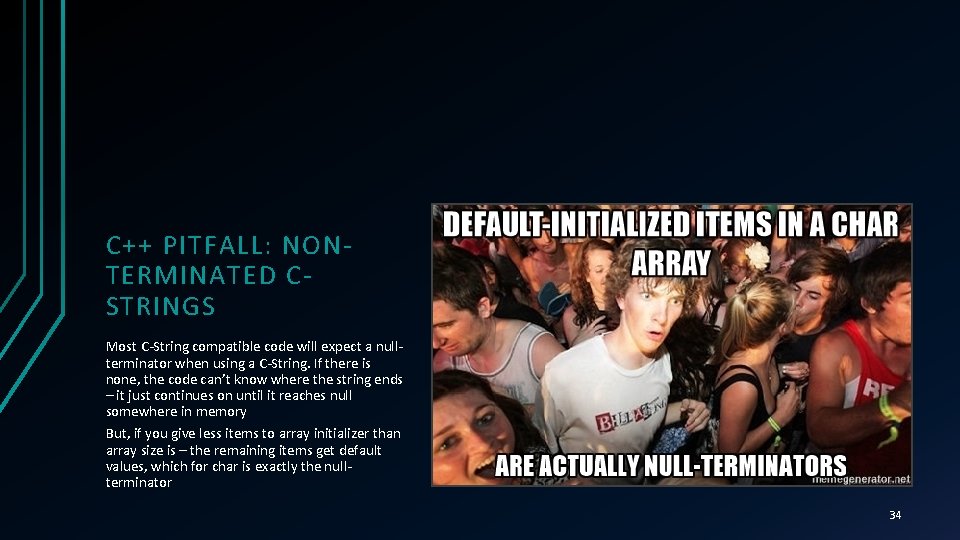
C++ PITFALL: NONTERMINATED CSTRINGS Most C-String compatible code will expect a nullterminator when using a C-String. If there is none, the code can’t know where the string ends – it just continues on until it reaches null somewhere in memory But, if you give less items to array initializer than array size is – the remaining items get default values, which for char is exactly the nullterminator 34
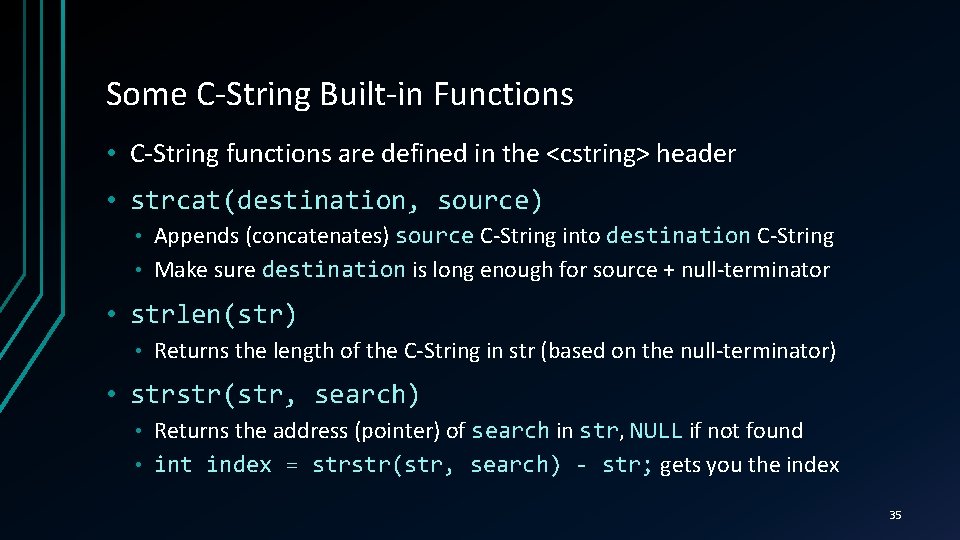
Some C-String Built-in Functions • C-String functions are defined in the <cstring> header • strcat(destination, source) Appends (concatenates) source C-String into destination C-String • Make sure destination is long enough for source + null-terminator • • strlen(str) • Returns the length of the C-String in str (based on the null-terminator) • strstr(str, search) Returns the address (pointer) of search in str, str NULL if not found • int index = strstr(str, search) - str; gets you the index • 35
C-String Built-in Functions LIVE DEMO
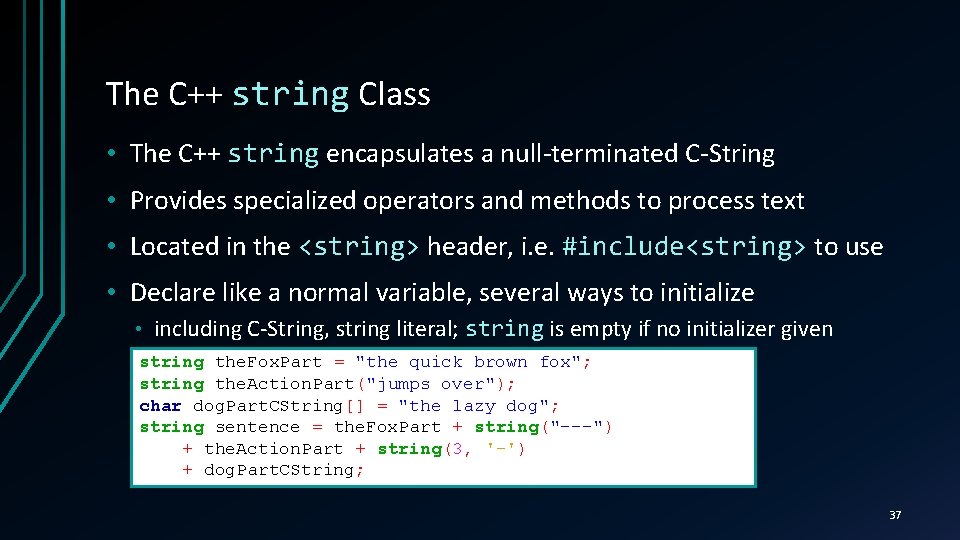
The C++ string Class • The C++ string encapsulates a null-terminated C-String • Provides specialized operators and methods to process text • Located in the <string> header, i. e. #include<string> to use • Declare like a normal variable, several ways to initialize • including C-String, string literal; string is empty if no initializer given string the. Fox. Part = "the quick brown fox"; string the. Action. Part("jumps over"); char dog. Part. CString[] = "the lazy dog"; string sentence = the. Fox. Part + string("---") + the. Action. Part + string(3, '-') + dog. Part. CString; 37
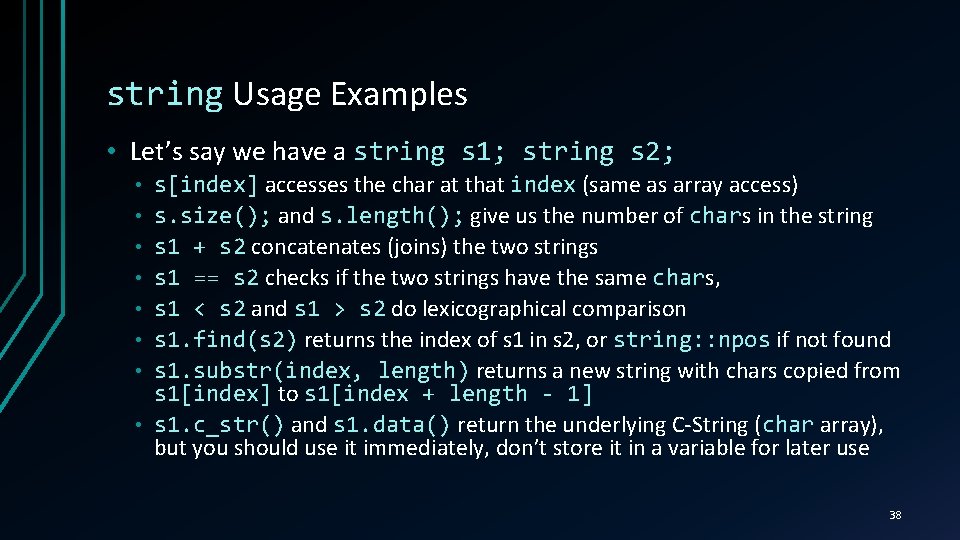
string Usage Examples • Let’s say we have a string s 1; string s 2; • • s[index] accesses the char at that index (same as array access) s. size(); and s. length(); give us the number of chars char in the string s 1 + s 2 concatenates (joins) the two strings s 1 == s 2 checks if the two strings have the same chars, char s 1 < s 2 and s 1 > s 2 do lexicographical comparison s 1. find(s 2) returns the index of s 1 in s 2, or string: : npos if not found s 1. substr(index, length) returns a new string with chars copied from s 1[index] to s 1[index + length - 1] s 1. c_str() and s 1. data() return the underlying C-String (char array), but you should use it immediately, don’t store it in a variable for later use 38
C++ Strings LIVE DEMO
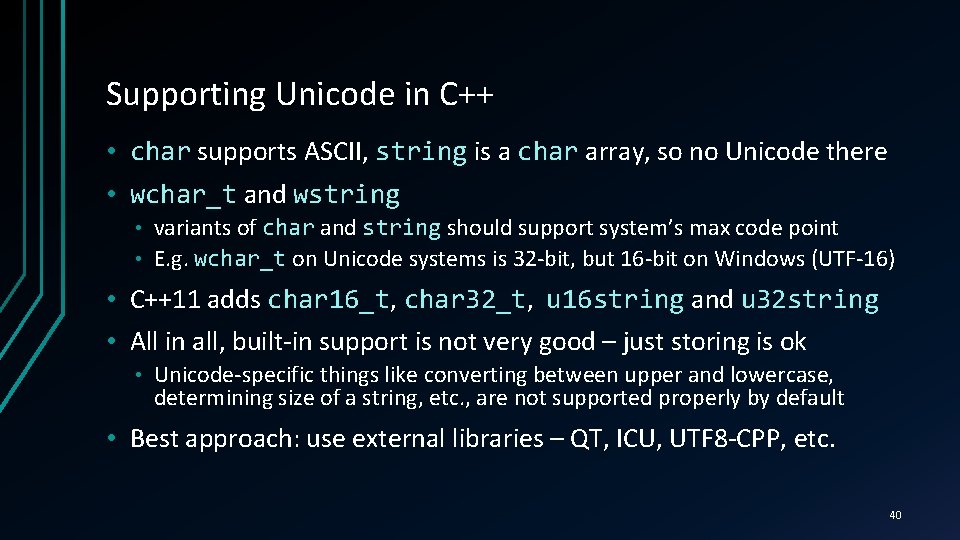
Supporting Unicode in C++ • char supports ASCII, string is a char array, so no Unicode there • wchar_t and wstring variants of char and string should support system’s max code point • E. g. wchar_t on Unicode systems is 32 -bit, but 16 -bit on Windows (UTF-16) • • C++11 adds char 16_t, char 16_t char 32_t, char 32_t u 16 string and u 32 string • All in all, built-in support is not very good – just storing is ok • Unicode-specific things like converting between upper and lowercase, determining size of a string, etc. , are not supported properly by default • Best approach: use external libraries – QT, ICU, UTF 8 -CPP, etc. 40
Streams, Handling User Input, File I/O REPRESENTING TEXT WITH SYMBOL LITERALS, CHAR ARRAYS AND THE STD: : STRING
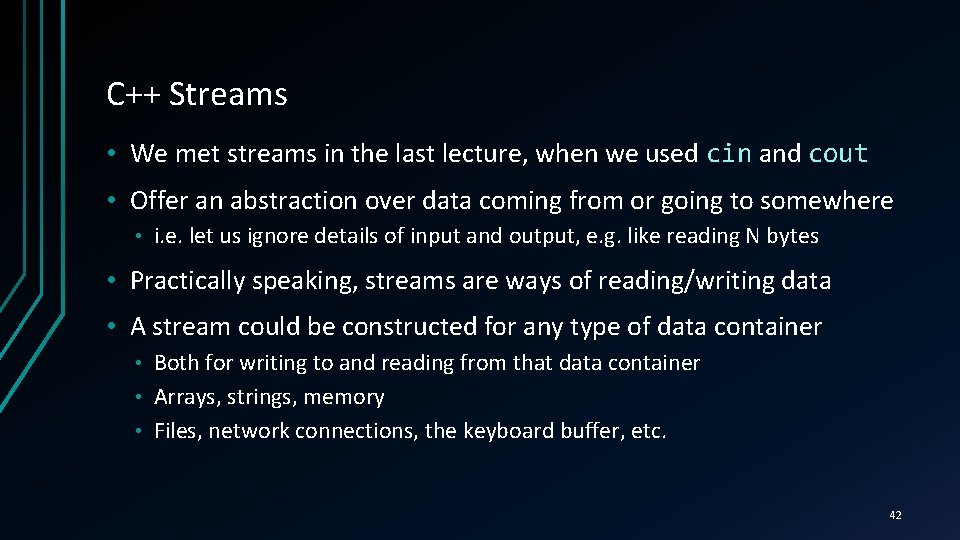
C++ Streams • We met streams in the last lecture, when we used cin and cout • Offer an abstraction over data coming from or going to somewhere • i. e. let us ignore details of input and output, e. g. like reading N bytes • Practically speaking, streams are ways of reading/writing data • A stream could be constructed for any type of data container Both for writing to and reading from that data container • Arrays, strings, memory • Files, network connections, the keyboard buffer, etc. • 42
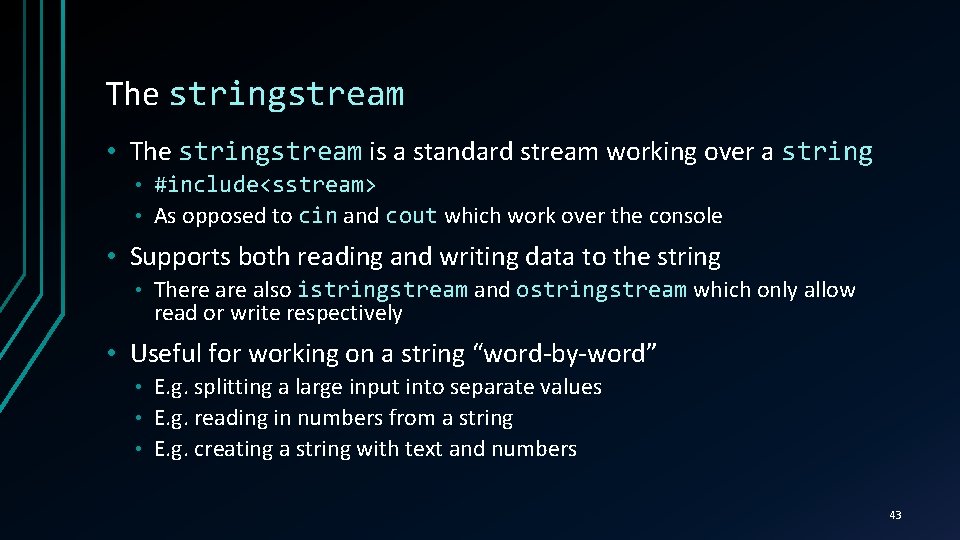
The stringstream • The stringstream is a standard stream working over a string #include<sstream> • As opposed to cin and cout which work over the console • • Supports both reading and writing data to the string • There also istringstream and ostringstream which only allow read or write respectively • Useful for working on a string “word-by-word” E. g. splitting a large input into separate values • E. g. reading in numbers from a string • E. g. creating a string with text and numbers • 43
stringstream LIVE DEMO
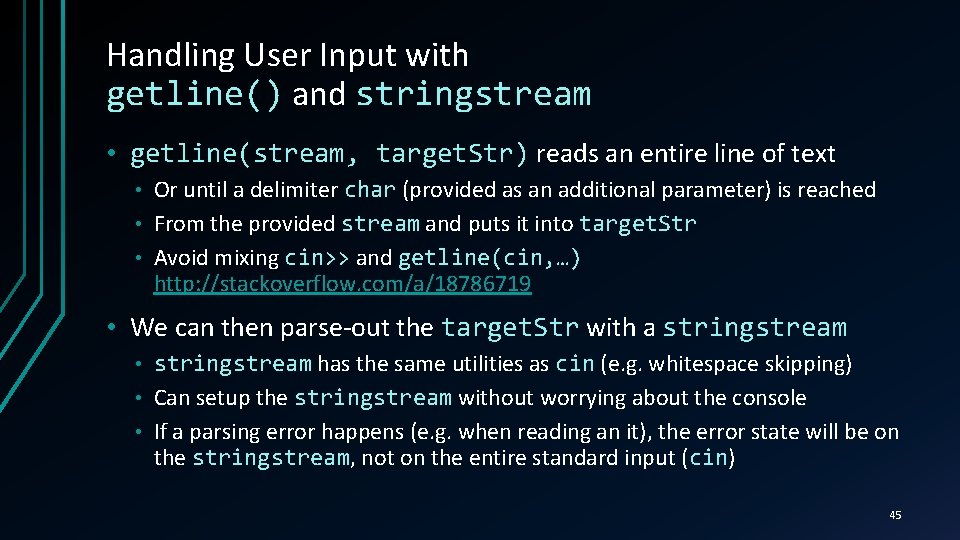
Handling User Input with getline() and stringstream • getline(stream, target. Str) reads an entire line of text Or until a delimiter char (provided as an additional parameter) is reached • From the provided stream and puts it into target. Str • Avoid mixing cin>> and getline(cin, …) http: //stackoverflow. com/a/18786719 • • We can then parse-out the target. Str with a stringstream has the same utilities as cin (e. g. whitespace skipping) • Can setup the stringstream without worrying about the console • If a parsing error happens (e. g. when reading an it), the error state will be on the stringstream, stringstream not on the entire standard input (cin) cin • 45
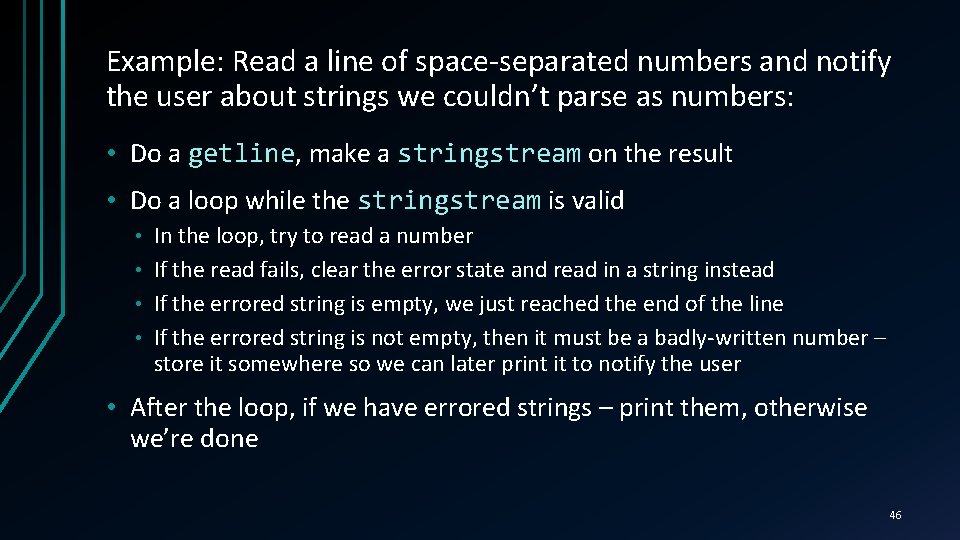
Example: Read a line of space-separated numbers and notify the user about strings we couldn’t parse as numbers: • Do a getline, getline make a stringstream on the result • Do a loop while the stringstream is valid In the loop, try to read a number • If the read fails, clear the error state and read in a string instead • If the errored string is empty, we just reached the end of the line • If the errored string is not empty, then it must be a badly-written number – store it somewhere so we can later print it to notify the user • • After the loop, if we have errored strings – print them, otherwise we’re done 46
Handling User Input LIVE DEMO
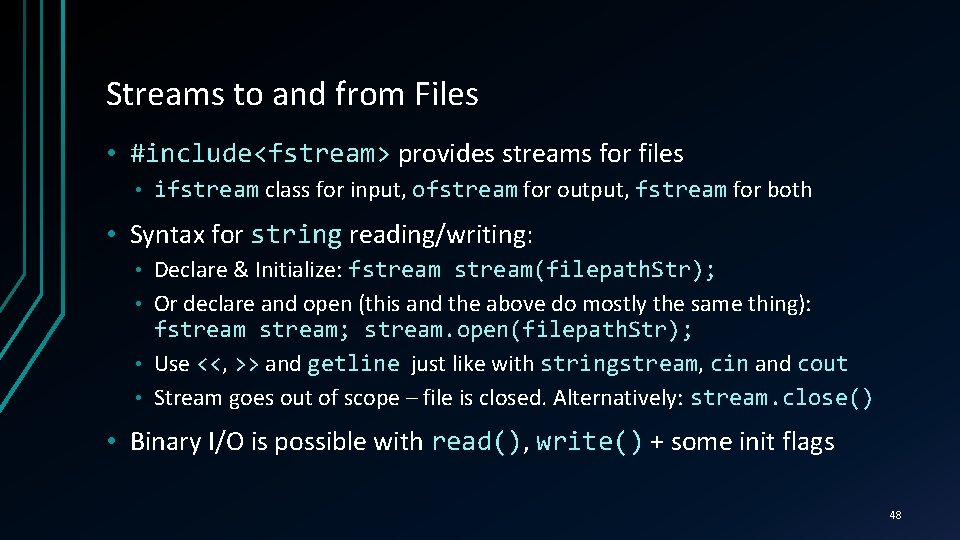
Streams to and from Files • #include<fstream> provides streams for files • ifstream class for input, ofstream for output, fstream for both • Syntax for string reading/writing: Declare & Initialize: fstream(filepath. Str); • Or declare and open (this and the above do mostly the same thing): fstream; stream. open(filepath. Str); • Use <<, << >> and getline just like with stringstream, stringstream cin and cout • Stream goes out of scope – file is closed. Alternatively: stream. close() • • Binary I/O is possible with read(), read() write() + some init flags 48
Streams to and from Files LIVE DEMO
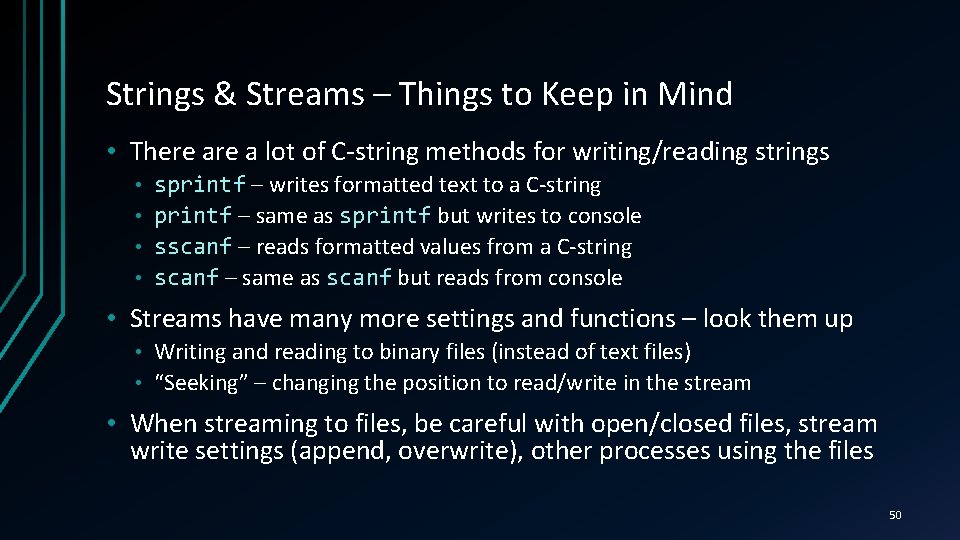
Strings & Streams – Things to Keep in Mind • There a lot of C-string methods for writing/reading strings sprintf – writes formatted text to a C-string • printf – same as sprintf but writes to console • sscanf – reads formatted values from a C-string • scanf – same as scanf but reads from console • • Streams have many more settings and functions – look them up Writing and reading to binary files (instead of text files) • “Seeking” – changing the position to read/write in the stream • • When streaming to files, be careful with open/closed files, stream write settings (append, overwrite), other processes using the files 50
References ACCESSING VARIABLES… THROUGH OTHER VARIABLES
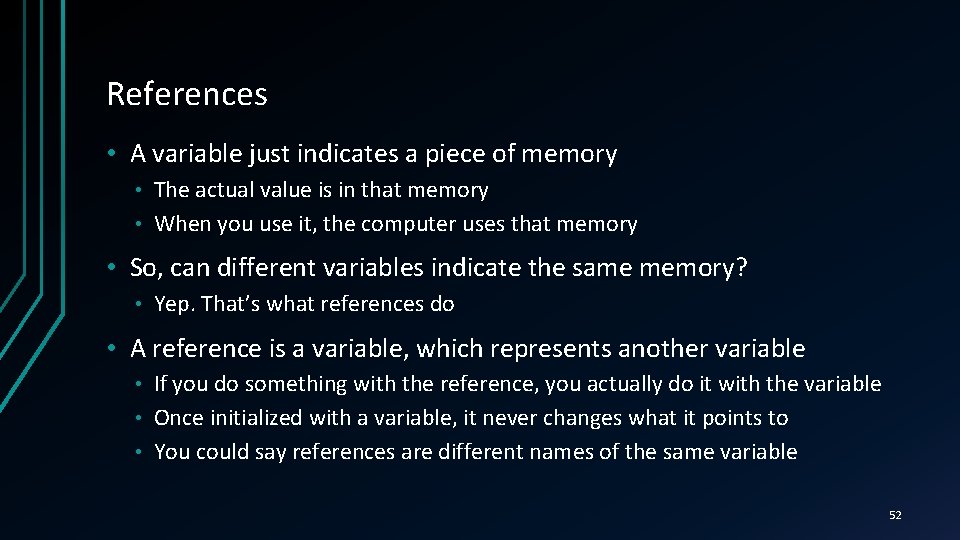
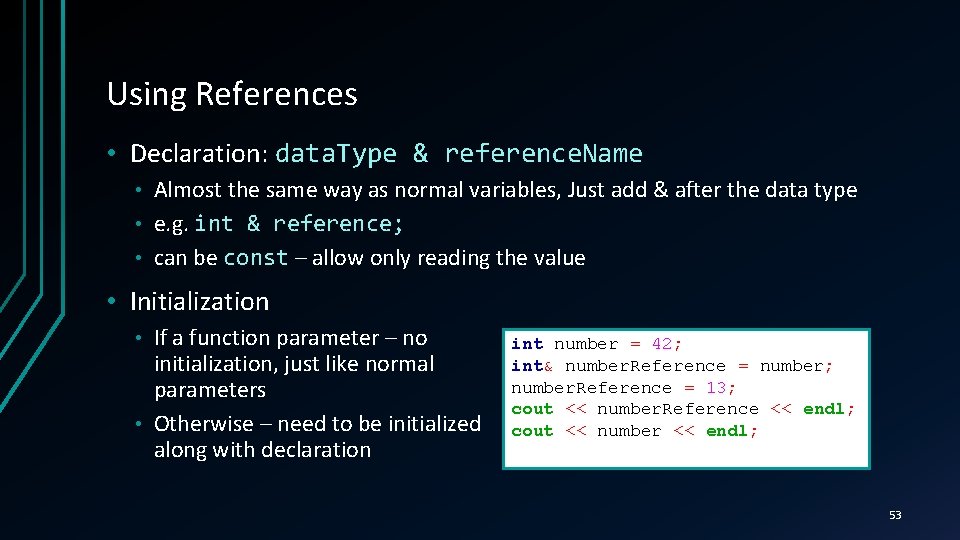
References • A variable just indicates a piece of memory The actual value is in that memory • When you use it, the computer uses that memory • • So, can different variables indicate the same memory? • Yep. That’s what references do • A reference is a variable, which represents another variable If you do something with the reference, you actually do it with the variable • Once initialized with a variable, it never changes what it points to • You could say references are different names of the same variable • 52
Using References • Declaration: data. Type & reference. Name Almost the same way as normal variables, Just add & after the data type • e. g. int & reference; • can be const – allow only reading the value • • Initialization If a function parameter – no initialization, just like normal parameters • Otherwise – need to be initialized along with declaration • int number = 42; int& number. Reference = number; number. Reference = 13; cout << number. Reference << endl; cout << number << endl; 53
References LIVE DEMO
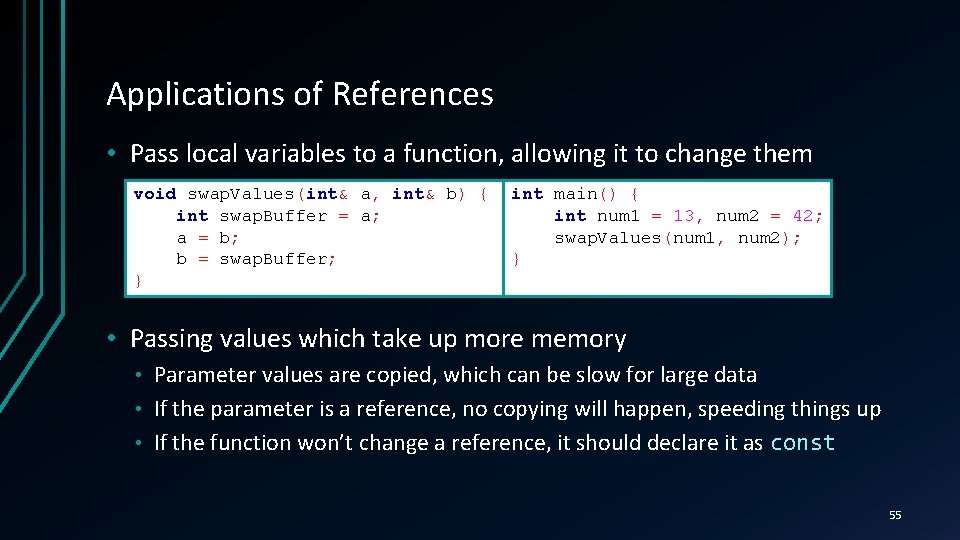
Applications of References • Pass local variables to a function, allowing it to change them void swap. Values(int& a, int& b) { int swap. Buffer = a; a = b; b = swap. Buffer; } int main() { int num 1 = 13, num 2 = 42; swap. Values(num 1, num 2); } • Passing values which take up more memory Parameter values are copied, which can be slow for large data • If the parameter is a reference, no copying will happen, speeding things up • If the function won’t change a reference, it should declare it as const • 55
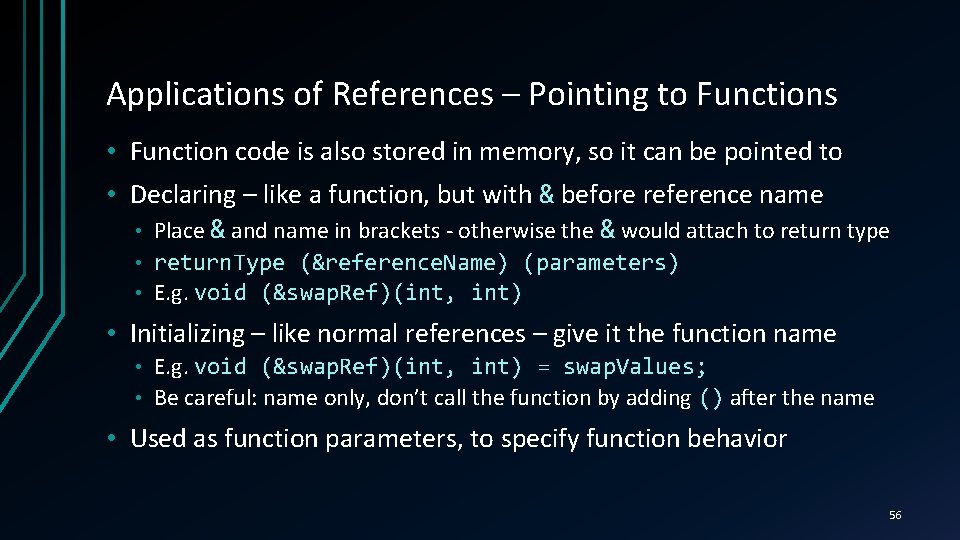
Applications of References – Pointing to Functions • Function code is also stored in memory, so it can be pointed to • Declaring – like a function, but with & before reference name • Place & and name in brackets - otherwise the & would attach to return type return. Type (&reference. Name) (parameters) • E. g. void (&swap. Ref)(int, int) • • Initializing – like normal references – give it the function name E. g. void (&swap. Ref)(int, int) = swap. Values; • Be careful: name only, don’t call the function by adding () after the name • • Used as function parameters, to specify function behavior 56
Applications of References LIVE DEMO
Pointers & Memory Allocation ACCESSING MEMORY DIRECTLY
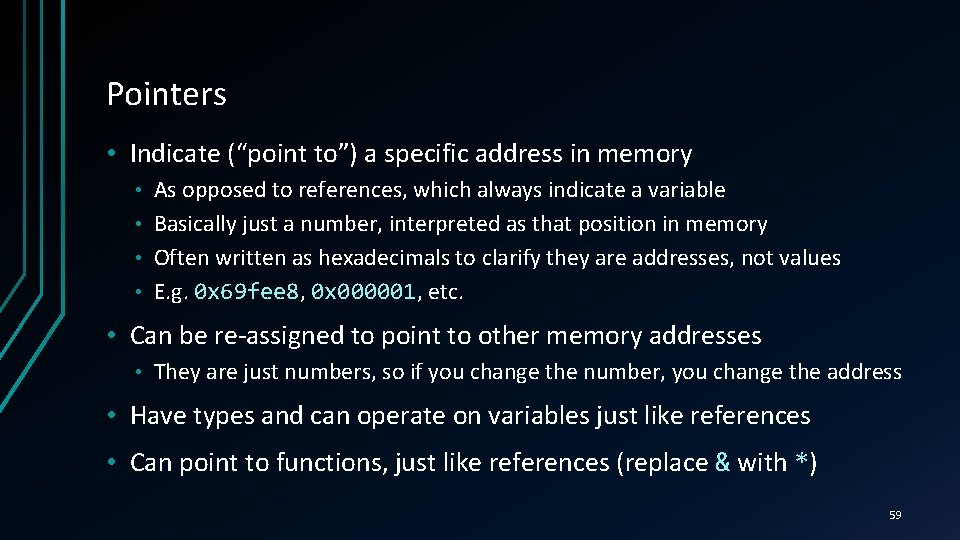
Pointers • Indicate (“point to”) a specific address in memory As opposed to references, which always indicate a variable • Basically just a number, interpreted as that position in memory • Often written as hexadecimals to clarify they are addresses, not values • E. g. 0 x 69 fee 8, 0 x 69 fee 8 0 x 000001, 0 x 000001 etc. • • Can be re-assigned to point to other memory addresses • They are just numbers, so if you change the number, you change the address • Have types and can operate on variables just like references • Can point to functions, just like references (replace & with *) 59
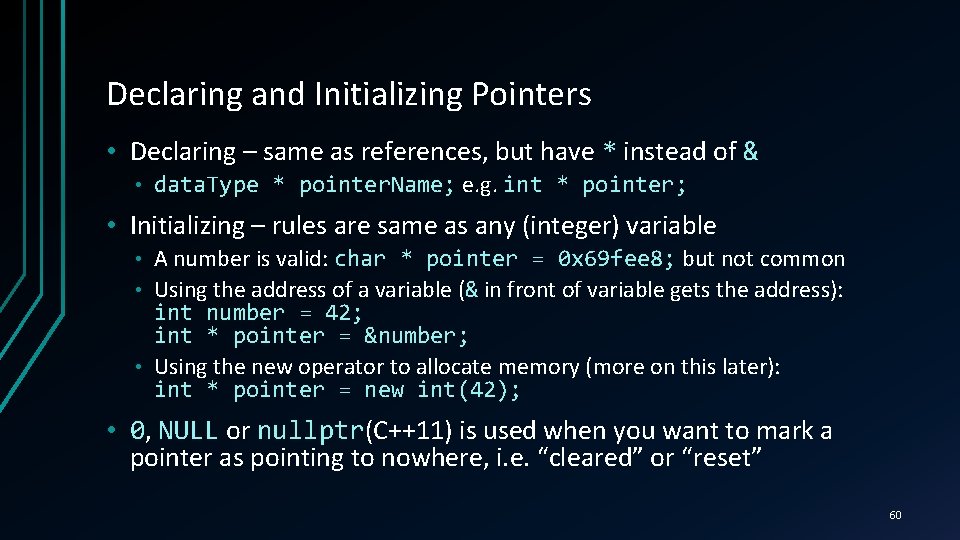
Declaring and Initializing Pointers • Declaring – same as references, but have * instead of & • data. Type * pointer. Name; e. g. int * pointer; • Initializing – rules are same as any (integer) variable A number is valid: char * pointer = 0 x 69 fee 8; but not common • Using the address of a variable (& in front of variable gets the address): int number = 42; int * pointer = &number; • Using the new operator to allocate memory (more on this later): int * pointer = new int(42); • • 0, NULL or nullptr(C++11) is used when you want to mark a nullptr pointer as pointing to nowhere, i. e. “cleared” or “reset” 60
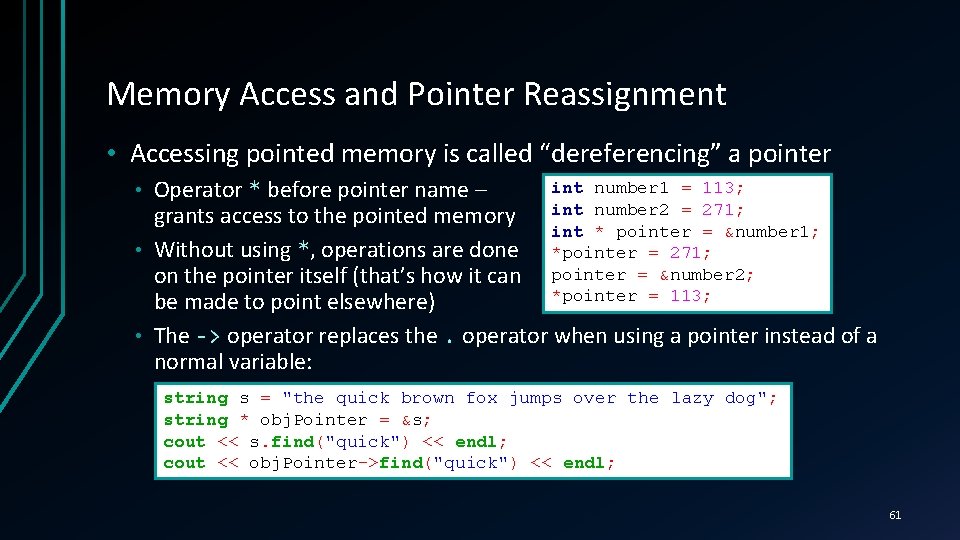
Memory Access and Pointer Reassignment • Accessing pointed memory is called “dereferencing” a pointer int number 1 = 113; Operator * before pointer name – grants access to the pointed memory int number 2 = 271; int * pointer = &number 1; • Without using *, operations are done *pointer = 271; on the pointer itself (that’s how it can pointer = &number 2; *pointer = 113; be made to point elsewhere) • The -> operator replaces the. operator when using a pointer instead of a normal variable: • string s = "the quick brown fox jumps over the lazy dog"; string * obj. Pointer = &s; cout << s. find("quick") << endl; cout << obj. Pointer->find("quick") << endl; 61
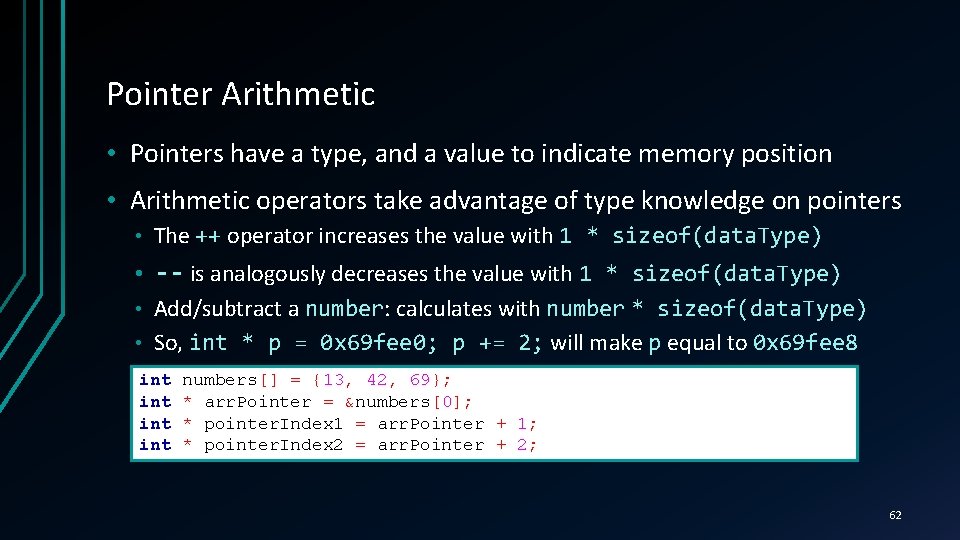
Pointer Arithmetic • Pointers have a type, and a value to indicate memory position • Arithmetic operators take advantage of type knowledge on pointers • The ++ operator increases the value with 1 * sizeof(data. Type) • -- is analogously decreases the value with 1 * sizeof(data. Type) Add/subtract a number: number calculates with number * sizeof(data. Type) • So, int * p = 0 x 69 fee 0; p += 2; will make p equal to 0 x 69 fee 8 • int int numbers[] = {13, 42, 69}; * arr. Pointer = &numbers[0]; * pointer. Index 1 = arr. Pointer + 1; * pointer. Index 2 = arr. Pointer + 2; 62
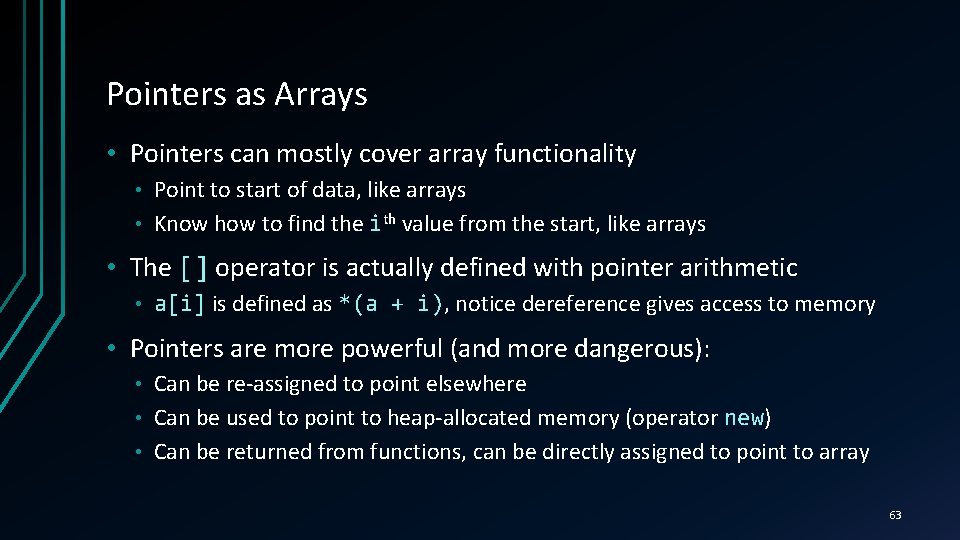
Pointers as Arrays • Pointers can mostly cover array functionality Point to start of data, like arrays • Know how to find the ith value from the start, like arrays • • The [] operator is actually defined with pointer arithmetic • a[i] is defined as *(a + i), i) notice dereference gives access to memory • Pointers are more powerful (and more dangerous): Can be re-assigned to point elsewhere • Can be used to point to heap-allocated memory (operator new) new • Can be returned from functions, can be directly assigned to point to array • 63
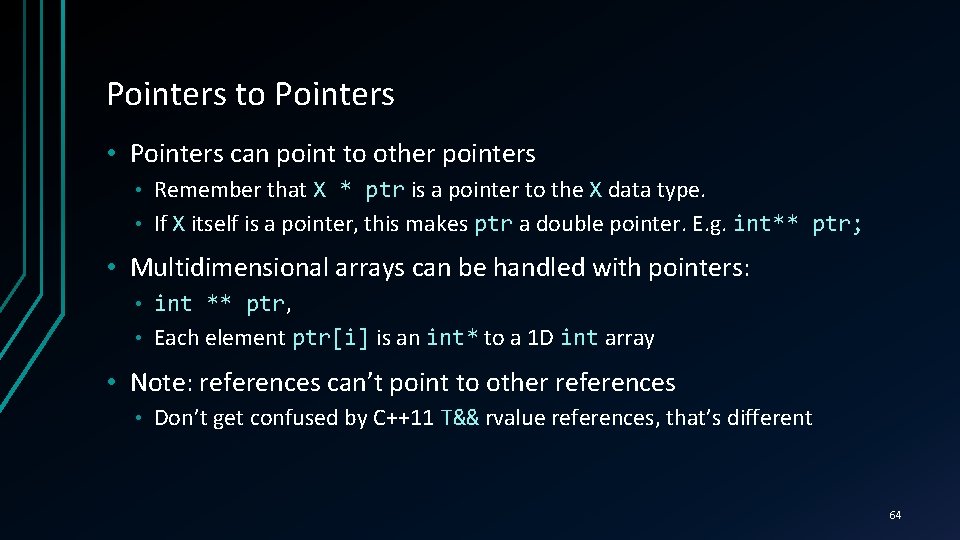
Pointers to Pointers • Pointers can point to other pointers Remember that X * ptr is a pointer to the X data type. • If X itself is a pointer, this makes ptr a double pointer. E. g. int** ptr; • • Multidimensional arrays can be handled with pointers: int ** ptr, ptr • Each element ptr[i] is an int* to a 1 D int array • • Note: references can’t point to other references • Don’t get confused by C++11 T&& rvalue references, that’s different 64
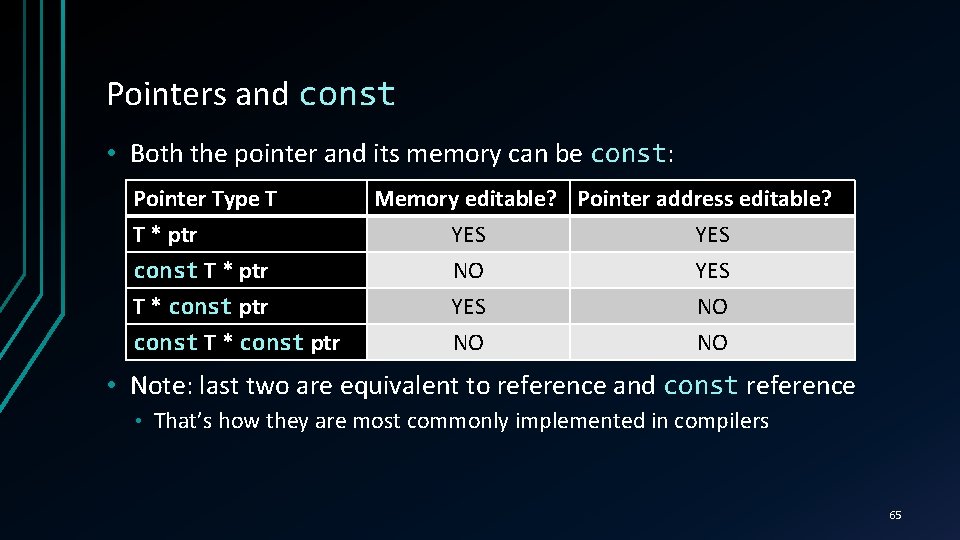
Pointers and const • Both the pointer and its memory can be const: const Pointer Type T T * ptr const T * ptr T * const ptr const T * const ptr Memory editable? Pointer address editable? YES YES NO NO NO • Note: last two are equivalent to reference and const reference • That’s how they are most commonly implemented in compilers 65
Pointer Basics LIVE DEMO
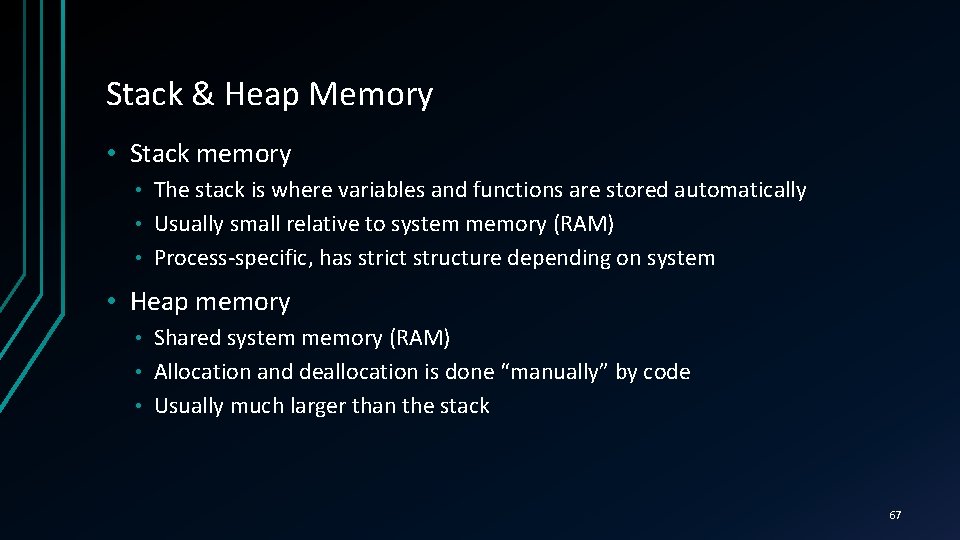
Stack & Heap Memory • Stack memory The stack is where variables and functions are stored automatically • Usually small relative to system memory (RAM) • Process-specific, has strict structure depending on system • • Heap memory Shared system memory (RAM) • Allocation and deallocation is done “manually” by code • Usually much larger than the stack • 67
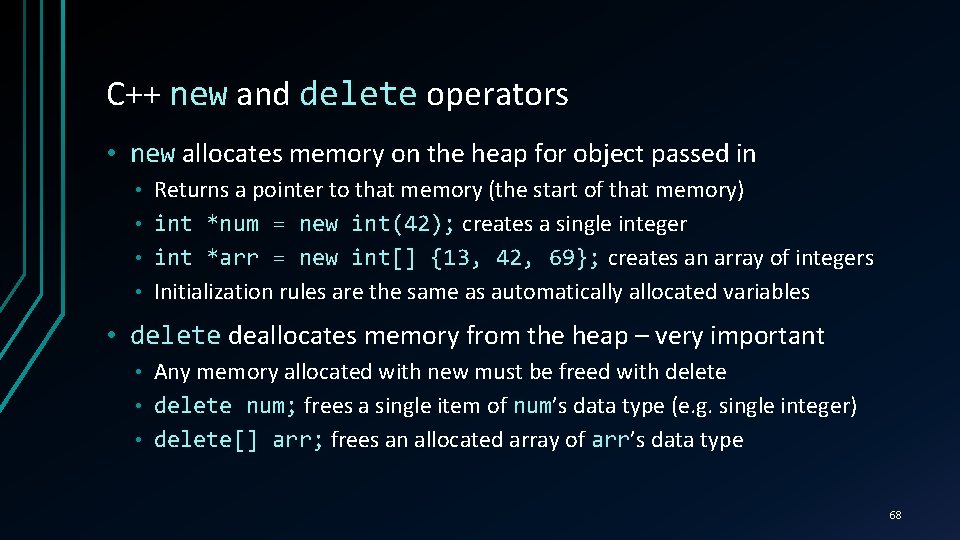
C++ new and delete operators • new allocates memory on the heap for object passed in Returns a pointer to that memory (the start of that memory) • int *num = new int(42); creates a single integer • int *arr = new int[] {13, 42, 69}; creates an array of integers • Initialization rules are the same as automatically allocated variables • • delete deallocates memory from the heap – very important Any memory allocated with new must be freed with delete • delete num; frees a single item of num’s num data type (e. g. single integer) • delete[] arr; frees an allocated array of arr’s arr data type • 68
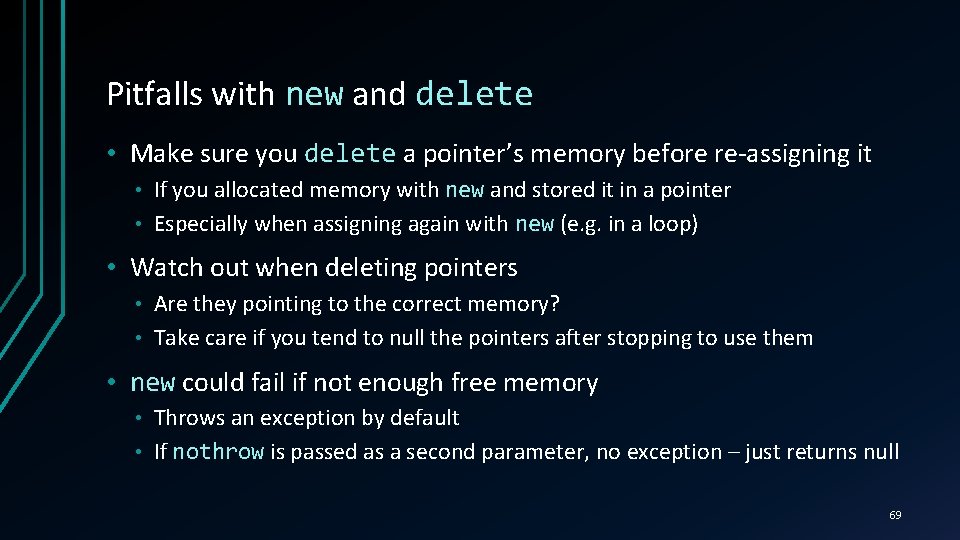
Pitfalls with new and delete • Make sure you delete a pointer’s memory before re-assigning it If you allocated memory with new and stored it in a pointer • Especially when assigning again with new (e. g. in a loop) • • Watch out when deleting pointers Are they pointing to the correct memory? • Take care if you tend to null the pointers after stopping to use them • • new could fail if not enough free memory Throws an exception by default • If nothrow is passed as a second parameter, no exception – just returns null • 69
Memory Allocation & Deallocation LIVE DEMO
Summary • What we talked about C++ Arrays & Multidimensional Arrays • C-Strings and the C++ string class • Streams, Input & Output Handling + Basic File I/O • Pointers & References • • Next time • Exercises – solving tasks requiring loops, arrays, pointers, streams, etc. 71
Questions? 72