
Working with Grid Sites in ATLAS Alessandro De
![Setting up the ATLAS software via CVMFS [1] n Simple setup via ATLASLocal. Root.](https://slidetodoc.com/presentation_image_h/e161dc5db48361306511dbe8e721a107/image-36.jpg "Setting up the ATLAS software via CVMFS [1] n Simple setup via ATLASLocal. Root.")
![Setting up the ATLAS software via CVMFS [2] n Pros n n n n](https://slidetodoc.com/presentation_image_h/e161dc5db48361306511dbe8e721a107/image-37.jpg "Setting up the ATLAS software via CVMFS [2] n Pros n n n n")
![Using FAX: basic introduction [1] n Pre-requisites n n n CVMFS VOMS proxy Set](https://slidetodoc.com/presentation_image_h/e161dc5db48361306511dbe8e721a107/image-40.jpg "Using FAX: basic introduction [1] n Pre-requisites n n n CVMFS VOMS proxy Set")
![Using FAX: basic introduction [2] n Copy a file from FAX to local disk](https://slidetodoc.com/presentation_image_h/e161dc5db48361306511dbe8e721a107/image-41.jpg "Using FAX: basic introduction [2] n Copy a file from FAX to local disk")
- Slides: 44
Working with Grid Sites in ATLAS Alessandro De Salvo Alessandro. De. Salvo@roma 1. infn. it 27 -10 -2017 Outline Ø Ø Ø Ø Grid concepts Working with Grid certificates The Atlas VO Getting info on the datasets Managing files Setting up the ATLAS software from CVMFS Using FAX Links and contacts A. De Salvo – 27 Oct 2017
SECTION 1 Grid concepts A. De Salvo – Working with Grid Sites in ATLAS – Pavia – 27 -10 -2017
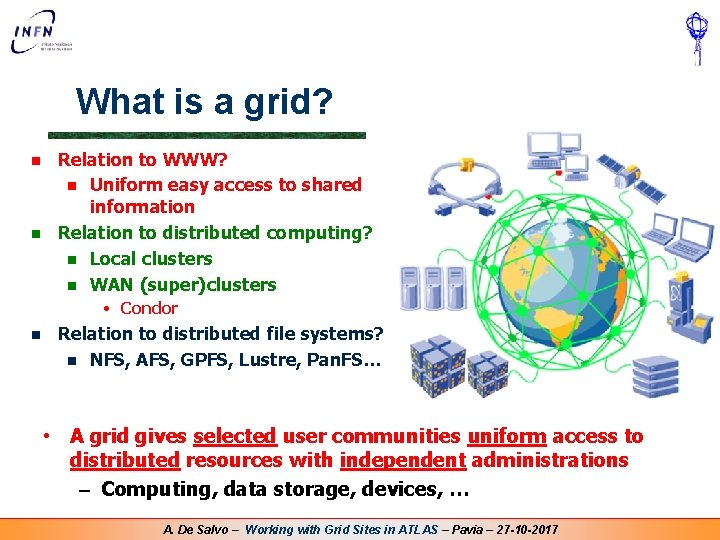
What is a grid? n n Relation to WWW? n Uniform easy access to shared information Relation to distributed computing? n Local clusters n WAN (super)clusters • Condor n Relation to distributed file systems? n NFS, AFS, GPFS, Lustre, Pan. FS… • A grid gives selected user communities uniform access to distributed resources with independent administrations – Computing, data storage, devices, … A. De Salvo – Working with Grid Sites in ATLAS – Pavia – 27 -10 -2017
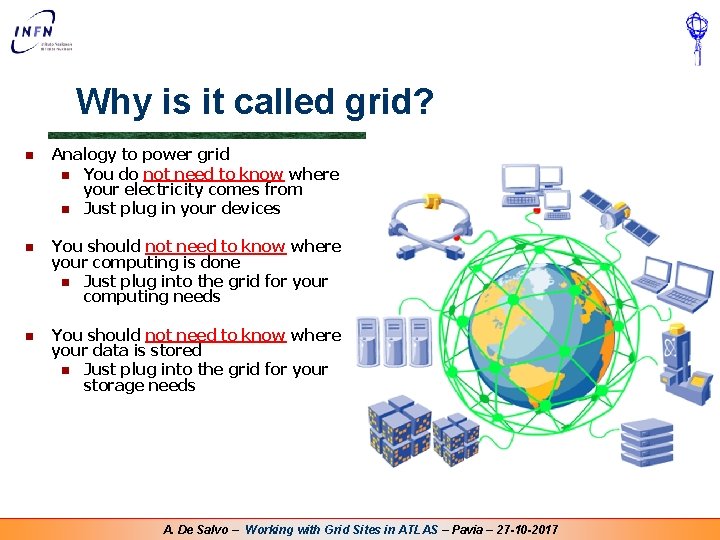
Why is it called grid? n Analogy to power grid n You do not need to know where your electricity comes from n Just plug in your devices n You should not need to know where your computing is done n Just plug into the grid for your computing needs n You should not need to know where your data is stored n Just plug into the grid for your storage needs A. De Salvo – Working with Grid Sites in ATLAS – Pavia – 27 -10 -2017
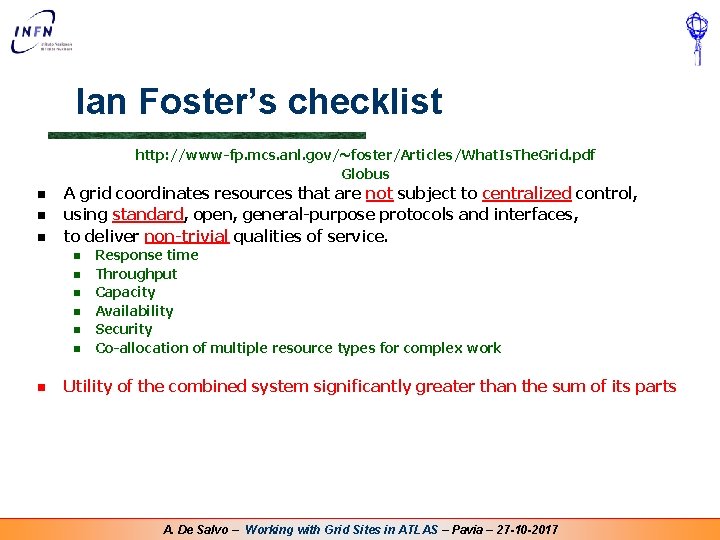
Ian Foster’s checklist http: //www-fp. mcs. anl. gov/~foster/Articles/What. Is. The. Grid. pdf Globus n n n A grid coordinates resources that are not subject to centralized control, using standard, open, general-purpose protocols and interfaces, to deliver non-trivial qualities of service. n n n n Response time Throughput Capacity Availability Security Co-allocation of multiple resource types for complex work Utility of the combined system significantly greater than the sum of its parts A. De Salvo – Working with Grid Sites in ATLAS – Pavia – 27 -10 -2017
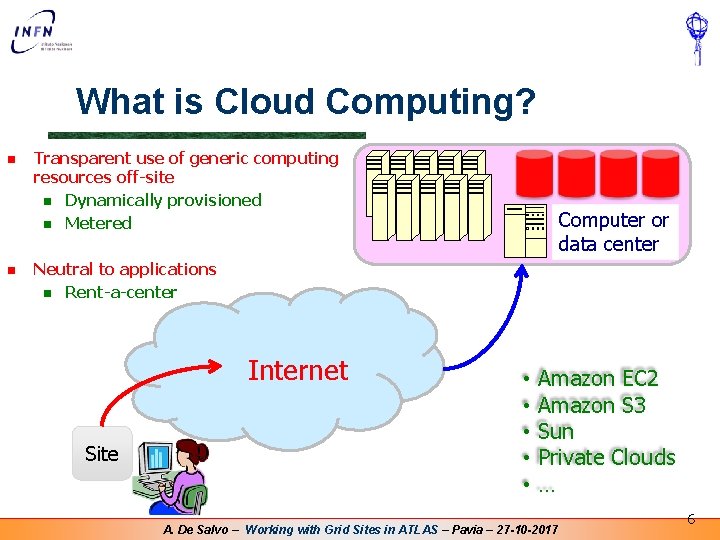
What is Cloud Computing? n n Transparent use of generic computing resources off-site n Dynamically provisioned n Metered Computer or data center Neutral to applications n Rent-a-center Internet Site • • • Amazon EC 2 Amazon S 3 Sun Private Clouds … A. De Salvo – Working with Grid Sites in ATLAS – Pavia – 27 -10 -2017 6
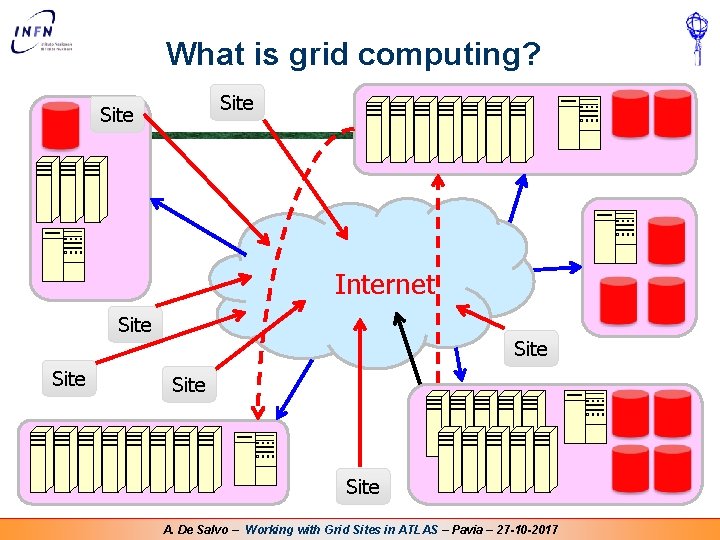
What is grid computing? Site Internet Site Site A. De Salvo – Working with Grid Sites in ATLAS – Pavia – 27 -10 -2017
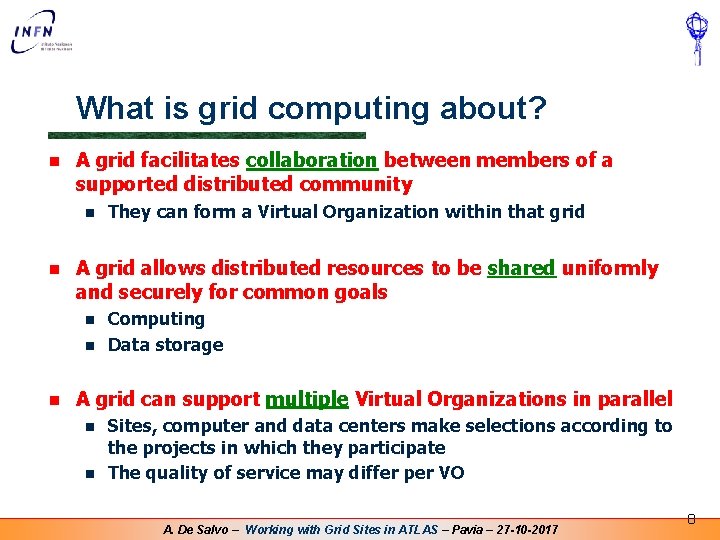
What is grid computing about? n A grid facilitates collaboration between members of a supported distributed community n n A grid allows distributed resources to be shared uniformly and securely for common goals n n n They can form a Virtual Organization within that grid Computing Data storage A grid can support multiple Virtual Organizations in parallel n n Sites, computer and data centers make selections according to the projects in which they participate The quality of service may differ per VO A. De Salvo – Working with Grid Sites in ATLAS – Pavia – 27 -10 -2017 8
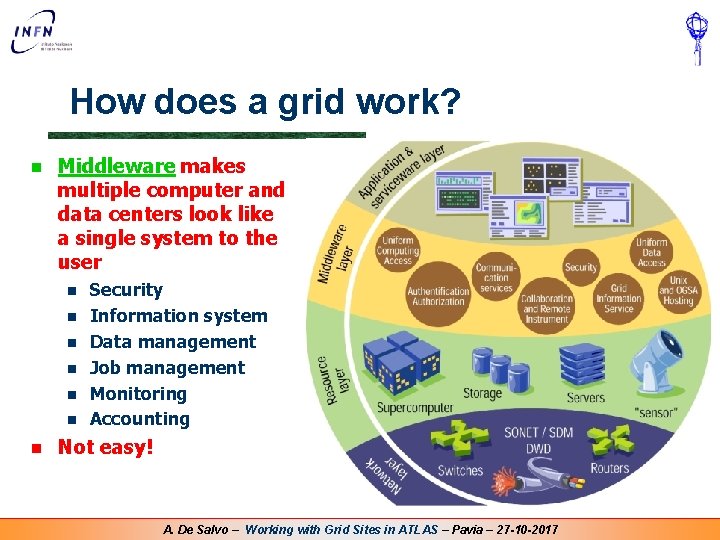
How does a grid work? n Middleware makes multiple computer and data centers look like a single system to the user n n n n Security Information system Data management Job management Monitoring Accounting Not easy! A. De Salvo – Working with Grid Sites in ATLAS – Pavia – 27 -10 -2017
Where can we use grids? n Scientific collaborations n Can also serve in spreading know-how to developing countries n Industry? Commerce? n Research collaborations n Intra-company grids n Mostly cloud computing • Grid research may provide open standards, technologies n Homes? Schools? n E-learning n Internet Service Providers cloud computing n Government? Hospitals? Other public services? n Beware of sensitive/private data A. De Salvo – Working with Grid Sites in ATLAS – Pavia – 27 -10 -2017
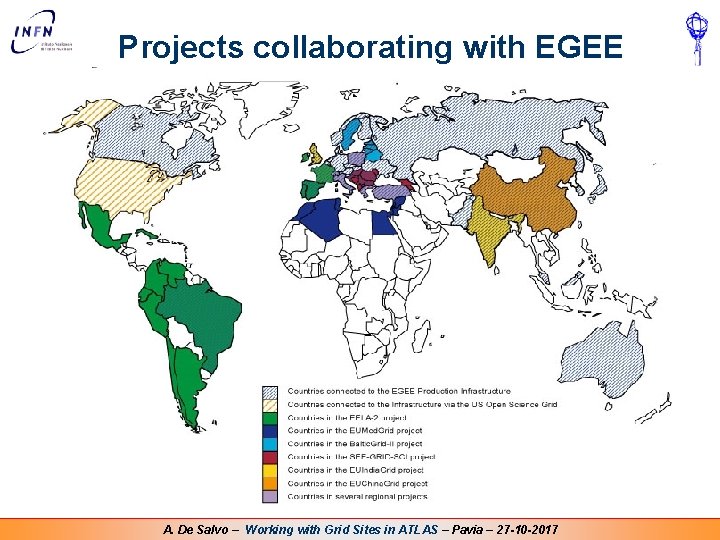
There are many grids n EGEE – Enabling Grids for E-scienc. E n n OSG – Open Science Grid n n Nordu. Grid (Nordic countries), Baltic. Grid (Baltic region), SEEGrid (S-E Europe), EUMed. Grid (Mediterranean), … Interregional n n INFNGrid (It), Grid. PP/NGS (UK), D-Grid (De), NAREGI (Jp), … Regional n n USA and beyond National n n Europe and beyond EELA (Europe + Latin America), EUIndia. Grid, EUChina. Grid WLCG – Worldwide LHC Computing Grid n n Federation of EGEE, OSG, Nordic Data Grid Facility, … Grids of Clouds • • Private/scientific Clouds Commercial Clouds A. De Salvo – Working with Grid Sites in ATLAS – Pavia – 27 -10 -2017
Projects collaborating with EGEE A. De Salvo – Working with Grid Sites in ATLAS – Pavia – 27 -10 -2017
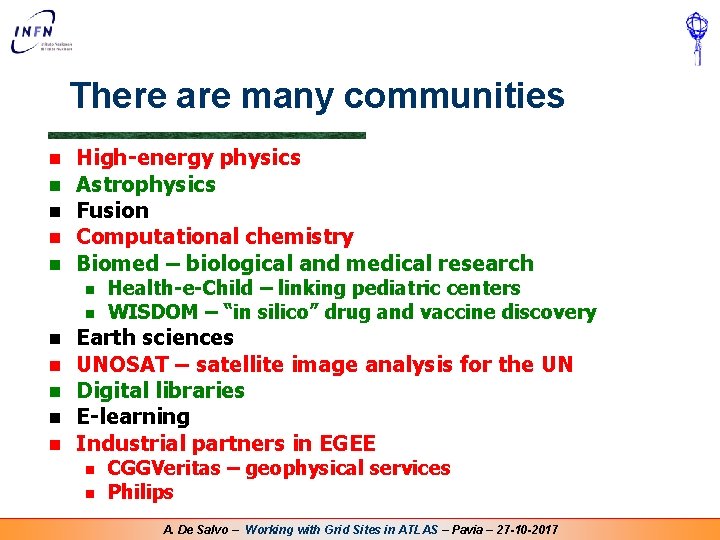
There are many communities n n n High-energy physics Astrophysics Fusion Computational chemistry Biomed – biological and medical research n n n n Health-e-Child – linking pediatric centers WISDOM – “in silico” drug and vaccine discovery Earth sciences UNOSAT – satellite image analysis for the UN Digital libraries E-learning Industrial partners in EGEE n n CGGVeritas – geophysical services Philips A. De Salvo – Working with Grid Sites in ATLAS – Pavia – 27 -10 -2017
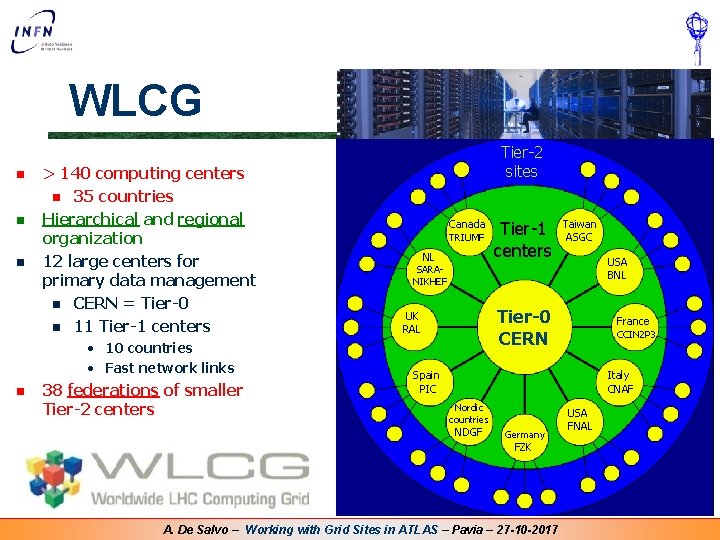
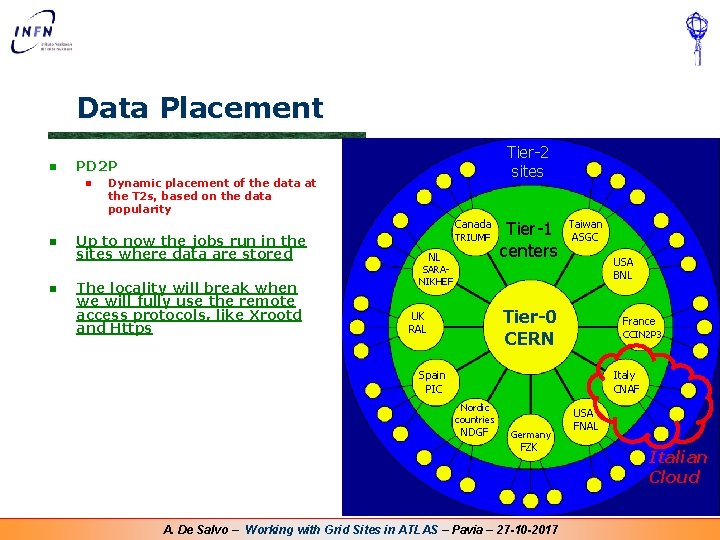
WLCG n n n > 140 computing centers n 35 countries Hierarchical and regional organization 12 large centers for primary data management n CERN = Tier-0 n 11 Tier-1 centers • 10 countries • Fast network links n 38 federations of smaller Tier-2 centers Tier-2 sites Canada TRIUMF NL Tier-1 centers Taiwan ASGC USA BNL SARANIKHEF Tier-0 CERN UK RAL France CCIN 2 P 3 Spain PIC Italy CNAF Nordic countries NDGF Germany FZK A. De Salvo – Working with Grid Sites in ATLAS – Pavia – 27 -10 -2017 USA FNAL
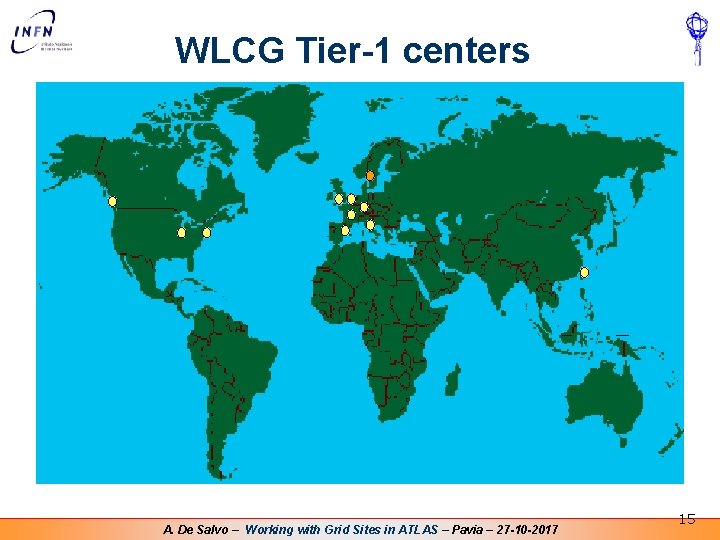
WLCG Tier-1 centers A. De Salvo – Working with Grid Sites in ATLAS – Pavia – 27 -10 -2017 15
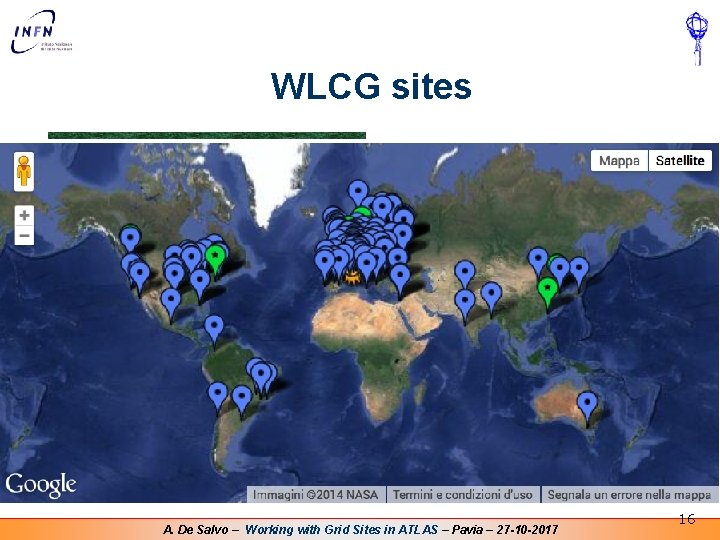
WLCG sites A. De Salvo – Working with Grid Sites in ATLAS – Pavia – 27 -10 -2017 16
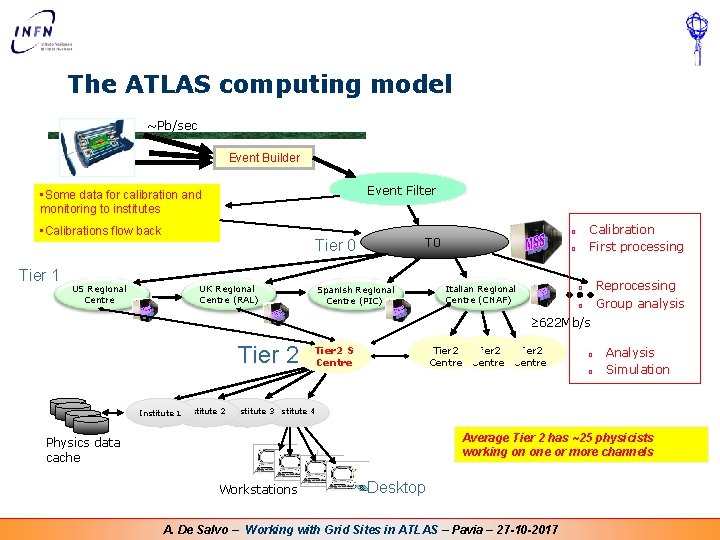
The ATLAS computing model ~Pb/sec Event Builder Event Filter • Some data for calibration and monitoring to institutes • Calibrations flow back Tier 1 US Regional Centre Tier 0 UK Regional Centre (RAL) Spanish Regional Centre (PIC) Calibration First processing ¨ T 0 ¨ Italian Regional Centre (CNAF) Reprocessing Group analysis ¨ ¨ 622 Mb/s Tier 2 S Centre Tier 2 Centre ¨ ¨ Analysis Simulation Institute 1 Institute 2 Institute 3 Institute 4 Average Tier 2 has ~25 physicists working on one or more channels Physics data cache Workstations Desktop A. De Salvo – Working with Grid Sites in ATLAS – Pavia – 27 -10 -2017
SECTION 2 Grid, Certificates and the ATLAS VO A. De Salvo – Working with Grid Sites in ATLAS – Pavia – 27 -10 -2017
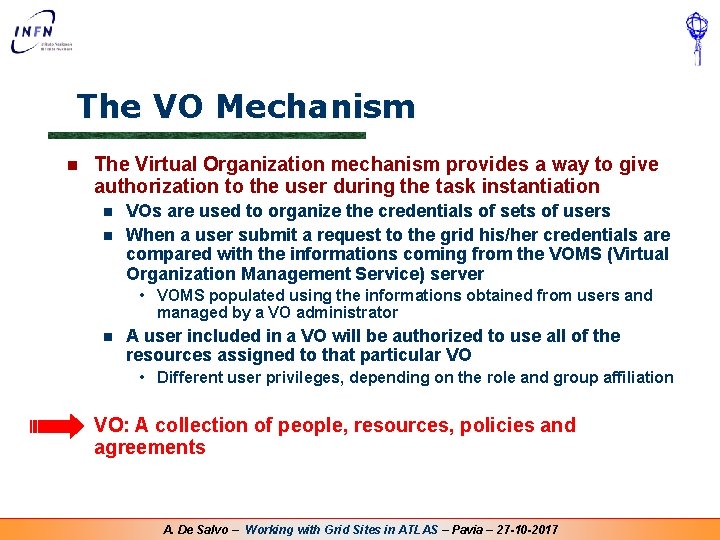
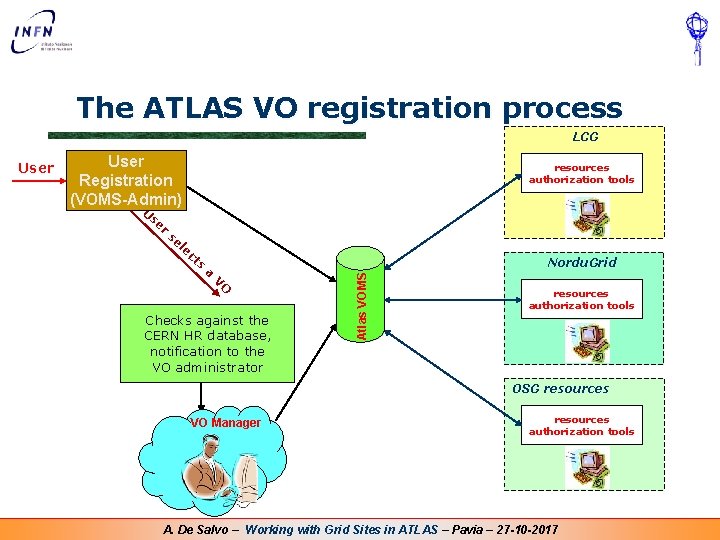
The VO Mechanism n The Virtual Organization mechanism provides a way to give authorization to the user during the task instantiation n n VOs are used to organize the credentials of sets of users When a user submit a request to the grid his/her credentials are compared with the informations coming from the VOMS (Virtual Organization Management Service) server • VOMS populated using the informations obtained from users and managed by a VO administrator n A user included in a VO will be authorized to use all of the resources assigned to that particular VO • Different user privileges, depending on the role and group affiliation n VO: A collection of people, resources, policies and agreements A. De Salvo – Working with Grid Sites in ATLAS – Pavia – 27 -10 -2017
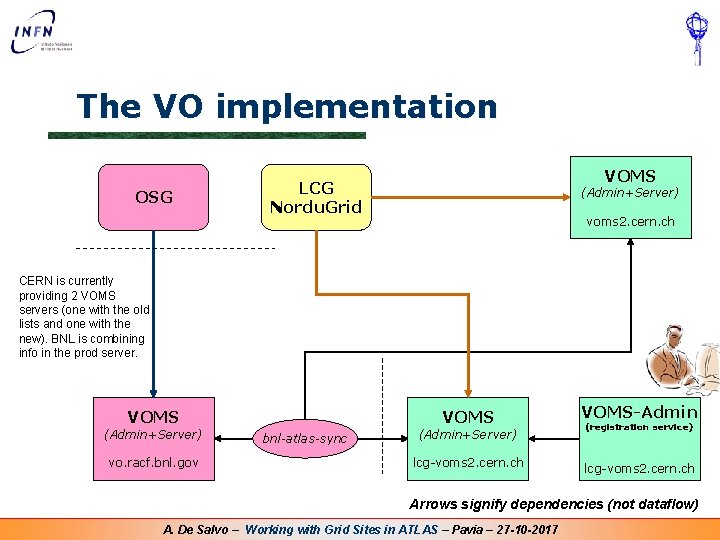
The VO implementation OSG VOMS LCG Nordu. Grid (Admin+Server) voms 2. cern. ch CERN is currently providing 2 VOMS servers (one with the old lists and one with the new). BNL is combining info in the prod server. VOMS (Admin+Server) vo. racf. bnl. gov bnl-atlas-sync VOMS-Admin lcg-voms 2. cern. ch (Admin+Server) (registration service) Arrows signify dependencies (not dataflow) A. De Salvo – Working with Grid Sites in ATLAS – Pavia – 27 -10 -2017
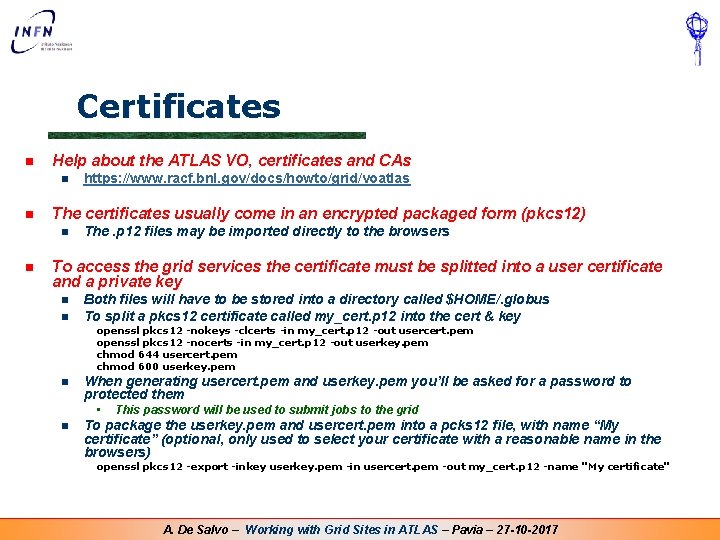
Certificates n Help about the ATLAS VO, certificates and CAs n n The certificates usually come in an encrypted packaged form (pkcs 12) n n https: //www. racf. bnl. gov/docs/howto/grid/voatlas The. p 12 files may be imported directly to the browsers To access the grid services the certificate must be splitted into a user certificate and a private key n n Both files will have to be stored into a directory called $HOME/. globus To split a pkcs 12 certificate called my_cert. p 12 into the cert & key openssl pkcs 12 -nokeys -clcerts -in my_cert. p 12 -out usercert. pem openssl pkcs 12 -nocerts -in my_cert. p 12 -out userkey. pem chmod 644 usercert. pem chmod 600 userkey. pem n When generating usercert. pem and userkey. pem you’ll be asked for a password to protected them • n This password will be used to submit jobs to the grid To package the userkey. pem and usercert. pem into a pcks 12 file, with name “My certificate” (optional, only used to select your certificate with a reasonable name in the browsers) openssl pkcs 12 -export -inkey userkey. pem -in usercert. pem -out my_cert. p 12 -name "My certificate" A. De Salvo – Working with Grid Sites in ATLAS – Pavia – 27 -10 -2017
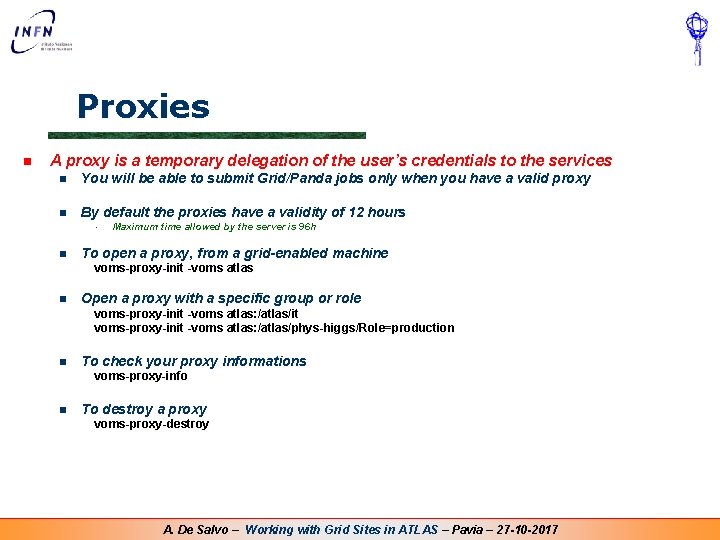
Proxies n A proxy is a temporary delegation of the user’s credentials to the services n You will be able to submit Grid/Panda jobs only when you have a valid proxy n By default the proxies have a validity of 12 hours • n Maximum time allowed by the server is 96 h To open a proxy, from a grid-enabled machine voms-proxy-init -voms atlas n Open a proxy with a specific group or role voms-proxy-init -voms atlas//it -voms atlas: /atlas voms-proxy-init -voms atlas//phys-higgs/ -voms atlas: /atlas phys-higgs/Role=production n To check your proxy informations voms-proxy-info n To destroy a proxy voms-proxy-destroy A. De Salvo – Working with Grid Sites in ATLAS – Pavia – 27 -10 -2017
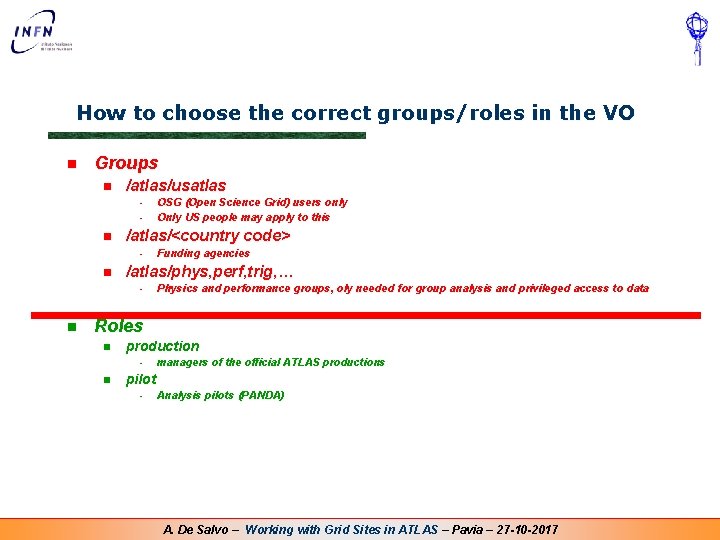
How to choose the correct groups/roles in the VO n Groups n /atlas/usatlas • • n /atlas/<country code> • n Funding agencies /atlas/phys, perf, trig, … • n OSG (Open Science Grid) users only Only US people may apply to this Physics and performance groups, oly needed for group analysis and privileged access to data Roles n production • n managers of the official ATLAS productions pilot • Analysis pilots (PANDA) A. De Salvo – Working with Grid Sites in ATLAS – Pavia – 27 -10 -2017
The ATLAS VO registration process LCG User Registration (VOMS-Admin) resources authorization tools U se r se le ct s a Nordu. Grid V O Checks against the CERN HR database, notification to the VO administrator Atlas VOMS User resources authorization tools OSG resources VO Manager resources authorization tools A. De Salvo – Working with Grid Sites in ATLAS – Pavia – 27 -10 -2017
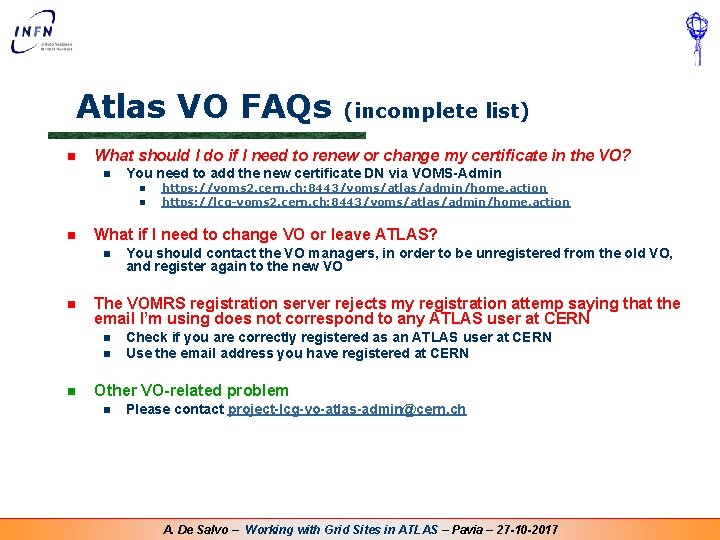
Atlas VO FAQs n What should I do if I need to renew or change my certificate in the VO? n You need to add the new certificate DN via VOMS-Admin n You should contact the VO managers, in order to be unregistered from the old VO, and register again to the new VO The VOMRS registration server rejects my registration attemp saying that the email I’m using does not correspond to any ATLAS user at CERN n n n https: //voms 2. cern. ch: 8443/voms/atlas/admin/home. action https: //lcg-voms 2. cern. ch: 8443/voms/atlas/admin/home. action What if I need to change VO or leave ATLAS? n n (incomplete list) Check if you are correctly registered as an ATLAS user at CERN Use the email address you have registered at CERN Other VO-related problem n Please contact project-lcg-vo-atlas-admin@cern. ch A. De Salvo – Working with Grid Sites in ATLAS – Pavia – 27 -10 -2017
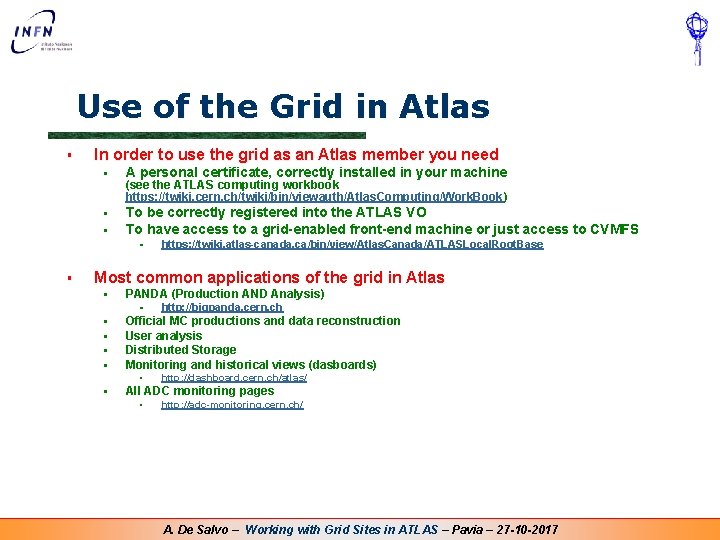
Use of the Grid in Atlas § In order to use the grid as an Atlas member you need § A personal certificate, correctly installed in your machine § To be correctly registered into the ATLAS VO To have access to a grid-enabled front-end machine or just access to CVMFS § (see the ATLAS computing workbook https: //twiki. cern. ch/twiki/bin/viewauth/Atlas. Computing/Work. Book) § § https: //twiki. atlas-canada. ca/bin/view/Atlas. Canada/ATLASLocal. Root. Base Most common applications of the grid in Atlas § PANDA (Production AND Analysis) § http: //bigpanda. cern. ch § Official MC productions and data reconstruction User analysis Distributed Storage Monitoring and historical views (dasboards) § All ADC monitoring pages § § § http: //dashboard. cern. ch/atlas/ http: //adc-monitoring. cern. ch/ A. De Salvo – Working with Grid Sites in ATLAS – Pavia – 27 -10 -2017
SECTION 3 Accessing data stored in the Grid A. De Salvo – Working with Grid Sites in ATLAS – Pavia – 27 -10 -2017
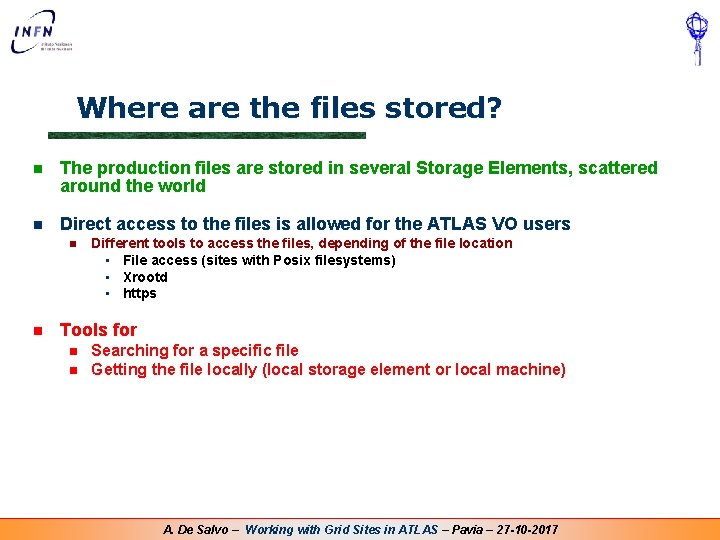
Where are the files stored? n The production files are stored in several Storage Elements, scattered around the world n Direct access to the files is allowed for the ATLAS VO users n n Different tools to access the files, depending of the file location • File access (sites with Posix filesystems) • Xrootd • https Tools for n n Searching for a specific file Getting the file locally (local storage element or local machine) A. De Salvo – Working with Grid Sites in ATLAS – Pavia – 27 -10 -2017
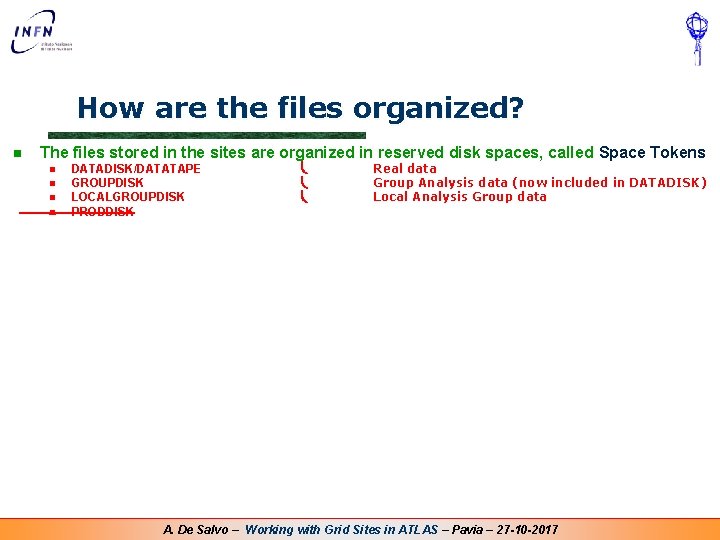
How are the files organized? n The files stored in the sites are organized in reserved disk spaces, called Space Tokens n n DATADISK/DATATAPE GROUPDISK LOCALGROUPDISK PRODDISK Real data Group Analysis data (now included in DATADISK) Local Analysis Group data A. De Salvo – Working with Grid Sites in ATLAS – Pavia – 27 -10 -2017
Data Placement n Tier-2 sites PD 2 P n Dynamic placement of the data at the T 2 s, based on the data popularity Canada n n TRIUMF Up to now the jobs run in the sites where data are stored The locality will break when we will fully use the remote access protocols, like Xrootd and Https NL Tier-1 centers Taiwan ASGC USA BNL SARANIKHEF Tier-0 CERN UK RAL France CCIN 2 P 3 Spain PIC Italy CNAF Nordic countries NDGF Germany FZK A. De Salvo – Working with Grid Sites in ATLAS – Pavia – 27 -10 -2017 USA FNAL Italian Cloud
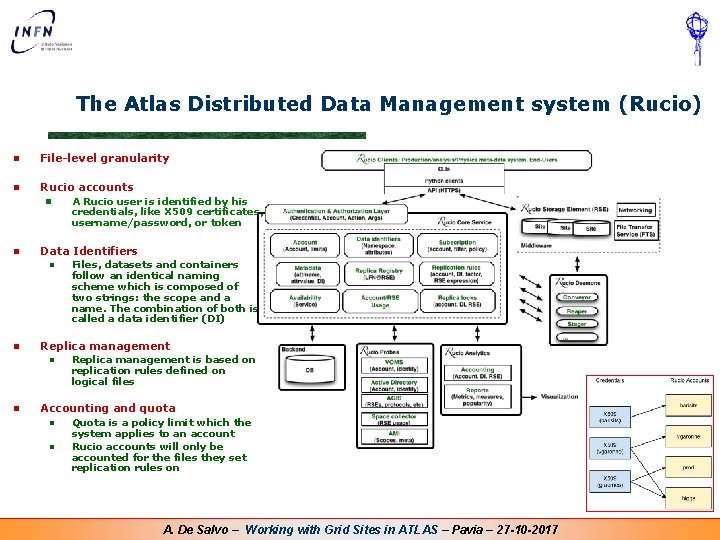
The Atlas Distributed Data Management system (Rucio) n File-level granularity n Rucio accounts n n Data Identifiers n n Files, datasets and containers follow an identical naming scheme which is composed of two strings: the scope and a name. The combination of both is called a data identifier (DI) Replica management n n A Rucio user is identified by his credentials, like X 509 certificates, username/password, or token Replica management is based on replication rules defined on logical files Accounting and quota n n Quota is a policy limit which the system applies to an account Rucio accounts will only be accounted for the files they set replication rules on A. De Salvo – Working with Grid Sites in ATLAS – Pavia – 27 -10 -2017
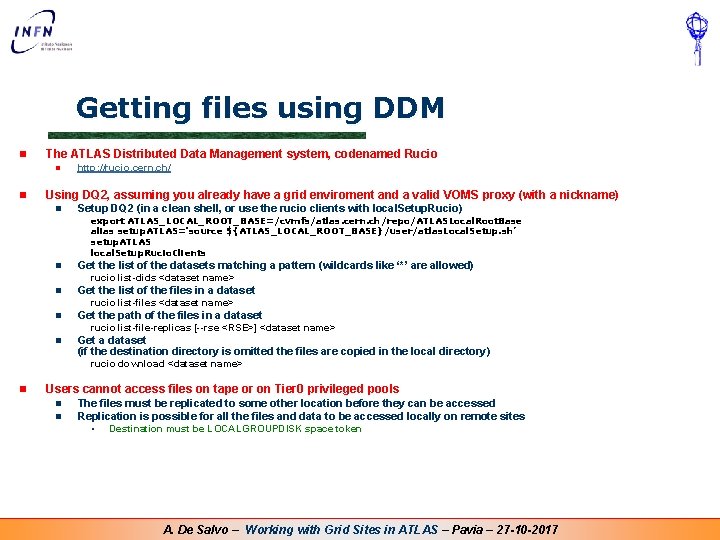
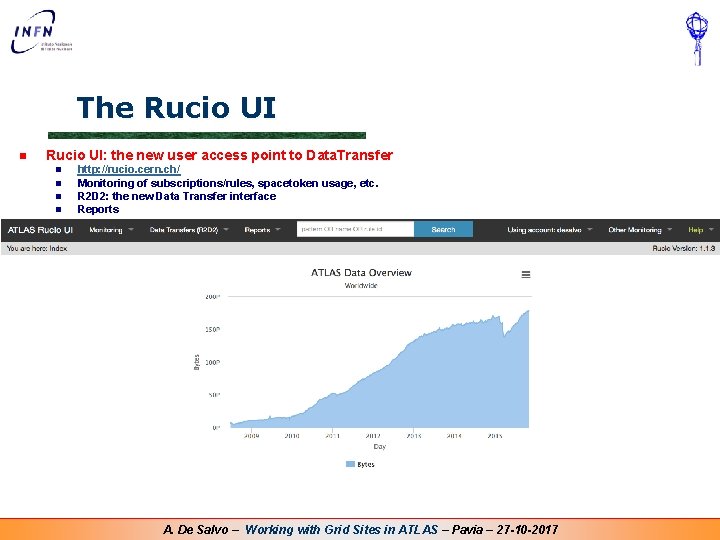
Getting files using DDM n The ATLAS Distributed Data Management system, codenamed Rucio n n http: //rucio. cern. ch/ Using DQ 2, assuming you already have a grid enviroment and a valid VOMS proxy (with a nickname) n Setup DQ 2 (in a clean shell, or use the rucio clients with local. Setup. Rucio) export ATLAS_LOCAL_ROOT_BASE=/cvmfs/atlas. cern. ch/repo/ATLASLocal. Root. Base alias setup. ATLAS='source ${ATLAS_LOCAL_ROOT_BASE}/user/atlas. Local. Setup. sh’ setup. ATLAS local. Setup. Rucio. Clients n Get the list of the datasets matching a pattern (wildcards like ‘*’ are allowed) n Get the list of the files in a dataset n Get the path of the files in a dataset rucio list-dids <dataset name> rucio list-file-replicas [--rse <RSE>] <dataset name> n Get a dataset (if the destination directory is omitted the files are copied in the local directory) rucio download <dataset name> n Users cannot access files on tape or on Tier 0 privileged pools n n The files must be replicated to some other location before they can be accessed Replication is possible for all the files and data to be accessed locally on remote sites • Destination must be LOCALGROUPDISK space token A. De Salvo – Working with Grid Sites in ATLAS – Pavia – 27 -10 -2017
The Rucio UI n Rucio UI: the new user access point to Data. Transfer n n http: //rucio. cern. ch/ Monitoring of subscriptions/rules, spacetoken usage, etc. R 2 D 2: the new Data Transfer interface Reports A. De Salvo – Working with Grid Sites in ATLAS – Pavia – 27 -10 -2017
SECTION 4 Setting up the ATLAS software from CVMFS A. De Salvo – Working with Grid Sites in ATLAS – Pavia – 27 -10 -2017
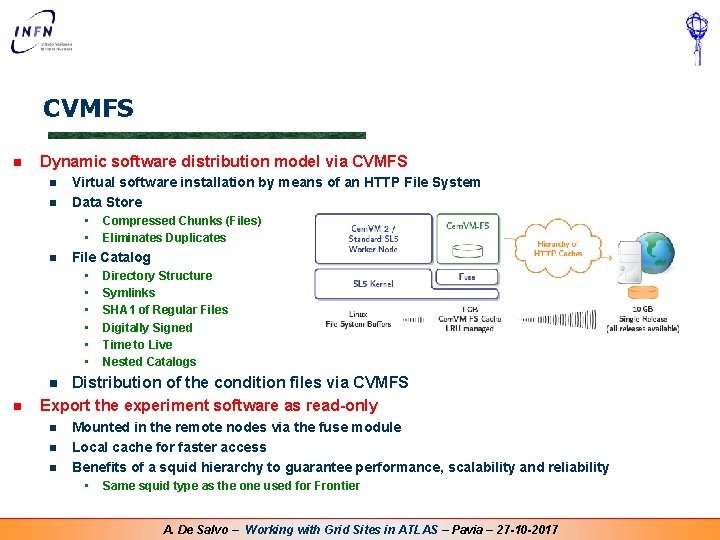
CVMFS n Dynamic software distribution model via CVMFS n n Virtual software installation by means of an HTTP File System Data Store • • n Compressed Chunks (Files) Eliminates Duplicates File Catalog • • • Directory Structure Symlinks SHA 1 of Regular Files Digitally Signed Time to Live Nested Catalogs Distribution of the condition files via CVMFS Export the experiment software as read-only n n n Mounted in the remote nodes via the fuse module Local cache for faster access Benefits of a squid hierarchy to guarantee performance, scalability and reliability • Same squid type as the one used for Frontier A. De Salvo – Working with Grid Sites in ATLAS – Pavia – 27 -10 -2017
Setting up the ATLAS software via CVMFS [1] n Simple setup via ATLASLocal. Root. Base export ATLAS_LOCAL_ROOT_BASE=/cvmfs/atlas. cern. ch/repo/ATLASLocal. Root. Base alias setup. ATLAS='source ${ATLAS_LOCAL_ROOT_BASE}/user/atlas. Local. Setup. sh' setup. ATLAS n Many software components available lsetup <tool 1> [ <tool 2>. . . ] (see lsetup -h): lsetup agis ATLAS Grid Information System lsetup asetup (or asetup) to setup an Athena release lsetup atlantis Atlantis: event display lsetup eiclient Event Index lsetup emi EMI: grid middleware user interface lsetup fax Federated XRoot. D data storage access (FAX) lsetup ganga Ganga: job definition and management client lsetup lcgenv: setup tools from cvmfs SFT repository lsetup panda Panda: Production ANd Distributed Analysis lsetup pod Proof-on-Demand (obsolete) lsetup pyami py. AMI: ATLAS Metadata Interface python client lsetup rcsetup (or rc. Setup) to setup an ASG release lsetup root ROOT data processing framework lsetup rucio distributed data management system client lsetup sft setup tools from SFT repo (use lcgenv instead) lsetup xrootd XRoot. D data access advanced. Tools advanced tools menu diagnostics diagnostic tools menu help. Me more help print. Menu show this menu show. Versions show versions of installed software A. De Salvo – Working with Grid Sites in ATLAS – Pavia – 27 -10 -2017
Setting up the ATLAS software via CVMFS [2] n Pros n n n n n CVMFS is available in all the sites ATLASLocal. Root. Base is sharing the releases with the standard production/analysis jobs Nightlies available and updated every night in CVMFS Simple setup, access to all the tools needed for the analysis Even the gridd middleware can be setup Constantly updated Software pre-configured statically or dynamically configuring Automatic local site settings Faster access and less disk space used than traditional shared filesystems Cons n CVMFS is not available offline, unless the files are already in cache A. De Salvo – Working with Grid Sites in ATLAS – Pavia – 27 -10 -2017
SECTION 5 Working with FAX A. De Salvo – Working with Grid Sites in ATLAS – Pavia – 27 -10 -2017
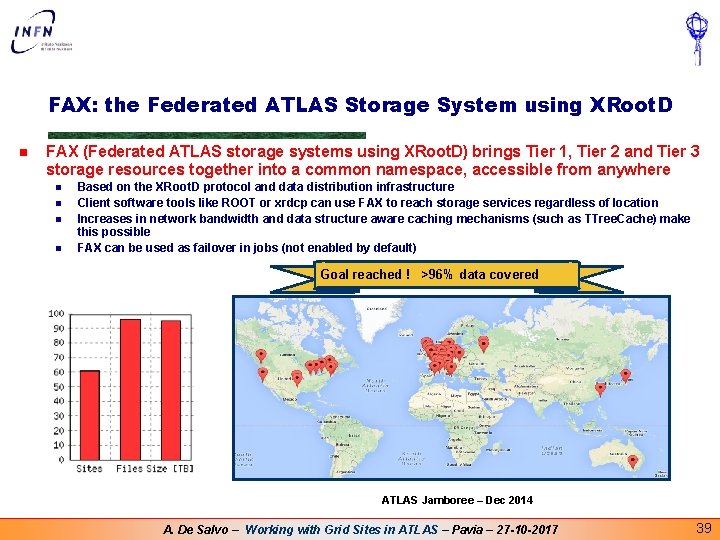
FAX: the Federated ATLAS Storage System using XRoot. D n FAX (Federated ATLAS storage systems using XRoot. D) brings Tier 1, Tier 2 and Tier 3 storage resources together into a common namespace, accessible from anywhere n n Based on the XRoot. D protocol and data distribution infrastructure Client software tools like ROOT or xrdcp can use FAX to reach storage services regardless of location Increases in network bandwidth and data structure aware caching mechanisms (such as TTree. Cache) make this possible FAX can be used as failover in jobs (not enabled by default) Goal reached ! >96% data covered ATLAS Jamboree – Dec 2014 A. De Salvo – Working with Grid Sites in ATLAS – Pavia – 27 -10 -2017 39
Using FAX: basic introduction [1] n Pre-requisites n n n CVMFS VOMS proxy Set up FAX using CVMFS and ROOT export ATLAS_LOCAL_ROOT_BASE=/cvmfs/atlas. cern. ch/repo/ATLASLocal. Root. Base source ${ATLAS_LOCAL_ROOT_BASE}/user/atlas. Local. Setup. sh local. Setup. FAX --root. Version=current-SL 6 n Check dataset availability in FAX fax-is-dataset-covered <scope>: <dataset name> Example: fax-is-dataset-covered mc 15_13 Te. V: mc 15_13 Te. V. 410000. Powheg. Pythia. Evt. Gen_P 2012_ttbar_hdamp 172 p 5_nonallhad. merge. DAOD_TOPQ 1. e 3698_s 2608_s 2183_r 6765_r 6282_p 2413 n Copy a dataset to the local storage Supports multiple streams, retries, partial dataset copy, skipping non-root files, timeouts and more fax-get <scope>: <dataset name> Example: fax-get mc 15_13 Te. V: mc 15_13 Te. V. 410000. Powheg. Pythia. Evt. Gen_P 2012_ttbar_hdamp 172 p 5_nonallhad. merge. DAOD_TOPQ 1. e 3698_s 2608_s 2183_r 6765_r 6282_p 2413 n n Find global logical file names (g. LFNs) fax-get-g. LFNs <scope>: <dataset name> Example: fax-get-g. LFNs mc 15_13 Te. V: mc 15_13 Te. V. 410000. Powheg. Pythia. Evt. Gen_P 2012_ttbar_hdamp 172 p 5_nonallhad. merge. DAOD_TOPQ 1. e 3698_s 2608_s 2183_r 6765_r 6282_p 2413 A. De Salvo – Working with Grid Sites in ATLAS – Pavia – 27 -10 -2017
Using FAX: basic introduction [2] n Copy a file from FAX to local disk The $STORAGEPREFIX depends on your local storage element xrdcp $STORAGEPREFIX/atlas/rucio/<scope>: <file name> /tmp/my. Local. Copy. root n n Open and inspect a file with ROOT Using a FAX enabled storage element TFile *f = TFile: : Open("root: //grid-cert-03. roma 1. infn. it//atlas/rucio/<scope>: <file name>") n Using a redirector (her using the IT redirector) TFile *f = TFile: : Open("root: //atlas-xrd-it. cern. ch//atlas/rucio/<scope>: <file name>") Example: n TFile *f = TFile: : Open("root: //atlas-xrd-it. cern. ch//atlas/rucio/mc 15_13 Te. V: DAOD_TOPQ 1. 06405917. _000001. pool. root. 1") n Using FAX from a prun job n Instead of giving the --in. DS my. Dataset option, provide it with --pfn. List my_list_of_g. LFNS. txt, where my_list_of_g. LFNS. txt is the output of fax-get-g. LFNs A. De Salvo – Working with Grid Sites in ATLAS – Pavia – 27 -10 -2017
SECTION 6 Links and contacts A. De Salvo – Working with Grid Sites in ATLAS – Pavia – 27 -10 -2017
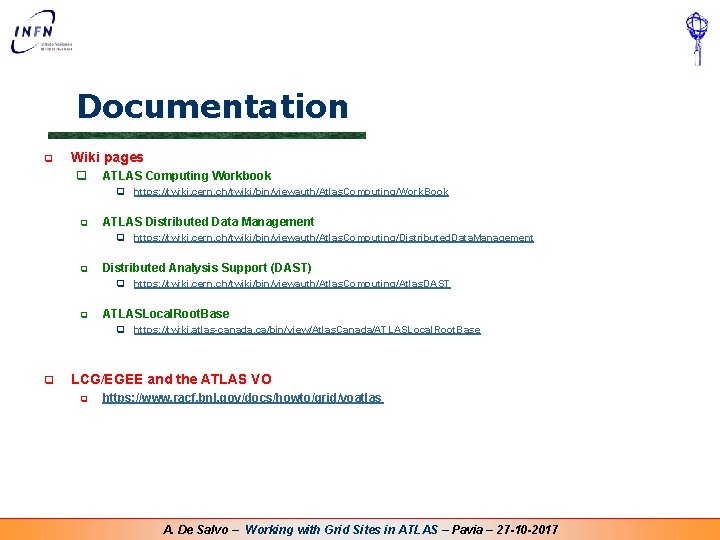
Documentation q Wiki pages q ATLAS Computing Workbook q https: //twiki. cern. ch/twiki/bin/viewauth/Atlas. Computing/Work. Book q ATLAS Distributed Data Management q https: //twiki. cern. ch/twiki/bin/viewauth/Atlas. Computing/Distributed. Data. Management q Distributed Analysis Support (DAST) q https: //twiki. cern. ch/twiki/bin/viewauth/Atlas. Computing/Atlas. DAST q ATLASLocal. Root. Base q https: //twiki. atlas-canada. ca/bin/view/Atlas. Canada/ATLASLocal. Root. Base q LCG/EGEE and the ATLAS VO q https: //www. racf. bnl. gov/docs/howto/grid/voatlas A. De Salvo – Working with Grid Sites in ATLAS – Pavia – 27 -10 -2017
Contacts Ø Software distribution Ø Ø Atlas VO Ø Ø http: //www. ggus. org Production System Ø Ø https: //twiki. cern. ch/twiki/bin/viewauth/Atlas. Computing/DDMOperations. Group LCG Ø Ø project-lcg-vo-atlas-admin@cern. ch DDM Ø Ø atlas-grid-install@cern. ch atlas-project-adc-operations@cern. ch Distributed Analysis Support Ø hn-atlas-dist-analysis-help@cern. ch Ø ATLAS Italy computing contacts Ø Ø atlas-it-t 2 -op@lists. infn. it (T 2 support) atl-usercalc@lists. infn. it (ATLAS Italy Computing list) A. De Salvo – Working with Grid Sites in ATLAS – Pavia – 27 -10 -2017