
Working with Filters Request Dispatcher and Servlet Threads
- Slides: 30
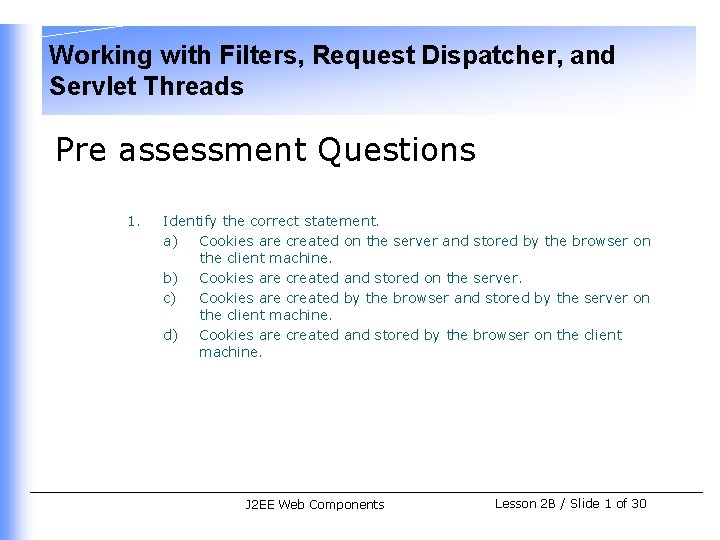
Working with Filters, Request Dispatcher, and Servlet Threads Pre assessment Questions 1. Identify the correct statement. a) Cookies are created on the server and stored by the browser on the client machine. b) Cookies are created and stored on the server. c) Cookies are created by the browser and stored by the server on the client machine. d) Cookies are created and stored by the browser on the client machine. J 2 EE Web Components Lesson 2 B / Slide 1 of 30
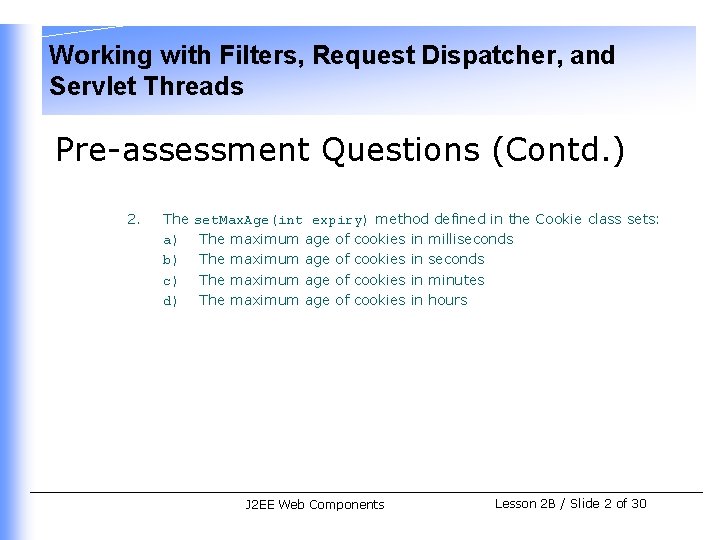
Working with Filters, Request Dispatcher, and Servlet Threads Pre-assessment Questions (Contd. ) 2. The a) b) c) d) set. Max. Age(int expiry) method defined in the Cookie class sets: The maximum age of cookies in milliseconds The maximum age of cookies in minutes The maximum age of cookies in hours J 2 EE Web Components Lesson 2 B / Slide 2 of 30
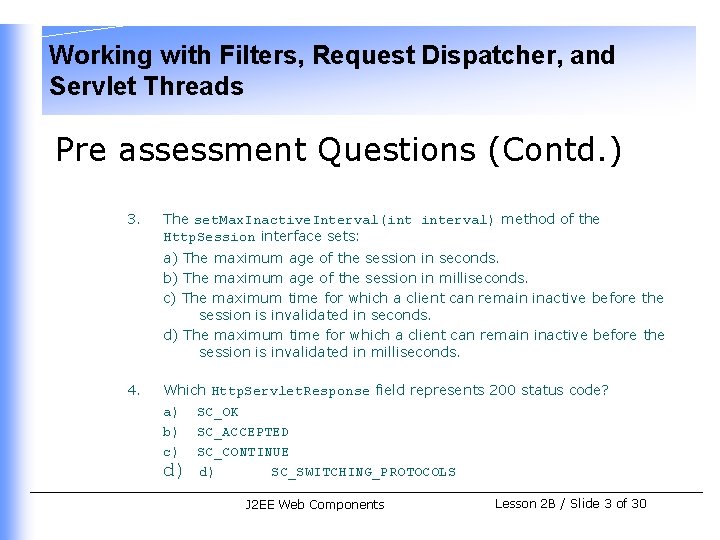
Working with Filters, Request Dispatcher, and Servlet Threads Pre assessment Questions (Contd. ) 3. The set. Max. Inactive. Interval(int interval) method of the Http. Session interface sets: a) The maximum age of the session in seconds. b) The maximum age of the session in milliseconds. c) The maximum time for which a client can remain inactive before the session is invalidated in seconds. d) The maximum time for which a client can remain inactive before the session is invalidated in milliseconds. 4. Which Http. Servlet. Response field represents 200 status code? a) SC_OK b) SC_ACCEPTED c) SC_CONTINUE d) d) SC_SWITCHING_PROTOCOLS J 2 EE Web Components Lesson 2 B / Slide 3 of 30
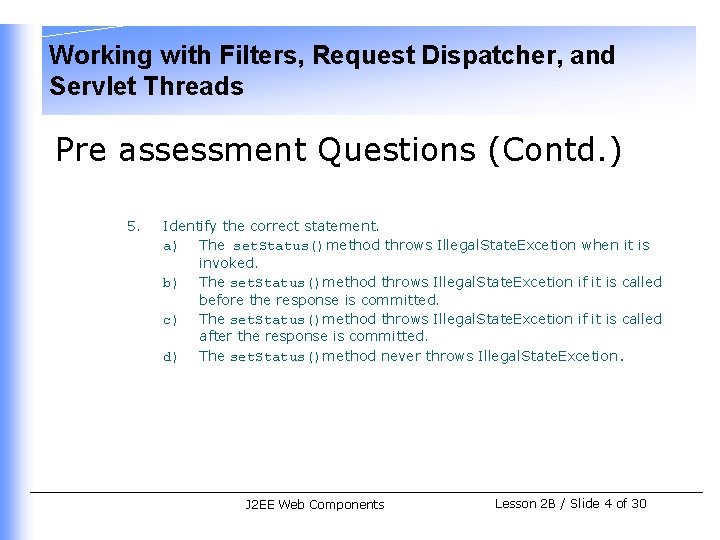
Working with Filters, Request Dispatcher, and Servlet Threads Pre assessment Questions (Contd. ) 5. Identify the correct statement. a) The set. Status()method throws Illegal. State. Excetion when it is invoked. b) The set. Status()method throws Illegal. State. Excetion if it is called before the response is committed. c) The set. Status()method throws Illegal. State. Excetion if it is called after the response is committed. d) The set. Status()method never throws Illegal. State. Excetion. J 2 EE Web Components Lesson 2 B / Slide 4 of 30
Working with Filters, Request Dispatcher, and Servlet Threads Solutions to Pre-assessment Questions 1. 2. 3. 4. 5. a. Cookies are created by the server and stored by the browser on the client machine. b. The maximum age of cookies in seconds c. The maximum time for which a client can remain inactive before the session is invalidated in seconds. a. SC_OK c. The set. Status()method throws Illegal. State. Excetion if it is called after the response is committed. J 2 EE Web Components Lesson 2 B / Slide 5 of 30
Working with Filters, Request Dispatcher, and Servlet Threads Objectives In this lesson you will learn about: • • • Inter-servlet communication Single-threaded and multi-threaded servlets Using servlet filters to modify the request and response objects J 2 EE Web Components Lesson 2 B / Slide 6 of 30
Working with Filters, Request Dispatcher, and Servlet Threads Inter-Servlet Communication • • • A process where two or more servlets communicates with each other to process the client request. A servlet can forward the request to another servlet to process the client request. A servlet can include the output of another servlet to process the client request. J 2 EE Web Components Lesson 2 B / Slide 7 of 30
Working with Filters, Request Dispatcher, and Servlet Threads Inter-Servlet Communication (Contd. ) • Inter-servlet communication using Request Dispatcher • A Request Dispatcher: • • • Is an object of the javax. servlet. Request. Dispatcher interface that allows inter-servlet communication. Object is used to include the content of another servlet. Object is used to forward the request to another servlet. J 2 EE Web Components Lesson 2 B / Slide 8 of 30
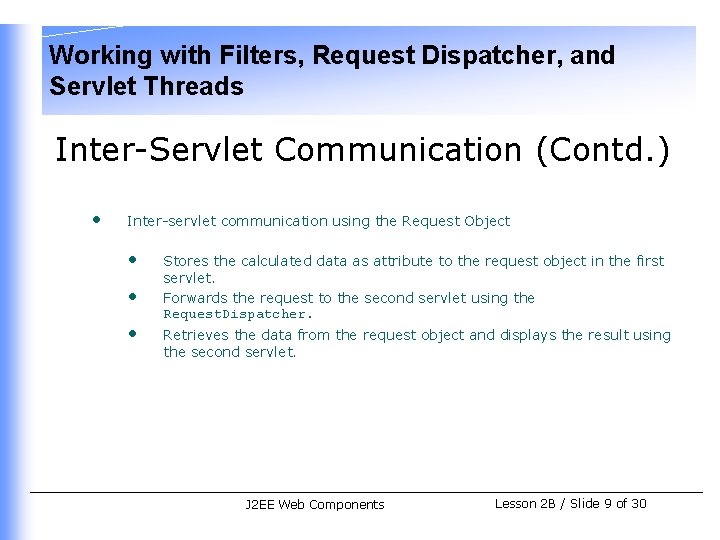
Working with Filters, Request Dispatcher, and Servlet Threads Inter-Servlet Communication (Contd. ) • Inter-servlet communication using the Request Object • • • Stores the calculated data as attribute to the request object in the first servlet. Forwards the request to the second servlet using the Request. Dispatcher. Retrieves the data from the request object and displays the result using the second servlet. J 2 EE Web Components Lesson 2 B / Slide 9 of 30
Working with Filters, Request Dispatcher, and Servlet Threads Demonstration-Creating a Customized Error Page • Problem Statement • Info. Super Inc. has created a dynamic Web site. Whenever an error occurs, the stack trace displayed in the browser is difficult to understand. David Wong, the system analyst of the company asks Don Allen, the software programmer of the company to create a customized error page. Whenever an exception is thrown by a servlet, the servlet dispatches the request to the customized error page. The error page then displays the error in the browser in a more understandable format. J 2 EE Web Components Lesson 2 B / Slide 10 of 30
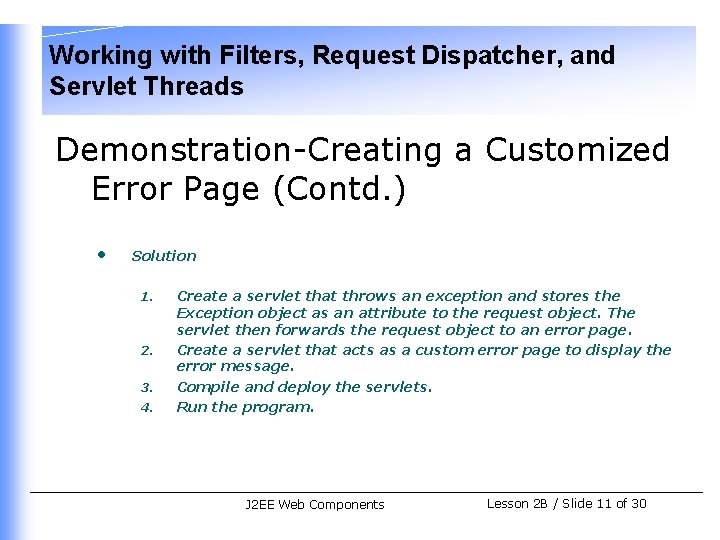
Working with Filters, Request Dispatcher, and Servlet Threads Demonstration-Creating a Customized Error Page (Contd. ) • Solution 1. 2. 3. 4. Create a servlet that throws an exception and stores the Exception object as an attribute to the request object. The servlet then forwards the request object to an error page. Create a servlet that acts as a custom error page to display the error message. Compile and deploy the servlets. Run the program. J 2 EE Web Components Lesson 2 B / Slide 11 of 30
Working with Filters, Request Dispatcher, and Servlet Threads Servlet Threading Model • The two types of Servlet Threading Model are: • • Multi-threaded Model Single-threaded Model J 2 EE Web Components Lesson 2 B / Slide 12 of 30
Working with Filters, Request Dispatcher, and Servlet Threads Servlet Threading Model (Contd. ) • Developing Thread-Safe Servlets • While developing servlets in a multi-threaded model, threading issues needs to be handled to protect the shared resource. Therefore, we need to identify the types of attributes that are inherently thread-safe and the types that need to be guarded for thread safety. J 2 EE Web Components Lesson 2 B / Slide 13 of 30
Working with Filters, Request Dispatcher, and Servlet Threads Servlet Threading Model (Contd. ) • Developing Thread-Safe Servlets (Contd. ) • The Various thread-safe capabilities of attributes, methods, and fields in a servlet are: • • • init() and destroy() methods local variables Request attributes Context attributes Data stored in session attributes The two approaches that can be followed for developing thread-safe servlets are: • • Synchronizing block of codes for accessing a shared resource Synchronizing methods for accessing a shared resource J 2 EE Web Components Lesson 2 B / Slide 14 of 30
Working with Filters, Request Dispatcher, and Servlet Threads Servlet Filters • Servlet filters: • • • Are objects that intercept the requests and response that flow between a client and a servlet. Modify the headers and content of a request coming from a Web client and forward it to the target servlet. Intercept and manipulate the headers and contents of the response that the servlet sends back. J 2 EE Web Components Lesson 2 B / Slide 15 of 30
Working with Filters, Request Dispatcher, and Servlet Threads Servlet Filters (Contd. ) • The advantages of using servlet filters are: • • You can identify the type of request coming from the Web client, such as HTTP and FTP, and invoke the servlet that needs to process the request. You can validate a client using servlet filters before the client accesses the servlet. You can retrieve the user information from the request parameters to authenticate the user. You can use servlet filters to identify the information about the MIME types and other header contents of the request. J 2 EE Web Components Lesson 2 B / Slide 16 of 30
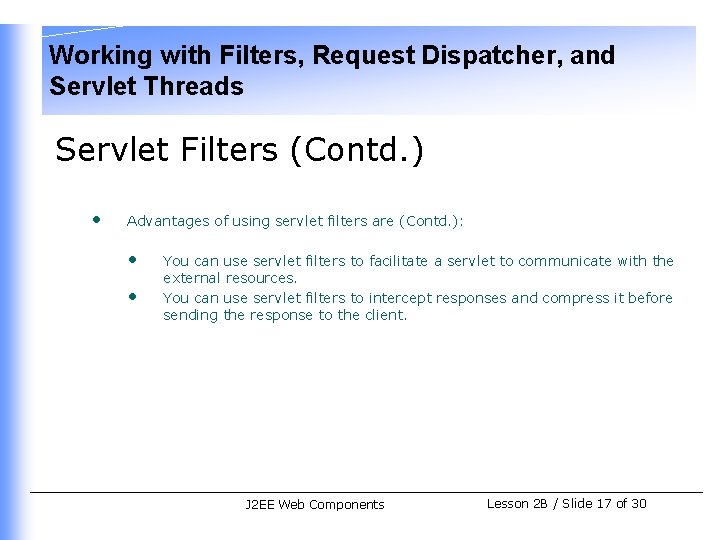
Working with Filters, Request Dispatcher, and Servlet Threads Servlet Filters (Contd. ) • Advantages of using servlet filters are (Contd. ): • • You can use servlet filters to facilitate a servlet to communicate with the external resources. You can use servlet filters to intercept responses and compress it before sending the response to the client. J 2 EE Web Components Lesson 2 B / Slide 17 of 30
Working with Filters, Request Dispatcher, and Servlet Threads Servlet Filters (Contd. ) • Programming of filters include: • • Creating Filters Deploying Servlet Filters J 2 EE Web Components Lesson 2 B / Slide 18 of 30
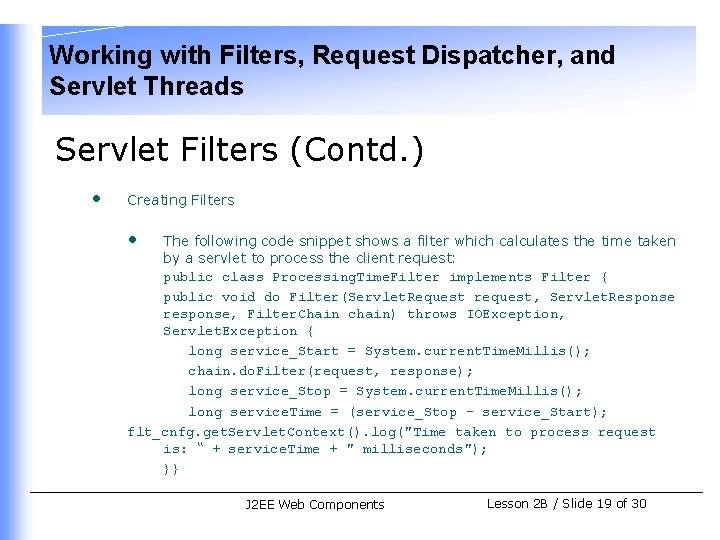
Working with Filters, Request Dispatcher, and Servlet Threads Servlet Filters (Contd. ) • Creating Filters • The following code snippet shows a filter which calculates the time taken by a servlet to process the client request: public class Processing. Time. Filter implements Filter { public void do Filter(Servlet. Request request, Servlet. Response response, Filter. Chain chain) throws IOException, Servlet. Exception { long service_Start = System. current. Time. Millis(); chain. do. Filter(request, response); long service_Stop = System. current. Time. Millis(); long service. Time = (service_Stop - service_Start); flt_cnfg. get. Servlet. Context(). log("Time taken to process request is: “ + service. Time + " milliseconds"); }} J 2 EE Web Components Lesson 2 B / Slide 19 of 30
Working with Filters, Request Dispatcher, and Servlet Threads Servlet Filters (Contd. ) • Deploying Filters include: • • Adding a filter to the Web application Mapping the filter to the Web application J 2 EE Web Components Lesson 2 B / Slide 20 of 30
Working with Filters, Request Dispatcher, and Servlet Threads Servlet Filters (Contd. ) • Adding the filter to Web application involves: 1. Add the filter to the Web application in the similar way as you add a servlet to a Web application using the deploytool. J 2 EE Web Components Lesson 2 B / Slide 21 of 30
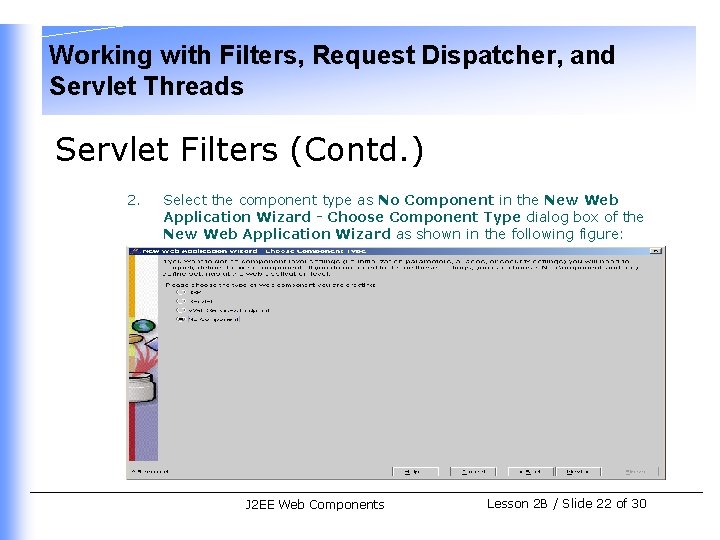
Working with Filters, Request Dispatcher, and Servlet Threads Servlet Filters (Contd. ) 2. Select the component type as No Component in the New Web Application Wizard - Choose Component Type dialog box of the New Web Application Wizard as shown in the following figure: J 2 EE Web Components Lesson 2 B / Slide 22 of 30
Working with Filters, Request Dispatcher, and Servlet Threads Servlet Filters (Contd. ) • Mapping the filter to Web application involves: 1. Select the Web application to which you have added the filter class in the J 2 EE Deploytool window. J 2 EE Web Components Lesson 2 B / Slide 23 of 30
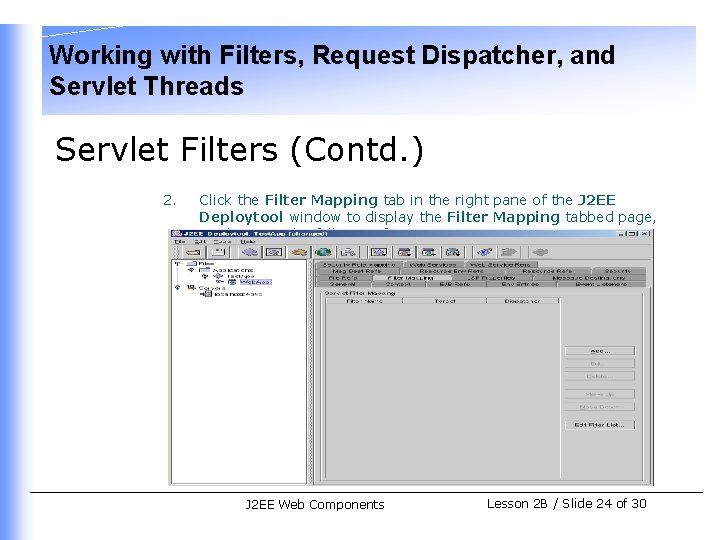
Working with Filters, Request Dispatcher, and Servlet Threads Servlet Filters (Contd. ) 2. Click the Filter Mapping tab in the right pane of the J 2 EE Deploytool window to display the Filter Mapping tabbed page, as shown in the following figure: J 2 EE Web Components Lesson 2 B / Slide 24 of 30
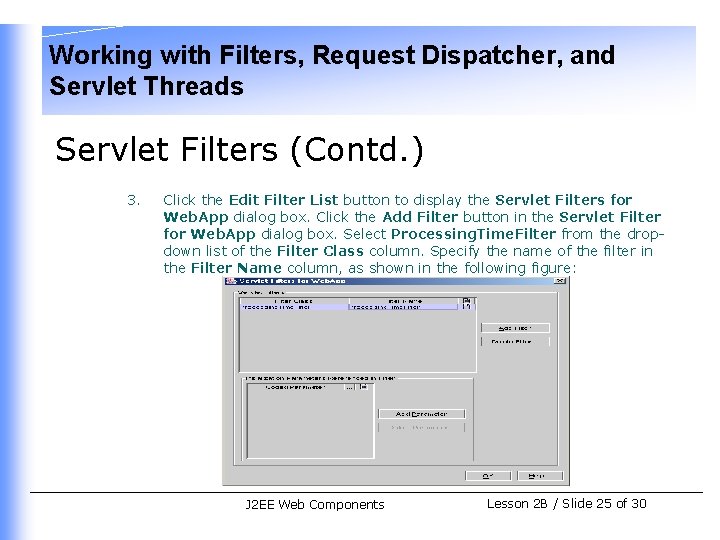
Working with Filters, Request Dispatcher, and Servlet Threads Servlet Filters (Contd. ) 3. Click the Edit Filter List button to display the Servlet Filters for Web. App dialog box. Click the Add Filter button in the Servlet Filter for Web. App dialog box. Select Processing. Time. Filter from the dropdown list of the Filter Class column. Specify the name of the filter in the Filter Name column, as shown in the following figure: J 2 EE Web Components Lesson 2 B / Slide 25 of 30
Working with Filters, Request Dispatcher, and Servlet Threads Servlet Filters (Contd. ) 4. Click the OK button to return to the Filter Mapping tabbed page in the J 2 EE Deploytool window. J 2 EE Web Components Lesson 2 B / Slide 26 of 30
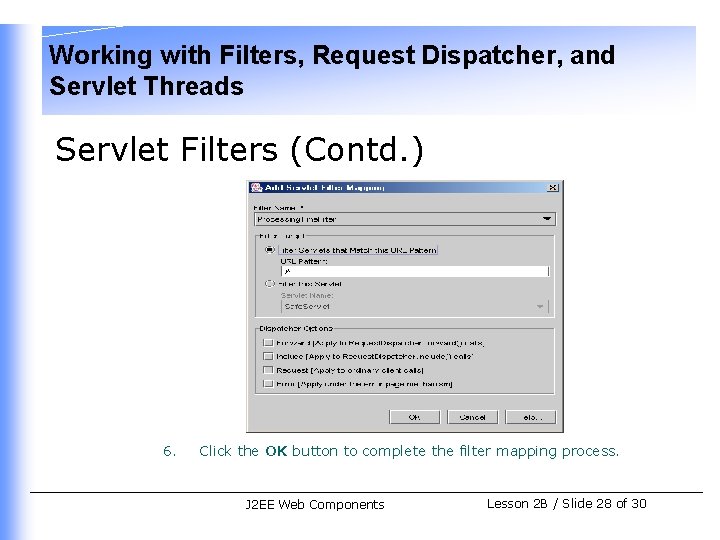
Working with Filters, Request Dispatcher, and Servlet Threads Servlet Filters (Contd. ) 5. Click the Add button under the Filter Mapping tabbed page to display the Add Servlet Filter Mapping dialog box. Select Processing. Time. Filter from the Filter Name drop-down list. In the Filter Target pane, select the Filter Servlets that match this URL Pattern option and specify /* in the URL Pattern text box. This specifies that the filter needs to intercept all requests and response coming to this Web application. The following figure shows the Add Servlet Filter Mapping dialog box: J 2 EE Web Components Lesson 2 B / Slide 27 of 30
Working with Filters, Request Dispatcher, and Servlet Threads Servlet Filters (Contd. ) 6. Click the OK button to complete the filter mapping process. J 2 EE Web Components Lesson 2 B / Slide 28 of 30
Working with Filters, Request Dispatcher, and Servlet Threads Summary In this lesson, you learned: • • • Forwarding requests to other servlets using the forward() method of Request. Dispatcher. Including the content of other servlets in a servlet using the include() method of Request. Dispatcher. Performing inter-servlet communication using Request. Dispatcher and servlet request object. Multi-threaded servlet model is the default threading model of a servlet. Various functions of a servlet filter are: • Identifying the type of client browser. • Identifying the character encoding used by the client browser. J 2 EE Web Components Lesson 2 B / Slide 29 of 30
Working with Filters, Request Dispatcher, and Servlet Threads Summary (Contd. ) • • Developing servlet filters using Filter interface, Filter. Config interface, Servlet. Request interface, and Servlet. Response interface. Adding filter to a Web application and mapping them to a servlet to filter the contents of a servlet. J 2 EE Web Components Lesson 2 B / Slide 30 of 30