
Workflows Basic Session Agenda Workflow Purpose and Terminology

Workflows Basic Session
Agenda: • Workflow Purpose and Terminology • Building Steps/Routes • Custom Field Creation • Applying Custom Fields to Workflow Definition https: //quc 2019. qualtraxcloud. com
Workflow Purpose • Process Management • An electronic version of any paper-based or manual process
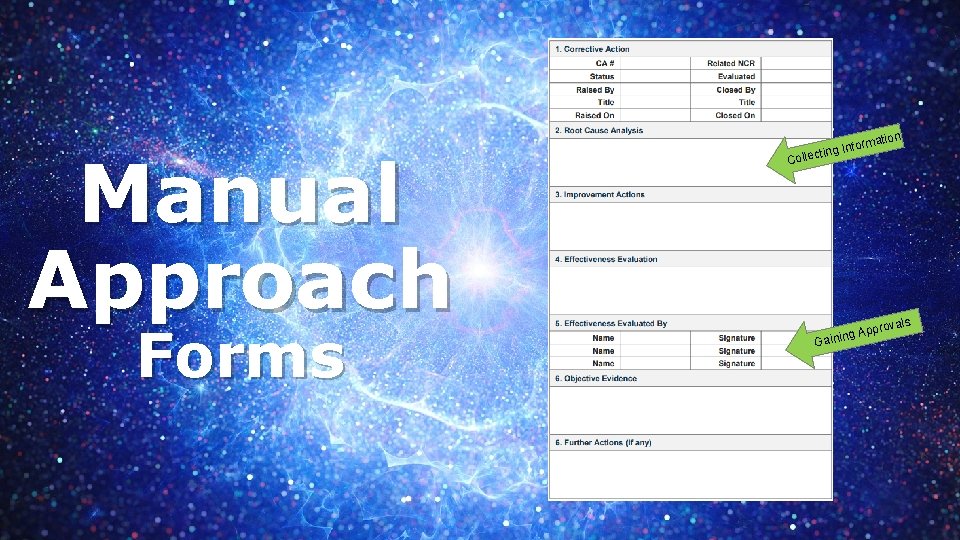
Manual Approach Forms Coll Info ecting rmatio n rovals p ng Ap Gaini
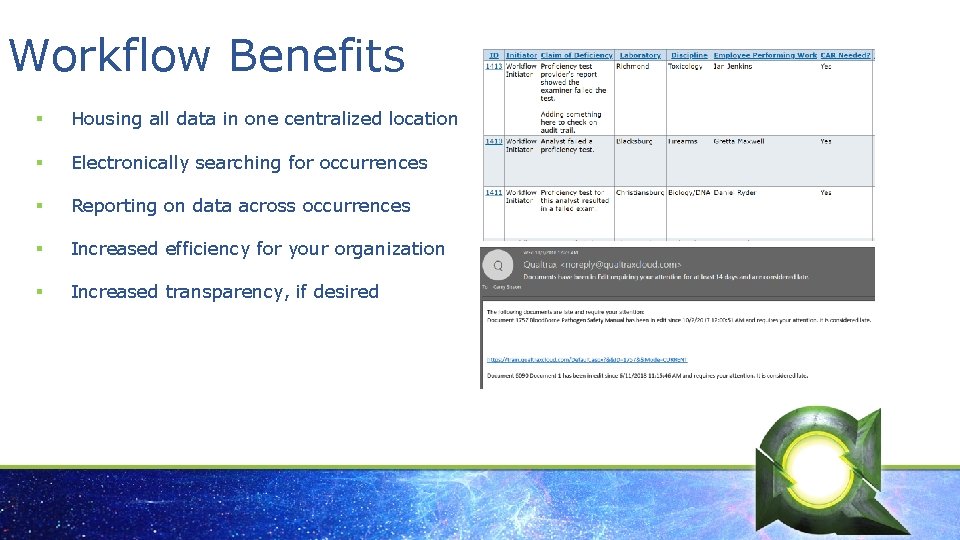
Workflow Benefits § Housing all data in one centralized location § Electronically searching for occurrences § Reporting on data across occurrences § Increased efficiency for your organization § Increased transparency, if desired
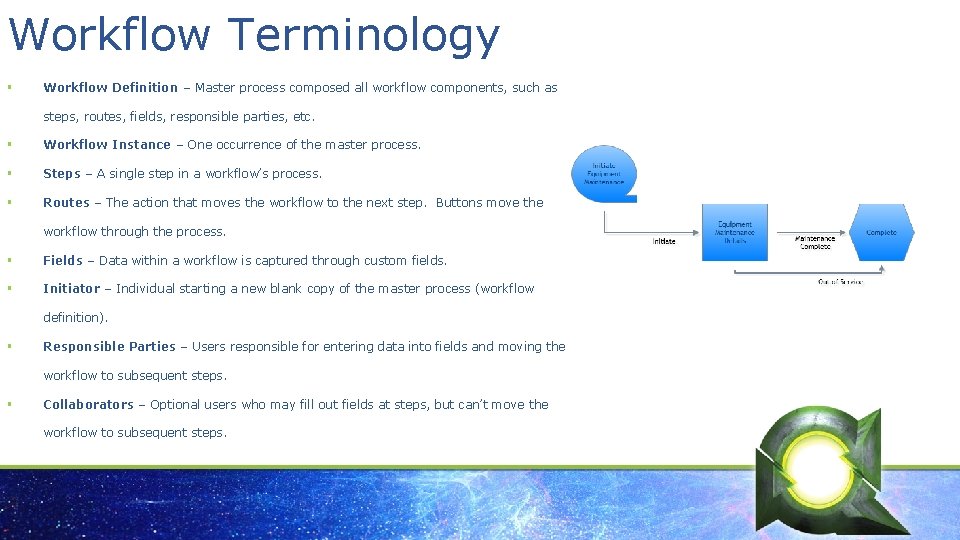
Workflow Terminology § Workflow Definition – Master process composed all workflow components, such as steps, routes, fields, responsible parties, etc. § Workflow Instance – One occurrence of the master process. § Steps – A single step in a workflow’s process. § Routes – The action that moves the workflow to the next step. Buttons move the workflow through the process. § Fields – Data within a workflow is captured through custom fields. § Initiator – Individual starting a new blank copy of the master process (workflow definition). § Responsible Parties – Users responsible for entering data into fields and moving the workflow to subsequent steps. § Collaborators – Optional users who may fill out fields at steps, but can’t move the workflow to subsequent steps.
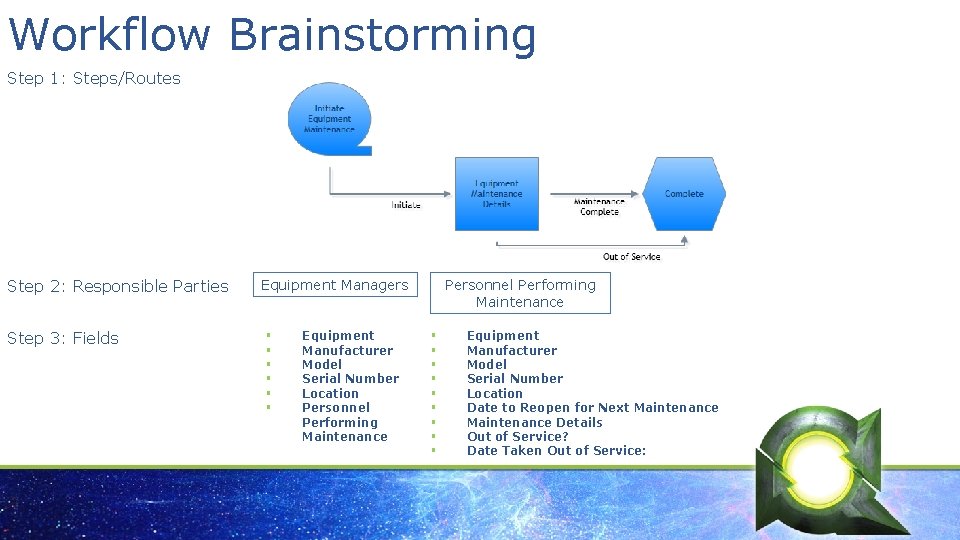
Workflow Brainstorming Step 1: Steps/Routes Step 2: Responsible Parties Step 3: Fields Equipment Managers § § § Equipment Manufacturer Model Serial Number Location Personnel Performing Maintenance § § § § § Equipment Manufacturer Model Serial Number Location Date to Reopen for Next Maintenance Details Out of Service? Date Taken Out of Service:
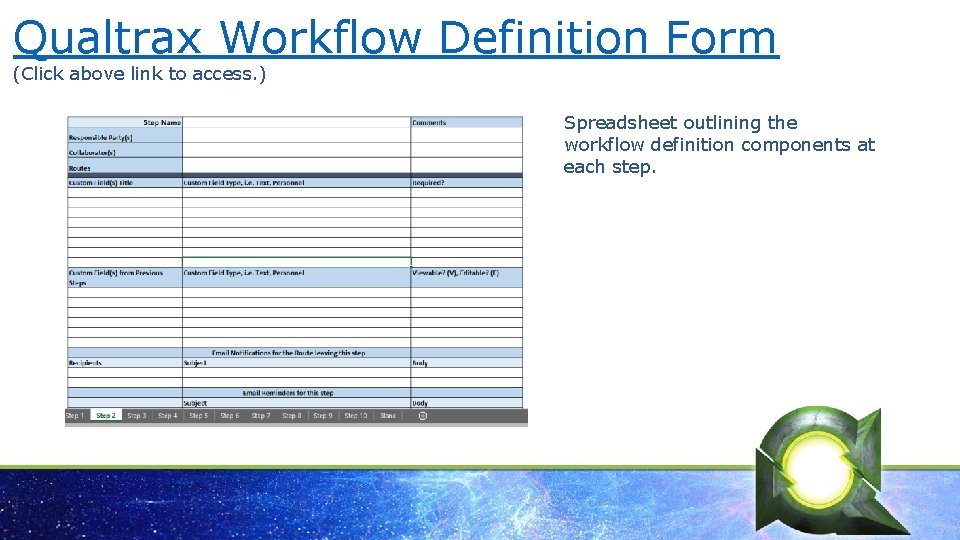
Qualtrax Workflow Definition Form (Click above link to access. ) Spreadsheet outlining the workflow definition components at each step.
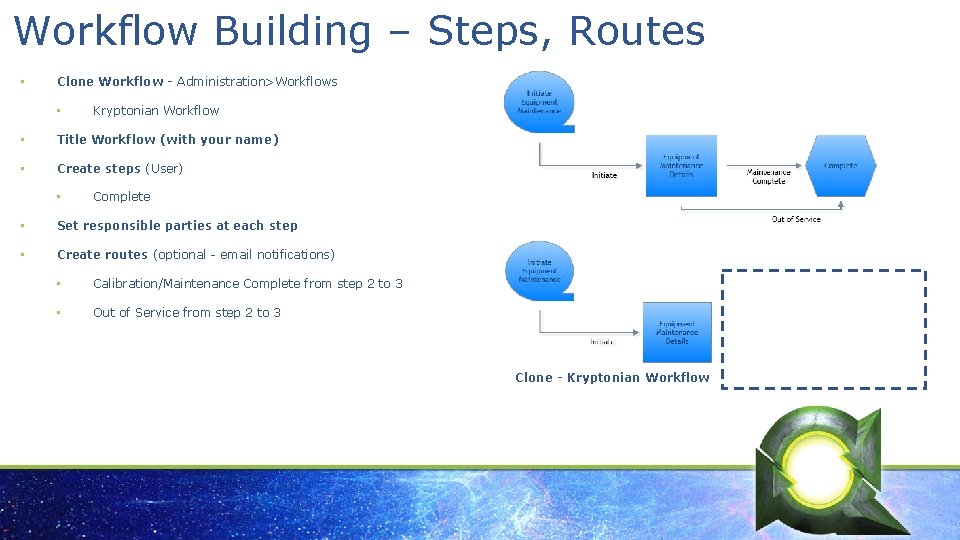
Workflow Building – Steps, Routes • Clone Workflow - Administration>Workflows • Kryptonian Workflow • Title Workflow (with your name) • Create steps (User) • Complete • Set responsible parties at each step • Create routes (optional - email notifications) • Calibration/Maintenance Complete from step 2 to 3 • Out of Service from step 2 to 3 Clone - Kryptonian Workflow
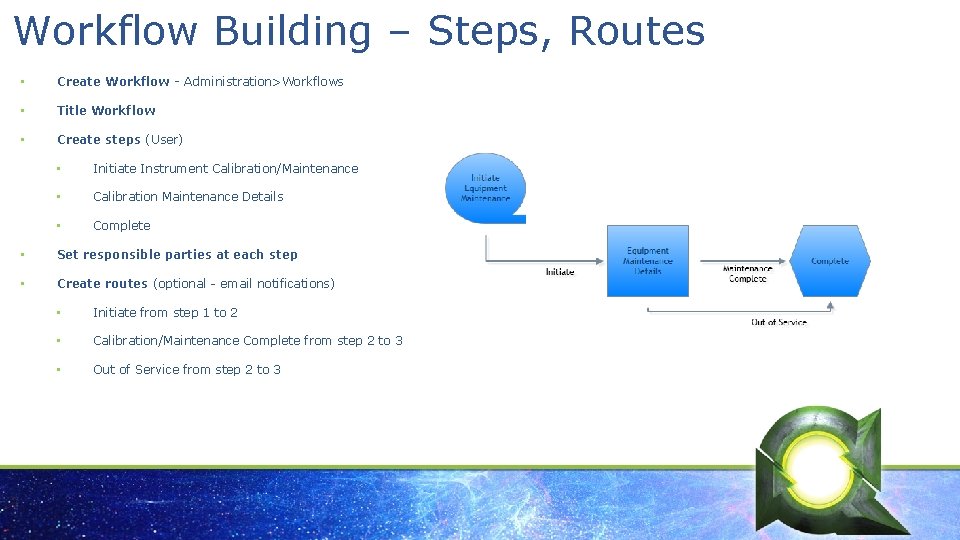
Workflow Building – Steps, Routes • Create Workflow - Administration>Workflows • Title Workflow • Create steps (User) • Initiate Instrument Calibration/Maintenance • Calibration Maintenance Details • Complete • Set responsible parties at each step • Create routes (optional - email notifications) • Initiate from step 1 to 2 • Calibration/Maintenance Complete from step 2 to 3 • Out of Service from step 2 to 3
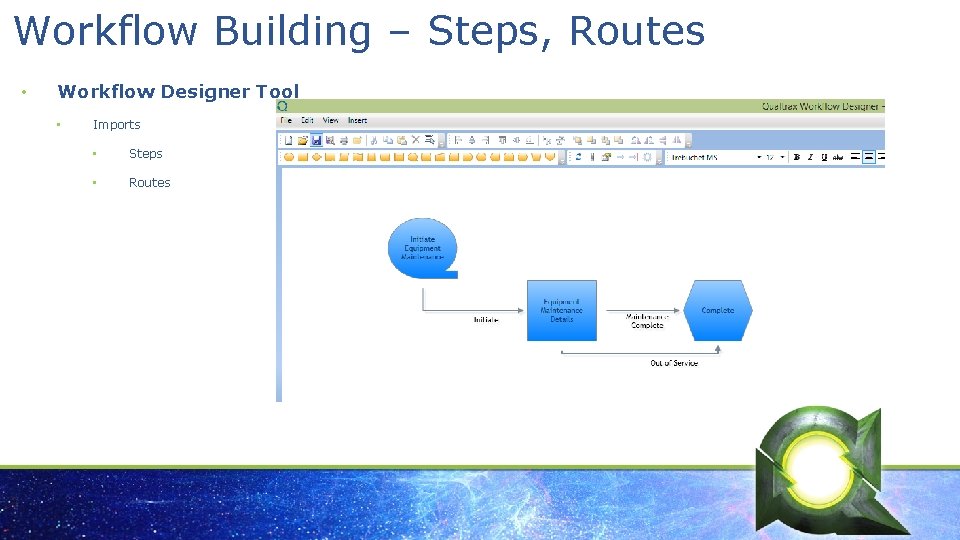
Workflow Building – Steps, Routes • Workflow Designer Tool • Imports • Steps • Routes
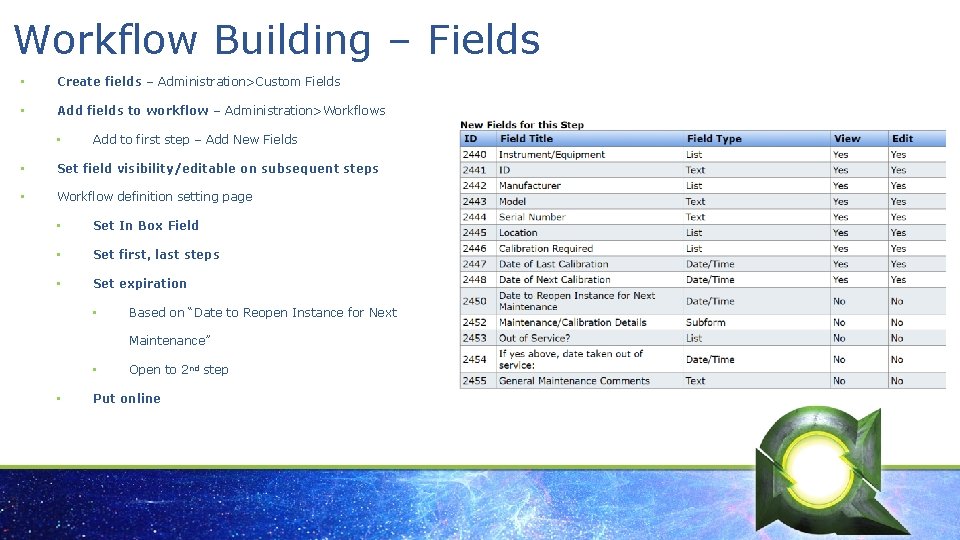
Workflow Building – Fields • Create fields – Administration>Custom Fields • Add fields to workflow – Administration>Workflows • Add to first step – Add New Fields • Set field visibility/editable on subsequent steps • Workflow definition setting page • Set In Box Field • Set first, last steps • Set expiration • Based on “Date to Reopen Instance for Next Maintenance” • • Open to 2 nd step Put online
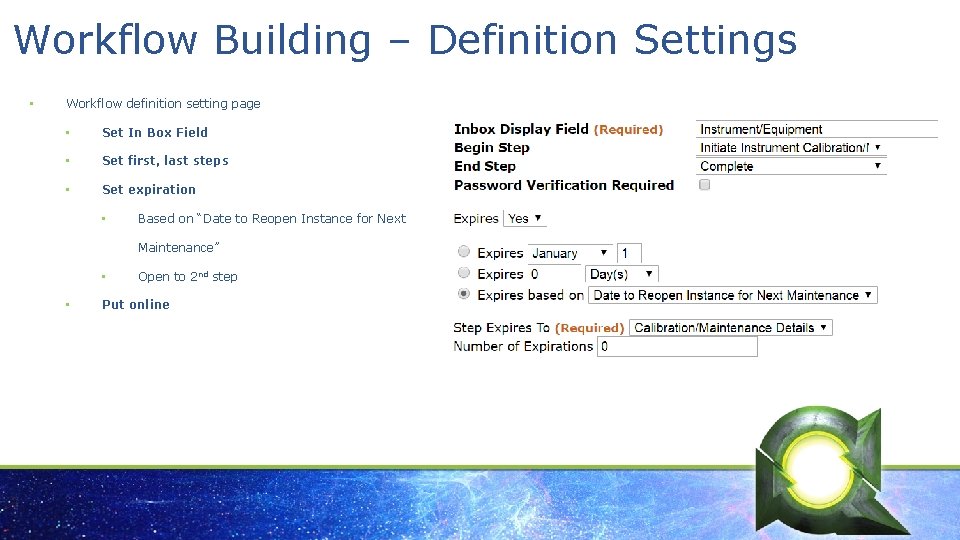
Workflow Building – Definition Settings • Workflow definition setting page • Set In Box Field • Set first, last steps • Set expiration • Based on “Date to Reopen Instance for Next Maintenance” • • Open to 2 nd step Put online
Workflow Terminology § (more details…) Steps – Every step must have a route leading into or out of it into other steps. Begin and end steps must be designated in the workflow definition. § Routes – Can have one route out of step or it can be more complex where there are several routes that take the user to different steps. § Fields – May be optional or required to move workflow to subsequent steps. Can limit view and edit capabilities on individual fields within each step. § Initiator – Within the workflow definition this user is the responsible party in the first step. § Responsible Parties – Routes may require processing by all of the responsible parties or by only one. May be: § Individual user(s) § Group(s) § Personnel Custom Fields § Workflow Initiator
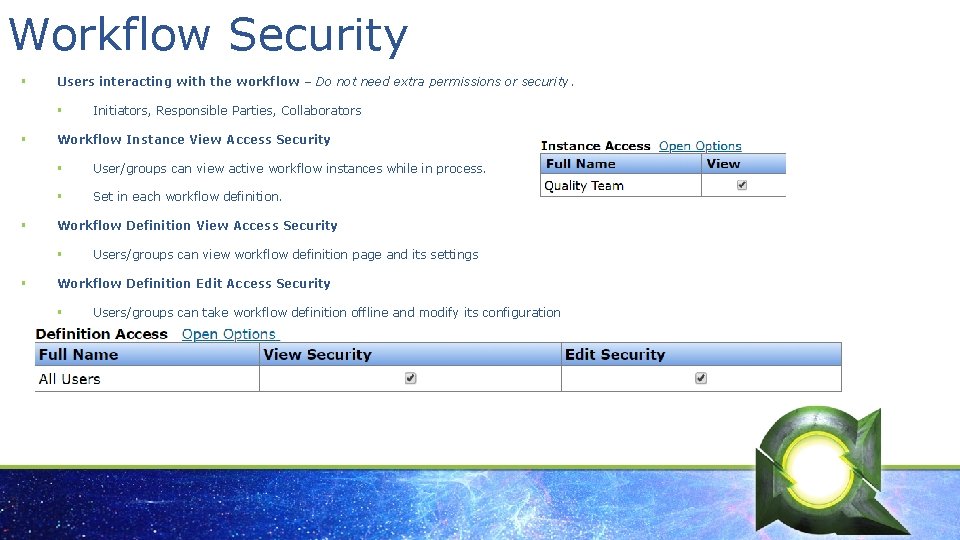
Workflow Security § Users interacting with the workflow – Do not need extra permissions or security. § § § Workflow Instance View Access Security § User/groups can view active workflow instances while in process. § Set in each workflow definition. Workflow Definition View Access Security § § Initiators, Responsible Parties, Collaborators Users/groups can view workflow definition page and its settings Workflow Definition Edit Access Security § Users/groups can take workflow definition offline and modify its configuration
Workflow Permissions § Alter Workflow Instances – Unlocks the ability to edit any active or completed workflow instances at any step, allowing the user to process workflows instances for others and be a global post-completion editor. § Workflow Definition Administration – Unlocks the workflow definition page. Allowing the user to create, edit and delete the system’s workflow definition. You can also import and export workflow definitions. However, this does not grant edit permission to any workflow instance or definition unless granted through security within the definition (see previous slide).

Survey Link Take the Survey!
- Slides: 18