
Work Keys SetUp Guide 1 2 Phase II

- Slides: 42
+ Work. Keys Set-Up Guide 1
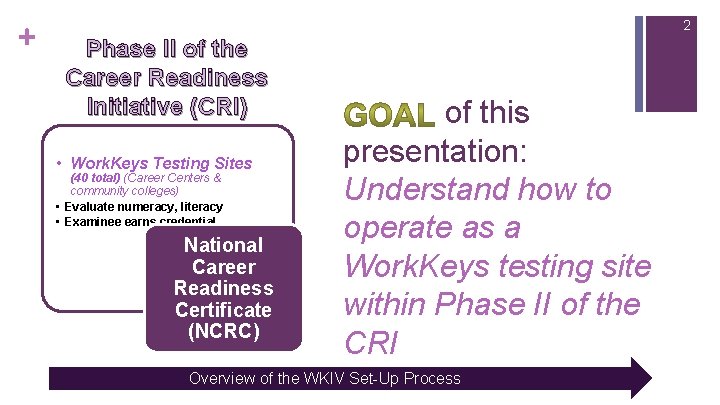
+ 2 Phase II of the Career Readiness Initiative (CRI) • Work. Keys Testing Sites (40 total) (Career Centers & community colleges) • Evaluate numeracy, literacy • Examinee earns credential National Career Readiness Certificate (NCRC) of this presentation: Understand how to operate as a Work. Keys testing site within Phase II of the CRI Overview of the WKIV Set-Up Process
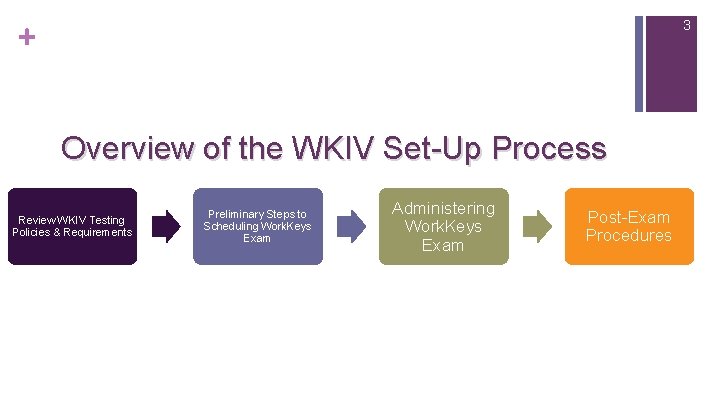
+ 3 Overview of the WKIV Set-Up Process Review WKIV Testing Policies & Requirements Preliminary Steps to Scheduling Work. Keys Exam Administering Work. Keys Exam Post-Exam Procedures
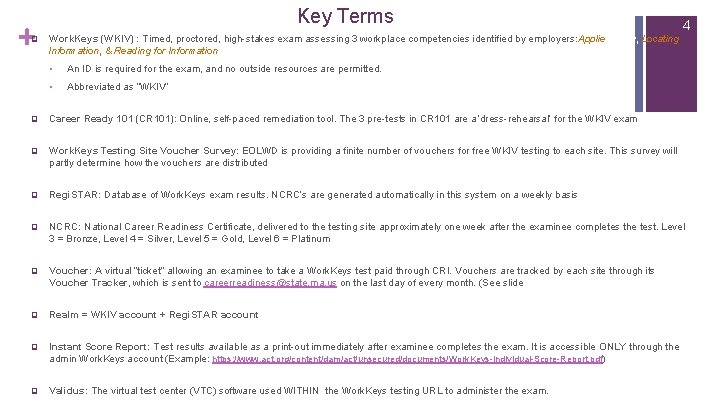
+ q Key Terms Work. Keys (WKIV) : Timed, proctored, high-stakes exam assessing 3 workplace competencies identified by employers: Applied Math, Locating Information, & Reading for Information § An ID is required for the exam, and no outside resources are permitted. § Abbreviated as “WKIV” 4 q Career Ready 101 (CR 101): Online, self-paced remediation tool. The 3 pre-tests in CR 101 are a ‘dress-rehearsal’ for the WKIV exam q Work. Keys Testing Site Voucher Survey: EOLWD is providing a finite number of vouchers for free WKIV testing to each site. This survey will partly determine how the vouchers are distributed q Regi. STAR: Database of Work. Keys exam results. NCRC’s are generated automatically in this system on a weekly basis q NCRC: National Career Readiness Certificate, delivered to the testing site approximately one week after the examinee completes the test. Level 3 = Bronze, Level 4 = Silver, Level 5 = Gold, Level 6 = Platinum q Voucher: A virtual “ticket” allowing an examinee to take a Work. Keys test paid through CRI. Vouchers are tracked by each site through its Voucher Tracker, which is sent to careerreadiness@state. ma. us on the last day of every month. (See slide q Realm = WKIV account + Regi. STAR account q Instant Score Report: Test results available as a print-out immediately after examinee completes the exam. It is accessible ONLY through the admin Work. Keys account (Example: https: //www. act. org/content/dam/act/unsecured/documents/Work. Keys-Individual-Score-Report. pdf) q Validus: The virtual test center (VTC) software used WITHIN the Work. Keys testing URL to administer the exam.
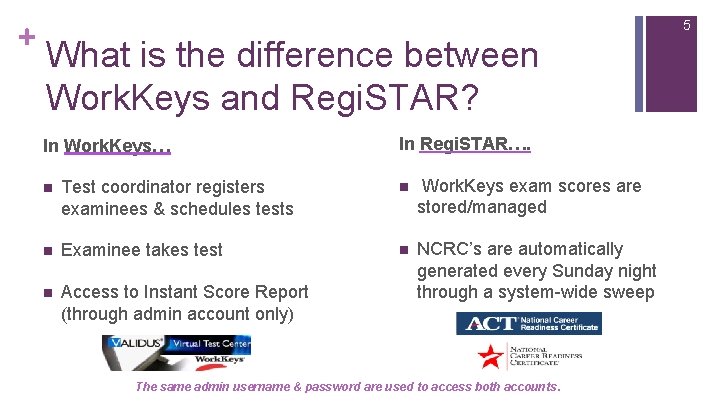
+ 5 What is the difference between Work. Keys and Regi. STAR? In Work. Keys… In Regi. STAR…. n Test coordinator registers examinees & schedules tests n Work. Keys exam scores are stored/managed n Examinee takes test n n Access to Instant Score Report (through admin account only) NCRC’s are automatically generated every Sunday night through a system-wide sweep The same admin username & password are used to access both accounts.
If your site has NOT completed the Work. Keys Testing Site Voucher Survey from EOLWD to determine the need of your region for free Work. Keys testing…. + STOP and fill it out here: https: //docs. google. com/forms/d/e/1 FAIp. QLSd. Z 2 JGx. ZWmx. Ifz. SBPSI 5 n. Z 1 x 9 om. Pt. Hv_m. N 5 Dq. X 4 Bme. NOPBUQ/viewform 6
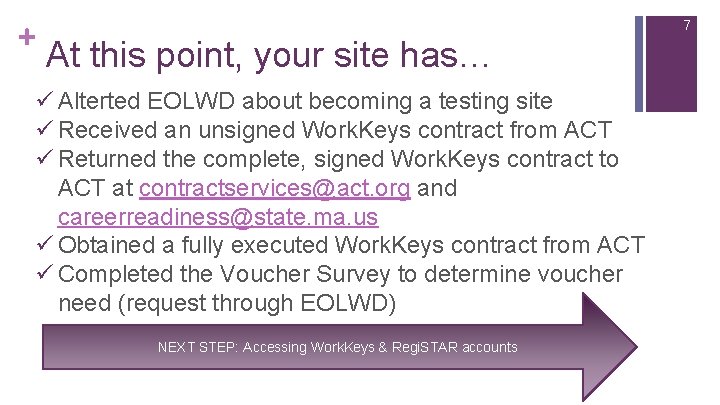
+ 7 At this point, your site has… ü Alterted EOLWD about becoming a testing site ü Received an unsigned Work. Keys contract from ACT ü Returned the complete, signed Work. Keys contract to ACT at contractservices@act. org and careerreadiness@state. ma. us ü Obtained a fully executed Work. Keys contract from ACT ü Completed the Voucher Survey to determine voucher need (request through EOLWD) NEXT STEP: Accessing Work. Keys & Regi. STAR accounts
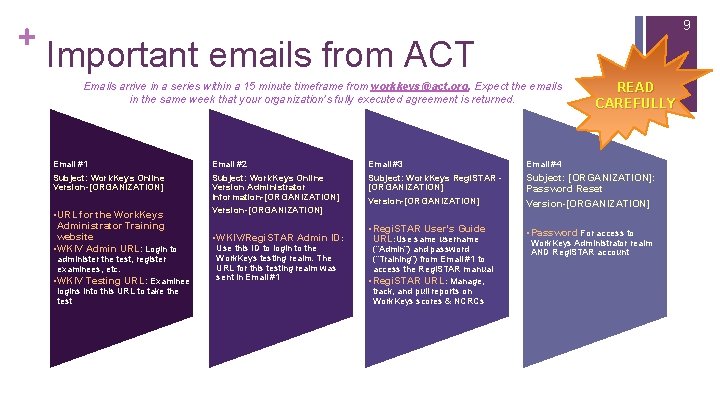
+ 8 How do I obtain my Work. Keys & Regi. STAR login credentials? n Work. Keys username & password = Regi. STAR username & password n Receive these credentials AND training resources through a sequence of 4 important emails from ACT which are outlined in the following slide….
+ 9 Important emails from ACT Emails arrive in a series within a 15 minute timeframe from workkeys@act. org. Expect the emails in the same week that your organization’s fully executed agreement is returned. READ CAREFULLY Email #1 Email #2 Email #3 Email #4 Subject: Work. Keys Online Version-[ORGANIZATION] Subject: Work. Keys Online Version Administrator Information-[ORGANIZATION] Version-[ORGANIZATION] Subject: Work. Keys Regi. STAR [ORGANIZATION] Version-[ORGANIZATION] Subject: [ORGANIZATION]: Password Reset Version-[ORGANIZATION] • Regi. STAR User’s Guide URL: Use same username • Password For access to • URL for the Work. Keys Administrator Training website • WKIV Admin URL: Login to administer the test, register examinees, etc. • WKIV Testing URL: Examinee logins into this URL to take the test • WKIV/Regi. STAR Admin ID: Use this ID to login to the Work. Keys testing realm. The URL for this testing realm was sent in Email #1 (“Admin”) and password (“Training”) from Email #1 to access the Regi. STAR manual • Regi. STAR URL: Manage, track, and pull reports on Work. Keys scores & NCRCs Work. Keys Administrator realm AND Regi. STAR account
+ Work. Keys Testing Policies & Requirements 10
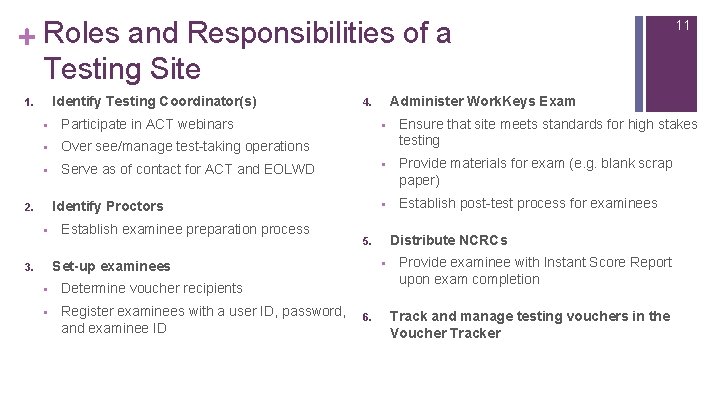
+ Roles and Responsibilities of a Testing Site Identify Testing Coordinator(s) 1. § Participate in ACT webinars § Over see/manage test-taking operations § Serve as of contact for ACT and EOLWD § Establish examinee preparation process § Determine voucher recipients § Register examinees with a user ID, password, and examinee ID § Ensure that site meets standards for high stakes testing § Provide materials for exam (e. g. blank scrap paper) § Establish post-test process for examinees Distribute NCRCs 5. § Set-up examinees 3. Administer Work. Keys Exam 4. Identify Proctors 2. 6. 11 Provide examinee with Instant Score Report upon exam completion Track and manage testing vouchers in the Voucher Tracker
+ Preliminary Steps to Scheduling the Work. Keys Exam 12
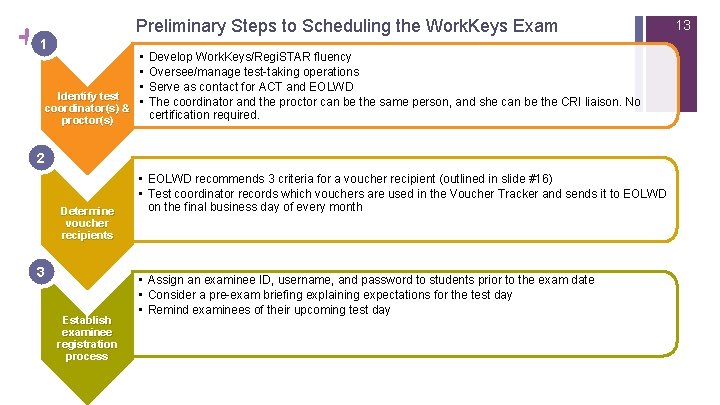
+ Preliminary Steps to Scheduling the Work. Keys Exam 1 Identify test coordinator(s) & proctor(s) • • Develop Work. Keys/Regi. STAR fluency Oversee/manage test-taking operations Serve as contact for ACT and EOLWD The coordinator and the proctor can be the same person, and she can be the CRI liaison. No certification required. 2 3 Determine voucher recipients 3 Establish examinee registration process • EOLWD recommends 3 criteria for a voucher recipient (outlined in slide #16) • Test coordinator records which vouchers are used in the Voucher Tracker and sends it to EOLWD on the final business day of every month • Assign an examinee ID, username, and password to students prior to the exam date • Consider a pre-exam briefing explaining expectations for the test day • Remind examinees of their upcoming test day 13
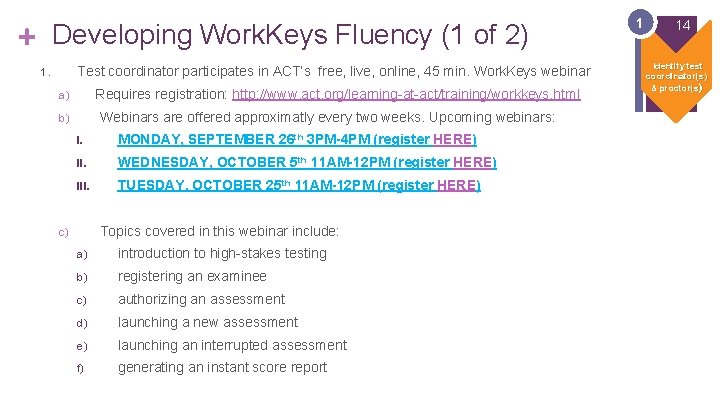
+ Developing Work. Keys Fluency (1 of 2) Test coordinator participates in ACT’s free, live, online, 45 min. Work. Keys webinar 1. Requires registration: http: //www. act. org/learning-at-act/training/workkeys. html a) Webinars are offered approximatly every two weeks. Upcoming webinars: b) I. MONDAY, SEPTEMBER 26 th 3 PM-4 PM (register HERE) II. WEDNESDAY, OCTOBER 5 th 11 AM-12 PM (register HERE) III. TUESDAY, OCTOBER 25 th 11 AM-12 PM (register HERE) Topics covered in this webinar include: c) a) introduction to high-stakes testing b) registering an examinee c) authorizing an assessment d) launching a new assessment e) launching an interrupted assessment f) generating an instant score report 1 14 Identify test coordinator(s) & proctor(s)
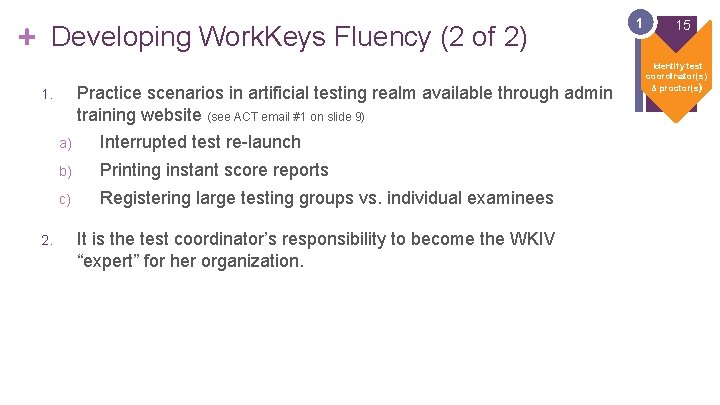
+ Developing Work. Keys Fluency (2 of 2) Practice scenarios in artificial testing realm available through admin training website (see ACT email #1 on slide 9) 1. 2. a) Interrupted test re-launch b) Printing instant score reports c) Registering large testing groups vs. individual examinees It is the test coordinator’s responsibility to become the WKIV “expert” for her organization. 1 15 Identify test coordinator(s) & proctor(s)
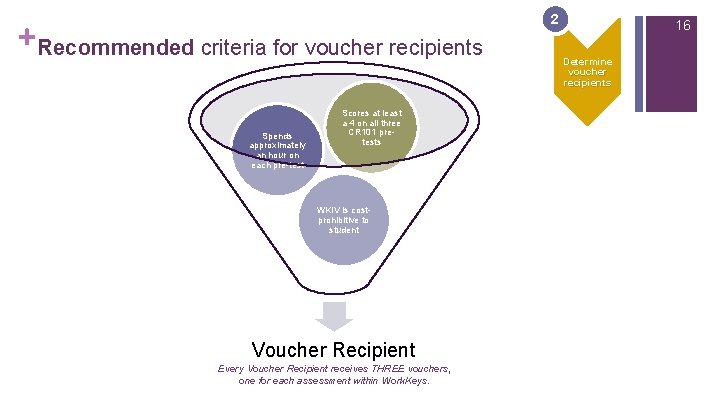
+ Recommended criteria for voucher recipients Spends approximately an hour on each pre-test 2 16 Determine voucher recipients Scores at least a 4 on all three CR 101 pretests 2 WKIV is costprohibitive to student Voucher Recipient Every Voucher Recipient receives THREE vouchers, one for each assessment within Work. Keys.
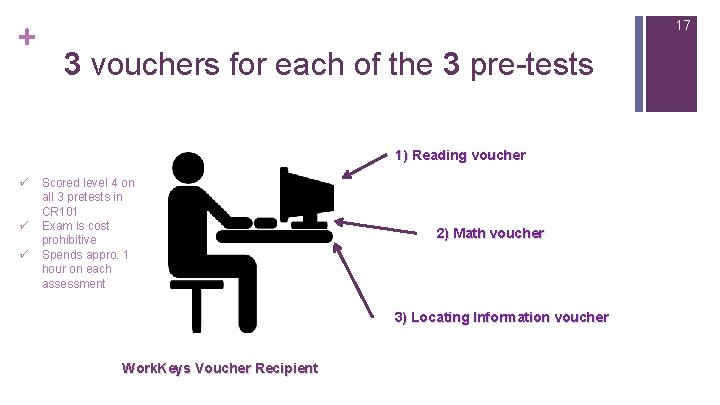
+ 17 3 vouchers for each of the 3 pre-tests 1) Reading voucher ü ü ü Scored level 4 on all 3 pretests in CR 101 Exam is cost prohibitive Spends appro. 1 hour on each assessment 2) Math voucher 3) Locating Information voucher Work. Keys Voucher Recipient
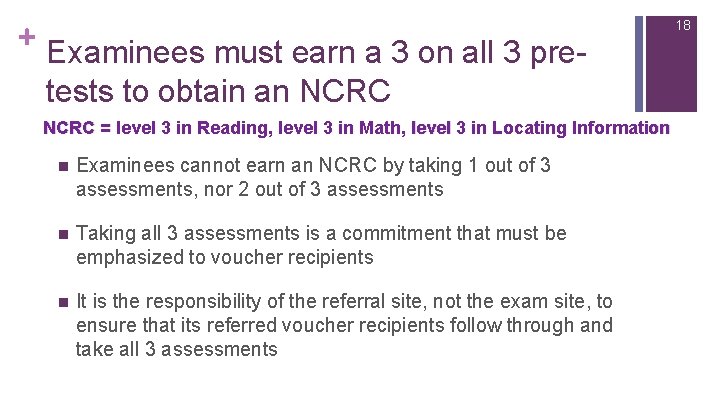
+ Examinees must earn a 3 on all 3 pretests to obtain an NCRC = level 3 in Reading, level 3 in Math, level 3 in Locating Information n Examinees cannot earn an NCRC by taking 1 out of 3 assessments, nor 2 out of 3 assessments n Taking all 3 assessments is a commitment that must be emphasized to voucher recipients n It is the responsibility of the referral site, not the exam site, to ensure that its referred voucher recipients follow through and take all 3 assessments 18
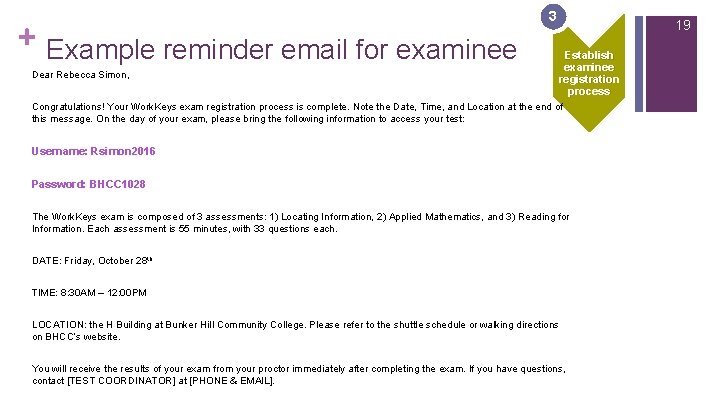
+ 3 Example reminder email for examinee Dear Rebecca Simon, 19 Establish examinee registration process Congratulations! Your Work. Keys exam registration process is complete. Note the Date, Time, and Location at the end of this message. On the day of your exam, please bring the following information to access your test: Username: Rsimon 2016 Password: BHCC 1028 The Work. Keys exam is composed of 3 assessments: 1) Locating Information, 2) Applied Mathematics, and 3) Reading for Information. Each assessment is 55 minutes, with 33 questions each. DATE: Friday, October 28 th TIME: 8: 30 AM – 12: 00 PM LOCATION: the H Building at Bunker Hill Community College. Please refer to the shuttle schedule or walking directions on BHCC’s website. You will receive the results of your exam from your proctor immediately after completing the exam. If you have questions, contact [TEST COORDINATOR] at [PHONE & EMAIL].
+ Administering the Work. Keys Exam 20
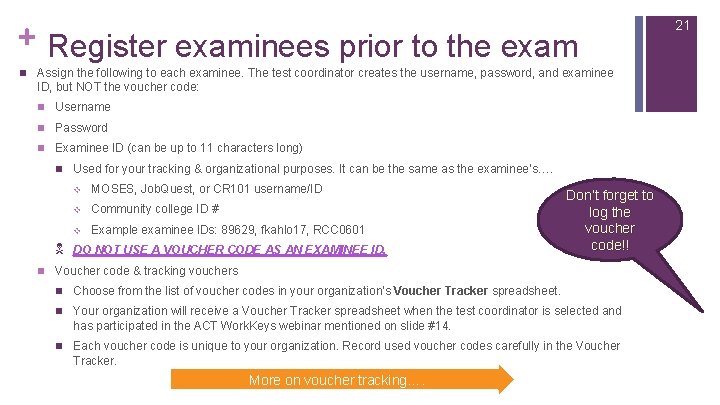
+ Register examinees prior to the exam n Assign the following to each examinee. The test coordinator creates the username, password, and examinee ID, but NOT the voucher code: n Username n Password n Examinee ID (can be up to 11 characters long) n Used for your tracking & organizational purposes. It can be the same as the examinee’s…. v MOSES, Job. Quest, or CR 101 username/ID v Community college ID # v Example examinee IDs: 89629, fkahlo 17, RCC 0601 N DO NOT USE A VOUCHER CODE AS AN EXAMINEE ID. n Don’t forget to log the voucher code!! Voucher code & tracking vouchers n Choose from the list of voucher codes in your organization’s Voucher Tracker spreadsheet. n Your organization will receive a Voucher Tracker spreadsheet when the test coordinator is selected and has participated in the ACT Work. Keys webinar mentioned on slide #14. n Each voucher code is unique to your organization. Record used voucher codes carefully in the Voucher Tracker. More on voucher tracking…. 21
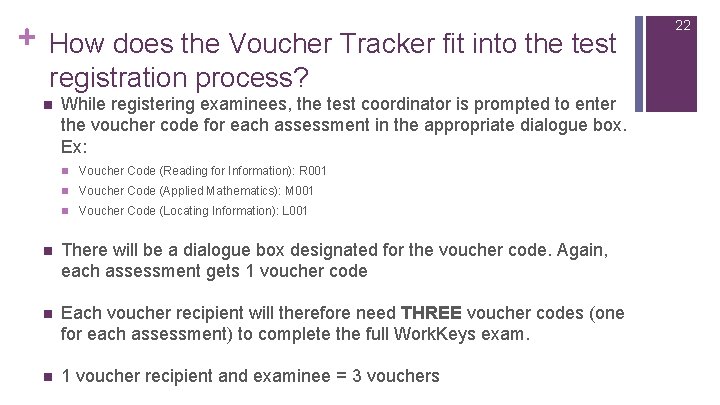
+ How does the Voucher Tracker fit into the test registration process? n While registering examinees, the test coordinator is prompted to enter the voucher code for each assessment in the appropriate dialogue box. Ex: n Voucher Code (Reading for Information): R 001 n Voucher Code (Applied Mathematics): M 001 n Voucher Code (Locating Information): L 001 n There will be a dialogue box designated for the voucher code. Again, each assessment gets 1 voucher code n Each voucher recipient will therefore need THREE voucher codes (one for each assessment) to complete the full Work. Keys exam. n 1 voucher recipient and examinee = 3 vouchers 22
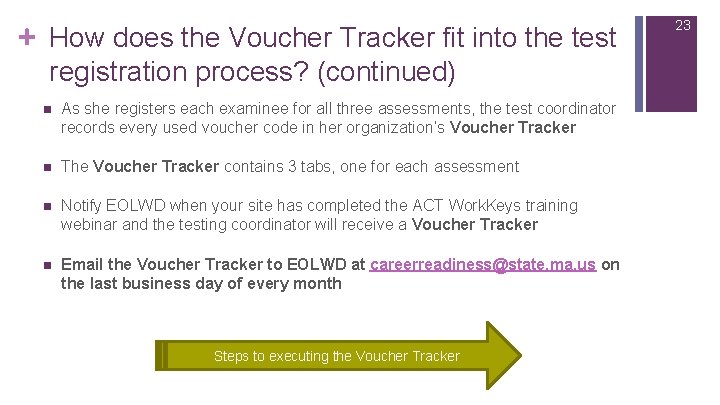
+ How does the Voucher Tracker fit into the test registration process? (continued) n As she registers each examinee for all three assessments, the test coordinator records every used voucher code in her organization’s Voucher Tracker n The Voucher Tracker contains 3 tabs, one for each assessment n Notify EOLWD when your site has completed the ACT Work. Keys training webinar and the testing coordinator will receive a Voucher Tracker n Email the Voucher Tracker to EOLWD at careerreadiness@state. ma. us on the last business day of every month Steps to executing the Voucher Tracker 23
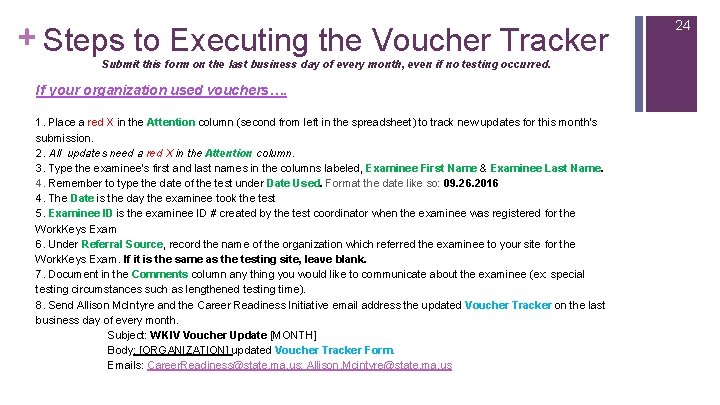
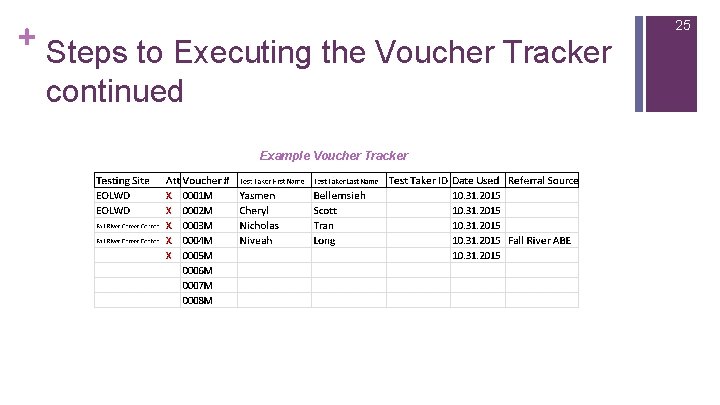
+ Steps to Executing the Voucher Tracker Submit this form on the last business day of every month, even if no testing occurred. If your organization used vouchers…. 1. Place a red X in the Attention column (second from left in the spreadsheet) to track new updates for this month’s submission. 2. All updates need a red X in the Attention column. 3. Type the examinee's first and last names in the columns labeled, Examinee First Name & Examinee Last Name. 4. Remember to type the date of the test under Date Used. Format the date like so: 09. 26. 2016 4. The Date is the day the examinee took the test 5. Examinee ID is the examinee ID # created by the test coordinator when the examinee was registered for the Work. Keys Exam 6. Under Referral Source, record the name of the organization which referred the examinee to your site for the Work. Keys Exam. If it is the same as the testing site, leave blank. 7. Document in the Comments column any thing you would like to communicate about the examinee (ex: special testing circumstances such as lengthened testing time). 8. Send Allison Mc. Intyre and the Career Readiness Initiative email address the updated Voucher Tracker on the last business day of every month. Subject: WKIV Voucher Update [MONTH] Body: [ORGANIZATION] updated Voucher Tracker Form. Emails: Career. Readiness@state. ma. us; Allison. Mcintyre@state. ma. us 24
+ Steps to Executing the Voucher Tracker continued Example Voucher Tracker 25
+ Steps to Executing the Voucher Tracker continued If your organization DID NOT use vouchers…. STOP 1. 2. Email the excel spread sheet as is to Career. Readiness@state. ma. us; allison. mcintyre@state. ma. us Subject: WKIV Voucher Tracker No Changes Body: [ORGANIZATION] has no updates to the Voucher Tracker Form 26
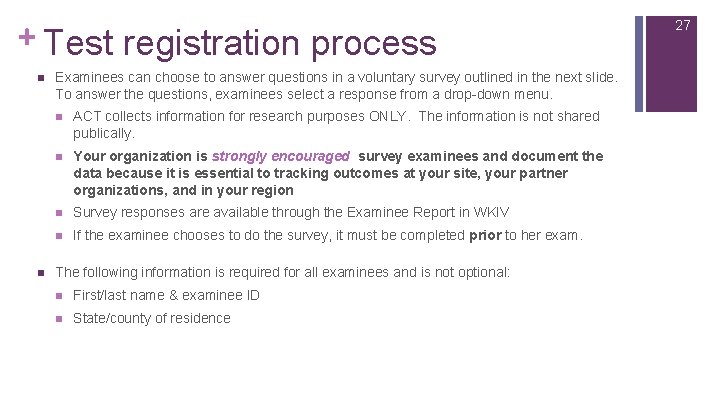
+ Test registration process n n Examinees can choose to answer questions in a voluntary survey outlined in the next slide. To answer the questions, examinees select a response from a drop-down menu. n ACT collects information for research purposes ONLY. The information is not shared publically. n Your organization is strongly encouraged survey examinees and document the data because it is essential to tracking outcomes at your site, your partner organizations, and in your region n Survey responses are available through the Examinee Report in WKIV n If the examinee chooses to do the survey, it must be completed prior to her exam. The following information is required for all examinees and is not optional: n First/last name & examinee ID n State/county of residence 27
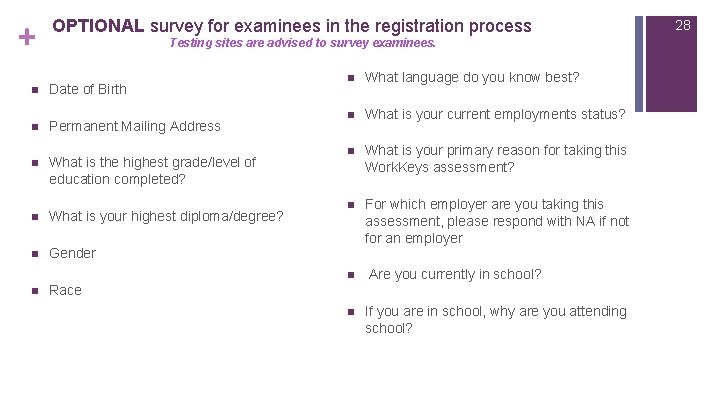
+ OPTIONAL survey for examinees in the registration process Testing sites are advised to survey examinees. n Date of Birth n Permanent Mailing Address n What is the highest grade/level of education completed? n What is your highest diploma/degree? n Gender n What language do you know best? n What is your current employments status? n What is your primary reason for taking this Work. Keys assessment? n For which employer are you taking this assessment, please respond with NA if not for an employer n n Race n Are you currently in school? If you are in school, why are you attending school? 28
+ 29 When should I schedule the exam? n Survey the students/customers at your organization n Work with partner organizations to determine their needs n You can choose any day of the week (including weekends), and any time of day n Use existing test protocols to set-up and schedule the exam n If a separate testing site exists at your organization, coordinate with the proctors to arrange a Work. Keys exam Do students take all 3 Work. Keys assessments at the same time?
+ Do students take all 3 of the Work. Keys assessments at once? n Not necessarily! n Examinees do NOT need to take the exam immediately upon registration n All 3 assessments can be completed on the same day, with or without scheduled breaks inbetween the assessments n Or, all Locating Information assessments can be taken on one day, Applied Mathematics assessments the next day or next week, etc. n The assessments can be scheduled across one morning or afternoon, one whole day, one week, one month, one semester, across 3 weeks, etc n Examinees earn the NCRC only if all 3 assessments are completed and scores at a level 3 n It is important to consider the timing of assessment authorization when scheduling the tests…. (see the following slide) 30
+ n n 31 Assessment authorization Examinees can begin the exam only after their registration has been authorized by the test coordinator – this is just a click, not an entire process n To authorize an assessment, the test coordinator clicks on the designated student or testing group and clicks “Authorize” next to one of the assessments within the Work. Keys exam n Each assessment must be authorized before it is launched by an examinee n This process is covered in greater detail during the Work. Keys webinar mentioned in slide 14 Exam authorization lasts for 30 minutes. Therefore, examinees have 30 minutes after their assessments are authorized to BEGIN taking the assessments.
+ Example testing day schedule § § Depending on the amount of time spent on reviewing exam protocol and breaks, your organization’s actual testing may take less time than the example Each exam is 55 minutes in length, but some examinees may finish sooner than the allotted time The minimum amount of time for a testing day where all 3 assessments are taken at once is 3 hours The following example is for a test day where examinees are taking all 3 assessments on the dame day 32
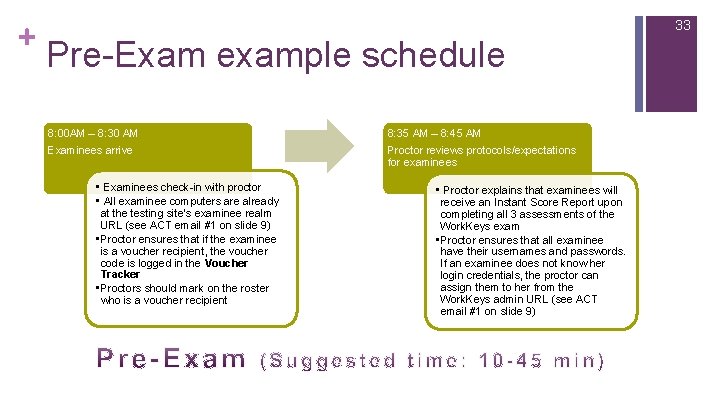
+ 33 Pre-Exam example schedule 8: 00 AM – 8: 30 AM Examinees arrive • Examinees check-in with proctor • All examinee computers are already at the testing site’s examinee realm URL (see ACT email #1 on slide 9) • Proctor ensures that if the examinee is a voucher recipient, the voucher code is logged in the Voucher Tracker • Proctors should mark on the roster who is a voucher recipient 8: 35 AM – 8: 45 AM Proctor reviews protocols/expectations for examinees • Proctor explains that examinees will receive an Instant Score Report upon completing all 3 assessments of the Work. Keys exam • Proctor ensures that all examinee have their usernames and passwords. If an examinee does not know her login credentials, the proctor can assign them to her from the Work. Keys admin URL (see ACT email #1 on slide 9)
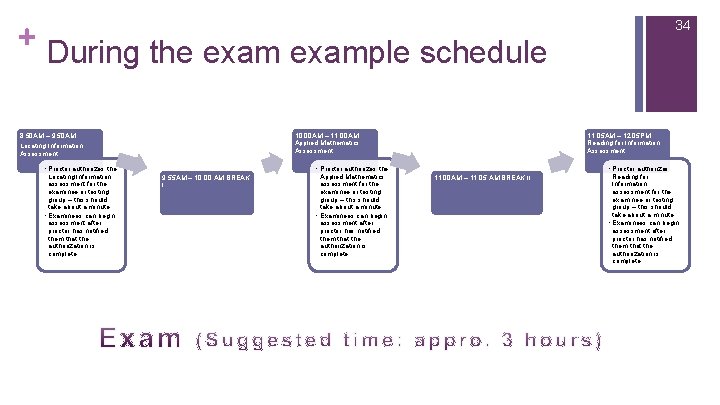
+ During the example schedule 8: 50 AM – 9: 50 AM 10: 00 AM – 11: 00 AM Applied Mathematics Assessment Locating Information Assessment • Proctor authorizes the Locating Information assessment for the examinee or testing group – this should take about a minute • Examinees can begin assessment after proctor has notified them that the authorization is complete 11: 05 AM – 12: 05 PM Reading for Information Assessment • Proctor authorizes the 9: 55 AM – 10: 00 AM BREAK I Applied Mathematics assessment for the examinee or testing group – this should take about a minute • Examinees can begin assessment after proctor has notified them that the authorization is complete 34 • Proctor authorizes 11: 00 AM – 11: 05 AM BREAK II Reading for Information assessment for the examinee or testing group – this should take about a minute • Examinees can begin assessment after proctor has notified them that the authorization is complete
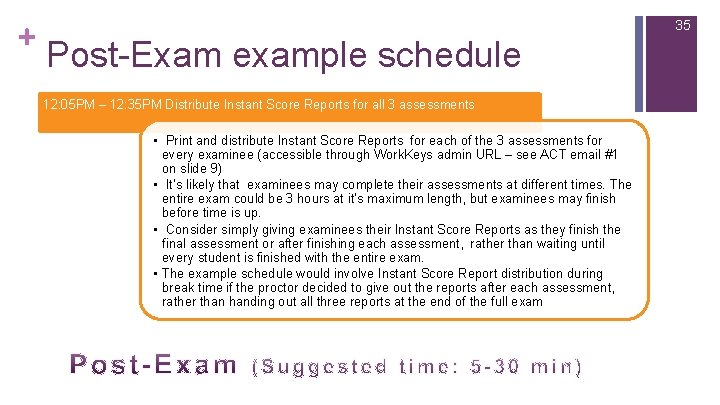
+ 35 Post-Exam example schedule 12: 05 PM – 12: 35 PM Distribute Instant Score Reports for all 3 assessments • Print and distribute Instant Score Reports for each of the 3 assessments for every examinee (accessible through Work. Keys admin URL – see ACT email #1 on slide 9) • It’s likely that examinees may complete their assessments at different times. The entire exam could be 3 hours at it’s maximum length, but examinees may finish before time is up. • Consider simply giving examinees their Instant Score Reports as they finish the final assessment or after finishing each assessment, rather than waiting until every student is finished with the entire exam. • The example schedule would involve Instant Score Report distribution during break time if the proctor decided to give out the reports after each assessment, rather than handing out all three reports at the end of the full exam
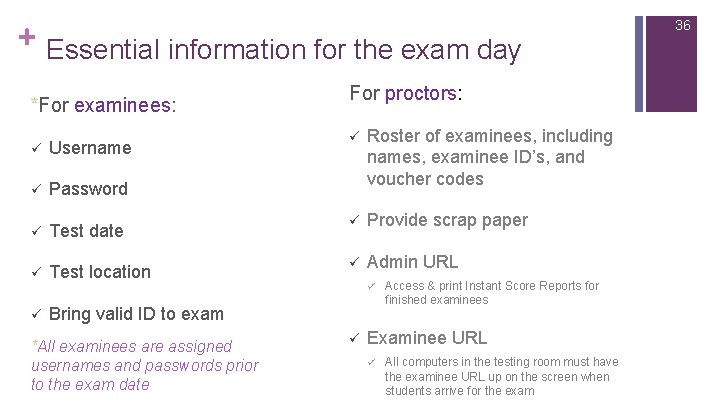
+ 36 Essential information for the exam day *For examinees: For proctors: ü Roster of examinees, including names, examinee ID’s, and voucher codes Test date ü Provide scrap paper ü Test location ü Admin URL ü Bring valid ID to exam ü Username ü Password ü *All examinees are assigned usernames and passwords prior to the exam date ü ü Access & print Instant Score Reports for finished examinees Examinee URL ü All computers in the testing room must have the examinee URL up on the screen when students arrive for the exam
+ Post-Exam Procedures 37
+ When an examinee completes all 3 assessments in the Work. Keys exam… n Check that the examinee’s voucher code is recorded in the Voucher Tracker spreadsheet (VERY IMPORTANT) n Provide the examinee with an instant score report n Login to your admin URL n Click “Reports Portal” n Click “Individual Score Report” and enter the examinee’s name and the organization where she completed the exam n Print the score report to a secure printer and give it to the examinee immediately 38
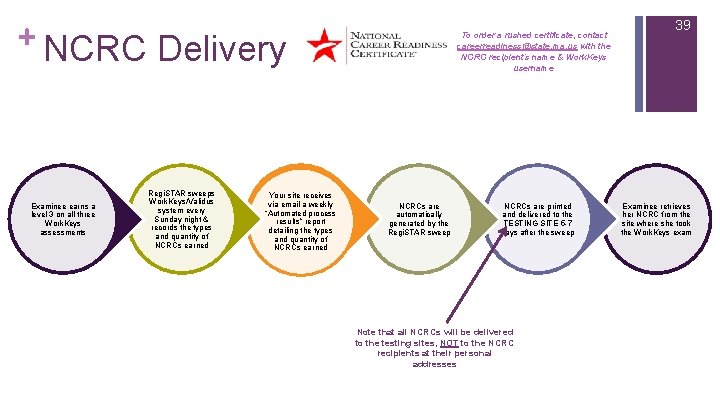
+ NCRC Delivery Examinee earns a level 3 on all three Work. Keys assessments Regi. STAR sweeps Work. Keys/Validus system every Sunday night & records the types and quantity of NCRCs earned Your site receives via email a weekly “Automated process results” report detailing the types and quantity of NCRCs earned To order a rushed certificate, contact careerreadiness@state. ma. us with the NCRC recipient’s name & Work. Keys username NCRCs are automatically generated by the Regi. STAR sweep NCRCs are printed and delivered to the TESTING SITE 5 -7 days after the sweep Note that all NCRCs will be delivered to the testing sites, NOT to the NCRC recipients at their personal addresses 39 Examinee retrieves her NCRC from the site where she took the Work. Keys exam
+ Resources & Contacts 40
+ WKIV/Regi. STAR Resource Guide n Reports Navigation presentation from EOWLD (coming soon) n Instant Score Report instructions n Generating reports through Work. Keys and in Regi. STAR n Potential value of different reporting tools n Administrator Manual http: //www. act. org/content/dam/act/unsecured/documents/IV_User. Guide. pdf n How-To Guides http: //www. mass. gov/massworkforce/careerready/how-to-guides. html n Reference Center http: //www. act. org/workkeys-private/reference/manuals. html n n Test Administration and User Guide http: //www. act. org/workkeys-private/wkiv/User. Guide. pdf Quick Start Guides http: //www. act. org/workkeys-private/reference/guides. html n Administrator Training www. act. org/workkeys/admin/ n Irregularity Report http: //act. org/workkeys/forms/cbt. html n EOLWD website http: //www. mass. gov/massworkforce/careerready/workkeys/ 41
+ 42 Questions? Career Readiness Team at careerreadiness@state. ma. us Allison Mc. Intyre at allison. mcintyre@state. ma. us or (617) 626 -7109 n ACT Webinar/ACT training questions n learning@act. org n or call 888. 826. 1956 Technical concerns: n ACT Work. Keys Customer Service at 800. 967. 5539 or workkeys@act. org