
Wisconsin Statewide Enrollment for Education Solutions EES Agreement



- Slides: 22
Wisconsin Statewide Enrollment for Education Solutions (EES) Agreement
Introduction- The Wisconsin Team Microsoft SHI Mary Paulson – WI Account Manager Gregory Gonedes – WI Rep • marypa@microsoft. com • Gregory_Gonedes@shi. com Jared Wells – WI Account Manager Bianca Arias – WI Rep • jawell@microsoft. com • Bianca_Arias@SHI. com Samantha Ankrum – WI Account Manager Jessica Olson – WI Licensing Specialist • v-saankr@microsoft. com • Jessica_Olson@SHI. com
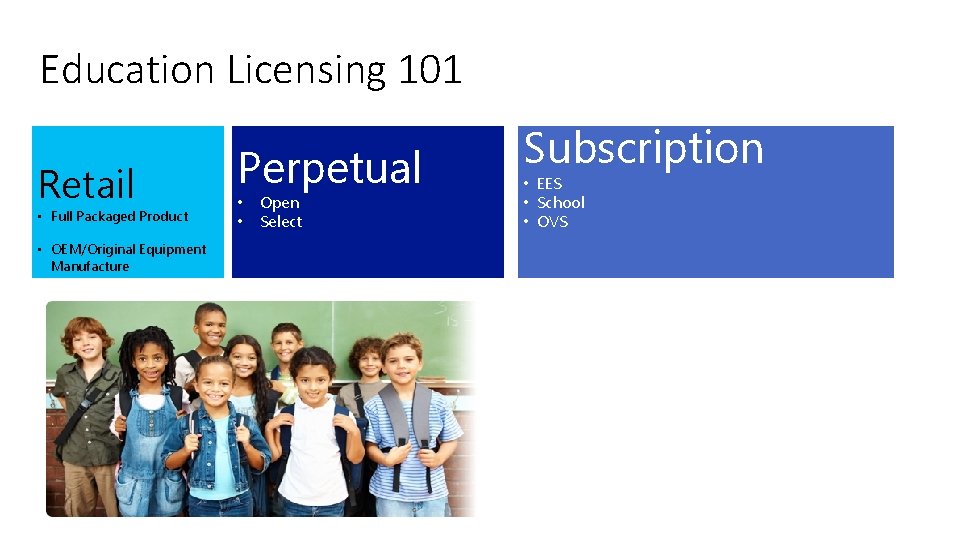
Education Licensing 101 Retail • Full Packaged Product • OEM/Original Equipment Manufacture Perpetual • • Open Select Subscription • EES • School • OVS
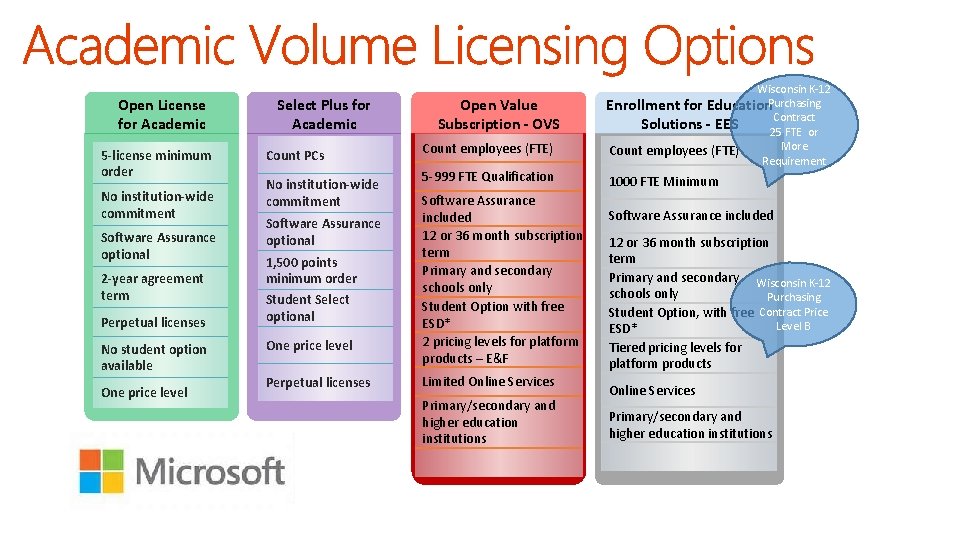
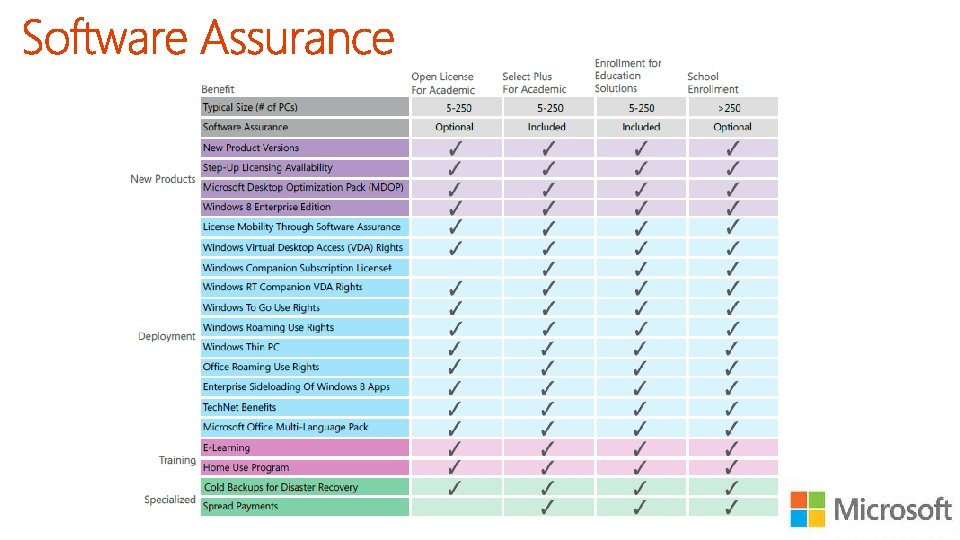
Open License for Academic 5 -license minimum order No institution-wide commitment Software Assurance optional 2 -year agreement term Perpetual licenses No student option available One price level Select Plus for Academic Count PCs No institution-wide commitment Software Assurance optional 1, 500 points minimum order Student Select optional One price level Perpetual licenses Open Value Subscription - OVS Count employees (FTE) 5 -999 FTE Qualification Software Assurance included 12 or 36 month subscription term Primary and secondary schools only Student Option with free ESD* 2 pricing levels for platform products – E&F Limited Online Services Primary/secondary and higher education institutions Wisconsin K-12 Enrollment for Education. Purchasing Contract Solutions - EES 25 FTE or More Count employees (FTE) Requirement 1000 FTE Minimum Software Assurance included 12 or 36 month subscription term Primary and secondary Wisconsin K-12 schools only Purchasing Contract Price Student Option, with free Level B ESD* Tiered pricing levels for platform products Online Services Primary/secondary and higher education institutions
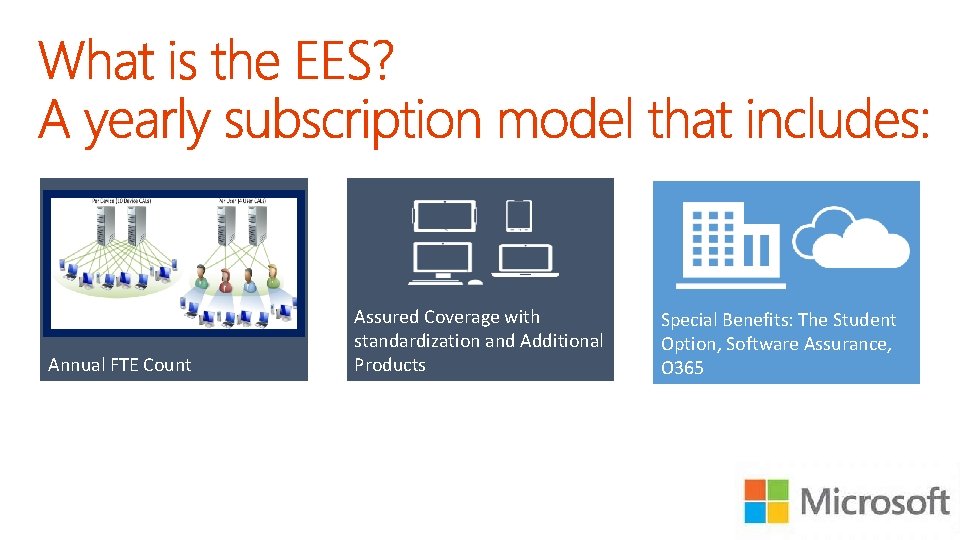
Annual FTE Count Assured Coverage with standardization and Additional Products Special Benefits: The Student Option, Software Assurance, O 365
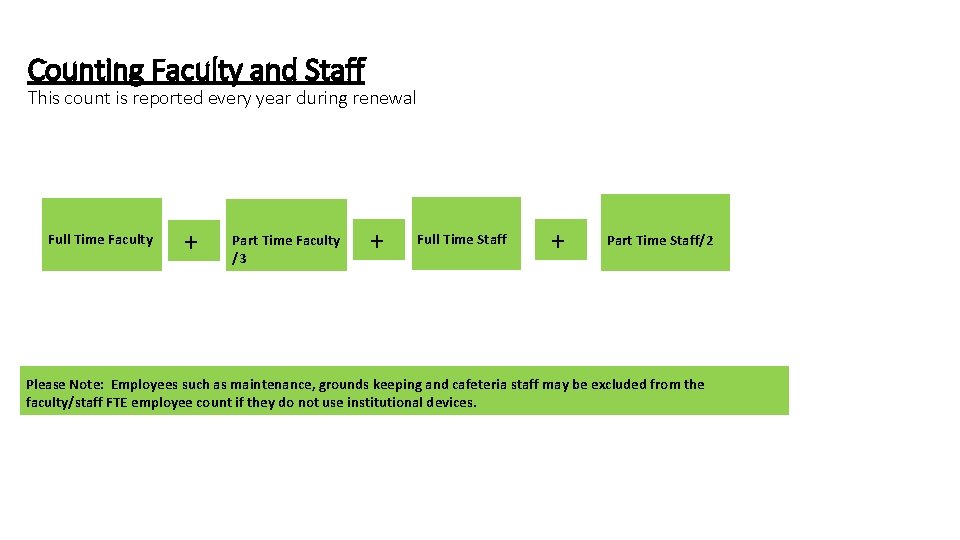
Counting Faculty and Staff This count is reported every year during renewal Full Time Faculty + Part Time Faculty /3 + Full Time Staff + Part Time Staff/2 Please Note: Employees such as maintenance, grounds keeping and cafeteria staff may be excluded from the faculty/staff FTE employee count if they do not use institutional devices.
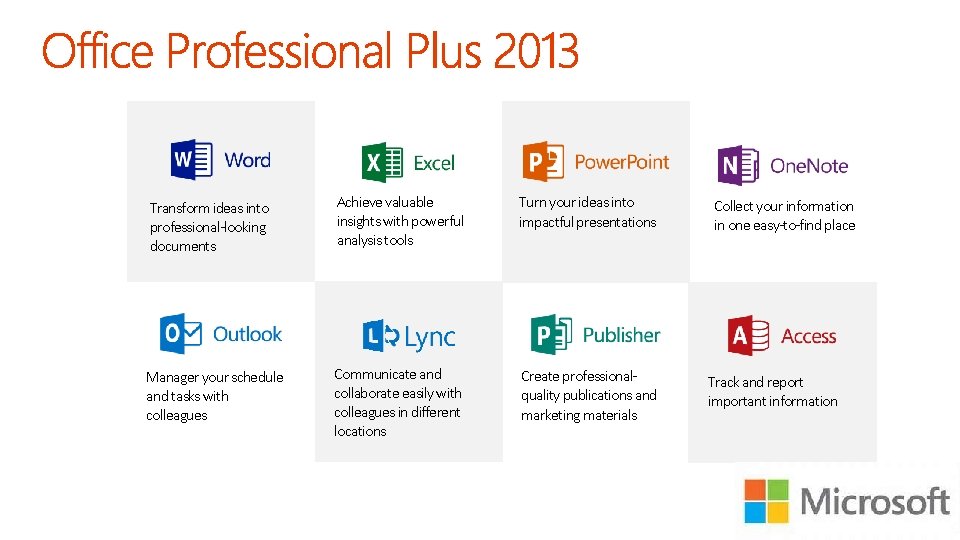
Transform ideas into professional-looking documents Achieve valuable insights with powerful analysis tools Turn your ideas into impactful presentations Manager your schedule and tasks with colleagues Communicate and collaborate easily with colleagues in different locations Create professionalquality publications and marketing materials Collect your information in one easy-to-find place Track and report important information
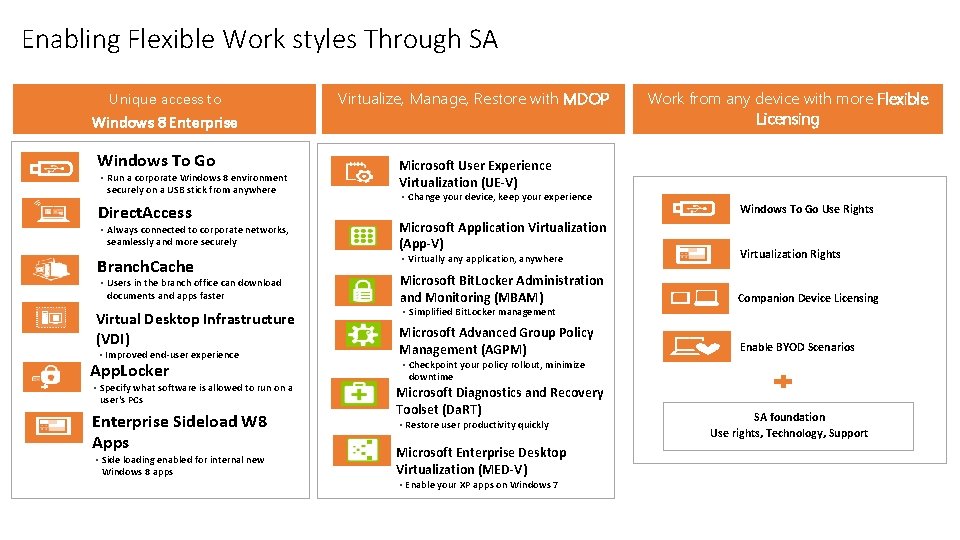
Enabling Flexible Work styles Through SA Unique access to Windows 8 Enterprise Windows To Go • Run a corporate Windows 8 environment securely on a USB stick from anywhere Direct. Access • Always connected to corporate networks, seamlessly and more securely Branch. Cache • Users in the branch office can download documents and apps faster Virtual Desktop Infrastructure (VDI) • Improved end-user experience App. Locker • Specify what software is allowed to run on a user's PCs Enterprise Sideload W 8 Apps • Side loading enabled for internal new Windows 8 apps Virtualize, Manage, Restore with MDOP Work from any device with more Flexible Licensing Microsoft User Experience Virtualization (UE-V) • Change your device, keep your experience Microsoft Application Virtualization (App-V) Windows To Go Use Rights • Virtually any application, anywhere Virtualization Rights Microsoft Bit. Locker Administration and Monitoring (MBAM) Companion Device Licensing Microsoft Advanced Group Policy Management (AGPM) Enable BYOD Scenarios • Simplified Bit. Locker management • Checkpoint your policy rollout, minimize downtime Microsoft Diagnostics and Recovery Toolset (Da. RT) • Restore user productivity quickly Microsoft Enterprise Desktop Virtualization (MED-V) • Enable your XP apps on Windows 7 SA foundation Use rights, Technology, Support
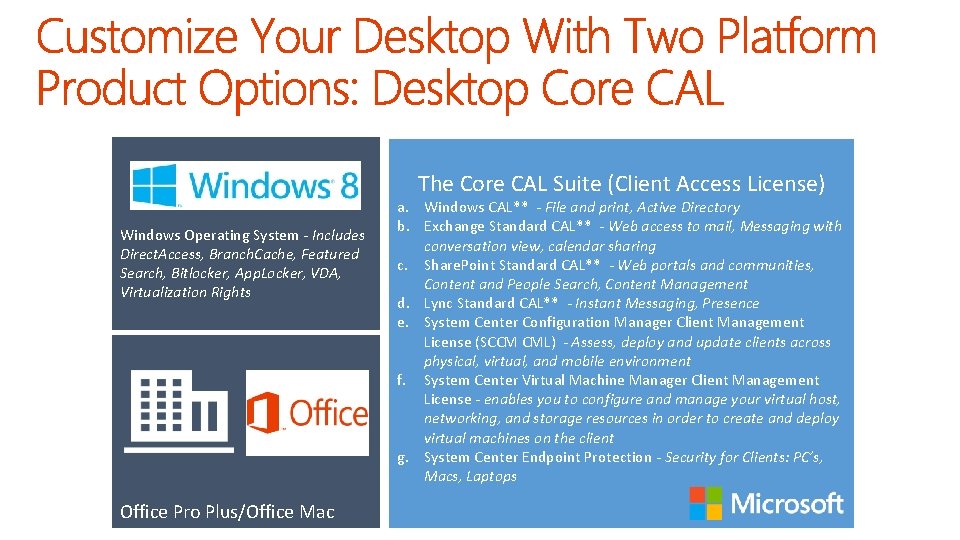
The Core CAL Suite (Client Access License) Windows Operating System - Includes Direct. Access, Branch. Cache, Featured Search, Bitlocker, App. Locker, VDA, Virtualization Rights Office Pro Plus/Office Mac a. Windows CAL** - File and print, Active Directory b. Exchange Standard CAL** - Web access to mail, Messaging with conversation view, calendar sharing c. Share. Point Standard CAL** - Web portals and communities, Content and People Search, Content Management d. Lync Standard CAL** - Instant Messaging, Presence e. System Center Configuration Manager Client Management License (SCCM CML) - Assess, deploy and update clients across physical, virtual, and mobile environment f. System Center Virtual Machine Manager Client Management License - enables you to configure and manage your virtual host, networking, and storage resources in order to create and deploy virtual machines on the client g. System Center Endpoint Protection - Security for Clients: PC’s, Macs, Laptops
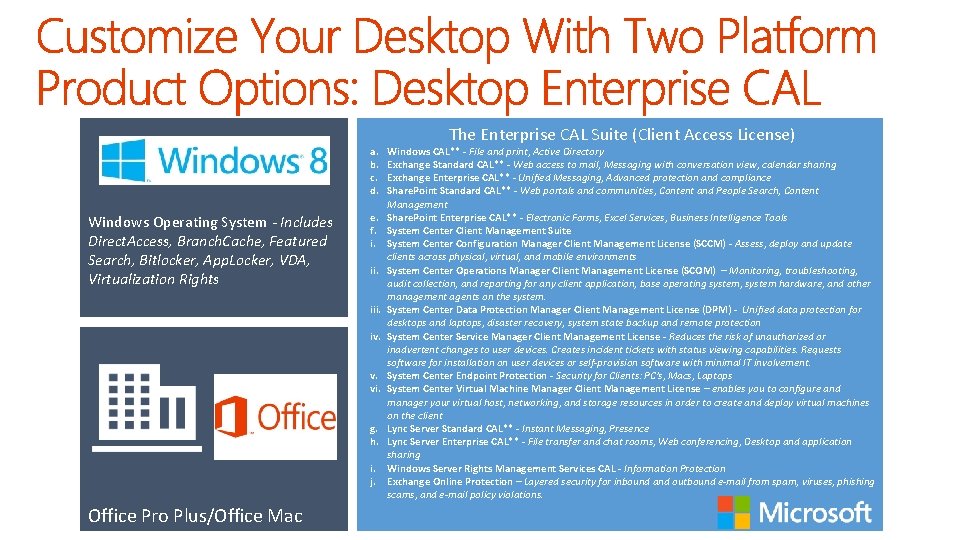
a. b. c. d. Windows Operating System - Includes Direct. Access, Branch. Cache, Featured Search, Bitlocker, App. Locker, VDA, Virtualization Rights e. f. i. iii. iv. v. vi. g. h. i. j. Office Pro Plus/Office Mac The Enterprise CAL Suite (Client Access License) Windows CAL** - File and print, Active Directory Exchange Standard CAL** - Web access to mail, Messaging with conversation view, calendar sharing Exchange Enterprise CAL** - Unified Messaging, Advanced protection and compliance Share. Point Standard CAL** - Web portals and communities, Content and People Search, Content Management Share. Point Enterprise CAL** - Electronic Forms, Excel Services, Business Intelligence Tools System Center Client Management Suite System Center Configuration Manager Client Management License (SCCM) - Assess, deploy and update clients across physical, virtual, and mobile environments System Center Operations Manager Client Management License (SCOM) – Monitoring, troubleshooting, audit collection, and reporting for any client application, base operating system, system hardware, and other management agents on the system. System Center Data Protection Manager Client Management License (DPM) - Unified data protection for desktops and laptops, disaster recovery, system state backup and remote protection System Center Service Manager Client Management License - Reduces the risk of unauthorized or inadvertent changes to user devices. Creates incident tickets with status viewing capabilities. Requests software for installation on user devices or self-provision software with minimal IT involvement. System Center Endpoint Protection - Security for Clients: PC’s, Macs, Laptops System Center Virtual Machine Manager Client Management License – enables you to configure and manager your virtual host, networking, and storage resources in order to create and deploy virtual machines on the client Lync Server Standard CAL** - Instant Messaging, Presence Lync Server Enterprise CAL** - File transfer and chat rooms, Web conferencing, Desktop and application sharing Windows Server Rights Management Services CAL - Information Protection Exchange Online Protection – Layered security for inbound and outbound e-mail from spam, viruses, phishing scams, and e-mail policy violations.
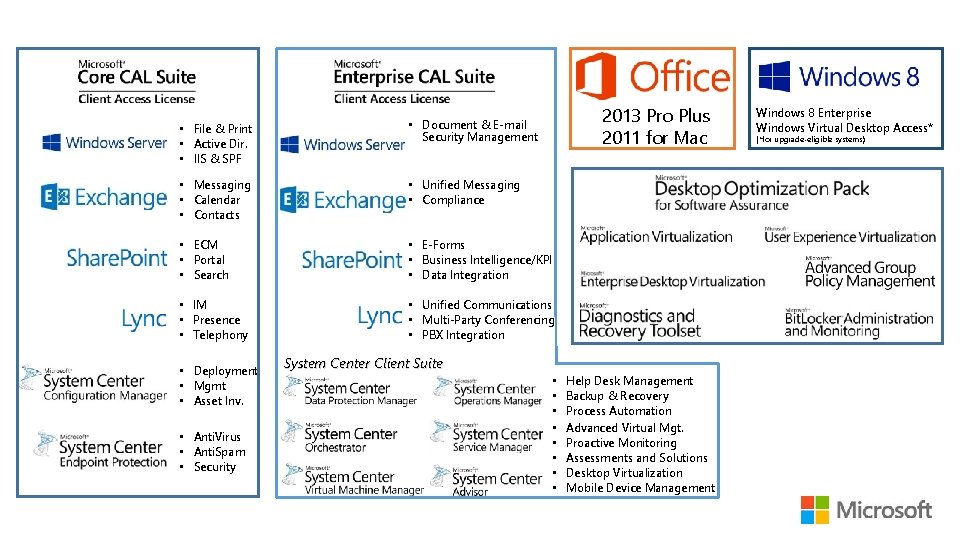
2013 Pro Plus 2011 for Mac • File & Print • Active Dir. • IIS & SPF • Document & E-mail Security Management • Messaging • Calendar • Contacts • Unified Messaging • Compliance • ECM • Portal • Search • E-Forms • Business Intelligence/KPI • Data Integration • IM • Presence • Telephony • Unified Communications • Multi-Party Conferencing • PBX Integration • Deployment • Mgmt • Asset Inv. • Anti. Virus • Anti. Spam • Security System Center Client Suite • • Help Desk Management Backup & Recovery Process Automation Advanced Virtual Mgt. Proactive Monitoring Assessments and Solutions Desktop Virtualization Mobile Device Management Windows 8 Enterprise Windows Virtual Desktop Access* (*for upgrade-eligible systems)
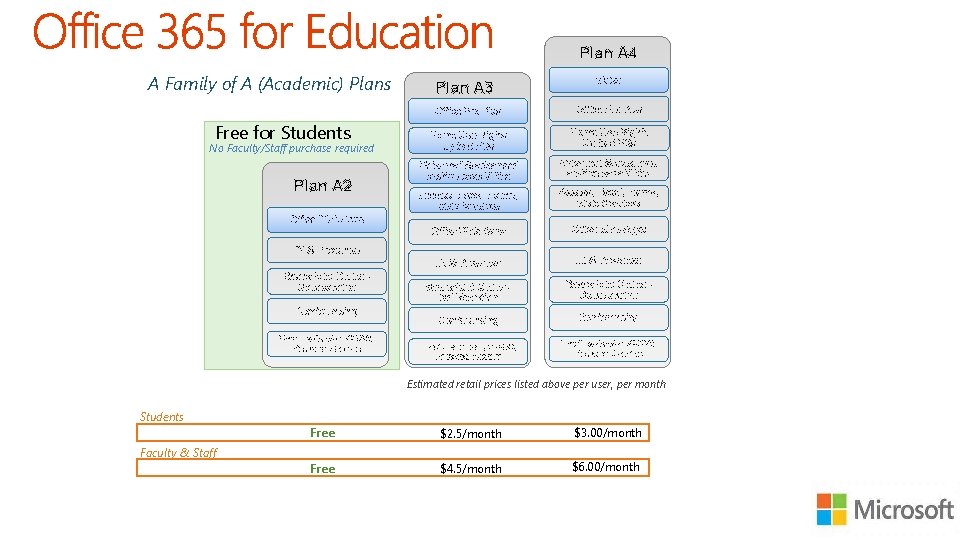
Plan A 4 A Family of A (Academic) Plans Free for Students No Faculty/Staff purchase required Plan A 2 Plan A 3 Office Pro Plus Home Use Rights up to 5 PCs Home Use Rights Up to 5 PCs Voicemail & advanced archive capabilities Access, Excel, Forms, Visio Services Office Web Apps IM & Presence Share. Point Online Collaboration Conferencing Email, calendar, AV/AS, Personal Archive Voice Estimated retail prices listed above per user, per month Students Faculty & Staff Free $2. 5/month $3. 00/month Free $4. 5/month $6. 00/month
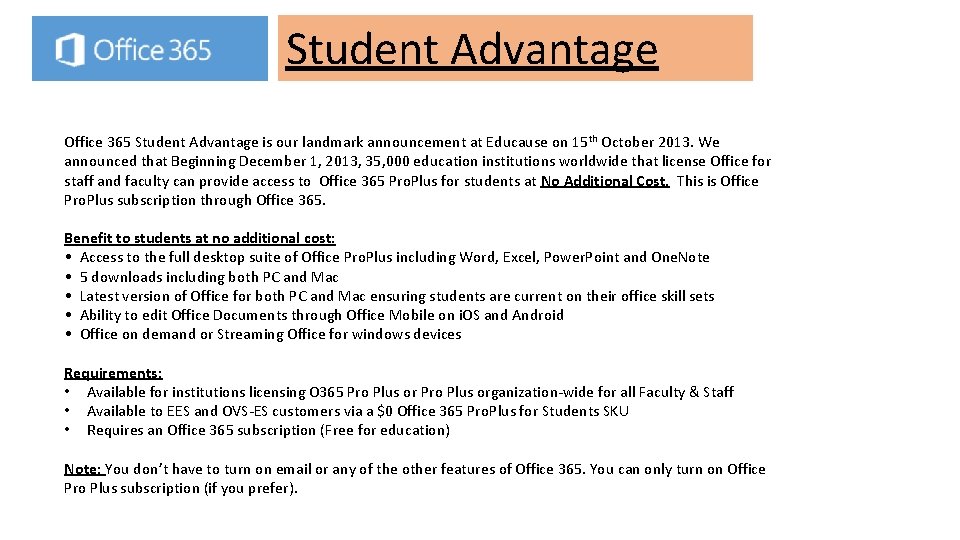
Student Advantage Office 365 Student Advantage is our landmark announcement at Educause on 15 th October 2013. We announced that Beginning December 1, 2013, 35, 000 education institutions worldwide that license Office for staff and faculty can provide access to Office 365 Pro. Plus for students at No Additional Cost. This is Office Pro. Plus subscription through Office 365. Benefit to students at no additional cost: • Access to the full desktop suite of Office Pro. Plus including Word, Excel, Power. Point and One. Note • 5 downloads including both PC and Mac • Latest version of Office for both PC and Mac ensuring students are current on their office skill sets • Ability to edit Office Documents through Office Mobile on i. OS and Android • Office on demand or Streaming Office for windows devices Requirements: • Available for institutions licensing O 365 Pro Plus organization-wide for all Faculty & Staff • Available to EES and OVS-ES customers via a $0 Office 365 Pro. Plus for Students SKU • Requires an Office 365 subscription (Free for education) Note: You don’t have to turn on email or any of the other features of Office 365. You can only turn on Office Pro Plus subscription (if you prefer).
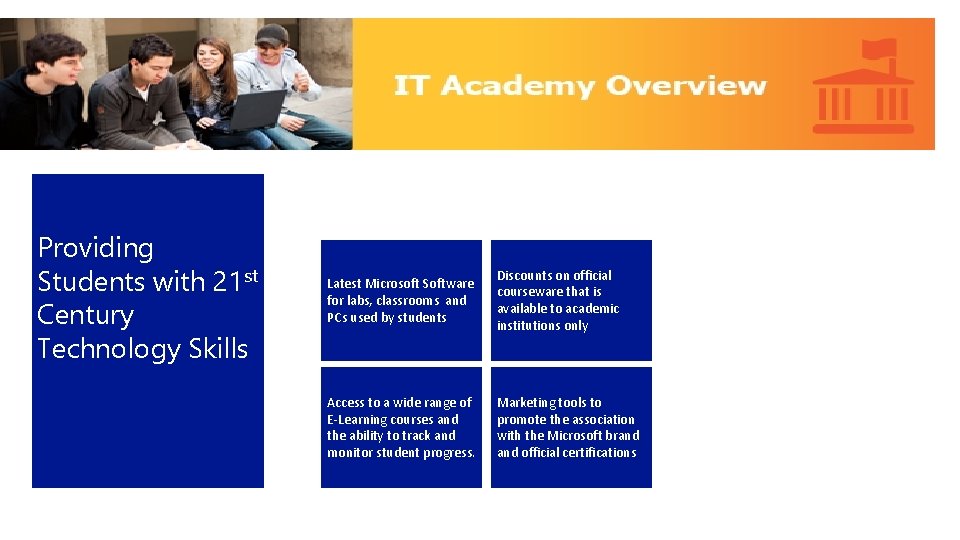
Providing Students with 21 st Century Technology Skills Latest Microsoft Software for labs, classrooms and PCs used by students Discounts on official courseware that is available to academic institutions only Access to a wide range of E-Learning courses and the ability to track and monitor student progress. Marketing tools to promote the association with the Microsoft brand official certifications
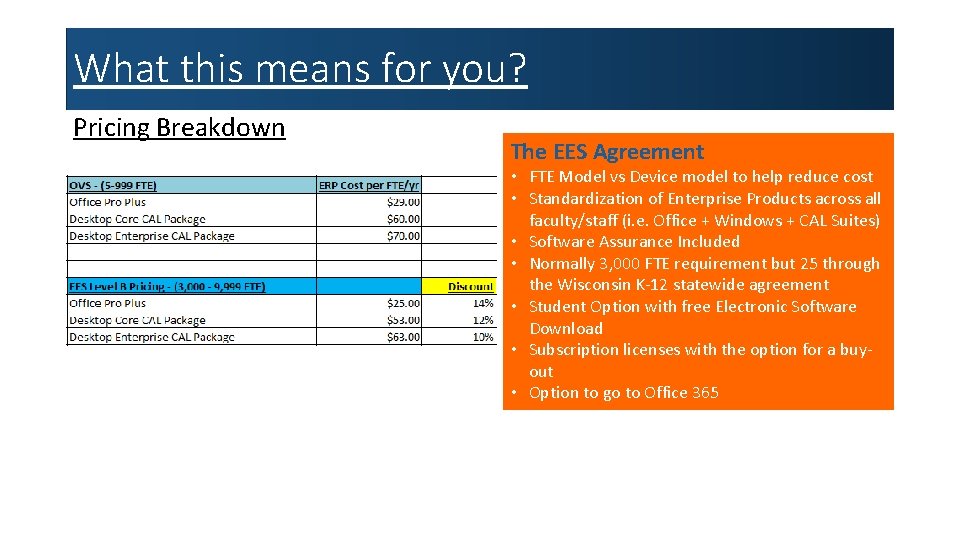
What this means for you? Pricing Breakdown The EES Agreement • FTE Model vs Device model to help reduce cost • Standardization of Enterprise Products across all faculty/staff (i. e. Office + Windows + CAL Suites) • Software Assurance Included • Normally 3, 000 FTE requirement but 25 through the Wisconsin K-12 statewide agreement • Student Option with free Electronic Software Download • Subscription licenses with the option for a buyout • Option to go to Office 365
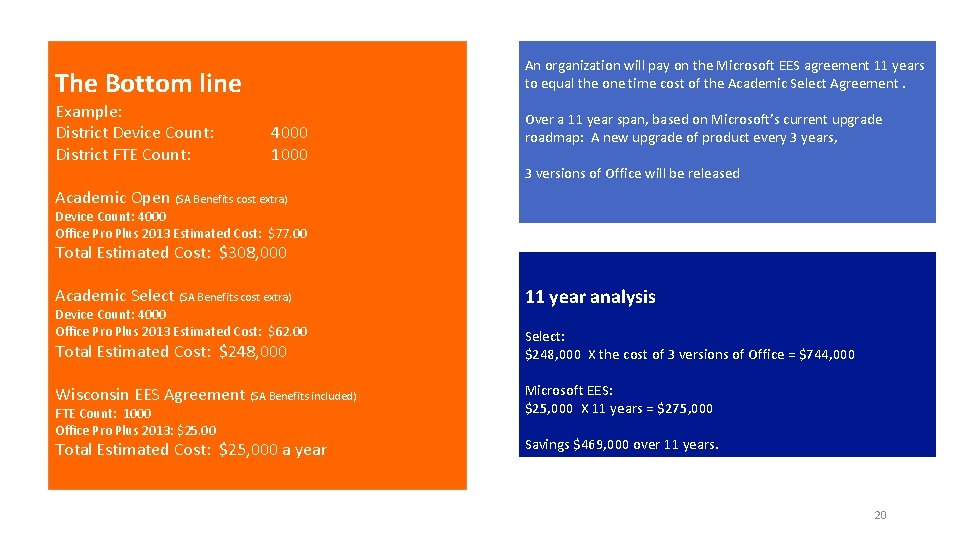
An organization will pay on the Microsoft EES agreement 11 years to equal the one time cost of the Academic Select Agreement. The Bottom line Example: District Device Count: District FTE Count: 4000 1000 Over a 11 year span, based on Microsoft’s current upgrade roadmap: A new upgrade of product every 3 years, 3 versions of Office will be released Academic Open (SA Benefits cost extra) Device Count: 4000 Office Pro Plus 2013 Estimated Cost: $77. 00 Total Estimated Cost: $308, 000 Academic Select (SA Benefits cost extra) 11 year analysis Total Estimated Cost: $248, 000 Select: $248, 000 X the cost of 3 versions of Office = $744, 000 Wisconsin EES Agreement (SA Benefits included) Microsoft EES: $25, 000 X 11 years = $275, 000 Total Estimated Cost: $25, 000 a year Savings $469, 000 over 11 years. Device Count: 4000 Office Pro Plus 2013 Estimated Cost: $62. 00 FTE Count: 1000 Office Pro Plus 2013: $25. 00 20