
Wisconsin Lane Closure System Wis LCS Training Introductions
- Slides: 64
Wisconsin Lane Closure System (Wis. LCS) Training
Introductions Brian Sippel Wis. DOT - BTO Work Zone Management (414) 322 -4185 Chris Quesnell Lakeside Engineers BTO Consultant (262) 789 -8200 brian. sippel@dot. wi. gov chris. quesnell@lakesideengineers. com Self-Introductions • Name, LCS experience and role
Agenda • Background • Interfaces • Additional LCS Resources • Support Tools • Closure Walk-Through • Activity
Background Overview, Roadways, Users, and Regions
Overview Wis. LCS Description: • BTO Sponsored Tool • UW TOPS Lab developed system • Wis. Transportal System • Web-based • Role-based • Online repository to request, approve, and track lane closures on Interstate, US Highways, and State Highways
Overview Wis. LCS Benefits: • Facilitate the request, approval, and modifications of lane closure information • Coordinate activities to reduce delays and potential conflicts • Eliminate duplications and inefficiencies by streamlining information into one system • Archive historical data for future use • Facilitate data sharing
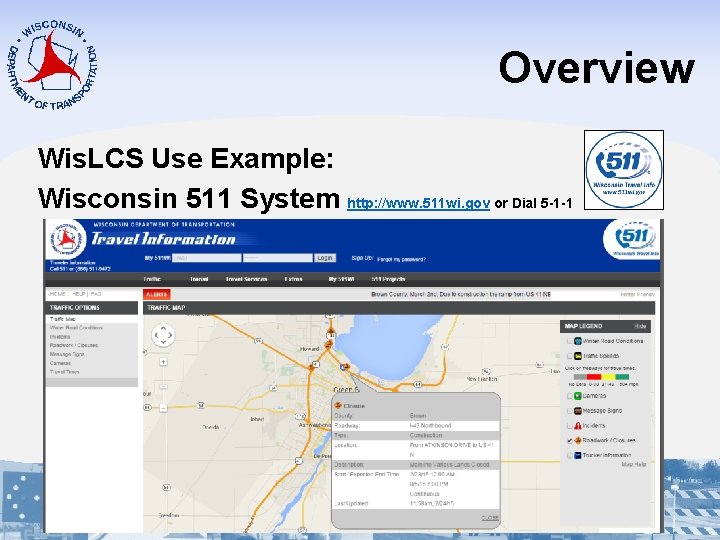
Overview Wis. LCS Use Example: Wisconsin 511 System http: //www. 511 wi. gov or Dial 5 -1 -1
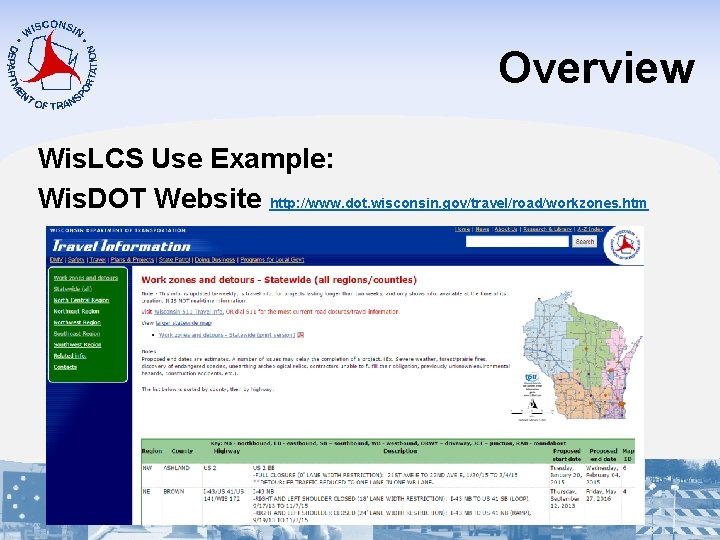
Overview Wis. LCS Use Example: Wis. DOT Website http: //www. dot. wisconsin. gov/travel/road/workzones. htm
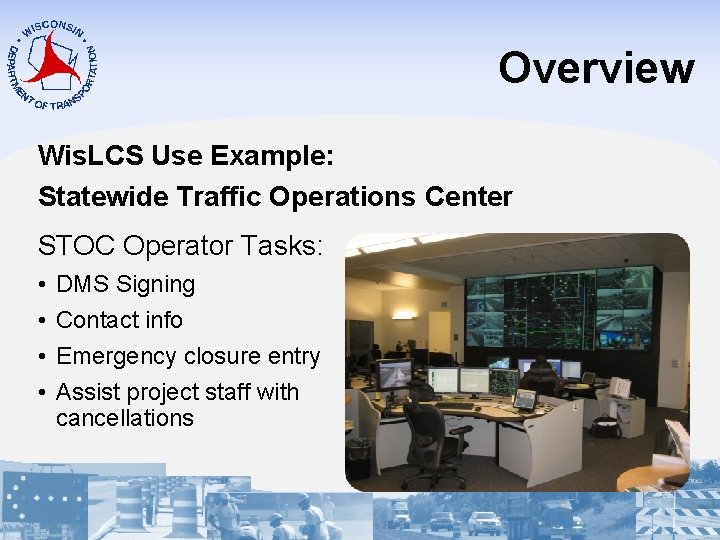
Overview Wis. LCS Use Example: Statewide Traffic Operations Center STOC Operator Tasks: • • DMS Signing Contact info Emergency closure entry Assist project staff with cancellations
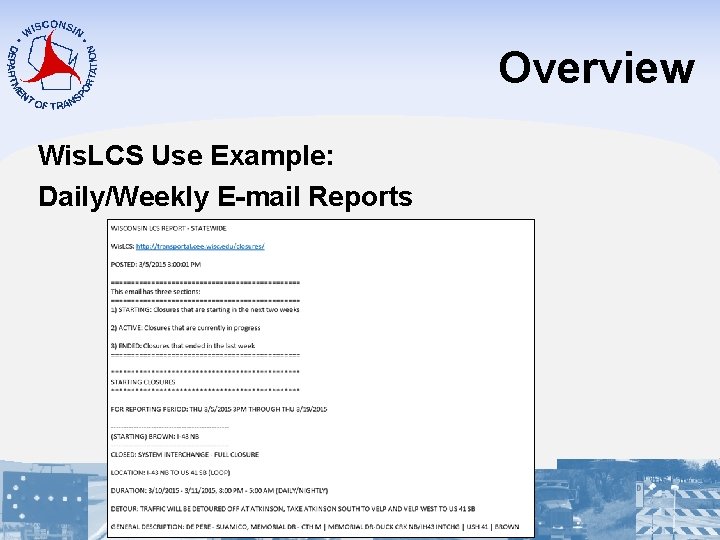
Overview Wis. LCS Use Example: Daily/Weekly E-mail Reports
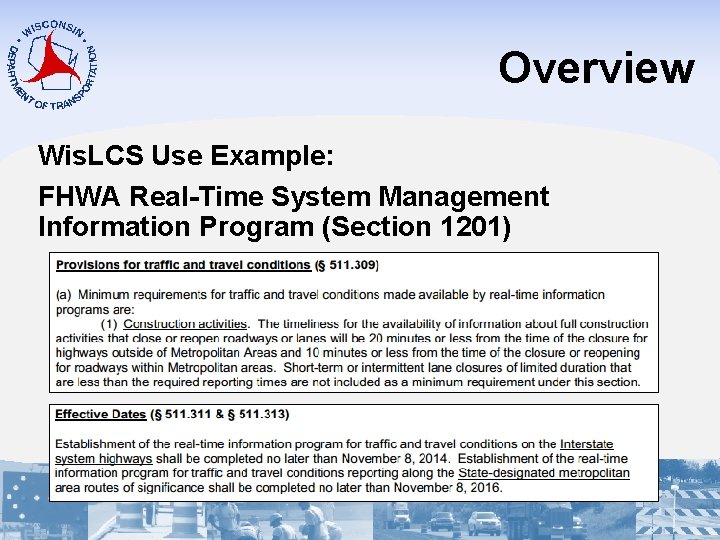
Overview Wis. LCS Use Example: FHWA Real-Time System Management Information Program (Section 1201)
Overview Wis. LCS Use Example: Third-Party Traffic Information • • • Vehicle Navigation Systems Phone/Tablet Apps Websites Social Media News Reports
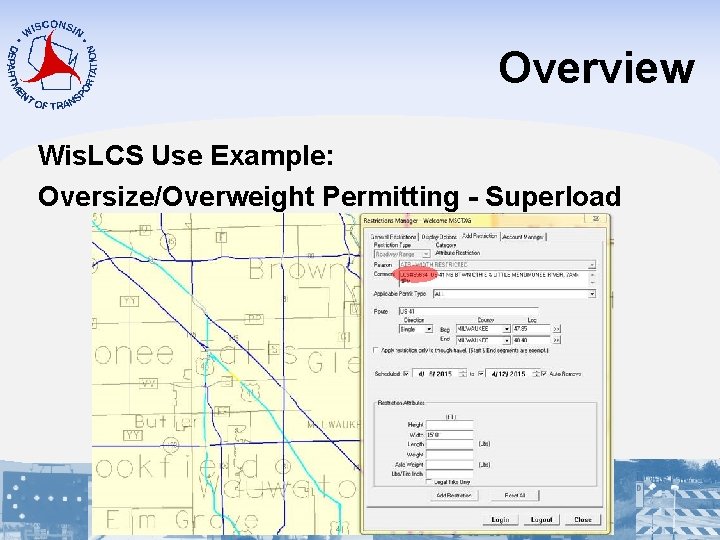
Overview Wis. LCS Use Example: Oversize/Overweight Permitting - Superload
Overview What closures should be entered? • All let projects • Design projects (e. g. soil borings, inspections, etc…) • Planned maintenance • Planned permit/utility restrictions • Major special events • Unplanned emergency lane closures
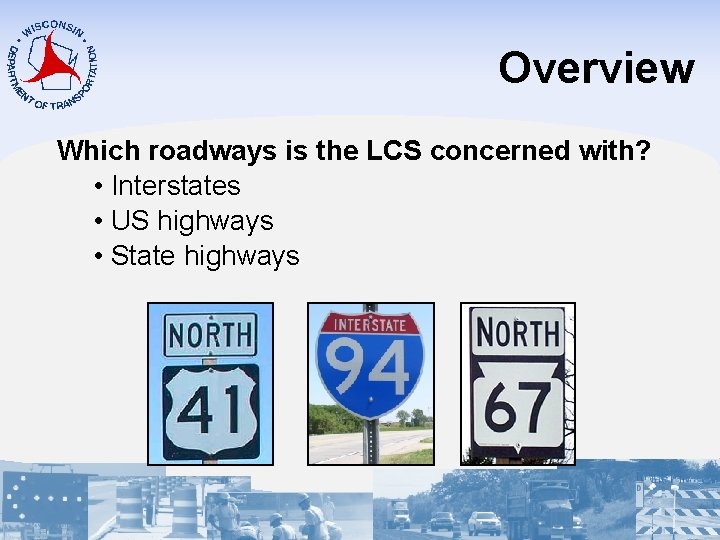
Overview Which roadways is the LCS concerned with? • Interstates • US highways • State highways
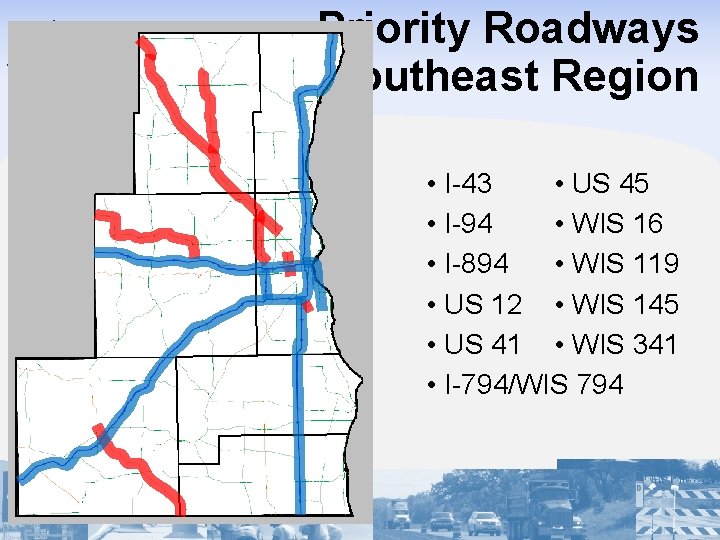
Priority Roadways Southeast Region • I-43 • US 45 • I-94 • WIS 16 • I-894 • WIS 119 • US 12 • WIS 145 • US 41 • WIS 341 • I-794/WIS 794
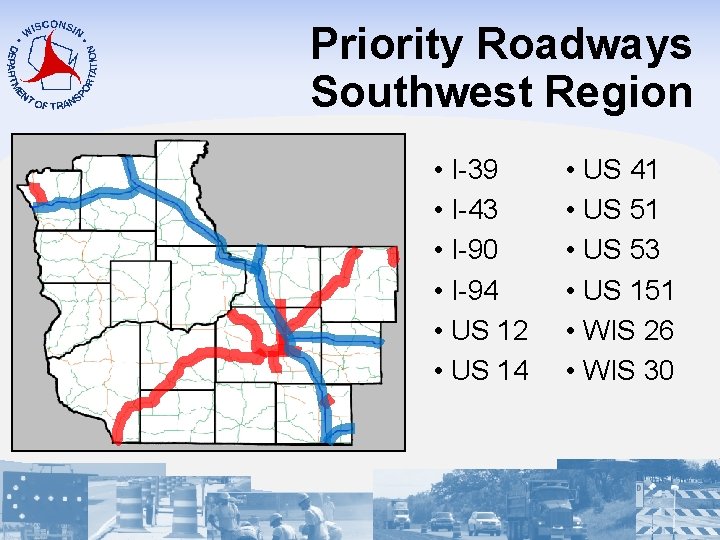
Priority Roadways Southwest Region • I-39 • I-43 • I-90 • I-94 • US 12 • US 14 • US 41 • US 53 • US 151 • WIS 26 • WIS 30
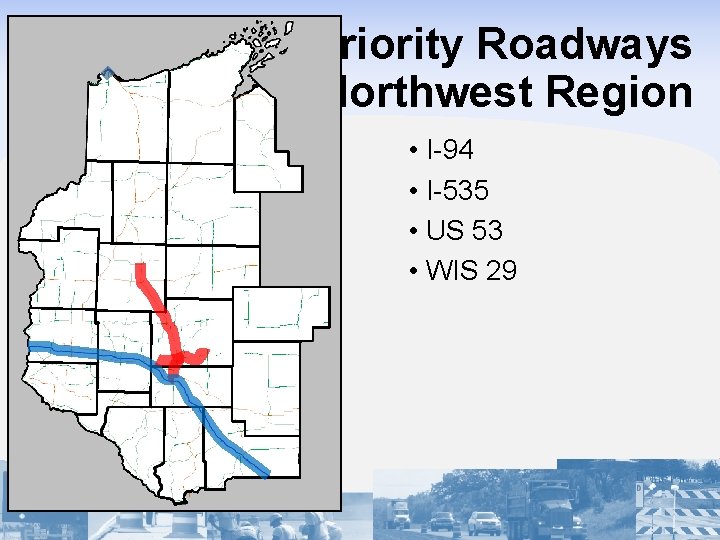
Priority Roadways Northwest Region • I-94 • I-535 • US 53 • WIS 29
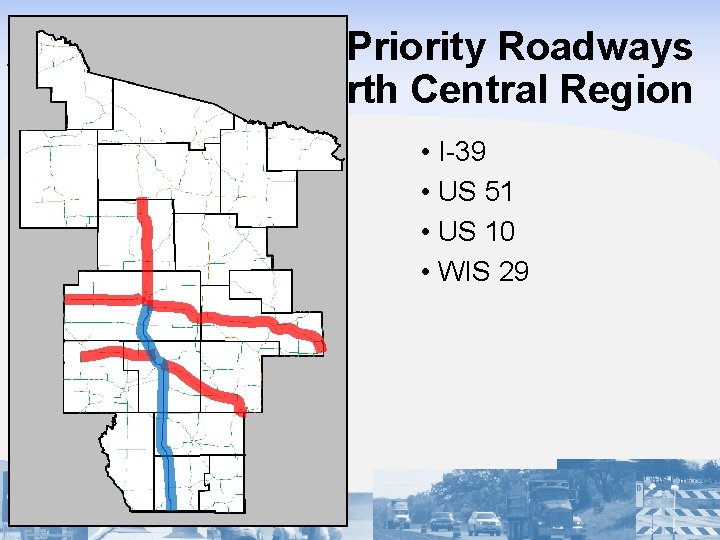
Priority Roadways North Central Region • I-39 • US 51 • US 10 • WIS 29
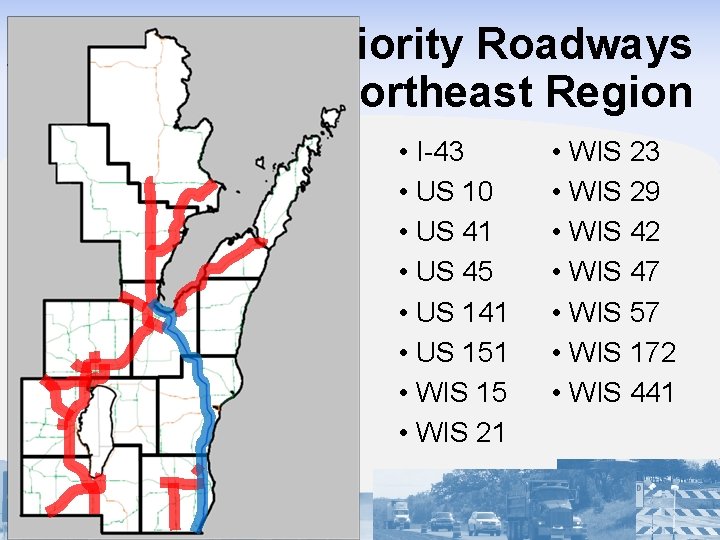
Priority Roadways Northeast Region • I-43 • US 10 • US 41 • US 45 • US 141 • US 151 • WIS 15 • WIS 21 • WIS 23 • WIS 29 • WIS 42 • WIS 47 • WIS 57 • WIS 172 • WIS 441
Users User Types: • Maintenance • Permit • Construction • All Types
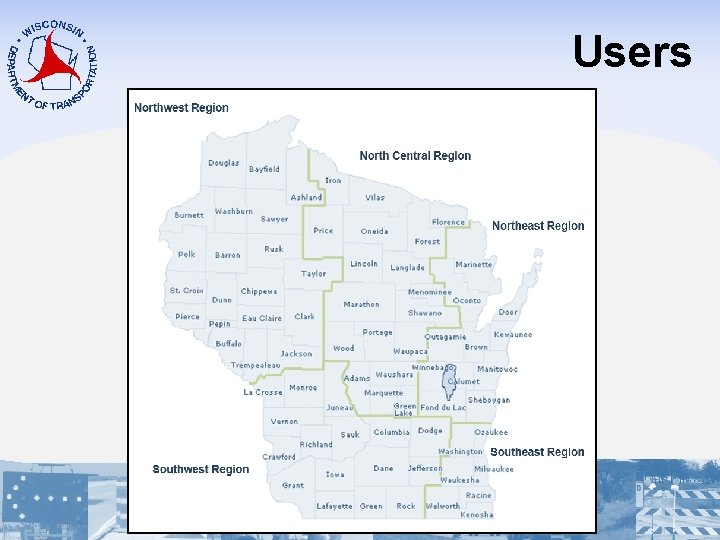
Users
Users User Acceptance Authorization: • No Acceptance • Limited Acceptance (Non-Priority Roadways) • Full Acceptance (Priority Roadways)
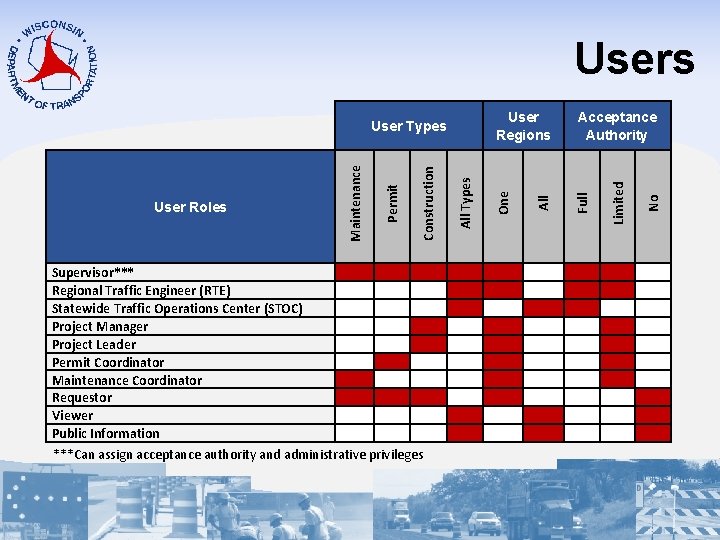
Supervisor*** Regional Traffic Engineer (RTE) Statewide Traffic Operations Center (STOC) Project Manager Project Leader Permit Coordinator Maintenance Coordinator Requestor Viewer Public Information ***Can assign acceptance authority and administrative privileges Full No Acceptance Authority Limited User Regions All Types Construction Permit User Roles Maintenance User Types One Users
Interfaces Request, Accept, Modify, Search, Reports
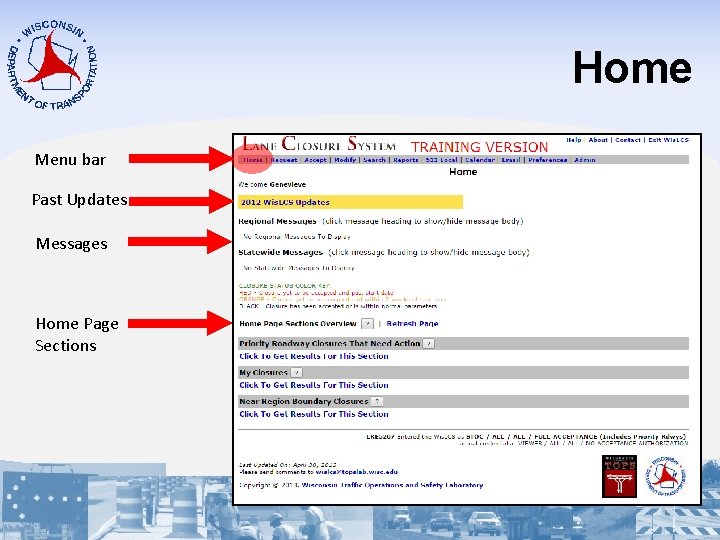
Home Menu bar Past Updates Messages Home Page Sections
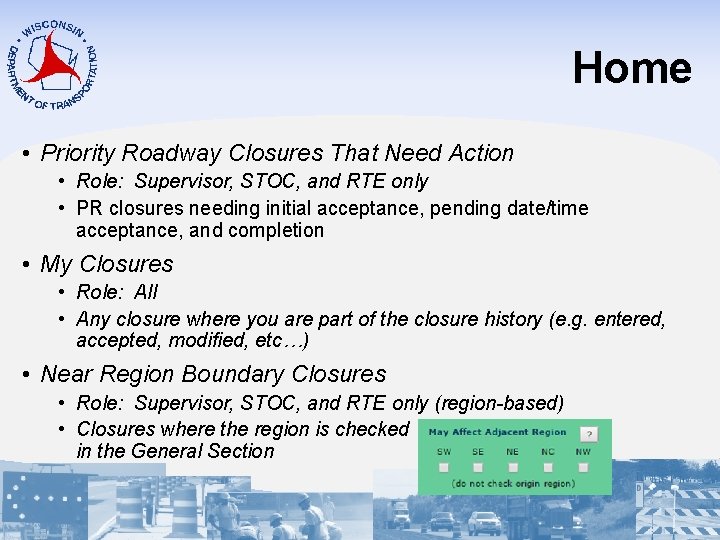
Home • Priority Roadway Closures That Need Action • Role: Supervisor, STOC, and RTE only • PR closures needing initial acceptance, pending date/time acceptance, and completion • My Closures • Role: All • Any closure where you are part of the closure history (e. g. entered, accepted, modified, etc…) • Near Region Boundary Closures • Role: Supervisor, STOC, and RTE only (region-based) • Closures where the region is checked in the General Section
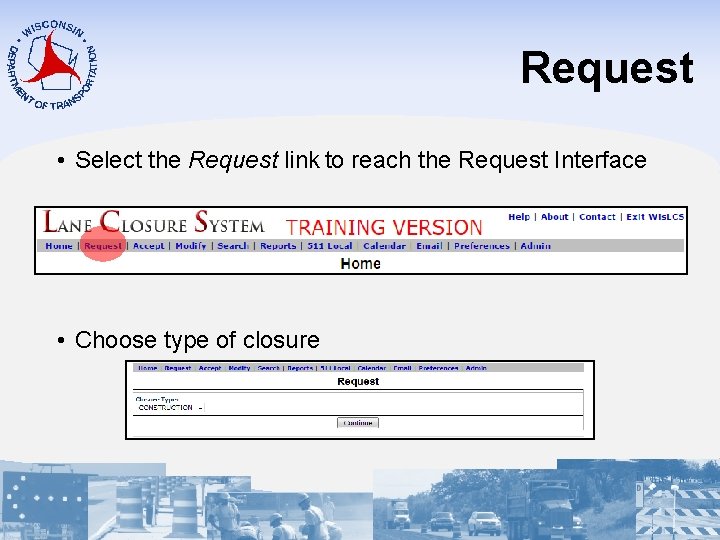
Request • Select the Request link to reach the Request Interface • Choose type of closure
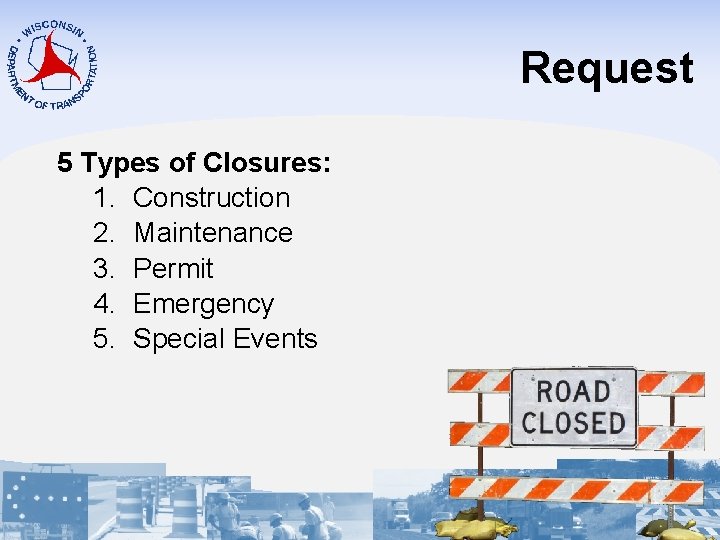
Request 5 Types of Closures: 1. Construction 2. Maintenance 3. Permit 4. Emergency 5. Special Events
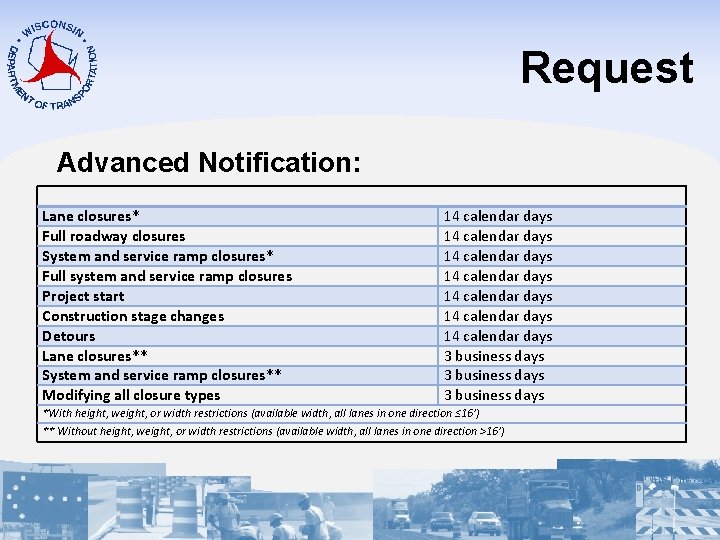
Request Advanced Notification: Lane closures* Full roadway closures System and service ramp closures* Full system and service ramp closures Project start Construction stage changes Detours Lane closures** System and service ramp closures** Modifying all closure types 14 calendar days 14 calendar days 3 business days *With height, weight, or width restrictions (available width, all lanes in one direction ≤ 16’) ** Without height, weight, or width restrictions (available width, all lanes in one direction >16’)
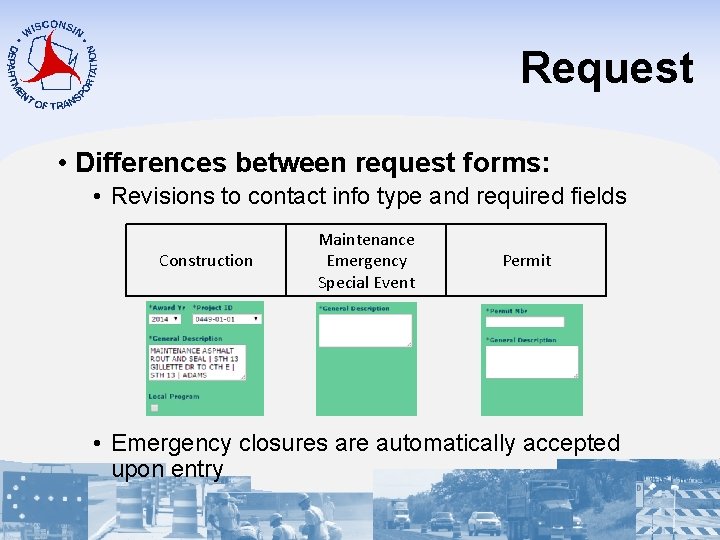
Request • Differences between request forms: • Revisions to contact info type and required fields Construction Maintenance Emergency Special Event Permit • Emergency closures are automatically accepted upon entry
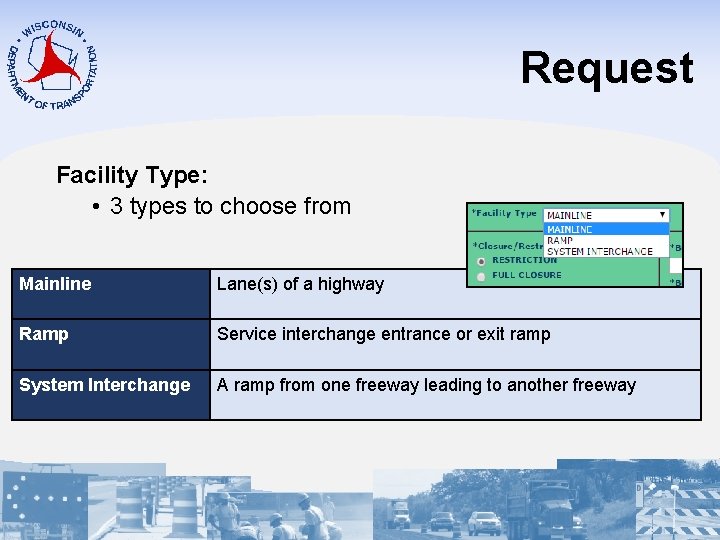
Request Facility Type: • 3 types to choose from Mainline Lane(s) of a highway Ramp Service interchange entrance or exit ramp System Interchange A ramp from one freeway leading to another freeway
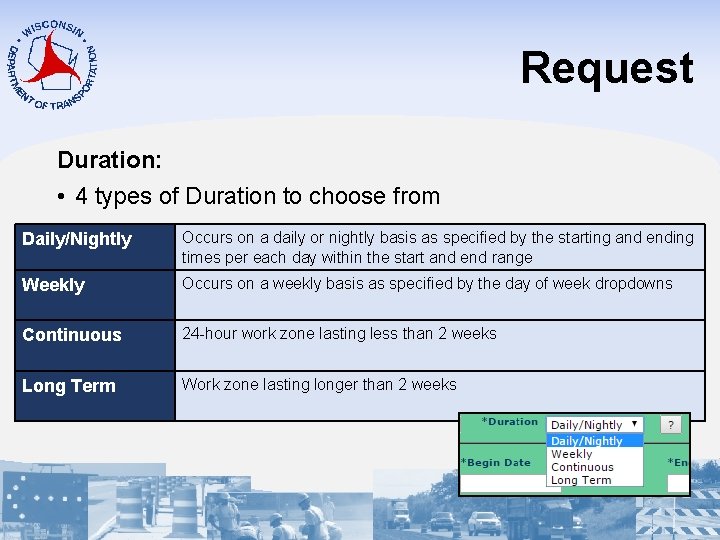
Request Duration: • 4 types of Duration to choose from Daily/Nightly Occurs on a daily or nightly basis as specified by the starting and ending times per each day within the start and end range Weekly Occurs on a weekly basis as specified by the day of week dropdowns Continuous 24 -hour work zone lasting less than 2 weeks Long Term Work zone lasting longer than 2 weeks
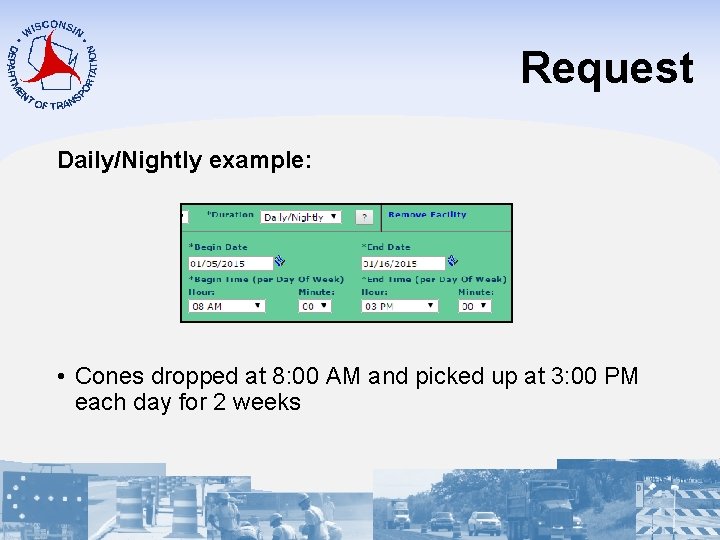
Request Daily/Nightly example: • Cones dropped at 8: 00 AM and picked up at 3: 00 PM each day for 2 weeks
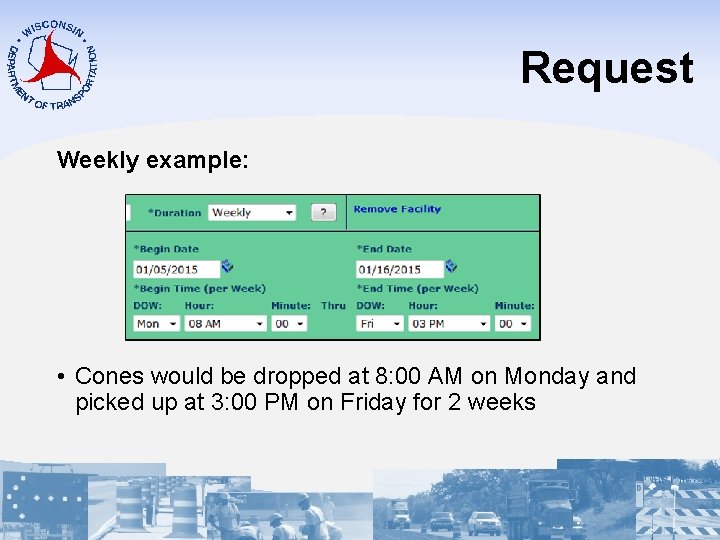
Request Weekly example: • Cones would be dropped at 8: 00 AM on Monday and picked up at 3: 00 PM on Friday for 2 weeks
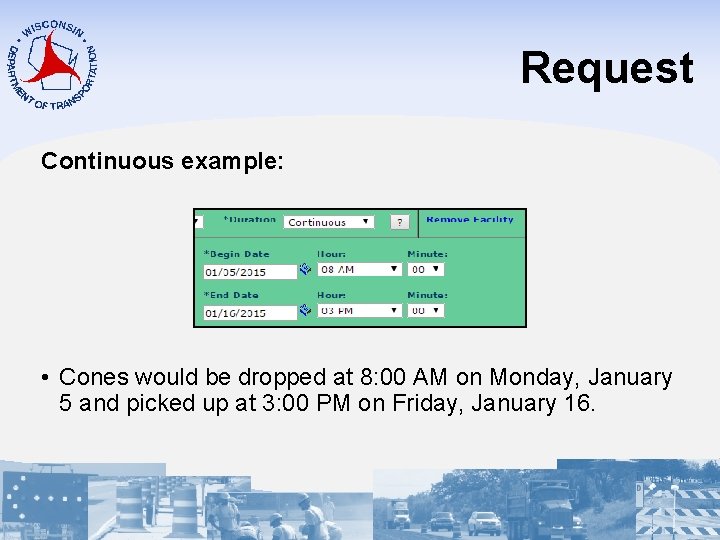
Request Continuous example: • Cones would be dropped at 8: 00 AM on Monday, January 5 and picked up at 3: 00 PM on Friday, January 16.
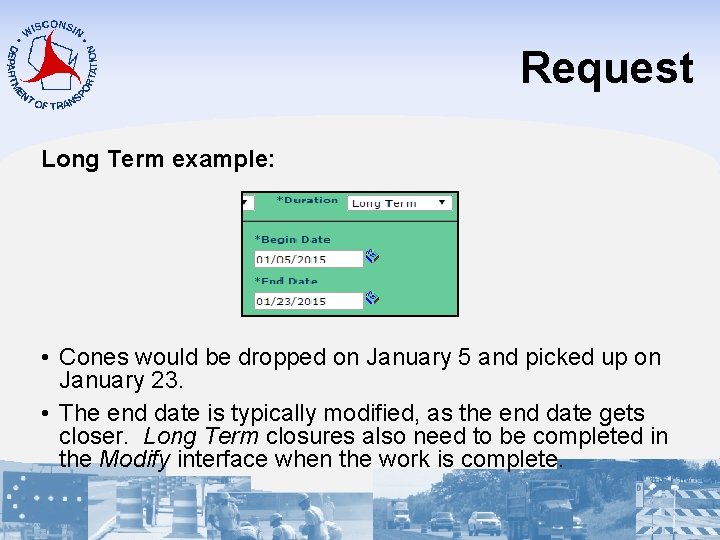
Request Long Term example: • Cones would be dropped on January 5 and picked up on January 23. • The end date is typically modified, as the end date gets closer. Long Term closures also need to be completed in the Modify interface when the work is complete.
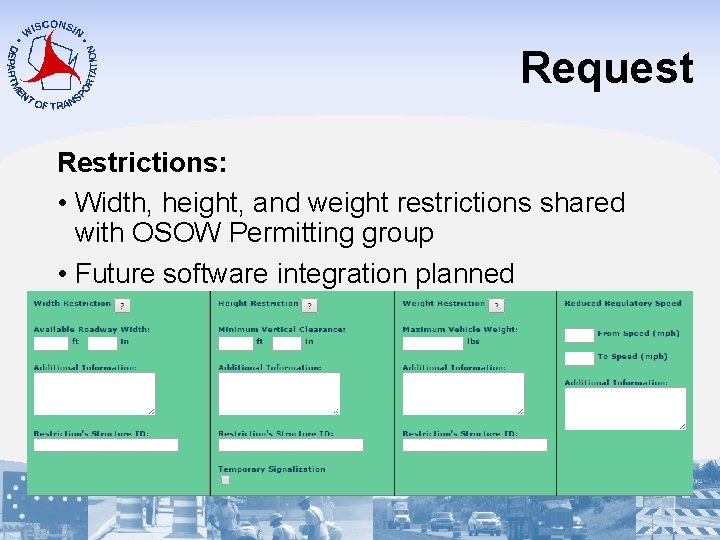
Request Restrictions: • Width, height, and weight restrictions shared with OSOW Permitting group • Future software integration planned
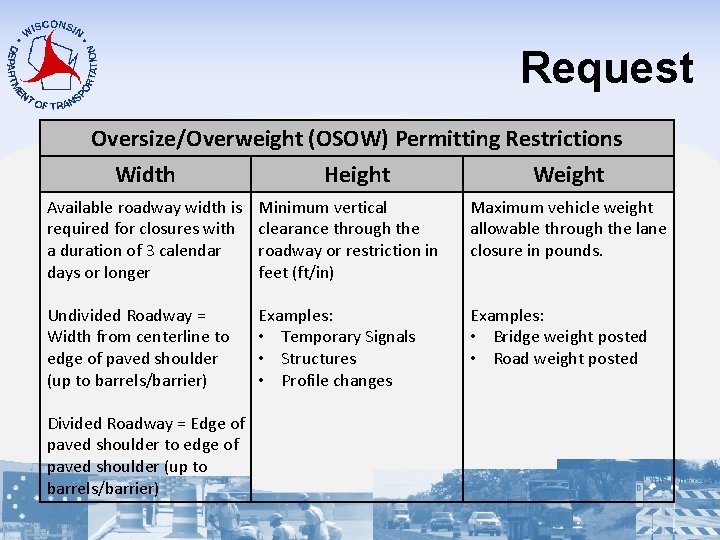
Request Oversize/Overweight (OSOW) Permitting Restrictions Width Height Weight Available roadway width is required for closures with a duration of 3 calendar days or longer Minimum vertical clearance through the roadway or restriction in feet (ft/in) Maximum vehicle weight allowable through the lane closure in pounds. Undivided Roadway = Width from centerline to edge of paved shoulder (up to barrels/barrier) Examples: • Temporary Signals • Structures • Profile changes Examples: • Bridge weight posted • Road weight posted Divided Roadway = Edge of paved shoulder to edge of paved shoulder (up to barrels/barrier)
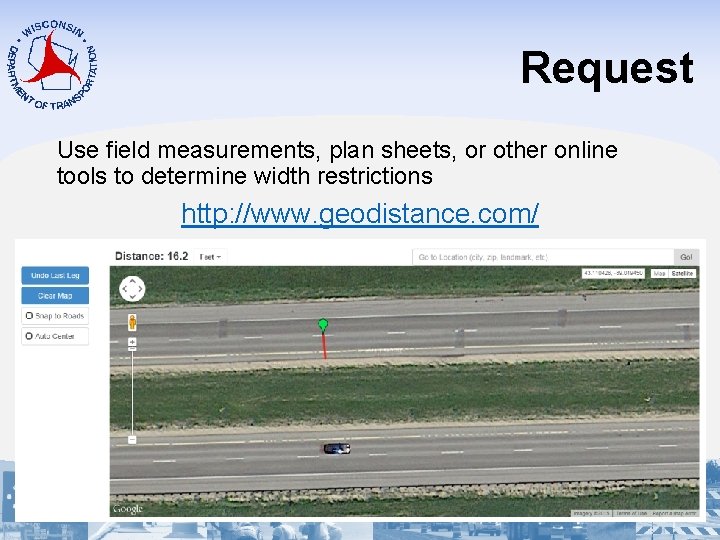
Request Use field measurements, plan sheets, or other online tools to determine width restrictions http: //www. geodistance. com/
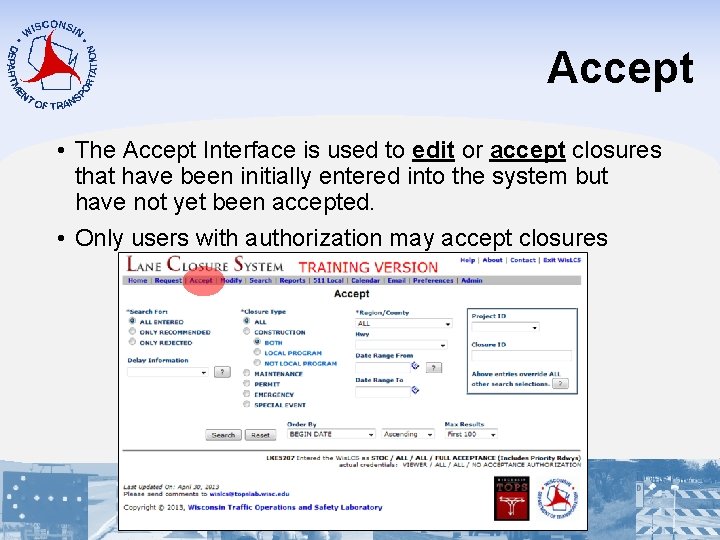
Accept • The Accept Interface is used to edit or accept closures that have been initially entered into the system but have not yet been accepted. • Only users with authorization may accept closures
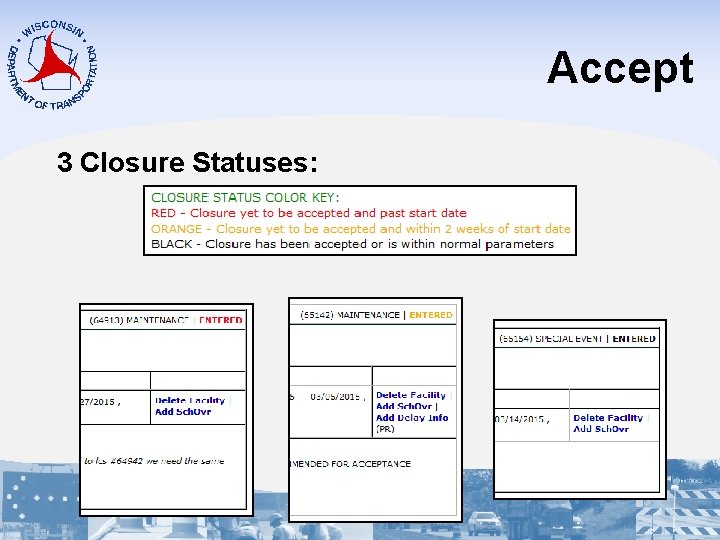
Accept 3 Closure Statuses:
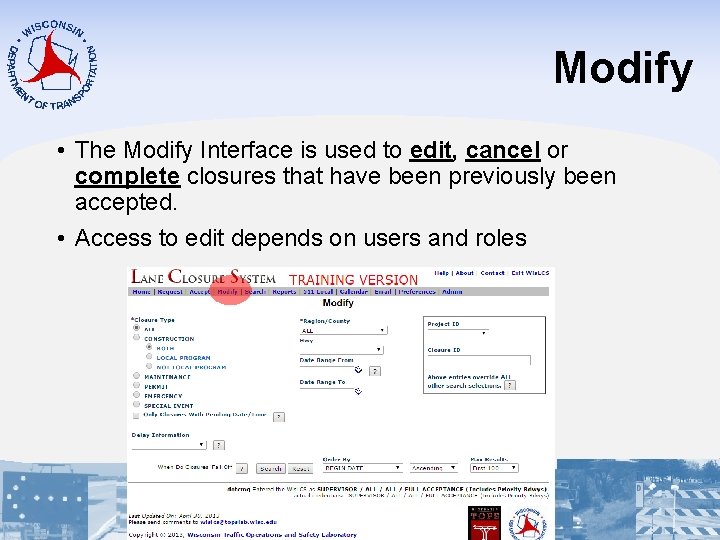
Modify • The Modify Interface is used to edit, cancel or complete closures that have been previously been accepted. • Access to edit depends on users and roles
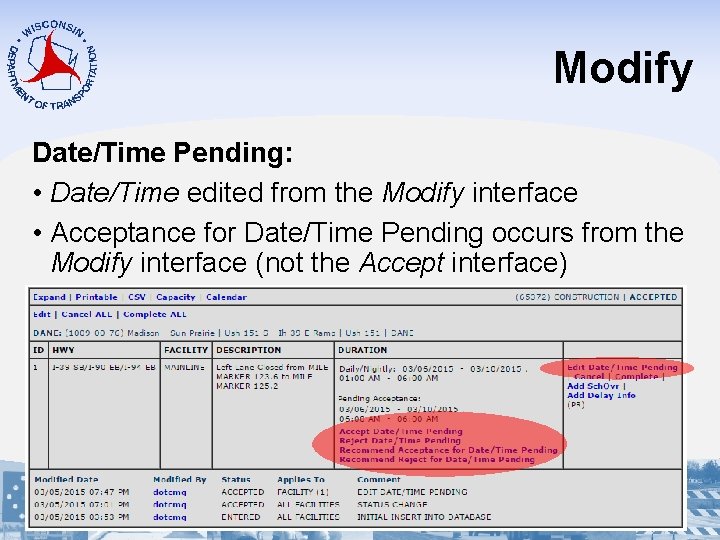
Modify Date/Time Pending: • Date/Time edited from the Modify interface • Acceptance for Date/Time Pending occurs from the Modify interface (not the Accept interface)
Modify When does a closure “Fall Off”? • Any facility that lasts 14 days or more must be manually canceled or completed • Any closure less than 14 days will “fall off” the system when its end date is greater than yesterday. • Automatically changes from an “active” closures to an “inactive” closure
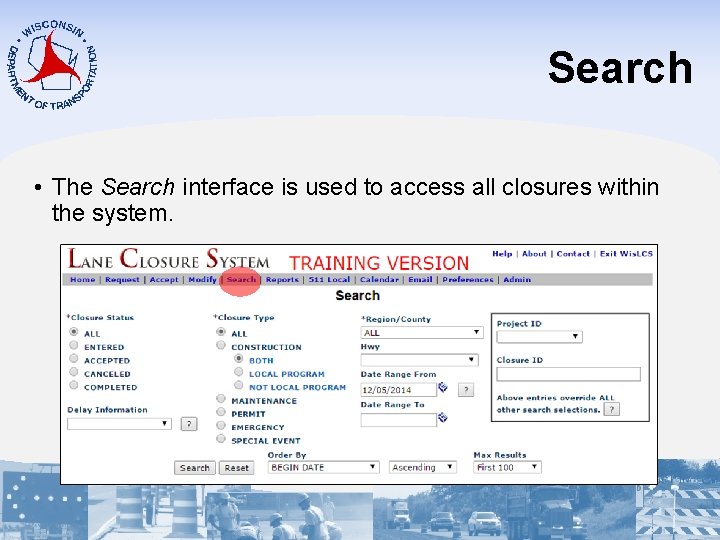
Search • The Search interface is used to access all closures within the system.
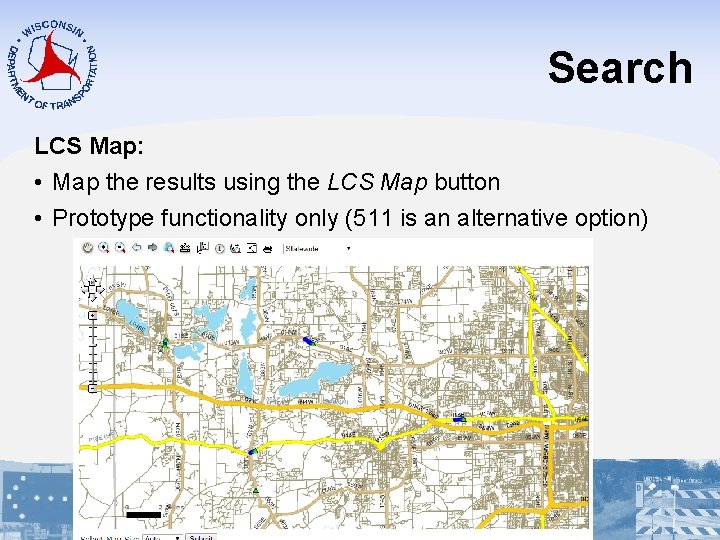
Search LCS Map: • Map the results using the LCS Map button • Prototype functionality only (511 is an alternative option)
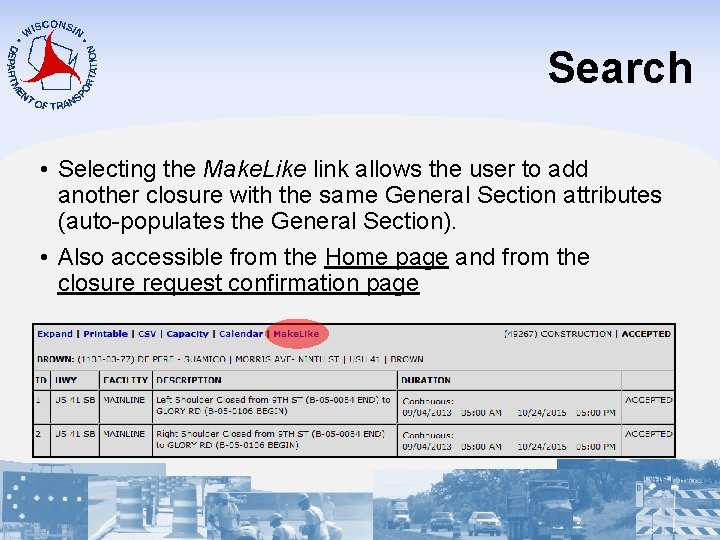
Search • Selecting the Make. Like link allows the user to add another closure with the same General Section attributes (auto-populates the General Section). • Also accessible from the Home page and from the closure request confirmation page
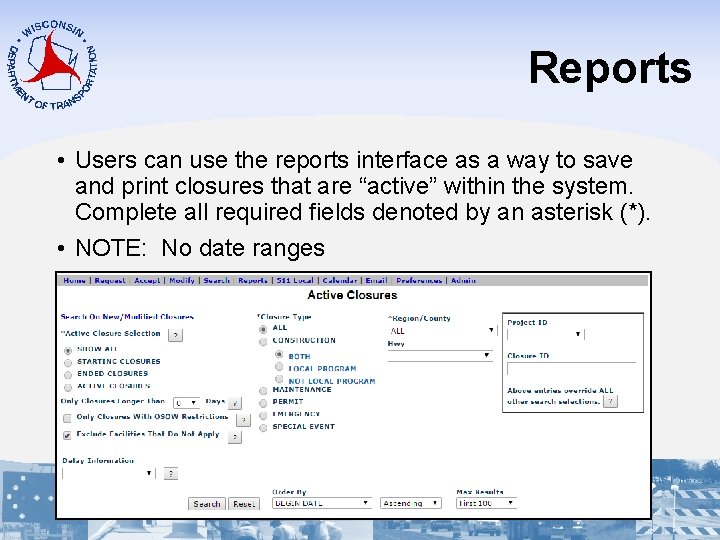
Reports • Users can use the reports interface as a way to save and print closures that are “active” within the system. Complete all required fields denoted by an asterisk (*). • NOTE: No date ranges
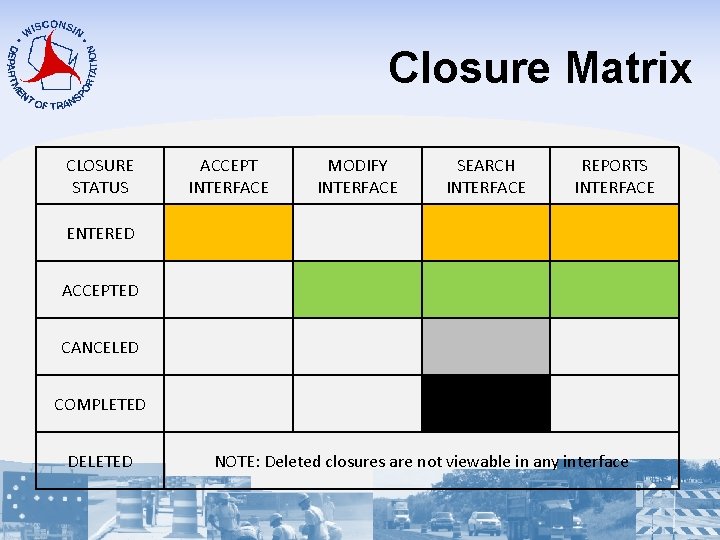
Closure Matrix CLOSURE STATUS ACCEPT INTERFACE MODIFY INTERFACE SEARCH INTERFACE REPORTS INTERFACE ENTERED ACCEPTED CANCELED COMPLETED DELETED NOTE: Deleted closures are not viewable in any interface
Additional LCS Resources 511 Local, Calendar, Email, Preferences and Admin Interface
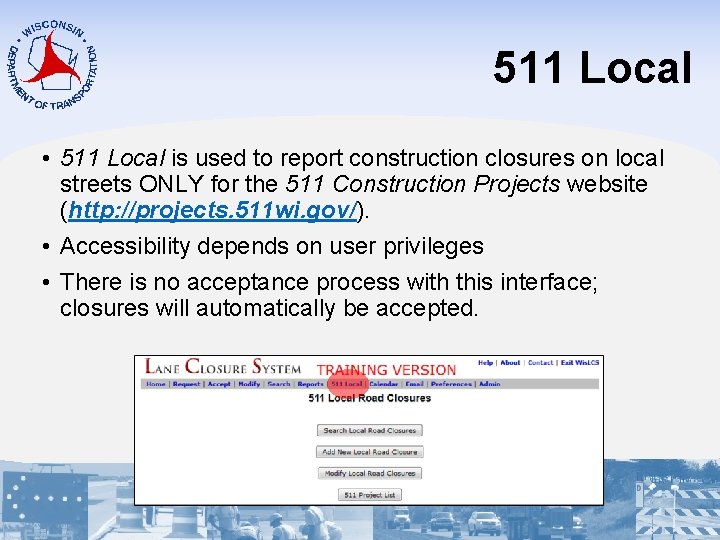
511 Local • 511 Local is used to report construction closures on local streets ONLY for the 511 Construction Projects website (http: //projects. 511 wi. gov/). • Accessibility depends on user privileges • There is no acceptance process with this interface; closures will automatically be accepted.
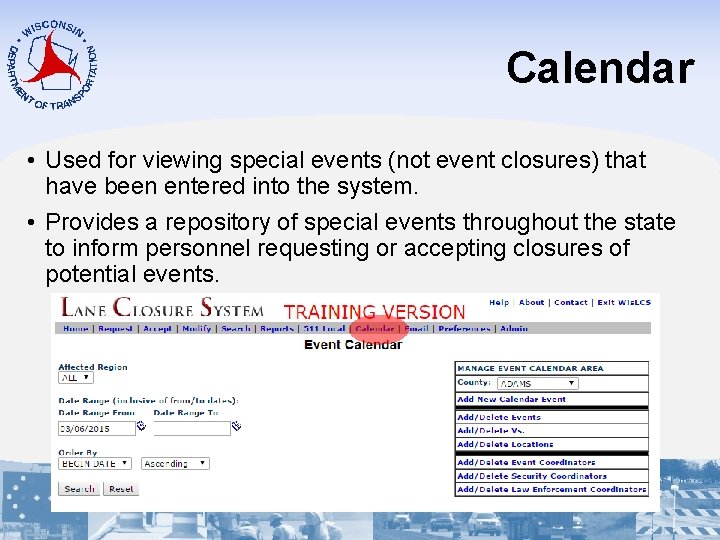
Calendar • Used for viewing special events (not event closures) that have been entered into the system. • Provides a repository of special events throughout the state to inform personnel requesting or accepting closures of potential events.
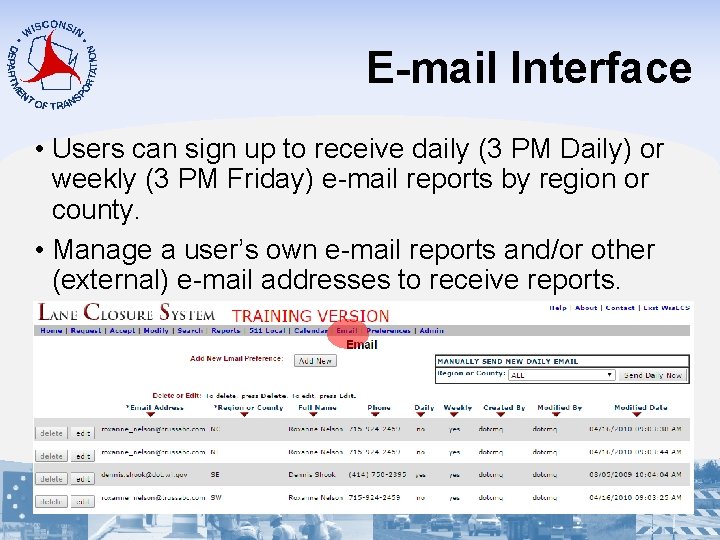
E-mail Interface • Users can sign up to receive daily (3 PM Daily) or weekly (3 PM Friday) e-mail reports by region or county. • Manage a user’s own e-mail reports and/or other (external) e-mail addresses to receive reports.
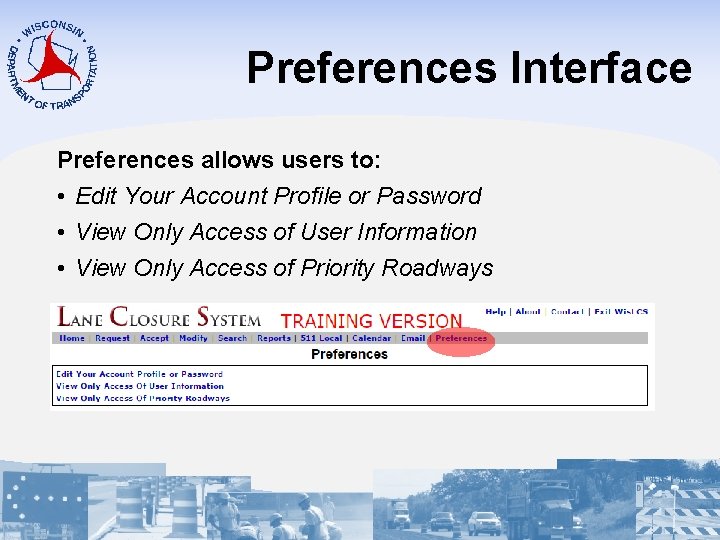
Preferences Interface Preferences allows users to: • Edit Your Account Profile or Password • View Only Access of User Information • View Only Access of Priority Roadways
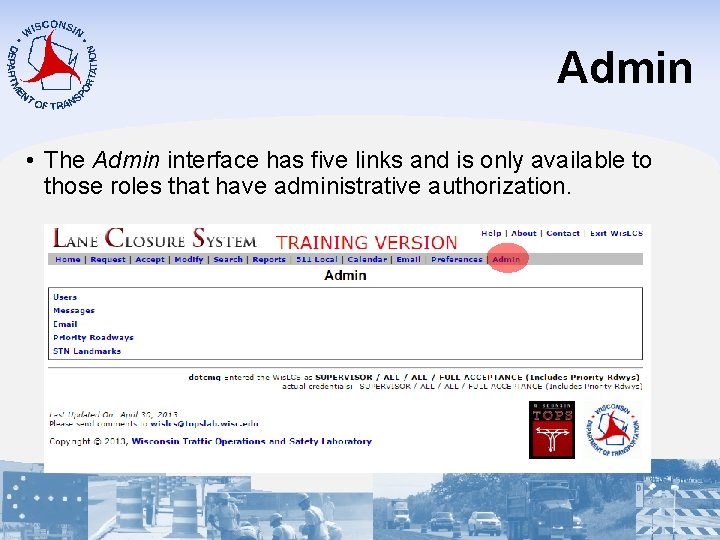
Admin • The Admin interface has five links and is only available to those roles that have administrative authorization.
Support Tools Documentation, Contacts, Help Tools
Documentation http: //transportal. cee. wisc. edu/closures/manual. html User Manual Quick Reference Guides Power. Point Presentations FAQs
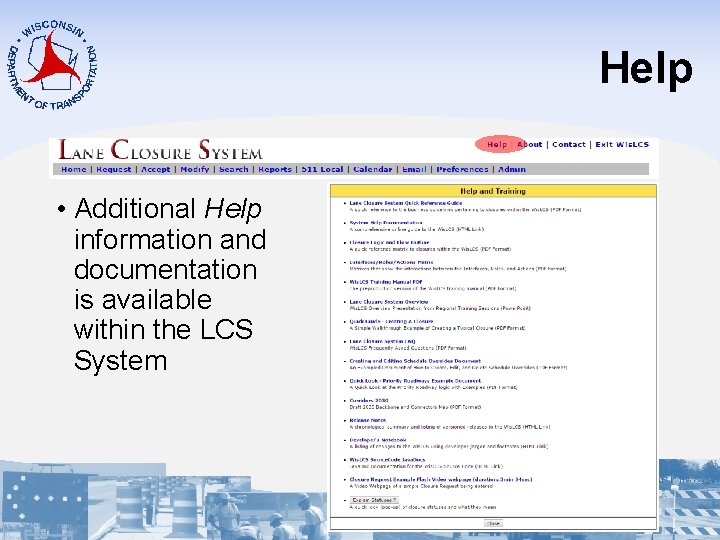
Help • Additional Help information and documentation is available within the LCS System
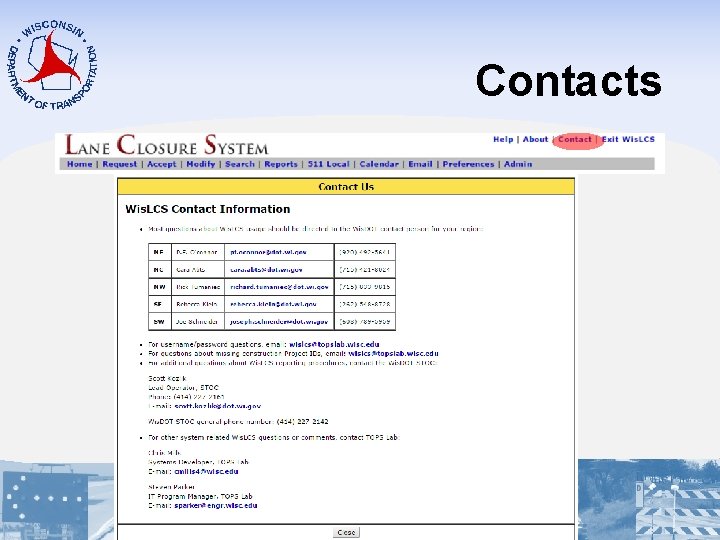
Contacts
Notifications Personalize e-mail notifications are sent to users: 1. Pending/Past Start-Date • Sent To: Primary/Secondary Contacts 2. Pending Date/Time • Sent To: Requestor/Acceptor 3. Long-Term Closure • Sent To: Primary/Secondary Contacts 4. Friday Long-Term Closure • Sent To: RTEs
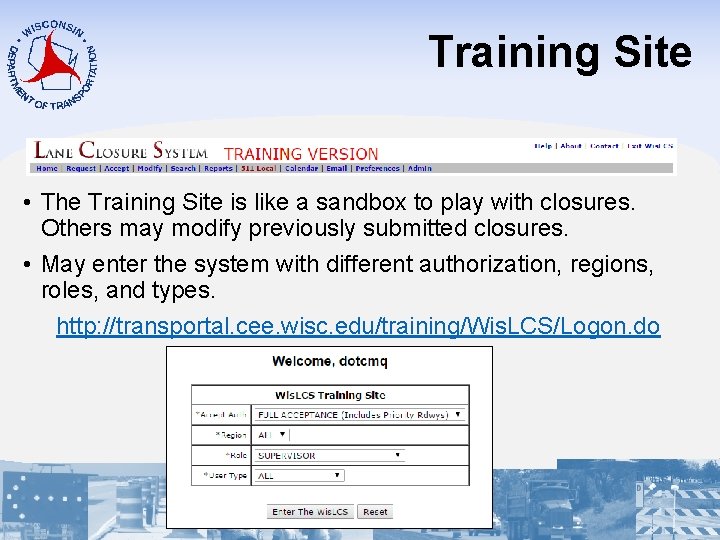
Training Site • The Training Site is like a sandbox to play with closures. Others may modify previously submitted closures. • May enter the system with different authorization, regions, roles, and types. http: //transportal. cee. wisc. edu/training/Wis. LCS/Logon. do
Closure Walk. Through
Activity