
Wireless Router and Clients Configuration Subhrendu Guha Neogi
Wireless Router and Clients Configuration Subhrendu Guha Neogi Instructor Trainer, Sir Padampat Singhania University, Udaipur, Rajasthan, India Subhrendu. neogi@spsu. ac. in
1. Configuring Wireless Access Point / Wireless Router 2. Configuring Wireless Clients – PC, Smartphones, Tablets 3. Setting up a Home Network to Access Internet © 2014 Cisco and/or its affiliates. All rights reserved. Cisco Confidential 2
Configuring Wireless Access Point / Wireless Router © 2014 Cisco and/or its affiliates. All rights reserved. Cisco Confidential 3
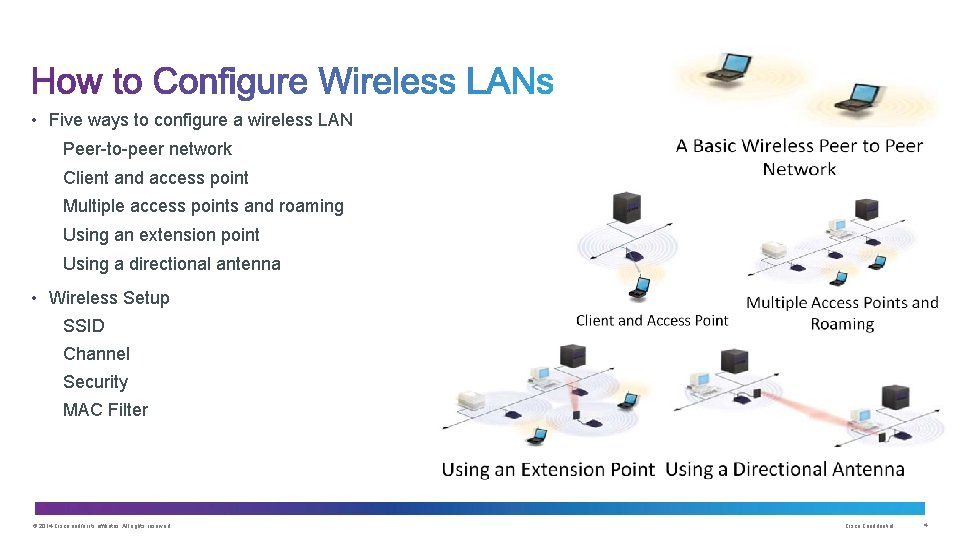
• Five ways to configure a wireless LAN Peer-to-peer network Client and access point Multiple access points and roaming Using an extension point Using a directional antenna • Wireless Setup SSID Channel Security MAC Filter © 2014 Cisco and/or its affiliates. All rights reserved. Cisco Confidential 4

Configuring Wireless Access Point • Connecting PC for configuration • Configuring Wireless Port • Configuring SSID • Configuring Authentication • Selecting Encryption Type • MAC authentication • Advanced Wireless Settings © 2014 Cisco and/or its affiliates. All rights reserved. Cisco Confidential 5
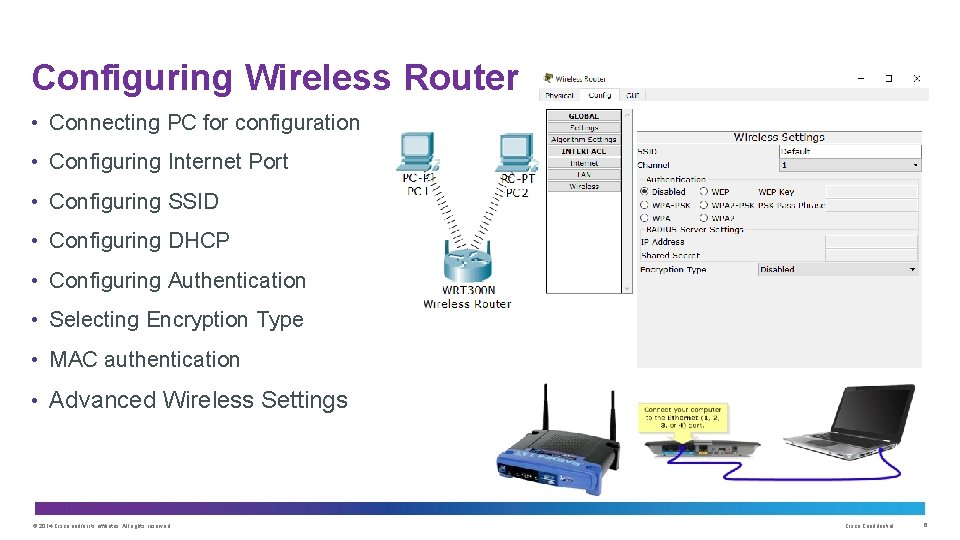
Configuring Wireless Router • Connecting PC for configuration • Configuring Internet Port • Configuring SSID • Configuring DHCP • Configuring Authentication • Selecting Encryption Type • MAC authentication • Advanced Wireless Settings © 2014 Cisco and/or its affiliates. All rights reserved. Cisco Confidential 6
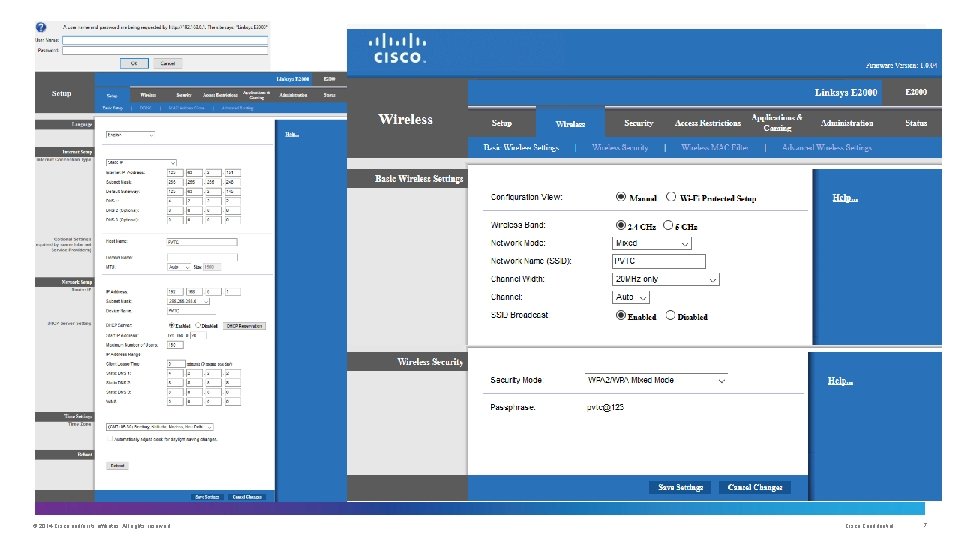
© 2014 Cisco and/or its affiliates. All rights reserved. Cisco Confidential 7
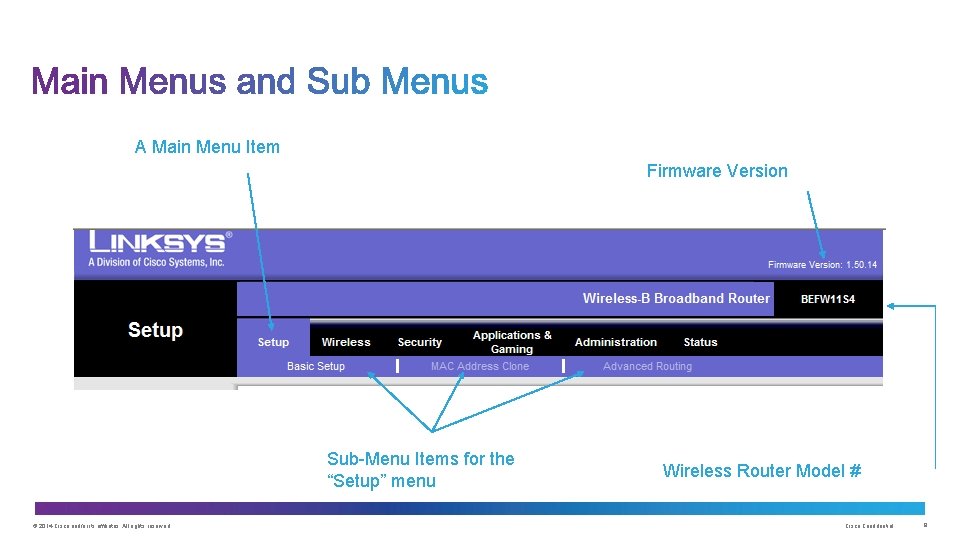
A Main Menu Item Firmware Version Sub-Menu Items for the “Setup” menu © 2014 Cisco and/or its affiliates. All rights reserved. Wireless Router Model # Cisco Confidential 8
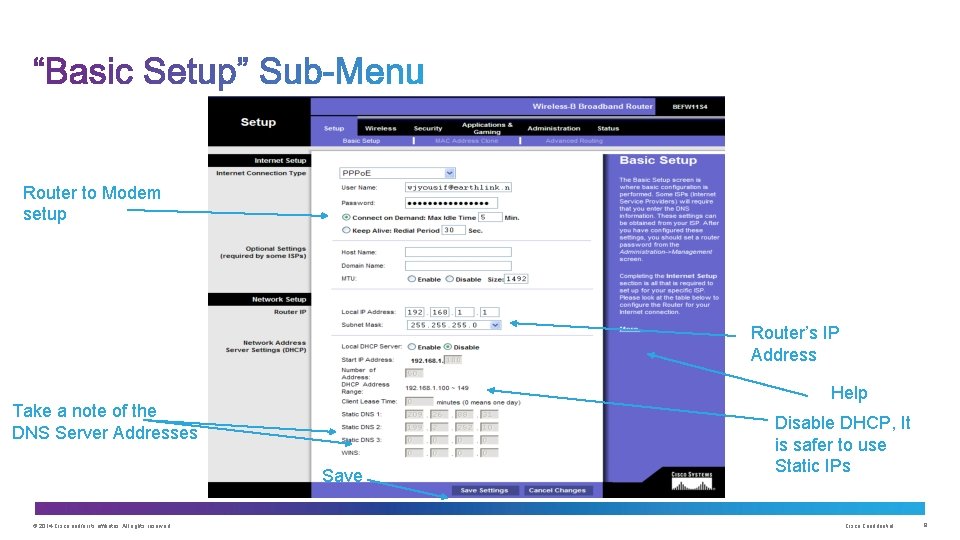
Router to Modem setup Router’s IP Address Help Take a note of the DNS Server Addresses Save © 2014 Cisco and/or its affiliates. All rights reserved. Disable DHCP, It is safer to use Static IPs Cisco Confidential 9
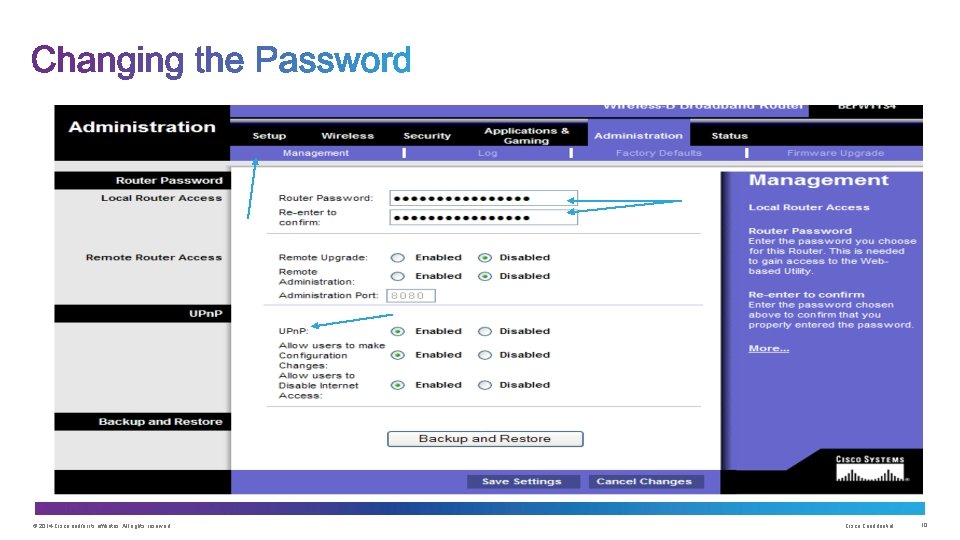
© 2014 Cisco and/or its affiliates. All rights reserved. Cisco Confidential 10
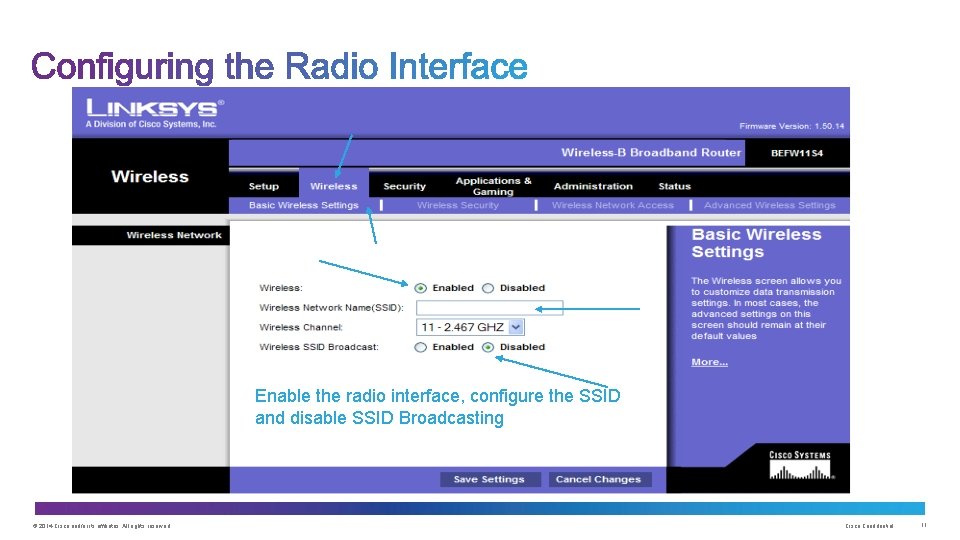
Enable the radio interface, configure the SSID and disable SSID Broadcasting © 2014 Cisco and/or its affiliates. All rights reserved. Cisco Confidential 11
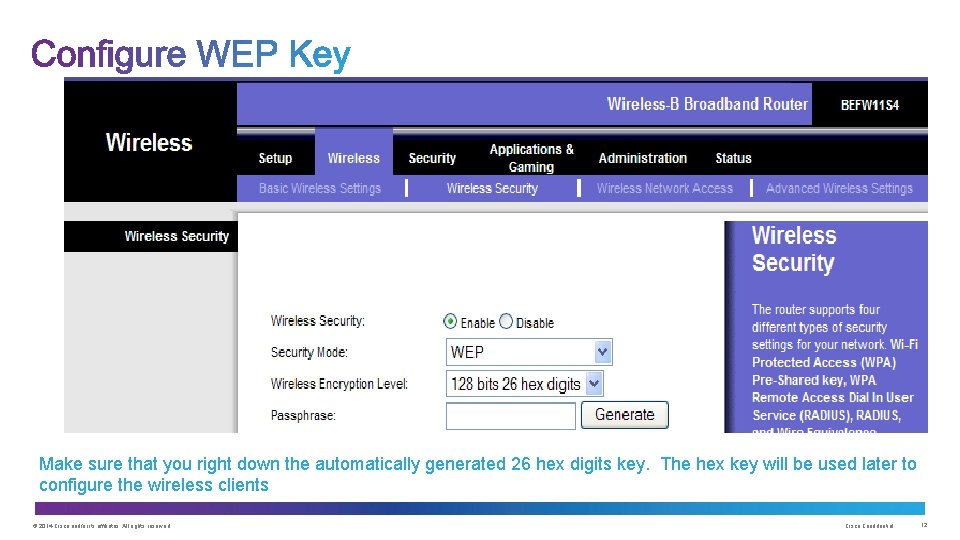
Make sure that you right down the automatically generated 26 hex digits key. The hex key will be used later to configure the wireless clients © 2014 Cisco and/or its affiliates. All rights reserved. Cisco Confidential 12
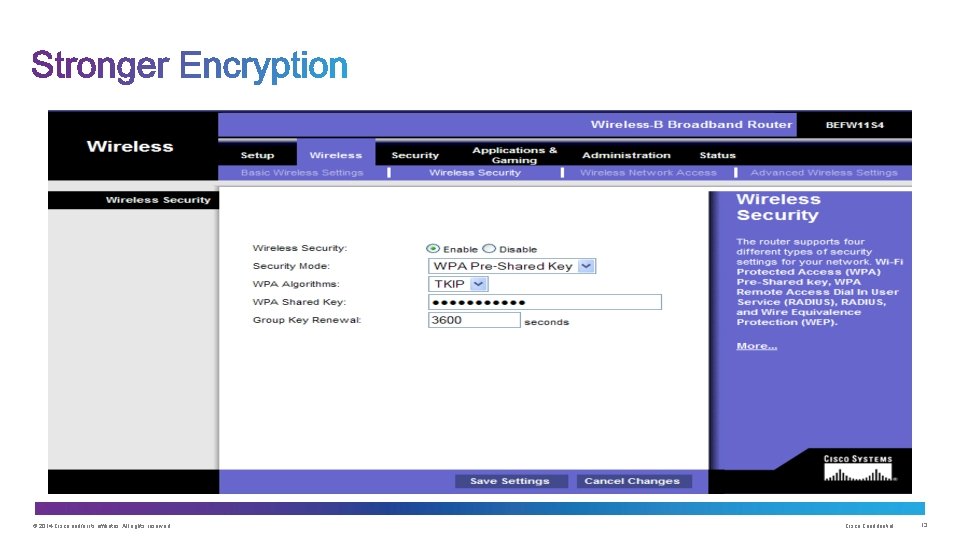
© 2014 Cisco and/or its affiliates. All rights reserved. Cisco Confidential 13
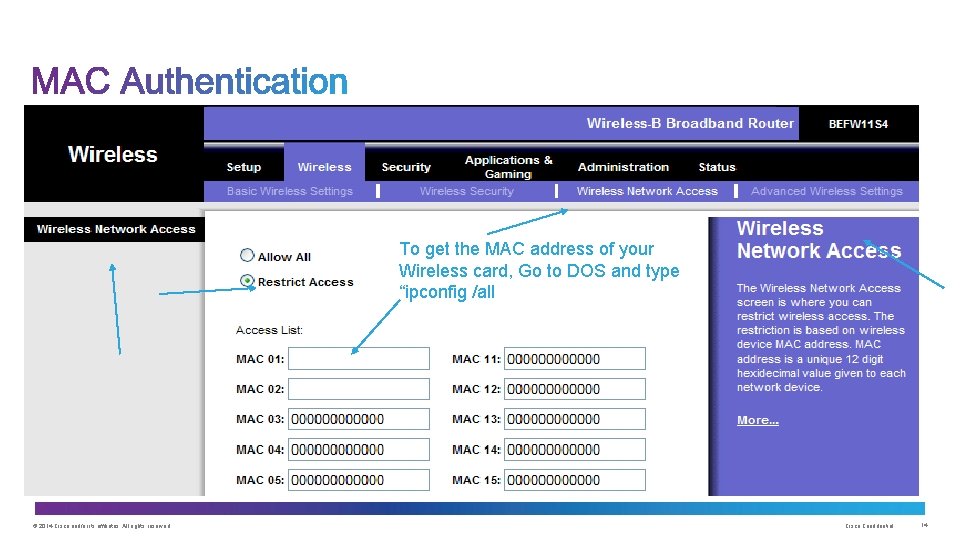
To get the MAC address of your Wireless card, Go to DOS and type “ipconfig /all © 2014 Cisco and/or its affiliates. All rights reserved. Cisco Confidential 14
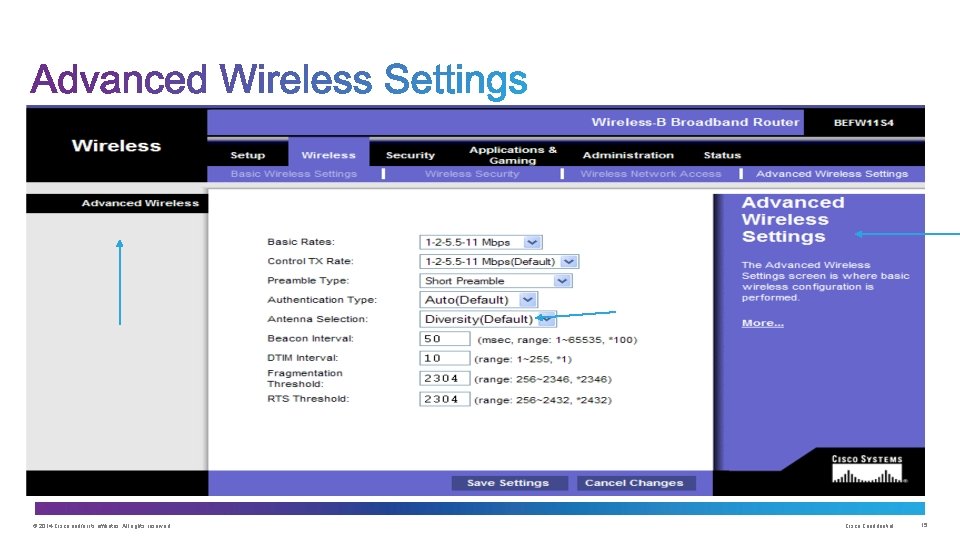
© 2014 Cisco and/or its affiliates. All rights reserved. Cisco Confidential 15
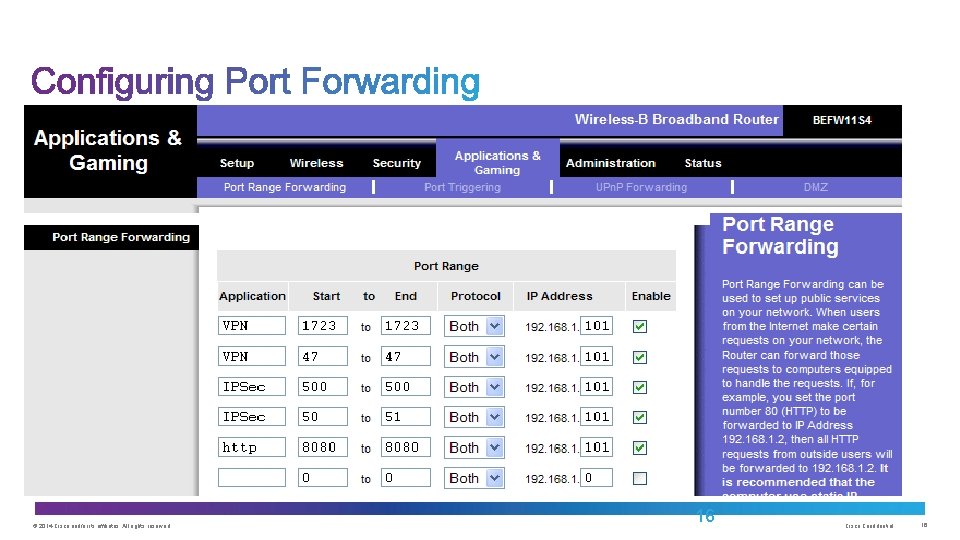
© 2014 Cisco and/or its affiliates. All rights reserved. 16 Cisco Confidential 16
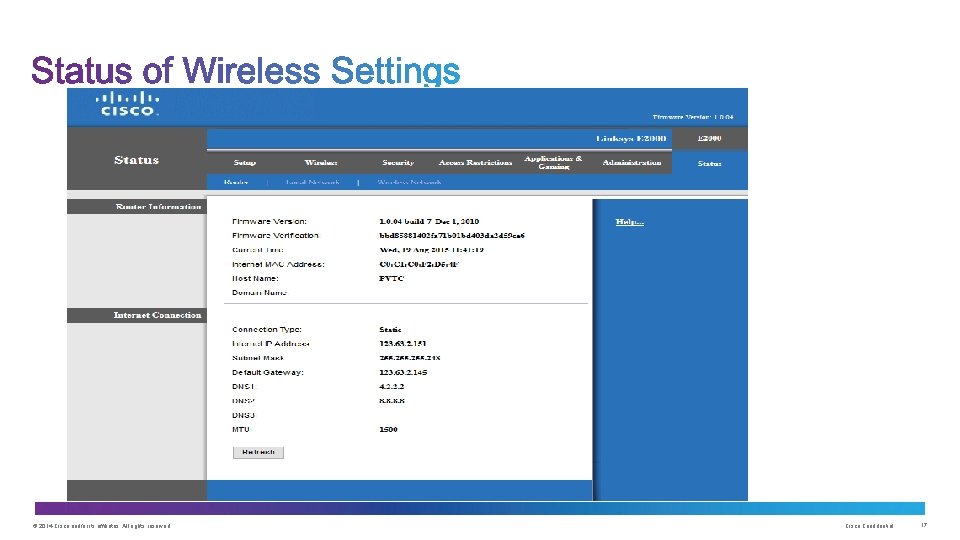
© 2014 Cisco and/or its affiliates. All rights reserved. Cisco Confidential 17
Configuring Wireless Clients – PC, Smartphones, Tablets © 2014 Cisco and/or its affiliates. All rights reserved. Cisco Confidential 18
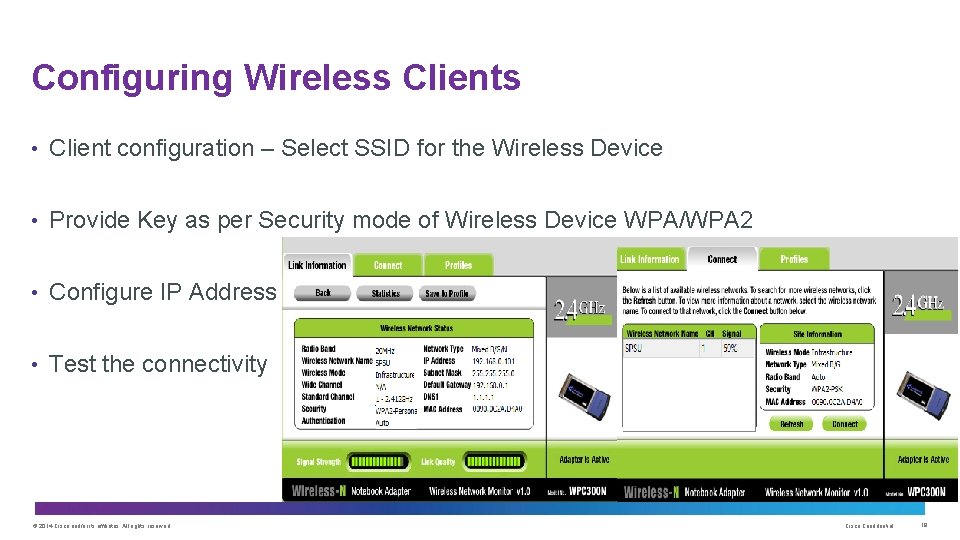
Configuring Wireless Clients • Client configuration – Select SSID for the Wireless Device • Provide Key as per Security mode of Wireless Device WPA/WPA 2 • Configure IP Address • Test the connectivity © 2014 Cisco and/or its affiliates. All rights reserved. Cisco Confidential 19
Setting up a Home Network to Access Internet © 2014 Cisco and/or its affiliates. All rights reserved. Cisco Confidential 20
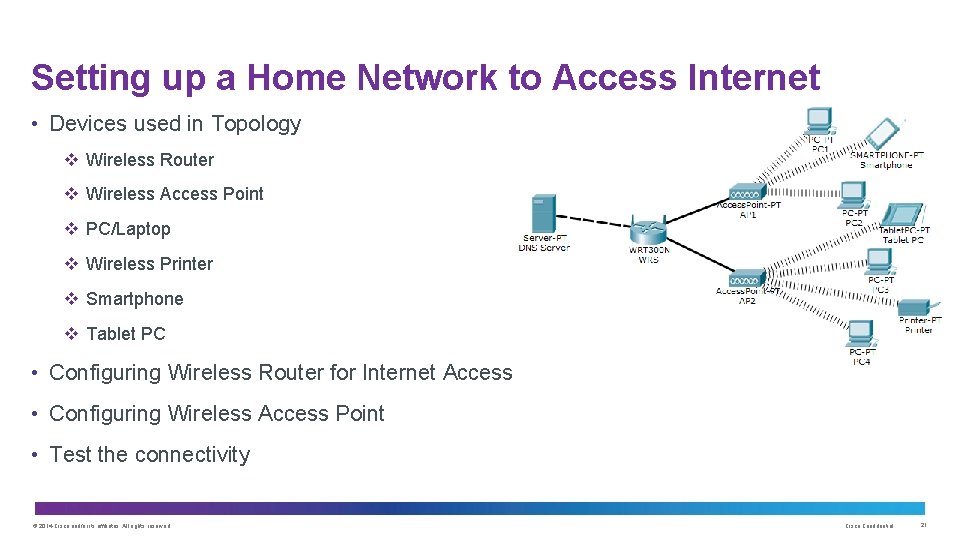
Setting up a Home Network to Access Internet • Devices used in Topology v Wireless Router v Wireless Access Point v PC/Laptop v Wireless Printer v Smartphone v Tablet PC • Configuring Wireless Router for Internet Access • Configuring Wireless Access Point • Test the connectivity © 2014 Cisco and/or its affiliates. All rights reserved. Cisco Confidential 21
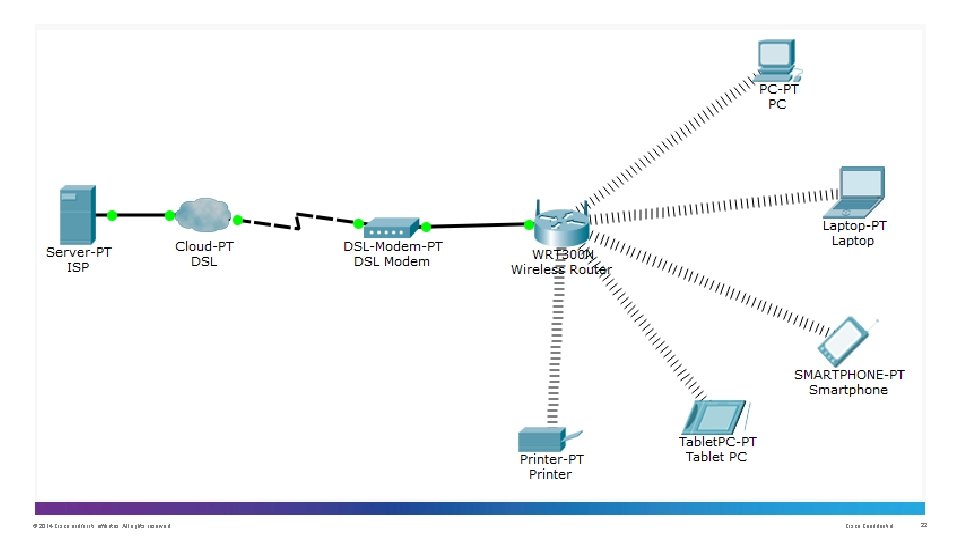
© 2014 Cisco and/or its affiliates. All rights reserved. Cisco Confidential 22
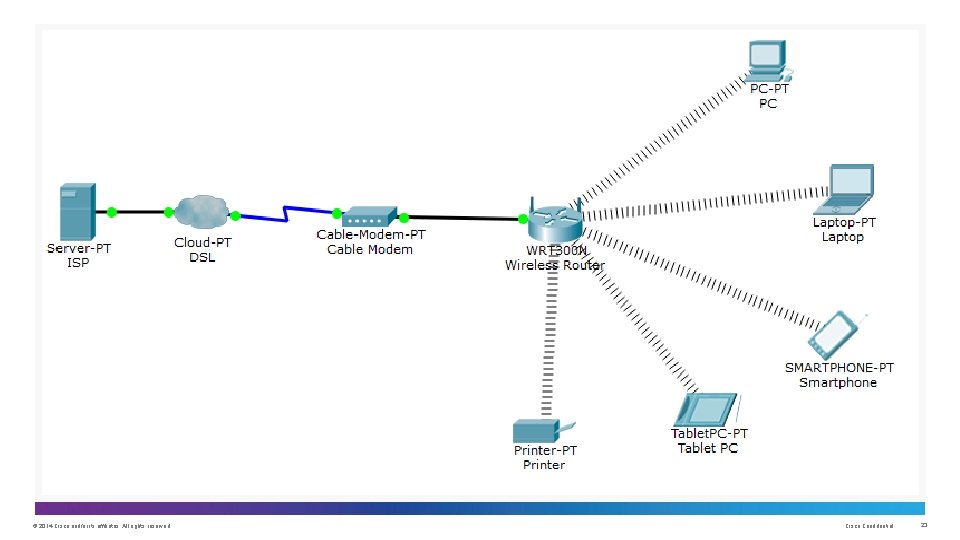
© 2014 Cisco and/or its affiliates. All rights reserved. Cisco Confidential 23
• How to configure a Wireless AP • How to configure Wireless Clients • How to set up a Home Network to Access Internet © 2014 Cisco and/or its affiliates. All rights reserved. Cisco Confidential 24
Thank you.
- Slides: 25