
Wireless Networks Primer CS 577 Advanced Computer Networks
![Wireless LAN Protocols [Tanen pp. 279 -280] MACA protocol reduces hidden and exposed terminal](https://slidetodoc.com/presentation_image_h/2f9004932d07642beaa13c78592fb566/image-43.jpg "Wireless LAN Protocols [Tanen pp. 279 -280] MACA protocol reduces hidden and exposed terminal")
![Basic CSMA/CA possible collision !! [N. Kim] Advanced Computer Networks Wireless Networks Primer 53](https://slidetodoc.com/presentation_image_h/2f9004932d07642beaa13c78592fb566/image-53.jpg "Basic CSMA/CA possible collision !! [N. Kim] Advanced Computer Networks Wireless Networks Primer 53")
![802. 11 b Physical Layer ‘Adjust transmission rate on the fly’ [N. Kim] Advanced](https://slidetodoc.com/presentation_image_h/2f9004932d07642beaa13c78592fb566/image-54.jpg "802. 11 b Physical Layer ‘Adjust transmission rate on the fly’ [N. Kim] Advanced")
![Node Contention without RTS/CTS [N. Kim] 62 Advanced Computer Networks Wireless Networks Primer 62](https://slidetodoc.com/presentation_image_h/2f9004932d07642beaa13c78592fb566/image-62.jpg "Node Contention without RTS/CTS [N. Kim] 62 Advanced Computer Networks Wireless Networks Primer 62")
![Rate Adaptation versus Distance [CARA paper] 65 Advanced Computer Networks Wireless Networks Primer 65](https://slidetodoc.com/presentation_image_h/2f9004932d07642beaa13c78592fb566/image-65.jpg "Rate Adaptation versus Distance [CARA paper] 65 Advanced Computer Networks Wireless Networks Primer 65")
- Slides: 69
Wireless Networks Primer CS 577 Advanced Computer Networks
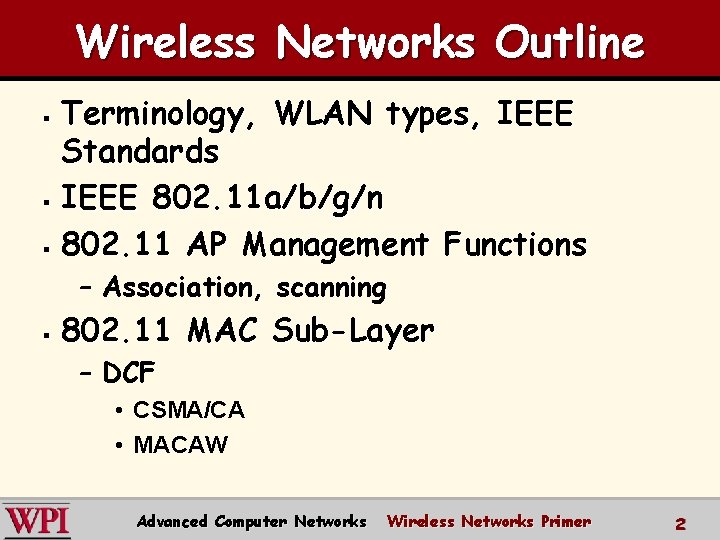
Wireless Networks Outline Terminology, WLAN types, IEEE Standards § IEEE 802. 11 a/b/g/n § 802. 11 AP Management Functions § – Association, scanning § 802. 11 MAC Sub-Layer – DCF • CSMA/CA • MACAW Advanced Computer Networks Wireless Networks Primer 2
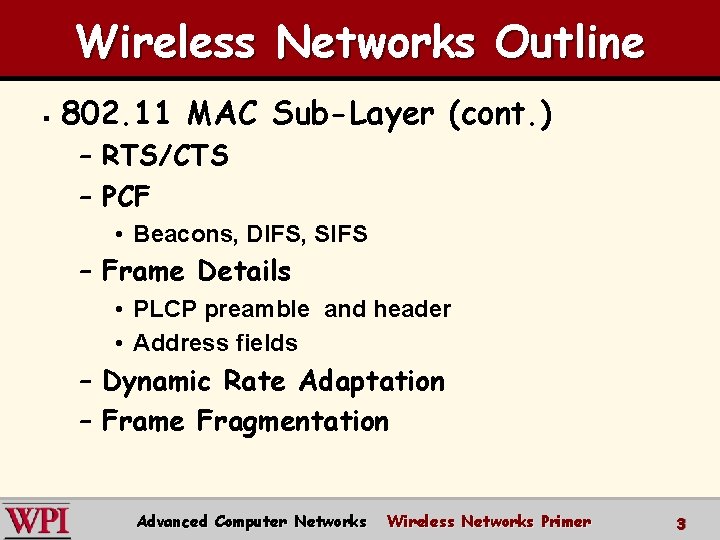
Wireless Networks Outline § 802. 11 MAC Sub-Layer (cont. ) – RTS/CTS – PCF • Beacons, DIFS, SIFS – Frame Details • PLCP preamble and header • Address fields – Dynamic Rate Adaptation – Frame Fragmentation Advanced Computer Networks Wireless Networks Primer 3
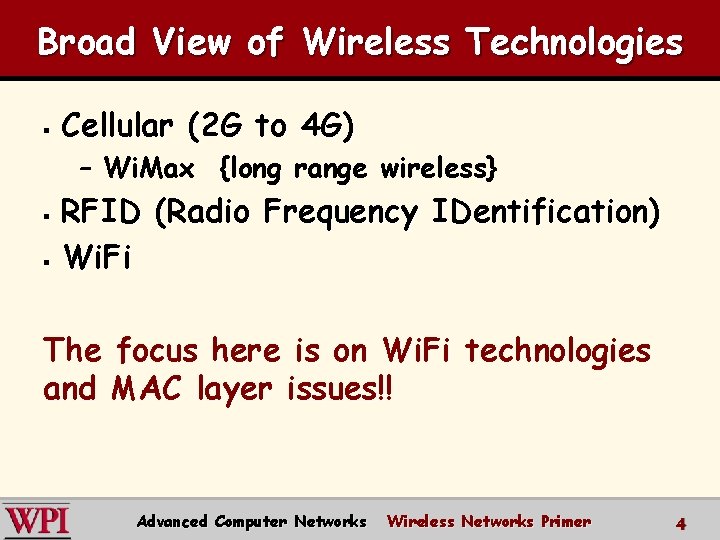
Broad View of Wireless Technologies § Cellular (2 G to 4 G) – Wi. Max {long range wireless} RFID (Radio Frequency IDentification) § Wi. Fi § The focus here is on Wi. Fi technologies and MAC layer issues!! Advanced Computer Networks Wireless Networks Primer 4
RFID in Brief RFID uses radio waves to transfer data from an electronic tag (RFID tag or label), attached to an object, through a reader to identify and track the object. § The tag's information is stored electronically. § Some RFID tags can be read from several meters away and beyond the line of sight of the reader. § Advanced Computer Networks Wireless Networks Primer 5
RFID in Brief An RFID reader transmits an encoded radio signal to interrogate the tag. § With a small RF transmitter and receiver, the RFID tag receives the message and responds with its identification information. Many RFID tags have no battery. Instead, the tag uses the radio energy transmitted by the reader as its energy source. § Advanced Computer Networks Wireless Networks Primer 6
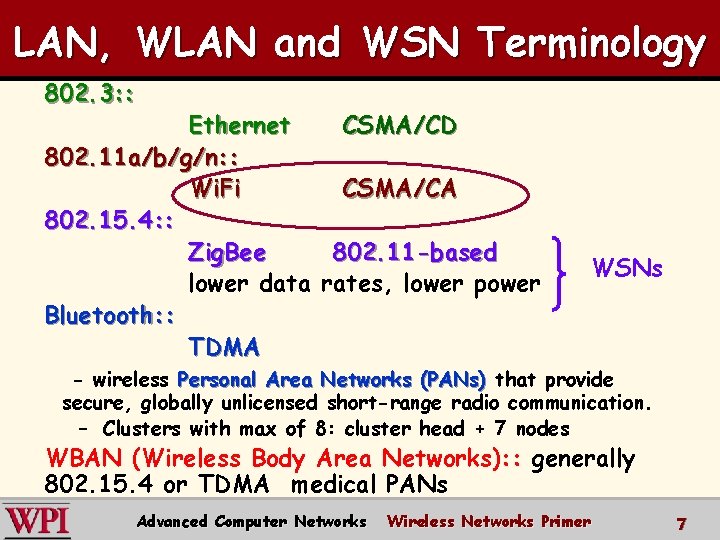
LAN, WLAN and WSN Terminology 802. 3: : Ethernet CSMA/CD 802. 11 a/b/g/n: : Wi. Fi CSMA/CA 802. 15. 4: : Zig. Bee 802. 11 -based lower data rates, lower power Bluetooth: : TDMA WSNs - wireless Personal Area Networks (PANs) that provide secure, globally unlicensed short-range radio communication. – Clusters with max of 8: cluster head + 7 nodes WBAN (Wireless Body Area Networks): : generally 802. 15. 4 or TDMA medical PANs Advanced Computer Networks Wireless Networks Primer 7
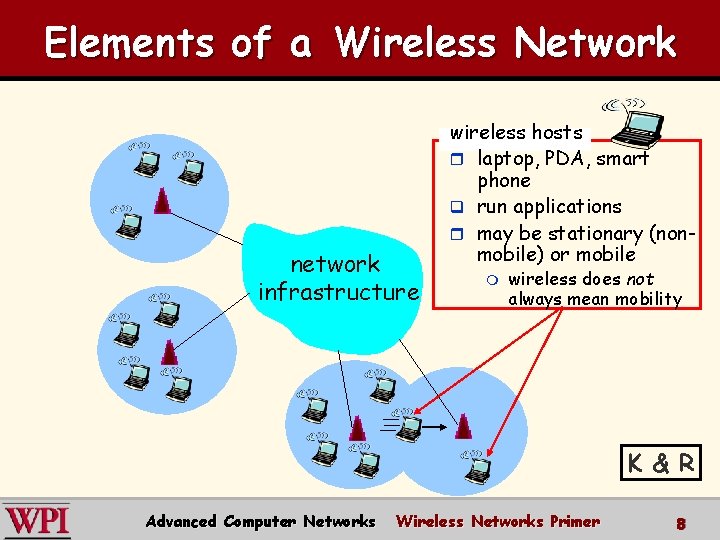
Elements of a Wireless Network network infrastructure wireless hosts r laptop, PDA, smart phone q run applications r may be stationary (nonmobile) or mobile m wireless does not always mean mobility K & R Advanced Computer Networks Wireless Networks Primer 8
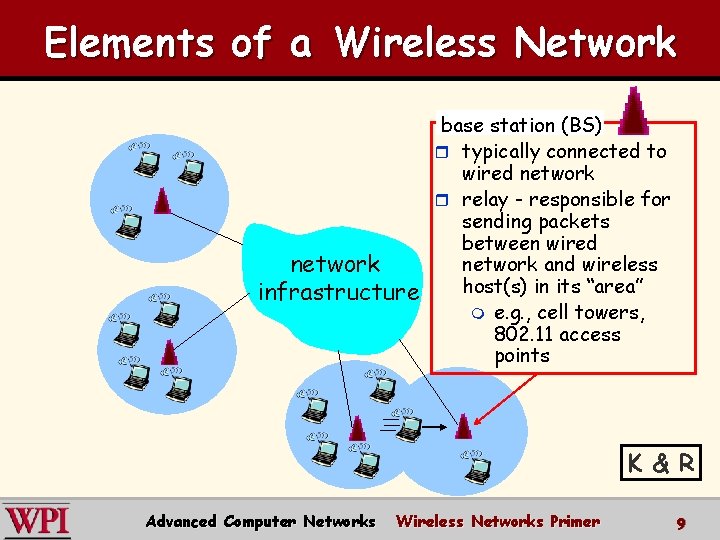
Elements of a Wireless Network network infrastructure base station (BS) r typically connected to wired network r relay - responsible for sending packets between wired network and wireless host(s) in its “area” m e. g. , cell towers, 802. 11 access points K & R Advanced Computer Networks Wireless Networks Primer 9
Wireless Local Area Networks (WLANs) § § § The proliferation of laptop computers and other mobile devices (PDAs and cell phones) created an obvious application level demand for wireless local area networking. Companies jumped in, quickly developing incompatible wireless products in the 1990’s. Industry decided to entrust standardization to IEEE committee that dealt with wired LANs – namely, the IEEE 802 committee!! Advanced Computer Networks Wireless Networks Primer 10
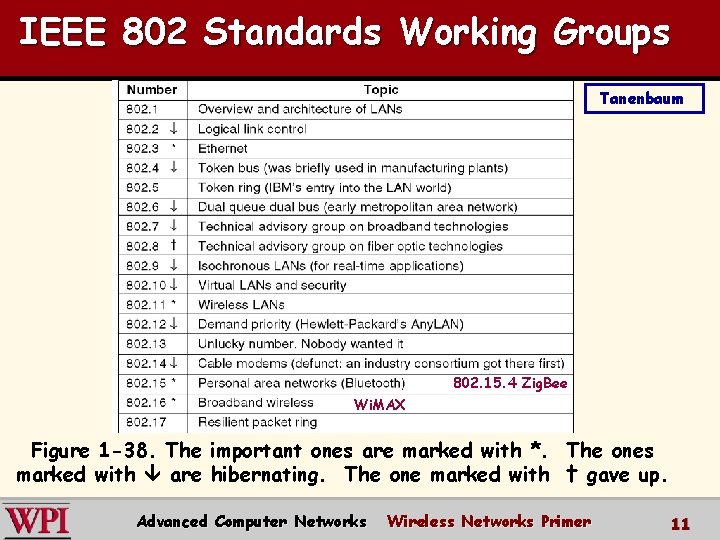
IEEE 802 Standards Working Groups Tanenbaum 802. 15. 4 Zig. Bee Wi. MAX Figure 1 -38. The important ones are marked with *. The ones marked with are hibernating. The one marked with † gave up. Advanced Computer Networks Wireless Networks Primer 11
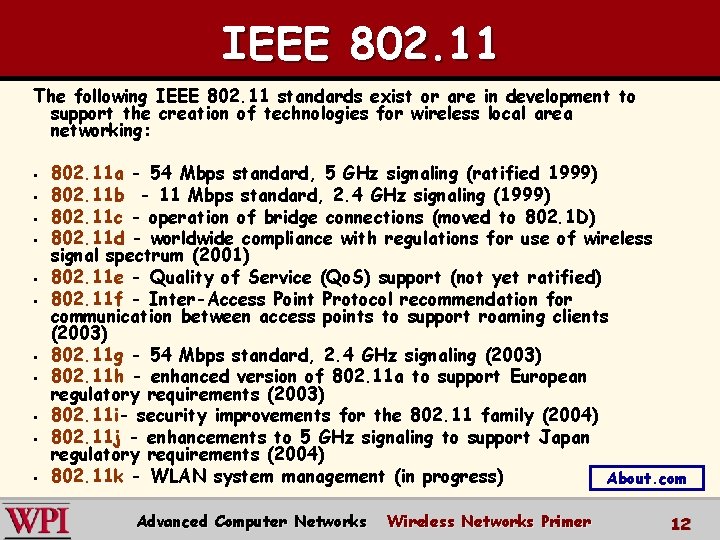
IEEE 802. 11 The following IEEE 802. 11 standards exist or are in development to support the creation of technologies for wireless local area networking: § § § 802. 11 a - 54 Mbps standard, 5 GHz signaling (ratified 1999) 802. 11 b - 11 Mbps standard, 2. 4 GHz signaling (1999) 802. 11 c - operation of bridge connections (moved to 802. 1 D) 802. 11 d - worldwide compliance with regulations for use of wireless signal spectrum (2001) 802. 11 e - Quality of Service (Qo. S) support (not yet ratified) 802. 11 f - Inter-Access Point Protocol recommendation for communication between access points to support roaming clients (2003) 802. 11 g - 54 Mbps standard, 2. 4 GHz signaling (2003) 802. 11 h - enhanced version of 802. 11 a to support European regulatory requirements (2003) 802. 11 i- security improvements for the 802. 11 family (2004) 802. 11 j - enhancements to 5 GHz signaling to support Japan regulatory requirements (2004) 802. 11 k - WLAN system management (in progress) About. com Advanced Computer Networks Wireless Networks Primer 12
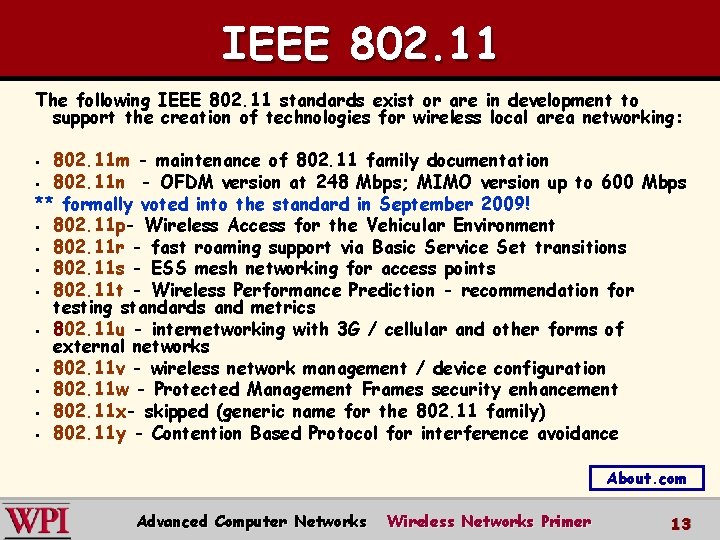
IEEE 802. 11 The following IEEE 802. 11 standards exist or are in development to support the creation of technologies for wireless local area networking: 802. 11 m - maintenance of 802. 11 family documentation § 802. 11 n - OFDM version at 248 Mbps; MIMO version up to 600 Mbps ** formally voted into the standard in September 2009! § 802. 11 p- Wireless Access for the Vehicular Environment § 802. 11 r - fast roaming support via Basic Service Set transitions § 802. 11 s - ESS mesh networking for access points § 802. 11 t - Wireless Performance Prediction - recommendation for testing standards and metrics § 802. 11 u - internetworking with 3 G / cellular and other forms of external networks § 802. 11 v - wireless network management / device configuration § 802. 11 w - Protected Management Frames security enhancement § 802. 11 x- skipped (generic name for the 802. 11 family) § 802. 11 y - Contention Based Protocol for interference avoidance § About. com Advanced Computer Networks Wireless Networks Primer 13
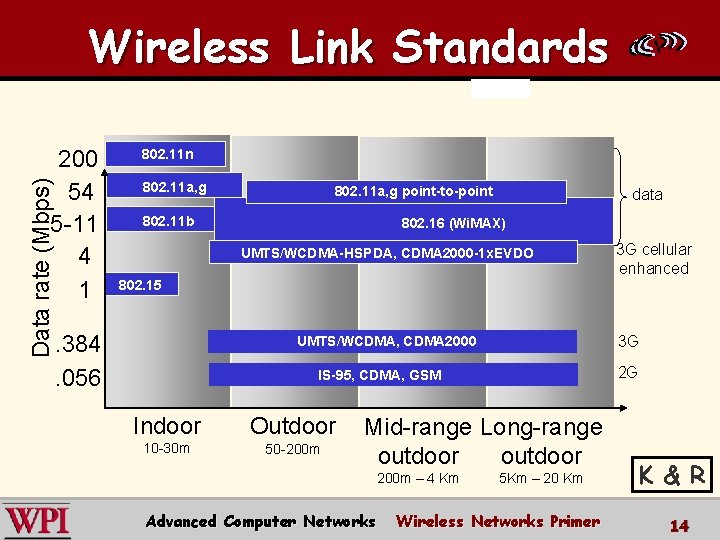
Wireless Link Standards Data rate (Mbps) 200 54 5 -11 4 1 802. 11 n 802. 11 a, g point-to-point 802. 11 b data 802. 16 (Wi. MAX) UMTS/WCDMA-HSPDA, CDMA 2000 -1 x. EVDO 3 G cellular enhanced 802. 15 . 384. 056 3 G UMTS/WCDMA, CDMA 2000 2 G IS-95, CDMA, GSM Indoor Outdoor 10 -30 m 50 -200 m Mid-range Long-range outdoor 200 m – 4 Km Advanced Computer Networks 5 Km – 20 Km Wireless Networks Primer K & R 14
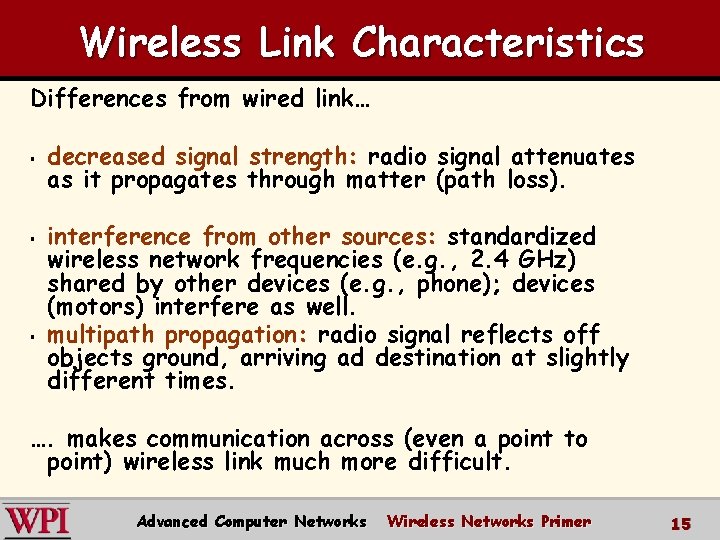
Wireless Link Characteristics Differences from wired link… § § § decreased signal as it propagates strength: radio through matter signal attenuates (path loss). interference from other sources: standardized wireless network frequencies (e. g. , 2. 4 GHz) shared by other devices (e. g. , phone); devices (motors) interfere as well. multipath propagation: radio signal reflects off objects ground, arriving ad destination at slightly different times. …. makes communication across (even a point to point) wireless link much more difficult. Advanced Computer Networks Wireless Networks Primer 15
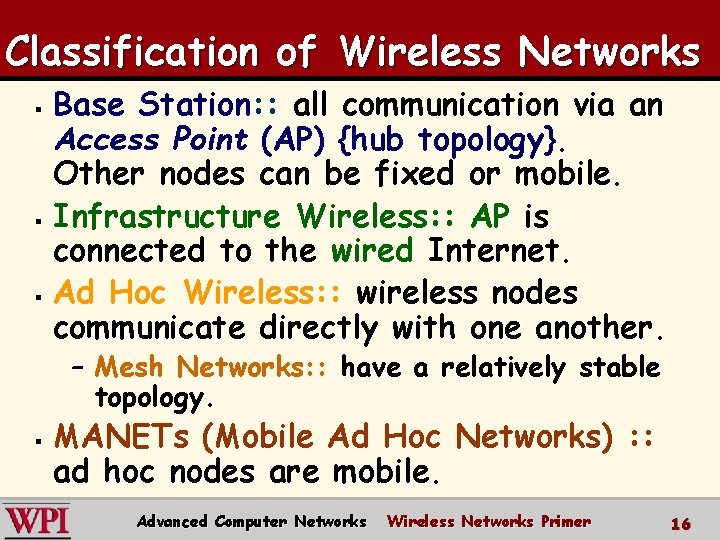
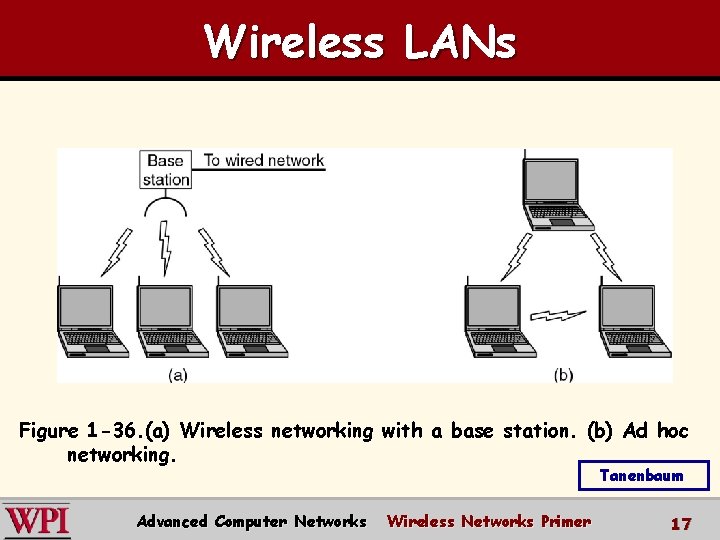
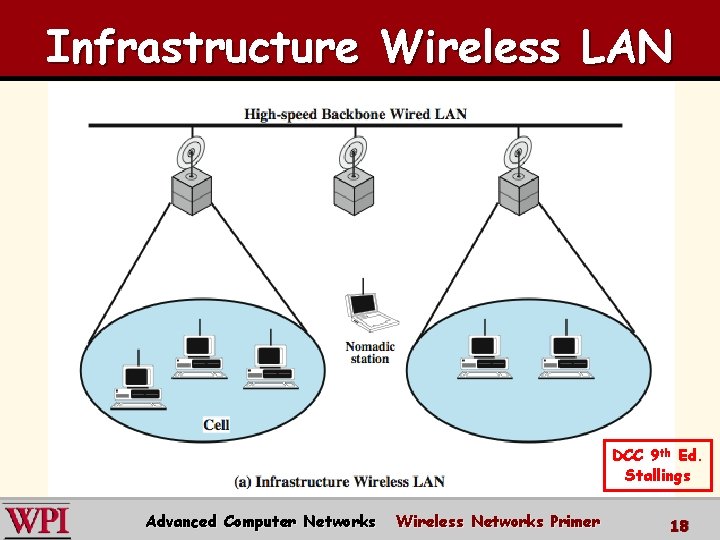
Classification of Wireless Networks Base Station: : all communication via an Access Point (AP) {hub topology}. Other nodes can be fixed or mobile. § Infrastructure Wireless: : AP is connected to the wired Internet. § Ad Hoc Wireless: : Wireless wireless nodes communicate directly with one another. § – Mesh Networks: : have a relatively stable topology. § MANETs (Mobile Ad Hoc Networks) : : ad hoc nodes are mobile. Advanced Computer Networks Wireless Networks Primer 16
Wireless LANs Figure 1 -36. (a) Wireless networking with a base station. (b) Ad hoc networking. Tanenbaum Advanced Computer Networks Wireless Networks Primer 17
Infrastructure Wireless LAN DCC 9 th Ed. Stallings Advanced Computer Networks Wireless Networks Primer 18
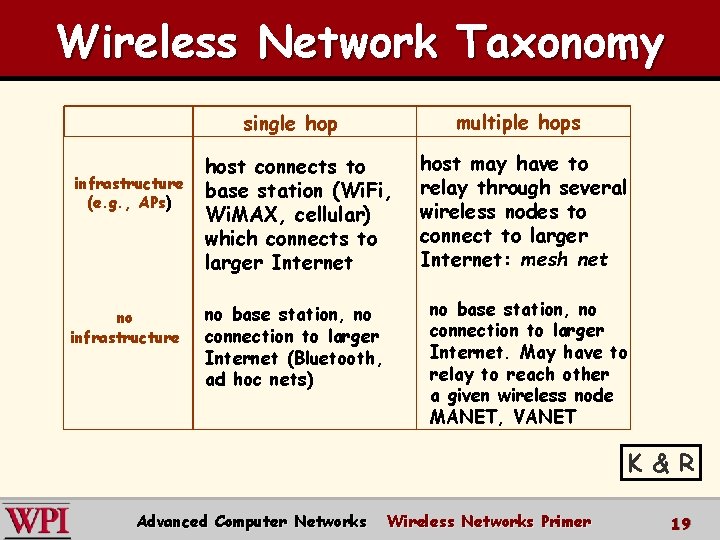
Wireless Network Taxonomy multiple hops single hop infrastructure (e. g. , APs) no infrastructure host connects to base station (Wi. Fi, Wi. MAX, cellular) which connects to larger Internet no base station, no connection to larger Internet (Bluetooth, ad hoc nets) host may have to relay through several wireless nodes to connect to larger Internet: mesh net no base station, no connection to larger Internet. May have to relay to reach other a given wireless node MANET, VANET K & R Advanced Computer Networks Wireless Networks Primer 19
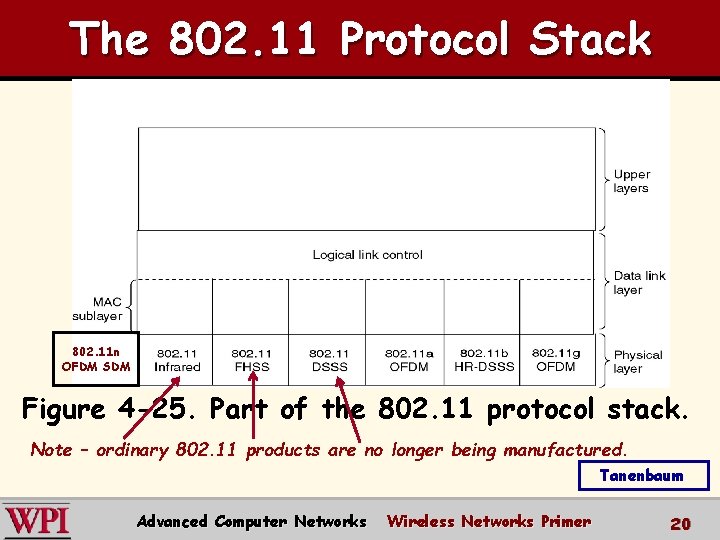
The 802. 11 Protocol Stack 802. 11 n OFDM SDM Figure 4 -25. Part of the 802. 11 protocol stack. Note – ordinary 802. 11 products are no longer being manufactured. Tanenbaum Advanced Computer Networks Wireless Networks Primer 20
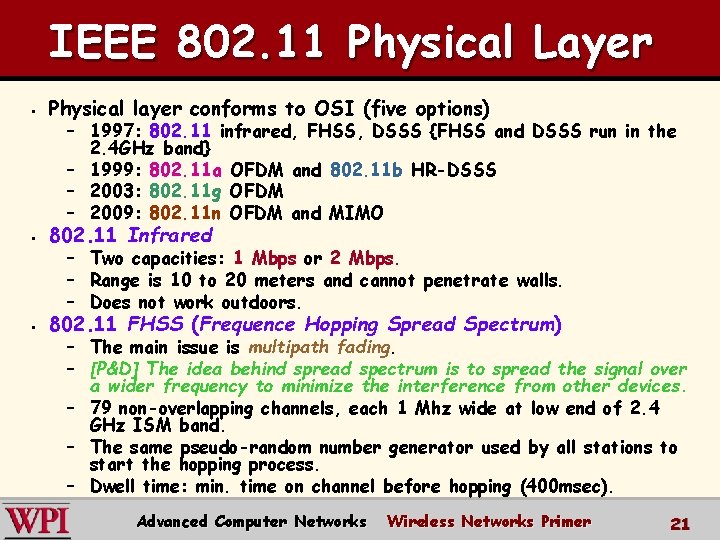
IEEE 802. 11 Physical Layer § Physical layer conforms to OSI (five options) § 802. 11 Infrared § 802. 11 FHSS (Frequence Hopping Spread Spectrum) – 1997: 802. 11 infrared, FHSS, DSSS {FHSS and DSSS run in the 2. 4 GHz band} – 1999: 802. 11 a OFDM and 802. 11 b HR-DSSS – 2003: 802. 11 g OFDM – 2009: 802. 11 n OFDM and MIMO – Two capacities: 1 Mbps or 2 Mbps. – Range is 10 to 20 meters and cannot penetrate walls. – Does not work outdoors. – The main issue is multipath fading. – [P&D] The idea behind spread spectrum is to spread the signal over a wider frequency to minimize the interference from other devices. – 79 non-overlapping channels, each 1 Mhz wide at low end of 2. 4 GHz ISM band. – The same pseudo-random number generator used by all stations to start the hopping process. – Dwell time: min. time on channel before hopping (400 msec). Advanced Computer Networks Wireless Networks Primer 21
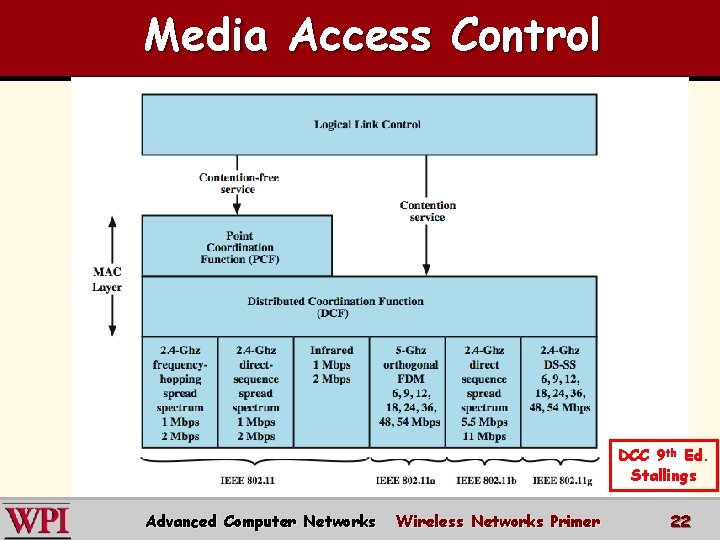
Media Access Control DCC 9 th Ed. Stallings Advanced Computer Networks Wireless Networks Primer 22
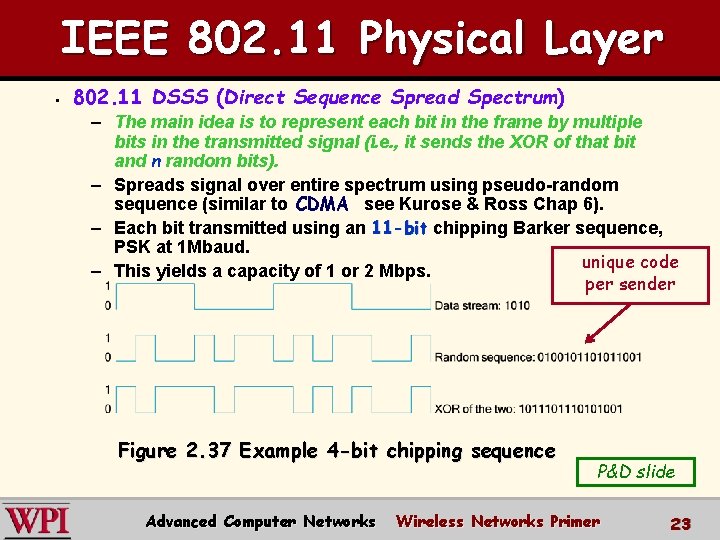
IEEE 802. 11 Physical Layer § 802. 11 DSSS (Direct Sequence Spread Spectrum) – The main idea is to represent each bit in the frame by multiple bits in the transmitted signal (i. e. , it sends the XOR of that bit and n random bits). – Spreads signal over entire spectrum using pseudo-random sequence (similar to CDMA see Kurose & Ross Chap 6). – Each bit transmitted using an 11 -bit chipping Barker sequence, PSK at 1 Mbaud. unique code – This yields a capacity of 1 or 2 Mbps. per sender Figure 2. 37 Example 4 -bit chipping sequence Advanced Computer Networks P&D slide Wireless Networks Primer 23
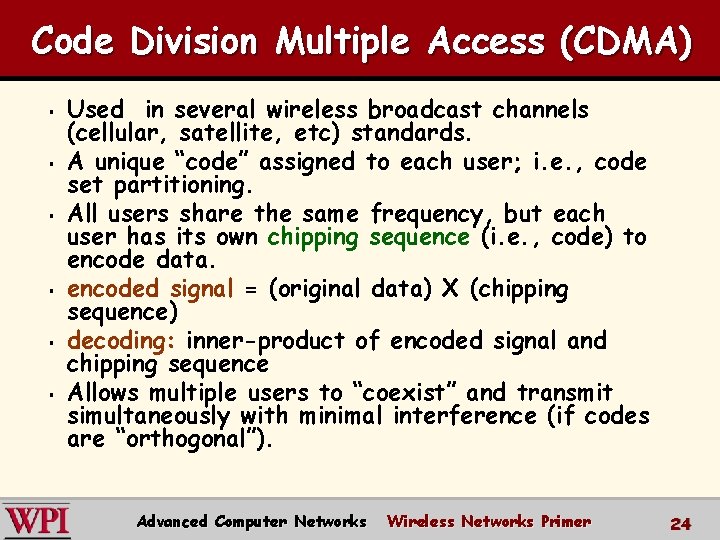
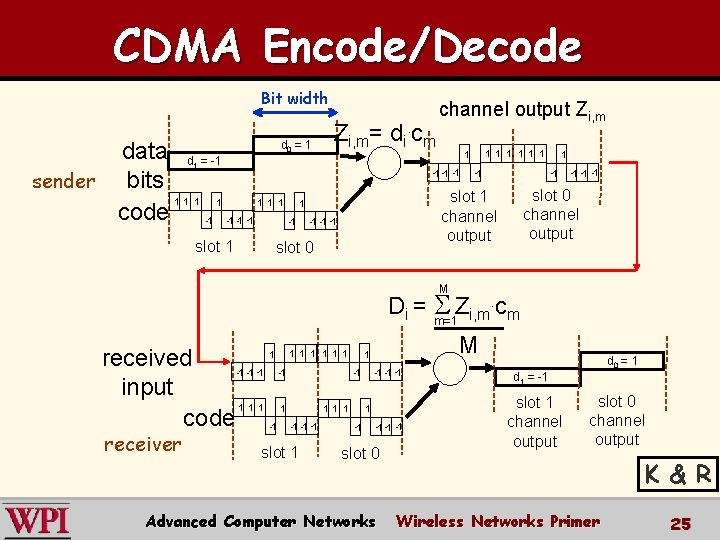
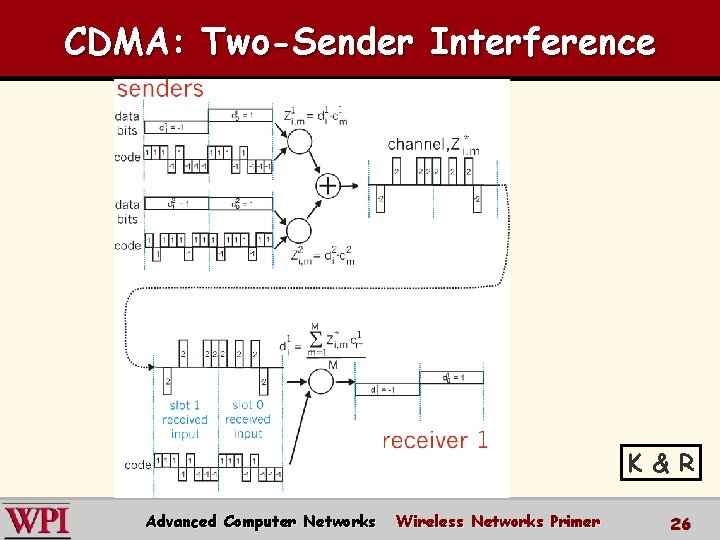
Code Division Multiple Access (CDMA) § § § Used in several wireless broadcast channels (cellular, satellite, etc) standards. A unique “code” assigned to each user; i. e. , code set partitioning. All users share the same frequency, but each user has its own chipping sequence (i. e. , code) to encode data. encoded signal = (original data) X (chipping sequence) decoding: inner-product of encoded signal and chipping sequence Allows multiple users to “coexist” and transmit simultaneously with minimal interference (if codes are “orthogonal”). Advanced Computer Networks Wireless Networks Primer 24
CDMA Encode/Decode Bit width Zi, m= di. cm d =1 data d = -1 bits sender 1 1 1 1 code -1 -1 0 1 slot 1 channel output Zi, m 1 1 1 1 -1 -1 slot 0 channel output slot 1 channel output slot 0 1 M . c Di = S Z m=1 i, m m 1 1 1 1 received -1 -1 input 1 1 1 1 code -1 -1 receiver slot 1 slot 0 Advanced Computer Networks M d 0 = 1 d 1 = -1 slot 1 channel output slot 0 channel output K & R Wireless Networks Primer 25
CDMA: Two-Sender Interference K & R Advanced Computer Networks Wireless Networks Primer 26
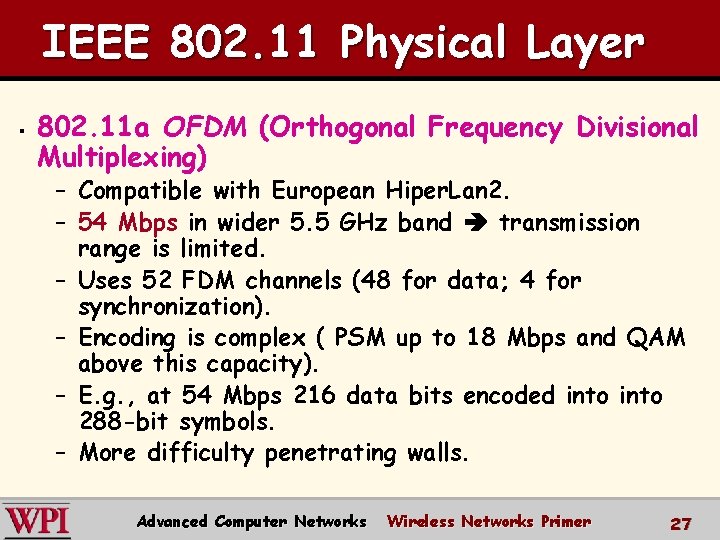
IEEE 802. 11 Physical Layer § 802. 11 a OFDM (Orthogonal Frequency Divisional Multiplexing) – Compatible with European Hiper. Lan 2. – 54 Mbps in wider 5. 5 GHz band transmission range is limited. – Uses 52 FDM channels (48 for data; 4 for synchronization). – Encoding is complex ( PSM up to 18 Mbps and QAM above this capacity). – E. g. , at 54 Mbps 216 data bits encoded into 288 -bit symbols. – More difficulty penetrating walls. Advanced Computer Networks Wireless Networks Primer 27
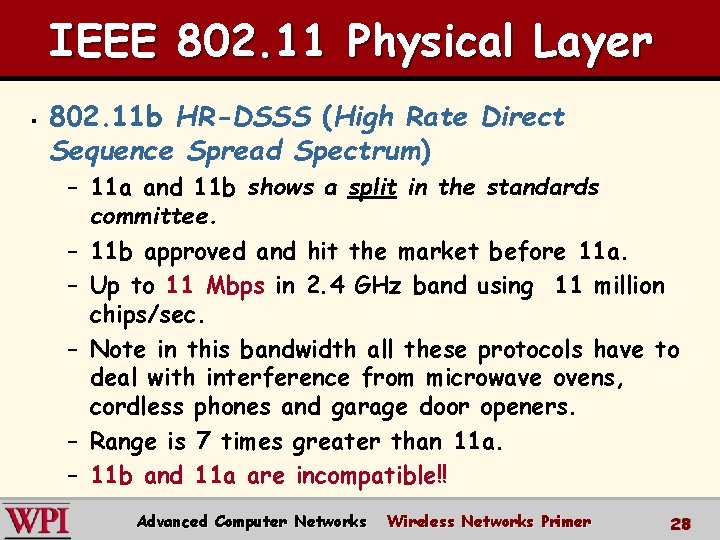
IEEE 802. 11 Physical Layer § 802. 11 b HR-DSSS (High Rate Direct Sequence Spread Spectrum) – 11 a and 11 b shows a split in the standards committee. – 11 b approved and hit the market before 11 a. – Up to 11 Mbps in 2. 4 GHz band using 11 million chips/sec. – Note in this bandwidth all these protocols have to deal with interference from microwave ovens, cordless phones and garage door openers. – Range is 7 times greater than 11 a. – 11 b and 11 a are incompatible!! Advanced Computer Networks Wireless Networks Primer 28
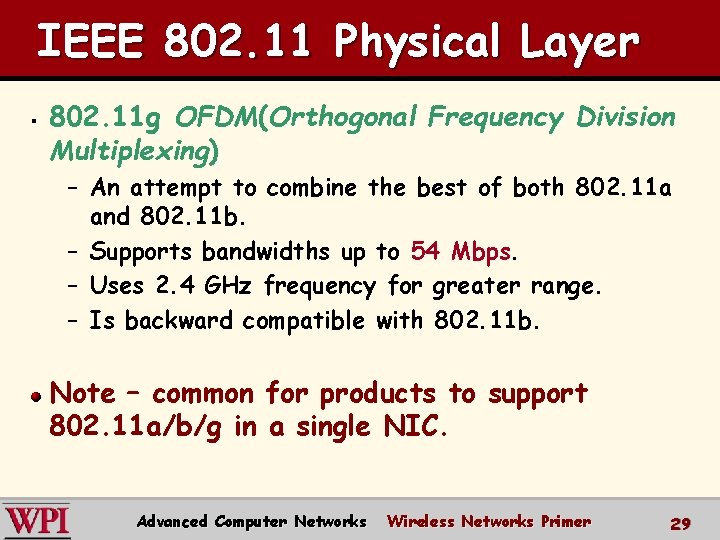
IEEE 802. 11 Physical Layer § 802. 11 g OFDM(Orthogonal Frequency Division Multiplexing) – An attempt to combine the best of both 802. 11 a and 802. 11 b. – Supports bandwidths up to 54 Mbps. – Uses 2. 4 GHz frequency for greater range. – Is backward compatible with 802. 11 b. Note – common for products to support 802. 11 a/b/g in a single NIC. Advanced Computer Networks Wireless Networks Primer 29
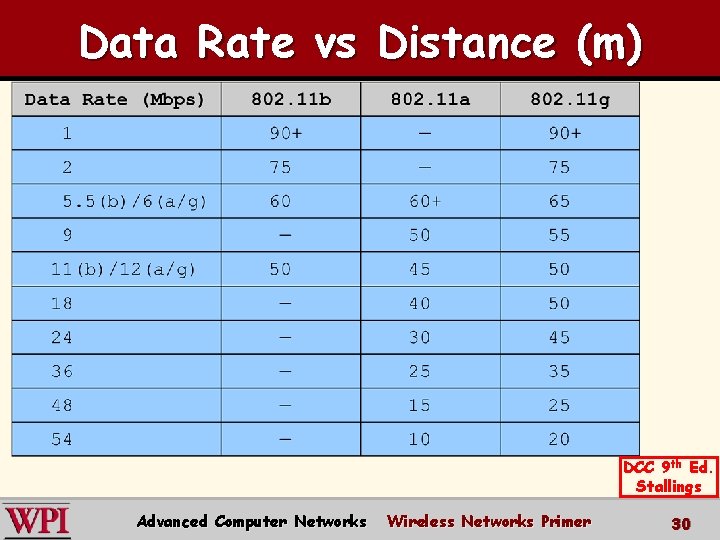
Data Rate vs Distance (m) DCC 9 th Ed. Stallings Advanced Computer Networks Wireless Networks Primer 30
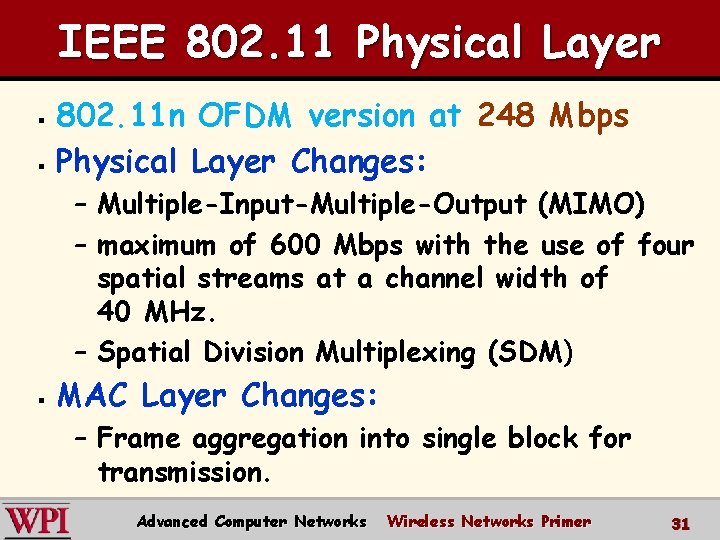
IEEE 802. 11 Physical Layer 802. 11 n OFDM version at 248 Mbps § Physical Layer Changes: § – Multiple-Input-Multiple-Output (MIMO) – maximum of 600 Mbps with the use of four spatial streams at a channel width of 40 MHz. – Spatial Division Multiplexing (SDM) § MAC Layer Changes: – Frame aggregation into single block for transmission. Advanced Computer Networks Wireless Networks Primer 31
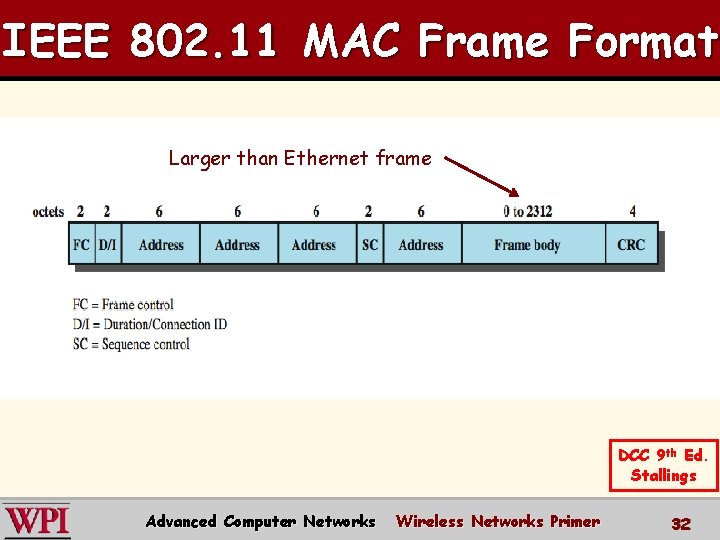
IEEE 802. 11 MAC Frame Format Larger than Ethernet frame DCC 9 th Ed. Stallings Advanced Computer Networks Wireless Networks Primer 32
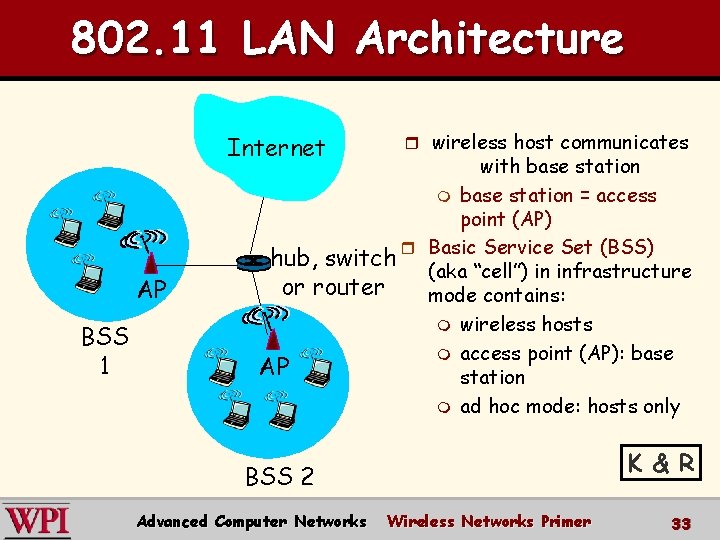
802. 11 LAN Architecture Internet AP BSS 1 r wireless host communicates with base station m base station = access point (AP) hub, switch r Basic Service Set (BSS) (aka “cell”) in infrastructure or router mode contains: m wireless hosts m access point (AP): base AP station m ad hoc mode: hosts only K & R BSS 2 Advanced Computer Networks Wireless Networks Primer 33
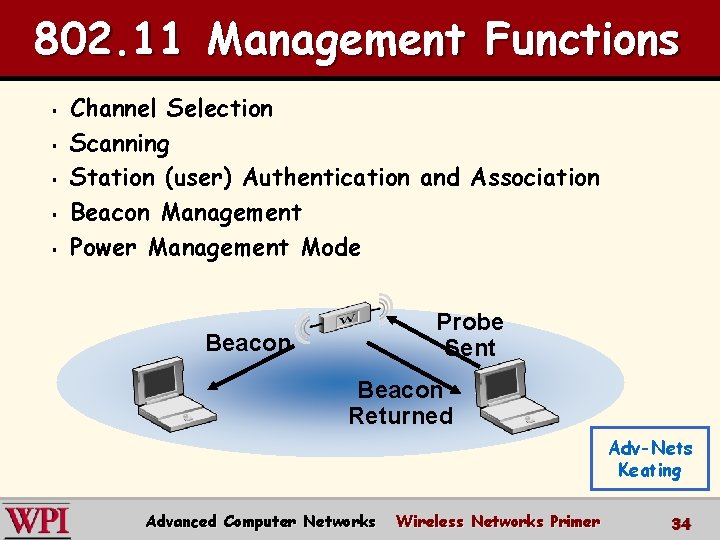
802. 11 Management Functions § § § Channel Selection Scanning Station (user) Authentication and Association Beacon Management Power Management Mode Probe Sent Beacon Returned Adv-Nets Keating Advanced Computer Networks Wireless Networks Primer 34
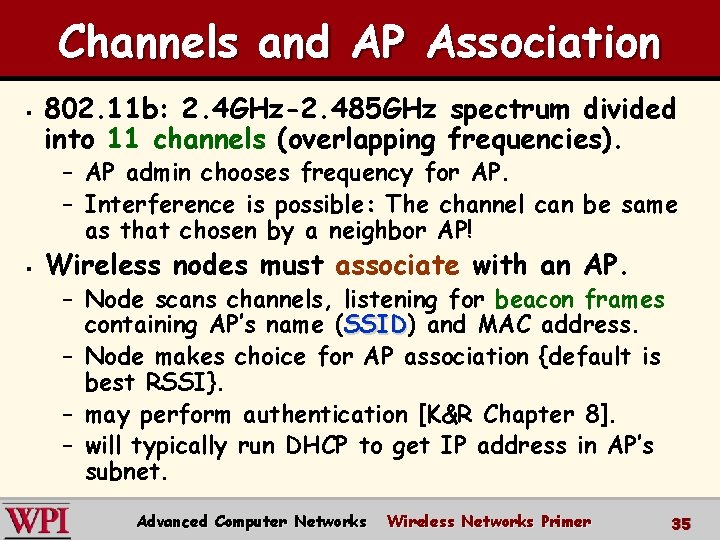
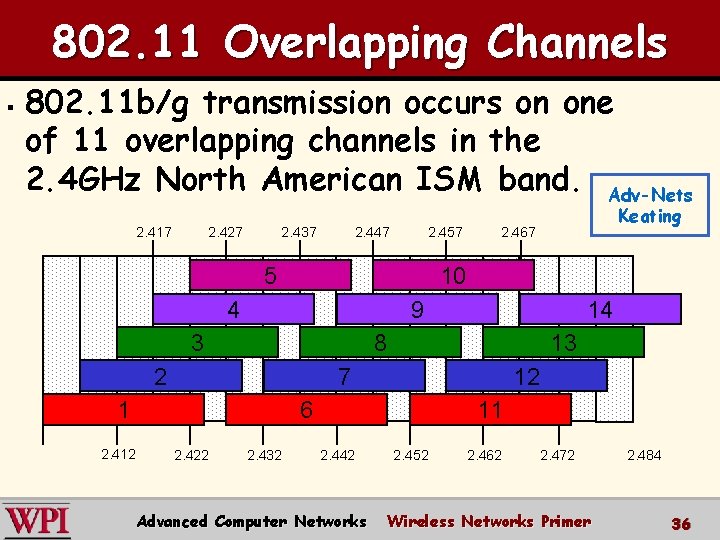
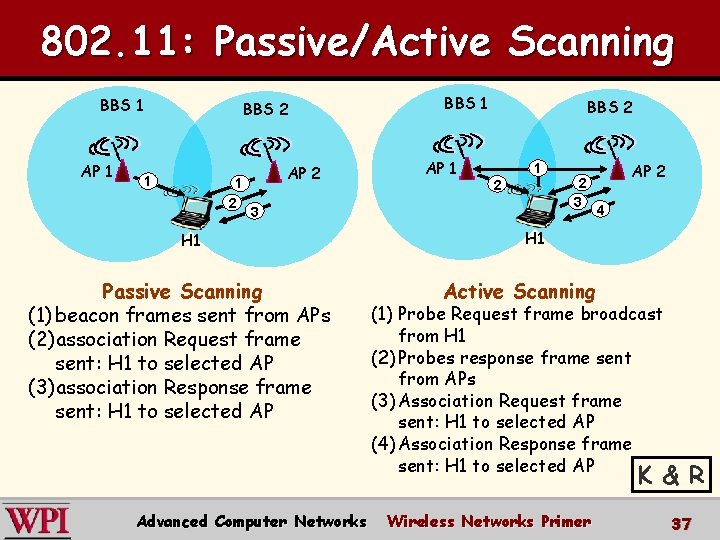
Channels and AP Association § 802. 11 b: 2. 4 GHz-2. 485 GHz spectrum divided into 11 channels (overlapping frequencies). – AP admin chooses frequency for AP. – Interference is possible: The channel can be same as that chosen by a neighbor AP! § Wireless nodes must associate with an AP. – Node scans channels, listening for beacon frames containing AP’s name (SSID) SSID and MAC address. – Node makes choice for AP association {default is best RSSI}. – may perform authentication [K&R Chapter 8]. – will typically run DHCP to get IP address in AP’s subnet. Advanced Computer Networks Wireless Networks Primer 35
802. 11 Overlapping Channels § 802. 11 b/g transmission occurs on one of 11 overlapping channels in the 2. 4 GHz North American ISM band. Adv-Nets 2. 417 2. 427 2. 437 2. 447 2. 457 5 2. 467 10 4 9 3 14 8 2 13 7 1 12 6 2. 412 2. 422 Keating 2. 432 11 2. 442 Advanced Computer Networks 2. 452 2. 462 2. 472 Wireless Networks Primer 2. 484 36
802. 11: Passive/Active Scanning BBS 1 AP 1 BBS 2 1 1 2 AP 2 BBS 1 AP 1 BBS 2 1 2 3 H 1 Passive Scanning (1) beacon frames sent from APs (2)association Request frame sent: H 1 to selected AP (3)association Response frame sent: H 1 to selected AP 2 3 AP 2 4 H 1 Active Scanning (1) Probe Request frame broadcast from H 1 (2) Probes response frame sent from APs (3) Association Request frame sent: H 1 to selected AP (4) Association Response frame sent: H 1 to selected AP K & R Advanced Computer Networks Wireless Networks Primer 37
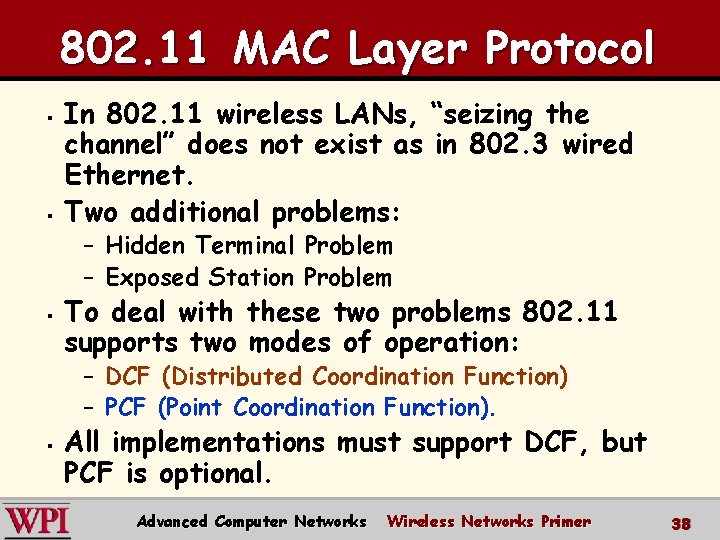
802. 11 MAC Layer Protocol § § In 802. 11 wireless LANs, “seizing the channel” does not exist as in 802. 3 wired Ethernet. Two additional problems: – Hidden Terminal Problem – Exposed Station Problem § To deal with these two problems 802. 11 supports two modes of operation: – DCF (Distributed Coordination Function) – PCF (Point Coordination Function). § All implementations must support DCF, but PCF is optional. Advanced Computer Networks Wireless Networks Primer 38
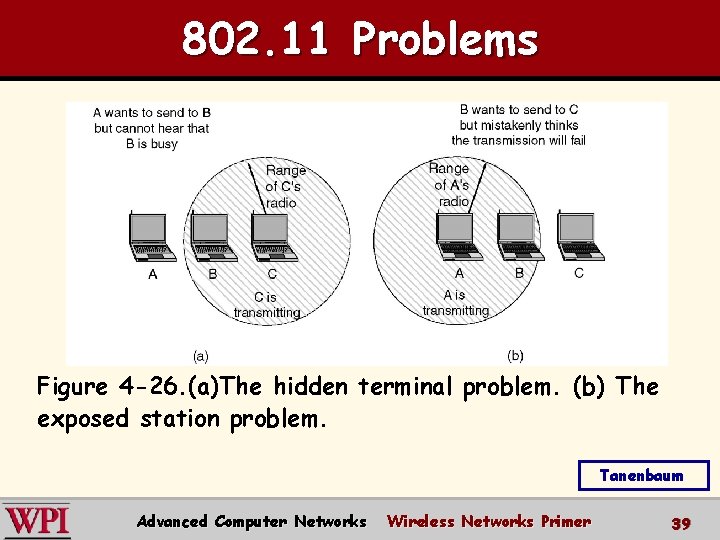
802. 11 Problems Figure 4 -26. (a)The hidden terminal problem. (b) The exposed station problem. Tanenbaum Advanced Computer Networks Wireless Networks Primer 39
The Hidden Terminal Problem Wireless stations have transmission ranges and not all stations are within radio range of each other. § Simple CSMA will not work! § C transmits to B. § If A “senses” the channel, it will not hear C’s transmission and falsely conclude that A can begin a transmission to B. § Advanced Computer Networks Wireless Networks Primer 40
The Exposed Station Problem This is the inverse problem. § B wants to send to C and listens to the channel. § When B hears A’s transmission, B falsely assumes that it cannot send to C. § Advanced Computer Networks Wireless Networks Primer 41
Distribute Coordination Function (DCF) CSMA/CA (CSMA with Collision Avoidance) uses one of two modes of operation: § virtual carrier sensing § physical carrier sensing The two methods are supported by: 1. MACAW (Multiple Access with Collision Avoidance for Wireless) with virtual carrier sensing. 2. 1 -persistent physical carrier sensing. Advanced Computer Networks Wireless Networks Primer 42
Wireless LAN Protocols [Tanen pp. 279 -280] MACA protocol reduces hidden and exposed terminal problems: • Sender broadcasts a Request-to-Send (RTS) and the intended receiver sends a Clear-to. Send (CTS). • Upon receipt of a CTS, the sender begins transmission of the frame. • RTS, CTS helps determine who else is in range or busy (Collision Avoidance). - Can a collision still occur? Advanced Computer Networks Wireless Networks Primer 43
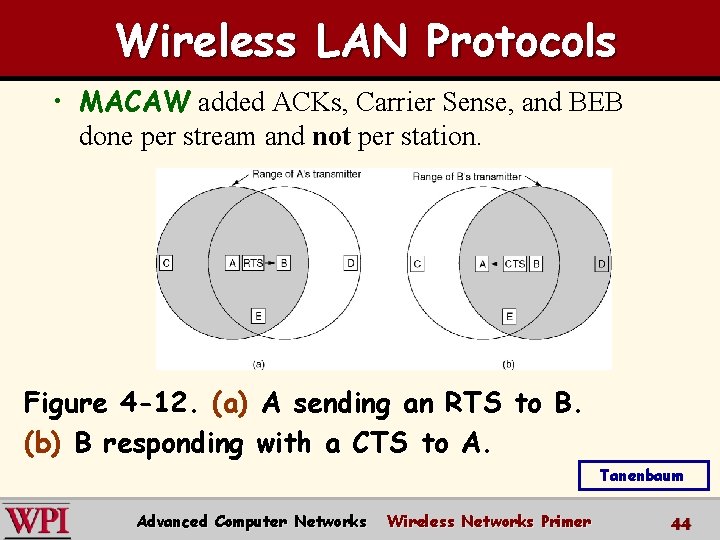
Wireless LAN Protocols • MACAW added ACKs, Carrier Sense, and BEB done per stream and not per station. Figure 4 -12. (a) A sending an RTS to B. (b) B responding with a CTS to A. Tanenbaum Advanced Computer Networks Wireless Networks Primer 44
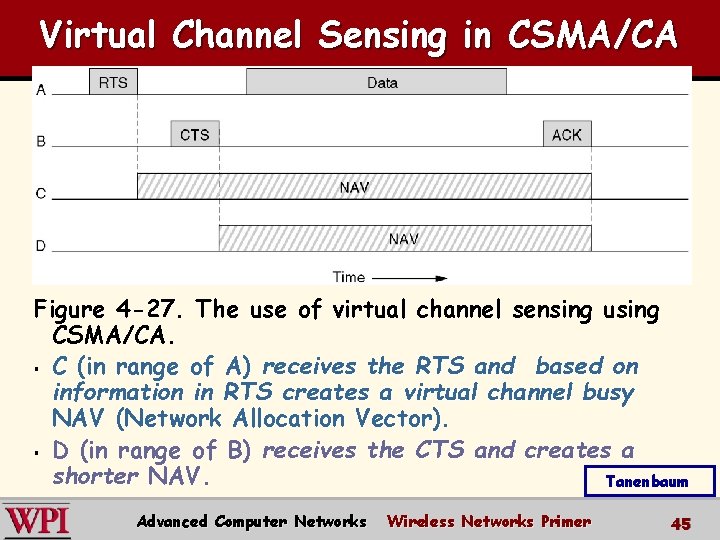
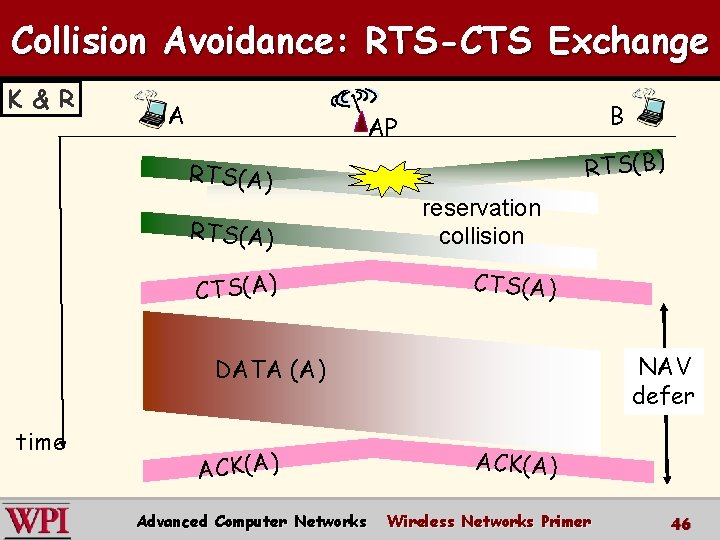
Virtual Channel Sensing in CSMA/CA Figure 4 -27. The use of virtual channel sensing using CSMA/CA. § C (in range of A) receives the RTS and based on information in RTS creates a virtual channel busy NAV (Network Allocation Vector). § D (in range of B) receives the CTS and creates a shorter NAV. Tanenbaum Advanced Computer Networks Wireless Networks Primer 45
Collision Avoidance: RTS-CTS Exchange K & R A B AP RTS(A) CTS(A) RTS(B) reservation collision CTS(A) NAV defer DATA (A) time ACK(A) Advanced Computer Networks ACK(A) Wireless Networks Primer 46
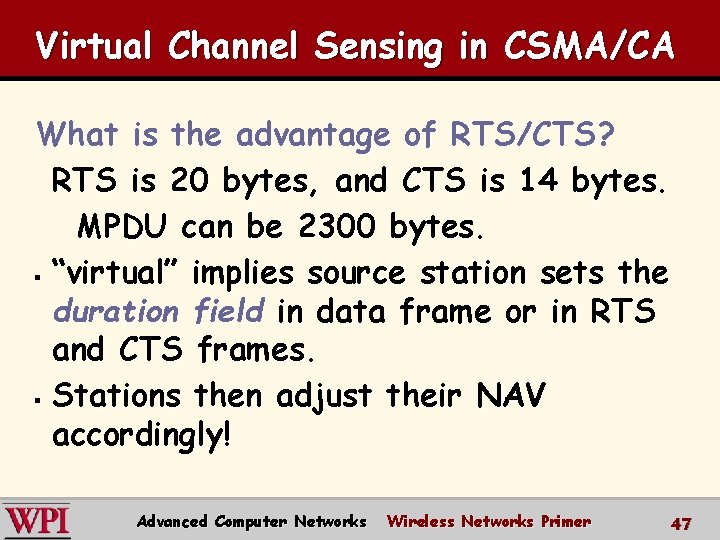
Virtual Channel Sensing in CSMA/CA What is the advantage of RTS/CTS? RTS is 20 bytes, and CTS is 14 bytes. MPDU can be 2300 bytes. § “virtual” implies source station sets the duration field in data frame or in RTS and CTS frames. § Stations then adjust their NAV accordingly! Advanced Computer Networks Wireless Networks Primer 47
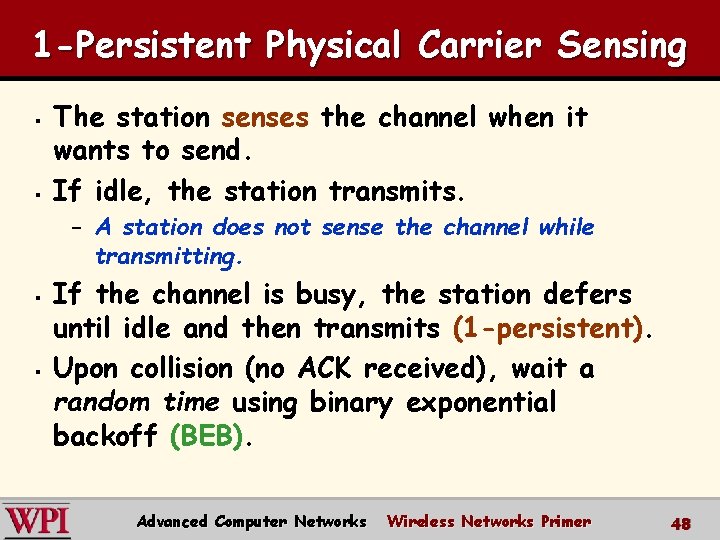
1 -Persistent Physical Carrier Sensing § § The station senses the channel when it wants to send. If idle, the station transmits. – A station does not sense the channel while transmitting. § § If the channel is busy, the station defers until idle and then transmits (1 -persistent). Upon collision (no ACK received), wait a random time using binary exponential backoff (BEB). Advanced Computer Networks Wireless Networks Primer 48
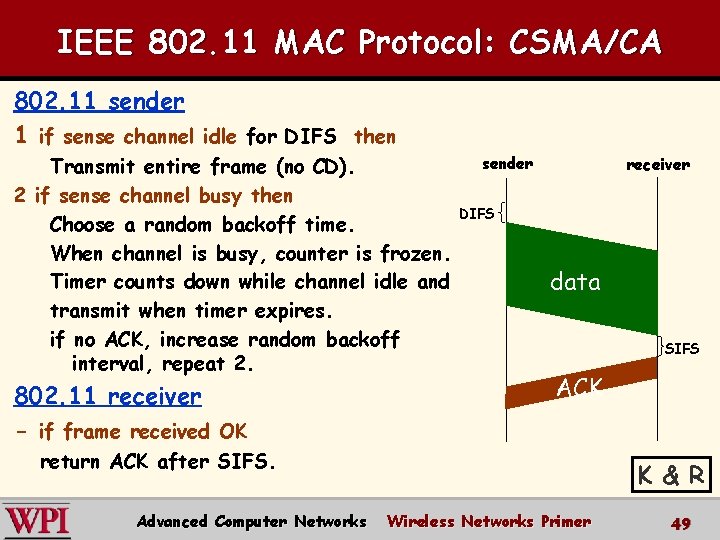
IEEE 802. 11 MAC Protocol: CSMA/CA 802. 11 sender 1 if sense channel idle for DIFS then Transmit entire frame (no CD). 2 if sense channel busy then Choose a random backoff time. When channel is busy, counter is frozen. Timer counts down while channel idle and transmit when timer expires. if no ACK, increase random backoff interval, repeat 2. 802. 11 receiver - if frame received OK sender receiver DIFS data SIFS ACK return ACK after SIFS. Advanced Computer Networks K & R Wireless Networks Primer 49
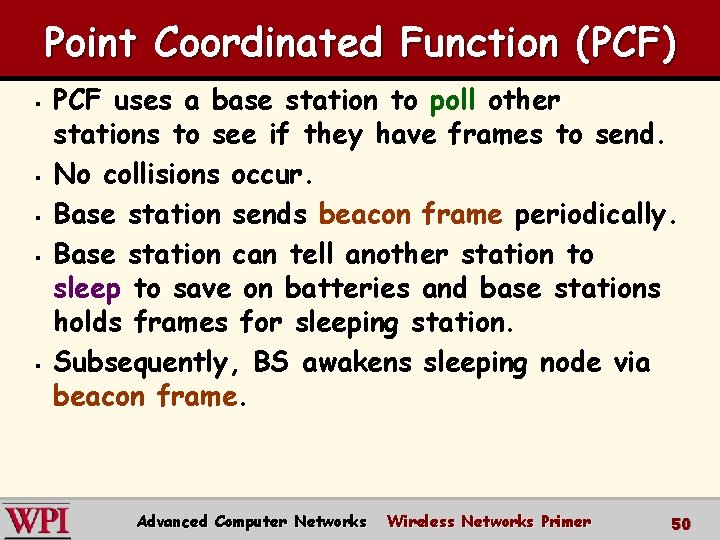
Point Coordinated Function (PCF) § § § PCF uses a base station to poll other stations to see if they have frames to send. No collisions occur. Base station sends beacon frame periodically. Base station can tell another station to sleep to save on batteries and base stations holds frames for sleeping station. Subsequently, BS awakens sleeping node via beacon frame. Advanced Computer Networks Wireless Networks Primer 50
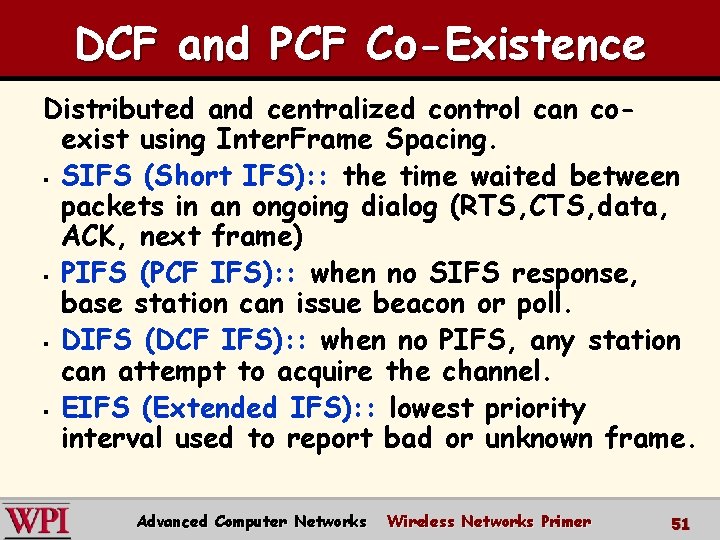
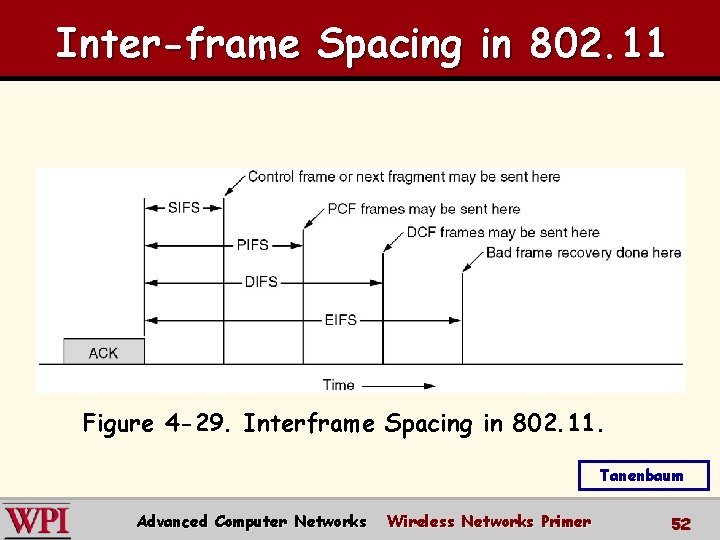
DCF and PCF Co-Existence Distributed and centralized control can coexist using Inter. Frame Spacing. § SIFS (Short IFS): : the time waited between packets in an ongoing dialog (RTS, CTS, data, ACK, next frame) § PIFS (PCF IFS): : when no SIFS response, base station can issue beacon or poll. § DIFS (DCF IFS): : when no PIFS, any station can attempt to acquire the channel. § EIFS (Extended IFS): : lowest priority interval used to report bad or unknown frame. Advanced Computer Networks Wireless Networks Primer 51
Inter-frame Spacing in 802. 11 Figure 4 -29. Interframe Spacing in 802. 11. Tanenbaum Advanced Computer Networks Wireless Networks Primer 52
Basic CSMA/CA possible collision !! [N. Kim] Advanced Computer Networks Wireless Networks Primer 53
802. 11 b Physical Layer ‘Adjust transmission rate on the fly’ [N. Kim] Advanced Computer Networks Wireless Networks Primer 54
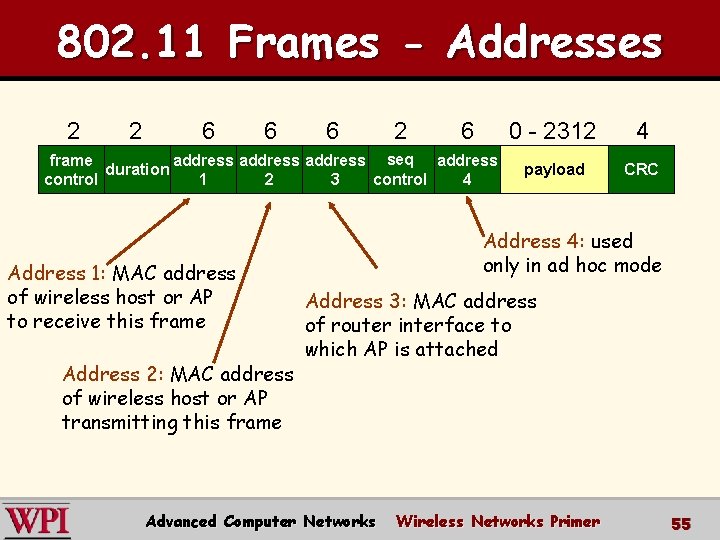
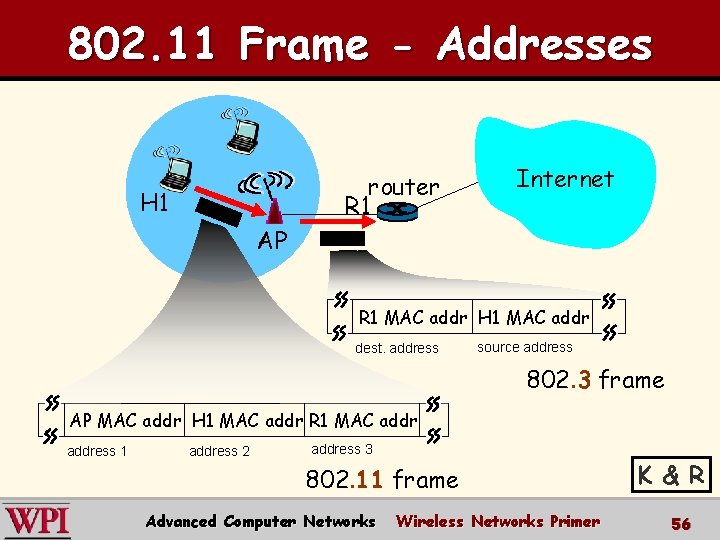
802. 11 Frames - Addresses 2 2 6 6 6 2 6 frame address seq address duration control 1 2 3 4 Address 1: MAC address of wireless host or AP to receive this frame Address 2: MAC address of wireless host or AP transmitting this frame 0 - 2312 4 payload CRC Address 4: used only in ad hoc mode Address 3: MAC address of router interface to which AP is attached Advanced Computer Networks Wireless Networks Primer 55
802. 11 Frame - Addresses router R 1 H 1 Internet AP R 1 MAC addr H 1 MAC addr dest. address source address 802. 3 frame AP MAC addr H 1 MAC addr R 1 MAC address 1 address 2 address 3 802. 11 frame Advanced Computer Networks Wireless Networks Primer K & R 56
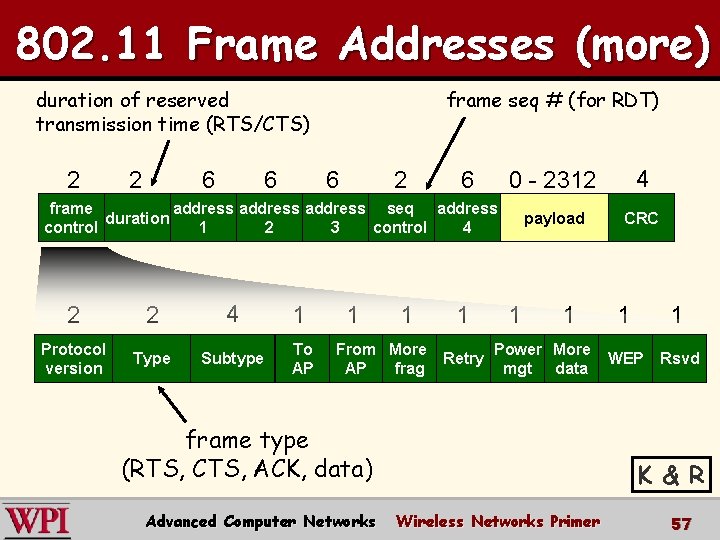
802. 11 Frame Addresses (more) duration of reserved transmission time (RTS/CTS) 2 2 6 6 frame seq # (for RDT) 6 2 6 0 - 2312 4 payload CRC frame address seq address duration control 1 2 3 4 2 2 4 1 Protocol version Type Subtype To AP 1 1 From More AP frag 1 Retry 1 1 Power More mgt data frame type (RTS, CTS, ACK, data) Advanced Computer Networks 1 1 WEP Rsvd K & R Wireless Networks Primer 57
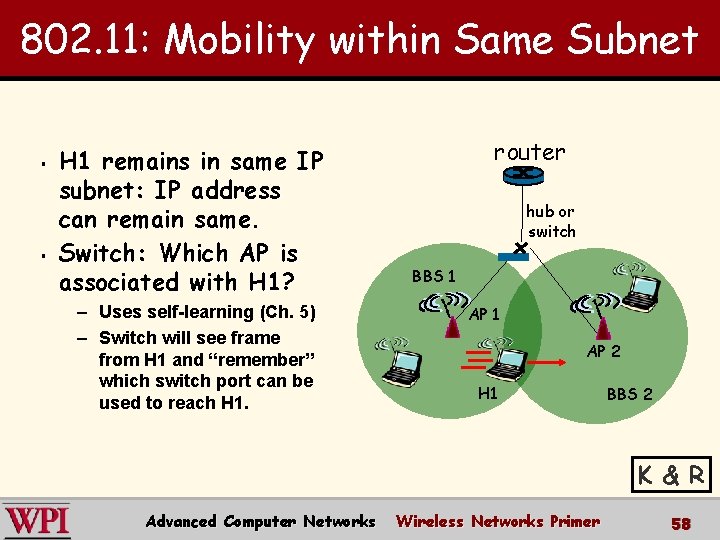
802. 11: Mobility within Same Subnet § § H 1 remains in same IP subnet: IP address can remain same. Switch: Which AP is associated with H 1? – Uses self-learning (Ch. 5) – Switch will see frame from H 1 and “remember” which switch port can be used to reach H 1. router hub or switch BBS 1 AP 2 H 1 BBS 2 K & R Advanced Computer Networks Wireless Networks Primer 58
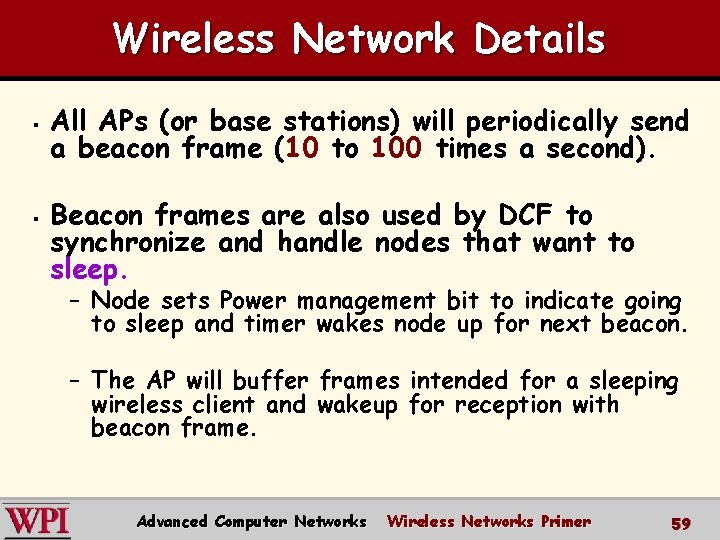
Wireless Network Details § § All APs (or base stations) will periodically send a beacon frame (10 to 100 times a second). Beacon frames are also used by DCF to synchronize and handle nodes that want to sleep. – Node sets Power management bit to indicate going to sleep and timer wakes node up for next beacon. – The AP will buffer frames intended for a sleeping wireless client and wakeup for reception with beacon frame. Advanced Computer Networks Wireless Networks Primer 59
Wireless Network Details § § § AP downstream/upstream traffic performance is asymmetric. AP has buffers for downstream/upstream queueing. Wireless communication quality between two nodes can be asymmetric due to multipath fading. {Characterization paper shows this!} Advanced Computer Networks Wireless Networks Primer 60
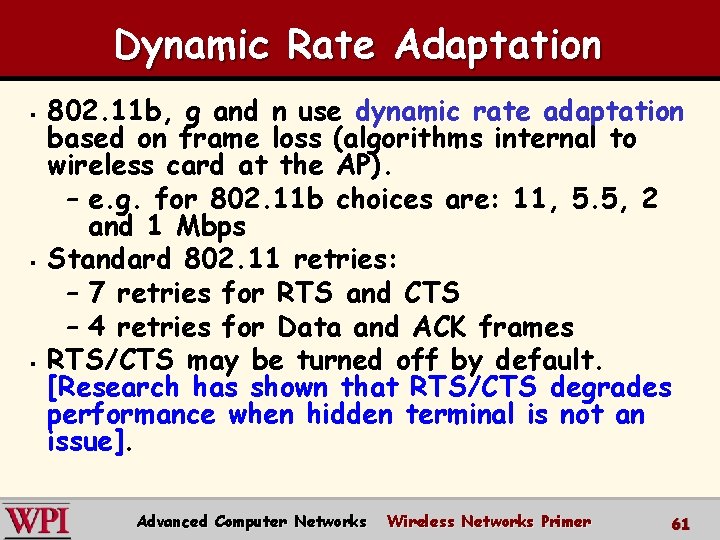
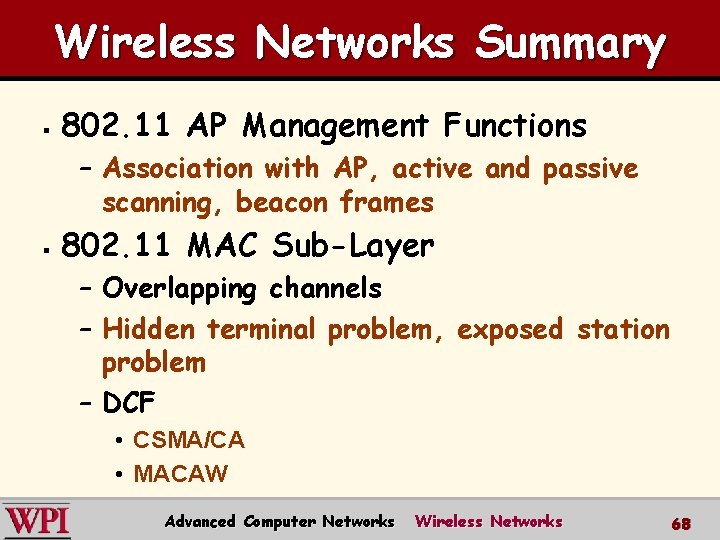
Dynamic Rate Adaptation § § § 802. 11 b, g and n use dynamic rate adaptation based on frame loss (algorithms internal to wireless card at the AP). – e. g. for 802. 11 b choices are: 11, 5. 5, 2 and 1 Mbps Standard 802. 11 retries: – 7 retries for RTS and CTS – 4 retries for Data and ACK frames RTS/CTS may be turned off by default. [Research has shown that RTS/CTS degrades performance when hidden terminal is not an issue]. Advanced Computer Networks Wireless Networks Primer 61
Node Contention without RTS/CTS [N. Kim] 62 Advanced Computer Networks Wireless Networks Primer 62
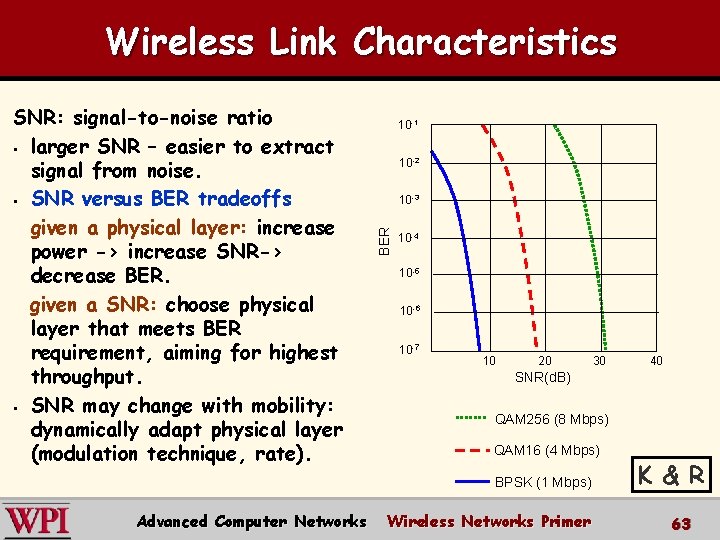
Wireless Link Characteristics 10 -1 10 -2 10 -3 BER SNR: signal-to-noise ratio § larger SNR – easier to extract signal from noise. § SNR versus BER tradeoffs given a physical layer: increase power -> increase SNR-> decrease BER. given a SNR: choose physical layer that meets BER requirement, aiming for highest throughput. § SNR may change with mobility: dynamically adapt physical layer (modulation technique, rate). 10 -4 10 -5 10 -6 10 -7 10 20 40 SNR(d. B) QAM 256 (8 Mbps) QAM 16 (4 Mbps) BPSK (1 Mbps) Advanced Computer Networks 30 Wireless Networks Primer K & R 63
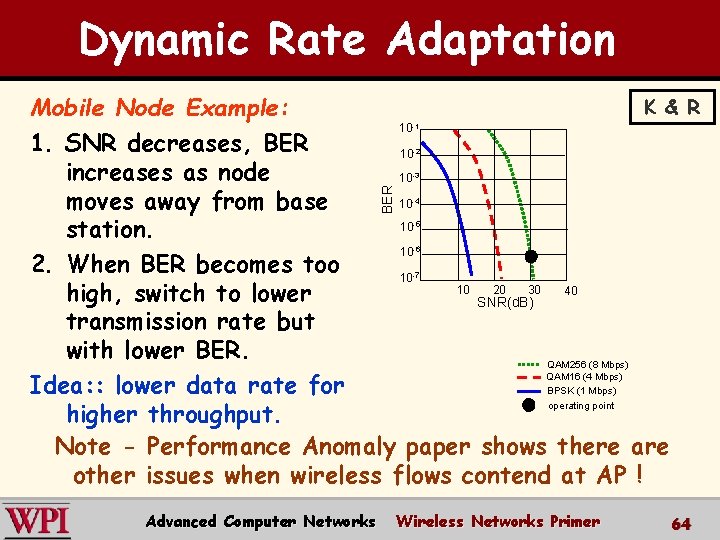
Dynamic Rate Adaptation K & R Mobile Node Example: 10 1. SNR decreases, BER 10 increases as node 10 10 moves away from base 10 station. 10 2. When BER becomes too 10 10 20 30 40 high, switch to lower SNR(d. B) transmission rate but with lower BER. QAM 256 (8 Mbps) QAM 16 (4 Mbps) Idea: : lower data rate for BPSK (1 Mbps) operating point higher throughput. Note - Performance Anomaly paper shows there are other issues when wireless flows contend at AP ! -1 -2 BER -3 -4 -5 -6 -7 Advanced Computer Networks Wireless Networks Primer 64
Rate Adaptation versus Distance [CARA paper] 65 Advanced Computer Networks Wireless Networks Primer 65
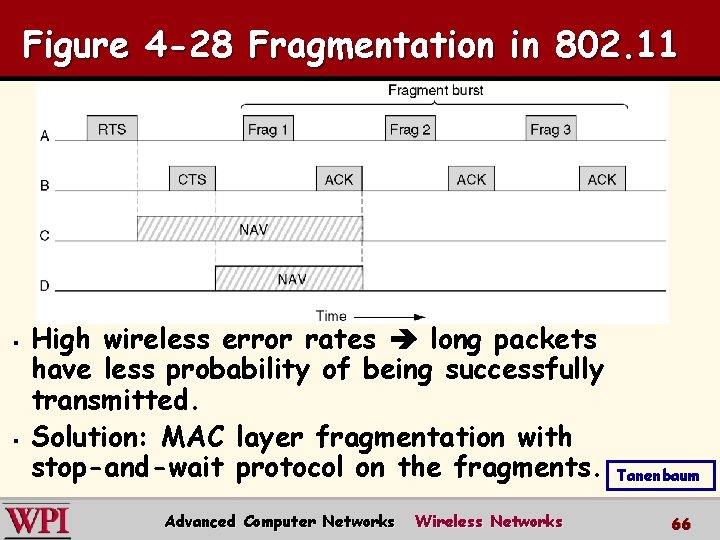
Figure 4 -28 Fragmentation in 802. 11 § § High wireless error rates long packets have less probability of being successfully transmitted. Solution: MAC layer fragmentation with stop-and-wait protocol on the fragments. Advanced Computer Networks Wireless Networks Tanenbaum 66
Wireless Networks Summary § Terminology, WLAN types, IEEE Standards – Infrastructure, ad hoc, MANET, Base Station, Access Point, single and multi-hop § IEEE 802. 11 a/b/g/n – Differences in data rate and transmission technologies – FHSS, DSSS, CDMA, OFDM, HR-DSSS, MIMO Advanced Computer Networks Wireless Networks 67
Wireless Networks Summary § 802. 11 AP Management Functions – Association with AP, active and passive scanning, beacon frames § 802. 11 MAC Sub-Layer – Overlapping channels – Hidden terminal problem, exposed station problem – DCF • CSMA/CA • MACAW Advanced Computer Networks Wireless Networks 68
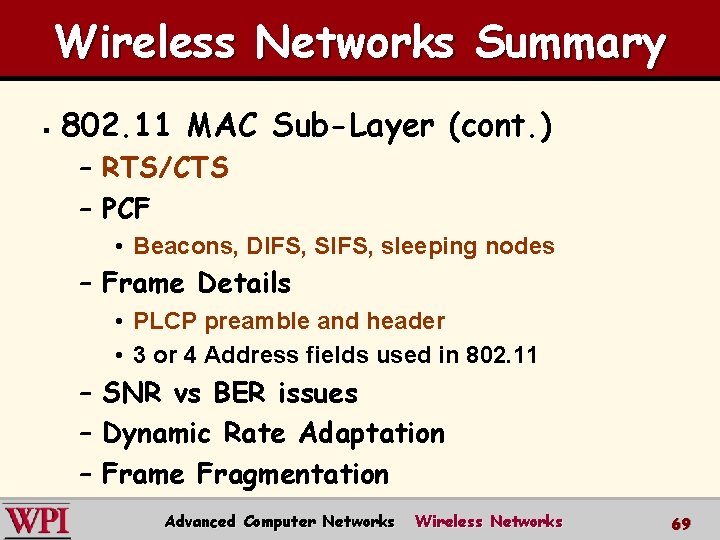
Wireless Networks Summary § 802. 11 MAC Sub-Layer (cont. ) – RTS/CTS – PCF • Beacons, DIFS, SIFS, sleeping nodes – Frame Details • PLCP preamble and header • 3 or 4 Address fields used in 802. 11 – SNR vs BER issues – Dynamic Rate Adaptation – Frame Fragmentation Advanced Computer Networks Wireless Networks 69