
Wireless Networks Lab UART 20071024 tseng Environment n
Wireless Networks Lab – UART 2007/10/24 tseng:
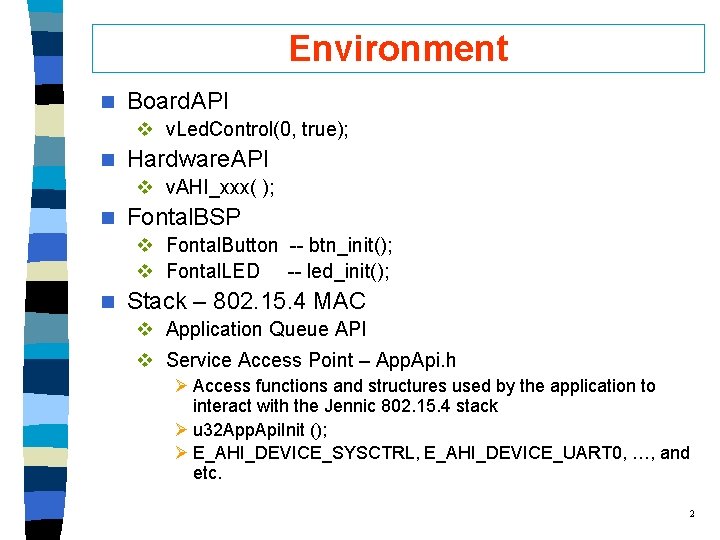
Environment n Board. API v v. Led. Control(0, true); n Hardware. API v v. AHI_xxx( ); n Fontal. BSP v Fontal. Button -- btn_init(); v Fontal. LED -- led_init(); n Stack – 802. 15. 4 MAC v Application Queue API v Service Access Point – App. Api. h Ø Access functions and structures used by the application to interact with the Jennic 802. 15. 4 stack Ø u 32 App. Api. Init (); Ø E_AHI_DEVICE_SYSCTRL, E_AHI_DEVICE_UART 0, …, and etc. 2
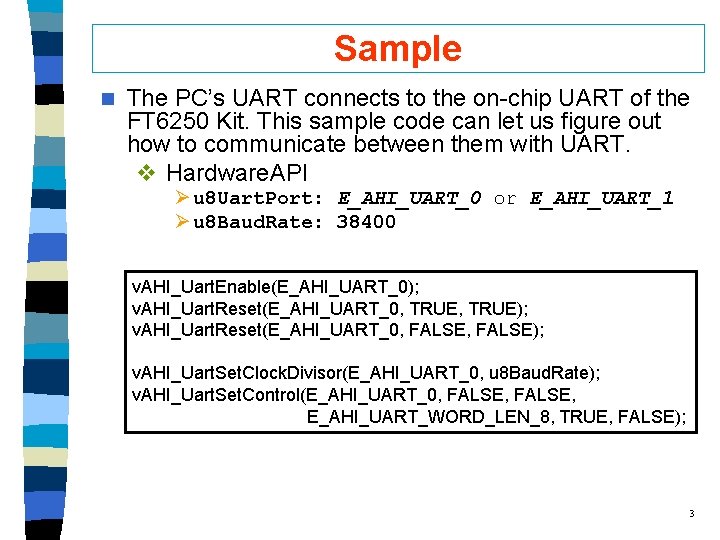
Sample n The PC’s UART connects to the on-chip UART of the FT 6250 Kit. This sample code can let us figure out how to communicate between them with UART. v Hardware. API Ø u 8 Uart. Port: E_AHI_UART_0 or E_AHI_UART_1 Ø u 8 Baud. Rate: 38400 v. AHI_Uart. Enable(E_AHI_UART_0); v. AHI_Uart. Reset(E_AHI_UART_0, TRUE); v. AHI_Uart. Reset(E_AHI_UART_0, FALSE); v. AHI_Uart. Set. Clock. Divisor(E_AHI_UART_0, u 8 Baud. Rate); v. AHI_Uart. Set. Control(E_AHI_UART_0, FALSE, E_AHI_UART_WORD_LEN_8, TRUE, FALSE); 3
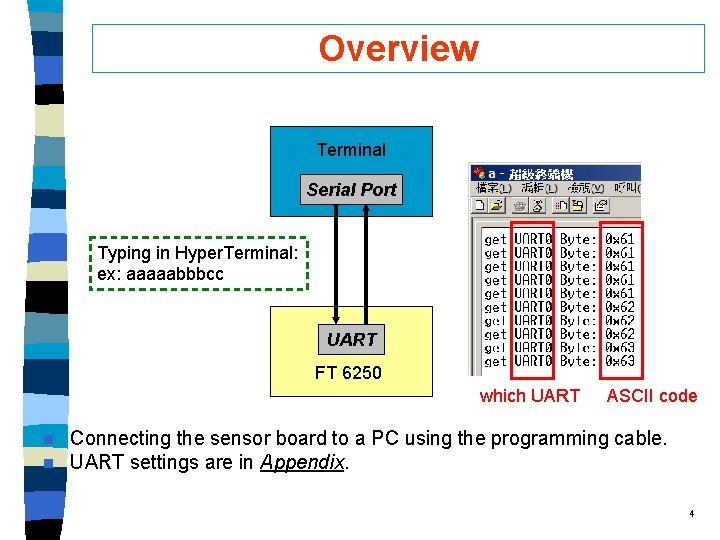
Overview Terminal Serial Port Typing in Hyper. Terminal: ex: aaaaabbbcc UART FT 6250 which UART n n ASCII code Connecting the sensor board to a PC using the programming cable. UART settings are in Appendix. 4
Flowchart 5
Pseudo code 1. 2. 3. 4. 5. 6. u 32 AHI_Init(); u 32 App. Api. Init(NULL, NULL, NULL); Set up UART; Init LED; Register UART Callback; Utility function: • • v. Uart. Print(); v. Byte. To. String(); 6
Requirement Review n After comprehending the usage of UART, you are asked to v When typing in the terminal, you should control each of the LEDs on/off through UART. v When pressing each button of FT device, you should get different feedback in your terminal through UART. 7
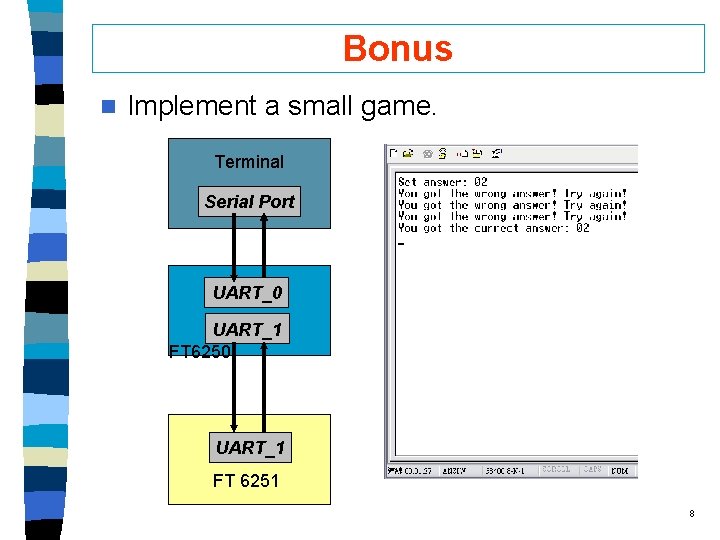
Bonus n Implement a small game. Terminal Serial Port UART_0 UART_1 FT 6251 8
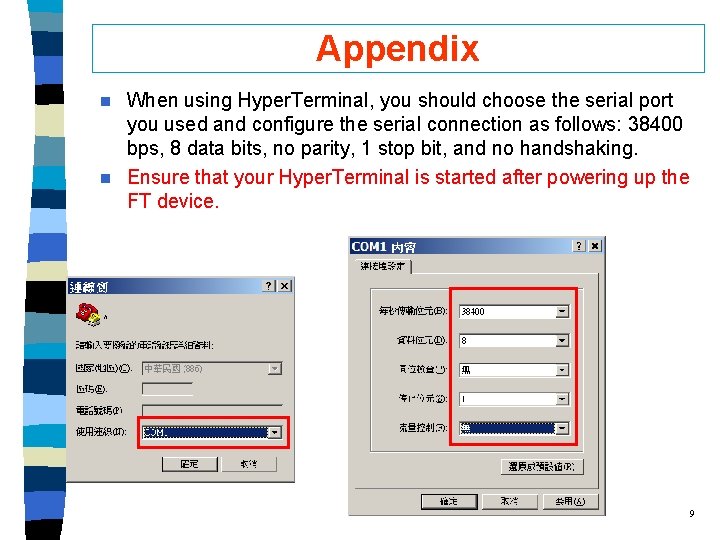
Appendix When using Hyper. Terminal, you should choose the serial port you used and configure the serial connection as follows: 38400 bps, 8 data bits, no parity, 1 stop bit, and no handshaking. n Ensure that your Hyper. Terminal is started after powering up the FT device. n 9
- Slides: 9