
Wireless Cue Light Project Sue Brandt Arduino Project
Wireless Cue Light Project Sue Brandt Arduino Project 12 -10 -2010 Ins and Outs
Objective Using arduino and xbee technology create a system of cue lights using a master controller to turn on and off LED lamps connected to a wireless receiver.
Planning 1. 2. 3. 4. 5. 6. 7. 8. 9. Obtain materials Test ardiuno Test xbee through serial port Test xbee for wireless operation Create system diagram Design Unit C main control Write program for unit C Design Unit A wireless receiver Write program for unit A
Planning continued 10. Set up unit C to control one LED on main board 11. Set up unit C and A test control of one LED 12. Analyze data 13. Set up unit C to control two LEDs’on main board Set up unit C and A test control of Two LEDs.
Software used Arduino X-CTU (XBEE) Fritzing
Hardware Used Arduino Shield Xbee modem 10 K resistors SPSB 4 pin switch LED; 2 Blue, 2 green 1 -breadboard 2 -“AA” battery packs 6 volts per pack Misc breadboard wires
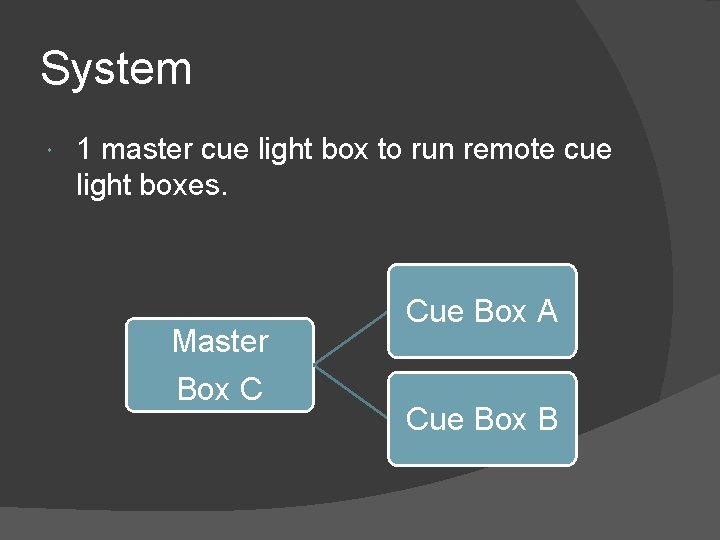
System 1 master cue light box to run remote cue light boxes. Master Box C Cue Box A Cue Box B
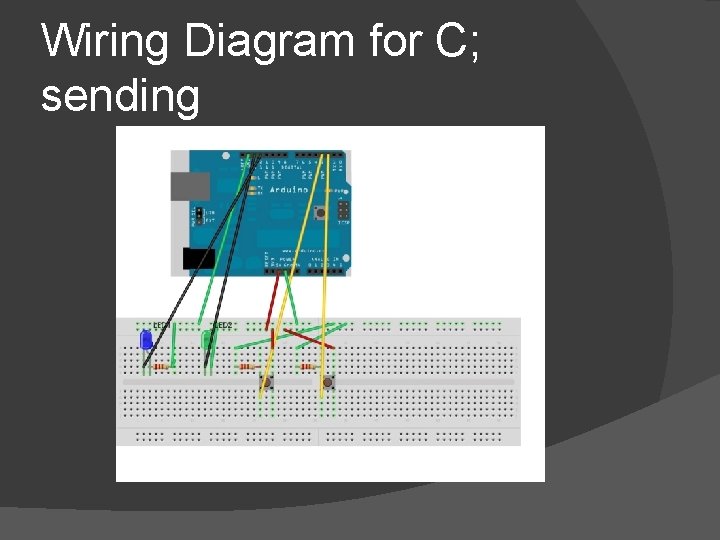
Wiring Diagram for C; sending
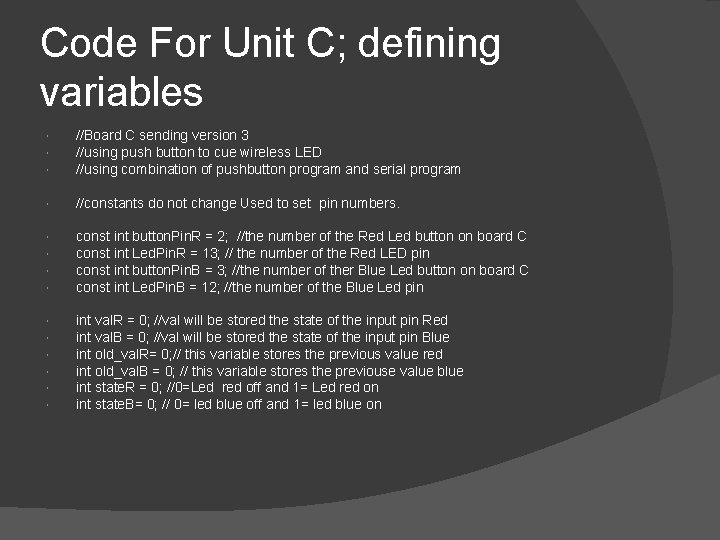
Code For Unit C; defining variables //Board C sending version 3 //using push button to cue wireless LED //using combination of pushbutton program and serial program //constants do not change Used to set pin numbers. const int button. Pin. R = 2; //the number of the Red Led button on board C const int Led. Pin. R = 13; // the number of the Red LED pin const int button. Pin. B = 3; //the number of ther Blue Led button on board C const int Led. Pin. B = 12; //the number of the Blue Led pin int val. R = 0; //val will be stored the state of the input pin Red int val. B = 0; //val will be stored the state of the input pin Blue int old_val. R= 0; // this variable stores the previous value red int old_val. B = 0; // this variable stores the previouse value blue int state. R = 0; //0=Led red off and 1= Led red on int state. B= 0; // 0= led blue off and 1= led blue on
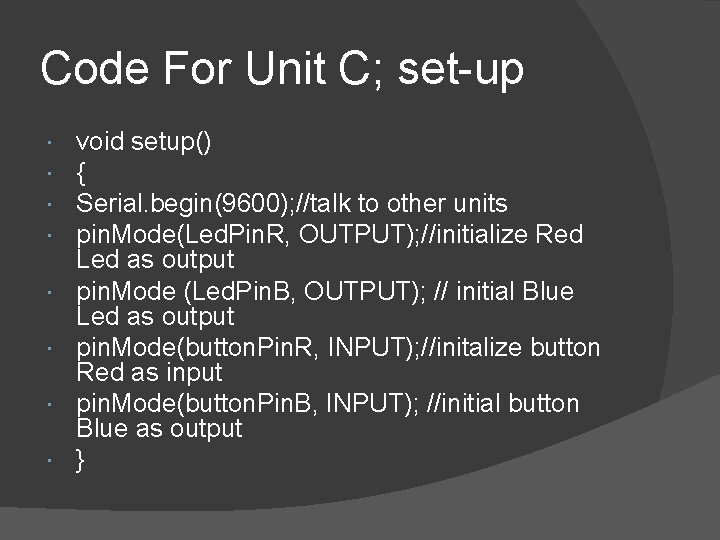
Code For Unit C; set-up void setup() { Serial. begin(9600); //talk to other units pin. Mode(Led. Pin. R, OUTPUT); //initialize Red Led as output pin. Mode (Led. Pin. B, OUTPUT); // initial Blue Led as output pin. Mode(button. Pin. R, INPUT); //initalize button Red as input pin. Mode(button. Pin. B, INPUT); //initial button Blue as output }
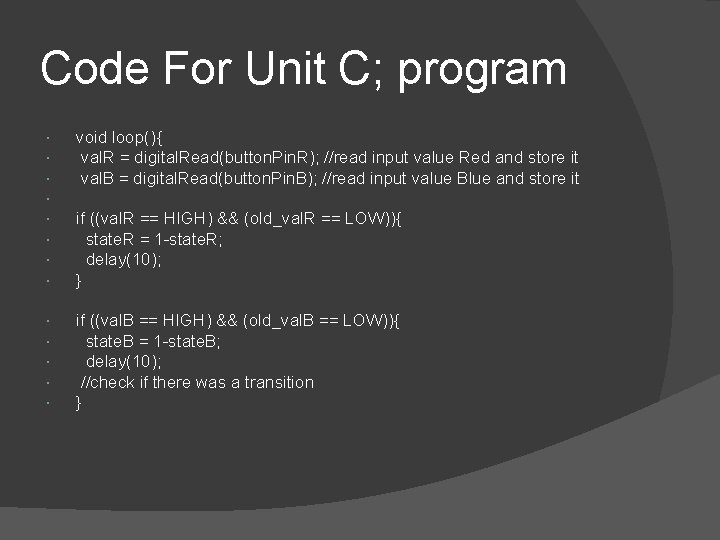
Code For Unit C; program void loop(){ val. R = digital. Read(button. Pin. R); //read input value Red and store it val. B = digital. Read(button. Pin. B); //read input value Blue and store it if ((val. B == HIGH) && (old_val. B == LOW)){ state. B = 1 -state. B; delay(10); //check if there was a transition } if ((val. R == HIGH) && (old_val. R == LOW)){ state. R = 1 -state. R; delay(10); }
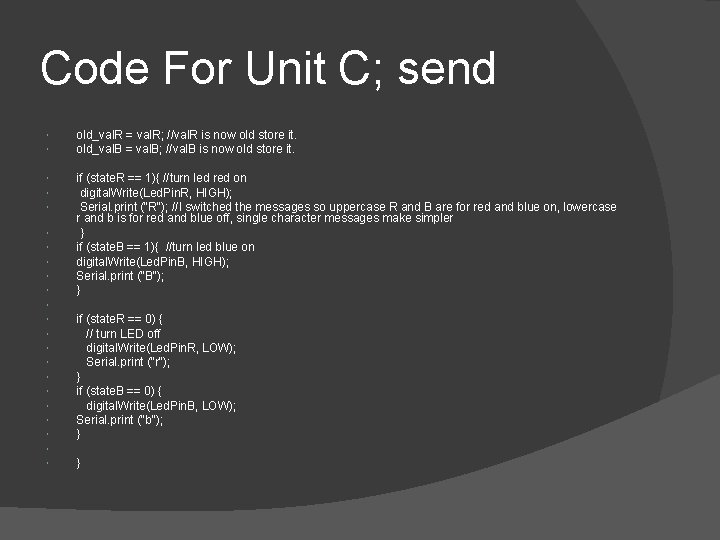
Code For Unit C; send old_val. R = val. R; //val. R is now old store it. old_val. B = val. B; //val. B is now old store it. if (state. R == 1){ //turn led red on digital. Write(Led. Pin. R, HIGH); Serial. print ("R"); //I switched the messages so uppercase R and B are for red and blue on, lowercase r and b is for red and blue off, single character messages make simpler } if (state. B == 1){ //turn led blue on digital. Write(Led. Pin. B, HIGH); Serial. print ("B"); } if (state. R == 0) { // turn LED off digital. Write(Led. Pin. R, LOW); Serial. print ("r"); } if (state. B == 0) { digital. Write(Led. Pin. B, LOW); Serial. print ("b"); } }
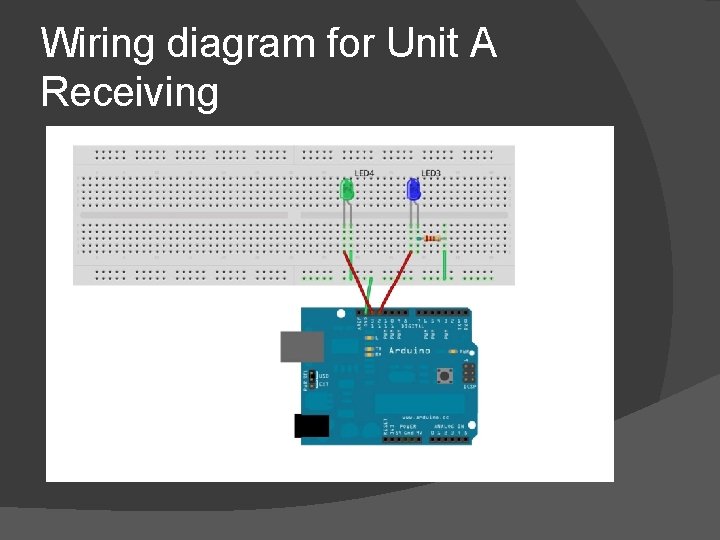
Wiring diagram for Unit A Receiving
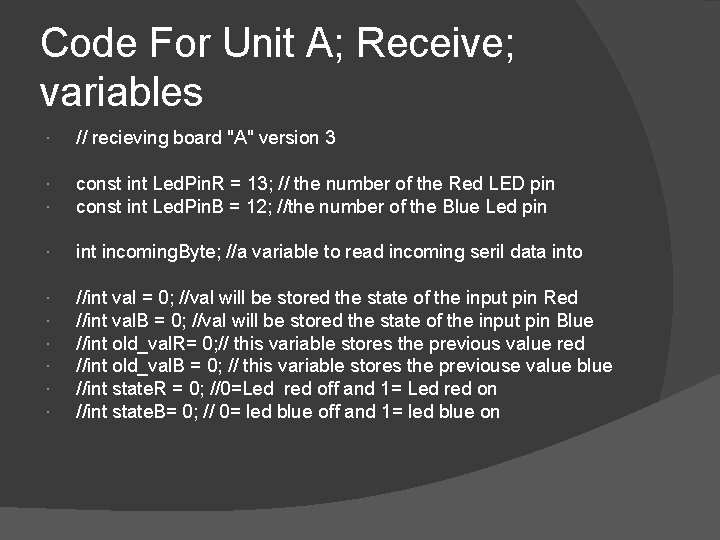
Code For Unit A; Receive; variables // recieving board "A" version 3 const int Led. Pin. R = 13; // the number of the Red LED pin const int Led. Pin. B = 12; //the number of the Blue Led pin int incoming. Byte; //a variable to read incoming seril data into //int val = 0; //val will be stored the state of the input pin Red //int val. B = 0; //val will be stored the state of the input pin Blue //int old_val. R= 0; // this variable stores the previous value red //int old_val. B = 0; // this variable stores the previouse value blue //int state. R = 0; //0=Led red off and 1= Led red on //int state. B= 0; // 0= led blue off and 1= led blue on
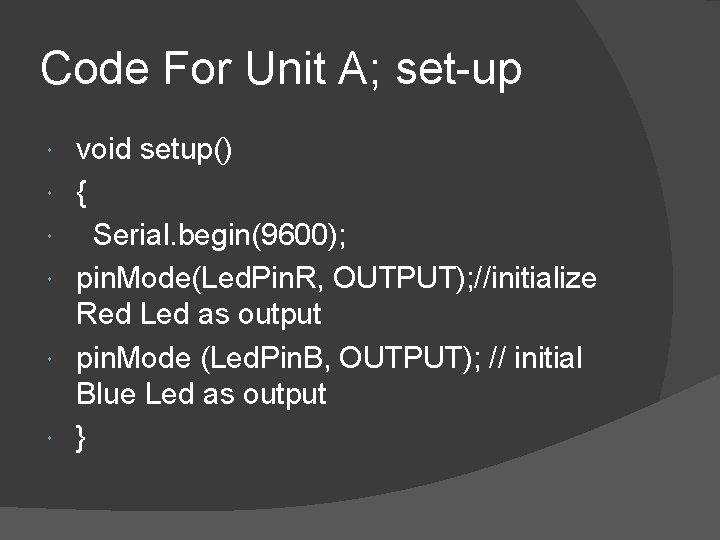
Code For Unit A; set-up void setup() { Serial. begin(9600); pin. Mode(Led. Pin. R, OUTPUT); //initialize Red Led as output pin. Mode (Led. Pin. B, OUTPUT); // initial Blue Led as output }
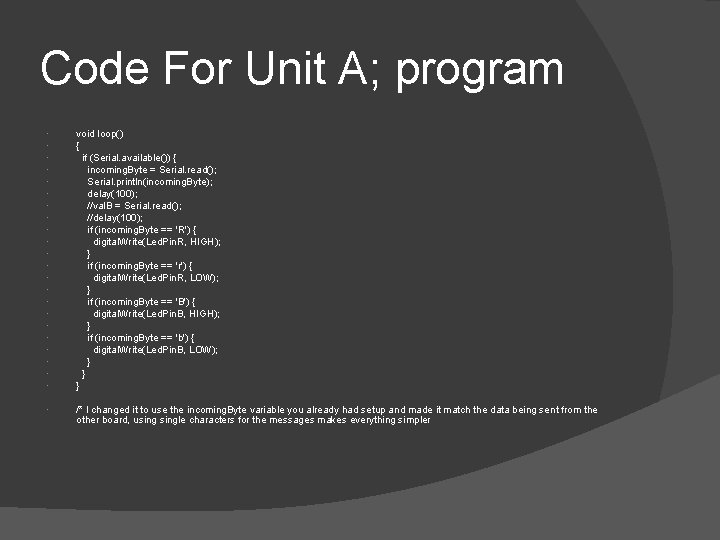
Code For Unit A; program void loop() { if (Serial. available()) { incoming. Byte = Serial. read(); Serial. println(incoming. Byte); delay(100); //val. B = Serial. read(); //delay(100); if (incoming. Byte == 'R') { digital. Write(Led. Pin. R, HIGH); } if (incoming. Byte == 'r') { digital. Write(Led. Pin. R, LOW); } if (incoming. Byte == 'B') { digital. Write(Led. Pin. B, HIGH); } if (incoming. Byte == 'b') { digital. Write(Led. Pin. B, LOW); } } } /* I changed it to use the incoming. Byte variable you already had setup and made it match the data being sent from the other board, usingle characters for the messages makes everything simpler
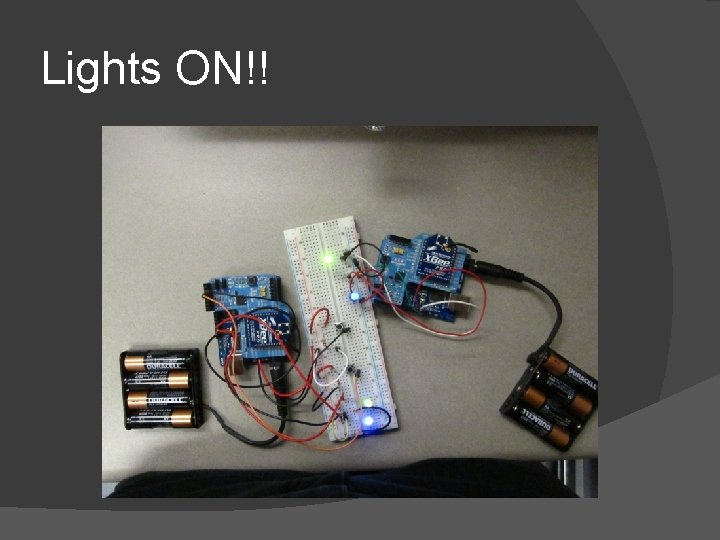
Lights ON!!
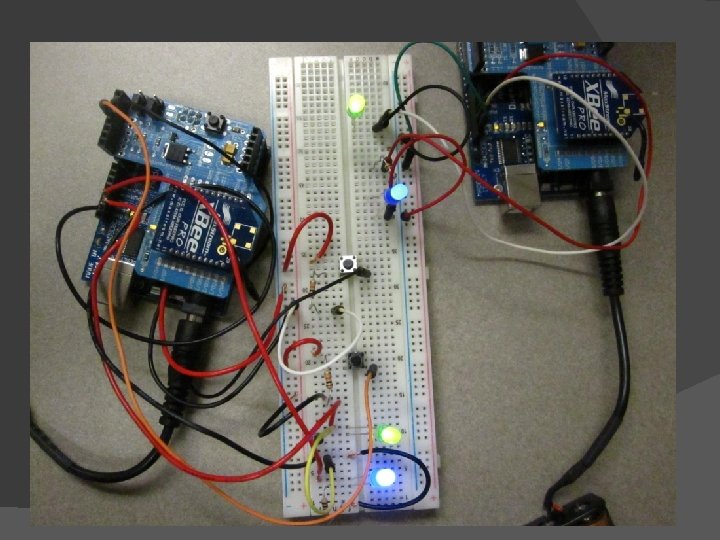
Conclusion Unit works. Circuits need to be made. Boxes designed to house units. Issues: About a 30 second wait for the LED’s to turn on or off. Xbee configuration needs to be researched.
Testing XBEE for operation board#1 send unit Attached to pc Type H to turn on LED
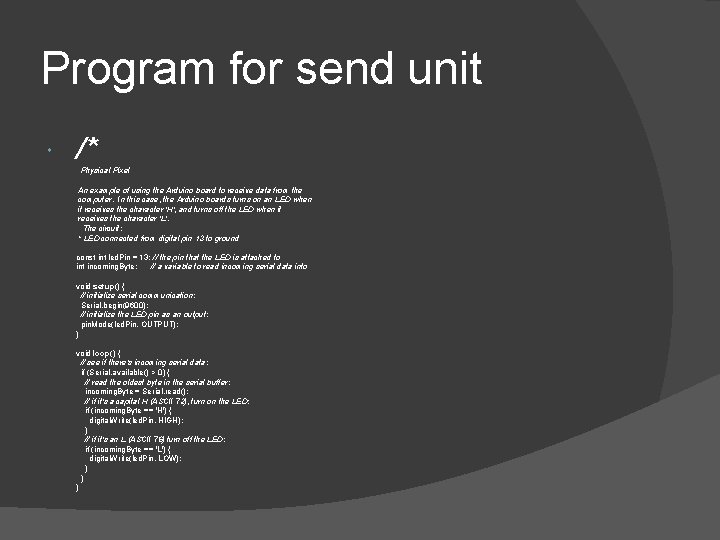
Program for send unit /* Physical Pixel An example of using the Arduino board to receive data from the computer. In this case, the Arduino boards turns on an LED when it receives the character 'H', and turns off the LED when it receives the character 'L'. The circuit: * LED connected from digital pin 13 to ground const int led. Pin = 13; // the pin that the LED is attached to int incoming. Byte; // a variable to read incoming serial data into void setup() { // initialize serial communication: Serial. begin(9600); // initialize the LED pin as an output: pin. Mode(led. Pin, OUTPUT); } void loop() { // see if there's incoming serial data: if (Serial. available() > 0) { // read the oldest byte in the serial buffer: incoming. Byte = Serial. read(); // if it's a capital H (ASCII 72), turn on the LED: if (incoming. Byte == 'H') { digital. Write(led. Pin, HIGH); } // if it's an L (ASCII 76) turn off the LED: if (incoming. Byte == 'L') { digital. Write(led. Pin, LOW); } } }
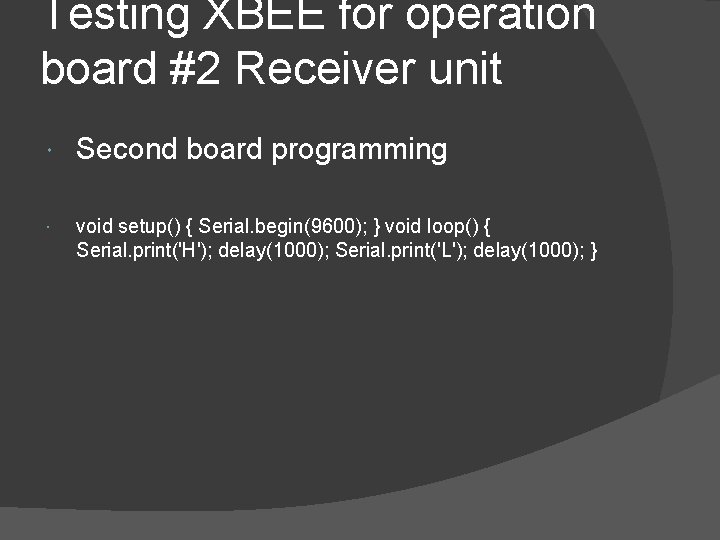
Testing XBEE for operation board #2 Receiver unit Second board programming void setup() { Serial. begin(9600); } void loop() { Serial. print('H'); delay(1000); Serial. print('L'); delay(1000); }
- Slides: 22