
Wireless Communication LAB 3 Background of Wireless Communication

Wireless Communication : LAB 3 Background of Wireless Communication Technology Wireless Networking and Mobile IP Wireless Local Area Networks Student Presentations and Projects Introduction to NS 2 Programming
Outline NS overview NS structure and basics Steps to create a typical NS script Summary: Generic Script Structure Vis Tools Useful pointers NS by Example (http: //nile. wpi. edu/NS/) Where is documentation and Tutorials: http: //www. isi. edu/nsnam/ns/ns-documentation. html http: //www. isi. edu/nsnam/ns/tutorial/
What is NS Discrete event simulator targeted for networking research Discrete event simulation: representing a system by a collection of states and a set of events that describe state changes. Discrete-Event/Continuous-Time An event in NS a packet ID that is unique for a packet with scheduled time and the pointer to an network object that handles the packet
What can ns simulate? Topology: wired, wireless Queue Scheduling Algorithms: RED, Drop. Tail, … Transport Protocols: TCP (all flavors), UDP, … Routing: Static and dynamic routing, MPLS, … Application: FTP, HTTP, Telnet, Traffic generators, … Multicast Various error models for link failures Open source

NS Structure NS is written in o. Tcl and C++; Efficiency and simplicity o. Tcl is an extension to o. Tcl (object Tcl): Have to deal with objects NS uses C++ for per-packet action e. g. scheduler, TCP implementation o. Tcl for control Topology Network objects
![User interface-Interactive Mode adeel@laptop#>. /ns #> set ns [new Simulator] _o 4 #> $ns](http://slidetodoc.com/presentation_image_h/8a3812d2ad7f2a7c4e0362b96ca4096a/image-6.jpg "User interface-Interactive Mode adeel@laptop#>. /ns #> set ns [new Simulator] _o 4 #> $ns")
User interface-Interactive Mode adeel@laptop#>. /ns #> set ns [new Simulator] _o 4 #> $ns at 1 "puts "Hello World!"" 1 #> $ns at 1. 5 "exit" 2 #> $ns run Hello World!
![User interface-Batch Mode simple. tcl set ns [new Simulator] $ns at 1 "puts "Hello](http://slidetodoc.com/presentation_image_h/8a3812d2ad7f2a7c4e0362b96ca4096a/image-7.jpg "User interface-Batch Mode simple. tcl set ns [new Simulator] $ns at 1 \"puts \"Hello")
User interface-Batch Mode simple. tcl set ns [new Simulator] $ns at 1 "puts "Hello World!"" $ns at 1. 5 "exit" $ns run adeel@laptop#> ns simple. tcl Hello World!

Basic Tcl proc test{ } { set a 43 set b 27 set c [expr $a+$b] set d [expr $a - $b] * $c] for {set k 0} {$k<10} {incr k} { if {$k<5} { puts "k<5, pow=[expr pow($d, $k)]" } else { puts "k>=5, mod=[expr $d % $k]" } } } test
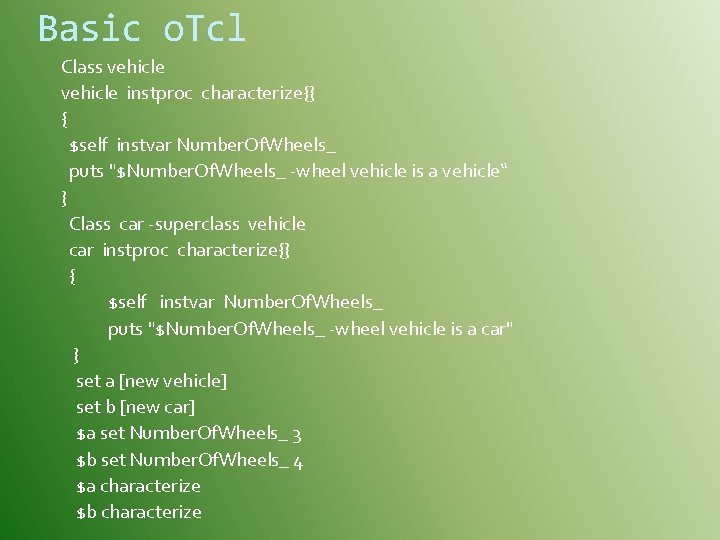
Basic o. Tcl Class vehicle instproc characterize{} { $self instvar Number. Of. Wheels_ puts "$Number. Of. Wheels_ -wheel vehicle is a vehicle“ } Class car -superclass vehicle car instproc characterize{} { $self instvar Number. Of. Wheels_ puts "$Number. Of. Wheels_ -wheel vehicle is a car" } set a [new vehicle] set b [new car] $a set Number. Of. Wheels_ 3 $b set Number. Of. Wheels_ 4 $a characterize $b characterize
Tcl/o. Tcl Common Problem Generally useless debugging information: no object (_o 24 cmd line 1) invoked from within “_o 24 cmd drop-target { }” invoked from within “catch “$self cmd $args” ret” (procedure “_o 24” line 2) Fortunately, you do NOT need to be a Tcl expert for using NS
Structure of a typical ns script Creating event scheduler Opening trace files Creating topology Creating the transport layer “connection” Creating application to generate traffic Start and stop the traffic flows
Structure of a typical ns script Creating event scheduler Opening trace files Creating topology Creating the transport layer “connection” Creating application to generate traffic Start and stop the traffic flows
![Create Event Scheduler Create scheduler set ns [new Simulator] Schedule event $ns at <time>](http://slidetodoc.com/presentation_image_h/8a3812d2ad7f2a7c4e0362b96ca4096a/image-13.jpg "Create Event Scheduler Create scheduler set ns [new Simulator] Schedule event $ns at <time>")
Create Event Scheduler Create scheduler set ns [new Simulator] Schedule event $ns at <time> <event> is any legitimate ns/tcl commands Start scheduler $ns run
Structure of a typical ns script Creating event scheduler Opening trace files Creating topology Creating the transport layer “connection” Creating application to generate traffic Start and stop the traffic flows

Open trace files Ex. 1 Trace packets on all links set fp [open test. out w] $ns trace-all $fp trace format: <event> <time> <from> <to> <pkt_type> <size> <flag><flow_id><src> <dst><seq_no> <ack_seq_no> r 1 0 2 tcp 1000 - - - - - 0 + 1 0 2 tcp 1000 - - - - - 0 0. 0 3. 1 29 199 - 1 0 2 tcp 1000 - - - - - 0 0. 0 3. 1 29 199 d 1. 00234 0 2 tcp 1000 - - - 0

Open trace files Ex. 2 #Open the Trace file set tf [open out. tr w] $ns trace-all $tf
![Create Topology Create nodes set n 0 [$ns node] set n 1 [$ns node]](http://slidetodoc.com/presentation_image_h/8a3812d2ad7f2a7c4e0362b96ca4096a/image-17.jpg "Create Topology Create nodes set n 0 [$ns node] set n 1 [$ns node]")
Create Topology Create nodes set n 0 [$ns node] set n 1 [$ns node] Create links and queues $ns <link-type> $n 0 de 1 $node 2 <bandwidth> <delay> <queue-type>: Drop. Tail, RED, WFQ, SFQ, … <link-type>: duplex-link, simplex-link $ns duplex-link $n 0 $n 1 1 Mb 10 ms Drop. Tail
![Create Flow: UDP Create agents - set udp [new Agent/UDP] - set null [new](http://slidetodoc.com/presentation_image_h/8a3812d2ad7f2a7c4e0362b96ca4096a/image-18.jpg "Create Flow: UDP Create agents - set udp [new Agent/UDP] - set null [new")
Create Flow: UDP Create agents - set udp [new Agent/UDP] - set null [new Agent/NULL] Attach to the nodes - $ns attach-agent $n 0 $udp - $ns attach-agent $n 1 $null Establish the “connection” - $ns connect $udp $null
![Create Connection: TCP Create agents - set tcp [new Agent/TCP] - set tcpsink [new](http://slidetodoc.com/presentation_image_h/8a3812d2ad7f2a7c4e0362b96ca4096a/image-19.jpg "Create Connection: TCP Create agents - set tcp [new Agent/TCP] - set tcpsink [new")
Create Connection: TCP Create agents - set tcp [new Agent/TCP] - set tcpsink [new Agent/TCPSink] Attach to the nodes - $ns attach-agent $n 0 $tcp - $ns attach-agent $n 1 $tcpsink Establish the “connection” - $ns connect $tcpsink
![Create Application On Top of UDP: CBR set cbr 0 [new Application/Traffic/CBR] $cbr 0](http://slidetodoc.com/presentation_image_h/8a3812d2ad7f2a7c4e0362b96ca4096a/image-20.jpg "Create Application On Top of UDP: CBR set cbr 0 [new Application/Traffic/CBR] $cbr 0")
Create Application On Top of UDP: CBR set cbr 0 [new Application/Traffic/CBR] $cbr 0 attach-agent $udp On Top of TCP: FTP set ftp [new Application/FTP] $ftp attach-agent $tcp
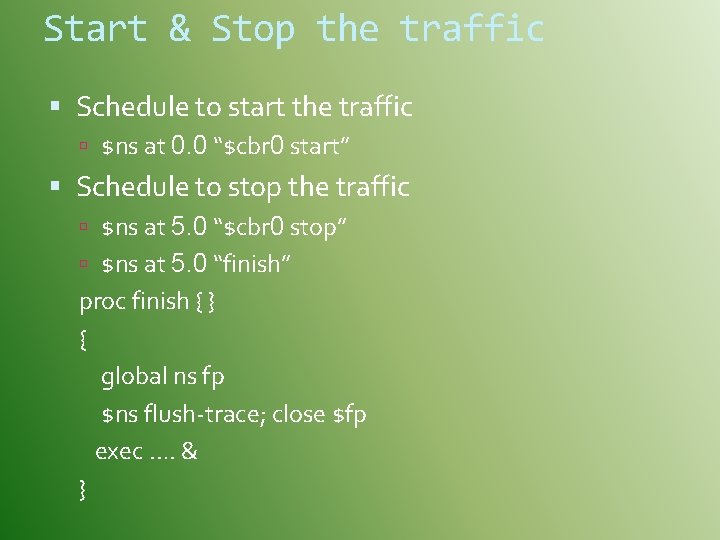
Start & Stop the traffic Schedule to start the traffic $ns at 0. 0 “$cbr 0 start” Schedule to stop the traffic $ns at 5. 0 “$cbr 0 stop” $ns at 5. 0 “finish” proc finish { } { global ns fp $ns flush-trace; close $fp exec …. & }
![Summary: Generic Script Structure set ns [new Simulator] # [Turn on tracing] # Create](http://slidetodoc.com/presentation_image_h/8a3812d2ad7f2a7c4e0362b96ca4096a/image-22.jpg "Summary: Generic Script Structure set ns [new Simulator] # [Turn on tracing] # Create")
Summary: Generic Script Structure set ns [new Simulator] # [Turn on tracing] # Create topology # Setup packet loss, link dynamics # Create routing agents # Create: # - multicast groups # - protocol agents # - application and/or setup traffic sources # Post-processing procs # Start simulation
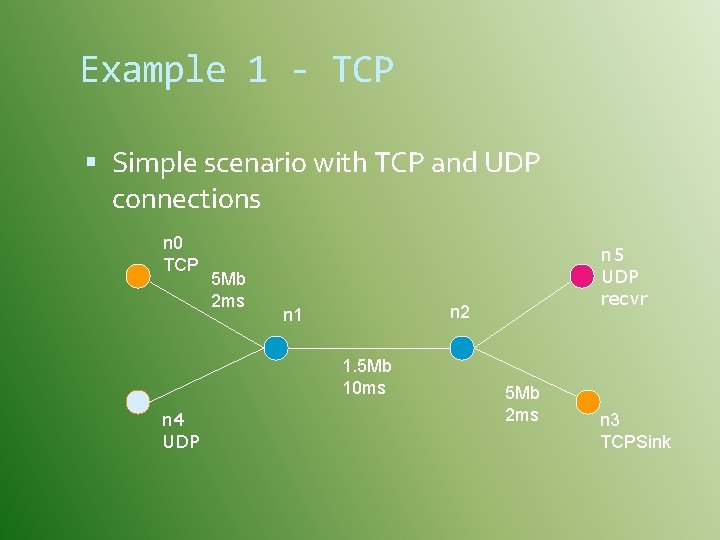
Example 1 - TCP Simple scenario with TCP and UDP connections n 0 TCP 5 Mb 2 ms n 2 n 1 1. 5 Mb 10 ms n 4 UDP n 5 UDP recvr 5 Mb 2 ms n 3 TCPSink
![TCP : Step 1 Scheduler & tracing #Create scheduler Set ns [new Simulator] #Turn](http://slidetodoc.com/presentation_image_h/8a3812d2ad7f2a7c4e0362b96ca4096a/image-24.jpg "TCP : Step 1 Scheduler & tracing #Create scheduler Set ns [new Simulator] #Turn")
TCP : Step 1 Scheduler & tracing #Create scheduler Set ns [new Simulator] #Turn on tracing set f [open out. tr w] $ns trace-all $f Set nf [open out. nam w] $ns namtrace-all $nf
![TCP : Step 2 Create topology #create nodes set n 0 [$ns node] set](http://slidetodoc.com/presentation_image_h/8a3812d2ad7f2a7c4e0362b96ca4096a/image-25.jpg "TCP : Step 2 Create topology #create nodes set n 0 [$ns node] set")
TCP : Step 2 Create topology #create nodes set n 0 [$ns node] set n 1 [$ns node] set n 2 [$ns node] set n 3 [$ns node]
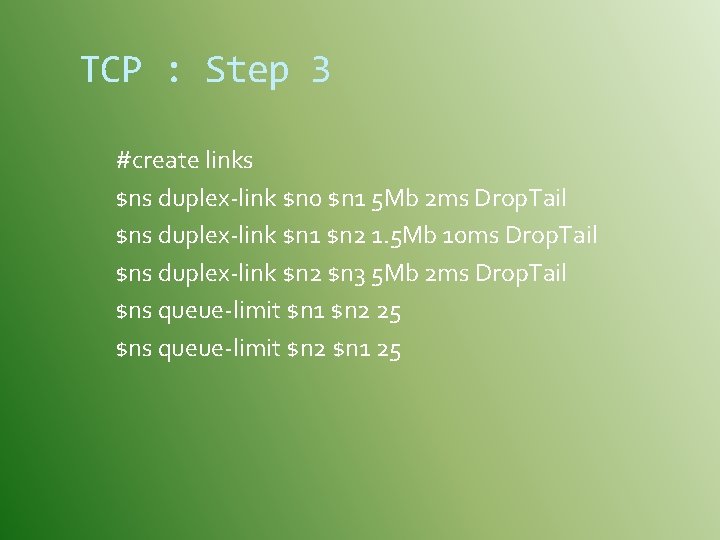
TCP : Step 3 #create links $ns duplex-link $n 0 $n 1 5 Mb 2 ms Drop. Tail $ns duplex-link $n 1 $n 2 1. 5 Mb 10 ms Drop. Tail $ns duplex-link $n 2 $n 3 5 Mb 2 ms Drop. Tail $ns queue-limit $n 1 $n 2 25 $ns queue-limit $n 2 $n 1 25
![TCP : Step 4 Create TCP agents set tcp [new Agent/TCP] set sink [new](http://slidetodoc.com/presentation_image_h/8a3812d2ad7f2a7c4e0362b96ca4096a/image-27.jpg "TCP : Step 4 Create TCP agents set tcp [new Agent/TCP] set sink [new")
TCP : Step 4 Create TCP agents set tcp [new Agent/TCP] set sink [new Agent/TCPSink] $ns attach-agent $n 0 $tcp $ns attach-agent $n 3 $sink $ns connect $tcp $sink
![TCP : Step 5 Attach traffic set ftp [new Application/FTP] $ftp attach-agent $tcp #start](http://slidetodoc.com/presentation_image_h/8a3812d2ad7f2a7c4e0362b96ca4096a/image-28.jpg "TCP : Step 5 Attach traffic set ftp [new Application/FTP] $ftp attach-agent $tcp #start")
TCP : Step 5 Attach traffic set ftp [new Application/FTP] $ftp attach-agent $tcp #start application traffic $ns at 1. 1 “$ftp start”
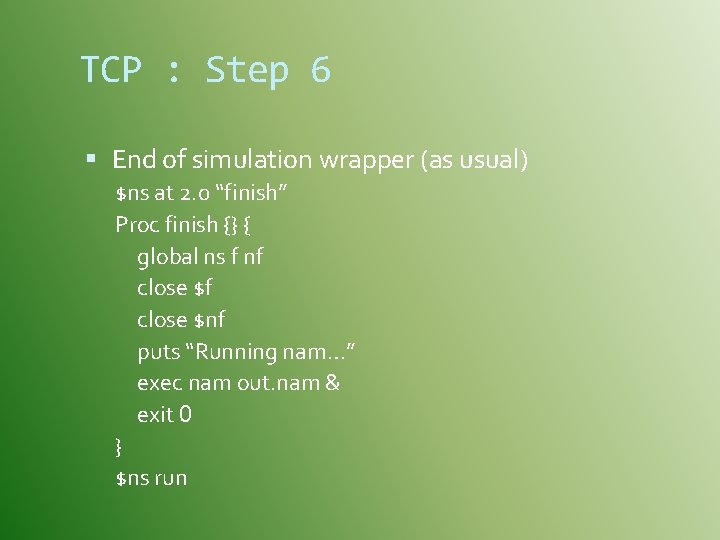
TCP : Step 6 End of simulation wrapper (as usual) $ns at 2. 0 “finish” Proc finish {} { global ns f nf close $nf puts “Running nam…” exec nam out. nam & exit 0 } $ns run
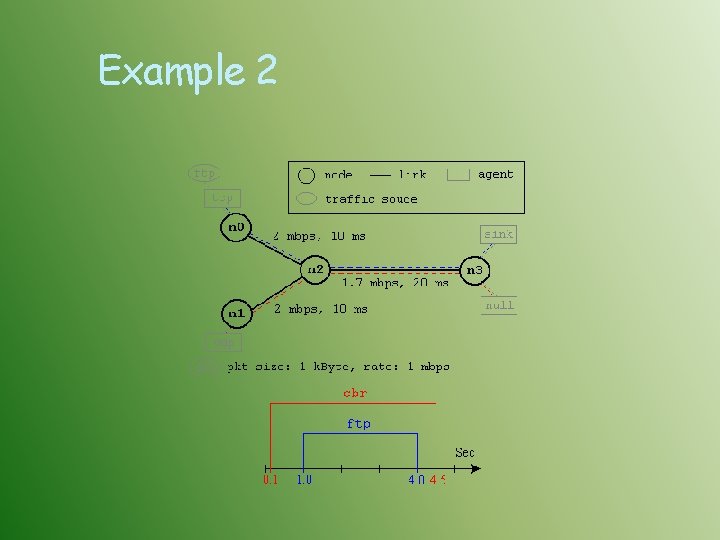
Example 2
![Example 2 #Create a simulator object set ns [new Simulator] #Define different colors for](http://slidetodoc.com/presentation_image_h/8a3812d2ad7f2a7c4e0362b96ca4096a/image-31.jpg "Example 2 #Create a simulator object set ns [new Simulator] #Define different colors for")
Example 2 #Create a simulator object set ns [new Simulator] #Define different colors for data flows (for NAM) $ns color 1 Blue $ns color 2 Red #Open the NAM trace file set nf [open out. nam w] $ns namtrace-all $nf
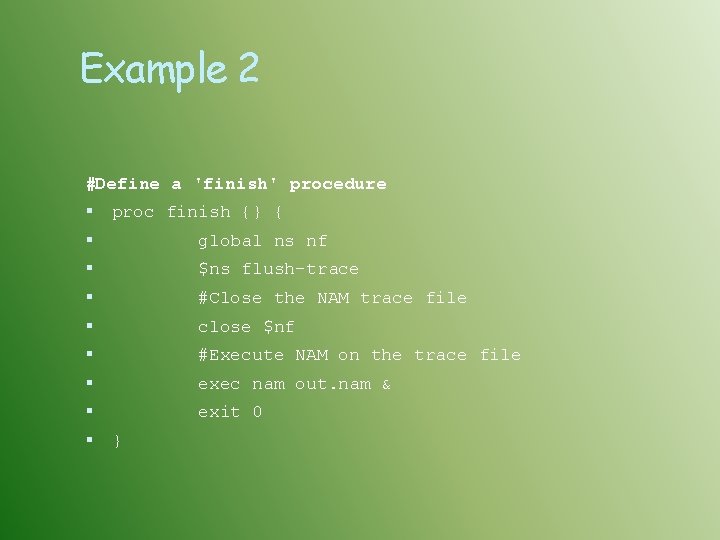
Example 2 #Define a 'finish' procedure proc finish {} { global ns nf $ns flush-trace #Close the NAM trace file close $nf #Execute NAM on the trace file exec nam out. nam & exit 0 }
![Example 2 #Create four nodes set n 0 [$ns node] set n 1 [$ns](http://slidetodoc.com/presentation_image_h/8a3812d2ad7f2a7c4e0362b96ca4096a/image-33.jpg "Example 2 #Create four nodes set n 0 [$ns node] set n 1 [$ns")
Example 2 #Create four nodes set n 0 [$ns node] set n 1 [$ns node] set n 2 [$ns node] set n 3 [$ns node] #Create links between $ns duplex-link $n 0 $ns duplex-link $n 1 $ns duplex-link $n 2 the $n 2 $n 3 nodes 2 Mb 10 ms Drop. Tail 1. 7 Mb 20 ms Drop. Tail #Set Queue Size of link (n 2 -n 3) to 10 $ns queue-limit $n 2 $n 3 10
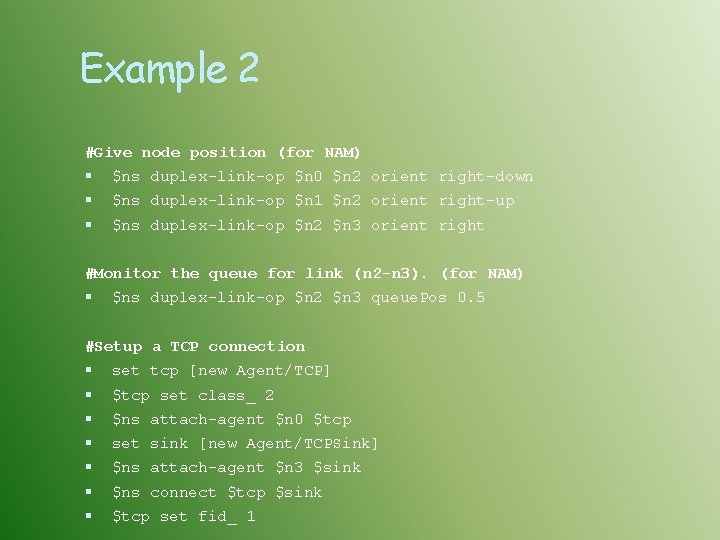
Example 2 #Give node position (for NAM) $ns duplex-link-op $n 0 $n 2 orient right-down $ns duplex-link-op $n 1 $n 2 orient right-up $ns duplex-link-op $n 2 $n 3 orient right #Monitor the queue for link (n 2 -n 3). (for NAM) $ns duplex-link-op $n 2 $n 3 queue. Pos 0. 5 #Setup a TCP connection set tcp [new Agent/TCP] $tcp set class_ 2 $ns attach-agent $n 0 $tcp set sink [new Agent/TCPSink] $ns attach-agent $n 3 $sink $ns connect $tcp $sink $tcp set fid_ 1
![Example 2 #Setup a FTP over TCP connection set ftp [new Application/FTP] $ftp attach-agent](http://slidetodoc.com/presentation_image_h/8a3812d2ad7f2a7c4e0362b96ca4096a/image-35.jpg "Example 2 #Setup a FTP over TCP connection set ftp [new Application/FTP] $ftp attach-agent")
Example 2 #Setup a FTP over TCP connection set ftp [new Application/FTP] $ftp attach-agent $tcp $ftp set type_ FTP #Setup a UDP connection set udp [new Agent/UDP] $ns attach-agent $n 1 $udp set null [new Agent/Null] $ns attach-agent $n 3 $null $ns connect $udp $null $udp set fid_ 2
![Example 2 #Setup a CBR over UDP connection set cbr [new Application/Traffic/CBR] $cbr attach-agent](http://slidetodoc.com/presentation_image_h/8a3812d2ad7f2a7c4e0362b96ca4096a/image-36.jpg "Example 2 #Setup a CBR over UDP connection set cbr [new Application/Traffic/CBR] $cbr attach-agent")
Example 2 #Setup a CBR over UDP connection set cbr [new Application/Traffic/CBR] $cbr attach-agent $udp $cbr set type_ CBR $cbr set packet_size_ 1000 $cbr set rate_ 1 mb $cbr set random_ false #Schedule events for the CBR and FTP agents $ns at 0. 1 "$cbr start" $ns at 1. 0 "$ftp start" $ns at 4. 0 "$ftp stop" $ns at 4. 5 "$cbr stop"
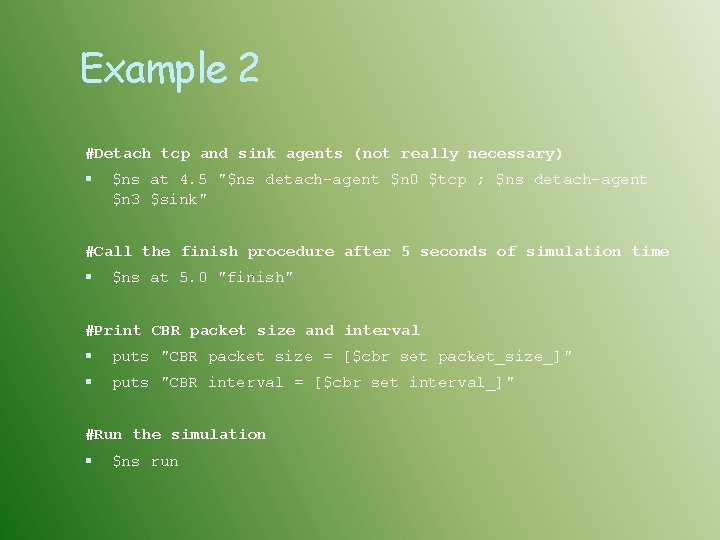
Example 2 #Detach tcp and sink agents (not really necessary) $ns at 4. 5 "$ns detach-agent $n 0 $tcp ; $ns detach-agent $n 3 $sink" #Call the finish procedure after 5 seconds of simulation time $ns at 5. 0 "finish" #Print CBR packet size and interval puts "CBR packet size = [$cbr set packet_size_]" puts "CBR interval = [$cbr set interval_]" #Run the simulation $ns run
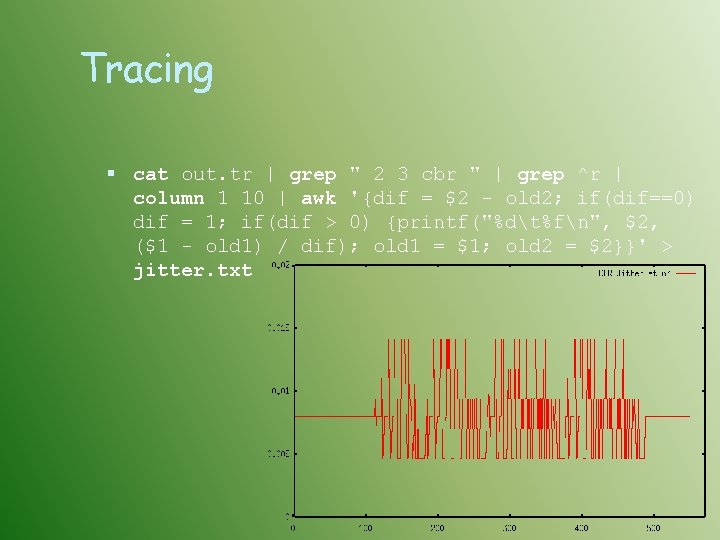
Tracing cat out. tr | grep " 2 3 cbr " | grep ^r | column 1 10 | awk '{dif = $2 - old 2; if(dif==0) dif = 1; if(dif > 0) {printf("%dt%fn", $2, ($1 - old 1) / dif); old 1 = $1; old 2 = $2}}' > jitter. txt
Viz Tools Nam-1 (Network Ani. Mator Version 1) Packet-level animation Well-supported by ns Xgraph Convert trace output into xgraph format
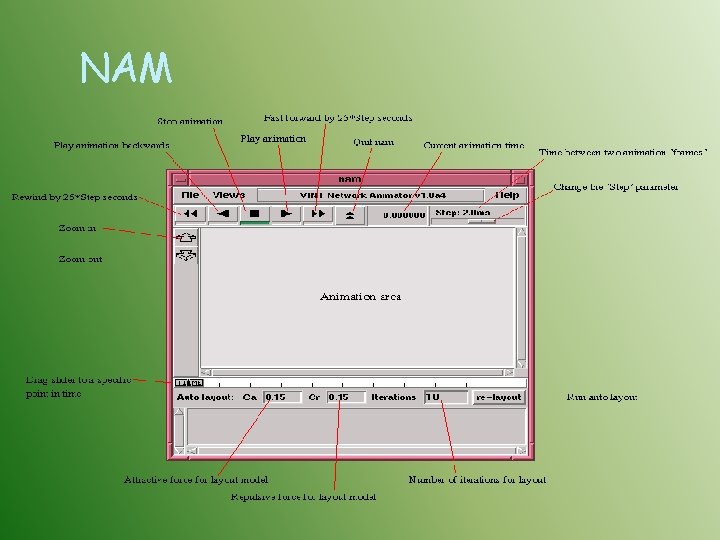
NAM
Ns-nam Interface Color Node manipulation Link manipulation Topology layout Protocol state Misc
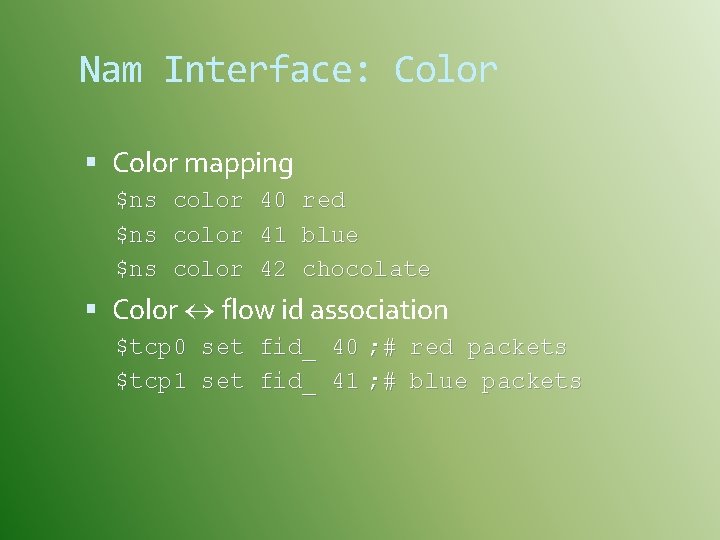
Nam Interface: Color mapping $ns color 40 red $ns color 41 blue $ns color 42 chocolate Color flow id association $tcp 0 set fid_ 40 ; # red packets $tcp 1 set fid_ 41 ; # blue packets
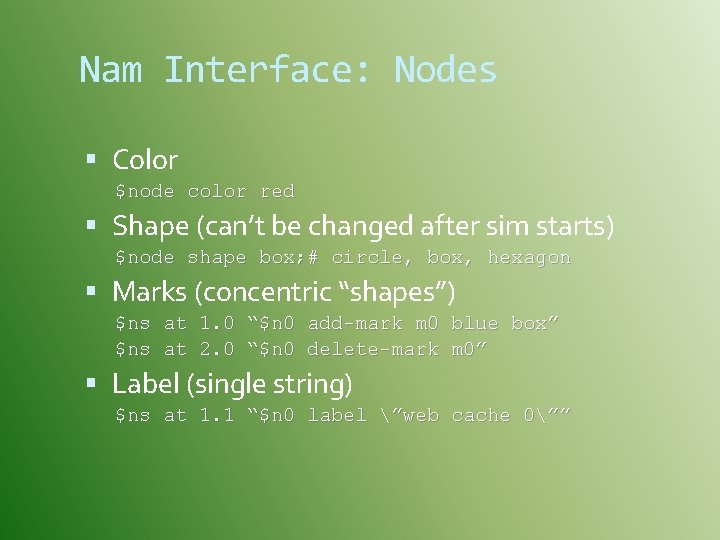
Nam Interface: Nodes Color $node color red Shape (can’t be changed after sim starts) $node shape box; # circle, box, hexagon Marks (concentric “shapes”) $ns at 1. 0 “$n 0 add-mark m 0 blue box” $ns at 2. 0 “$n 0 delete-mark m 0” Label (single string) $ns at 1. 1 “$n 0 label ”web cache 0””
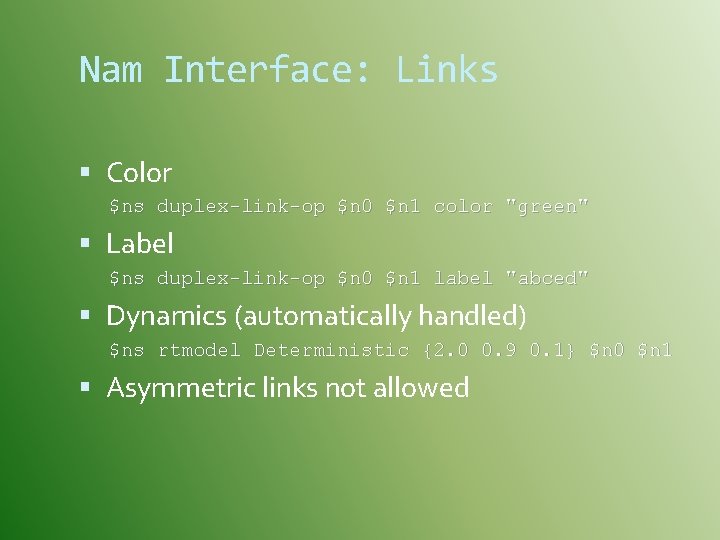
Nam Interface: Links Color $ns duplex-link-op $n 0 $n 1 color "green" Label $ns duplex-link-op $n 0 $n 1 label "abced" Dynamics (automatically handled) $ns rtmodel Deterministic {2. 0 0. 9 0. 1} $n 0 $n 1 Asymmetric links not allowed
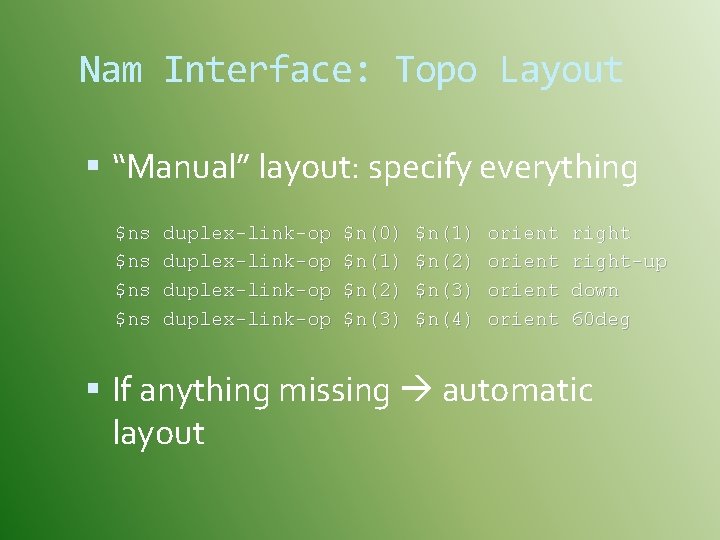
Nam Interface: Topo Layout “Manual” layout: specify everything $ns $ns duplex-link-op $n(0) $n(1) $n(2) $n(3) $n(4) orient right-up down 60 deg If anything missing automatic layout
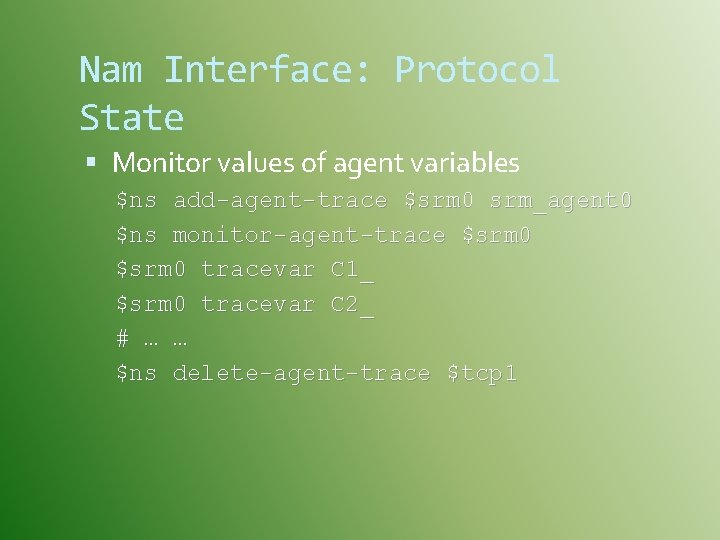
Nam Interface: Protocol State Monitor values of agent variables $ns add-agent-trace $srm 0 srm_agent 0 $ns monitor-agent-trace $srm 0 tracevar C 1_ $srm 0 tracevar C 2_ # … … $ns delete-agent-trace $tcp 1
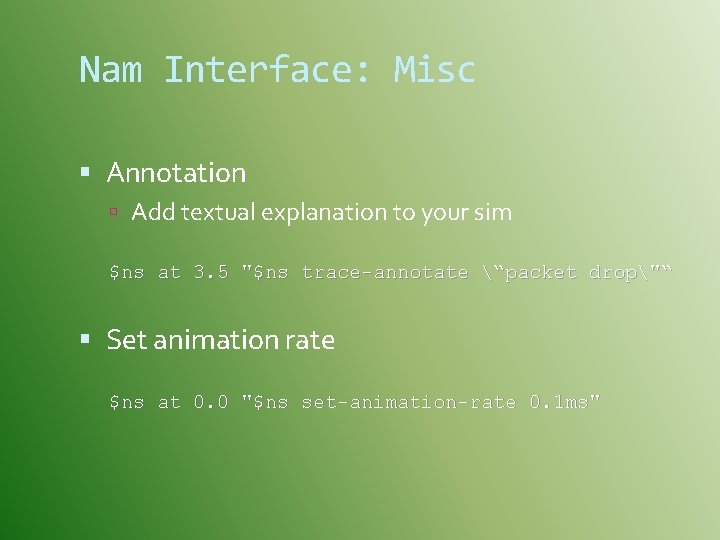
Nam Interface: Misc Annotation Add textual explanation to your sim $ns at 3. 5 "$ns trace-annotate “packet drop"“ Set animation rate $ns at 0. 0 "$ns set-animation-rate 0. 1 ms"
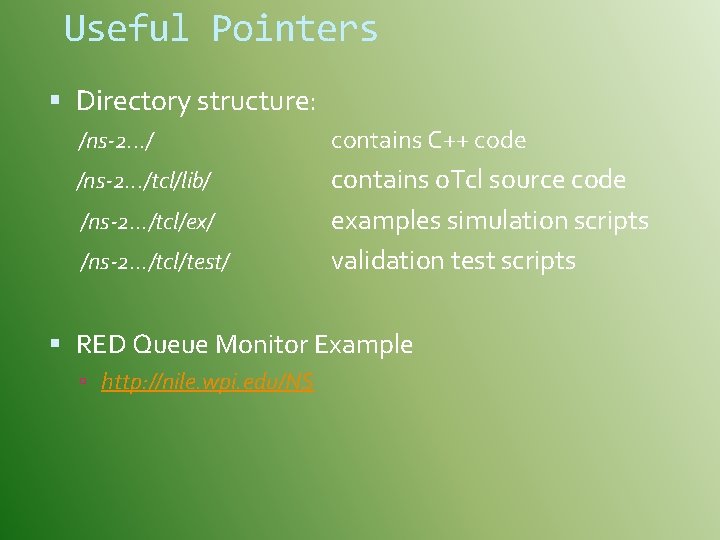
Useful Pointers Directory structure: /ns-2. . . / contains C++ code /ns-2. . . /tcl/lib/ contains o. Tcl source code examples simulation scripts validation test scripts /ns-2. . . /tcl/ex/ /ns-2. . . /tcl/test/ RED Queue Monitor Example http: //nile. wpi. edu/NS

Xgraph
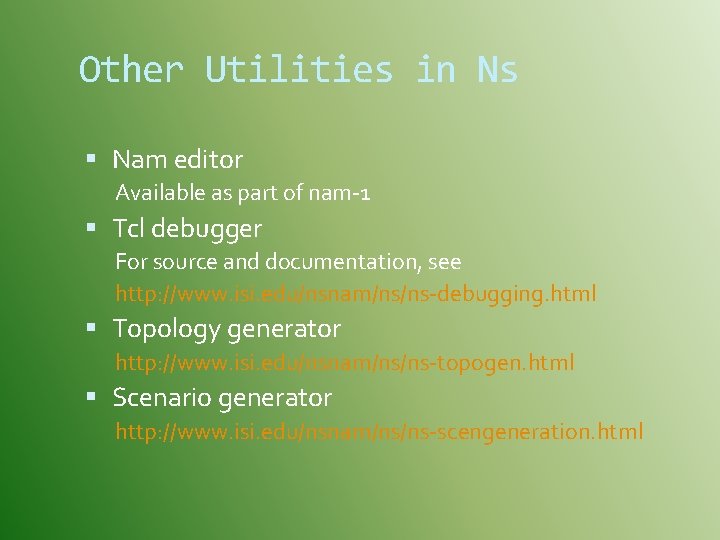
Other Utilities in Ns Nam editor Available as part of nam-1 Tcl debugger For source and documentation, see http: //www. isi. edu/nsnam/ns/ns-debugging. html Topology generator http: //www. isi. edu/nsnam/ns/ns-topogen. html Scenario generator http: //www. isi. edu/nsnam/ns/ns-scengeneration. html
Resources Ns distribution download http: //www. isi. edu/nsnam/ns/ns-build. html Installation problems and bug-fix http: //www. isi. edu/nsnam/ns/ns-problems. html Ns-users mailing list Ns-users@isi. edu See http: //www. isi. edu/nsnam/ns/ns-lists. html Archives from above URL
Resources (contd. . ) Marc Greis’ tutorial http: //www. isi. edu/nsnam/ns/tutorial Ns-users archive Ns-manual http: //www. isi. edu/nsnam/ns/ns-documentation. html Tcl (Tool Command Language) http: //dev. scriptics. com/scripting Practical programming in Tcl and Tk, Brent Welch Otcl (MIT Object Tcl) ~otcl/doc/tutorial. html (in distribution)
Resources (contd. . ) NS Frequently Asked Questions: http: //www. isi. edu/nsnam/ns/ns-faq. html Lloyd Wood - introducing ns: / http: //www. ee. surrey. ac. uk/Personal/L. Wood/ns

QUESTIONS ? ? ?
- Slides: 54