
Wireframe Modeling An application of Bresenhams line drawing
Wire-frame Modeling An application of Bresenham’s line -drawing algorithm
3 D models • Simple objects from the world around us can be depicted as “wire-frame models” • We make a list of the “key” points (usually corners) on the object’s outer surface and a list of all the lines that connect them • The “key” points are called “vertices” • The connecting lines are called “edges” • We create a file that contains this “data”
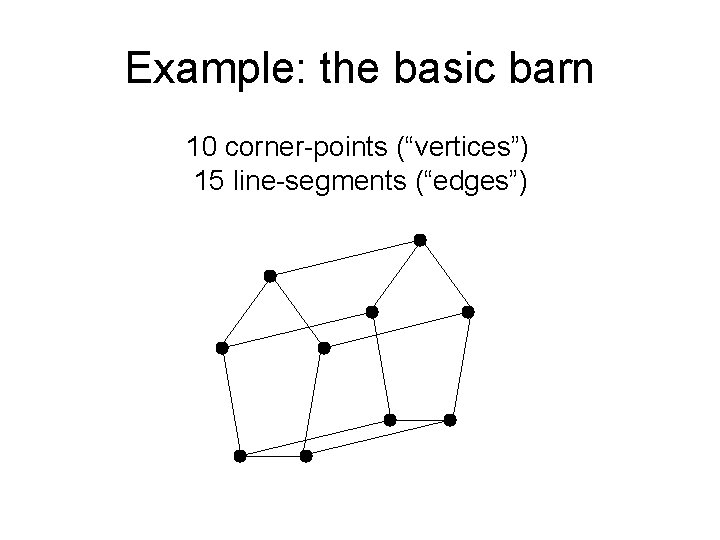
Example: the basic barn 10 corner-points (“vertices”) 15 line-segments (“edges”)
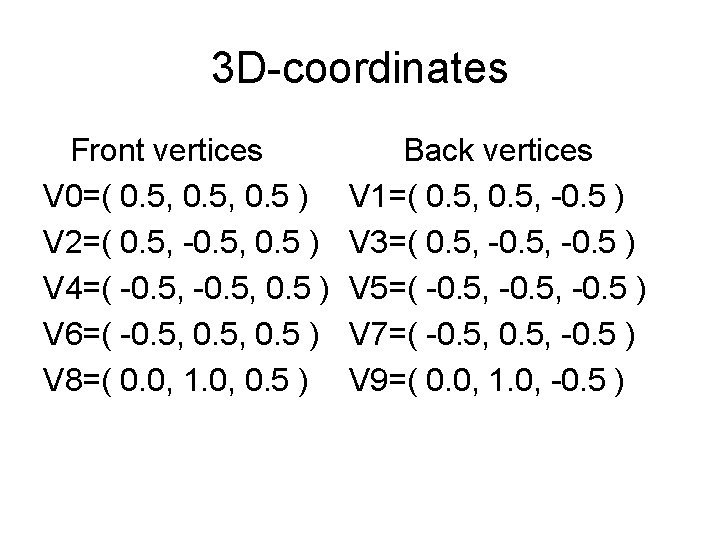
3 D-coordinates Front vertices V 0=( 0. 5, 0. 5 ) V 2=( 0. 5, -0. 5, 0. 5 ) V 4=( -0. 5, 0. 5 ) V 6=( -0. 5, 0. 5 ) V 8=( 0. 0, 1. 0, 0. 5 ) Back vertices V 1=( 0. 5, -0. 5 ) V 3=( 0. 5, -0. 5 ) V 5=( -0. 5, -0. 5 ) V 7=( -0. 5, -0. 5 ) V 9=( 0. 0, 1. 0, -0. 5 )
Perspective Projection • We imagine the computer display screen is located between the wireframe model and the eye of someone who’s viewing it • Each vertex is “projected” onto the screen • We use Bresenham’s algorithm to draw line-segments that connect the projections • A “demo program” will show this effect
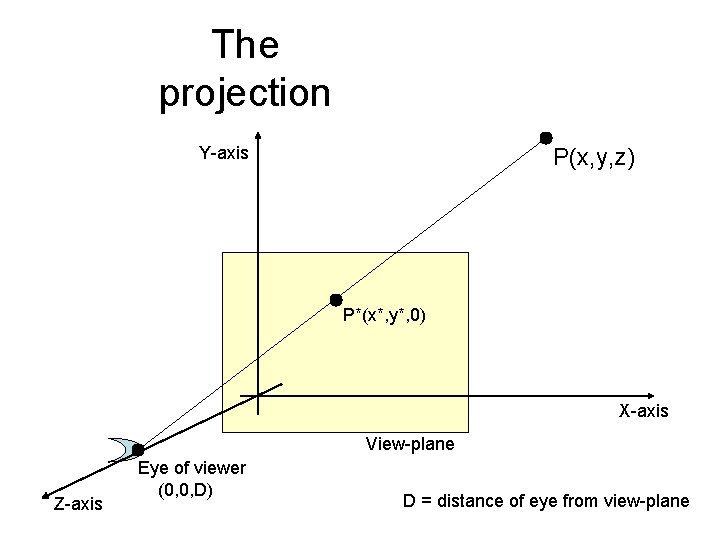
The projection Y-axis P(x, y, z) P*(x*, y*, 0) X-axis View-plane Z-axis Eye of viewer (0, 0, D) D = distance of eye from view-plane
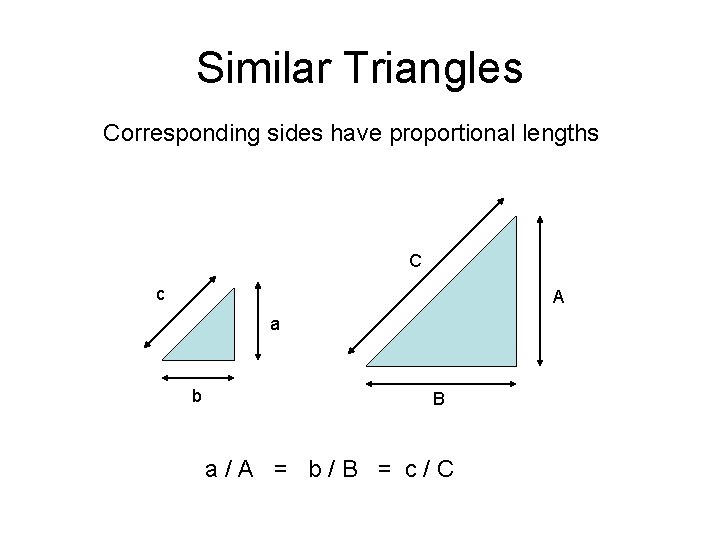
Similar Triangles Corresponding sides have proportional lengths C c A a b B a/A = b/B = c/C
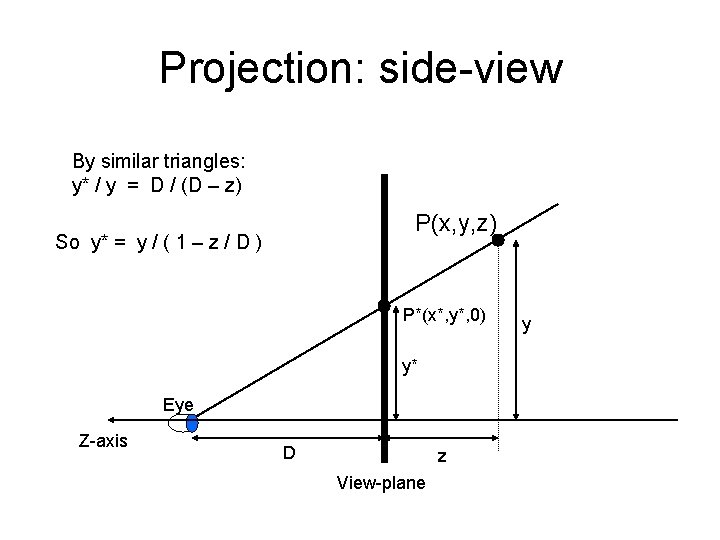
Projection: side-view By similar triangles: y* / y = D / (D – z) P(x, y, z) So y* = y / ( 1 – z / D ) P*(x*, y*, 0) y* Eye Z-axis D z View-plane y
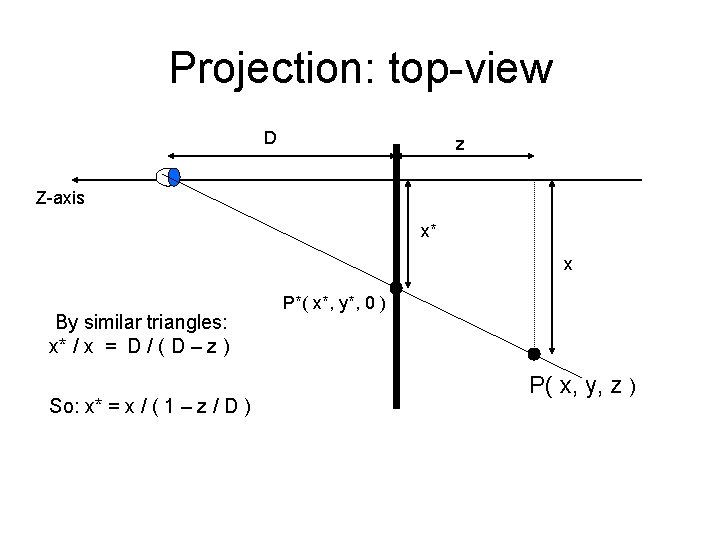
Projection: top-view D z Z-axis x* x By similar triangles: x* / x = D / ( D – z ) So: x* = x / ( 1 – z / D ) P*( x*, y*, 0 ) P( x, y, z )
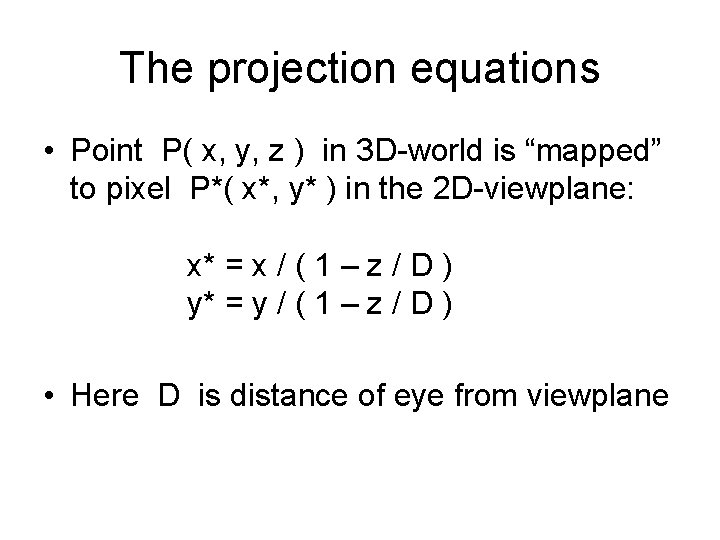
The projection equations • Point P( x, y, z ) in 3 D-world is “mapped” to pixel P*( x*, y* ) in the 2 D-viewplane: x* = x / ( 1 – z / D ) y* = y / ( 1 – z / D ) • Here D is distance of eye from viewplane
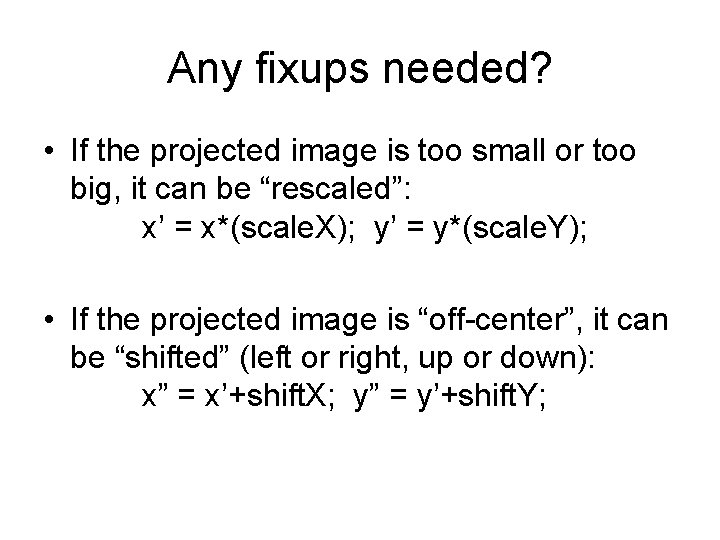
Any fixups needed? • If the projected image is too small or too big, it can be “rescaled”: x’ = x*(scale. X); y’ = y*(scale. Y); • If the projected image is “off-center”, it can be “shifted” (left or right, up or down): x” = x’+shift. X; y” = y’+shift. Y;
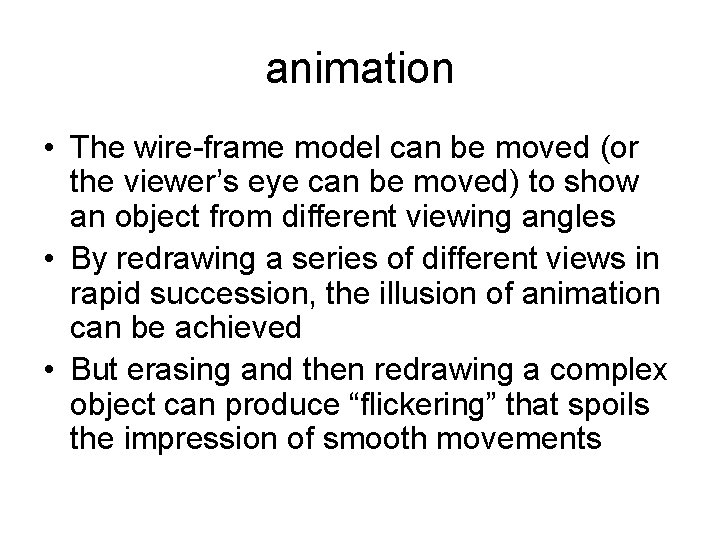
animation • The wire-frame model can be moved (or the viewer’s eye can be moved) to show an object from different viewing angles • By redrawing a series of different views in rapid succession, the illusion of animation can be achieved • But erasing and then redrawing a complex object can produce “flickering” that spoils the impression of smooth movements
smooth wire-frame animations • Advanced hardware techniques can be employed to eliminate any “flickering” • One such technique is “page-flipping” • It makes use of the extra graphics VRAM • But it may require us to learn more about the Super VGA hardware designs • And here we must confront the issue of graphics “standards” (or the lack thereof)
Super. VGA The problem of “standards” for enhanced PC graphics hardware
Limitations of VGA • • VGA’s architecture was designed by IBM It was targeted for IBM’s PC/AT machines These used Intel’s 8086/8088/80286 cpus Operating system was PC-DOS/MS-DOS was built to execute in “real-mode” So address-space was limited to 1 MB VRAM was confined to 0 x. A 0000 -0 x. BFFFF Graphics-mode VRAM was only 64 KB
VGA Modes 18 and 19 • Design-goals of VGA mode 18: higher screen-resolution (640 x 480, 4 bpp) and “square” pixels (16 colors) • Design-goals of VGA mode 19: higher color-depth (320 x 200, 8 bpp) and “linear” addressing (256 colors) • Also “backward compatibility” with CGA/EGA: – CGA mode 6: 640 x 200, 1 bpp (2 -colors) – CGA mode 5: 320 x 200, 2 bpp (4 -colors) – EGA mode 16: 640 x 350, 4 bpp (16 -colors 0
IBM competitors • Others sought a marketing advantage • Their engineers devised ways to get more colors and/or higher screen-resolutions • Example: 800 x 600 with 4 bpp (16 -colors) • Offers “square” pixels and 64 K addressing • 800 x 600=480000 pixels (“planar” memory) • But every competitor did it their own way! • So PC graphics software wasn’t “portable”
VESA • Video Electronics Standards Association • An industry consortium to setup standards • Their idea: provide a uniform programming interface for Super VGAs via the firmware • Applications would not directly program the incompatible graphics hardware, but would call standard ROM-BIOS functions supplied in firmware by each manufacturer
VESA Bios Extensions v 3. 0 • Copy of the standards document is online • It defines a programming interface for the essential and the most-needed functions • Examples: setting various display-modes, querying the hardware’s capabilities, and enabling Super. VGA functionalities • Reading assignment: study ‘vbe 3. pdf’
- Slides: 19